Computer Basics 1
Common Computer Terminology
Objectives
 Identify the primary hardware components
of a computer.
 Define an operating system and its role.
 Define the term program.
 Explain what is meant by data.
 Define the term network, and identify the
benefits of networking.
 Define the term Internet.
Hardware
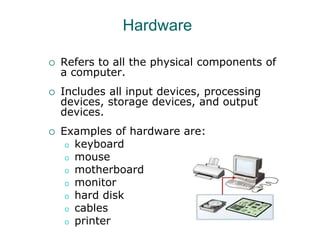
 Refers to all the physical components of
a computer.
 Includes all input devices, processing
devices, storage devices, and output
devices.
 Examples of hardware are:
o keyboard
o mouse
o motherboard
o monitor
o hard disk
o cables
o printer
Operating Systems
 Is the most important software on the computer
 Controls and manages the hardware connected
to your computer
 Provides an interface that helps you to interact
with the computer
 Ensures that your computer is functioning
properly
 Windows XP is an example of the operation
system.
 Can be either text-based or graphics-based.
 Graphics-based operating system help you install
hardware or software with easy-to-use interface.
Programs
o The hardware and the operating system
together are referred to as a platform.
o Programs, also called applications, use this
platform to perform tasks.
o There are many types of programs:
o Some programs allow you to perform tasks
such as writing letters, doing calculations, or
sending e-mail messages.
o Other programs allow you to create
illustrations, play games, watch movies, or
communicate with other computer users.
Data
o Programs process data that you provide as input
to your computer.
o Data can be in the form of text, graphics, audio,
or video depending on the type of program.
o Program processes the data and displays the
output on the screen.
o You can save this output in a file.
o The file can be an audio file, a text file, a
graphics file, or a video file.
Networks
 Is a group of computers and associated
devices that are linked together to
facilitate sharing information.
 Can also be used to share data and
devices such as printers.
 A typical network has the following three
components:
o Server
o Workstation
o Communication channel
Networks
LAN
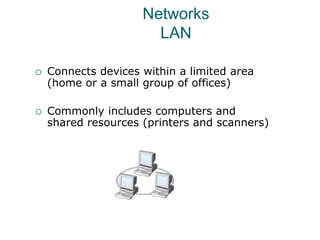
 Connects devices within a limited area
(home or a small group of offices)
 Commonly includes computers and
shared resources (printers and scanners)
Networks
WAN
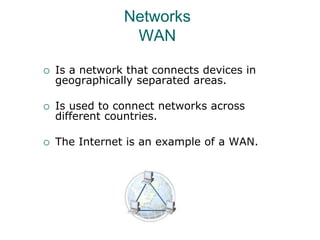
 Is a network that connects devices in
geographically separated areas.
 Is used to connect networks across
different countries.
 The Internet is an example of a WAN.
Internet
 Internet is a worldwide collection of public
networks that are linked to each other for
information exchange.
 Internet offers a range of services to its
users (file transfers between Internet users
and electronic mail)
 The World Wide Web (WWW), or the Web,
is another service that the Internet
provides.
 An intranet is similar to the Web but is
accessible only to authorized users of the
organization.

common computer terminology

  • 1.
    Computer Basics 1 CommonComputer Terminology
  • 2.
    Common Computer Terminology Objectives Identify the primary hardware components of a computer.  Define an operating system and its role.  Define the term program.  Explain what is meant by data.  Define the term network, and identify the benefits of networking.  Define the term Internet.
  • 3.
    Hardware  Refers toall the physical components of a computer.  Includes all input devices, processing devices, storage devices, and output devices.  Examples of hardware are: o keyboard o mouse o motherboard o monitor o hard disk o cables o printer
  • 4.
    Operating Systems  Isthe most important software on the computer  Controls and manages the hardware connected to your computer  Provides an interface that helps you to interact with the computer  Ensures that your computer is functioning properly  Windows XP is an example of the operation system.  Can be either text-based or graphics-based.  Graphics-based operating system help you install hardware or software with easy-to-use interface.
  • 5.
    Programs o The hardwareand the operating system together are referred to as a platform. o Programs, also called applications, use this platform to perform tasks. o There are many types of programs: o Some programs allow you to perform tasks such as writing letters, doing calculations, or sending e-mail messages. o Other programs allow you to create illustrations, play games, watch movies, or communicate with other computer users.
  • 6.
    Data o Programs processdata that you provide as input to your computer. o Data can be in the form of text, graphics, audio, or video depending on the type of program. o Program processes the data and displays the output on the screen. o You can save this output in a file. o The file can be an audio file, a text file, a graphics file, or a video file.
  • 7.
    Networks  Is agroup of computers and associated devices that are linked together to facilitate sharing information.  Can also be used to share data and devices such as printers.  A typical network has the following three components: o Server o Workstation o Communication channel
  • 8.
    Networks LAN  Connects deviceswithin a limited area (home or a small group of offices)  Commonly includes computers and shared resources (printers and scanners)
  • 9.
    Networks WAN  Is anetwork that connects devices in geographically separated areas.  Is used to connect networks across different countries.  The Internet is an example of a WAN.
  • 10.
    Internet  Internet isa worldwide collection of public networks that are linked to each other for information exchange.  Internet offers a range of services to its users (file transfers between Internet users and electronic mail)  The World Wide Web (WWW), or the Web, is another service that the Internet provides.  An intranet is similar to the Web but is accessible only to authorized users of the organization.