
1
computer
memory
-:CONTENTS :-
 computer system and its components......................................
 Control unit.............................................................................
 ALU .........................................................................................
 Input / Output function and characteristics..........................
 Memory – RAM ROM and other types of memory......................
 Storage fundamentals – primary vs secondary data
storage......
2
COMPUTER SYSTEM AND
ITS COMPONENTS
3
Computer is an electronic device that takes data as an
input and processes it under the control of a set of
instructions (called program) and then produces a result
(output), and all the set is called as computer system.
A computer system is a set of integrated devices which
takes input, process it and give output. Also it store data
and information.
computer system allows users to input, manipulate and
store data. Computer systems include a CPU, monitor,
keyboard, mouse and other optional components. 4
computer system
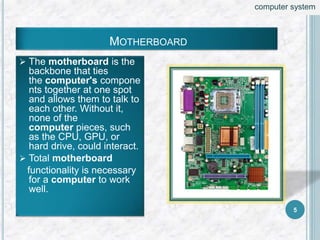
 The motherboard is the
backbone that ties
the computer's compone
nts together at one spot
and allows them to talk to
each other. Without it,
none of the
computer pieces, such
as the CPU, GPU, or
hard drive, could interact.
 Total motherboard
functionality is necessary
for a computer to work
well.
MOTHERBOARD
5
computer system
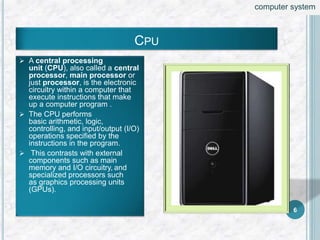
 A central processing
unit (CPU), also called a central
processor, main processor or
just processor, is the electronic
circuitry within a computer that
execute instructions that make
up a computer program .
 The CPU performs
basic arithmetic, logic,
controlling, and input/output (I/O)
operations specified by the
instructions in the program.
 This contrasts with external
components such as main
memory and I/O circuitry, and
specialized processors such
as graphics processing units
(GPUs).
CPU
6
computer system
DIFFERENCE GUI AND CUI
GUI CUI
 GUI stands for Graphical
User Interface
 CUI stands for Character User
Interface
 User interface
where user interacts with the
computer using graphics.
 User interface
where user interacts with
computer using only keyboard.
 Graphics include icons,
navigation bars, images etc.
Mouse can be used while using
this interface to interact with the
graphics.
CUI is precursor of GUI and was
used in most primitive computers.
7
computer system
CHARACTERISTICS OF COMPUTER
 Automatic
 Speed (microseconds, nanosecond, picosecond)
 Accuracy
 Diligence
 Versatility
 Power of remembering
 No feeling
 No IQ
8
computer system
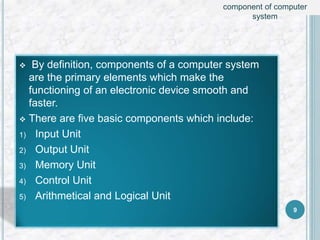
 By definition, components of a computer system
are the primary elements which make the
functioning of an electronic device smooth and
faster.
 There are five basic components which include:
1) Input Unit
2) Output Unit
3) Memory Unit
4) Control Unit
5) Arithmetical and Logical Unit
9
component of computer
system
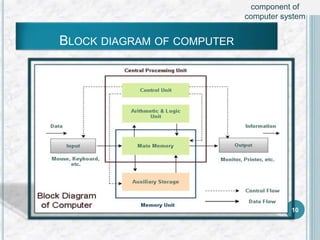
BLOCK DIAGRAM OF COMPUTER
10
component of
computer system
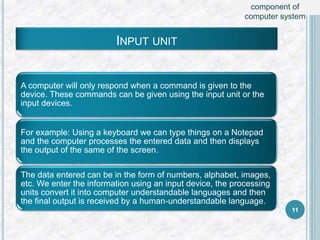
INPUT UNIT
A computer will only respond when a command is given to the
device. These commands can be given using the input unit or the
input devices.
For example: Using a keyboard we can type things on a Notepad
and the computer processes the entered data and then displays
the output of the same of the screen.
The data entered can be in the form of numbers, alphabet, images,
etc. We enter the information using an input device, the processing
units convert it into computer understandable languages and then
the final output is received by a human-understandable language.
11
component of
computer system
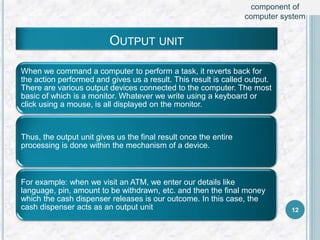
OUTPUT UNIT
When we command a computer to perform a task, it reverts back for
the action performed and gives us a result. This result is called output.
There are various output devices connected to the computer. The most
basic of which is a monitor. Whatever we write using a keyboard or
click using a mouse, is all displayed on the monitor.
Thus, the output unit gives us the final result once the entire
processing is done within the mechanism of a device.
For example: when we visit an ATM, we enter our details like
language, pin, amount to be withdrawn, etc. and then the final money
which the cash dispenser releases is our outcome. In this case, the
cash dispenser acts as an output unit 12
component of
computer system
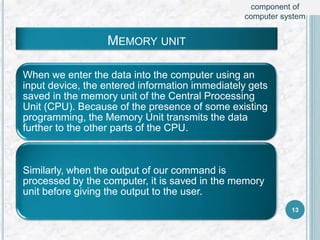
MEMORY UNIT
When we enter the data into the computer using an
input device, the entered information immediately gets
saved in the memory unit of the Central Processing
Unit (CPU). Because of the presence of some existing
programming, the Memory Unit transmits the data
further to the other parts of the CPU.
Similarly, when the output of our command is
processed by the computer, it is saved in the memory
unit before giving the output to the user.
13
component of
computer system
TYPES OF COMPUTER
MEMORY
(RAM and ROM)
14
 Memory is the most essential element of a
computing system because without it computer
can’t perform simple tasks. Computer memory is of
two basic type – Primary memory / Volatile memory
and Secondary memory / non-volatile memory.
Random Access Memory (RAM) is volatile memory
and Read Only Memory (ROM) is non-volatile
memory.
15
computer
memory
RANDOM ACCESS MEMORY (RAM)
 It is also called as read write memory or the main
memory or the primary memory.
 The programs and data that the CPU requires
during execution of a program are stored in this
memory.
 It is a volatile memory as the data loses when the
power is turned off.
 RAM is further classified into two types-
 SRAM (Static Random Access Memory) and
 DRAM (Dynamic Random Access Memory). 16
computer
memory
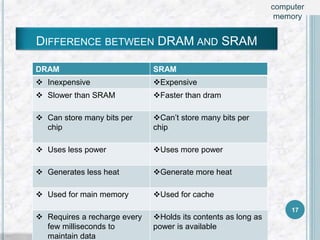
DRAM SRAM
 Inexpensive Expensive
 Slower than SRAM Faster than dram
 Can store many bits per
chip
Can’t store many bits per
chip
 Uses less power Uses more power
 Generates less heat Generate more heat
 Used for main memory Used for cache
 Requires a recharge every
few milliseconds to
maintain data
Holds its contents as long as
power is available
DIFFERENCE BETWEEN DRAM AND SRAM
17
computer
memory
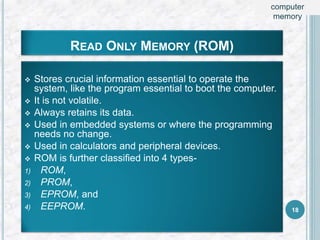
READ ONLY MEMORY (ROM)
 Stores crucial information essential to operate the
system, like the program essential to boot the computer.
 It is not volatile.
 Always retains its data.
 Used in embedded systems or where the programming
needs no change.
 Used in calculators and peripheral devices.
 ROM is further classified into 4 types-
1) ROM,
2) PROM,
3) EPROM, and
4) EEPROM. 18
computer
memory
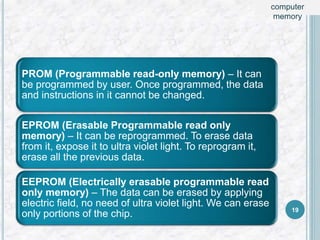
PROM (Programmable read-only memory) – It can
be programmed by user. Once programmed, the data
and instructions in it cannot be changed.
EPROM (Erasable Programmable read only
memory) – It can be reprogrammed. To erase data
from it, expose it to ultra violet light. To reprogram it,
erase all the previous data.
EEPROM (Electrically erasable programmable read
only memory) – The data can be erased by applying
electric field, no need of ultra violet light. We can erase
only portions of the chip. 19
computer
memory
Other
Types Of
Memory
20
Other types of
memory
CACHE MEMORY
Its also known as CPU memory.
Cache memory stores instructions computer programs
frequently call upon during operation for faster access.
Since it is physically closer than RAM, this is the first pace the
processor looks for instructions. If it finds the data it needs
here, the processor can bypass the more time-consuming
process of reading RAM or other storage devices.
21
Other types of
memory
SEQUENTIAL ACCESS MEMORY
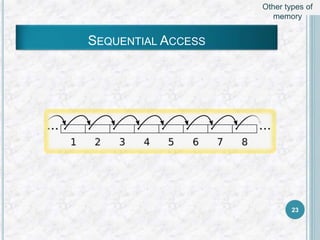
Sequential access is a term describing a group of elements
(such as data in a disk file or on magnetic tape data storage)
being accessed in a predetermined, ordered sequence.
It is the opposite of random access.
Sequential access is sometimes the only way of accessing
the data, for example if it is on a tape. It may also be the
access method of choice, for example if all that is wanted is
to process a sequence of data elements in order. 22
Other types of
memory
SEQUENTIAL ACCESS
23
Other types of
memory
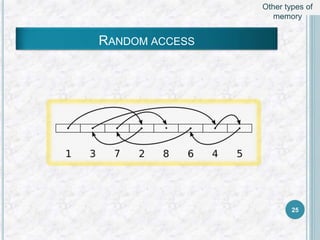
RANDOM ACCESS MEMORY
Random access (more precisely and more generally called direct access)
is the ability to access an arbitrary element of a sequence in equal time
from a population of addressable elements roughly as easily and efficiently
as any other, no matter how many elements may be in the set.
In computer science it is typically contrasted to sequential access which
requires data to be retrieved in the order it was stored.
the term "random access" was used because the process had to be
capable of finding records no matter in which sequence they were required.
The opposite is sequential access, where a remote element takes longer
time to access. 24
Other types of
memory
RANDOM ACCESS
25
Other types of
memory
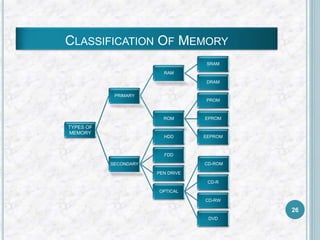
CLASSIFICATION OF MEMORY
TYPES OF
MEMORY
PRIMARY
RAM
SRAM
DRAM
ROM
PROM
EPROM
EEPROM
SECONDARY
HDD
FDD
PEN DRIVE
OPTICAL
CD-ROM
CD-R
CD-RW
DVD
26
CONTROL UNIT
This is the core unit which manages the entire functioning of the
computer device. It is one of the most essential components of
the computer system.
The Control Unit collects the data entered using the input unit,
leads it on for processing and once that is done, receives the
output and presents it to the user. It can be said to the centre of
all processing actions taking place inside a computer device.
Basically, the instructions taken, interpretation of entered data,
issuing signals to execute the data and then finally retrieving
the data is all done in the Control Unit.
27
component of
computer system
ARITHMETICAL AND LOGICAL UNIT
All the mathematical calculations or arithmetic operations
are performed in the Arithmetic and Logical Unit of the CPU.
It can also perform actions like a comparison of data and
decision-making actions. The ALU comprises circuits using
which addition, subtraction, multiplication, division and other
numerical based calculations can be performed.
28
component of
computer system
INPUT DEVICES
KEYBOARD
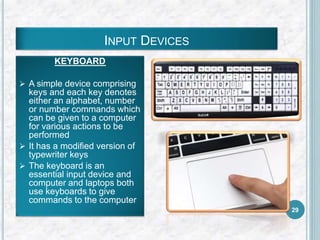
 A simple device comprising
keys and each key denotes
either an alphabet, number
or number commands which
can be given to a computer
for various actions to be
performed
 It has a modified version of
typewriter keys
 The keyboard is an
essential input device and
computer and laptops both
use keyboards to give
commands to the computer
29
MOUSE
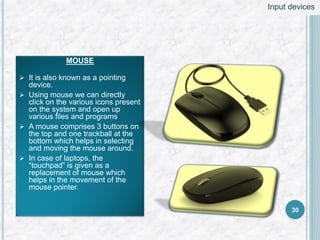
 It is also known as a pointing
device.
 Using mouse we can directly
click on the various icons present
on the system and open up
various files and programs
 A mouse comprises 3 buttons on
the top and one trackball at the
bottom which helps in selecting
and moving the mouse around.
 In case of laptops, the
“touchpad” is given as a
replacement of mouse which
helps in the movement of the
mouse pointer.
30
Input devices
JOY STICK
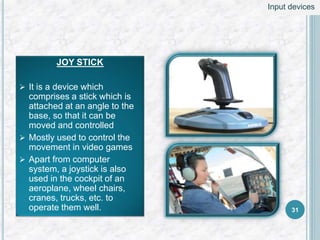
 It is a device which
comprises a stick which is
attached at an angle to the
base, so that it can be
moved and controlled
 Mostly used to control the
movement in video games
 Apart from computer
system, a joystick is also
used in the cockpit of an
aeroplane, wheel chairs,
cranes, trucks, etc. to
operate them well. 31
Input devices
LIGHT PEN
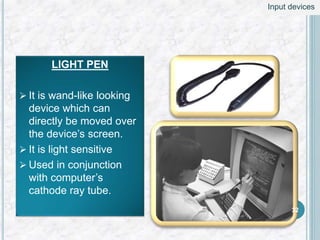
 It is wand-like looking
device which can
directly be moved over
the device’s screen.
 It is light sensitive
 Used in conjunction
with computer’s
cathode ray tube.
32
Input devices
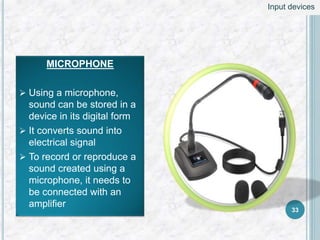
MICROPHONE
 Using a microphone,
sound can be stored in a
device in its digital form
 It converts sound into
electrical signal
 To record or reproduce a
sound created using a
microphone, it needs to
be connected with an
amplifier
33
Input devices
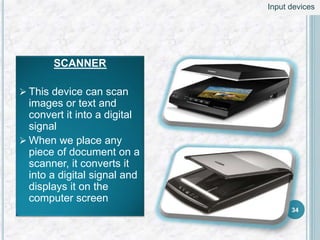
SCANNER
 This device can scan
images or text and
convert it into a digital
signal
 When we place any
piece of document on a
scanner, it converts it
into a digital signal and
displays it on the
computer screen
34
Input devices
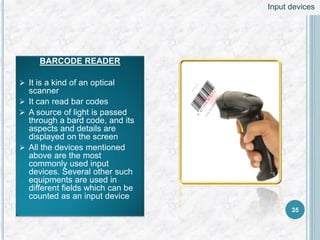
BARCODE READER
 It is a kind of an optical
scanner
 It can read bar codes
 A source of light is passed
through a bard code, and its
aspects and details are
displayed on the screen
 All the devices mentioned
above are the most
commonly used input
devices. Several other such
equipments are used in
different fields which can be
counted as an input device
35
Input devices
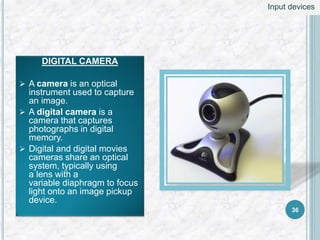
DIGITAL CAMERA
 A camera is an optical
instrument used to capture
an image.
 A digital camera is a
camera that captures
photographs in digital
memory.
 Digital and digital movies
cameras share an optical
system, typically using
a lens with a
variable diaphragm to focus
light onto an image pickup
device.
36
Input devices
OUTPUT DEVICES
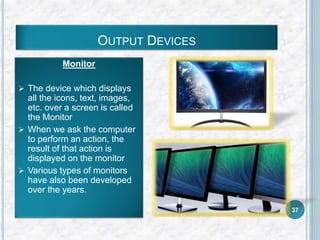
Monitor
 The device which displays
all the icons, text, images,
etc. over a screen is called
the Monitor
 When we ask the computer
to perform an action, the
result of that action is
displayed on the monitor
 Various types of monitors
have also been developed
over the years.
37
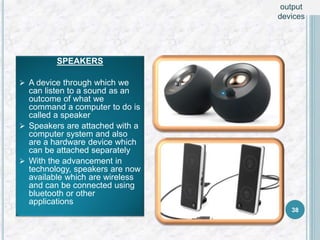
SPEAKERS
 A device through which we
can listen to a sound as an
outcome of what we
command a computer to do is
called a speaker
 Speakers are attached with a
computer system and also
are a hardware device which
can be attached separately
 With the advancement in
technology, speakers are now
available which are wireless
and can be connected using
bluetooth or other
applications
38
output
devices
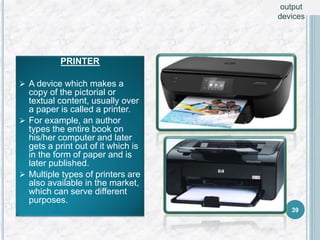
PRINTER
 A device which makes a
copy of the pictorial or
textual content, usually over
a paper is called a printer.
 For example, an author
types the entire book on
his/her computer and later
gets a print out of it which is
in the form of paper and is
later published.
 Multiple types of printers are
also available in the market,
which can serve different
purposes.
39
output
devices
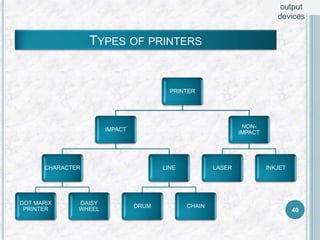
TYPES OF PRINTERS
PRINTER
IMPACT
CHARACTER
DOT MARIX
PRINTER
DAISY
WHEEL
LINE
DRUM CHAIN
NON-
IMPACT
LASER INKJET
40
output
devices
41
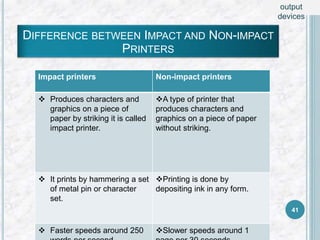
Impact printers Non-impact printers
 Produces characters and
graphics on a piece of
paper by striking it is called
impact printer.
A type of printer that
produces characters and
graphics on a piece of paper
without striking.
 It prints by hammering a set
of metal pin or character
set.
Printing is done by
depositing ink in any form.
 Faster speeds around 250 Slower speeds around 1
DIFFERENCE BETWEEN IMPACT AND NON-IMPACT
PRINTERS
output
devices
42
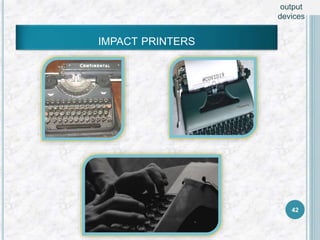
IMPACT PRINTERS
output
devices
43
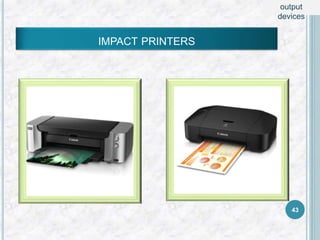
IMPACT PRINTERS
output
devices
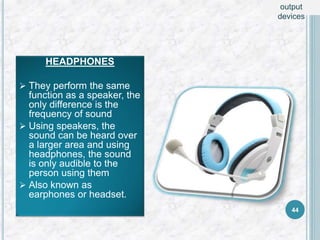
HEADPHONES
 They perform the same
function as a speaker, the
only difference is the
frequency of sound
 Using speakers, the
sound can be heard over
a larger area and using
headphones, the sound
is only audible to the
person using them
 Also known as
earphones or headset.
44
output
devices
 Memory is the most essential element of a
computing system because without it computer
can’t perform simple tasks. Computer memory is of
two basic type – Primary memory / Volatile memory
and Secondary memory / non-volatile memory.
Random Access Memory (RAM) is volatile memory
and Read Only Memory (ROM) is non-volatile
memory.
45
Storage
fundamentals
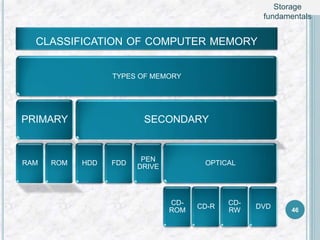
CLASSIFICATION OF COMPUTER MEMORY
TYPES OF MEMORY
PRIMARY
RAM ROM
SECONDARY
HDD FDD
PEN
DRIVE
OPTICAL
CD-
ROM
CD-R
CD-
RW
DVD 46
Storage
fundamentals
STORAGE FUNDAMENTALS:
PRIMARY VS SECONDARY DATA
STORAGE
47
Storage
fundamentals
Computer storage devices are typically classified
into primary storage or main memory on the one hand,
and secondary storage or peripheral storage on the other.
Primary memory usually refers to Random Access
Memory (RAM), while secondary storage refers to devices
such as hard disk drives, solid state drives, removable
"USB" drives, CDs, and DVDs. Primary memory also
includes registers, cache, and video memories.
48
Storage
fundamentals
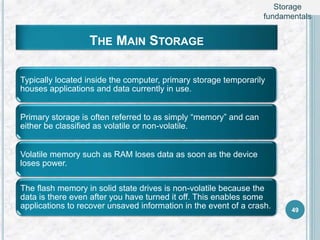
THE MAIN STORAGE
Typically located inside the computer, primary storage temporarily
houses applications and data currently in use.
Primary storage is often referred to as simply “memory” and can
either be classified as volatile or non-volatile.
Volatile memory such as RAM loses data as soon as the device
loses power.
The flash memory in solid state drives is non-volatile because the
data is there even after you have turned it off. This enables some
applications to recover unsaved information in the event of a crash. 49
Storage
fundamentals
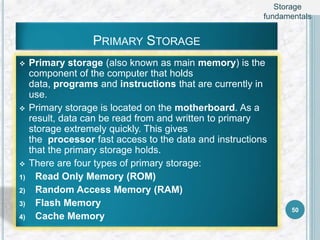
PRIMARY STORAGE
 Primary storage (also known as main memory) is the
component of the computer that holds
data, programs and instructions that are currently in
use.
 Primary storage is located on the motherboard. As a
result, data can be read from and written to primary
storage extremely quickly. This gives
the processor fast access to the data and instructions
that the primary storage holds.
 There are four types of primary storage:
1) Read Only Memory (ROM)
2) Random Access Memory (RAM)
3) Flash Memory
4) Cache Memory
50
Storage
fundamentals
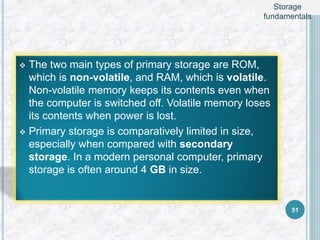
 The two main types of primary storage are ROM,
which is non-volatile, and RAM, which is volatile.
Non-volatile memory keeps its contents even when
the computer is switched off. Volatile memory loses
its contents when power is lost.
 Primary storage is comparatively limited in size,
especially when compared with secondary
storage. In a modern personal computer, primary
storage is often around 4 GB in size.
51
Storage
fundamentals
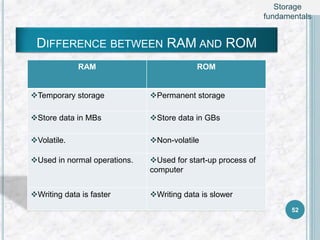
DIFFERENCE BETWEEN RAM AND ROM
RAM ROM
Temporary storage Permanent storage
Store data in MBs Store data in GBs
Volatile. Non-volatile
Used in normal operations. Used for start-up process of
computer
Writing data is faster Writing data is slower
52
Storage
fundamentals
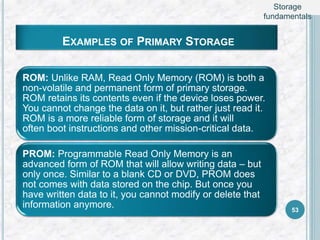
EXAMPLES OF PRIMARY STORAGE
ROM: Unlike RAM, Read Only Memory (ROM) is both a
non-volatile and permanent form of primary storage.
ROM retains its contents even if the device loses power.
You cannot change the data on it, but rather just read it.
ROM is a more reliable form of storage and it will
often boot instructions and other mission-critical data.
PROM: Programmable Read Only Memory is an
advanced form of ROM that will allow writing data – but
only once. Similar to a blank CD or DVD, PROM does
not comes with data stored on the chip. But once you
have written data to it, you cannot modify or delete that
information anymore. 53
Storage
fundamentals
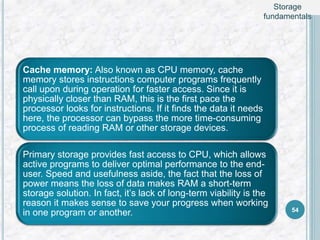
Cache memory: Also known as CPU memory, cache
memory stores instructions computer programs frequently
call upon during operation for faster access. Since it is
physically closer than RAM, this is the first pace the
processor looks for instructions. If it finds the data it needs
here, the processor can bypass the more time-consuming
process of reading RAM or other storage devices.
Primary storage provides fast access to CPU, which allows
active programs to deliver optimal performance to the end-
user. Speed and usefulness aside, the fact that the loss of
power means the loss of data makes RAM a short-term
storage solution. In fact, it’s lack of long-term viability is the
reason it makes sense to save your progress when working
in one program or another. 54
Storage
fundamentals
FROM PRIMARY STORAGE TO SECONDARY
STORAGE
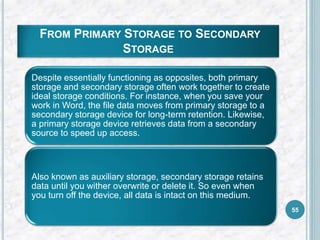
Despite essentially functioning as opposites, both primary
storage and secondary storage often work together to create
ideal storage conditions. For instance, when you save your
work in Word, the file data moves from primary storage to a
secondary storage device for long-term retention. Likewise,
a primary storage device retrieves data from a secondary
source to speed up access.
Also known as auxiliary storage, secondary storage retains
data until you wither overwrite or delete it. So even when
you turn off the device, all data is intact on this medium.
55
COMMON EXAMPLES OF SECONDARY
STORAGE
56
Storage
fundamentals
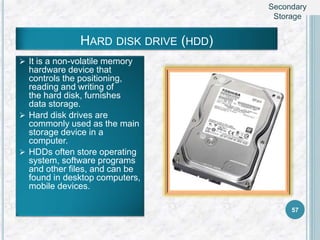
HARD DISK DRIVE (HDD)
 It is a non-volatile memory
hardware device that
controls the positioning,
reading and writing of
the hard disk, furnishes
data storage.
 Hard disk drives are
commonly used as the main
storage device in a
computer.
 HDDs often store operating
system, software programs
and other files, and can be
found in desktop computers,
mobile devices.
57
Secondary
Storage
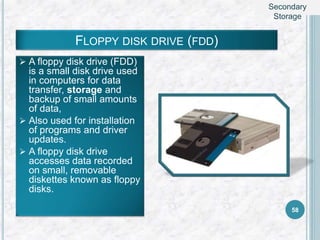
FLOPPY DISK DRIVE (FDD)
 A floppy disk drive (FDD)
is a small disk drive used
in computers for data
transfer, storage and
backup of small amounts
of data,
 Also used for installation
of programs and driver
updates.
 A floppy disk drive
accesses data recorded
on small, removable
diskettes known as floppy
disks.
58
Secondary
Storage
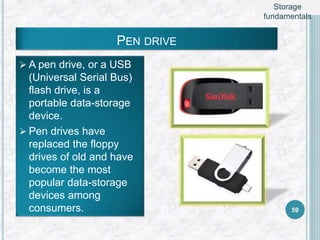
PEN DRIVE
 A pen drive, or a USB
(Universal Serial Bus)
flash drive, is a
portable data-storage
device.
 Pen drives have
replaced the floppy
drives of old and have
become the most
popular data-storage
devices among
consumers. 59
Storage
fundamentals
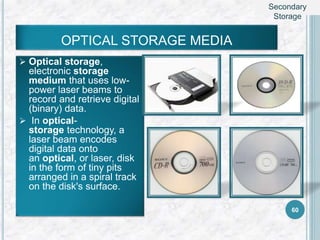
OPTICAL STORAGE MEDIA
 Optical storage,
electronic storage
medium that uses low-
power laser beams to
record and retrieve digital
(binary) data.
 In optical-
storage technology, a
laser beam encodes
digital data onto
an optical, or laser, disk
in the form of tiny pits
arranged in a spiral track
on the disk's surface.
60
Secondary
Storage
OPTICAL STORAGE MEDIA
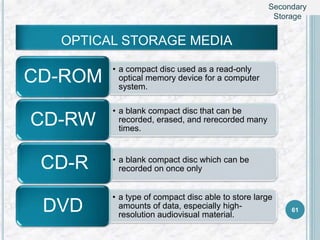
• a compact disc used as a read-only
optical memory device for a computer
system.
CD-ROM
• a blank compact disc that can be
recorded, erased, and rerecorded many
times.
CD-RW
• a blank compact disc which can be
recorded on once only
CD-R
• a type of compact disc able to store large
amounts of data, especially high-
resolution audiovisual material.
DVD 61
Secondary
Storage
MAGNETIC TAPE
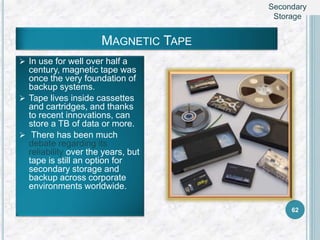
 In use for well over half a
century, magnetic tape was
once the very foundation of
backup systems.
 Tape lives inside cassettes
and cartridges, and thanks
to recent innovations, can
store a TB of data or more.
 There has been much
debate regarding its
reliability over the years, but
tape is still an option for
secondary storage and
backup across corporate
environments worldwide.
62
Secondary
Storage
Secondary storage is named as such because it
doesn’t have direct access to CPU. As a result, it is
considerably slower than primary storage.
it compensates for that lack of speed in a number of
ways. Aside from offering greater data retention,
secondary storage is usually twice as cheap in
comparison to its primary counterpart.
It can also store significantly more information. An 8GB
stick of RAM is a decent size, while new computers
generally have 1TB hard drives. There is no
comparison on capacity. 63
Storage
fundamentals
THANK YOU
64

COMPUTER SYSTEM AND ITS COMPONENTS

  • 1.
  • 2.
    -:CONTENTS :-  computersystem and its components......................................  Control unit.............................................................................  ALU .........................................................................................  Input / Output function and characteristics..........................  Memory – RAM ROM and other types of memory......................  Storage fundamentals – primary vs secondary data storage...... 2
  • 3.
  • 4.
    Computer is anelectronic device that takes data as an input and processes it under the control of a set of instructions (called program) and then produces a result (output), and all the set is called as computer system. A computer system is a set of integrated devices which takes input, process it and give output. Also it store data and information. computer system allows users to input, manipulate and store data. Computer systems include a CPU, monitor, keyboard, mouse and other optional components. 4 computer system
  • 5.
     The motherboardis the backbone that ties the computer's compone nts together at one spot and allows them to talk to each other. Without it, none of the computer pieces, such as the CPU, GPU, or hard drive, could interact.  Total motherboard functionality is necessary for a computer to work well. MOTHERBOARD 5 computer system
  • 6.
     A centralprocessing unit (CPU), also called a central processor, main processor or just processor, is the electronic circuitry within a computer that execute instructions that make up a computer program .  The CPU performs basic arithmetic, logic, controlling, and input/output (I/O) operations specified by the instructions in the program.  This contrasts with external components such as main memory and I/O circuitry, and specialized processors such as graphics processing units (GPUs). CPU 6 computer system
  • 7.
    DIFFERENCE GUI ANDCUI GUI CUI  GUI stands for Graphical User Interface  CUI stands for Character User Interface  User interface where user interacts with the computer using graphics.  User interface where user interacts with computer using only keyboard.  Graphics include icons, navigation bars, images etc. Mouse can be used while using this interface to interact with the graphics. CUI is precursor of GUI and was used in most primitive computers. 7 computer system
  • 8.
    CHARACTERISTICS OF COMPUTER Automatic  Speed (microseconds, nanosecond, picosecond)  Accuracy  Diligence  Versatility  Power of remembering  No feeling  No IQ 8 computer system
  • 9.
     By definition,components of a computer system are the primary elements which make the functioning of an electronic device smooth and faster.  There are five basic components which include: 1) Input Unit 2) Output Unit 3) Memory Unit 4) Control Unit 5) Arithmetical and Logical Unit 9 component of computer system
  • 10.
    BLOCK DIAGRAM OFCOMPUTER 10 component of computer system
  • 11.
    INPUT UNIT A computerwill only respond when a command is given to the device. These commands can be given using the input unit or the input devices. For example: Using a keyboard we can type things on a Notepad and the computer processes the entered data and then displays the output of the same of the screen. The data entered can be in the form of numbers, alphabet, images, etc. We enter the information using an input device, the processing units convert it into computer understandable languages and then the final output is received by a human-understandable language. 11 component of computer system
  • 12.
    OUTPUT UNIT When wecommand a computer to perform a task, it reverts back for the action performed and gives us a result. This result is called output. There are various output devices connected to the computer. The most basic of which is a monitor. Whatever we write using a keyboard or click using a mouse, is all displayed on the monitor. Thus, the output unit gives us the final result once the entire processing is done within the mechanism of a device. For example: when we visit an ATM, we enter our details like language, pin, amount to be withdrawn, etc. and then the final money which the cash dispenser releases is our outcome. In this case, the cash dispenser acts as an output unit 12 component of computer system
  • 13.
    MEMORY UNIT When weenter the data into the computer using an input device, the entered information immediately gets saved in the memory unit of the Central Processing Unit (CPU). Because of the presence of some existing programming, the Memory Unit transmits the data further to the other parts of the CPU. Similarly, when the output of our command is processed by the computer, it is saved in the memory unit before giving the output to the user. 13 component of computer system
  • 14.
  • 15.
     Memory isthe most essential element of a computing system because without it computer can’t perform simple tasks. Computer memory is of two basic type – Primary memory / Volatile memory and Secondary memory / non-volatile memory. Random Access Memory (RAM) is volatile memory and Read Only Memory (ROM) is non-volatile memory. 15 computer memory
  • 16.
    RANDOM ACCESS MEMORY(RAM)  It is also called as read write memory or the main memory or the primary memory.  The programs and data that the CPU requires during execution of a program are stored in this memory.  It is a volatile memory as the data loses when the power is turned off.  RAM is further classified into two types-  SRAM (Static Random Access Memory) and  DRAM (Dynamic Random Access Memory). 16 computer memory
  • 17.
    DRAM SRAM  InexpensiveExpensive  Slower than SRAM Faster than dram  Can store many bits per chip Can’t store many bits per chip  Uses less power Uses more power  Generates less heat Generate more heat  Used for main memory Used for cache  Requires a recharge every few milliseconds to maintain data Holds its contents as long as power is available DIFFERENCE BETWEEN DRAM AND SRAM 17 computer memory
  • 18.
    READ ONLY MEMORY(ROM)  Stores crucial information essential to operate the system, like the program essential to boot the computer.  It is not volatile.  Always retains its data.  Used in embedded systems or where the programming needs no change.  Used in calculators and peripheral devices.  ROM is further classified into 4 types- 1) ROM, 2) PROM, 3) EPROM, and 4) EEPROM. 18 computer memory
  • 19.
    PROM (Programmable read-onlymemory) – It can be programmed by user. Once programmed, the data and instructions in it cannot be changed. EPROM (Erasable Programmable read only memory) – It can be reprogrammed. To erase data from it, expose it to ultra violet light. To reprogram it, erase all the previous data. EEPROM (Electrically erasable programmable read only memory) – The data can be erased by applying electric field, no need of ultra violet light. We can erase only portions of the chip. 19 computer memory
  • 20.
  • 21.
    CACHE MEMORY Its alsoknown as CPU memory. Cache memory stores instructions computer programs frequently call upon during operation for faster access. Since it is physically closer than RAM, this is the first pace the processor looks for instructions. If it finds the data it needs here, the processor can bypass the more time-consuming process of reading RAM or other storage devices. 21 Other types of memory
  • 22.
    SEQUENTIAL ACCESS MEMORY Sequentialaccess is a term describing a group of elements (such as data in a disk file or on magnetic tape data storage) being accessed in a predetermined, ordered sequence. It is the opposite of random access. Sequential access is sometimes the only way of accessing the data, for example if it is on a tape. It may also be the access method of choice, for example if all that is wanted is to process a sequence of data elements in order. 22 Other types of memory
  • 23.
  • 24.
    RANDOM ACCESS MEMORY Randomaccess (more precisely and more generally called direct access) is the ability to access an arbitrary element of a sequence in equal time from a population of addressable elements roughly as easily and efficiently as any other, no matter how many elements may be in the set. In computer science it is typically contrasted to sequential access which requires data to be retrieved in the order it was stored. the term "random access" was used because the process had to be capable of finding records no matter in which sequence they were required. The opposite is sequential access, where a remote element takes longer time to access. 24 Other types of memory
  • 25.
  • 26.
    CLASSIFICATION OF MEMORY TYPESOF MEMORY PRIMARY RAM SRAM DRAM ROM PROM EPROM EEPROM SECONDARY HDD FDD PEN DRIVE OPTICAL CD-ROM CD-R CD-RW DVD 26
  • 27.
    CONTROL UNIT This isthe core unit which manages the entire functioning of the computer device. It is one of the most essential components of the computer system. The Control Unit collects the data entered using the input unit, leads it on for processing and once that is done, receives the output and presents it to the user. It can be said to the centre of all processing actions taking place inside a computer device. Basically, the instructions taken, interpretation of entered data, issuing signals to execute the data and then finally retrieving the data is all done in the Control Unit. 27 component of computer system
  • 28.
    ARITHMETICAL AND LOGICALUNIT All the mathematical calculations or arithmetic operations are performed in the Arithmetic and Logical Unit of the CPU. It can also perform actions like a comparison of data and decision-making actions. The ALU comprises circuits using which addition, subtraction, multiplication, division and other numerical based calculations can be performed. 28 component of computer system
  • 29.
    INPUT DEVICES KEYBOARD  Asimple device comprising keys and each key denotes either an alphabet, number or number commands which can be given to a computer for various actions to be performed  It has a modified version of typewriter keys  The keyboard is an essential input device and computer and laptops both use keyboards to give commands to the computer 29
  • 30.
    MOUSE  It isalso known as a pointing device.  Using mouse we can directly click on the various icons present on the system and open up various files and programs  A mouse comprises 3 buttons on the top and one trackball at the bottom which helps in selecting and moving the mouse around.  In case of laptops, the “touchpad” is given as a replacement of mouse which helps in the movement of the mouse pointer. 30 Input devices
  • 31.
    JOY STICK  Itis a device which comprises a stick which is attached at an angle to the base, so that it can be moved and controlled  Mostly used to control the movement in video games  Apart from computer system, a joystick is also used in the cockpit of an aeroplane, wheel chairs, cranes, trucks, etc. to operate them well. 31 Input devices
  • 32.
    LIGHT PEN  Itis wand-like looking device which can directly be moved over the device’s screen.  It is light sensitive  Used in conjunction with computer’s cathode ray tube. 32 Input devices
  • 33.
    MICROPHONE  Using amicrophone, sound can be stored in a device in its digital form  It converts sound into electrical signal  To record or reproduce a sound created using a microphone, it needs to be connected with an amplifier 33 Input devices
  • 34.
    SCANNER  This devicecan scan images or text and convert it into a digital signal  When we place any piece of document on a scanner, it converts it into a digital signal and displays it on the computer screen 34 Input devices
  • 35.
    BARCODE READER  Itis a kind of an optical scanner  It can read bar codes  A source of light is passed through a bard code, and its aspects and details are displayed on the screen  All the devices mentioned above are the most commonly used input devices. Several other such equipments are used in different fields which can be counted as an input device 35 Input devices
  • 36.
    DIGITAL CAMERA  Acamera is an optical instrument used to capture an image.  A digital camera is a camera that captures photographs in digital memory.  Digital and digital movies cameras share an optical system, typically using a lens with a variable diaphragm to focus light onto an image pickup device. 36 Input devices
  • 37.
    OUTPUT DEVICES Monitor  Thedevice which displays all the icons, text, images, etc. over a screen is called the Monitor  When we ask the computer to perform an action, the result of that action is displayed on the monitor  Various types of monitors have also been developed over the years. 37
  • 38.
    SPEAKERS  A devicethrough which we can listen to a sound as an outcome of what we command a computer to do is called a speaker  Speakers are attached with a computer system and also are a hardware device which can be attached separately  With the advancement in technology, speakers are now available which are wireless and can be connected using bluetooth or other applications 38 output devices
  • 39.
    PRINTER  A devicewhich makes a copy of the pictorial or textual content, usually over a paper is called a printer.  For example, an author types the entire book on his/her computer and later gets a print out of it which is in the form of paper and is later published.  Multiple types of printers are also available in the market, which can serve different purposes. 39 output devices
  • 40.
    TYPES OF PRINTERS PRINTER IMPACT CHARACTER DOTMARIX PRINTER DAISY WHEEL LINE DRUM CHAIN NON- IMPACT LASER INKJET 40 output devices
  • 41.
    41 Impact printers Non-impactprinters  Produces characters and graphics on a piece of paper by striking it is called impact printer. A type of printer that produces characters and graphics on a piece of paper without striking.  It prints by hammering a set of metal pin or character set. Printing is done by depositing ink in any form.  Faster speeds around 250 Slower speeds around 1 DIFFERENCE BETWEEN IMPACT AND NON-IMPACT PRINTERS output devices
  • 42.
  • 43.
  • 44.
    HEADPHONES  They performthe same function as a speaker, the only difference is the frequency of sound  Using speakers, the sound can be heard over a larger area and using headphones, the sound is only audible to the person using them  Also known as earphones or headset. 44 output devices
  • 45.
     Memory isthe most essential element of a computing system because without it computer can’t perform simple tasks. Computer memory is of two basic type – Primary memory / Volatile memory and Secondary memory / non-volatile memory. Random Access Memory (RAM) is volatile memory and Read Only Memory (ROM) is non-volatile memory. 45 Storage fundamentals
  • 46.
    CLASSIFICATION OF COMPUTERMEMORY TYPES OF MEMORY PRIMARY RAM ROM SECONDARY HDD FDD PEN DRIVE OPTICAL CD- ROM CD-R CD- RW DVD 46 Storage fundamentals
  • 47.
    STORAGE FUNDAMENTALS: PRIMARY VSSECONDARY DATA STORAGE 47 Storage fundamentals
  • 48.
    Computer storage devicesare typically classified into primary storage or main memory on the one hand, and secondary storage or peripheral storage on the other. Primary memory usually refers to Random Access Memory (RAM), while secondary storage refers to devices such as hard disk drives, solid state drives, removable "USB" drives, CDs, and DVDs. Primary memory also includes registers, cache, and video memories. 48 Storage fundamentals
  • 49.
    THE MAIN STORAGE Typicallylocated inside the computer, primary storage temporarily houses applications and data currently in use. Primary storage is often referred to as simply “memory” and can either be classified as volatile or non-volatile. Volatile memory such as RAM loses data as soon as the device loses power. The flash memory in solid state drives is non-volatile because the data is there even after you have turned it off. This enables some applications to recover unsaved information in the event of a crash. 49 Storage fundamentals
  • 50.
    PRIMARY STORAGE  Primarystorage (also known as main memory) is the component of the computer that holds data, programs and instructions that are currently in use.  Primary storage is located on the motherboard. As a result, data can be read from and written to primary storage extremely quickly. This gives the processor fast access to the data and instructions that the primary storage holds.  There are four types of primary storage: 1) Read Only Memory (ROM) 2) Random Access Memory (RAM) 3) Flash Memory 4) Cache Memory 50 Storage fundamentals
  • 51.
     The twomain types of primary storage are ROM, which is non-volatile, and RAM, which is volatile. Non-volatile memory keeps its contents even when the computer is switched off. Volatile memory loses its contents when power is lost.  Primary storage is comparatively limited in size, especially when compared with secondary storage. In a modern personal computer, primary storage is often around 4 GB in size. 51 Storage fundamentals
  • 52.
    DIFFERENCE BETWEEN RAMAND ROM RAM ROM Temporary storage Permanent storage Store data in MBs Store data in GBs Volatile. Non-volatile Used in normal operations. Used for start-up process of computer Writing data is faster Writing data is slower 52 Storage fundamentals
  • 53.
    EXAMPLES OF PRIMARYSTORAGE ROM: Unlike RAM, Read Only Memory (ROM) is both a non-volatile and permanent form of primary storage. ROM retains its contents even if the device loses power. You cannot change the data on it, but rather just read it. ROM is a more reliable form of storage and it will often boot instructions and other mission-critical data. PROM: Programmable Read Only Memory is an advanced form of ROM that will allow writing data – but only once. Similar to a blank CD or DVD, PROM does not comes with data stored on the chip. But once you have written data to it, you cannot modify or delete that information anymore. 53 Storage fundamentals
  • 54.
    Cache memory: Alsoknown as CPU memory, cache memory stores instructions computer programs frequently call upon during operation for faster access. Since it is physically closer than RAM, this is the first pace the processor looks for instructions. If it finds the data it needs here, the processor can bypass the more time-consuming process of reading RAM or other storage devices. Primary storage provides fast access to CPU, which allows active programs to deliver optimal performance to the end- user. Speed and usefulness aside, the fact that the loss of power means the loss of data makes RAM a short-term storage solution. In fact, it’s lack of long-term viability is the reason it makes sense to save your progress when working in one program or another. 54 Storage fundamentals
  • 55.
    FROM PRIMARY STORAGETO SECONDARY STORAGE Despite essentially functioning as opposites, both primary storage and secondary storage often work together to create ideal storage conditions. For instance, when you save your work in Word, the file data moves from primary storage to a secondary storage device for long-term retention. Likewise, a primary storage device retrieves data from a secondary source to speed up access. Also known as auxiliary storage, secondary storage retains data until you wither overwrite or delete it. So even when you turn off the device, all data is intact on this medium. 55
  • 56.
    COMMON EXAMPLES OFSECONDARY STORAGE 56 Storage fundamentals
  • 57.
    HARD DISK DRIVE(HDD)  It is a non-volatile memory hardware device that controls the positioning, reading and writing of the hard disk, furnishes data storage.  Hard disk drives are commonly used as the main storage device in a computer.  HDDs often store operating system, software programs and other files, and can be found in desktop computers, mobile devices. 57 Secondary Storage
  • 58.
    FLOPPY DISK DRIVE(FDD)  A floppy disk drive (FDD) is a small disk drive used in computers for data transfer, storage and backup of small amounts of data,  Also used for installation of programs and driver updates.  A floppy disk drive accesses data recorded on small, removable diskettes known as floppy disks. 58 Secondary Storage
  • 59.
    PEN DRIVE  Apen drive, or a USB (Universal Serial Bus) flash drive, is a portable data-storage device.  Pen drives have replaced the floppy drives of old and have become the most popular data-storage devices among consumers. 59 Storage fundamentals
  • 60.
    OPTICAL STORAGE MEDIA Optical storage, electronic storage medium that uses low- power laser beams to record and retrieve digital (binary) data.  In optical- storage technology, a laser beam encodes digital data onto an optical, or laser, disk in the form of tiny pits arranged in a spiral track on the disk's surface. 60 Secondary Storage
  • 61.
    OPTICAL STORAGE MEDIA •a compact disc used as a read-only optical memory device for a computer system. CD-ROM • a blank compact disc that can be recorded, erased, and rerecorded many times. CD-RW • a blank compact disc which can be recorded on once only CD-R • a type of compact disc able to store large amounts of data, especially high- resolution audiovisual material. DVD 61 Secondary Storage
  • 62.
    MAGNETIC TAPE  Inuse for well over half a century, magnetic tape was once the very foundation of backup systems.  Tape lives inside cassettes and cartridges, and thanks to recent innovations, can store a TB of data or more.  There has been much debate regarding its reliability over the years, but tape is still an option for secondary storage and backup across corporate environments worldwide. 62 Secondary Storage
  • 63.
    Secondary storage isnamed as such because it doesn’t have direct access to CPU. As a result, it is considerably slower than primary storage. it compensates for that lack of speed in a number of ways. Aside from offering greater data retention, secondary storage is usually twice as cheap in comparison to its primary counterpart. It can also store significantly more information. An 8GB stick of RAM is a decent size, while new computers generally have 1TB hard drives. There is no comparison on capacity. 63 Storage fundamentals
  • 64.

Editor's Notes

  • #5 Hyperlink: Hyperlinks are the primary method used to navigate between pages and Web sites.
  • #7 Processor:
  • #9 Computer:
  • #14 Programming: