Utility SoftwareBy: Andrew DeAngelis and Wayne Trinh
What is utility softwareIt is any system software besides the operating system that helps to maintain, manage, and protect computer system resources
Why is it importantOS are becoming more complexKeeps computer running smoothlyHelp to protect OS on the internet
Examples of Utility SoftwareThere are types of software that help to protect and keep computer systems running smoothly, such as:
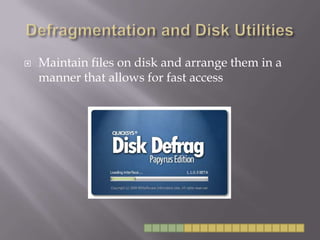
Defragmentation and Disk UtilitiesMaintain files on disk and arrange them in a manner that allows for fast access
Backup UtilitiesSafeguard files by creating backup copies
Security SoftwareSearch for and remove viruses and spyware from computers, and guard against attacks
Spam and Pop-up BlockersRemove junk mail and ads
Windows CleanersRemove unwanted programs and leftover traces of programs from the system
Diagnostic SoftwareProvides a view of system resources to allow the user to see how the processor, memory, and other resources are performing
Examples of Utility SoftwareThese examples of utility software are designed to assist users in managing and transferring files
File Management UtilitiesProvide tools for copying, deleting, renaming, and organizing files
CD/DVD BurnersCopy and store files on CDs and DVDs
File Transfer UtilitiesMove and share files across networks
Search UtilitiesFind files on a computer system
Examples of Other UtilitiesProvide a way to customize your computing environment and make computing resources more convenient to access
Synchronization SoftwareSynchronize files across multiple computers
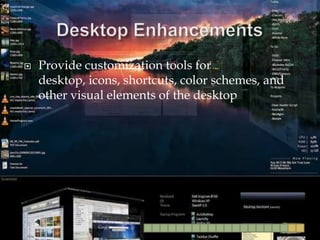
Desktop EnhancementsProvide customization tools for desktop, icons, shortcuts, color schemes, and other visual elements of the desktop
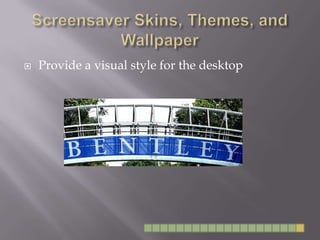
Screensaver Skins, Themes, and WallpaperProvide a visual style for the desktop
Work citedhttp://www.flickr.com/photos/quicksys/3533822314/sizes/m/in/photostream/http://www.flickr.com/photos/nortononline/4081125795/sizes/m/in/photostream/http://www.flickr.com/photos/cpusecuritysolutions/4687892961/sizes/s/in/photostream/http://www.flickr.com/photos/netnanny/788554284/sizes/s/in/photostream/http://www.flickr.com/photos/29446461@N07/4142746675/sizes/s/in/photostream/http://www.flickr.com/photos/10558624@N06/3102475980/sizes/t/in/photostream/http://www.flickr.com/photos/51705783@N02/4809685539/sizes/s/in/photostream/http://www.flickr.com/photos/11398192@N02/2780418250/sizes/m/in/photostream/http://www.flickr.com/photos/berkmancenter/544487508/sizes/m/in/photostream/http://www.flickr.com/photos/ericolson/245484366/sizes/m/in/photostream/http://www.flickr.com/photos/harryshots/4866642167/sizes/m/in/photostream/"Utility Software." Cengage Learning. Web. 13 Oct. 2010. <http://content.delmar.cengage.com/CPReader/View/9781111471989/default.aspx?token=CCAC7610DE5D2836CDCBD23D78E6BD740BA8D643C3AFB21E88FF22CB83253CB93FFFF626F7B6E6A425D71FE50442725B31E92289D42DCED6&pid=441931&eISBN=9781111471989#d81d1feb-47d8-4e2f-9029-1fb1ed83122a>.

Utility software