COMM 202: Career Fundamentals – Tutorial #3
T01, T14, & T20 (Sam’s Sections)
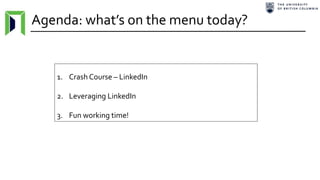
Agenda: what’s on the menu today?
1. Crash Course – LinkedIn
2. Leveraging LinkedIn
3. Fun working time!
Course Timeline
A glimpse into the future.
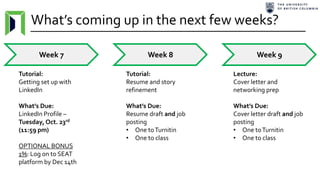
What’s coming up in the next few weeks?
Week 7 Week 8 Week 9
Tutorial:
Getting set up with
LinkedIn
What’s Due:
LinkedIn Profile –
Tuesday, Oct. 23rd
(11:59 pm)
OPTIONAL BONUS
1%: Log on to SEAT
platform by Dec 14th
Tutorial:
Resume and story
refinement
What’s Due:
Resume draft and job
posting
• One toTurnitin
• One to class
Lecture:
Cover letter and
networking prep
What’s Due:
Cover letter draft and job
posting
• One toTurnitin
• One to class
LinkedIn Crash
Course
The secret recipe to top-tier
professional success .
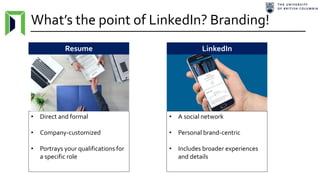
What’s the point of LinkedIn? Branding!
• Direct and formal
• Company-customized
• Portrays your qualifications for
a specific role
Resume LinkedIn
• A social network
• Personal brand-centric
• Includes broader experiences
and details
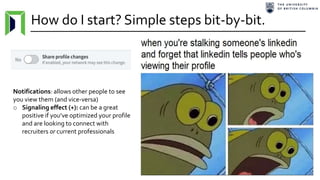
How do I start? Simple steps bit-by-bit.
Notifications: allows other people to see
you view them (and vice-versa)
o Signaling effect (+): can be a great
positive if you’ve optimized your profile
and are looking to connect with
recruiters or current professionals
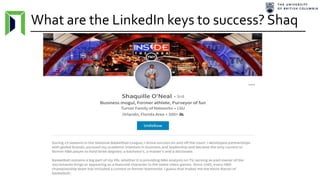
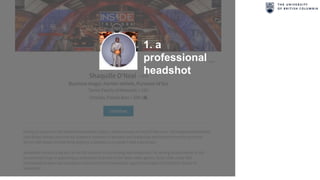
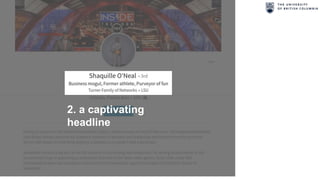
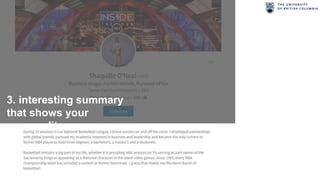
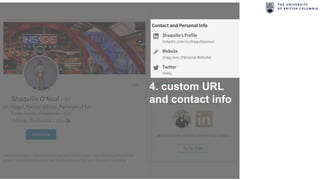
What are the LinkedIn keys to success? Shaq
1. a
professional
headshot
2. a captivating
headline
3. interesting summary
that shows your
personality
4. custom URL
and contact info
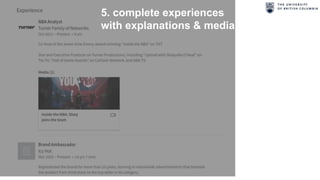
5. complete experiences
with explanations & media
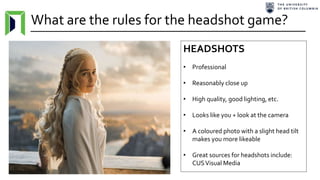
What are the rules for the headshot game?
HEADSHOTS
• Professional
• Reasonably close up
• High quality, good lighting, etc.
• Looks like you + look at the camera
• A coloured photo with a slight head tilt
makes you more likeable
• Great sources for headshots include:
CUSVisual Media
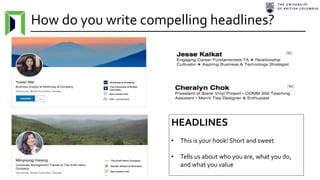
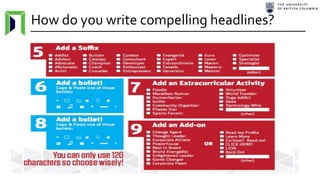
How do you write compelling headlines?
HEADLINES
• This is your hook! Short and sweet
• Tells us about who you are, what you do,
and what you value
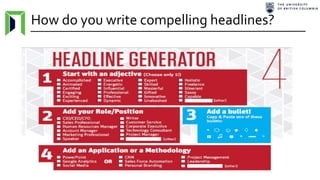
How do you write compelling headlines?
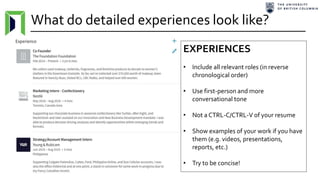
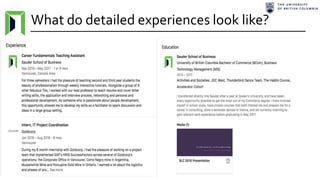
What do detailed experiences look like?
EXPERIENCES
• Include all relevant roles (in reverse
chronological order)
• Use first-person and more
conversational tone
• Not a CTRL-C/CTRL-V of your resume
• Show examples of your work if you have
them (e.g. videos, presentations,
reports, etc.)
• Try to be concise!
What do detailed experiences look like?
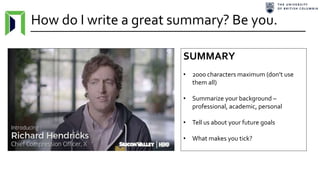
How do I write a great summary? Be you.
SUMMARY
• 2000 characters maximum (don’t use
them all)
• Summarize your background –
professional, academic, personal
• Tell us about your future goals
• What makes you tick?
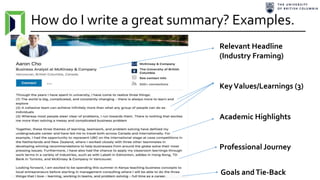
How do I write a great summary? Examples.
KeyValues/Learnings (3)
Relevant Headline
(Industry Framing)
Academic Highlights
Professional Journey
Goals andTie-Back
Leveraging LinkedIn
How to apply these nuggets to
to optimize your job hunt .
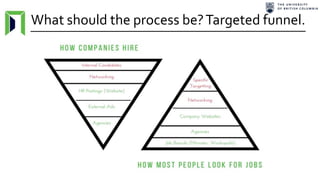
What should the process be?Targeted funnel.
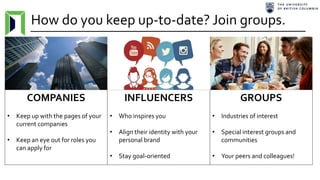
How do you keep up-to-date? Join groups.
COMPANIES
• Keep up with the pages of your
current companies
• Keep an eye out for roles you
can apply for
INFLUENCERS
• Who inspires you
• Align their identity with your
personal brand
• Stay goal-oriented
GROUPS
• Industries of interest
• Special interest groups and
communities
• Your peers and colleagues!
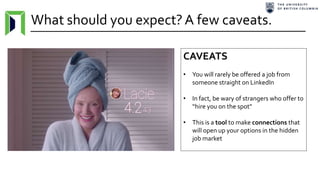
What should you expect?A few caveats.
CAVEATS
• You will rarely be offered a job from
someone straight on LinkedIn
• In fact, be wary of strangers who offer to
“hire you on the spot"
• This is a tool to make connections that
will open up your options in the hidden
job market
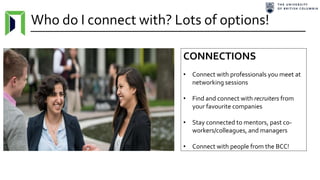
Who do I connect with? Lots of options!
CONNECTIONS
• Connect with professionals you meet at
networking sessions
• Find and connect with recruiters from
your favourite companies
• Stay connected to mentors, past co-
workers/colleagues, and managers
• Connect with people from the BCC!
What should you do now? Get started!
Take this time to…
• If you don’t already have one: Construct
and design a LinkedIn profile
• If you do already have one:Work on
polishing (headline, summary, etc.) - ask
me or classmates for help
• Connect with 5 new people today (hint:
try the 9TAs and the whole class)
YOURTURN!
Announcements: what’s on the radar?
1. LinkedIn ProfileAssignment dueTues. Oct. 23rd at 11:59 pm
2. Resume Rough Drafts (x2 HARD COPIES) due next tutorial
3. SEAT Bonus Marks with instructions posted on Canvas
Keep an eye out for the resume and cover letter assignments creeping up on your radar!
Have a great rest of the
week!Remember to take study
breaks!

COMM 202 - Tutorial 3 - Sam Wong

  • 1.
    COMM 202: CareerFundamentals – Tutorial #3 T01, T14, & T20 (Sam’s Sections)
  • 2.
    Agenda: what’s onthe menu today? 1. Crash Course – LinkedIn 2. Leveraging LinkedIn 3. Fun working time!
  • 3.
    Course Timeline A glimpseinto the future.
  • 4.
    What’s coming upin the next few weeks? Week 7 Week 8 Week 9 Tutorial: Getting set up with LinkedIn What’s Due: LinkedIn Profile – Tuesday, Oct. 23rd (11:59 pm) OPTIONAL BONUS 1%: Log on to SEAT platform by Dec 14th Tutorial: Resume and story refinement What’s Due: Resume draft and job posting • One toTurnitin • One to class Lecture: Cover letter and networking prep What’s Due: Cover letter draft and job posting • One toTurnitin • One to class
  • 5.
    LinkedIn Crash Course The secretrecipe to top-tier professional success .
  • 6.
    What’s the pointof LinkedIn? Branding! • Direct and formal • Company-customized • Portrays your qualifications for a specific role Resume LinkedIn • A social network • Personal brand-centric • Includes broader experiences and details
  • 7.
    How do Istart? Simple steps bit-by-bit. Notifications: allows other people to see you view them (and vice-versa) o Signaling effect (+): can be a great positive if you’ve optimized your profile and are looking to connect with recruiters or current professionals
  • 8.
    What are theLinkedIn keys to success? Shaq
  • 9.
  • 10.
  • 11.
    3. interesting summary thatshows your personality
  • 12.
    4. custom URL andcontact info
  • 13.
    5. complete experiences withexplanations & media
  • 14.
    What are therules for the headshot game? HEADSHOTS • Professional • Reasonably close up • High quality, good lighting, etc. • Looks like you + look at the camera • A coloured photo with a slight head tilt makes you more likeable • Great sources for headshots include: CUSVisual Media
  • 15.
    How do youwrite compelling headlines? HEADLINES • This is your hook! Short and sweet • Tells us about who you are, what you do, and what you value
  • 16.
    How do youwrite compelling headlines?
  • 17.
    How do youwrite compelling headlines?
  • 18.
    What do detailedexperiences look like? EXPERIENCES • Include all relevant roles (in reverse chronological order) • Use first-person and more conversational tone • Not a CTRL-C/CTRL-V of your resume • Show examples of your work if you have them (e.g. videos, presentations, reports, etc.) • Try to be concise!
  • 19.
    What do detailedexperiences look like?
  • 20.
    How do Iwrite a great summary? Be you. SUMMARY • 2000 characters maximum (don’t use them all) • Summarize your background – professional, academic, personal • Tell us about your future goals • What makes you tick?
  • 21.
    How do Iwrite a great summary? Examples. KeyValues/Learnings (3) Relevant Headline (Industry Framing) Academic Highlights Professional Journey Goals andTie-Back
  • 22.
    Leveraging LinkedIn How toapply these nuggets to to optimize your job hunt .
  • 23.
    What should theprocess be?Targeted funnel.
  • 24.
    How do youkeep up-to-date? Join groups. COMPANIES • Keep up with the pages of your current companies • Keep an eye out for roles you can apply for INFLUENCERS • Who inspires you • Align their identity with your personal brand • Stay goal-oriented GROUPS • Industries of interest • Special interest groups and communities • Your peers and colleagues!
  • 25.
    What should youexpect?A few caveats. CAVEATS • You will rarely be offered a job from someone straight on LinkedIn • In fact, be wary of strangers who offer to “hire you on the spot" • This is a tool to make connections that will open up your options in the hidden job market
  • 26.
    Who do Iconnect with? Lots of options! CONNECTIONS • Connect with professionals you meet at networking sessions • Find and connect with recruiters from your favourite companies • Stay connected to mentors, past co- workers/colleagues, and managers • Connect with people from the BCC!
  • 27.
    What should youdo now? Get started! Take this time to… • If you don’t already have one: Construct and design a LinkedIn profile • If you do already have one:Work on polishing (headline, summary, etc.) - ask me or classmates for help • Connect with 5 new people today (hint: try the 9TAs and the whole class) YOURTURN!
  • 28.
    Announcements: what’s onthe radar? 1. LinkedIn ProfileAssignment dueTues. Oct. 23rd at 11:59 pm 2. Resume Rough Drafts (x2 HARD COPIES) due next tutorial 3. SEAT Bonus Marks with instructions posted on Canvas Keep an eye out for the resume and cover letter assignments creeping up on your radar!
  • 29.
    Have a greatrest of the week!Remember to take study breaks!

Editor's Notes