1
COMM 202
Career Fundamentals
T23 & T30
Lyndan Lam
Name tags up and pick up
your Strengths Quest at the
front!
LEVERAGING LINKEDIN
2
Today’s Agenda
1. LinkedIn Crash Course
2. Leveraging LinkedIn
3. Get to work, work, work
4. Action Items
3
Where We are Today
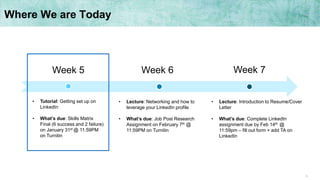
Week 5 Week 7Week 6
• Tutorial: Getting set up on
LinkedIn
• What’s due: Skills Matrix
Final (6 success and 2 failure)
on January 31st @ 11:59PM
on Turnitin
• Lecture: Networking and how to
leverage your LinkedIn profile
• What’s due: Job Post Research
Assignment on February 7th @
11:59PM on Turnitin
• Lecture: Introduction to Resume/Cover
Letter
• What’s due: Complete LinkedIn
assignment due by Feb 14th @
11:59pm – fill out form + add TA on
LinkedIn
4
1. LinkedIn Crash Course
5
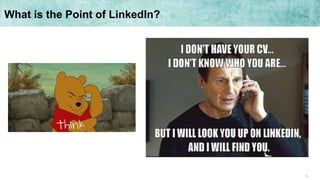
What is the Point of LinkedIn?
6
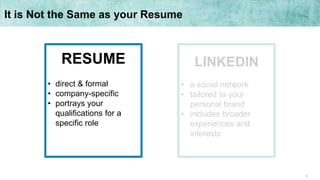
It is Not the Same as your Resume
LINKEDIN
• a social network
• tailored to your
personal brand
• includes broader
experiences and
interests
RESUME
• direct & formal
• company-specific
• portrays your
qualifications for a
specific role
7
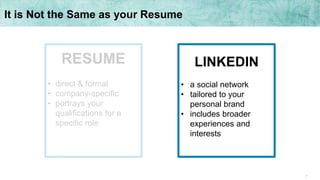
It is Not the Same as your Resume
LINKEDIN
• a social network
• tailored to your
personal brand
• includes broader
experiences and
interests
RESUME
• direct & formal
• company-specific
• portrays your
qualifications for a
specific role
8
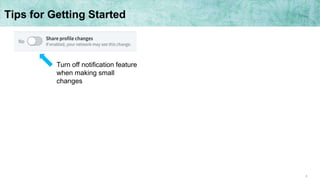
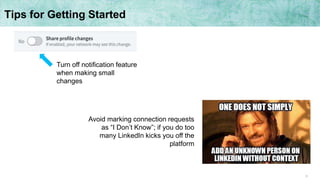
Tips for Getting Started
Turn off notification feature
when making small
changes
9
Tips for Getting Started
Turn off notification feature
when making small
changes
Avoid marking connection requests
as “I Don’t Know”; if you do too
many LinkedIn kicks you off the
platform
10
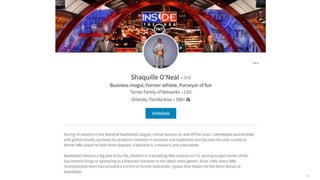
The Keys to [LinkedIn] Success
11
12
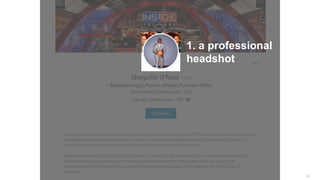
1. a professional
headshot
13
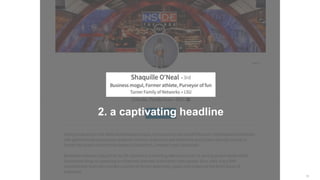
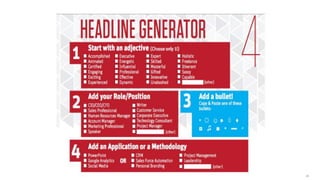
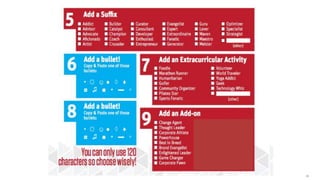
2. a captivating headline
14
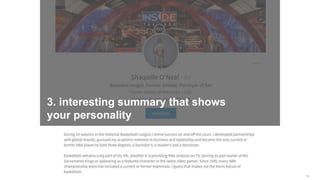
3. interesting summary that shows
your personality
15
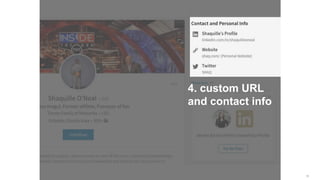
4. custom URL
and contact info
16
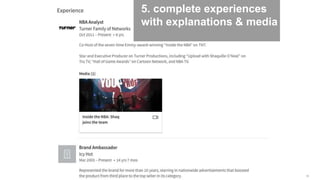
5. complete experiences
with explanations & media
17
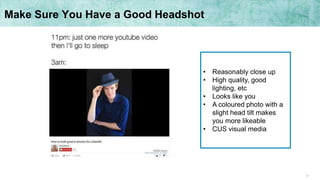
Make Sure You Have a Good Headshot
• Reasonably close up
• High quality, good
lighting, etc
• Looks like you
• A coloured photo with a
slight head tilt makes
you more likeable
• CUS visual media
18
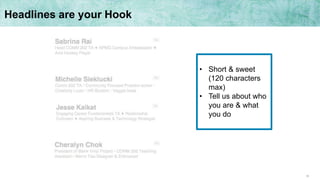
• Short & sweet
(120 characters
max)
• Tell us about who
you are & what
you do
Headlines are your Hook
19
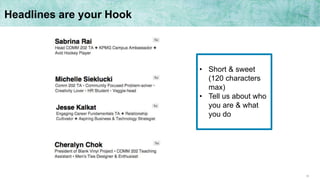
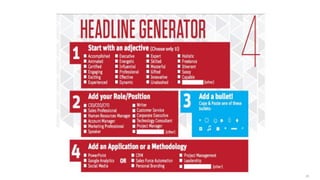
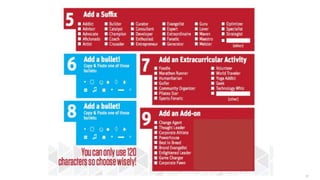
• Short & sweet
(120 characters
max)
• Tell us about who
you are & what
you do
Headlines are your Hook
20
21
22
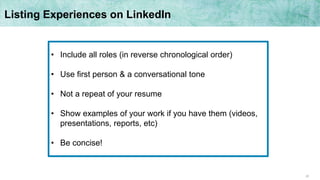
• Include all roles (in reverse chronological order)
• Use first person & a conversational tone
• Not a repeat of your resume
• Show examples of your work if you have them (videos,
presentations, reports, etc)
• Be concise!
Listing Experiences on LinkedIn
23
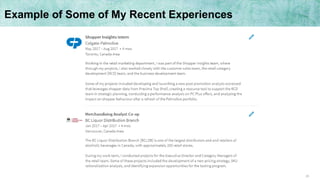
Example of Some of My Recent Experiences
24
• 2000 characters (don’t use it all)
• Summarize your background
• Tell us about your future goals
• What makes you tick?
Summary Section
25
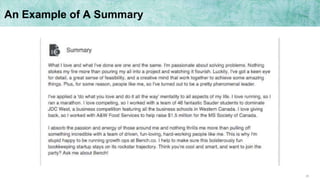
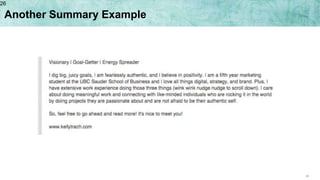
An Example of A Summary
26
Another Summary Example
26
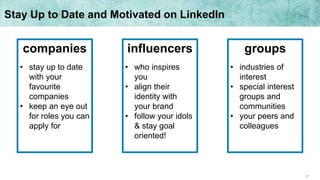
27
companies
• stay up to date
with your
favourite
companies
• keep an eye out
for roles you can
apply for
influencers
• who inspires
you
• align their
identity with
your brand
• follow your idols
& stay goal
oriented!
groups
• industries of
interest
• special interest
groups and
communities
• your peers and
colleagues
Stay Up to Date and Motivated on LinkedIn
28
2. Leveraging LinkedIn
29
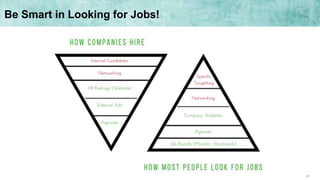
Be Smart in Looking for Jobs!
30
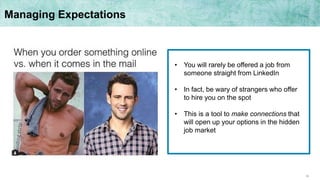
• You will rarely be offered a job from
someone straight from LinkedIn
• In fact, be wary of strangers who offer
to hire you on the spot
• This is a tool to make connections that
will open up your options in the hidden
job market
Managing Expectations
31
• Connect with professionals
you meet at networking
sessions
• Find and connect with
recruiters for your favourite
companies
• Stay connected to mentors,
past co-workers, and
managers
• Connect with people from the
BCC
Who Do I Connect With?
32
Sample Invitation Messages
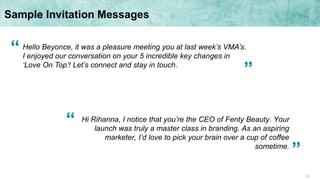
Hi Rihanna, I notice that you’re the CEO of Fenty Beauty. Your
launch was truly a master class in branding. As an aspiring
marketer, I’d love to pick your brain over a cup of coffee
sometime.
Hello Beyonce, it was a pleasure meeting you at last week’s VMA’s.
I enjoyed our conversation on your 5 incredible key changes in
‘Love On Top’! Let’s connect and stay in touch.
“
“
”
”
33
3. Your Turn!
34
• Make a LinkedIn
• Work on your headline (ask me
or your seatmates for help)
• Connect with 5 people today
(hint: there are 10 TA’s and a
classroom full of potential
connections)
Time to Make a LinkedIn
35
36
37
4. Action Items
38
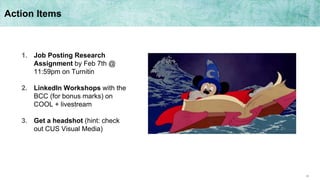
Action Items
1. Job Posting Research
Assignment by Feb 7th @
11:59pm on Turnitin
2. LinkedIn Workshops with the
BCC (for bonus marks) on
COOL + livestream
3. Get a headshot (hint: check
out CUS Visual Media)
39
Questions? Here’s How You Can Get in Touch with Me
Email: comm202.6@sauder.ubc.ca
Tutorials: feel free to approach me before or after
Office hours: available throughout the term as
assignments come up
Call me
maybe?
40
Thanks &
see you next week
(at lecture)

Tutorial 3 - Lyndan

  • 1.
    1 COMM 202 Career Fundamentals T23& T30 Lyndan Lam Name tags up and pick up your Strengths Quest at the front! LEVERAGING LINKEDIN
  • 2.
    2 Today’s Agenda 1. LinkedInCrash Course 2. Leveraging LinkedIn 3. Get to work, work, work 4. Action Items
  • 3.
    3 Where We areToday Week 5 Week 7Week 6 • Tutorial: Getting set up on LinkedIn • What’s due: Skills Matrix Final (6 success and 2 failure) on January 31st @ 11:59PM on Turnitin • Lecture: Networking and how to leverage your LinkedIn profile • What’s due: Job Post Research Assignment on February 7th @ 11:59PM on Turnitin • Lecture: Introduction to Resume/Cover Letter • What’s due: Complete LinkedIn assignment due by Feb 14th @ 11:59pm – fill out form + add TA on LinkedIn
  • 4.
  • 5.
    5 What is thePoint of LinkedIn?
  • 6.
    6 It is Notthe Same as your Resume LINKEDIN • a social network • tailored to your personal brand • includes broader experiences and interests RESUME • direct & formal • company-specific • portrays your qualifications for a specific role
  • 7.
    7 It is Notthe Same as your Resume LINKEDIN • a social network • tailored to your personal brand • includes broader experiences and interests RESUME • direct & formal • company-specific • portrays your qualifications for a specific role
  • 8.
    8 Tips for GettingStarted Turn off notification feature when making small changes
  • 9.
    9 Tips for GettingStarted Turn off notification feature when making small changes Avoid marking connection requests as “I Don’t Know”; if you do too many LinkedIn kicks you off the platform
  • 10.
    10 The Keys to[LinkedIn] Success
  • 11.
  • 12.
  • 13.
  • 14.
    14 3. interesting summarythat shows your personality
  • 15.
  • 16.
    16 5. complete experiences withexplanations & media
  • 17.
    17 Make Sure YouHave a Good Headshot • Reasonably close up • High quality, good lighting, etc • Looks like you • A coloured photo with a slight head tilt makes you more likeable • CUS visual media
  • 18.
    18 • Short &sweet (120 characters max) • Tell us about who you are & what you do Headlines are your Hook
  • 19.
    19 • Short &sweet (120 characters max) • Tell us about who you are & what you do Headlines are your Hook
  • 20.
  • 21.
  • 22.
    22 • Include allroles (in reverse chronological order) • Use first person & a conversational tone • Not a repeat of your resume • Show examples of your work if you have them (videos, presentations, reports, etc) • Be concise! Listing Experiences on LinkedIn
  • 23.
    23 Example of Someof My Recent Experiences
  • 24.
    24 • 2000 characters(don’t use it all) • Summarize your background • Tell us about your future goals • What makes you tick? Summary Section
  • 25.
  • 26.
  • 27.
    27 companies • stay upto date with your favourite companies • keep an eye out for roles you can apply for influencers • who inspires you • align their identity with your brand • follow your idols & stay goal oriented! groups • industries of interest • special interest groups and communities • your peers and colleagues Stay Up to Date and Motivated on LinkedIn
  • 28.
  • 29.
    29 Be Smart inLooking for Jobs!
  • 30.
    30 • You willrarely be offered a job from someone straight from LinkedIn • In fact, be wary of strangers who offer to hire you on the spot • This is a tool to make connections that will open up your options in the hidden job market Managing Expectations
  • 31.
    31 • Connect withprofessionals you meet at networking sessions • Find and connect with recruiters for your favourite companies • Stay connected to mentors, past co-workers, and managers • Connect with people from the BCC Who Do I Connect With?
  • 32.
    32 Sample Invitation Messages HiRihanna, I notice that you’re the CEO of Fenty Beauty. Your launch was truly a master class in branding. As an aspiring marketer, I’d love to pick your brain over a cup of coffee sometime. Hello Beyonce, it was a pleasure meeting you at last week’s VMA’s. I enjoyed our conversation on your 5 incredible key changes in ‘Love On Top’! Let’s connect and stay in touch. “ “ ” ”
  • 33.
  • 34.
    34 • Make aLinkedIn • Work on your headline (ask me or your seatmates for help) • Connect with 5 people today (hint: there are 10 TA’s and a classroom full of potential connections) Time to Make a LinkedIn
  • 35.
  • 36.
  • 37.
  • 38.
    38 Action Items 1. JobPosting Research Assignment by Feb 7th @ 11:59pm on Turnitin 2. LinkedIn Workshops with the BCC (for bonus marks) on COOL + livestream 3. Get a headshot (hint: check out CUS Visual Media)
  • 39.
    39 Questions? Here’s HowYou Can Get in Touch with Me Email: comm202.6@sauder.ubc.ca Tutorials: feel free to approach me before or after Office hours: available throughout the term as assignments come up Call me maybe?
  • 40.
    40 Thanks & see younext week (at lecture)

Editor's Notes

  • #7 social means more creativity and flexibility ability to show more personal brand
  • #8 social means more creativity and flexibility ability to show more personal brand
  • #17 put text in & add media but not as extensive
  • #22 block her out
  • #31 use common sense!
  • #37 this is what a message could look like