Collaboration Tools
and Digital Presence
Yazzira M. Zepeda
What are Collaboration Tools?
• we can define a collaboration tool as a technology
tool that can be used to help people work together
to achieve a common goal or objective.
• Collaboration tools can route work through a
process, distribute pieces and tasks to involved
parties, and help to coordinate activities.
GOOGLE DRIVE
File Hosting
Collaboration Tool
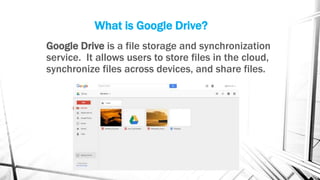
What is Google Drive?
Google Drive is a file storage and synchronization
service. It allows users to store files in the cloud,
synchronize files across devices, and share files.
How can Google Drive help you in:
Work
• Helps to organize your
work more efficiently.
• Safe all the work
presentations.
• You can look on the
cloud for information
needed at the
moment.
• Share your work done
with co-workers.
Classes
• Create documents,
spreadsheets,
presentations and your
classmates would be
able to edit or modify.
• Share files with your
classmathes or
teachers.
• Organize your work
and safe it in the
cloud.
• Be able to see your
work whenever and
wherever.
Home
• You can share
whatever with your
family, even a movie
saved in the cloud.
• You storage family
information.
• Family can connect
through their devices
and suggest or modify
your files.
• Share information wih
your family.
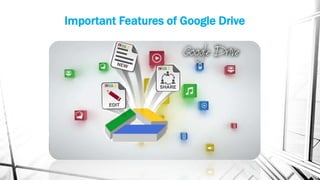
Important Features of Google Drive
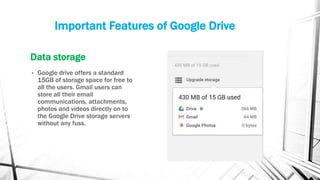
Data storage
• Google drive offers a standard
15GB of storage space for free to
all the users. Gmail users can
store all their email
communications, attachments,
photos and videos directly on to
the Google Drive storage servers
without any fuss.
Important Features of Google Drive
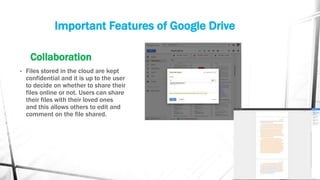
Collaboration
• Files stored in the cloud are kept
confidential and it is up to the user
to decide on whether to share their
files online or not. Users can share
their files with their loved ones
and this allows others to edit and
comment on the file shared.
Important Features of Google Drive
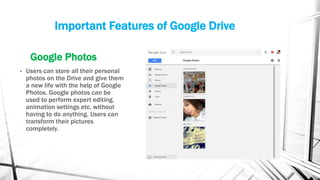
Google Photos
• Users can store all their personal
photos on the Drive and give them
a new life with the help of Google
Photos. Google photos can be
used to perform expert editing,
animation settings etc. without
having to do anything. Users can
transform their pictures
completely.
Some Tools for Google Drive
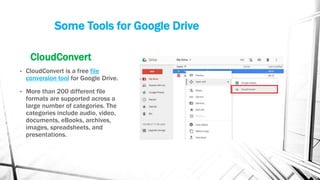
CloudConvert
• CloudConvert is a free file
conversion tool for Google Drive.
• More than 200 different file
formats are supported across a
large number of categories. The
categories include audio, video,
documents, eBooks, archives,
images, spreadsheets, and
presentations.
WHY WORK WITH GOOGLE DRIVE?
• Google launched its very own file sharing and online
storage program. Ergonomic and easy to use, Google
Drive resembles Dropbox and Skydrive in many ways
but integrates seamlessly with Gmail, is synchronized
with Google Docs and Google +, and, most importantly,
allows you to store all your files in one single place that
is accessible at all times!
DIGITAL PRESENCE
What Does it Mean to have
a Digital Presence?
• Having a digital presence simply
means that you occupy space
online.
• Your digital presence is your
online reputation. And the
million dollar question is, how
have you presented yourself?
Why is it important to
have Digital Presence?
With the constant and rapid
advancement of technology in all
industries, online has begun to
play an increasingly larger role in
business, and it is vital that
companies look at their current
digital presence, and adapt it to
best suit where their company is
going, and how to optimally
engage with their target market.
Why you need digital presence?
• Visibility-- Having a solid presence online helps you become the dominating
top-of-mind producer in your field.
• Lubrication– How many times have you made a prospecting call and been
asked, “What is your name again?” “Who are you?” Or how many referrals
do you receive from highly connected and influential people? Becoming
known online makes everything easier.
• Authority – Publishing content – or curating content – gives you authority in
your marketplace.
• Rapport – Sharing great content online – helps you build rapport with your
audience of prospects and potential customers.
• First Impression
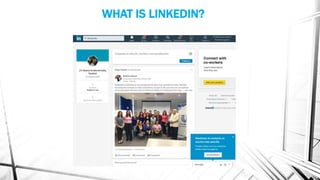
WHAT IS LINKEDIN?
WHAT IS LINKEDIN?
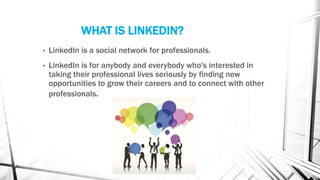
• LinkedIn is a social network for professionals.
• LinkedIn is for anybody and everybody who's interested in
taking their professional lives seriously by finding new
opportunities to grow their careers and to connect with other
professionals.
Benefits of using LinkedIn
• Use your profile as your resume.
• Find and apply to jobs.
• Find and connect with new
professionals.
Use your profile as your resume
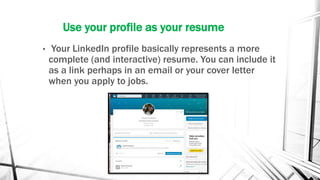
• Your LinkedIn profile basically represents a more
complete (and interactive) resume. You can include it
as a link perhaps in an email or your cover letter
when you apply to jobs.
Find and apply to jobs
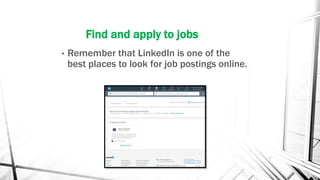
• Remember that LinkedIn is one of the
best places to look for job postings online.
Find and connect with new professionals
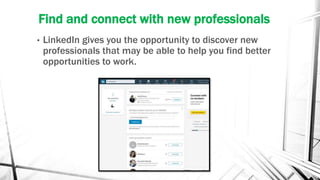
• LinkedIn gives you the opportunity to discover new
professionals that may be able to help you find better
opportunities to work.
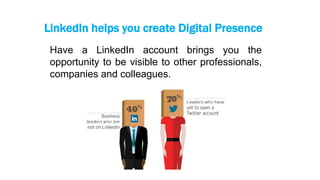
LinkedIn helps you create Digital Presence
Have a LinkedIn account brings you the
opportunity to be visible to other professionals,
companies and colleagues.
CONCLUSION
Collaboration Tools
• "the work and activity of a number
of persons who individually
contribute toward the efficiency of
the whole.
• It enables us to share resources,
achieve shared goals, share new
ideas and new perspectives.
• Critical decisions are made earlier
in the process and work done well
without compromising on results.
Digital Presence
• Having a digital presence simply
means that you occupy space
online
• you should be in control of your
digital presence.
• Regardless of industry, your digital
presence has a lot to offer your
business- so understand it,
embrace it, and make it work for
you.

Collaboration tools and digital presence

  • 1.
    Collaboration Tools and DigitalPresence Yazzira M. Zepeda
  • 3.
    What are CollaborationTools? • we can define a collaboration tool as a technology tool that can be used to help people work together to achieve a common goal or objective. • Collaboration tools can route work through a process, distribute pieces and tasks to involved parties, and help to coordinate activities.
  • 4.
  • 5.
    What is GoogleDrive? Google Drive is a file storage and synchronization service. It allows users to store files in the cloud, synchronize files across devices, and share files.
  • 6.
    How can GoogleDrive help you in: Work • Helps to organize your work more efficiently. • Safe all the work presentations. • You can look on the cloud for information needed at the moment. • Share your work done with co-workers. Classes • Create documents, spreadsheets, presentations and your classmates would be able to edit or modify. • Share files with your classmathes or teachers. • Organize your work and safe it in the cloud. • Be able to see your work whenever and wherever. Home • You can share whatever with your family, even a movie saved in the cloud. • You storage family information. • Family can connect through their devices and suggest or modify your files. • Share information wih your family.
  • 7.
  • 8.
    Important Features ofGoogle Drive Data storage • Google drive offers a standard 15GB of storage space for free to all the users. Gmail users can store all their email communications, attachments, photos and videos directly on to the Google Drive storage servers without any fuss.
  • 9.
    Important Features ofGoogle Drive Collaboration • Files stored in the cloud are kept confidential and it is up to the user to decide on whether to share their files online or not. Users can share their files with their loved ones and this allows others to edit and comment on the file shared.
  • 10.
    Important Features ofGoogle Drive Google Photos • Users can store all their personal photos on the Drive and give them a new life with the help of Google Photos. Google photos can be used to perform expert editing, animation settings etc. without having to do anything. Users can transform their pictures completely.
  • 11.
    Some Tools forGoogle Drive CloudConvert • CloudConvert is a free file conversion tool for Google Drive. • More than 200 different file formats are supported across a large number of categories. The categories include audio, video, documents, eBooks, archives, images, spreadsheets, and presentations.
  • 12.
    WHY WORK WITHGOOGLE DRIVE? • Google launched its very own file sharing and online storage program. Ergonomic and easy to use, Google Drive resembles Dropbox and Skydrive in many ways but integrates seamlessly with Gmail, is synchronized with Google Docs and Google +, and, most importantly, allows you to store all your files in one single place that is accessible at all times!
  • 13.
  • 14.
    What Does itMean to have a Digital Presence? • Having a digital presence simply means that you occupy space online. • Your digital presence is your online reputation. And the million dollar question is, how have you presented yourself?
  • 15.
    Why is itimportant to have Digital Presence? With the constant and rapid advancement of technology in all industries, online has begun to play an increasingly larger role in business, and it is vital that companies look at their current digital presence, and adapt it to best suit where their company is going, and how to optimally engage with their target market.
  • 16.
    Why you needdigital presence? • Visibility-- Having a solid presence online helps you become the dominating top-of-mind producer in your field. • Lubrication– How many times have you made a prospecting call and been asked, “What is your name again?” “Who are you?” Or how many referrals do you receive from highly connected and influential people? Becoming known online makes everything easier. • Authority – Publishing content – or curating content – gives you authority in your marketplace. • Rapport – Sharing great content online – helps you build rapport with your audience of prospects and potential customers. • First Impression
  • 18.
  • 19.
    WHAT IS LINKEDIN? •LinkedIn is a social network for professionals. • LinkedIn is for anybody and everybody who's interested in taking their professional lives seriously by finding new opportunities to grow their careers and to connect with other professionals.
  • 20.
    Benefits of usingLinkedIn • Use your profile as your resume. • Find and apply to jobs. • Find and connect with new professionals.
  • 21.
    Use your profileas your resume • Your LinkedIn profile basically represents a more complete (and interactive) resume. You can include it as a link perhaps in an email or your cover letter when you apply to jobs.
  • 22.
    Find and applyto jobs • Remember that LinkedIn is one of the best places to look for job postings online.
  • 23.
    Find and connectwith new professionals • LinkedIn gives you the opportunity to discover new professionals that may be able to help you find better opportunities to work.
  • 24.
    LinkedIn helps youcreate Digital Presence Have a LinkedIn account brings you the opportunity to be visible to other professionals, companies and colleagues.
  • 25.
    CONCLUSION Collaboration Tools • "thework and activity of a number of persons who individually contribute toward the efficiency of the whole. • It enables us to share resources, achieve shared goals, share new ideas and new perspectives. • Critical decisions are made earlier in the process and work done well without compromising on results. Digital Presence • Having a digital presence simply means that you occupy space online • you should be in control of your digital presence. • Regardless of industry, your digital presence has a lot to offer your business- so understand it, embrace it, and make it work for you.