Definition Importance
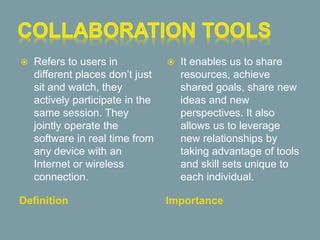
 Refers to users in
different places don’t just
sit and watch, they
actively participate in the
same session. They
jointly operate the
software in real time from
any device with an
Internet or wireless
connection.
 It enables us to share
resources, achieve
shared goals, share new
ideas and new
perspectives. It also
allows us to leverage
new relationships by
taking advantage of tools
and skill sets unique to
each individual.
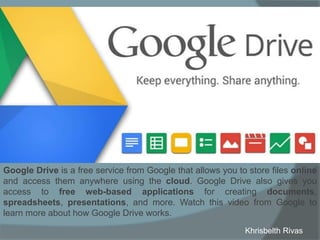
Google Drive is a free service from Google that allows you to store files online
and access them anywhere using the cloud. Google Drive also gives you
access to free web-based applications for creating documents,
spreadsheets, presentations, and more. Watch this video from Google to
learn more about how Google Drive works.
Khrisbelth Rivas
• 15 GB space: allows saving
1. Store Files
2. Save email attachments
3. Photos and videos
• Share: interacting with others while working
1. Documents and files
2. Spreadsheets
3. Presentations online (Docs,
sheets, and slides)
• Drive App for Androids allows you to scan
papers, such as letters, storing them
immediately in PDFs.
• It still works offline allowing you to have
access to see your docs.
• It has a revision history to see the changes
of the last 30 days.
• Powerful search engine.
• Save and Secure
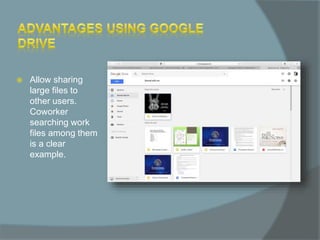
 Allow sharing
large files to
other users.
Coworker
searching work
files among them
is a clear
example.
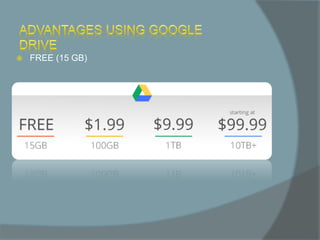
 FREE (15 GB)
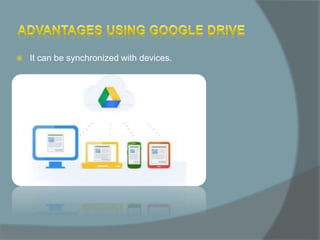
 It can be synchronized with devices.
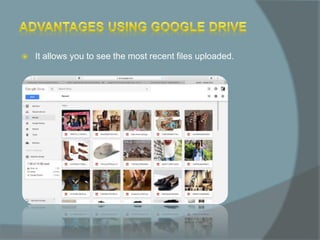
 It allows you to see the most recent files uploaded.
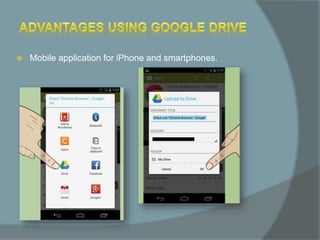
 Mobile application for iPhone and smartphones.
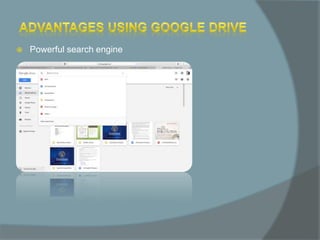
 Powerful search engine
 Files that can be created and shared on Google Drive:
1. Documents: For composing letters, flyers, essays, and
other text-based files (similar to Microsoft Word
documents)
2. Spreadsheets: For storing and organizing information
(similar to Microsoft Excel workbooks)
3. Presentations: For creating slideshows (similar to
Microsoft PowerPoint presentations)
4. Forms: For collecting and organizing data
5. Drawings: For creating simple vector graphics or
diagrams
“Think of your company's digital presence as an
interview that your potential customers conduct.”
-Tomasz Banas
Digital Presence means you occupy space online, 10 years
ago digital presence meant having a website, today we have
social media, mobile, and all forms of online advertising to
consider when it comes to creating digital presence, and it
encompasses so much more than just a web site.
1. Digital presence gets brands’ names out there.
2. Publish listings – create business listings on as many
online directories and websites as possible.
3. Use keywords – keywords function like online business
cards and are the best way to drive traffic to a website.
4. Publish quality content – consistently publishing blog
posts on a company website and writing about topics
relevant to the business that the audience will care
about improves SEO by keeping the site fresh and up-
to-date.
5. Get Social – Having a social media presence that links
back to the business’s main website improves its online
ranking and provides multiple avenues through which
customers can discover it.
6. Design a cohesive, user friendly website.
7. Create social media accounts that align with the brand.
8. Maintain a Presence.
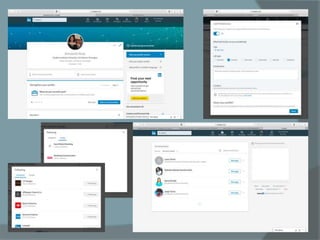
LinkedIn is really a huge database of professionals. It is the
place to find other professionals and be found by other
professionals.
1) Getting Back in Touch (Finding & Being
Found)
2) Acquire & Share Expertise
3) Career Management
Answers
1. Since LinkedIn is a website where employees can see works, as
well as employers, seek for workers, LinkedIn is responsible for
making those works connections by making relations.
2. Having a digital Presence is actually important because more people
join you through a network, and people that you even do not know,
can be looking an employee like you as well as unemployed people
looking for their dream job. Therefore, it allows to the big market of
employees to find easier jobs. In other words, it helps people to get
jobs and to increase hiring.
3. It helps to create a Digital presence through sharing your information
or academic profile to other users, or possible employees and/or
employers, so you can share your brand through showing your
descriptions or your company’s description and logo.
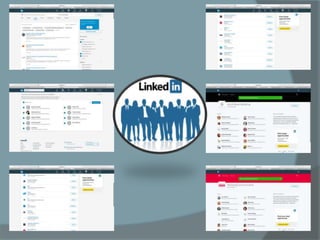
• Once you start contacting LinkedIn members, they’re likely to check out your profile.
• Give candidates a glimpse of your company’s values and culture by creating a rich profile with
a professional photo, a descriptive headline, and a summary of your work.
• Our employees can then easily spread the word about job postings.
Intro comp 2

Intro comp 2

  • 2.
    Definition Importance  Refersto users in different places don’t just sit and watch, they actively participate in the same session. They jointly operate the software in real time from any device with an Internet or wireless connection.  It enables us to share resources, achieve shared goals, share new ideas and new perspectives. It also allows us to leverage new relationships by taking advantage of tools and skill sets unique to each individual.
  • 4.
    Google Drive isa free service from Google that allows you to store files online and access them anywhere using the cloud. Google Drive also gives you access to free web-based applications for creating documents, spreadsheets, presentations, and more. Watch this video from Google to learn more about how Google Drive works. Khrisbelth Rivas
  • 5.
    • 15 GBspace: allows saving 1. Store Files 2. Save email attachments 3. Photos and videos • Share: interacting with others while working 1. Documents and files 2. Spreadsheets 3. Presentations online (Docs, sheets, and slides) • Drive App for Androids allows you to scan papers, such as letters, storing them immediately in PDFs. • It still works offline allowing you to have access to see your docs. • It has a revision history to see the changes of the last 30 days. • Powerful search engine. • Save and Secure
  • 6.
     Allow sharing largefiles to other users. Coworker searching work files among them is a clear example.
  • 7.
  • 8.
     It canbe synchronized with devices.
  • 9.
     It allowsyou to see the most recent files uploaded.
  • 10.
     Mobile applicationfor iPhone and smartphones.
  • 11.
  • 12.
     Files thatcan be created and shared on Google Drive: 1. Documents: For composing letters, flyers, essays, and other text-based files (similar to Microsoft Word documents) 2. Spreadsheets: For storing and organizing information (similar to Microsoft Excel workbooks) 3. Presentations: For creating slideshows (similar to Microsoft PowerPoint presentations) 4. Forms: For collecting and organizing data 5. Drawings: For creating simple vector graphics or diagrams
  • 13.
    “Think of yourcompany's digital presence as an interview that your potential customers conduct.” -Tomasz Banas Digital Presence means you occupy space online, 10 years ago digital presence meant having a website, today we have social media, mobile, and all forms of online advertising to consider when it comes to creating digital presence, and it encompasses so much more than just a web site.
  • 14.
    1. Digital presencegets brands’ names out there. 2. Publish listings – create business listings on as many online directories and websites as possible. 3. Use keywords – keywords function like online business cards and are the best way to drive traffic to a website. 4. Publish quality content – consistently publishing blog posts on a company website and writing about topics relevant to the business that the audience will care about improves SEO by keeping the site fresh and up- to-date. 5. Get Social – Having a social media presence that links back to the business’s main website improves its online ranking and provides multiple avenues through which customers can discover it. 6. Design a cohesive, user friendly website. 7. Create social media accounts that align with the brand. 8. Maintain a Presence.
  • 15.
    LinkedIn is reallya huge database of professionals. It is the place to find other professionals and be found by other professionals. 1) Getting Back in Touch (Finding & Being Found) 2) Acquire & Share Expertise 3) Career Management
  • 18.
    Answers 1. Since LinkedInis a website where employees can see works, as well as employers, seek for workers, LinkedIn is responsible for making those works connections by making relations. 2. Having a digital Presence is actually important because more people join you through a network, and people that you even do not know, can be looking an employee like you as well as unemployed people looking for their dream job. Therefore, it allows to the big market of employees to find easier jobs. In other words, it helps people to get jobs and to increase hiring. 3. It helps to create a Digital presence through sharing your information or academic profile to other users, or possible employees and/or employers, so you can share your brand through showing your descriptions or your company’s description and logo. • Once you start contacting LinkedIn members, they’re likely to check out your profile. • Give candidates a glimpse of your company’s values and culture by creating a rich profile with a professional photo, a descriptive headline, and a summary of your work. • Our employees can then easily spread the word about job postings.