@Communities2_0
@jho3446
Technology	
  Essentials	
  for	
  

New	
  Groups

Josh	
  Hoole

PAVS	
  Circuit	
  Rider	
  Development	
  Manager,	
  Communities	
  2.0
Aim	
  of	
  today
Highlight	
  the	
  benefits	
  of	
  using	
  essenEal	
  low	
  cost	
  or	
  no	
  
cost	
  technology	
  tools	
  for	
  new	
  Third	
  Sector	
  organisaEons	
  
to	
  manage	
  and	
  promote	
  their	
  organisaBons	
  with	
  minimal	
  
cost	
  and	
  effort.	
  
By	
  the	
  end	
  you’ll:	
  
1. Understand	
  what	
  tools	
  are	
  available	
  	
  
2. Understand	
  how	
  using	
  online	
  tools	
  can	
  save	
  
Bme	
  and	
  resources	
  	
  
3. Understand	
  how	
  you	
  can	
  raise	
  awareness	
  and	
  
signpost	
  to	
  essenBal	
  resources	
  and	
  support	
  
What	
  we’ll	
  cover
1.Office	
  Tools	
  
1.Office	
  Software	
  
2.Online	
  Collaboration	
  tools	
  
2.Online	
  Marketing	
  &	
  Promotion	
  
1.Website	
  
2.Social	
  Media	
  
3.Managing	
  Meetings	
  &	
  Events	
  
1.Organising	
  Meetings	
  &	
  Events	
  
2.Planning	
  and	
  managing	
  Events	
  
4.Publishing	
  Information	
  
1.Newsletters/E-­‐bulletins
The	
  Two	
  Aims	
  of	
  Technology
1. Do	
  things	
  better	
  
2. Do	
  better	
  things
Why Embrace Technology?
• Vital to every group /
organisations
• Increase efficiency &
effectiveness
• No cost or low cost
• Access from anywhere
at anytime
• Reach a wider audience
• Reach a more targeted
audience
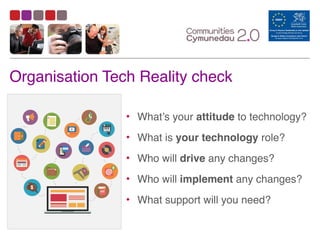
Organisation Tech Reality check
• What’s your attitude to technology?	
  
• What is your technology role?	
  
• Who will drive any changes?	
  
• Who will implement any changes?	
  
• What support will you need?
T E C H N O L O G Y: I T ’ S N O T A L L B A D
Essential Office
Tools
Essential	
  Office	
  Tools
•Microsoft	
  Office	
  365	
  
•Google	
  Drive	
  
•OneDrive	
  
•Drop	
  Box	
  
•Open	
  Office	
  &	
  Libre	
  Office
Office 365 & Google Apps
It gives online access to full Office software:
• Email, Contacts & Calendars (e.g. Outlook)
• Text Editing (e.g Word)
• Spreadsheets (e.g. Excel)
• Presentations (e.g. PowerPoint)
• File storage and backup
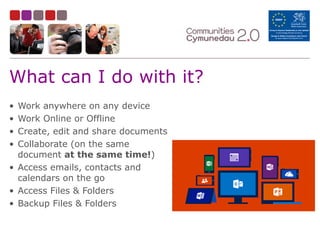
What can I do with it?
• Work anywhere on any device
• Work Online or Offline
• Create, edit and share documents
• Collaborate (on the same
document at the same time!)
• Access emails, contacts and
calendars on the go
• Access Files & Folders
• Backup Files & Folders
Libre Office & Open Office
• FOSS*	
  -­‐	
  free	
  to	
  download	
  and	
  
use	
  on	
  a	
  local	
  machine	
  
• Not	
  cloud-­‐based	
  	
  
• Can	
  read	
  documents	
  from	
  
Microsoft	
  Office	
  software	
  
Libre Office
Open Office
*Free and Open Source Software
Google Drive, One Drive & DropBox
• Online and Offline access to
your files and folders
• Automatically synchronises
• Automatically backs up
• Automatically updates to
latest version
• Loads of free storage space
• Works on any internet-
enabled device
Any Questions?
?
Online Presence
Tools
Improve Your Online Presence - why?
1. Your website is 1 in 630m	
  
2. Communicate more efficiently
3. Reach more people by ‘going to
where they are’	
  
4. Drive relevant traffic to your
website	
  
5. Increase numbers of members/
clients/volunteers
Online	
  Presence	
  is…
• Everywhere	
  you’ve	
  put	
  your	
  organisation	
  online:	
  
• Website	
  
• Blogs	
  
• Social	
  Media	
  platforms	
  
• Google	
  Maps	
  
• Wikipedia	
  
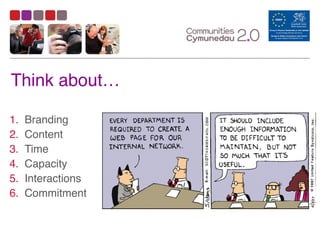
Think about…
1. Branding
2. Content
3. Time
4. Capacity
5. Interactions
6. Commitment
What	
  is	
  Wordpress
•An	
  online	
  blogging	
  and	
  web	
  
development	
  tool	
  
•A	
  free	
  and	
  easy	
  hosted	
  
solution	
  	
  
•OR	
  a	
  software	
  package	
  that	
  
can	
  be	
  developed	
  and	
  hosted	
  
wherever	
  you	
  choose
• Provide	
  a	
  platform	
  for	
  your	
  blog	
  
• Allows	
  you	
  to	
  manage	
  your	
  site	
  
without	
  additional	
  software	
  	
  
• Enables	
  a	
  multi-­‐user	
  environment	
  
• Multiple	
  ‘plug-­‐ins’	
  to	
  enhance	
  
functionality
What	
  can	
  Wordpress	
  do?
NO

CODING

REQUIRED
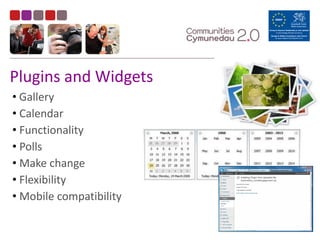
Plugins	
  and	
  Widgets
•	
  Gallery	
  
•	
  Calendar	
  
•	
  Functionality	
  
•	
  Polls	
  
•	
  Make	
  change	
  
•	
  Flexibility	
  
•	
  Mobile	
  compatibility	
  
Any Questions?
?
Social Media

Tools
Social Media is….
Social media is social
software which mediate human
communication. Social media
is ubiquitously accessible,
and enabled by scalable
communication techniques.
In 2012, social media became one
of the most powerful sources for
news updates.
http://en.wikipedia.org/wiki/Social_media
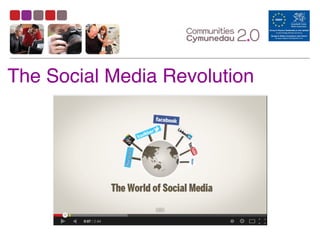
The Social Media Revolution
Plan	
  Your	
  Strategy

5	
  Things	
  Your	
  Strategy	
  Needs
1. Aligned	
  to	
  your	
  business	
  plan	
  
2. Knowledge	
  of	
  your	
  audience	
  
3. Clear	
  goals	
  and	
  measurements	
  
4. Great	
  stories	
  &	
  lightweight	
  media	
  
5. Integration
Tips to Get Started
• Set up accounts (Use a generic email address)
• Have a tinker
• Follow and listen to others
• Join the conversations
• Make connections
• Measure successes
• Start to grow
Any Questions?
?
Coffee	
  Eme
Managing Meetings
& Events 

Tools
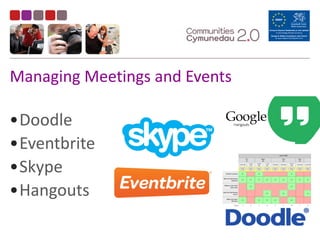
Managing	
  Meetings	
  and	
  Events
•Doodle	
  
•Eventbrite	
  
•Skype	
  
•Hangouts
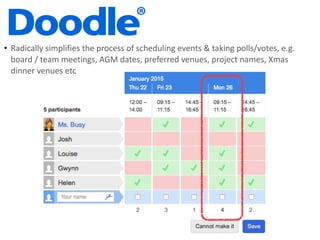
• Radically	
  simplifies	
  the	
  process	
  of	
  scheduling	
  events	
  &	
  taking	
  polls/votes,	
  e.g.	
  
board	
  /	
  team	
  meetings,	
  AGM	
  dates,	
  preferred	
  venues,	
  project	
  names,	
  Xmas	
  
dinner	
  venues	
  etc
Doodle
• Requires	
  an	
  account	
  set	
  up	
  
• Create	
  a	
  user	
  name	
  and	
  password	
  
• Free	
  to	
  use	
  at	
  basic	
  level	
  
• Event	
  scheduling	
  
• Saves	
  all	
  the	
  email	
  exchanges	
  
• Works	
  out	
  the	
  most	
  suitable	
  time	
  
• Gives	
  options	
  for	
  multiple	
  times/days/sessions	
  
• Doodle	
  Demo
Eventbrite
• Set	
  up,	
  promote	
  and	
  manage	
  every	
  detail	
  of	
  events	
  
• No	
  cost	
  unless	
  you	
  charge	
  for	
  tickets	
  
• Manages	
  every	
  element:	
  
• Set	
  up	
  
• Ticketing	
  
• Follow	
  Up	
  
• Feedback	
  
• Eventbrite	
  app	
  -­‐	
  Mobile	
  Box	
  Office	
  
• Eventbrite	
  Demo
• Can’t	
  forget	
  details	
  -­‐	
  it	
  walks	
  you	
  through	
  set	
  up	
  
• No	
  mailing	
  out	
  time	
  
• No	
  paper/	
  envelopes/	
  stamps	
  cost	
  
• Manage	
  responses	
  
• Automatic	
  reminders	
  
• Easily	
  generate	
  lists	
  
• Tickets	
  are	
  managed	
  for	
  you	
  
• Apps	
  to	
  check	
  people	
  in	
  
• Fast	
  set	
  up	
  for	
  repeat	
  events
Benefits	
  of	
  using	
  Eventbrite	
  
Skype	
  &	
  Google	
  Hangouts
• VoIP	
  (Voice	
  over	
  Internet	
  Protocol)	
  
technology	
  allows	
  us	
  to	
  transmit	
  voice	
  
and	
  video	
  over	
  the	
  internet	
  
• Make	
  free	
  voice	
  &	
  video	
  calls	
  
• Both	
  ‘ends’	
  need	
  the	
  same	
  software	
  
• Also	
  low	
  cost	
  calls	
  to	
  landlines	
  &	
  
mobile	
  anywhere	
  in	
  the	
  world	
  
• Smartphone	
  apps	
  means	
  calls	
  can	
  be	
  
made	
  on	
  the	
  go
Skype	
  &	
  Google	
  Hangouts
Benefits	
  
• Communicate	
  in	
  multiple	
  ways	
  -­‐	
  
voice/	
  video/	
  text/	
  share	
  links/	
  
share	
  screens/	
  send	
  files	
  
• Minimise	
  travel	
  &	
  room	
  hire	
  costs	
  
• Possibilities	
  for	
  education/	
  
collaboration/	
  mentoring	
  
• Next	
  best	
  thing	
  to	
  being	
  there	
  
• If	
  you	
  have	
  Gmail,	
  you	
  already	
  
have	
  Hangouts
Sign	
  Language	
  Interpreter
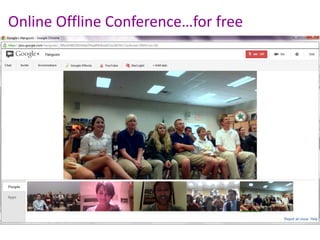
Online	
  Offline	
  Conference…for	
  free
Any Questions?
?
Publishing
Information 

Tools
Newsletters	
  &	
  Ebulletins
‘Freemium’	
  publishing	
  and	
  Ebulletin	
  tools
• Fastest	
  growing	
  digital	
  publishing	
  
platform	
  in	
  the	
  world	
  
• Showcase	
  and	
  present	
  your	
  publications	
  
• Publish	
  Reports,	
  Newsletters,	
  Supporter	
  
magazines,	
  Annual	
  Reports	
  etc.	
  
• Embed	
  anywhere	
  
• Example
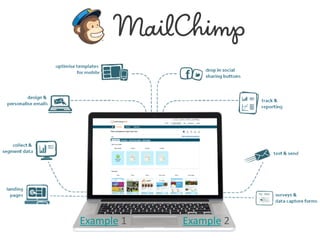
Example	
  1 Example	
  2
Any Questions?
?
What	
  we’ve	
  covered
1.Office	
  Tools	
  
1.Office	
  Software	
  
2.Online	
  Collaboration	
  tools	
  
2.Online	
  Marketing	
  &	
  Promotion	
  
1.Website	
  
2.Social	
  Media	
  
3.Managing	
  Meetings	
  &	
  Events	
  
1.Organising	
  Meetings	
  &	
  Events	
  
2.Planning	
  and	
  managing	
  Events	
  
4.Publishing	
  Information	
  
1.Newsletters/E-­‐bulletins
O N G O I N G S U P P O R T
W H AT B E T T E R T E C H F E E L S L I K E
communities2point0.org
0845	
  474	
  8282
@Communities2_0
@jho3446
slideshare.net/PAVSCRC

Third Sector Start Up Tech Tools Feb15

  • 1.
    @Communities2_0 @jho3446 Technology  Essentials  for  
 New  Groups
 Josh  Hoole
 PAVS  Circuit  Rider  Development  Manager,  Communities  2.0
  • 3.
    Aim  of  today Highlight  the  benefits  of  using  essenEal  low  cost  or  no   cost  technology  tools  for  new  Third  Sector  organisaEons   to  manage  and  promote  their  organisaBons  with  minimal   cost  and  effort.   By  the  end  you’ll:   1. Understand  what  tools  are  available     2. Understand  how  using  online  tools  can  save   Bme  and  resources     3. Understand  how  you  can  raise  awareness  and   signpost  to  essenBal  resources  and  support  
  • 4.
    What  we’ll  cover 1.Office  Tools   1.Office  Software   2.Online  Collaboration  tools   2.Online  Marketing  &  Promotion   1.Website   2.Social  Media   3.Managing  Meetings  &  Events   1.Organising  Meetings  &  Events   2.Planning  and  managing  Events   4.Publishing  Information   1.Newsletters/E-­‐bulletins
  • 5.
    The  Two  Aims  of  Technology 1. Do  things  better   2. Do  better  things
  • 6.
    Why Embrace Technology? •Vital to every group / organisations • Increase efficiency & effectiveness • No cost or low cost • Access from anywhere at anytime • Reach a wider audience • Reach a more targeted audience
  • 7.
    Organisation Tech Realitycheck • What’s your attitude to technology?   • What is your technology role?   • Who will drive any changes?   • Who will implement any changes?   • What support will you need?
  • 8.
    T E CH N O L O G Y: I T ’ S N O T A L L B A D
  • 9.
  • 10.
    Essential  Office  Tools •Microsoft  Office  365   •Google  Drive   •OneDrive   •Drop  Box   •Open  Office  &  Libre  Office
  • 11.
    Office 365 &Google Apps It gives online access to full Office software: • Email, Contacts & Calendars (e.g. Outlook) • Text Editing (e.g Word) • Spreadsheets (e.g. Excel) • Presentations (e.g. PowerPoint) • File storage and backup
  • 12.
    What can Ido with it? • Work anywhere on any device • Work Online or Offline • Create, edit and share documents • Collaborate (on the same document at the same time!) • Access emails, contacts and calendars on the go • Access Files & Folders • Backup Files & Folders
  • 13.
    Libre Office &Open Office • FOSS*  -­‐  free  to  download  and   use  on  a  local  machine   • Not  cloud-­‐based     • Can  read  documents  from   Microsoft  Office  software   Libre Office Open Office *Free and Open Source Software
  • 14.
    Google Drive, OneDrive & DropBox • Online and Offline access to your files and folders • Automatically synchronises • Automatically backs up • Automatically updates to latest version • Loads of free storage space • Works on any internet- enabled device
  • 16.
  • 17.
  • 18.
    Improve Your OnlinePresence - why? 1. Your website is 1 in 630m   2. Communicate more efficiently 3. Reach more people by ‘going to where they are’   4. Drive relevant traffic to your website   5. Increase numbers of members/ clients/volunteers
  • 19.
    Online  Presence  is… •Everywhere  you’ve  put  your  organisation  online:   • Website   • Blogs   • Social  Media  platforms   • Google  Maps   • Wikipedia  
  • 20.
    Think about… 1. Branding 2.Content 3. Time 4. Capacity 5. Interactions 6. Commitment
  • 21.
    What  is  Wordpress •An  online  blogging  and  web   development  tool   •A  free  and  easy  hosted   solution     •OR  a  software  package  that   can  be  developed  and  hosted   wherever  you  choose
  • 22.
    • Provide  a  platform  for  your  blog   • Allows  you  to  manage  your  site   without  additional  software     • Enables  a  multi-­‐user  environment   • Multiple  ‘plug-­‐ins’  to  enhance   functionality What  can  Wordpress  do? NO
 CODING
 REQUIRED
  • 23.
    Plugins  and  Widgets •  Gallery   •  Calendar   •  Functionality   •  Polls   •  Make  change   •  Flexibility   •  Mobile  compatibility  
  • 24.
  • 25.
  • 26.
    Social Media is…. Socialmedia is social software which mediate human communication. Social media is ubiquitously accessible, and enabled by scalable communication techniques. In 2012, social media became one of the most powerful sources for news updates. http://en.wikipedia.org/wiki/Social_media
  • 27.
    The Social MediaRevolution
  • 29.
    Plan  Your  Strategy
 5  Things  Your  Strategy  Needs 1. Aligned  to  your  business  plan   2. Knowledge  of  your  audience   3. Clear  goals  and  measurements   4. Great  stories  &  lightweight  media   5. Integration
  • 30.
    Tips to GetStarted • Set up accounts (Use a generic email address) • Have a tinker • Follow and listen to others • Join the conversations • Make connections • Measure successes • Start to grow
  • 31.
  • 32.
  • 33.
  • 34.
    Managing  Meetings  and  Events •Doodle   •Eventbrite   •Skype   •Hangouts
  • 35.
    • Radically  simplifies  the  process  of  scheduling  events  &  taking  polls/votes,  e.g.   board  /  team  meetings,  AGM  dates,  preferred  venues,  project  names,  Xmas   dinner  venues  etc
  • 36.
    Doodle • Requires  an  account  set  up   • Create  a  user  name  and  password   • Free  to  use  at  basic  level   • Event  scheduling   • Saves  all  the  email  exchanges   • Works  out  the  most  suitable  time   • Gives  options  for  multiple  times/days/sessions   • Doodle  Demo
  • 37.
    Eventbrite • Set  up,  promote  and  manage  every  detail  of  events   • No  cost  unless  you  charge  for  tickets   • Manages  every  element:   • Set  up   • Ticketing   • Follow  Up   • Feedback   • Eventbrite  app  -­‐  Mobile  Box  Office   • Eventbrite  Demo
  • 38.
    • Can’t  forget  details  -­‐  it  walks  you  through  set  up   • No  mailing  out  time   • No  paper/  envelopes/  stamps  cost   • Manage  responses   • Automatic  reminders   • Easily  generate  lists   • Tickets  are  managed  for  you   • Apps  to  check  people  in   • Fast  set  up  for  repeat  events Benefits  of  using  Eventbrite  
  • 39.
    Skype  &  Google  Hangouts • VoIP  (Voice  over  Internet  Protocol)   technology  allows  us  to  transmit  voice   and  video  over  the  internet   • Make  free  voice  &  video  calls   • Both  ‘ends’  need  the  same  software   • Also  low  cost  calls  to  landlines  &   mobile  anywhere  in  the  world   • Smartphone  apps  means  calls  can  be   made  on  the  go
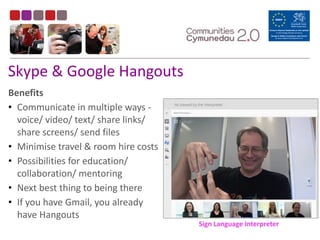
  • 40.
    Skype  &  Google  Hangouts Benefits   • Communicate  in  multiple  ways  -­‐   voice/  video/  text/  share  links/   share  screens/  send  files   • Minimise  travel  &  room  hire  costs   • Possibilities  for  education/   collaboration/  mentoring   • Next  best  thing  to  being  there   • If  you  have  Gmail,  you  already   have  Hangouts Sign  Language  Interpreter
  • 41.
  • 42.
  • 43.
  • 44.
    Newsletters  &  Ebulletins ‘Freemium’  publishing  and  Ebulletin  tools
  • 45.
    • Fastest  growing  digital  publishing   platform  in  the  world   • Showcase  and  present  your  publications   • Publish  Reports,  Newsletters,  Supporter   magazines,  Annual  Reports  etc.   • Embed  anywhere   • Example
  • 46.
  • 47.
  • 48.
    What  we’ve  covered 1.Office  Tools   1.Office  Software   2.Online  Collaboration  tools   2.Online  Marketing  &  Promotion   1.Website   2.Social  Media   3.Managing  Meetings  &  Events   1.Organising  Meetings  &  Events   2.Planning  and  managing  Events   4.Publishing  Information   1.Newsletters/E-­‐bulletins
  • 49.
    O N GO I N G S U P P O R T
  • 50.
    W H ATB E T T E R T E C H F E E L S L I K E
  • 51.