Collaboration Tools
and digital presence
Ixy Acevedo
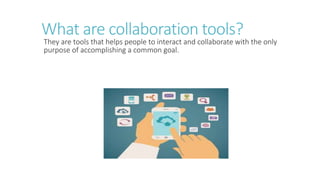
What are collaboration tools?
They are tools that helps people to interact and collaborate with the only
purpose of accomplishing a common goal.
Google Drive
File storage and synchronization
service.
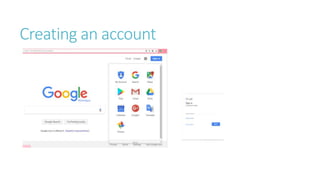
Creating an account
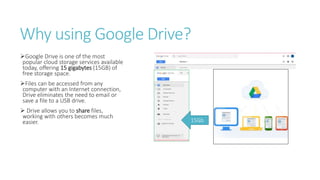
Why using Google Drive?
Google Drive is one of the most
popular cloud storage services available
today, offering 15 gigabytes (15GB) of
free storage space.
Files can be accessed from any
computer with an Internet connection,
Drive eliminates the need to email or
save a file to a USB drive.
 Drive allows you to share files,
working with others becomes much
easier. 15Gb
How can Google Drive help?
SCHOOL
Store files in Drive
Organized Docs
 You can do a research and having
a real time contact with your
classmates.
Stop loosing photos, they will be
stored on drive
WORK
Store files in Drive
Key documentation save
You can share important papers
with your work team.
 Sync your phone, computer and
table to stay connected.
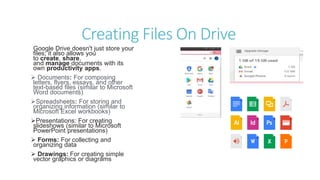
Creating Files On Drive
Google Drive doesn't just store your
files; it also allows you
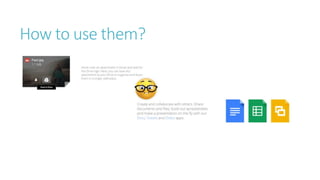
to create, share,
and manage documents with its
own productivity apps.
 Documents: For composing
letters, flyers, essays, and other
text-based files (similar to Microsoft
Word documents)
Spreadsheets: For storing and
organizing information (similar to
Microsoft Excel workbooks)
Presentations: For creating
slideshows (similar to Microsoft
PowerPoint presentations)
 Forms: For collecting and
organizing data
 Drawings: For creating simple
vector graphics or diagrams
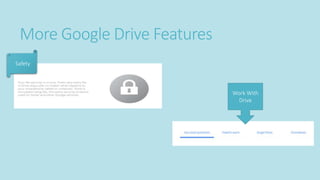
More Google Drive Features
Safety
Work With
Drive
How to use them?
Digital Presence
What is Digital
Presence?
Digital Presence means:
Occupying a place Online.
A Good Brief.
Having Online presence, nowadays has
become a necessity for almost
everybody. Interested on creating a
brand or, for the face of a company. It is
our marketing, in simple words. To sum
it up, digital presence is the sum of all
our accounts on the web.
Digital Presence Importance
Taking your brand Online will trigger the
customer to search and see what can be
helpful from it.
By optimizing, the site’s ranking you are
making your brand discoverable and besides
you are discovering the potential it has.
By remaining the digital presence, it is going
to be easier having a trustable brand. Most of
the good and reliable brands have prestige
due to they presence they kept.
LinkedIn
Connect to the Opportunity.
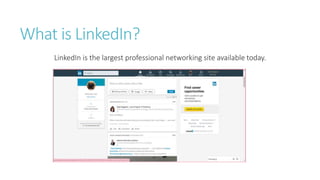
What is LinkedIn?
LinkedIn is the largest professional networking site available today.
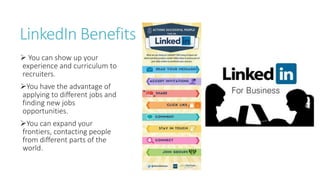
LinkedIn Benefits
 You can show up your
experience and curriculum to
recruiters.
You have the advantage of
applying to different jobs and
finding new jobs
opportunities.
You can expand your
frontiers, contacting people
from different parts of the
world.
How to use LinkedIn?
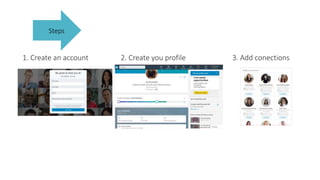
1. Create an account 2. Create you profile 3. Add conections
Steps
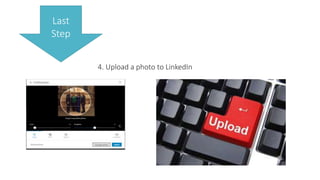
4. Upload a photo to LinkedIn
Last
Step
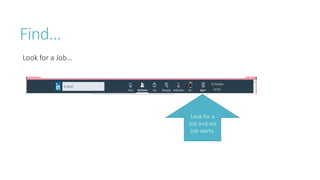
Find…
Look for a Job…
Look for a
Job and set
Job alerts.
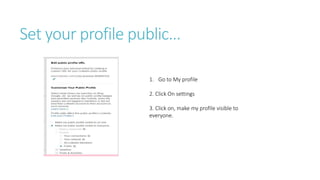
Set your profile public…
1. Go to My profile
2. Click On settings
3. Click on, make my profile visible to
everyone.
Start your digital presence with LinkedIn
Summary
COLLABORATION TOOLS
Helps people to be more
productive. It can be used as a
group or individual.
It helps a team to share instant
information.
It keeps the information safe.
DIGITAL PRESENCE
The presence you may have
Online.
It helps you to show your brand
and expand it.
It helps you to be taken into a
professional environment.

Collaboration tools and digital presence

  • 1.
    Collaboration Tools and digitalpresence Ixy Acevedo
  • 2.
    What are collaborationtools? They are tools that helps people to interact and collaborate with the only purpose of accomplishing a common goal.
  • 3.
    Google Drive File storageand synchronization service.
  • 4.
  • 5.
    Why using GoogleDrive? Google Drive is one of the most popular cloud storage services available today, offering 15 gigabytes (15GB) of free storage space. Files can be accessed from any computer with an Internet connection, Drive eliminates the need to email or save a file to a USB drive.  Drive allows you to share files, working with others becomes much easier. 15Gb
  • 6.
    How can GoogleDrive help? SCHOOL Store files in Drive Organized Docs  You can do a research and having a real time contact with your classmates. Stop loosing photos, they will be stored on drive WORK Store files in Drive Key documentation save You can share important papers with your work team.  Sync your phone, computer and table to stay connected.
  • 7.
    Creating Files OnDrive Google Drive doesn't just store your files; it also allows you to create, share, and manage documents with its own productivity apps.  Documents: For composing letters, flyers, essays, and other text-based files (similar to Microsoft Word documents) Spreadsheets: For storing and organizing information (similar to Microsoft Excel workbooks) Presentations: For creating slideshows (similar to Microsoft PowerPoint presentations)  Forms: For collecting and organizing data  Drawings: For creating simple vector graphics or diagrams
  • 8.
    More Google DriveFeatures Safety Work With Drive
  • 9.
  • 11.
  • 12.
    What is Digital Presence? DigitalPresence means: Occupying a place Online.
  • 13.
    A Good Brief. HavingOnline presence, nowadays has become a necessity for almost everybody. Interested on creating a brand or, for the face of a company. It is our marketing, in simple words. To sum it up, digital presence is the sum of all our accounts on the web.
  • 14.
    Digital Presence Importance Takingyour brand Online will trigger the customer to search and see what can be helpful from it. By optimizing, the site’s ranking you are making your brand discoverable and besides you are discovering the potential it has. By remaining the digital presence, it is going to be easier having a trustable brand. Most of the good and reliable brands have prestige due to they presence they kept.
  • 15.
  • 16.
    What is LinkedIn? LinkedInis the largest professional networking site available today.
  • 17.
    LinkedIn Benefits  Youcan show up your experience and curriculum to recruiters. You have the advantage of applying to different jobs and finding new jobs opportunities. You can expand your frontiers, contacting people from different parts of the world.
  • 18.
    How to useLinkedIn?
  • 19.
    1. Create anaccount 2. Create you profile 3. Add conections Steps
  • 20.
    4. Upload aphoto to LinkedIn Last Step
  • 21.
    Find… Look for aJob… Look for a Job and set Job alerts.
  • 22.
    Set your profilepublic… 1. Go to My profile 2. Click On settings 3. Click on, make my profile visible to everyone.
  • 23.
    Start your digitalpresence with LinkedIn
  • 24.
    Summary COLLABORATION TOOLS Helps peopleto be more productive. It can be used as a group or individual. It helps a team to share instant information. It keeps the information safe. DIGITAL PRESENCE The presence you may have Online. It helps you to show your brand and expand it. It helps you to be taken into a professional environment.