WEB designing/developmentSarang III yr ,Dept of CSE
AGENDAUse of CMS
 Building chrome extensionWhy go in for a CMS ?Current scenario – we need a website for promoting every product/business. Building   websites for organisations  , product review websites using html is time consuming . Users of a  website are not exposed to coding .Website are often integrated with the latest developments.
CONTENT MANAGEMENT SYSTEMCollaborative environment for designing a website (like IDE)Targets  large no. of people to contribute and share stored data . Reduces the time involved in building a websiteVersion Control
Introduction(contd)Allows people without technical details to post  in the website For eg : one cannot expect an person posting a book review to know the coding of a website .Allows easy SEO.
Examples (opensource)JOOMLA WORDPRESSDRUPALWIKI
Advantages :-Availability of a large no. of :-ThemesWidgetsModulesExtensions/plugins
Theme exampleshttp://www.proudthemes.com/demo/academica/http://tedxssn.comhttp://ssnlakshya.comhttp://localhost:81/ssnedc/joomla_root/index.php?tp=1&template=axe_rescheek
How do I install a CMS?Download the setup file.Create db using phpmyadminChange the config.php fileInstallation is done !
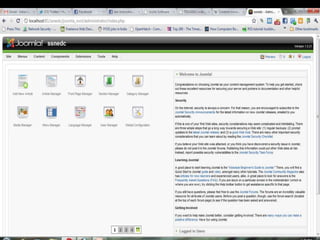
DEMOJoomla (ssnlakshya)Wiki cmshttp://ten.wikipedia.org/wiki/ChennaiWordpress (tedxssn)
Developing Chrome ExtensionDemo of Chrome Extensions(creating an RSS feed )
MANIFEST FILEEvery chrome extension has a JSON-formatted  manifest file .Deals with important fields like the name and version no. , favicon .(contd)
Manifest (contd)"bookmarks"  = reqd if browser uses bookmarks "chrome://favicon/" = <imgsrc="chrome://favicon/http://www.google.com/"> location of favicon."cookies" =Required if the extension uses the chrome.cookies module.(contd)
Manifest (contd)"notifications" = desktop notification for the extension"tabs" Required if the extension uses the chrome.tabs or chrome.windows module.
HTML filesDynamic  feed  controlCreate html/css  file as per requirements
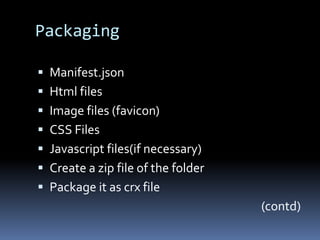
PackagingManifest.jsonHtml filesImage files (favicon)CSS FilesJavascript files(if necessary)Create a zip file of the folderPackage it as crx file (contd)
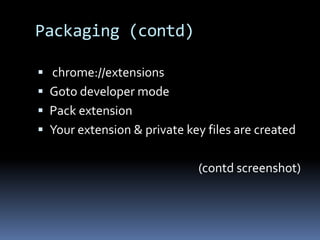
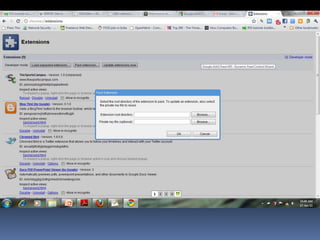
Packaging (contd) chrome://extensions Goto developer modePack extension Your extension & private key files are created(contd screenshot)
Testing & PublishingGo to developer mode in Google Chrome“Load  unpacked extensions”Publish your  extensions to Google Chrome extension Library . You need to have a google developer account for  publishing (developer fee of 5$)

CMS & Chrome Extension Development