



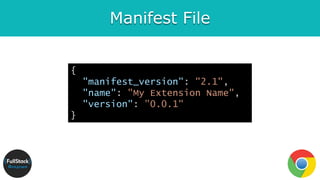
![Manifest File (more …)
{
"description": "Gets information from Google.",
"icons": {
"128": "icon_128.png"
},
"background": {
"persistent": false,
"scripts": ["bg.js"]
},
"permissions": ["http://*.google.com/", "https://*.google.com/"],
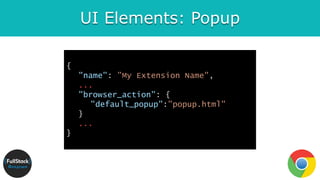
"browser_action": {
"default_title": "",
"default_icon": "icon_19.png",
"default_popup": "popup.html"
}
}](https://image.slidesharecdn.com/chromeextension-180726121754/85/Develop-Chrome-Extension-11-320.jpg)
![Background Script
The background script is the extension's event handler; it
contains listeners for browser events that are important to
the extension.
{
"name": ”My Extension Name",
"background": {
"scripts": ["background.js"],
"persistent": false
}
}](https://image.slidesharecdn.com/chromeextension-180726121754/85/Develop-Chrome-Extension-13-320.jpg)
![UI Elements: Context Menu
{
"name": ”My Extension Name",
...
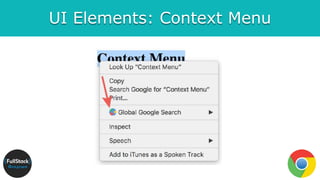
"permissions": ["contextMenus", "storage"],
"icons": {
"16": "globalGoogle16.png",
"48": "globalGoogle48.png",
"128": "globalGoogle128.png"
}
...
}](https://image.slidesharecdn.com/chromeextension-180726121754/85/Develop-Chrome-Extension-20-320.jpg)
![UI Elements: Context Menu
var contexts = ["page", "selection", "link"];
for (var i = 0; i < contexts.length; i++) {
var context = contexts[i];
var title = "Test '" + context + "' menu item";
var id = chrome.contextMenus.create({
"title": title, "contexts": [context],
"onclick": genericOnClick
});
}](https://image.slidesharecdn.com/chromeextension-180726121754/85/Develop-Chrome-Extension-21-320.jpg)

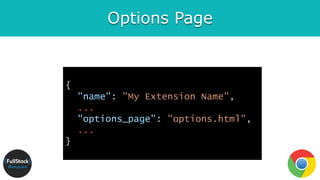
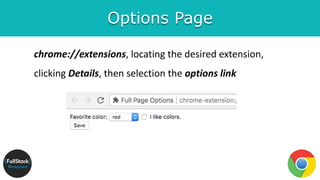
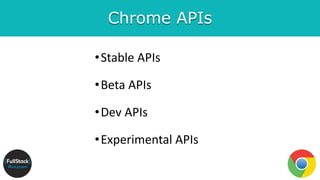
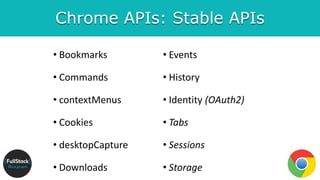
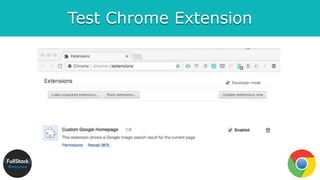



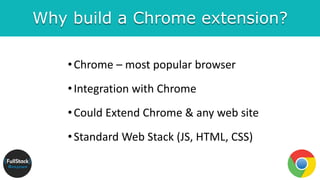
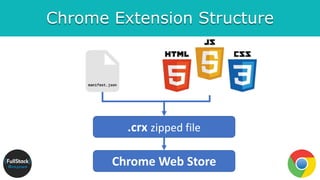
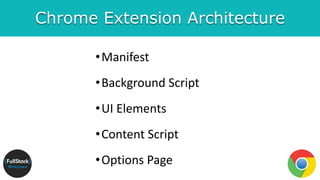
The document outlines the development of a Chrome extension, detailing its purpose, structure, and essential components such as the manifest file, background scripts, and user interface elements. It highlights the advantages of building a Chrome extension, including integration with the popular Chrome browser and standard web technology use. Additionally, it provides examples, resources, and APIs relevant to Chrome extension development.


![[IGC 2017] 아마존 구승모 - 게임 엔진으로 서버 제작 및 운영까지](https://cdn.slidesharecdn.com/ss_thumbnails/igc2017-170904090322-thumbnail.jpg?width=640&height=640&fit=bounds)


