By: Md. Sajedul Haque Romi
CEO, CodeBANGLA
email.: romi@codebangla.com
Facebook: fb.com/JonabROMI
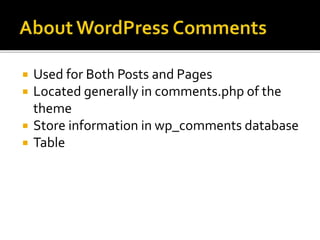
 Used for Both Posts and Pages
 Located generally in comments.php of the
theme
 Store information in wp_comments database
 Table
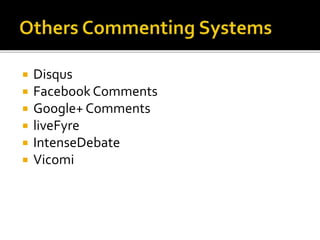
 Disqus
 Facebook Comments
 Google+ Comments
 liveFyre
 IntenseDebate
 Vicomi
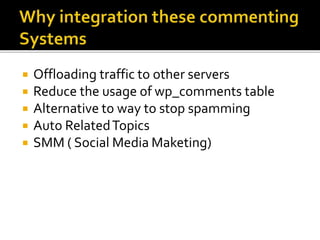
 Offloading traffic to other servers
 Reduce the usage of wp_comments table
 Alternative to way to stop spamming
 Auto RelatedTopics
 SMM ( Social Media Maketing)
 These two are mostly used commenting
Systems
 Disqus provides auto related posts, social
shares, favorite options
 Facebook comments add SMM value of
facebook
 Sign up to disqus.com
 Verify your account
 Get shortcode for yourWordPress site
Like mysite.disqus.com
 Go to
https://mysite.disqus.com/admin/universalco
de/
 Look for universal Code
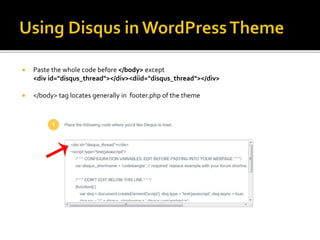
 Paste the whole code before </body> except
<div id="disqus_thread"></div><diid="disqus_thread"></div>
 </body> tag locates generally in footer.php of the theme
 Now paste <div id="disqus_thread"></div>
in comments.php
 And you are done!You will disqus comment
box in yourWordPress site!
 In addition, add
<a href="http://foo.com/bar.html#disqus_thread">Link</a>
Before <div id="disqus_thread"></div>
 Create a facebook app to get fb_appId
 Go to
https://developers.facebook.com/docs/javascript/quickstart/v2.0
for Facebook SDK for JavaScript
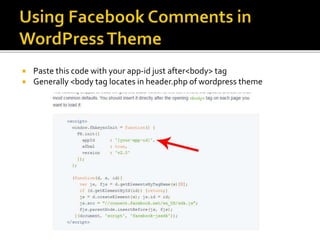
 Paste this code with your app-id just after<body> tag
 Generally <body tag locates in header.php of wordpress theme
 Go to
https://developers.facebook.com/docs/plugins/comments
Get this code
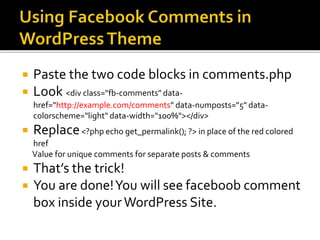
 Paste the two code blocks in comments.php
 Look <div class="fb-comments" data-
href="http://example.com/comments" data-numposts="5" data-
colorscheme="light" data-width="100%"></div>
 Replace<?php echo get_permalink(); ?> in place of the red colored
href
Value for unique comments for separate posts & comments
 That’s the trick!
 You are done!You will see faceboob comment
box inside yourWordPress Site.
 ?????
 By: Md. Sajedul Haque Romi
 CEO, CodeBANGLA
 email.: romi@codebangla.com
 Facebook: fb.com/JonabROMI
 Skype: romi0199

Using disqus & facebook comment in wordpress themes

  • 1.
    By: Md. SajedulHaque Romi CEO, CodeBANGLA email.: romi@codebangla.com Facebook: fb.com/JonabROMI
  • 2.
     Used forBoth Posts and Pages  Located generally in comments.php of the theme  Store information in wp_comments database  Table
  • 3.
     Disqus  FacebookComments  Google+ Comments  liveFyre  IntenseDebate  Vicomi
  • 4.
     Offloading trafficto other servers  Reduce the usage of wp_comments table  Alternative to way to stop spamming  Auto RelatedTopics  SMM ( Social Media Maketing)
  • 5.
     These twoare mostly used commenting Systems  Disqus provides auto related posts, social shares, favorite options  Facebook comments add SMM value of facebook
  • 6.
     Sign upto disqus.com  Verify your account  Get shortcode for yourWordPress site Like mysite.disqus.com  Go to https://mysite.disqus.com/admin/universalco de/  Look for universal Code
  • 7.
     Paste thewhole code before </body> except <div id="disqus_thread"></div><diid="disqus_thread"></div>  </body> tag locates generally in footer.php of the theme
  • 8.
     Now paste<div id="disqus_thread"></div> in comments.php  And you are done!You will disqus comment box in yourWordPress site!  In addition, add <a href="http://foo.com/bar.html#disqus_thread">Link</a> Before <div id="disqus_thread"></div>
  • 9.
     Create afacebook app to get fb_appId  Go to https://developers.facebook.com/docs/javascript/quickstart/v2.0 for Facebook SDK for JavaScript
  • 10.
     Paste thiscode with your app-id just after<body> tag  Generally <body tag locates in header.php of wordpress theme
  • 11.
  • 12.
     Paste thetwo code blocks in comments.php  Look <div class="fb-comments" data- href="http://example.com/comments" data-numposts="5" data- colorscheme="light" data-width="100%"></div>  Replace<?php echo get_permalink(); ?> in place of the red colored href Value for unique comments for separate posts & comments  That’s the trick!  You are done!You will see faceboob comment box inside yourWordPress Site.
  • 13.
  • 14.
     By: Md.Sajedul Haque Romi  CEO, CodeBANGLA  email.: romi@codebangla.com  Facebook: fb.com/JonabROMI  Skype: romi0199