




Microsoft Cloud Security
Fundamentals
Presented by JD Wade, Lead Technical Architect
Developed by Michael Weber, Cloud Solution Architect
Members of Horizons Consulting, Inc.
Test, Test, Test
• Get a test tenant
• Setup a test Active Directory
• Setup a test Azure AD Connect
• Setup a test AD FS (if needed)
Goals
• Maximize security posture with existing licenses
• Align with Microsoft’s way forward for cloud security
• Eliminate legacy security vulnerabilities
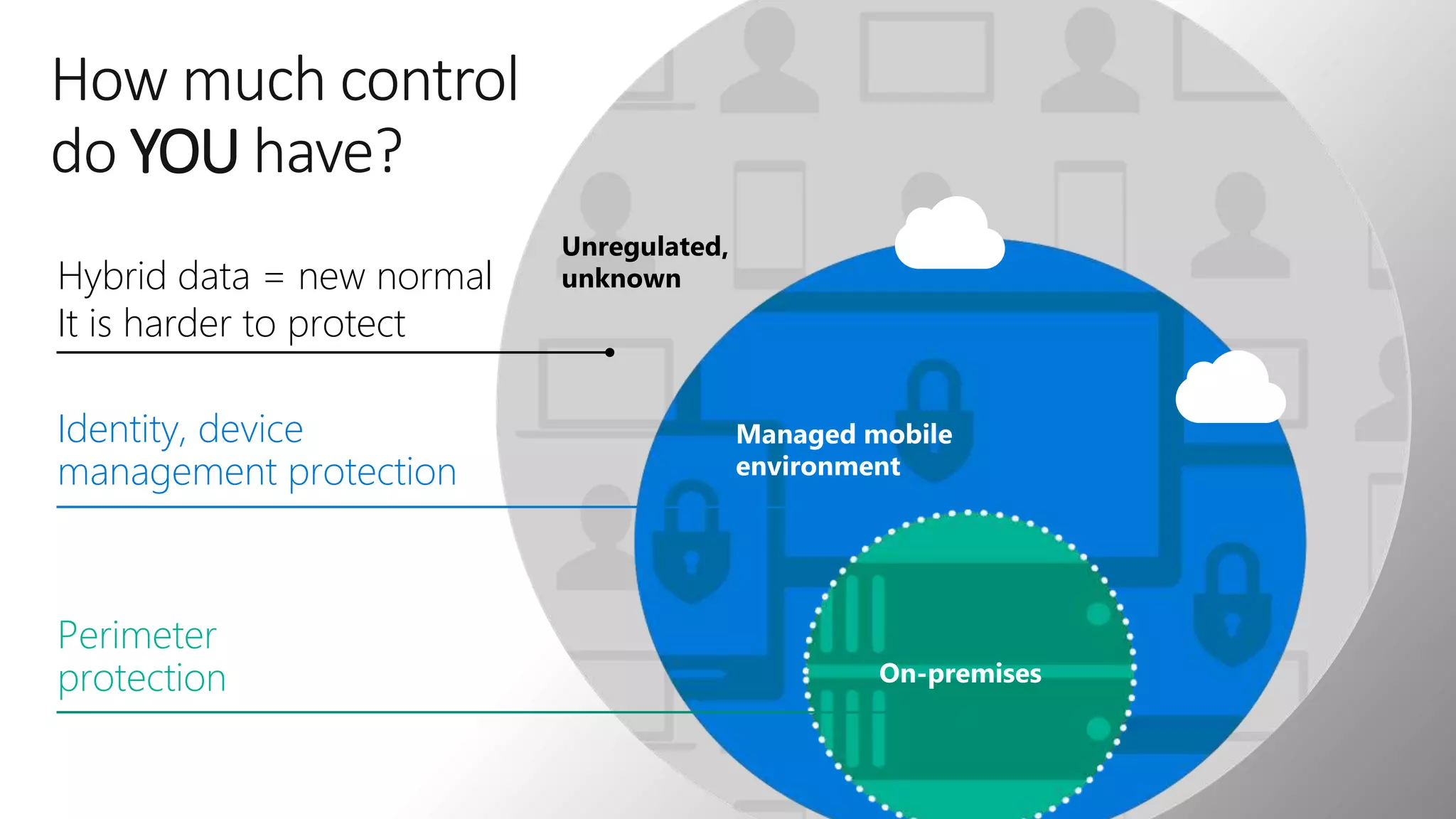
Unregulated,
unknown
Managed mobile
environment
How much control
do YOU have?
On-premises
Perimeter
protection
Identity, device
management protection
Hybrid data = new normal
It is harder to protect
Adopt Cloud Security Standards
• Only Allow Secure Authentication
• Only Allow Trusted Devices
• Classify, Protect and Limit Retention
• Establish Single Sign-On (SSO)
• Breach Monitoring and Reporting
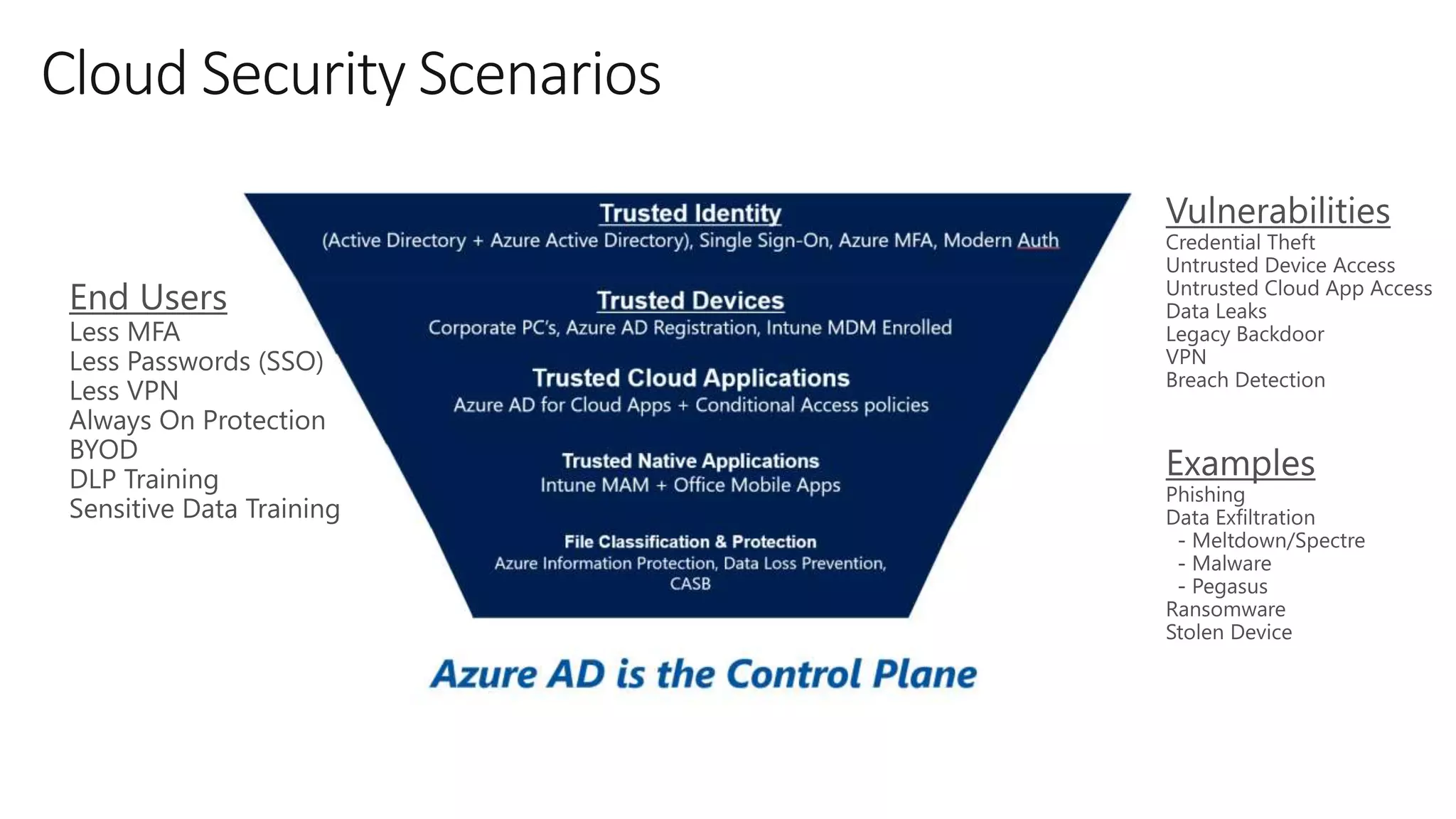
Cloud Security Scenarios
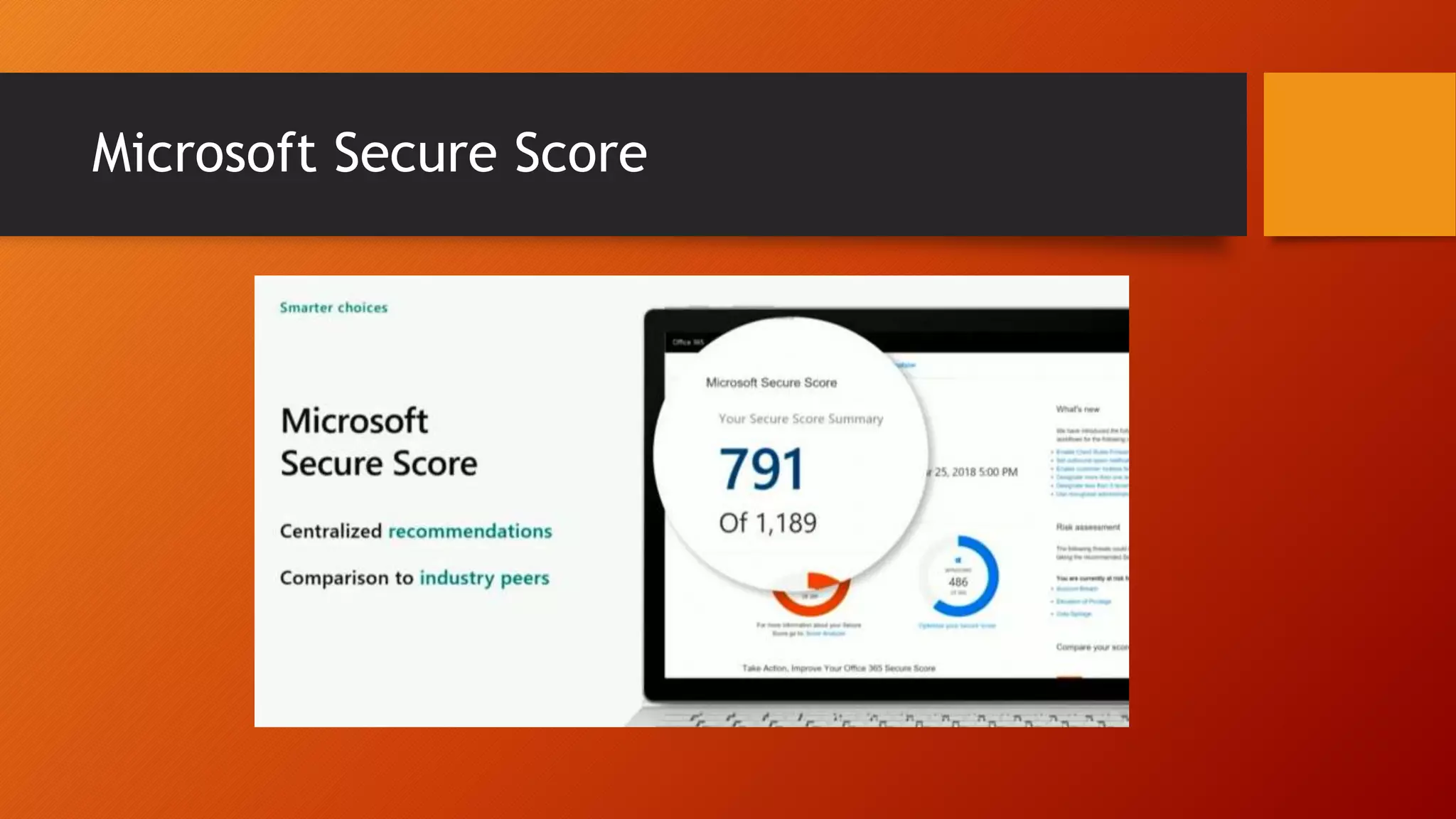
Microsoft Secure Score
Only Allow Secure (Modern) Authentication
by Disabling Legacy (Basic) Authentication
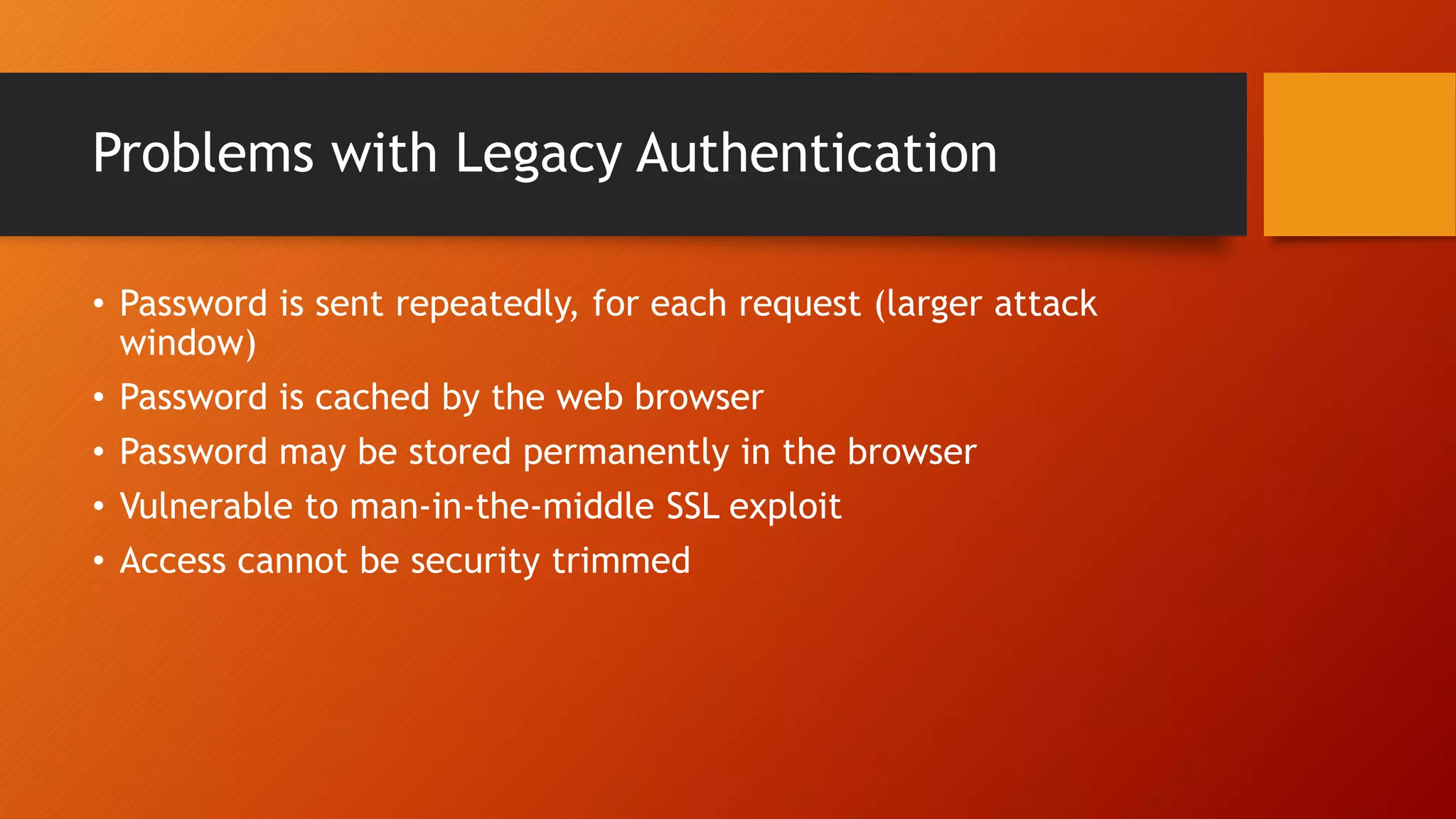
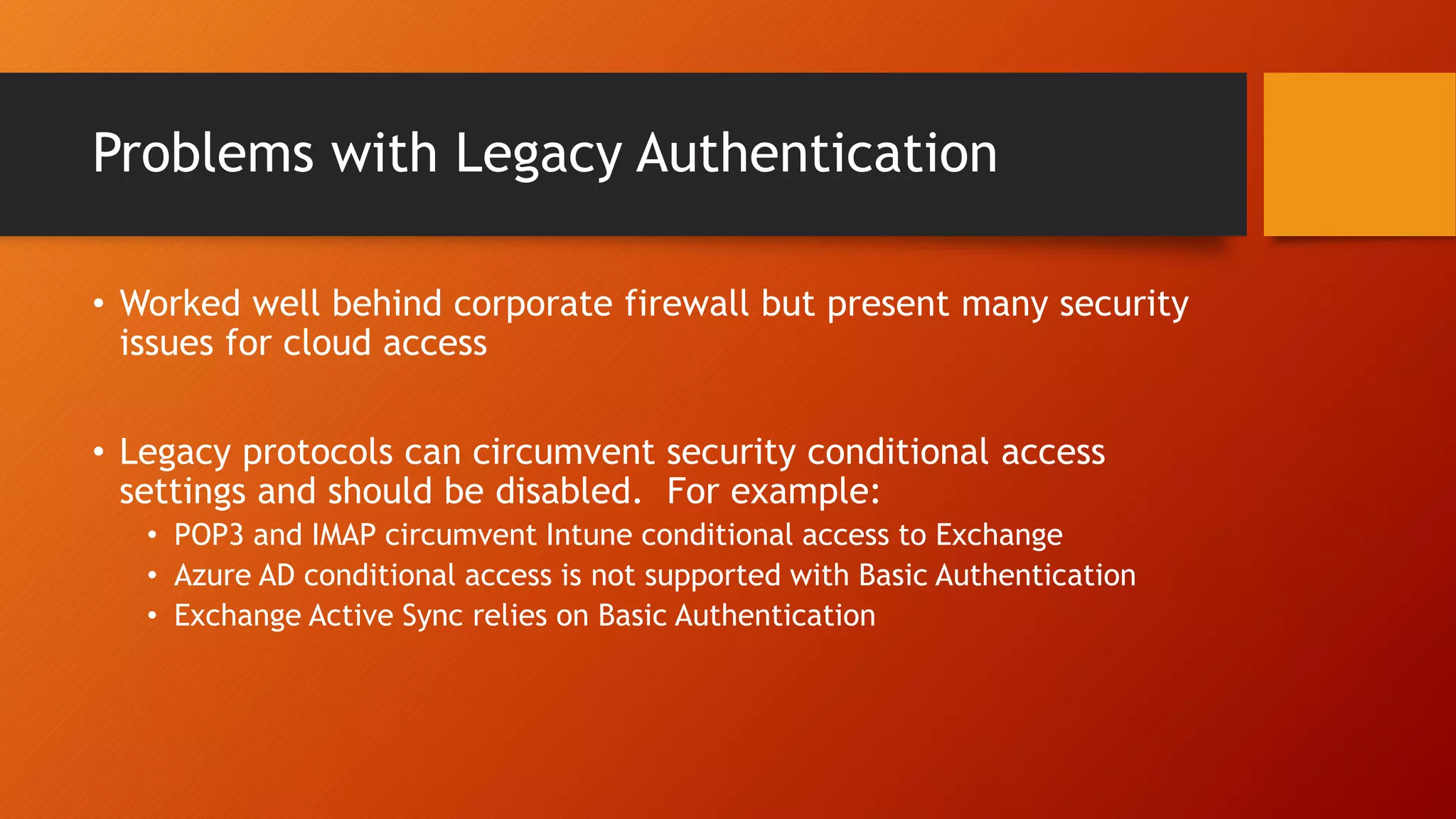
Problems with Legacy Authentication
• Password is sent repeatedly, for each request (larger attack
window)
• Password is cached by the web browser
• Password may be stored permanently in the browser
• Vulnerable to man-in-the-middle SSL exploit
• Access cannot be security trimmed
Problems with Legacy Authentication
• Worked well behind corporate firewall but present many security
issues for cloud access
• Legacy protocols can circumvent security conditional access
settings and should be disabled. For example:
• POP3 and IMAP circumvent Intune conditional access to Exchange
• Azure AD conditional access is not supported with Basic Authentication
• Exchange Active Sync relies on Basic Authentication
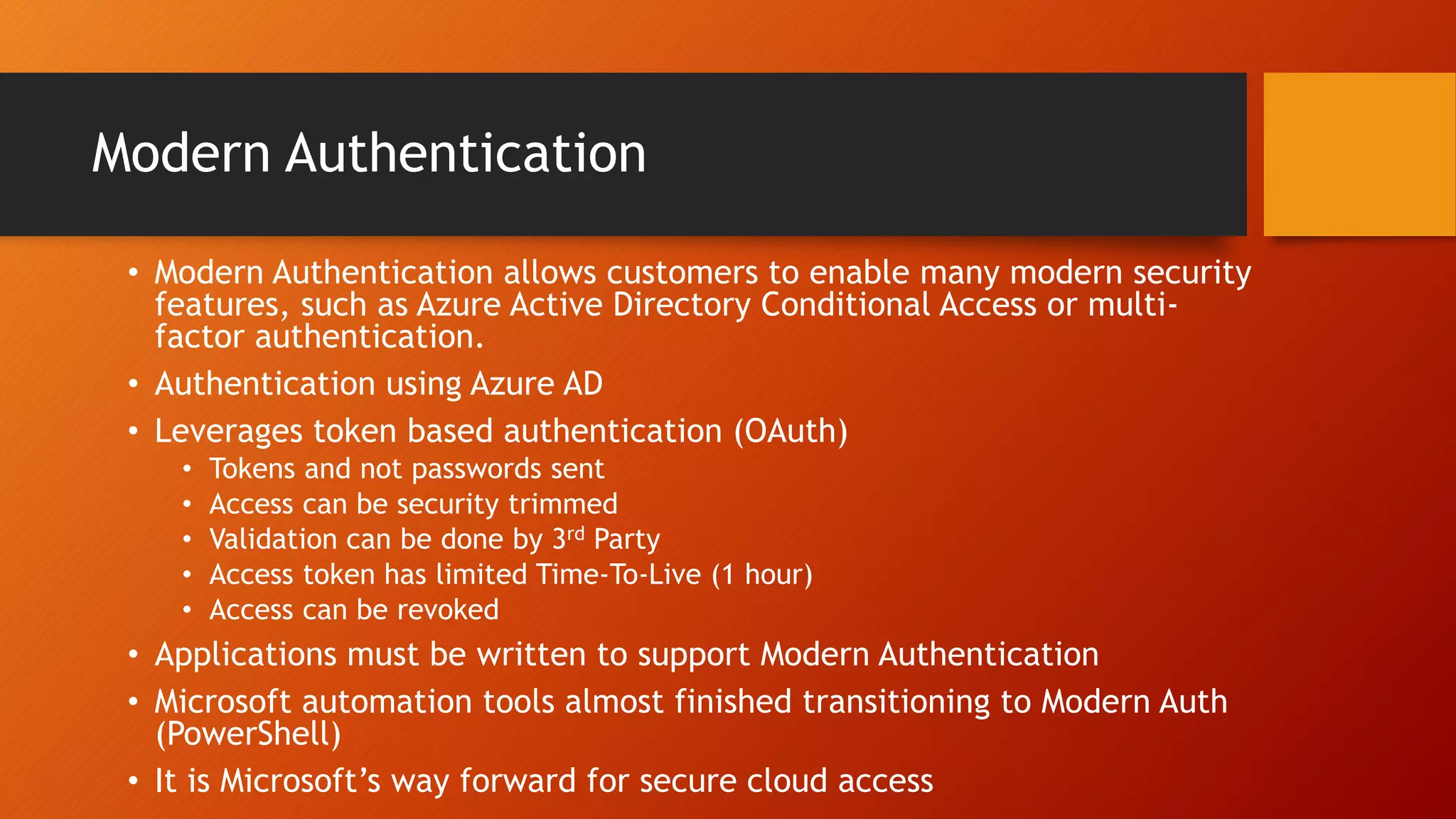
Modern Authentication
• Modern Authentication allows customers to enable many modern security
features, such as Azure Active Directory Conditional Access or multi-
factor authentication.
• Authentication using Azure AD
• Leverages token based authentication (OAuth)
• Tokens and not passwords sent
• Access can be security trimmed
• Validation can be done by 3rd Party
• Access token has limited Time-To-Live (1 hour)
• Access can be revoked
• Applications must be written to support Modern Authentication
• Microsoft automation tools almost finished transitioning to Modern Auth
(PowerShell)
• It is Microsoft’s way forward for secure cloud access
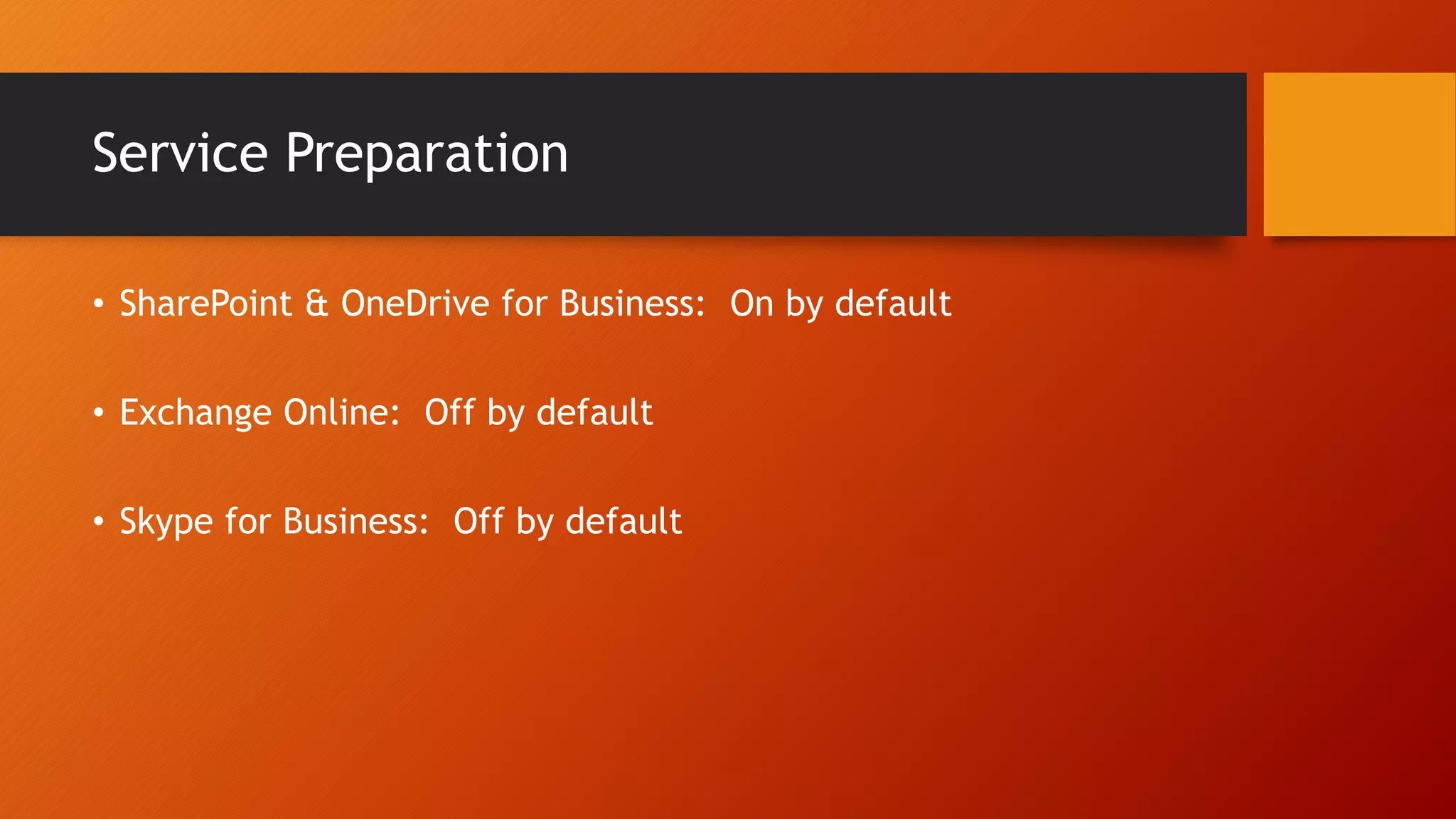
Service Preparation
• SharePoint & OneDrive for Business: On by default
• Exchange Online: Off by default
• Skype for Business: Off by default
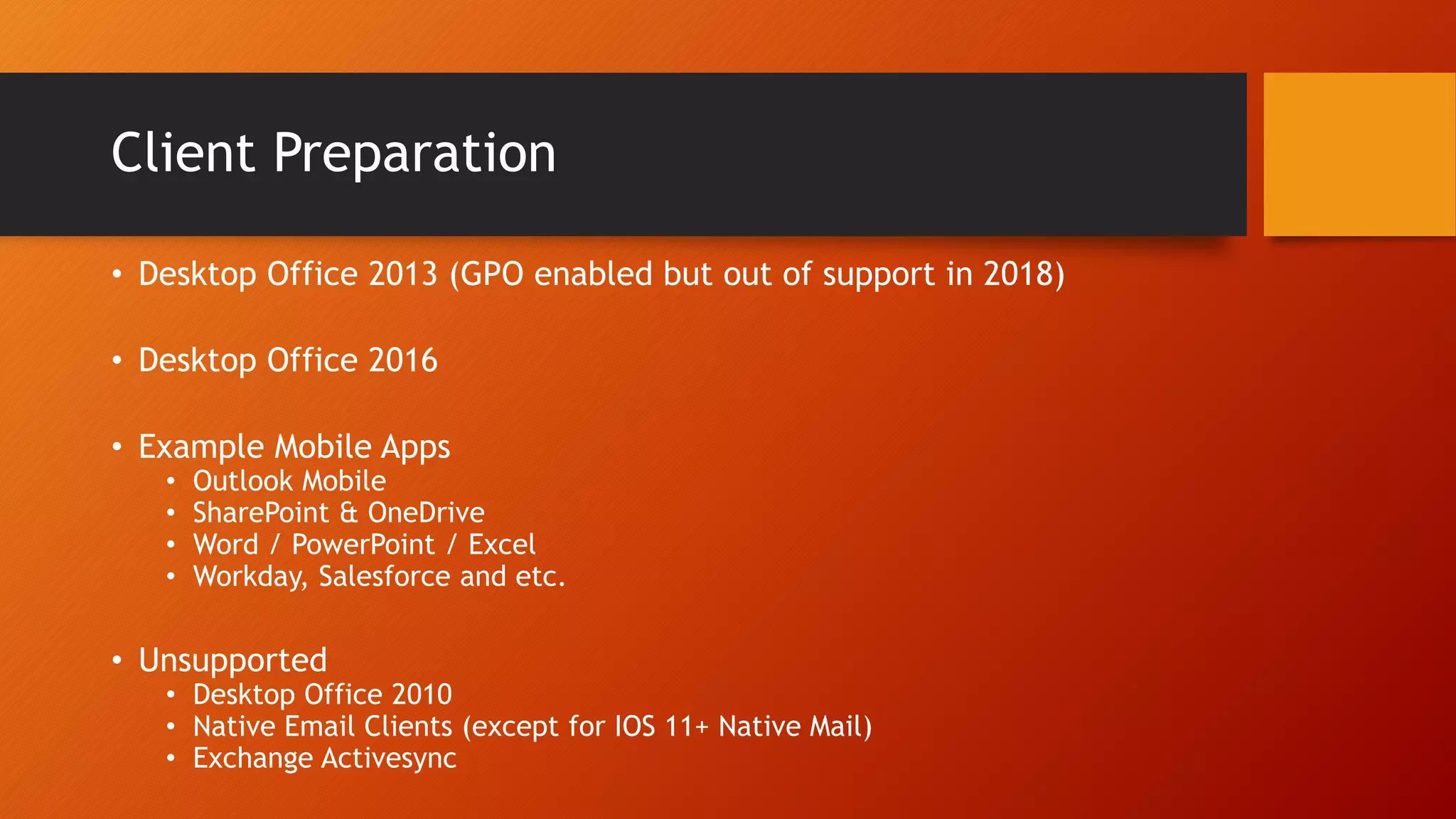
Client Preparation
• Desktop Office 2013 (GPO enabled but out of support in 2018)
• Desktop Office 2016
• Example Mobile Apps
• Outlook Mobile
• SharePoint & OneDrive
• Word / PowerPoint / Excel
• Workday, Salesforce and etc.
• Unsupported
• Desktop Office 2010
• Native Email Clients (except for IOS 11+ Native Mail)
• Exchange Activesync
Multifactor Authentication
• By default, organizations cannot leverage MFA despite being
licensed.
• Without it, susceptible to phishing attacks and stolen credentials.
• Services must be configured and clients must be deployed in order
to support MFA enablement (Modern Authentication clients).
• Can be based on IP location (on or off corporate network).
• Globally enabling MFA will disable Exchange Activesync
Only Allow Trusted Devices
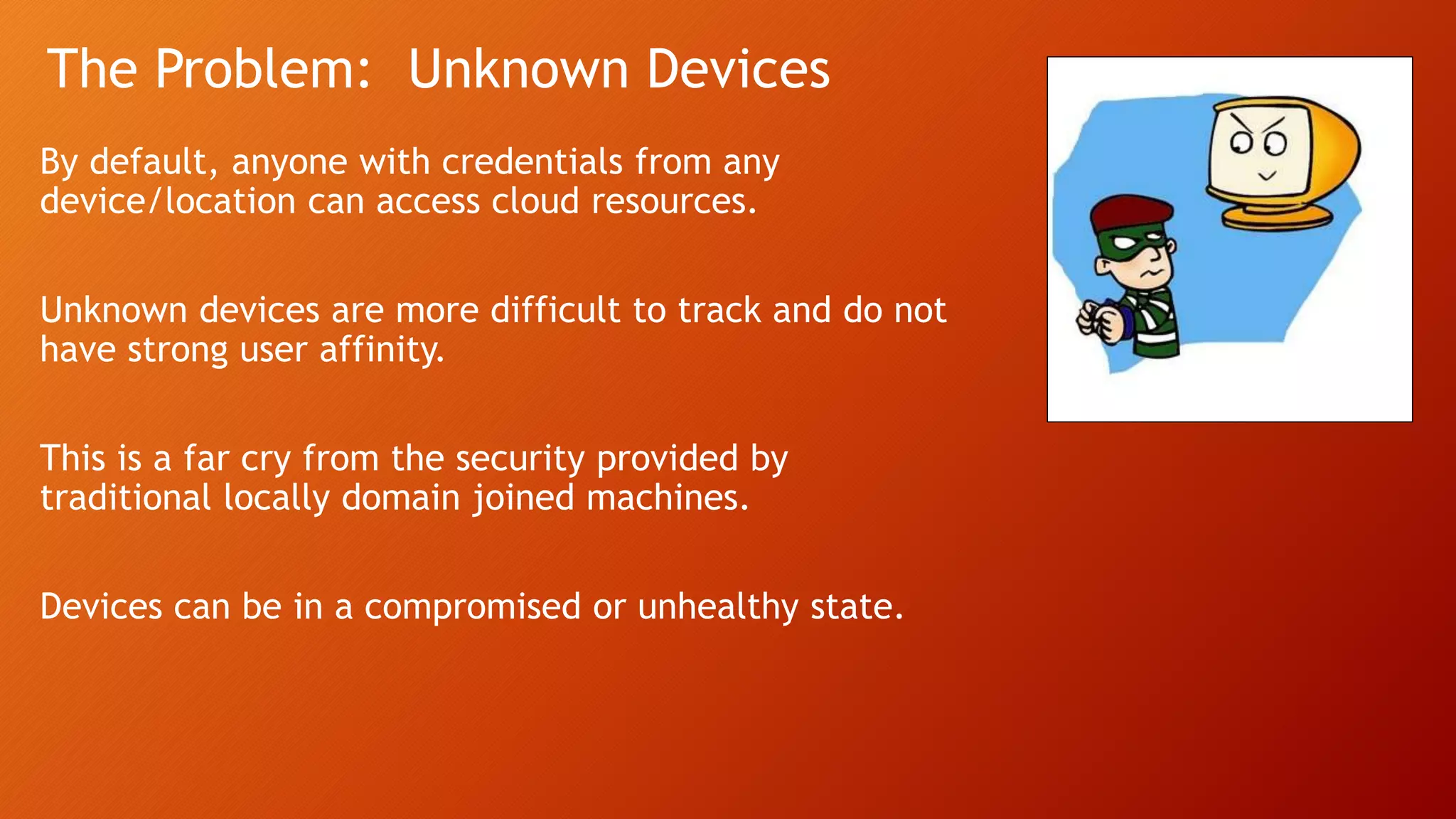
The Problem: Unknown Devices
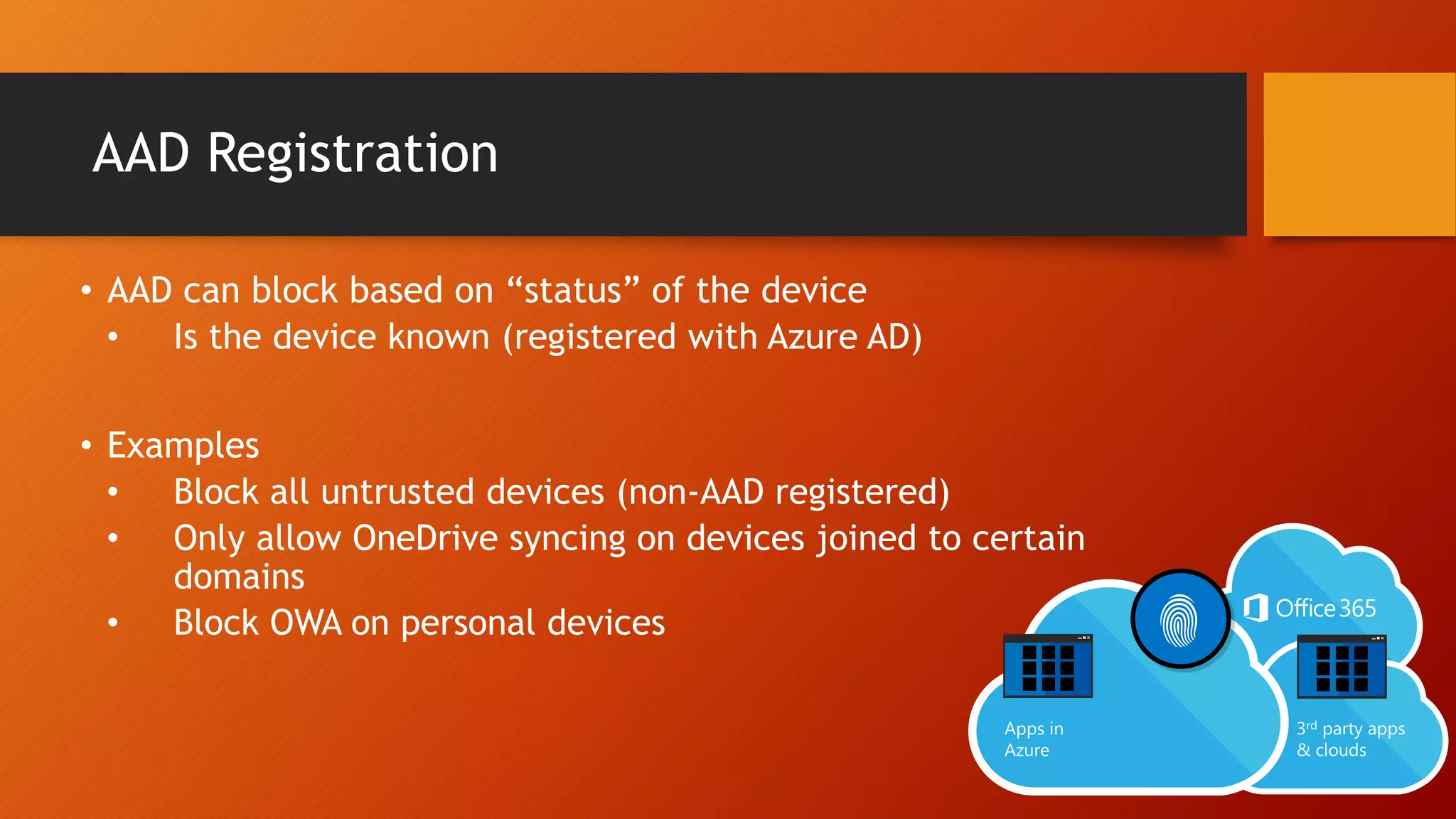
AAD Registration
• AAD can block based on “status” of the device
• Is the device known (registered with Azure AD)
• Examples
• Block all untrusted devices (non-AAD registered)
• Only allow OneDrive syncing on devices joined to certain
domains
• Block OWA on personal devices
AAD Registration vs AAD Domain Join
IMPORTANT: AAD Registration is NOT AAD Domain Join
• Both
• Device identity and authentication
• Device-based conditional access for ADFS, AAD and Intune MDM
• Provide SSO to cloud applications
• Provide strong authentication with AAD (Microsoft Passport)
• AAD Domain Join:
• Cannot be local AD joined and AAD Domain Joined
• Automatic Intune MDM Enrollment
• BitLocker Recovery Key in AAD
• Targets temporary, remote and BYOD (or organizations without local AD)
• Self-Service Password Reset on Windows Logon
• AutoPilot
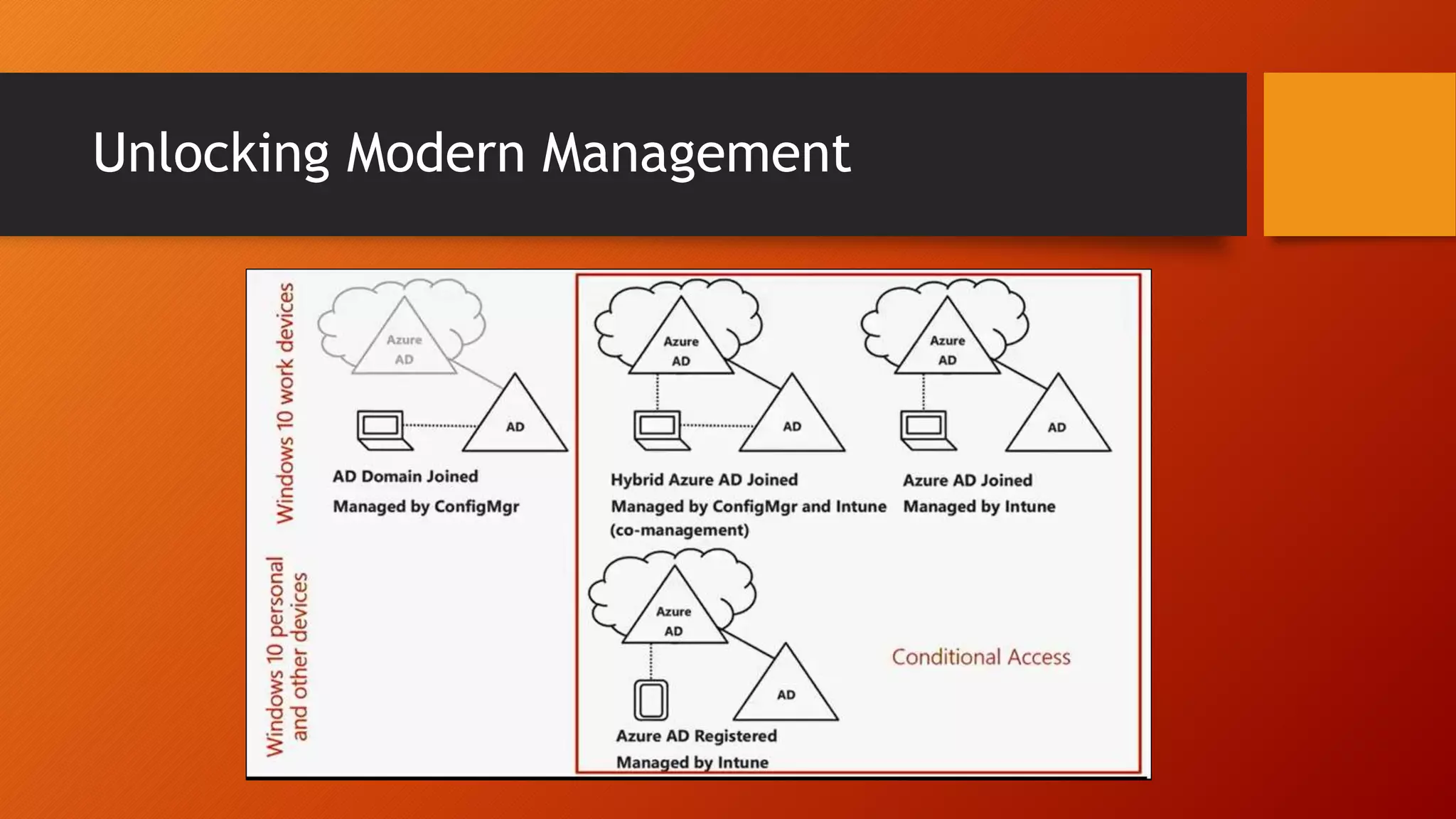
Unlocking Modern Management
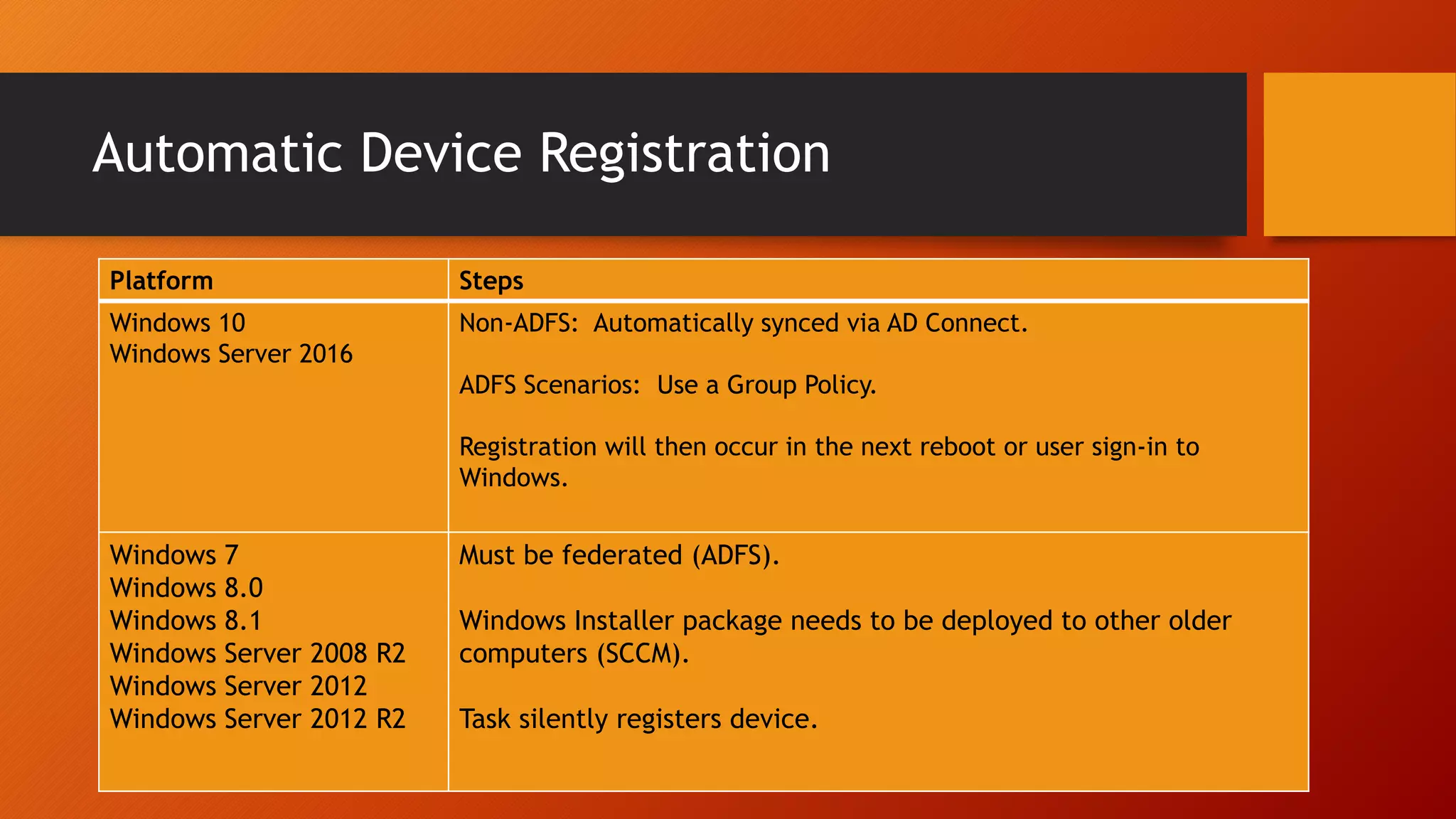
Automatic Device Registration
Platform Steps
Windows 10
Windows Server 2016
Non-ADFS: Automatically synced via AD Connect.
ADFS Scenarios: Use a Group Policy.
Registration will then occur in the next reboot or user sign-in to
Windows.
Windows 7
Windows 8.0
Windows 8.1
Windows Server 2008 R2
Windows Server 2012
Windows Server 2012 R2
Must be federated (ADFS).
Windows Installer package needs to be deployed to other older
computers (SCCM).
Task silently registers device.
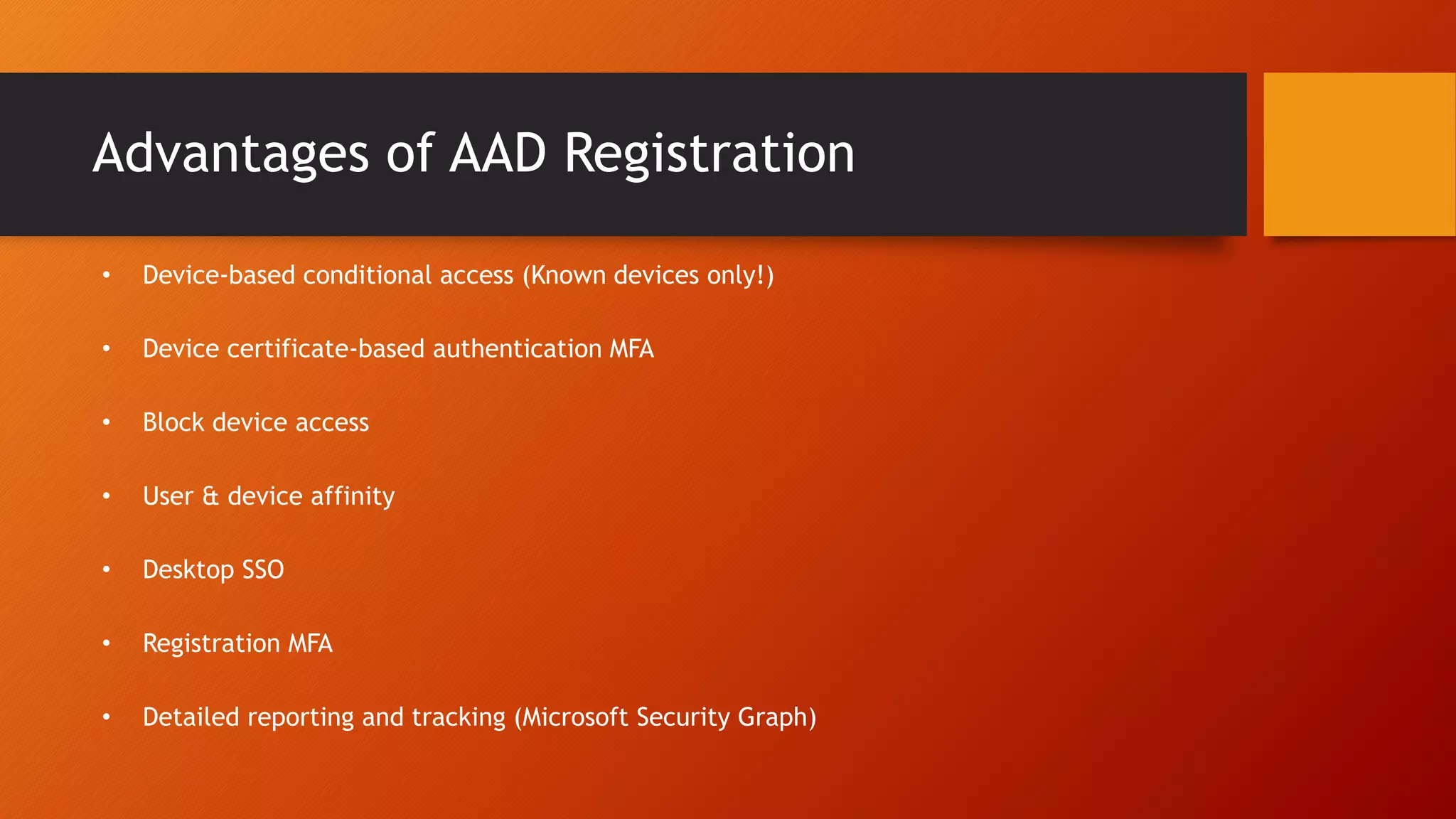
Advantages of AAD Registration
• Device-based conditional access (Known devices only!)
• Device certificate-based authentication MFA
• Block device access
• User & device affinity
• Desktop SSO
• Registration MFA
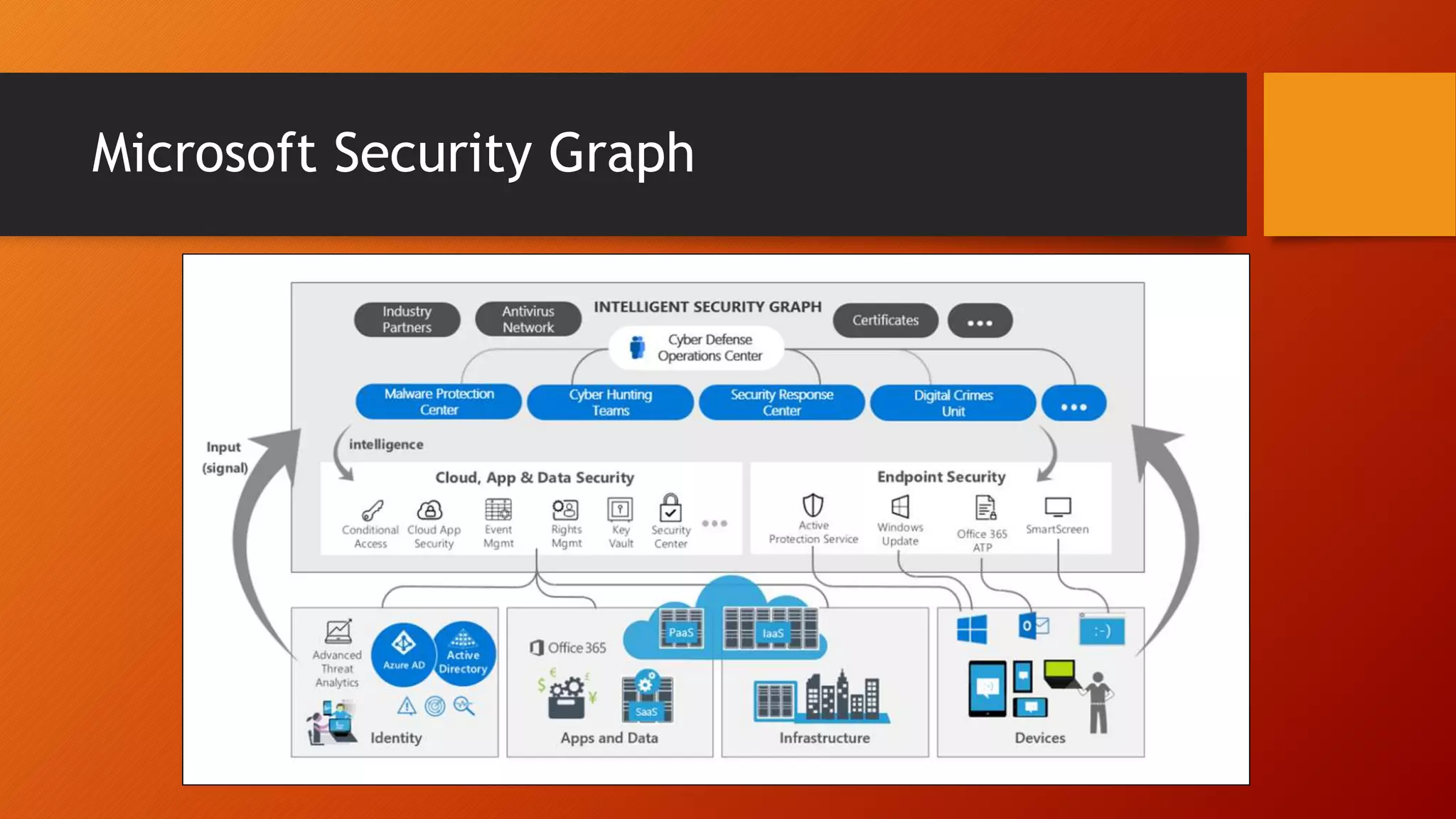
• Detailed reporting and tracking (Microsoft Security Graph)
?
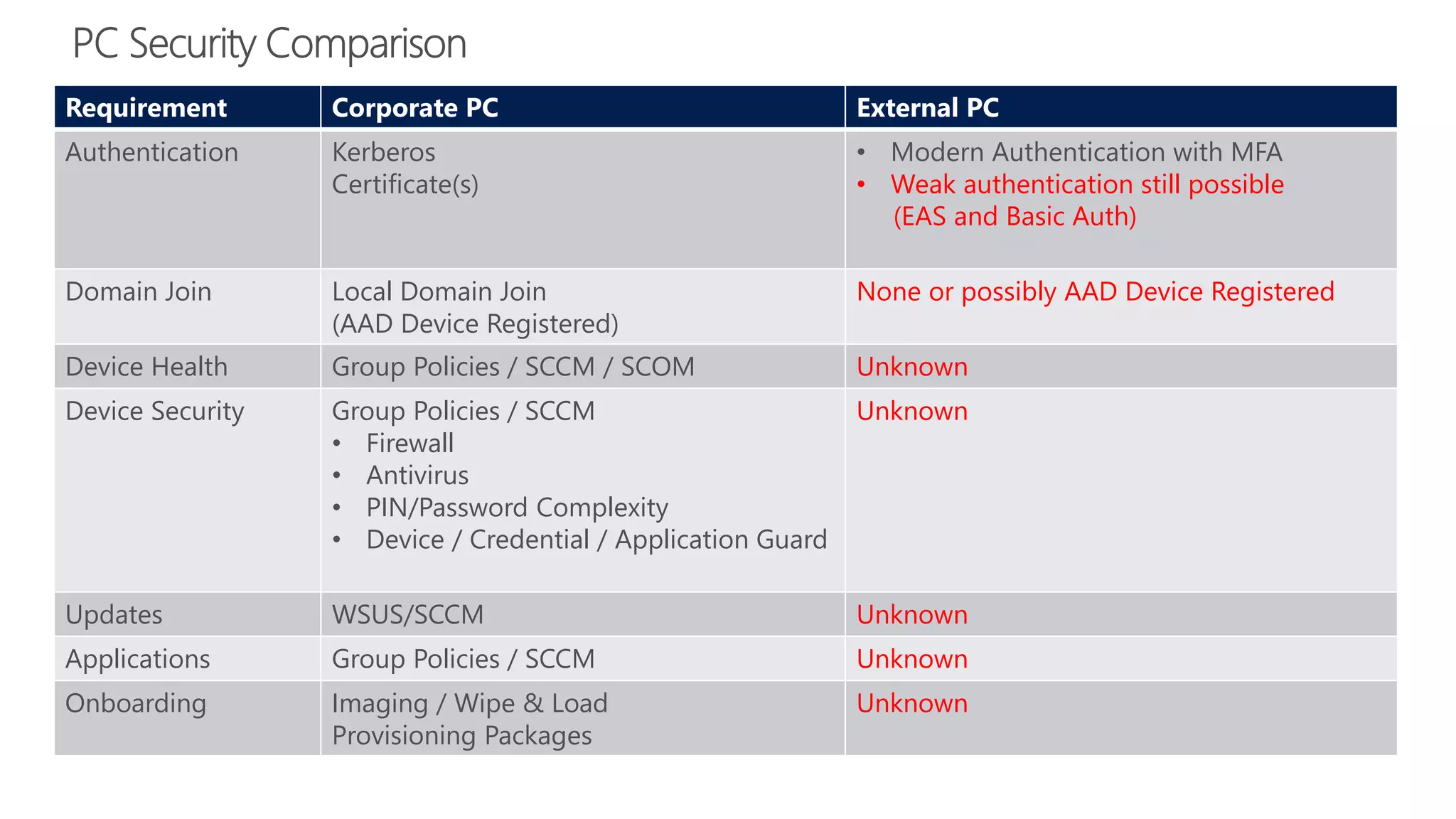
Requirement Corporate PC External PC
Authentication Kerberos
Certificate(s)
• Modern Authentication with MFA
• Weak authentication still possible
(EAS and Basic Auth)
Domain Join Local Domain Join
(AAD Device Registered)
None or possibly AAD Device Registered
Device Health Group Policies / SCCM / SCOM Unknown
Device Security Group Policies / SCCM
• Firewall
• Antivirus
• PIN/Password Complexity
• Device / Credential / Application Guard
Unknown
Updates WSUS/SCCM Unknown
Applications Group Policies / SCCM Unknown
Onboarding Imaging / Wipe & Load
Provisioning Packages
Unknown
?
?
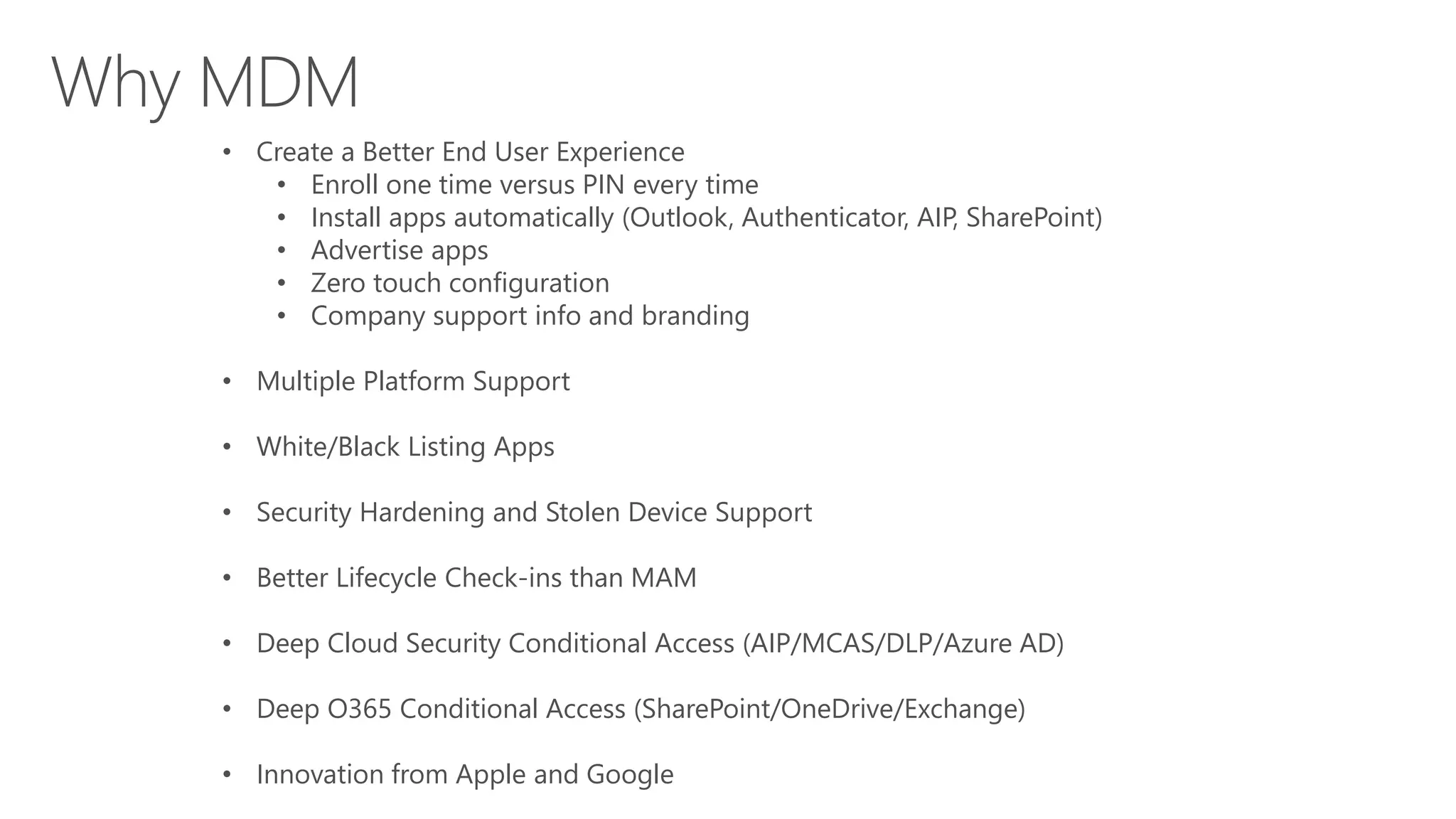
• Create a Better End User Experience
• Enroll one time versus PIN every time
• Install apps automatically (Outlook, Authenticator, AIP, SharePoint)
• Advertise apps
• Zero touch configuration
• Company support info and branding
• Multiple Platform Support
• White/Black Listing Apps
• Security Hardening and Stolen Device Support
• Better Lifecycle Check-ins than MAM
• Deep Cloud Security Conditional Access (AIP/MCAS/DLP/Azure AD)
• Deep O365 Conditional Access (SharePoint/OneDrive/Exchange)
• Innovation from Apple and Google
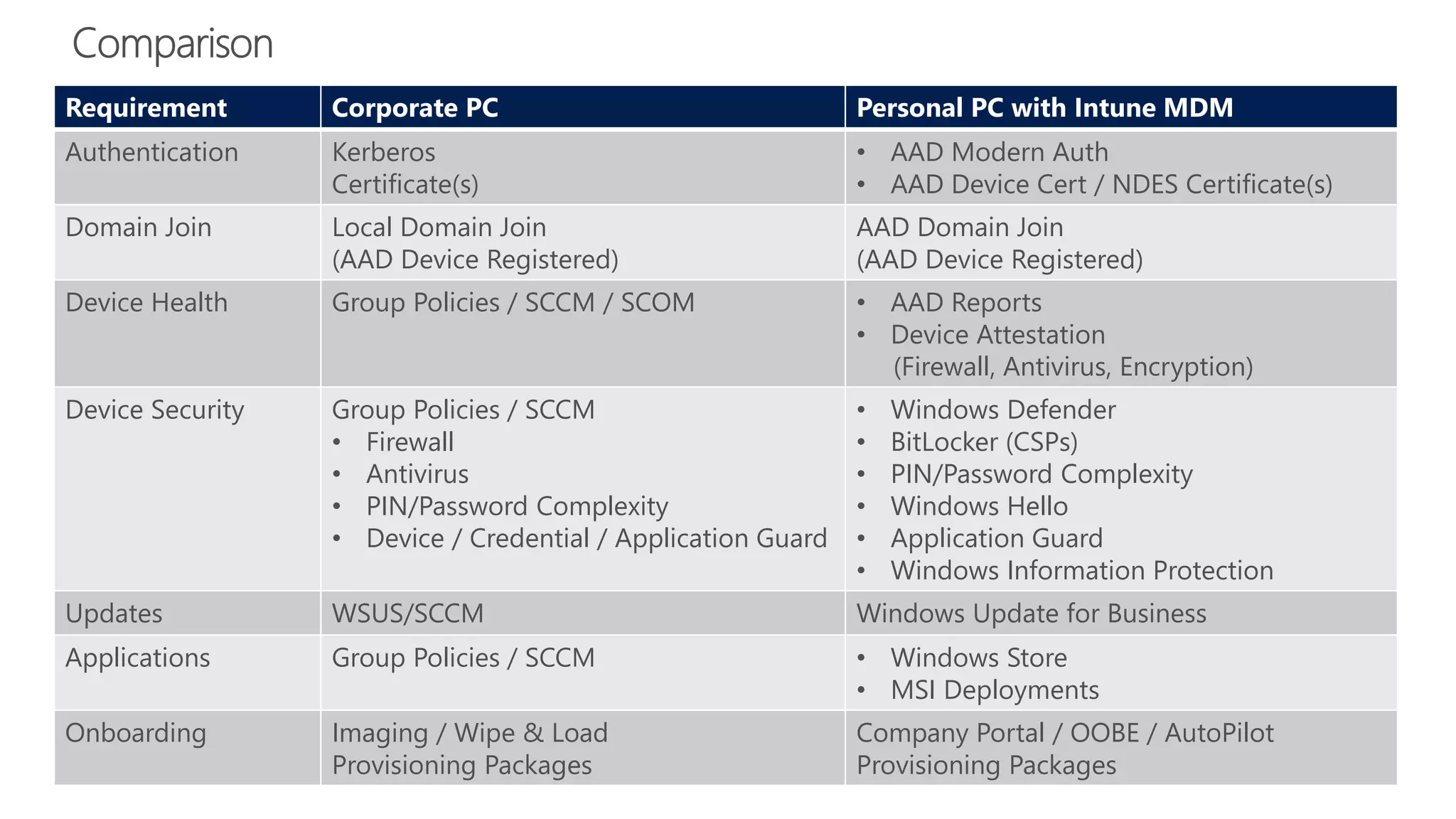
Requirement Corporate PC Personal PC with Intune MDM
Authentication Kerberos
Certificate(s)
• AAD Modern Auth
• AAD Device Cert / NDES Certificate(s)
Domain Join Local Domain Join
(AAD Device Registered)
AAD Domain Join
(AAD Device Registered)
Device Health Group Policies / SCCM / SCOM • AAD Reports
• Device Attestation
(Firewall, Antivirus, Encryption)
Device Security Group Policies / SCCM
• Firewall
• Antivirus
• PIN/Password Complexity
• Device / Credential / Application Guard
• Windows Defender
• BitLocker (CSPs)
• PIN/Password Complexity
• Windows Hello
• Application Guard
• Windows Information Protection
Updates WSUS/SCCM Windows Update for Business
Applications Group Policies / SCCM • Windows Store
• MSI Deployments
Onboarding Imaging / Wipe & Load
Provisioning Packages
Company Portal / OOBE / AutoPilot
Provisioning Packages
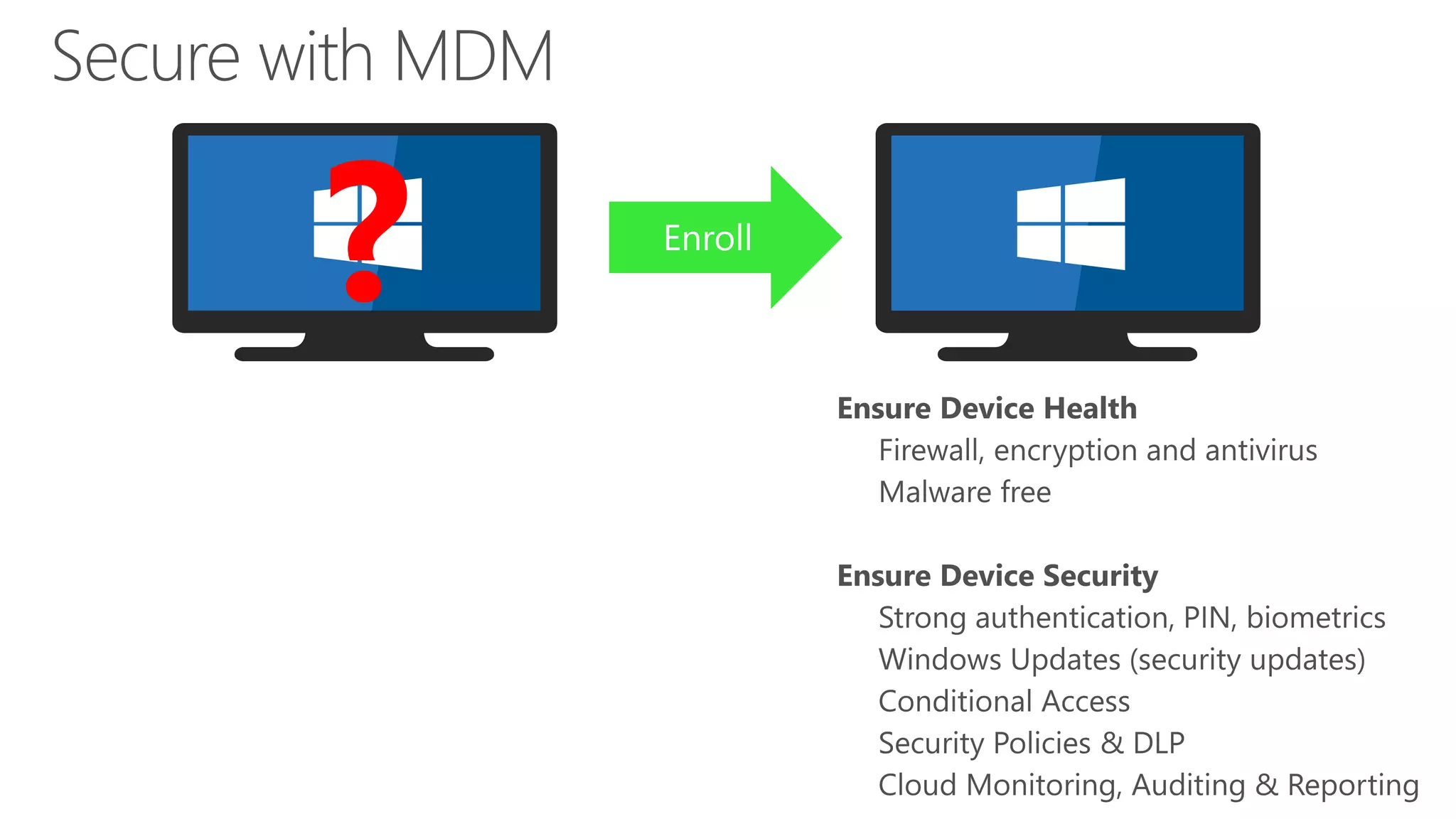
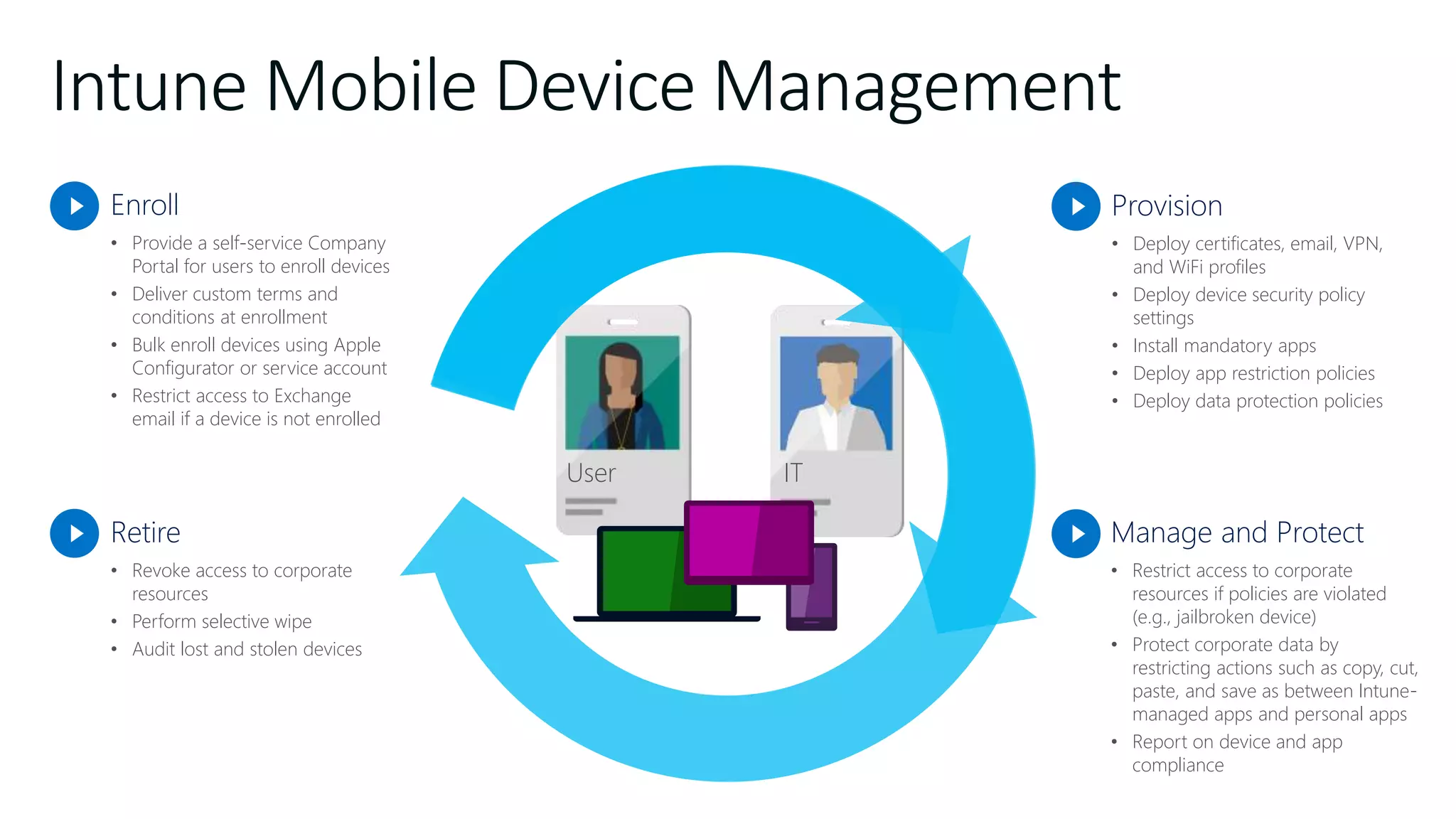
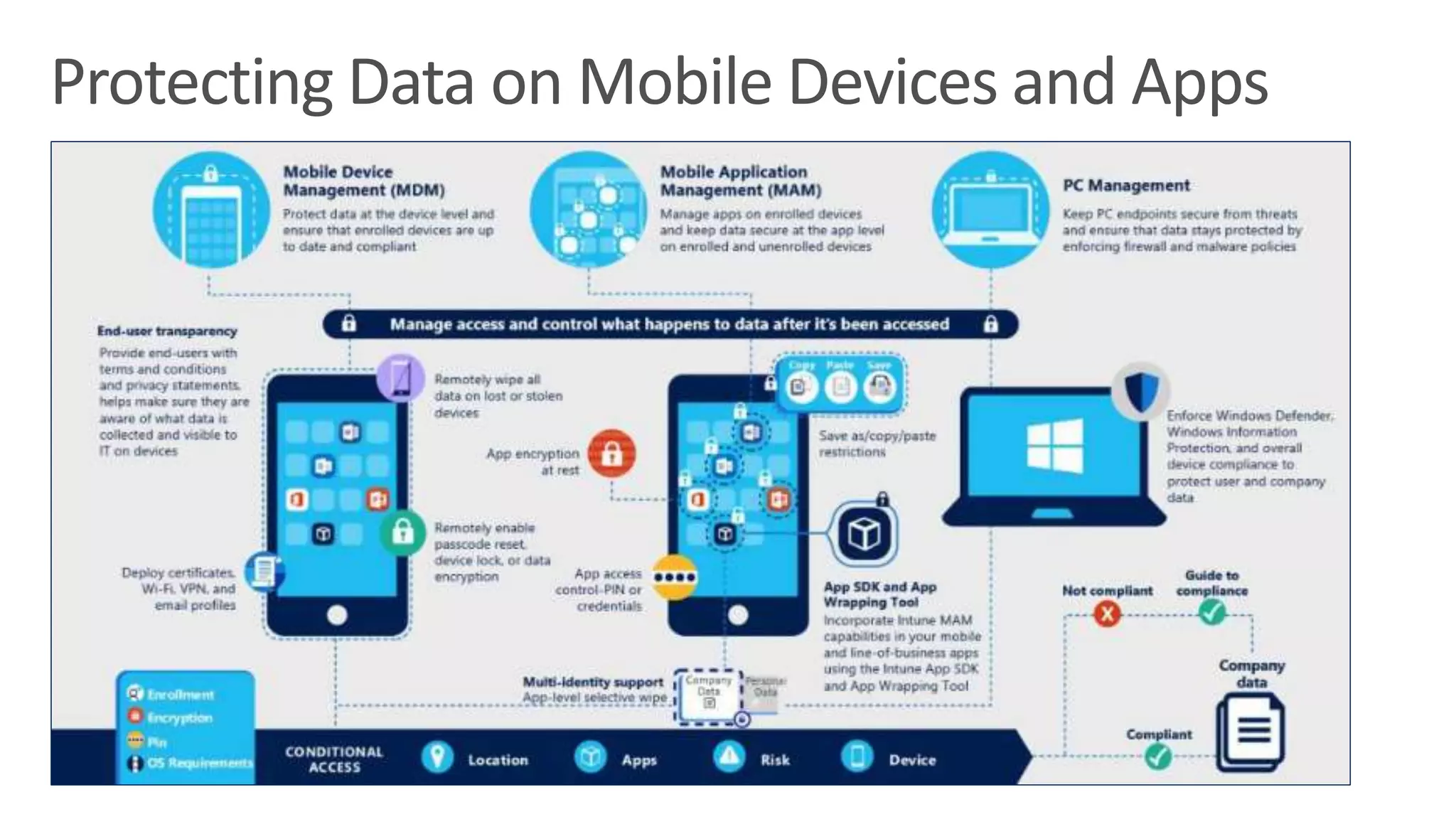
Intune Mobile Device Management
Enroll
• Provide a self-service Company
Portal for users to enroll devices
• Deliver custom terms and
conditions at enrollment
• Bulk enroll devices using Apple
Configurator or service account
• Restrict access to Exchange
email if a device is not enrolled
Retire
• Revoke access to corporate
resources
• Perform selective wipe
• Audit lost and stolen devices
Provision
• Deploy certificates, email, VPN,
and WiFi profiles
• Deploy device security policy
settings
• Install mandatory apps
• Deploy app restriction policies
• Deploy data protection policies
Manage and Protect
• Restrict access to corporate
resources if policies are violated
(e.g., jailbroken device)
• Protect corporate data by
restricting actions such as copy, cut,
paste, and save as between Intune-
managed apps and personal apps
• Report on device and app
compliance
User IT
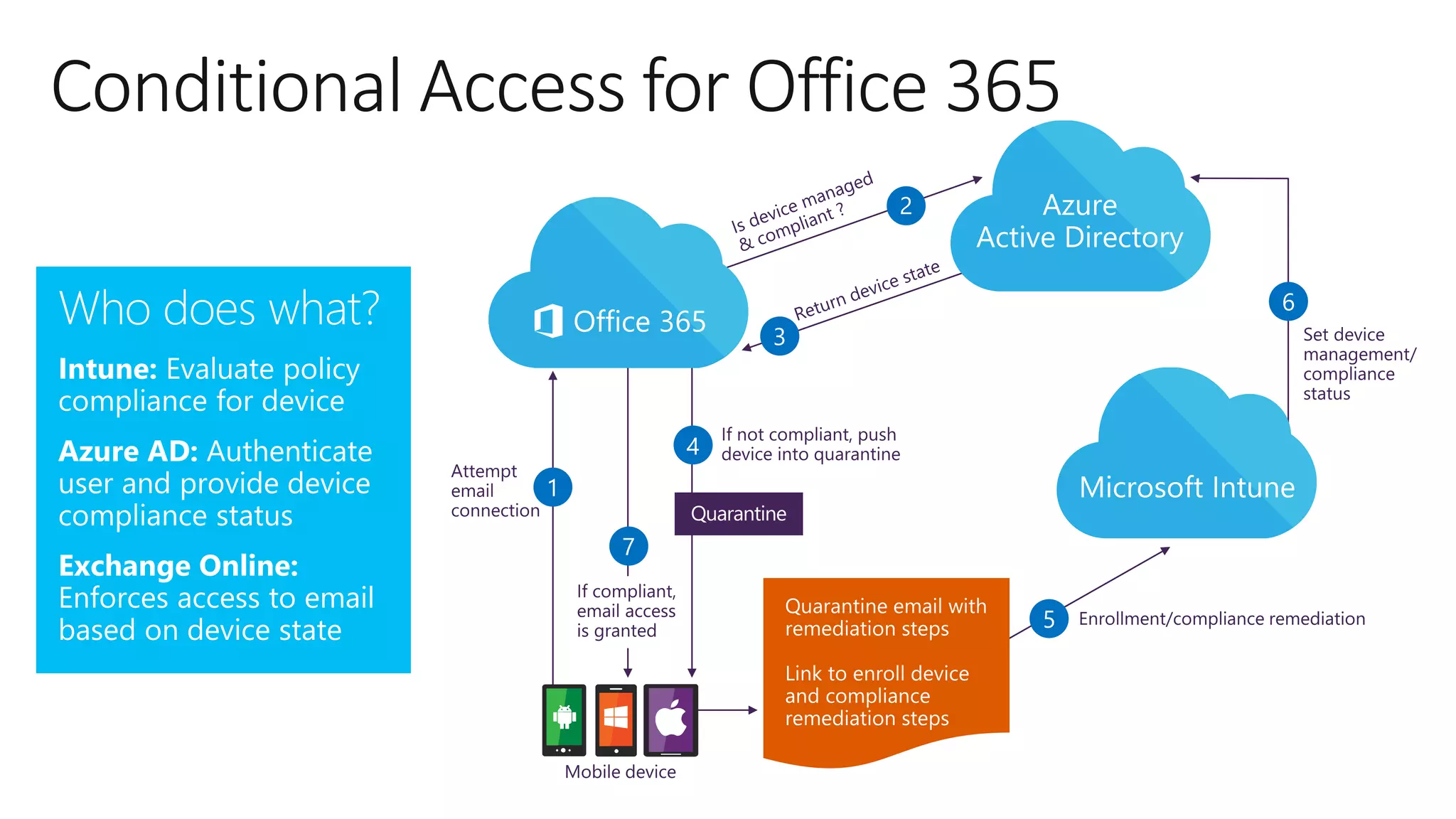
Conditional Access for Office 365
7
5
4
2
1
3
6
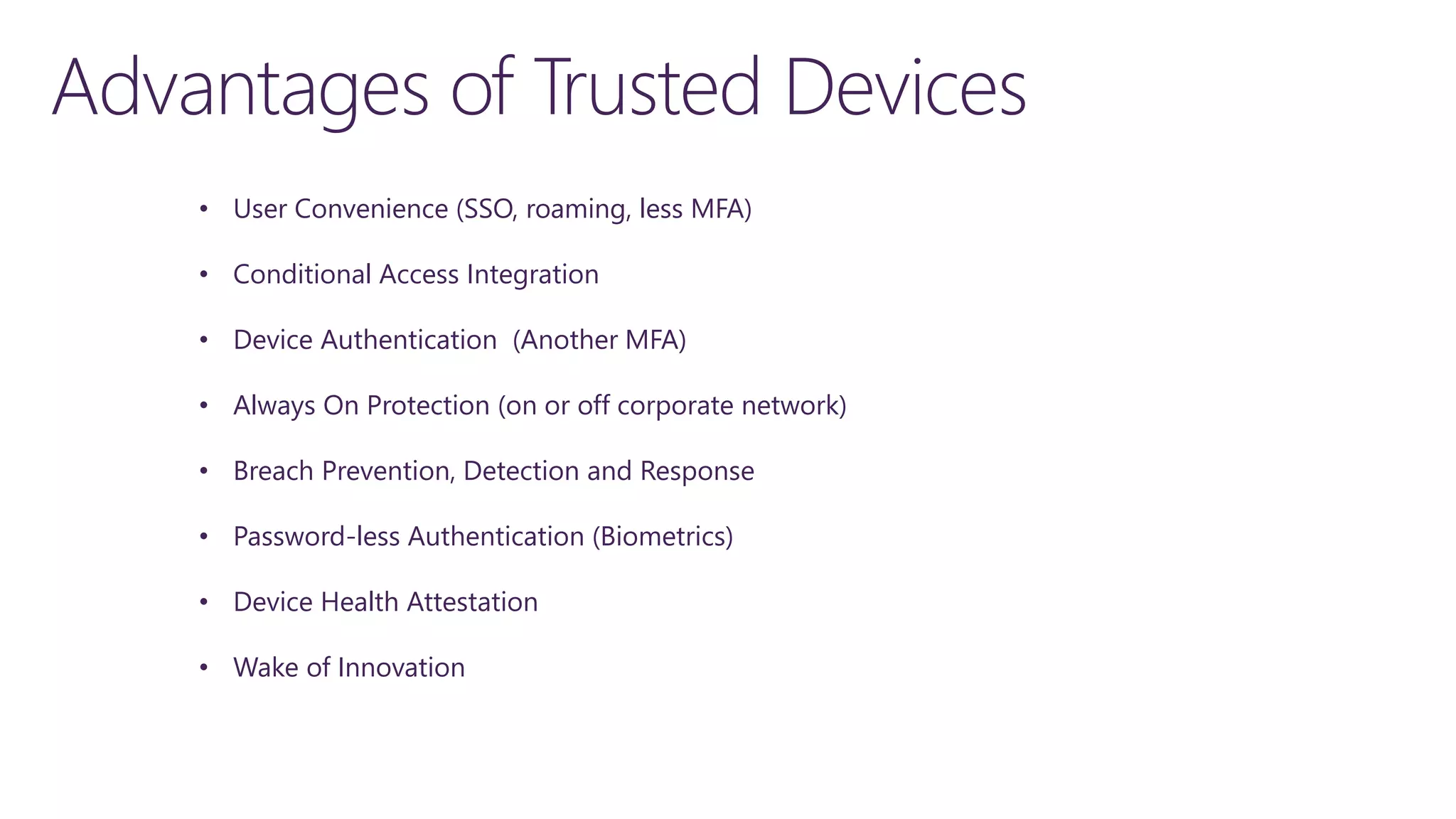
• User Convenience (SSO, roaming, less MFA)
• Conditional Access Integration
• Device Authentication (Another MFA)
• Always On Protection (on or off corporate network)
• Breach Prevention, Detection and Response
• Password-less Authentication (Biometrics)
• Device Health Attestation
• Wake of Innovation
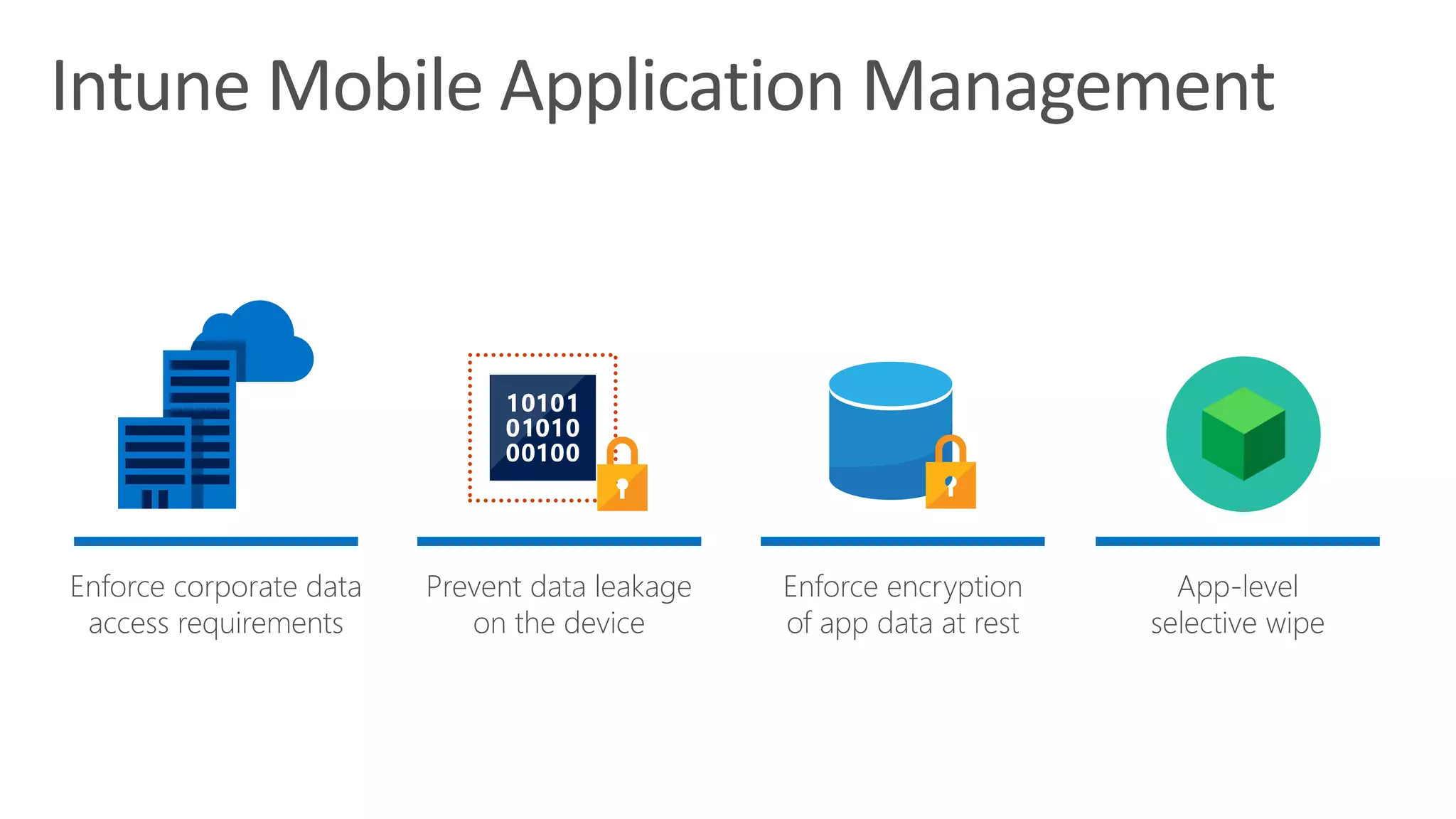
Enforce corporate data
access requirements
Prevent data leakage
on the device
Enforce encryption
of app data at rest
App-level
selective wipe
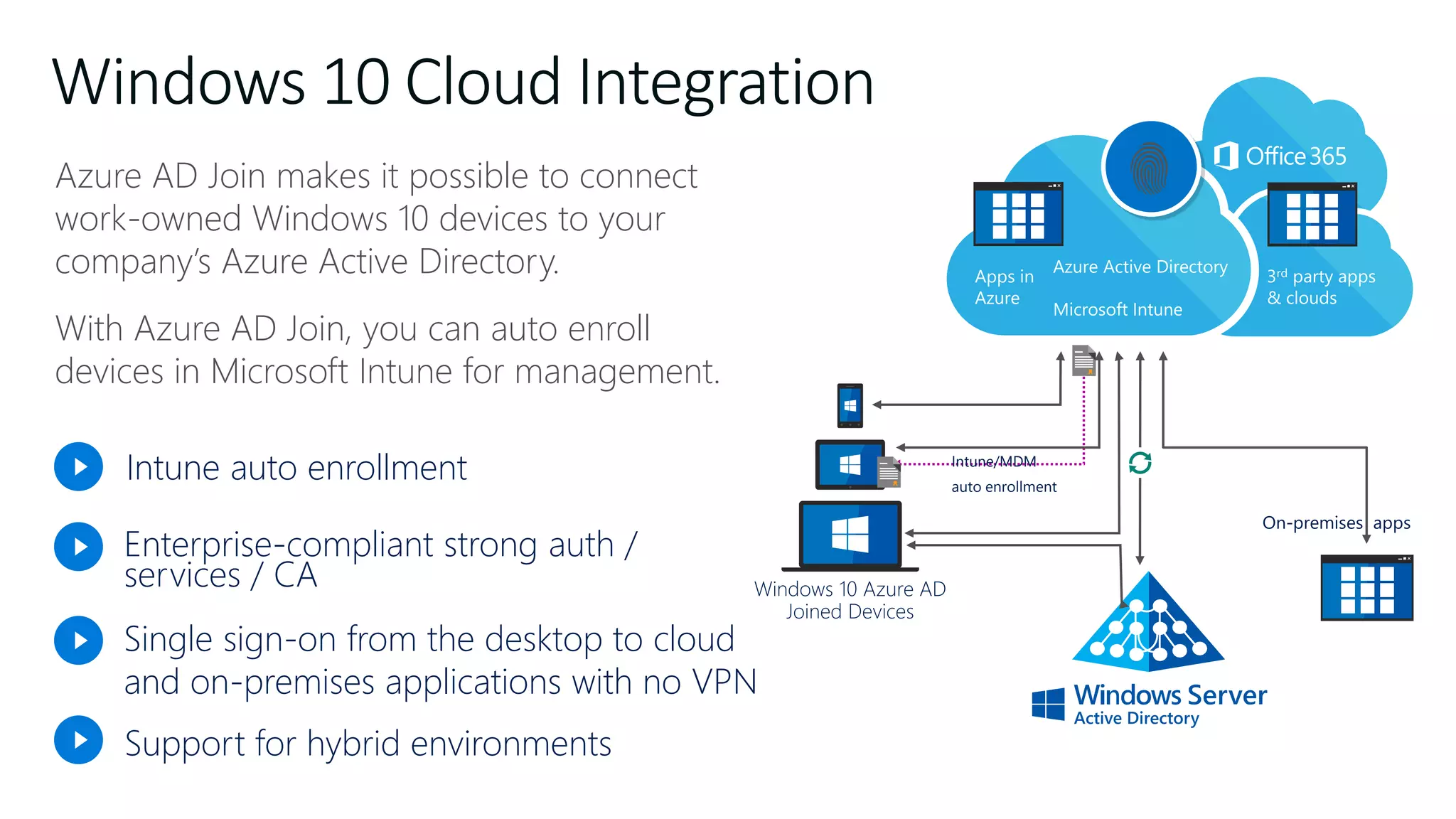
Azure AD Join makes it possible to connect
work-owned Windows 10 devices to your
company’s Azure Active Directory.
With Azure AD Join, you can auto enroll
devices in Microsoft Intune for management.
Azure AD Join for Windows 10
Windows 10 Azure AD
Joined Devices
Intune/MDM
auto enrollment
Intune auto enrollment
Enterprise-compliant strong auth /
services / CA
Support for hybrid environments
Single sign-on from the desktop to cloud
and on-premises applications with no VPN
Windows 10 Cloud Integration
Windows 10 + Intune MDM
• Selective Wipe and Remote Management
• Auto-Registration and Auto-Enrollment
• AAD Conditional Access
• Policies
• Windows Defender
• Windows Hello for Business
• Windows Update for Business
• Windows Information Protection
• Deploy applications and MSIs
• Upgrade Windows 10
• BitLocker Management
• Device Health Attestation
Classify, Protect and Limit Retention
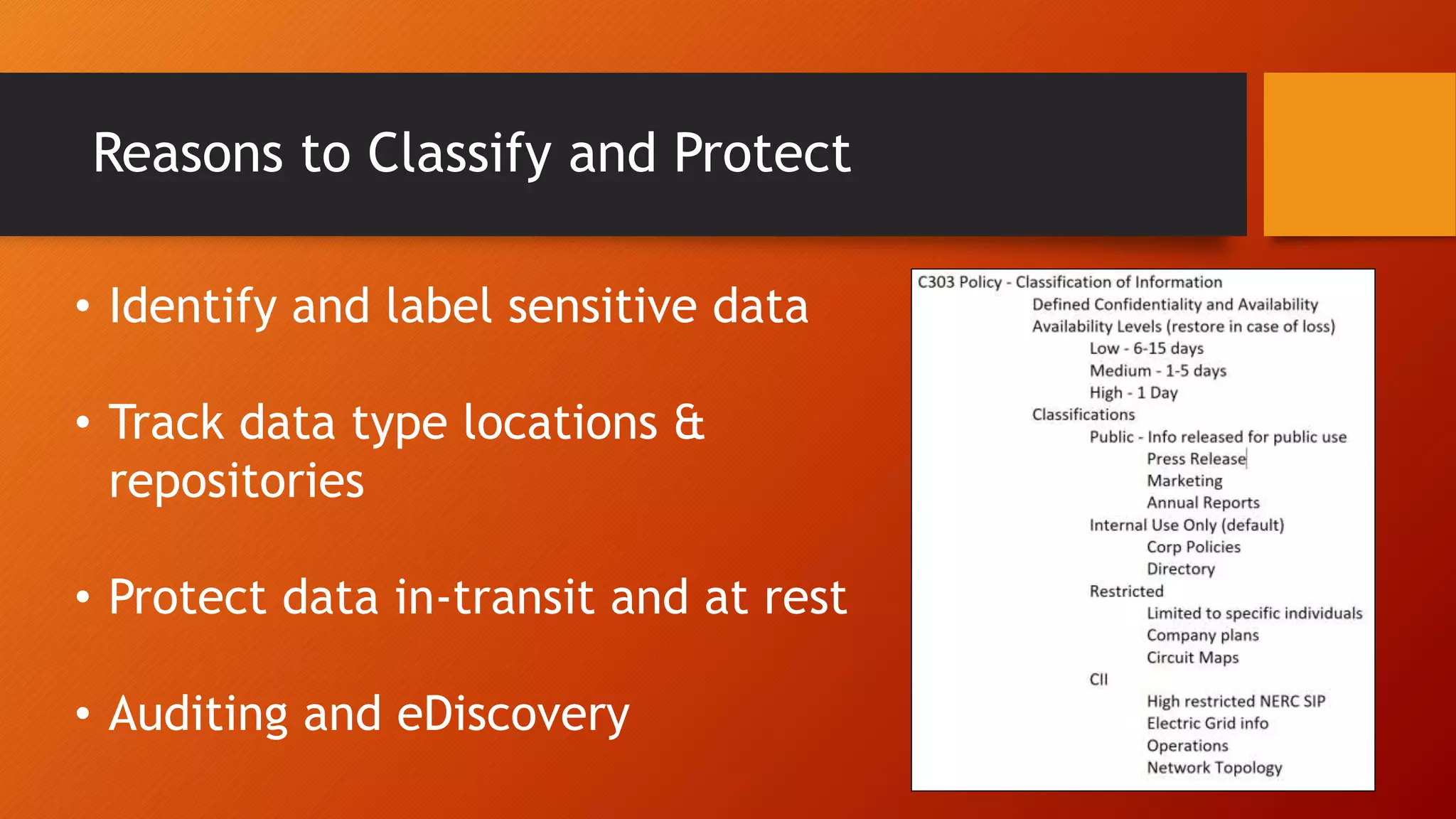
Reasons to Classify and Protect
• Identify and label sensitive data
• Track data type locations &
repositories
• Protect data in-transit and at rest
• Auditing and eDiscovery
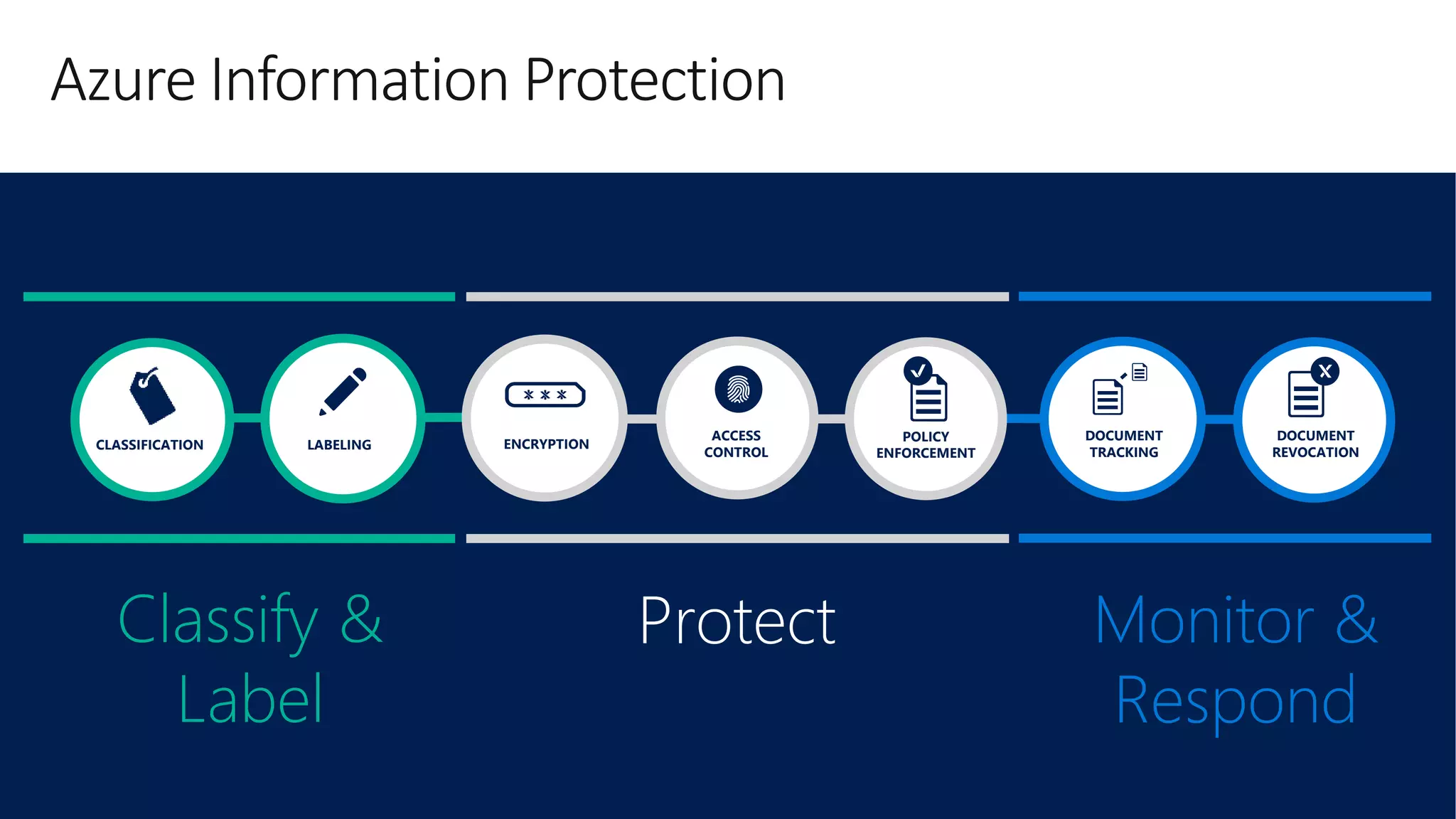
Azure Information Protection
DOCUMENT
TRACKING
DOCUMENT
REVOCATION
Monitor &
Respond
LABELINGCLASSIFICATION
Classify &
Label
ENCRYPTION
Protect
ACCESS
CONTROL
POLICY
ENFORCEMENT
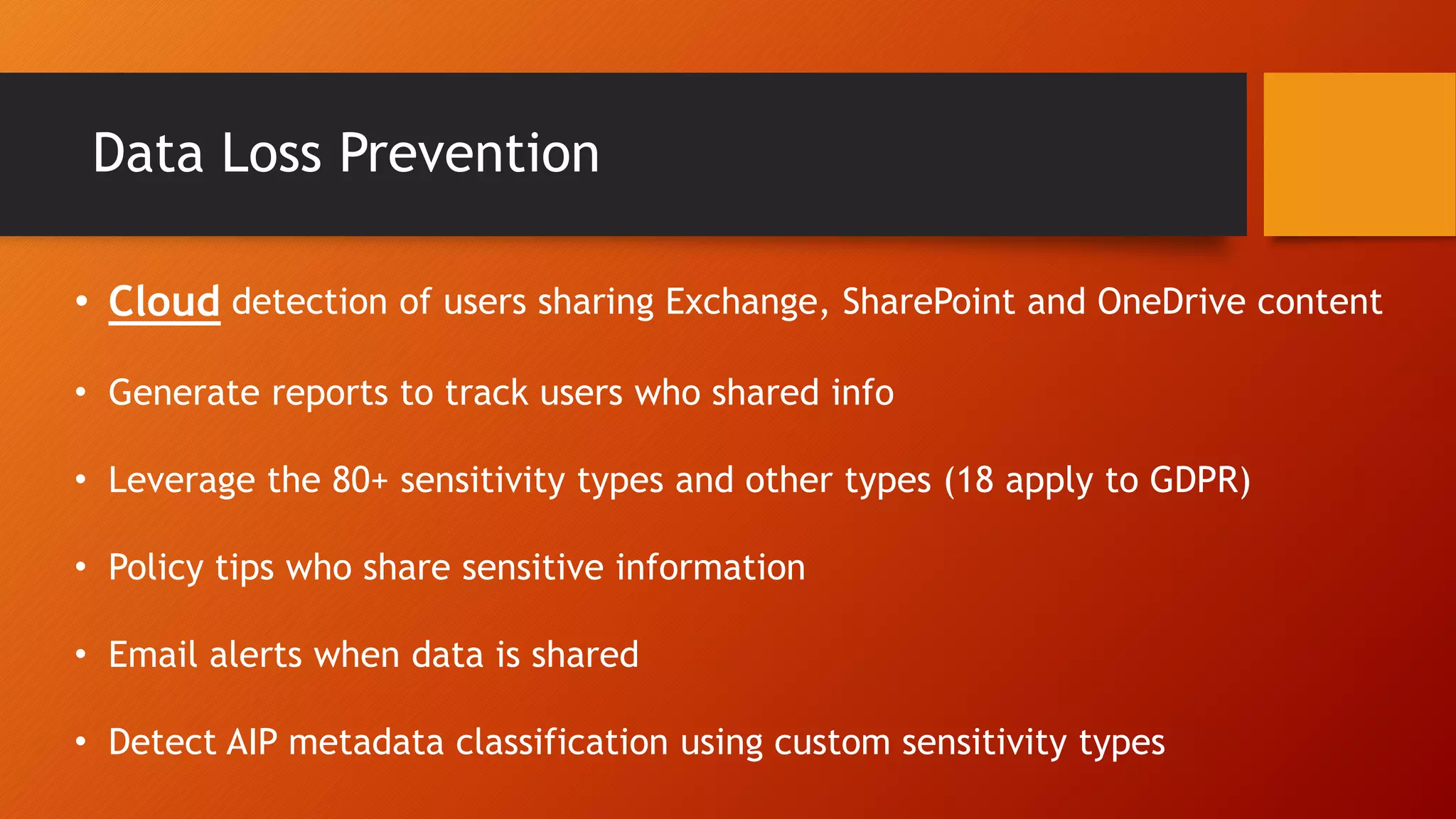
Data Loss Prevention
• Cloud detection of users sharing Exchange, SharePoint and OneDrive content
• Generate reports to track users who shared info
• Leverage the 80+ sensitivity types and other types (18 apply to GDPR)
• Policy tips who share sensitive information
• Email alerts when data is shared
• Detect AIP metadata classification using custom sensitivity types
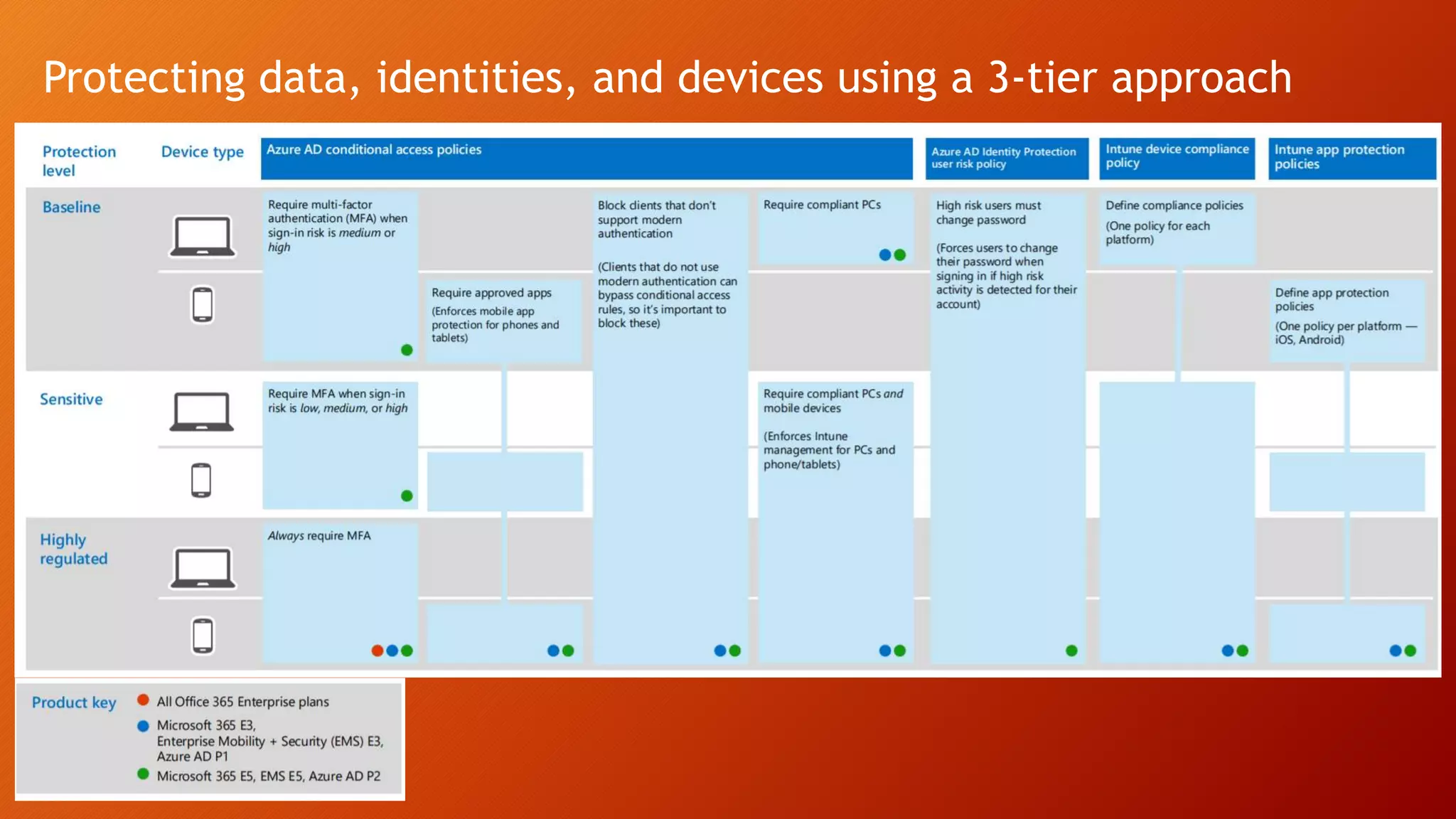
Protecting data, identities, and devices using a 3-tier approach
Establish SSO
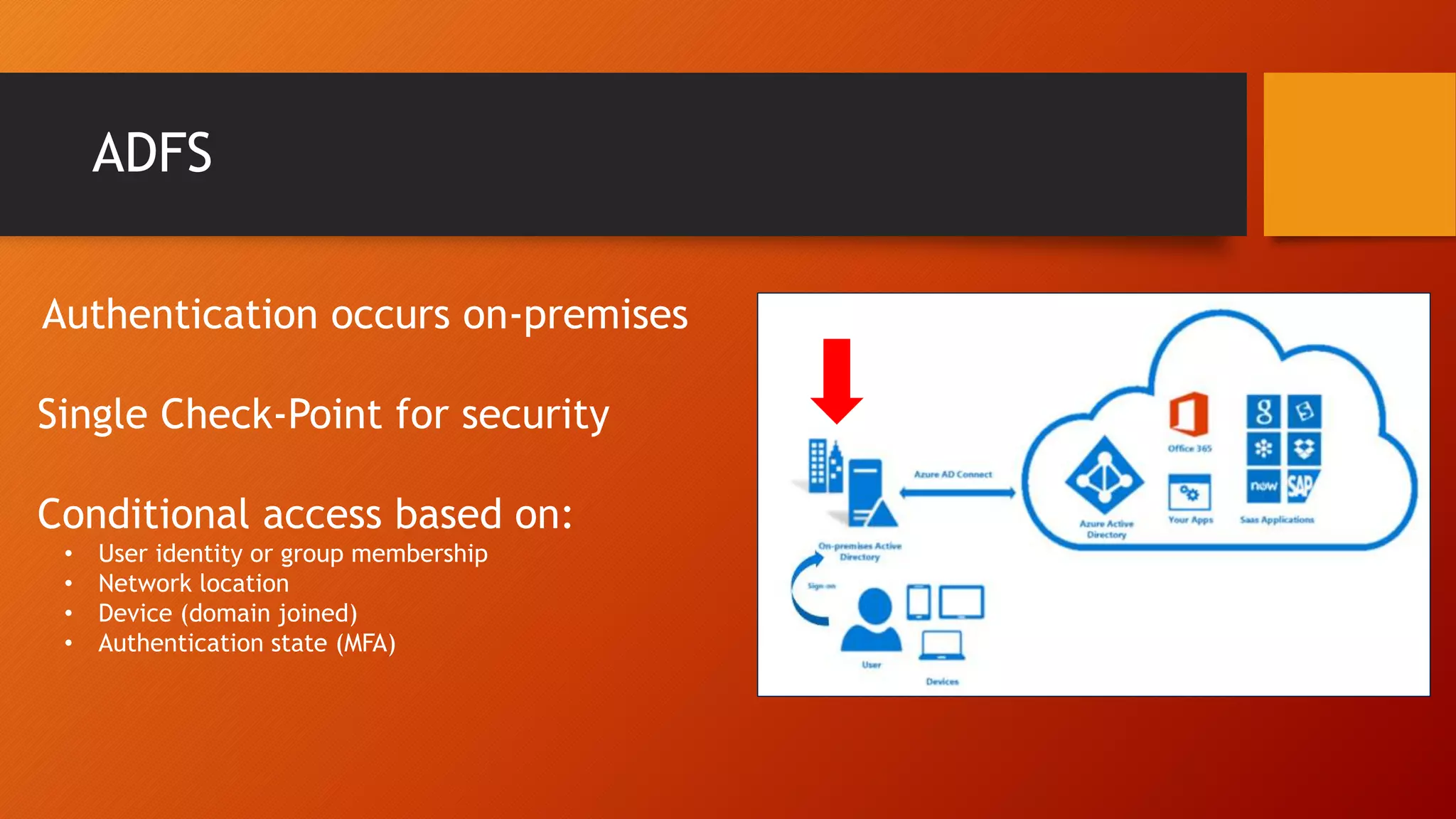
ADFS
Authentication occurs on-premises
Single Check-Point for security
Conditional access based on:
• User identity or group membership
• Network location
• Device (domain joined)
• Authentication state (MFA)
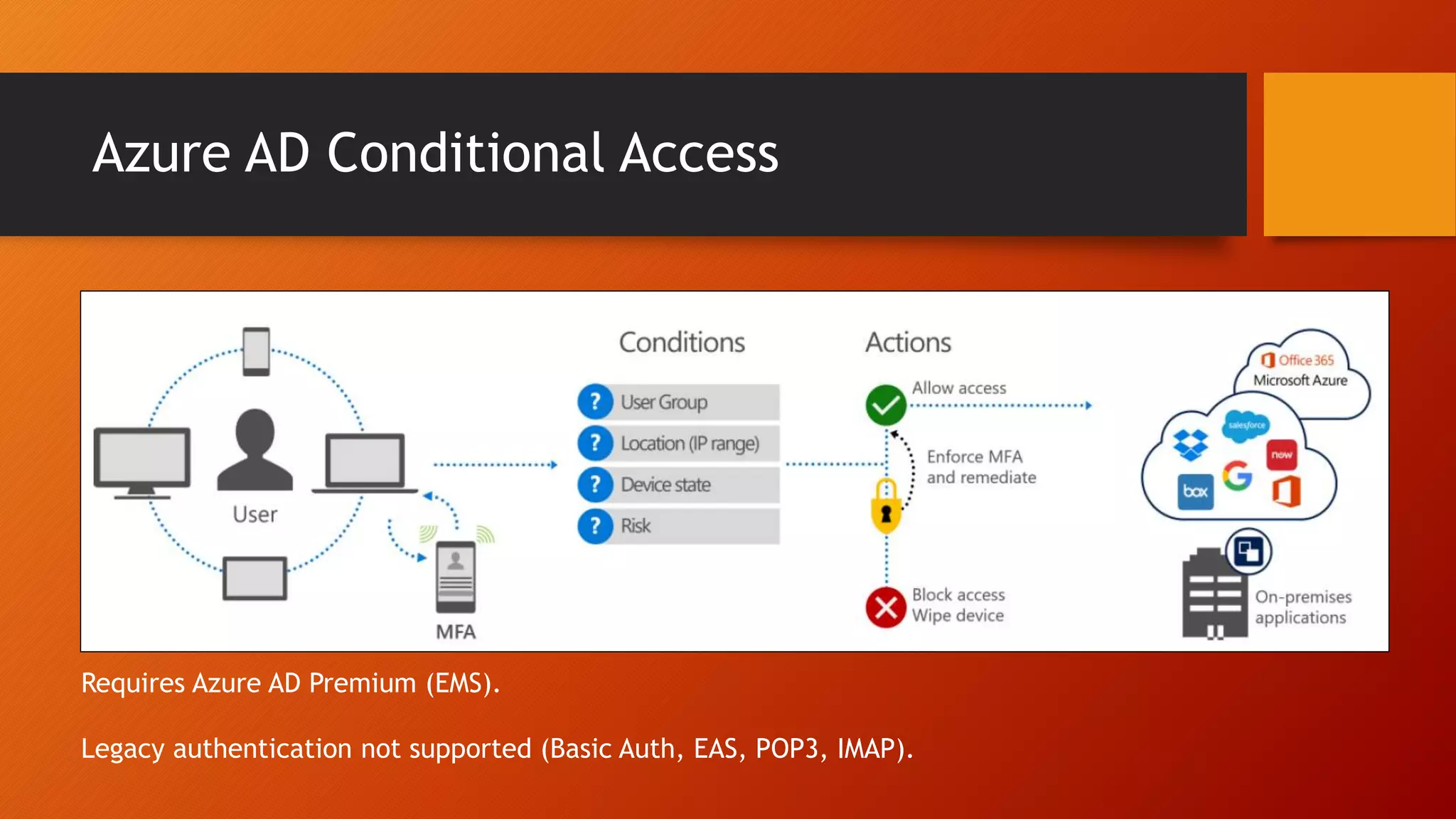
Azure AD Conditional Access
Requires Azure AD Premium (EMS).
Legacy authentication not supported (Basic Auth, EAS, POP3, IMAP).
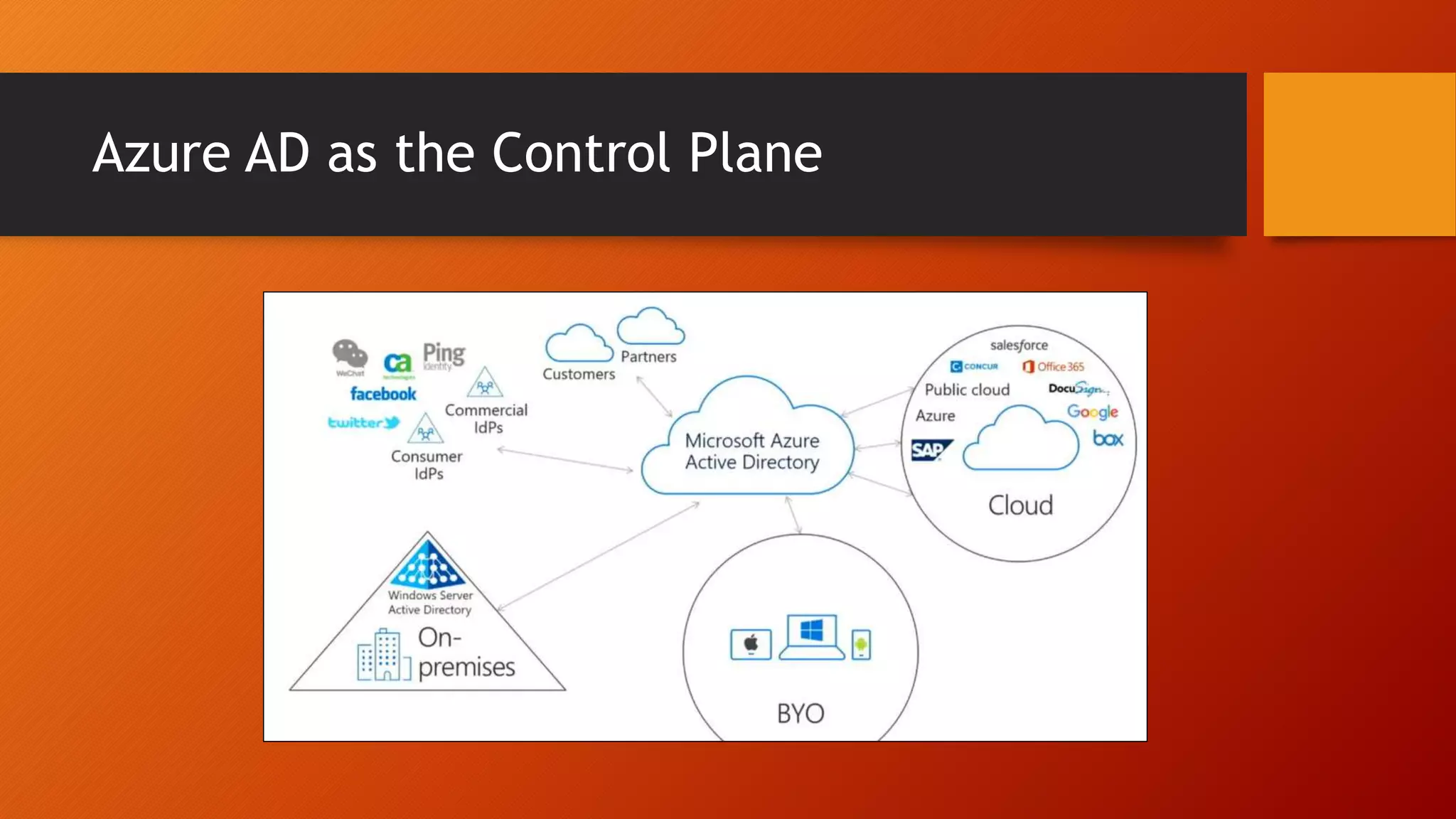
Azure AD as the Control Plane
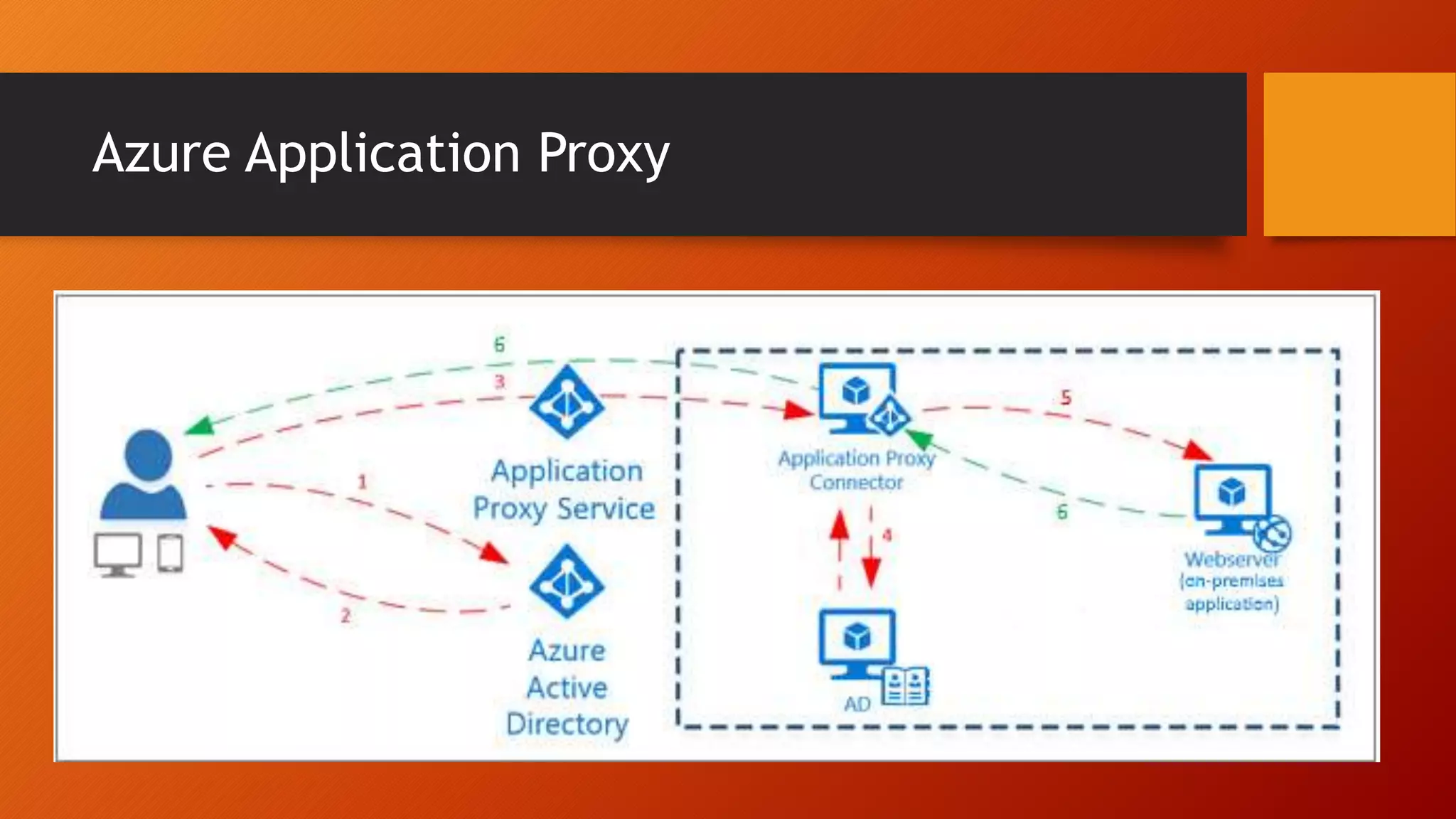
Azure Application Proxy
Breach Monitoring and Reporting
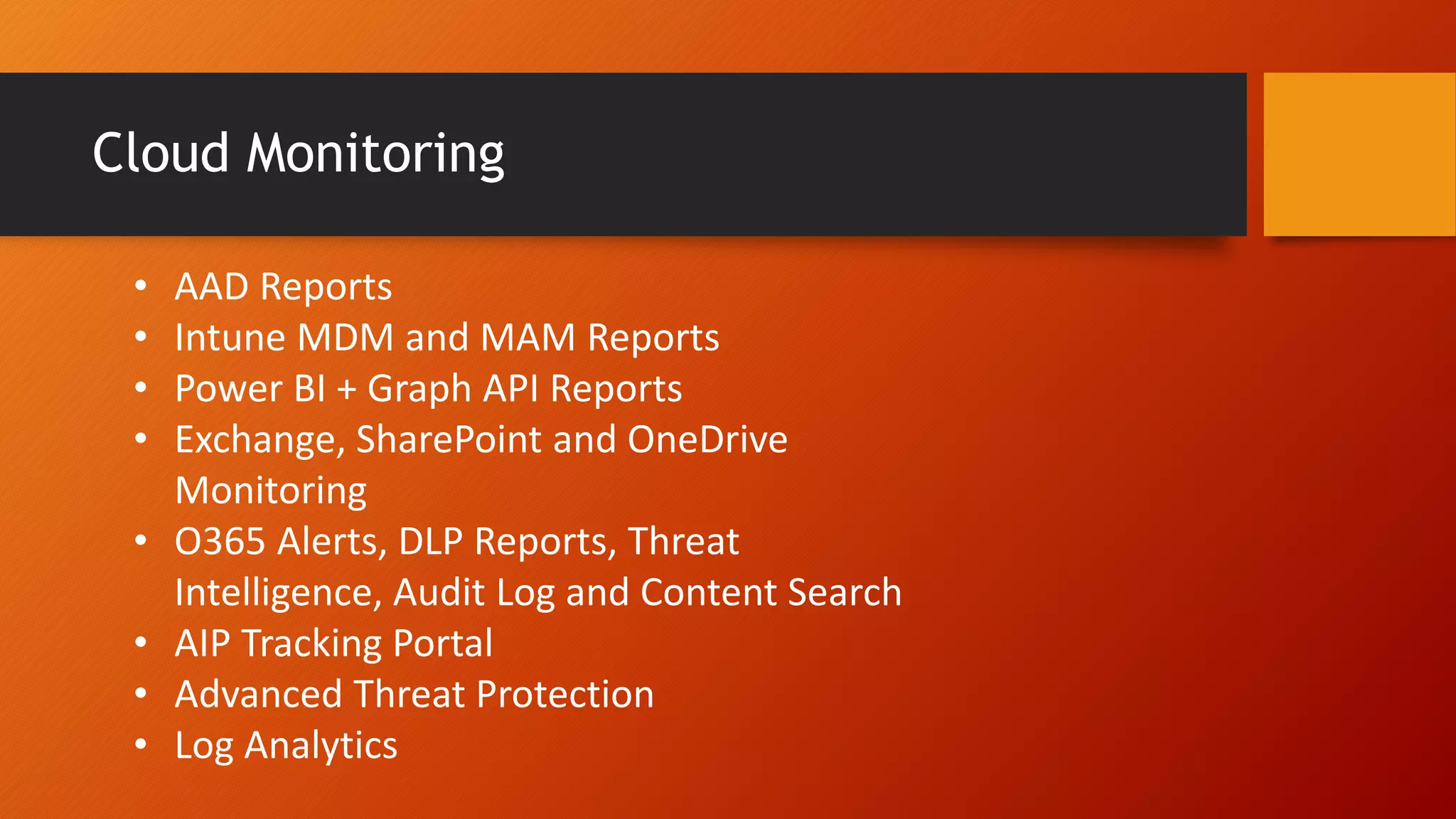
Cloud Monitoring
• AAD Reports
• Intune MDM and MAM Reports
• Power BI + Graph API Reports
• Exchange, SharePoint and OneDrive
Monitoring
• O365 Alerts, DLP Reports, Threat
Intelligence, Audit Log and Content Search
• AIP Tracking Portal
• Advanced Threat Protection
• Log Analytics
Microsoft Security Graph
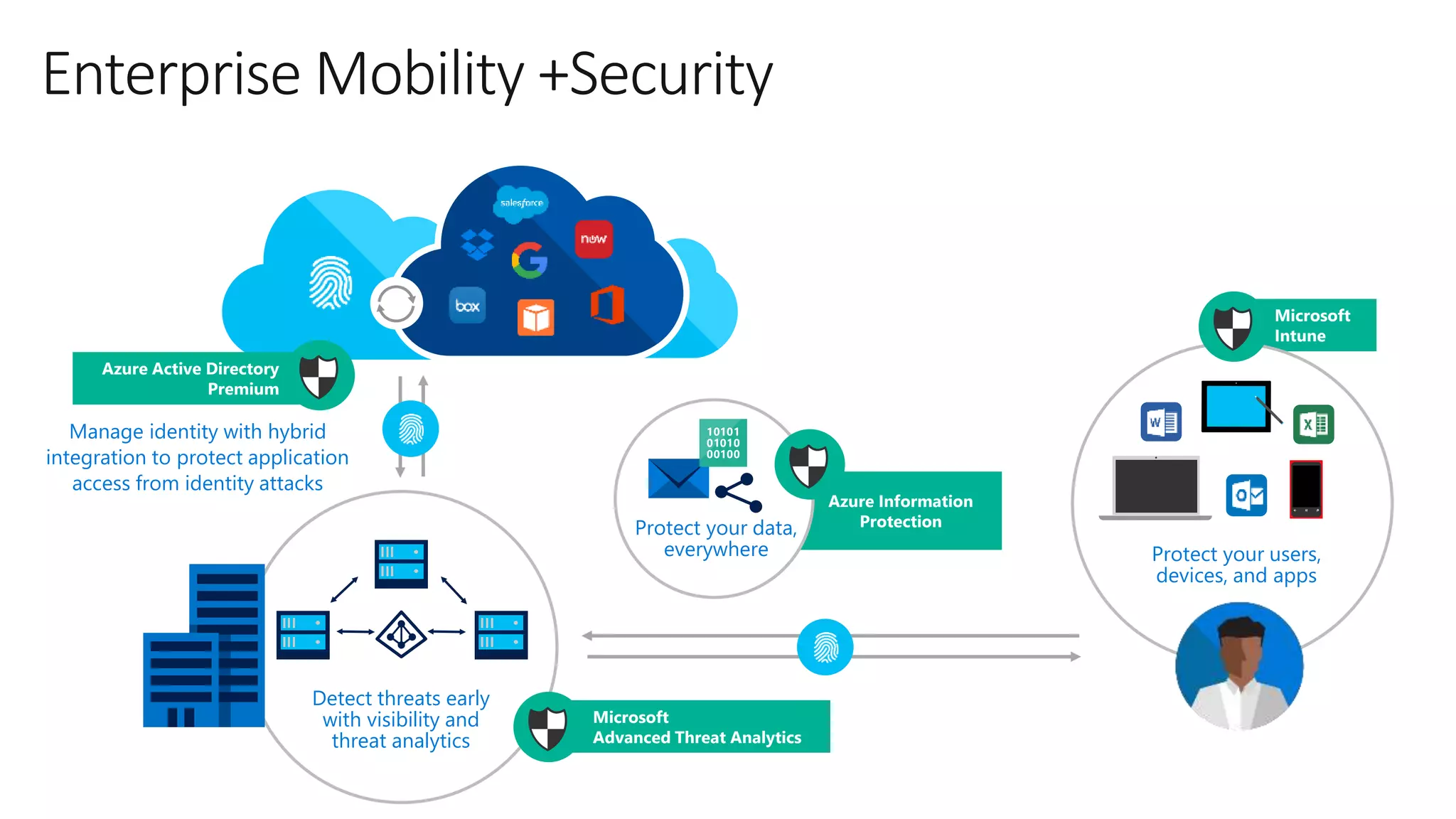
Enterprise Mobility +Security
Microsoft
Intune
Azure Information
Protection
Protect your users,
devices, and apps
Detect threats early
with visibility and
threat analytics
Protect your data,
everywhere
Manage identity with hybrid
integration to protect application
access from identity attacks
Microsoft
Advanced Threat Analytics
Azure Active Directory
Premium
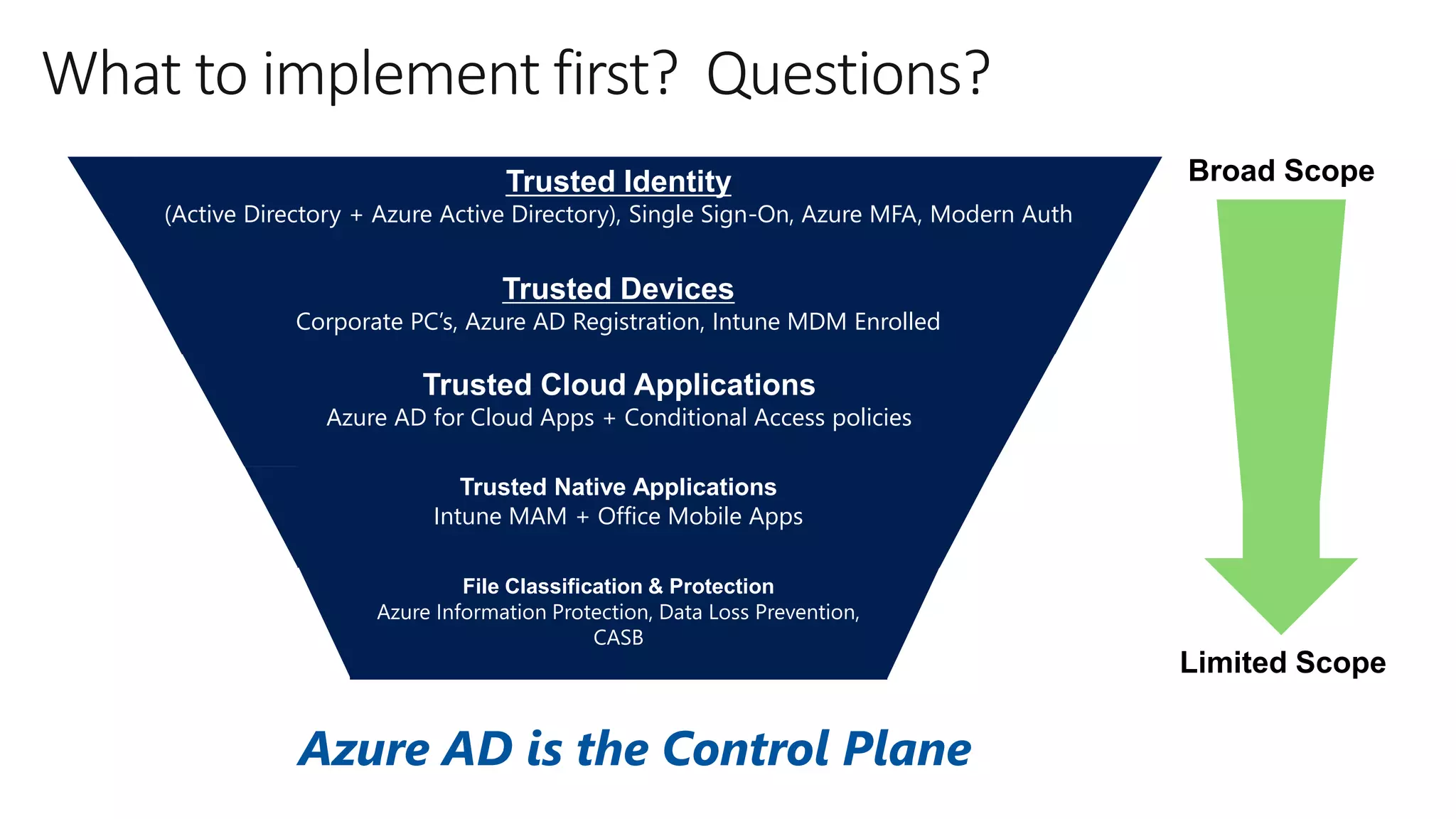
Broad Scope
Limited Scope
What to implement first? Questions?
File Classification & Protection
Azure Information Protection, Data Loss Prevention,
CASB
Trusted Identity
(Active Directory + Azure Active Directory), Single Sign-On, Azure MFA, Modern Auth
Trusted Devices
Corporate PC’s, Azure AD Registration, Intune MDM Enrolled
Trusted Cloud Applications
Azure AD for Cloud Apps + Conditional Access policies (e.g. – Box)
Trusted Cloud Applications
Azure AD for Cloud Apps + Conditional Access policies
Trusted Native Applications
Intune MAM + Office Mobile Apps
Azure AD is the Control Plane

Cloud Security Fundamentals - St. Louis O365 Users Group

  • 1.
    Microsoft Cloud Security Fundamentals Presentedby JD Wade, Lead Technical Architect Developed by Michael Weber, Cloud Solution Architect Members of Horizons Consulting, Inc.
  • 2.
    Test, Test, Test •Get a test tenant • Setup a test Active Directory • Setup a test Azure AD Connect • Setup a test AD FS (if needed)
  • 3.
    Goals • Maximize securityposture with existing licenses • Align with Microsoft’s way forward for cloud security • Eliminate legacy security vulnerabilities
  • 4.
    Unregulated, unknown Managed mobile environment How muchcontrol do YOU have? On-premises Perimeter protection Identity, device management protection Hybrid data = new normal It is harder to protect
  • 5.
    Adopt Cloud SecurityStandards • Only Allow Secure Authentication • Only Allow Trusted Devices • Classify, Protect and Limit Retention • Establish Single Sign-On (SSO) • Breach Monitoring and Reporting
  • 6.
  • 7.
  • 8.
    Only Allow Secure(Modern) Authentication by Disabling Legacy (Basic) Authentication
  • 9.
    Problems with LegacyAuthentication • Password is sent repeatedly, for each request (larger attack window) • Password is cached by the web browser • Password may be stored permanently in the browser • Vulnerable to man-in-the-middle SSL exploit • Access cannot be security trimmed
  • 10.
    Problems with LegacyAuthentication • Worked well behind corporate firewall but present many security issues for cloud access • Legacy protocols can circumvent security conditional access settings and should be disabled. For example: • POP3 and IMAP circumvent Intune conditional access to Exchange • Azure AD conditional access is not supported with Basic Authentication • Exchange Active Sync relies on Basic Authentication
  • 11.
    Modern Authentication • ModernAuthentication allows customers to enable many modern security features, such as Azure Active Directory Conditional Access or multi- factor authentication. • Authentication using Azure AD • Leverages token based authentication (OAuth) • Tokens and not passwords sent • Access can be security trimmed • Validation can be done by 3rd Party • Access token has limited Time-To-Live (1 hour) • Access can be revoked • Applications must be written to support Modern Authentication • Microsoft automation tools almost finished transitioning to Modern Auth (PowerShell) • It is Microsoft’s way forward for secure cloud access
  • 12.
    Service Preparation • SharePoint& OneDrive for Business: On by default • Exchange Online: Off by default • Skype for Business: Off by default
  • 13.
    Client Preparation • DesktopOffice 2013 (GPO enabled but out of support in 2018) • Desktop Office 2016 • Example Mobile Apps • Outlook Mobile • SharePoint & OneDrive • Word / PowerPoint / Excel • Workday, Salesforce and etc. • Unsupported • Desktop Office 2010 • Native Email Clients (except for IOS 11+ Native Mail) • Exchange Activesync
  • 14.
    Multifactor Authentication • Bydefault, organizations cannot leverage MFA despite being licensed. • Without it, susceptible to phishing attacks and stolen credentials. • Services must be configured and clients must be deployed in order to support MFA enablement (Modern Authentication clients). • Can be based on IP location (on or off corporate network). • Globally enabling MFA will disable Exchange Activesync
  • 15.
  • 16.
  • 17.
    AAD Registration • AADcan block based on “status” of the device • Is the device known (registered with Azure AD) • Examples • Block all untrusted devices (non-AAD registered) • Only allow OneDrive syncing on devices joined to certain domains • Block OWA on personal devices
  • 18.
    AAD Registration vsAAD Domain Join IMPORTANT: AAD Registration is NOT AAD Domain Join • Both • Device identity and authentication • Device-based conditional access for ADFS, AAD and Intune MDM • Provide SSO to cloud applications • Provide strong authentication with AAD (Microsoft Passport) • AAD Domain Join: • Cannot be local AD joined and AAD Domain Joined • Automatic Intune MDM Enrollment • BitLocker Recovery Key in AAD • Targets temporary, remote and BYOD (or organizations without local AD) • Self-Service Password Reset on Windows Logon • AutoPilot
  • 19.
  • 20.
    Automatic Device Registration PlatformSteps Windows 10 Windows Server 2016 Non-ADFS: Automatically synced via AD Connect. ADFS Scenarios: Use a Group Policy. Registration will then occur in the next reboot or user sign-in to Windows. Windows 7 Windows 8.0 Windows 8.1 Windows Server 2008 R2 Windows Server 2012 Windows Server 2012 R2 Must be federated (ADFS). Windows Installer package needs to be deployed to other older computers (SCCM). Task silently registers device.
  • 21.
    Advantages of AADRegistration • Device-based conditional access (Known devices only!) • Device certificate-based authentication MFA • Block device access • User & device affinity • Desktop SSO • Registration MFA • Detailed reporting and tracking (Microsoft Security Graph)
  • 22.
  • 23.
    Requirement Corporate PCExternal PC Authentication Kerberos Certificate(s) • Modern Authentication with MFA • Weak authentication still possible (EAS and Basic Auth) Domain Join Local Domain Join (AAD Device Registered) None or possibly AAD Device Registered Device Health Group Policies / SCCM / SCOM Unknown Device Security Group Policies / SCCM • Firewall • Antivirus • PIN/Password Complexity • Device / Credential / Application Guard Unknown Updates WSUS/SCCM Unknown Applications Group Policies / SCCM Unknown Onboarding Imaging / Wipe & Load Provisioning Packages Unknown
  • 24.
  • 25.
  • 26.
    • Create aBetter End User Experience • Enroll one time versus PIN every time • Install apps automatically (Outlook, Authenticator, AIP, SharePoint) • Advertise apps • Zero touch configuration • Company support info and branding • Multiple Platform Support • White/Black Listing Apps • Security Hardening and Stolen Device Support • Better Lifecycle Check-ins than MAM • Deep Cloud Security Conditional Access (AIP/MCAS/DLP/Azure AD) • Deep O365 Conditional Access (SharePoint/OneDrive/Exchange) • Innovation from Apple and Google
  • 27.
    Requirement Corporate PCPersonal PC with Intune MDM Authentication Kerberos Certificate(s) • AAD Modern Auth • AAD Device Cert / NDES Certificate(s) Domain Join Local Domain Join (AAD Device Registered) AAD Domain Join (AAD Device Registered) Device Health Group Policies / SCCM / SCOM • AAD Reports • Device Attestation (Firewall, Antivirus, Encryption) Device Security Group Policies / SCCM • Firewall • Antivirus • PIN/Password Complexity • Device / Credential / Application Guard • Windows Defender • BitLocker (CSPs) • PIN/Password Complexity • Windows Hello • Application Guard • Windows Information Protection Updates WSUS/SCCM Windows Update for Business Applications Group Policies / SCCM • Windows Store • MSI Deployments Onboarding Imaging / Wipe & Load Provisioning Packages Company Portal / OOBE / AutoPilot Provisioning Packages
  • 28.
    Intune Mobile DeviceManagement Enroll • Provide a self-service Company Portal for users to enroll devices • Deliver custom terms and conditions at enrollment • Bulk enroll devices using Apple Configurator or service account • Restrict access to Exchange email if a device is not enrolled Retire • Revoke access to corporate resources • Perform selective wipe • Audit lost and stolen devices Provision • Deploy certificates, email, VPN, and WiFi profiles • Deploy device security policy settings • Install mandatory apps • Deploy app restriction policies • Deploy data protection policies Manage and Protect • Restrict access to corporate resources if policies are violated (e.g., jailbroken device) • Protect corporate data by restricting actions such as copy, cut, paste, and save as between Intune- managed apps and personal apps • Report on device and app compliance User IT
  • 29.
    Conditional Access forOffice 365 7 5 4 2 1 3 6
  • 30.
    • User Convenience(SSO, roaming, less MFA) • Conditional Access Integration • Device Authentication (Another MFA) • Always On Protection (on or off corporate network) • Breach Prevention, Detection and Response • Password-less Authentication (Biometrics) • Device Health Attestation • Wake of Innovation
  • 31.
    Enforce corporate data accessrequirements Prevent data leakage on the device Enforce encryption of app data at rest App-level selective wipe
  • 32.
    Azure AD Joinmakes it possible to connect work-owned Windows 10 devices to your company’s Azure Active Directory. With Azure AD Join, you can auto enroll devices in Microsoft Intune for management. Azure AD Join for Windows 10 Windows 10 Azure AD Joined Devices Intune/MDM auto enrollment Intune auto enrollment Enterprise-compliant strong auth / services / CA Support for hybrid environments Single sign-on from the desktop to cloud and on-premises applications with no VPN Windows 10 Cloud Integration
  • 34.
    Windows 10 +Intune MDM • Selective Wipe and Remote Management • Auto-Registration and Auto-Enrollment • AAD Conditional Access • Policies • Windows Defender • Windows Hello for Business • Windows Update for Business • Windows Information Protection • Deploy applications and MSIs • Upgrade Windows 10 • BitLocker Management • Device Health Attestation
  • 35.
    Classify, Protect andLimit Retention
  • 36.
    Reasons to Classifyand Protect • Identify and label sensitive data • Track data type locations & repositories • Protect data in-transit and at rest • Auditing and eDiscovery
  • 37.
    Azure Information Protection DOCUMENT TRACKING DOCUMENT REVOCATION Monitor& Respond LABELINGCLASSIFICATION Classify & Label ENCRYPTION Protect ACCESS CONTROL POLICY ENFORCEMENT
  • 38.
    Data Loss Prevention •Cloud detection of users sharing Exchange, SharePoint and OneDrive content • Generate reports to track users who shared info • Leverage the 80+ sensitivity types and other types (18 apply to GDPR) • Policy tips who share sensitive information • Email alerts when data is shared • Detect AIP metadata classification using custom sensitivity types
  • 39.
    Protecting data, identities,and devices using a 3-tier approach
  • 40.
  • 41.
    ADFS Authentication occurs on-premises SingleCheck-Point for security Conditional access based on: • User identity or group membership • Network location • Device (domain joined) • Authentication state (MFA)
  • 42.
    Azure AD ConditionalAccess Requires Azure AD Premium (EMS). Legacy authentication not supported (Basic Auth, EAS, POP3, IMAP).
  • 43.
    Azure AD asthe Control Plane
  • 44.
  • 45.
  • 46.
    Cloud Monitoring • AADReports • Intune MDM and MAM Reports • Power BI + Graph API Reports • Exchange, SharePoint and OneDrive Monitoring • O365 Alerts, DLP Reports, Threat Intelligence, Audit Log and Content Search • AIP Tracking Portal • Advanced Threat Protection • Log Analytics
  • 47.
  • 48.
    Enterprise Mobility +Security Microsoft Intune AzureInformation Protection Protect your users, devices, and apps Detect threats early with visibility and threat analytics Protect your data, everywhere Manage identity with hybrid integration to protect application access from identity attacks Microsoft Advanced Threat Analytics Azure Active Directory Premium
  • 49.
    Broad Scope Limited Scope Whatto implement first? Questions? File Classification & Protection Azure Information Protection, Data Loss Prevention, CASB Trusted Identity (Active Directory + Azure Active Directory), Single Sign-On, Azure MFA, Modern Auth Trusted Devices Corporate PC’s, Azure AD Registration, Intune MDM Enrolled Trusted Cloud Applications Azure AD for Cloud Apps + Conditional Access policies (e.g. – Box) Trusted Cloud Applications Azure AD for Cloud Apps + Conditional Access policies Trusted Native Applications Intune MAM + Office Mobile Apps Azure AD is the Control Plane

Editor's Notes

  • #2 Security is a blurred line between Office 365 features, Azure AD features, many other security products, Enterprise Mobility Suite, and Microsoft 365. My goal is to equip you to be able to choose priorities and to help you make purchasing decisions
  • #7 Less MFA – if on a trusted device, no MFA Less Passwords – Trusted Applications SSO, Trusted Devices Desktop SSO Less VPN – Trusted Application proxies Always On – Intune MDM DLP Training -
  • #10 Password is cached by the web browser, at a minimum for the length of the window / process. (Can be silently reused by any other request to the server, e.g. CSRF). Password may be stored permanently in the browser, if the user requests. (Same as previous point, in addition might be stolen by another user on a shared machine). Access cannot be security trimmed. With Basic Auth, your account is either enabled or disabled. With Oauth, a token containing access claims can be sent and processed by application.
  • #18 Goal is the AAD Registered + Local AD Joined: https://docs.microsoft.com/en-us/azure/active-directory/active-directory-conditional-access#device-based-conditional-access
  • #19 ADFS - Is Registered User - Azure AD Premium for Device Writeback - Is Local Domain Joined - Security Group AAD - AAD Conditional Access: Registered and locally domain joined Intune MDM - Registered with O365 services Microsoft Passport is a key based authentication system built into Windows 10. To use Microsoft Passport users create a gesture that they use to login to their Windows 10 device. The user gesture unlocks the device and it’s TPM. The TPM protects a private key that is used to sign authentication requests to Azure AD, eliminating the need to authenticate using a password.
  • #26 Conditional Access – only allow domain joined and/or compliant PCs.
  • #42 Domain Join @RuleName = "Issue account type for domain-joined computers" c:[ Type == "http://schemas.microsoft.com/ws/2008/06/identity/claims/groupsid", Value =~ "-515$", Issuer =~ "^(AD AUTHORITY|SELF AUTHORITY|LOCAL AUTHORITY)$" ] => issue( Type = "http://schemas.microsoft.com/ws/2012/01/accounttype", Value = "DJ" );
  • #45 The user accesses the application through the Application Proxy service and is directed to the Azure AD sign-in page to authenticate. After a successful sign-in, a token is generated and sent to the client device. The client sends the token to the Application Proxy service, which retrieves the user principal name (UPN) and security principal name (SPN) from the token, then directs the request to the Application Proxy connector. If you have configured single sign-on, the connector performs any additional authentication required on behalf of the user. The connector sends the request to the on-premises application. The response is sent through Application Proxy service and connector to the user.