What is Microsoft Enterprise Mobility
Suite and how to configure it
Peter Daalmans
@pdaalmans
http://ref.ms/aboutme
Mirko Colemberg
@mirkocolemberg
http://blog.Colemberg.ch
#MMSMOA
@pdaalmans
Sn. Technical
Consultant,
IT-Concern
Configmgrblog.com
ref.ms/aboutme
Breda, Netherlands
Peter Daalmans
#MMSMOA
@mirkocolemberg
Principal
Consultant Blog.Colemberg.ch
Solothurn, Switzerland
Mirko Colemberg
Agenda
• EMS Components
• Azure AD Premium
• Microsoft Intune
• Azure RMS
• How to get started?
Enterprise Mobility Suite
What is MS EMS?
• Enterprise Mobility Suite
• Azure Active Directory Premium
• Microsoft Intune
• Azure Rights Management
Identity
Azure AD Premium
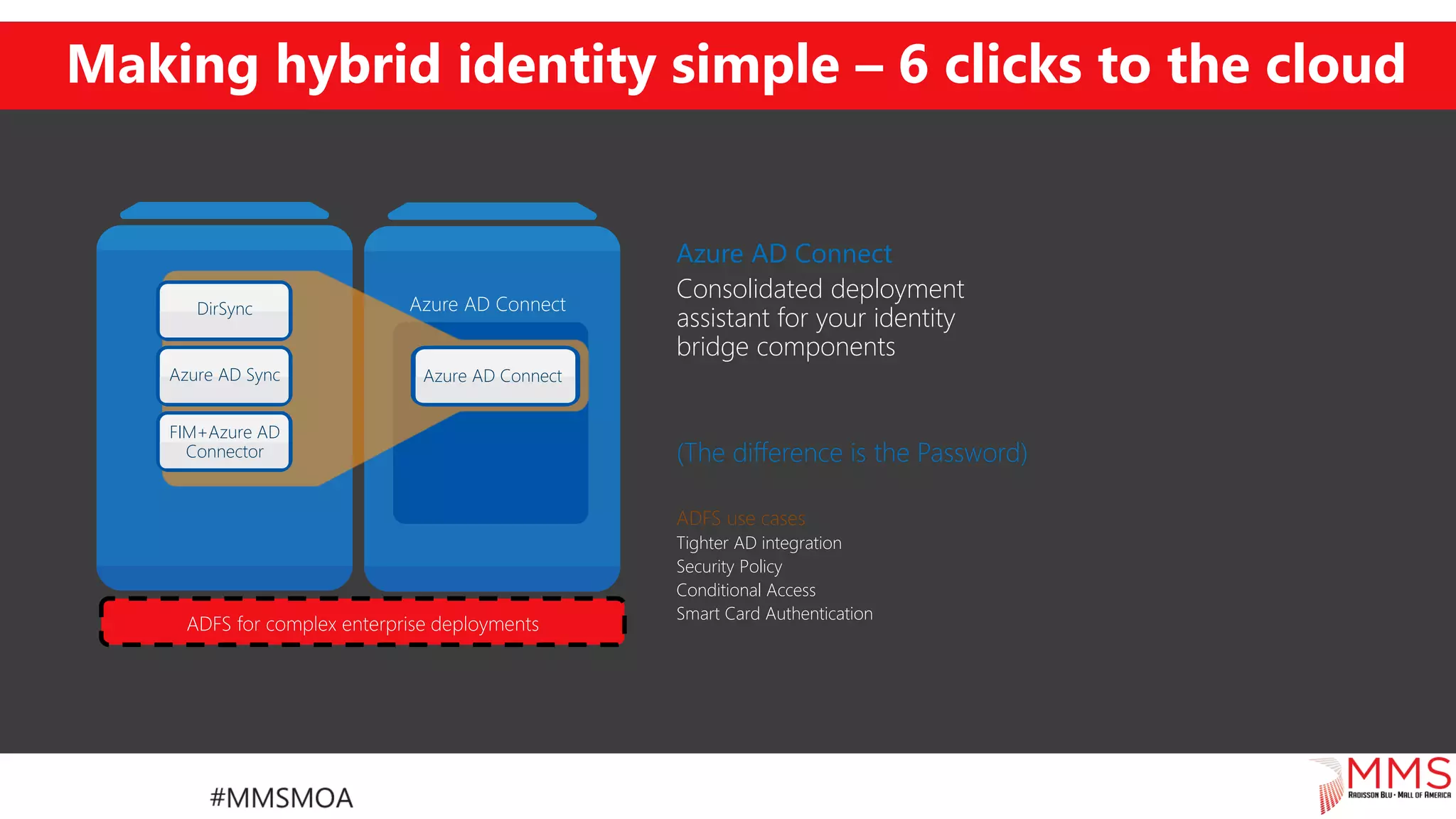
Making hybrid identity simple – 6 clicks to the cloud
Azure AD Connect
Consolidated deployment
assistant for your identity
bridge components
(The difference is the Password)
ADFS use cases
Tighter AD integration
Security Policy
Conditional Access
Smart Card Authentication
DirSync
Azure AD Sync
FIM+Azure AD
Connector
Azure AD Connect
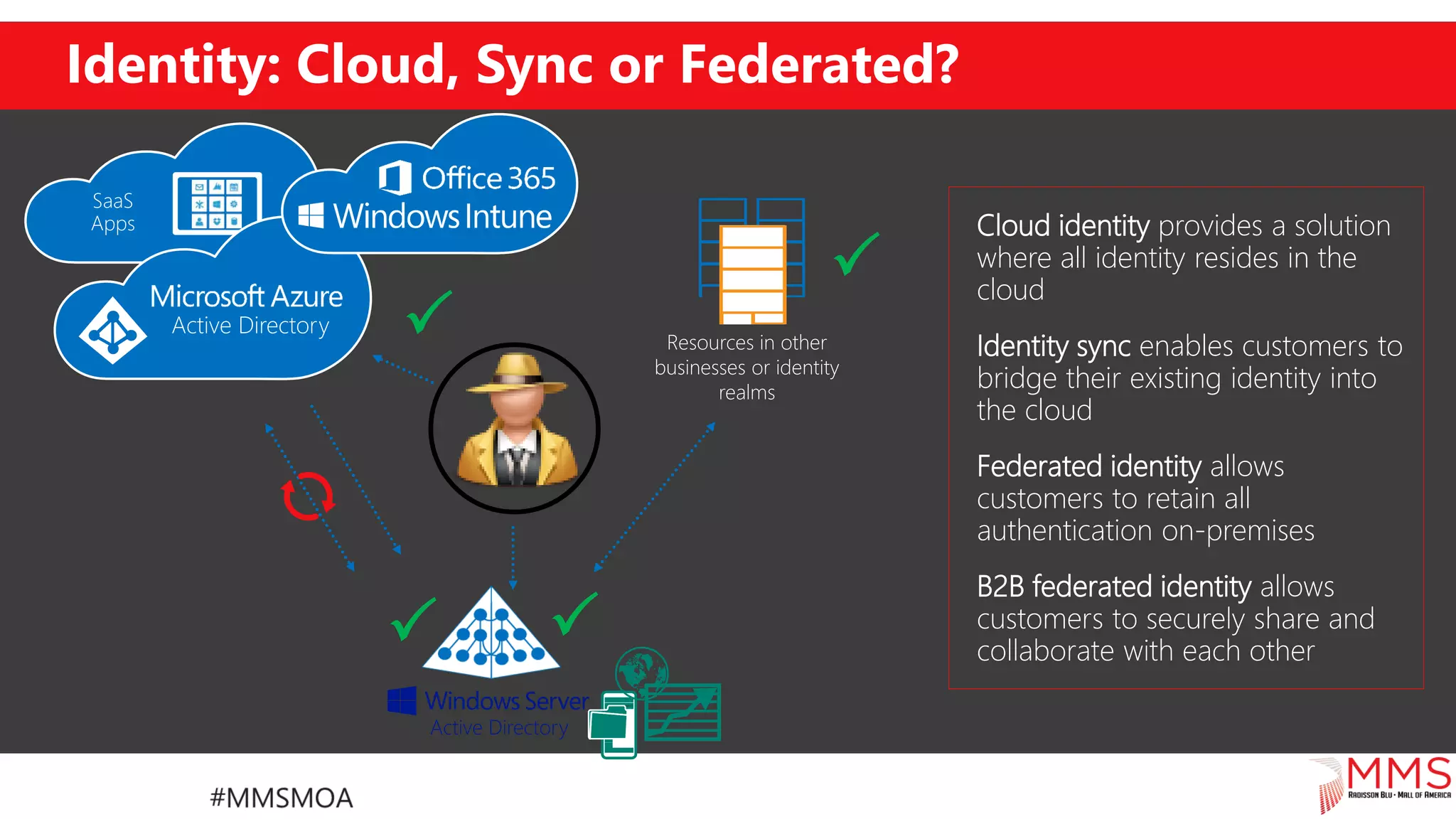
Identity: Cloud, Sync or Federated?

 

Cloud identity provides a solution
where all identity resides in the
cloud
Federated identity allows
customers to retain all
authentication on-premises
Identity sync enables customers to
bridge their existing identity into
the cloud
B2B federated identity allows
customers to securely share and
collaborate with each other
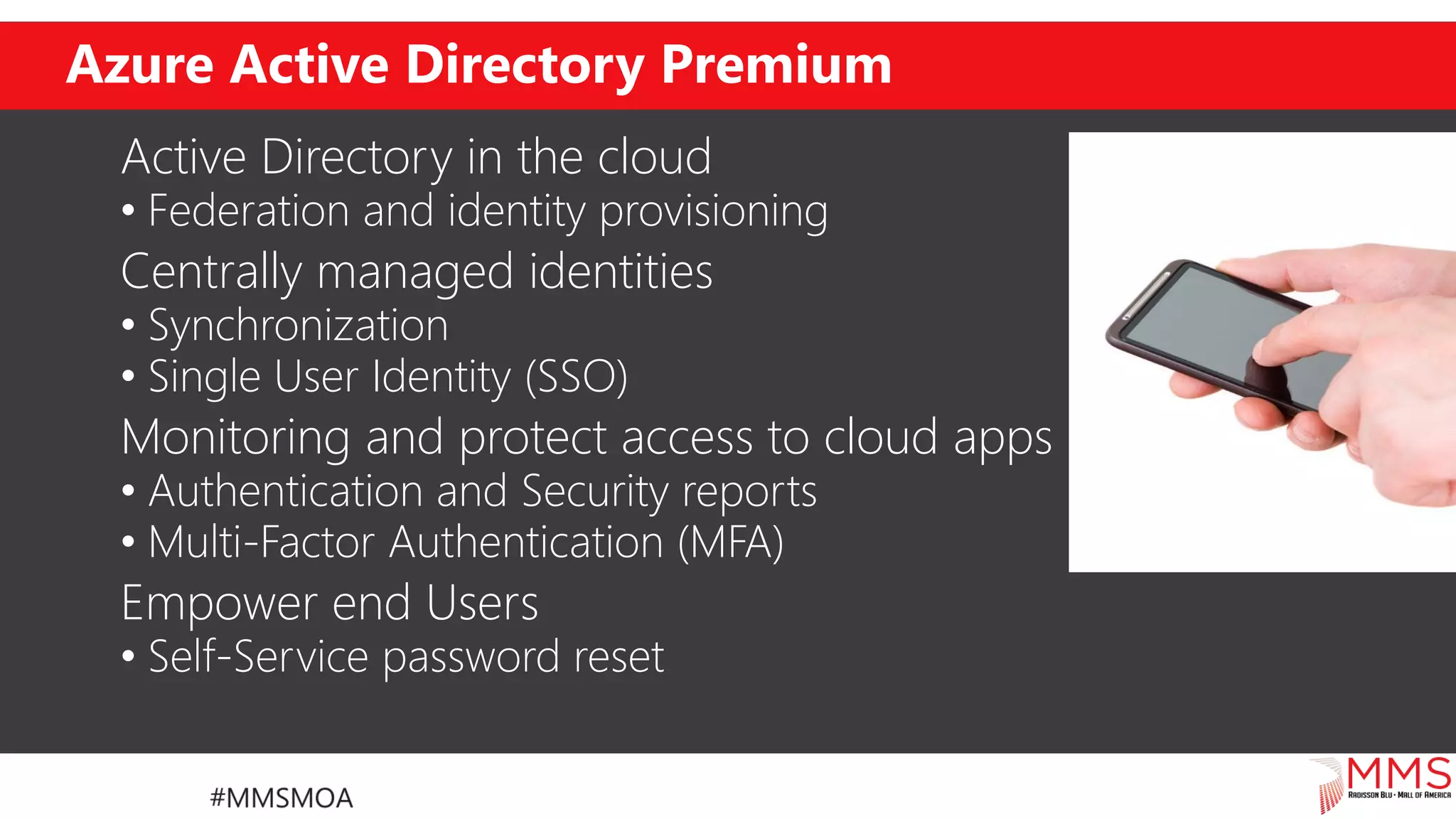
Azure Active Directory Premium
Active Directory in the cloud
• Federation and identity provisioning
Centrally managed identities
• Synchronization
• Single User Identity (SSO)
Monitoring and protect access to cloud apps
• Authentication and Security reports
• Multi-Factor Authentication (MFA)
Empower end Users
• Self-Service password reset
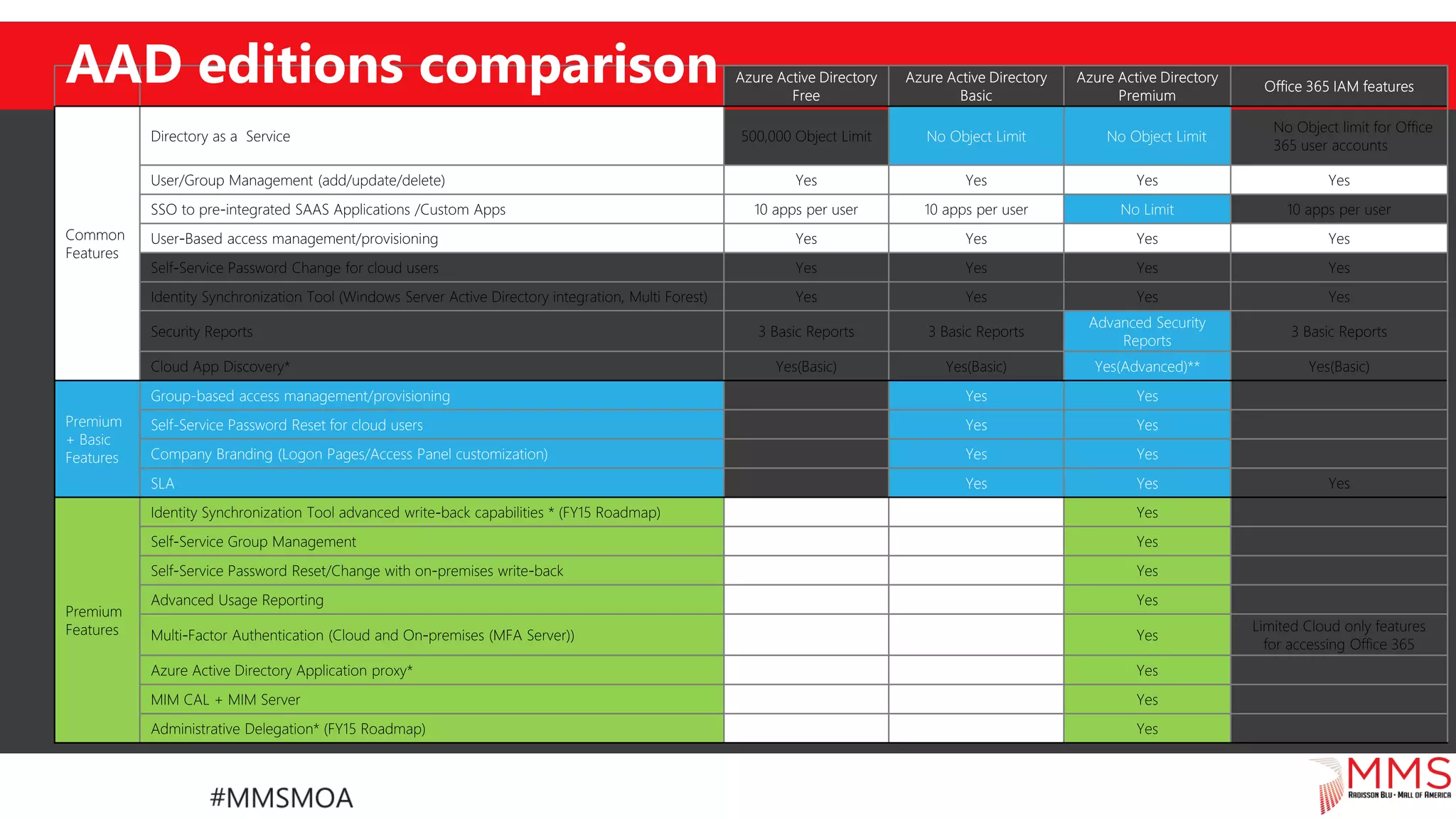
No Object Limit No Object Limit
No Limit
Advanced Security
Reports
Yes(Advanced)**
Premium
+ Basic
Features
Group-based access management/provisioning Yes Yes
Self-Service Password Reset for cloud users Yes Yes
Company Branding (Logon Pages/Access Panel customization) Yes Yes
SLA Yes Yes
AAD editions comparison
Other premium features
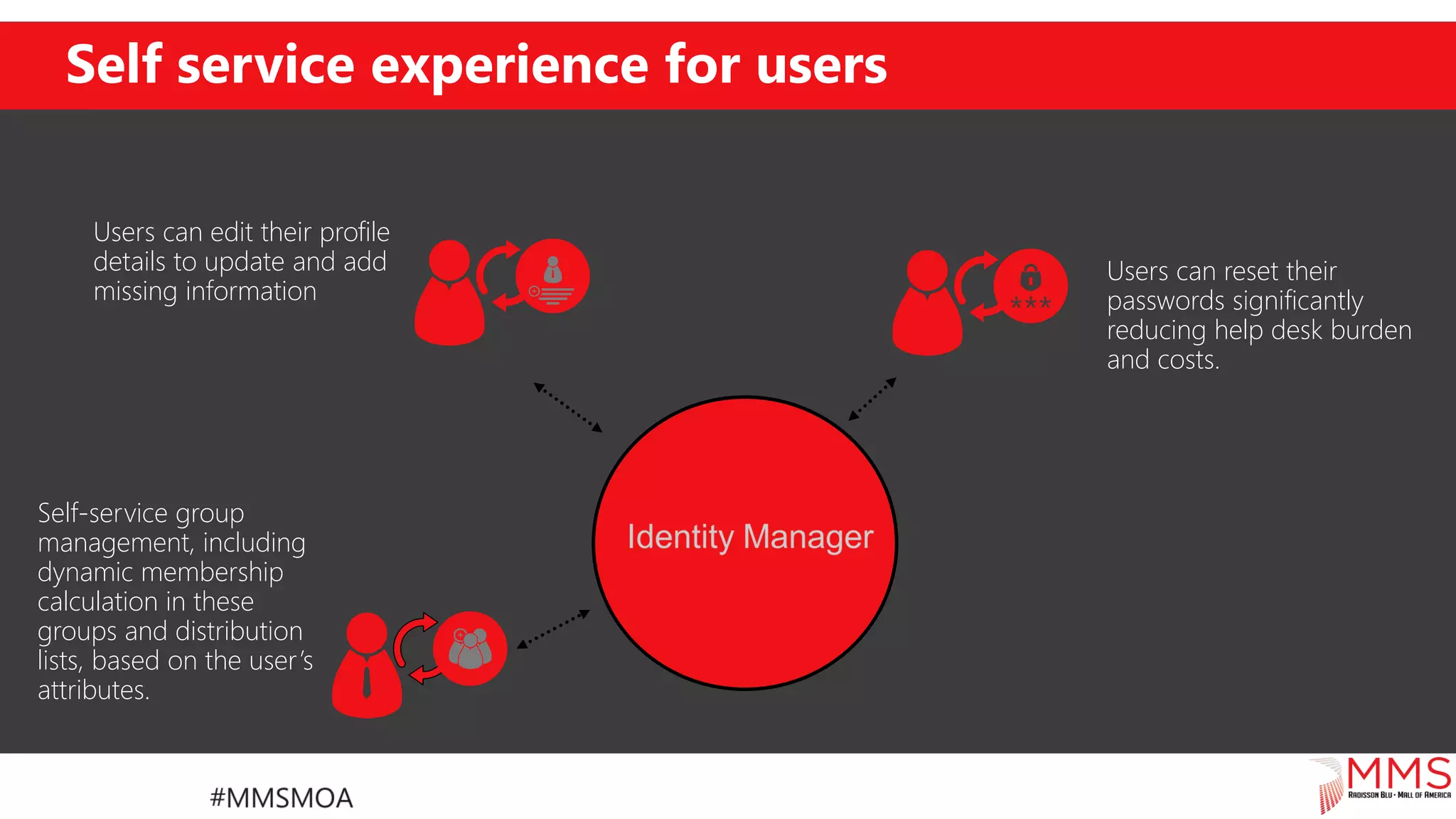
Self-service group
management, including
dynamic membership
calculation in these
groups and distribution
lists, based on the user’s
attributes.
Users can reset their
passwords significantly
reducing help desk burden
and costs.
Users can edit their profile
details to update and add
missing information
Self service experience for users
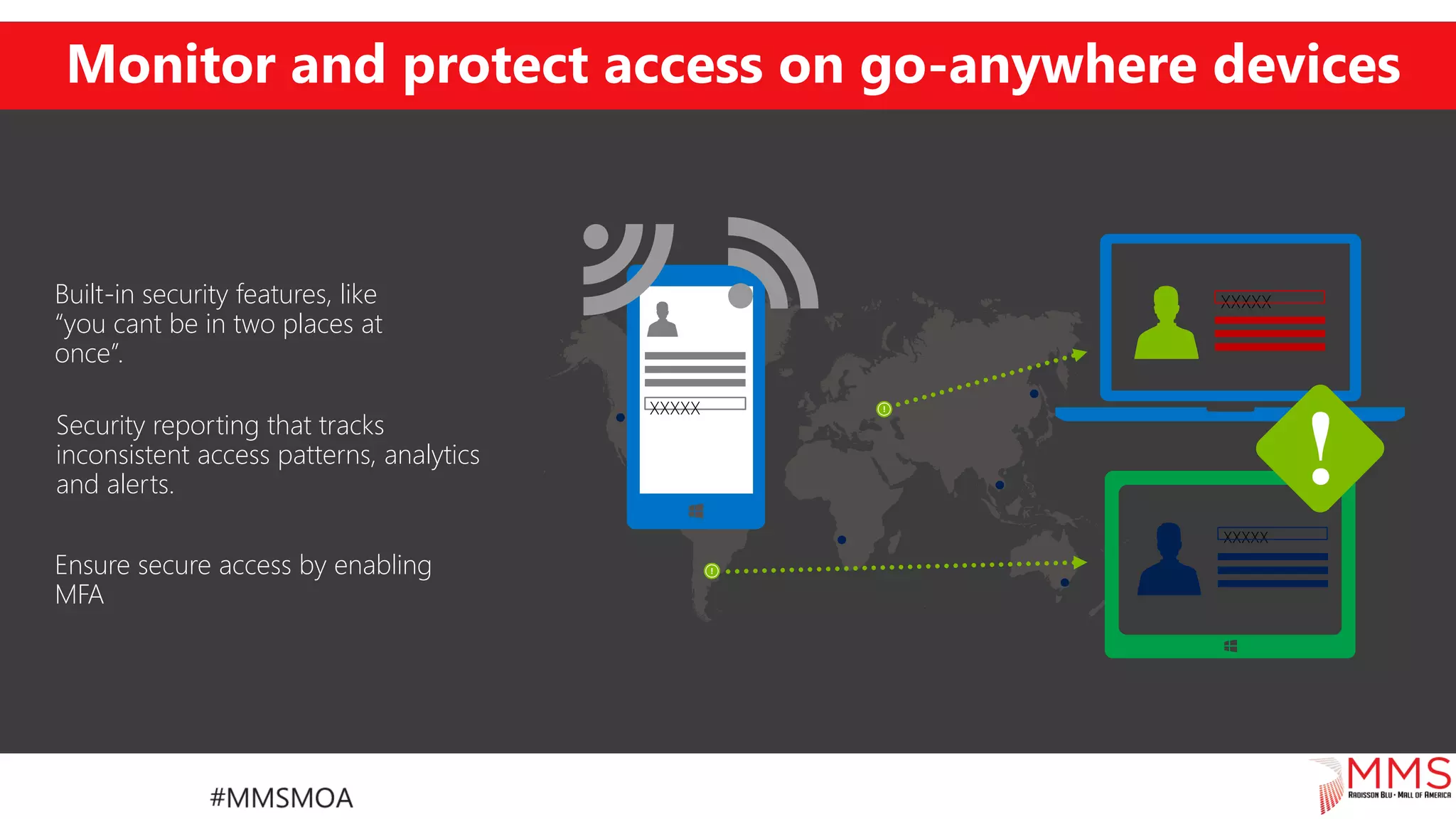
Monitor and protect access on go-anywhere devices
Security reporting that tracks
inconsistent access patterns, analytics
and alerts.
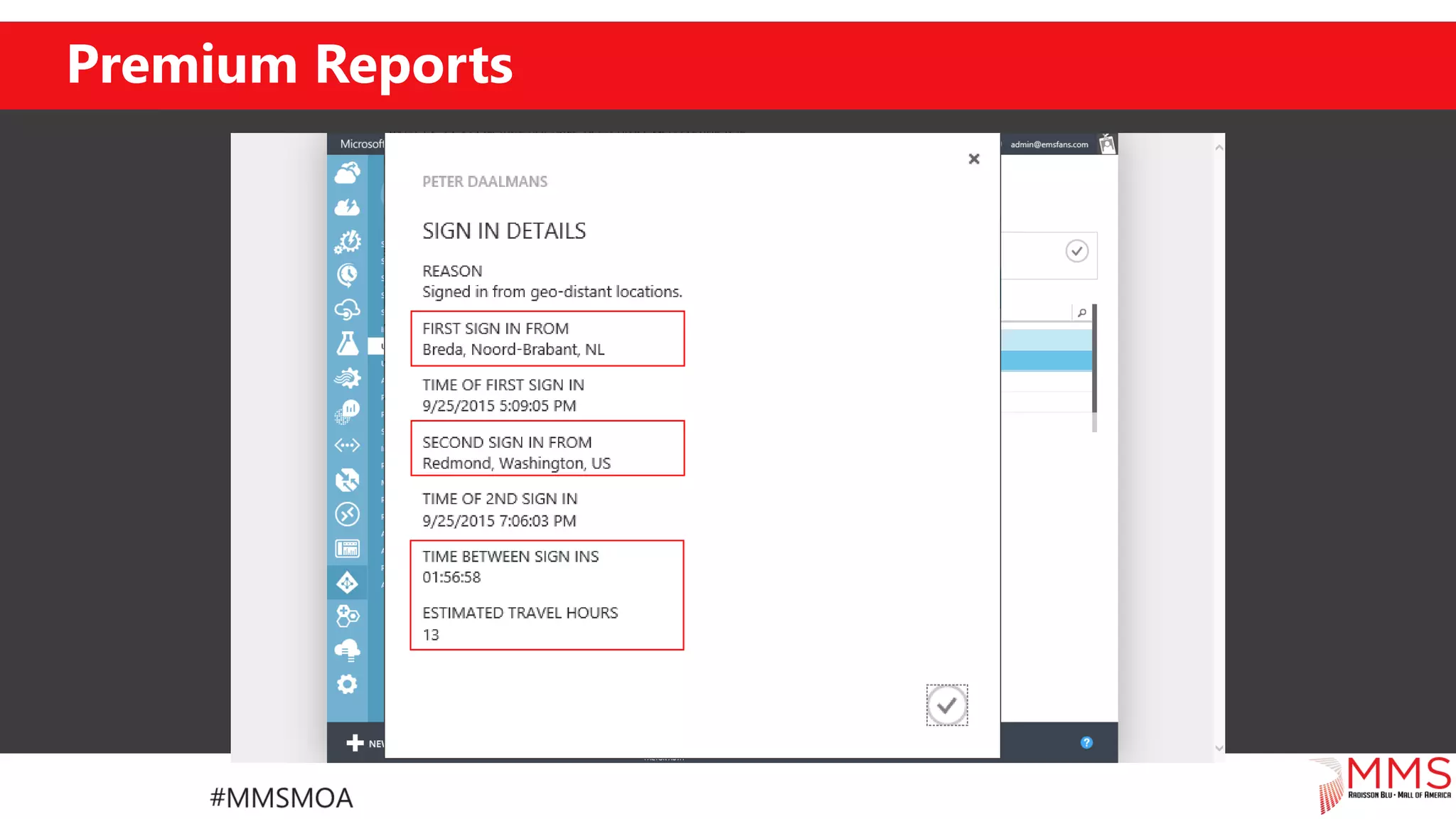
Built-in security features, like
“you cant be in two places at
once”.
Ensure secure access by enabling
MFA
XXXXX
XXXXX
XXXXX
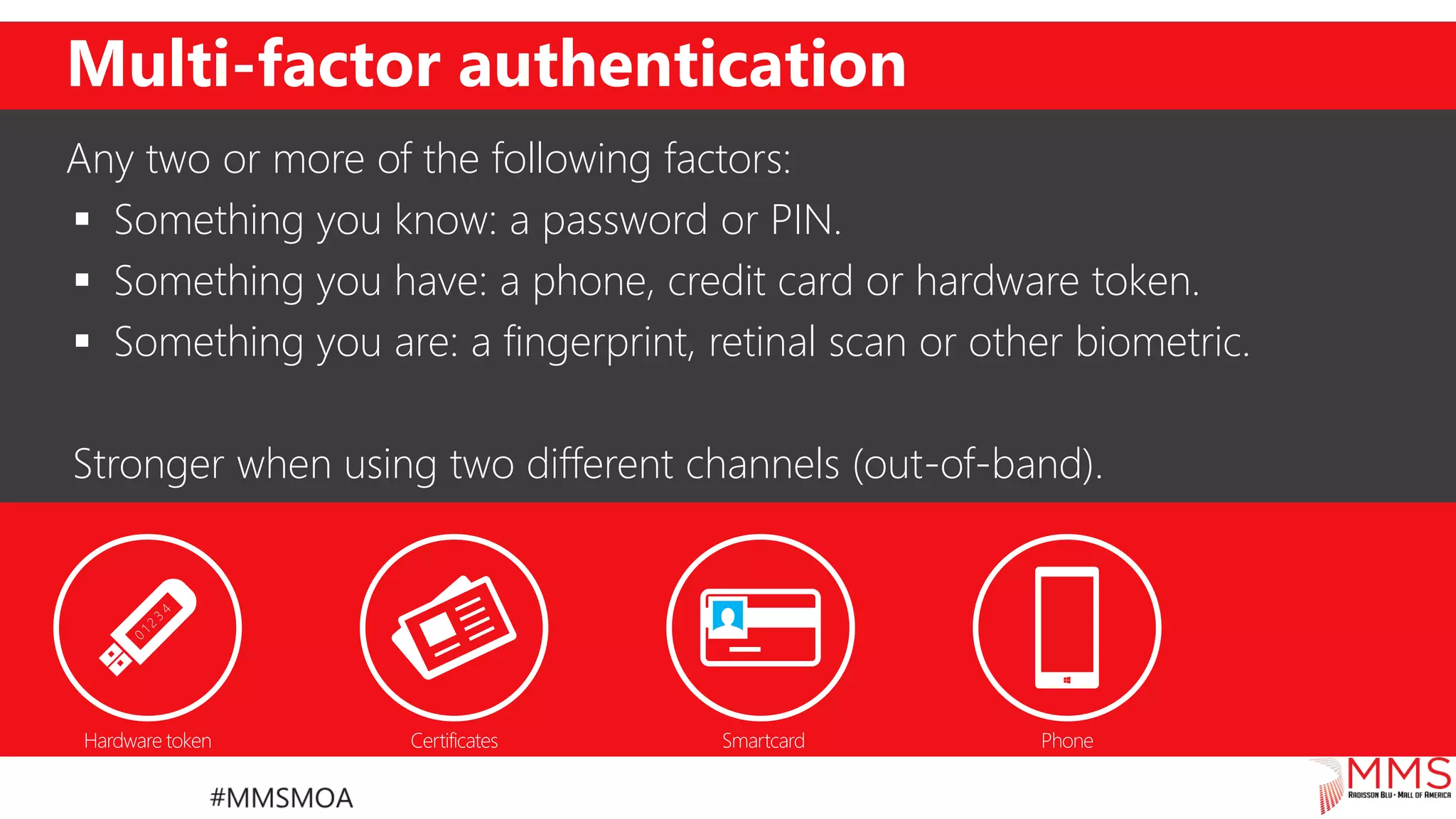
Multi-factor authentication
Any two or more of the following factors:
 Something you know: a password or PIN.
 Something you have: a phone, credit card or hardware token.
 Something you are: a fingerprint, retinal scan or other biometric.
Stronger when using two different channels (out-of-band).
Premium Reports
Premium reports:
• Advanced application usage reporting
• Password reset activity
• Selfservice activity
• Identify unexpected logon behavior
Premium Reports
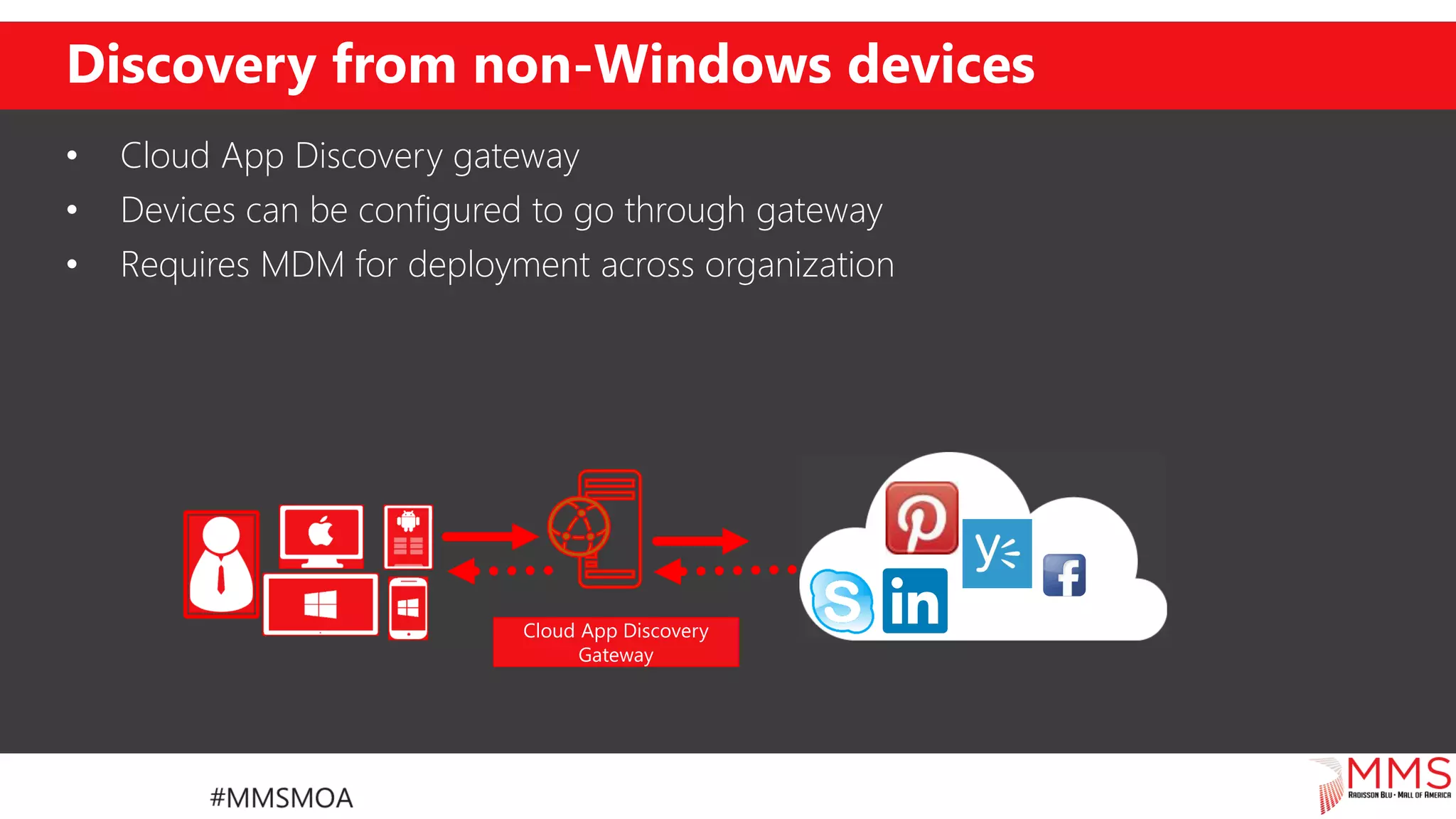
Discovery from non-Windows devices
• Cloud App Discovery gateway
• Devices can be configured to go through gateway
• Requires MDM for deployment across organization
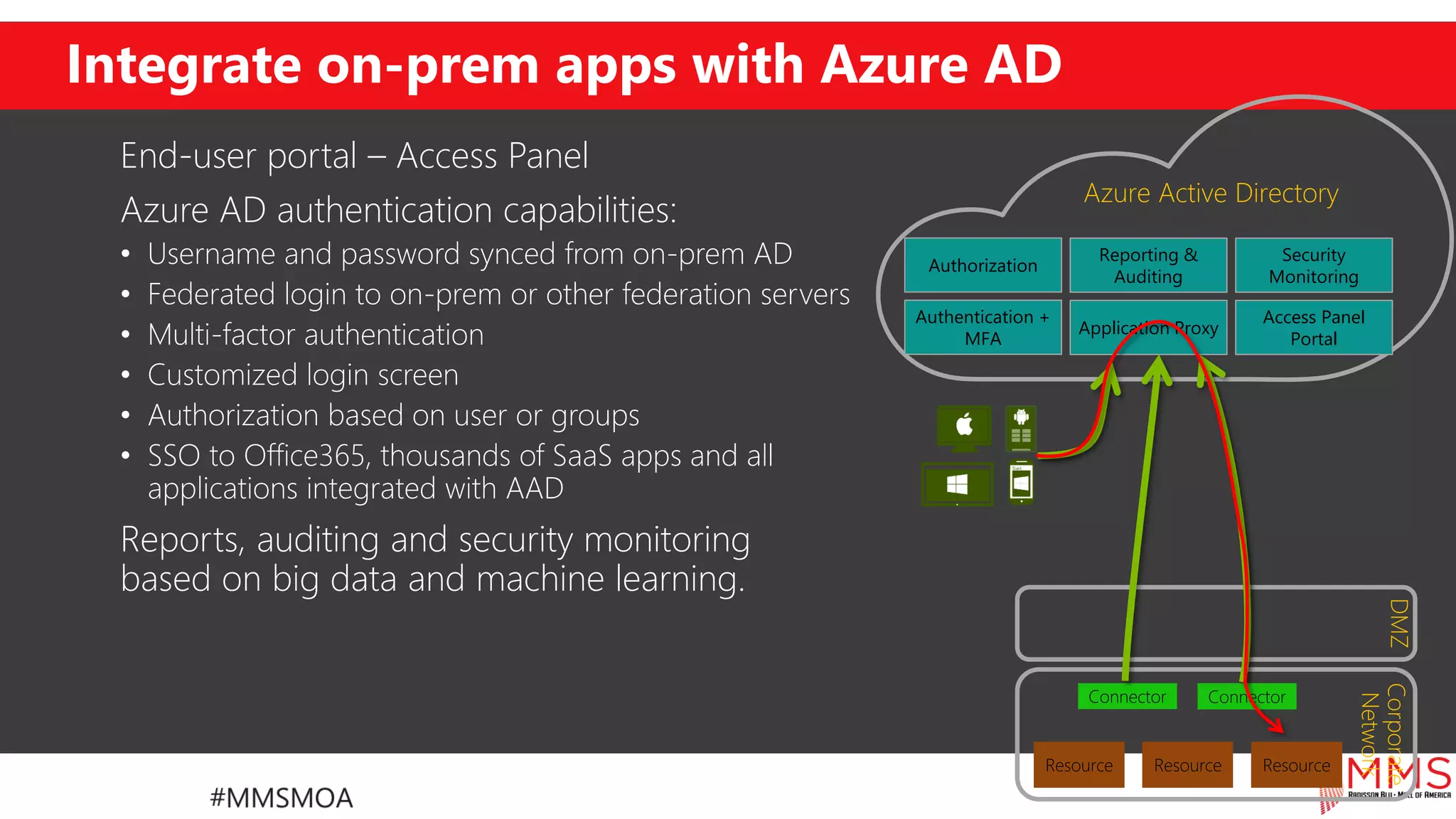
Integrate on-prem apps with Azure AD
End-user portal – Access Panel
Azure AD authentication capabilities:
• Username and password synced from on-prem AD
• Federated login to on-prem or other federation servers
• Multi-factor authentication
• Customized login screen
• Authorization based on user or groups
• SSO to Office365, thousands of SaaS apps and all
applications integrated with AAD
Reports, auditing and security monitoring
based on big data and machine learning.
Azure Active Directory
Resource ResourceResource
Corporate
Network
DMZ
Connector Connector
Application Proxy
Access Panel
Portal
Authentication +
MFA
Reporting &
Auditing
Security
Monitoring
Authorization
Demo
Azure Active Directory Premium
Microsoft Intune
MDM, MAM and more
Microsoft Intune
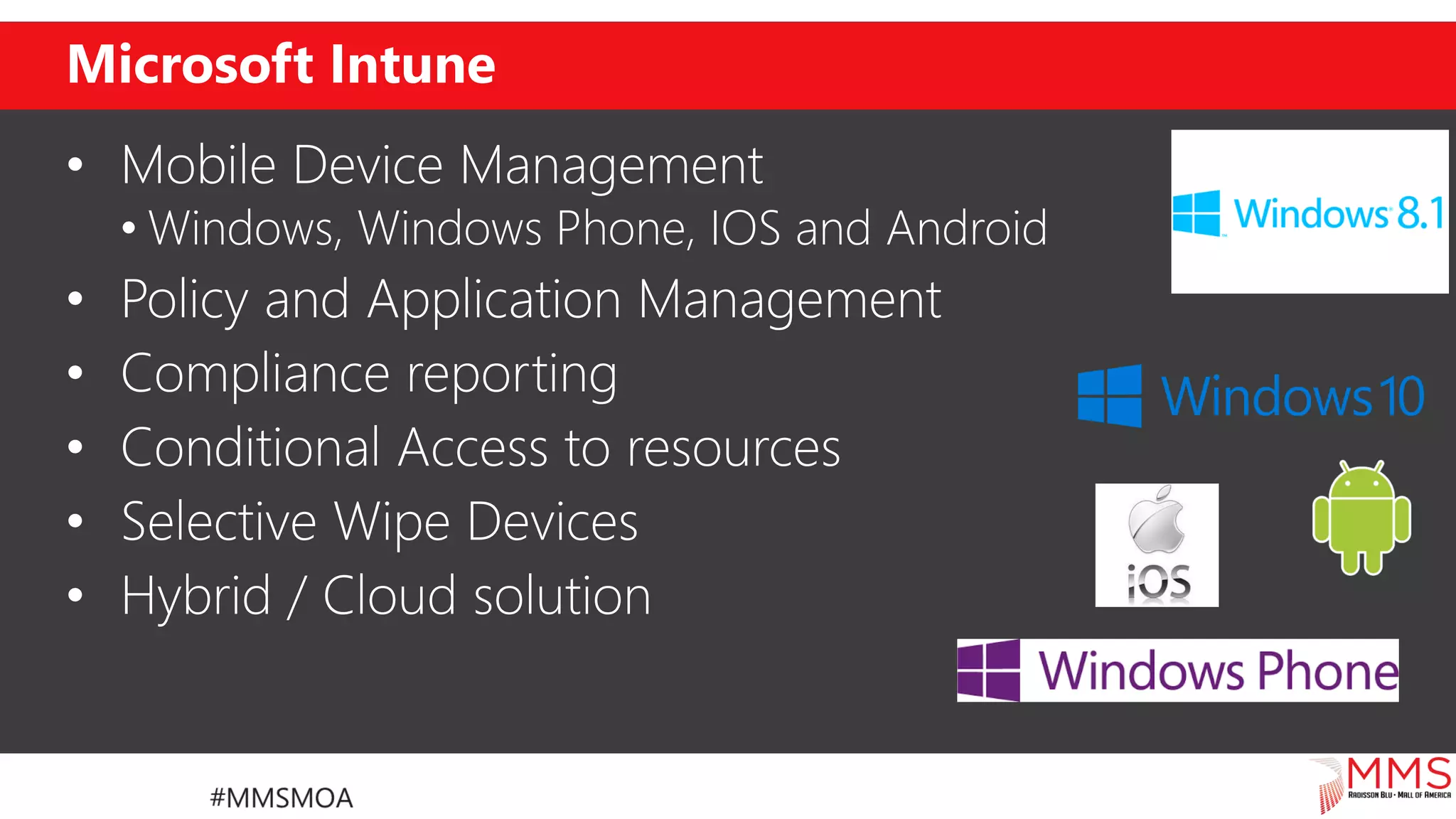
• Mobile Device Management
• Windows, Windows Phone, IOS and Android
• Policy and Application Management
• Compliance reporting
• Conditional Access to resources
• Selective Wipe Devices
• Hybrid / Cloud solution
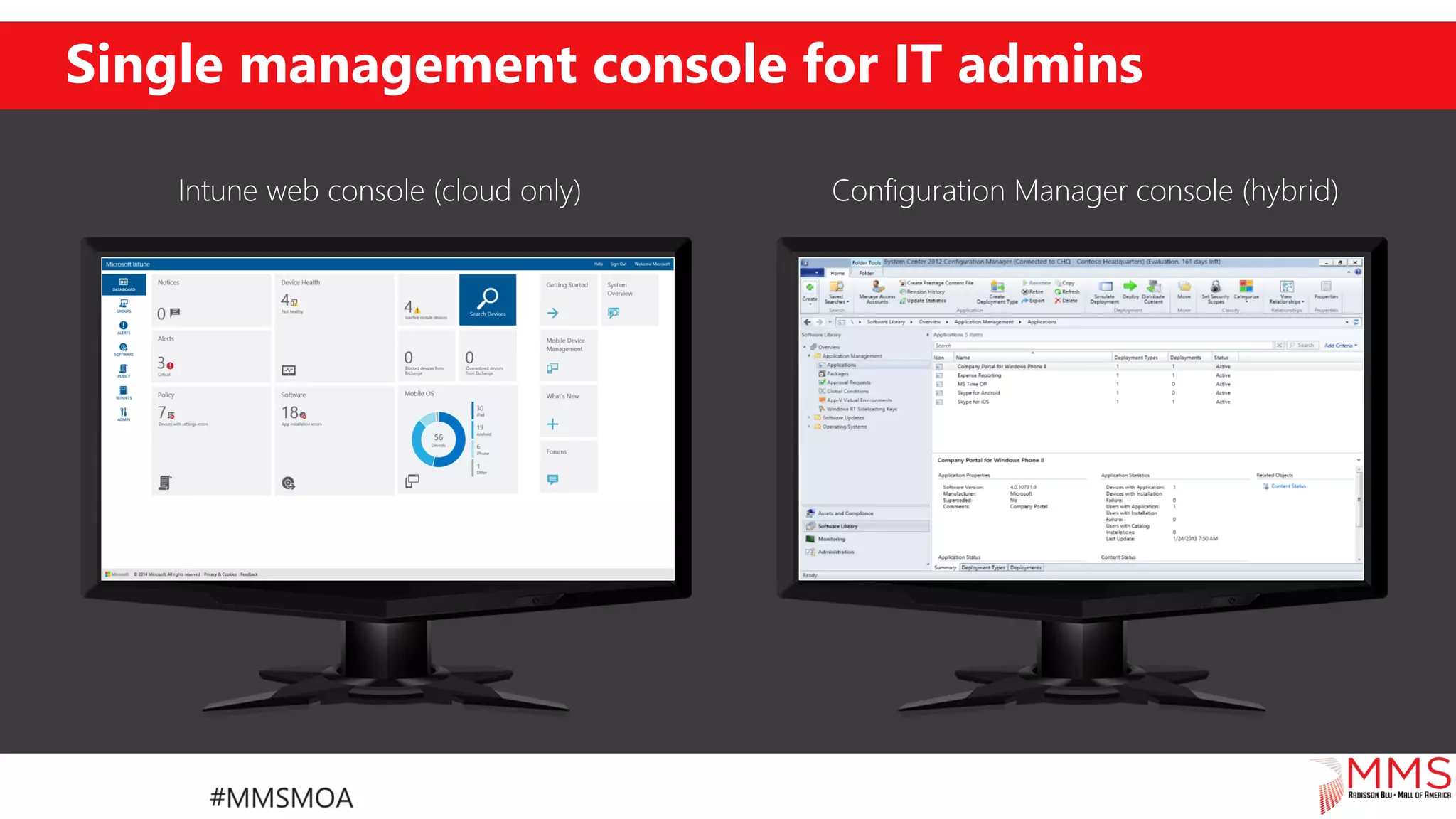
Single management console for IT admins
Configuration Manager console (hybrid)Intune web console (cloud only)
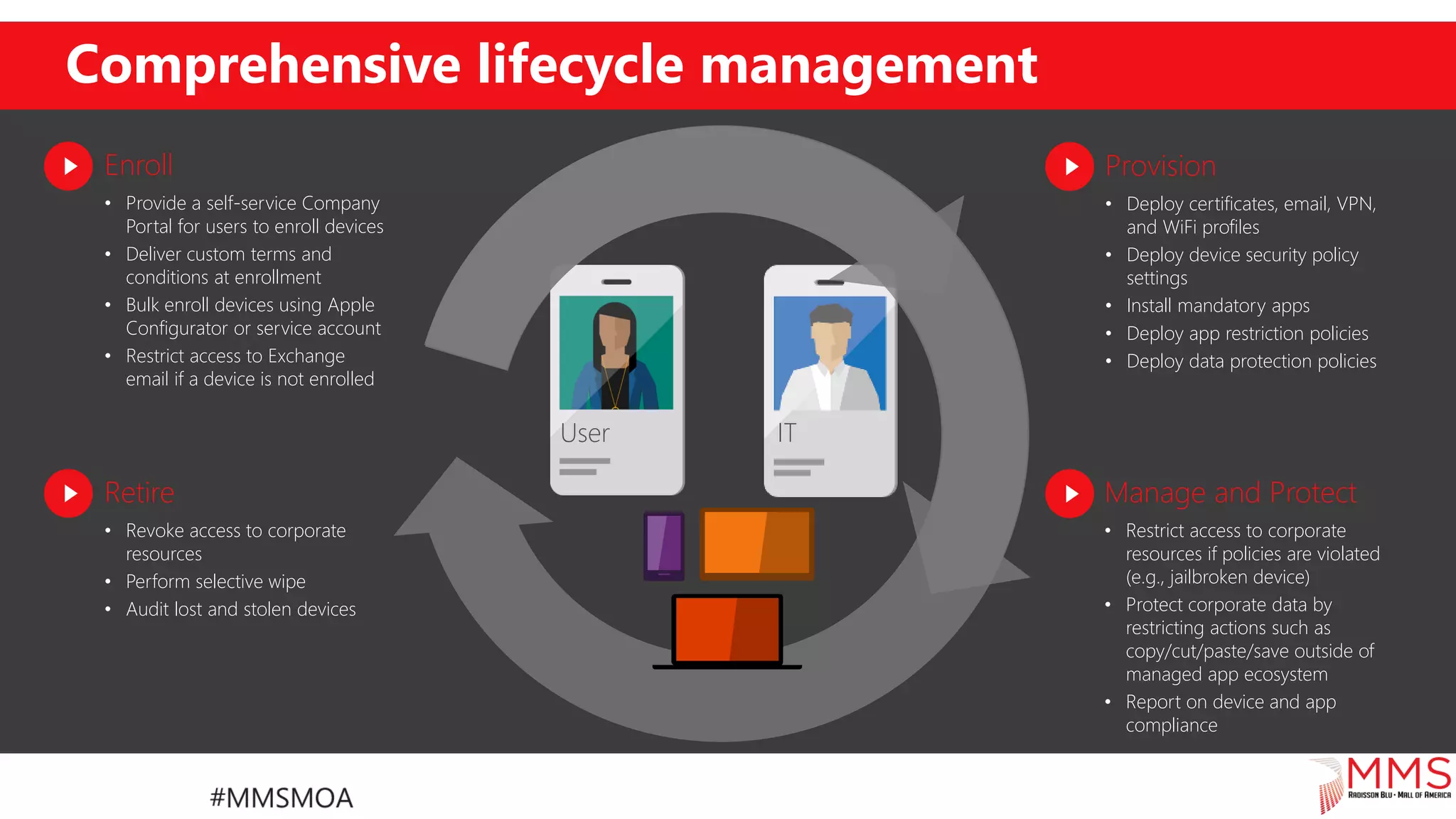
Comprehensive lifecycle management
Enroll
• Provide a self-service Company
Portal for users to enroll devices
• Deliver custom terms and
conditions at enrollment
• Bulk enroll devices using Apple
Configurator or service account
• Restrict access to Exchange
email if a device is not enrolled
Retire
• Revoke access to corporate
resources
• Perform selective wipe
• Audit lost and stolen devices
Provision
• Deploy certificates, email, VPN,
and WiFi profiles
• Deploy device security policy
settings
• Install mandatory apps
• Deploy app restriction policies
• Deploy data protection policies
Manage and Protect
• Restrict access to corporate
resources if policies are violated
(e.g., jailbroken device)
• Protect corporate data by
restricting actions such as
copy/cut/paste/save outside of
managed app ecosystem
• Report on device and app
compliance
User IT
Microsoft Intune
Company Portal(s)
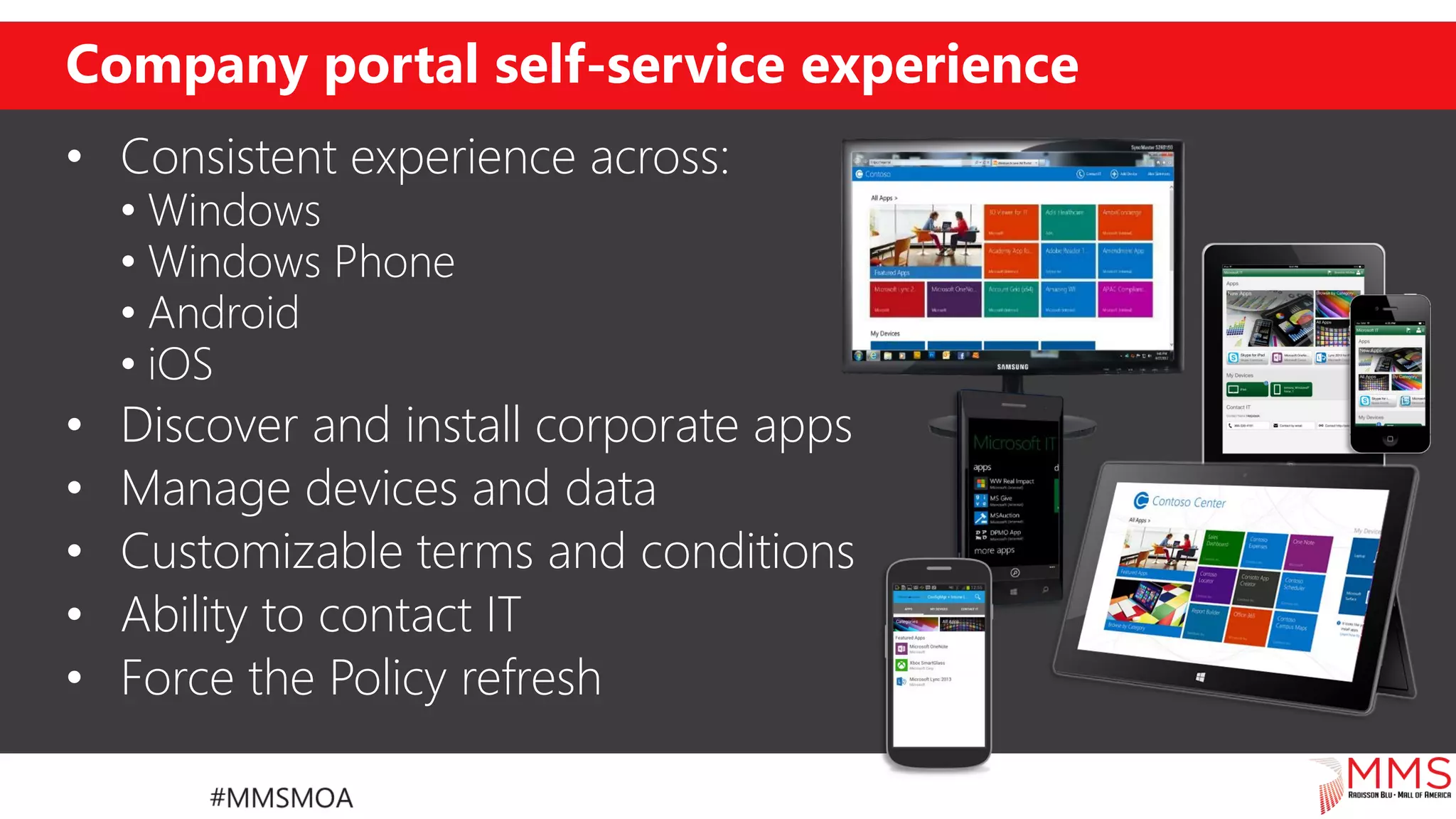
Company portal self-service experience
• Consistent experience across:
• Windows
• Windows Phone
• Android
• iOS
• Discover and install corporate apps
• Manage devices and data
• Customizable terms and conditions
• Ability to contact IT
• Force the Policy refresh
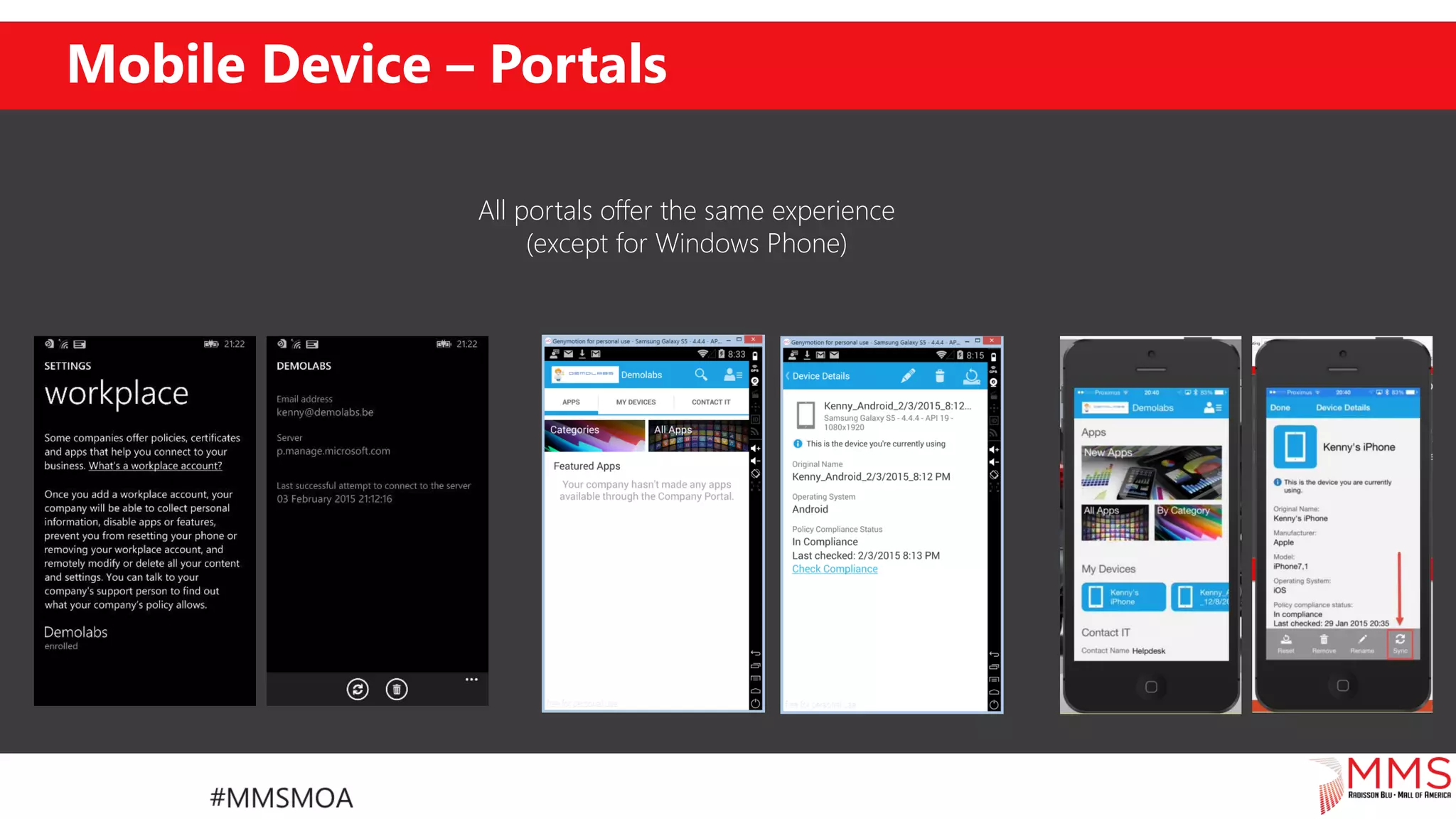
Mobile Device – Portals
All portals offer the same experience
(except for Windows Phone)
Microsoft Intune
Device Enrolment – The new way
Conditional access
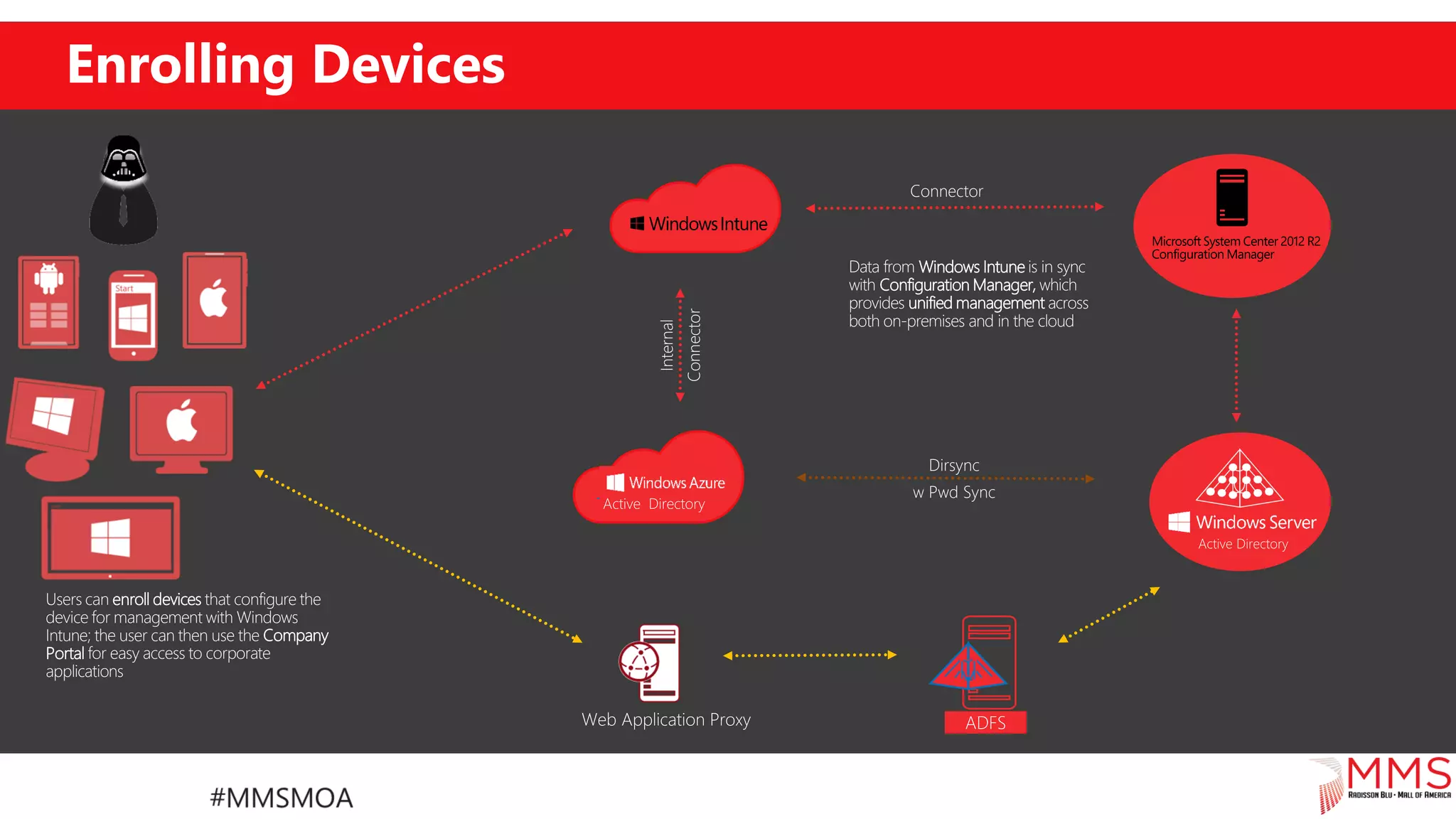
Enrolling Devices
Users can enroll devices that configure the
device for management with Windows
Intune; the user can then use the Company
Portal for easy access to corporate
applications
Data from Windows Intune is in sync
with Configuration Manager, which
provides unified management across
both on-premises and in the cloud
Dirsync
w Pwd Sync
Connector
Internal
Connector
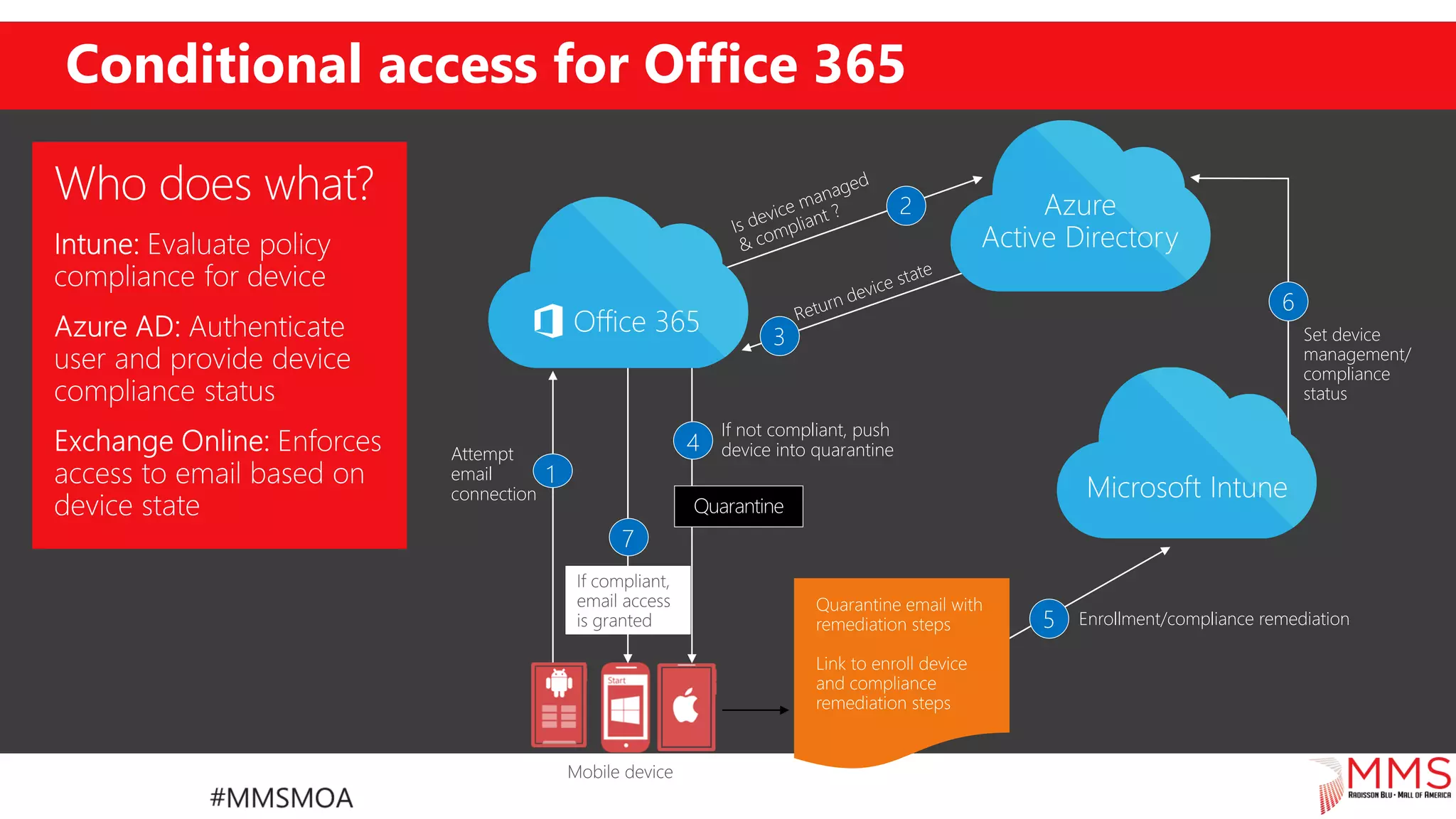
Conditional access for Office 365
7
Enrollment/compliance remediation5
If not compliant, push
device into quarantine4
2
Attempt
email
connection
1
3 Set device
management/
compliance
status
6
Demo
Device Enrolment – The new way
Conditional access
Microsoft Intune
Application Management
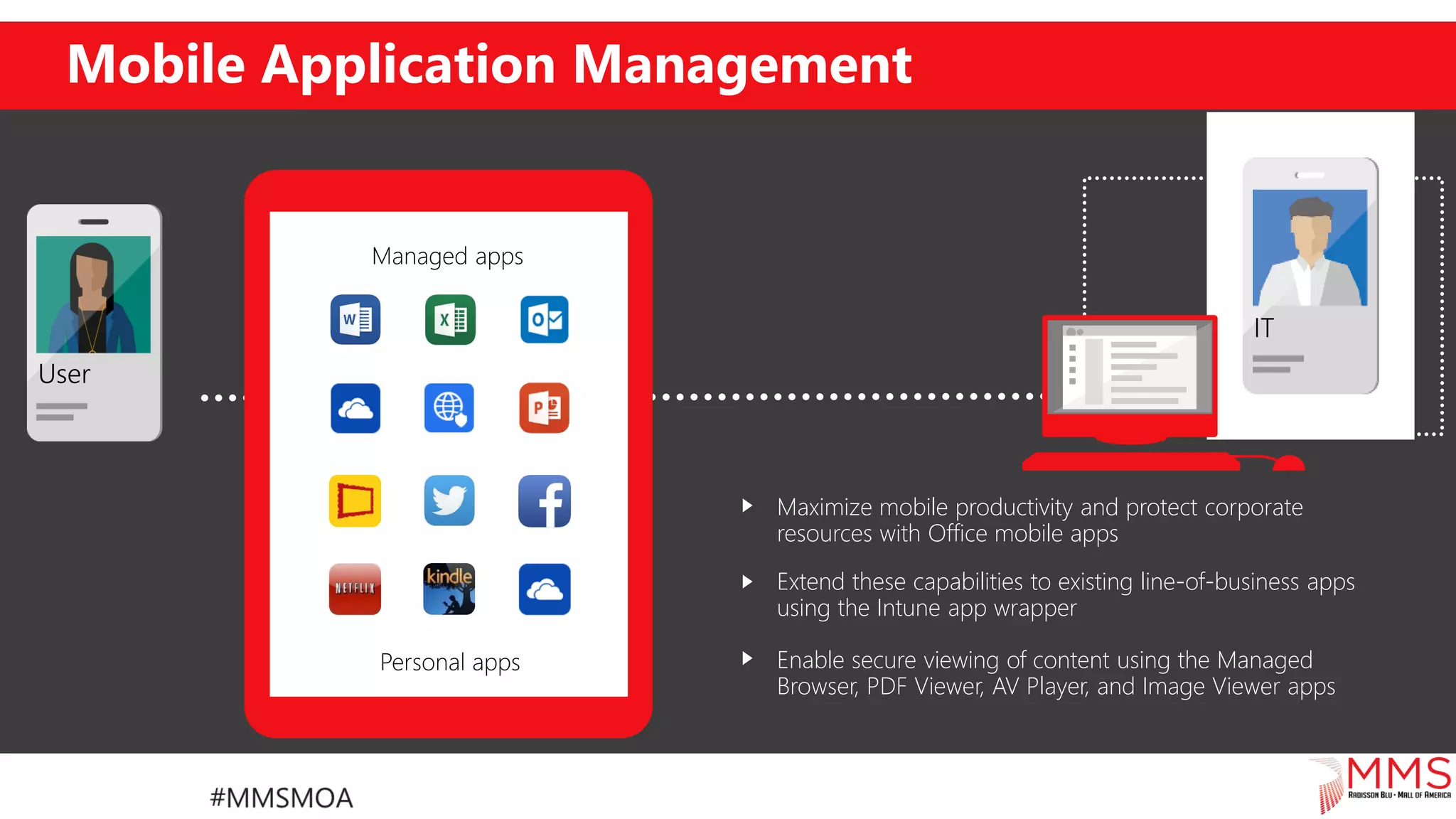
Mobile Application Management
Maximize mobile productivity and protect corporate
resources with Office mobile apps
Extend these capabilities to existing line-of-business apps
using the Intune app wrapper
Enable secure viewing of content using the Managed
Browser, PDF Viewer, AV Player, and Image Viewer apps
Personal apps
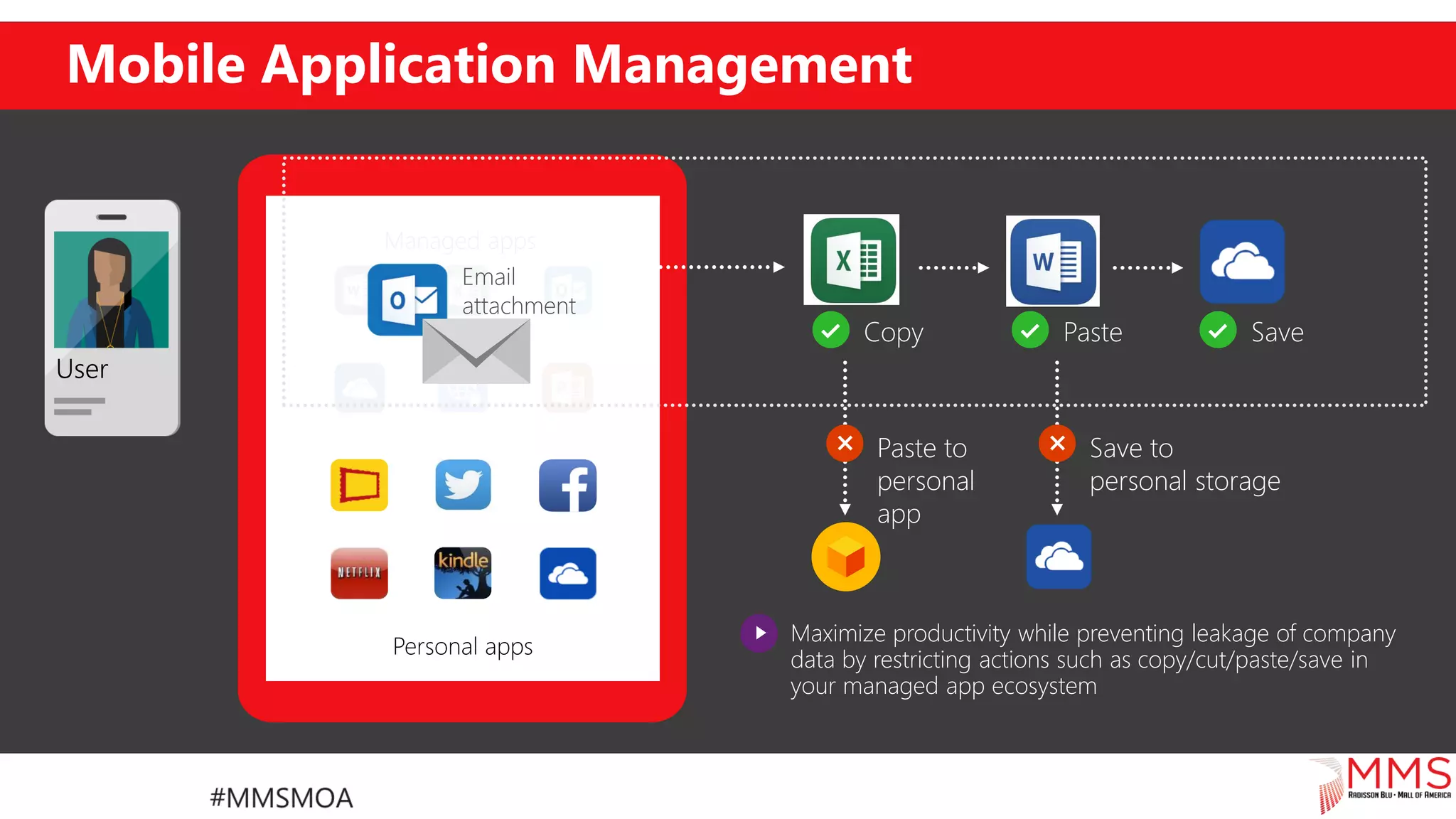
Mobile Application Management
Copy Paste Save
Maximize productivity while preventing leakage of company
data by restricting actions such as copy/cut/paste/save in
your managed app ecosystem
Save to
personal storage
Paste to
personal
app
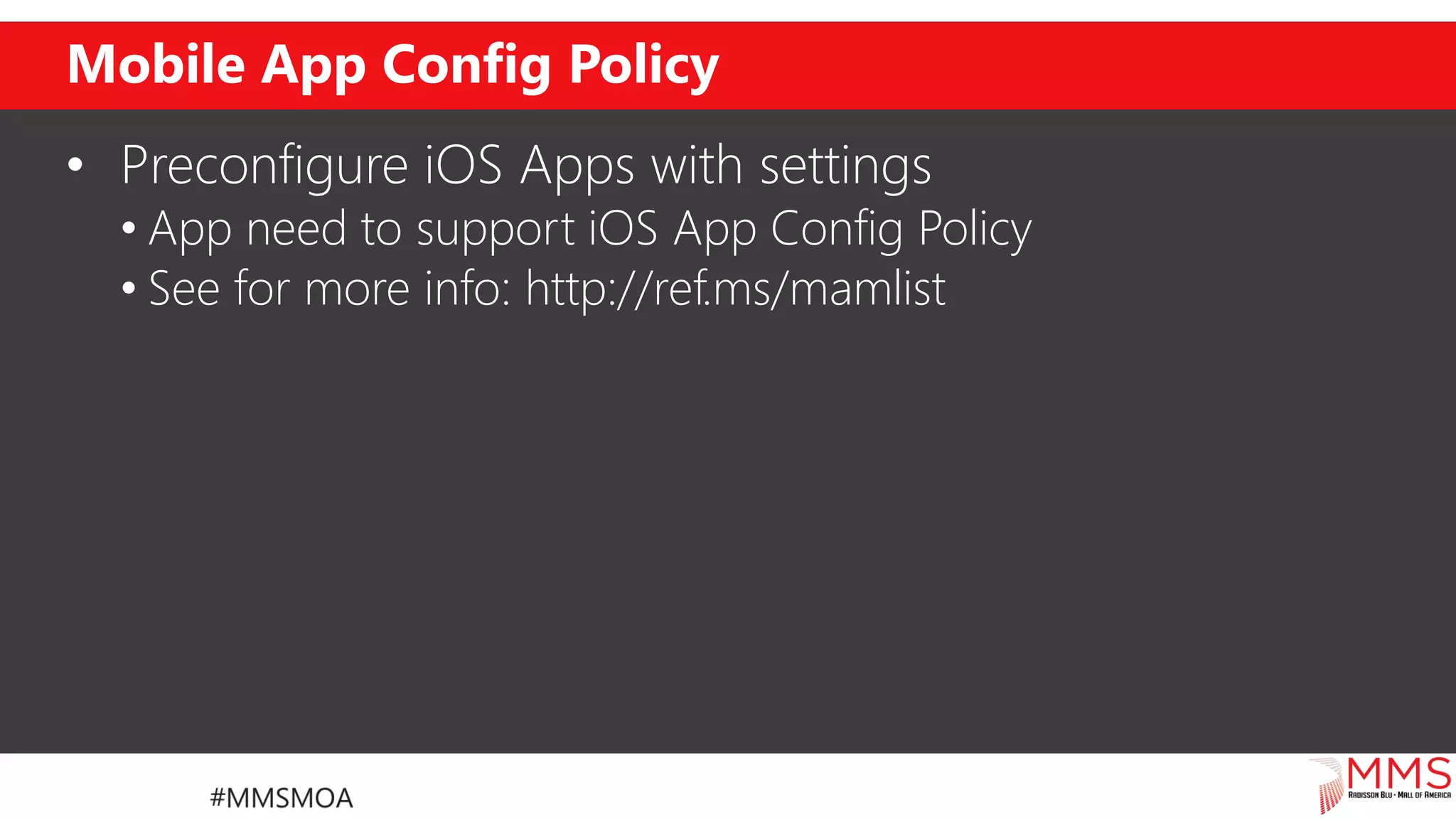
Mobile App Config Policy
• Preconfigure iOS Apps with settings
• App need to support iOS App Config Policy
• See for more info: http://ref.ms/mamlist
Demo
Mobile Application Management
Microsoft Intune
Soon available: Mac OS X management
37
Mac OS X support for
• Enrollment
• Deploying policies
• Deploying profiles
• Remote actions
• Reporting
Demo
Mac OS X
Rights Management
Protecting the data
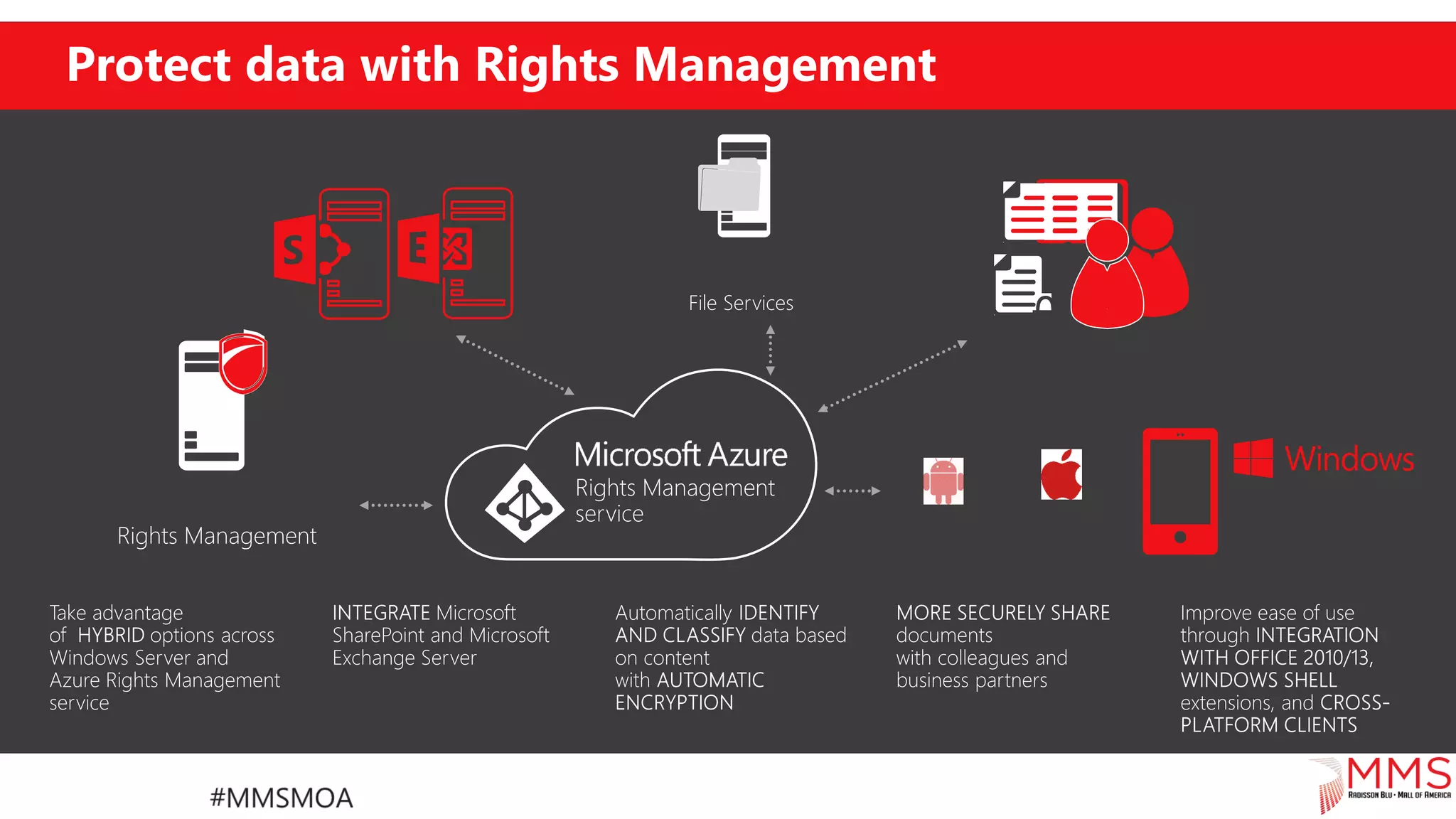
Microsoft Rights Management
• Encrypt and control
• Documents
• Mails
• Prevent unwanted viewing/printing or access to
Corporate data
Protect data with Rights Management
File Services
Rights Management
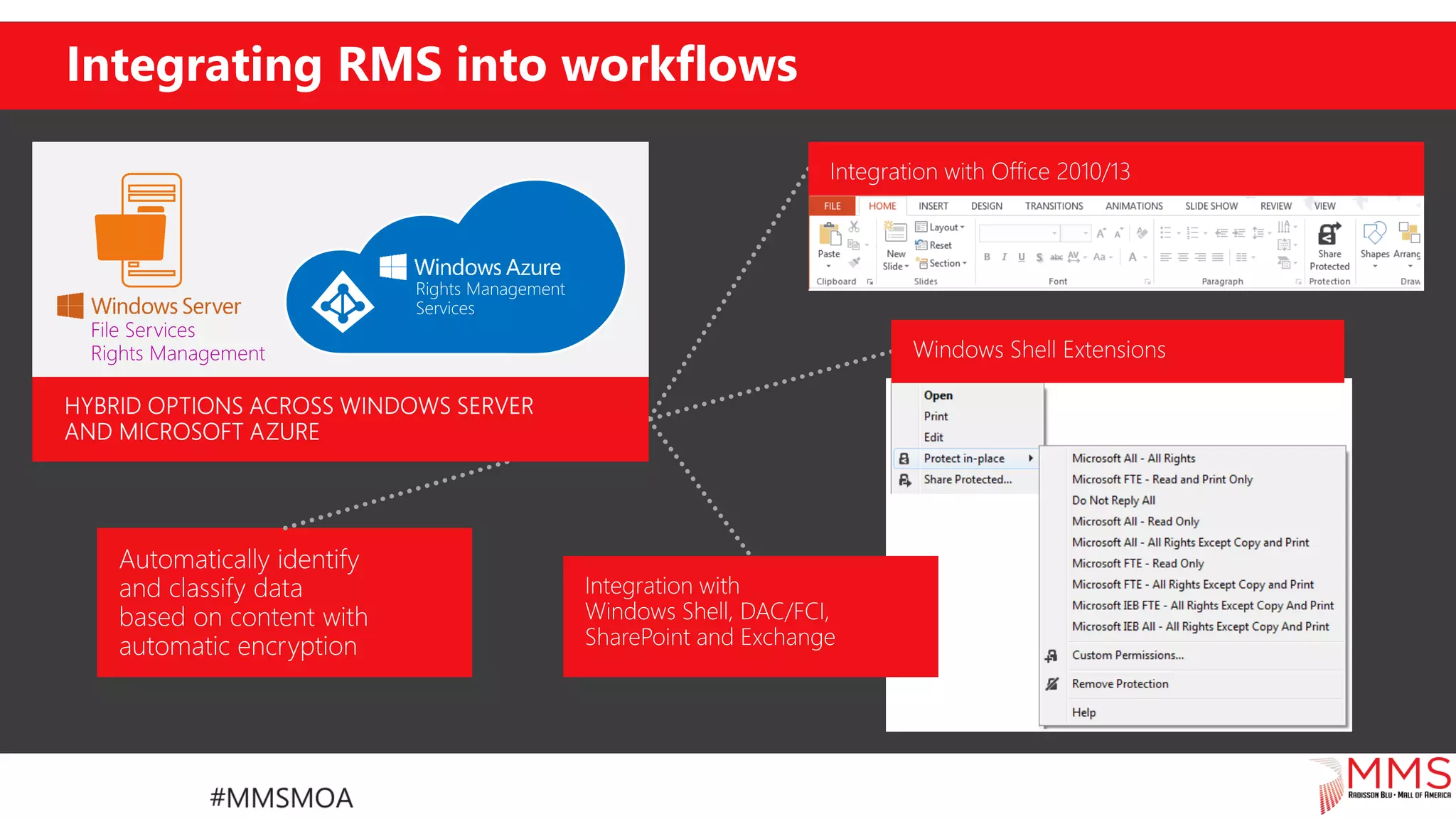
Integrating RMS into workflows
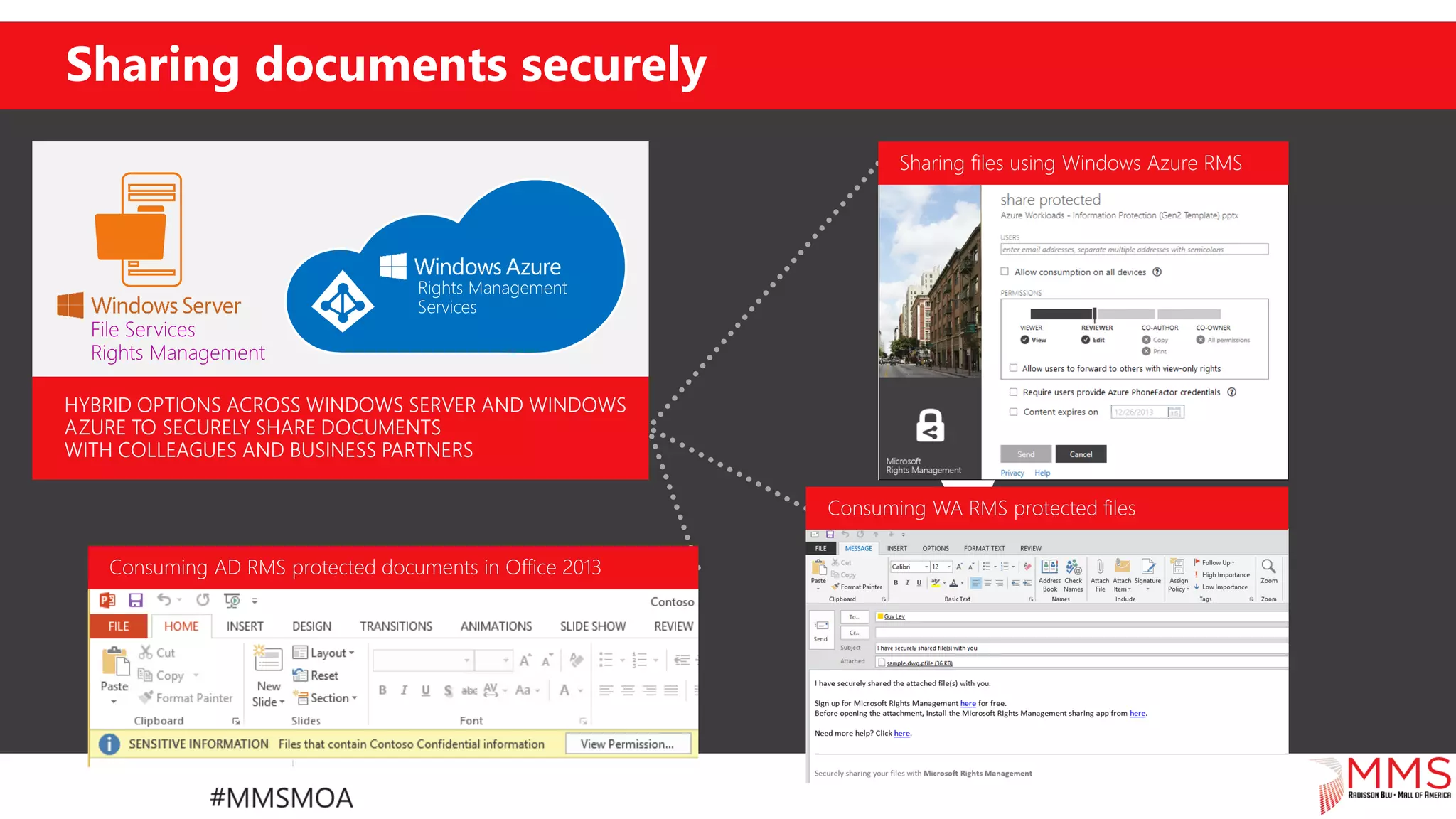
Sharing documents securely
Demo
Rights Management
How to get started?
With Microsoft EMS
How to get started?
Go to ref.ms/ems > Try now
• Sign up
• Setup AAD Connect (synchronize accounts)
• Set MDM authority
• Configure platforms
• Enroll!
Share your ideas
• Share your voice / ideas!
• http://microsoftintune.uservoice.com/
• http://configurationmanager.uservoice.com/
Questions
Thank you!
Evaluations: Please provide session feedback by clicking the EVAL button in the scheduler app (also
download slides). One lucky winner will receive a free ticket to the next MMS!
Session Title: What is Microsoft Enterprise Mobility Suite and how to configure it
Discuss…
Ask your questions-real world answers!
Plenty of time to engage, share knowledge.
SPONSORS
MMS 2015: What is ems and how to configure it

MMS 2015: What is ems and how to configure it

  • 1.
    What is MicrosoftEnterprise Mobility Suite and how to configure it Peter Daalmans @pdaalmans http://ref.ms/aboutme Mirko Colemberg @mirkocolemberg http://blog.Colemberg.ch
  • 2.
  • 3.
  • 4.
    Agenda • EMS Components •Azure AD Premium • Microsoft Intune • Azure RMS • How to get started?
  • 5.
  • 6.
    What is MSEMS? • Enterprise Mobility Suite • Azure Active Directory Premium • Microsoft Intune • Azure Rights Management
  • 7.
  • 8.
    Making hybrid identitysimple – 6 clicks to the cloud Azure AD Connect Consolidated deployment assistant for your identity bridge components (The difference is the Password) ADFS use cases Tighter AD integration Security Policy Conditional Access Smart Card Authentication DirSync Azure AD Sync FIM+Azure AD Connector Azure AD Connect
  • 9.
    Identity: Cloud, Syncor Federated?     Cloud identity provides a solution where all identity resides in the cloud Federated identity allows customers to retain all authentication on-premises Identity sync enables customers to bridge their existing identity into the cloud B2B federated identity allows customers to securely share and collaborate with each other
  • 10.
    Azure Active DirectoryPremium Active Directory in the cloud • Federation and identity provisioning Centrally managed identities • Synchronization • Single User Identity (SSO) Monitoring and protect access to cloud apps • Authentication and Security reports • Multi-Factor Authentication (MFA) Empower end Users • Self-Service password reset
  • 11.
    No Object LimitNo Object Limit No Limit Advanced Security Reports Yes(Advanced)** Premium + Basic Features Group-based access management/provisioning Yes Yes Self-Service Password Reset for cloud users Yes Yes Company Branding (Logon Pages/Access Panel customization) Yes Yes SLA Yes Yes AAD editions comparison
  • 12.
  • 13.
    Self-service group management, including dynamicmembership calculation in these groups and distribution lists, based on the user’s attributes. Users can reset their passwords significantly reducing help desk burden and costs. Users can edit their profile details to update and add missing information Self service experience for users
  • 14.
    Monitor and protectaccess on go-anywhere devices Security reporting that tracks inconsistent access patterns, analytics and alerts. Built-in security features, like “you cant be in two places at once”. Ensure secure access by enabling MFA XXXXX XXXXX XXXXX
  • 15.
    Multi-factor authentication Any twoor more of the following factors:  Something you know: a password or PIN.  Something you have: a phone, credit card or hardware token.  Something you are: a fingerprint, retinal scan or other biometric. Stronger when using two different channels (out-of-band).
  • 16.
    Premium Reports Premium reports: •Advanced application usage reporting • Password reset activity • Selfservice activity • Identify unexpected logon behavior
  • 17.
  • 18.
    Discovery from non-Windowsdevices • Cloud App Discovery gateway • Devices can be configured to go through gateway • Requires MDM for deployment across organization
  • 19.
    Integrate on-prem appswith Azure AD End-user portal – Access Panel Azure AD authentication capabilities: • Username and password synced from on-prem AD • Federated login to on-prem or other federation servers • Multi-factor authentication • Customized login screen • Authorization based on user or groups • SSO to Office365, thousands of SaaS apps and all applications integrated with AAD Reports, auditing and security monitoring based on big data and machine learning. Azure Active Directory Resource ResourceResource Corporate Network DMZ Connector Connector Application Proxy Access Panel Portal Authentication + MFA Reporting & Auditing Security Monitoring Authorization
  • 20.
  • 21.
  • 22.
    Microsoft Intune • MobileDevice Management • Windows, Windows Phone, IOS and Android • Policy and Application Management • Compliance reporting • Conditional Access to resources • Selective Wipe Devices • Hybrid / Cloud solution
  • 23.
    Single management consolefor IT admins Configuration Manager console (hybrid)Intune web console (cloud only)
  • 24.
    Comprehensive lifecycle management Enroll •Provide a self-service Company Portal for users to enroll devices • Deliver custom terms and conditions at enrollment • Bulk enroll devices using Apple Configurator or service account • Restrict access to Exchange email if a device is not enrolled Retire • Revoke access to corporate resources • Perform selective wipe • Audit lost and stolen devices Provision • Deploy certificates, email, VPN, and WiFi profiles • Deploy device security policy settings • Install mandatory apps • Deploy app restriction policies • Deploy data protection policies Manage and Protect • Restrict access to corporate resources if policies are violated (e.g., jailbroken device) • Protect corporate data by restricting actions such as copy/cut/paste/save outside of managed app ecosystem • Report on device and app compliance User IT
  • 25.
  • 26.
    Company portal self-serviceexperience • Consistent experience across: • Windows • Windows Phone • Android • iOS • Discover and install corporate apps • Manage devices and data • Customizable terms and conditions • Ability to contact IT • Force the Policy refresh
  • 27.
    Mobile Device –Portals All portals offer the same experience (except for Windows Phone)
  • 28.
    Microsoft Intune Device Enrolment– The new way Conditional access
  • 29.
    Enrolling Devices Users canenroll devices that configure the device for management with Windows Intune; the user can then use the Company Portal for easy access to corporate applications Data from Windows Intune is in sync with Configuration Manager, which provides unified management across both on-premises and in the cloud Dirsync w Pwd Sync Connector Internal Connector
  • 30.
    Conditional access forOffice 365 7 Enrollment/compliance remediation5 If not compliant, push device into quarantine4 2 Attempt email connection 1 3 Set device management/ compliance status 6
  • 31.
    Demo Device Enrolment –The new way Conditional access
  • 32.
  • 33.
    Mobile Application Management Maximizemobile productivity and protect corporate resources with Office mobile apps Extend these capabilities to existing line-of-business apps using the Intune app wrapper Enable secure viewing of content using the Managed Browser, PDF Viewer, AV Player, and Image Viewer apps Personal apps
  • 34.
    Mobile Application Management CopyPaste Save Maximize productivity while preventing leakage of company data by restricting actions such as copy/cut/paste/save in your managed app ecosystem Save to personal storage Paste to personal app
  • 35.
    Mobile App ConfigPolicy • Preconfigure iOS Apps with settings • App need to support iOS App Config Policy • See for more info: http://ref.ms/mamlist
  • 36.
  • 37.
    Microsoft Intune Soon available:Mac OS X management 37
  • 38.
    Mac OS Xsupport for • Enrollment • Deploying policies • Deploying profiles • Remote actions • Reporting
  • 39.
  • 40.
  • 41.
    Microsoft Rights Management •Encrypt and control • Documents • Mails • Prevent unwanted viewing/printing or access to Corporate data
  • 42.
    Protect data withRights Management File Services Rights Management
  • 43.
  • 44.
  • 45.
  • 46.
    How to getstarted? With Microsoft EMS
  • 47.
    How to getstarted? Go to ref.ms/ems > Try now • Sign up • Setup AAD Connect (synchronize accounts) • Set MDM authority • Configure platforms • Enroll!
  • 48.
    Share your ideas •Share your voice / ideas! • http://microsoftintune.uservoice.com/ • http://configurationmanager.uservoice.com/
  • 49.
  • 50.
  • 51.
    Evaluations: Please providesession feedback by clicking the EVAL button in the scheduler app (also download slides). One lucky winner will receive a free ticket to the next MMS! Session Title: What is Microsoft Enterprise Mobility Suite and how to configure it Discuss… Ask your questions-real world answers! Plenty of time to engage, share knowledge. SPONSORS