Scott Moser <smoser@ubuntu.com>
Josh Harlow <harlowja@yahoo-inc.com>
Evil Superuser’s HOWTO:
Launching Instances to do your bidding
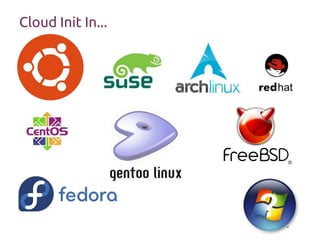
Cloud Init In...
?
Quick deep[ish]-dive
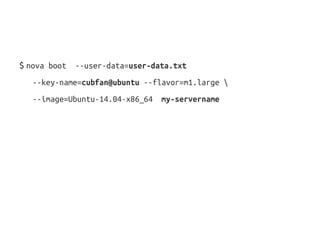
$ nova boot --user-data=user-data.txt
--key-name=cubfan@ubuntu --flavor=m1.large 
--image=Ubuntu-14.04-x86_64 my-servername
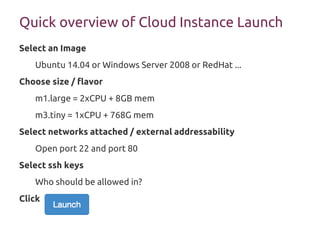
Quick overview of Cloud Instance Launch
Select an Image
Ubuntu 14.04 or Windows Server 2008 or RedHat ...
Choose size / flavor
m1.large = 2xCPU + 8GB mem
m3.tiny = 1xCPU + 768G mem
Select networks attached / external addressability
Open port 22 and port 80
Select ssh keys
Who should be allowed in?
Click
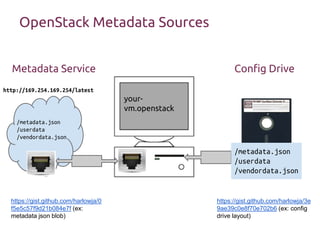
OpenStack Metadata Sources
/metadata.json
/userdata
/vendordata.json
/metadata.json
/userdata
/vendordata.json
your-
vm.openstack
http://169.254.169.254/latest
Metadata Service Config Drive
https://gist.github.com/harlowja/3e
9ae39c0e8f70e702b6 (ex: config
drive layout)
https://gist.github.com/harlowja/0
f5e5c57f9d21b084e7f (ex:
metadata json blob)
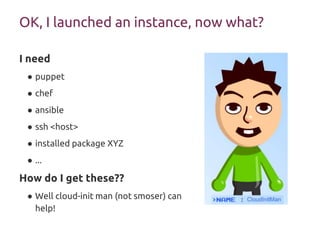
OK, I launched an instance, now what?
I need
● puppet
● chef
● ansible
● ssh <host>
● installed package XYZ
● ...
How do I get these??
● Well cloud-init man (not smoser) can
help!
What is user-data
Also known as Instance Customization Data
Allows a single “image” to behave differently
Simple:
#!/bin/sh
echo “Hi Mom”
More Complex (via YAML):
#cloud-config
packages: [pastebinit]
runcmd:
- echo “Hi Mom” | tee /run/greeting.log | pastebinit
How it can be quite useful
● Store common user-data(s) in an external repo (ie, GIT) and
combine into a VM/machine/compute instance at a later point
● Creates a repository of common patterns that can be shared and
reviewed separately (inherent decoupling)
● Creates a clear boundary between instances and what they
eventually become when initialized
● Cross-platform (to some degree)
● Making the same common user-data/patterns work across
machine types, operating system types…
What happens (at a high-level)
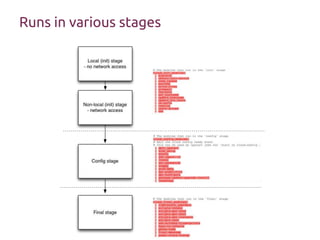
Init:
Read from datasource (or use prior datasource)
Fetch & save instance-data (userdata, metadata, ...)
May write network configuration
Consume user-data (expanding it…)
Run init (sections) modules
Config:
Run config (sections) modules
Final:
Run final (sections) modules
Runs in various stages
Cloud-init’s take on user-data
Can be multi-part
● Input in mime multipart format or cloud-config-archive
format (yaml/json list)
● '#include' support
● Allows for including external urls…
● Useful for merging in large user-data from external sources...
Separates configuration and code
Processed via pluggable modules
Extensible via user-data
● Add your own ‘part-handlers’
● Change config that is built into system
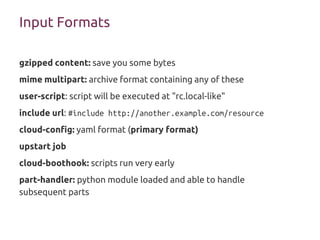
Input Formats
gzipped content: save you some bytes
mime multipart: archive format containing any of these
user-script: script will be executed at "rc.local-like"
include url: #include http://another.example.com/resource
cloud-config: yaml format (primary format)
upstart job
cloud-boothook: scripts run very early
part-handler: python module loaded and able to handle
subsequent parts
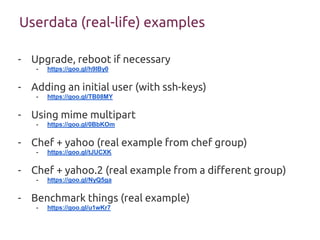
Userdata (real-life) examples
- Upgrade, reboot if necessary
- https://goo.gl/h9IBy0
- Adding an initial user (with ssh-keys)
- https://goo.gl/TB08MY
- Using mime multipart
- https://goo.gl/0BbKOm
- Chef + yahoo (real example from chef group)
- https://goo.gl/tJUCXK
- Chef + yahoo.2 (real example from a different group)
- https://goo.gl/NyQ5ga
- Benchmark things (real example)
- https://goo.gl/u1wKr7
What else does Cloud-init do?
● import ssh keys
● grow the root partition
● add [default] user(s)/group(s)
● hostname
● timezone
● mount points
● distro packaging items: mirror selection, additional package
archives, packages, upgrade
● ssh public keys, ssh private [host keys]
● phone home (useful for on completion callbacks)
● seed your machines entropy source (/dev/urandom)
● More info: doc/examples/
Data Sources (Cloud Providers)
Azure
CloudStack
OpenStack
● ConfigDrive (r/o ISO9600/VFAT)
● MD/UD REST API (similar to EC2 variant)
DigitalOcean
EC2
Google Compute (GCE)
MAAS
NoCloud
OpenNebula
OVF
SmartOS [Joyent]
How and who provides data (for cloud-init to use)...
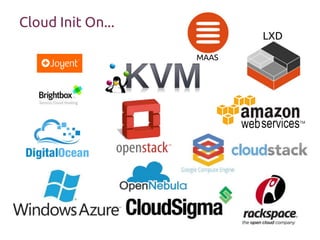
Cloud Init On...
LXD
MAAS
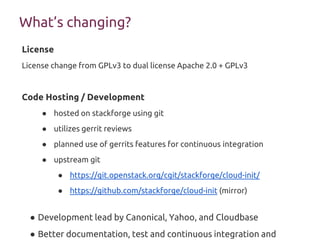
What’s changing?
License
License change from GPLv3 to dual license Apache 2.0 + GPLv3
Code Hosting / Development
● hosted on stackforge using git
● utilizes gerrit reviews
● planned use of gerrits features for continuous integration
● upstream git
● https://git.openstack.org/cgit/stackforge/cloud-init/
● https://github.com/stackforge/cloud-init (mirror)
● Development lead by Canonical, Yahoo, and Cloudbase
● Better documentation, test and continuous integration and
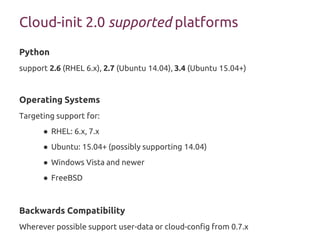
Cloud-init 2.0 supported platforms
Python
support 2.6 (RHEL 6.x), 2.7 (Ubuntu 14.04), 3.4 (Ubuntu 15.04+)
Operating Systems
Targeting support for:
● RHEL: 6.x, 7.x
● Ubuntu: 15.04+ (possibly supporting 14.04)
● Windows Vista and newer
● FreeBSD
Backwards Compatibility
Wherever possible support user-data or cloud-config from 0.7.x
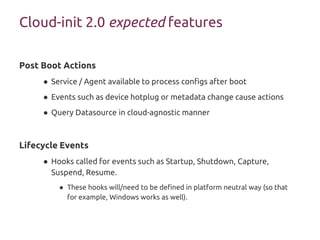
Post Boot Actions
● Service / Agent available to process configs after boot
● Events such as device hotplug or metadata change cause actions
● Query Datasource in cloud-agnostic manner
Lifecycle Events
● Hooks called for events such as Startup, Shutdown, Capture,
Suspend, Resume.
● These hooks will/need to be defined in platform neutral way (so that
for example, Windows works as well).
Cloud-init 2.0 expected features
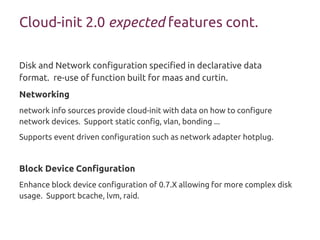
Cloud-init 2.0 expected features cont.
Disk and Network configuration specified in declarative data
format. re-use of function built for maas and curtin.
Networking
network info sources provide cloud-init with data on how to configure
network devices. Support static config, vlan, bonding ...
Supports event driven configuration such as network adapter hotplug.
Block Device Configuration
Enhance block device configuration of 0.7.X allowing for more complex disk
usage. Support bcache, lvm, raid.
Tomato throwing time
Questions/comments??

Cloud init and cloud provisioning [openstack summit vancouver]

  • 1.
    Scott Moser <smoser@ubuntu.com> JoshHarlow <harlowja@yahoo-inc.com> Evil Superuser’s HOWTO: Launching Instances to do your bidding
  • 2.
  • 3.
  • 4.
    $ nova boot--user-data=user-data.txt --key-name=cubfan@ubuntu --flavor=m1.large --image=Ubuntu-14.04-x86_64 my-servername
  • 5.
    Quick overview ofCloud Instance Launch Select an Image Ubuntu 14.04 or Windows Server 2008 or RedHat ... Choose size / flavor m1.large = 2xCPU + 8GB mem m3.tiny = 1xCPU + 768G mem Select networks attached / external addressability Open port 22 and port 80 Select ssh keys Who should be allowed in? Click
  • 6.
    OpenStack Metadata Sources /metadata.json /userdata /vendordata.json /metadata.json /userdata /vendordata.json your- vm.openstack http://169.254.169.254/latest MetadataService Config Drive https://gist.github.com/harlowja/3e 9ae39c0e8f70e702b6 (ex: config drive layout) https://gist.github.com/harlowja/0 f5e5c57f9d21b084e7f (ex: metadata json blob)
  • 7.
    OK, I launchedan instance, now what? I need ● puppet ● chef ● ansible ● ssh <host> ● installed package XYZ ● ... How do I get these?? ● Well cloud-init man (not smoser) can help!
  • 8.
    What is user-data Alsoknown as Instance Customization Data Allows a single “image” to behave differently Simple: #!/bin/sh echo “Hi Mom” More Complex (via YAML): #cloud-config packages: [pastebinit] runcmd: - echo “Hi Mom” | tee /run/greeting.log | pastebinit
  • 9.
    How it canbe quite useful ● Store common user-data(s) in an external repo (ie, GIT) and combine into a VM/machine/compute instance at a later point ● Creates a repository of common patterns that can be shared and reviewed separately (inherent decoupling) ● Creates a clear boundary between instances and what they eventually become when initialized ● Cross-platform (to some degree) ● Making the same common user-data/patterns work across machine types, operating system types…
  • 10.
    What happens (ata high-level) Init: Read from datasource (or use prior datasource) Fetch & save instance-data (userdata, metadata, ...) May write network configuration Consume user-data (expanding it…) Run init (sections) modules Config: Run config (sections) modules Final: Run final (sections) modules
  • 11.
  • 12.
    Cloud-init’s take onuser-data Can be multi-part ● Input in mime multipart format or cloud-config-archive format (yaml/json list) ● '#include' support ● Allows for including external urls… ● Useful for merging in large user-data from external sources... Separates configuration and code Processed via pluggable modules Extensible via user-data ● Add your own ‘part-handlers’ ● Change config that is built into system
  • 13.
    Input Formats gzipped content:save you some bytes mime multipart: archive format containing any of these user-script: script will be executed at "rc.local-like" include url: #include http://another.example.com/resource cloud-config: yaml format (primary format) upstart job cloud-boothook: scripts run very early part-handler: python module loaded and able to handle subsequent parts
  • 14.
    Userdata (real-life) examples -Upgrade, reboot if necessary - https://goo.gl/h9IBy0 - Adding an initial user (with ssh-keys) - https://goo.gl/TB08MY - Using mime multipart - https://goo.gl/0BbKOm - Chef + yahoo (real example from chef group) - https://goo.gl/tJUCXK - Chef + yahoo.2 (real example from a different group) - https://goo.gl/NyQ5ga - Benchmark things (real example) - https://goo.gl/u1wKr7
  • 15.
    What else doesCloud-init do? ● import ssh keys ● grow the root partition ● add [default] user(s)/group(s) ● hostname ● timezone ● mount points ● distro packaging items: mirror selection, additional package archives, packages, upgrade ● ssh public keys, ssh private [host keys] ● phone home (useful for on completion callbacks) ● seed your machines entropy source (/dev/urandom) ● More info: doc/examples/
  • 16.
    Data Sources (CloudProviders) Azure CloudStack OpenStack ● ConfigDrive (r/o ISO9600/VFAT) ● MD/UD REST API (similar to EC2 variant) DigitalOcean EC2 Google Compute (GCE) MAAS NoCloud OpenNebula OVF SmartOS [Joyent] How and who provides data (for cloud-init to use)...
  • 17.
  • 19.
    What’s changing? License License changefrom GPLv3 to dual license Apache 2.0 + GPLv3 Code Hosting / Development ● hosted on stackforge using git ● utilizes gerrit reviews ● planned use of gerrits features for continuous integration ● upstream git ● https://git.openstack.org/cgit/stackforge/cloud-init/ ● https://github.com/stackforge/cloud-init (mirror) ● Development lead by Canonical, Yahoo, and Cloudbase ● Better documentation, test and continuous integration and
  • 20.
    Cloud-init 2.0 supportedplatforms Python support 2.6 (RHEL 6.x), 2.7 (Ubuntu 14.04), 3.4 (Ubuntu 15.04+) Operating Systems Targeting support for: ● RHEL: 6.x, 7.x ● Ubuntu: 15.04+ (possibly supporting 14.04) ● Windows Vista and newer ● FreeBSD Backwards Compatibility Wherever possible support user-data or cloud-config from 0.7.x
  • 21.
    Post Boot Actions ●Service / Agent available to process configs after boot ● Events such as device hotplug or metadata change cause actions ● Query Datasource in cloud-agnostic manner Lifecycle Events ● Hooks called for events such as Startup, Shutdown, Capture, Suspend, Resume. ● These hooks will/need to be defined in platform neutral way (so that for example, Windows works as well). Cloud-init 2.0 expected features
  • 22.
    Cloud-init 2.0 expectedfeatures cont. Disk and Network configuration specified in declarative data format. re-use of function built for maas and curtin. Networking network info sources provide cloud-init with data on how to configure network devices. Support static config, vlan, bonding ... Supports event driven configuration such as network adapter hotplug. Block Device Configuration Enhance block device configuration of 0.7.X allowing for more complex disk usage. Support bcache, lvm, raid.
  • 23.

Editor's Notes

  • #13 cloud-config is cloud-init’s configuration mechanism, and what it