Building Hybrid Cloud Environments 
with OpenNebula 
Constantino Vázquez Blanco 
VP of Engineering at OpenNebula Systems 
OpenNebula Project Major Contributor 
presented by
Agenda 
● The OpenNebula Hybrid Approach 
● Amazon EC2 
● Live Demo 
● Microsoft Azure 
● Live Demo 
● IBM SoftLayer 
● Live Demo 
#OpenNebulaConf OpenNebula.org
The OpenNebula Hybrid Approach 
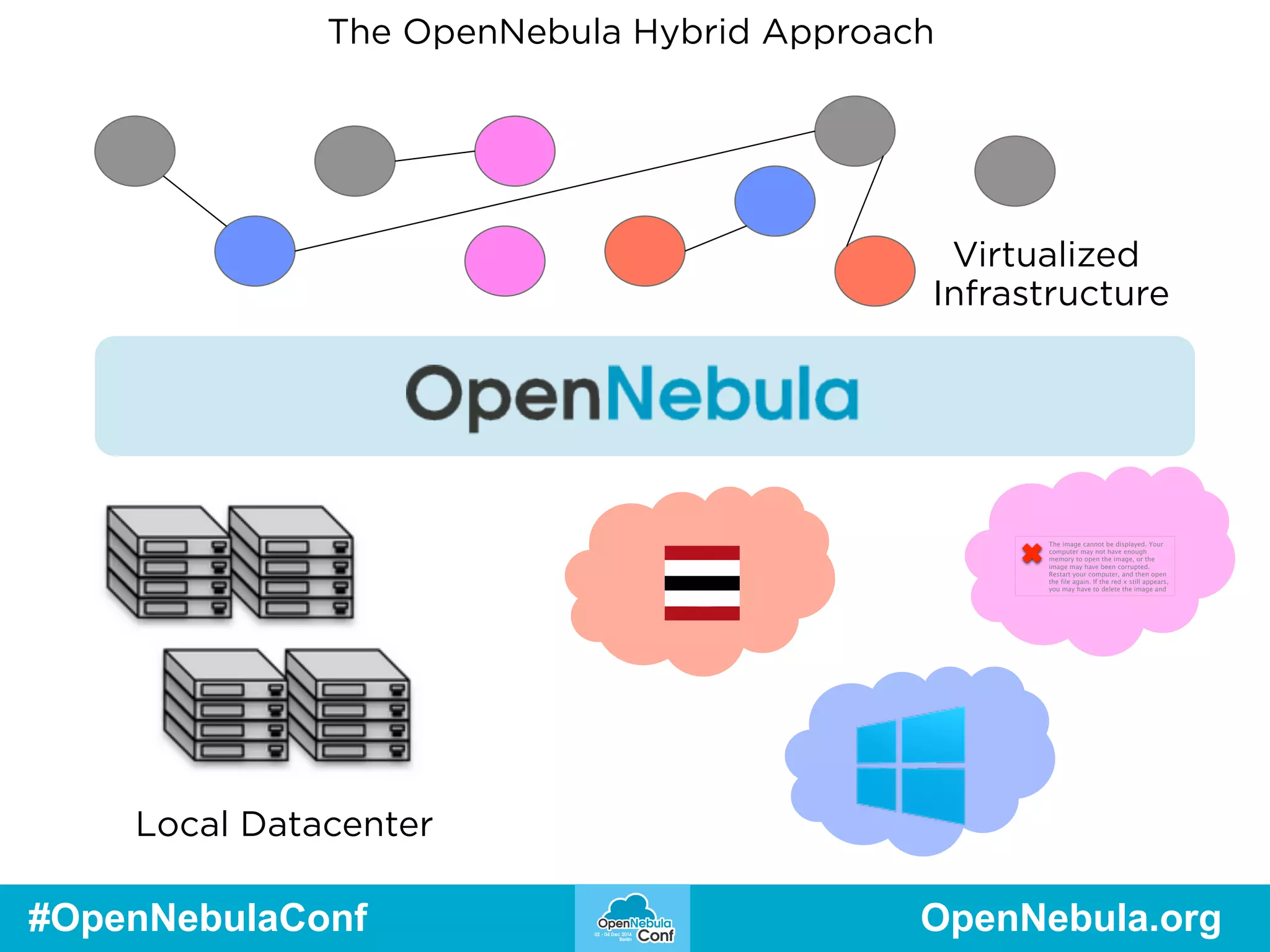
Operative word is transparency 
• For the administrator 
• Both local and remote ‘hypervisors’ are 
modeled as OpenNebula hosts 
• For the end user 
• Consumable VM Templates can be hybrid, 
meaning multiple sections describing the VM 
in different locations 
#OpenNebulaConf OpenNebula.org
The OpenNebula Hybrid Approach 
Unique hybrid approach 
● One OpenNebula Host can be … 
● One local Hypervisor 
● One Public Cloud 
● One Region (EC2) / Location (AZ) / 
Datacenter(SL) 
● One Availability Zone 
#OpenNebulaConf OpenNebula.org
The OpenNebula Hybrid Approach 
Unique hybrid approach 
● End users consume a catalog of hybrid templates 
● Administrators manage 
● Scheduling policies 
● Fixed priority 
● Public Cloud modeled capacity 
#OpenNebulaConf OpenNebula.org
The OpenNebula Hybrid Approach 
Limitations 
● No ‘magic’ networking 
● Define VPNs, benchmark latency 
● No automatic image upload 
● Admin task to preload or configure images 
● … and, of course, no automatic inter-public cloud 
image converting + transferring … 
#OpenNebulaConf OpenNebula.org
The OpenNebula Hybrid Approach 
Hybrid VM Templates 
NAME=WebServer 
CPU=1 
MEMORY=2048 
DISK=[IMAGE=“CentOSLAMP”] 
NIC=[NETWORK=“Public” 
EC2=[ 
AMI="ami-6f5f1206", 
INSTANCETYPE="m1.small", 
KEYPAIR="gsg-keypair" ] 
#OpenNebulaConf OpenNebula.org
The OpenNebula Hybrid Approach 
Hybrid VM Templates 
PUBLIC_CLOUD=[ 
TYPE="SOFTLAYER", 
INSTANCE_TYPE="slcci.medium", 
BLOCKDEVICETEMPLATE=“MyLAMPOnSL" 
] 
PUBLIC_CLOUD = [ 
TYPE=AZURE, 
INSTANCE_TYPE=ExtraSmall, 
IMAGE=myLAMPonAZ-30GB, 
TCP_ENDPOINTS="80", 
] 
#OpenNebulaConf OpenNebula.org
The OpenNebula Hybrid Approach 
Local Datacenter 
Virtualized 
Infrastructure 
The image cannot be displayed. Your 
computer may not have enough 
memory to open the image, or the 
image may have been corrupted. 
Restart your computer, and then open 
the file again. If the red x still appears, 
you may have to delete the image and 
#OpenNebulaConf OpenNebula.org
Amazon EC2 
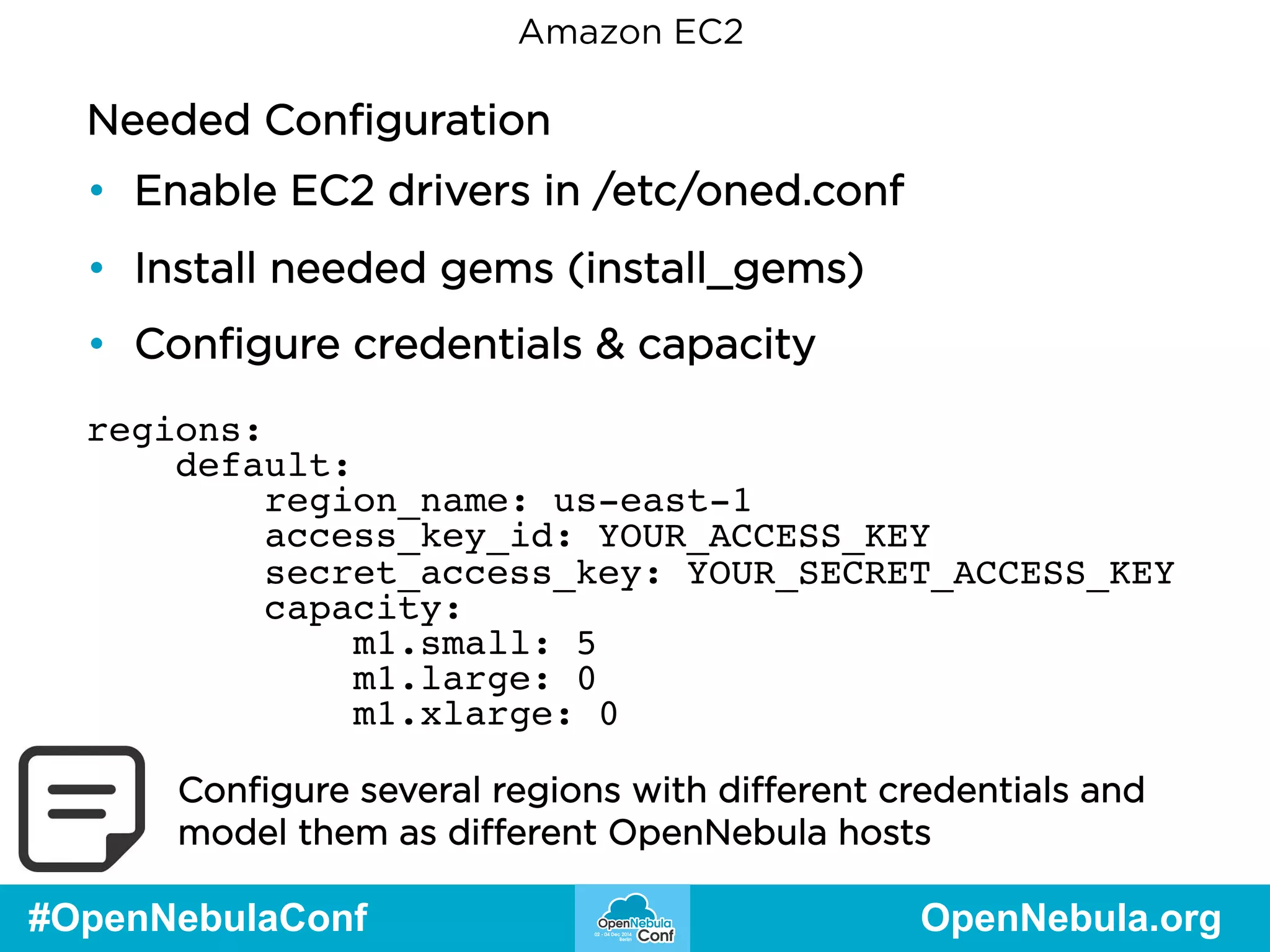
Needed Configuration 
• Enable EC2 drivers in /etc/oned.conf 
• Install needed gems (install_gems) 
• Configure credentials & capacity 
regions: 
default: 
region_name: us-east-1 
access_key_id: YOUR_ACCESS_KEY 
secret_access_key: YOUR_SECRET_ACCESS_KEY 
capacity: 
m1.small: 5 
m1.large: 0 
m1.xlarge: 0 
Configure several regions with different credentials and 
model them as different OpenNebula hosts 
#OpenNebulaConf OpenNebula.org
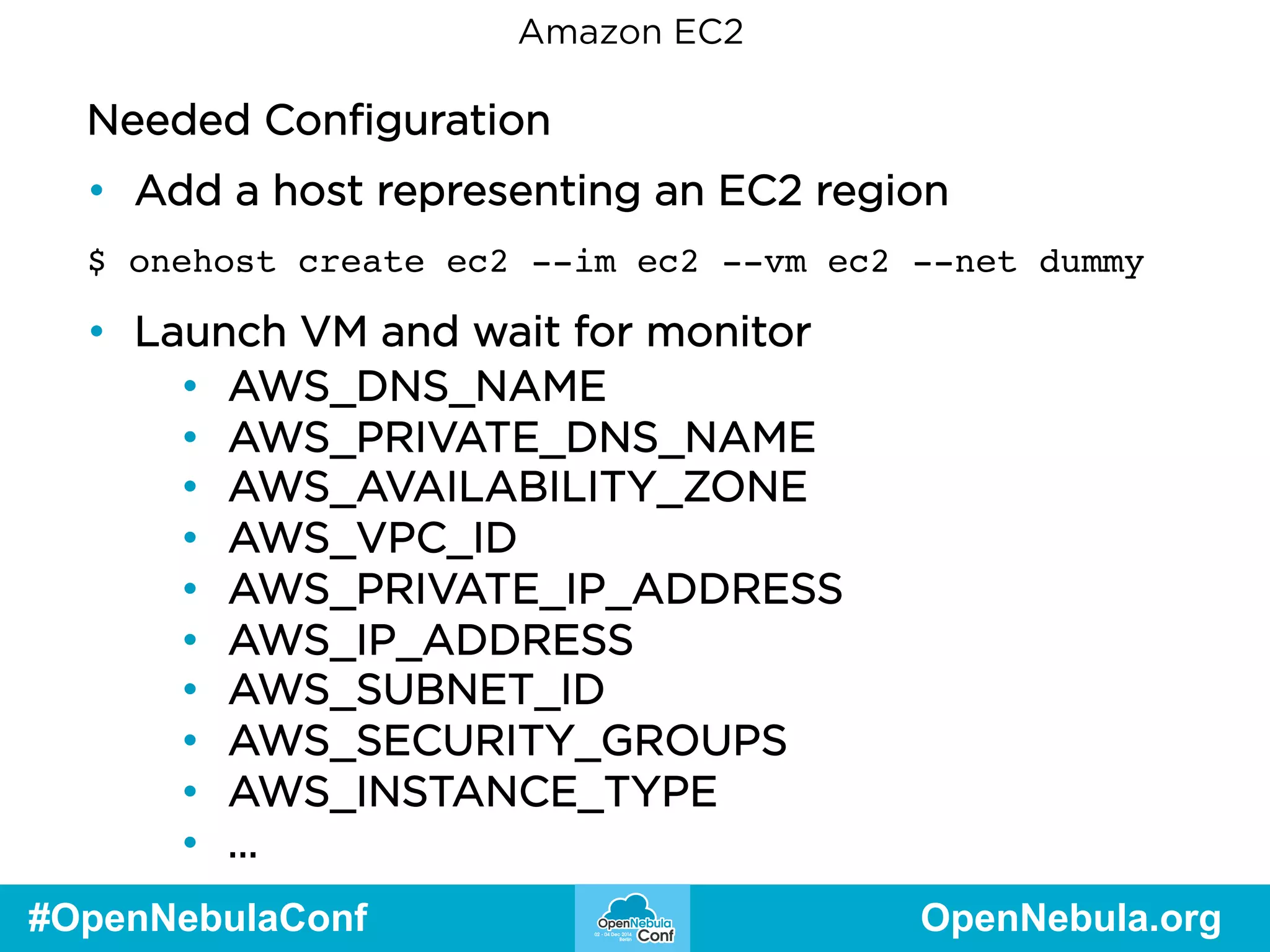
Amazon EC2 
Needed Configuration 
• Add a host representing an EC2 region 
$ onehost create ec2 --im ec2 --vm ec2 --net dummy 
• Launch VM and wait for monitor 
• AWS_DNS_NAME 
• AWS_PRIVATE_DNS_NAME 
• AWS_AVAILABILITY_ZONE 
• AWS_VPC_ID 
• AWS_PRIVATE_IP_ADDRESS 
• AWS_IP_ADDRESS 
• AWS_SUBNET_ID 
• AWS_SECURITY_GROUPS 
• AWS_INSTANCE_TYPE 
• … 
#OpenNebulaConf OpenNebula.org
EC2 Live Demo
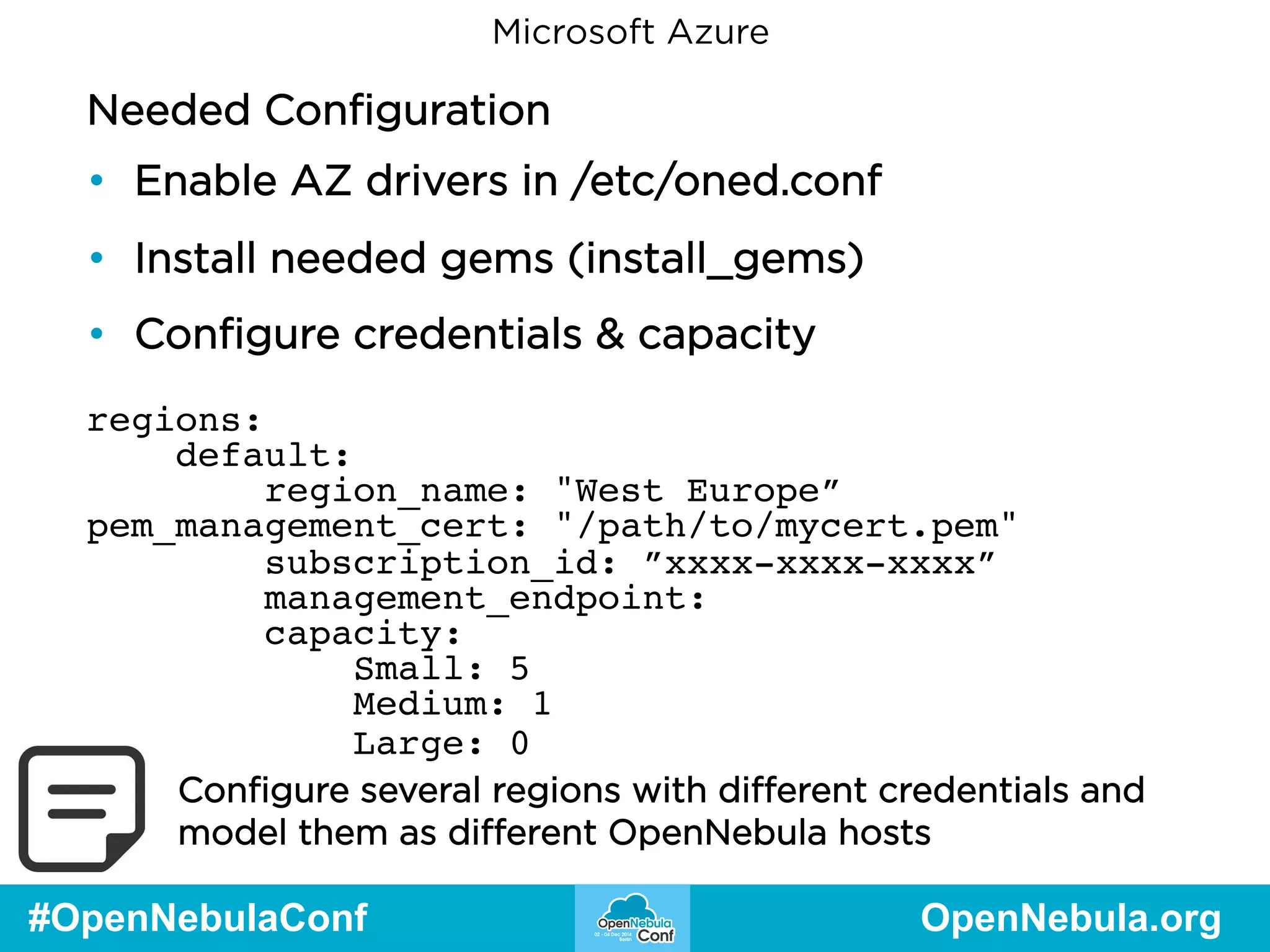
Microsoft Azure 
Needed Configuration 
• Enable AZ drivers in /etc/oned.conf 
• Install needed gems (install_gems) 
• Configure credentials & capacity 
regions: 
default: 
region_name: "West Europe” 
pem_management_cert: "/path/to/mycert.pem" 
subscription_id: ”xxxx-xxxx-xxxx” 
management_endpoint: 
capacity: 
Small: 5 
Medium: 1 
Large: 0 
Configure several regions with different credentials and 
model them as different OpenNebula hosts 
#OpenNebulaConf OpenNebula.org
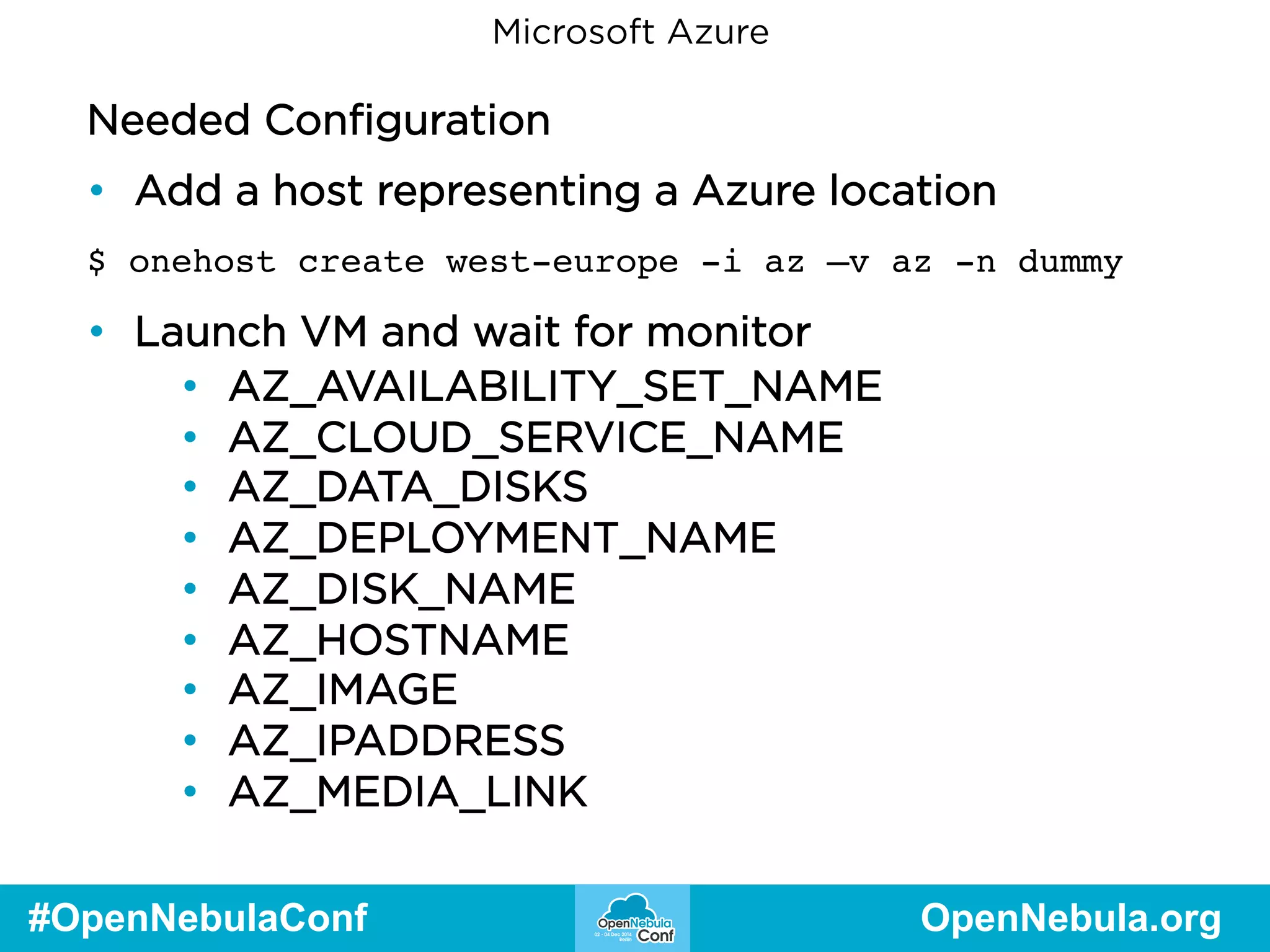
Microsoft Azure 
Needed Configuration 
• Add a host representing a Azure location 
$ onehost create west-europe -i az –v az -n dummy 
• Launch VM and wait for monitor 
• AZ_AVAILABILITY_SET_NAME 
• AZ_CLOUD_SERVICE_NAME 
• AZ_DATA_DISKS 
• AZ_DEPLOYMENT_NAME 
• AZ_DISK_NAME 
• AZ_HOSTNAME 
• AZ_IMAGE 
• AZ_IPADDRESS 
• AZ_MEDIA_LINK 
#OpenNebulaConf OpenNebula.org
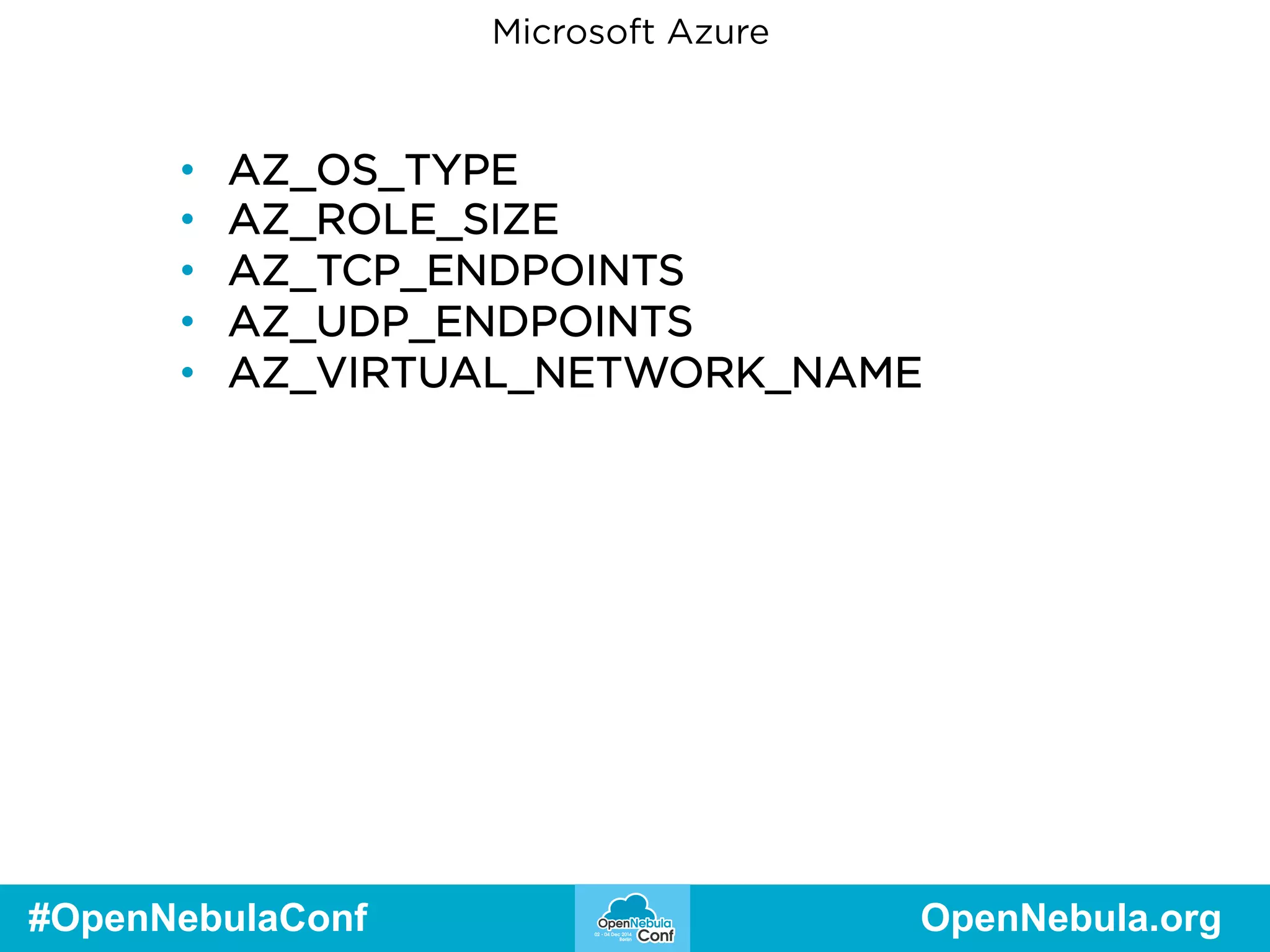
Microsoft Azure 
• AZ_OS_TYPE 
• AZ_ROLE_SIZE 
• AZ_TCP_ENDPOINTS 
• AZ_UDP_ENDPOINTS 
• AZ_VIRTUAL_NETWORK_NAME 
#OpenNebulaConf OpenNebula.org
Azure Live Demo
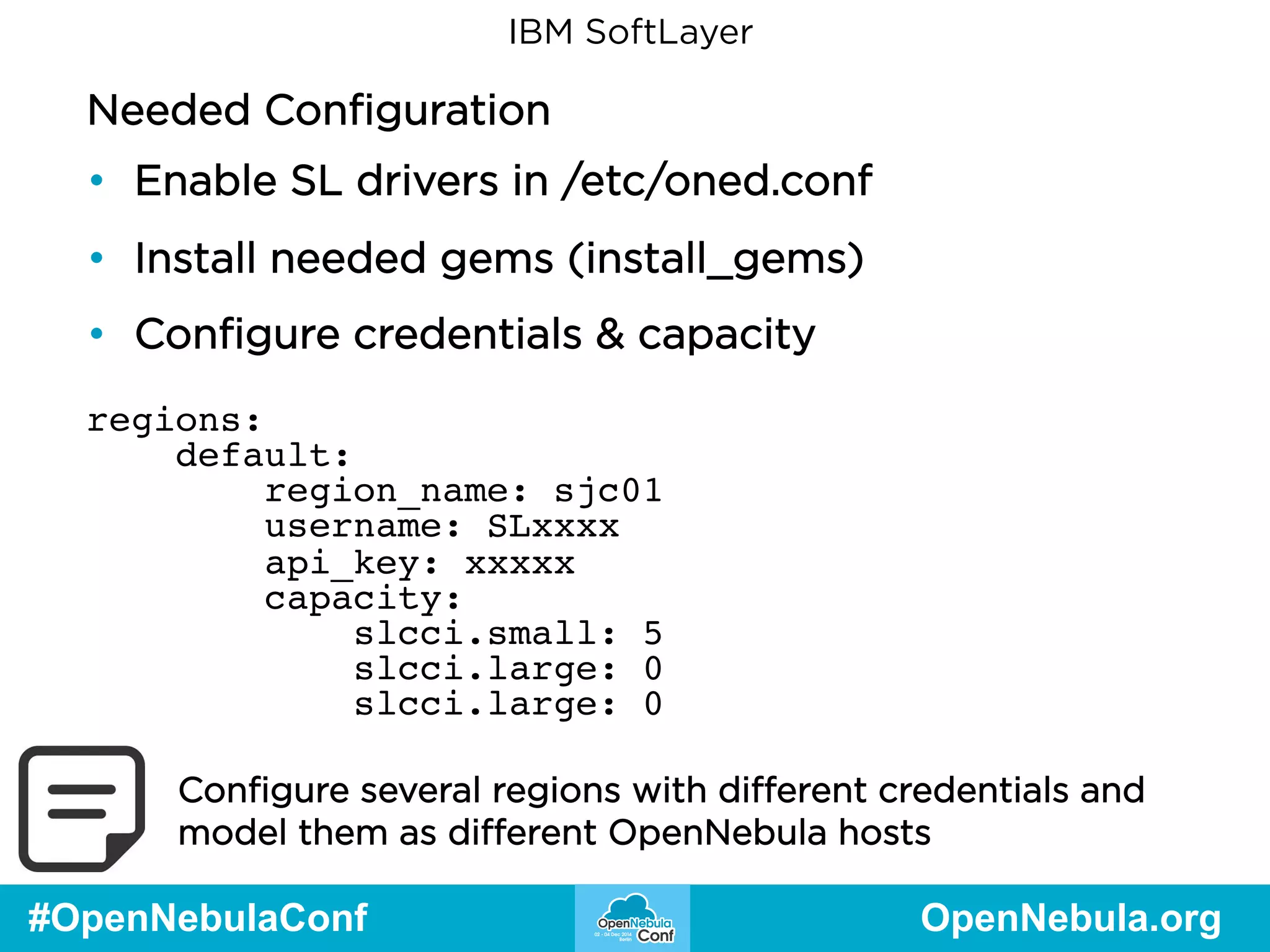
IBM SoftLayer 
Needed Configuration 
• Enable SL drivers in /etc/oned.conf 
• Install needed gems (install_gems) 
• Configure credentials & capacity 
regions: 
default: 
region_name: sjc01 
username: SLxxxx 
api_key: xxxxx 
capacity: 
slcci.small: 5 
slcci.large: 0 
slcci.large: 0 
Configure several regions with different credentials and 
model them as different OpenNebula hosts 
#OpenNebulaConf OpenNebula.org
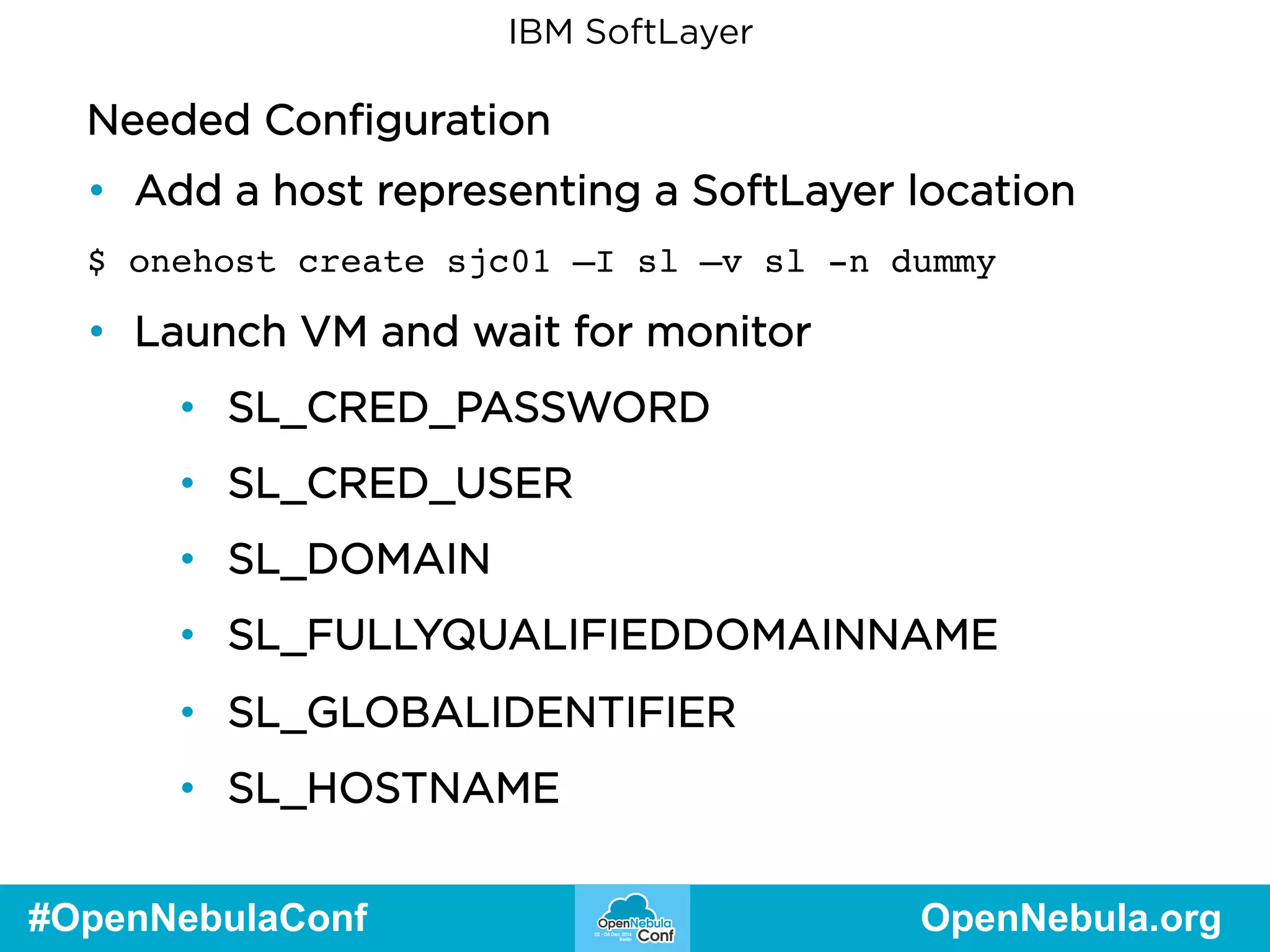
IBM SoftLayer 
Needed Configuration 
• Add a host representing a SoftLayer location 
$ onehost create sjc01 –I sl –v sl -n dummy 
• Launch VM and wait for monitor 
• SL_CRED_PASSWORD 
• SL_CRED_USER 
• SL_DOMAIN 
• SL_FULLYQUALIFIEDDOMAINNAME 
• SL_GLOBALIDENTIFIER 
• SL_HOSTNAME 
#OpenNebulaConf OpenNebula.org
IBM SoftLayer 
• SL_ID 
• SL_MAXCPU 
• SL_MAXMEMORY 
• SL_PRIMARYBACKENDIPADDRESS 
• SL_PRIMARYIPADDRESS 
• SL_STARTCPUS 
• SL_UUID 
#OpenNebulaConf OpenNebula.org
SoftLayer Live Demo
Questions? Enjoy the rest of the Conference! 
#OpenNebulaConf OpenNebula.org

OpenNebula Conf 2014 | Building Hybrid Cloud Federated Environments with OpenNebula - Tino Vazquez

  • 1.
    Building Hybrid CloudEnvironments with OpenNebula Constantino Vázquez Blanco VP of Engineering at OpenNebula Systems OpenNebula Project Major Contributor presented by
  • 2.
    Agenda ● TheOpenNebula Hybrid Approach ● Amazon EC2 ● Live Demo ● Microsoft Azure ● Live Demo ● IBM SoftLayer ● Live Demo #OpenNebulaConf OpenNebula.org
  • 3.
    The OpenNebula HybridApproach Operative word is transparency • For the administrator • Both local and remote ‘hypervisors’ are modeled as OpenNebula hosts • For the end user • Consumable VM Templates can be hybrid, meaning multiple sections describing the VM in different locations #OpenNebulaConf OpenNebula.org
  • 4.
    The OpenNebula HybridApproach Unique hybrid approach ● One OpenNebula Host can be … ● One local Hypervisor ● One Public Cloud ● One Region (EC2) / Location (AZ) / Datacenter(SL) ● One Availability Zone #OpenNebulaConf OpenNebula.org
  • 5.
    The OpenNebula HybridApproach Unique hybrid approach ● End users consume a catalog of hybrid templates ● Administrators manage ● Scheduling policies ● Fixed priority ● Public Cloud modeled capacity #OpenNebulaConf OpenNebula.org
  • 6.
    The OpenNebula HybridApproach Limitations ● No ‘magic’ networking ● Define VPNs, benchmark latency ● No automatic image upload ● Admin task to preload or configure images ● … and, of course, no automatic inter-public cloud image converting + transferring … #OpenNebulaConf OpenNebula.org
  • 7.
    The OpenNebula HybridApproach Hybrid VM Templates NAME=WebServer CPU=1 MEMORY=2048 DISK=[IMAGE=“CentOSLAMP”] NIC=[NETWORK=“Public” EC2=[ AMI="ami-6f5f1206", INSTANCETYPE="m1.small", KEYPAIR="gsg-keypair" ] #OpenNebulaConf OpenNebula.org
  • 8.
    The OpenNebula HybridApproach Hybrid VM Templates PUBLIC_CLOUD=[ TYPE="SOFTLAYER", INSTANCE_TYPE="slcci.medium", BLOCKDEVICETEMPLATE=“MyLAMPOnSL" ] PUBLIC_CLOUD = [ TYPE=AZURE, INSTANCE_TYPE=ExtraSmall, IMAGE=myLAMPonAZ-30GB, TCP_ENDPOINTS="80", ] #OpenNebulaConf OpenNebula.org
  • 9.
    The OpenNebula HybridApproach Local Datacenter Virtualized Infrastructure The image cannot be displayed. Your computer may not have enough memory to open the image, or the image may have been corrupted. Restart your computer, and then open the file again. If the red x still appears, you may have to delete the image and #OpenNebulaConf OpenNebula.org
  • 10.
    Amazon EC2 NeededConfiguration • Enable EC2 drivers in /etc/oned.conf • Install needed gems (install_gems) • Configure credentials & capacity regions: default: region_name: us-east-1 access_key_id: YOUR_ACCESS_KEY secret_access_key: YOUR_SECRET_ACCESS_KEY capacity: m1.small: 5 m1.large: 0 m1.xlarge: 0 Configure several regions with different credentials and model them as different OpenNebula hosts #OpenNebulaConf OpenNebula.org
  • 11.
    Amazon EC2 NeededConfiguration • Add a host representing an EC2 region $ onehost create ec2 --im ec2 --vm ec2 --net dummy • Launch VM and wait for monitor • AWS_DNS_NAME • AWS_PRIVATE_DNS_NAME • AWS_AVAILABILITY_ZONE • AWS_VPC_ID • AWS_PRIVATE_IP_ADDRESS • AWS_IP_ADDRESS • AWS_SUBNET_ID • AWS_SECURITY_GROUPS • AWS_INSTANCE_TYPE • … #OpenNebulaConf OpenNebula.org
  • 12.
  • 13.
    Microsoft Azure NeededConfiguration • Enable AZ drivers in /etc/oned.conf • Install needed gems (install_gems) • Configure credentials & capacity regions: default: region_name: "West Europe” pem_management_cert: "/path/to/mycert.pem" subscription_id: ”xxxx-xxxx-xxxx” management_endpoint: capacity: Small: 5 Medium: 1 Large: 0 Configure several regions with different credentials and model them as different OpenNebula hosts #OpenNebulaConf OpenNebula.org
  • 14.
    Microsoft Azure NeededConfiguration • Add a host representing a Azure location $ onehost create west-europe -i az –v az -n dummy • Launch VM and wait for monitor • AZ_AVAILABILITY_SET_NAME • AZ_CLOUD_SERVICE_NAME • AZ_DATA_DISKS • AZ_DEPLOYMENT_NAME • AZ_DISK_NAME • AZ_HOSTNAME • AZ_IMAGE • AZ_IPADDRESS • AZ_MEDIA_LINK #OpenNebulaConf OpenNebula.org
  • 15.
    Microsoft Azure •AZ_OS_TYPE • AZ_ROLE_SIZE • AZ_TCP_ENDPOINTS • AZ_UDP_ENDPOINTS • AZ_VIRTUAL_NETWORK_NAME #OpenNebulaConf OpenNebula.org
  • 16.
  • 17.
    IBM SoftLayer NeededConfiguration • Enable SL drivers in /etc/oned.conf • Install needed gems (install_gems) • Configure credentials & capacity regions: default: region_name: sjc01 username: SLxxxx api_key: xxxxx capacity: slcci.small: 5 slcci.large: 0 slcci.large: 0 Configure several regions with different credentials and model them as different OpenNebula hosts #OpenNebulaConf OpenNebula.org
  • 18.
    IBM SoftLayer NeededConfiguration • Add a host representing a SoftLayer location $ onehost create sjc01 –I sl –v sl -n dummy • Launch VM and wait for monitor • SL_CRED_PASSWORD • SL_CRED_USER • SL_DOMAIN • SL_FULLYQUALIFIEDDOMAINNAME • SL_GLOBALIDENTIFIER • SL_HOSTNAME #OpenNebulaConf OpenNebula.org
  • 19.
    IBM SoftLayer •SL_ID • SL_MAXCPU • SL_MAXMEMORY • SL_PRIMARYBACKENDIPADDRESS • SL_PRIMARYIPADDRESS • SL_STARTCPUS • SL_UUID #OpenNebulaConf OpenNebula.org
  • 20.
  • 21.
    Questions? Enjoy therest of the Conference! #OpenNebulaConf OpenNebula.org