CloudStack Automated
Integration Testing with Marvin
Mike Tutkowski
●CloudStack Software Engineer
●Member of CloudStack Project Management Committee (PMC)
●Focused on CloudStack’s storage component
SolidFire (http://www.solidfire.com/)
●Based out of Boulder, CO
●Develop a scale-out SAN technology
●Built from the ground up to support guaranteed Quality of Service (QoS) on a per-volume
(LUN) basis (min, max, and burst IOPS per volume)
●All-Flash Array
●Leverage compression, de-duplication, and thin provisioning (all inline) on a 4-KB block
boundary across the entire cluster to drive down cost/GB to be on par with traditional disk-
based SANs
●Rest-like API to enable automation of all aspects of the SAN
What is Marvin?
Python Testing Framework for CloudStack
* deployDataCenter module to make it easy to create a custom cloud (requires JSON
input file)
* Provides infrastructure for low-level communication with CS MS (cloudstackConnection
module)
* Easy-to-use modules for sending API commands to CloudStack (ex.
CreateStoragePoolCmd) and receiving responses (ex. CreateStoragePoolResponse).
* Common abstractions like StoragePool, Volume, Snapshot, Cluster, Host, etc. classes
* Utility modules for performing common activities (ex. Restart the management server)
* Write tests using the unittest module (start a test method with the word “test”, provide
setup, teardown methods, etc.)
https://cwiki.apache.org/confluence/display/CLOUDSTACK/Marvin+-+Testing+with+Python
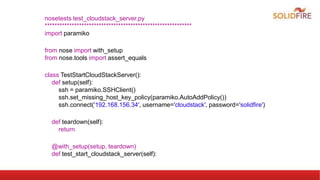
nosetests test_cloudstack_server.py
************************************************************
import paramiko
from nose import with_setup
from nose.tools import assert_equals
class TestStartCloudStackServer():
def setup(self):
ssh = paramiko.SSHClient()
ssh.set_missing_host_key_policy(paramiko.AutoAddPolicy())
ssh.connect('192.168.156.34', username='cloudstack', password='solidfire')
def teardown(self):
return
@with_setup(setup, teardown)
def test_start_cloudstack_server(self):
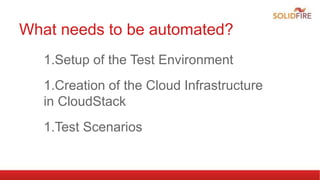
What needs to be automated?
1.Setup of the Test Environment
1.Creation of the Cloud Infrastructure
in CloudStack
1.Test Scenarios
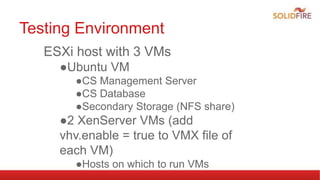
Testing Environment
ESXi host with 3 VMs
●Ubuntu VM
●CS Management Server
●CS Database
●Secondary Storage (NFS share)
●2 XenServer VMs (add
vhv.enable = true to VMX file of
each VM)
●Hosts on which to run VMs
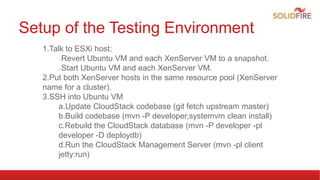
Setup of the Testing Environment
1.Talk to ESXi host:
Revert Ubuntu VM and each XenServer VM to a snapshot.
Start Ubuntu VM and each XenServer VM.
2.Put both XenServer hosts in the same resource pool (XenServer
name for a cluster).
3.SSH into Ubuntu VM
a.Update CloudStack codebase (git fetch upstream master)
b.Build codebase (mvn -P developer,systemvm clean install)
c.Rebuild the CloudStack database (mvn -P developer -pl
developer -D deploydb)
d.Run the CloudStack Management Server (mvn -pl client
jetty:run)
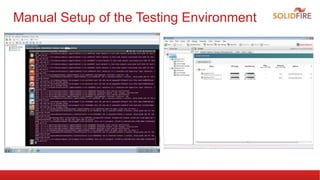
Manual Setup of the Testing Environment
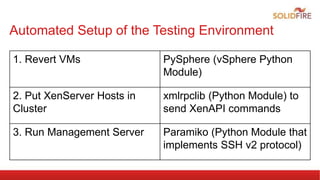
Automated Setup of the Testing Environment
1. Revert VMs PySphere (vSphere Python
Module)
2. Put XenServer Hosts in
Cluster
xmlrpclib (Python Module) to
send XenAPI commands
3. Run Management Server Paramiko (Python Module that
implements SSH v2 protocol)
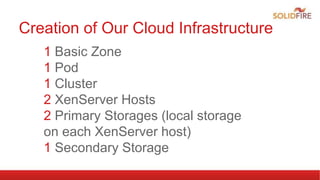
Creation of Our Cloud Infrastructure
1 Basic Zone
1 Pod
1 Cluster
2 XenServer Hosts
2 Primary Storages (local storage
on each XenServer host)
1 Secondary Storage
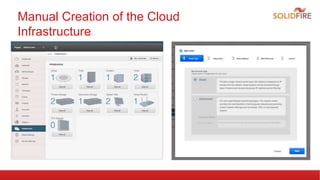
Manual Creation of the Cloud
Infrastructure
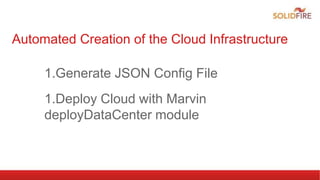
Automated Creation of the Cloud Infrastructure
1.Generate JSON Config File
1.Deploy Cloud with Marvin
deployDataCenter module
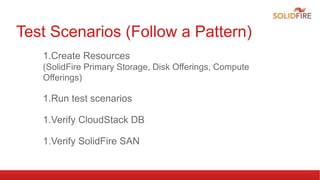
Test Scenarios (Follow a Pattern)
1.Create Resources
(SolidFire Primary Storage, Disk Offerings, Compute
Offerings)
1.Run test scenarios
1.Verify CloudStack DB
1.Verify SolidFire SAN
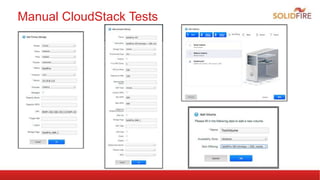
Manual CloudStack Tests
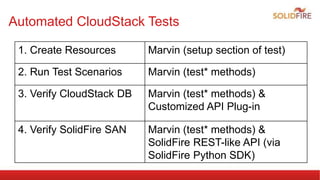
Automated CloudStack Tests
1. Create Resources Marvin (setup section of test)
2. Run Test Scenarios Marvin (test* methods)
3. Verify CloudStack DB Marvin (test* methods) &
Customized API Plug-in
4. Verify SolidFire SAN Marvin (test* methods) &
SolidFire REST-like API (via
SolidFire Python SDK)
Future tasks
1.Leverage Jenkins to Run Tests Nightly
1.Integration Tests for KVM and VMware
1.Integration with AT2

CloudStack Automated Integration Testing with Marvin

  • 1.
  • 2.
    Mike Tutkowski ●CloudStack SoftwareEngineer ●Member of CloudStack Project Management Committee (PMC) ●Focused on CloudStack’s storage component SolidFire (http://www.solidfire.com/) ●Based out of Boulder, CO ●Develop a scale-out SAN technology ●Built from the ground up to support guaranteed Quality of Service (QoS) on a per-volume (LUN) basis (min, max, and burst IOPS per volume) ●All-Flash Array ●Leverage compression, de-duplication, and thin provisioning (all inline) on a 4-KB block boundary across the entire cluster to drive down cost/GB to be on par with traditional disk- based SANs ●Rest-like API to enable automation of all aspects of the SAN
  • 3.
    What is Marvin? PythonTesting Framework for CloudStack * deployDataCenter module to make it easy to create a custom cloud (requires JSON input file) * Provides infrastructure for low-level communication with CS MS (cloudstackConnection module) * Easy-to-use modules for sending API commands to CloudStack (ex. CreateStoragePoolCmd) and receiving responses (ex. CreateStoragePoolResponse). * Common abstractions like StoragePool, Volume, Snapshot, Cluster, Host, etc. classes * Utility modules for performing common activities (ex. Restart the management server) * Write tests using the unittest module (start a test method with the word “test”, provide setup, teardown methods, etc.) https://cwiki.apache.org/confluence/display/CLOUDSTACK/Marvin+-+Testing+with+Python
  • 4.
    nosetests test_cloudstack_server.py ************************************************************ import paramiko fromnose import with_setup from nose.tools import assert_equals class TestStartCloudStackServer(): def setup(self): ssh = paramiko.SSHClient() ssh.set_missing_host_key_policy(paramiko.AutoAddPolicy()) ssh.connect('192.168.156.34', username='cloudstack', password='solidfire') def teardown(self): return @with_setup(setup, teardown) def test_start_cloudstack_server(self):
  • 5.
    What needs tobe automated? 1.Setup of the Test Environment 1.Creation of the Cloud Infrastructure in CloudStack 1.Test Scenarios
  • 6.
    Testing Environment ESXi hostwith 3 VMs ●Ubuntu VM ●CS Management Server ●CS Database ●Secondary Storage (NFS share) ●2 XenServer VMs (add vhv.enable = true to VMX file of each VM) ●Hosts on which to run VMs
  • 7.
    Setup of theTesting Environment 1.Talk to ESXi host: Revert Ubuntu VM and each XenServer VM to a snapshot. Start Ubuntu VM and each XenServer VM. 2.Put both XenServer hosts in the same resource pool (XenServer name for a cluster). 3.SSH into Ubuntu VM a.Update CloudStack codebase (git fetch upstream master) b.Build codebase (mvn -P developer,systemvm clean install) c.Rebuild the CloudStack database (mvn -P developer -pl developer -D deploydb) d.Run the CloudStack Management Server (mvn -pl client jetty:run)
  • 8.
    Manual Setup ofthe Testing Environment
  • 9.
    Automated Setup ofthe Testing Environment 1. Revert VMs PySphere (vSphere Python Module) 2. Put XenServer Hosts in Cluster xmlrpclib (Python Module) to send XenAPI commands 3. Run Management Server Paramiko (Python Module that implements SSH v2 protocol)
  • 10.
    Creation of OurCloud Infrastructure 1 Basic Zone 1 Pod 1 Cluster 2 XenServer Hosts 2 Primary Storages (local storage on each XenServer host) 1 Secondary Storage
  • 11.
    Manual Creation ofthe Cloud Infrastructure
  • 12.
    Automated Creation ofthe Cloud Infrastructure 1.Generate JSON Config File 1.Deploy Cloud with Marvin deployDataCenter module
  • 13.
    Test Scenarios (Followa Pattern) 1.Create Resources (SolidFire Primary Storage, Disk Offerings, Compute Offerings) 1.Run test scenarios 1.Verify CloudStack DB 1.Verify SolidFire SAN
  • 14.
  • 15.
    Automated CloudStack Tests 1.Create Resources Marvin (setup section of test) 2. Run Test Scenarios Marvin (test* methods) 3. Verify CloudStack DB Marvin (test* methods) & Customized API Plug-in 4. Verify SolidFire SAN Marvin (test* methods) & SolidFire REST-like API (via SolidFire Python SDK)
  • 16.
    Future tasks 1.Leverage Jenkinsto Run Tests Nightly 1.Integration Tests for KVM and VMware 1.Integration with AT2