Basic Linux Commands
HPC Team
IIT Delhi
hpchelp@iitd.ac.in
What's a command?
It's a binary file kept under specific directory.
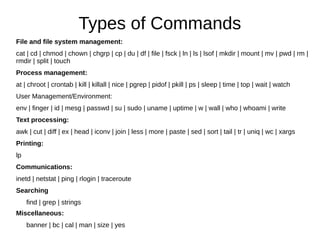
Types of Commands
File and file system management:
cat | cd | chmod | chown | chgrp | cp | du | df | file | fsck | ln | ls | lsof | mkdir | mount | mv | pwd | rm |
rmdir | split | touch
Process management:
at | chroot | crontab | kill | killall | nice | pgrep | pidof | pkill | ps | sleep | time | top | wait | watch
User Management/Environment:
env | finger | id | mesg | passwd | su | sudo | uname | uptime | w | wall | who | whoami | write
Text processing:
awk | cut | diff | ex | head | iconv | join | less | more | paste | sed | sort | tail | tr | uniq | wc | xargs
Printing:
lp
Communications:
inetd | netstat | ping | rlogin | traceroute
Searching
find | grep | strings
Miscellaneous:
banner | bc | cal | man | size | yes
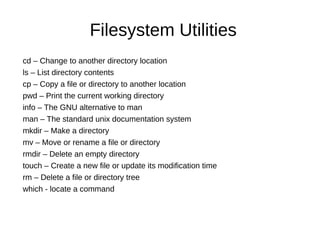
Filesystem Utilities
cd – Change to another directory location
ls – List directory contents
cp – Copy a file or directory to another location
pwd – Print the current working directory
info – The GNU alternative to man
man – The standard unix documentation system
mkdir – Make a directory
mv – Move or rename a file or directory
rmdir – Delete an empty directory
touch – Create a new file or update its modification time
rm – Delete a file or directory tree
which - locate a command
Filesystem Utilities
(continued..)
wc - print newline, word, and byte counts for each file
less – opposite of more ;)
pwd - print name of current/working directory
locate - find files by name
ln – Link one file/directory to another
df – Report disk space
strings - print the strings of printable characters in files.
find – Search for files through a directory hierarchy
chgrp – Change the group of a file or directory
chmod – Change the permissions of a file or directory
chown – Change the owner of a file or directory
quota – display disk usage and limits
du – Calculate used disk space
HandsOn
find /usr -size +10M
find /home -mtime +120
find /var -atime -90
find / -name core -exec rm {} ;
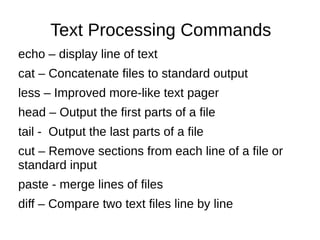
Text Processing Commands
echo – display line of text
cat – Concatenate files to standard output
less – Improved more-like text pager
head – Output the first parts of a file
tail - Output the last parts of a file
cut – Remove sections from each line of a file or
standard input
paste - merge lines of files
diff – Compare two text files line by line
Text Processing Commands
(continued..)
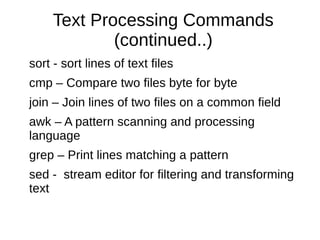
sort - sort lines of text files
cmp – Compare two files byte for byte
join – Join lines of two files on a common field
awk – A pattern scanning and processing
language
grep – Print lines matching a pattern
sed - stream editor for filtering and transforming
text
HandsOn
command to print the lines that has the the pattern "july" in all the
files in a particular directory?
grep -i july *
^$
print the file names in a directory that does not contain the word
"july"?
grep -L july *
a command to select only those lines containing "july" as a
whole word?
grep -w july filename
grep -r
grep -A 10
grep -B 1
grep -C 4
grep -n "" file
Print the line excluding the pattern using -v option
Text Processing
more – Pager
sed – Stream EDitor
sort – Sort lines of text files
grep – Print lines matching a pattern
split – Split a file into pieces
tail – Output the tail end of files
tee – Read from standard input, write to standard output and files
uudecode – Decodes a binary file that was used for transmission using
electronic mail
uuencode – Encodes a binary file for transmission using electronic mail
wc – Word/line/byte count
Text Processing
(continued ..)
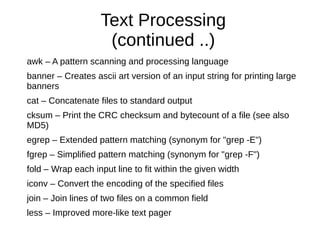
awk – A pattern scanning and processing language
banner – Creates ascii art version of an input string for printing large
banners
cat – Concatenate files to standard output
cksum – Print the CRC checksum and bytecount of a file (see also
MD5)
egrep – Extended pattern matching (synonym for "grep -E")
fgrep – Simplified pattern matching (synonym for "grep -F")
fold – Wrap each input line to fit within the given width
iconv – Convert the encoding of the specified files
join – Join lines of two files on a common field
less – Improved more-like text pager
General User Commands
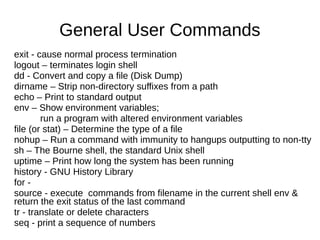
exit - cause normal process termination
logout – terminates login shell
dd - Convert and copy a file (Disk Dump)
dirname – Strip non-directory suffixes from a path
echo – Print to standard output
env – Show environment variables;
run a program with altered environment variables
file (or stat) – Determine the type of a file
nohup – Run a command with immunity to hangups outputting to non-tty
sh – The Bourne shell, the standard Unix shell
uptime – Print how long the system has been running
history - GNU History Library
for -
source - execute commands from filename in the current shell env &
return the exit status of the last command
tr - translate or delete characters
seq - print a sequence of numbers
Archivers and compression
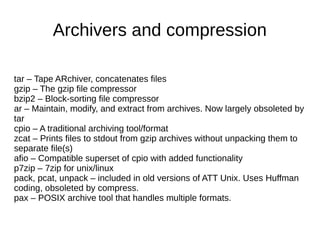
tar – Tape ARchiver, concatenates files
gzip – The gzip file compressor
bzip2 – Block-sorting file compressor
ar – Maintain, modify, and extract from archives. Now largely obsoleted by
tar
cpio – A traditional archiving tool/format
zcat – Prints files to stdout from gzip archives without unpacking them to
separate file(s)
afio – Compatible superset of cpio with added functionality
p7zip – 7zip for unix/linux
pack, pcat, unpack – included in old versions of ATT Unix. Uses Huffman
coding, obsoleted by compress.
pax – POSIX archive tool that handles multiple formats.
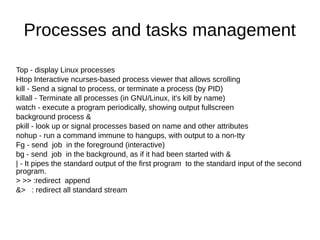
Processes and tasks management
Top - display Linux processes
Htop Interactive ncurses-based process viewer that allows scrolling
kill - Send a signal to process, or terminate a process (by PID)
killall - Terminate all processes (in GNU/Linux, it's kill by name)
watch - execute a program periodically, showing output fullscreen
background process &
pkill - look up or signal processes based on name and other attributes
nohup - run a command immune to hangups, with output to a non-tty
Fg - send job in the foreground (interactive)
bg - send job in the background, as if it had been started with &
| - It pipes the standard output of the first program to the standard input of the second
program.
> >> :redirect append
&> : redirect all standard stream
Processes and tasks management
(continued ..)
nice – Alter priorities for processes
pgrep – Find PIDs of processes by name
pidof – GNU/Linux equivalent of pgrep
pkill – Send a signal to process, or terminate a process (by name).
Equivalent to Linux killall
ps – Report process status
renice – Alter the priorities of an already running process
sleep – Delay for specified time
time – Time a command
top – Produce a dynamic list of all resident processes
wait – Wait for the specified process's exit status
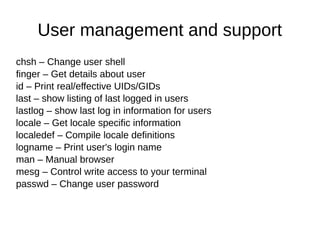
User management and support
chsh – Change user shell
finger – Get details about user
id – Print real/effective UIDs/GIDs
last – show listing of last logged in users
lastlog – show last log in information for users
locale – Get locale specific information
localedef – Compile locale definitions
logname – Print user's login name
man – Manual browser
mesg – Control write access to your terminal
passwd – Change user password
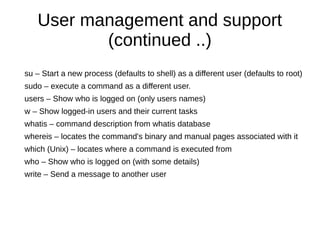
User management and support
(continued ..)
su – Start a new process (defaults to shell) as a different user (defaults to root)
sudo – execute a command as a different user.
users – Show who is logged on (only users names)
w – Show logged-in users and their current tasks
whatis – command description from whatis database
whereis – locates the command's binary and manual pages associated with it
which (Unix) – locates where a command is executed from
who – Show who is logged on (with some details)
write – Send a message to another user
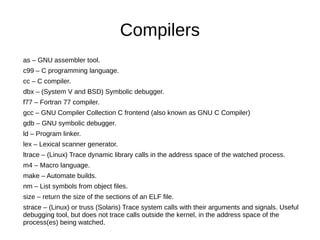
Compilers
as – GNU assembler tool.
c99 – C programming language.
cc – C compiler.
dbx – (System V and BSD) Symbolic debugger.
f77 – Fortran 77 compiler.
gcc – GNU Compiler Collection C frontend (also known as GNU C Compiler)
gdb – GNU symbolic debugger.
ld – Program linker.
lex – Lexical scanner generator.
ltrace – (Linux) Trace dynamic library calls in the address space of the watched process.
m4 – Macro language.
make – Automate builds.
nm – List symbols from object files.
size – return the size of the sections of an ELF file.
strace – (Linux) or truss (Solaris) Trace system calls with their arguments and signals. Useful
debugging tool, but does not trace calls outside the kernel, in the address space of the
process(es) being watched.

Information about linux operating system

  • 1.
    Basic Linux Commands HPCTeam IIT Delhi hpchelp@iitd.ac.in
  • 2.
    What's a command? It'sa binary file kept under specific directory.
  • 3.
    Types of Commands Fileand file system management: cat | cd | chmod | chown | chgrp | cp | du | df | file | fsck | ln | ls | lsof | mkdir | mount | mv | pwd | rm | rmdir | split | touch Process management: at | chroot | crontab | kill | killall | nice | pgrep | pidof | pkill | ps | sleep | time | top | wait | watch User Management/Environment: env | finger | id | mesg | passwd | su | sudo | uname | uptime | w | wall | who | whoami | write Text processing: awk | cut | diff | ex | head | iconv | join | less | more | paste | sed | sort | tail | tr | uniq | wc | xargs Printing: lp Communications: inetd | netstat | ping | rlogin | traceroute Searching find | grep | strings Miscellaneous: banner | bc | cal | man | size | yes
  • 4.
    Filesystem Utilities cd –Change to another directory location ls – List directory contents cp – Copy a file or directory to another location pwd – Print the current working directory info – The GNU alternative to man man – The standard unix documentation system mkdir – Make a directory mv – Move or rename a file or directory rmdir – Delete an empty directory touch – Create a new file or update its modification time rm – Delete a file or directory tree which - locate a command
  • 5.
    Filesystem Utilities (continued..) wc -print newline, word, and byte counts for each file less – opposite of more ;) pwd - print name of current/working directory locate - find files by name ln – Link one file/directory to another df – Report disk space strings - print the strings of printable characters in files. find – Search for files through a directory hierarchy chgrp – Change the group of a file or directory chmod – Change the permissions of a file or directory chown – Change the owner of a file or directory quota – display disk usage and limits du – Calculate used disk space
  • 6.
    HandsOn find /usr -size+10M find /home -mtime +120 find /var -atime -90 find / -name core -exec rm {} ;
  • 7.
    Text Processing Commands echo– display line of text cat – Concatenate files to standard output less – Improved more-like text pager head – Output the first parts of a file tail - Output the last parts of a file cut – Remove sections from each line of a file or standard input paste - merge lines of files diff – Compare two text files line by line
  • 8.
    Text Processing Commands (continued..) sort- sort lines of text files cmp – Compare two files byte for byte join – Join lines of two files on a common field awk – A pattern scanning and processing language grep – Print lines matching a pattern sed - stream editor for filtering and transforming text
  • 9.
    HandsOn command to printthe lines that has the the pattern "july" in all the files in a particular directory? grep -i july * ^$ print the file names in a directory that does not contain the word "july"? grep -L july * a command to select only those lines containing "july" as a whole word? grep -w july filename grep -r grep -A 10 grep -B 1 grep -C 4 grep -n "" file Print the line excluding the pattern using -v option
  • 10.
    Text Processing more –Pager sed – Stream EDitor sort – Sort lines of text files grep – Print lines matching a pattern split – Split a file into pieces tail – Output the tail end of files tee – Read from standard input, write to standard output and files uudecode – Decodes a binary file that was used for transmission using electronic mail uuencode – Encodes a binary file for transmission using electronic mail wc – Word/line/byte count
  • 11.
    Text Processing (continued ..) awk– A pattern scanning and processing language banner – Creates ascii art version of an input string for printing large banners cat – Concatenate files to standard output cksum – Print the CRC checksum and bytecount of a file (see also MD5) egrep – Extended pattern matching (synonym for "grep -E") fgrep – Simplified pattern matching (synonym for "grep -F") fold – Wrap each input line to fit within the given width iconv – Convert the encoding of the specified files join – Join lines of two files on a common field less – Improved more-like text pager
  • 12.
    General User Commands exit- cause normal process termination logout – terminates login shell dd - Convert and copy a file (Disk Dump) dirname – Strip non-directory suffixes from a path echo – Print to standard output env – Show environment variables; run a program with altered environment variables file (or stat) – Determine the type of a file nohup – Run a command with immunity to hangups outputting to non-tty sh – The Bourne shell, the standard Unix shell uptime – Print how long the system has been running history - GNU History Library for - source - execute commands from filename in the current shell env & return the exit status of the last command tr - translate or delete characters seq - print a sequence of numbers
  • 13.
    Archivers and compression tar– Tape ARchiver, concatenates files gzip – The gzip file compressor bzip2 – Block-sorting file compressor ar – Maintain, modify, and extract from archives. Now largely obsoleted by tar cpio – A traditional archiving tool/format zcat – Prints files to stdout from gzip archives without unpacking them to separate file(s) afio – Compatible superset of cpio with added functionality p7zip – 7zip for unix/linux pack, pcat, unpack – included in old versions of ATT Unix. Uses Huffman coding, obsoleted by compress. pax – POSIX archive tool that handles multiple formats.
  • 14.
    Processes and tasksmanagement Top - display Linux processes Htop Interactive ncurses-based process viewer that allows scrolling kill - Send a signal to process, or terminate a process (by PID) killall - Terminate all processes (in GNU/Linux, it's kill by name) watch - execute a program periodically, showing output fullscreen background process & pkill - look up or signal processes based on name and other attributes nohup - run a command immune to hangups, with output to a non-tty Fg - send job in the foreground (interactive) bg - send job in the background, as if it had been started with & | - It pipes the standard output of the first program to the standard input of the second program. > >> :redirect append &> : redirect all standard stream
  • 15.
    Processes and tasksmanagement (continued ..) nice – Alter priorities for processes pgrep – Find PIDs of processes by name pidof – GNU/Linux equivalent of pgrep pkill – Send a signal to process, or terminate a process (by name). Equivalent to Linux killall ps – Report process status renice – Alter the priorities of an already running process sleep – Delay for specified time time – Time a command top – Produce a dynamic list of all resident processes wait – Wait for the specified process's exit status
  • 16.
    User management andsupport chsh – Change user shell finger – Get details about user id – Print real/effective UIDs/GIDs last – show listing of last logged in users lastlog – show last log in information for users locale – Get locale specific information localedef – Compile locale definitions logname – Print user's login name man – Manual browser mesg – Control write access to your terminal passwd – Change user password
  • 17.
    User management andsupport (continued ..) su – Start a new process (defaults to shell) as a different user (defaults to root) sudo – execute a command as a different user. users – Show who is logged on (only users names) w – Show logged-in users and their current tasks whatis – command description from whatis database whereis – locates the command's binary and manual pages associated with it which (Unix) – locates where a command is executed from who – Show who is logged on (with some details) write – Send a message to another user
  • 18.
    Compilers as – GNUassembler tool. c99 – C programming language. cc – C compiler. dbx – (System V and BSD) Symbolic debugger. f77 – Fortran 77 compiler. gcc – GNU Compiler Collection C frontend (also known as GNU C Compiler) gdb – GNU symbolic debugger. ld – Program linker. lex – Lexical scanner generator. ltrace – (Linux) Trace dynamic library calls in the address space of the watched process. m4 – Macro language. make – Automate builds. nm – List symbols from object files. size – return the size of the sections of an ELF file. strace – (Linux) or truss (Solaris) Trace system calls with their arguments and signals. Useful debugging tool, but does not trace calls outside the kernel, in the address space of the process(es) being watched.