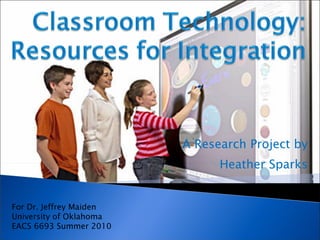
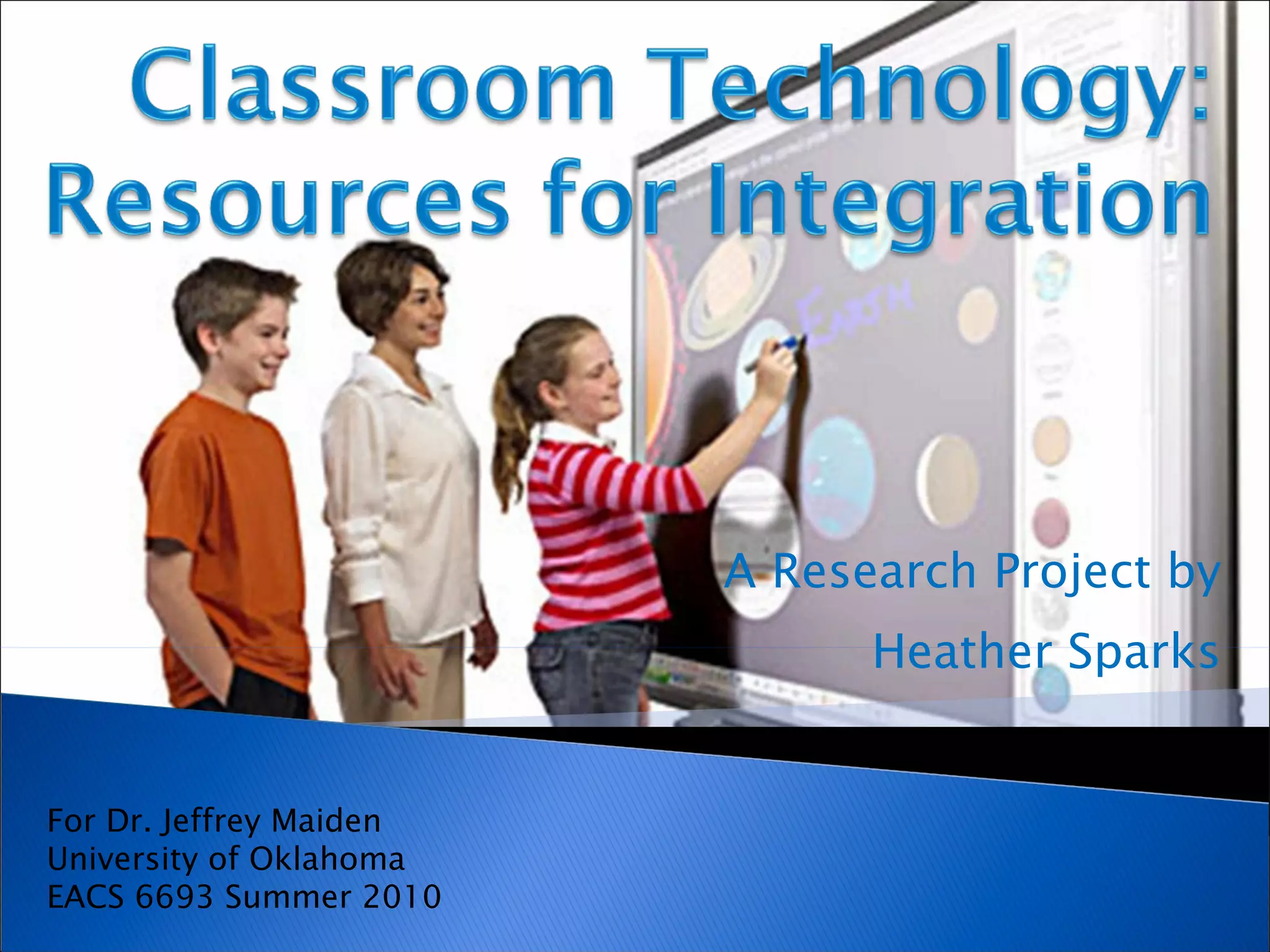
A Research Project by Heather Sparks For Dr. Jeffrey Maiden University of Oklahoma EACS 6693 Summer 2010
The purpose of this research  project is to explore current  educational technology and its applications for classroom use.
Peripherals Internet Resources Web 2.0 Tools
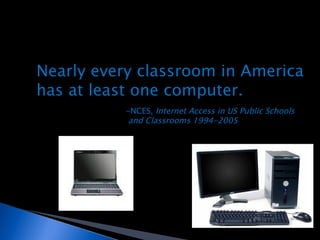
Nearly every classroom in America  has at least one computer. -NCES,  Internet Access in US Public Schools and Classrooms 1994-2005
 
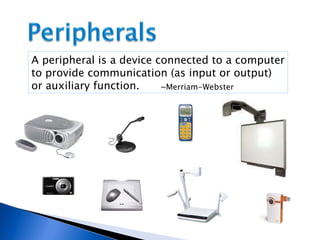
A peripheral is a device connected to a computer to provide communication (as input or output) or auxiliary function. ~Merriam-Webster
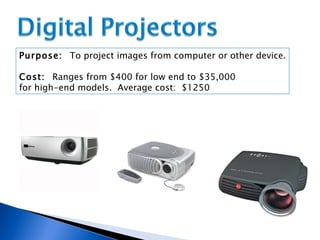
Purpose:  To project images from computer or other device. Cost:  Ranges from $400 for low end to $35,000  for high-end models.  Average cost:  $1250
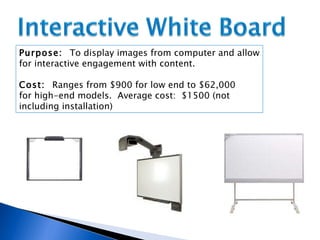
Purpose:  To display images from computer and allow for interactive engagement with content. Cost:  Ranges from $900 for low end to $62,000  for high-end models.  Average cost:  $1500 (not  including installation)
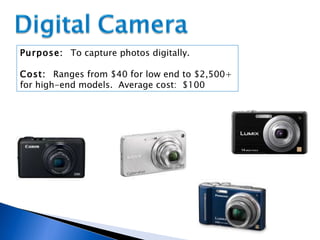
Purpose:  To capture photos digitally. Cost:  Ranges from $40 for low end to $2,500+  for high-end models.  Average cost:  $100
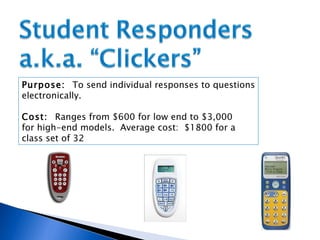
Purpose:  To send individual responses to questions electronically. Cost:  Ranges from $600 for low end to $3,000  for high-end models.  Average cost:  $1800 for a  class set of 32
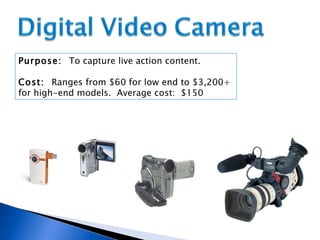
Purpose:  To capture live action content. Cost:  Ranges from $60 for low end to $3,200+  for high-end models.  Average cost:  $150
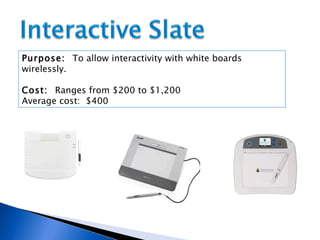
Purpose:  To allow interactivity with white boards wirelessly. Cost:  Ranges from $200 to $1,200  Average cost:  $400
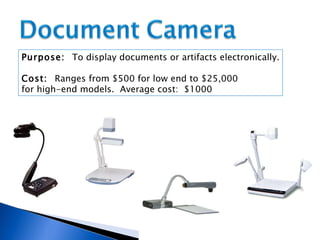
Purpose:  To display documents or artifacts electronically. Cost:  Ranges from $500 for low end to $25,000  for high-end models.  Average cost:  $1000
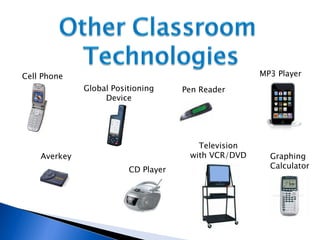
CD Player Cell Phone Global Positioning Device Averkey Graphing Calculator MP3 Player Pen Reader Television with VCR/DVD
 
“ In recent years, the Internet has morphed into an application-based tool that allows users to create content, post ideas, and share experiences.” ~High Tech Teaching Success (2009) How can teachers leverage the possibilities the internet provides for classroom use?
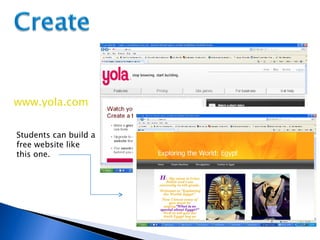
www.yola.com Students can build a free website like this one.
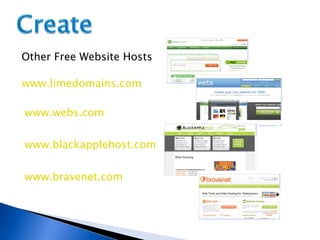
Other Free Website Hosts www.limedomains.com www.webs.com www.blackapplehost.com www.bravenet.com
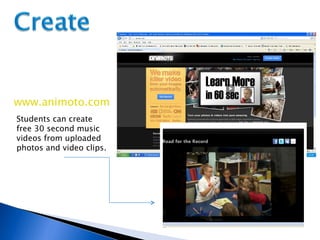
www.animoto.com Students can create free 30 second music videos from uploaded photos and video clips.
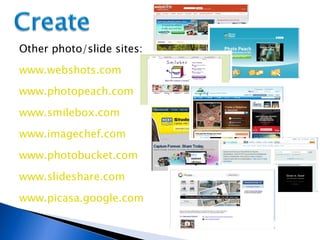
www.smilebox.com www.webshots.com www.photopeach.com www.photobucket.com www.slideshare.com www.picasa.google.com www.imagechef.com Other photo/slide sites:
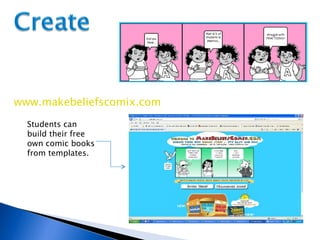
Students can build their free own comic books from templates. www.makebeliefscomix.com
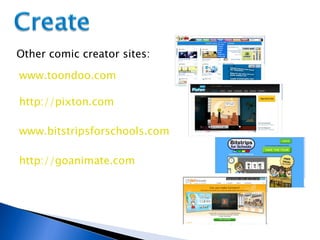
Other comic creator sites: www.toondoo.com www.bitstripsforschools.com http://pixton.com http://goanimate.com
The Pew Internet and American Life Project Survey found 93% of all US students between the ages of 12-17 reported using the internet, 87% use email, 75% have cell phones, and 97% play computer/video games. ~Rainey, 2009 Are teachers taking advantage of the skills and technology students already possess?
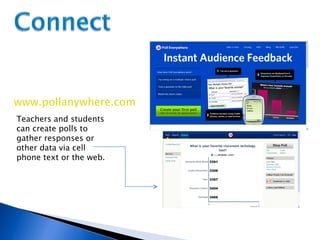
www.pollanywhere.com Teachers and students can create polls to gather responses or other data via cell phone text or the web.
www.polldaddy.com Other Poll Sites: www.surveymonkey.com Fluidsurvey.com www.yarp.com www.stellarsurvey.com www.urtak.com
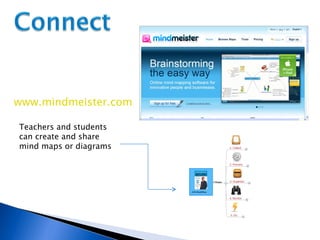
www.mindmeister.com Teachers and students can create and share mind maps or diagrams
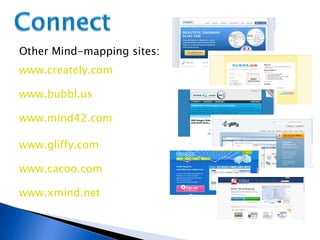
www.bubbl.us Other Mind-mapping sites: www.creately.com www.cacoo.com www.mind42.com www.gliffy.com www.xmind.net
“ The internet has undergone a shift from something that one passively browses to something to which users are actively contributing.” ~High Tech Teaching Success (2009) How can teachers help students ‘actively contribute’?
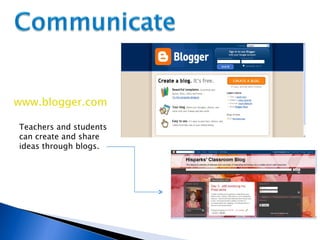
www.blogger.com Teachers and students can create and share ideas through blogs.
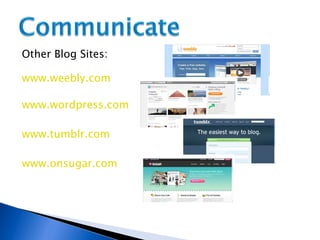
www.wordpress.com Other Blog Sites: www.weebly.com www.tumblr.com www.onsugar.com
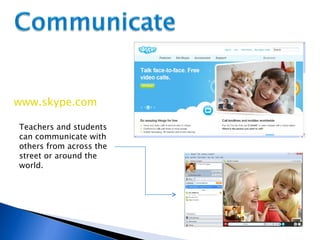
www.skype.com Teachers and students can communicate with others from across the street or around the world.
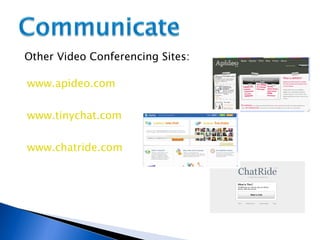
www.tinychat.com Other Video Conferencing Sites: www.apideo.com www.chatride.com
~High Tech Teaching Success (2009) “ Web 2.0 is a collection of Internet-based applications that allows users to easily create and post content.” How will Web 2.0 help our students learn?
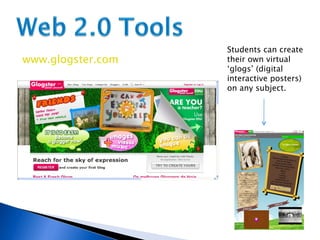
www.glogster.com Students can create their own virtual ‘glogs’ (digital interactive posters) on any subject.
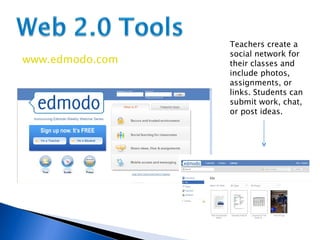
www.edmodo.com Teachers create a social network for their classes and include photos, assignments, or links. Students can submit work, chat, or post ideas.
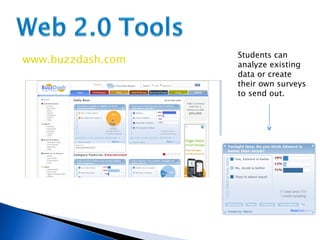
www.buzzdash.com Students can analyze existing data or create their own surveys to send out.
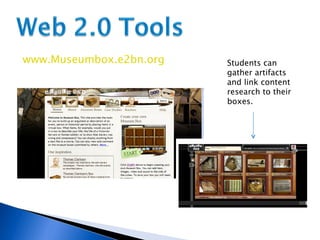
www.Museumbox.e2bn.org Students can gather artifacts and link content research to their boxes.
“ An inherent characteristic of technology education is the continual development of new technologies and creating innovative applications of already existing technologies.” ~G.E. Hall, 2010 What innovative ways will you find to use technology in your school?
Read blogs about teachers’ experiences using Web 2.0 with their students at  www.classroom20.com . Explore a free database of lessons and online curriculum housed at  www.MERLOT.org  (Multimedia Educational Resources for Learning and Online Teaching. Search through curriculum resources from teachers around the world at  www.curriki.com Learn about creating electronic portfolios at  www.electronicportfolios.org .
Besnoy, K., & Clark, L. W. (2009).  High tech teaching success . Waco: Prufrock Press. Ertmer, P., & Ottenbreit-Leftwich, A. (2010). Teacher technology change: How knowledge, confidence, beliefs, and culture intersect.  Journal of Research on Technology in Education, 42 (3), 255–284.  Hall, G. E. (2010). Technology’s Achilles heel: Achieving high-quality implementation.  Journal of Research on Technology in Education, 42 (3), 231–253. Internet access in US public schools and classrooms 1994-2005 . (2005). Washington, D.C.: National Center for Educational Statistics. Rainie, L. (2009).  Pew Internet and American Life Project Survey . Washington, D.C.: Pew Research Center.

Classroom technology resources_for_integration

  • 1.
    A Research Projectby Heather Sparks For Dr. Jeffrey Maiden University of Oklahoma EACS 6693 Summer 2010
  • 2.
    The purpose ofthis research project is to explore current educational technology and its applications for classroom use.
  • 3.
  • 4.
    Nearly every classroomin America has at least one computer. -NCES, Internet Access in US Public Schools and Classrooms 1994-2005
  • 5.
  • 6.
    A peripheral isa device connected to a computer to provide communication (as input or output) or auxiliary function. ~Merriam-Webster
  • 7.
    Purpose: Toproject images from computer or other device. Cost: Ranges from $400 for low end to $35,000 for high-end models. Average cost: $1250
  • 8.
    Purpose: Todisplay images from computer and allow for interactive engagement with content. Cost: Ranges from $900 for low end to $62,000 for high-end models. Average cost: $1500 (not including installation)
  • 9.
    Purpose: Tocapture photos digitally. Cost: Ranges from $40 for low end to $2,500+ for high-end models. Average cost: $100
  • 10.
    Purpose: Tosend individual responses to questions electronically. Cost: Ranges from $600 for low end to $3,000 for high-end models. Average cost: $1800 for a class set of 32
  • 11.
    Purpose: Tocapture live action content. Cost: Ranges from $60 for low end to $3,200+ for high-end models. Average cost: $150
  • 12.
    Purpose: Toallow interactivity with white boards wirelessly. Cost: Ranges from $200 to $1,200 Average cost: $400
  • 13.
    Purpose: Todisplay documents or artifacts electronically. Cost: Ranges from $500 for low end to $25,000 for high-end models. Average cost: $1000
  • 14.
    CD Player CellPhone Global Positioning Device Averkey Graphing Calculator MP3 Player Pen Reader Television with VCR/DVD
  • 15.
  • 16.
    “ In recentyears, the Internet has morphed into an application-based tool that allows users to create content, post ideas, and share experiences.” ~High Tech Teaching Success (2009) How can teachers leverage the possibilities the internet provides for classroom use?
  • 17.
    www.yola.com Students canbuild a free website like this one.
  • 18.
    Other Free WebsiteHosts www.limedomains.com www.webs.com www.blackapplehost.com www.bravenet.com
  • 19.
    www.animoto.com Students cancreate free 30 second music videos from uploaded photos and video clips.
  • 20.
    www.smilebox.com www.webshots.com www.photopeach.comwww.photobucket.com www.slideshare.com www.picasa.google.com www.imagechef.com Other photo/slide sites:
  • 21.
    Students can buildtheir free own comic books from templates. www.makebeliefscomix.com
  • 22.
    Other comic creatorsites: www.toondoo.com www.bitstripsforschools.com http://pixton.com http://goanimate.com
  • 23.
    The Pew Internetand American Life Project Survey found 93% of all US students between the ages of 12-17 reported using the internet, 87% use email, 75% have cell phones, and 97% play computer/video games. ~Rainey, 2009 Are teachers taking advantage of the skills and technology students already possess?
  • 24.
    www.pollanywhere.com Teachers andstudents can create polls to gather responses or other data via cell phone text or the web.
  • 25.
    www.polldaddy.com Other PollSites: www.surveymonkey.com Fluidsurvey.com www.yarp.com www.stellarsurvey.com www.urtak.com
  • 26.
    www.mindmeister.com Teachers andstudents can create and share mind maps or diagrams
  • 27.
    www.bubbl.us Other Mind-mappingsites: www.creately.com www.cacoo.com www.mind42.com www.gliffy.com www.xmind.net
  • 28.
    “ The internethas undergone a shift from something that one passively browses to something to which users are actively contributing.” ~High Tech Teaching Success (2009) How can teachers help students ‘actively contribute’?
  • 29.
    www.blogger.com Teachers andstudents can create and share ideas through blogs.
  • 30.
    www.wordpress.com Other BlogSites: www.weebly.com www.tumblr.com www.onsugar.com
  • 31.
    www.skype.com Teachers andstudents can communicate with others from across the street or around the world.
  • 32.
    www.tinychat.com Other VideoConferencing Sites: www.apideo.com www.chatride.com
  • 33.
    ~High Tech TeachingSuccess (2009) “ Web 2.0 is a collection of Internet-based applications that allows users to easily create and post content.” How will Web 2.0 help our students learn?
  • 34.
    www.glogster.com Students cancreate their own virtual ‘glogs’ (digital interactive posters) on any subject.
  • 35.
    www.edmodo.com Teachers createa social network for their classes and include photos, assignments, or links. Students can submit work, chat, or post ideas.
  • 36.
    www.buzzdash.com Students cananalyze existing data or create their own surveys to send out.
  • 37.
    www.Museumbox.e2bn.org Students cangather artifacts and link content research to their boxes.
  • 38.
    “ An inherentcharacteristic of technology education is the continual development of new technologies and creating innovative applications of already existing technologies.” ~G.E. Hall, 2010 What innovative ways will you find to use technology in your school?
  • 39.
    Read blogs aboutteachers’ experiences using Web 2.0 with their students at www.classroom20.com . Explore a free database of lessons and online curriculum housed at www.MERLOT.org (Multimedia Educational Resources for Learning and Online Teaching. Search through curriculum resources from teachers around the world at www.curriki.com Learn about creating electronic portfolios at www.electronicportfolios.org .
  • 40.
    Besnoy, K., &Clark, L. W. (2009). High tech teaching success . Waco: Prufrock Press. Ertmer, P., & Ottenbreit-Leftwich, A. (2010). Teacher technology change: How knowledge, confidence, beliefs, and culture intersect. Journal of Research on Technology in Education, 42 (3), 255–284. Hall, G. E. (2010). Technology’s Achilles heel: Achieving high-quality implementation. Journal of Research on Technology in Education, 42 (3), 231–253. Internet access in US public schools and classrooms 1994-2005 . (2005). Washington, D.C.: National Center for Educational Statistics. Rainie, L. (2009). Pew Internet and American Life Project Survey . Washington, D.C.: Pew Research Center.