Easy TechnologyPresenter: Tam SjobergSt Joseph Middle SchoolAppleton, WIHow to use simple tools that get you started in technology integrationWhat is the big deal, anyway?
Most likely, your students have never been without some piece of technology.
Students today are preparing for jobs that do not yet exist
These jobs will require the following skills:	collaborationcommunicationconcept learningproblem solvingcreativitycritical thinkinginnovationAre you sick of being asked, “Why do we need to know this?” Technology integration lets the student answer that question for himself
Are you sick of seeing glazed looks and big yawns during your class?  Technology integration lets you transition from bore and snore to exciting and engaged.
If you want to become relevant, your students have to relate.  Technology integration makes this happenSome Hints:Start with a few toolsStay informed of new ideasBuild your repertoire as you go
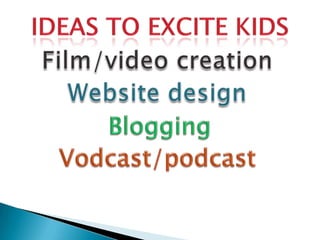
Ideas to excite kidsFilm/video creationWebsite designBloggingVodcast/podcast
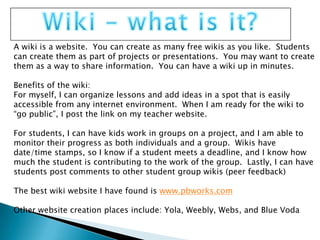
Wiki – what is it?A wiki is a website.  You can create as many free wikis as you like.  Students can create them as part of projects or presentations.  You may want to create them as a way to share information.  You can have a wiki up in minutes.Benefits of the wiki:For myself, I can organize lessons and add ideas in a spot that is easily accessible from any internet environment. When I am ready for the wiki to “go public”, I post the link on my teacher website.For students, I can have kids work in groups on a project, and I am able to monitor their progress as both individuals and a group.  Wikis have date/time stamps, so I know if a student meets a deadline, and I know how much the student is contributing to the work of the group.  Lastly, I can have students post comments to other student group wikis (peer feedback)The best wiki website I have found is www.pbworks.comOther website creation places include: Yola, Weebly, Webs, and Blue Voda
Why is Blogging a big deal?Blogs allow student work to be seen by many rather than have it be something that only the student and teacher read.  Studies show that when students know their work will be read by many, they put more effort into the work.Blogs allow for immediate feedback Some blog web sites allow you to connect with other schools around the world so that you can turn an assignment or project into something global and meaningful.Some blog web sites allow you to tap into teacher resources to get more ideas on how to use technology in the classroomhttp://edublogs.org/http://classblogmeister.com/https://www.blogger.com/starthttp://www.livejournal.com/http://www.movabletype.com/http://wordpress.com/http://kidblog.org/home.php
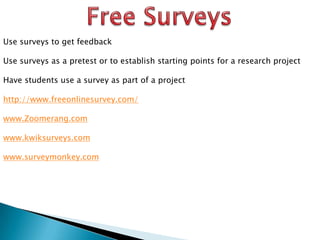
Free SurveysUse surveys to get feedbackUse surveys as a pretest or to establish starting points for a research projectHave students use a survey as part of a projecthttp://www.freeonlinesurvey.com/www.Zoomerang.comwww.kwiksurveys.comwww.surveymonkey.com

Easy technology

  • 1.
    Easy TechnologyPresenter: TamSjobergSt Joseph Middle SchoolAppleton, WIHow to use simple tools that get you started in technology integrationWhat is the big deal, anyway?
  • 2.
    Most likely, yourstudents have never been without some piece of technology.
  • 3.
    Students today arepreparing for jobs that do not yet exist
  • 4.
    These jobs willrequire the following skills: collaborationcommunicationconcept learningproblem solvingcreativitycritical thinkinginnovationAre you sick of being asked, “Why do we need to know this?” Technology integration lets the student answer that question for himself
  • 5.
    Are you sickof seeing glazed looks and big yawns during your class? Technology integration lets you transition from bore and snore to exciting and engaged.
  • 6.
    If you wantto become relevant, your students have to relate. Technology integration makes this happenSome Hints:Start with a few toolsStay informed of new ideasBuild your repertoire as you go
  • 7.
    Ideas to excitekidsFilm/video creationWebsite designBloggingVodcast/podcast
  • 8.
    Wiki – whatis it?A wiki is a website. You can create as many free wikis as you like. Students can create them as part of projects or presentations. You may want to create them as a way to share information. You can have a wiki up in minutes.Benefits of the wiki:For myself, I can organize lessons and add ideas in a spot that is easily accessible from any internet environment. When I am ready for the wiki to “go public”, I post the link on my teacher website.For students, I can have kids work in groups on a project, and I am able to monitor their progress as both individuals and a group. Wikis have date/time stamps, so I know if a student meets a deadline, and I know how much the student is contributing to the work of the group. Lastly, I can have students post comments to other student group wikis (peer feedback)The best wiki website I have found is www.pbworks.comOther website creation places include: Yola, Weebly, Webs, and Blue Voda
  • 9.
    Why is Blogginga big deal?Blogs allow student work to be seen by many rather than have it be something that only the student and teacher read. Studies show that when students know their work will be read by many, they put more effort into the work.Blogs allow for immediate feedback Some blog web sites allow you to connect with other schools around the world so that you can turn an assignment or project into something global and meaningful.Some blog web sites allow you to tap into teacher resources to get more ideas on how to use technology in the classroomhttp://edublogs.org/http://classblogmeister.com/https://www.blogger.com/starthttp://www.livejournal.com/http://www.movabletype.com/http://wordpress.com/http://kidblog.org/home.php
  • 10.
    Free SurveysUse surveysto get feedbackUse surveys as a pretest or to establish starting points for a research projectHave students use a survey as part of a projecthttp://www.freeonlinesurvey.com/www.Zoomerang.comwww.kwiksurveys.comwww.surveymonkey.com