Lecture no : 4
Introduction to Computer/ Computer
Education
Mr. Muhammad Moazzam
MPhil Public Health
BSc BioMedical
University of the Lahore
Contents
• Generations of Computer
• Difference b/w Professional & User Computer
• Difference b/w Computer literate &
Computer competent
Classification of computer
Computers comes in many different sizes and
ranges of power. They are different types of
computer system have varying capabilities.
Today’s computer systems are classified into
following categories:
• Super computer
• Mainframe computer
• Mini computer
• Micro computer
Supercomputer
• A computer that was the fastest in the world at the
time it was constructed
• The most powerful computers in terms of
performance and data processing are the
Supercomputers
• These are specialized and task specific computers
used by large organizations
• These computers are used for research and
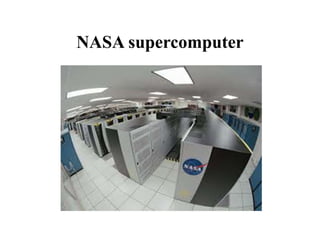
exploration purposes, like NASA uses
supercomputers for launching space shuttles,
controlling them and for space exploration
purpose
Supercomputer
• Can tackle tasks that would not be practical for
other computers.
– Typical uses
• Breaking codes
• Modeling weather systems
• highly complex problems that require extreme calculation
power
• The supercomputers are very expensive and very
large in size. It can be accommodated in large air-
conditioned rooms; some super computers can
span an entire building.
NASA supercomputer
Uses of Supercomputer
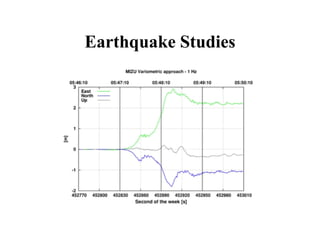
• Earthquake Studies:
Supercomputers are used to study the
Earthquakes phenomenon. Besides that
supercomputers are used for natural resources
exploration, like natural gas, petroleum, coal,
etc.
Earthquake Studies
Uses of Supercomputer
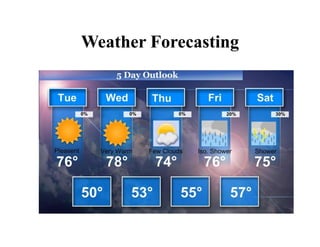
• Weather Forecasting:
Supercomputers are used for weather
forecasting, and to study the nature and extent of
Hurricanes, Rainfalls, windstorms, etc.
Weather Forecasting
Uses of Supercomputer
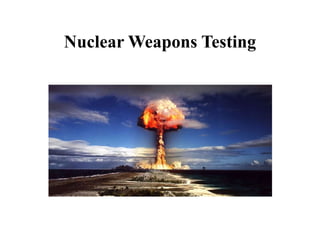
• Nuclear Weapons Testing:
Supercomputers are used to run weapon
simulation that can test the Range, accuracy &
impact of Nuclear weapons.
Nuclear Weapons Testing
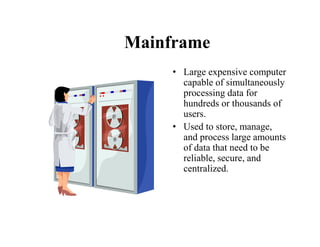
Mainframe
• Large expensive computer
capable of simultaneously
processing data for
hundreds or thousands of
users.
• Used to store, manage,
and process large amounts
of data that need to be
reliable, secure, and
centralized.
Mainframe computers
• Mainframe computers are used in large
organizations like banks and insurance
companies where many people need frequent
access to the same data at the same time.
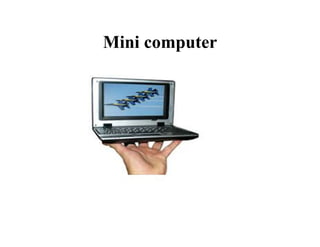
Mini computer
• Mini computers are lower to mainframe
computers in terms of speed and storage
capacity
• They are also less expensive than mainframe
computers
• Some of the features of mainframes will not be
available in mini computers. Hence, their
performance also will be less than that of
mainframes
Mini computer
Microcomputer
• The invention of microprocessor (single chip
CPU) gave birth to the much cheaper micro
computers. They are further classified into
• Personal Computers
• Laptop Computers
• Handheld Computers(PDAs)
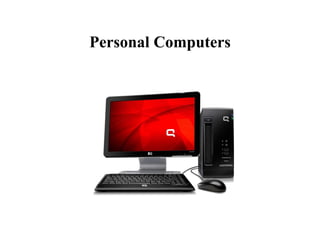
Personal Computers
They are usually easier to use and more
affordable. They are normally intended for
individual users for their word processing and
other small application Requirements:
• Desktop
• Tower
Personal Computers
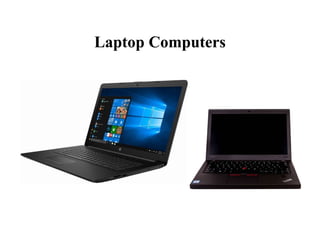
Laptop Computers
• Laptop computers are portable computers.
• They are lightweight computers with a thin
screen. They are also called as notebook
computers because of their small size.
• They can operate on batteries and hence are
very popular with travellers. The screen folds
down onto the keyboard when not in use
Laptop Computers
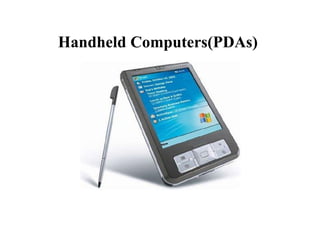
Handheld Computers(PDAs)
• Handheld computers or Personal Digital
Assistants (PDAs) are pen-based and also
battery- powered. They are small and can be
carried anywhere. They have touch screens
which we use with a finger or a stylus.
• They are used for scheduling appointments,
storing addresses and playing games.
Handheld Computers(PDAs)
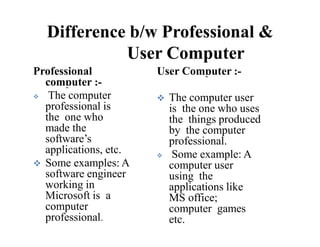
Difference b/w Professional &
User Computer
Professional Computer :
 Someone who is an
expert in the field of
computer science.
 A person with an
advanced degree in
computer science &
computer engineering
User computer :-
 A person who uses
computers for work or
entertainment or
communication or
business.
 Computer user dose
not advanced degree
in computer science &
computer engineering.
Difference b/w Professional &
User Computer
 The computer
professional is
the one who
made the
software’s
applications, etc.
 Some examples: A
software engineer
working in
Microsoft is a
computer
professional.
Professional User Computer :-
computer :-
 The computer user
is the one who uses
the things produced
by the computer
professional.
 Some example: A
computer user
using the
applications like
MS office;
computer games
etc.
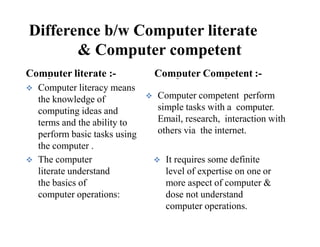
Difference b/w Computer literate
& Computer competent
 Computer literacy means
the knowledge of
computing ideas and
terms and the ability to
perform basic tasks using
the computer .
 The computer
literate understand
the basics of
computer operations:
Computer literate :- Computer Competent :-
 Computer competent perform
simple tasks with a computer.
Email, research, interaction with
others via the internet.
 It requires some definite
level of expertise on one or
more aspect of computer &
dose not understand
computer operations.
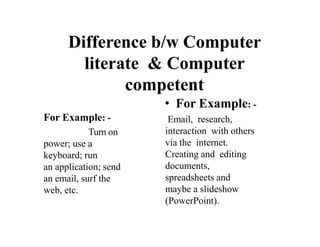
Difference b/w Computer
literate & Computer
competent
For Example: -
Turn on
power; use a
keyboard; run
an application; send
an email, surf the
web, etc.
• For Example: -
Email, research,
interaction with others
via the internet.
Creating and editing
documents,
spreadsheets and
maybe a slideshow
(PowerPoint).
Classification of Computer

Classification of Computer

  • 1.
    Lecture no :4 Introduction to Computer/ Computer Education Mr. Muhammad Moazzam MPhil Public Health BSc BioMedical University of the Lahore
  • 2.
    Contents • Generations ofComputer • Difference b/w Professional & User Computer • Difference b/w Computer literate & Computer competent
  • 3.
    Classification of computer Computerscomes in many different sizes and ranges of power. They are different types of computer system have varying capabilities. Today’s computer systems are classified into following categories: • Super computer • Mainframe computer • Mini computer • Micro computer
  • 4.
    Supercomputer • A computerthat was the fastest in the world at the time it was constructed • The most powerful computers in terms of performance and data processing are the Supercomputers • These are specialized and task specific computers used by large organizations • These computers are used for research and exploration purposes, like NASA uses supercomputers for launching space shuttles, controlling them and for space exploration purpose
  • 5.
    Supercomputer • Can tackletasks that would not be practical for other computers. – Typical uses • Breaking codes • Modeling weather systems • highly complex problems that require extreme calculation power • The supercomputers are very expensive and very large in size. It can be accommodated in large air- conditioned rooms; some super computers can span an entire building.
  • 6.
  • 7.
    Uses of Supercomputer •Earthquake Studies: Supercomputers are used to study the Earthquakes phenomenon. Besides that supercomputers are used for natural resources exploration, like natural gas, petroleum, coal, etc.
  • 8.
  • 9.
    Uses of Supercomputer •Weather Forecasting: Supercomputers are used for weather forecasting, and to study the nature and extent of Hurricanes, Rainfalls, windstorms, etc.
  • 10.
  • 11.
    Uses of Supercomputer •Nuclear Weapons Testing: Supercomputers are used to run weapon simulation that can test the Range, accuracy & impact of Nuclear weapons.
  • 12.
  • 13.
    Mainframe • Large expensivecomputer capable of simultaneously processing data for hundreds or thousands of users. • Used to store, manage, and process large amounts of data that need to be reliable, secure, and centralized.
  • 14.
    Mainframe computers • Mainframecomputers are used in large organizations like banks and insurance companies where many people need frequent access to the same data at the same time.
  • 15.
    Mini computer • Minicomputers are lower to mainframe computers in terms of speed and storage capacity • They are also less expensive than mainframe computers • Some of the features of mainframes will not be available in mini computers. Hence, their performance also will be less than that of mainframes
  • 16.
  • 17.
    Microcomputer • The inventionof microprocessor (single chip CPU) gave birth to the much cheaper micro computers. They are further classified into • Personal Computers • Laptop Computers • Handheld Computers(PDAs)
  • 18.
    Personal Computers They areusually easier to use and more affordable. They are normally intended for individual users for their word processing and other small application Requirements: • Desktop • Tower
  • 19.
  • 20.
    Laptop Computers • Laptopcomputers are portable computers. • They are lightweight computers with a thin screen. They are also called as notebook computers because of their small size. • They can operate on batteries and hence are very popular with travellers. The screen folds down onto the keyboard when not in use
  • 21.
  • 22.
    Handheld Computers(PDAs) • Handheldcomputers or Personal Digital Assistants (PDAs) are pen-based and also battery- powered. They are small and can be carried anywhere. They have touch screens which we use with a finger or a stylus. • They are used for scheduling appointments, storing addresses and playing games.
  • 23.
  • 24.
    Difference b/w Professional& User Computer Professional Computer :  Someone who is an expert in the field of computer science.  A person with an advanced degree in computer science & computer engineering User computer :-  A person who uses computers for work or entertainment or communication or business.  Computer user dose not advanced degree in computer science & computer engineering.
  • 25.
    Difference b/w Professional& User Computer  The computer professional is the one who made the software’s applications, etc.  Some examples: A software engineer working in Microsoft is a computer professional. Professional User Computer :- computer :-  The computer user is the one who uses the things produced by the computer professional.  Some example: A computer user using the applications like MS office; computer games etc.
  • 26.
    Difference b/w Computerliterate & Computer competent  Computer literacy means the knowledge of computing ideas and terms and the ability to perform basic tasks using the computer .  The computer literate understand the basics of computer operations: Computer literate :- Computer Competent :-  Computer competent perform simple tasks with a computer. Email, research, interaction with others via the internet.  It requires some definite level of expertise on one or more aspect of computer & dose not understand computer operations.
  • 27.
    Difference b/w Computer literate& Computer competent For Example: - Turn on power; use a keyboard; run an application; send an email, surf the web, etc. • For Example: - Email, research, interaction with others via the internet. Creating and editing documents, spreadsheets and maybe a slideshow (PowerPoint).