List, Set, andDictionary Comprehensions
• List comprehensions are a convenient and widely used Python language feature. They allow you to
concisely form a new list by filtering the elements of a collection, transforming the elements passing the
filter into one concise expression. They take the basic form:
[expr for value in collection if condition]
This is equivalent to the following for loop:
result = []
for value in collection:
if condition:
result.append(expr)
2.
List, Set, andDictionary Comprehensions
• The filter condition can be omitted, leaving only the
expression. For example, given a list of strings, we could
filter out strings with length 2 or less and convert them to
uppercase like this:
In [155]: strings = ["a", "as", "bat", "car", "dove", "python"]
In [156]: [x.upper() for x in strings if len(x) > 2]
Out[156]: ['BAT', 'CAR', 'DOVE', 'PYTHON']
3.
List, Set, andDictionary Comprehensions
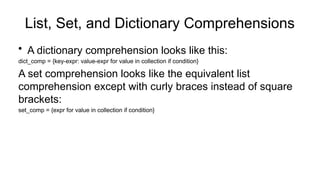
• A dictionary comprehension looks like this:
dict_comp = {key-expr: value-expr for value in collection if condition}
A set comprehension looks like the equivalent list
comprehension except with curly braces instead of square
brackets:
set_comp = {expr for value in collection if condition}
4.
List, Set, andDictionary Comprehensions
• Nested list comprehensions
Suppose we have a list of lists containing some English and Spanish names:
In [162]: all_data = [["John", "Emily", "Michael", "Mary", "Steven"],
.....: ["Maria", "Juan", "Javier", "Natalia", "Pilar"]]
Suppose we wanted to get a single list containing all names with two or more a’s in them. We could
certainly do this with a simple for loop:
In [163]: names_of_interest = []
In [164]: for names in all_data:
.....: enough_as = [name for name in names if name.count("a") >= 2]
.....: names_of_interest.extend(enough_as)
.....:
In [165]: names_of_interest Out[165]: ['Maria', 'Natalia']
5.
List, Set, andDictionary Comprehensions
You can actually wrap this whole operation up in a single
nested list comprehension, which will look like:
In [166]: result = [name for names in all_data for name in
names
.....: if name.count("a") >= 2]
In [167]: result
Out[167]: ['Maria', 'Natalia']
6.
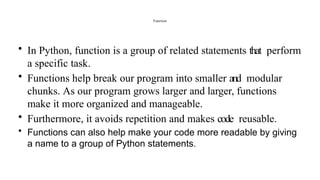
Function
• In Python,function is a group of related statements that perform
a specific task.
• Functions help break our program into smaller and modular
chunks. As our program grows larger and larger, functions
make it more organized and manageable.
• Furthermore, it avoids repetition and makes code reusable.
• Functions can also help make your code more readable by giving
a name to a group of Python statements.
7.
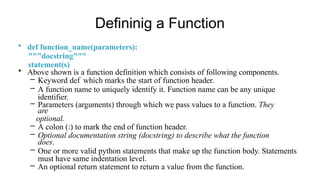
Defininig a Function
•def function_name(parameters):
"""docstring"""
statement(s)
• Above shown is a function definition which consists of following components.
– Keyword def which marks the start of function header.
– A function name to uniquely identify it. Function name can be any unique
identifier.
– Parameters (arguments) through which we pass values to a function. They
are
optional.
– A colon (:) to mark the end of function header.
– Optional documentation string (docstring) to describe what the function
does.
– One or more valid python statements that make up the function body. Statements
must have same indentation level.
– An optional return statement to return a value from the function.
8.
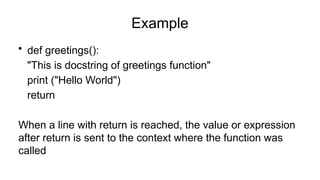
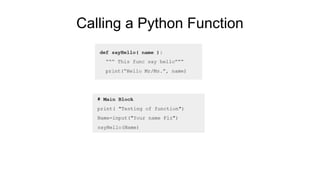
Example
• def greetings():
"Thisis docstring of greetings function"
print ("Hello World")
return
When a line with return is reached, the value or expression
after return is sent to the context where the function was
called
If Python reachesthe end of a function without encountering a
return statement, None is returned automatically. For example:
In [177]: def function_without_return(x):
.....: print(x)
In [178]: result = function_without_return("hello!")
hello!
In [179]: print(result)
None
11.
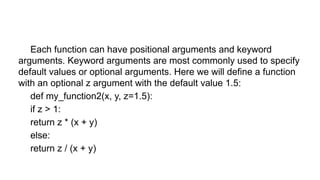
Each function canhave positional arguments and keyword
arguments. Keyword arguments are most commonly used to specify
default values or optional arguments. Here we will define a function
with an optional z argument with the default value 1.5:
def my_function2(x, y, z=1.5):
if z > 1:
return z * (x + y)
else:
return z / (x + y)
12.
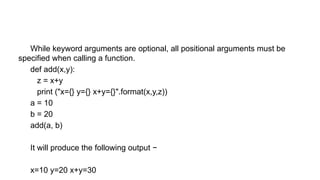
While keyword argumentsare optional, all positional arguments must be
specified when calling a function.
def add(x,y):
z = x+y
print ("x={} y={} x+y={}".format(x,y,z))
a = 10
b = 20
add(a, b)
It will produce the following output −
x=10 y=20 x+y=30
13.
Namespaces, Scope, andLocal Functions
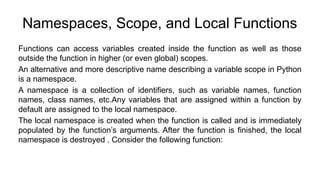
Functions can access variables created inside the function as well as those
outside the function in higher (or even global) scopes.
An alternative and more descriptive name describing a variable scope in Python
is a namespace.
A namespace is a collection of identifiers, such as variable names, function
names, class names, etc.Any variables that are assigned within a function by
default are assigned to the local namespace.
The local namespace is created when the function is called and is immediately
populated by the function’s arguments. After the function is finished, the local
namespace is destroyed . Consider the following function:
14.
def func():
a =[]
for i in range(5): a.append(i)
When func() is called, the empty list a is created, five elements are appended,
and then a is destroyed when the function exits. Suppose instead we had
declared a as follows:
In [184]: a = []
In [185]: def func():
.....: for i in range(5):
.....: a.append(i)
15.
Each call tofunc will modify list a:
In [186]: func()
In [187]: a
Out[187]: [0, 1, 2, 3, 4]
In [188]: func()
In [189]: a
Out[189]: [0, 1, 2, 3, 4, 0, 1, 2, 3, 4]
16.
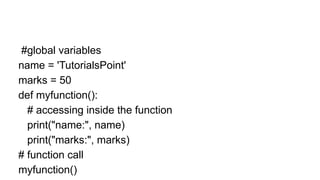
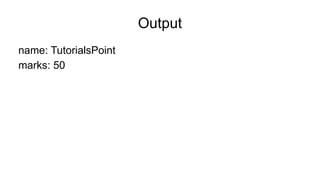
#global variables
name ='TutorialsPoint'
marks = 50
def myfunction():
# accessing inside the function
print("name:", name)
print("marks:", marks)
# function call
myfunction()
Assigning variables outsideof the function’s scope is possible, but those
variables must be declared explicitly using either the global or nonlocal
keywords:
In [190]: a = None
In [191]: def bind_a_variable():
.....: global a
.....: a = []
.....: bind_a_variable()
.....:
In [192]: print(a) []
19.
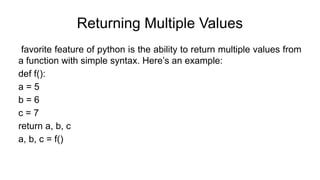
Returning Multiple Values
favoritefeature of python is the ability to return multiple values from
a function with simple syntax. Here’s an example:
def f():
a = 5
b = 6
c = 7
return a, b, c
a, b, c = f()
20.
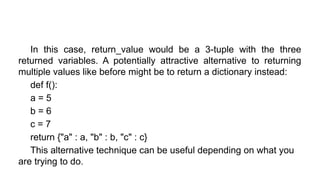
In this case,return_value would be a 3-tuple with the three
returned variables. A potentially attractive alternative to returning
multiple values like before might be to return a dictionary instead:
def f():
a = 5
b = 6
c = 7
return {"a" : a, "b" : b, "c" : c}
This alternative technique can be useful depending on what you
are trying to do.
21.
Functions Are Objects
SincePython functions are objects, many constructs can be
easily expressed that are difficult to do in other languages.
Suppose we were doing some data cleaning and needed to
apply a bunch of transformations to the following list of
strings:
In [193]: states = [" Alabama ", "Georgia!", "Georgia",
"georgia", "FlOrIda",
.....: "south carolina##", "West virginia?"]
22.
Lots of thingsneed to happen to make this list of strings
uniform and ready for analysis: stripping whitespace,
removing punctuation symbols, and standardizing proper
capitalization. One way to do this is to use built-in string
methods along with the re standard library module for
regular expressions:
23.
import re
def clean_strings(strings):result = []
for value in strings: value = value.strip()
value = re.sub("[!#?]", "", value) value = value.title()
result.append(value)
return result
24.
The result lookslike this:
In [195]: clean_strings(states) Out[195]:
['Alabama', 'Georgia', 'Georgia', 'Georgia', 'Florida',
'South Carolina', 'West Virginia']
25.
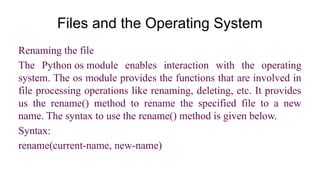
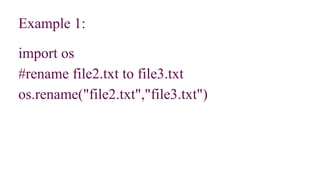
Files and theOperating System
Renaming the file
The Python os module enables interaction with the operating
system. The os module provides the functions that are involved in
file processing operations like renaming, deleting, etc. It provides
us the rename() method to rename the specified file to a new
name. The syntax to use the rename() method is given below.
Syntax:
rename(current-name, new-name)
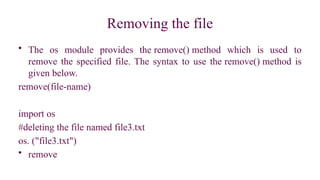
Removing the file
•The os module provides the remove() method which is used to
remove the specified file. The syntax to use the remove() method is
given below.
remove(file-name)
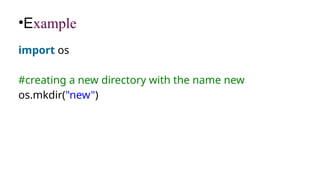
import os
#deleting the file named file3.txt
os. ("file3.txt")
• remove
28.
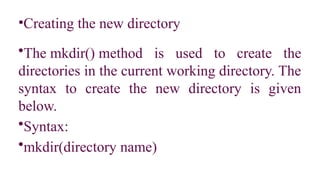
•Creating the newdirectory
•The mkdir() method is used to create the
directories in the current working directory. The
syntax to create the new directory is given
below.
•Syntax:
•mkdir(directory name)
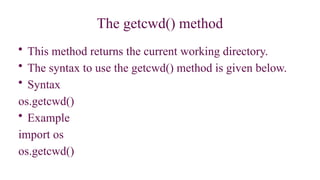
The getcwd() method
•This method returns the current working directory.
• The syntax to use the getcwd() method is given below.
• Syntax
os.getcwd()
• Example
import os
os.getcwd()
31.
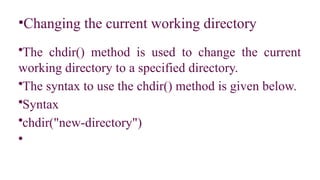
•Changing the currentworking directory
•The chdir() method is used to change the current
working directory to a specified directory.
•The syntax to use the chdir() method is given below.
•Syntax
•chdir("new-directory")
•
32.
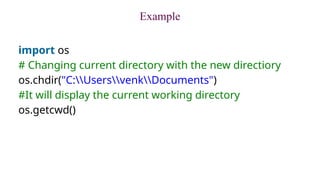
Example
import os
# Changingcurrent directory with the new directiory
os.chdir("C:UsersvenkDocuments")
#It will display the current working directory
os.getcwd()
33.
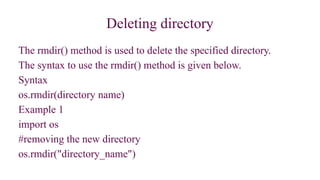
Deleting directory
The rmdir()method is used to delete the specified directory.
The syntax to use the rmdir() method is given below.
Syntax
os.rmdir(directory name)
Example 1
import os
#removing the new directory
os.rmdir("directory_name")
34.
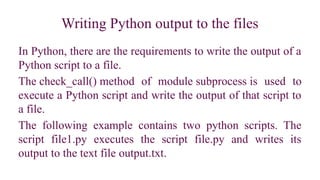
Writing Python outputto the files
In Python, there are the requirements to write the output of a
Python script to a file.
The check_call() method of module subprocess is used to
execute a Python script and write the output of that script to
a file.
The following example contains two python scripts. The
script file1.py executes the script file.py and writes its
output to the text file output.txt.
The file relatedmethods
SN Method Description
1 file.close() It closes the opened file. The file once closed, it can't be read or write
anymore.
2 File.fush() It flushes the internal buffer.
3 File.fileno() It returns the file descriptor used by the underlying implementation to
request I/O from the OS.
4 File.isatty() It returns true if the file is connected to a TTY device, otherwise
returns false.
5 File.next() It returns the next line from the file.
6 File.read([size]) It reads the file for the specified size.
![List, Set, and Dictionary Comprehensions
• List comprehensions are a convenient and widely used Python language feature. They allow you to
concisely form a new list by filtering the elements of a collection, transforming the elements passing the
filter into one concise expression. They take the basic form:
[expr for value in collection if condition]
This is equivalent to the following for loop:
result = []
for value in collection:
if condition:
result.append(expr)](https://image.slidesharecdn.com/module1-it25201-260123142031-09b5e9ee/85/Module-1-foundation-of-data-science-IT25201-pptx-1-320.jpg)
![List, Set, and Dictionary Comprehensions
• List comprehensions are a convenient and widely used Python language feature. They allow you to
concisely form a new list by filtering the elements of a collection, transforming the elements passing the
filter into one concise expression. They take the basic form:
[expr for value in collection if condition]
This is equivalent to the following for loop:
result = []
for value in collection:
if condition:
result.append(expr)](https://image.slidesharecdn.com/module1-it25201-260123142031-09b5e9ee/75/Module-1-foundation-of-data-science-IT25201-pptx-1-2048.jpg)
![List, Set, and Dictionary Comprehensions
• The filter condition can be omitted, leaving only the
expression. For example, given a list of strings, we could
filter out strings with length 2 or less and convert them to
uppercase like this:
In [155]: strings = ["a", "as", "bat", "car", "dove", "python"]
In [156]: [x.upper() for x in strings if len(x) > 2]
Out[156]: ['BAT', 'CAR', 'DOVE', 'PYTHON']](https://image.slidesharecdn.com/module1-it25201-260123142031-09b5e9ee/85/Module-1-foundation-of-data-science-IT25201-pptx-2-320.jpg)
![List, Set, and Dictionary Comprehensions
• Nested list comprehensions
Suppose we have a list of lists containing some English and Spanish names:
In [162]: all_data = [["John", "Emily", "Michael", "Mary", "Steven"],
.....: ["Maria", "Juan", "Javier", "Natalia", "Pilar"]]
Suppose we wanted to get a single list containing all names with two or more a’s in them. We could
certainly do this with a simple for loop:
In [163]: names_of_interest = []
In [164]: for names in all_data:
.....: enough_as = [name for name in names if name.count("a") >= 2]
.....: names_of_interest.extend(enough_as)
.....:
In [165]: names_of_interest Out[165]: ['Maria', 'Natalia']](https://image.slidesharecdn.com/module1-it25201-260123142031-09b5e9ee/85/Module-1-foundation-of-data-science-IT25201-pptx-4-320.jpg)
![List, Set, and Dictionary Comprehensions
You can actually wrap this whole operation up in a single
nested list comprehension, which will look like:
In [166]: result = [name for names in all_data for name in
names
.....: if name.count("a") >= 2]
In [167]: result
Out[167]: ['Maria', 'Natalia']](https://image.slidesharecdn.com/module1-it25201-260123142031-09b5e9ee/85/Module-1-foundation-of-data-science-IT25201-pptx-5-320.jpg)
![If Python reaches the end of a function without encountering a
return statement, None is returned automatically. For example:
In [177]: def function_without_return(x):
.....: print(x)
In [178]: result = function_without_return("hello!")
hello!
In [179]: print(result)
None](https://image.slidesharecdn.com/module1-it25201-260123142031-09b5e9ee/85/Module-1-foundation-of-data-science-IT25201-pptx-10-320.jpg)
![def func():
a = []
for i in range(5): a.append(i)
When func() is called, the empty list a is created, five elements are appended,
and then a is destroyed when the function exits. Suppose instead we had
declared a as follows:
In [184]: a = []
In [185]: def func():
.....: for i in range(5):
.....: a.append(i)](https://image.slidesharecdn.com/module1-it25201-260123142031-09b5e9ee/85/Module-1-foundation-of-data-science-IT25201-pptx-14-320.jpg)
![Each call to func will modify list a:
In [186]: func()
In [187]: a
Out[187]: [0, 1, 2, 3, 4]
In [188]: func()
In [189]: a
Out[189]: [0, 1, 2, 3, 4, 0, 1, 2, 3, 4]](https://image.slidesharecdn.com/module1-it25201-260123142031-09b5e9ee/85/Module-1-foundation-of-data-science-IT25201-pptx-15-320.jpg)
![Assigning variables outside of the function’s scope is possible, but those
variables must be declared explicitly using either the global or nonlocal
keywords:
In [190]: a = None
In [191]: def bind_a_variable():
.....: global a
.....: a = []
.....: bind_a_variable()
.....:
In [192]: print(a) []](https://image.slidesharecdn.com/module1-it25201-260123142031-09b5e9ee/85/Module-1-foundation-of-data-science-IT25201-pptx-18-320.jpg)
![Functions Are Objects
Since Python functions are objects, many constructs can be
easily expressed that are difficult to do in other languages.
Suppose we were doing some data cleaning and needed to
apply a bunch of transformations to the following list of
strings:
In [193]: states = [" Alabama ", "Georgia!", "Georgia",
"georgia", "FlOrIda",
.....: "south carolina##", "West virginia?"]](https://image.slidesharecdn.com/module1-it25201-260123142031-09b5e9ee/85/Module-1-foundation-of-data-science-IT25201-pptx-21-320.jpg)
![import re
def clean_strings(strings): result = []
for value in strings: value = value.strip()
value = re.sub("[!#?]", "", value) value = value.title()
result.append(value)
return result](https://image.slidesharecdn.com/module1-it25201-260123142031-09b5e9ee/85/Module-1-foundation-of-data-science-IT25201-pptx-23-320.jpg)
![The result looks like this:
In [195]: clean_strings(states) Out[195]:
['Alabama', 'Georgia', 'Georgia', 'Georgia', 'Florida',
'South Carolina', 'West Virginia']](https://image.slidesharecdn.com/module1-it25201-260123142031-09b5e9ee/85/Module-1-foundation-of-data-science-IT25201-pptx-24-320.jpg)
![Example
temperatures=[10,-20,-289,100]
def c_to_f(c):
if c< -273.15:
return "That temperature doesn't make sense!"
else:
f=c*9/5+32
return f
for t in temperatures:
print(c_to_f(t))](https://image.slidesharecdn.com/module1-it25201-260123142031-09b5e9ee/85/Module-1-foundation-of-data-science-IT25201-pptx-35-320.jpg)
![The file related methods
SN Method Description
1 file.close() It closes the opened file. The file once closed, it can't be read or write
anymore.
2 File.fush() It flushes the internal buffer.
3 File.fileno() It returns the file descriptor used by the underlying implementation to
request I/O from the OS.
4 File.isatty() It returns true if the file is connected to a TTY device, otherwise
returns false.
5 File.next() It returns the next line from the file.
6 File.read([size]) It reads the file for the specified size.](https://image.slidesharecdn.com/module1-it25201-260123142031-09b5e9ee/85/Module-1-foundation-of-data-science-IT25201-pptx-36-320.jpg)


