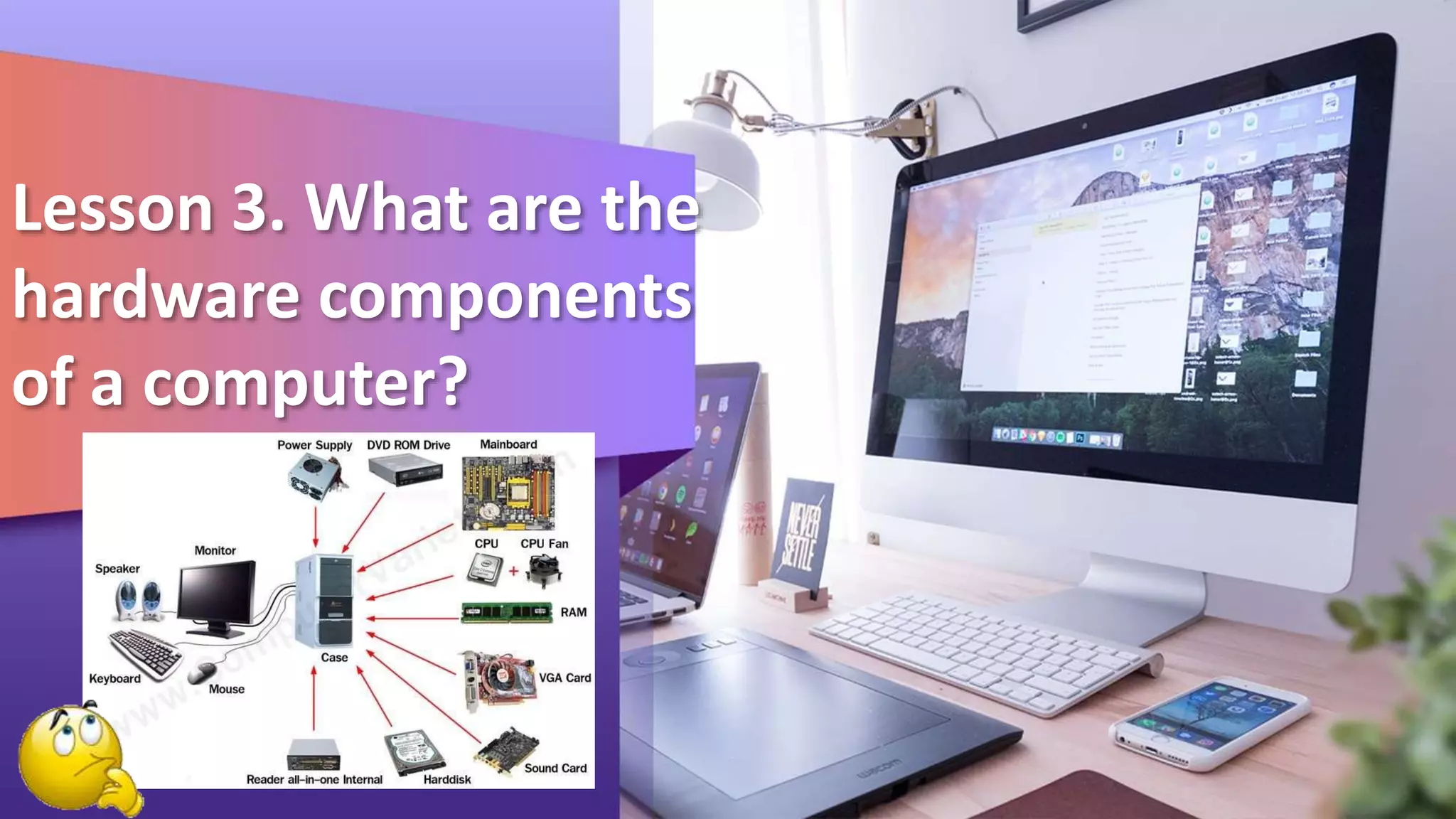
Lesson 3. What are the
hardware components
of a computer?
What Is Hardware?
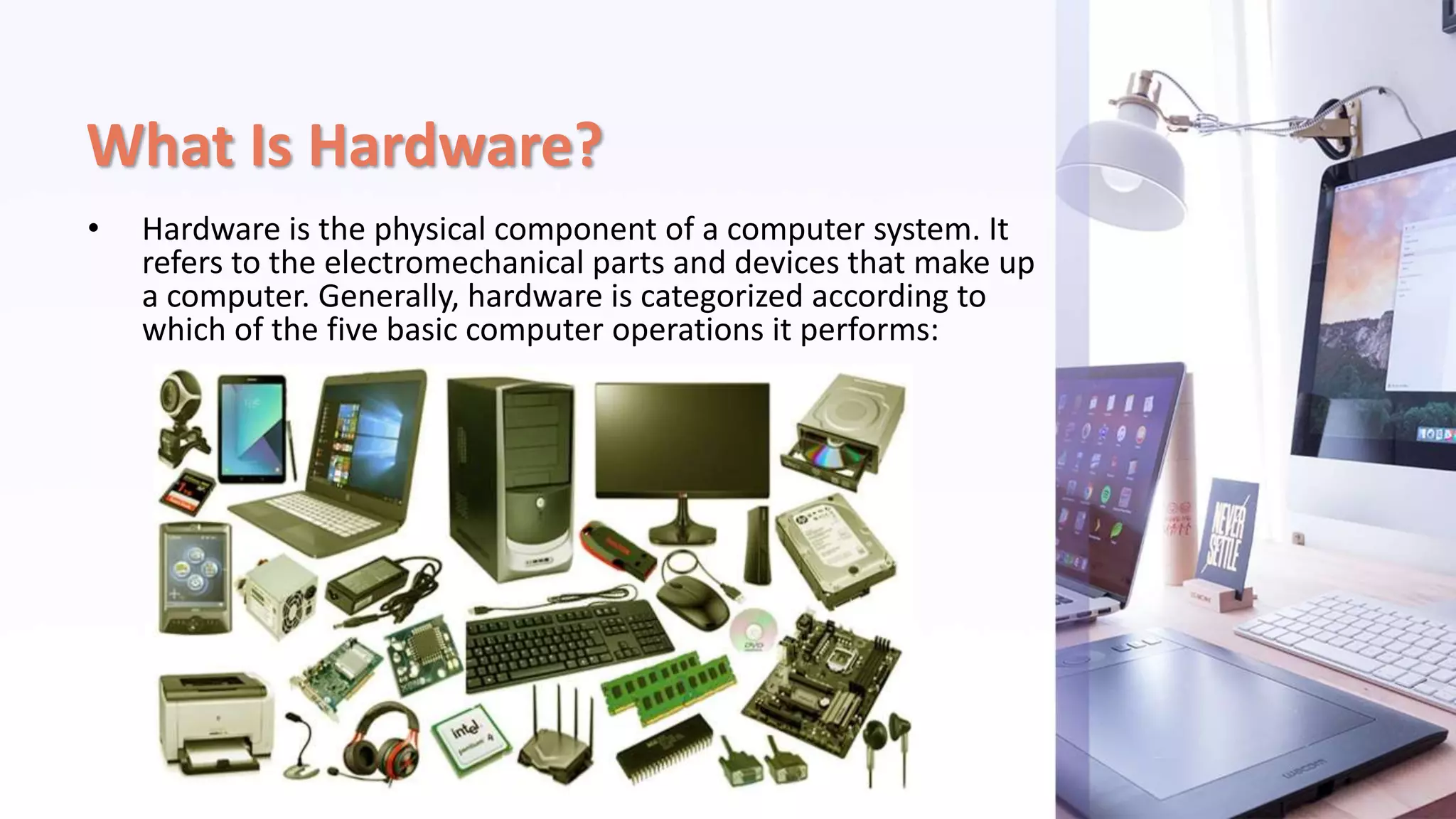
• Hardware is the physical component of a computer system. It
refers to the electromechanical parts and devices that make up
a computer. Generally, hardware is categorized according to
which of the five basic computer operations it performs:
• Input - data is captured electronically into a form that can be
processed by a computer
• Processing and memory - microprocessor, primary memory and
other processing devices used for manipulating data into information
• Output - production of processed information into a usable form
• Secondary storage - data, information and programs are stored in
computer-process able form
• Communications - enables the transfer of data from one place to
another and facilitates resource sharing
Input Devices
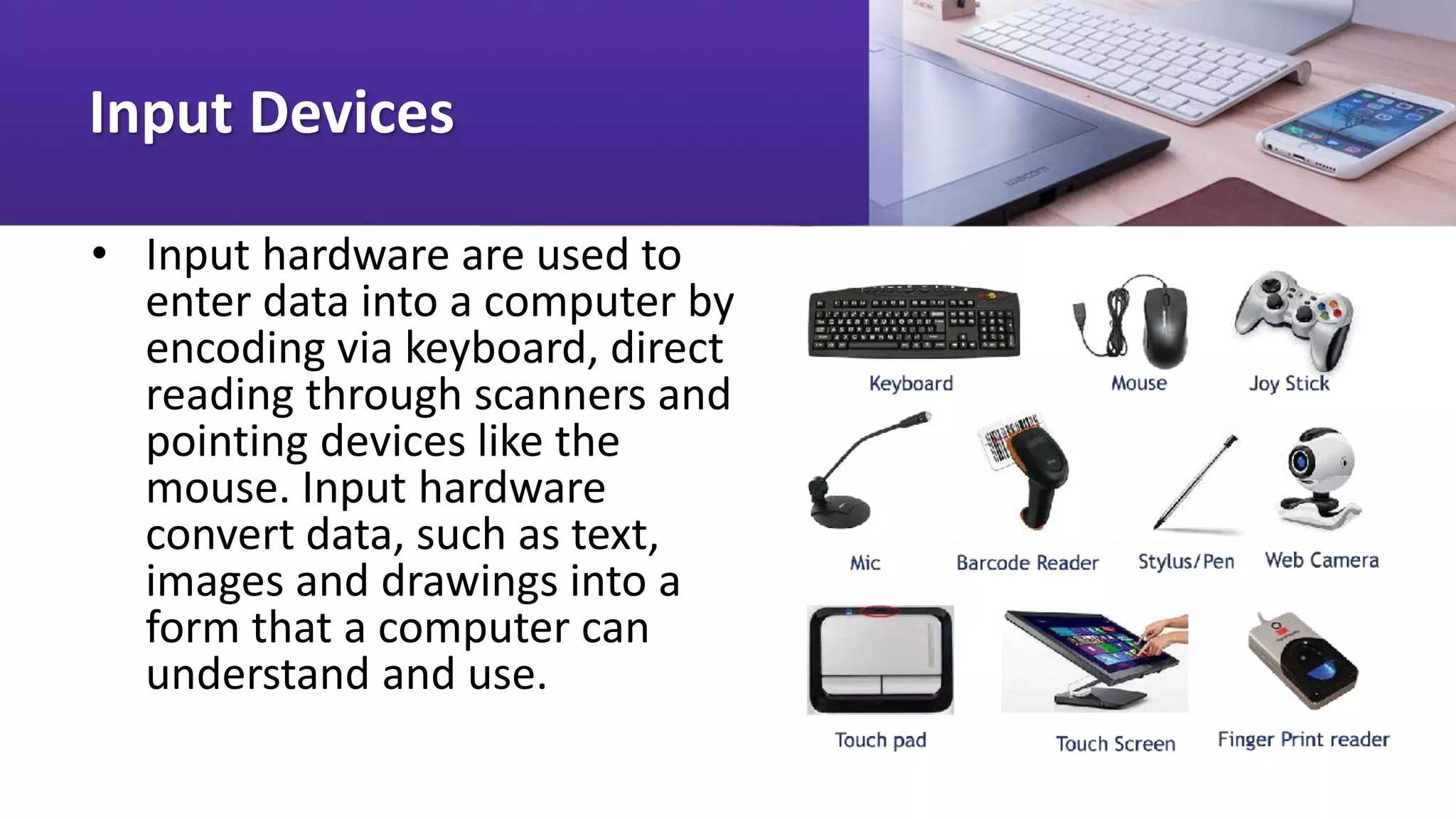
• Input hardware are used to
enter data into a computer by
encoding via keyboard, direct
reading through scanners and
pointing devices like the
mouse. Input hardware
convert data, such as text,
images and drawings into a
form that a computer can
understand and use.
Processing hardware
• The processor and the main memory
devices are the brains of the computer.
Housed by the system unit, the processor,
also known as the CPU (central processing
unit), interprets and executes instructions
while the main memory serves as the
computer's "work space". The processing
power of a computer largely depends on
the speed of the processor and size of its
main memory. Faster processors result in
faster execution of instructions, and the
bigger the memory, the more "work
space" is available.
Processor
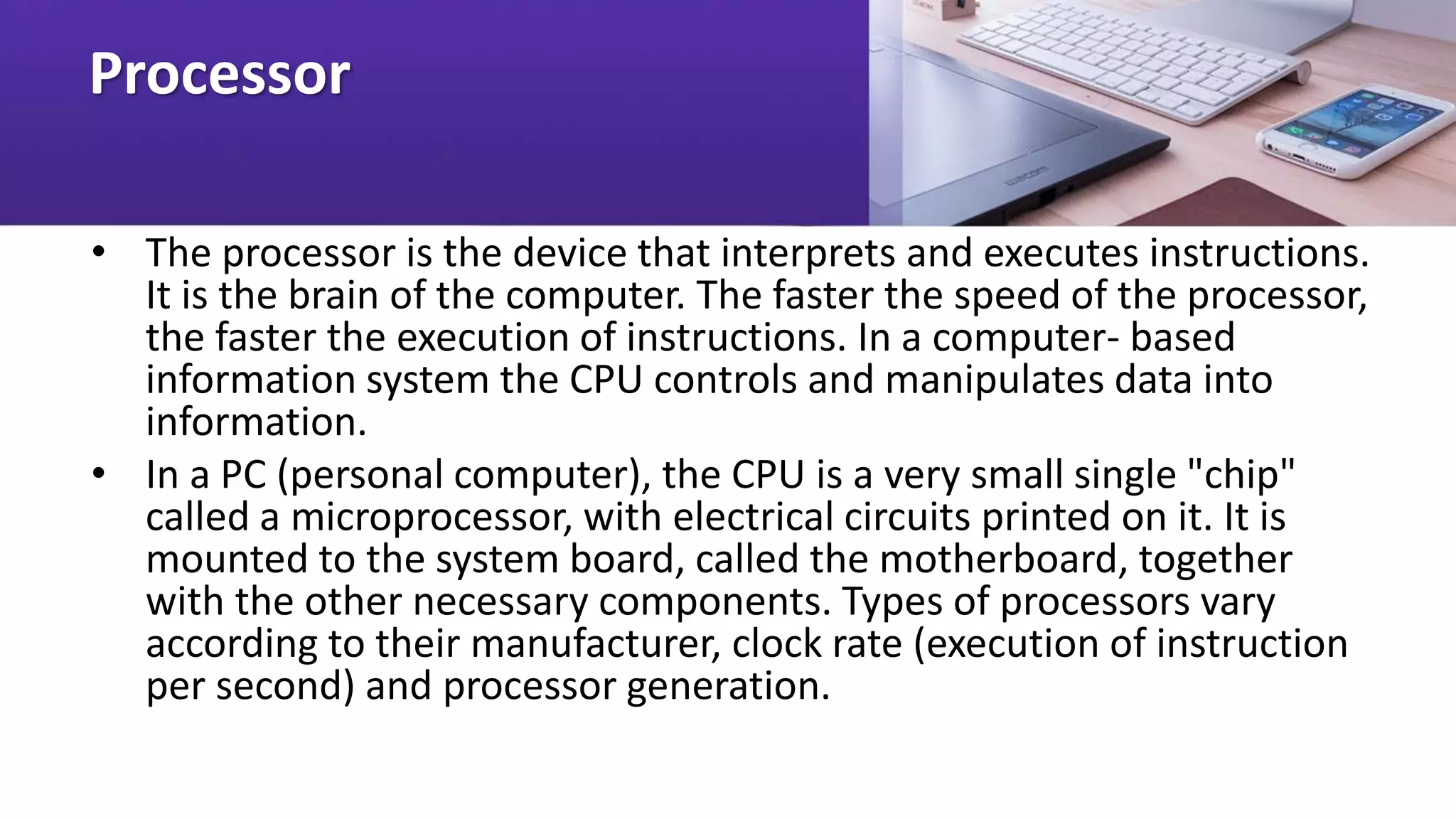
• The processor is the device that interprets and executes instructions.
It is the brain of the computer. The faster the speed of the processor,
the faster the execution of instructions. In a computer- based
information system the CPU controls and manipulates data into
information.
• In a PC (personal computer), the CPU is a very small single "chip"
called a microprocessor, with electrical circuits printed on it. It is
mounted to the system board, called the motherboard, together
with the other necessary components. Types of processors vary
according to their manufacturer, clock rate (execution of instruction
per second) and processor generation.
Examples of Processors
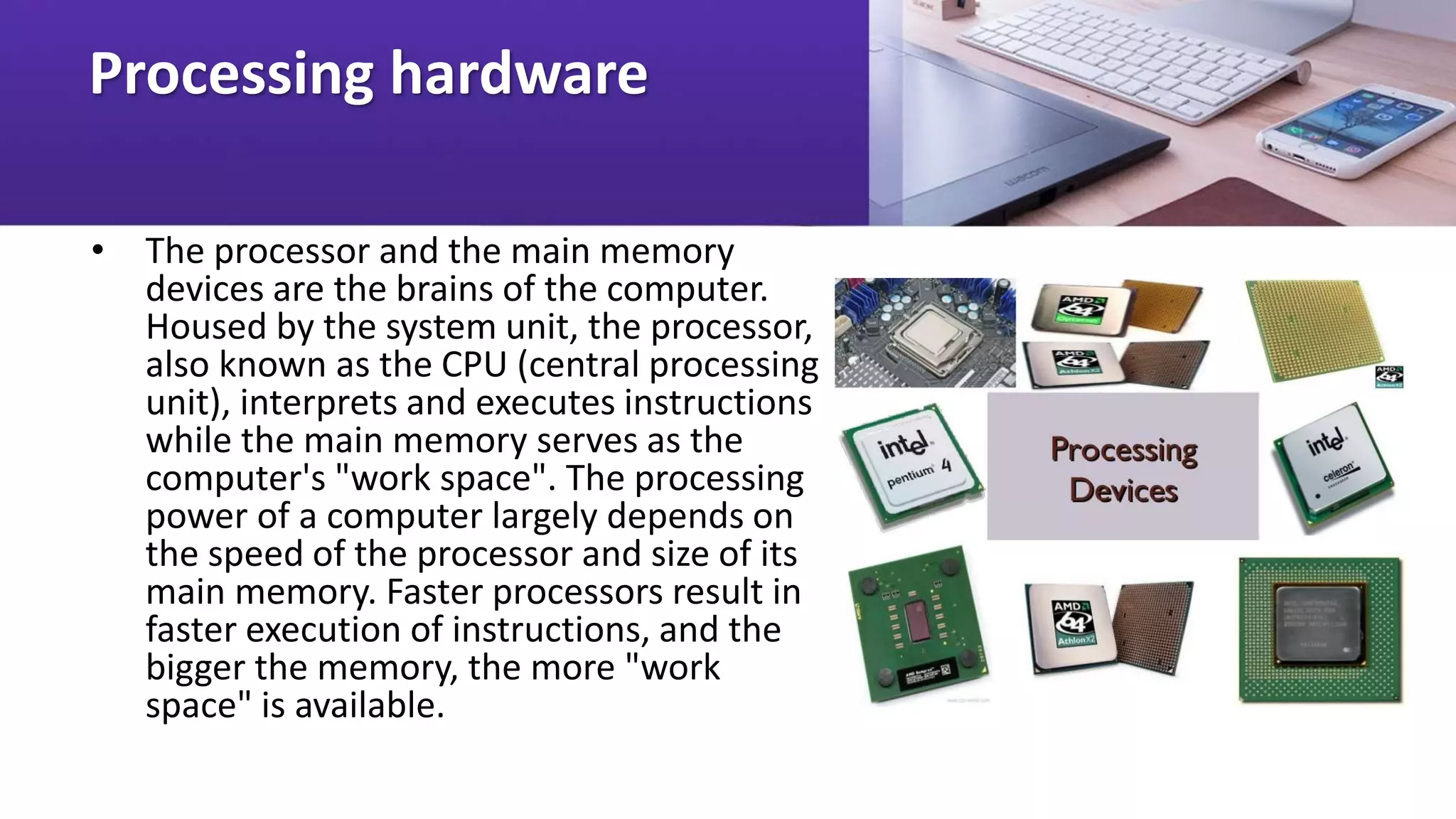
• Intel CPU's = Celeron, Pentium III, Pentium 4; from 500
MHz - 1.5 GHz
• Apple/Motorola CPU's = Power PC G3, G4; from 500
MHz - 700 MHz
• AMD CPU's = K6, K7, Duron, Athlon; 500 MHz - 1.5 GHz
• Cyrix CPU's = Cyrix MII, VIA Cyrix III; 333MHz - 600 MHz
Memory
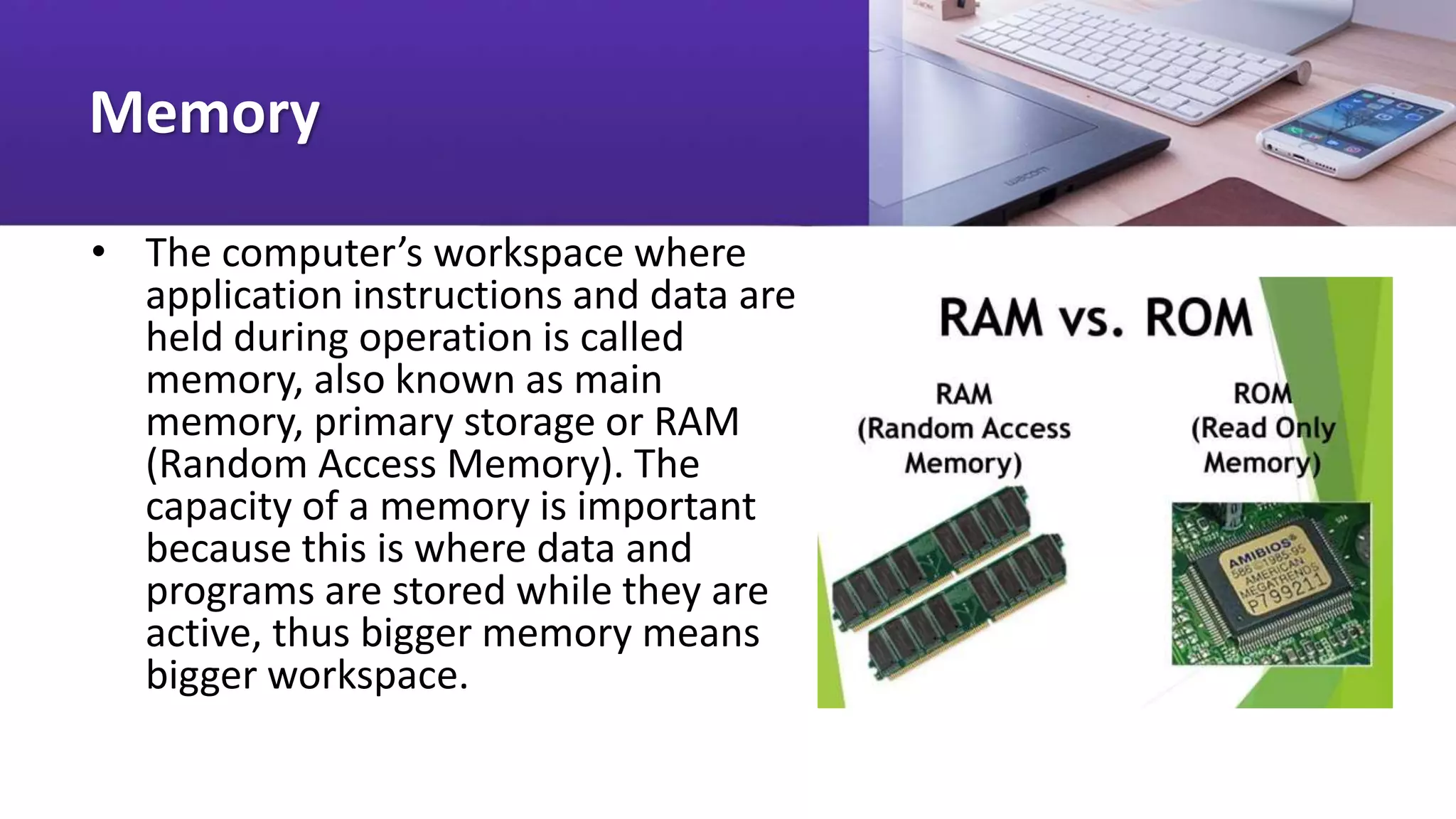
• The computer’s workspace where
application instructions and data are
held during operation is called
memory, also known as main
memory, primary storage or RAM
(Random Access Memory). The
capacity of a memory is important
because this is where data and
programs are stored while they are
active, thus bigger memory means
bigger workspace.
Random Access Memory (RAM)
• The amount of memory
available determines the kind of
software that can be run and
how much data can be
manipulated. The available RAM
at present ranges from 32 MB,
64 MB or 128 MB up to 1GB or
more. Whatever data is held in
the RAM is erased when the
computer is reset or the power
is turned off.
Read Only Memory – (ROM)
• Aside from the RAM, the
computer also has a ROM
(Read only memory), which
is used to store the boot
program, and other low-
level information that
enables the computer to
start up and to recognize its
hardware parts.
Output Devices
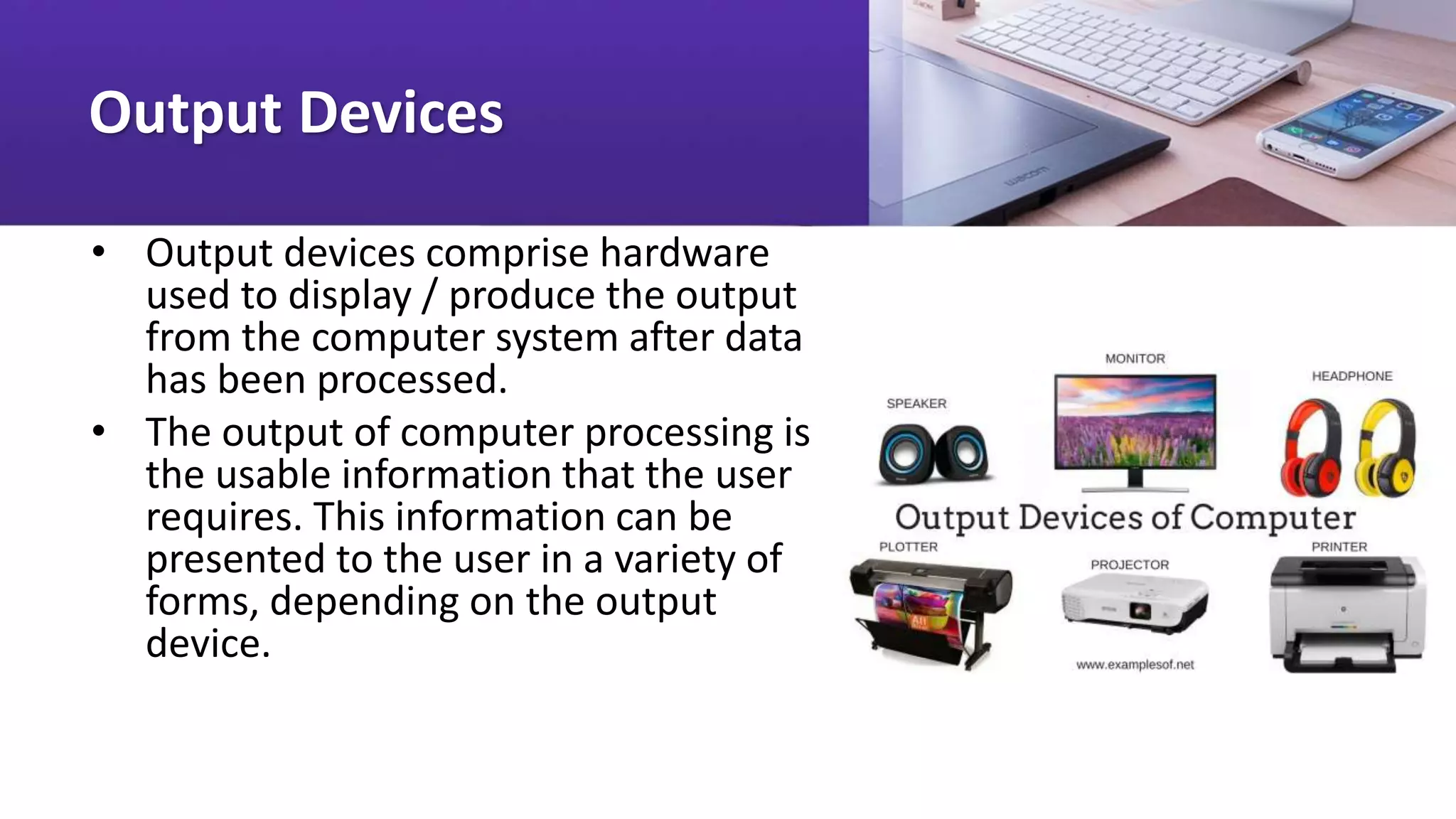
• Output devices comprise hardware
used to display / produce the output
from the computer system after data
has been processed.
• The output of computer processing is
the usable information that the user
requires. This information can be
presented to the user in a variety of
forms, depending on the output
device.
Storage Devices
• The hardware used to retain data
for future use are called storage
devices. These devices may be
found inside or outside the
computer.
• There are different kinds of storage
devices. Among these are optical
devices (CD-ROM, DVD), and
magnetic devices (tapes, disks).
Examples of Storage Devices
• Magnetic: Floppy disk, Zip disk, Jaz disk, hard disk,
tapes
• Optical Storage Devices --CD-ROM, DVD (Digital
Versatile Disk) Rewritable CDs and DVDs
Magnetic Disks
• Diskettes (or floppy disks) are round pieces of flat plastic
that store data as magnetized spots on sectors and
tracks. The popular size is the 3.5-inch disk that can store
1.4 MB of data. Bigger disk capacities are also available.
These are the Zip disk (100MB - 250MB) and the Jaz disk
(2GB). Both require special drives. They are used for
backing up data. Magnetic disks with still bigger
capacities are called hard disks (10GB-80GB).
Hard disk
• The hard disk is the mass storage device for software
applications and data files. It provides a semi-
permanent storage place for data. At present hard
disks have high capacities. For the PC users, hard
disks ranging from 10GB to 80GB of storage space are
available in the market while those available to big
companies and corporations can go as high as
terabytes of storage space.
CD-ROM (Compact Disc
Read Only Memory)
• CD-ROMs are optical storage devices. They are read and
written by lasers. They are used commercially to store
system software, application software, and data.
Examples of data stored are: Bibliographic resources
(Catalogs and indexes), abstracts, and multimedia
products (including sound, video and images). A CD-ROM
can store at least 650MB of data, with newer ones
storing up to 700 MB (and efforts are being made to
double this capacity to 1.3GB of disc space).
CD-R and CD-RW
• New types of optical storage devices like CD-R's and CD-RW's allow
you to record and rewrite data in a blank compact disc. Data on CD-
ROM cannot be edited since the disk is a read-only medium.
• CD-R (CD-Recordable) are discs used to record data. Data recorded in
a blank CD-R cannot be rewritten, if deleted the space used to store
the data is no longer recovered.
• Data written in CD-RW (CD-Read Write) can be erased and rewritten
without a lost of storage space just like a hard disk drive. However,
data stored in CD-RW can only be read by multiread CD drives like
CD-RW devices and other compatible devices with the corresponding
software
DVD and rewritable DVD
• DVDs (Digital Versatile Discs) are optical discs that share the same overall dimensions
of a CD, but have significantly higher capacities - a minimum of 4.7GB (enough for a
full-length movie) to 17GB (double sided). DVD drives are backward-compatible with
CD-ROMs.
•
• Two competing technologies using different standards for a rewritable DVD are
currently available: DVD-RAM and DVD+RW. Both allow data storage and recording of
digital video on to 4.7 GB DVD discs (just like a CD-RW).
•
• However, rewritable DVD is still in its infancy stage, thus it would be wise to wait until
the technology has matured to ensure that support for its standards and compatibility
with various media and devices are widely available.
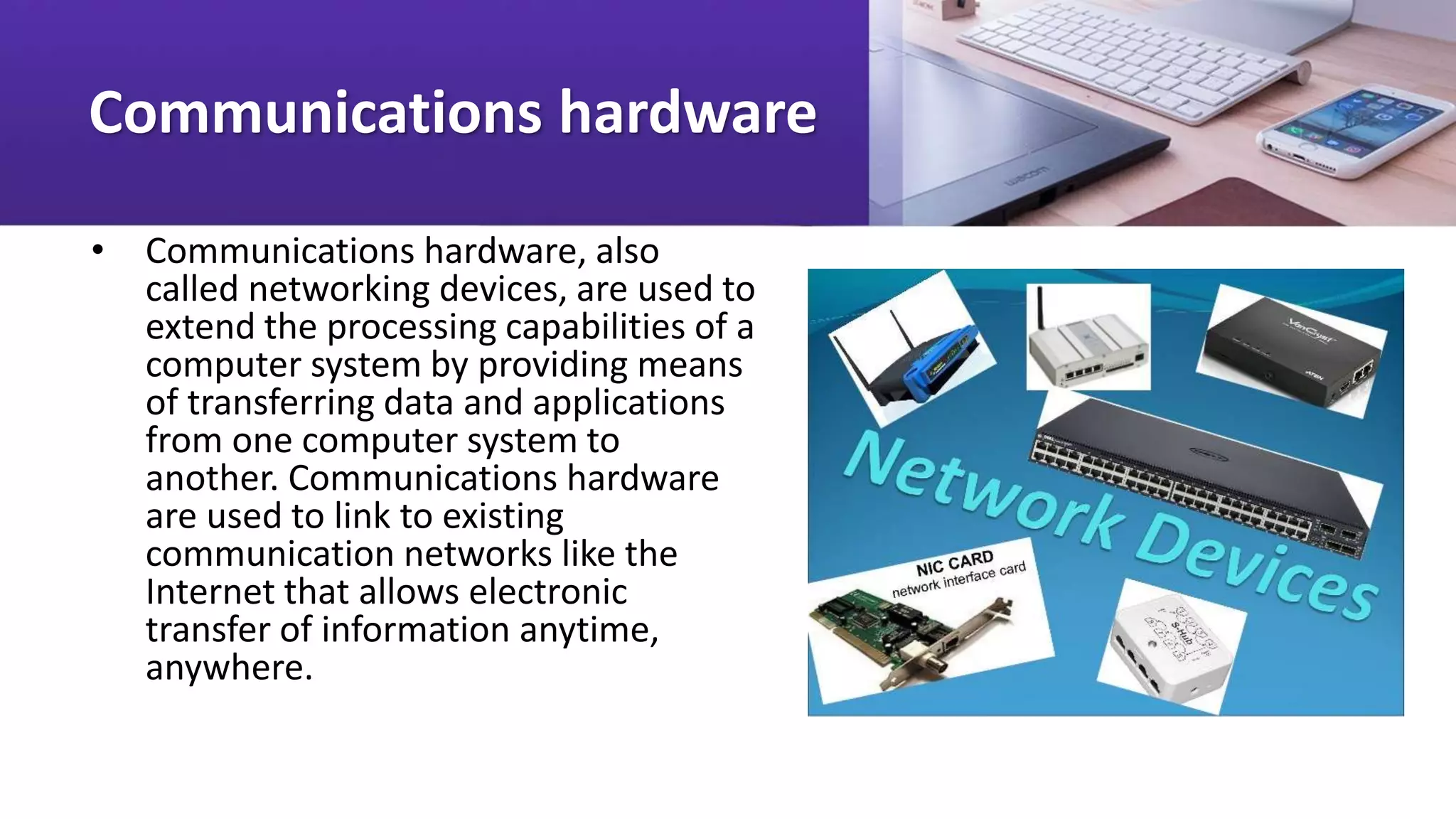
Communications hardware
• Communications hardware, also
called networking devices, are used to
extend the processing capabilities of a
computer system by providing means
of transferring data and applications
from one computer system to
another. Communications hardware
are used to link to existing
communication networks like the
Internet that allows electronic
transfer of information anytime,
anywhere.
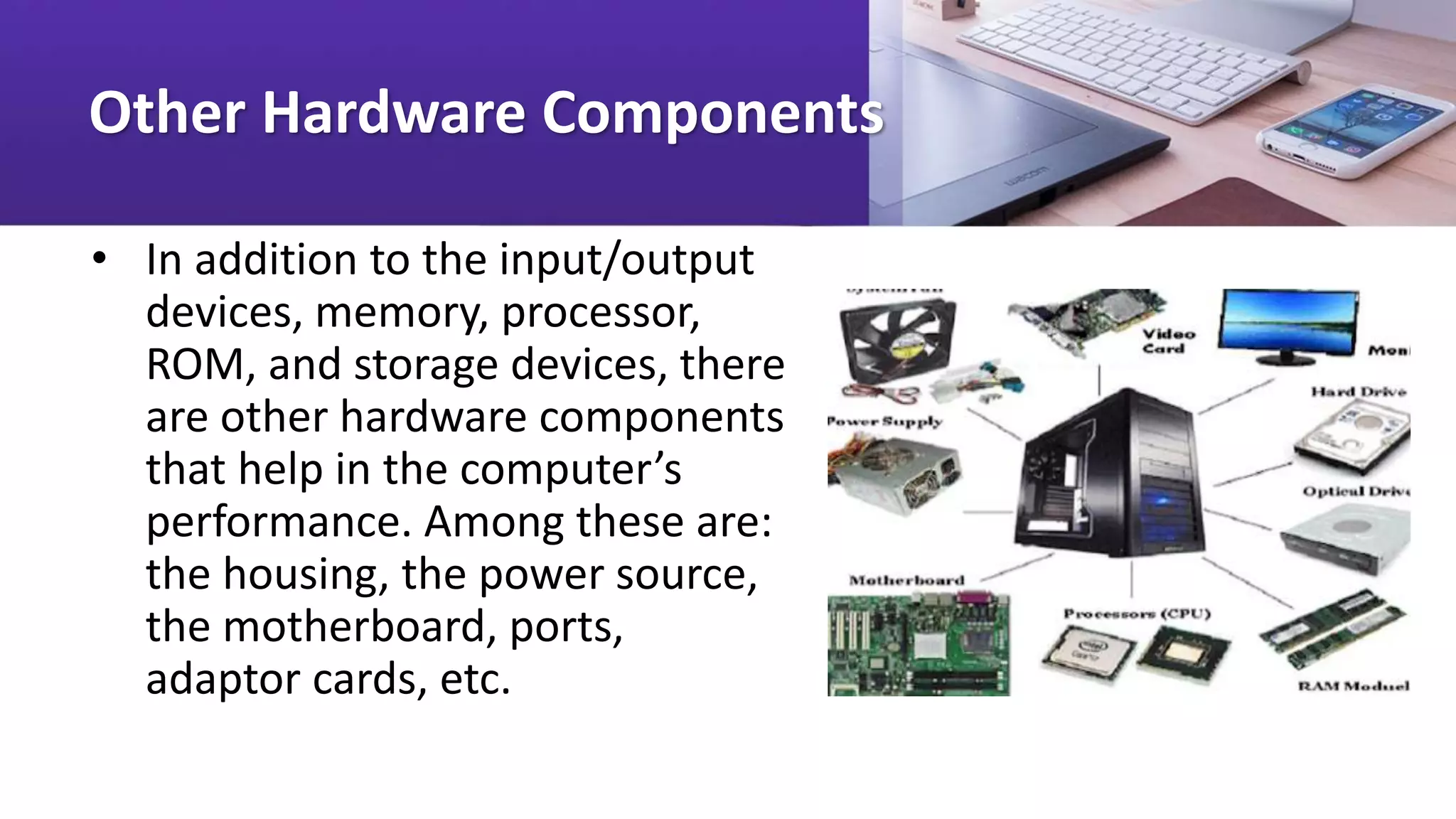
Other Hardware Components
• In addition to the input/output
devices, memory, processor,
ROM, and storage devices, there
are other hardware components
that help in the computer’s
performance. Among these are:
the housing, the power source,
the motherboard, ports,
adaptor cards, etc.
Computer Housing
• The housing or casing protects and holds the parts of the
computer together. The motherboard connects the CPU
and all the components of the computer. At the back of
the system casing you will see the ports that serve as the
interface to different peripheral devices. Expansion cards
are circuit boards that provide more memory or control
peripheral devices such as video adaptor cards, network
interface cards, etc.
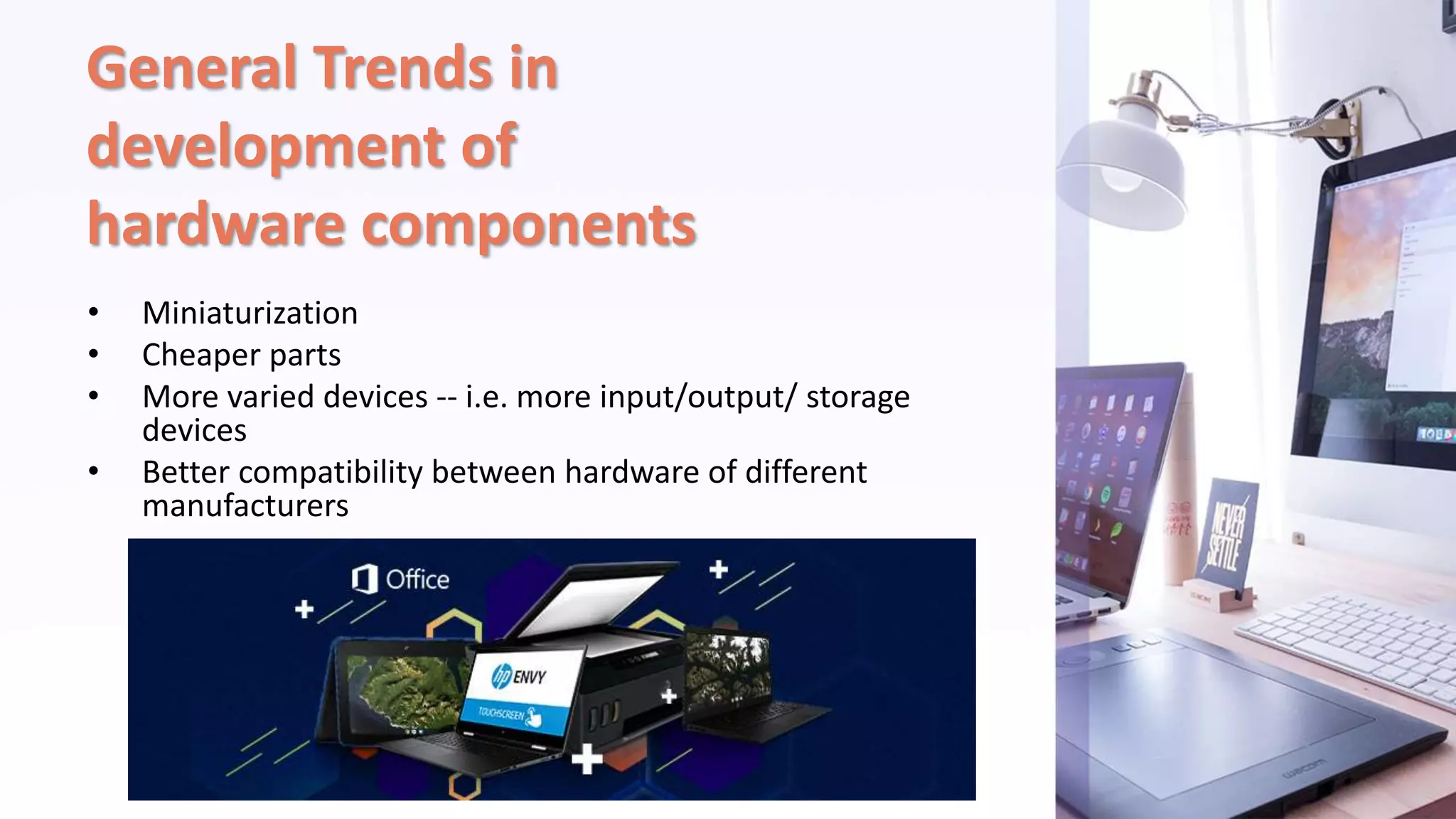
General Trends in
development of
hardware components
• Miniaturization
• Cheaper parts
• More varied devices -- i.e. more input/output/ storage
devices
• Better compatibility between hardware of different
manufacturers

Lesson 3-What are the hardware components of computer.pptx

  • 1.
    Lesson 3. Whatare the hardware components of a computer?
  • 2.
    What Is Hardware? •Hardware is the physical component of a computer system. It refers to the electromechanical parts and devices that make up a computer. Generally, hardware is categorized according to which of the five basic computer operations it performs:
  • 3.
    • Input -data is captured electronically into a form that can be processed by a computer • Processing and memory - microprocessor, primary memory and other processing devices used for manipulating data into information • Output - production of processed information into a usable form • Secondary storage - data, information and programs are stored in computer-process able form • Communications - enables the transfer of data from one place to another and facilitates resource sharing
  • 4.
    Input Devices • Inputhardware are used to enter data into a computer by encoding via keyboard, direct reading through scanners and pointing devices like the mouse. Input hardware convert data, such as text, images and drawings into a form that a computer can understand and use.
  • 5.
    Processing hardware • Theprocessor and the main memory devices are the brains of the computer. Housed by the system unit, the processor, also known as the CPU (central processing unit), interprets and executes instructions while the main memory serves as the computer's "work space". The processing power of a computer largely depends on the speed of the processor and size of its main memory. Faster processors result in faster execution of instructions, and the bigger the memory, the more "work space" is available.
  • 6.
    Processor • The processoris the device that interprets and executes instructions. It is the brain of the computer. The faster the speed of the processor, the faster the execution of instructions. In a computer- based information system the CPU controls and manipulates data into information. • In a PC (personal computer), the CPU is a very small single "chip" called a microprocessor, with electrical circuits printed on it. It is mounted to the system board, called the motherboard, together with the other necessary components. Types of processors vary according to their manufacturer, clock rate (execution of instruction per second) and processor generation.
  • 7.
    Examples of Processors •Intel CPU's = Celeron, Pentium III, Pentium 4; from 500 MHz - 1.5 GHz • Apple/Motorola CPU's = Power PC G3, G4; from 500 MHz - 700 MHz • AMD CPU's = K6, K7, Duron, Athlon; 500 MHz - 1.5 GHz • Cyrix CPU's = Cyrix MII, VIA Cyrix III; 333MHz - 600 MHz
  • 8.
    Memory • The computer’sworkspace where application instructions and data are held during operation is called memory, also known as main memory, primary storage or RAM (Random Access Memory). The capacity of a memory is important because this is where data and programs are stored while they are active, thus bigger memory means bigger workspace.
  • 9.
    Random Access Memory(RAM) • The amount of memory available determines the kind of software that can be run and how much data can be manipulated. The available RAM at present ranges from 32 MB, 64 MB or 128 MB up to 1GB or more. Whatever data is held in the RAM is erased when the computer is reset or the power is turned off.
  • 10.
    Read Only Memory– (ROM) • Aside from the RAM, the computer also has a ROM (Read only memory), which is used to store the boot program, and other low- level information that enables the computer to start up and to recognize its hardware parts.
  • 11.
    Output Devices • Outputdevices comprise hardware used to display / produce the output from the computer system after data has been processed. • The output of computer processing is the usable information that the user requires. This information can be presented to the user in a variety of forms, depending on the output device.
  • 12.
    Storage Devices • Thehardware used to retain data for future use are called storage devices. These devices may be found inside or outside the computer. • There are different kinds of storage devices. Among these are optical devices (CD-ROM, DVD), and magnetic devices (tapes, disks).
  • 13.
    Examples of StorageDevices • Magnetic: Floppy disk, Zip disk, Jaz disk, hard disk, tapes • Optical Storage Devices --CD-ROM, DVD (Digital Versatile Disk) Rewritable CDs and DVDs
  • 14.
    Magnetic Disks • Diskettes(or floppy disks) are round pieces of flat plastic that store data as magnetized spots on sectors and tracks. The popular size is the 3.5-inch disk that can store 1.4 MB of data. Bigger disk capacities are also available. These are the Zip disk (100MB - 250MB) and the Jaz disk (2GB). Both require special drives. They are used for backing up data. Magnetic disks with still bigger capacities are called hard disks (10GB-80GB).
  • 15.
    Hard disk • Thehard disk is the mass storage device for software applications and data files. It provides a semi- permanent storage place for data. At present hard disks have high capacities. For the PC users, hard disks ranging from 10GB to 80GB of storage space are available in the market while those available to big companies and corporations can go as high as terabytes of storage space.
  • 16.
    CD-ROM (Compact Disc ReadOnly Memory) • CD-ROMs are optical storage devices. They are read and written by lasers. They are used commercially to store system software, application software, and data. Examples of data stored are: Bibliographic resources (Catalogs and indexes), abstracts, and multimedia products (including sound, video and images). A CD-ROM can store at least 650MB of data, with newer ones storing up to 700 MB (and efforts are being made to double this capacity to 1.3GB of disc space).
  • 17.
    CD-R and CD-RW •New types of optical storage devices like CD-R's and CD-RW's allow you to record and rewrite data in a blank compact disc. Data on CD- ROM cannot be edited since the disk is a read-only medium. • CD-R (CD-Recordable) are discs used to record data. Data recorded in a blank CD-R cannot be rewritten, if deleted the space used to store the data is no longer recovered. • Data written in CD-RW (CD-Read Write) can be erased and rewritten without a lost of storage space just like a hard disk drive. However, data stored in CD-RW can only be read by multiread CD drives like CD-RW devices and other compatible devices with the corresponding software
  • 18.
    DVD and rewritableDVD • DVDs (Digital Versatile Discs) are optical discs that share the same overall dimensions of a CD, but have significantly higher capacities - a minimum of 4.7GB (enough for a full-length movie) to 17GB (double sided). DVD drives are backward-compatible with CD-ROMs. • • Two competing technologies using different standards for a rewritable DVD are currently available: DVD-RAM and DVD+RW. Both allow data storage and recording of digital video on to 4.7 GB DVD discs (just like a CD-RW). • • However, rewritable DVD is still in its infancy stage, thus it would be wise to wait until the technology has matured to ensure that support for its standards and compatibility with various media and devices are widely available.
  • 19.
    Communications hardware • Communicationshardware, also called networking devices, are used to extend the processing capabilities of a computer system by providing means of transferring data and applications from one computer system to another. Communications hardware are used to link to existing communication networks like the Internet that allows electronic transfer of information anytime, anywhere.
  • 20.
    Other Hardware Components •In addition to the input/output devices, memory, processor, ROM, and storage devices, there are other hardware components that help in the computer’s performance. Among these are: the housing, the power source, the motherboard, ports, adaptor cards, etc.
  • 21.
    Computer Housing • Thehousing or casing protects and holds the parts of the computer together. The motherboard connects the CPU and all the components of the computer. At the back of the system casing you will see the ports that serve as the interface to different peripheral devices. Expansion cards are circuit boards that provide more memory or control peripheral devices such as video adaptor cards, network interface cards, etc.
  • 22.
    General Trends in developmentof hardware components • Miniaturization • Cheaper parts • More varied devices -- i.e. more input/output/ storage devices • Better compatibility between hardware of different manufacturers