FIREFOX OS

Fulfilling the promises of HTML5

Christian Heilmann (@codepo8)
DEVIEW 2013, Seoul, Korea.

When the iPhone reinvented the phone and shook the foundations of the mobile space one of the
promises was that there is "no SDK" and that HTML5 as the Flash successor will enable developers
to benefit from the web as a distribution platform and get access to the all hardware parts that
make a phone fun. This promise is now kept by Firefox OS, an operating system targeted at
emerging and existing markets that is written in HTML5 and gives HTML5 all the power it
deserves. In this session Chris Heilmann of Mozilla shows how easy it is to build engaging apps
using HTML5 and benefit from the simple distribution model that is the web. You'll learn how to
reach new audiences and re-use what you create in closed environments.
BENEFITS OF HTML5
★

In-built distribution - the web

★

Simple technologies used by lots of
developers

★

Evolution of existing practices

★

Open, independent, standardised

Let’s quickly recap what HTML5 promised us as a platform. In essence it was
an evolution of the web, taking advantage of its distributed nature and
extending its reach into hardware.
PROMISES OF HTML5

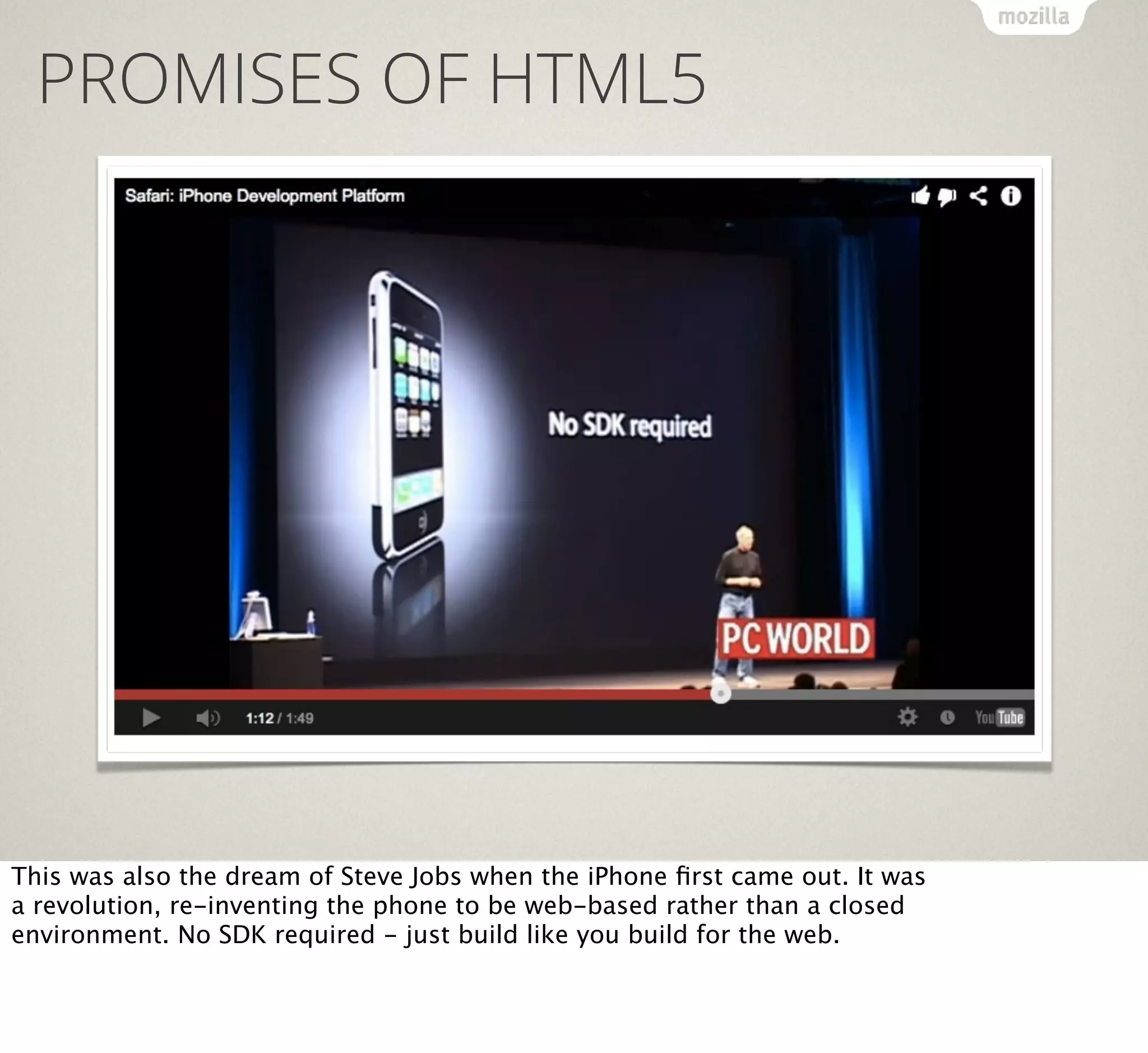
This was also the dream of Steve Jobs when the iPhone first came out. It was
a revolution, re-inventing the phone to be web-based rather than a closed
environment. No SDK required - just build like you build for the web.
LOCKOUT

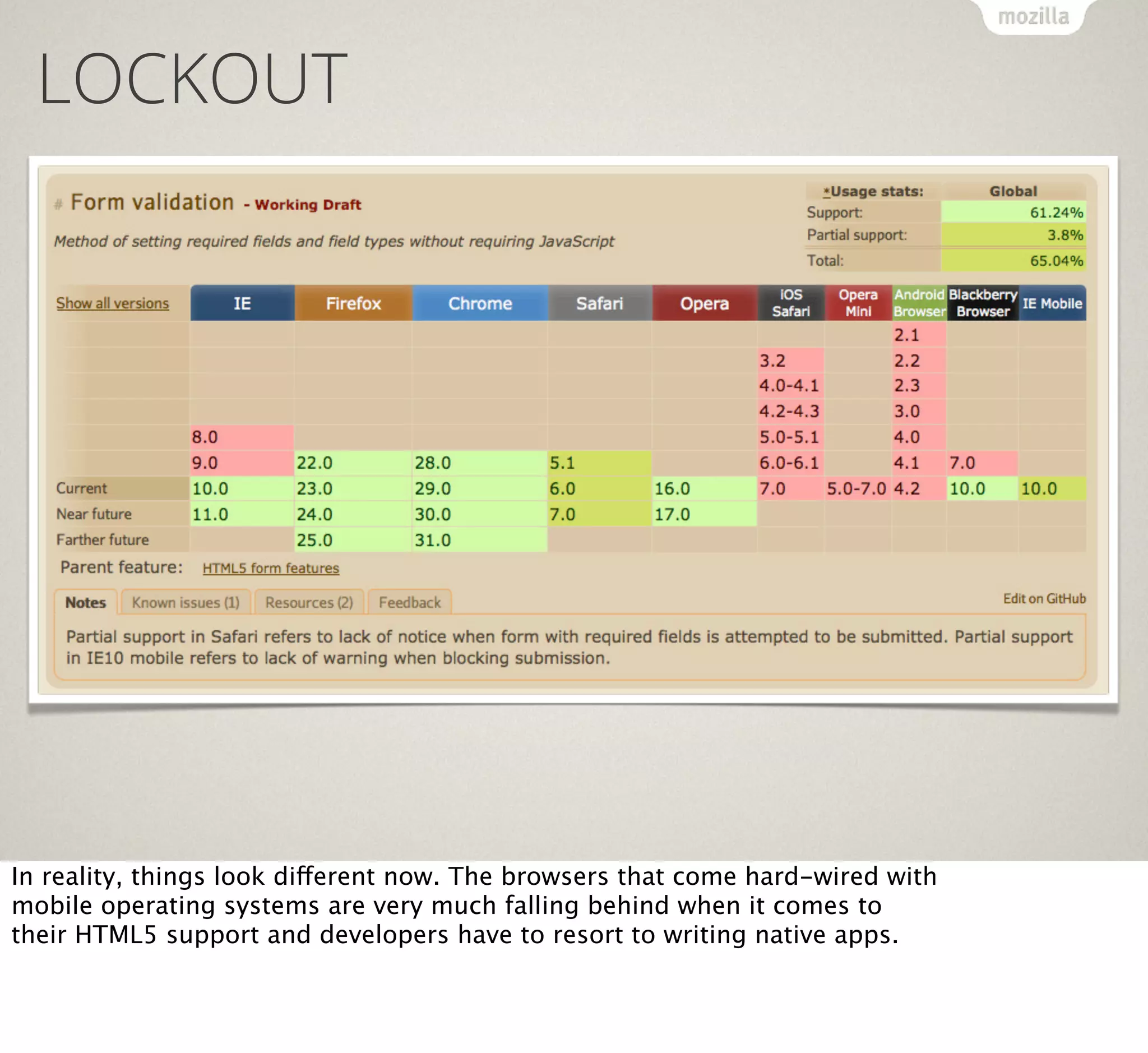
In reality, things look different now. The browsers that come hard-wired with
mobile operating systems are very much falling behind when it comes to
their HTML5 support and developers have to resort to writing native apps.
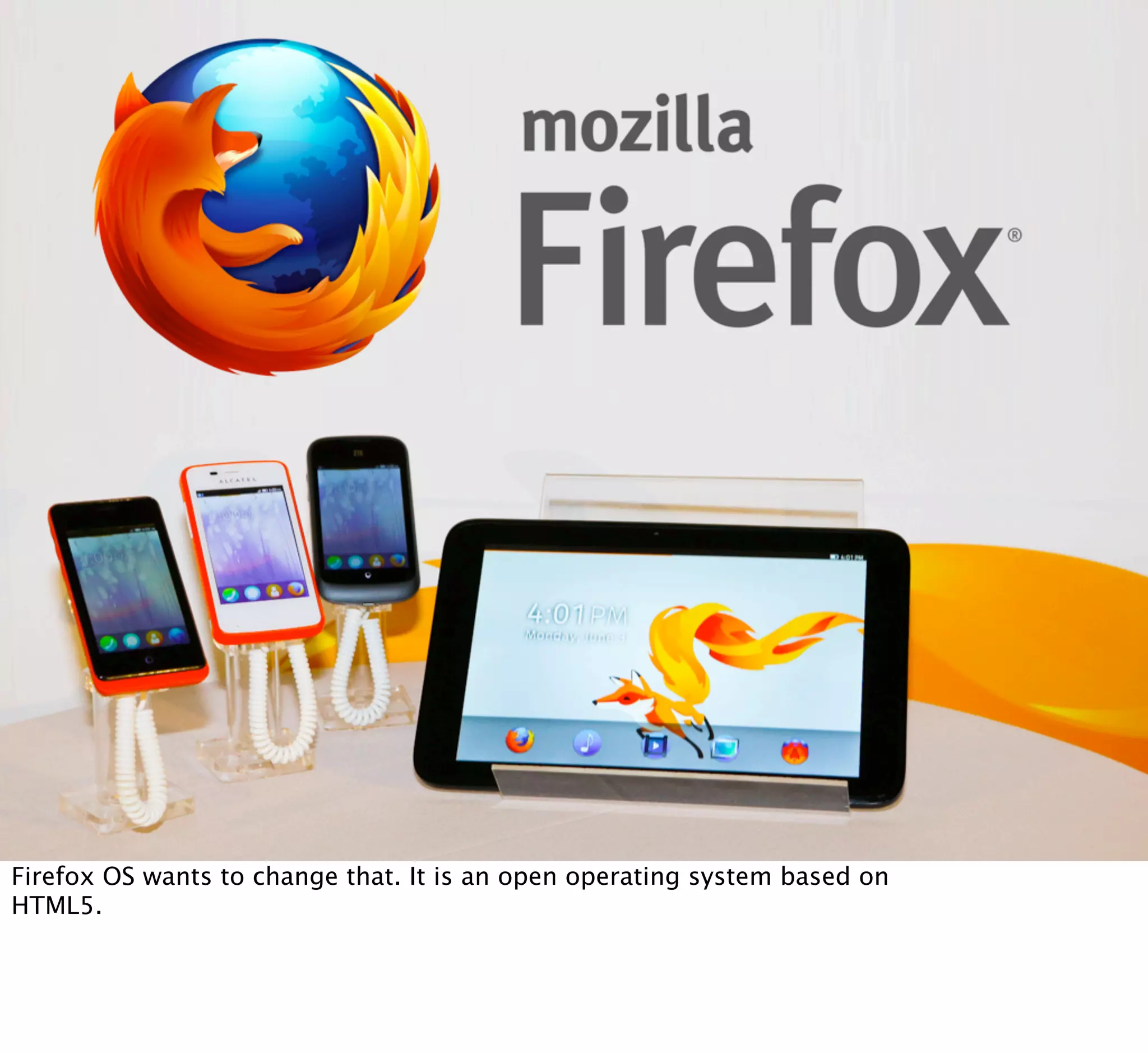
FIREFOX OS

Firefox OS wants to change that. It is an open operating system based on
HTML5.
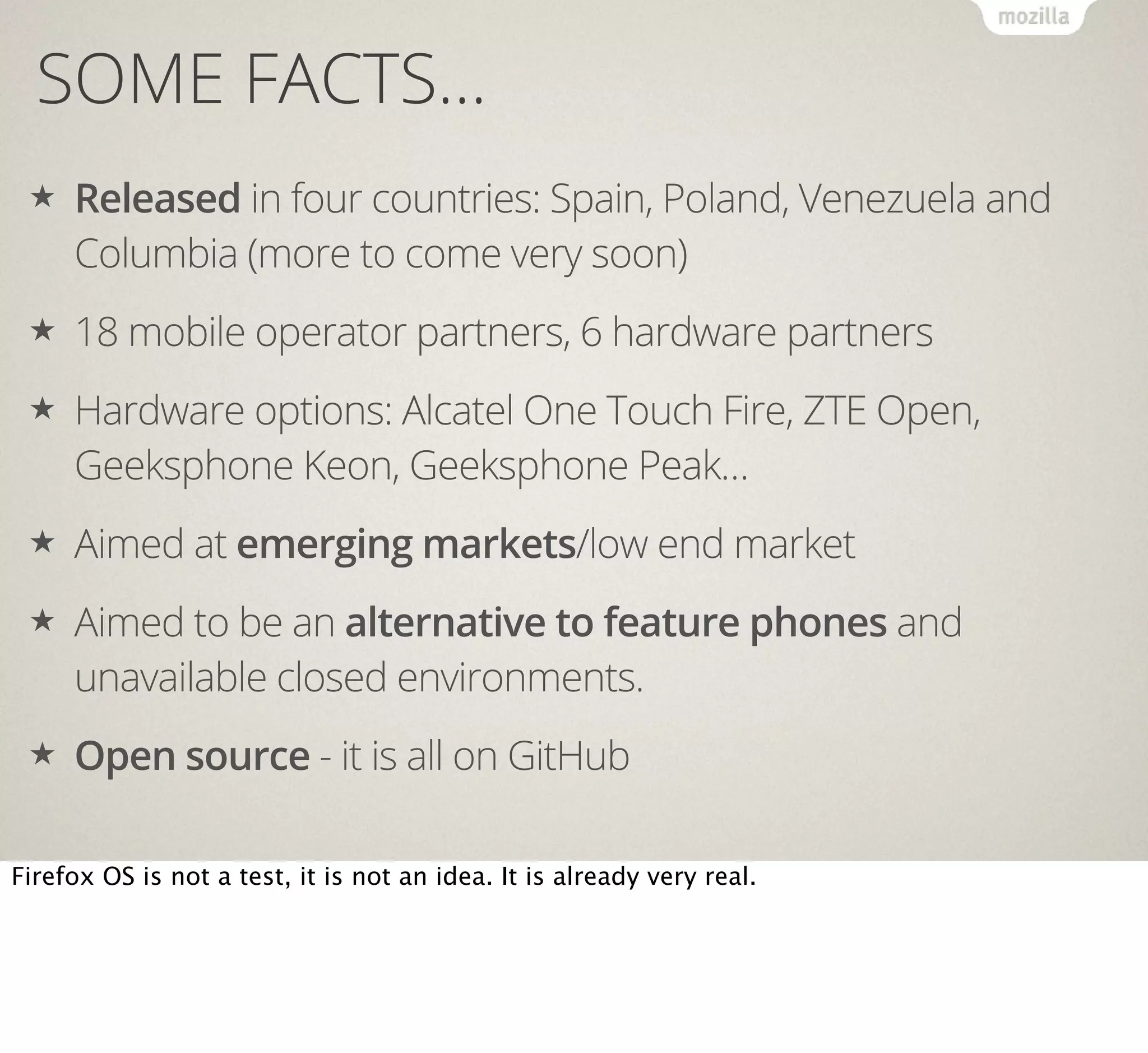
SOME FACTS…
★

Released in four countries: Spain, Poland, Venezuela and
Columbia (more to come very soon)

★

18 mobile operator partners, 6 hardware partners

★

Hardware options: Alcatel One Touch Fire, ZTE Open,
Geeksphone Keon, Geeksphone Peak…

★

Aimed at emerging markets/low end market

★

Aimed to be an alternative to feature phones and
unavailable closed environments.

★

Open source - it is all on GitHub

Firefox OS is not a test, it is not an idea. It is already very real.
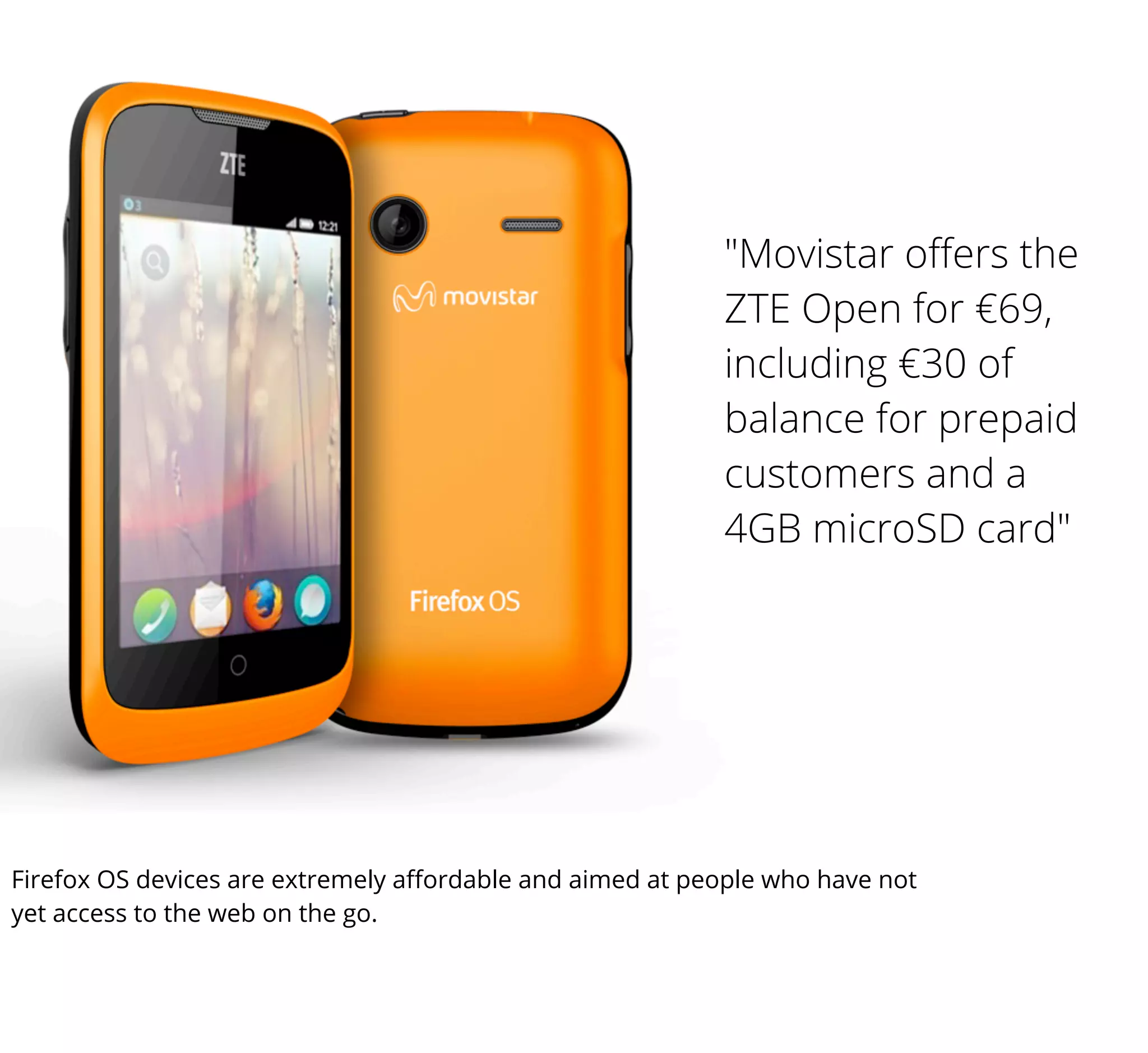
"Movistar offers the
ZTE Open for €69,
including €30 of
balance for prepaid
customers and a
4GB microSD card"

Firefox OS devices are extremely affordable and aimed at people who have not
yet access to the web on the go.
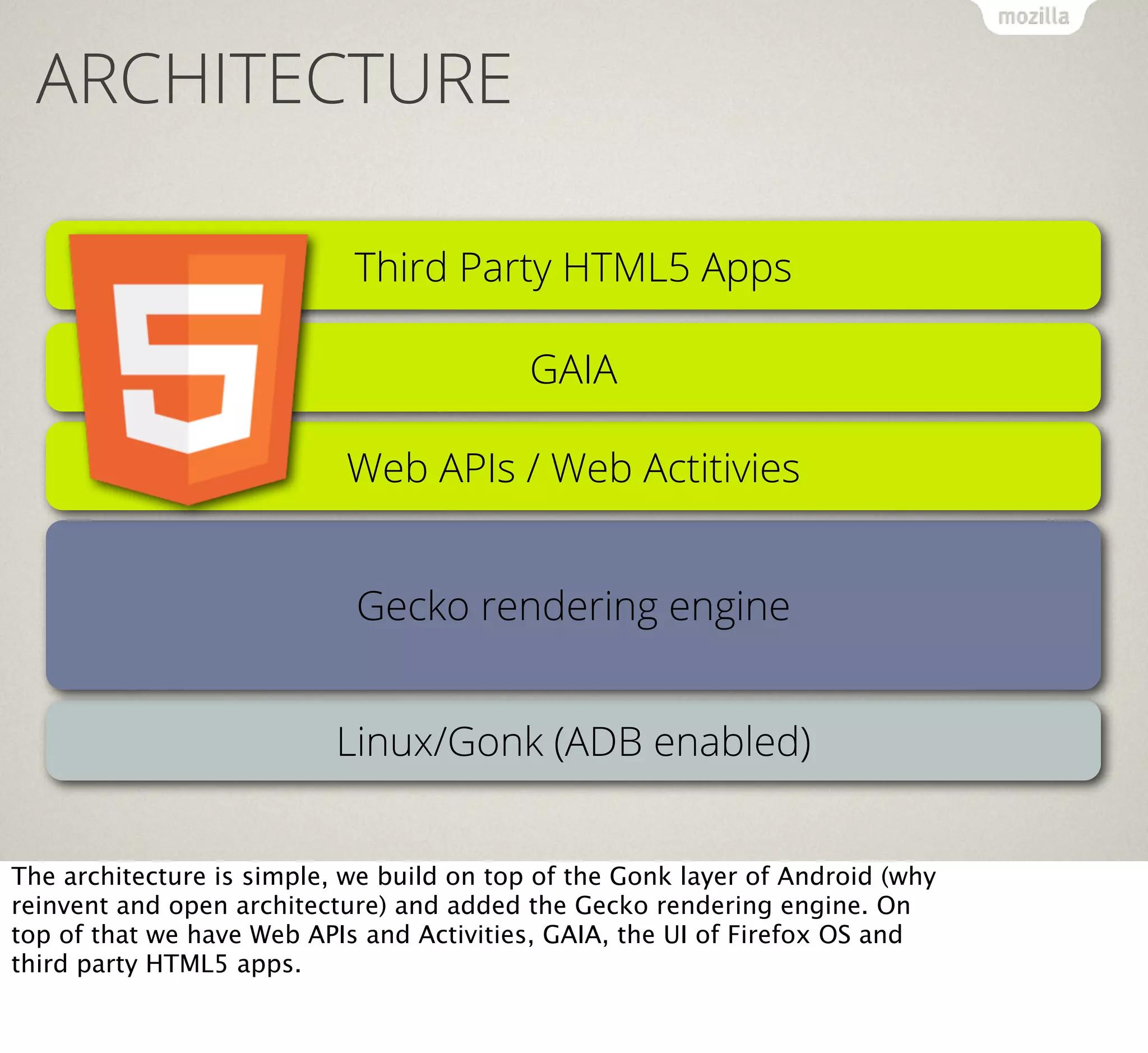
ARCHITECTURE
Third Party HTML5 Apps
GAIA
Web APIs / Web Actitivies
Gecko rendering engine
Linux/Gonk (ADB enabled)
The architecture is simple, we build on top of the Gonk layer of Android (why
reinvent and open architecture) and added the Gecko rendering engine. On
top of that we have Web APIs and Activities, GAIA, the UI of Firefox OS and
third party HTML5 apps.
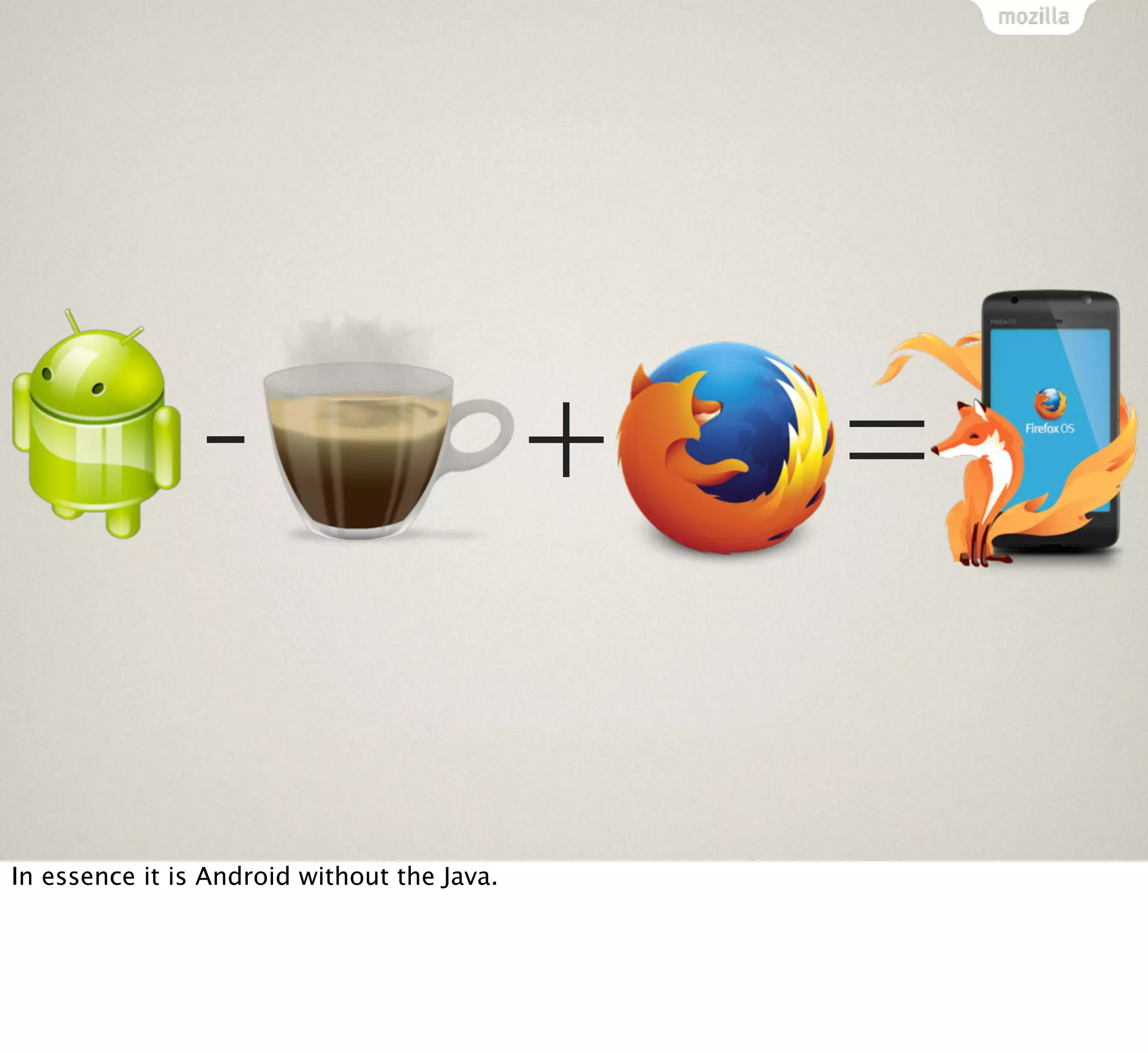
In essence it is Android without the Java.

+

=
PREDICTABLE HTML5 SUPPORT

The browser support for HTML5 is a given as it is the same engine as Firefox
on Desktop uses.
SECURITY
Security is a big issue when it comes to HTML5. The web as it is now is
suffering from some massive security holes which is why we can not allow
any JavaScript on the web to access for example the camera of your phone.
APPLICATION MANIFEST
{
"version": "1.0",
"name": "MozillaBall",
"description": "Exciting Open Web development action!",
"icons": {
"16": "/img/icon-16.png",
"48": "/img/icon-48.png",
"128": "/img/icon-128.png"
},
"developer": {
"name": "Mozilla Labs",
"url": "http://mozillalabs.com"
},
"installs_allowed_from": ["*"],
"appcache_path": "/cache.manifest",
"locales": {
"es": {
"description": "¡Acción abierta emocionante del desarrollo del Web!",
"developer": {
"url": "http://es.mozillalabs.com/"
}
}
},
"default_locale": "en"
}

HTML5 apps need to have a manifest file to be Firefox OS apps. In this one
you define what your app is, but also what kind of hardware access it needs.
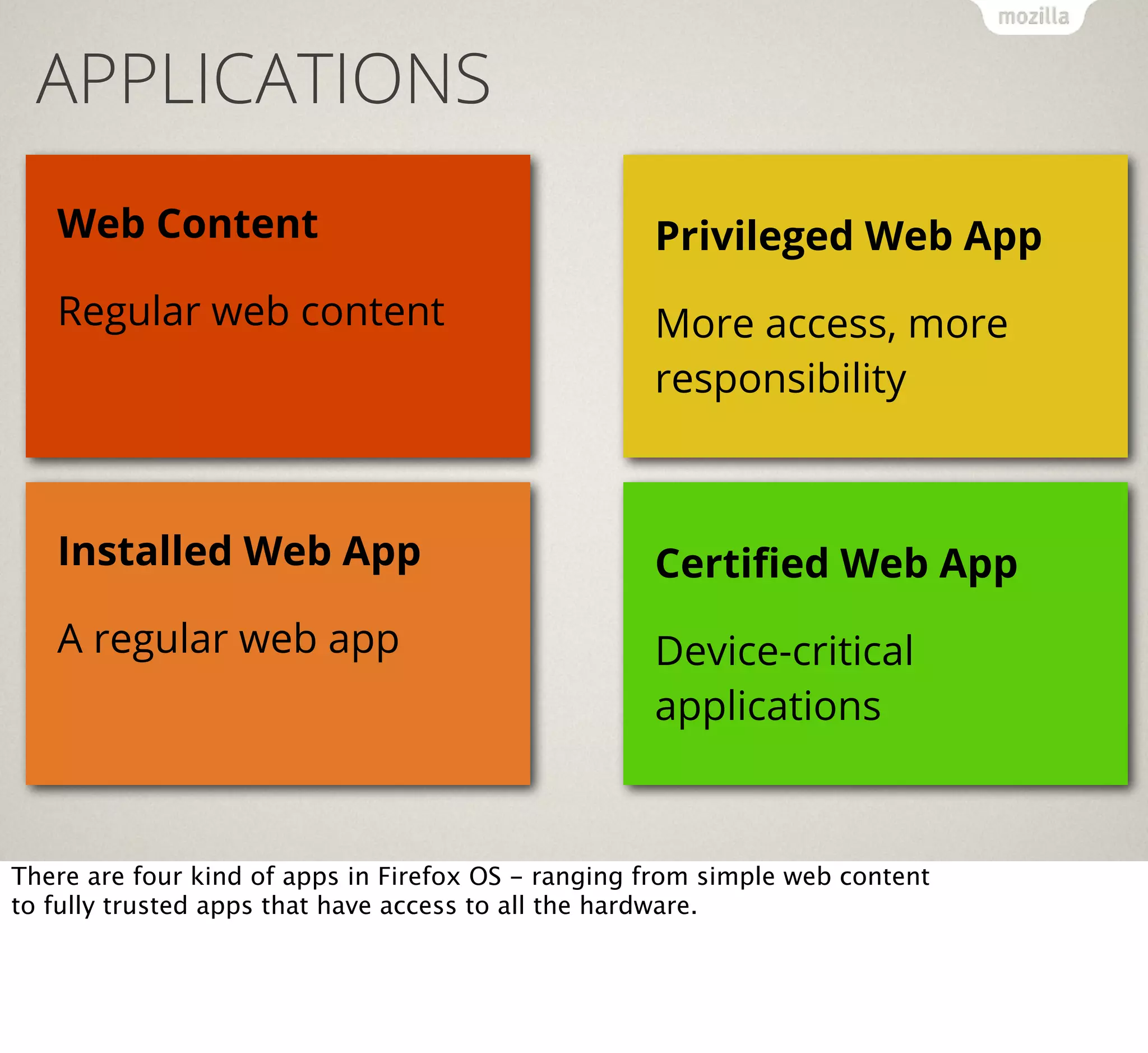
APPLICATIONS
Web Content

Privileged Web App

Regular web content

More access, more
responsibility

Installed Web App

Certified Web App

A regular web app

Device-critical
applications

There are four kind of apps in Firefox OS - ranging from simple web content
to fully trusted apps that have access to all the hardware.
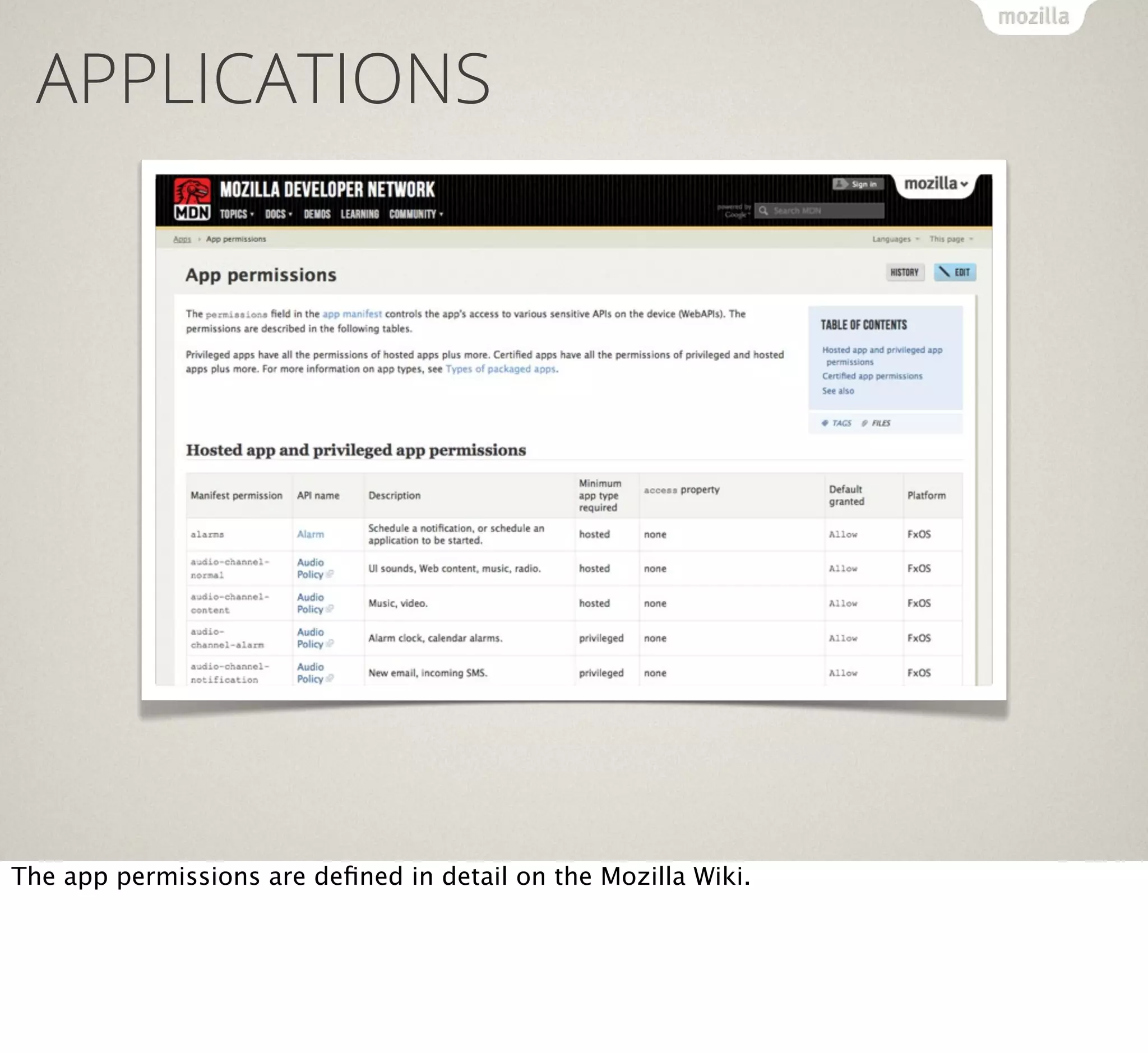
APPLICATIONS

The app permissions are defined in detail on the Mozilla Wiki.
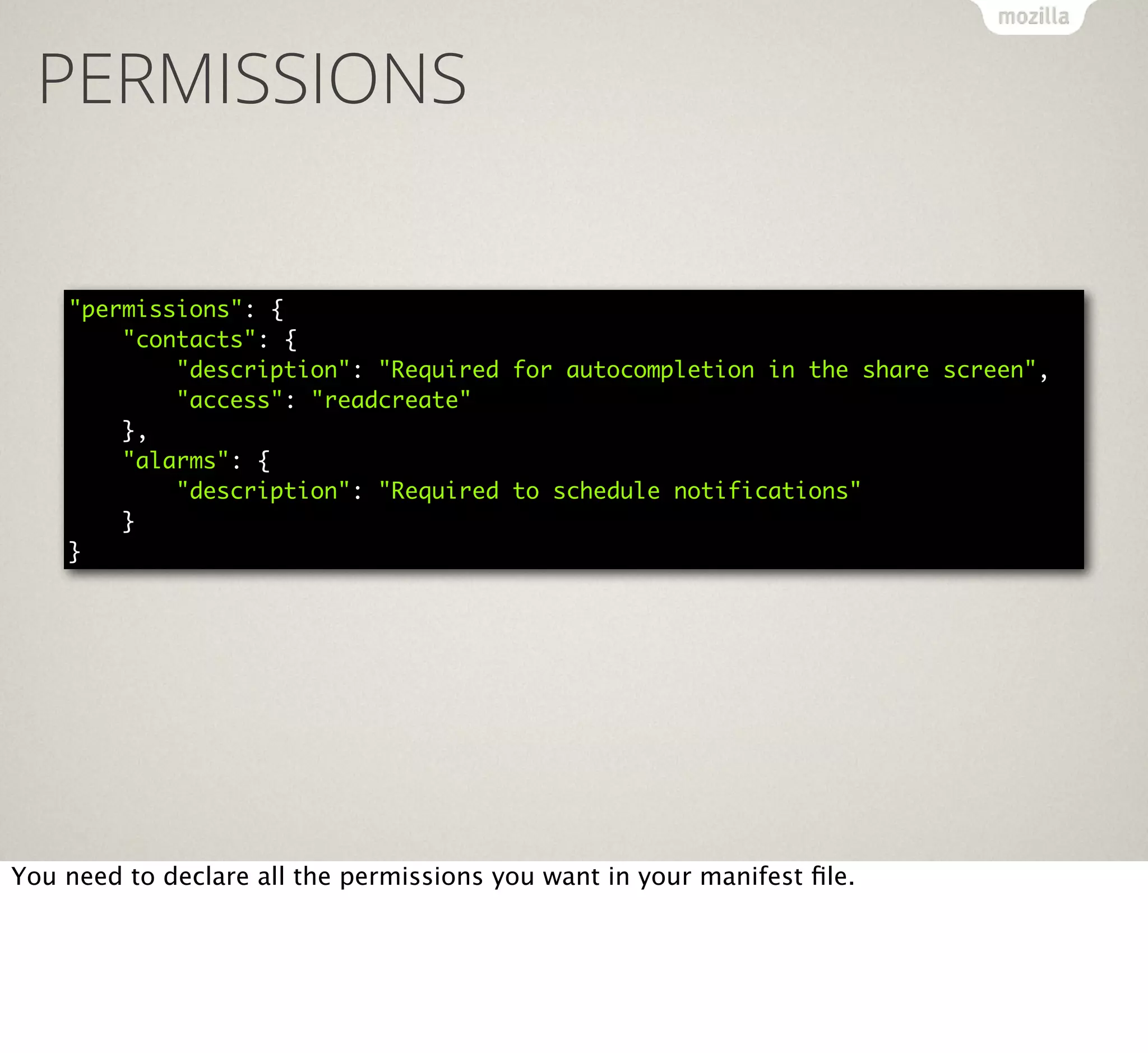
PERMISSIONS
"permissions": {
"contacts": {
"description": "Required for autocompletion in the share screen",
"access": "readcreate"
},
"alarms": {
"description": "Required to schedule notifications"
}
}

You need to declare all the permissions you want in your manifest file.
WEB APIS
Web APIs are standards proposals and agreements with the W3C to enable
JavaScript to access hardware and sensors of devices.
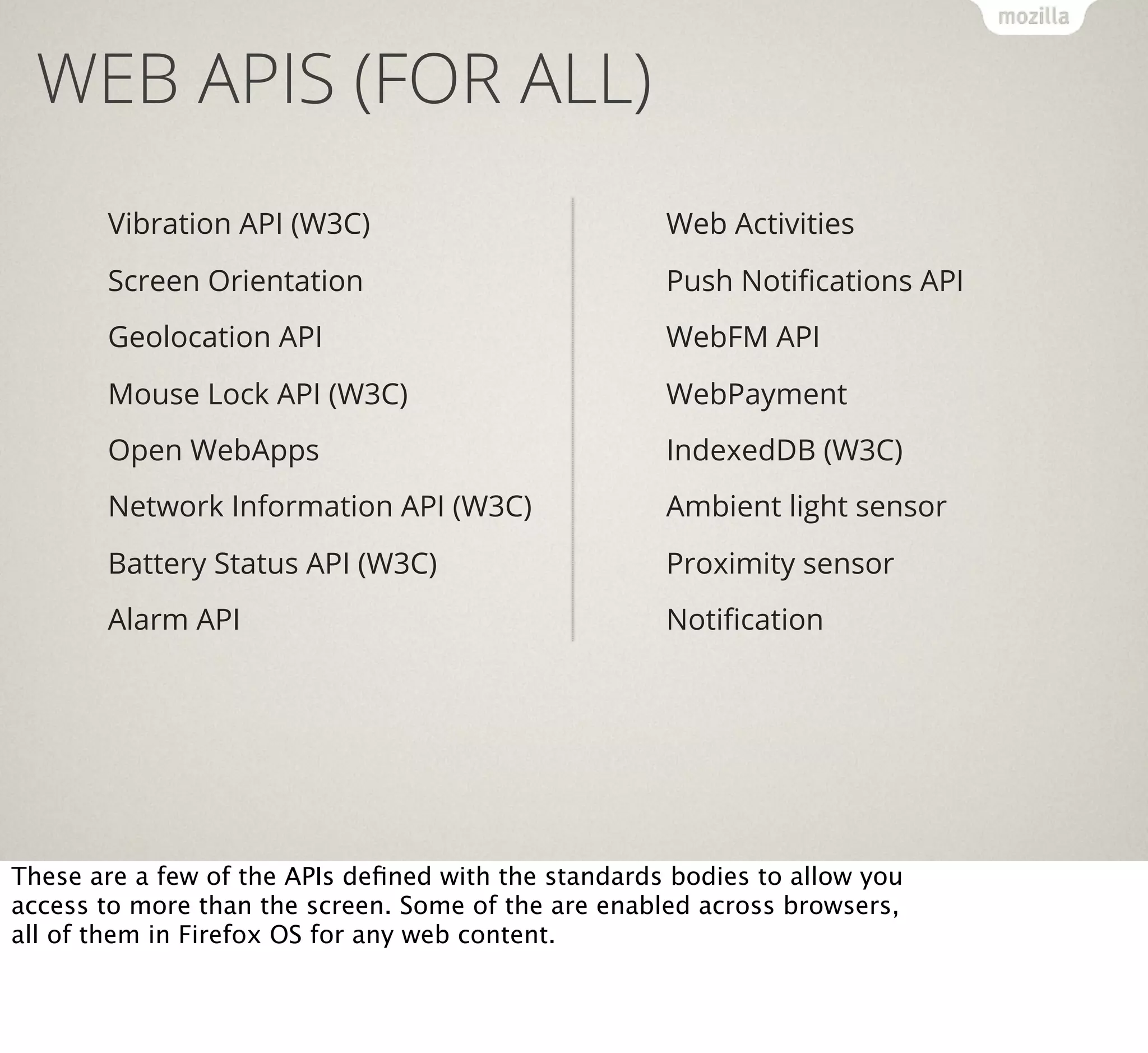
WEB APIS (FOR ALL)
Vibration API (W3C)

Web Activities

Screen Orientation

Push Notifications API

Geolocation API

WebFM API

Mouse Lock API (W3C)

WebPayment

Open WebApps

IndexedDB (W3C)

Network Information API (W3C)

Ambient light sensor

Battery Status API (W3C)

Proximity sensor

Alarm API

Notification

These are a few of the APIs defined with the standards bodies to allow you
access to more than the screen. Some of the are enabled across browsers,
all of them in Firefox OS for any web content.
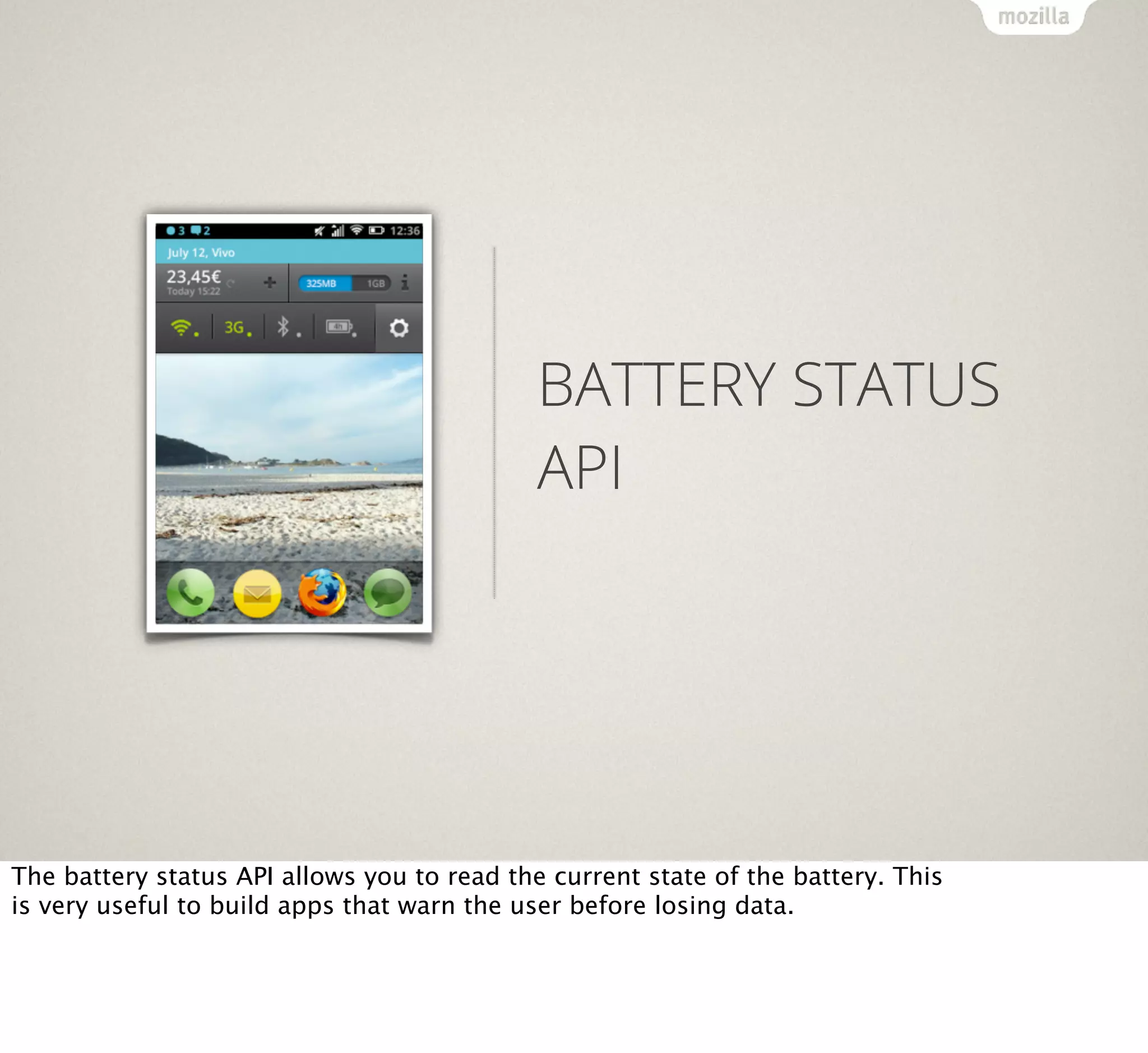
BATTERY STATUS
API

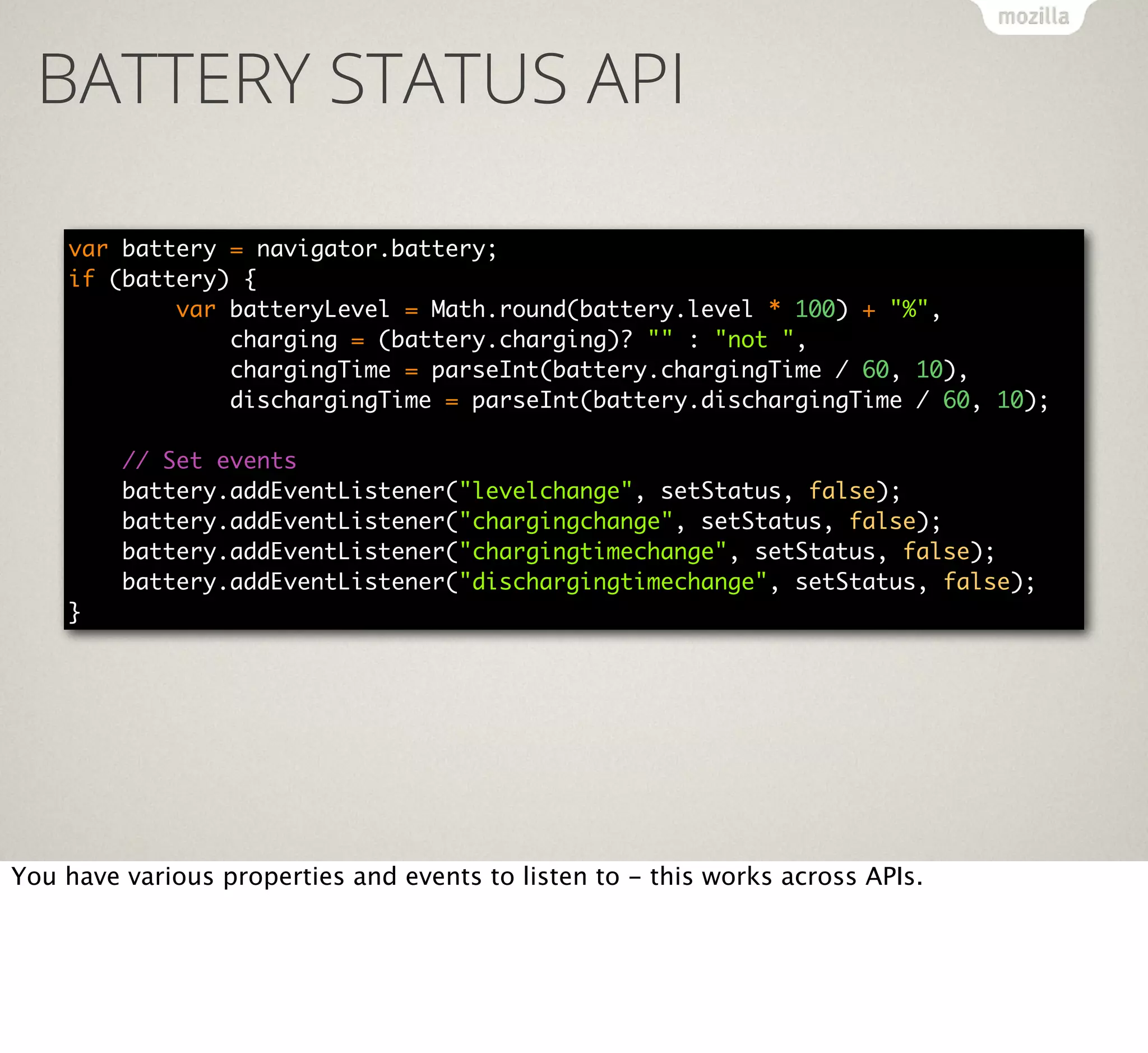
The battery status API allows you to read the current state of the battery. This
is very useful to build apps that warn the user before losing data.
BATTERY STATUS API
var battery = navigator.battery;
if (battery) {
var batteryLevel = Math.round(battery.level * 100) + "%",
charging = (battery.charging)? "" : "not ",
chargingTime = parseInt(battery.chargingTime / 60, 10),
dischargingTime = parseInt(battery.dischargingTime / 60, 10);
// Set events
battery.addEventListener("levelchange", setStatus, false);
battery.addEventListener("chargingchange", setStatus, false);
battery.addEventListener("chargingtimechange", setStatus, false);
battery.addEventListener("dischargingtimechange", setStatus, false);
}

You have various properties and events to listen to - this works across APIs.
SCREEN
ORIENTATION API

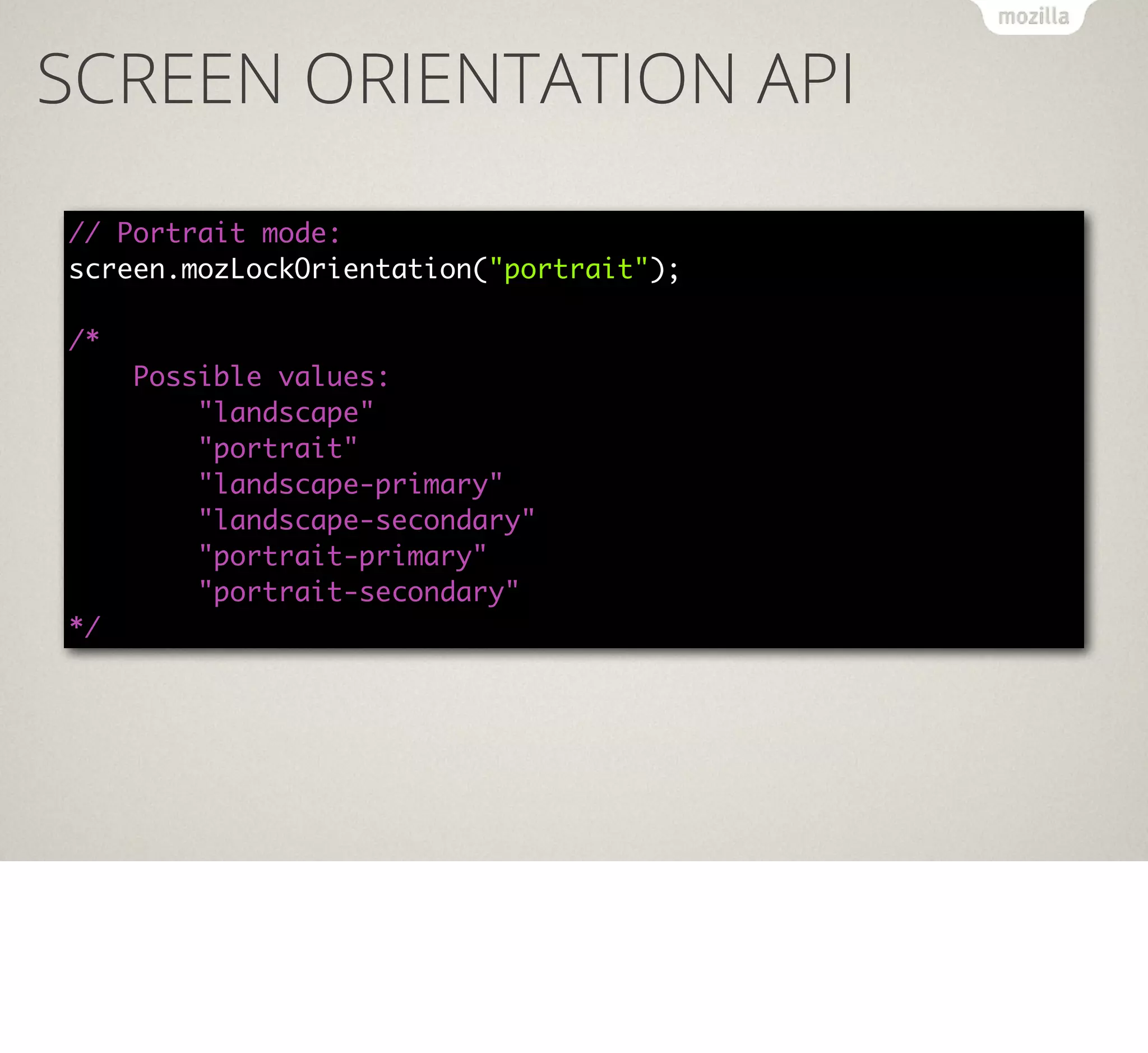
The screen orientation API allows you to lock the orientation of your app.
SCREEN ORIENTATION API
// Portrait mode:
screen.mozLockOrientation("portrait");
/*
Possible values:
"landscape"
"portrait"
"landscape-primary"
"landscape-secondary"
"portrait-primary"
"portrait-secondary"
*/
VIBRATION API

The vibration API allows you to make a phone vibrate.
VIBRATION API
// Vibrate for one second
navigator.vibrate(1000);
// Vibration pattern [vibrationTime, pause,…]
navigator.vibrate([200, 100, 200, 100]);
// Vibrate for 5 seconds
navigator.vibrate(5000);
// Turn off vibration
navigator.vibrate(0);
NETWORK
INFORMATION API

The Network Information API tells you what the connection is and if it is
metered or not. This helps your users not to spend too much money on
downloads and defer upgrades to when they are connected to WiFi.
NETWORK INFORMATION API

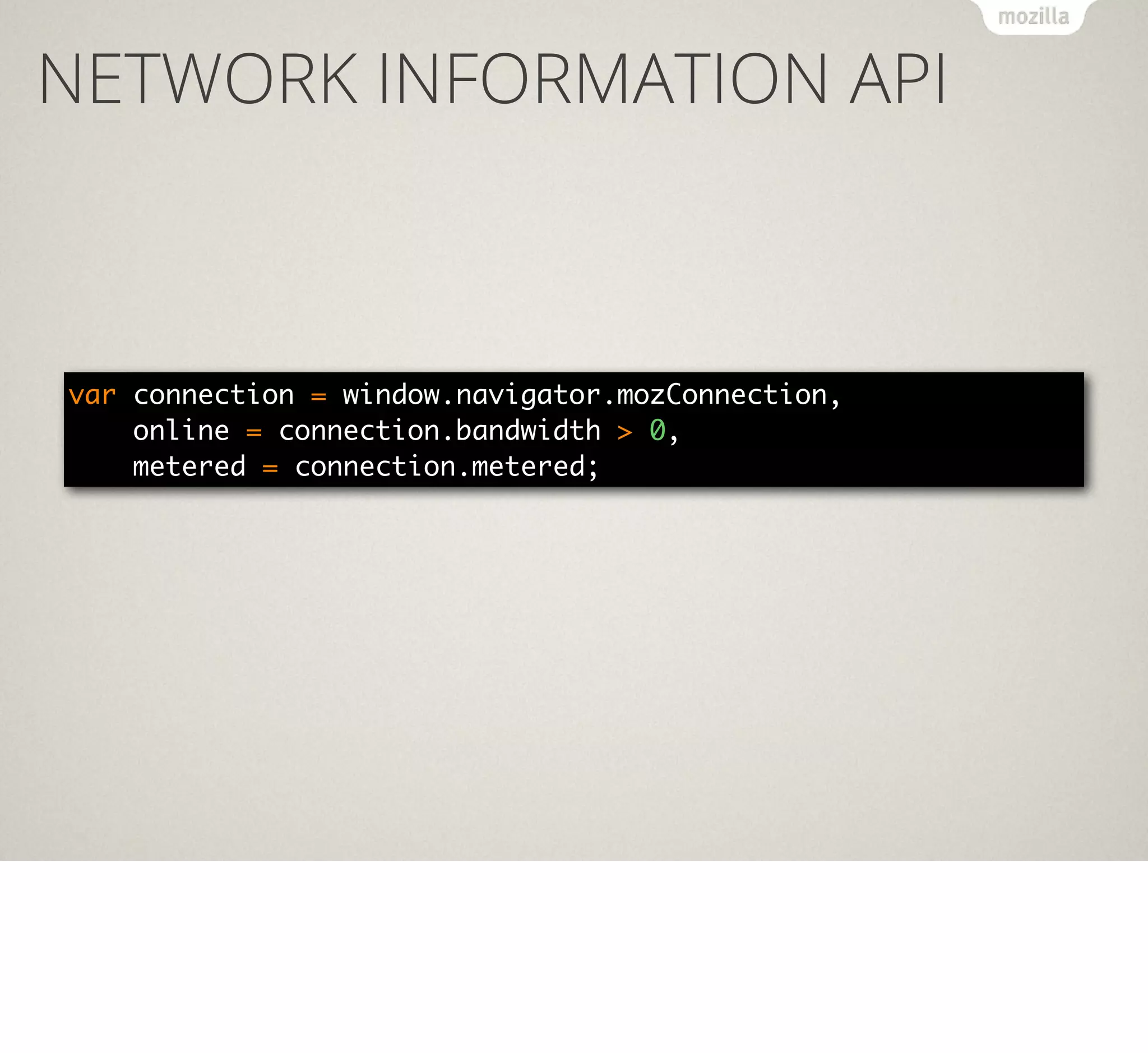
var connection = window.navigator.mozConnection,
online = connection.bandwidth > 0,
metered = connection.metered;
☼

AMBIENT LIGHT
EVENTS

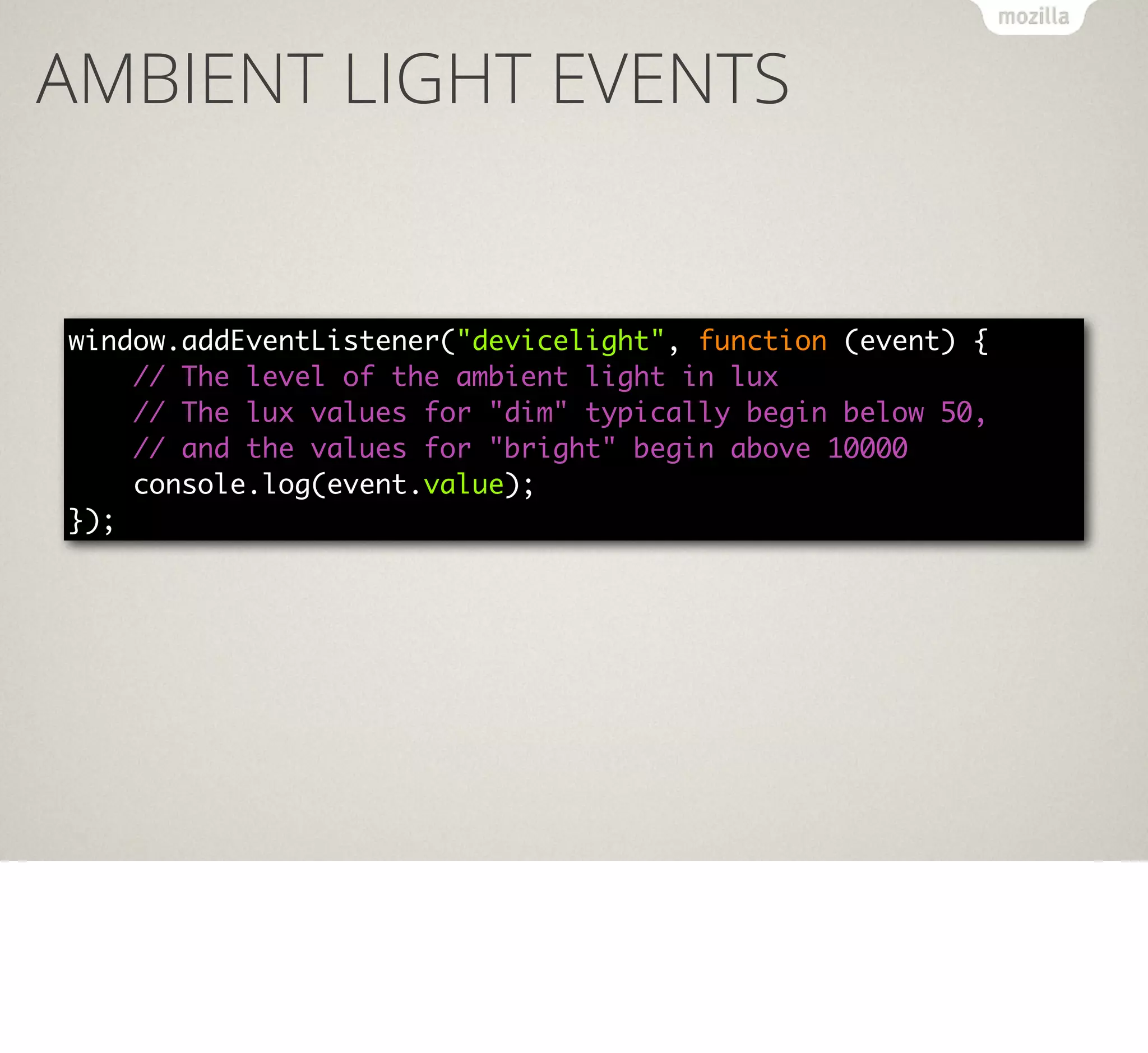
The ambient light API allows you to detect if it is dark or light around the
device and switch design accordingly.
AMBIENT LIGHT EVENTS

window.addEventListener("devicelight", function (event) {
// The level of the ambient light in lux
// The lux values for "dim" typically begin below 50,
// and the values for "bright" begin above 10000
console.log(event.value);
});
PAGE VISIBILITY

The page visibility API tells you if the app is currently open and used or the
user has another one in focus.
PAGE VISIBILITY
document.addEventListener("visibilitychange", function () {
if (document.hidden) {
console.log("App is hidden");
}
else {
console.log("App has focus");
}
});
WEB APIS (PRIVILEGED APPS)
Device Storage API
Browser API
TCP Socket API
Contacts API
systemXHR

Privileged apps are those that went through a review by the Mozilla security
team and thus get more access to the hardware.
CONTACTS API

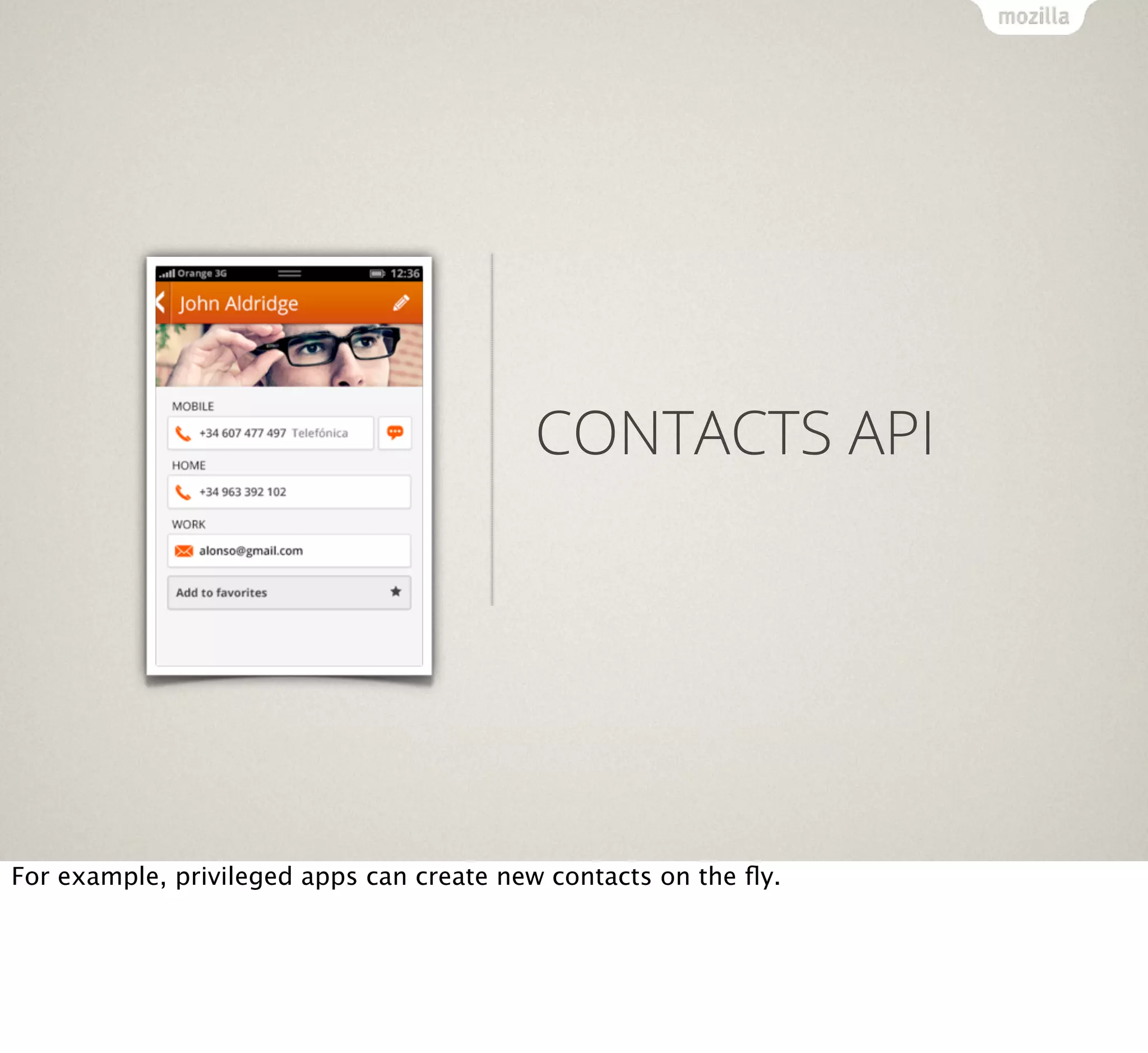
For example, privileged apps can create new contacts on the fly.
CONTACTS API
var contact = new mozContact();
contact.init({name: "Tom"});
var request = navigator.mozContacts.save(contact);
request.onsuccess = function() {
console.log("Success");
};
request.onerror = function() {
console.log("Error")
};
WEB APIS (CERTIFIED APPS)
WebTelephony

WebBluetooth

WebSMS

Permissions API

Idle API

Network Stats API

Settings API

Camera API

Power Management API

Time/Clock API

Mobile Connection API

Attention screen

WiFi Information API

Voicemail

Certified applications are the ones built by Mozilla and partners. These
needed APIs to access all the hardware.
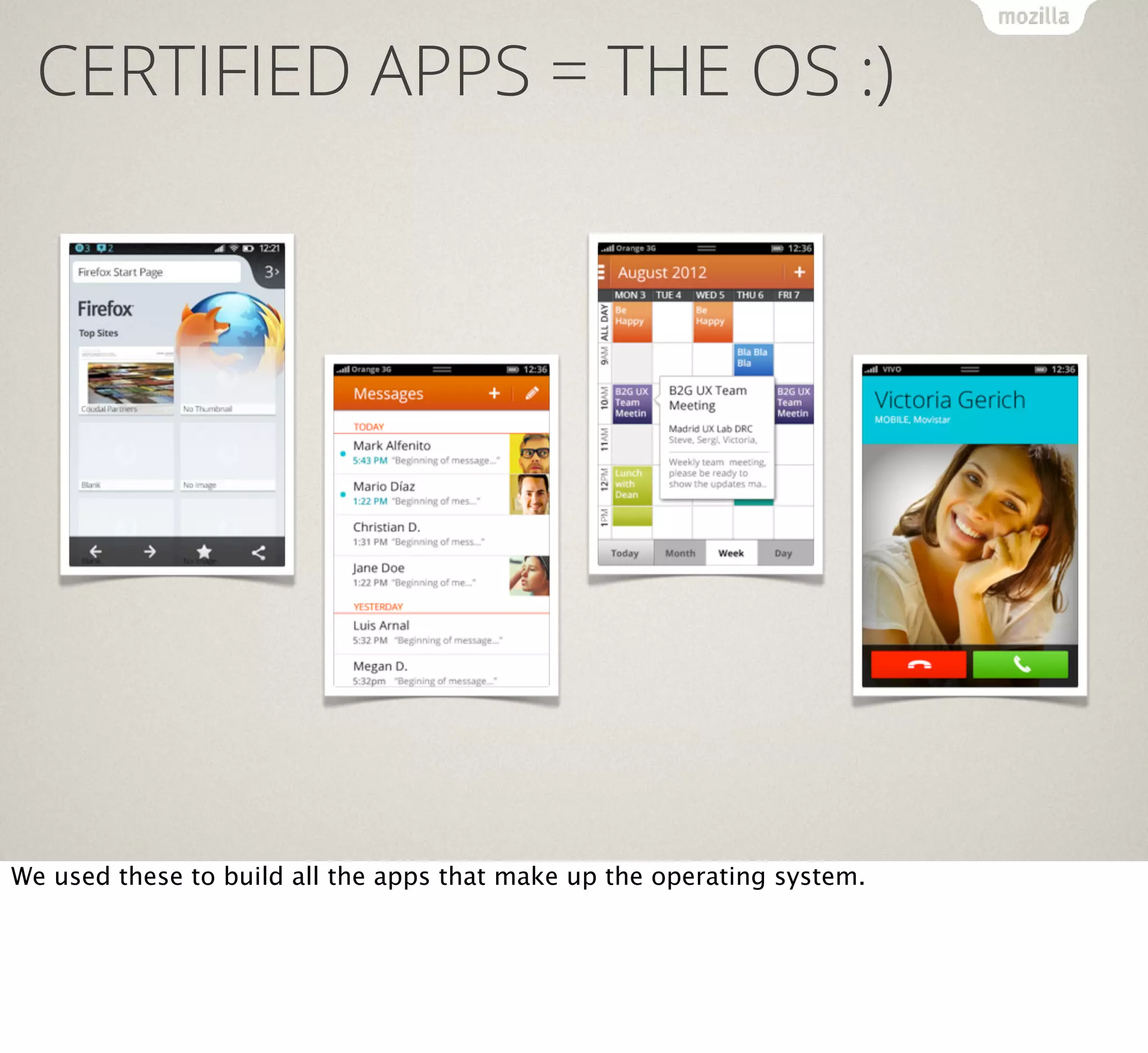
CERTIFIED APPS = THE OS :)

We used these to build all the apps that make up the operating system.
CERTIFIED APPS = THE OS :)
Dialer

Alarm Clock

Contacts

Camera

Settings

Notes

SMS

First Run Experience

Web browser

Notifications

Gallery

Home Screen

Video Player

Mozilla Marketplace

Music Player

System Updater

E-mail (POP, IMAP)

Localization Support

Calendar
Like these.
WEB
ACTIVITIES
Web activities are a way to get access to the hardware without going through
a review process of your app. Instead of accessing the hardware directly,
the user will access it for you.
You can for example ask for a photo and the user then picks from their
gallery or takes a photo with the app of their choice. They then return
automatically to your app with the photo as a file blob.
GET A PHOTO?
var getphoto = new MozActivity({
name: "pick",
data: {
type: ["image/png", "image/jpeg"], "image/jpg"]
}
});
getphoto.onsuccess = function () {
var img = document.createElement("img");
if (this.result.blob.type.indexOf("image") != -1) {
img.src = window.URL.createObjectURL(this.result.blob);
}
};
getphoto.onerror = function () { // error
};
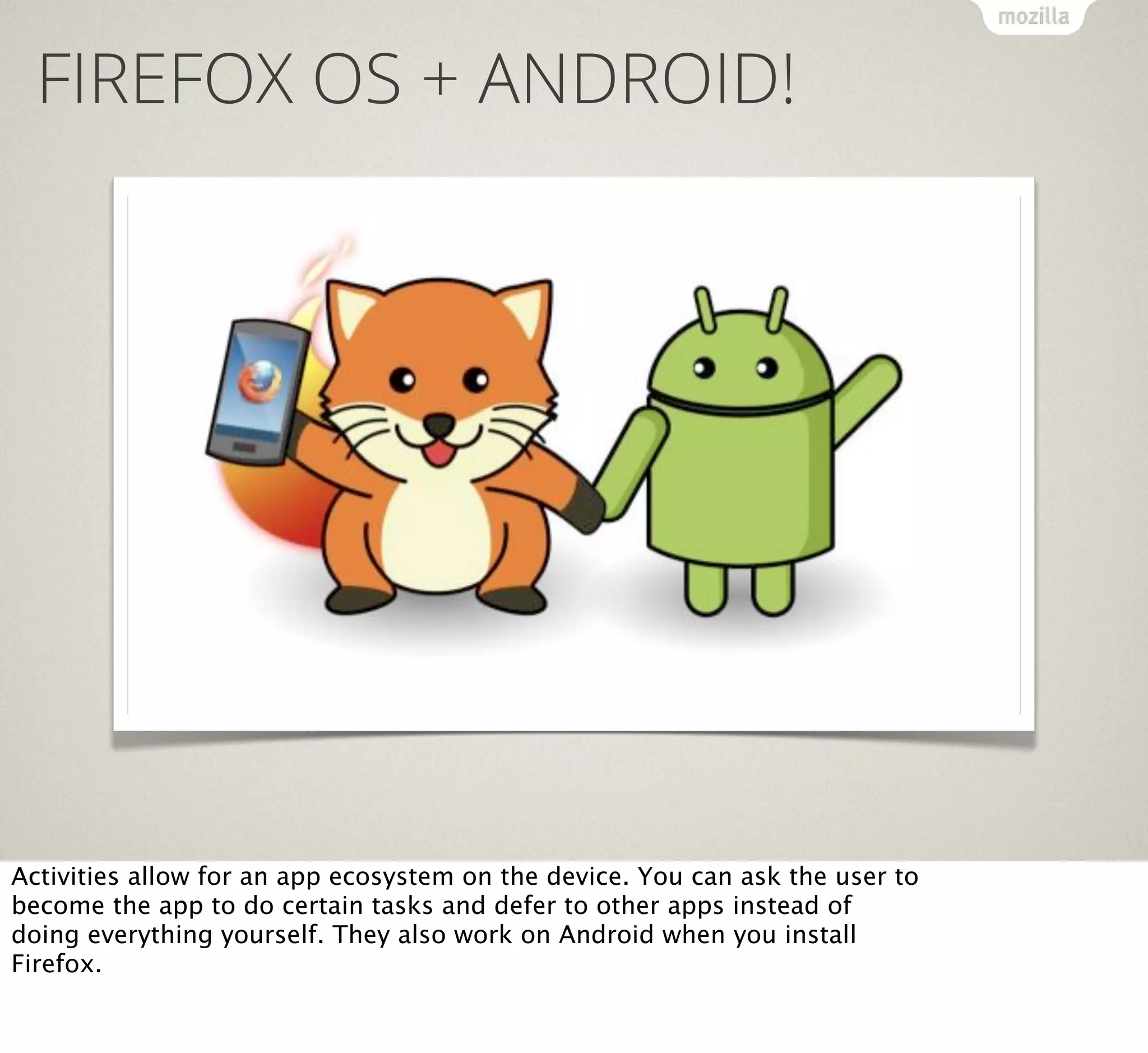
FIREFOX OS + ANDROID!

Activities allow for an app ecosystem on the device. You can ask the user to
become the app to do certain tasks and defer to other apps instead of
doing everything yourself. They also work on Android when you install
Firefox.
APP
DISTRIBUTION
App distribution on Firefox OS works in two ways: as a marketplace and by
distributing directly on the web using then Open Web Apps API.
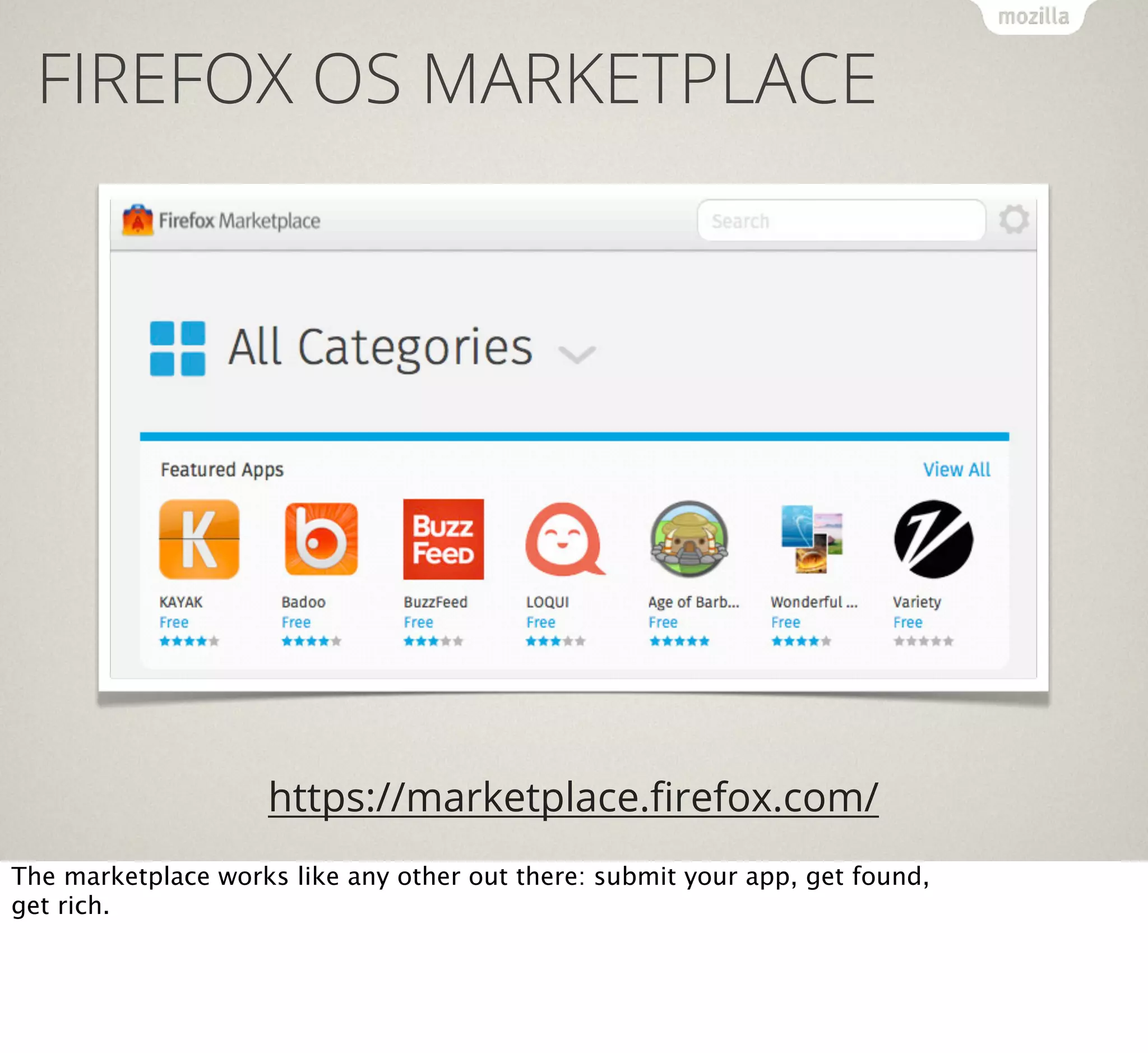
FIREFOX OS MARKETPLACE

https://marketplace.firefox.com/
The marketplace works like any other out there: submit your app, get found,
get rich.
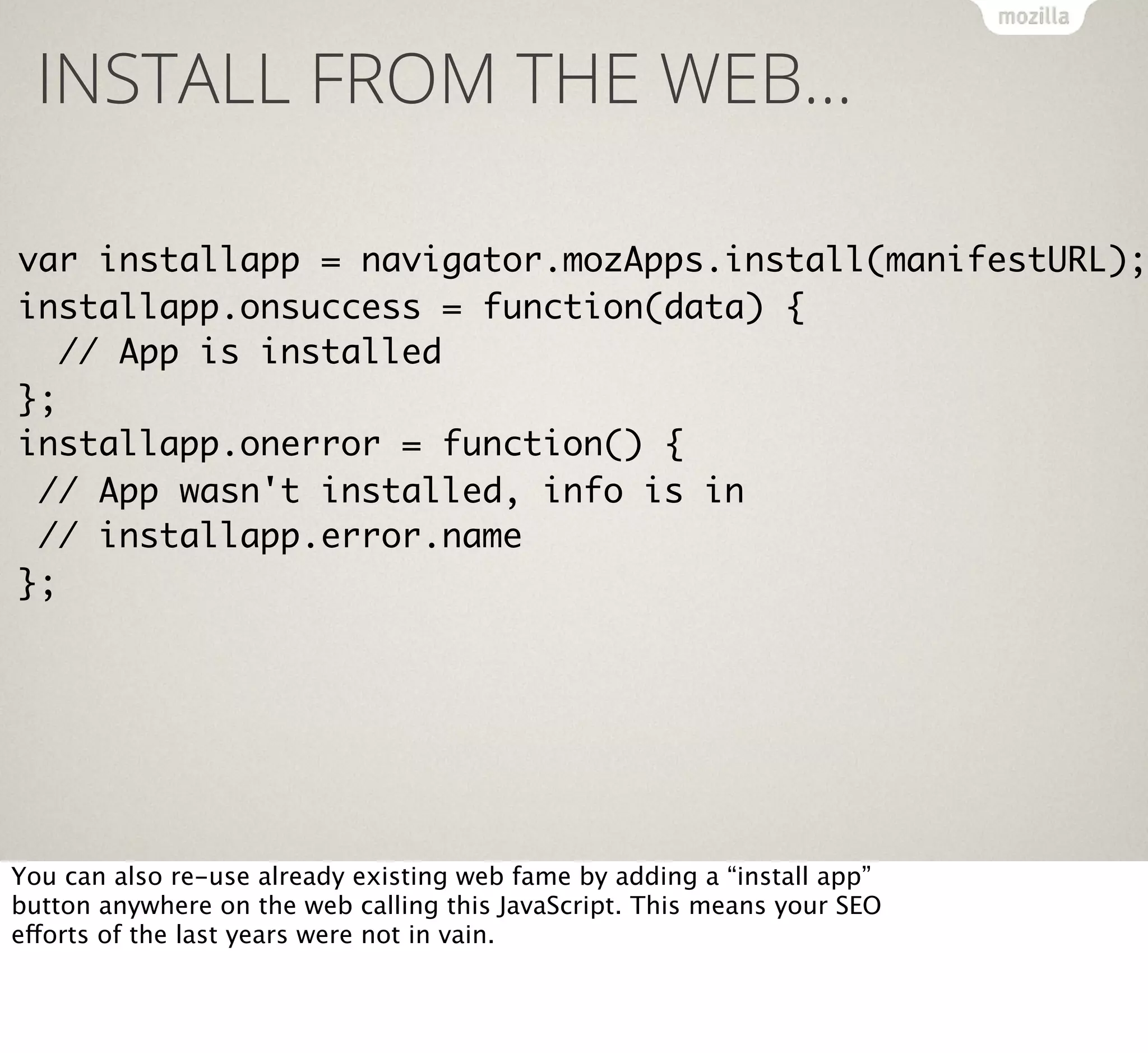
INSTALL FROM THE WEB…

var installapp = navigator.mozApps.install(manifestURL);
installapp.onsuccess = function(data) {
// App is installed
};
installapp.onerror = function() {
// App wasn't installed, info is in
// installapp.error.name
};

You can also re-use already existing web fame by adding a “install app”
button anywhere on the web calling this JavaScript. This means your SEO
efforts of the last years were not in vain.
DYNAMIC APP WEB SEARCH

Firefox OS has a unique way to search apps. Instead of just searching by
name and description, the search scans the web for apps and links them to
the intent of the user. For example a search for a band would find music
apps.
DEVELOPMENT
ENVIRONMENT
The big question about HTML5 is always about the development environment.
Firefox OS has no SDK or IDE, but we built a few tools to get you started faster
FIREFOX OS
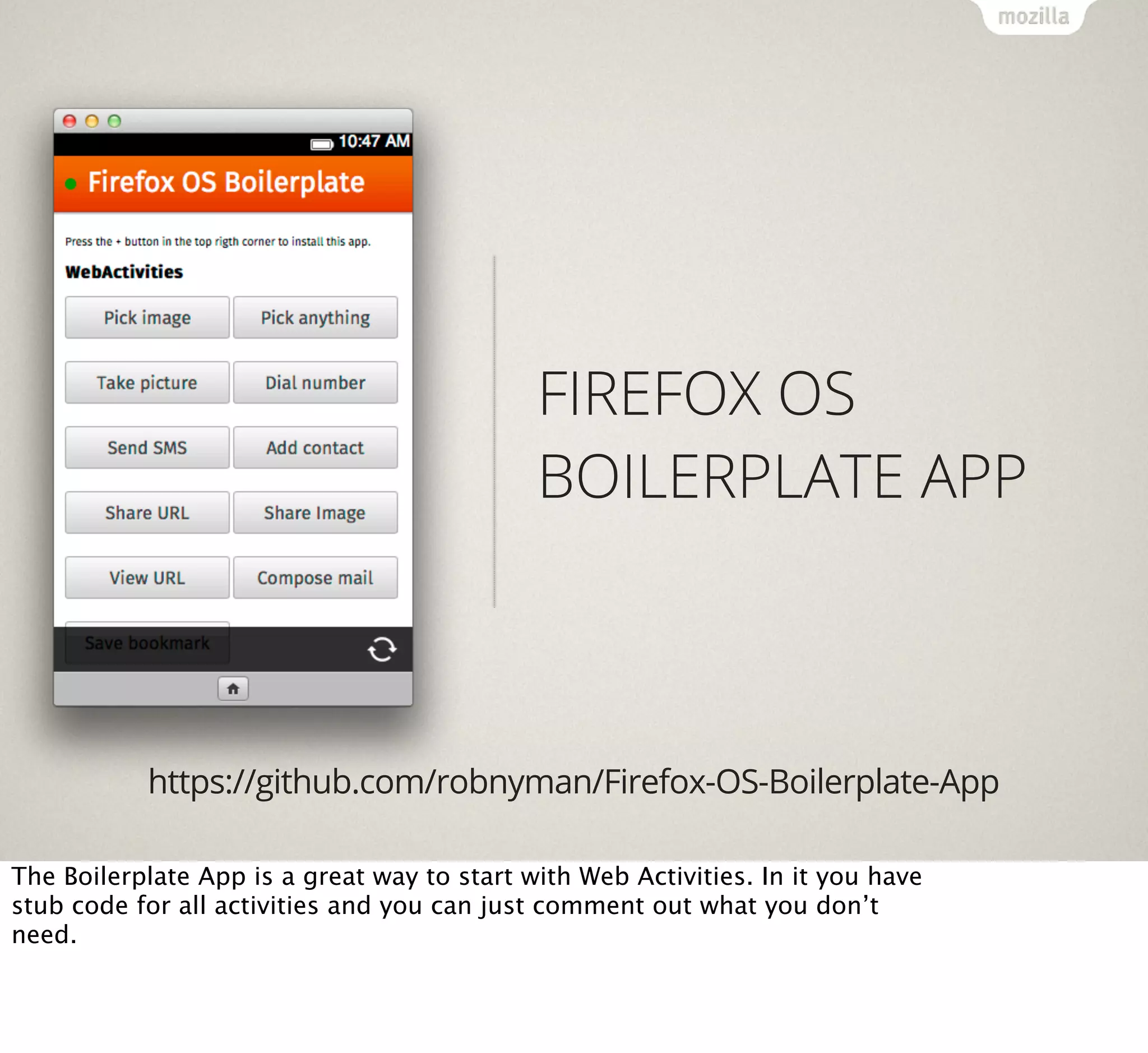
BOILERPLATE APP

https://github.com/robnyman/Firefox-OS-Boilerplate-App
The Boilerplate App is a great way to start with Web Activities. In it you have
stub code for all activities and you can just comment out what you don’t
need.
FIREFOX OS SIMULATOR

https://addons.mozilla.org/firefox/addon/firefox-os-simulator/
The Simulator is and add-on for Firefox that runs a virtual phone on your
desktop, complete with debugging tools and the option to send apps from
the simulator to a real device.
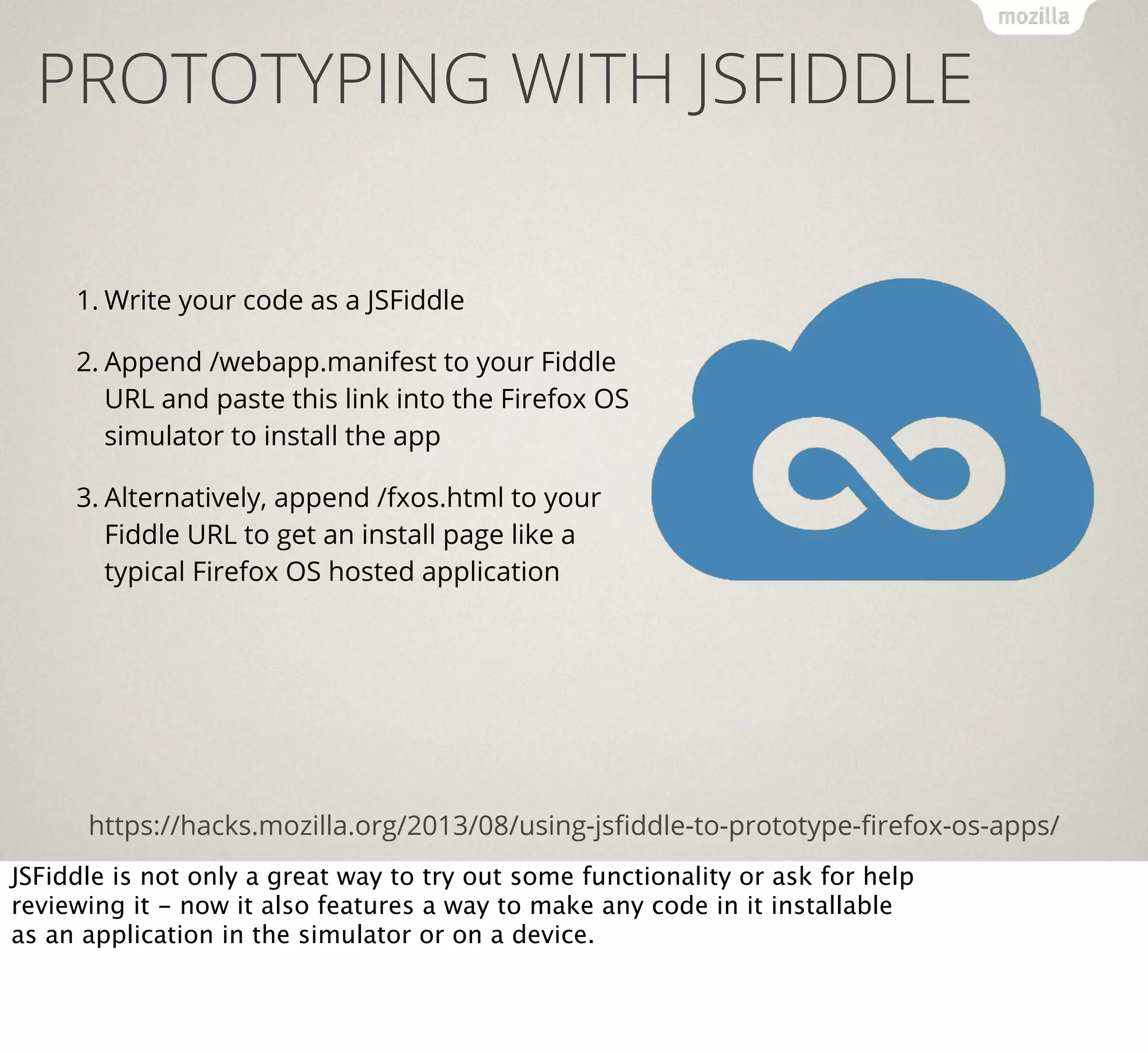
PROTOTYPING WITH JSFIDDLE
1. Write your code as a JSFiddle
2. Append /webapp.manifest to your Fiddle
URL and paste this link into the Firefox OS
simulator to install the app
3. Alternatively, append /fxos.html to your
Fiddle URL to get an install page like a
typical Firefox OS hosted application

https://hacks.mozilla.org/2013/08/using-jsfiddle-to-prototype-firefox-os-apps/
JSFiddle is not only a great way to try out some functionality or ask for help
reviewing it - now it also features a way to make any code in it installable
as an application in the simulator or on a device.
BUILDING
BLOCKS?
Many people ask us for building blocks like the iOS ones. We don’t want to
stifle people in their creativity and there is no “one” Firefox OS look and
feel - there are guidelines - but here are some ideas.
CERTIFIED APPS BUILDING BLOCKS

http://buildingfirefoxos.com/
The creation of the OS-internal apps has been documented and all the
widgets used in their creation are available at buildingfirefoxos.com.
CERTIFIED APPS BUILDING BLOCKS

http://buildingfirefoxos.com/
This is a great resource to get inspiration for your own apps.
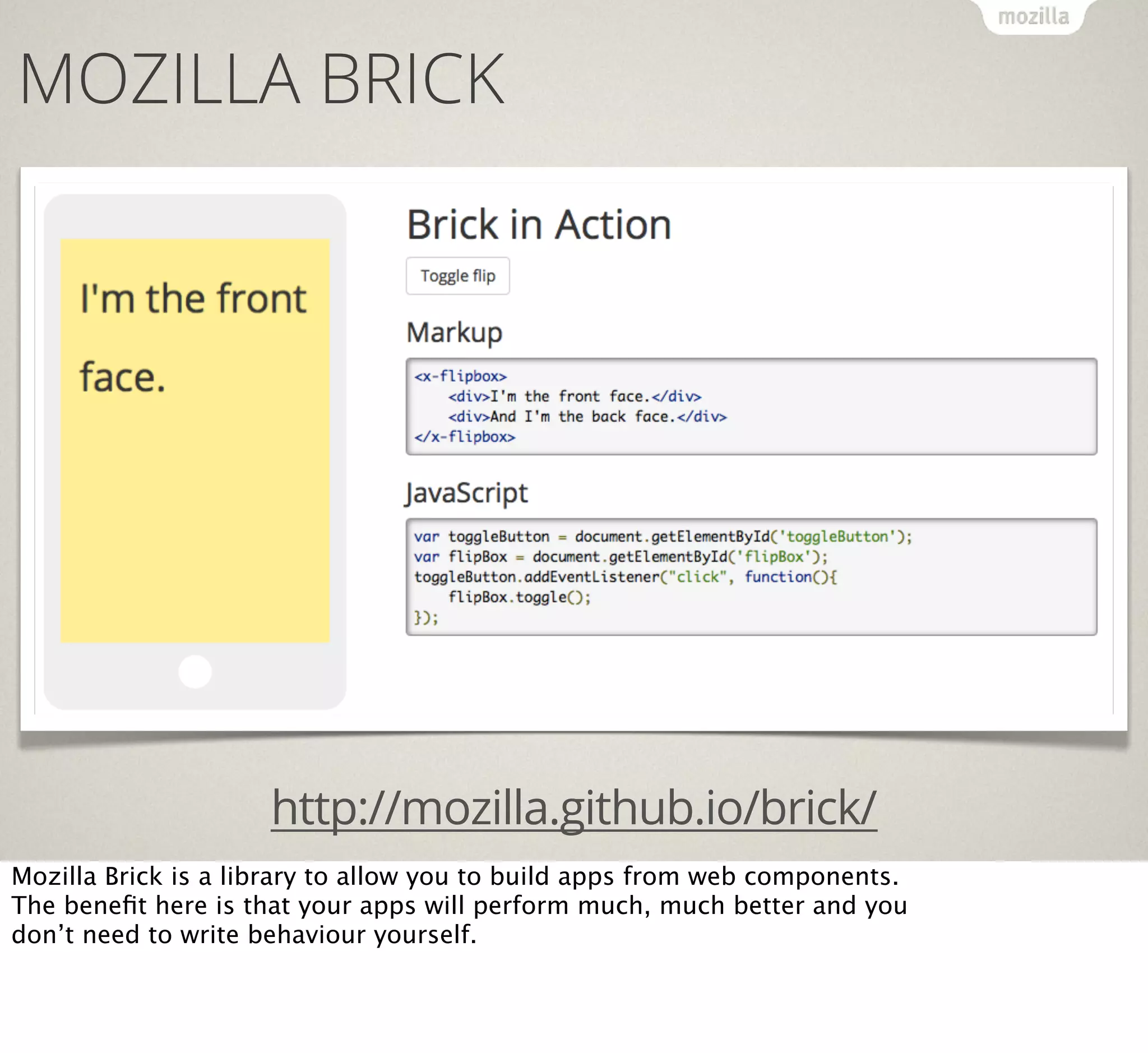
MOZILLA BRICK

http://mozilla.github.io/brick/
Mozilla Brick is a library to allow you to build apps from web components.
The benefit here is that your apps will perform much, much better and you
don’t need to write behaviour yourself.
WHAT’S
COOKING?
That’s a lot. But there is more around the corner.
MORE WEB APIS…
Resource lock API

Spellcheck API

UDP Datagram Socket API

LogAPI

Peer to Peer API

Keyboard/IME API

WebNFC

WebRTC

WebUSB

FileHandle API

HTTP-cache API

Sync API

Calendar API

We constantly extend the offering of Web APIs as we find new needs.
APPMAKER!
Resource lock API

Spellcheck API

UDP Datagram Socket API

LogAPI

Peer to Peer API

Keyboard/IME API

WebNFC

WebRTC

WebUSB

FileHandle API

HTTP-cache API

Sync API

Calendar API

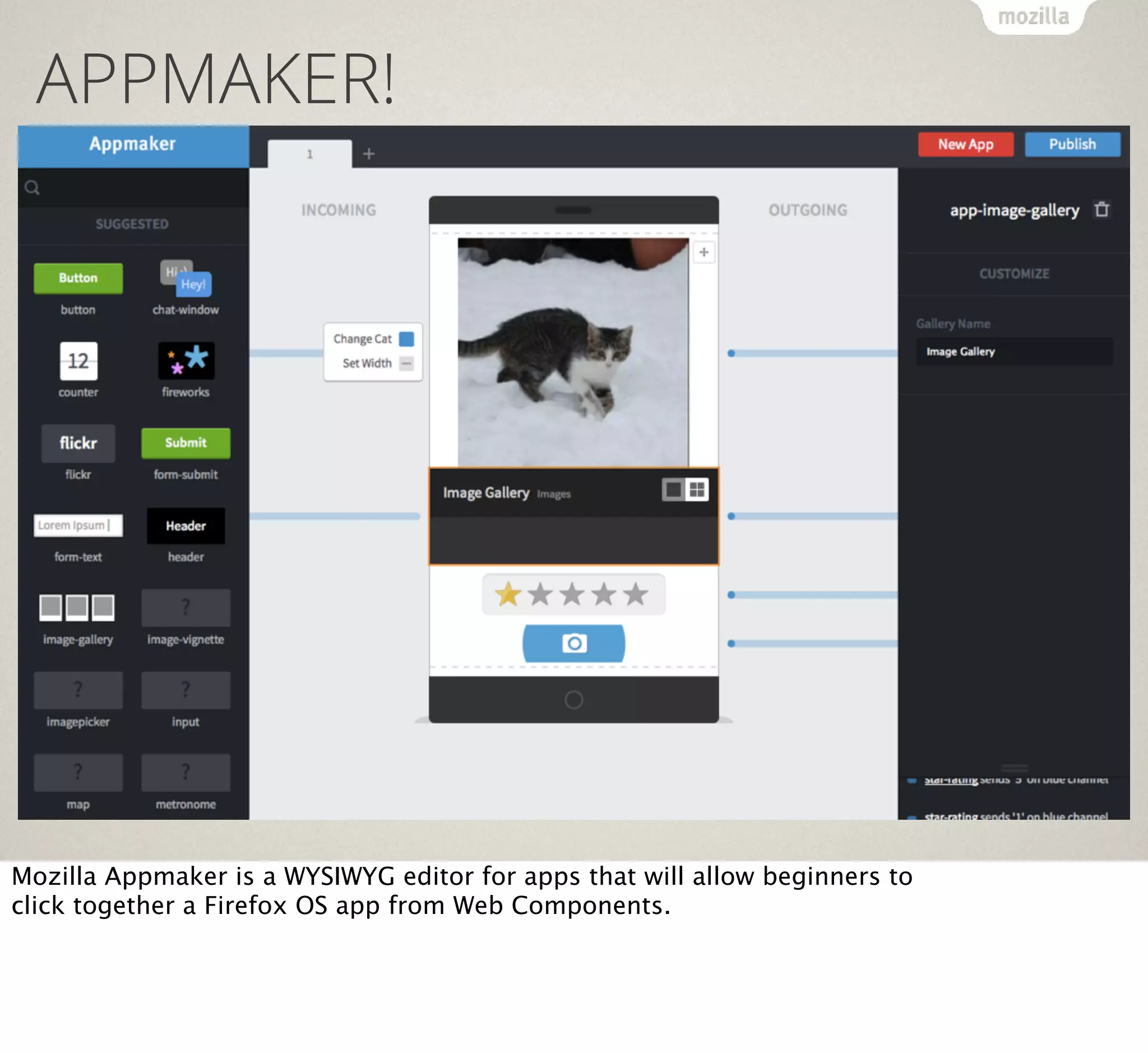
Mozilla Appmaker is a WYSIWYG editor for apps that will allow beginners to
click together a Firefox OS app from Web Components.
RESOURCES
Where can you go if you want to learn more?
DEVELOPER HUB

https://marketplace.firefox.com/developers/
The developer hub is the one-stop-shop for Firefox OS. You find design
guidelines, demo apps and learn how to build and publish your apps.
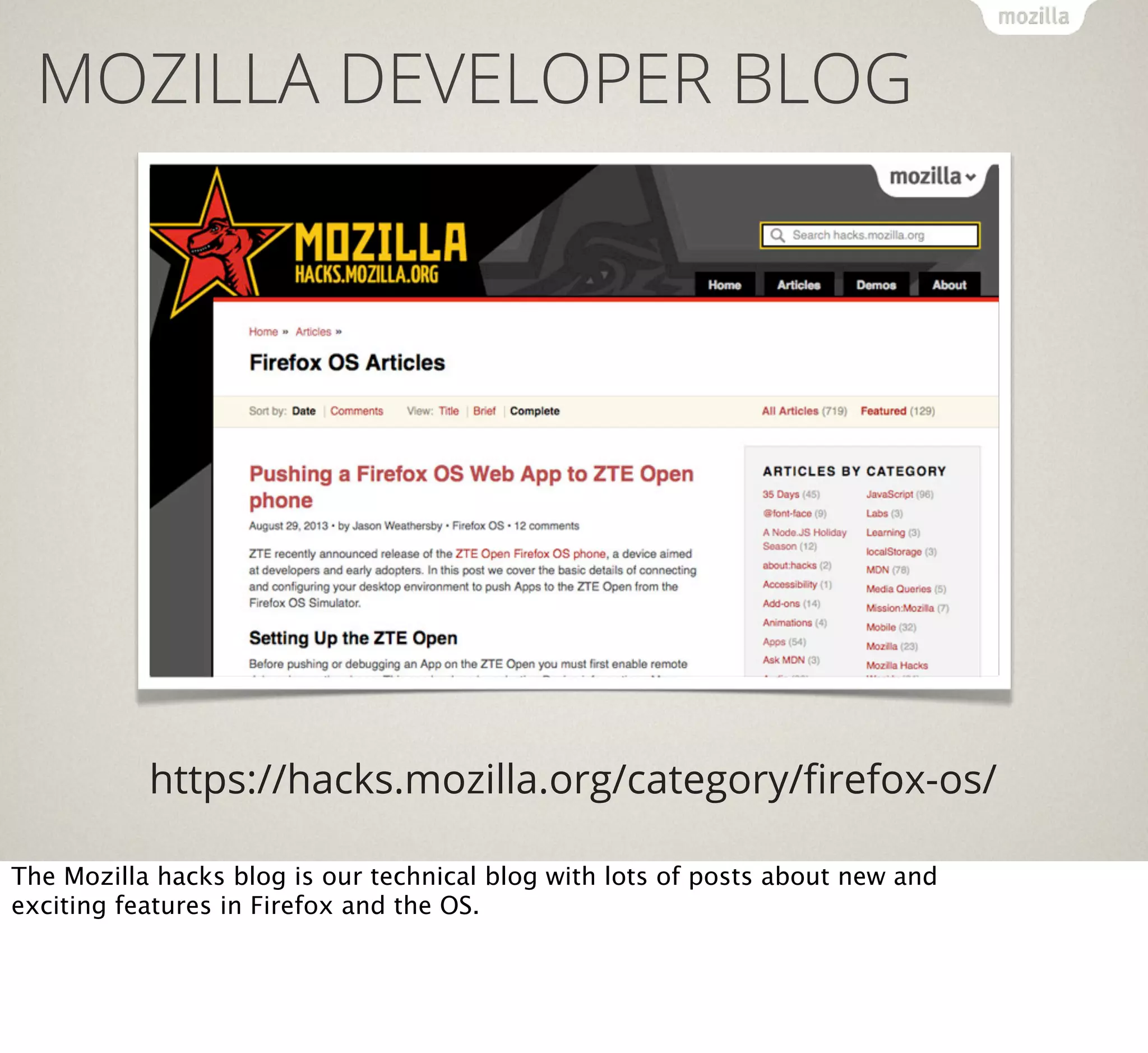
MOZILLA DEVELOPER BLOG

https://hacks.mozilla.org/category/firefox-os/
The Mozilla hacks blog is our technical blog with lots of posts about new and
exciting features in Firefox and the OS.
FIREFOX OS VIDEO SERIES

https://hacks.mozilla.org/category/videoseries/
We’ve recorded a series of short video interviews showing the different parts
of Firefox OS. All of those are on YouTube.
FIREFOX OS WIKI

https://developer.mozilla.org/en/docs/Mozilla/Firefox_OS
Last but not least, there is the Firefox OS wiki with all the in-depth technical
information.
THANKS!

CHRIS HEILMANN
@CODEPO8

(Christian heilman) firefox

  • 1.
    FIREFOX OS Fulfilling thepromises of HTML5 Christian Heilmann (@codepo8) DEVIEW 2013, Seoul, Korea. When the iPhone reinvented the phone and shook the foundations of the mobile space one of the promises was that there is "no SDK" and that HTML5 as the Flash successor will enable developers to benefit from the web as a distribution platform and get access to the all hardware parts that make a phone fun. This promise is now kept by Firefox OS, an operating system targeted at emerging and existing markets that is written in HTML5 and gives HTML5 all the power it deserves. In this session Chris Heilmann of Mozilla shows how easy it is to build engaging apps using HTML5 and benefit from the simple distribution model that is the web. You'll learn how to reach new audiences and re-use what you create in closed environments.
  • 2.
    BENEFITS OF HTML5 ★ In-builtdistribution - the web ★ Simple technologies used by lots of developers ★ Evolution of existing practices ★ Open, independent, standardised Let’s quickly recap what HTML5 promised us as a platform. In essence it was an evolution of the web, taking advantage of its distributed nature and extending its reach into hardware.
  • 3.
    PROMISES OF HTML5 Thiswas also the dream of Steve Jobs when the iPhone first came out. It was a revolution, re-inventing the phone to be web-based rather than a closed environment. No SDK required - just build like you build for the web.
  • 4.
    LOCKOUT In reality, thingslook different now. The browsers that come hard-wired with mobile operating systems are very much falling behind when it comes to their HTML5 support and developers have to resort to writing native apps.
  • 5.
    FIREFOX OS Firefox OSwants to change that. It is an open operating system based on HTML5.
  • 6.
    SOME FACTS… ★ Released infour countries: Spain, Poland, Venezuela and Columbia (more to come very soon) ★ 18 mobile operator partners, 6 hardware partners ★ Hardware options: Alcatel One Touch Fire, ZTE Open, Geeksphone Keon, Geeksphone Peak… ★ Aimed at emerging markets/low end market ★ Aimed to be an alternative to feature phones and unavailable closed environments. ★ Open source - it is all on GitHub Firefox OS is not a test, it is not an idea. It is already very real.
  • 7.
    "Movistar offers the ZTEOpen for €69, including €30 of balance for prepaid customers and a 4GB microSD card" Firefox OS devices are extremely affordable and aimed at people who have not yet access to the web on the go.
  • 8.
    ARCHITECTURE Third Party HTML5Apps GAIA Web APIs / Web Actitivies Gecko rendering engine Linux/Gonk (ADB enabled) The architecture is simple, we build on top of the Gonk layer of Android (why reinvent and open architecture) and added the Gecko rendering engine. On top of that we have Web APIs and Activities, GAIA, the UI of Firefox OS and third party HTML5 apps.
  • 9.
    In essence itis Android without the Java. + =
  • 10.
    PREDICTABLE HTML5 SUPPORT Thebrowser support for HTML5 is a given as it is the same engine as Firefox on Desktop uses.
  • 11.
    SECURITY Security is abig issue when it comes to HTML5. The web as it is now is suffering from some massive security holes which is why we can not allow any JavaScript on the web to access for example the camera of your phone.
  • 12.
    APPLICATION MANIFEST { "version": "1.0", "name":"MozillaBall", "description": "Exciting Open Web development action!", "icons": { "16": "/img/icon-16.png", "48": "/img/icon-48.png", "128": "/img/icon-128.png" }, "developer": { "name": "Mozilla Labs", "url": "http://mozillalabs.com" }, "installs_allowed_from": ["*"], "appcache_path": "/cache.manifest", "locales": { "es": { "description": "¡Acción abierta emocionante del desarrollo del Web!", "developer": { "url": "http://es.mozillalabs.com/" } } }, "default_locale": "en" } HTML5 apps need to have a manifest file to be Firefox OS apps. In this one you define what your app is, but also what kind of hardware access it needs.
  • 13.
    APPLICATIONS Web Content Privileged WebApp Regular web content More access, more responsibility Installed Web App Certified Web App A regular web app Device-critical applications There are four kind of apps in Firefox OS - ranging from simple web content to fully trusted apps that have access to all the hardware.
  • 14.
    APPLICATIONS The app permissionsare defined in detail on the Mozilla Wiki.
  • 15.
    PERMISSIONS "permissions": { "contacts": { "description":"Required for autocompletion in the share screen", "access": "readcreate" }, "alarms": { "description": "Required to schedule notifications" } } You need to declare all the permissions you want in your manifest file.
  • 16.
    WEB APIS Web APIsare standards proposals and agreements with the W3C to enable JavaScript to access hardware and sensors of devices.
  • 17.
    WEB APIS (FORALL) Vibration API (W3C) Web Activities Screen Orientation Push Notifications API Geolocation API WebFM API Mouse Lock API (W3C) WebPayment Open WebApps IndexedDB (W3C) Network Information API (W3C) Ambient light sensor Battery Status API (W3C) Proximity sensor Alarm API Notification These are a few of the APIs defined with the standards bodies to allow you access to more than the screen. Some of the are enabled across browsers, all of them in Firefox OS for any web content.
  • 18.
    BATTERY STATUS API The batterystatus API allows you to read the current state of the battery. This is very useful to build apps that warn the user before losing data.
  • 19.
    BATTERY STATUS API varbattery = navigator.battery; if (battery) { var batteryLevel = Math.round(battery.level * 100) + "%", charging = (battery.charging)? "" : "not ", chargingTime = parseInt(battery.chargingTime / 60, 10), dischargingTime = parseInt(battery.dischargingTime / 60, 10); // Set events battery.addEventListener("levelchange", setStatus, false); battery.addEventListener("chargingchange", setStatus, false); battery.addEventListener("chargingtimechange", setStatus, false); battery.addEventListener("dischargingtimechange", setStatus, false); } You have various properties and events to listen to - this works across APIs.
  • 20.
    SCREEN ORIENTATION API The screenorientation API allows you to lock the orientation of your app.
  • 21.
    SCREEN ORIENTATION API //Portrait mode: screen.mozLockOrientation("portrait"); /* Possible values: "landscape" "portrait" "landscape-primary" "landscape-secondary" "portrait-primary" "portrait-secondary" */
  • 22.
    VIBRATION API The vibrationAPI allows you to make a phone vibrate.
  • 23.
    VIBRATION API // Vibratefor one second navigator.vibrate(1000); // Vibration pattern [vibrationTime, pause,…] navigator.vibrate([200, 100, 200, 100]); // Vibrate for 5 seconds navigator.vibrate(5000); // Turn off vibration navigator.vibrate(0);
  • 24.
    NETWORK INFORMATION API The NetworkInformation API tells you what the connection is and if it is metered or not. This helps your users not to spend too much money on downloads and defer upgrades to when they are connected to WiFi.
  • 25.
    NETWORK INFORMATION API varconnection = window.navigator.mozConnection, online = connection.bandwidth > 0, metered = connection.metered;
  • 26.
    ☼ AMBIENT LIGHT EVENTS The ambientlight API allows you to detect if it is dark or light around the device and switch design accordingly.
  • 27.
    AMBIENT LIGHT EVENTS window.addEventListener("devicelight",function (event) { // The level of the ambient light in lux // The lux values for "dim" typically begin below 50, // and the values for "bright" begin above 10000 console.log(event.value); });
  • 28.
    PAGE VISIBILITY The pagevisibility API tells you if the app is currently open and used or the user has another one in focus.
  • 29.
    PAGE VISIBILITY document.addEventListener("visibilitychange", function() { if (document.hidden) { console.log("App is hidden"); } else { console.log("App has focus"); } });
  • 30.
    WEB APIS (PRIVILEGEDAPPS) Device Storage API Browser API TCP Socket API Contacts API systemXHR Privileged apps are those that went through a review by the Mozilla security team and thus get more access to the hardware.
  • 31.
    CONTACTS API For example,privileged apps can create new contacts on the fly.
  • 32.
    CONTACTS API var contact= new mozContact(); contact.init({name: "Tom"}); var request = navigator.mozContacts.save(contact); request.onsuccess = function() { console.log("Success"); }; request.onerror = function() { console.log("Error") };
  • 33.
    WEB APIS (CERTIFIEDAPPS) WebTelephony WebBluetooth WebSMS Permissions API Idle API Network Stats API Settings API Camera API Power Management API Time/Clock API Mobile Connection API Attention screen WiFi Information API Voicemail Certified applications are the ones built by Mozilla and partners. These needed APIs to access all the hardware.
  • 34.
    CERTIFIED APPS =THE OS :) We used these to build all the apps that make up the operating system.
  • 35.
    CERTIFIED APPS =THE OS :) Dialer Alarm Clock Contacts Camera Settings Notes SMS First Run Experience Web browser Notifications Gallery Home Screen Video Player Mozilla Marketplace Music Player System Updater E-mail (POP, IMAP) Localization Support Calendar Like these.
  • 36.
    WEB ACTIVITIES Web activities area way to get access to the hardware without going through a review process of your app. Instead of accessing the hardware directly, the user will access it for you.
  • 37.
    You can forexample ask for a photo and the user then picks from their gallery or takes a photo with the app of their choice. They then return automatically to your app with the photo as a file blob.
  • 38.
    GET A PHOTO? vargetphoto = new MozActivity({ name: "pick", data: { type: ["image/png", "image/jpeg"], "image/jpg"] } }); getphoto.onsuccess = function () { var img = document.createElement("img"); if (this.result.blob.type.indexOf("image") != -1) { img.src = window.URL.createObjectURL(this.result.blob); } }; getphoto.onerror = function () { // error };
  • 39.
    FIREFOX OS +ANDROID! Activities allow for an app ecosystem on the device. You can ask the user to become the app to do certain tasks and defer to other apps instead of doing everything yourself. They also work on Android when you install Firefox.
  • 40.
    APP DISTRIBUTION App distribution onFirefox OS works in two ways: as a marketplace and by distributing directly on the web using then Open Web Apps API.
  • 41.
    FIREFOX OS MARKETPLACE https://marketplace.firefox.com/ Themarketplace works like any other out there: submit your app, get found, get rich.
  • 42.
    INSTALL FROM THEWEB… var installapp = navigator.mozApps.install(manifestURL); installapp.onsuccess = function(data) { // App is installed }; installapp.onerror = function() { // App wasn't installed, info is in // installapp.error.name }; You can also re-use already existing web fame by adding a “install app” button anywhere on the web calling this JavaScript. This means your SEO efforts of the last years were not in vain.
  • 43.
    DYNAMIC APP WEBSEARCH Firefox OS has a unique way to search apps. Instead of just searching by name and description, the search scans the web for apps and links them to the intent of the user. For example a search for a band would find music apps.
  • 44.
    DEVELOPMENT ENVIRONMENT The big questionabout HTML5 is always about the development environment. Firefox OS has no SDK or IDE, but we built a few tools to get you started faster
  • 45.
    FIREFOX OS BOILERPLATE APP https://github.com/robnyman/Firefox-OS-Boilerplate-App TheBoilerplate App is a great way to start with Web Activities. In it you have stub code for all activities and you can just comment out what you don’t need.
  • 46.
    FIREFOX OS SIMULATOR https://addons.mozilla.org/firefox/addon/firefox-os-simulator/ TheSimulator is and add-on for Firefox that runs a virtual phone on your desktop, complete with debugging tools and the option to send apps from the simulator to a real device.
  • 47.
    PROTOTYPING WITH JSFIDDLE 1.Write your code as a JSFiddle 2. Append /webapp.manifest to your Fiddle URL and paste this link into the Firefox OS simulator to install the app 3. Alternatively, append /fxos.html to your Fiddle URL to get an install page like a typical Firefox OS hosted application https://hacks.mozilla.org/2013/08/using-jsfiddle-to-prototype-firefox-os-apps/ JSFiddle is not only a great way to try out some functionality or ask for help reviewing it - now it also features a way to make any code in it installable as an application in the simulator or on a device.
  • 48.
    BUILDING BLOCKS? Many people askus for building blocks like the iOS ones. We don’t want to stifle people in their creativity and there is no “one” Firefox OS look and feel - there are guidelines - but here are some ideas.
  • 49.
    CERTIFIED APPS BUILDINGBLOCKS http://buildingfirefoxos.com/ The creation of the OS-internal apps has been documented and all the widgets used in their creation are available at buildingfirefoxos.com.
  • 50.
    CERTIFIED APPS BUILDINGBLOCKS http://buildingfirefoxos.com/ This is a great resource to get inspiration for your own apps.
  • 51.
    MOZILLA BRICK http://mozilla.github.io/brick/ Mozilla Brickis a library to allow you to build apps from web components. The benefit here is that your apps will perform much, much better and you don’t need to write behaviour yourself.
  • 52.
    WHAT’S COOKING? That’s a lot.But there is more around the corner.
  • 53.
    MORE WEB APIS… Resourcelock API Spellcheck API UDP Datagram Socket API LogAPI Peer to Peer API Keyboard/IME API WebNFC WebRTC WebUSB FileHandle API HTTP-cache API Sync API Calendar API We constantly extend the offering of Web APIs as we find new needs.
  • 54.
    APPMAKER! Resource lock API SpellcheckAPI UDP Datagram Socket API LogAPI Peer to Peer API Keyboard/IME API WebNFC WebRTC WebUSB FileHandle API HTTP-cache API Sync API Calendar API Mozilla Appmaker is a WYSIWYG editor for apps that will allow beginners to click together a Firefox OS app from Web Components.
  • 55.
    RESOURCES Where can yougo if you want to learn more?
  • 56.
    DEVELOPER HUB https://marketplace.firefox.com/developers/ The developerhub is the one-stop-shop for Firefox OS. You find design guidelines, demo apps and learn how to build and publish your apps.
  • 57.
    MOZILLA DEVELOPER BLOG https://hacks.mozilla.org/category/firefox-os/ TheMozilla hacks blog is our technical blog with lots of posts about new and exciting features in Firefox and the OS.
  • 58.
    FIREFOX OS VIDEOSERIES https://hacks.mozilla.org/category/videoseries/ We’ve recorded a series of short video interviews showing the different parts of Firefox OS. All of those are on YouTube.
  • 59.
    FIREFOX OS WIKI https://developer.mozilla.org/en/docs/Mozilla/Firefox_OS Lastbut not least, there is the Firefox OS wiki with all the in-depth technical information.
  • 60.