ME3101 / ME3102
Mechanical Systems Design
Chapter 7
Presentation Skills
Presentation Skills

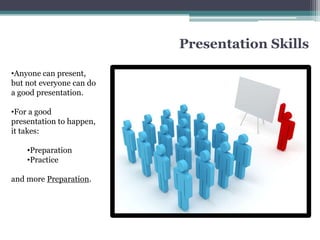
•Anyone can present,
but not everyone can do
a good presentation.

•For a good
presentation to happen,
it takes:

    •Preparation
    •Practice

and more Preparation.
Preparations – Before the Presentation


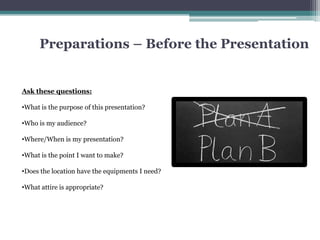
Ask these questions:

•What is the purpose of this presentation?

•Who is my audience?

•Where/When is my presentation?

•What is the point I want to make?

•Does the location have the equipments I need?

•What attire is appropriate?
Preparations – Before the Presentation
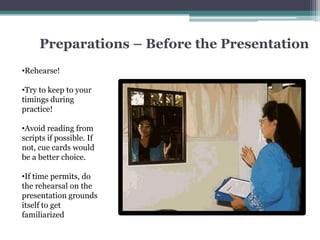
•Rehearse!

•Try to keep to your
timings during
practice!

•Avoid reading from
scripts if possible. If
not, cue cards would
be a better choice.

•If time permits, do
the rehearsal on the
presentation grounds
itself to get
familiarized
During the Presentation
Remember to do the following

1. Greet the audience

2. Introduce yourself

3. Brief introduction about your
   presentation

4. Use visual aids

5. Practice good body language

6. Clear verbal delivery
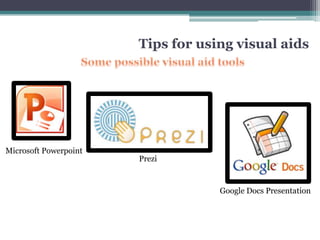
Tips for using visual aids


Microsoft Powerpoint
                       Prezi


                                   Google Docs Presentation
Tips for using visual aids
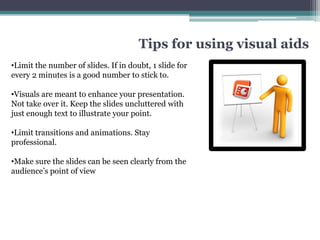
•Limit the number of slides. If in doubt, 1 slide for
every 2 minutes is a good number to stick to.

•Visuals are meant to enhance your presentation.
Not take over it. Keep the slides uncluttered with
just enough text to illustrate your point.

•Limit transitions and animations. Stay
professional.

•Make sure the slides can be seen clearly from the
audience’s point of view
Tips for using visual aids


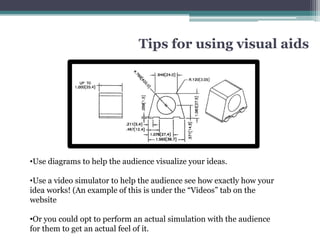
•Use diagrams to help the audience visualize your ideas.

•Use a video simulator to help the audience see how exactly how your
idea works! (An example of this is under the “Videos” tab on the
website

•Or you could opt to perform an actual simulation with the audience
for them to get an actual feel of it.
Tips for using visual aids


                               3D Autocad

Google Sketchup
Body Language


Eye Contact:
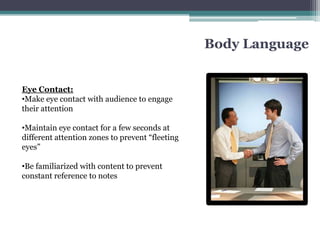
•Make eye contact with audience to engage
their attention

•Maintain eye contact for a few seconds at
different attention zones to prevent “fleeting
eyes”

•Be familiarized with content to prevent
constant reference to notes
Body Language

Posture

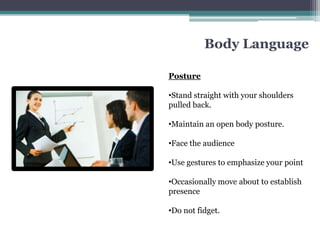
•Stand straight with your shoulders
pulled back.

•Maintain an open body posture.

•Face the audience

•Use gestures to emphasize your point

•Occasionally move about to establish
presence

•Do not fidget.
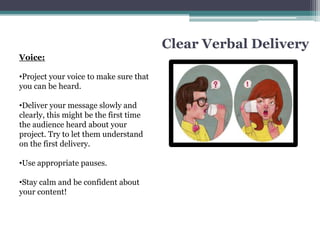
Clear Verbal Delivery
Voice:

•Project your voice to make sure that
you can be heard.

•Deliver your message slowly and
clearly, this might be the first time
the audience heard about your
project. Try to let them understand
on the first delivery.

•Use appropriate pauses.

•Stay calm and be confident about
your content!
In Conclusion
The entirety of the project starts from the idea conception to the final
presentation.

No matter how good an idea is, it cannot be actualized if it cannot be sold to
other people.
Chapter 7   presentation skills

Chapter 7 presentation skills

  • 1.
    ME3101 / ME3102 MechanicalSystems Design Chapter 7 Presentation Skills
  • 2.
    Presentation Skills •Anyone canpresent, but not everyone can do a good presentation. •For a good presentation to happen, it takes: •Preparation •Practice and more Preparation.
  • 3.
    Preparations – Beforethe Presentation Ask these questions: •What is the purpose of this presentation? •Who is my audience? •Where/When is my presentation? •What is the point I want to make? •Does the location have the equipments I need? •What attire is appropriate?
  • 4.
    Preparations – Beforethe Presentation •Rehearse! •Try to keep to your timings during practice! •Avoid reading from scripts if possible. If not, cue cards would be a better choice. •If time permits, do the rehearsal on the presentation grounds itself to get familiarized
  • 5.
    During the Presentation Rememberto do the following 1. Greet the audience 2. Introduce yourself 3. Brief introduction about your presentation 4. Use visual aids 5. Practice good body language 6. Clear verbal delivery
  • 6.
    Tips for usingvisual aids Microsoft Powerpoint Prezi Google Docs Presentation
  • 7.
    Tips for usingvisual aids •Limit the number of slides. If in doubt, 1 slide for every 2 minutes is a good number to stick to. •Visuals are meant to enhance your presentation. Not take over it. Keep the slides uncluttered with just enough text to illustrate your point. •Limit transitions and animations. Stay professional. •Make sure the slides can be seen clearly from the audience’s point of view
  • 8.
    Tips for usingvisual aids •Use diagrams to help the audience visualize your ideas. •Use a video simulator to help the audience see how exactly how your idea works! (An example of this is under the “Videos” tab on the website •Or you could opt to perform an actual simulation with the audience for them to get an actual feel of it.
  • 9.
    Tips for usingvisual aids 3D Autocad Google Sketchup
  • 10.
    Body Language Eye Contact: •Makeeye contact with audience to engage their attention •Maintain eye contact for a few seconds at different attention zones to prevent “fleeting eyes” •Be familiarized with content to prevent constant reference to notes
  • 11.
    Body Language Posture •Stand straightwith your shoulders pulled back. •Maintain an open body posture. •Face the audience •Use gestures to emphasize your point •Occasionally move about to establish presence •Do not fidget.
  • 12.
    Clear Verbal Delivery Voice: •Projectyour voice to make sure that you can be heard. •Deliver your message slowly and clearly, this might be the first time the audience heard about your project. Try to let them understand on the first delivery. •Use appropriate pauses. •Stay calm and be confident about your content!
  • 13.
    In Conclusion The entiretyof the project starts from the idea conception to the final presentation. No matter how good an idea is, it cannot be actualized if it cannot be sold to other people.