Computer Science
Prepare by: Merbert J. Jeruela, Brainworks-Total International School
Based on 2024-2025 9618 AS/A Level Computer Science Syllabus
Chapter 1: Information Representation
1.1: Data Representation
By the end of the lesson students will be able to:
1.1: Data Representation
By the end of the lesson students will be able to:
Chapter 1: Information Representation
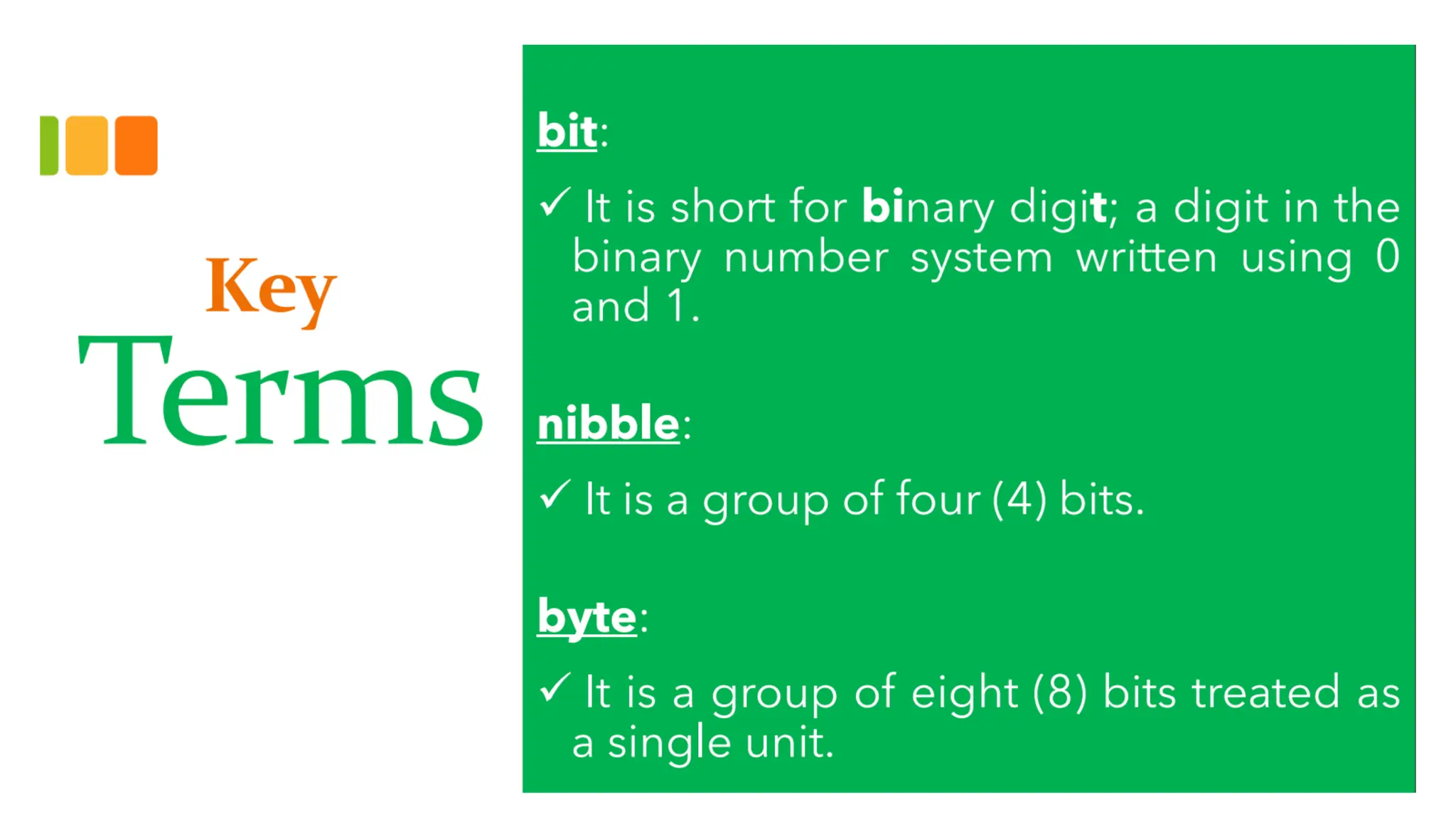
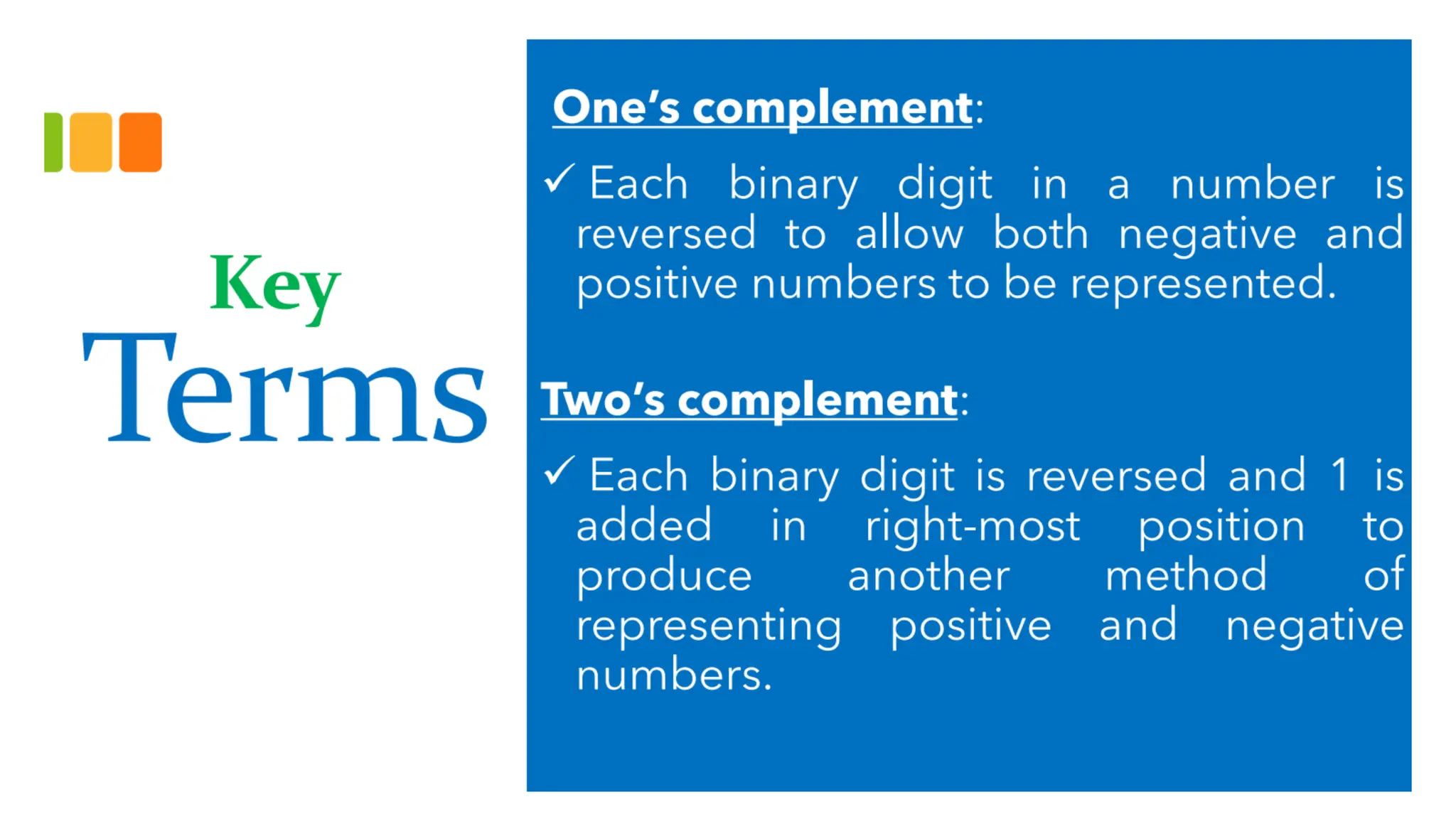
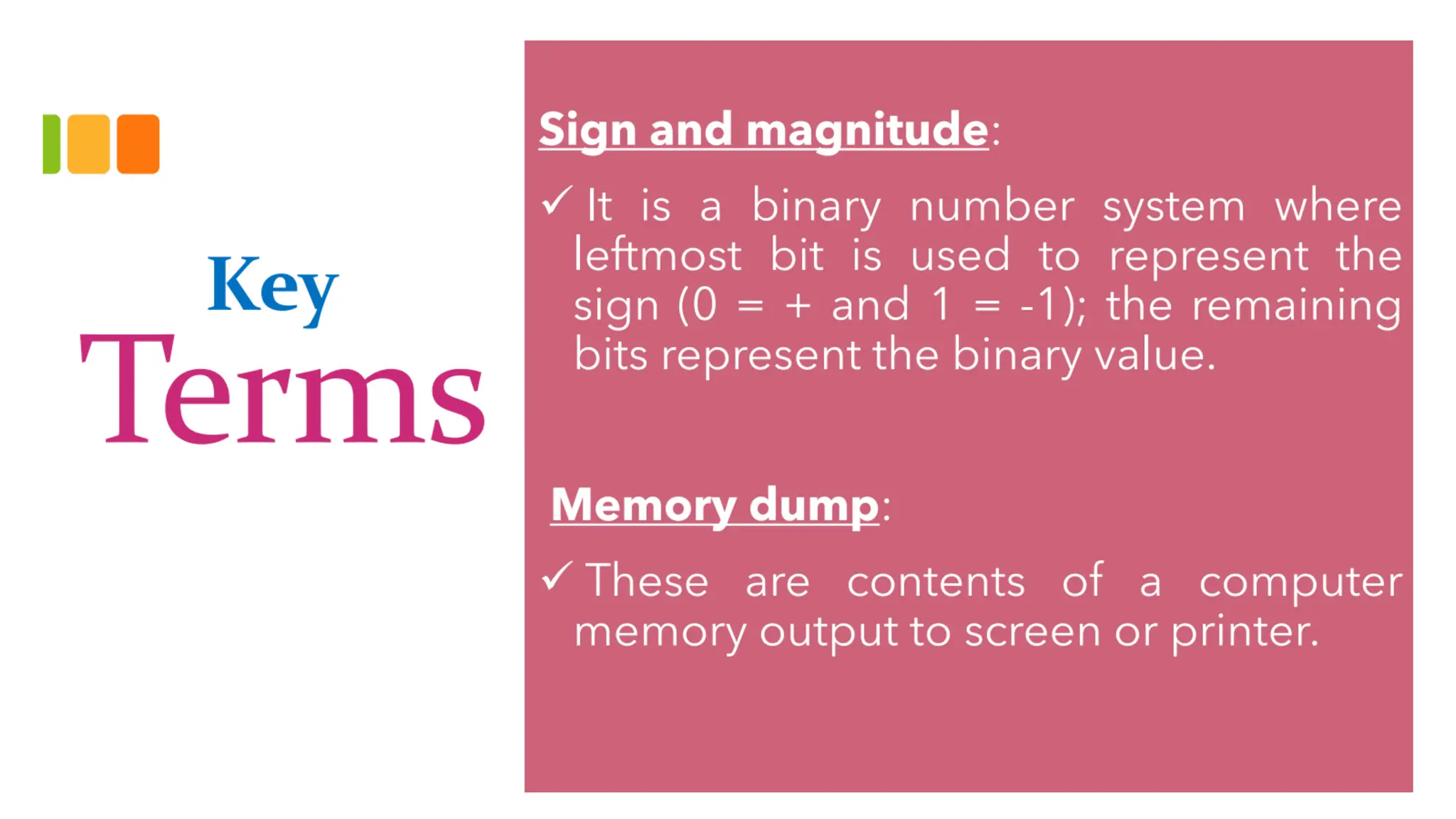
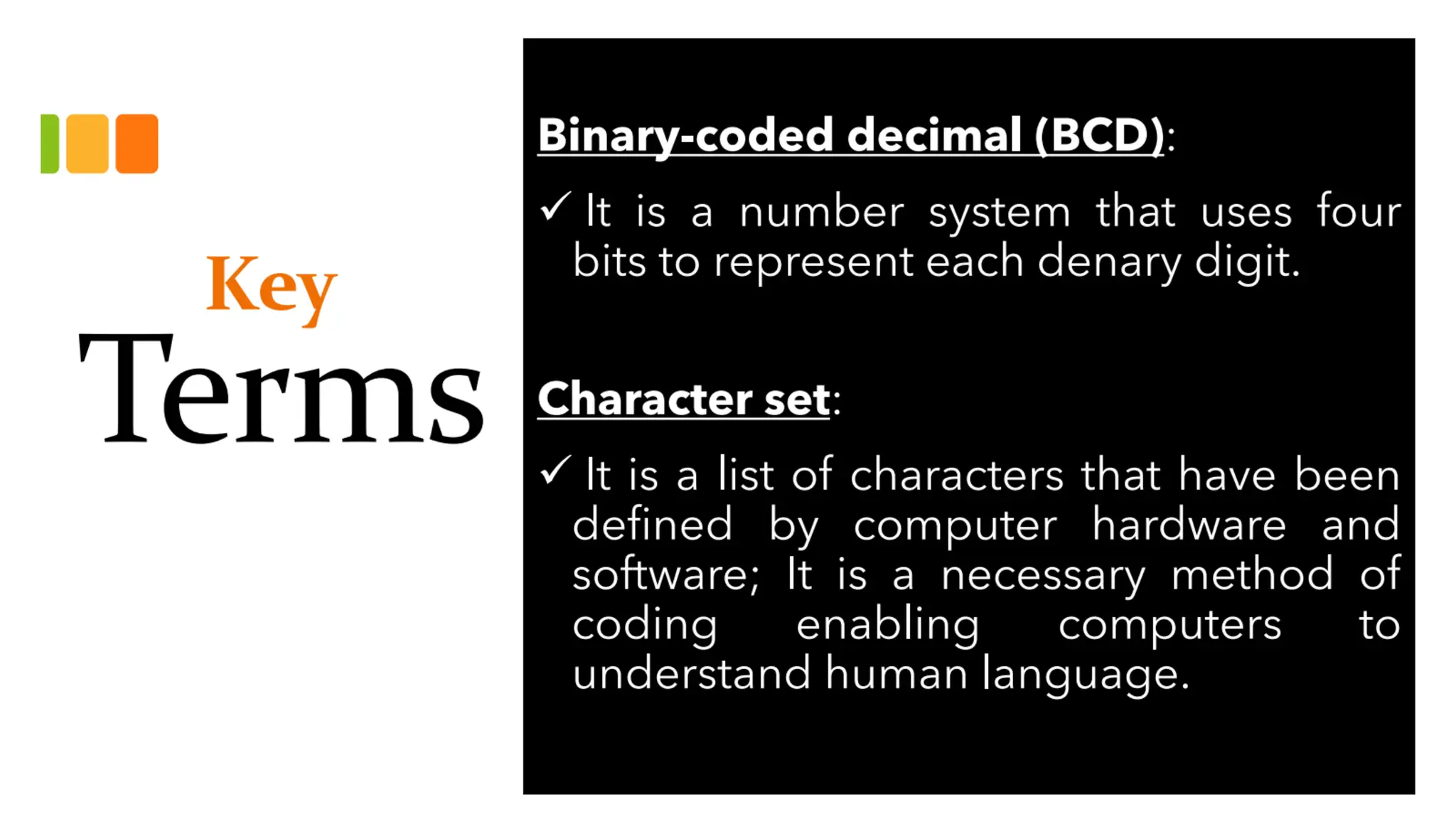
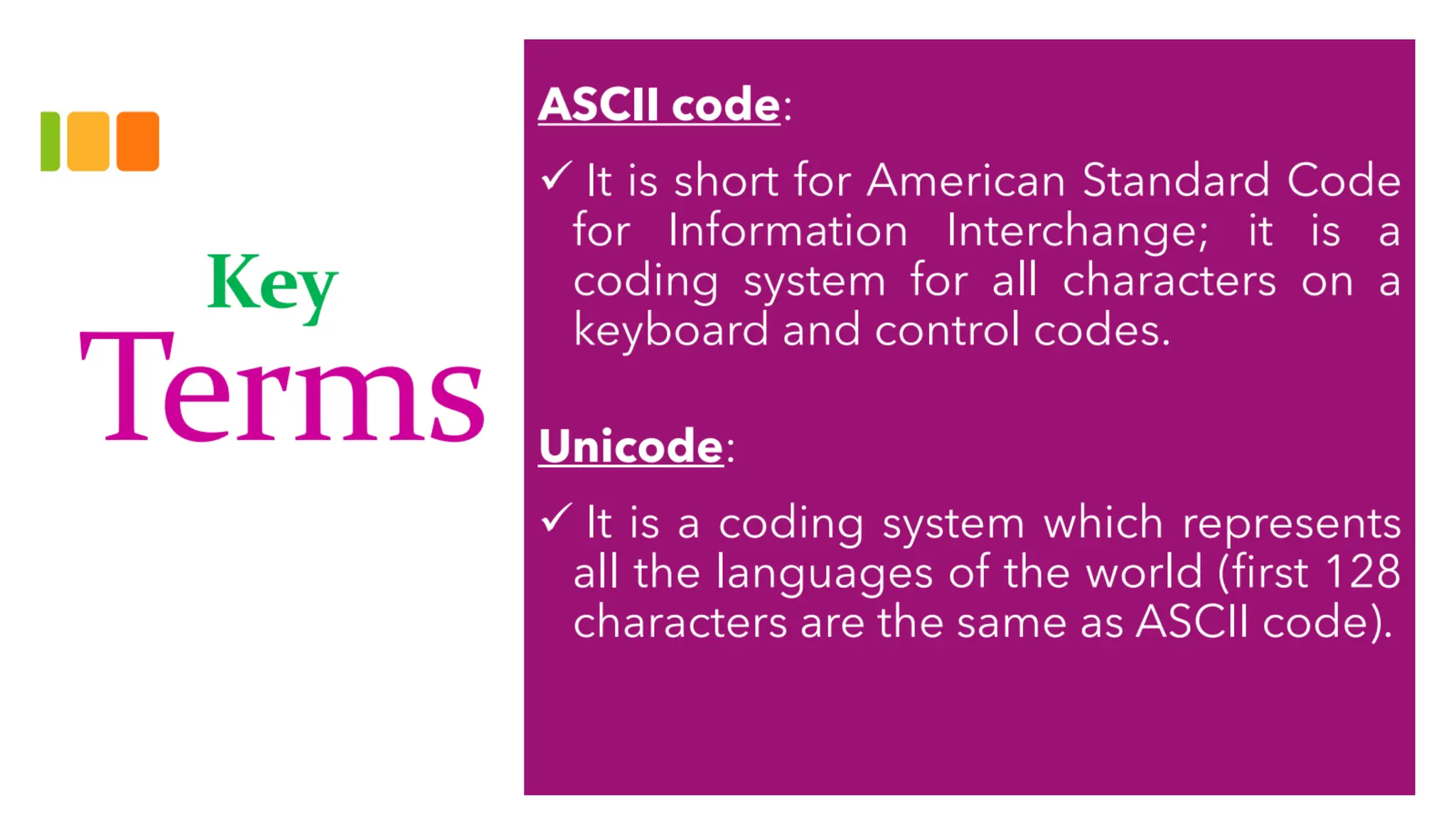
Key Terms
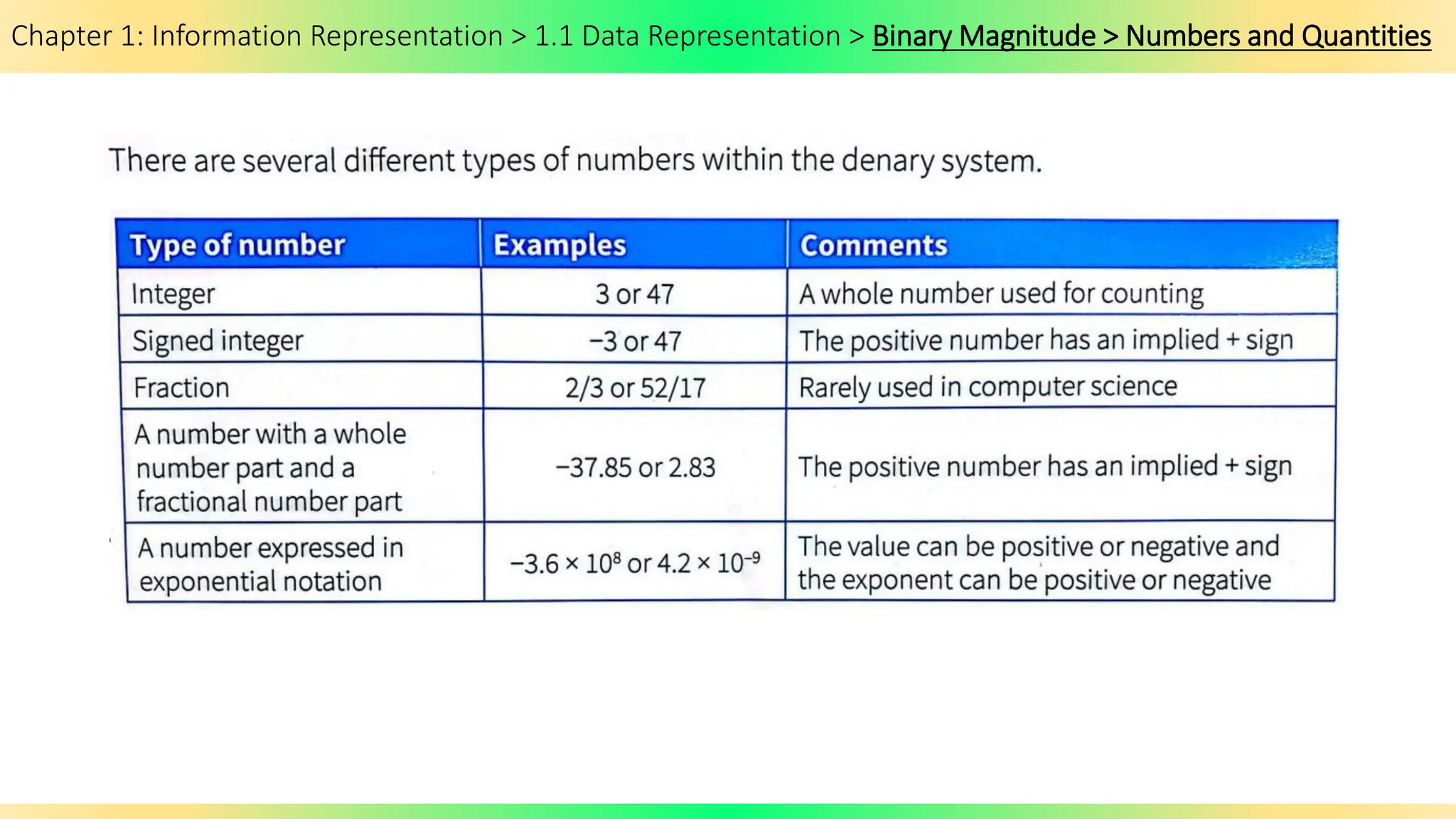
Chapter 1: Information Representation > 1.1 Data Representation > Binary Magnitude > Numbers and Quantities
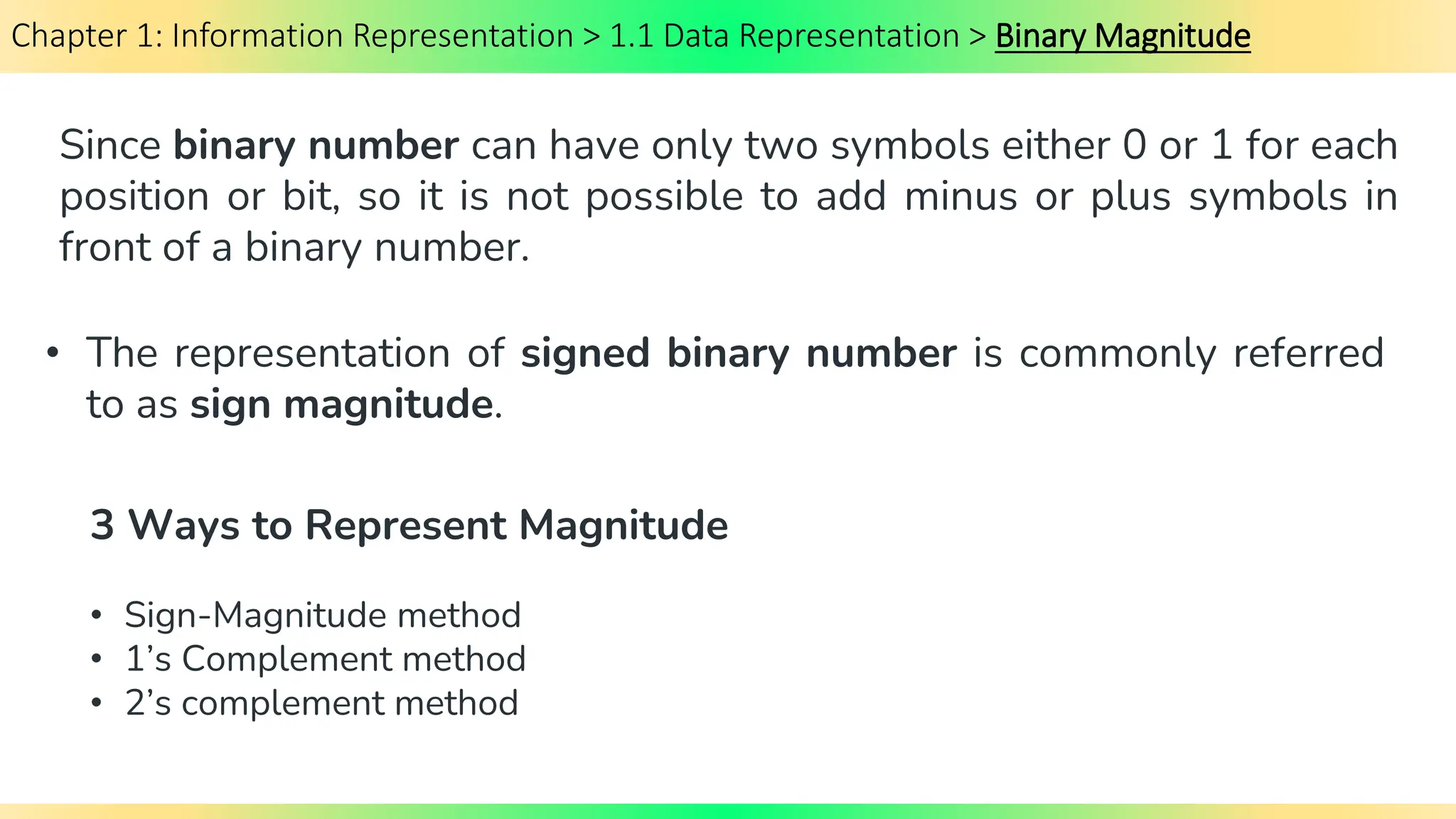
Chapter 1: Information Representation > 1.1 Data Representation > Binary Magnitude
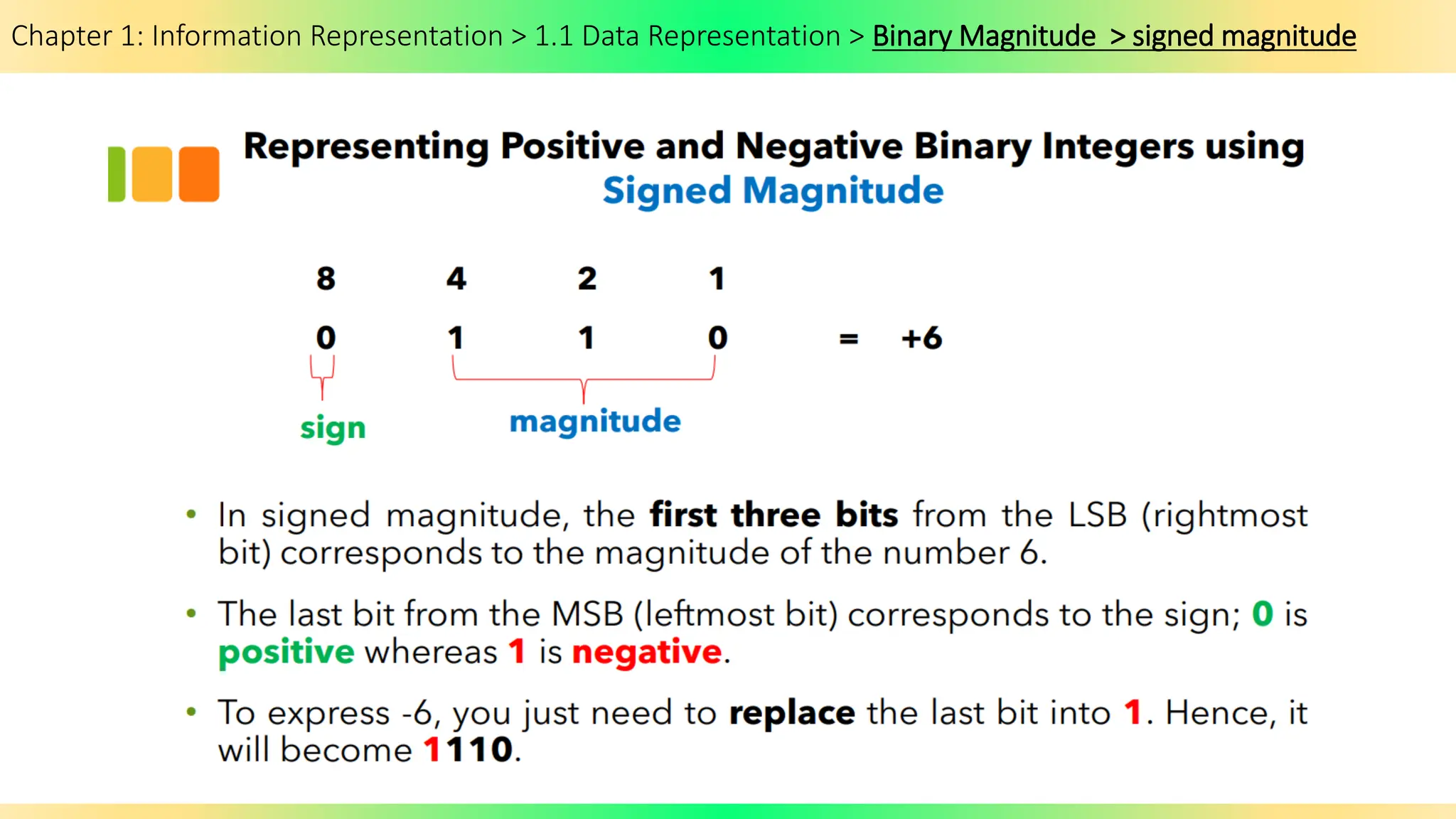
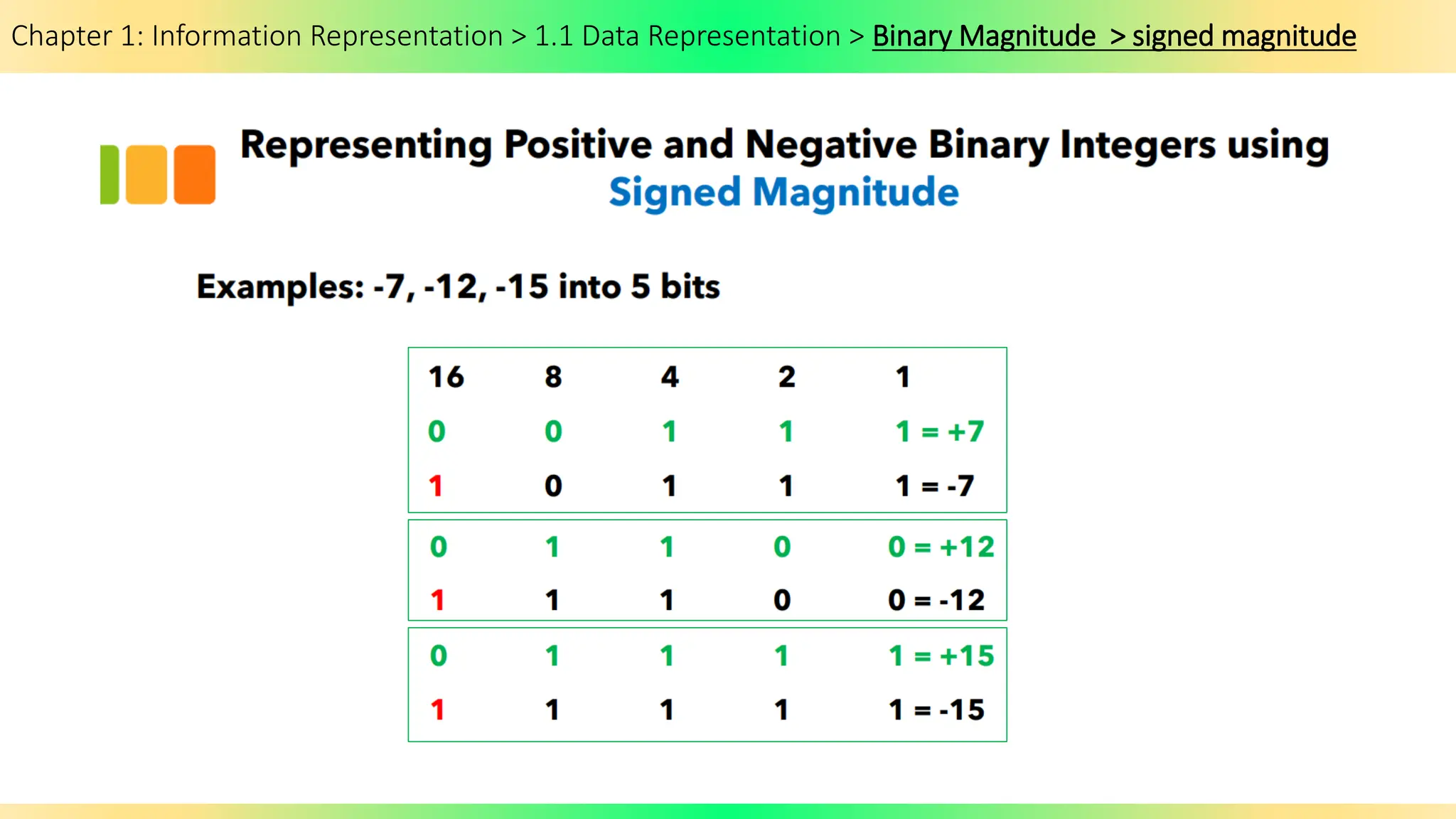
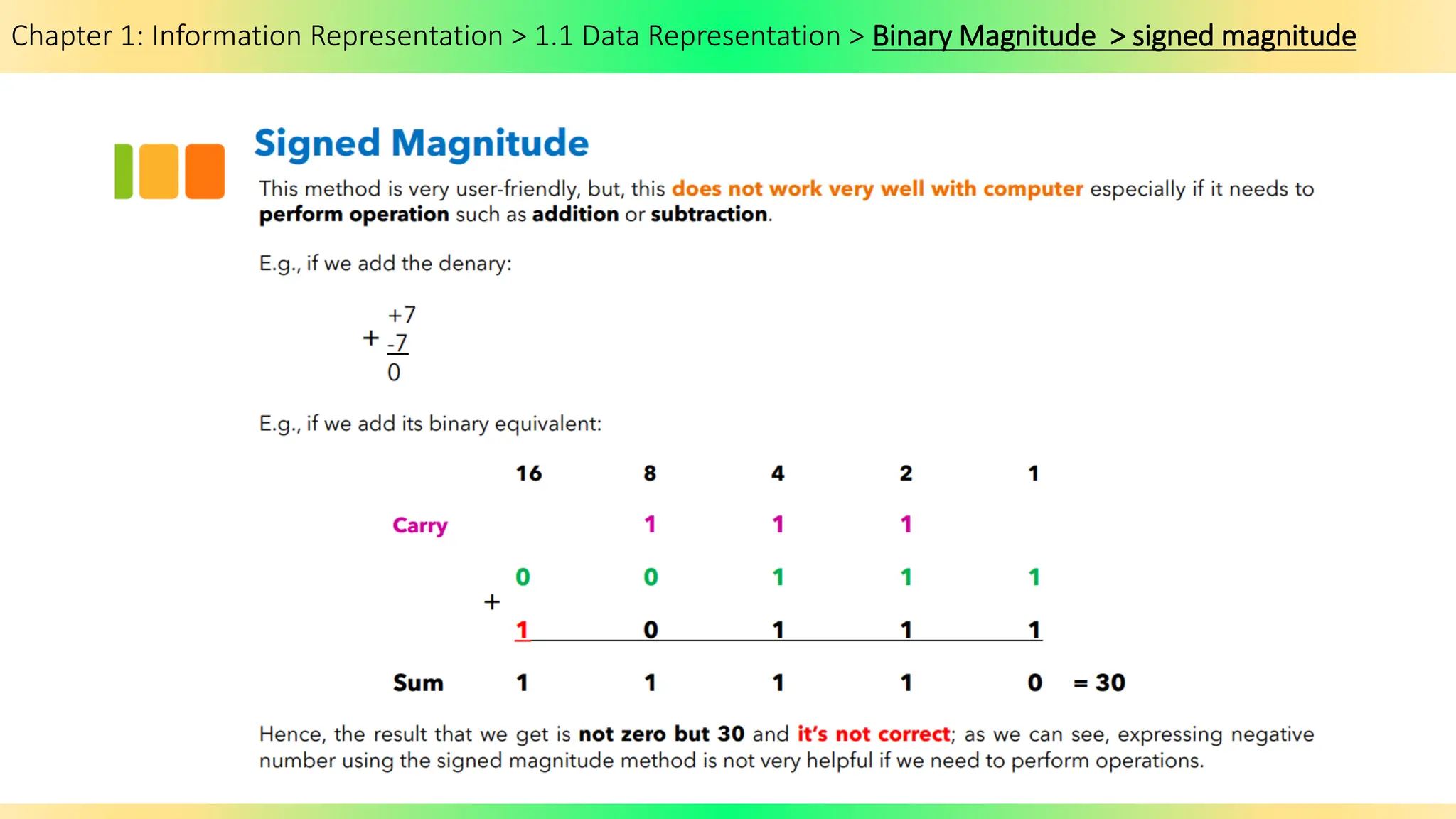
Since binary number can have only two symbols either 0 or 1 for each
position or bit, so it is not possible to add minus or plus symbols in
front of a binary number.
• Sign-Magnitude method
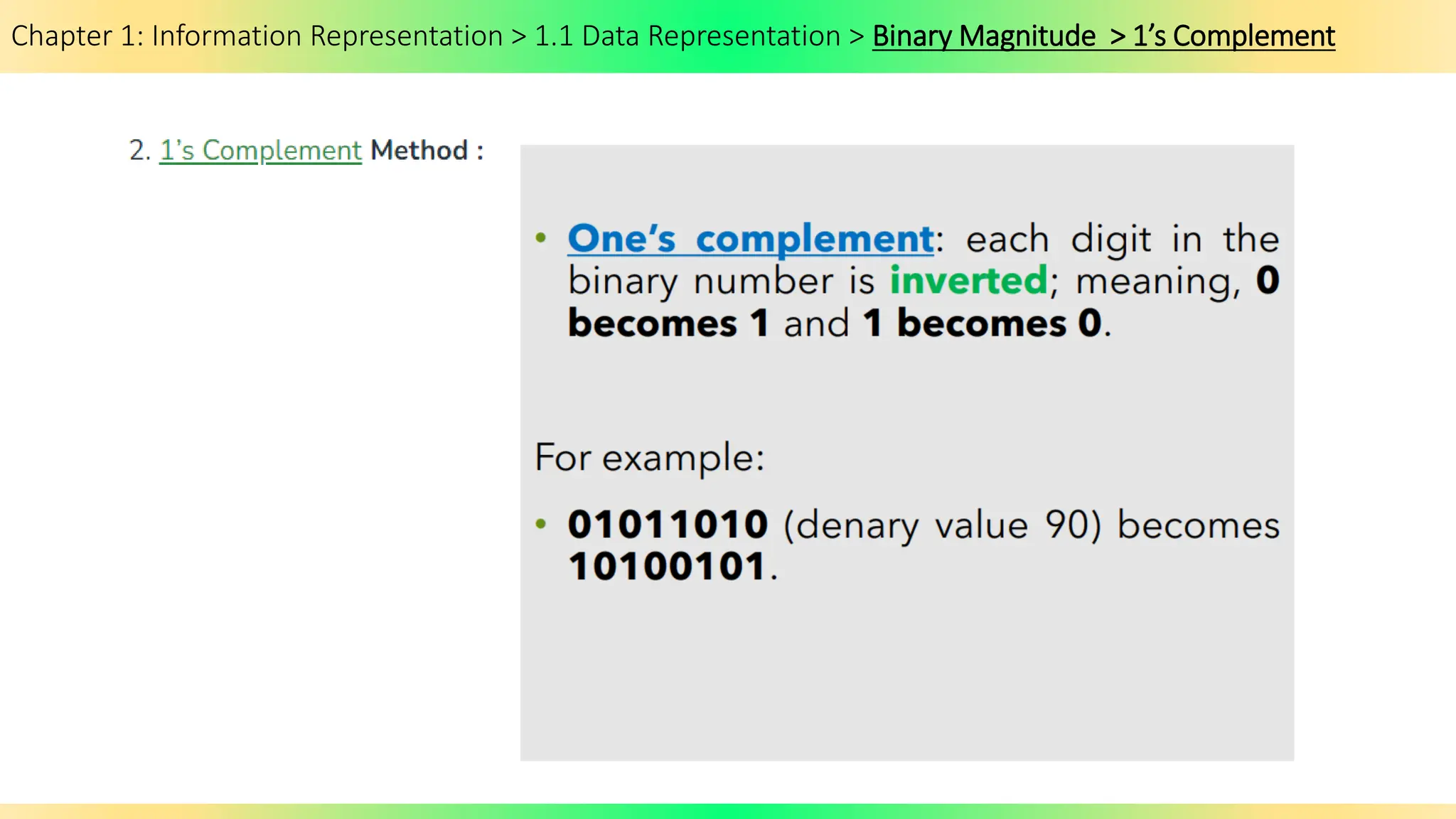
• 1’s Complement method
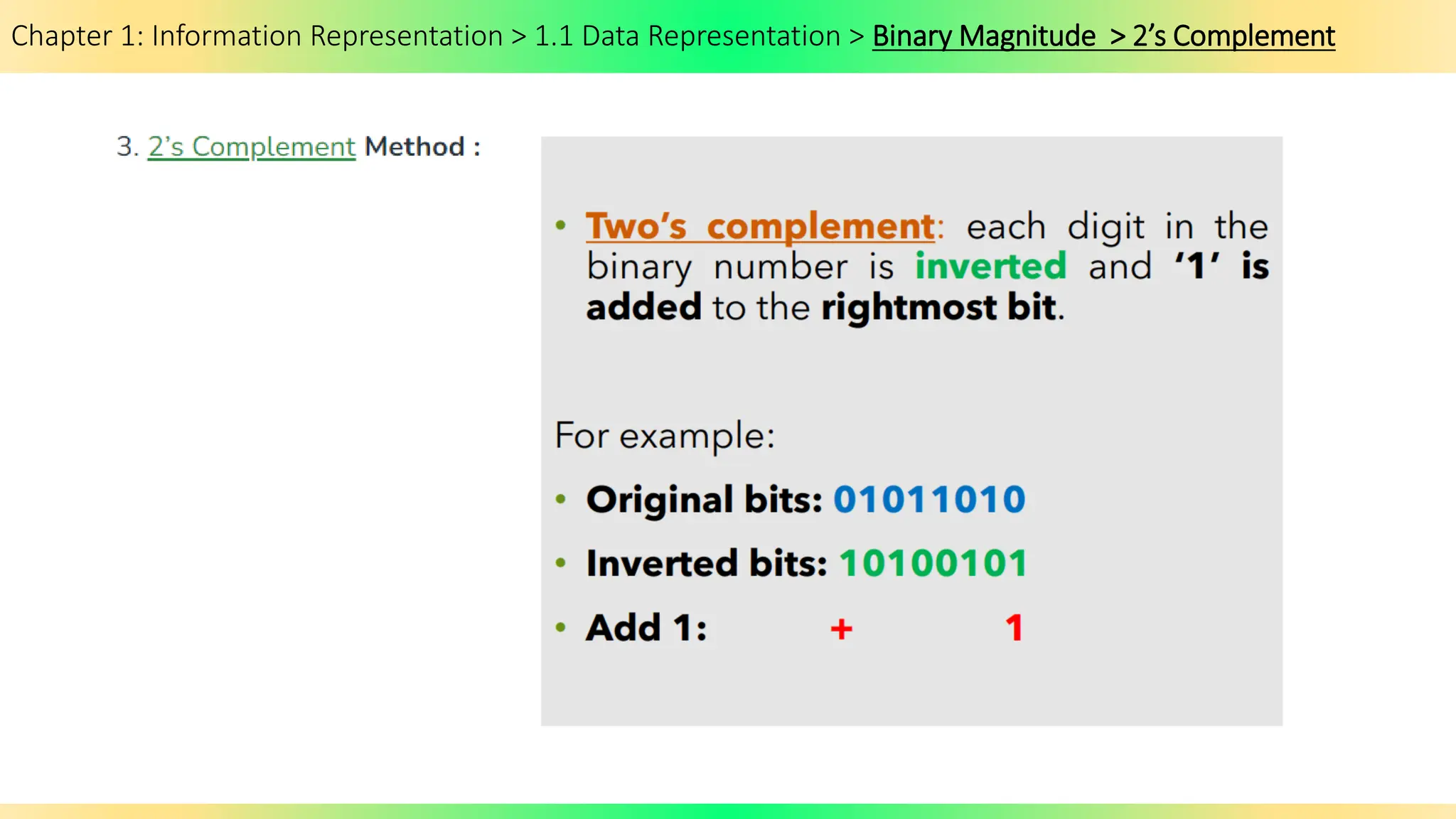
• 2’s complement method
• The representation of signed binary number is commonly referred
to as sign magnitude.
3 Ways to Represent Magnitude
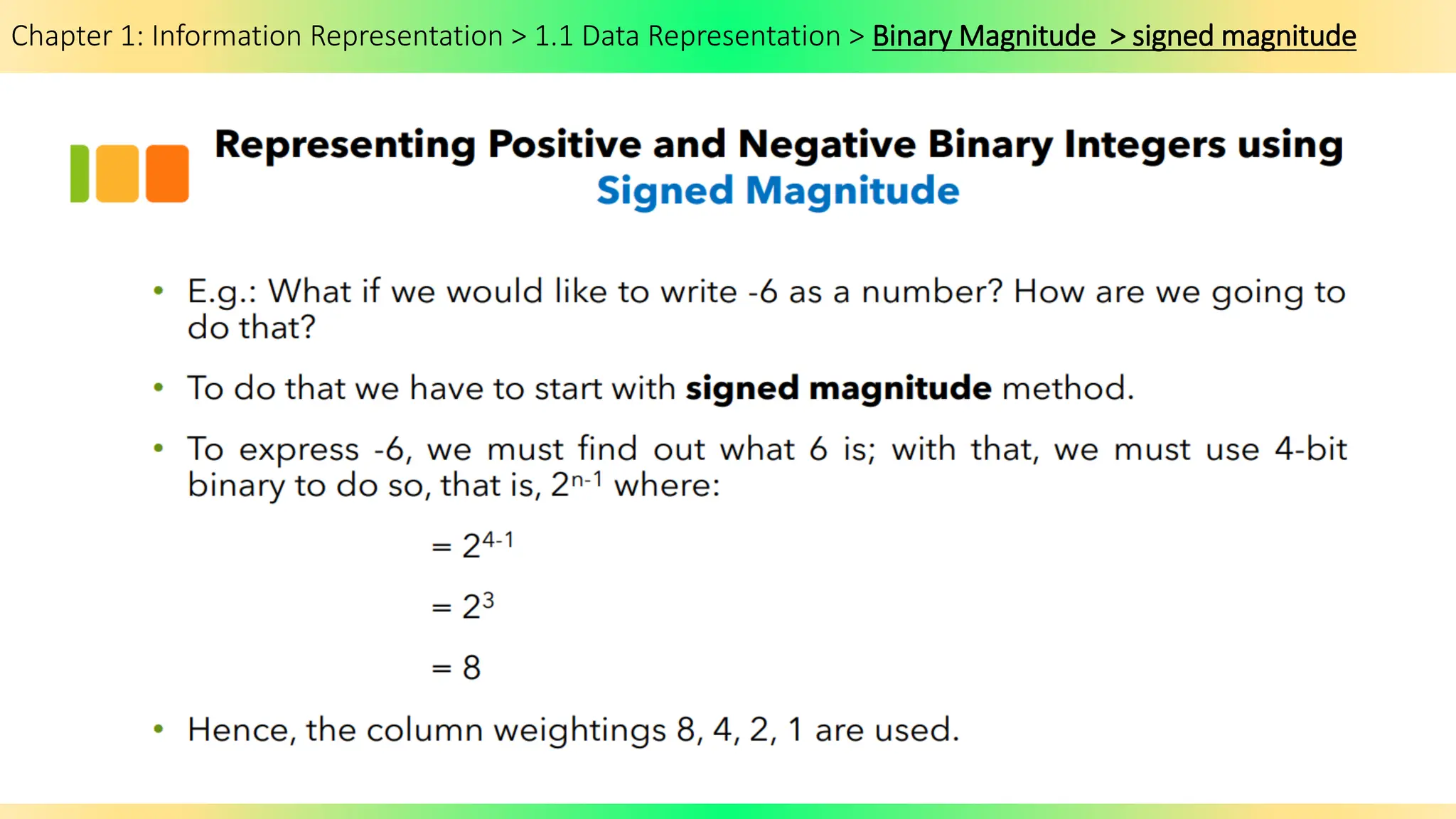
Chapter 1: Information Representation > 1.1 Data Representation > Binary Magnitude > signed magnitude
Chapter 1: Information Representation > 1.1 Data Representation > Binary Magnitude > 1’s Complement
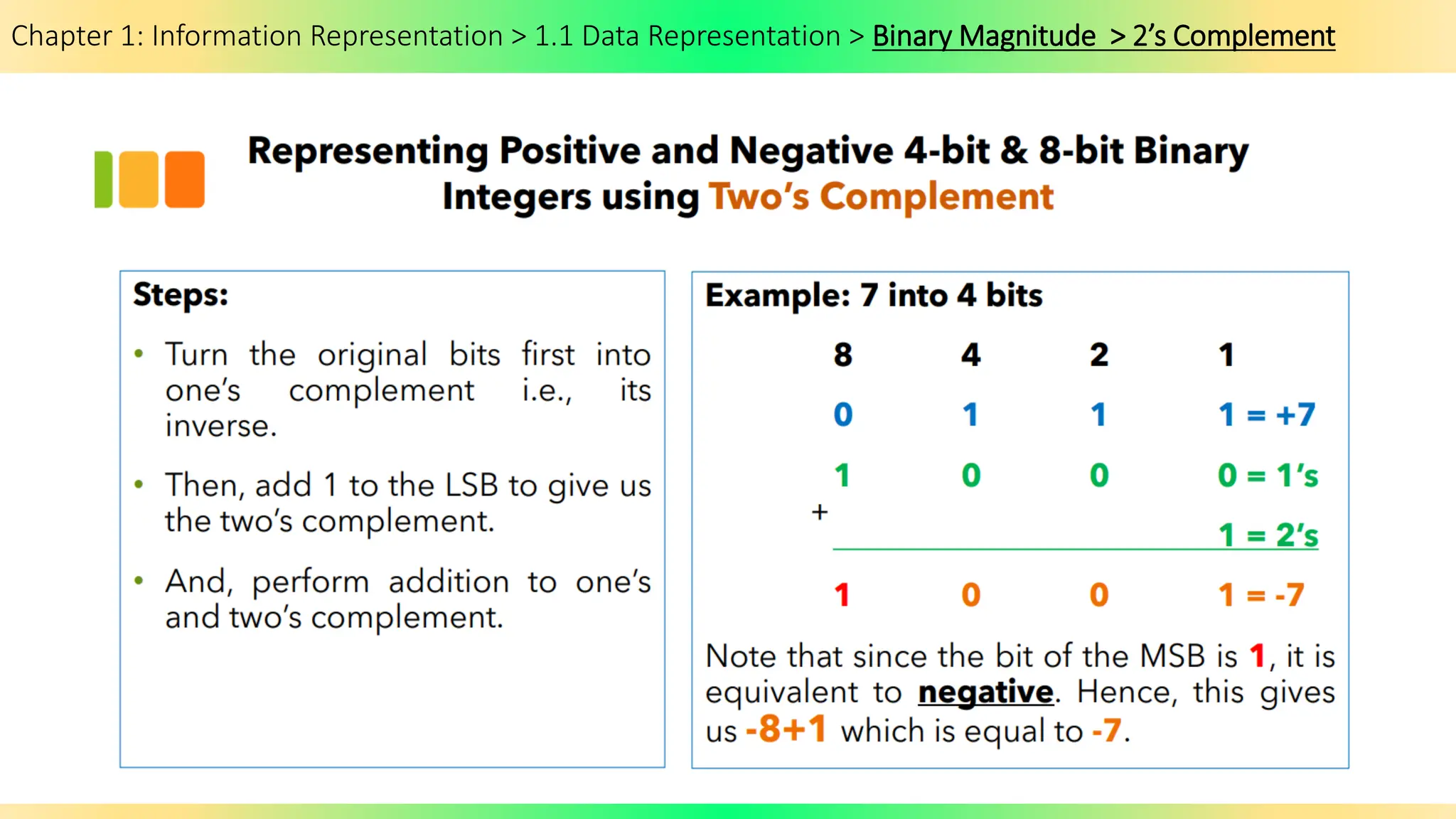
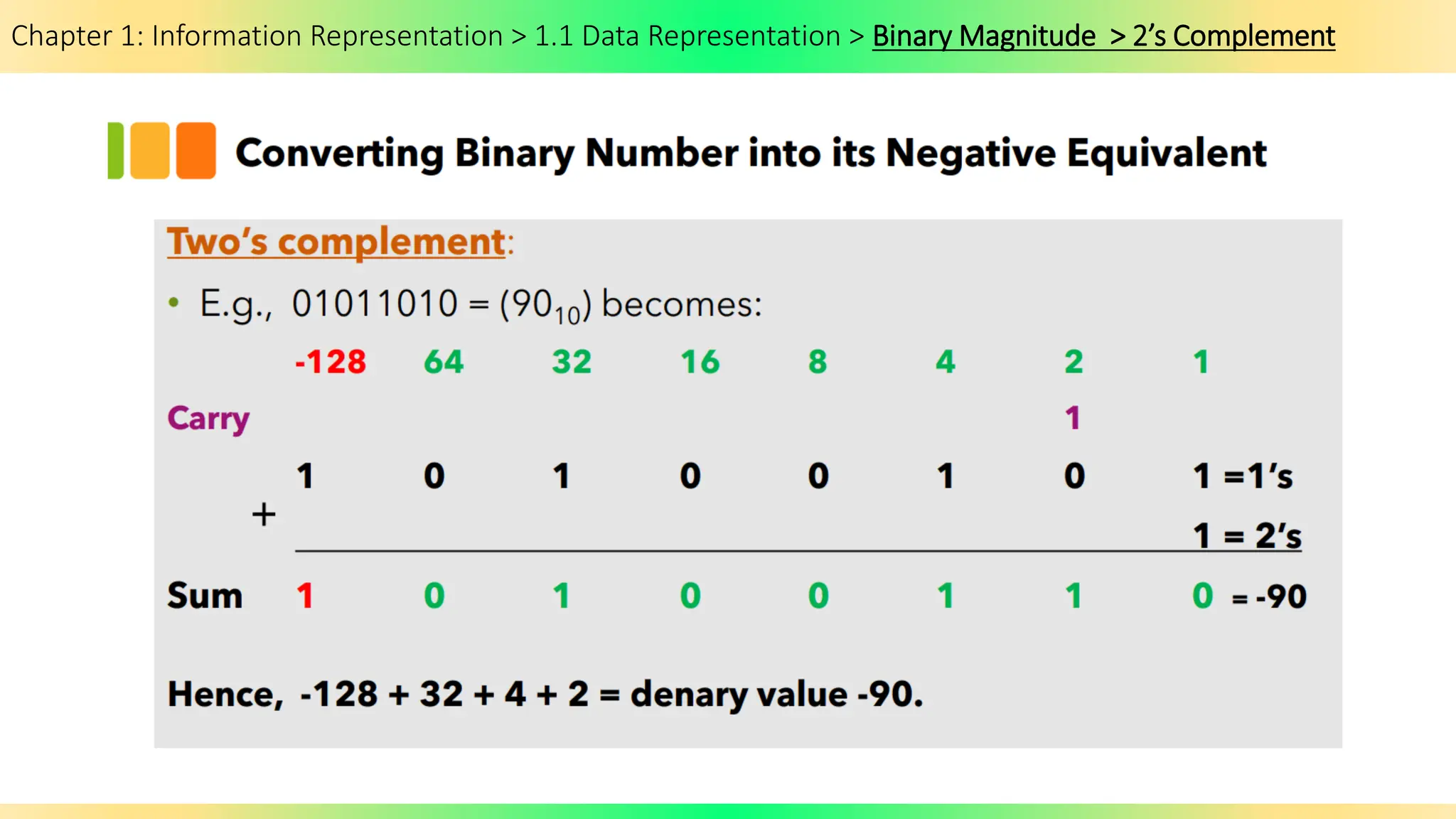
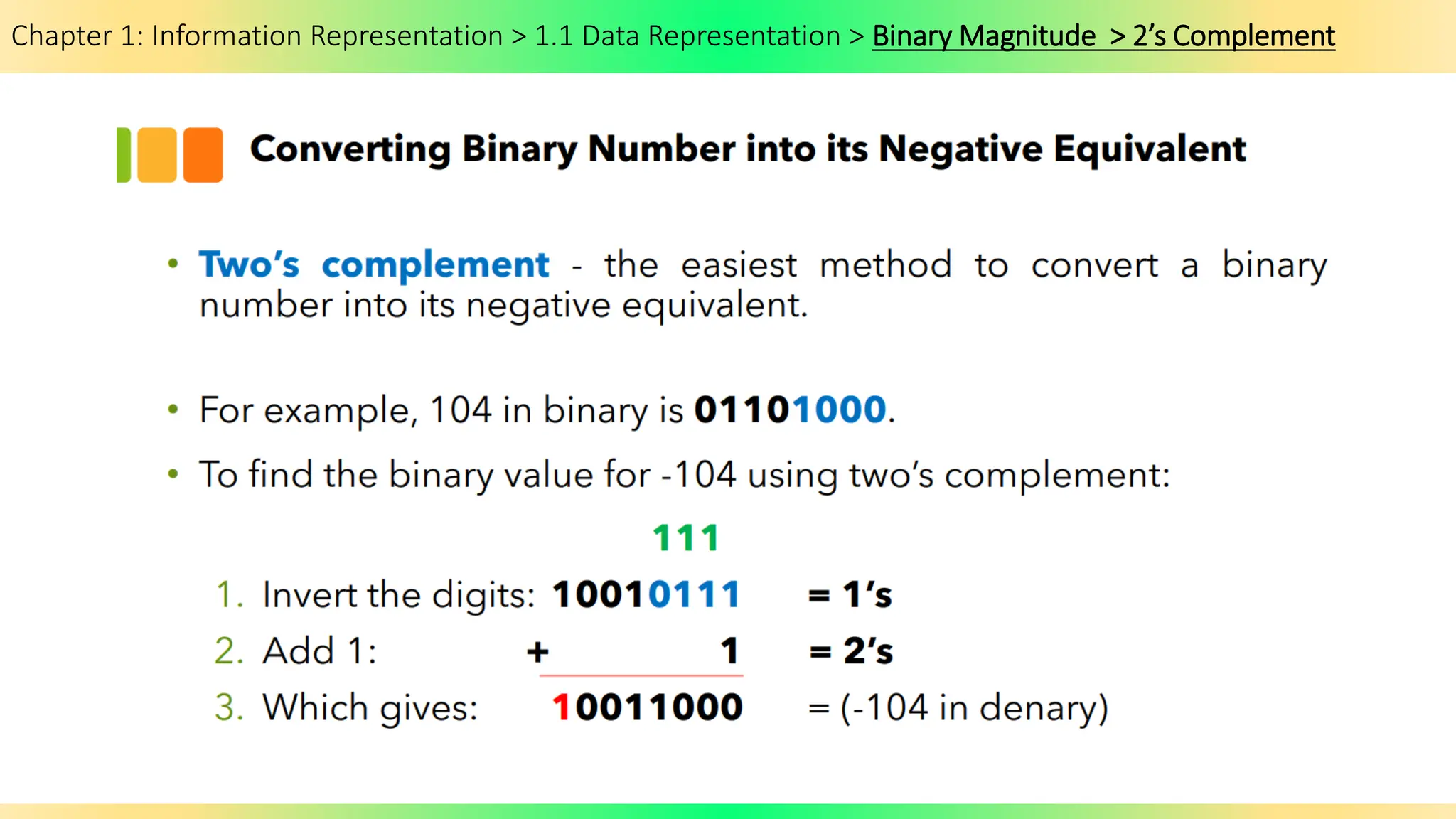
Chapter 1: Information Representation > 1.1 Data Representation > Binary Magnitude > 2’s Complement
Chapter 1: Information Representation > 1.1 Data Representation > Binary Magnitude
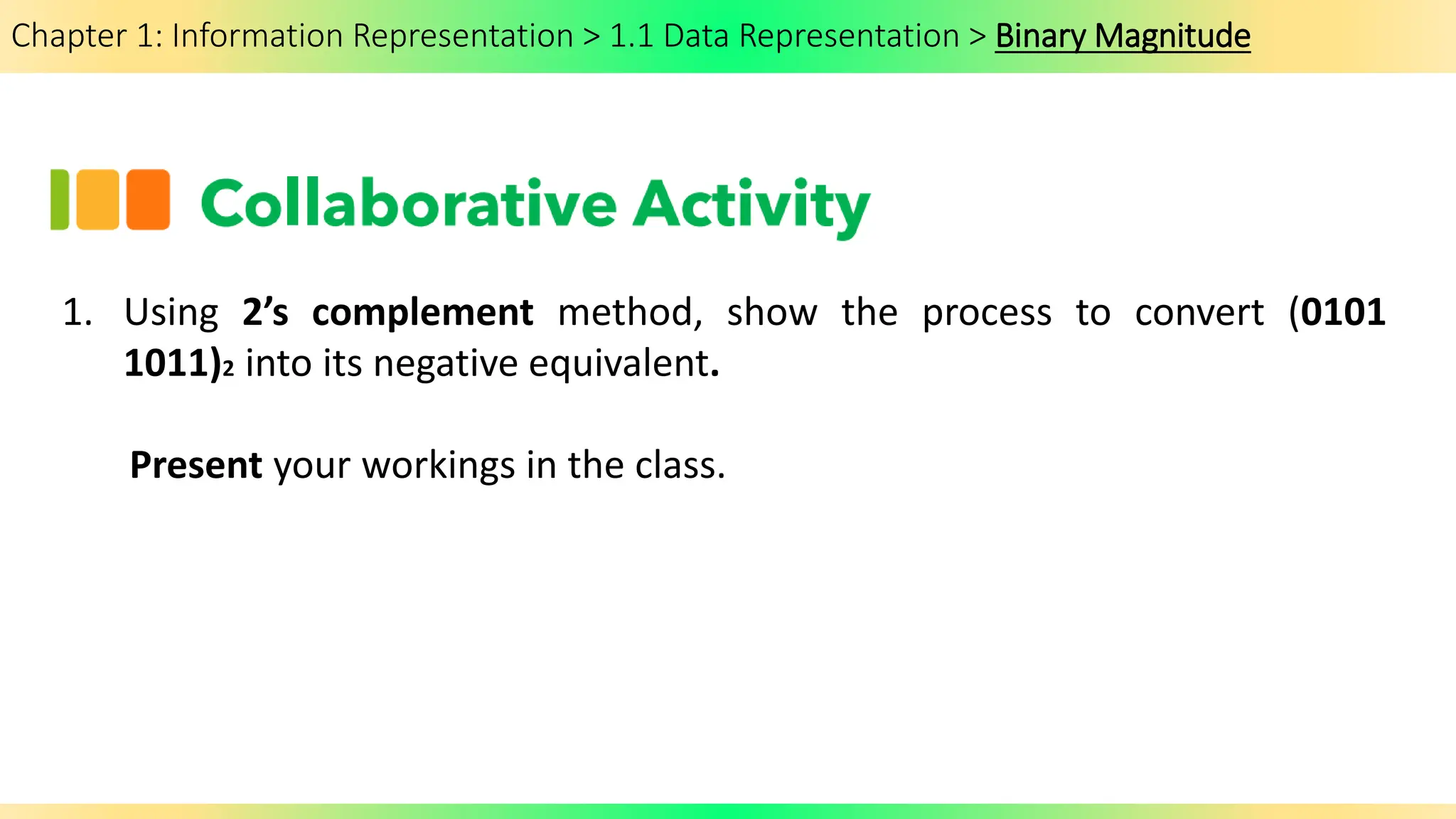
1. Using 2’s complement method, show the process to convert (0101
1011)2 into its negative equivalent.
Present your workings in the class.
Chapter 1: Information Representation > 1.1 Data Representation > Decimal Prefixes
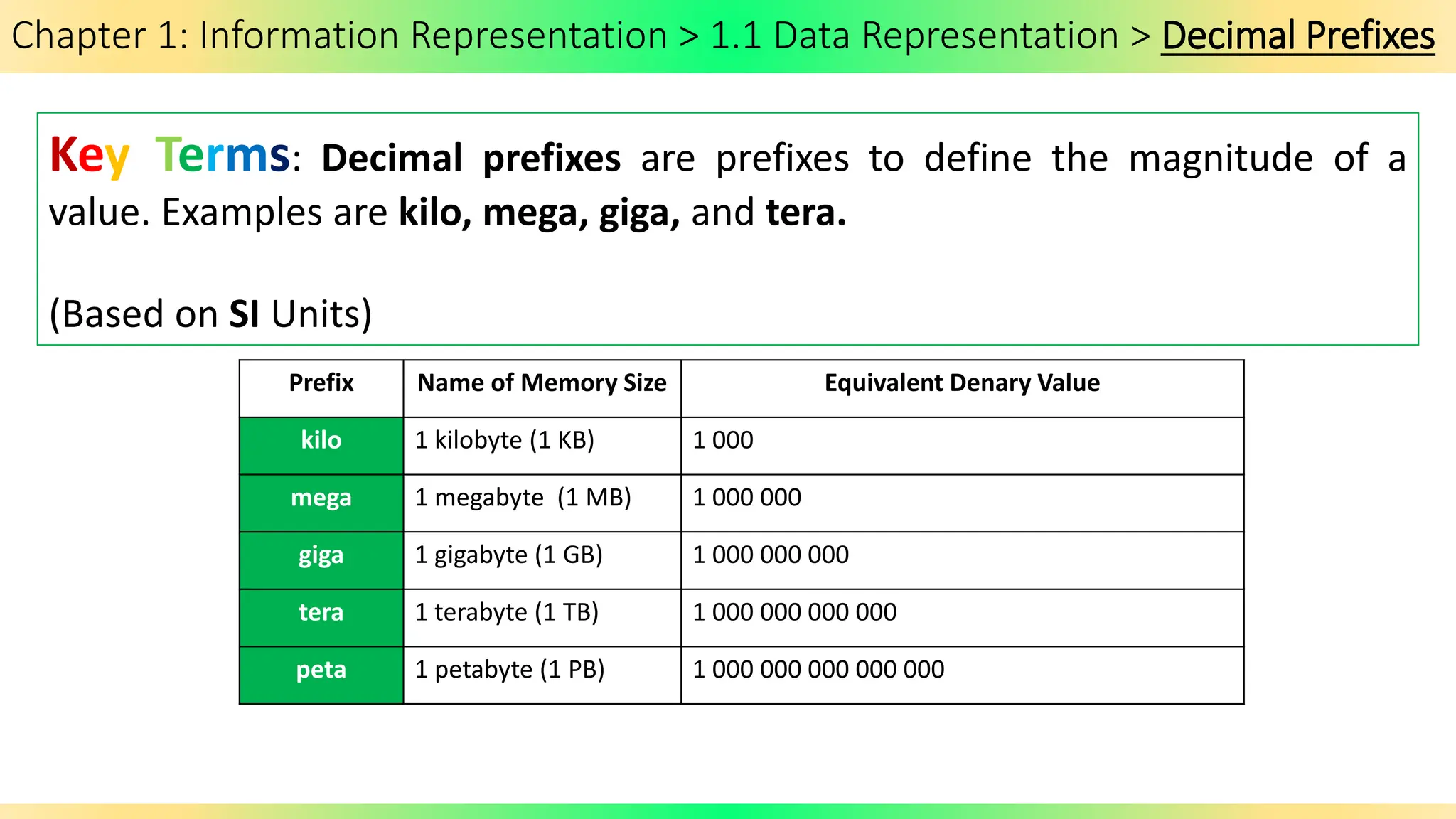
Key Terms: Decimal prefixes are prefixes to define the magnitude of a
value. Examples are kilo, mega, giga, and tera.
(Based on SI Units)
Prefix Name of Memory Size Equivalent Denary Value
kilo 1 kilobyte (1 KB) 1 000
mega 1 megabyte (1 MB) 1 000 000
giga 1 gigabyte (1 GB) 1 000 000 000
tera 1 terabyte (1 TB) 1 000 000 000 000
peta 1 petabyte (1 PB) 1 000 000 000 000 000
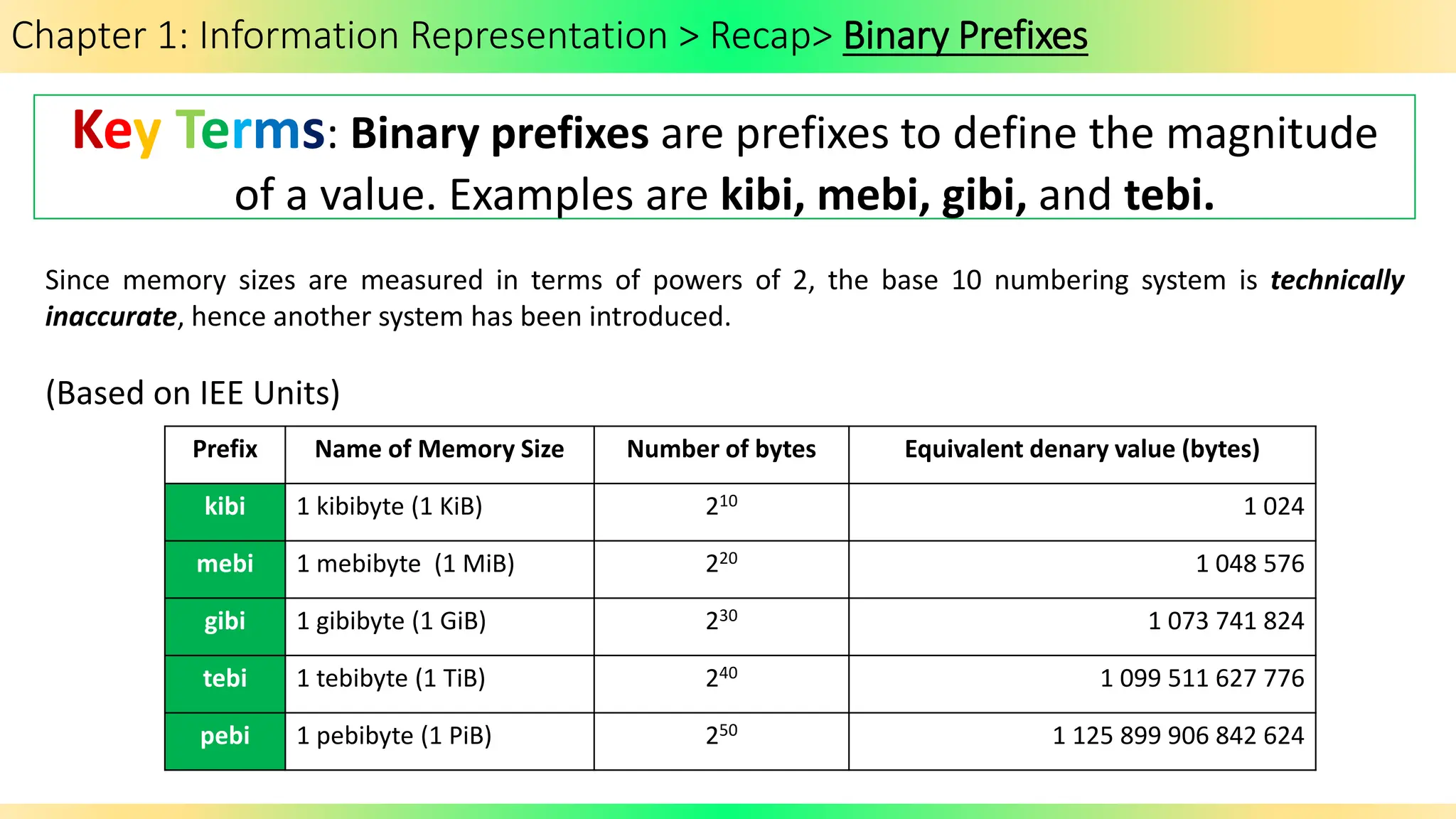
Chapter 1: Information Representation > 1.1 Data Representation > Binary Prefixes
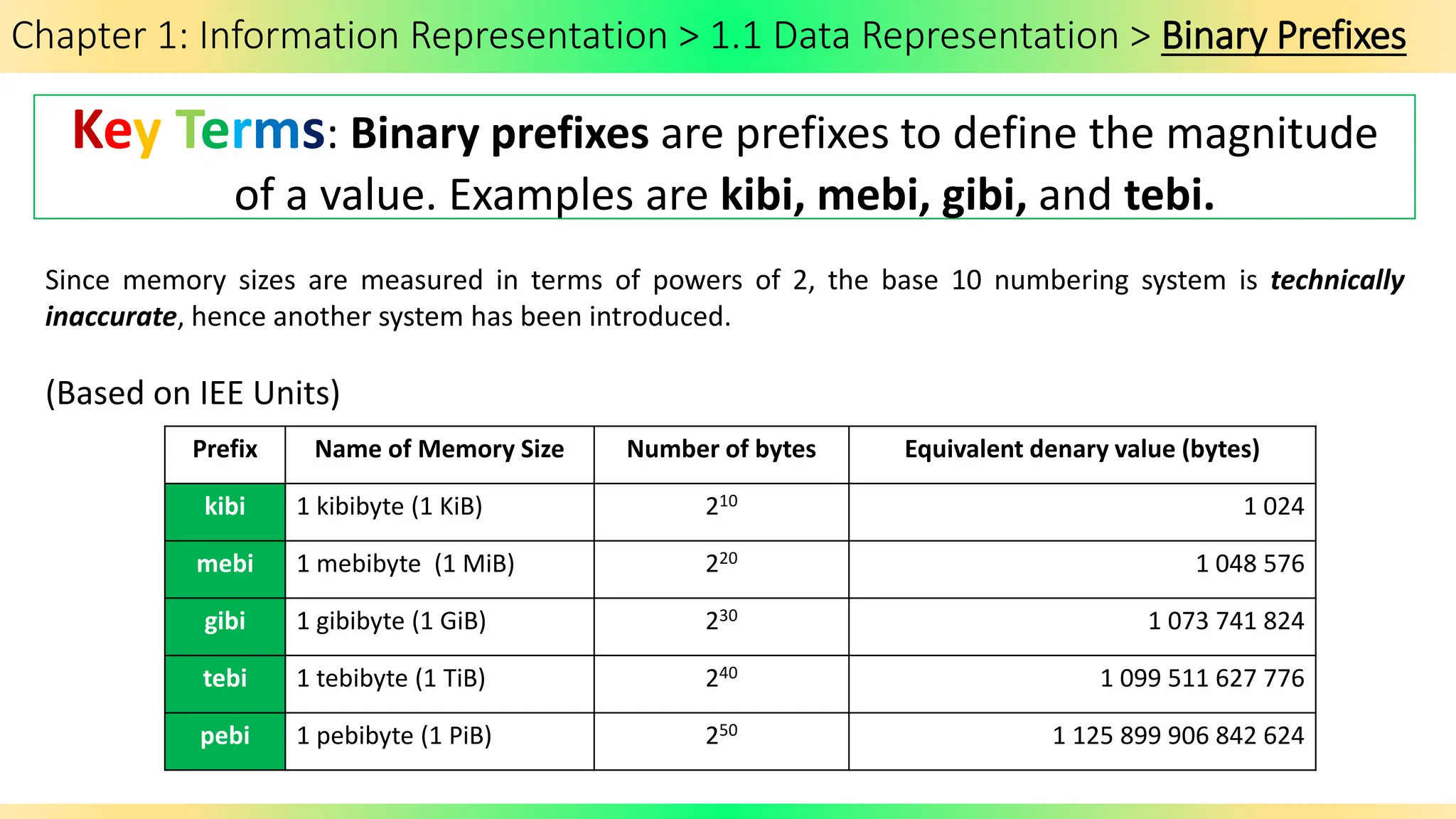
Key Terms: Binary prefixes are prefixes to define the magnitude
of a value. Examples are kibi, mebi, gibi, and tebi.
Prefix Name of Memory Size Number of bytes Equivalent denary value (bytes)
kibi 1 kibibyte (1 KiB) 210 1 024
mebi 1 mebibyte (1 MiB) 220 1 048 576
gibi 1 gibibyte (1 GiB) 230 1 073 741 824
tebi 1 tebibyte (1 TiB) 240 1 099 511 627 776
pebi 1 pebibyte (1 PiB) 250 1 125 899 906 842 624
Since memory sizes are measured in terms of powers of 2, the base 10 numbering system is technically
inaccurate, hence another system has been introduced.
(Based on IEE Units)
Chapter 1: Information Representation > 1.1 Data Representation > Binary Prefixes
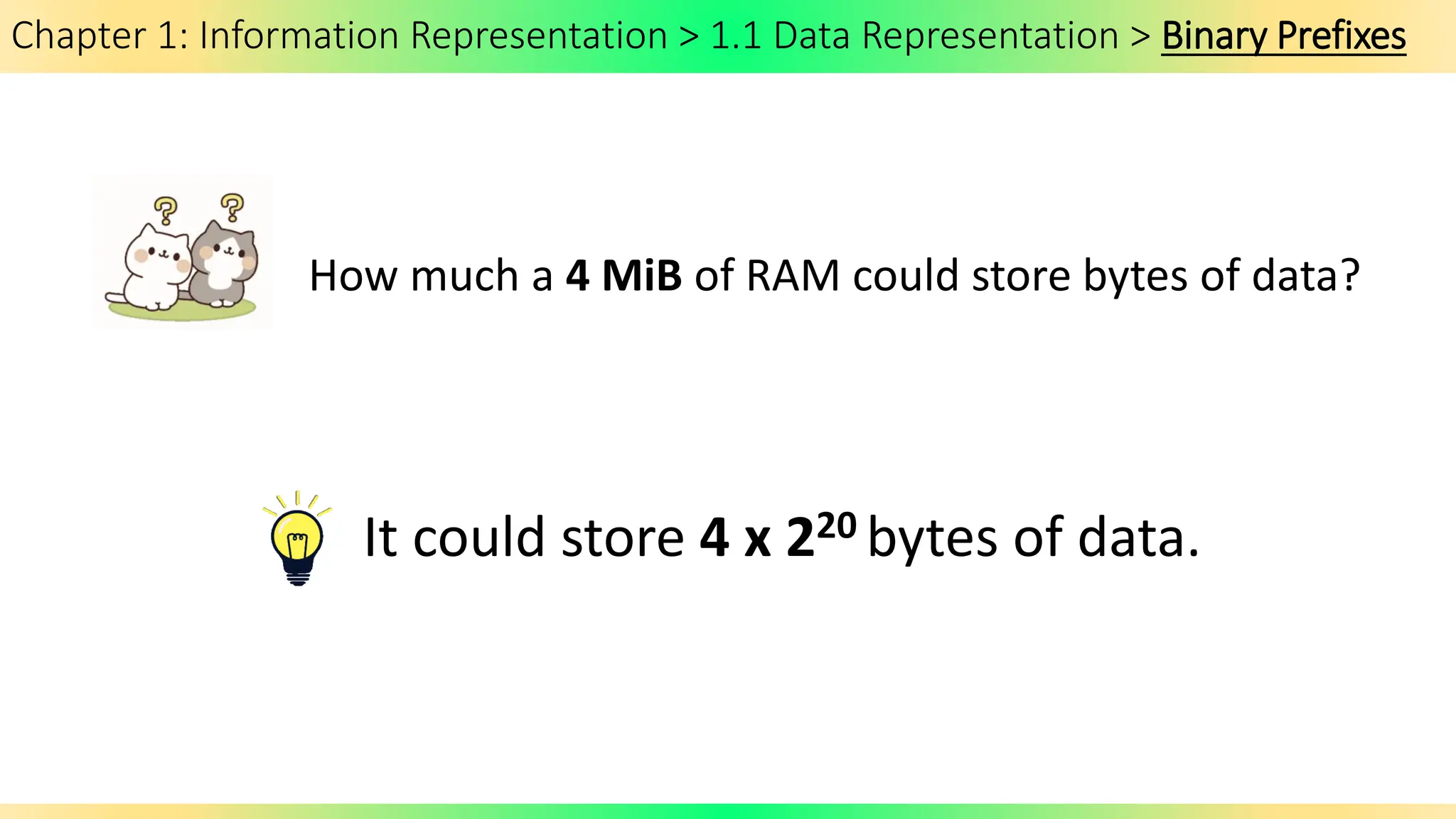
How much a 4 MiB of RAM could store bytes of data?
It could store 4 x 220 bytes of data.
Chapter 1: Information Representation > 1.1 Data Representation > Binary Coded Decimal
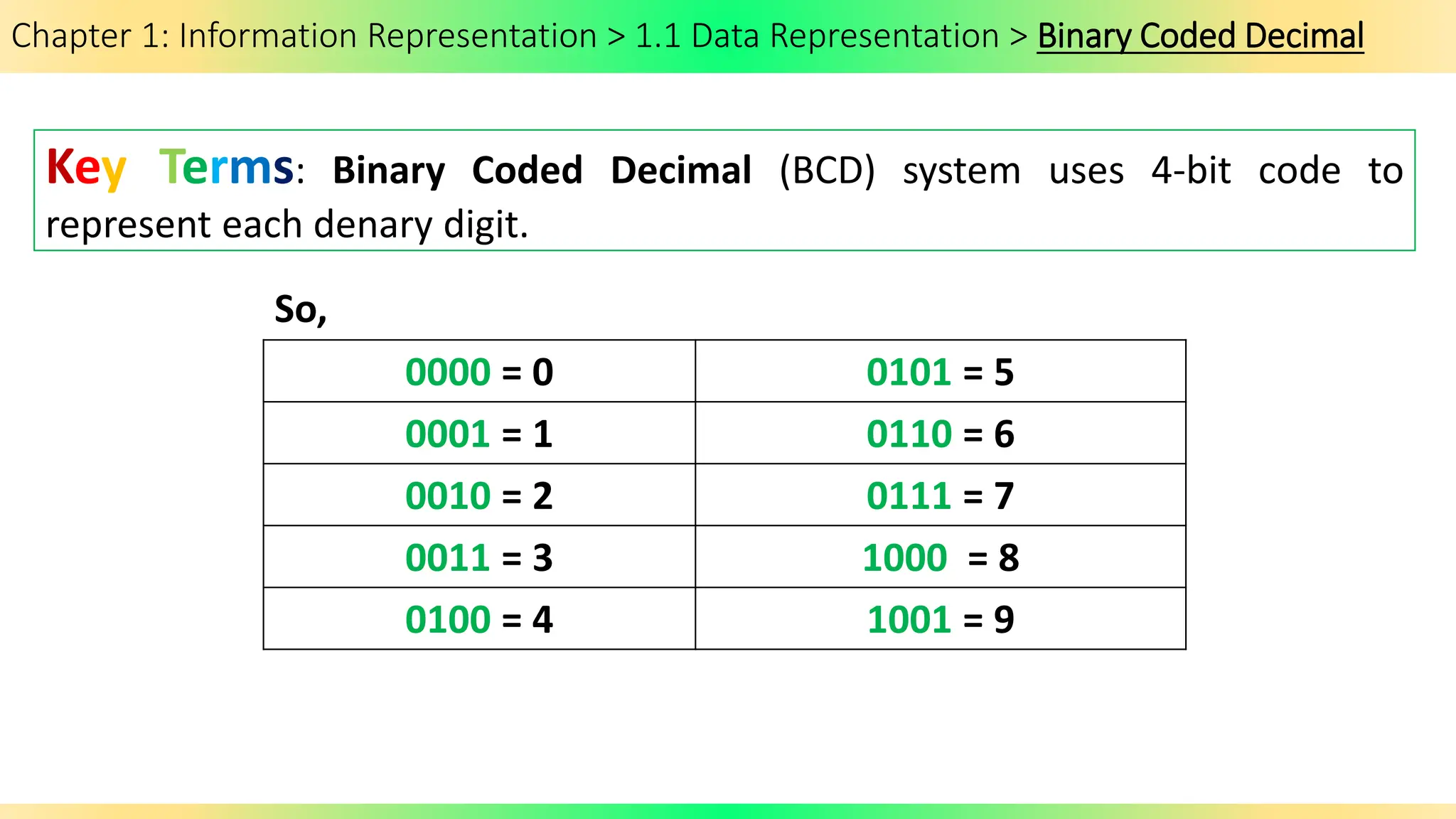
Key Terms: Binary Coded Decimal (BCD) system uses 4-bit code to
represent each denary digit.
0000 = 0 0101 = 5
0001 = 1 0110 = 6
0010 = 2 0111 = 7
0011 = 3 1000 = 8
0100 = 4 1001 = 9
So,
Chapter 1: Information Representation > 1.1 Data Representation > Binary Coded Decimal
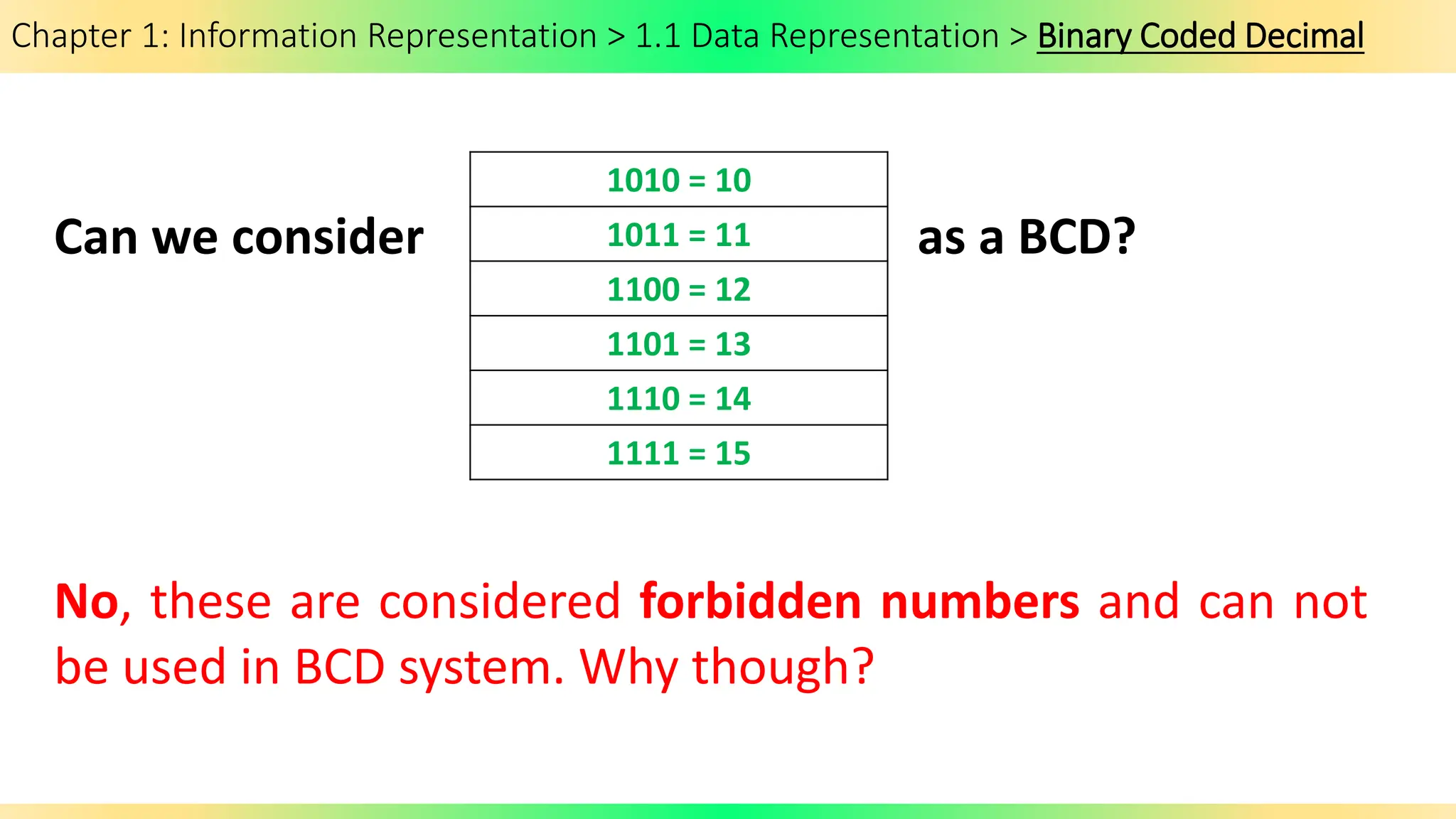
Can we consider as a BCD?
1010 = 10
1011 = 11
1100 = 12
1101 = 13
1110 = 14
1111 = 15
No, these are considered forbidden numbers and can not
be used in BCD system. Why though?
Chapter 1: Information Representation > 1.1 Data Representation > Binary Coded Decimal
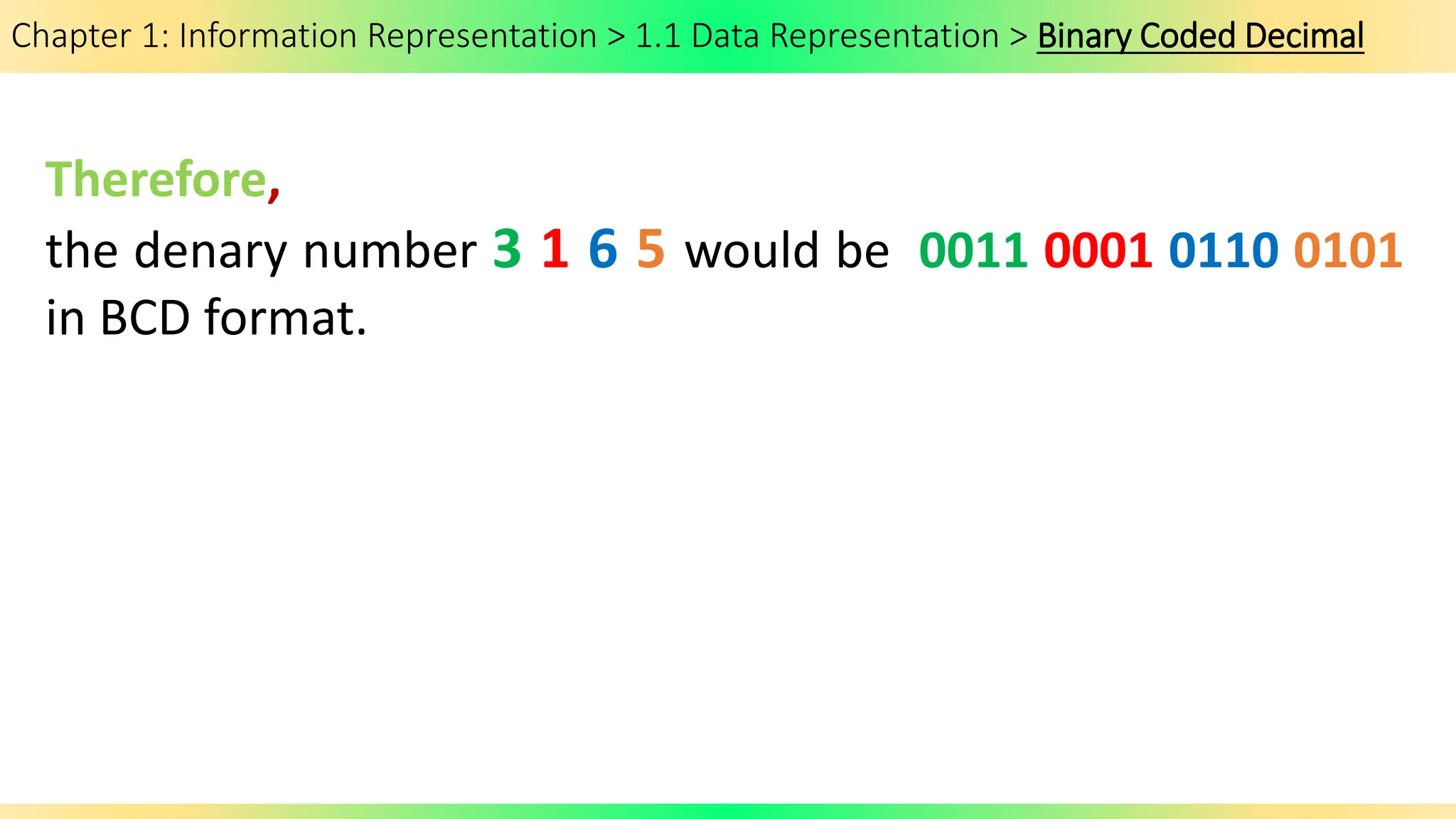
Therefore,
the denary number 3 1 6 5 would be 0011 0001 0110 0101
in BCD format.
Chapter 1: Information Representation > 1.1 Data Representation > Binary Coded Decimal
What are the 2 ways to represent BCD in computers?
Check your coursebook (Cambridge Press) at page 13.
Chapter 1: Information Representation > 1.1 Data Representation > Binary Coded Decimal
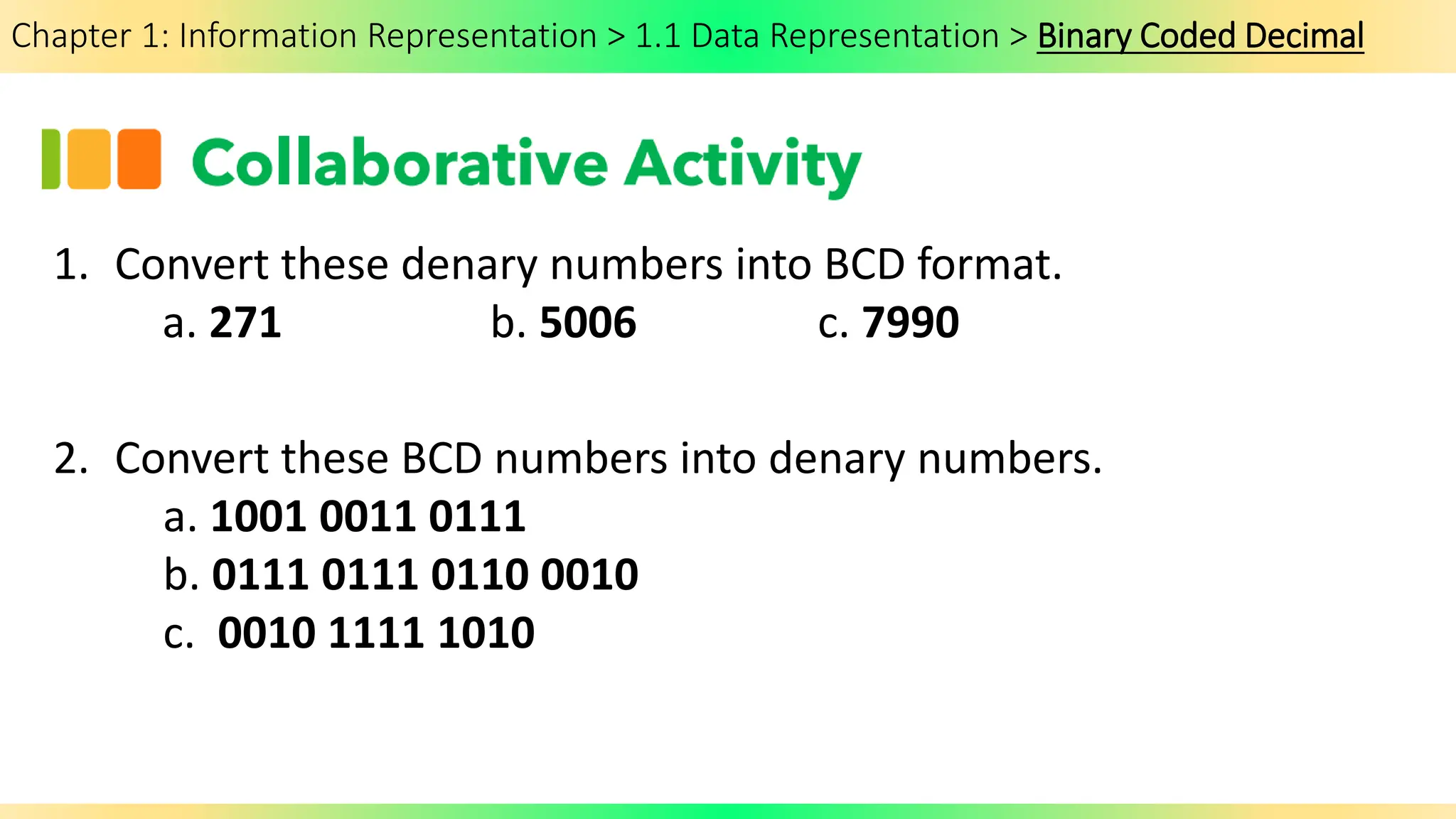
1. Convert these denary numbers into BCD format.
a. 271 b. 5006 c. 7990
2. Convert these BCD numbers into denary numbers.
a. 1001 0011 0111
b. 0111 0111 0110 0010
c. 0010 1111 1010
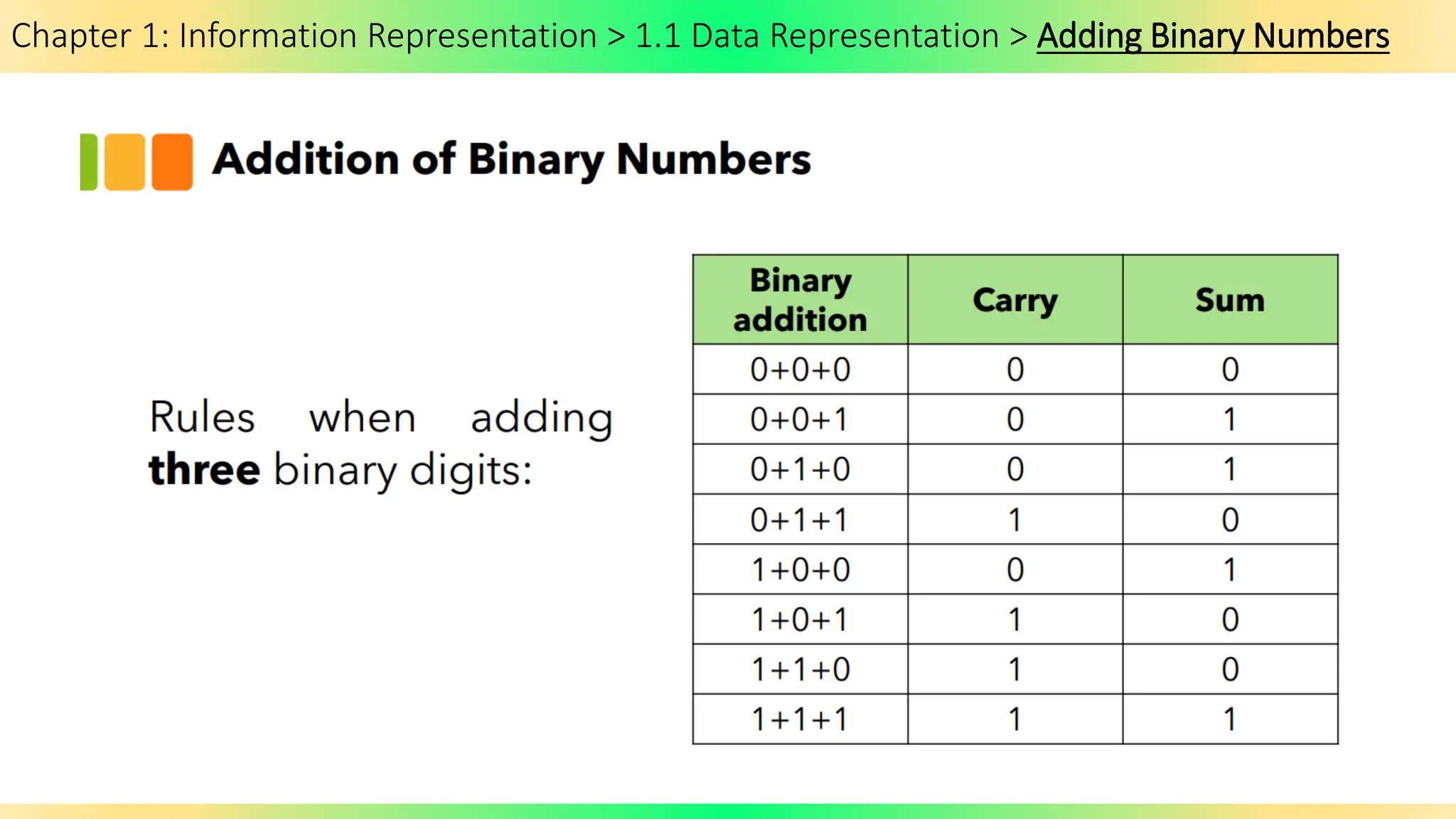
Chapter 1: Information Representation > 1.1 Data Representation > Adding Binary Numbers
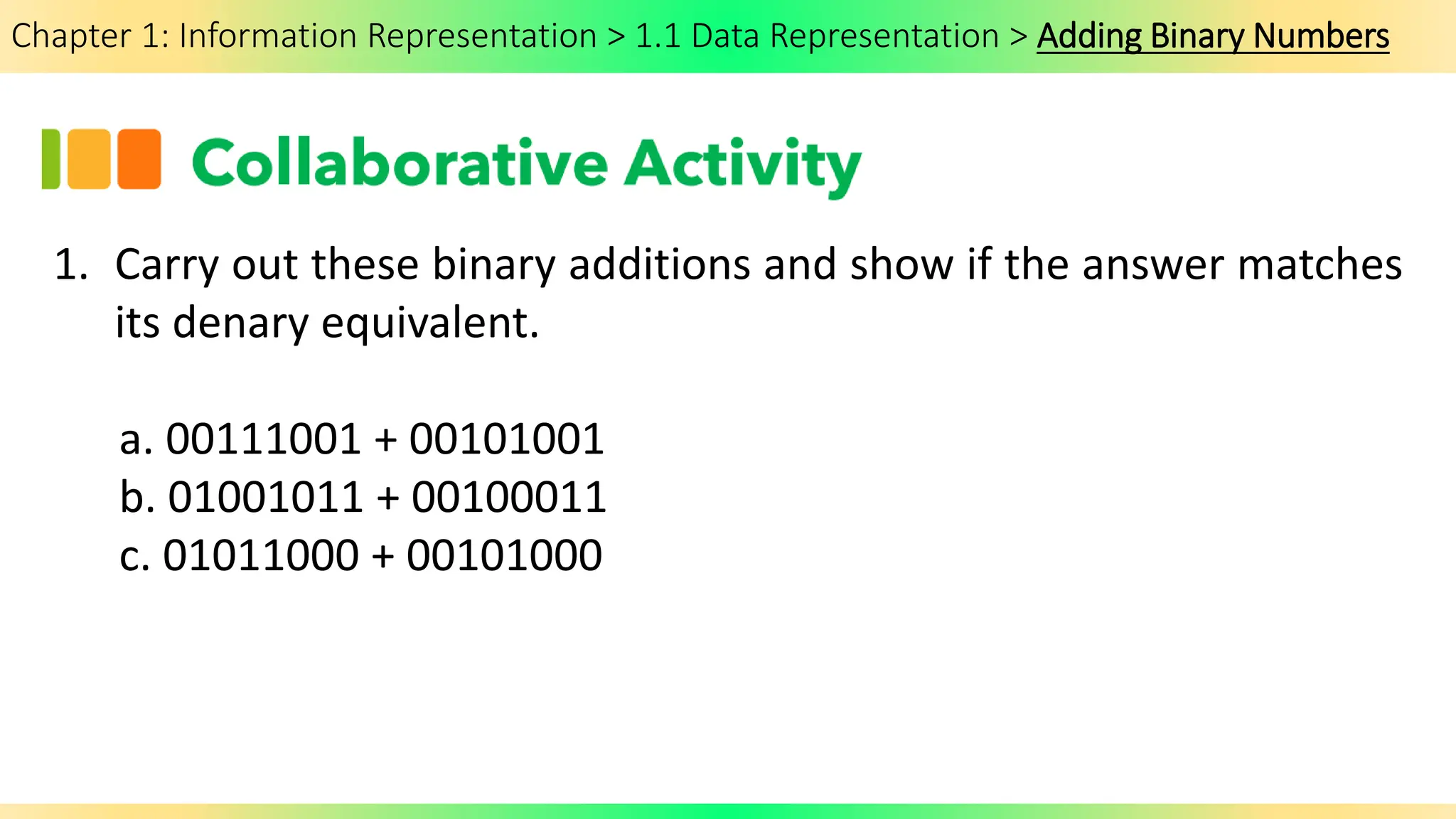
1. Carry out these binary additions and show if the answer matches
its denary equivalent.
a. 00111001 + 00101001
b. 01001011 + 00100011
c. 01011000 + 00101000
Chapter 1: Information Representation > 1.1 Data Representation > BCD Addition
Extension Activity:
Look into how to add BCD and give examples.
Chapter 1: Information Representation > 1.1 Data Representation > Uses of BCD
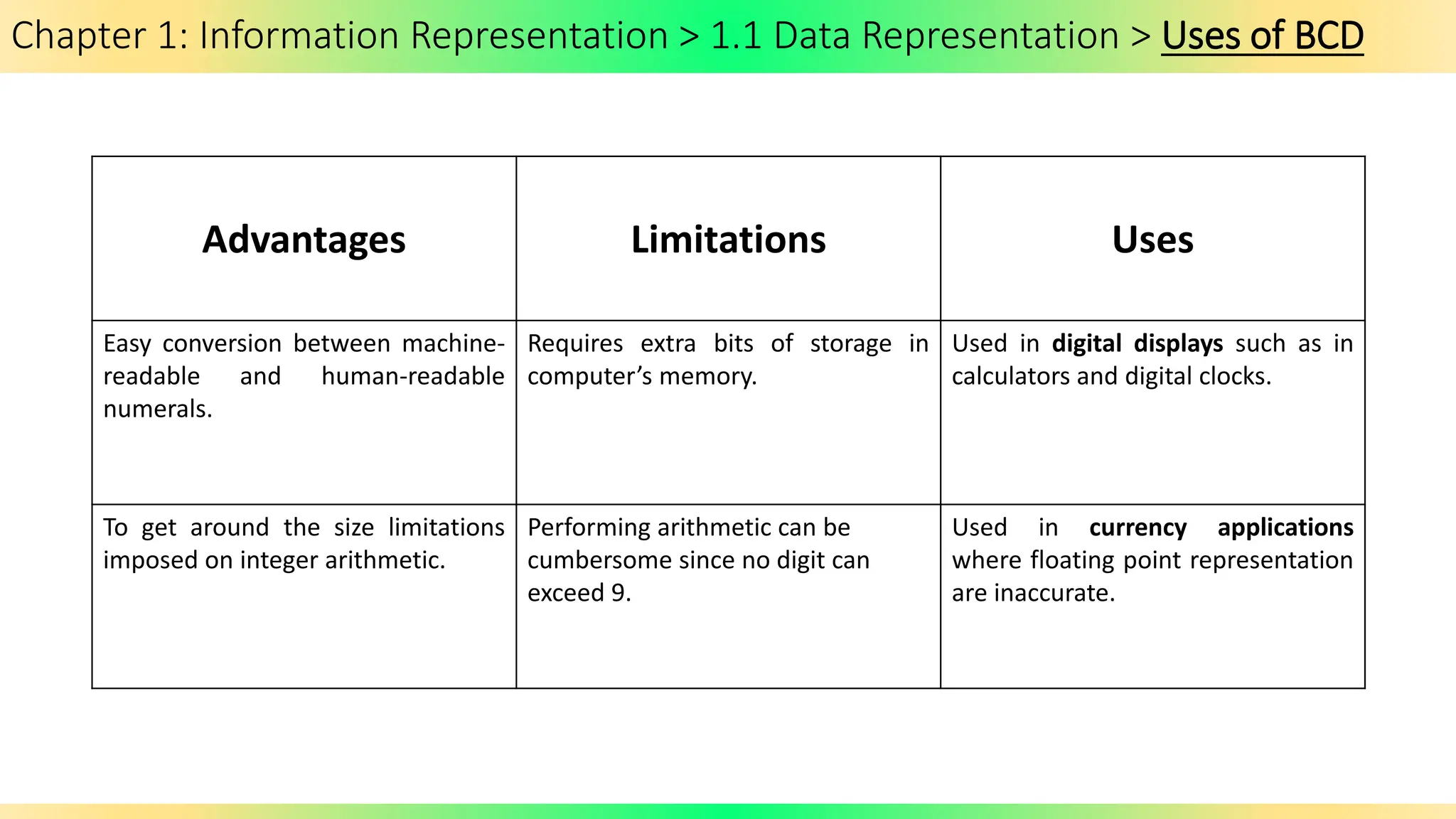
Advantages Limitations Uses
Easy conversion between machine-
readable and human-readable
numerals.
Requires extra bits of storage in
computer’s memory.
Used in digital displays such as in
calculators and digital clocks.
To get around the size limitations
imposed on integer arithmetic.
Performing arithmetic can be
cumbersome since no digit can
exceed 9.
Used in currency applications
where floating point representation
are inaccurate.
Chapter 1: Information Representation > 1.1 Data Representation > Uses of BCD
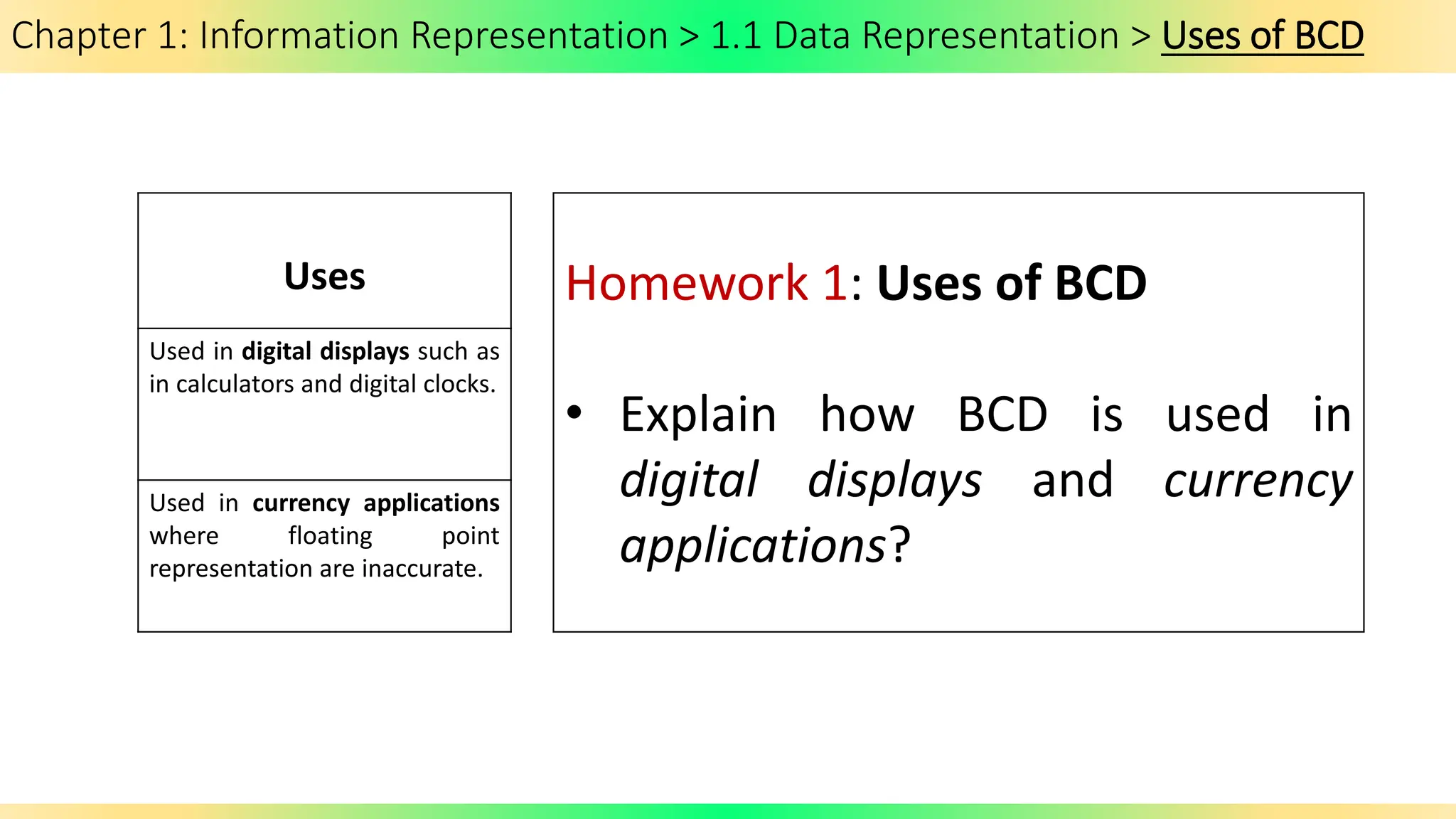
Uses
Used in digital displays such as
in calculators and digital clocks.
Used in currency applications
where floating point
representation are inaccurate.
Homework 1: Uses of BCD
• Explain how BCD is used in
digital displays and currency
applications?
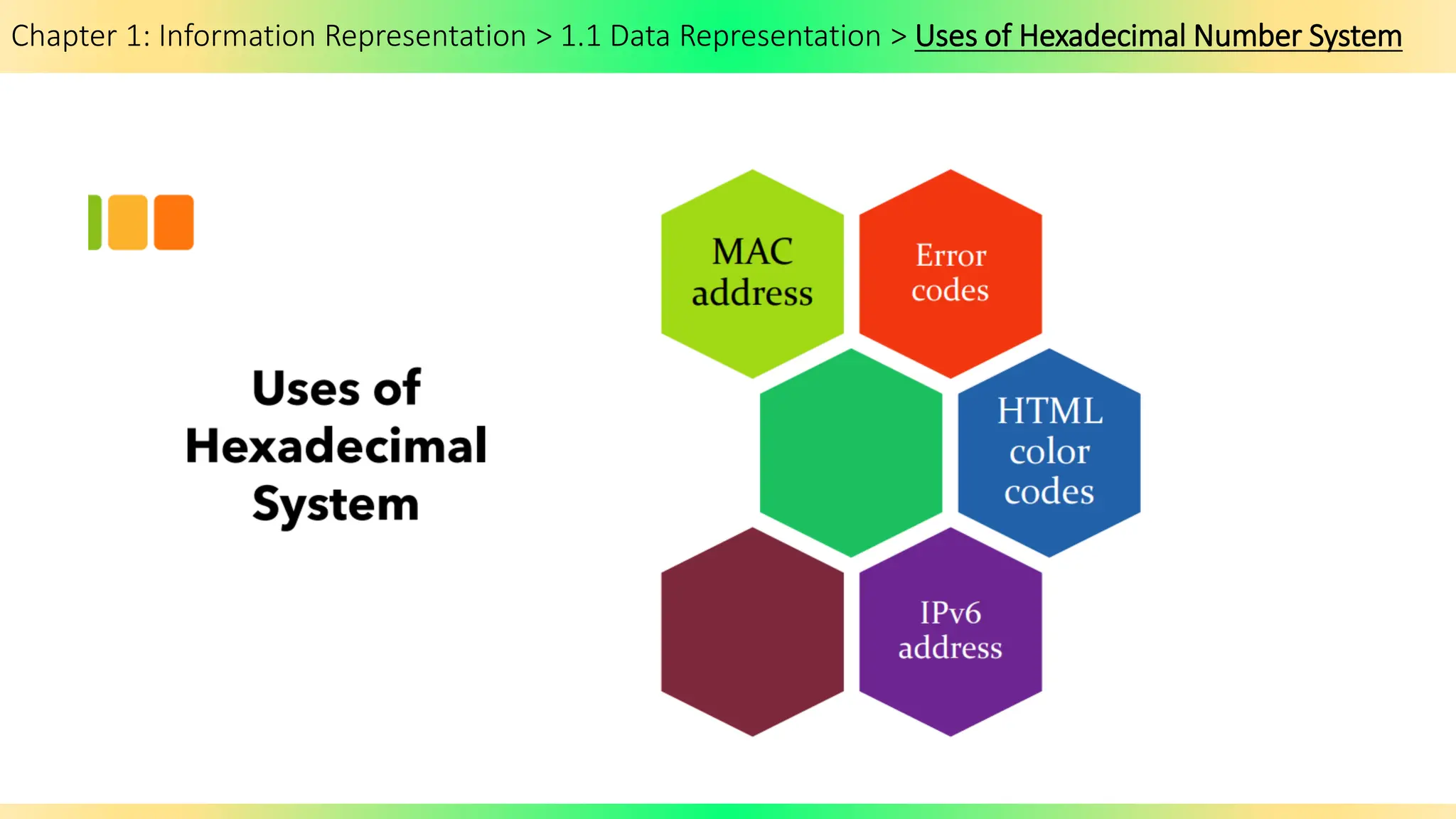
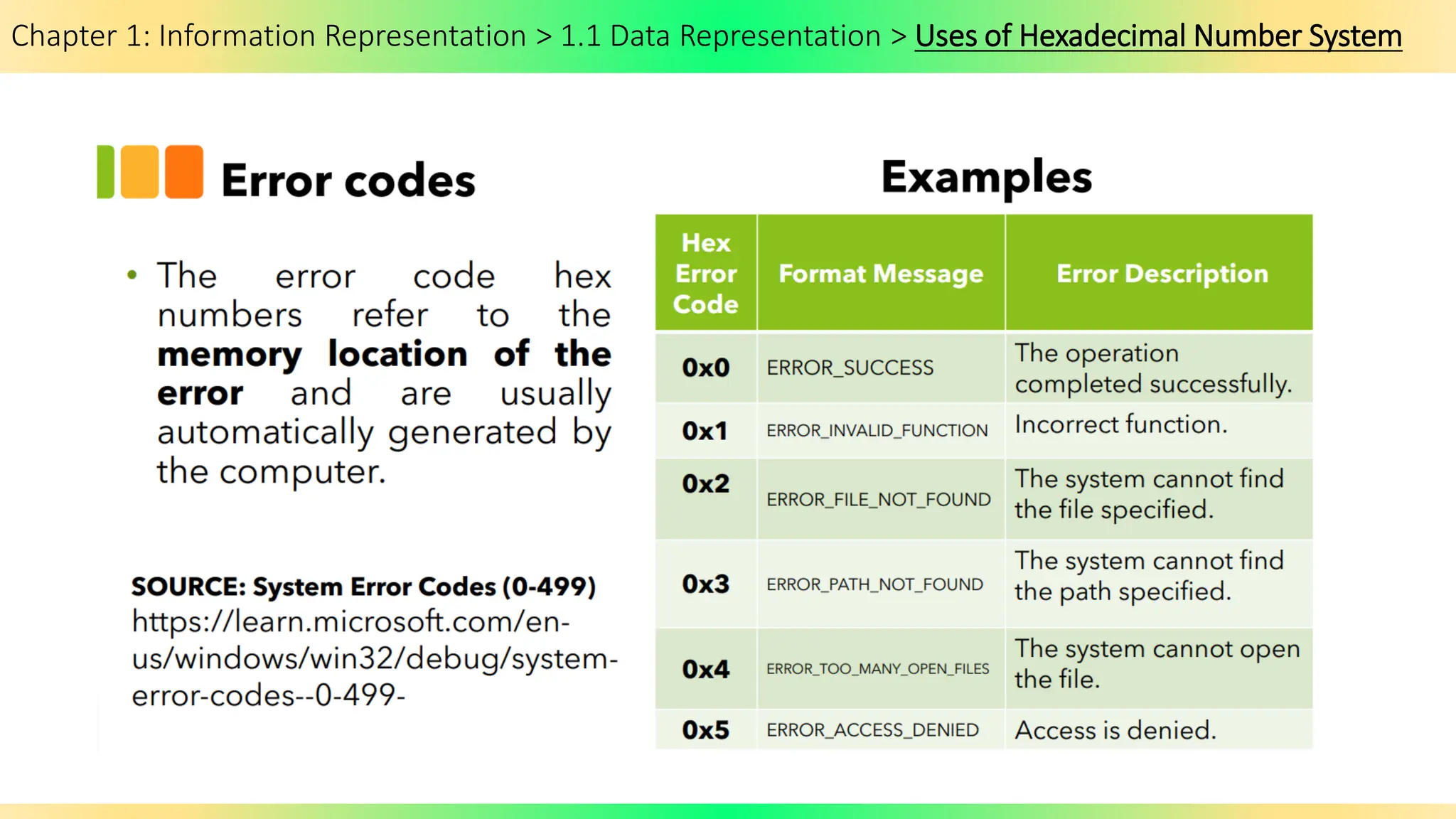
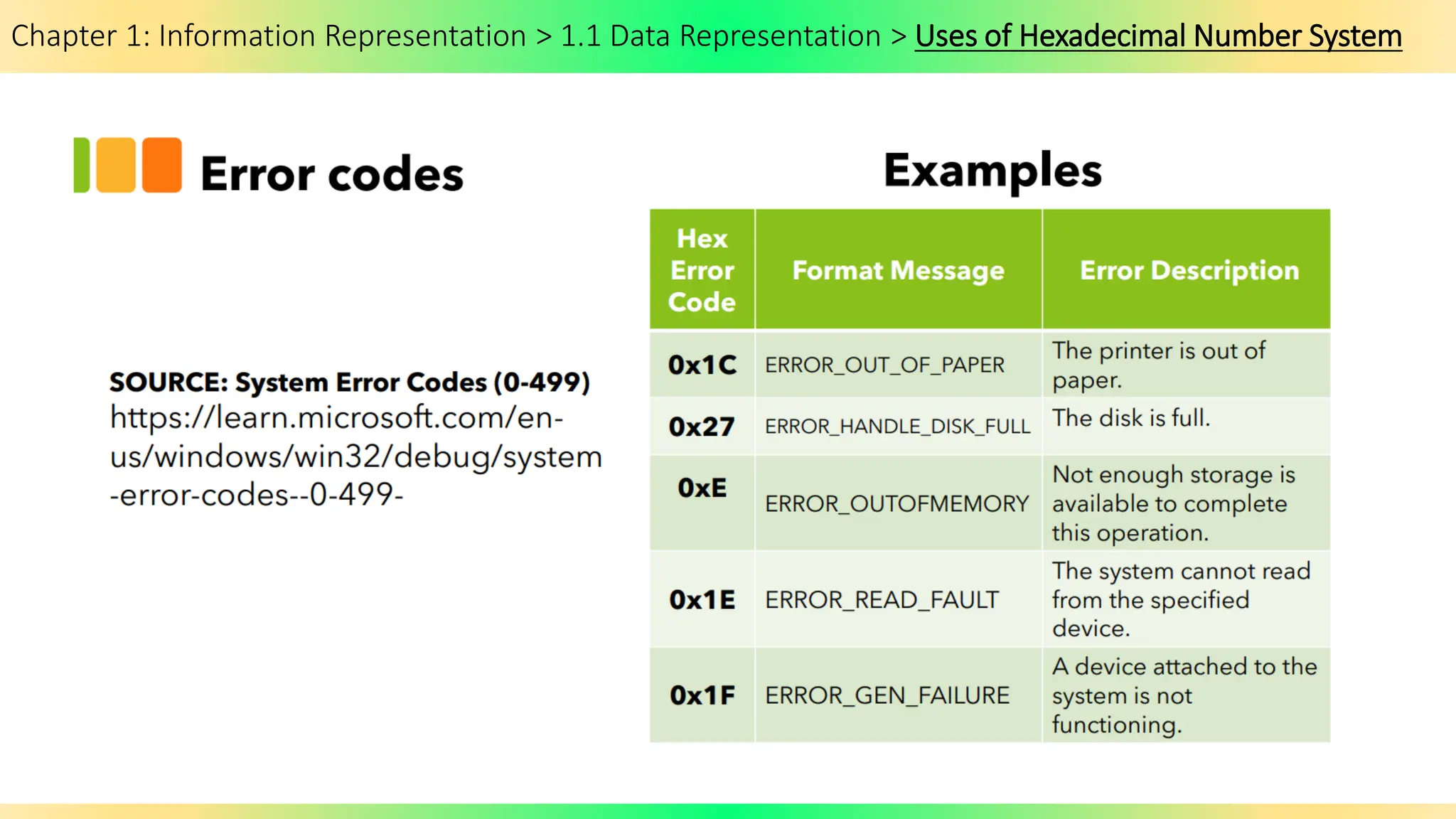
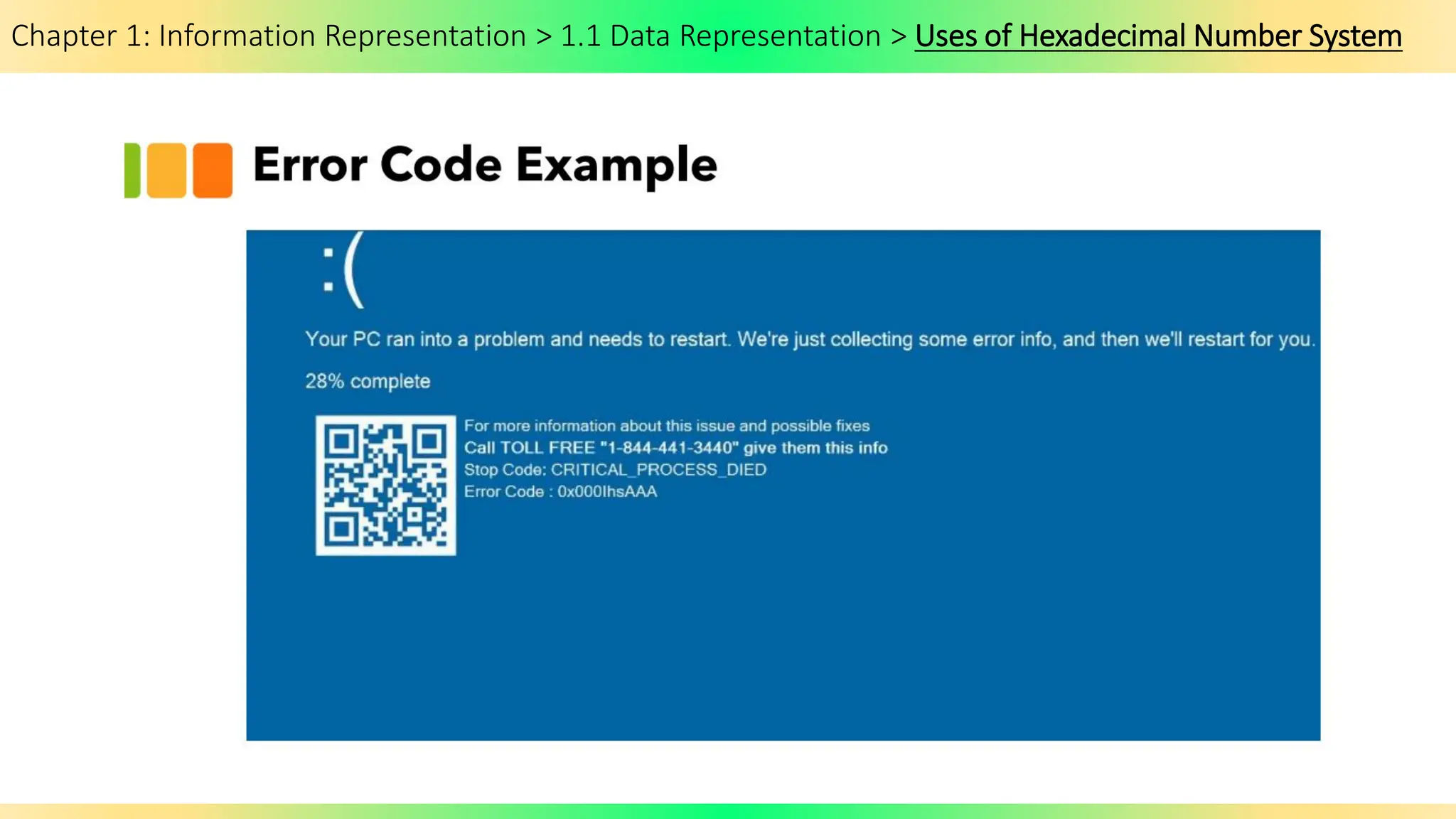
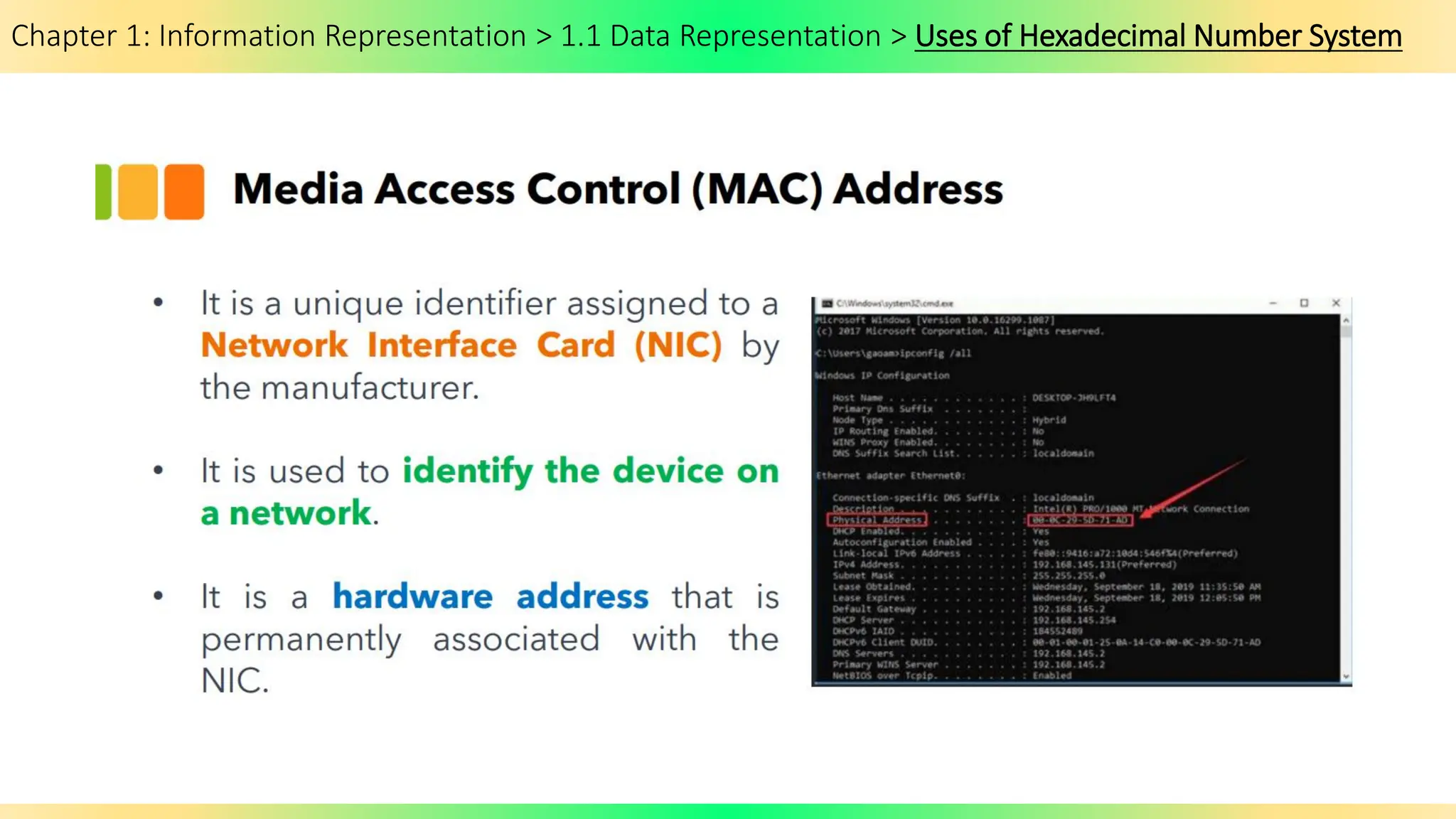
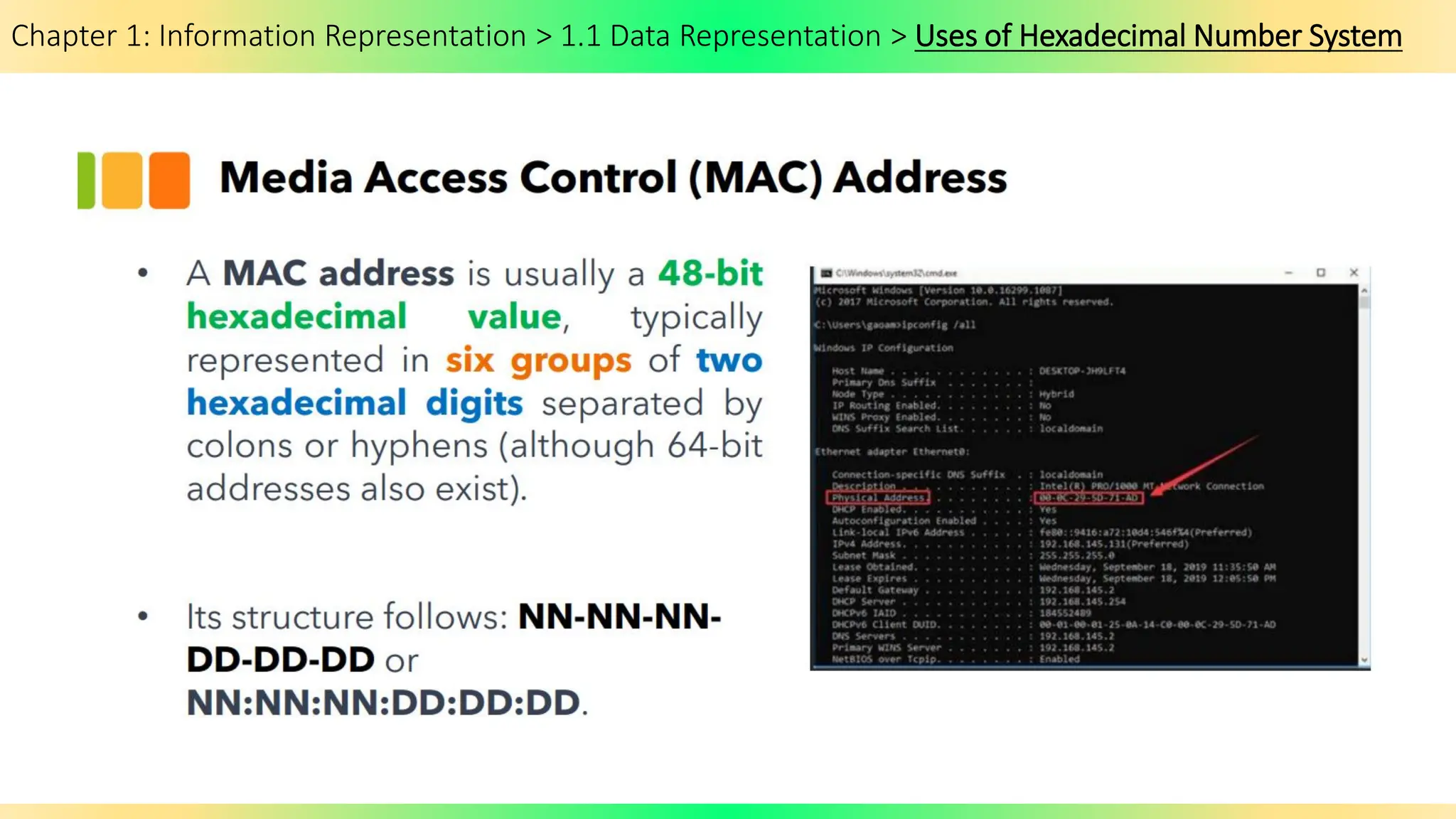
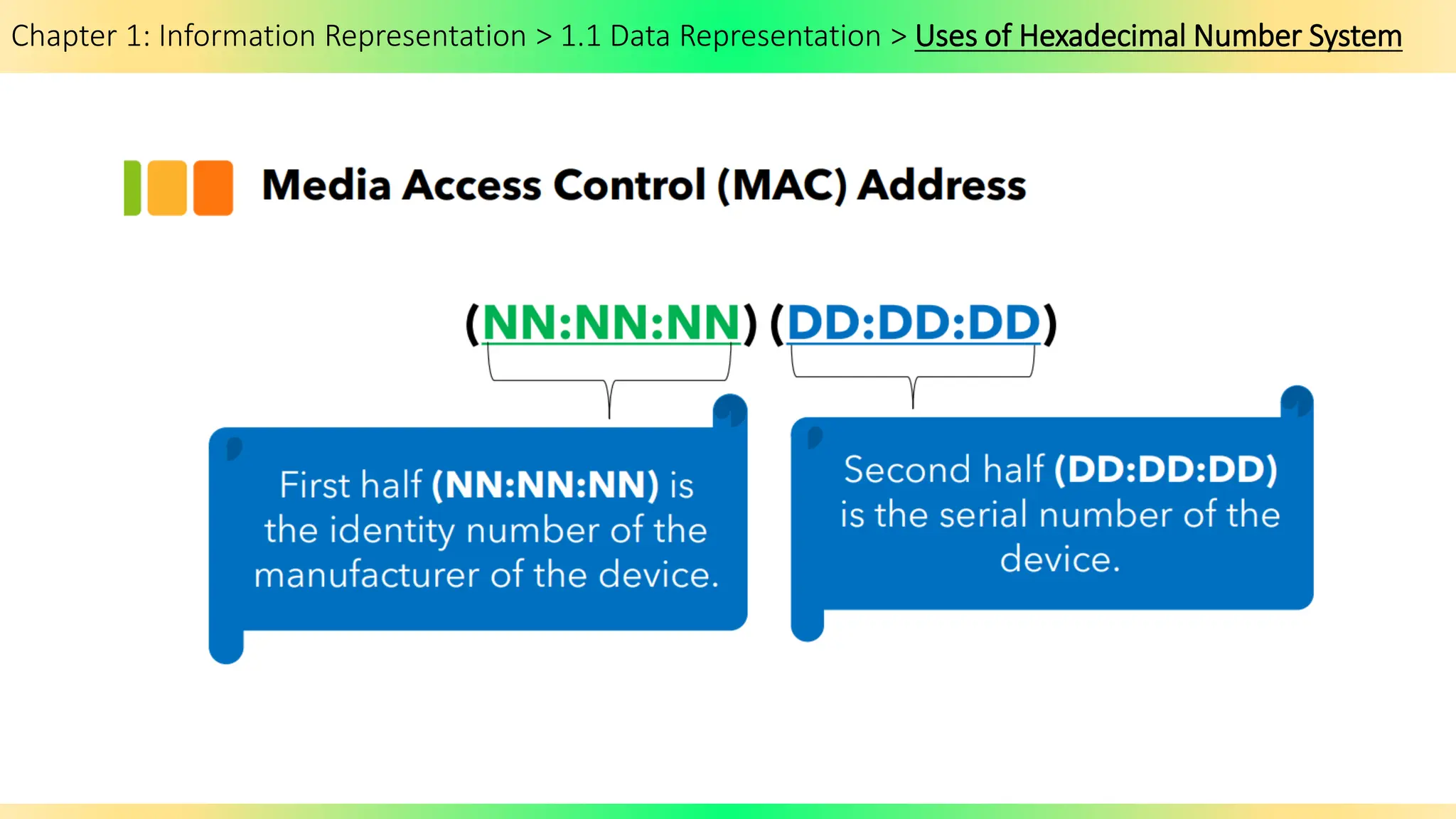
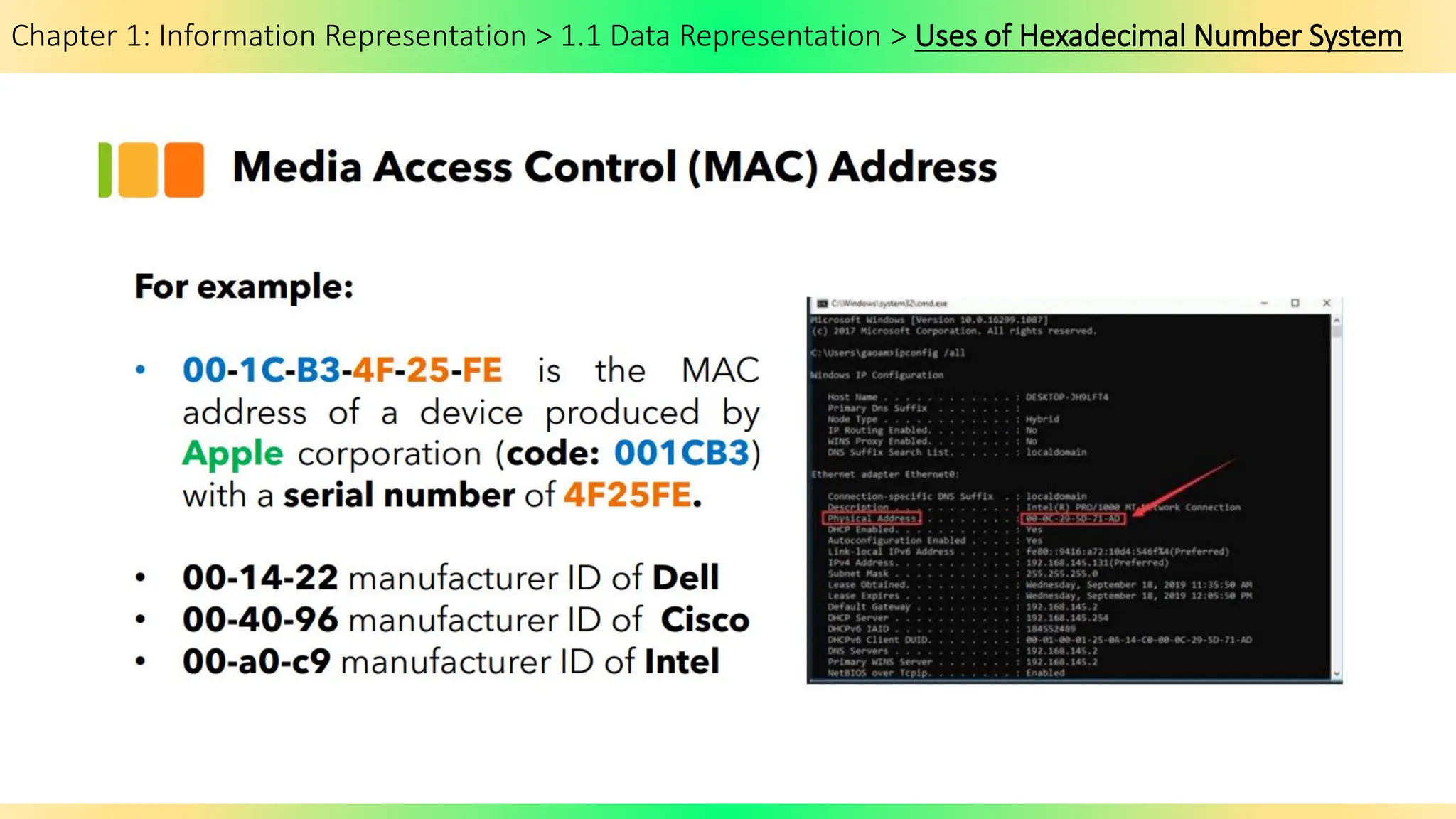
Chapter 1: Information Representation > 1.1 Data Representation > Uses of Hexadecimal Number System
Chapter 1: Information Representation > 1.1 Data Representation > Binary Subtraction
How to subtract
binary numbers?
Chapter 1: Information Representation > 1.1 Data Representation > Subracting Binary Numbers
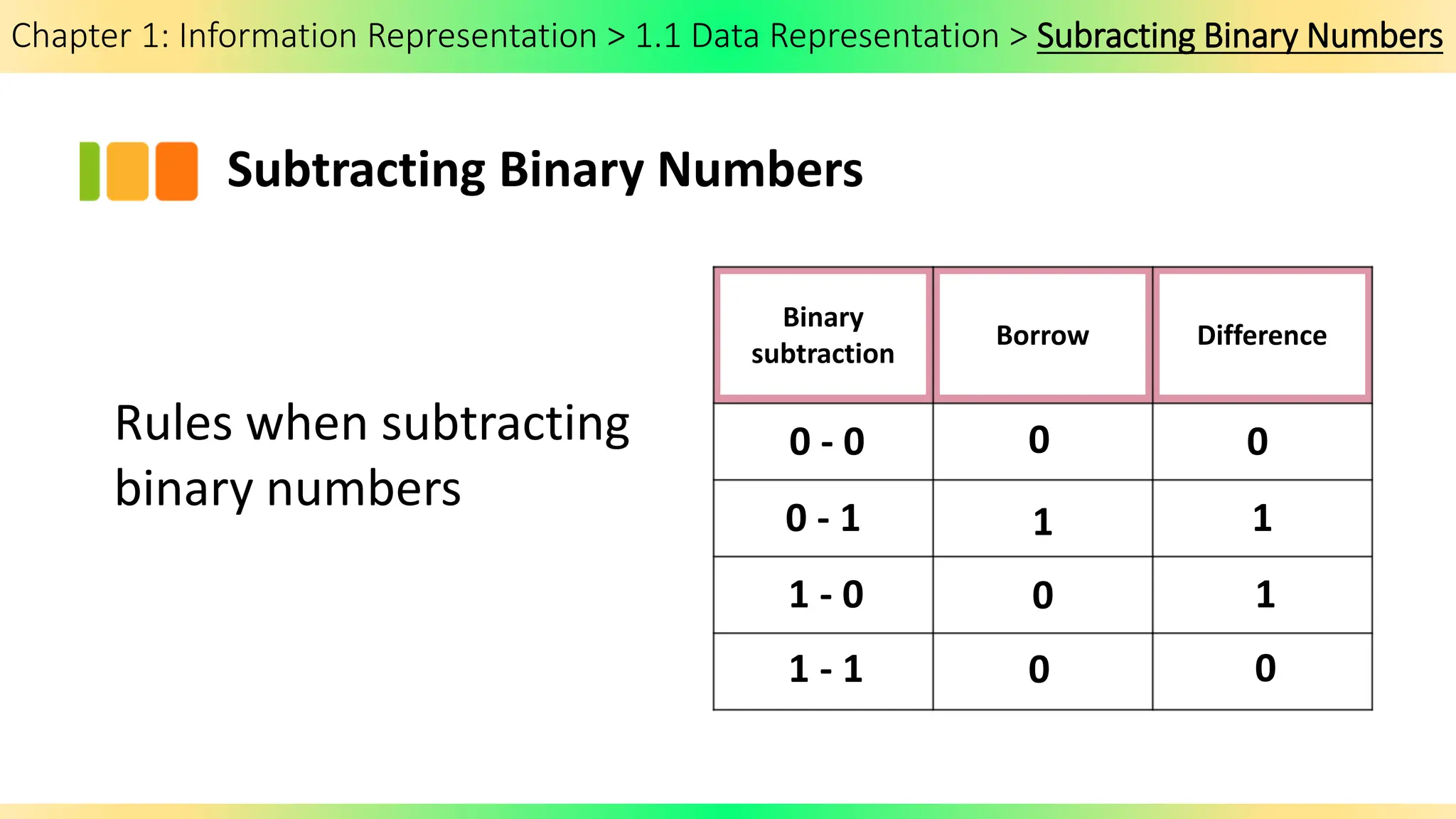
Subtracting Binary Numbers
Rules when subtracting
binary numbers
Binary
subtraction
Borrow Difference
0 - 0
0 - 1
1 - 0
1 - 1
0
1
0
0
0
1
1
0
Chapter 1: Information Representation > 1.1 Data Representation > Subtracting Binary Numbers
Chapter 1: Information Representation > 1.1 Data Representation > Subtracting Binary Numbers > 2’s Complement
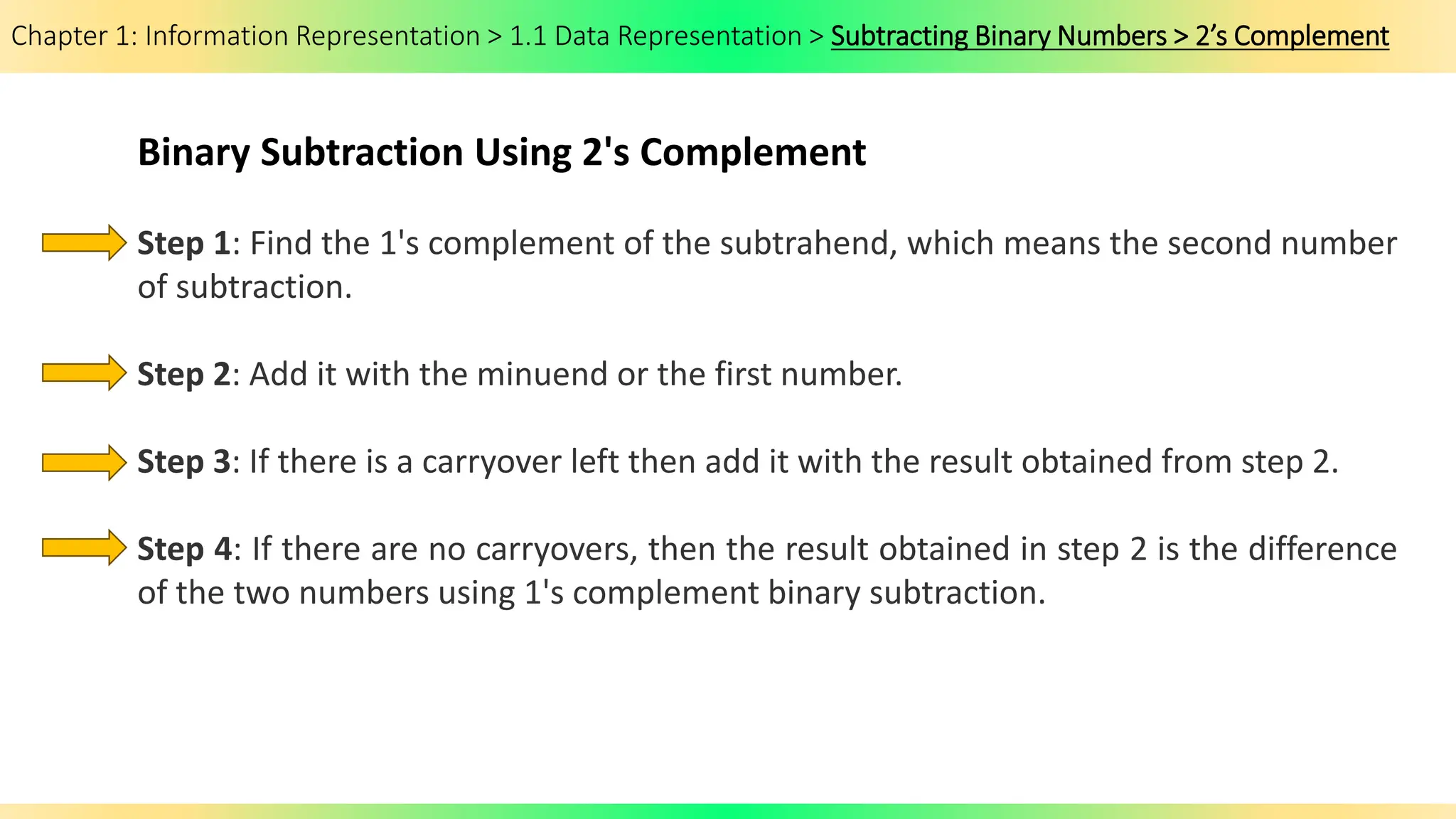
Binary Subtraction Using 2's Complement
Step 1: Find the 1's complement of the subtrahend, which means the second number
of subtraction.
Step 2: Add it with the minuend or the first number.
Step 3: If there is a carryover left then add it with the result obtained from step 2.
Step 4: If there are no carryovers, then the result obtained in step 2 is the difference
of the two numbers using 1's complement binary subtraction.
Chapter 1: Information Representation > 1.1 Data Representation > Subtracting Binary Numbers
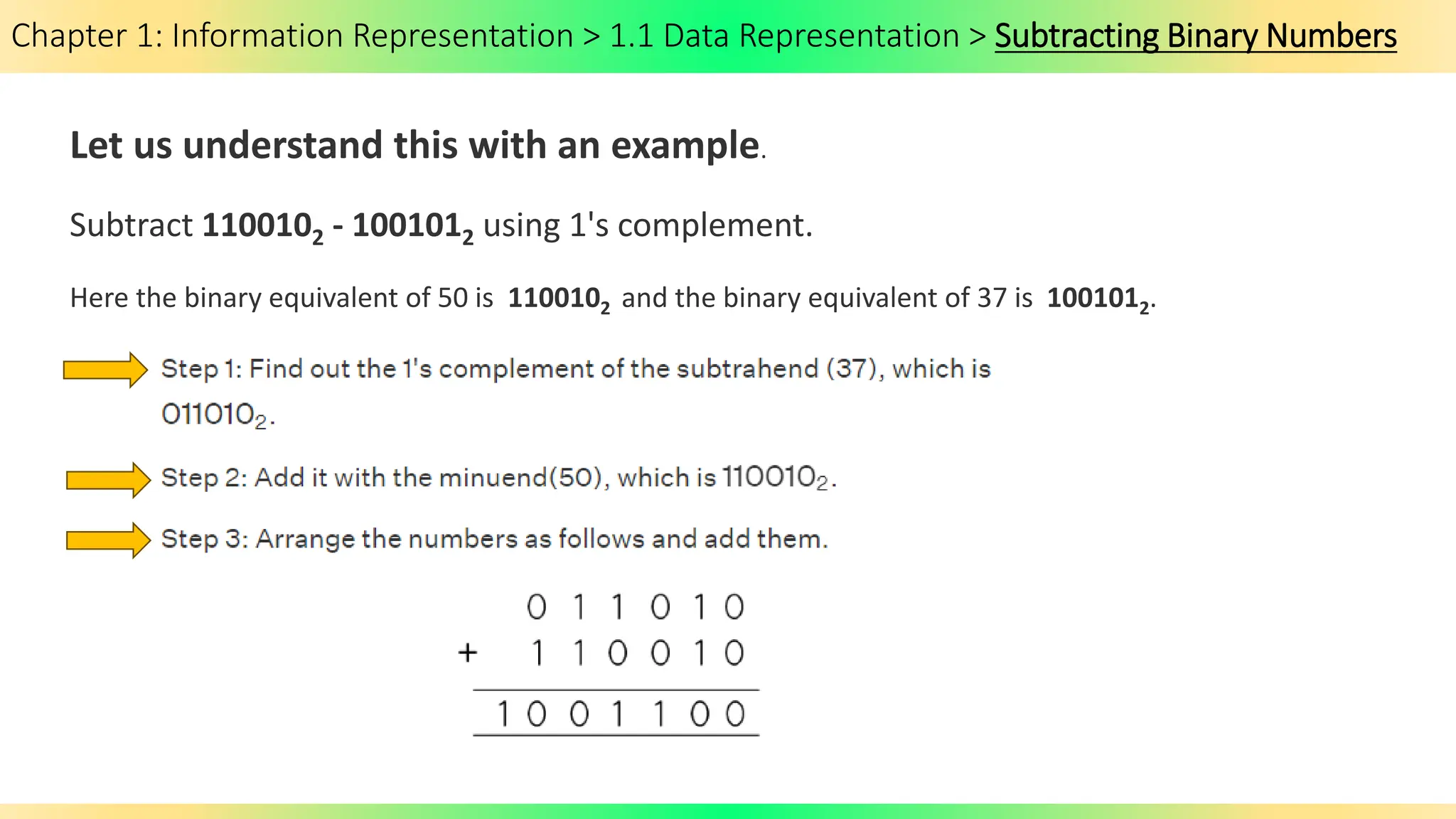
Let us understand this with an example.
Subtract 1100102 - 1001012 using 1's complement.
Here the binary equivalent of 50 is 1100102 and the binary equivalent of 37 is 1001012.
Chapter 1: Information Representation > 1.1 Data Representation > Subtracting Binary Numbers
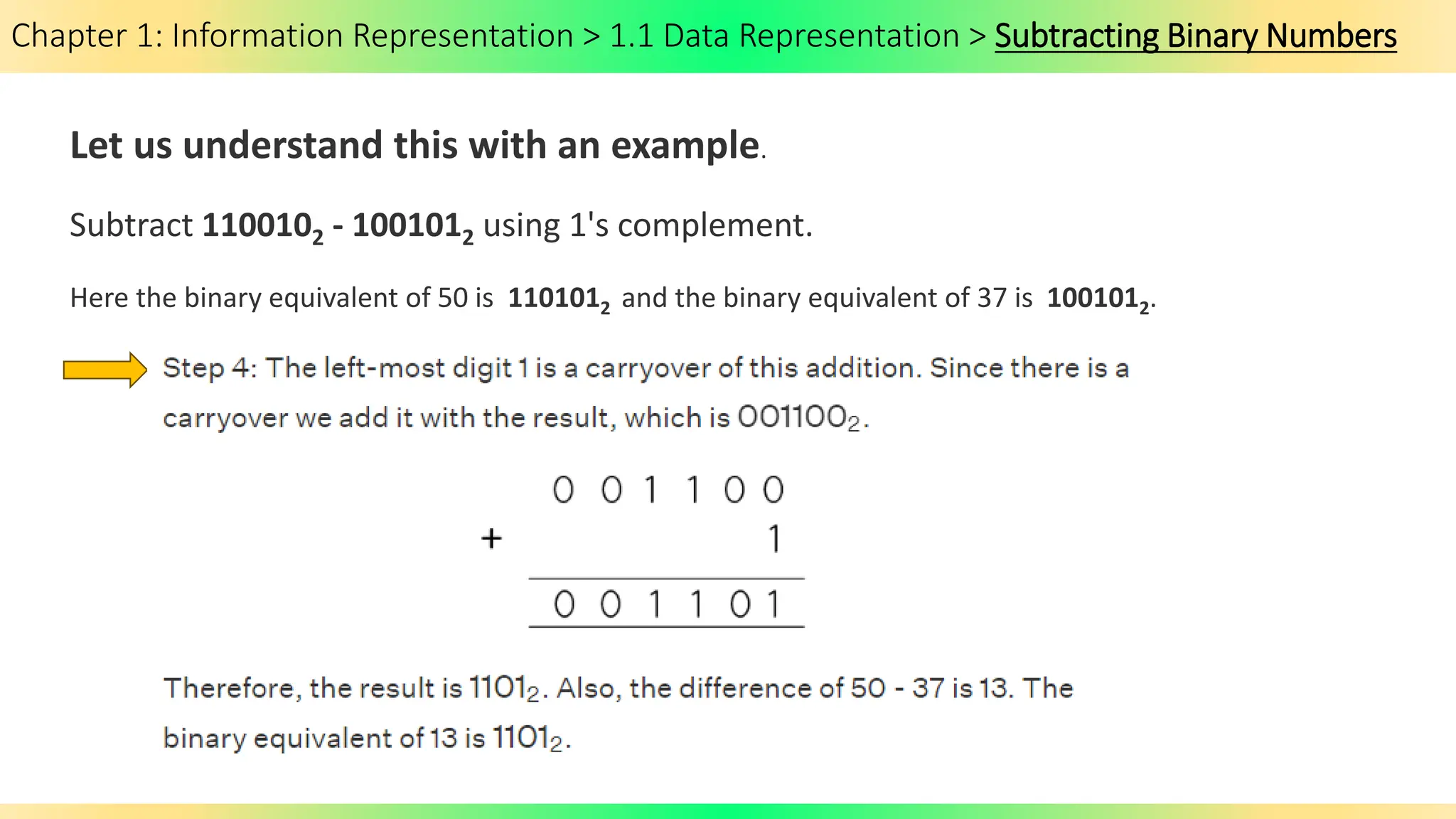
Let us understand this with an example.
Subtract 1100102 - 1001012 using 1's complement.
Here the binary equivalent of 50 is 1101012 and the binary equivalent of 37 is 1001012.
Chapter 1: Information Representation > 1.1 Data Representation > Subtracting Binary Numbers
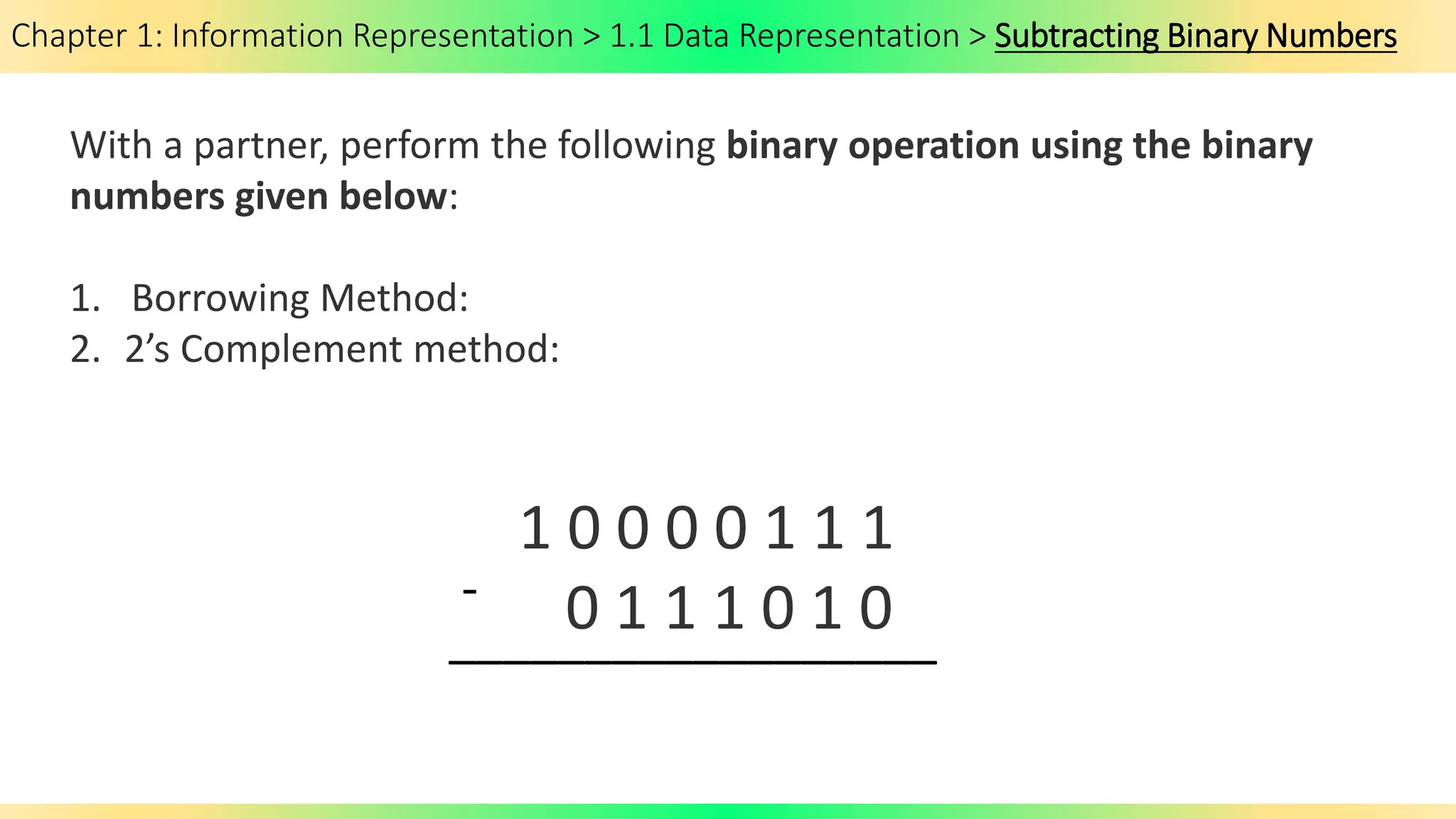
With a partner, perform the following binary operation using the binary
numbers given below:
1. Borrowing Method:
2. 2’s Complement method:
1 0 0 0 0 1 1 1
0 1 1 1 0 1 0
-
__________________
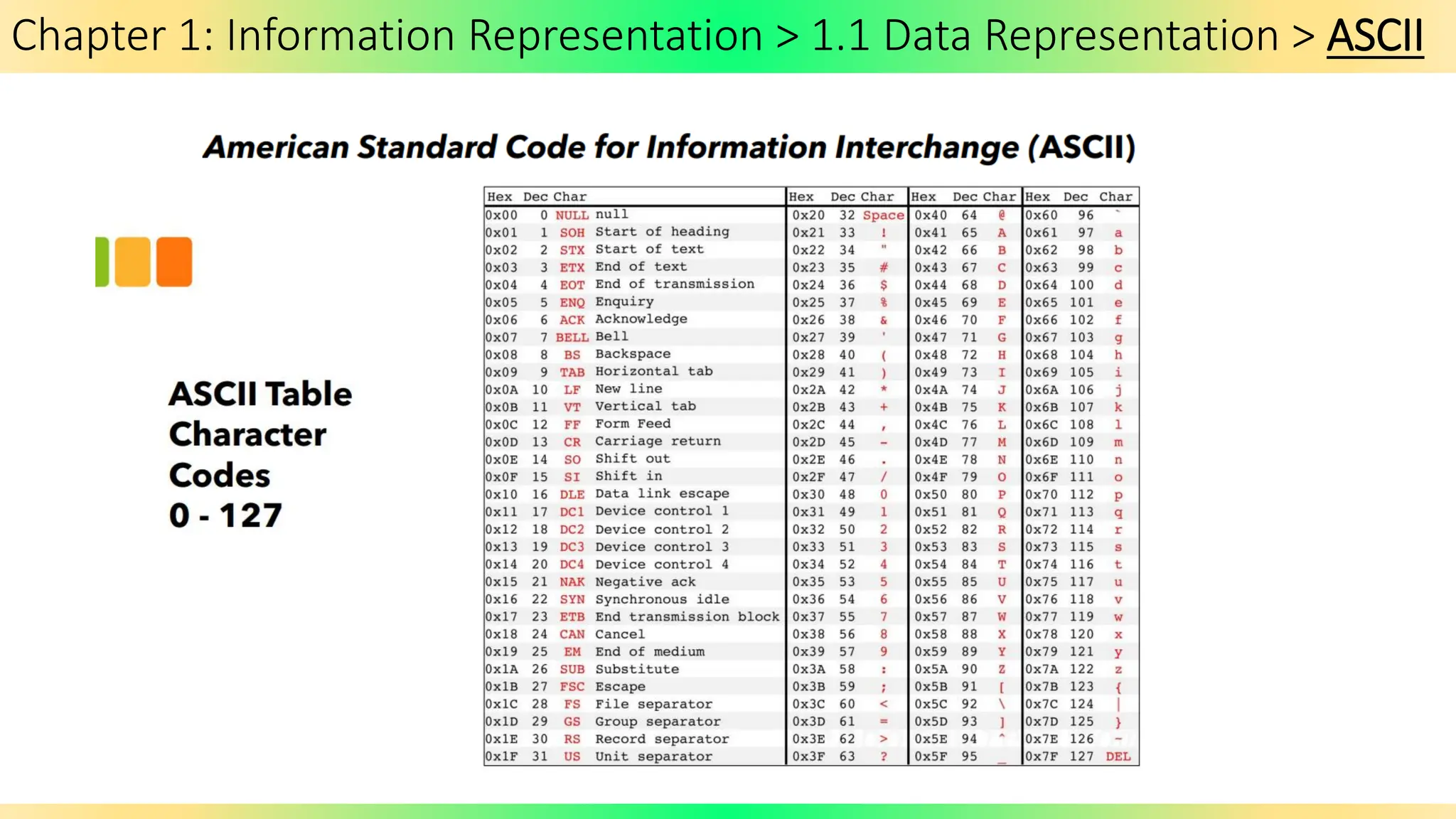
Chapter 1: Information Representation > 1.1 Data Representation > ASCII
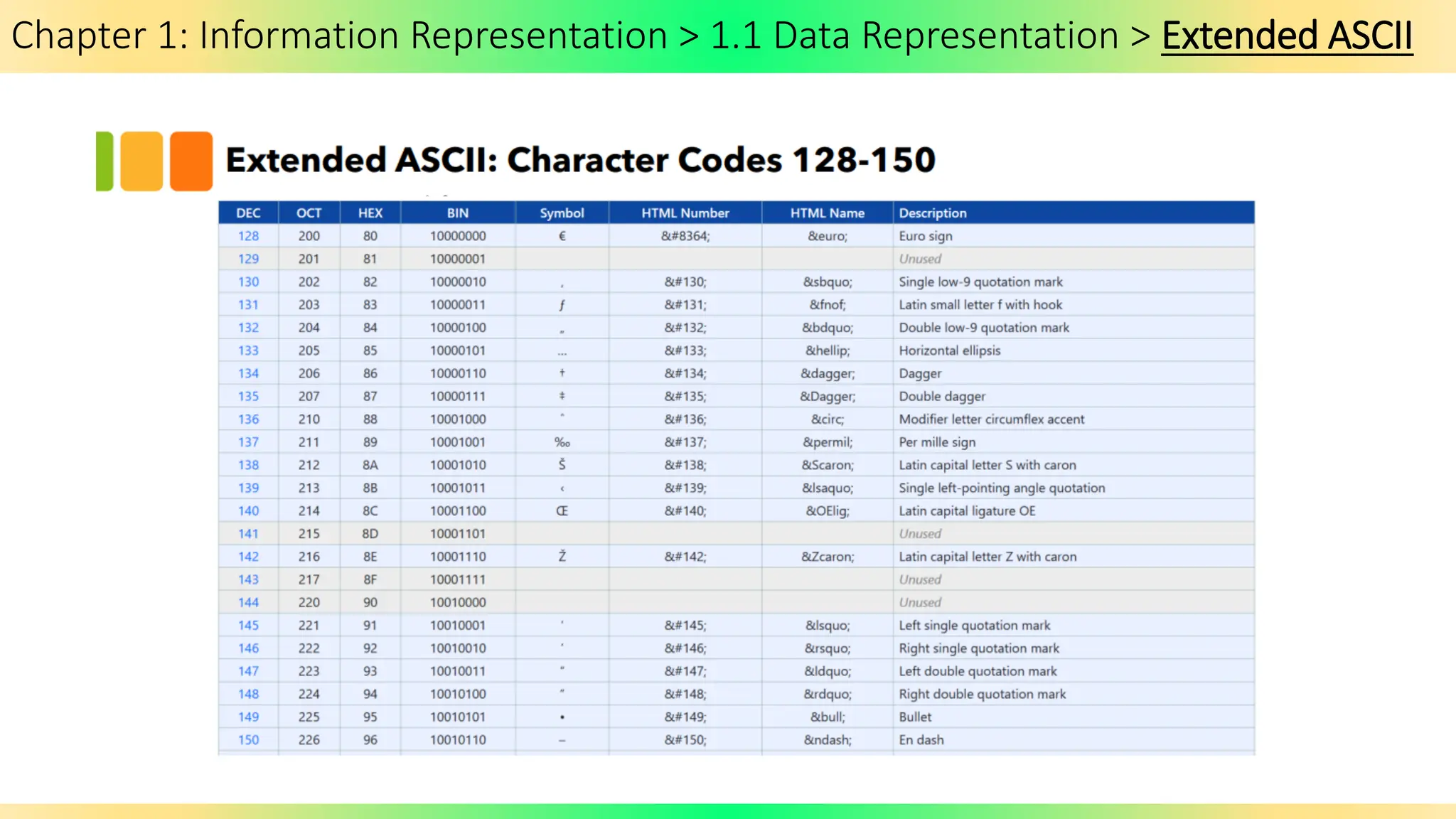
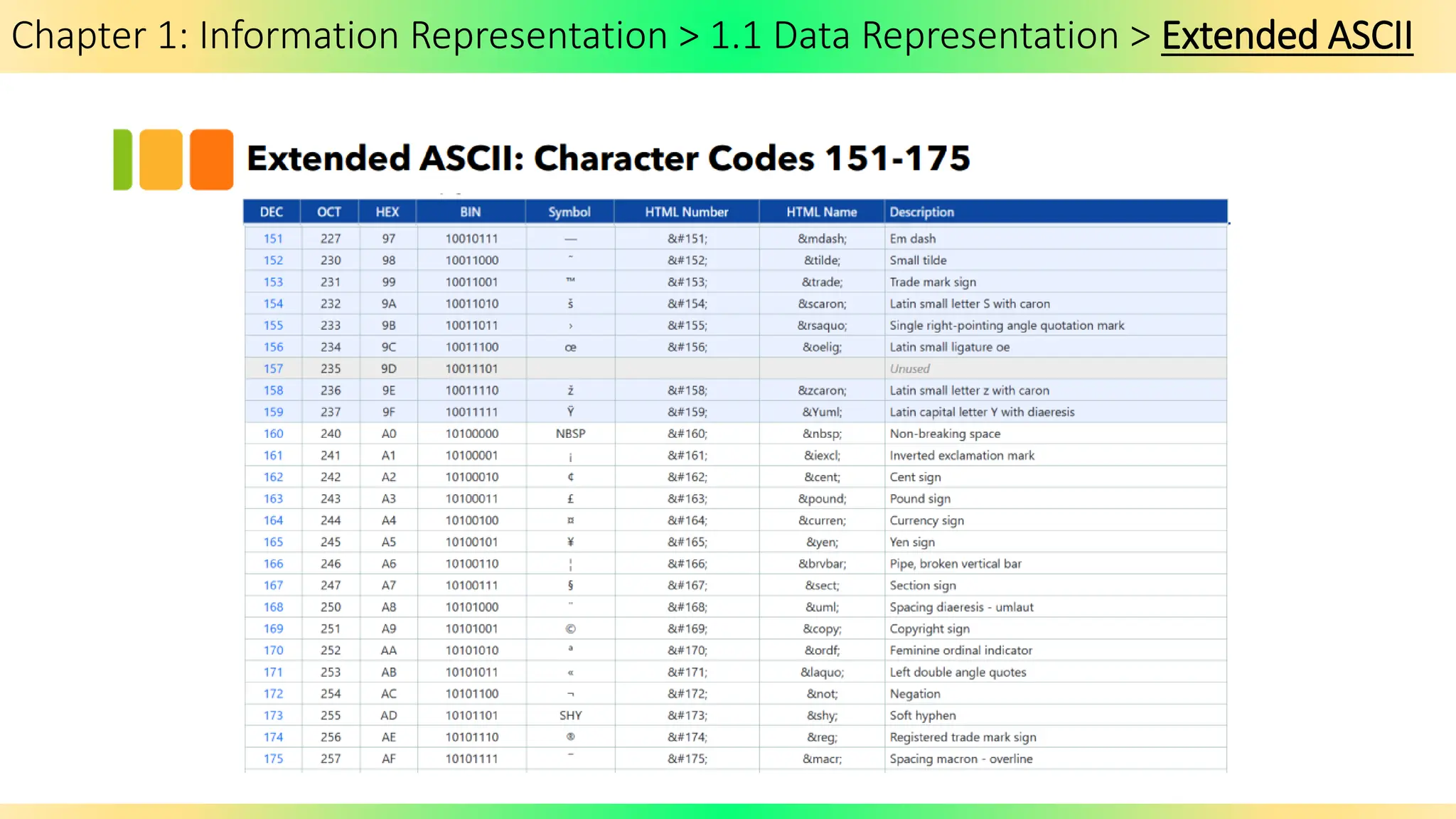
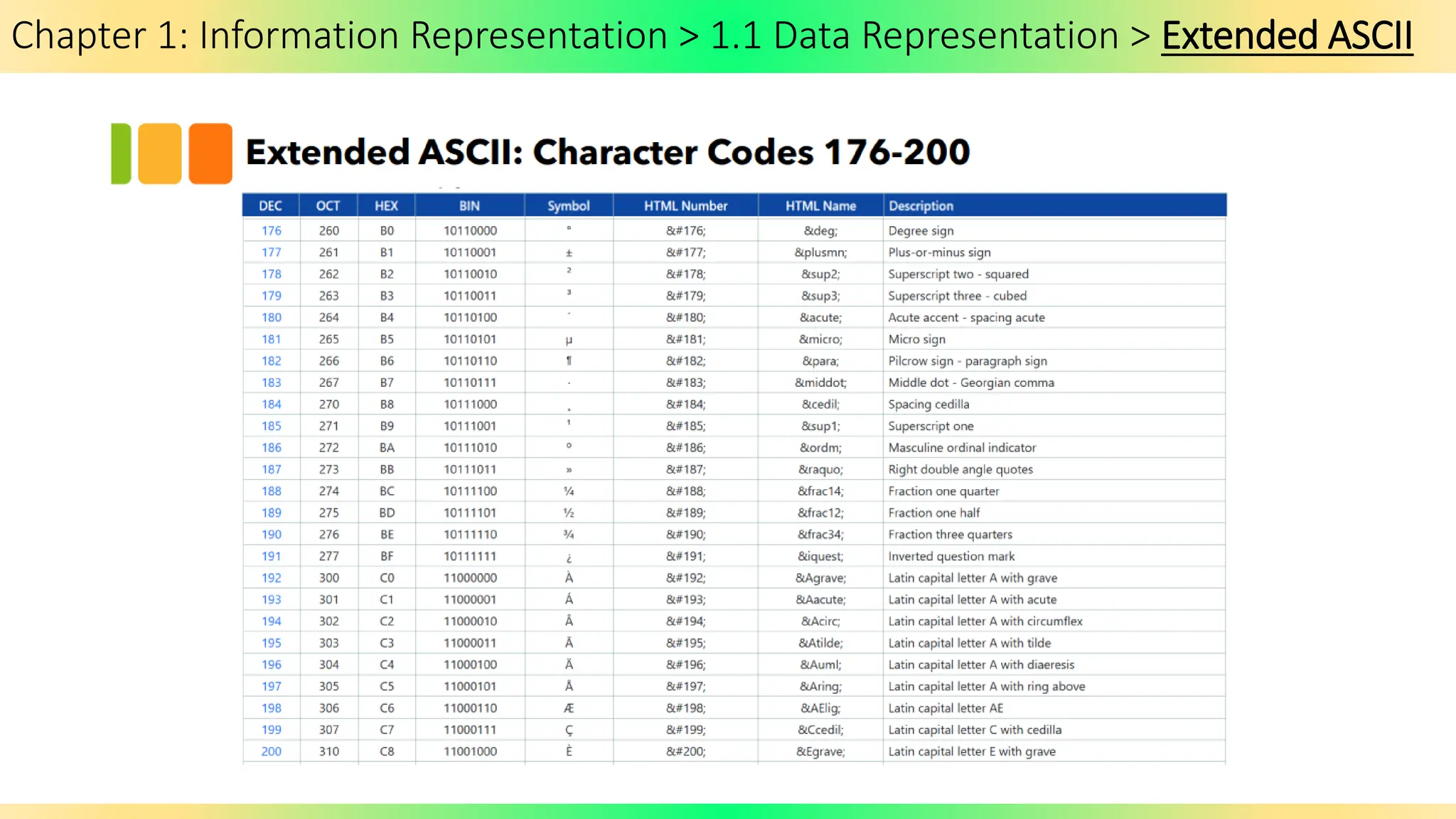
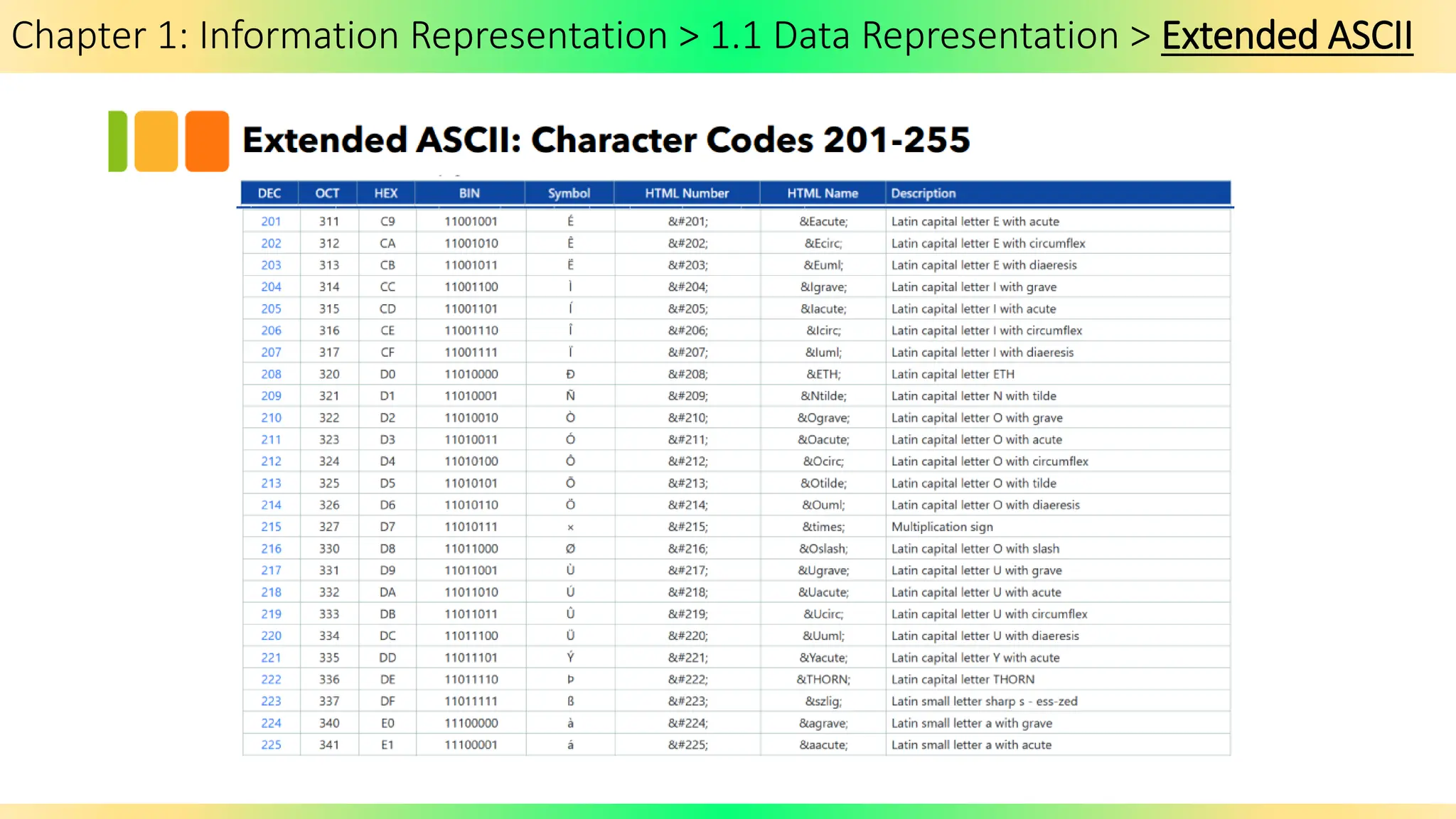
Chapter 1: Information Representation > 1.1 Data Representation > Extended ASCII
Chapter 1: Information Representation > 1.1 Data Representation > UNICODE
Extension Activity:
Look into how a UNICODE look like.
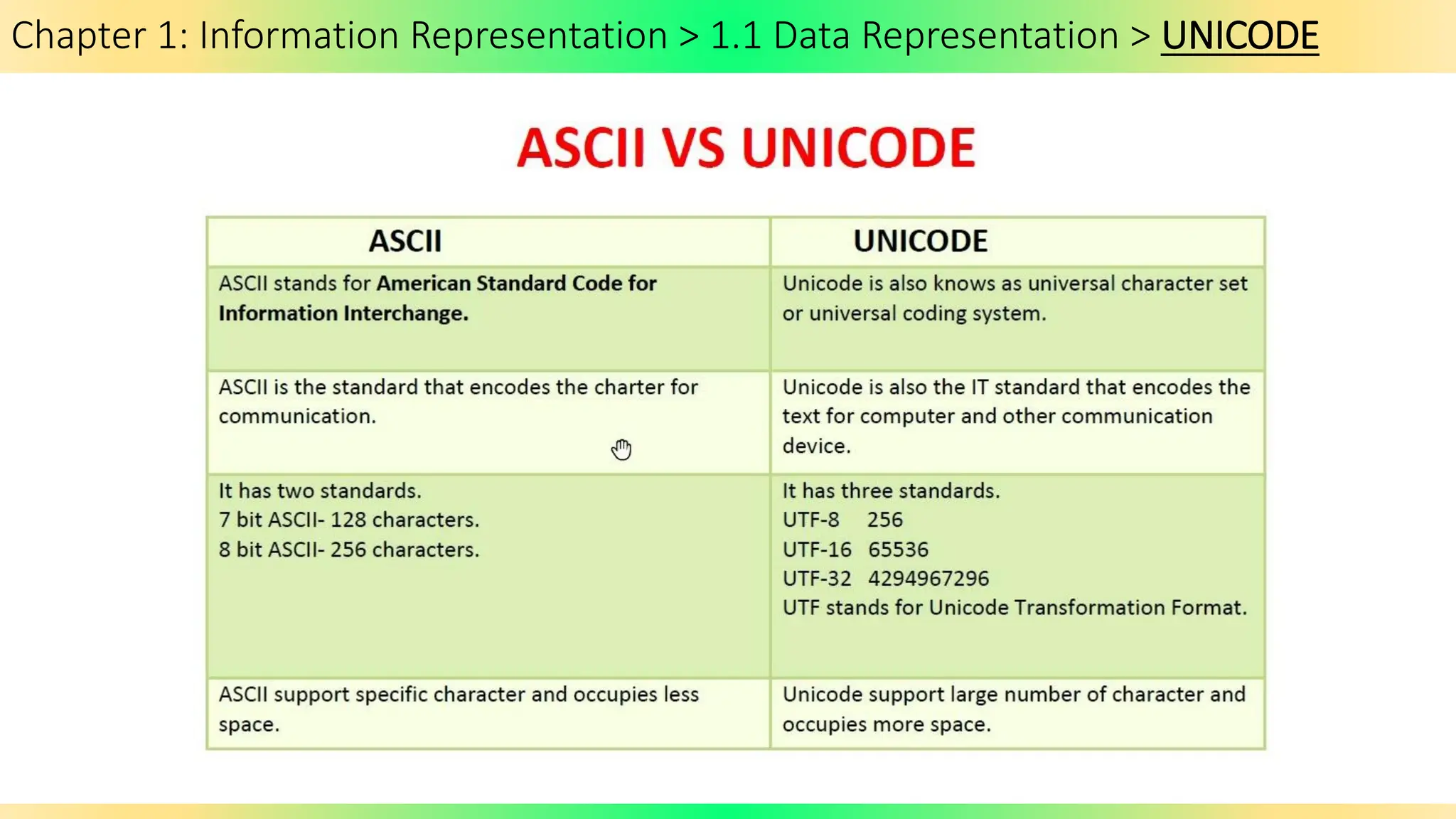
Chapter 1: Information Representation > 1.1 Data Representation > UNICODE
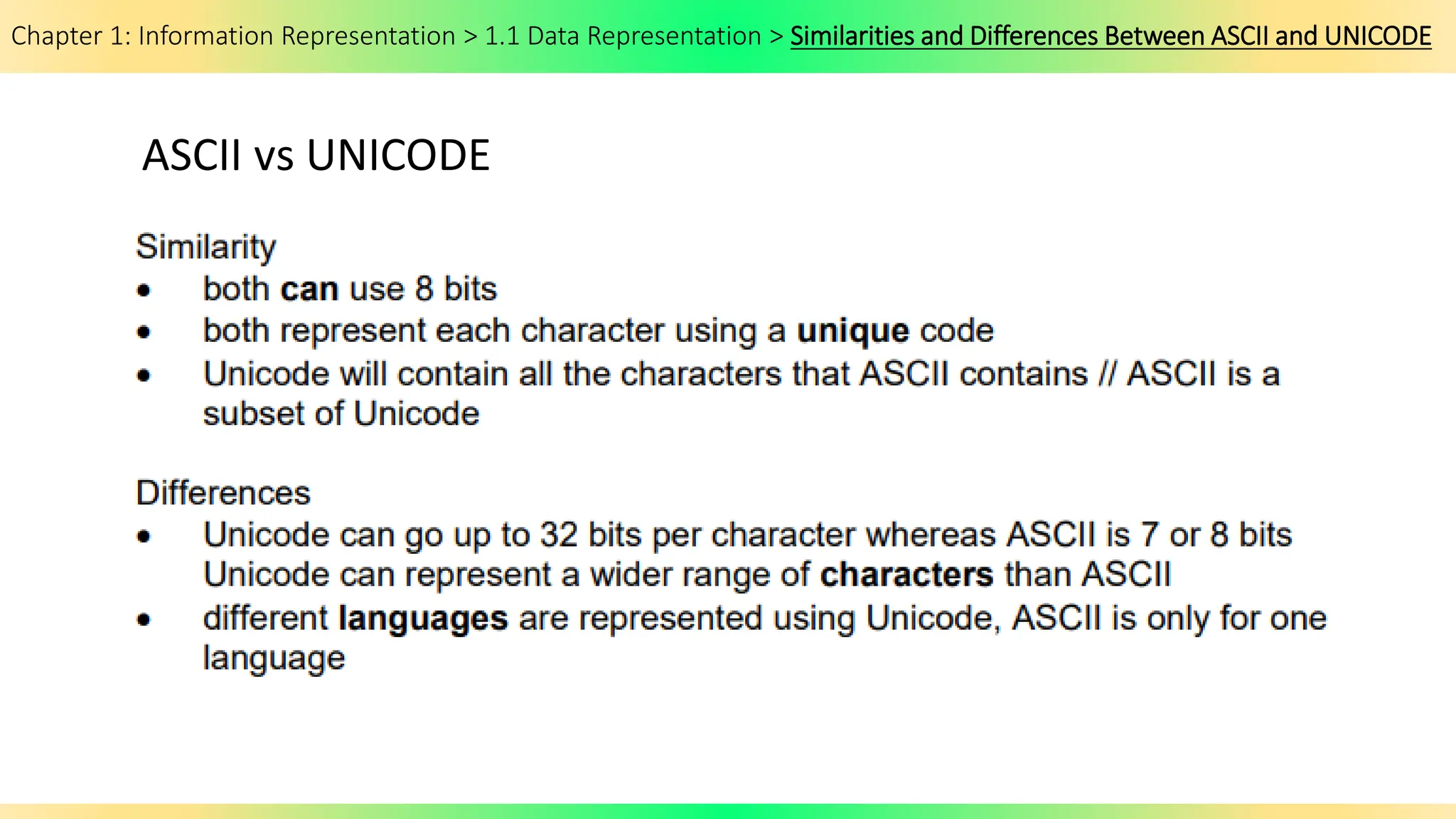
Chapter 1: Information Representation > 1.1 Data Representation > Similarities and Differences Between ASCII and UNICODE
ASCII vs UNICODE
Chapter 1: Information Representation > 1.1: Data Representation
End of Chapter 1.1: Data Representation
Chapter 1: Information Representation
1.2: Multimedia
By the end of the lesson students will be able to:
1.2: Multimedia
By the end of the lesson students will be able to:
Chapter 1: Information Representation
1.2.1. Multimedia > Bitmap Images
Chapter 1: Information Representation
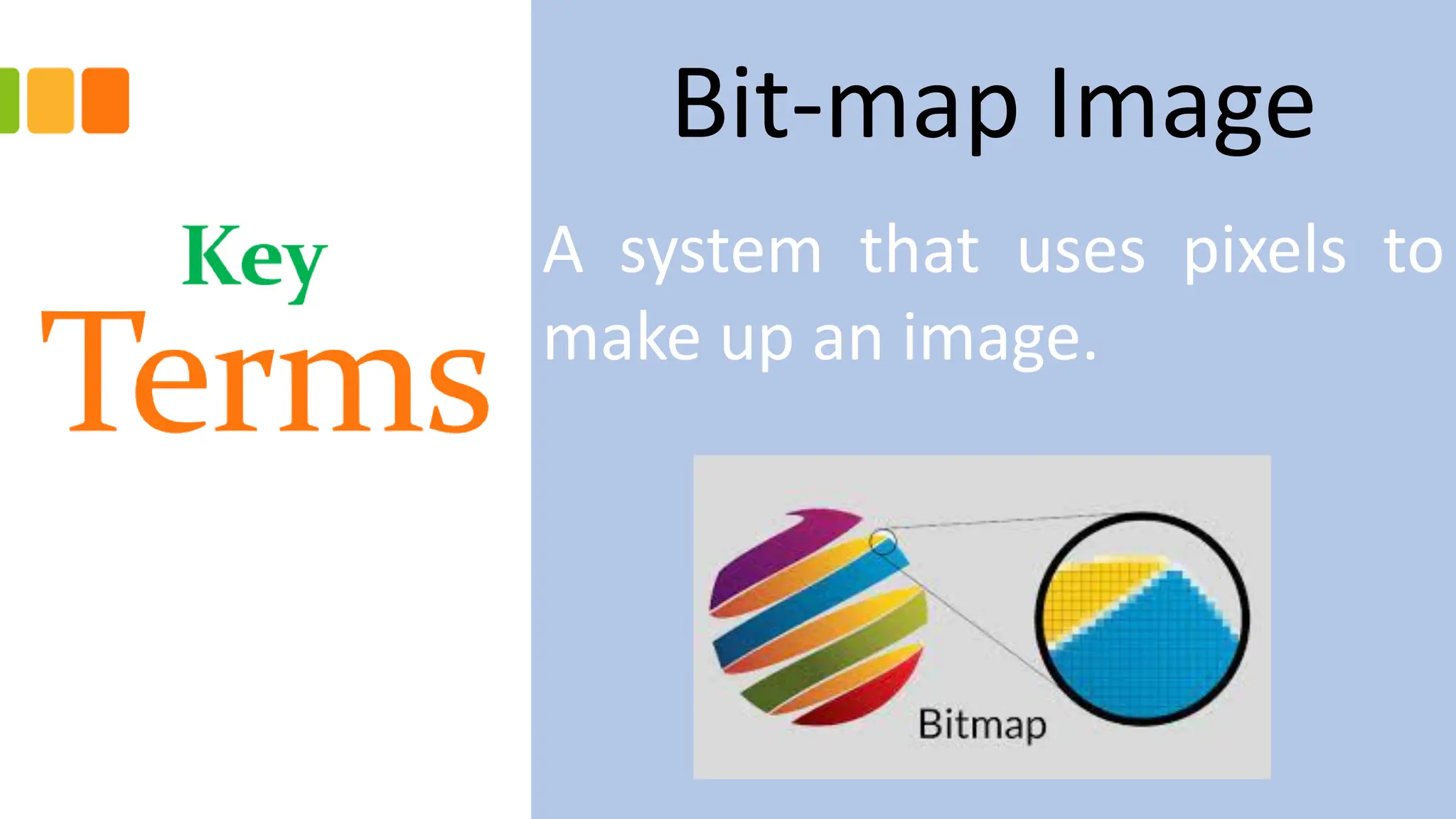
Bit-map Image
A system that uses pixels to
make up an image.
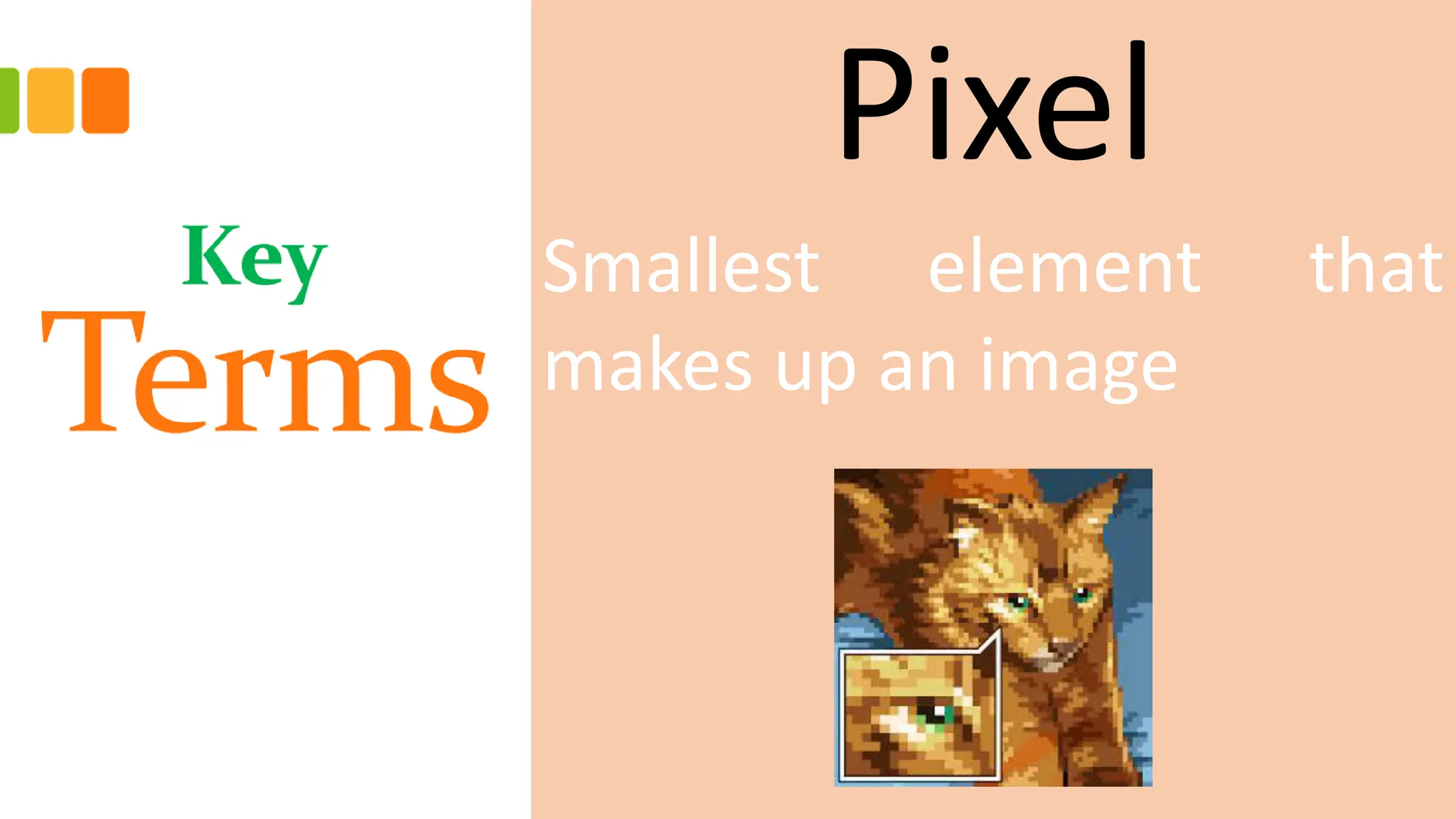
Pixel
Smallest element that
makes up an image
File Header
Bitmap image also contains
the File Header which has the
metadata contents of the
bitmap file, including image size,
number of colors, etc.
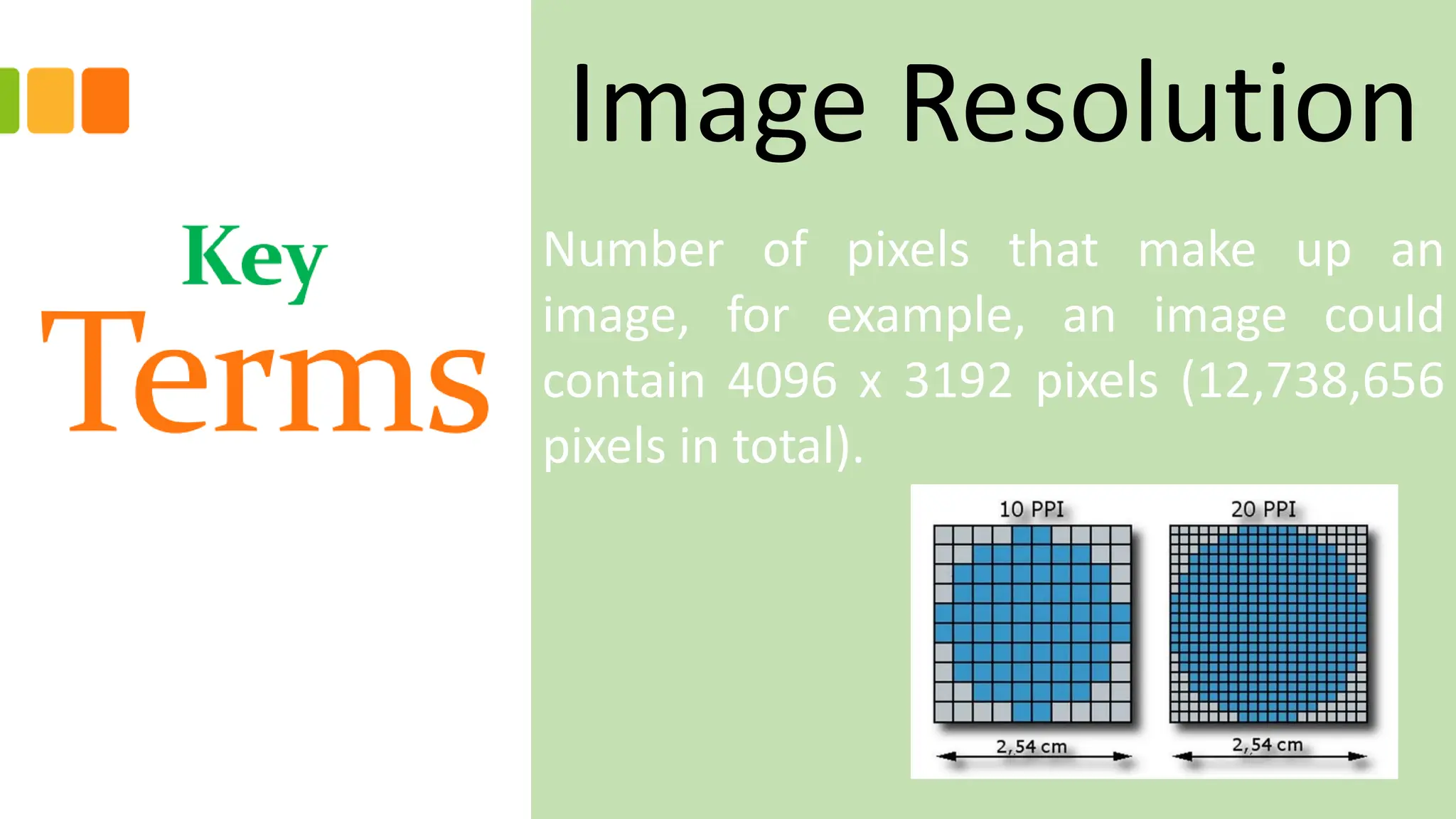
Image Resolution
Number of pixels that make up an
image, for example, an image could
contain 4096 x 3192 pixels (12,738,656
pixels in total).
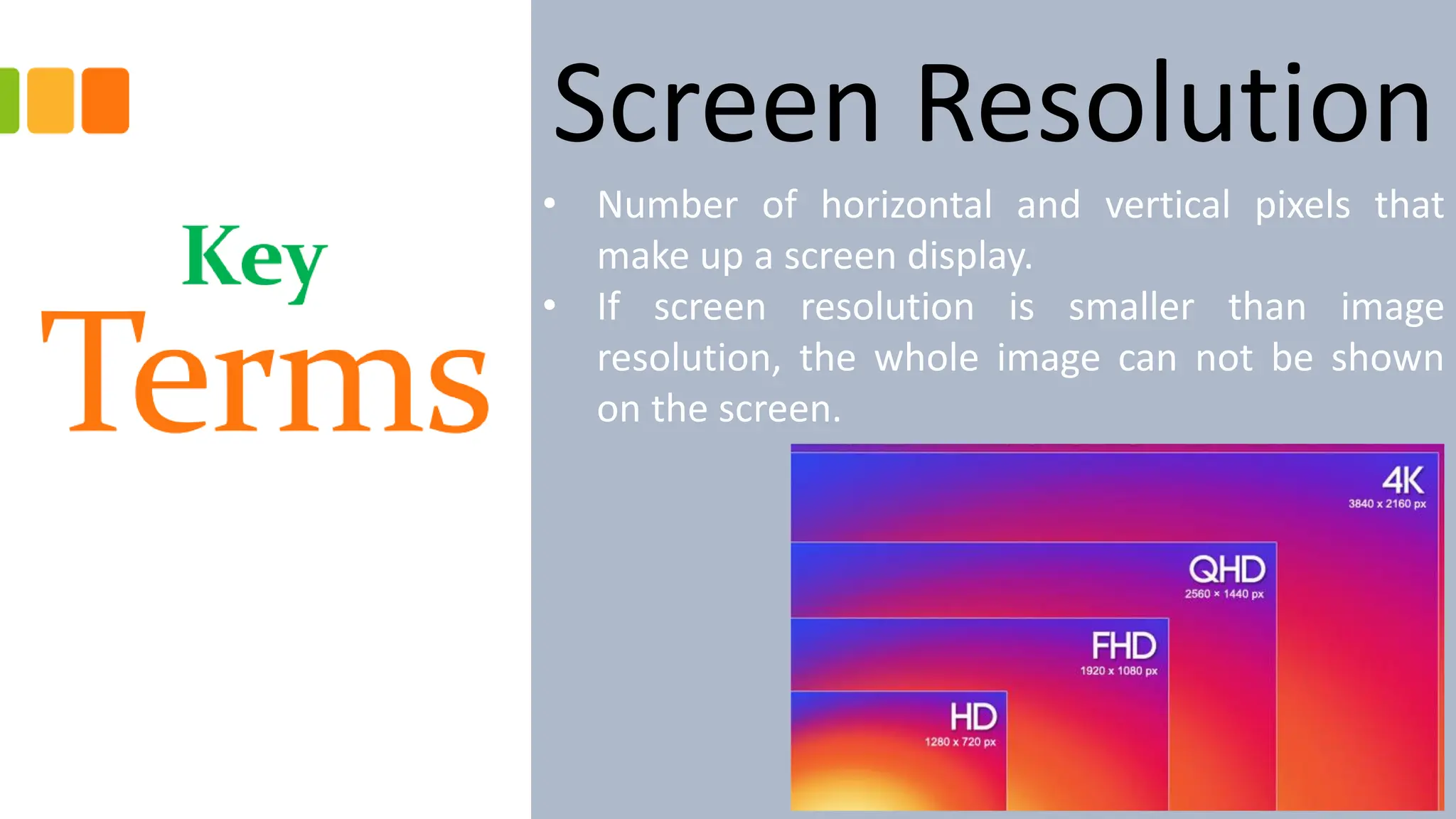
Screen Resolution
• Number of horizontal and vertical pixels that
make up a screen display.
• If screen resolution is smaller than image
resolution, the whole image can not be shown
on the screen.
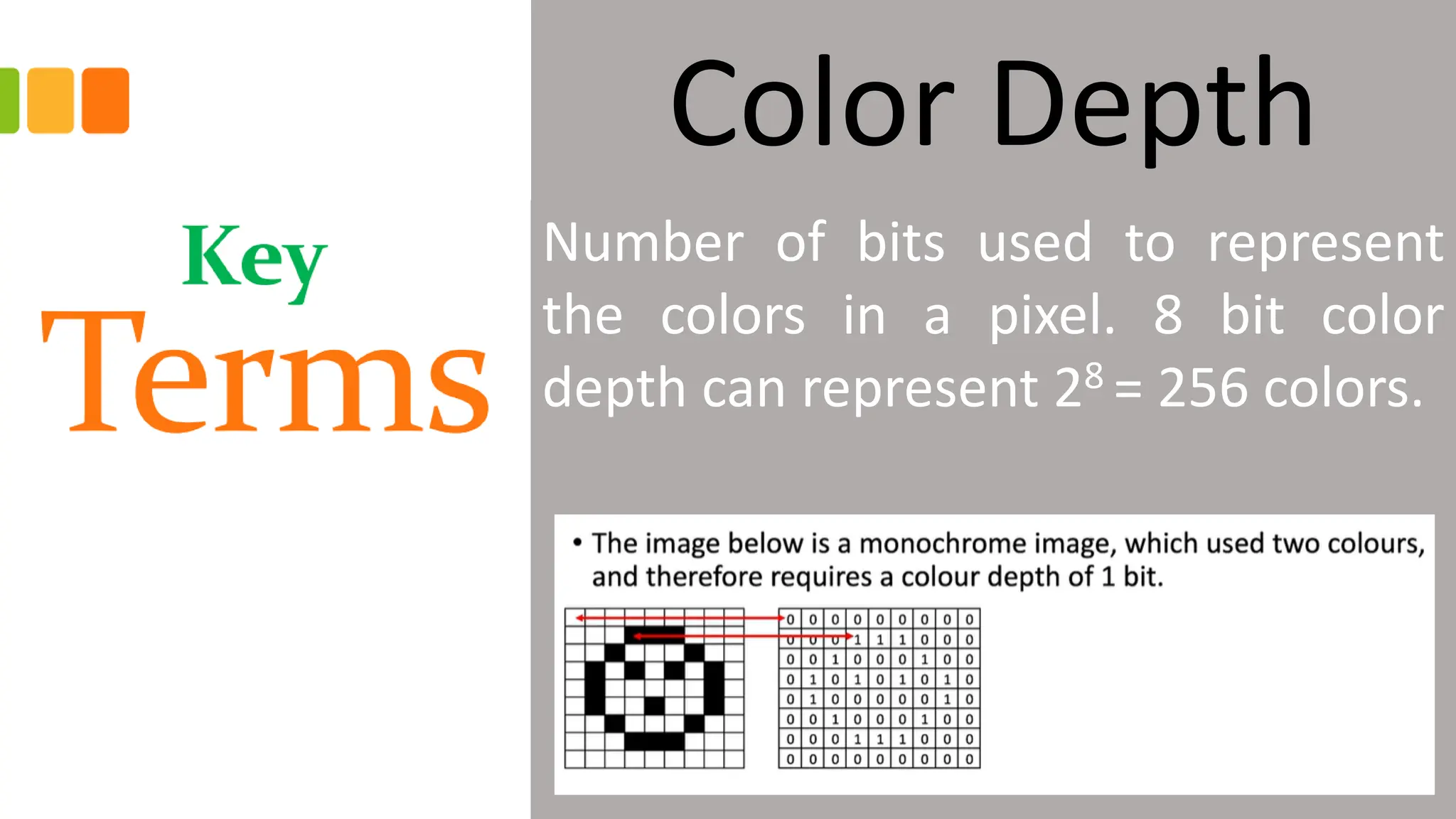
Color Depth
Number of bits used to represent
the colors in a pixel. 8 bit color
depth can represent 28 = 256 colors.
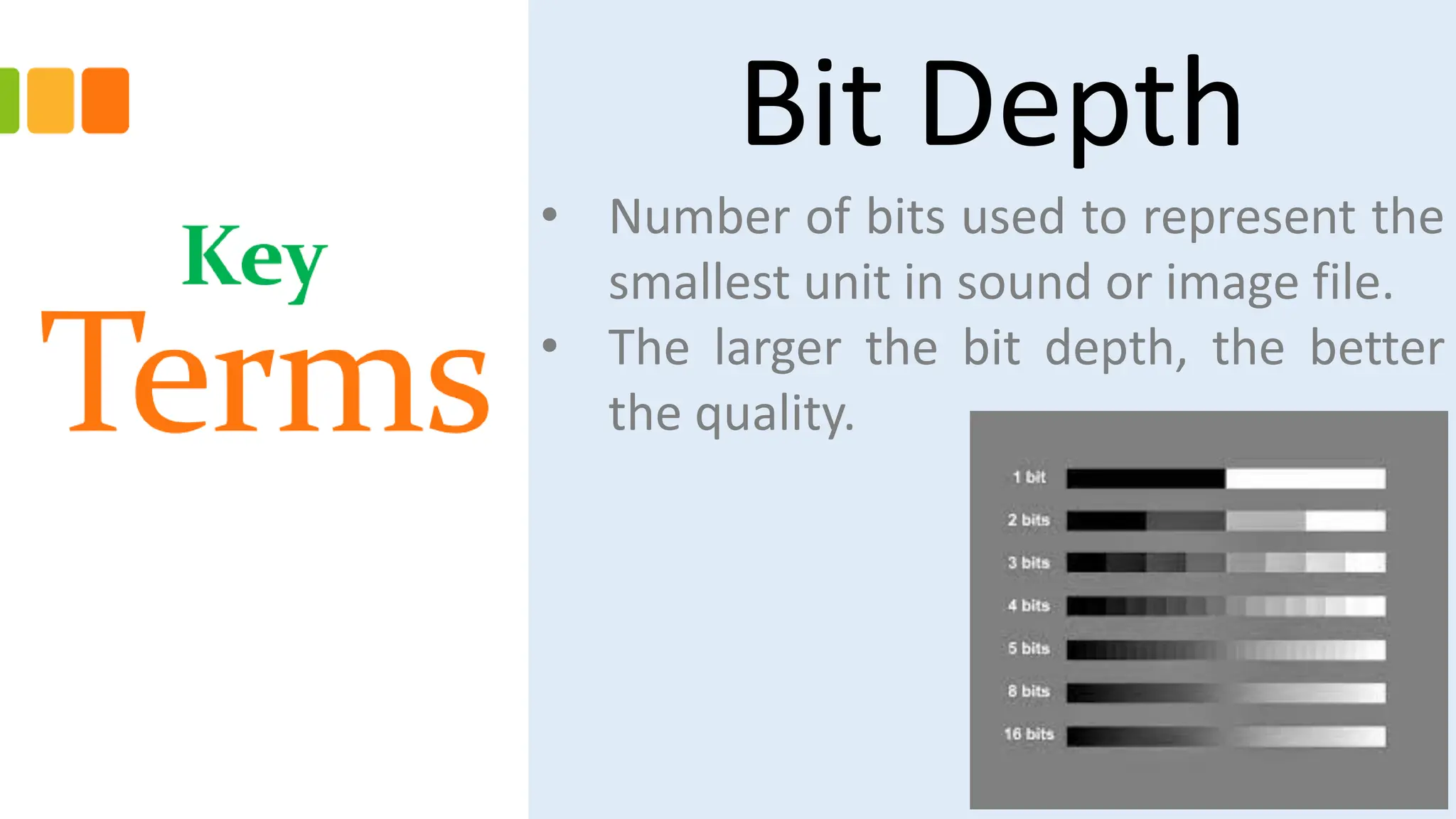
Bit Depth
• Number of bits used to represent the
smallest unit in sound or image file.
• The larger the bit depth, the better
the quality.
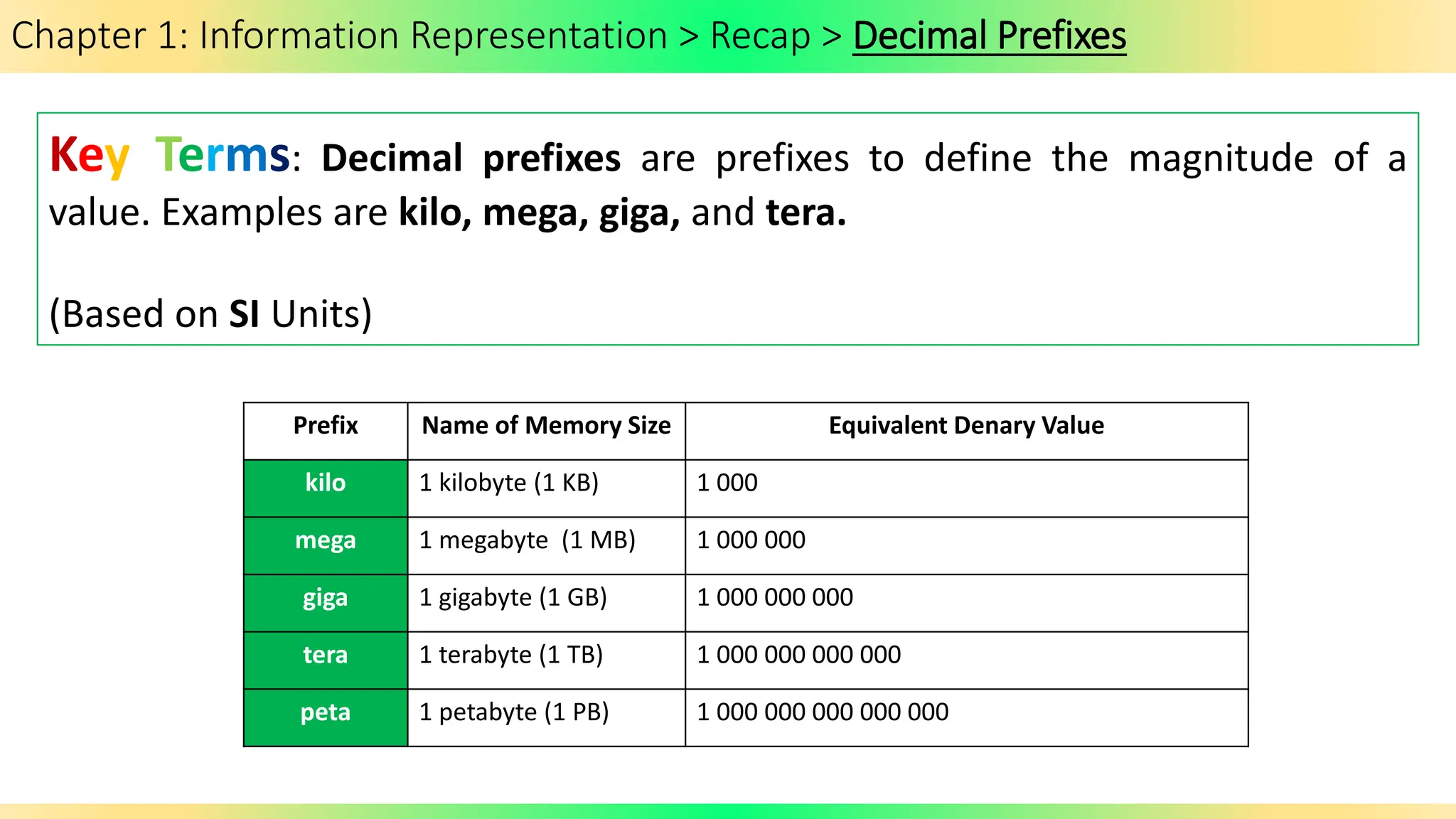
Chapter 1: Information Representation > Recap > Decimal Prefixes
Key Terms: Decimal prefixes are prefixes to define the magnitude of a
value. Examples are kilo, mega, giga, and tera.
(Based on SI Units)
Prefix Name of Memory Size Equivalent Denary Value
kilo 1 kilobyte (1 KB) 1 000
mega 1 megabyte (1 MB) 1 000 000
giga 1 gigabyte (1 GB) 1 000 000 000
tera 1 terabyte (1 TB) 1 000 000 000 000
peta 1 petabyte (1 PB) 1 000 000 000 000 000
Chapter 1: Information Representation > Recap> Binary Prefixes
Key Terms: Binary prefixes are prefixes to define the magnitude
of a value. Examples are kibi, mebi, gibi, and tebi.
Prefix Name of Memory Size Number of bytes Equivalent denary value (bytes)
kibi 1 kibibyte (1 KiB) 210 1 024
mebi 1 mebibyte (1 MiB) 220 1 048 576
gibi 1 gibibyte (1 GiB) 230 1 073 741 824
tebi 1 tebibyte (1 TiB) 240 1 099 511 627 776
pebi 1 pebibyte (1 PiB) 250 1 125 899 906 842 624
Since memory sizes are measured in terms of powers of 2, the base 10 numbering system is technically
inaccurate, hence another system has been introduced.
(Based on IEE Units)
Chapter 1: Information Representation > Recap> Binary Prefixes
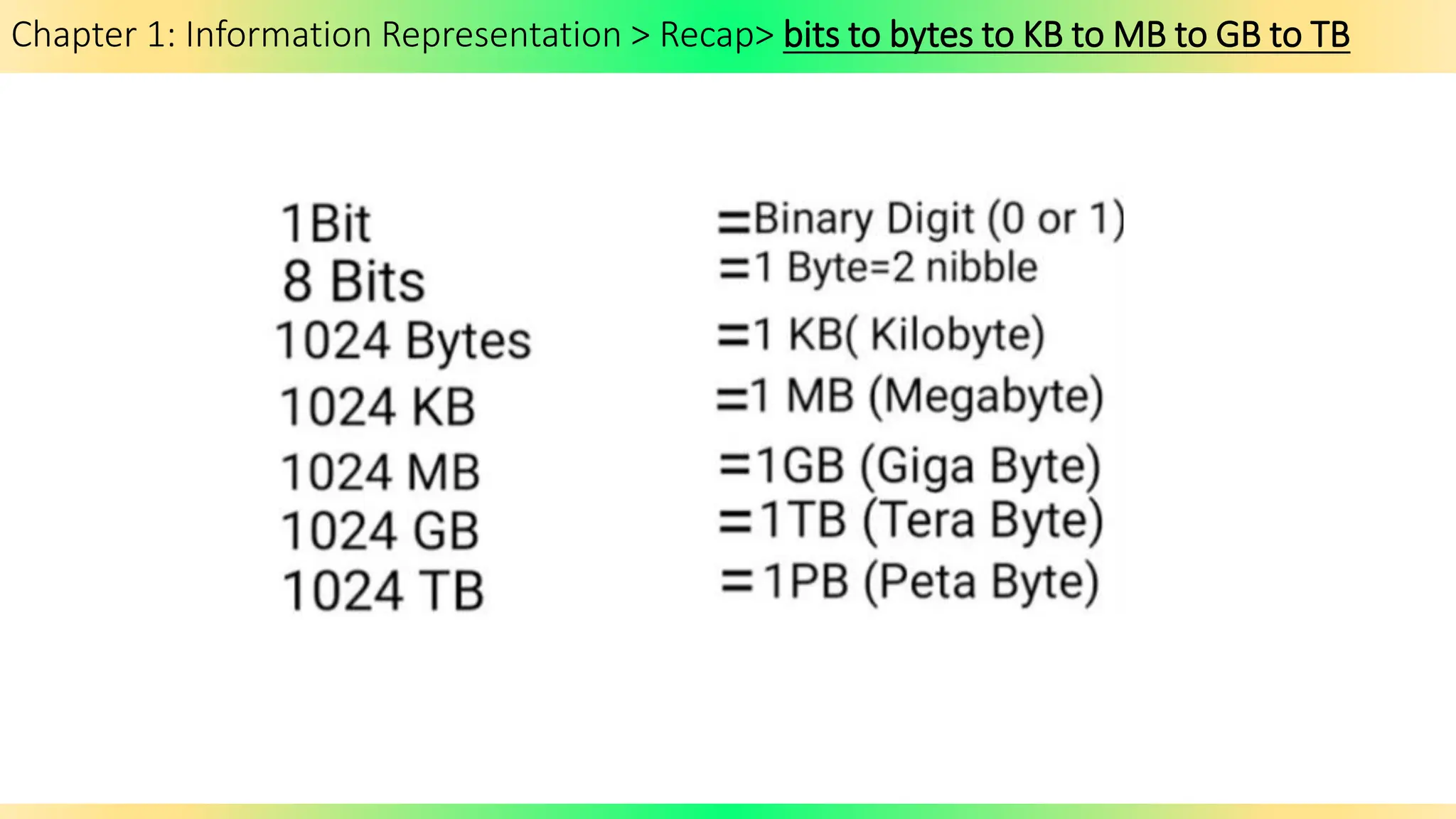
Chapter 1: Information Representation > Recap> bits to bytes to KB to MB to GB to TB
Chapter 1: Information Representation > 1.2: Multimedia > Encoding Bitmapped Images
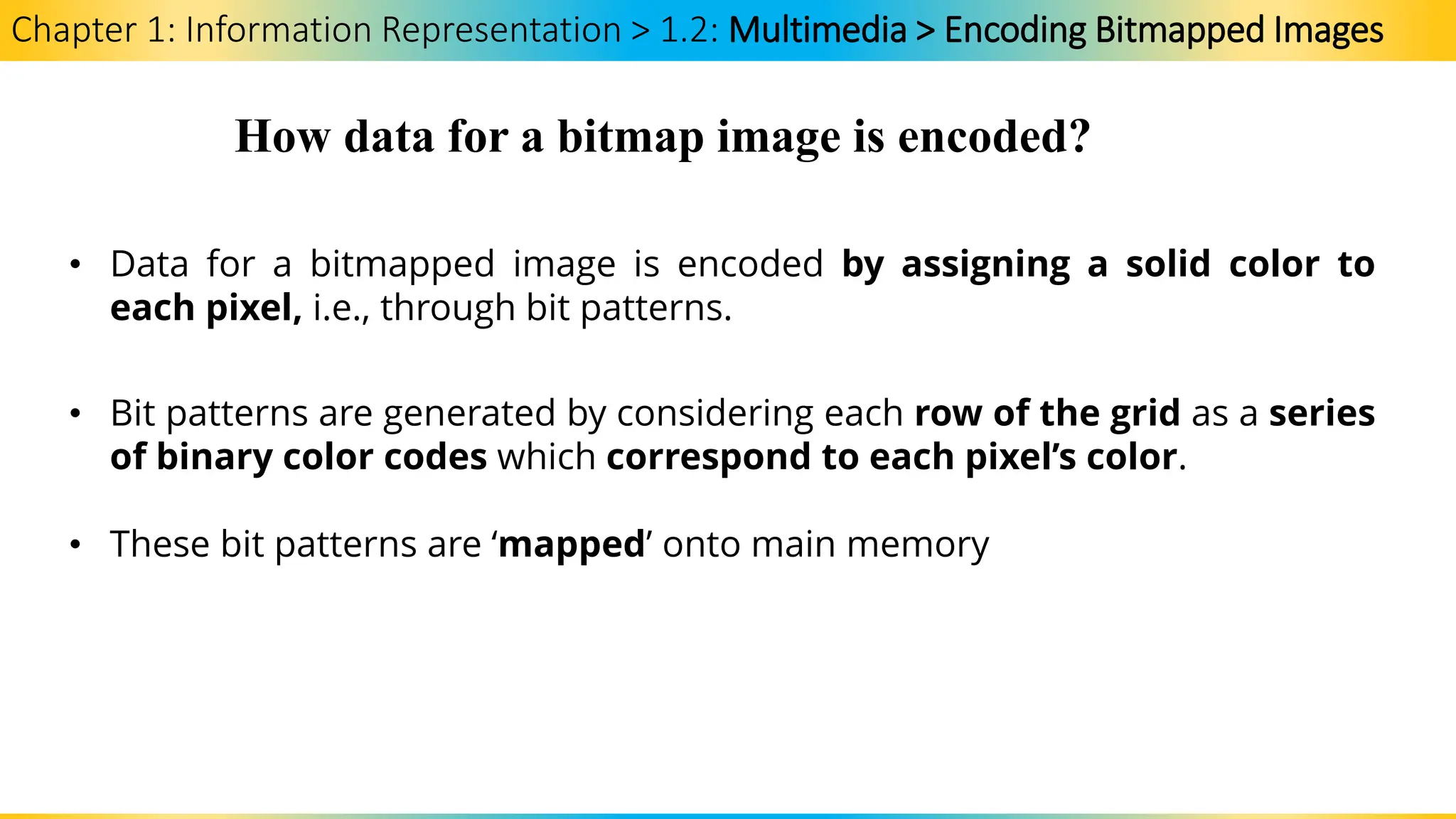
How data for a bitmap image is encoded?
• Data for a bitmapped image is encoded by assigning a solid color to
each pixel, i.e., through bit patterns.
• Bit patterns are generated by considering each row of the grid as a series
of binary color codes which correspond to each pixel’s color.
• These bit patterns are ‘mapped’ onto main memory
Chapter 1: Information Representation > 1.2: Multimedia > Encoding Bitmapped Images
How data for a bitmap image is encoded?
Watch the video for further explanation:
Digital Data: Image Encoding
https://www.youtube.com/watch?v=0TeQPizV1kg
While watching:
1. What is an image?
2. What is a bitmap?
3. What is the role of color lookup table?
Chapter 1: Information Representation > 1.2: Multimedia > Screen Resolution
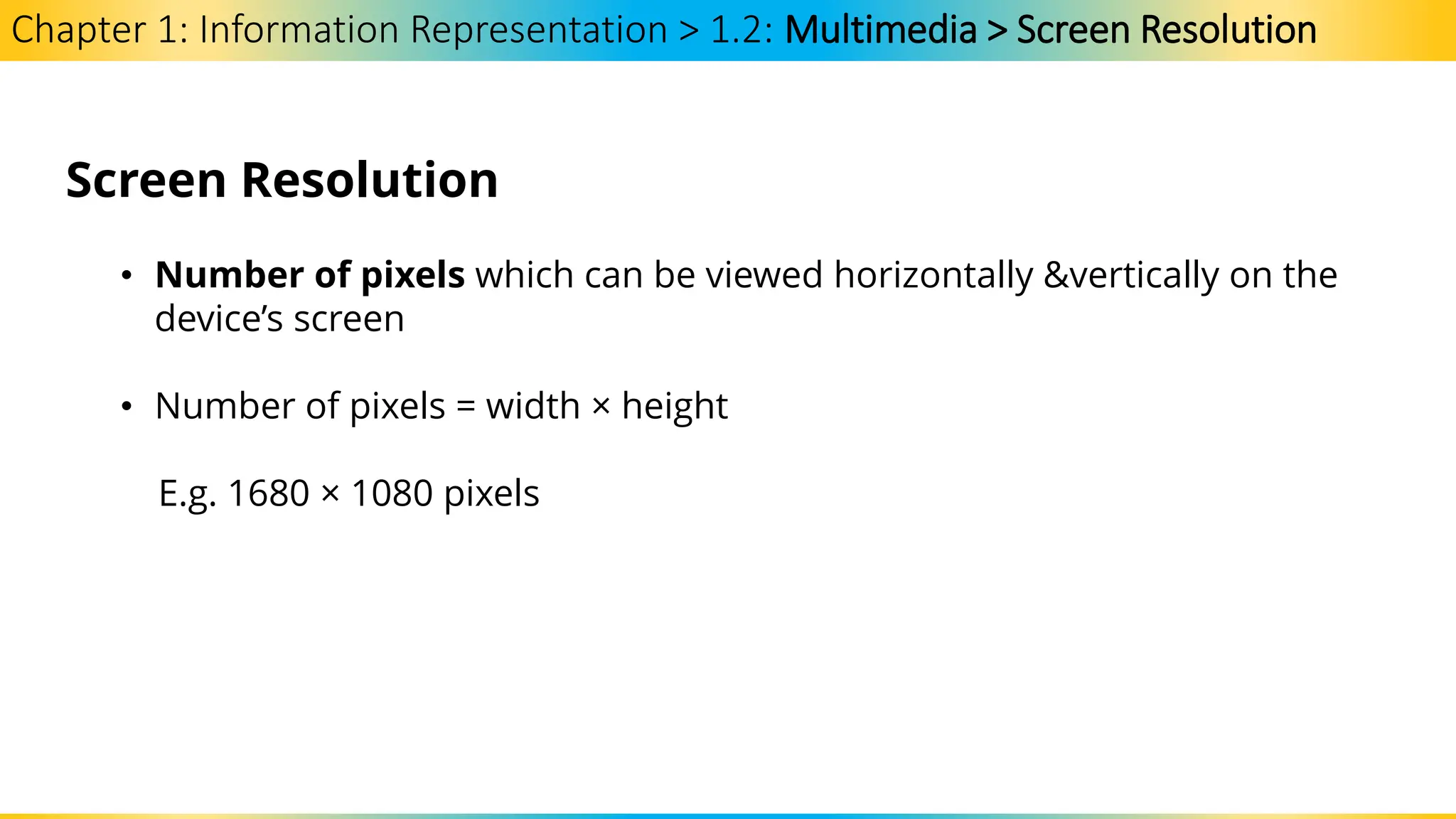
Screen Resolution
• Number of pixels which can be viewed horizontally &vertically on the
device’s screen
• Number of pixels = width × height
E.g. 1680 × 1080 pixels
Chapter 1: Information Representation > 1.2: Multimedia > Color Depth and File Size
Color Depth
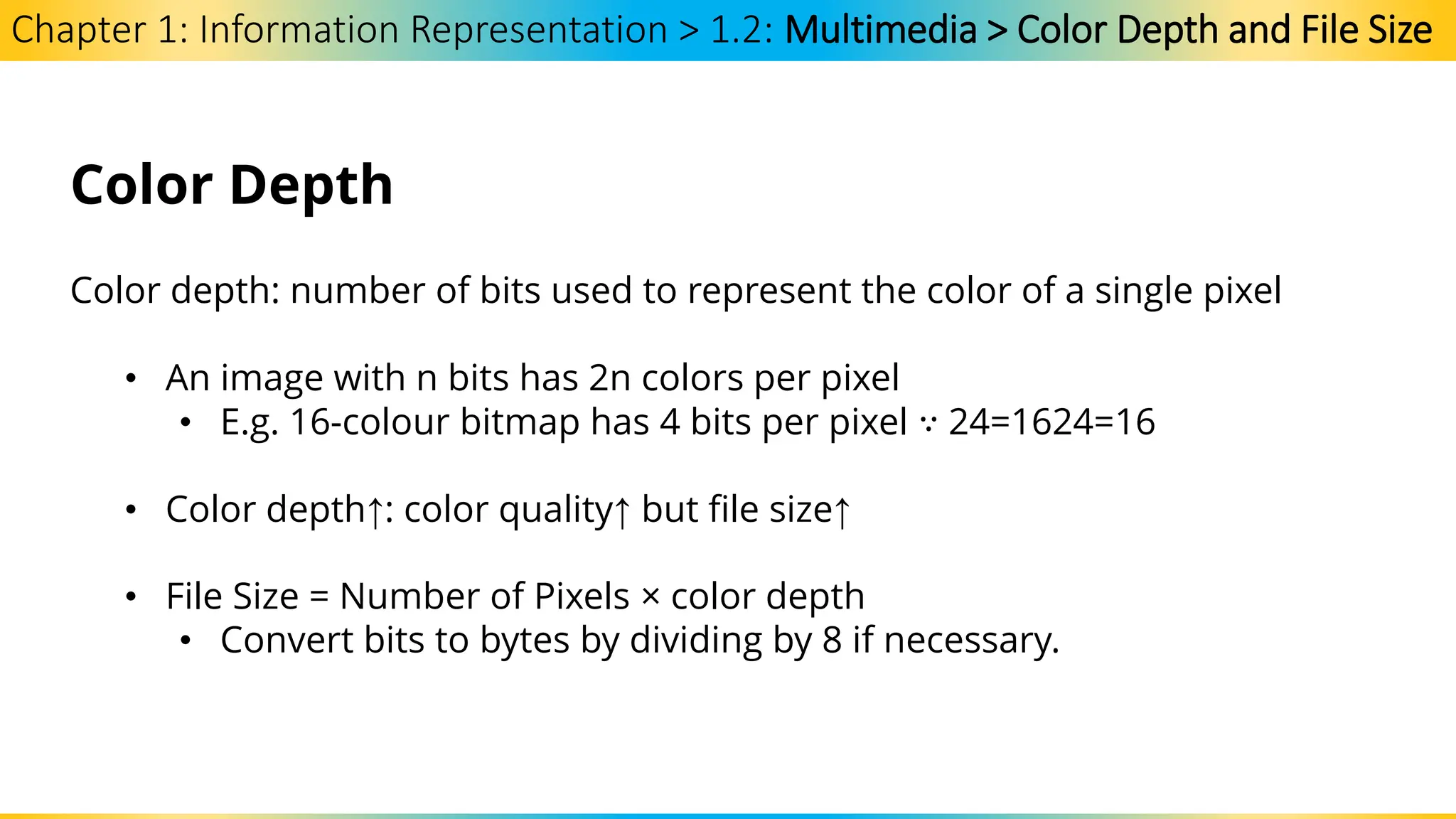
Color depth: number of bits used to represent the color of a single pixel
• An image with n bits has 2n colors per pixel
• E.g. 16-colour bitmap has 4 bits per pixel ∵ 24=1624=16
• Color depth↑: color quality↑ but file size↑
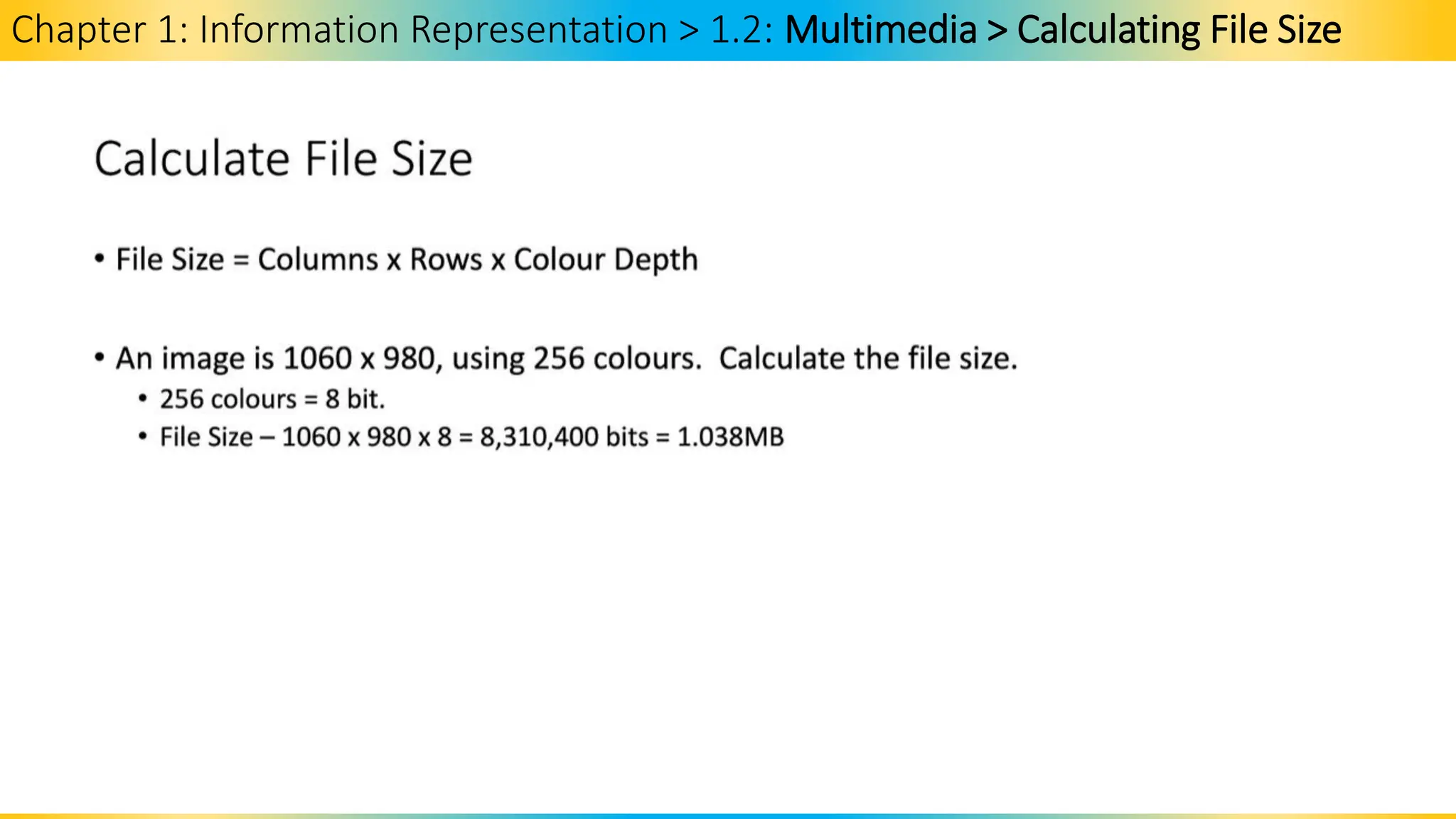
• File Size = Number of Pixels × color depth
• Convert bits to bytes by dividing by 8 if necessary.
Chapter 1: Information Representation > 1.2: Multimedia > Calculating File Size
Chapter 1: Information Representation > 1.2: Multimedia > Image Resolution
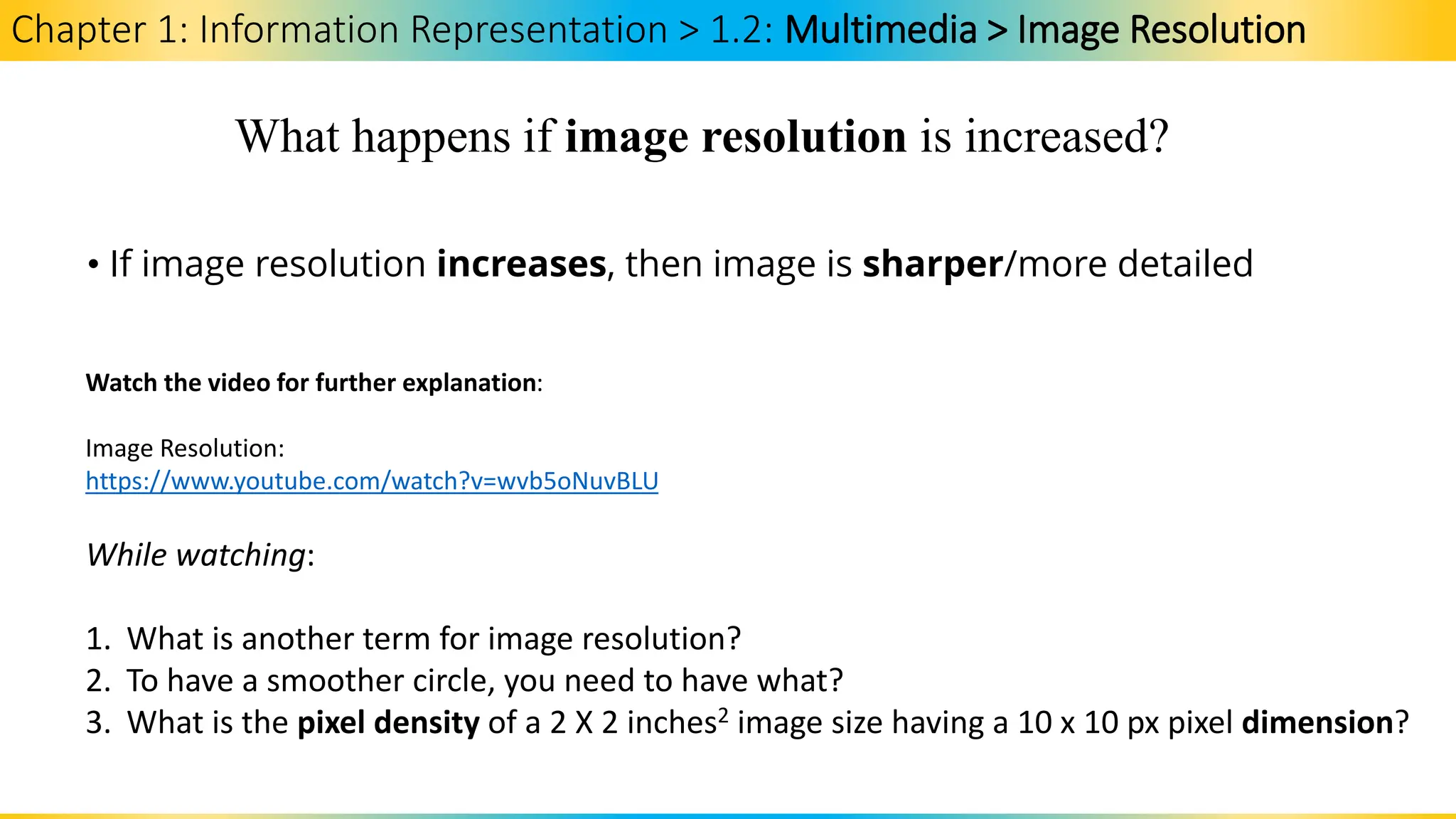
What happens if image resolution is increased?
• If image resolution increases, then image is sharper/more detailed
Watch the video for further explanation:
Image Resolution:
https://www.youtube.com/watch?v=wvb5oNuvBLU
While watching:
1. What is another term for image resolution?
2. To have a smoother circle, you need to have what?
3. What is the pixel density of a 2 X 2 inches2 image size having a 10 x 10 px pixel dimension?
Chapter 1: Information Representation
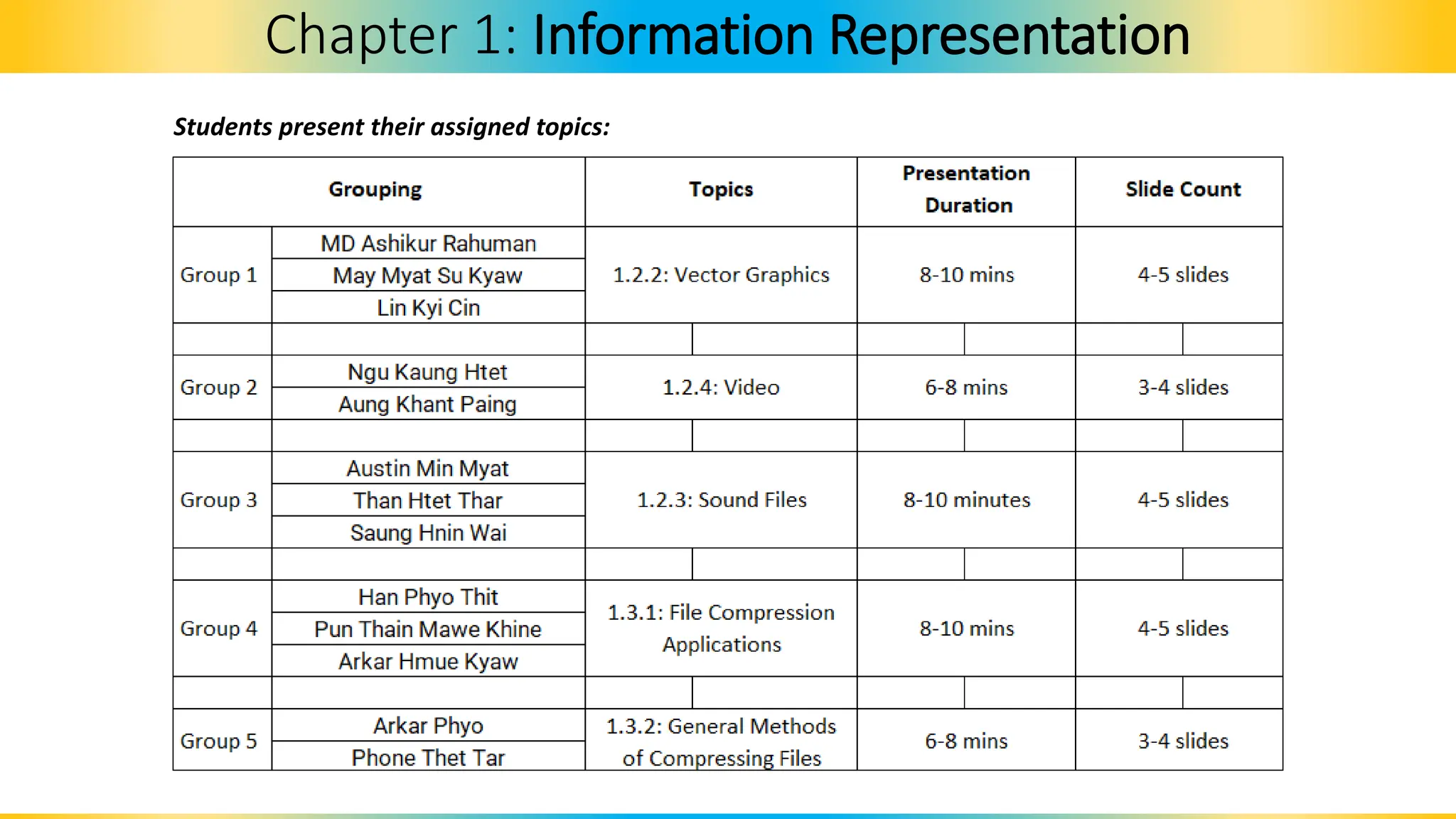
Students present their assigned topics:
1.2.2 Multimedia > Vector Images
Chapter 1: Information Representation
1.2.3 Multimedia > Sound
Chapter 1: Information Representation
1.2.4 Multimedia > Video
Chapter 1: Information Representation
1.3.1 Multimedia > File Compression
Chapter 1: Information Representation
1.3.1 File Compression > File Compression and Applications
Chapter 1: Information Representation
1.3.2 File Compression > General Methods of Compressing Files
Chapter 1: Information Representation
Past Paper Question (Paper 1)
• Perform CW8 by answering past paper questions.
Chapter 1: Information Representation

Chapter 1 - Information Representation.pdf

  • 1.
    Computer Science Prepare by:Merbert J. Jeruela, Brainworks-Total International School Based on 2024-2025 9618 AS/A Level Computer Science Syllabus
  • 2.
    Chapter 1: InformationRepresentation 1.1: Data Representation By the end of the lesson students will be able to:
  • 3.
    1.1: Data Representation Bythe end of the lesson students will be able to: Chapter 1: Information Representation
  • 4.
  • 11.
    Chapter 1: InformationRepresentation > 1.1 Data Representation > Binary Magnitude > Numbers and Quantities
  • 12.
    Chapter 1: InformationRepresentation > 1.1 Data Representation > Binary Magnitude Since binary number can have only two symbols either 0 or 1 for each position or bit, so it is not possible to add minus or plus symbols in front of a binary number. • Sign-Magnitude method • 1’s Complement method • 2’s complement method • The representation of signed binary number is commonly referred to as sign magnitude. 3 Ways to Represent Magnitude
  • 13.
    Chapter 1: InformationRepresentation > 1.1 Data Representation > Binary Magnitude > signed magnitude
  • 14.
    Chapter 1: InformationRepresentation > 1.1 Data Representation > Binary Magnitude > signed magnitude
  • 15.
    Chapter 1: InformationRepresentation > 1.1 Data Representation > Binary Magnitude > signed magnitude
  • 16.
    Chapter 1: InformationRepresentation > 1.1 Data Representation > Binary Magnitude > signed magnitude
  • 17.
    Chapter 1: InformationRepresentation > 1.1 Data Representation > Binary Magnitude > signed magnitude
  • 18.
    Chapter 1: InformationRepresentation > 1.1 Data Representation > Binary Magnitude > 1’s Complement
  • 19.
    Chapter 1: InformationRepresentation > 1.1 Data Representation > Binary Magnitude > 2’s Complement
  • 20.
    Chapter 1: InformationRepresentation > 1.1 Data Representation > Binary Magnitude > 2’s Complement
  • 21.
    Chapter 1: InformationRepresentation > 1.1 Data Representation > Binary Magnitude > 2’s Complement
  • 22.
    Chapter 1: InformationRepresentation > 1.1 Data Representation > Binary Magnitude > 2’s Complement
  • 23.
    Chapter 1: InformationRepresentation > 1.1 Data Representation > Binary Magnitude 1. Using 2’s complement method, show the process to convert (0101 1011)2 into its negative equivalent. Present your workings in the class.
  • 24.
    Chapter 1: InformationRepresentation > 1.1 Data Representation > Decimal Prefixes Key Terms: Decimal prefixes are prefixes to define the magnitude of a value. Examples are kilo, mega, giga, and tera. (Based on SI Units) Prefix Name of Memory Size Equivalent Denary Value kilo 1 kilobyte (1 KB) 1 000 mega 1 megabyte (1 MB) 1 000 000 giga 1 gigabyte (1 GB) 1 000 000 000 tera 1 terabyte (1 TB) 1 000 000 000 000 peta 1 petabyte (1 PB) 1 000 000 000 000 000
  • 25.
    Chapter 1: InformationRepresentation > 1.1 Data Representation > Binary Prefixes Key Terms: Binary prefixes are prefixes to define the magnitude of a value. Examples are kibi, mebi, gibi, and tebi. Prefix Name of Memory Size Number of bytes Equivalent denary value (bytes) kibi 1 kibibyte (1 KiB) 210 1 024 mebi 1 mebibyte (1 MiB) 220 1 048 576 gibi 1 gibibyte (1 GiB) 230 1 073 741 824 tebi 1 tebibyte (1 TiB) 240 1 099 511 627 776 pebi 1 pebibyte (1 PiB) 250 1 125 899 906 842 624 Since memory sizes are measured in terms of powers of 2, the base 10 numbering system is technically inaccurate, hence another system has been introduced. (Based on IEE Units)
  • 26.
    Chapter 1: InformationRepresentation > 1.1 Data Representation > Binary Prefixes How much a 4 MiB of RAM could store bytes of data? It could store 4 x 220 bytes of data.
  • 27.
    Chapter 1: InformationRepresentation > 1.1 Data Representation > Binary Coded Decimal Key Terms: Binary Coded Decimal (BCD) system uses 4-bit code to represent each denary digit. 0000 = 0 0101 = 5 0001 = 1 0110 = 6 0010 = 2 0111 = 7 0011 = 3 1000 = 8 0100 = 4 1001 = 9 So,
  • 28.
    Chapter 1: InformationRepresentation > 1.1 Data Representation > Binary Coded Decimal Can we consider as a BCD? 1010 = 10 1011 = 11 1100 = 12 1101 = 13 1110 = 14 1111 = 15 No, these are considered forbidden numbers and can not be used in BCD system. Why though?
  • 29.
    Chapter 1: InformationRepresentation > 1.1 Data Representation > Binary Coded Decimal Therefore, the denary number 3 1 6 5 would be 0011 0001 0110 0101 in BCD format.
  • 30.
    Chapter 1: InformationRepresentation > 1.1 Data Representation > Binary Coded Decimal What are the 2 ways to represent BCD in computers? Check your coursebook (Cambridge Press) at page 13.
  • 31.
    Chapter 1: InformationRepresentation > 1.1 Data Representation > Binary Coded Decimal 1. Convert these denary numbers into BCD format. a. 271 b. 5006 c. 7990 2. Convert these BCD numbers into denary numbers. a. 1001 0011 0111 b. 0111 0111 0110 0010 c. 0010 1111 1010
  • 32.
    Chapter 1: InformationRepresentation > 1.1 Data Representation > Adding Binary Numbers
  • 33.
    Chapter 1: InformationRepresentation > 1.1 Data Representation > Adding Binary Numbers
  • 34.
    Chapter 1: InformationRepresentation > 1.1 Data Representation > Adding Binary Numbers
  • 35.
    Chapter 1: InformationRepresentation > 1.1 Data Representation > Adding Binary Numbers
  • 36.
    Chapter 1: InformationRepresentation > 1.1 Data Representation > Adding Binary Numbers
  • 37.
    Chapter 1: InformationRepresentation > 1.1 Data Representation > Adding Binary Numbers
  • 38.
    Chapter 1: InformationRepresentation > 1.1 Data Representation > Adding Binary Numbers
  • 39.
    Chapter 1: InformationRepresentation > 1.1 Data Representation > Adding Binary Numbers 1. Carry out these binary additions and show if the answer matches its denary equivalent. a. 00111001 + 00101001 b. 01001011 + 00100011 c. 01011000 + 00101000
  • 40.
    Chapter 1: InformationRepresentation > 1.1 Data Representation > BCD Addition Extension Activity: Look into how to add BCD and give examples.
  • 41.
    Chapter 1: InformationRepresentation > 1.1 Data Representation > Uses of BCD Advantages Limitations Uses Easy conversion between machine- readable and human-readable numerals. Requires extra bits of storage in computer’s memory. Used in digital displays such as in calculators and digital clocks. To get around the size limitations imposed on integer arithmetic. Performing arithmetic can be cumbersome since no digit can exceed 9. Used in currency applications where floating point representation are inaccurate.
  • 42.
    Chapter 1: InformationRepresentation > 1.1 Data Representation > Uses of BCD Uses Used in digital displays such as in calculators and digital clocks. Used in currency applications where floating point representation are inaccurate. Homework 1: Uses of BCD • Explain how BCD is used in digital displays and currency applications?
  • 43.
    Chapter 1: InformationRepresentation > 1.1 Data Representation > Uses of Hexadecimal Number System
  • 44.
    Chapter 1: InformationRepresentation > 1.1 Data Representation > Uses of Hexadecimal Number System
  • 45.
    Chapter 1: InformationRepresentation > 1.1 Data Representation > Uses of Hexadecimal Number System
  • 46.
    Chapter 1: InformationRepresentation > 1.1 Data Representation > Uses of Hexadecimal Number System
  • 47.
    Chapter 1: InformationRepresentation > 1.1 Data Representation > Uses of Hexadecimal Number System
  • 48.
    Chapter 1: InformationRepresentation > 1.1 Data Representation > Uses of Hexadecimal Number System
  • 49.
    Chapter 1: InformationRepresentation > 1.1 Data Representation > Uses of Hexadecimal Number System
  • 50.
    Chapter 1: InformationRepresentation > 1.1 Data Representation > Uses of Hexadecimal Number System
  • 51.
    Chapter 1: InformationRepresentation > 1.1 Data Representation > Uses of Hexadecimal Number System
  • 52.
    Chapter 1: InformationRepresentation > 1.1 Data Representation > Uses of Hexadecimal Number System
  • 53.
    Chapter 1: InformationRepresentation > 1.1 Data Representation > Uses of Hexadecimal Number System
  • 54.
    Chapter 1: InformationRepresentation > 1.1 Data Representation > Uses of Hexadecimal Number System
  • 55.
    Chapter 1: InformationRepresentation > 1.1 Data Representation > Uses of Hexadecimal Number System
  • 56.
    Chapter 1: InformationRepresentation > 1.1 Data Representation > Binary Subtraction How to subtract binary numbers?
  • 57.
    Chapter 1: InformationRepresentation > 1.1 Data Representation > Subracting Binary Numbers Subtracting Binary Numbers Rules when subtracting binary numbers Binary subtraction Borrow Difference 0 - 0 0 - 1 1 - 0 1 - 1 0 1 0 0 0 1 1 0
  • 58.
    Chapter 1: InformationRepresentation > 1.1 Data Representation > Subtracting Binary Numbers
  • 59.
    Chapter 1: InformationRepresentation > 1.1 Data Representation > Subtracting Binary Numbers
  • 60.
    Chapter 1: InformationRepresentation > 1.1 Data Representation > Subtracting Binary Numbers > 2’s Complement Binary Subtraction Using 2's Complement Step 1: Find the 1's complement of the subtrahend, which means the second number of subtraction. Step 2: Add it with the minuend or the first number. Step 3: If there is a carryover left then add it with the result obtained from step 2. Step 4: If there are no carryovers, then the result obtained in step 2 is the difference of the two numbers using 1's complement binary subtraction.
  • 61.
    Chapter 1: InformationRepresentation > 1.1 Data Representation > Subtracting Binary Numbers Let us understand this with an example. Subtract 1100102 - 1001012 using 1's complement. Here the binary equivalent of 50 is 1100102 and the binary equivalent of 37 is 1001012.
  • 62.
    Chapter 1: InformationRepresentation > 1.1 Data Representation > Subtracting Binary Numbers Let us understand this with an example. Subtract 1100102 - 1001012 using 1's complement. Here the binary equivalent of 50 is 1101012 and the binary equivalent of 37 is 1001012.
  • 63.
    Chapter 1: InformationRepresentation > 1.1 Data Representation > Subtracting Binary Numbers With a partner, perform the following binary operation using the binary numbers given below: 1. Borrowing Method: 2. 2’s Complement method: 1 0 0 0 0 1 1 1 0 1 1 1 0 1 0 - __________________
  • 64.
    Chapter 1: InformationRepresentation > 1.1 Data Representation > ASCII
  • 65.
    Chapter 1: InformationRepresentation > 1.1 Data Representation > Extended ASCII
  • 66.
    Chapter 1: InformationRepresentation > 1.1 Data Representation > Extended ASCII
  • 67.
    Chapter 1: InformationRepresentation > 1.1 Data Representation > Extended ASCII
  • 68.
    Chapter 1: InformationRepresentation > 1.1 Data Representation > Extended ASCII
  • 69.
    Chapter 1: InformationRepresentation > 1.1 Data Representation > UNICODE Extension Activity: Look into how a UNICODE look like.
  • 70.
    Chapter 1: InformationRepresentation > 1.1 Data Representation > UNICODE
  • 71.
    Chapter 1: InformationRepresentation > 1.1 Data Representation > Similarities and Differences Between ASCII and UNICODE ASCII vs UNICODE
  • 72.
    Chapter 1: InformationRepresentation > 1.1: Data Representation End of Chapter 1.1: Data Representation
  • 73.
    Chapter 1: InformationRepresentation 1.2: Multimedia By the end of the lesson students will be able to:
  • 74.
    1.2: Multimedia By theend of the lesson students will be able to: Chapter 1: Information Representation
  • 75.
    1.2.1. Multimedia >Bitmap Images Chapter 1: Information Representation
  • 76.
    Bit-map Image A systemthat uses pixels to make up an image.
  • 77.
  • 78.
    File Header Bitmap imagealso contains the File Header which has the metadata contents of the bitmap file, including image size, number of colors, etc.
  • 79.
    Image Resolution Number ofpixels that make up an image, for example, an image could contain 4096 x 3192 pixels (12,738,656 pixels in total).
  • 80.
    Screen Resolution • Numberof horizontal and vertical pixels that make up a screen display. • If screen resolution is smaller than image resolution, the whole image can not be shown on the screen.
  • 81.
    Color Depth Number ofbits used to represent the colors in a pixel. 8 bit color depth can represent 28 = 256 colors.
  • 82.
    Bit Depth • Numberof bits used to represent the smallest unit in sound or image file. • The larger the bit depth, the better the quality.
  • 83.
    Chapter 1: InformationRepresentation > Recap > Decimal Prefixes Key Terms: Decimal prefixes are prefixes to define the magnitude of a value. Examples are kilo, mega, giga, and tera. (Based on SI Units) Prefix Name of Memory Size Equivalent Denary Value kilo 1 kilobyte (1 KB) 1 000 mega 1 megabyte (1 MB) 1 000 000 giga 1 gigabyte (1 GB) 1 000 000 000 tera 1 terabyte (1 TB) 1 000 000 000 000 peta 1 petabyte (1 PB) 1 000 000 000 000 000
  • 84.
    Chapter 1: InformationRepresentation > Recap> Binary Prefixes Key Terms: Binary prefixes are prefixes to define the magnitude of a value. Examples are kibi, mebi, gibi, and tebi. Prefix Name of Memory Size Number of bytes Equivalent denary value (bytes) kibi 1 kibibyte (1 KiB) 210 1 024 mebi 1 mebibyte (1 MiB) 220 1 048 576 gibi 1 gibibyte (1 GiB) 230 1 073 741 824 tebi 1 tebibyte (1 TiB) 240 1 099 511 627 776 pebi 1 pebibyte (1 PiB) 250 1 125 899 906 842 624 Since memory sizes are measured in terms of powers of 2, the base 10 numbering system is technically inaccurate, hence another system has been introduced. (Based on IEE Units)
  • 85.
    Chapter 1: InformationRepresentation > Recap> Binary Prefixes Chapter 1: Information Representation > Recap> bits to bytes to KB to MB to GB to TB
  • 86.
    Chapter 1: InformationRepresentation > 1.2: Multimedia > Encoding Bitmapped Images How data for a bitmap image is encoded? • Data for a bitmapped image is encoded by assigning a solid color to each pixel, i.e., through bit patterns. • Bit patterns are generated by considering each row of the grid as a series of binary color codes which correspond to each pixel’s color. • These bit patterns are ‘mapped’ onto main memory
  • 87.
    Chapter 1: InformationRepresentation > 1.2: Multimedia > Encoding Bitmapped Images How data for a bitmap image is encoded? Watch the video for further explanation: Digital Data: Image Encoding https://www.youtube.com/watch?v=0TeQPizV1kg While watching: 1. What is an image? 2. What is a bitmap? 3. What is the role of color lookup table?
  • 88.
    Chapter 1: InformationRepresentation > 1.2: Multimedia > Screen Resolution Screen Resolution • Number of pixels which can be viewed horizontally &vertically on the device’s screen • Number of pixels = width × height E.g. 1680 × 1080 pixels
  • 89.
    Chapter 1: InformationRepresentation > 1.2: Multimedia > Color Depth and File Size Color Depth Color depth: number of bits used to represent the color of a single pixel • An image with n bits has 2n colors per pixel • E.g. 16-colour bitmap has 4 bits per pixel ∵ 24=1624=16 • Color depth↑: color quality↑ but file size↑ • File Size = Number of Pixels × color depth • Convert bits to bytes by dividing by 8 if necessary.
  • 90.
    Chapter 1: InformationRepresentation > 1.2: Multimedia > Calculating File Size
  • 91.
    Chapter 1: InformationRepresentation > 1.2: Multimedia > Image Resolution What happens if image resolution is increased? • If image resolution increases, then image is sharper/more detailed Watch the video for further explanation: Image Resolution: https://www.youtube.com/watch?v=wvb5oNuvBLU While watching: 1. What is another term for image resolution? 2. To have a smoother circle, you need to have what? 3. What is the pixel density of a 2 X 2 inches2 image size having a 10 x 10 px pixel dimension?
  • 92.
    Chapter 1: InformationRepresentation Students present their assigned topics:
  • 93.
    1.2.2 Multimedia >Vector Images Chapter 1: Information Representation
  • 94.
    1.2.3 Multimedia >Sound Chapter 1: Information Representation
  • 95.
    1.2.4 Multimedia >Video Chapter 1: Information Representation
  • 96.
    1.3.1 Multimedia >File Compression Chapter 1: Information Representation
  • 97.
    1.3.1 File Compression> File Compression and Applications Chapter 1: Information Representation
  • 98.
    1.3.2 File Compression> General Methods of Compressing Files Chapter 1: Information Representation
  • 99.
    Past Paper Question(Paper 1) • Perform CW8 by answering past paper questions. Chapter 1: Information Representation