The document provides an overview of various control statements in Java including if/else statements, switch statements, loops (for, while, do-while), break, continue statements, and nested loops. It includes code examples to demonstrate how to use each control structure and discusses variations like nested if/switch statements, empty loops, and declaring loop variables inside the for statement.
![• When the user presses Enter then the value
from buffer will be sent to your program.
Import java.io.*;
class KeyBoardInput{
public static void main(String args[]) throws IOException
{
char ch;
System.out.println("Press a key followed by a letter:");
ch=(char) System.in.read();
System.out.println("Enter letter is :"+ch);
}//end of main
}//end of class](https://image.slidesharecdn.com/chap4controlstatements-150629132741-lva1-app6892/85/Control-statements-4-320.jpg)
![The if statement
if(condition)
{
statement;
}
class IfExam {
public static void main(String args[]){
int x = 10;
if( x < 20 ){
System.out.print("This is if
statement");
}
}
}](https://image.slidesharecdn.com/chap4controlstatements-150629132741-lva1-app6892/85/Control-statements-5-320.jpg)
![If else statement
public class IfElseExam {
public static void
main(String args[]){
int x = 30;
if( x < 20 ){
System.out.print("This
is if statement");
}else{
System.out.print("This
is else statement");
}
}
}
if(condition)
{
statement;
}
else
{
statement;
}](https://image.slidesharecdn.com/chap4controlstatements-150629132741-lva1-app6892/85/Control-statements-6-320.jpg)
![The if else if ladder
if(condition)
Statement;
else if(condition)
Statement;
else if(Condition)
Statement;
….
else
Statement;
class IfElseIfLadder {
public static void main(String args[]){
int x = 30;
if( x == 10 )
System.out.print("Value of X is 10");
else if( x == 20 )
System.out.print("Value of X is 20");
else if( x == 30 )
System.out.print("Value of X is 30");
else
System.out.print("This is else
statement");
}
}](https://image.slidesharecdn.com/chap4controlstatements-150629132741-lva1-app6892/85/Control-statements-7-320.jpg)
![Nested If statements
• An if statement that is the target of another if or else
class NestedIF {
public static void main(String args[]){
int x = 30, y = 10;
if( x == 30 ){
if( y == 10 )
System.out.print("X = 30 and Y = 10");
else
System.out.println("Y is not 10”);
}
}
}](https://image.slidesharecdn.com/chap4controlstatements-150629132741-lva1-app6892/85/Control-statements-8-320.jpg)
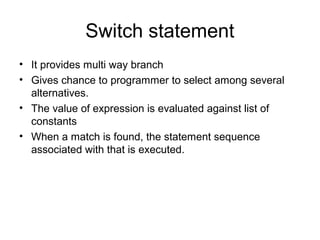
![switch(expression)
{
case constant1 :
Statements
break; //optional
case constant2 :
Statements
break;//optional
……
default : Statements
}
class Result {
public static void main(String args[]){
char grade = 'C';
switch(grade)
{
case 'A' :
System.out.println("Excellent!");
break;
case 'B' :
case 'C' :System.out.println("Well
done");
break;
case 'D' :System.out.println("You
passed");
case 'F' :System.out.println("Better try
again");
break;
default : System.out.println("Invalid
grade");
}
System.out.println("Your grade is " +
grade);
}
}](https://image.slidesharecdn.com/chap4controlstatements-150629132741-lva1-app6892/85/Control-statements-10-320.jpg)
![Nested switch statement
• Switch part of the
statement sequence of
an outer switch
• Even if the case
constants of inner and
outer switch
statements contain
common values no
conflicts will arise
class NestedSwitchExample {
public static void main(String[] args) {
int i = 0,j = 1;
switch(i)
{
case 0:switch(j)
{
case 0: System.out.println("i is 0, j is 0");
break;
case 1: System.out.println("i is 0, j is 1");
break;
default: System.out.println("nested default
case!!");
}//end of inner switch
break;
default: System.out.println("No matching case
found!!");
} //end of outer switch
}//end of main
}//end of class](https://image.slidesharecdn.com/chap4controlstatements-150629132741-lva1-app6892/85/Control-statements-11-320.jpg)
![The For loop
for(intialization;condition;iteration)
{
Statement;
}
class ForLoop {
public static void main(String args[]) {
for(int x = 1; x < 5; x++) {
System.out.println("value of x : " + x );
}
}
}](https://image.slidesharecdn.com/chap4controlstatements-150629132741-lva1-app6892/85/Control-statements-12-320.jpg)
![Some variations of for loop
• Multiple loop control varaibles can be used.
class Comma{
public static void main(String args[])
{
int i,j;
for(i=0,j=10;i<j;i++,j--)
System.out.println("i="+i+" j="+j);
}//end of main
}//end of class](https://image.slidesharecdn.com/chap4controlstatements-150629132741-lva1-app6892/85/Control-statements-13-320.jpg)
![• Condition controlling variable can be
any valid boolean expression
import java.io.*;
class ForTest {
public static void main(String args[]) throws
IOException {
for(int x = 0; (char)System.in.read() !='S'; x++)
System.out.println("Pass #" + x );
}
}](https://image.slidesharecdn.com/chap4controlstatements-150629132741-lva1-app6892/85/Control-statements-14-320.jpg)
![• Missing pieces
• In java, any or all of the initialization, condition or
iteration portions of the for loop can be blank.
class Empty {
public static void main(String args[]) {
int x = 0;
for(;x<10;) {
System.out.println("Pass #" + x );
x++;
}
}
}](https://image.slidesharecdn.com/chap4controlstatements-150629132741-lva1-app6892/85/Control-statements-15-320.jpg)
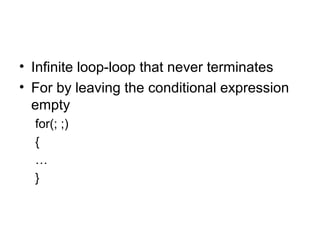
![Loops with no body
• Body of the for loop can be empty
• Null statement is syntactically valid
• Body less loops are less often used.
class Nobody{
public static void main(String args[])
{
int i,sum=0;
for(i=1;i<=5;sum+=i++); //sum+=i and then i++
System.out.println(“Sum is “+sum);
}
}](https://image.slidesharecdn.com/chap4controlstatements-150629132741-lva1-app6892/85/Control-statements-17-320.jpg)
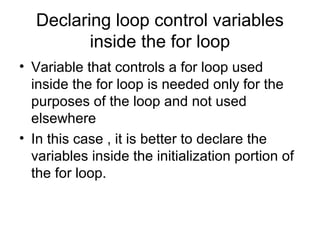
![class ForVar{
public static void main(String args[])
{
int sum=0,fact=1;
for(int i=1;i<=5;i++)
{
sum+=i;
fact*=i;
}//end of for loop
System.out.print("Sum:"+sum+"nFactorial :"+fact);
}//end of main
}//end of class](https://image.slidesharecdn.com/chap4controlstatements-150629132741-lva1-app6892/85/Control-statements-19-320.jpg)
![Enhanced for loop
for (datatype variable: array_name)
{
//body of the for loop
}
class EnhancedForLoop {
public static void main(String[] args) {
int primes[] = { 2, 3, 5, 7, 11, 13, 17};
for (int t: primes)
System.out.println(t);
}
}
class EnhancedForLoop1{
public static void main(String[] args) {
String languages[] = { "C", "C++", "Java", "Python",
"Ruby"};
for (String sample: languages) {
System.out.println(sample);
}
}
}](https://image.slidesharecdn.com/chap4controlstatements-150629132741-lva1-app6892/85/Control-statements-20-320.jpg)
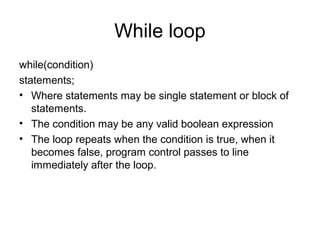
![class WhileDemo{
public static void main(String args[]){
char ch='a';
while(ch<='d'){
System.out.println(ch);
ch++;
}//end of while loop
}//end of main
}//end of class](https://image.slidesharecdn.com/chap4controlstatements-150629132741-lva1-app6892/85/Control-statements-22-320.jpg)
![Do while loop
do{
Statements;
}while(condition);
• It will execute as long
as condition is true.
import java.io.*;
class DWdemo
{
public static void main(String args[])
throws IOException
{
char ch='a';
do
{
System.out.println(ch);
ch++;
}while(ch!='d');
}
}](https://image.slidesharecdn.com/chap4controlstatements-150629132741-lva1-app6892/85/Control-statements-23-320.jpg)
![Break statement
• When a break statement is encountered inside a loop,
the loop is terminated and program resumes at the next
statement followed by the loop.
class BreakDemo{
public static void main(String args[]){
int num=100;
for(int i=0;i<num;i++)
{
if(i*i>=num)
break;
System.out.print(i+ " ");
}
System.out.print("Loop complete");
}
}](https://image.slidesharecdn.com/chap4controlstatements-150629132741-lva1-app6892/85/Control-statements-24-320.jpg)
![Use break as goto statement
class BreakGoto{
public static void main(String args[]){
int i;
for(i=1;i<4;i++)
{
one: {
two:{
three:{System.out.println("n i is "+i);
if(i==1) break one;
if(i==2) break two;
if(i==3) break three;
//this is never executed
System.out.print("wrong statement");
}System.out.println("After block three");
}System.out.println("After block two");
}System.out.println("After block one");
}System.out.println("After for statement");
}
}](https://image.slidesharecdn.com/chap4controlstatements-150629132741-lva1-app6892/85/Control-statements-25-320.jpg)
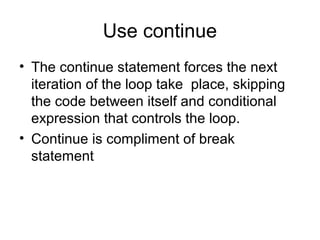
![class ContinueDemo{
public static void main(String args[]){
int i;
for(i=0;i<=10;i++)
{
if((i%2)!=0) continue;
System.out.println(i);
}
}
}](https://image.slidesharecdn.com/chap4controlstatements-150629132741-lva1-app6892/85/Control-statements-27-320.jpg)
![Nested loops
• One loop nested inside of another loop
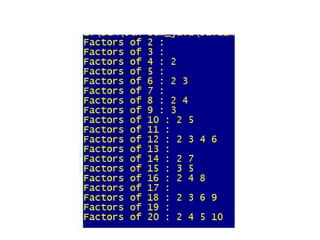
• Nested for loop to find the factors of the numbers from 2 to 20
class FindFac{
public static void main(String args[]){
for(int i=2;i<=20;i++) {
System.out.print("Factors of "+i+" : ");
for(int j=2;j<i;j++)
if((i%j)==0) System.out.print(j+" ");
System.out.println();
}
}
}](https://image.slidesharecdn.com/chap4controlstatements-150629132741-lva1-app6892/85/Control-statements-28-320.jpg)