FLOW OF CONTROL

The flow of control jumps from one part of the
program to another,depending on calculations
performed in the program.

Program statements that cause such jumps are
 called control statements. There are two major
categories: loops and decisions.
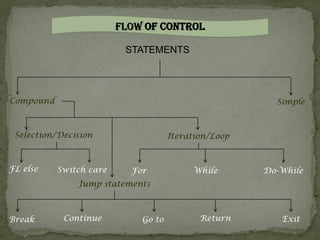
FLOW OF CONTROL

                          STATEMENTS


Compound                                                Simple


 Selection/Decision                  Iteration/Loop


FL else    Switch care     For            While       Do-While
               Jump statements


Break       Continue         Go to          Return       Exit
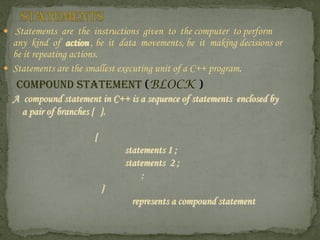
 Statements are the instructions given to the computer to perform
  any kind of action , be it data movements, be it making decisions or
  be it repeating actions.
 Statements are the smallest executing unit of a C++ program.
   COMPOUND STATEMENT (BLOCK )
  A compound statement in C++ is a sequence of statements enclosed by
    a pair of branches { }.

                      {
                              statements 1 ;
                              statements 2 ;
                                  :
                          }
                                represents a compound statement
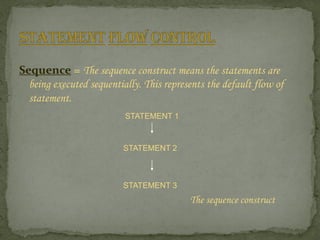
Sequence = The sequence construct means the statements are
  being executed sequentially. This represents the default flow of
  statement.
                          STATEMENT 1


                         STATEMENT 2


                         STATEMENT 3
                                          The sequence construct
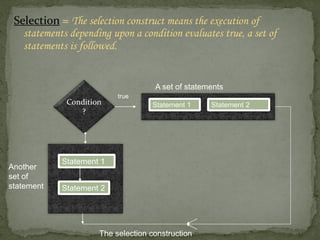
Selection = The selection construct means the execution of
   statements depending upon a condition evaluates true, a set of
   statements is followed.


                                    A set of statements
                          true
             Condition             Statement 1     Statement 2
                ?


            Statement 1
Another
set of
statement   Statement 2


                     The selection construction
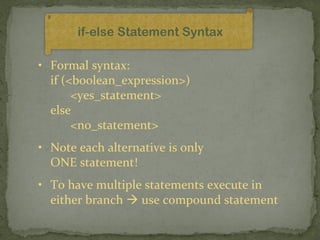
if-else Statement Syntax

• Formal syntax:
  if (<boolean_expression>)
       <yes_statement>
  else
       <no_statement>
• Note each alternative is only
  ONE statement!
• To have multiple statements execute in
  either branch  use compound statement
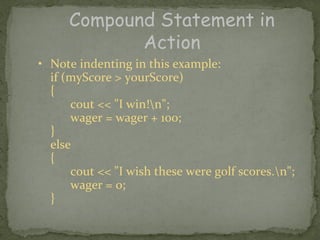
Compound Statement in
            Action
• Note indenting in this example:
  if (myScore > yourScore)
  {
      cout << "I win!n";
      wager = wager + 100;
  }
  else
  {
      cout << "I wish these were golf scores.n";
      wager = 0;
  }
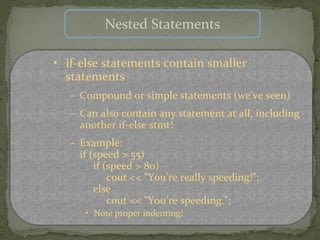
Nested Statements

• if-else statements contain smaller
  statements
  – Compound or simple statements (we’ve seen)
  – Can also contain any statement at all, including
    another if-else stmt!
  – Example:
    if (speed > 55)
        if (speed > 80)
            cout << "You’re really speeding!";
        else
            cout << "You’re speeding.";
     • Note proper indenting!
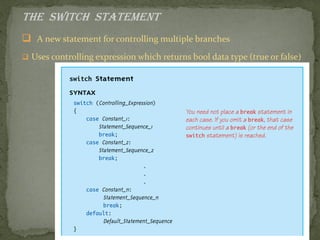
The switch Statement
 A new statement for controlling multiple branches
 Uses controlling expression which returns bool data type (true or false)
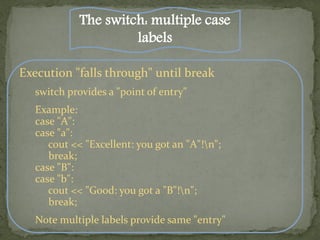
The switch: multiple case
                      labels

Execution "falls through" until break
   switch provides a "point of entry"
   Example:
   case "A":
   case "a":
      cout << "Excellent: you got an "A"!n";
      break;
   case "B":
   case "b":
      cout << "Good: you got a "B"!n";
      break;
   Note multiple labels provide same "entry"
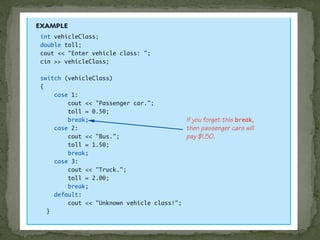
Switch Pitfalls/Tip


Forgetting the break;
   No compiler error
   Execution simply "falls through" other cases until break;
Biggest use: MENUs
   Provides clearer "big-picture" view
   Shows menu structure effectively
   Each branch is one menu choice
LOOP


Loops cause a section of your program to be repeated
a certain number of times. The repetition continues while
 a condition is true. When the condition becomes false,
the loop ends and control passes to the statements
following the loop.
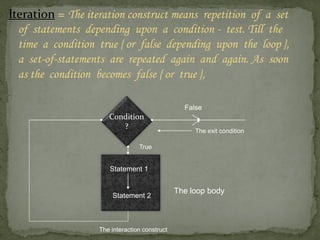
Iteration = The iteration construct means repetition of a set
  of statements depending upon a condition - test. Till the
  time a condition true { or false depending upon the loop },
  a set-of-statements are repeated again and again. As soon
  as the condition becomes false { or true },

                                                 False
                      Condition
                         ?
                                                    The exit condition

                                 True


                      Statement 1


                                               The loop body
                       Statement 2


                   The interaction construct
3 Types of loops in C++
       for
           Natural "counting" loop
      do-while
           Least flexible
           Always executes loop body
           at least on
      while
           Most flexible
           No “restrictions”
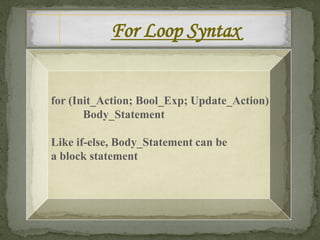
For Loop Syntax


for (Init_Action; Bool_Exp; Update_Action)
       Body_Statement

Like if-else, Body_Statement can be
a block statement
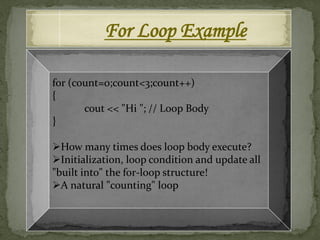
For Loop Example

for (count=0;count<3;count++)
{
       cout << "Hi "; // Loop Body
}

How many times does loop body execute?
Initialization, loop condition and update all
"built into" the for-loop structure!
A natural "counting" loop
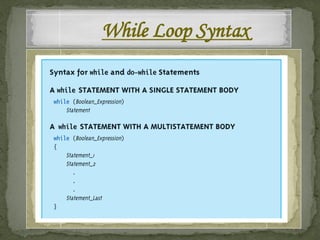
While Loop Syntax
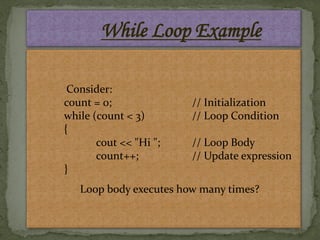
While Loop Example

 Consider:
count = 0;              // Initialization
while (count < 3)       // Loop Condition
{
       cout << "Hi ";   // Loop Body
       count++;         // Update expression
}
   Loop body executes how many times?
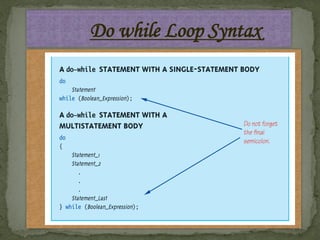
Do while Loop Syntax
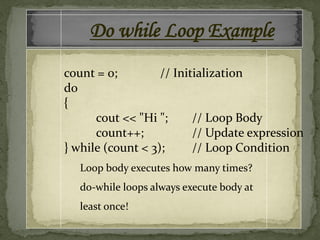
Do while Loop Example
count = 0;         // Initialization
do
{
      cout << "Hi ";      // Loop Body
      count++;            // Update expression
} while (count < 3);      // Loop Condition
   Loop body executes how many times?
   do-while loops always execute body at
   least once!
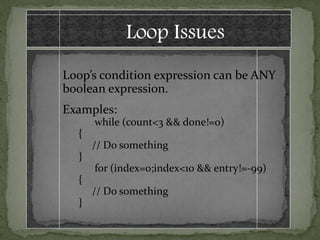
Loop Issues
Loop’s condition expression can be ANY
boolean expression.
Examples:
      while (count<3 && done!=0)
  {
      // Do something
  }
      for (index=0;index<10 && entry!=-99)
  {
      // Do something
  }
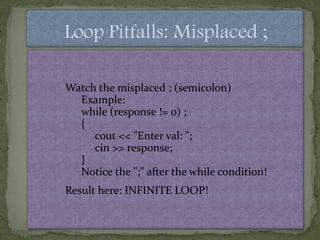
Loop Pitfalls: Misplaced ;

Watch the misplaced ; (semicolon)
  Example:
  while (response != 0) ;
  {
     cout << "Enter val: ";
     cin >> response;
  }
  Notice the ";" after the while condition!
Result here: INFINITE LOOP!
Loop Pitfalls: Infinite Loops


Loop condition must evaluate to false at
some iteration through loop
   If not  infinite loop.
   Example:
   while (1)
   {
       cout << "Hello ";
   }
   A perfectly legal C++ loop  always infinite!
The break and continue Statement

Flow of Control
  Recall how loops provide "graceful" and
  clear flow of control in and out
  In RARE instances, can alter natural flow
break;
  Forces loop to exit immediately.
continue;
   Skips rest of loop body
These statements violate natural flow
  Only used when absolutely necessary!
Nested Loops

Recall: ANY valid C++ statements can be
inside body of loop
This includes additional loop statements!
   Called "nested loops"
Requires careful indenting:
for (outer=0; outer<5; outer++)
   for (inner=7; inner>2; inner--)
      cout << outer << inner;
   Notice no { } since each body is one statement
   Good style dictates we use { } anyway
Control statements

Control statements

  • 2.
    FLOW OF CONTROL Theflow of control jumps from one part of the program to another,depending on calculations performed in the program. Program statements that cause such jumps are called control statements. There are two major categories: loops and decisions.
  • 3.
    FLOW OF CONTROL STATEMENTS Compound Simple Selection/Decision Iteration/Loop FL else Switch care For While Do-While Jump statements Break Continue Go to Return Exit
  • 4.
     Statements arethe instructions given to the computer to perform any kind of action , be it data movements, be it making decisions or be it repeating actions.  Statements are the smallest executing unit of a C++ program. COMPOUND STATEMENT (BLOCK ) A compound statement in C++ is a sequence of statements enclosed by a pair of branches { }. { statements 1 ; statements 2 ; : } represents a compound statement
  • 5.
    Sequence = Thesequence construct means the statements are being executed sequentially. This represents the default flow of statement. STATEMENT 1 STATEMENT 2 STATEMENT 3 The sequence construct
  • 6.
    Selection = Theselection construct means the execution of statements depending upon a condition evaluates true, a set of statements is followed. A set of statements true Condition Statement 1 Statement 2 ? Statement 1 Another set of statement Statement 2 The selection construction
  • 7.
    if-else Statement Syntax •Formal syntax: if (<boolean_expression>) <yes_statement> else <no_statement> • Note each alternative is only ONE statement! • To have multiple statements execute in either branch  use compound statement
  • 8.
    Compound Statement in Action • Note indenting in this example: if (myScore > yourScore) { cout << "I win!n"; wager = wager + 100; } else { cout << "I wish these were golf scores.n"; wager = 0; }
  • 9.
    Nested Statements • if-elsestatements contain smaller statements – Compound or simple statements (we’ve seen) – Can also contain any statement at all, including another if-else stmt! – Example: if (speed > 55) if (speed > 80) cout << "You’re really speeding!"; else cout << "You’re speeding."; • Note proper indenting!
  • 10.
    The switch Statement A new statement for controlling multiple branches  Uses controlling expression which returns bool data type (true or false)
  • 12.
    The switch: multiplecase labels Execution "falls through" until break switch provides a "point of entry" Example: case "A": case "a": cout << "Excellent: you got an "A"!n"; break; case "B": case "b": cout << "Good: you got a "B"!n"; break; Note multiple labels provide same "entry"
  • 13.
    Switch Pitfalls/Tip Forgetting thebreak; No compiler error Execution simply "falls through" other cases until break; Biggest use: MENUs Provides clearer "big-picture" view Shows menu structure effectively Each branch is one menu choice
  • 14.
    LOOP Loops cause asection of your program to be repeated a certain number of times. The repetition continues while a condition is true. When the condition becomes false, the loop ends and control passes to the statements following the loop.
  • 15.
    Iteration = Theiteration construct means repetition of a set of statements depending upon a condition - test. Till the time a condition true { or false depending upon the loop }, a set-of-statements are repeated again and again. As soon as the condition becomes false { or true }, False Condition ? The exit condition True Statement 1 The loop body Statement 2 The interaction construct
  • 16.
    3 Types ofloops in C++  for Natural "counting" loop  do-while Least flexible Always executes loop body at least on  while Most flexible No “restrictions”
  • 17.
    For Loop Syntax for(Init_Action; Bool_Exp; Update_Action) Body_Statement Like if-else, Body_Statement can be a block statement
  • 18.
    For Loop Example for(count=0;count<3;count++) { cout << "Hi "; // Loop Body } How many times does loop body execute? Initialization, loop condition and update all "built into" the for-loop structure! A natural "counting" loop
  • 19.
  • 20.
    While Loop Example Consider: count = 0; // Initialization while (count < 3) // Loop Condition { cout << "Hi "; // Loop Body count++; // Update expression } Loop body executes how many times?
  • 21.
  • 22.
    Do while LoopExample count = 0; // Initialization do { cout << "Hi "; // Loop Body count++; // Update expression } while (count < 3); // Loop Condition Loop body executes how many times? do-while loops always execute body at least once!
  • 23.
    Loop Issues Loop’s conditionexpression can be ANY boolean expression. Examples: while (count<3 && done!=0) { // Do something } for (index=0;index<10 && entry!=-99) { // Do something }
  • 24.
    Loop Pitfalls: Misplaced; Watch the misplaced ; (semicolon) Example: while (response != 0) ; { cout << "Enter val: "; cin >> response; } Notice the ";" after the while condition! Result here: INFINITE LOOP!
  • 25.
    Loop Pitfalls: InfiniteLoops Loop condition must evaluate to false at some iteration through loop If not  infinite loop. Example: while (1) { cout << "Hello "; } A perfectly legal C++ loop  always infinite!
  • 26.
    The break andcontinue Statement Flow of Control Recall how loops provide "graceful" and clear flow of control in and out In RARE instances, can alter natural flow break; Forces loop to exit immediately. continue; Skips rest of loop body These statements violate natural flow Only used when absolutely necessary!
  • 27.
    Nested Loops Recall: ANYvalid C++ statements can be inside body of loop This includes additional loop statements! Called "nested loops" Requires careful indenting: for (outer=0; outer<5; outer++) for (inner=7; inner>2; inner--) cout << outer << inner; Notice no { } since each body is one statement Good style dictates we use { } anyway