1 
CHAPTER 14 
Specifying Control 
Software System 
Engineering (260CT)
In This Lecture You Will Learn: 
 How to identify requirements for control in an 
application 
 How to model object life cycles using 
statecharts 
 How to develop statechart diagrams from 
interaction diagrams 
 How to model concurrent behaviour in an 
object 
 How to ensure consistency with other UML 
models 
2
3 
State 
The current state of an object is 
determined by the current value of the 
object’s attributes and the links that it 
has with other objects 
For example the class StaffMember 
has an attribute startDate which 
determines whether a StaffMember 
object is in the probationary state
State 
 ‘A state is a condition during the life of an 
object or an interaction during which it satisfies 
some condition, performs some action or waits 
for some event.... 
Conceptually, an object remains in a state for 
an interval of time. However, the semantics 
allow for modelling "flow-through" states which 
are instantaneous as well as transitions that 
are not instantaneous.’ 
4 
(OMG, 2001)
5 
Statechart 
The current state of a GradeRate object 
can be determined by the two attributes 
rateStartDate and 
rateFinishDate 
An enumerated state variable may be 
used to hold the object state, possible 
values would be Pending, Active or 
Lapsed
Statechart 
6 
Pending 
Active 
Lapsed 
Initial state 
Transition 
between 
states 
when [rateStartDate <= 
currentDate] 
when [rateFinishDate <= 
currentDate] 
after [1 year] 
Final state 
Change 
event 
GradeRate() 
Elapsed-time 
event 
Statechart for 
the class 
GradeRate. 
Movement 
from one 
state to 
another is 
dependent 
upon 
events that 
occur with 
the 
passage of 
time.
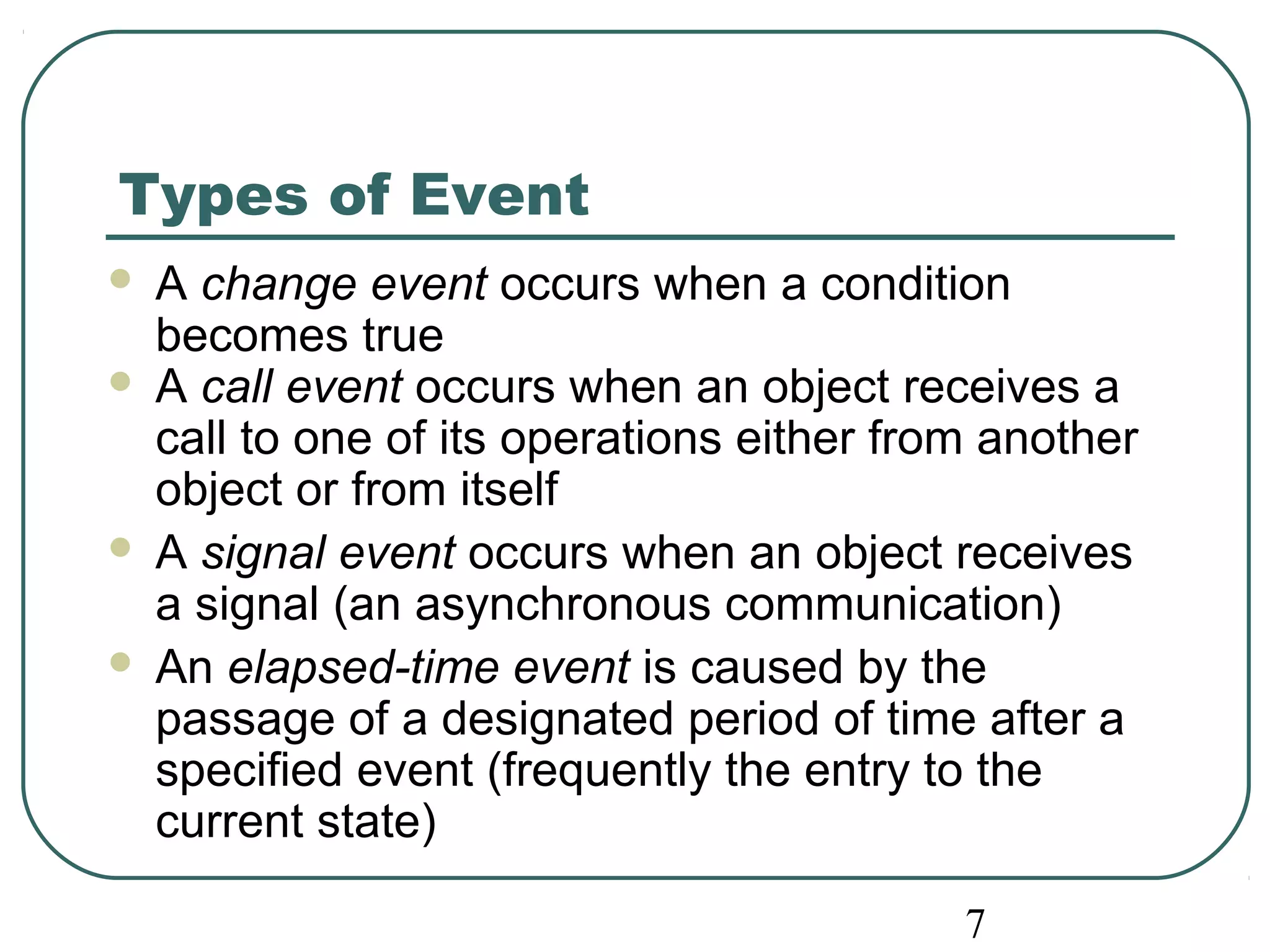
Types of Event 
 A change event occurs when a condition 
becomes true 
 A call event occurs when an object receives a 
call to one of its operations either from another 
object or from itself 
 A signal event occurs when an object receives 
a signal (an asynchronous communication) 
 An elapsed-time event is caused by the 
passage of a designated period of time after a 
specified event (frequently the entry to the 
current state) 
7
This event must correspond to an 
operation in the Campaign class 
8 
Events 
Commissioned 
Active 
authorized(authorizationCode) [contract Signed] 
/setCampaignActive( )
9 
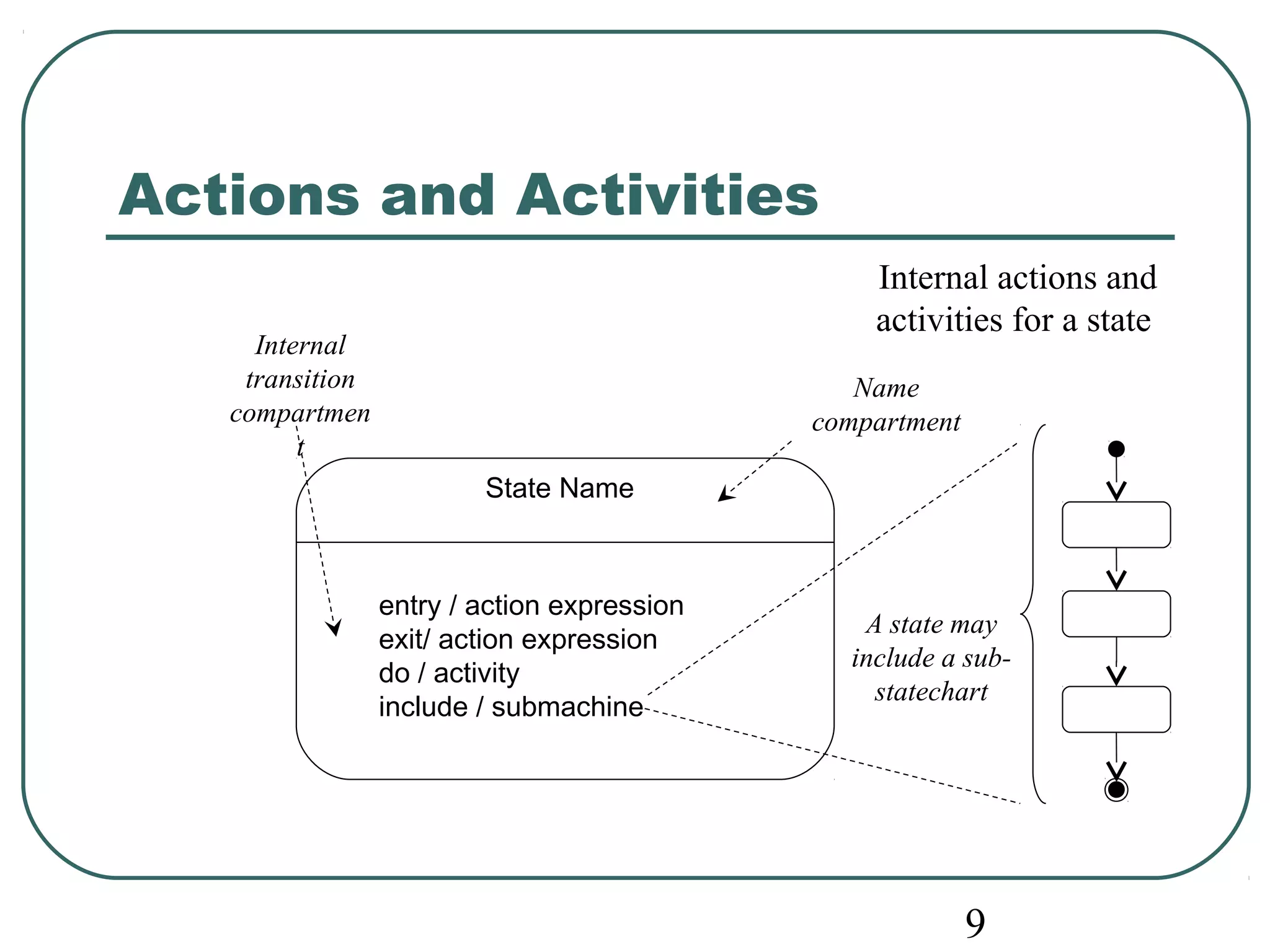
Actions and Activities 
State Name 
entry / action expression 
exit/ action expression 
do / activity 
include / submachine 
Name 
compartment 
A state may 
include a sub-statechart 
Internal 
transition 
compartmen 
t 
Internal actions and 
activities for a state
10 
Statechart for 
the class 
Campaign 
/assignManager(); 
assignStaff() 
Commissioned 
authorized(authorizationCode) 
[contract signed] 
/setCampaignActive() 
Active 
campaignCompleted() 
/prepareFinalStatement() 
Completed 
Paid 
paymentReceived(payment) 
[paymentDue - payment > zero] 
paymentReceived(payment) 
[paymentDue – payment <= zero] 
archiveCampaign() 
/unassignStaff(); 
unassignManager() 
Action-expression 
assigning manager 
and staff on object 
creation 
Guard condition 
ensuring complete 
payment before 
entering Paid 
Recursive transition 
models any payment 
event that does not 
reduce the amount due 
to zero or beyond
campaignCompleted() 
/prepareFinalStatement() 
11 
A revised 
statechart for the 
class Campaign 
/assignManager(); 
assignStaff() 
Commissioned 
authorized(authorizationCode) 
[contract signed] 
/setCampaignActive() 
Active 
paymentReceived(payment) 
[paymentDue - payment < zero] 
Completed 
Paid 
paymentReceived(payment) 
[paymentDue – payment > zero] 
If the user /generateRefund() 
paymentReceived(payment) 
[paymentDue - payment = zero] 
archiveCampaign() 
/unassignStaff(); 
unassignManager() 
requirements were 
to change, so that 
an overpayment is 
now to result in the 
automatic 
generation of a 
refund, a new 
transition is added
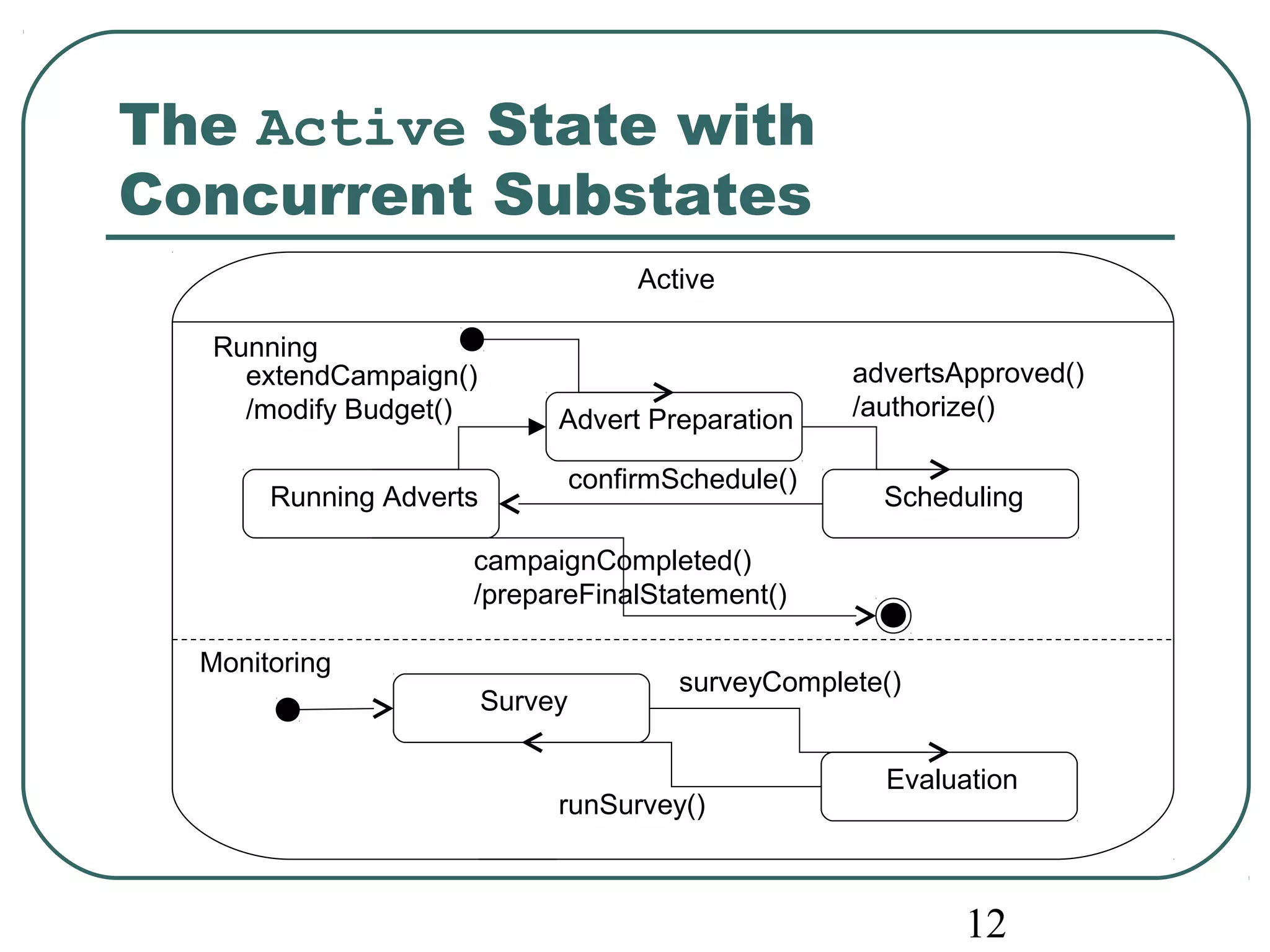
advertsApproved() 
/authorize() 
12 
The Active State with 
Concurrent Substates 
Active 
Advert Preparation 
extendCampaign() 
/modify Budget() 
Running Adverts confirmSchedule() Scheduling 
Survey 
surveyComplete() 
Evaluation 
runSurvey() 
Running 
Monitoring 
campaignCompleted() 
/prepareFinalStatement()
13 
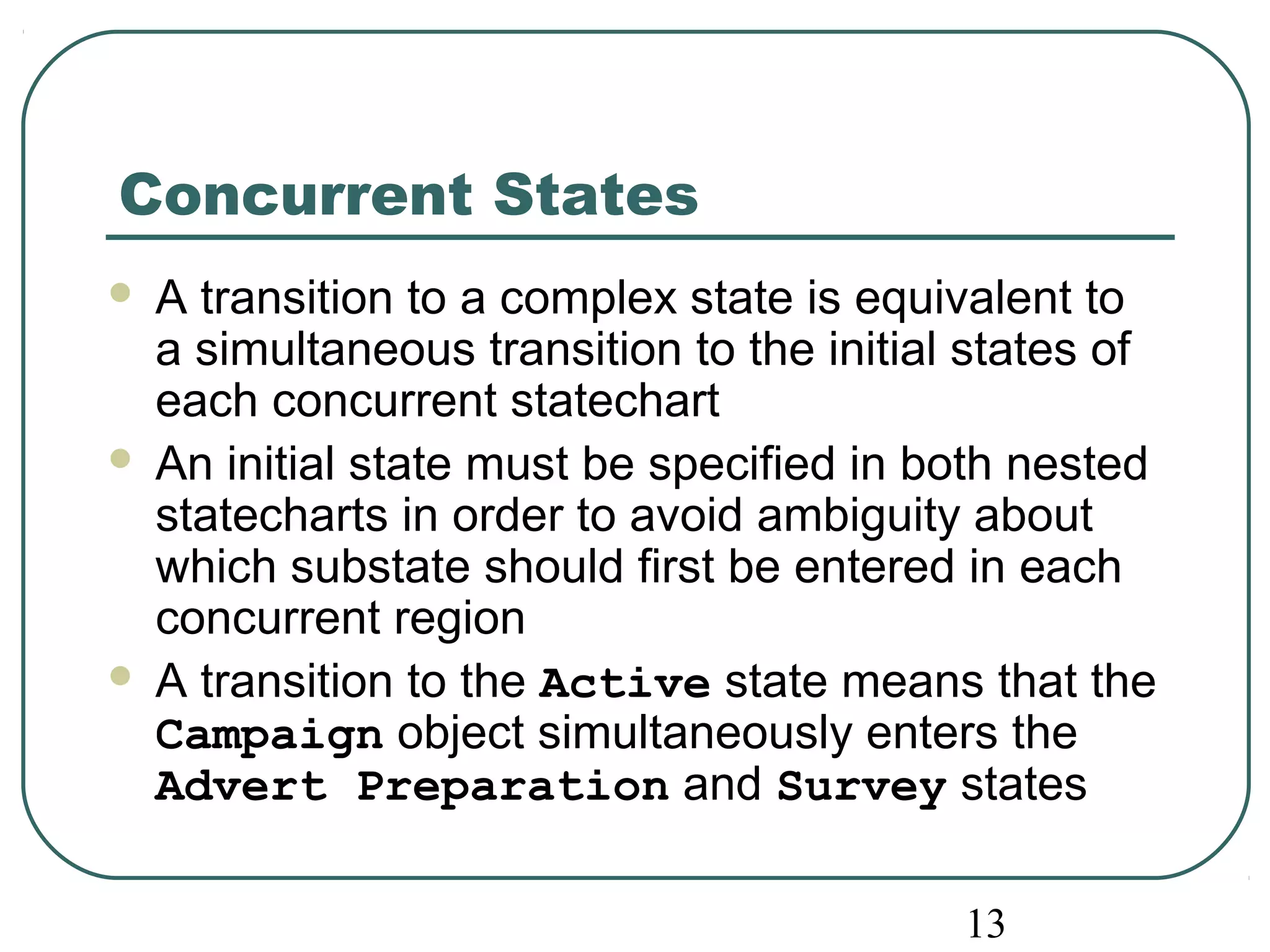
Concurrent States 
 A transition to a complex state is equivalent to 
a simultaneous transition to the initial states of 
each concurrent statechart 
 An initial state must be specified in both nested 
statecharts in order to avoid ambiguity about 
which substate should first be entered in each 
concurrent region 
 A transition to the Active state means that the 
Campaign object simultaneously enters the 
Advert Preparation and Survey states
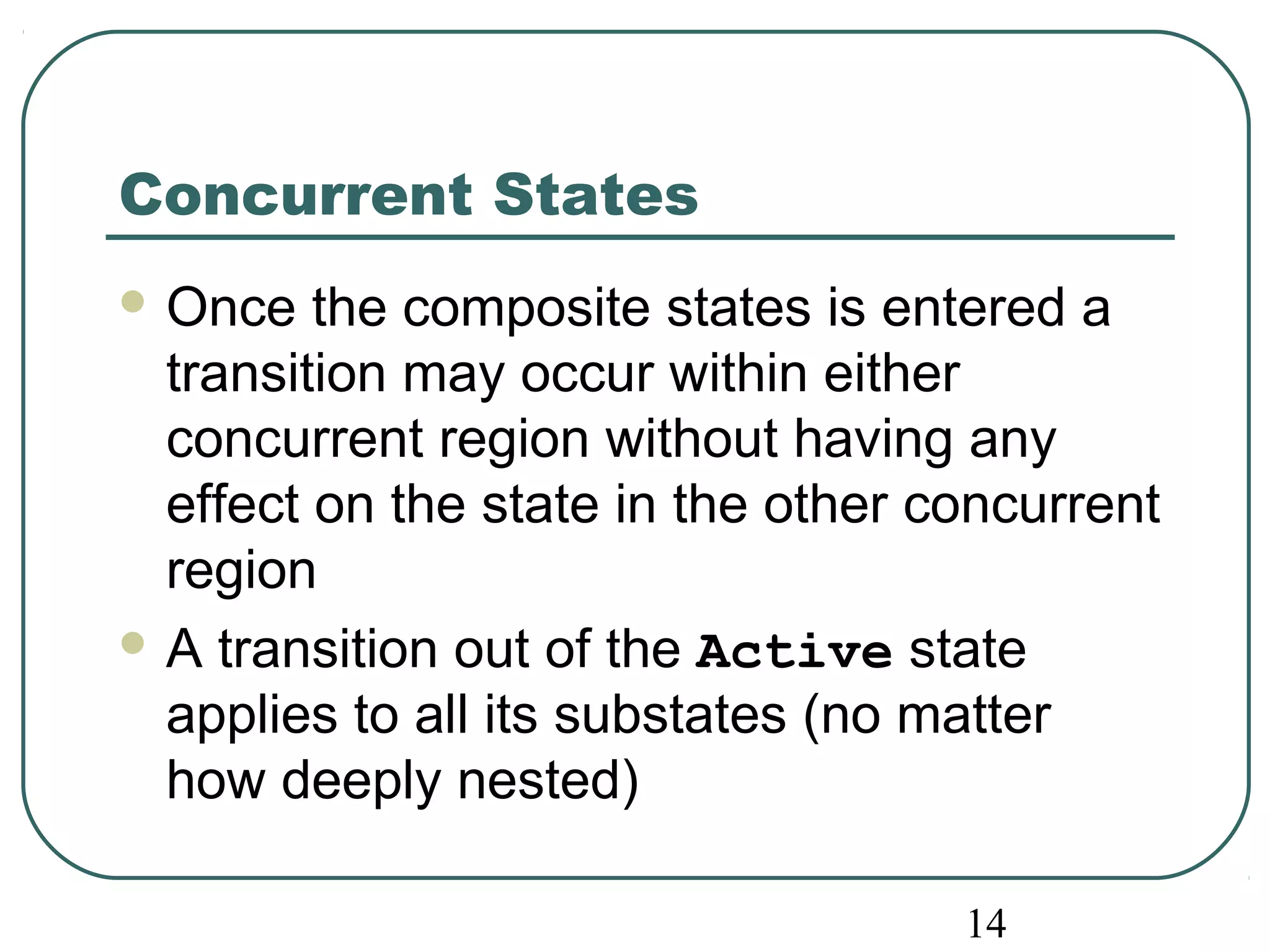
14 
Concurrent States 
Once the composite states is entered a 
transition may occur within either 
concurrent region without having any 
effect on the state in the other concurrent 
region 
A transition out of the Active state 
applies to all its substates (no matter 
how deeply nested)
15 
Preparing Statecharts 
Two approaches may be used: 
• Behavioural approach 
• Life cycle approach 
Allen and Frost (1998)
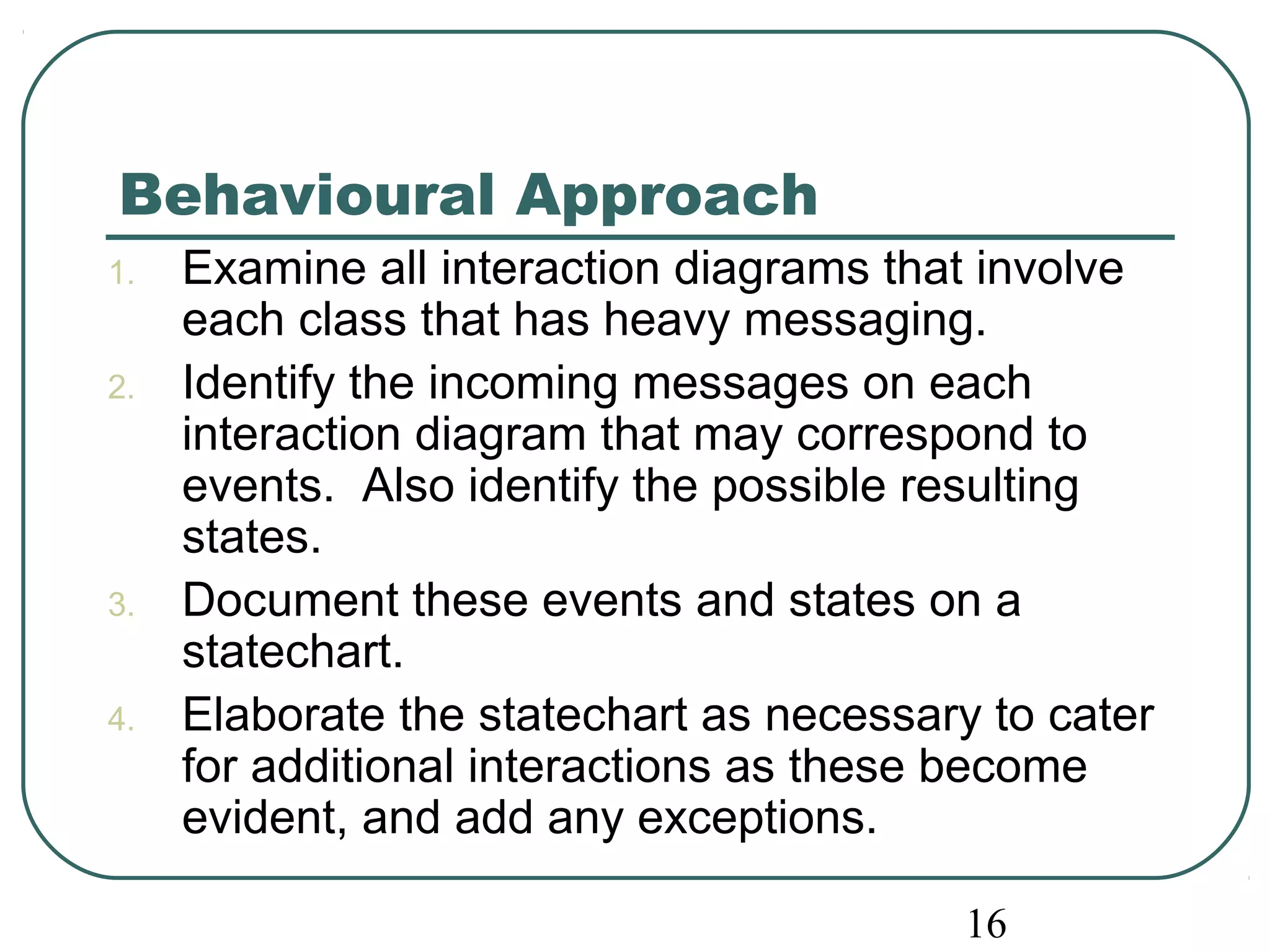
Behavioural Approach 
1. Examine all interaction diagrams that involve 
each class that has heavy messaging. 
2. Identify the incoming messages on each 
interaction diagram that may correspond to 
events. Also identify the possible resulting 
states. 
3. Document these events and states on a 
16 
statechart. 
4. Elaborate the statechart as necessary to cater 
for additional interactions as these become 
evident, and add any exceptions.
Behavioural Approach 
5. Develop any nested statecharts (unless this 
has already been done in an earlier step). 
6. Review the statechart to ensure consistency 
with use cases. In particular, check that any 
constraints that are implied by the statechart 
are appropriate. 
7. Iterate steps 4, 5 and 6 until the statechart 
captures the necessary level of detail. 
8. Check the consistency of the statechart with 
the class diagram, with interaction diagrams 
and with any other statecharts and models. 
17
Sequence Diagram with Implicit 
States 
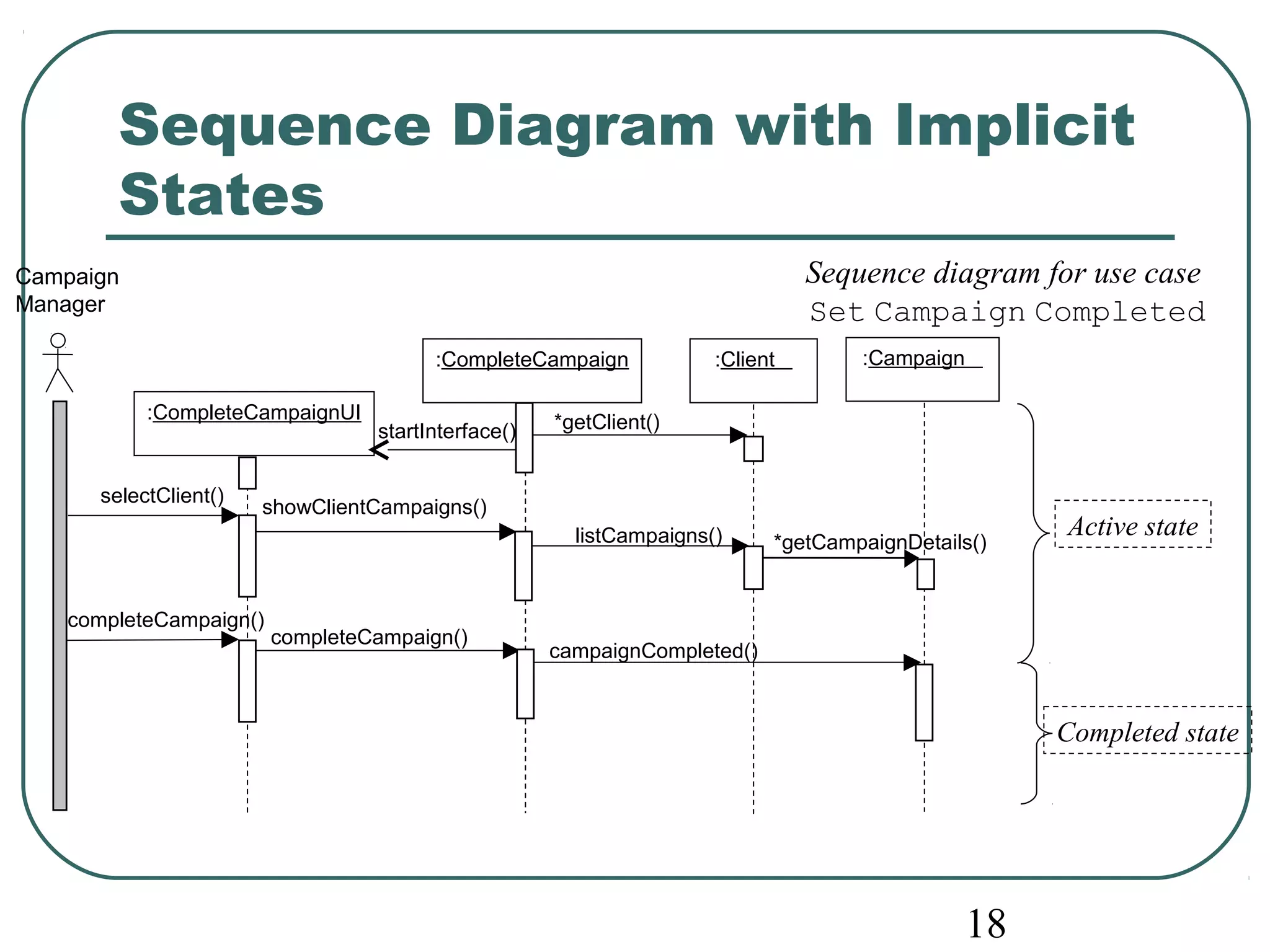
Sequence diagram for use case 
Set Campaign Completed 
18 
Campaign 
Manager 
startInterface() *getClient() 
listCampaigns() 
*getCampaignDetails() 
:CompleteCampaignUI 
:CompleteCampaign :Client :Campaign 
showClientCampaigns() selectClient() 
completeCampaign() 
completeCampaign() campaignCompleted() 
Active state 
Completed state
extendCampaign() 
/modify Budget() 
Running Adverts confirmSchedule() Scheduling 
19 
Initial statechart 
for the Campaign 
class—a 
behavioural 
approach 
Commissioned 
authorized(authorizationCode) 
[contract signed] 
/setCampaignActive() 
/assignManager(); 
assignStaff() 
Advert Preparation 
campaignCompleted() 
/prepareFinalStatement() 
paymentReceived(payment) 
[paymentDue - payment < zero] 
/generateRefund() 
Completed 
Paid 
paymentReceived(payment) 
[paymentDue – payment > zero] 
paymentReceived(payment) 
[paymentDue - payment = zero] 
archiveCampaign() 
/unassignStaff(); 
unassignManager() 
advertsApproved() 
/authorize()
Life Cycle Approach 
 Consider the life cycles for objects of each 
class 
 Events and states are identified directly from 
use cases and from any other requirements 
documentation that happens to be available 
 First, the main system events are listed 
 Each event is then examined in order to 
determine which objects are likely to have a 
state dependent response to it 
20
21 
Life Cycle Approach Steps 
1. Identify major system events. 
2. Identify each class that is likely to have a 
state dependent response to these events. 
3. For each of these classes produce a first-cut 
statechart by considering the typical life cycle 
of an instance of the class. 
4. Examine the statechart and elaborate to 
encompass more detailed event behaviour.
Life Cycle Approach Steps 
5. Enhance the statechart to include alternative 
22 
scenarios. 
6. Review the statechart to ensure that is 
consistent with the use cases. In particular, 
check that the constraints that the statechart 
implies are appropriate. 
7. Iterate through steps 4, 5 and 6 until the 
statechart captures the necessary level of 
detail. 
8. Ensure consistency with class diagram and 
interaction diagrams and other statecharts.
23 
Life Cycle Approach 
Less formal than the behavioural 
approach in its initial identification of 
events and relevant classes 
Often helpful to use a combination of the 
two, since each provides checks on the 
other
24 
Consistency Checking 
 Every event should appear as an incoming message for 
the appropriate object on an interaction diagram 
 Every action should correspond to the execution of an 
operation on the appropriate class, and perhaps also to 
the despatch of a message to another object 
 Every event should correspond to an operation on the 
appropriate class (but note that not all operations 
correspond to events) 
 Every outgoing message sent from a statechart must 
correspond to an operation on another class
25 
Consistency Checking 
Consistency checking is an important 
task in the preparation of a complete set 
of models 
Highlights omissions and errors, and 
encourages the clarification of any 
ambiguity or incompleteness in the 
requirements
Summary 
In this lecture you have learned about: 
 How to identify requirements for control in an 
application 
 How to model object life cycles using state charts 
 How to develop statechart diagrams from 
interaction diagrams 
 How to model concurrent behaviour in an object 
 How to ensure consistency with other UML models 
26

Software System Engineering - Chapter 14

  • 1.
    1 CHAPTER 14 Specifying Control Software System Engineering (260CT)
  • 2.
    In This LectureYou Will Learn:  How to identify requirements for control in an application  How to model object life cycles using statecharts  How to develop statechart diagrams from interaction diagrams  How to model concurrent behaviour in an object  How to ensure consistency with other UML models 2
  • 3.
    3 State Thecurrent state of an object is determined by the current value of the object’s attributes and the links that it has with other objects For example the class StaffMember has an attribute startDate which determines whether a StaffMember object is in the probationary state
  • 4.
    State  ‘Astate is a condition during the life of an object or an interaction during which it satisfies some condition, performs some action or waits for some event.... Conceptually, an object remains in a state for an interval of time. However, the semantics allow for modelling "flow-through" states which are instantaneous as well as transitions that are not instantaneous.’ 4 (OMG, 2001)
  • 5.
    5 Statechart Thecurrent state of a GradeRate object can be determined by the two attributes rateStartDate and rateFinishDate An enumerated state variable may be used to hold the object state, possible values would be Pending, Active or Lapsed
  • 6.
    Statechart 6 Pending Active Lapsed Initial state Transition between states when [rateStartDate <= currentDate] when [rateFinishDate <= currentDate] after [1 year] Final state Change event GradeRate() Elapsed-time event Statechart for the class GradeRate. Movement from one state to another is dependent upon events that occur with the passage of time.
  • 7.
    Types of Event  A change event occurs when a condition becomes true  A call event occurs when an object receives a call to one of its operations either from another object or from itself  A signal event occurs when an object receives a signal (an asynchronous communication)  An elapsed-time event is caused by the passage of a designated period of time after a specified event (frequently the entry to the current state) 7
  • 8.
    This event mustcorrespond to an operation in the Campaign class 8 Events Commissioned Active authorized(authorizationCode) [contract Signed] /setCampaignActive( )
  • 9.
    9 Actions andActivities State Name entry / action expression exit/ action expression do / activity include / submachine Name compartment A state may include a sub-statechart Internal transition compartmen t Internal actions and activities for a state
  • 10.
    10 Statechart for the class Campaign /assignManager(); assignStaff() Commissioned authorized(authorizationCode) [contract signed] /setCampaignActive() Active campaignCompleted() /prepareFinalStatement() Completed Paid paymentReceived(payment) [paymentDue - payment > zero] paymentReceived(payment) [paymentDue – payment <= zero] archiveCampaign() /unassignStaff(); unassignManager() Action-expression assigning manager and staff on object creation Guard condition ensuring complete payment before entering Paid Recursive transition models any payment event that does not reduce the amount due to zero or beyond
  • 11.
    campaignCompleted() /prepareFinalStatement() 11 A revised statechart for the class Campaign /assignManager(); assignStaff() Commissioned authorized(authorizationCode) [contract signed] /setCampaignActive() Active paymentReceived(payment) [paymentDue - payment < zero] Completed Paid paymentReceived(payment) [paymentDue – payment > zero] If the user /generateRefund() paymentReceived(payment) [paymentDue - payment = zero] archiveCampaign() /unassignStaff(); unassignManager() requirements were to change, so that an overpayment is now to result in the automatic generation of a refund, a new transition is added
  • 12.
    advertsApproved() /authorize() 12 The Active State with Concurrent Substates Active Advert Preparation extendCampaign() /modify Budget() Running Adverts confirmSchedule() Scheduling Survey surveyComplete() Evaluation runSurvey() Running Monitoring campaignCompleted() /prepareFinalStatement()
  • 13.
    13 Concurrent States  A transition to a complex state is equivalent to a simultaneous transition to the initial states of each concurrent statechart  An initial state must be specified in both nested statecharts in order to avoid ambiguity about which substate should first be entered in each concurrent region  A transition to the Active state means that the Campaign object simultaneously enters the Advert Preparation and Survey states
  • 14.
    14 Concurrent States Once the composite states is entered a transition may occur within either concurrent region without having any effect on the state in the other concurrent region A transition out of the Active state applies to all its substates (no matter how deeply nested)
  • 15.
    15 Preparing Statecharts Two approaches may be used: • Behavioural approach • Life cycle approach Allen and Frost (1998)
  • 16.
    Behavioural Approach 1.Examine all interaction diagrams that involve each class that has heavy messaging. 2. Identify the incoming messages on each interaction diagram that may correspond to events. Also identify the possible resulting states. 3. Document these events and states on a 16 statechart. 4. Elaborate the statechart as necessary to cater for additional interactions as these become evident, and add any exceptions.
  • 17.
    Behavioural Approach 5.Develop any nested statecharts (unless this has already been done in an earlier step). 6. Review the statechart to ensure consistency with use cases. In particular, check that any constraints that are implied by the statechart are appropriate. 7. Iterate steps 4, 5 and 6 until the statechart captures the necessary level of detail. 8. Check the consistency of the statechart with the class diagram, with interaction diagrams and with any other statecharts and models. 17
  • 18.
    Sequence Diagram withImplicit States Sequence diagram for use case Set Campaign Completed 18 Campaign Manager startInterface() *getClient() listCampaigns() *getCampaignDetails() :CompleteCampaignUI :CompleteCampaign :Client :Campaign showClientCampaigns() selectClient() completeCampaign() completeCampaign() campaignCompleted() Active state Completed state
  • 19.
    extendCampaign() /modify Budget() Running Adverts confirmSchedule() Scheduling 19 Initial statechart for the Campaign class—a behavioural approach Commissioned authorized(authorizationCode) [contract signed] /setCampaignActive() /assignManager(); assignStaff() Advert Preparation campaignCompleted() /prepareFinalStatement() paymentReceived(payment) [paymentDue - payment < zero] /generateRefund() Completed Paid paymentReceived(payment) [paymentDue – payment > zero] paymentReceived(payment) [paymentDue - payment = zero] archiveCampaign() /unassignStaff(); unassignManager() advertsApproved() /authorize()
  • 20.
    Life Cycle Approach  Consider the life cycles for objects of each class  Events and states are identified directly from use cases and from any other requirements documentation that happens to be available  First, the main system events are listed  Each event is then examined in order to determine which objects are likely to have a state dependent response to it 20
  • 21.
    21 Life CycleApproach Steps 1. Identify major system events. 2. Identify each class that is likely to have a state dependent response to these events. 3. For each of these classes produce a first-cut statechart by considering the typical life cycle of an instance of the class. 4. Examine the statechart and elaborate to encompass more detailed event behaviour.
  • 22.
    Life Cycle ApproachSteps 5. Enhance the statechart to include alternative 22 scenarios. 6. Review the statechart to ensure that is consistent with the use cases. In particular, check that the constraints that the statechart implies are appropriate. 7. Iterate through steps 4, 5 and 6 until the statechart captures the necessary level of detail. 8. Ensure consistency with class diagram and interaction diagrams and other statecharts.
  • 23.
    23 Life CycleApproach Less formal than the behavioural approach in its initial identification of events and relevant classes Often helpful to use a combination of the two, since each provides checks on the other
  • 24.
    24 Consistency Checking  Every event should appear as an incoming message for the appropriate object on an interaction diagram  Every action should correspond to the execution of an operation on the appropriate class, and perhaps also to the despatch of a message to another object  Every event should correspond to an operation on the appropriate class (but note that not all operations correspond to events)  Every outgoing message sent from a statechart must correspond to an operation on another class
  • 25.
    25 Consistency Checking Consistency checking is an important task in the preparation of a complete set of models Highlights omissions and errors, and encourages the clarification of any ambiguity or incompleteness in the requirements
  • 26.
    Summary In thislecture you have learned about:  How to identify requirements for control in an application  How to model object life cycles using state charts  How to develop statechart diagrams from interaction diagrams  How to model concurrent behaviour in an object  How to ensure consistency with other UML models 26

Editor's Notes

  • #4 . The current state of an object is a result of the events that have occurred to the object, and is determined by the current value of the object’s attributes and the links that it has with other objects. Some attributes and links of an object are significant for the determination of its state while others are not. For example, in the Agate case study staffName and staffNo attributes of a StaffMember object have no impact upon its state, whereas the date that a staff member started his or her employment at Agate determines when the probationary period of employment ends (after six months, say). The StaffMember object is in the Probationary state for the first six months of employment. While in this state, a staff member has different employment rights and is not eligible for redundancy pay in the event that they are dismissed by the company.
  • #6 h
  • #11 The recursive transition from the Completed state models any payment event that does not reduce the amount due to zero or beyond. Only one of the two transitions from the Completed state (one of which is recursive) can be triggered by the paymentReceived event since the guard conditions are mutually exclusive. It would be bad practice to construct a statechart where one event can trigger two different transitions from the same state. A life cycle is only unambiguous when all the transitions from each state are mutually exclusive.
  • #12 If the user requirements were to change, so that an overpayment is now to result in the automatic generation of a refund, the statechart can be changed as follows. Since the action that results from an overpayment is different from the action that results from a payment that reduces paymentDue to zero, a new transition is needed from the Completed state to the Paid state. The guard conditions from the Completed state must also be modified.
  • #13 Suppose that further investigation reveals that at Agate a campaign is surveyed and evaluated while it is also active. A campaign may occupy either the Survey substate or the Evaluation substate when it is in the Active state. Transitions between these two states are not affected by the campaign’s current state in relation to the preparing and running of adverts. We model this by splitting the Active state into two concurrent nested statecharts, Running and Monitoring, each in a separate sub-region of the Active statechart. This is shown by dividing the state icon with a dashed line.
  • #19 Note that getCampaignDetails() does not change the state as this message only queries aspects of the objects state. However, campaignCompleted() does cause a state change and changes the values of some attributes of the object.
  • #25 The need for consistency between different models was discussed in Chapter 9 in relation to interaction diagrams. Statecharts must also be consistent with other models.      Every event should appear as an incoming message for the appropriate object on an interaction diagram.      Every action should correspond to the execution of an operation on the appropriate class, and perhaps also to the despatch of a message to another object.      Every event should correspond to an operation on the appropriate class (but note that not all operations correspond to events).      Every outgoing message sent from a statechart must correspond to an operation on another class. Consistency checks are an important task in the preparation of a complete set of models. This process highlights omissions and errors, and encourages the clarification of any ambiguity or incompleteness in the requirements.