
Copyright © 2016, 2013, 2010 by Pearson Education, Inc. All Rights Reserved
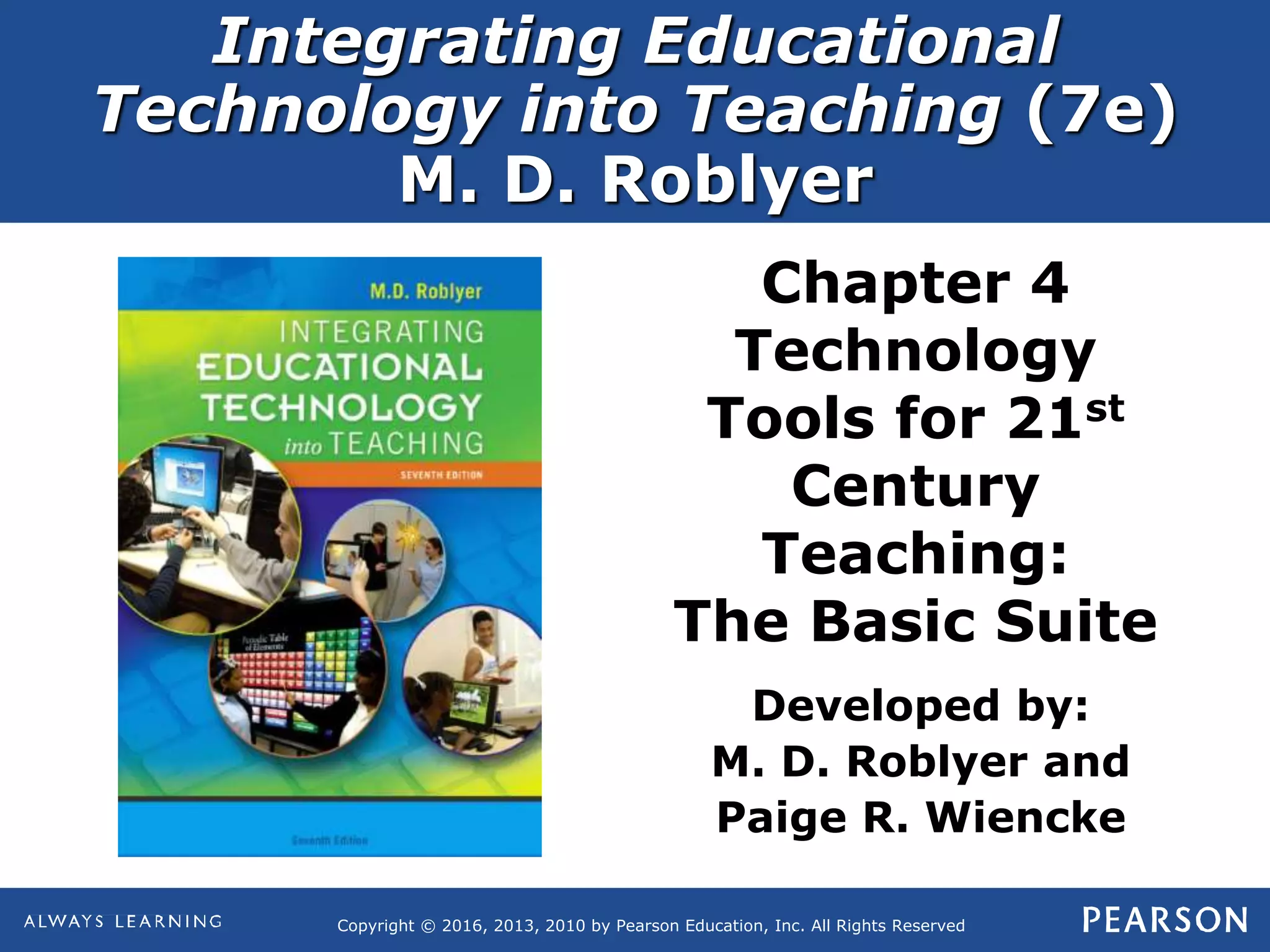
Integrating Educational
Technology into Teaching (7e)
M. D. Roblyer
Chapter 4
Technology
Tools for 21st
Century
Teaching:
The Basic Suite
Developed by:
M. D. Roblyer and
Paige R. Wiencke
Integrating Educational Technology into Teaching
(7e) by M. D. Roblyer
Copyright © 2016, 2013, 2010 by Pearson Education, Inc.
All Rights Reserved
Chapter 4:
Main Concepts
 Background on software tools
in the “basic suite”
 Word processing
 Spreadsheets
 Presentations
Integrating Educational Technology into Teaching
(7e) by M. D. Roblyer
Copyright © 2016, 2013, 2010 by Pearson Education, Inc.
All Rights Reserved
Benefits of all tools:
 Improved productivity
 Improved appearance
 Improved accuracy
 More support for interaction
and collaboration
Introduction to the Basic Suite:
Why use software tools?
Integrating Educational Technology into Teaching
(7e) by M. D. Roblyer
Copyright © 2016, 2013, 2010 by Pearson Education, Inc.
All Rights Reserved
Phase 1: Analysis of needs
Phase 2: Planning for integration
Phase 3: Post-instruction revisions
Technology Integration In Action:
Can You Afford Your Dream Car?
Integrating Educational Technology into Teaching
(7e) by M. D. Roblyer
Copyright © 2016, 2013, 2010 by Pearson Education, Inc.
All Rights Reserved
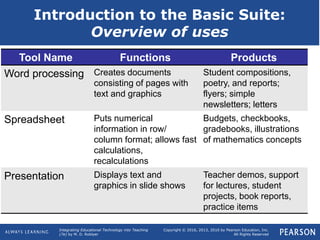
Introduction to the Basic Suite:
Overview of uses
Tool Name Functions Products
Word processing Creates documents
consisting of pages with
text and graphics
Student compositions,
poetry, and reports;
flyers; simple
newsletters; letters
Spreadsheet Puts numerical
information in row/
column format; allows fast
calculations,
recalculations
Budgets, checkbooks,
gradebooks, illustrations
of mathematics concepts
Presentation Displays text and
graphics in slide shows
Teacher demos, support
for lectures, student
projects, book reports,
practice items
Integrating Educational Technology into Teaching
(7e) by M. D. Roblyer
Copyright © 2016, 2013, 2010 by Pearson Education, Inc.
All Rights Reserved
 Web-based collaboration tools
 Open-source software
 Mobile apps
 Web-enabled features
 Better file-exchange
compatibility
 Software suites and integrated
packages
Introduction to the Basic Suite:
Recent developments
Integrating Educational Technology into Teaching
(7e) by M. D. Roblyer
Copyright © 2016, 2013, 2010 by Pearson Education, Inc.
All Rights Reserved
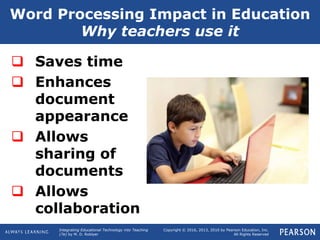
Word Processing Impact in Education
Why teachers use it
 Saves time
 Enhances
document
appearance
 Allows
sharing of
documents
 Allows
collaboration
Integrating Educational Technology into Teaching
(7e) by M. D. Roblyer
Copyright © 2016, 2013, 2010 by Pearson Education, Inc.
All Rights Reserved
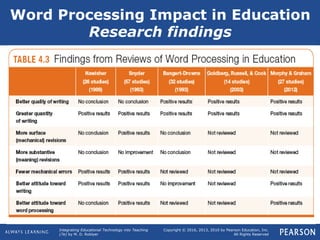
Word Processing Impact in Education
Research findings
Integrating Educational Technology into Teaching
(7e) by M. D. Roblyer
Copyright © 2016, 2013, 2010 by Pearson Education, Inc.
All Rights Reserved
 When to introduce word
processing?
 Need to teach keyboarding skills?
 Effects of word processing on
handwriting?
 Impact on assessment?
 Inadvertent errors introduced in
text?
Word Processing Impact in Education
Issues
Integrating Educational Technology into Teaching
(7e) by M. D. Roblyer
Copyright © 2016, 2013, 2010 by Pearson Education, Inc.
All Rights Reserved
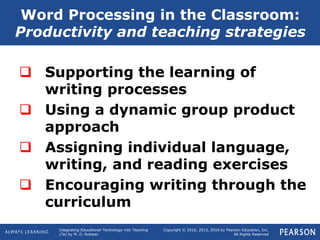
 Supporting the learning of
writing processes
 Using a dynamic group product
approach
 Assigning individual language,
writing, and reading exercises
 Encouraging writing through the
curriculum
Word Processing in the Classroom:
Productivity and teaching strategies
Integrating Educational Technology into Teaching
(7e) by M. D. Roblyer
Copyright © 2016, 2013, 2010 by Pearson Education, Inc.
All Rights Reserved
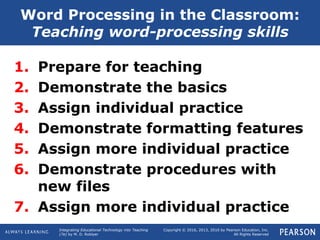
1. Prepare for teaching
2. Demonstrate the basics
3. Assign individual practice
4. Demonstrate formatting features
5. Assign more individual practice
6. Demonstrate procedures with
new files
7. Assign more individual practice
Word Processing in the Classroom:
Teaching word-processing skills
Integrating Educational Technology into Teaching
(7e) by M. D. Roblyer
Copyright © 2016, 2013, 2010 by Pearson Education, Inc.
All Rights Reserved
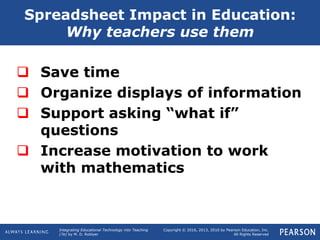
 Save time
 Organize displays of information
 Support asking “what if”
questions
 Increase motivation to work
with mathematics
Spreadsheet Impact in Education:
Why teachers use them
Integrating Educational Technology into Teaching
(7e) by M. D. Roblyer
Copyright © 2016, 2013, 2010 by Pearson Education, Inc.
All Rights Reserved
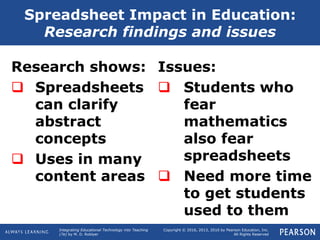
Research shows:
 Spreadsheets
can clarify
abstract
concepts
 Uses in many
content areas
Issues:
 Students who
fear
mathematics
also fear
spreadsheets
 Need more time
to get students
used to them
Spreadsheet Impact in Education:
Research findings and issues
Integrating Educational Technology into Teaching
(7e) by M. D. Roblyer
Copyright © 2016, 2013, 2010 by Pearson Education, Inc.
All Rights Reserved
 Productivity
uses:
 Gradebooks
 Budgets
 Performance
checklists
Teaching uses:
 Visual demos
 Student products
 Support for
problem solving
 Storing and
analyzing data
 Projecting grades
Spreadsheets in the Classroom:
Productivity/teaching strategies
Integrating Educational Technology into Teaching
(7e) by M. D. Roblyer
Copyright © 2016, 2013, 2010 by Pearson Education, Inc.
All Rights Reserved
 Prepare for teaching
 Demonstrate the basics
 Assign individual practice
 Demonstrate formulas and
formatting features
 Assign more individual practice
Spreadsheets in the Classroom:
Teaching spreadsheet skills
Integrating Educational Technology into Teaching
(7e) by M. D. Roblyer
Copyright © 2016, 2013, 2010 by Pearson Education, Inc.
All Rights Reserved
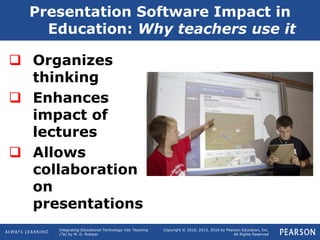
Presentation Software Impact in
Education: Why teachers use it
 Organizes
thinking
 Enhances
impact of
lectures
 Allows
collaboration
on
presentations
Integrating Educational Technology into Teaching
(7e) by M. D. Roblyer
Copyright © 2016, 2013, 2010 by Pearson Education, Inc.
All Rights Reserved
Presentation Software Impact in
Education: Research findings
Research shows:
 No consistent
impact on
educational
outcomes
 Impact depends
on use
 Tend to focus
attention on
teacher
Issues:
 Impact on
shaping
information
 Impact on
teaching
style
Integrating Educational Technology into Teaching
(7e) by M. D. Roblyer
Copyright © 2016, 2013, 2010 by Pearson Education, Inc.
All Rights Reserved
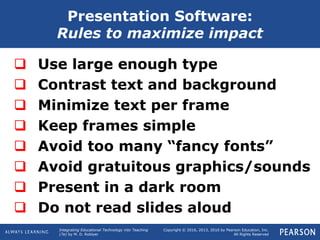
 Use large enough type
 Contrast text and background
 Minimize text per frame
 Keep frames simple
 Avoid too many “fancy fonts”
 Avoid gratuitous graphics/sounds
 Present in a dark room
 Do not read slides aloud
Presentation Software:
Rules to maximize impact
Integrating Educational Technology into Teaching
(7e) by M. D. Roblyer
Copyright © 2016, 2013, 2010 by Pearson Education, Inc.
All Rights Reserved
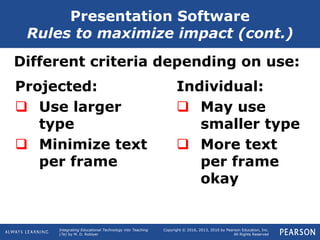
Different criteria depending on use:
Presentation Software
Rules to maximize impact (cont.)
Individual:
 May use
smaller type
 More text
per frame
okay
Projected:
 Use larger
type
 Minimize text
per frame
Integrating Educational Technology into Teaching
(7e) by M. D. Roblyer
Copyright © 2016, 2013, 2010 by Pearson Education, Inc.
All Rights Reserved
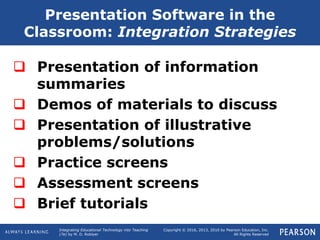
 Presentation of information
summaries
 Demos of materials to discuss
 Presentation of illustrative
problems/solutions
 Practice screens
 Assessment screens
 Brief tutorials
Presentation Software in the
Classroom: Integration Strategies
Integrating Educational Technology into Teaching
(7e) by M. D. Roblyer
Copyright © 2016, 2013, 2010 by Pearson Education, Inc.
All Rights Reserved
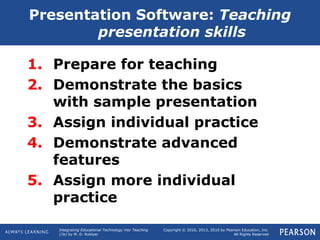
1. Prepare for teaching
2. Demonstrate the basics
with sample presentation
3. Assign individual practice
4. Demonstrate advanced
features
5. Assign more individual
practice
Presentation Software: Teaching
presentation skills

Ch 4 pp4

  • 1.
    Copyright © 2016,2013, 2010 by Pearson Education, Inc. All Rights Reserved Integrating Educational Technology into Teaching (7e) M. D. Roblyer Chapter 4 Technology Tools for 21st Century Teaching: The Basic Suite Developed by: M. D. Roblyer and Paige R. Wiencke
  • 2.
    Integrating Educational Technologyinto Teaching (7e) by M. D. Roblyer Copyright © 2016, 2013, 2010 by Pearson Education, Inc. All Rights Reserved Chapter 4: Main Concepts  Background on software tools in the “basic suite”  Word processing  Spreadsheets  Presentations
  • 3.
    Integrating Educational Technologyinto Teaching (7e) by M. D. Roblyer Copyright © 2016, 2013, 2010 by Pearson Education, Inc. All Rights Reserved Benefits of all tools:  Improved productivity  Improved appearance  Improved accuracy  More support for interaction and collaboration Introduction to the Basic Suite: Why use software tools?
  • 4.
    Integrating Educational Technologyinto Teaching (7e) by M. D. Roblyer Copyright © 2016, 2013, 2010 by Pearson Education, Inc. All Rights Reserved Phase 1: Analysis of needs Phase 2: Planning for integration Phase 3: Post-instruction revisions Technology Integration In Action: Can You Afford Your Dream Car?
  • 5.
    Integrating Educational Technologyinto Teaching (7e) by M. D. Roblyer Copyright © 2016, 2013, 2010 by Pearson Education, Inc. All Rights Reserved Introduction to the Basic Suite: Overview of uses Tool Name Functions Products Word processing Creates documents consisting of pages with text and graphics Student compositions, poetry, and reports; flyers; simple newsletters; letters Spreadsheet Puts numerical information in row/ column format; allows fast calculations, recalculations Budgets, checkbooks, gradebooks, illustrations of mathematics concepts Presentation Displays text and graphics in slide shows Teacher demos, support for lectures, student projects, book reports, practice items
  • 6.
    Integrating Educational Technologyinto Teaching (7e) by M. D. Roblyer Copyright © 2016, 2013, 2010 by Pearson Education, Inc. All Rights Reserved  Web-based collaboration tools  Open-source software  Mobile apps  Web-enabled features  Better file-exchange compatibility  Software suites and integrated packages Introduction to the Basic Suite: Recent developments
  • 7.
    Integrating Educational Technologyinto Teaching (7e) by M. D. Roblyer Copyright © 2016, 2013, 2010 by Pearson Education, Inc. All Rights Reserved Word Processing Impact in Education Why teachers use it  Saves time  Enhances document appearance  Allows sharing of documents  Allows collaboration
  • 8.
    Integrating Educational Technologyinto Teaching (7e) by M. D. Roblyer Copyright © 2016, 2013, 2010 by Pearson Education, Inc. All Rights Reserved Word Processing Impact in Education Research findings
  • 9.
    Integrating Educational Technologyinto Teaching (7e) by M. D. Roblyer Copyright © 2016, 2013, 2010 by Pearson Education, Inc. All Rights Reserved  When to introduce word processing?  Need to teach keyboarding skills?  Effects of word processing on handwriting?  Impact on assessment?  Inadvertent errors introduced in text? Word Processing Impact in Education Issues
  • 10.
    Integrating Educational Technologyinto Teaching (7e) by M. D. Roblyer Copyright © 2016, 2013, 2010 by Pearson Education, Inc. All Rights Reserved  Supporting the learning of writing processes  Using a dynamic group product approach  Assigning individual language, writing, and reading exercises  Encouraging writing through the curriculum Word Processing in the Classroom: Productivity and teaching strategies
  • 11.
    Integrating Educational Technologyinto Teaching (7e) by M. D. Roblyer Copyright © 2016, 2013, 2010 by Pearson Education, Inc. All Rights Reserved 1. Prepare for teaching 2. Demonstrate the basics 3. Assign individual practice 4. Demonstrate formatting features 5. Assign more individual practice 6. Demonstrate procedures with new files 7. Assign more individual practice Word Processing in the Classroom: Teaching word-processing skills
  • 12.
    Integrating Educational Technologyinto Teaching (7e) by M. D. Roblyer Copyright © 2016, 2013, 2010 by Pearson Education, Inc. All Rights Reserved  Save time  Organize displays of information  Support asking “what if” questions  Increase motivation to work with mathematics Spreadsheet Impact in Education: Why teachers use them
  • 13.
    Integrating Educational Technologyinto Teaching (7e) by M. D. Roblyer Copyright © 2016, 2013, 2010 by Pearson Education, Inc. All Rights Reserved Research shows:  Spreadsheets can clarify abstract concepts  Uses in many content areas Issues:  Students who fear mathematics also fear spreadsheets  Need more time to get students used to them Spreadsheet Impact in Education: Research findings and issues
  • 14.
    Integrating Educational Technologyinto Teaching (7e) by M. D. Roblyer Copyright © 2016, 2013, 2010 by Pearson Education, Inc. All Rights Reserved  Productivity uses:  Gradebooks  Budgets  Performance checklists Teaching uses:  Visual demos  Student products  Support for problem solving  Storing and analyzing data  Projecting grades Spreadsheets in the Classroom: Productivity/teaching strategies
  • 15.
    Integrating Educational Technologyinto Teaching (7e) by M. D. Roblyer Copyright © 2016, 2013, 2010 by Pearson Education, Inc. All Rights Reserved  Prepare for teaching  Demonstrate the basics  Assign individual practice  Demonstrate formulas and formatting features  Assign more individual practice Spreadsheets in the Classroom: Teaching spreadsheet skills
  • 16.
    Integrating Educational Technologyinto Teaching (7e) by M. D. Roblyer Copyright © 2016, 2013, 2010 by Pearson Education, Inc. All Rights Reserved Presentation Software Impact in Education: Why teachers use it  Organizes thinking  Enhances impact of lectures  Allows collaboration on presentations
  • 17.
    Integrating Educational Technologyinto Teaching (7e) by M. D. Roblyer Copyright © 2016, 2013, 2010 by Pearson Education, Inc. All Rights Reserved Presentation Software Impact in Education: Research findings Research shows:  No consistent impact on educational outcomes  Impact depends on use  Tend to focus attention on teacher Issues:  Impact on shaping information  Impact on teaching style
  • 18.
    Integrating Educational Technologyinto Teaching (7e) by M. D. Roblyer Copyright © 2016, 2013, 2010 by Pearson Education, Inc. All Rights Reserved  Use large enough type  Contrast text and background  Minimize text per frame  Keep frames simple  Avoid too many “fancy fonts”  Avoid gratuitous graphics/sounds  Present in a dark room  Do not read slides aloud Presentation Software: Rules to maximize impact
  • 19.
    Integrating Educational Technologyinto Teaching (7e) by M. D. Roblyer Copyright © 2016, 2013, 2010 by Pearson Education, Inc. All Rights Reserved Different criteria depending on use: Presentation Software Rules to maximize impact (cont.) Individual:  May use smaller type  More text per frame okay Projected:  Use larger type  Minimize text per frame
  • 20.
    Integrating Educational Technologyinto Teaching (7e) by M. D. Roblyer Copyright © 2016, 2013, 2010 by Pearson Education, Inc. All Rights Reserved  Presentation of information summaries  Demos of materials to discuss  Presentation of illustrative problems/solutions  Practice screens  Assessment screens  Brief tutorials Presentation Software in the Classroom: Integration Strategies
  • 21.
    Integrating Educational Technologyinto Teaching (7e) by M. D. Roblyer Copyright © 2016, 2013, 2010 by Pearson Education, Inc. All Rights Reserved 1. Prepare for teaching 2. Demonstrate the basics with sample presentation 3. Assign individual practice 4. Demonstrate advanced features 5. Assign more individual practice Presentation Software: Teaching presentation skills