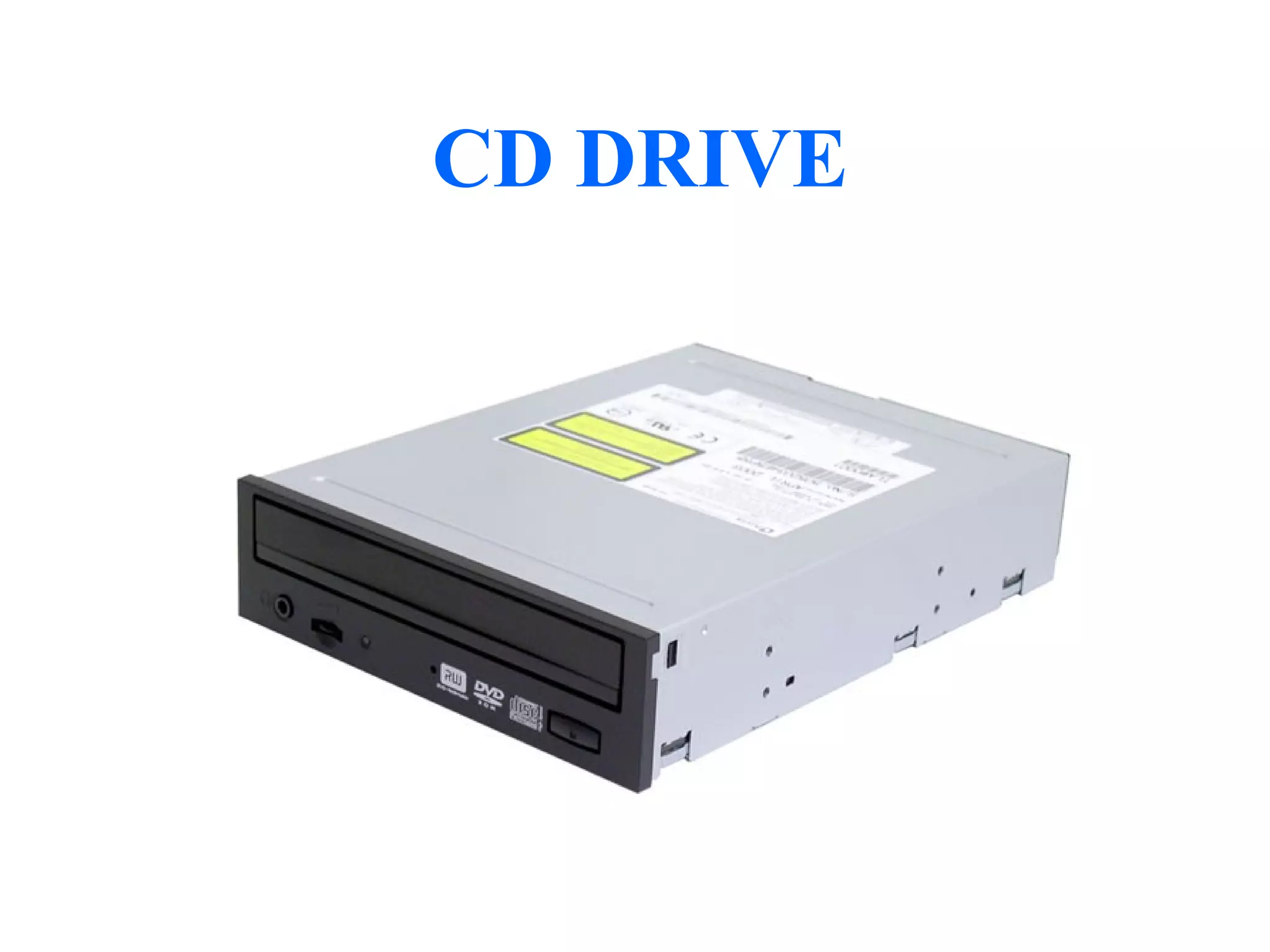
CD DRIVE
CD DRIVE
There are 2 type in CD DRIVE Technology. They are CD and
   DVD.
1. CD Reader and CD Re-Writer drive.
2. DVD Reader and DVD Re-Writer drive.
DVD – Digital Versatile Disk.
3. Blu-ray Disc


CD’s are classified in to 2 types, they are
Once writtable CD.
Re-Writtable CD.
MAIN PARTS OF CDDRIVE:


1. Power Supply.
2. Logical Board.
3. Head Assembly.
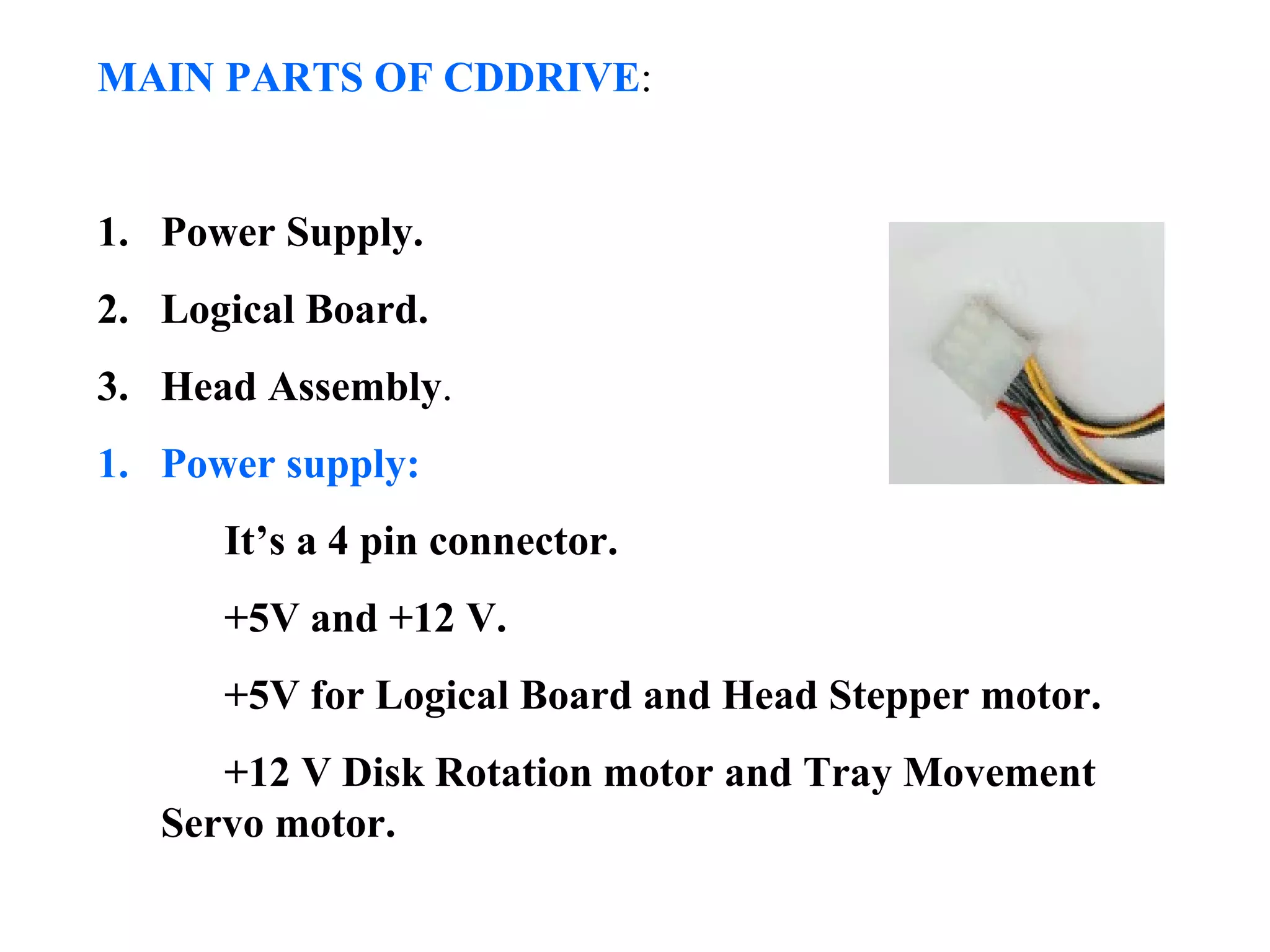
1. Power supply:
      It’s a 4 pin connector.
      +5V and +12 V.
      +5V for Logical Board and Head Stepper motor.
      +12 V Disk Rotation motor and Tray Movement
   Servo motor.
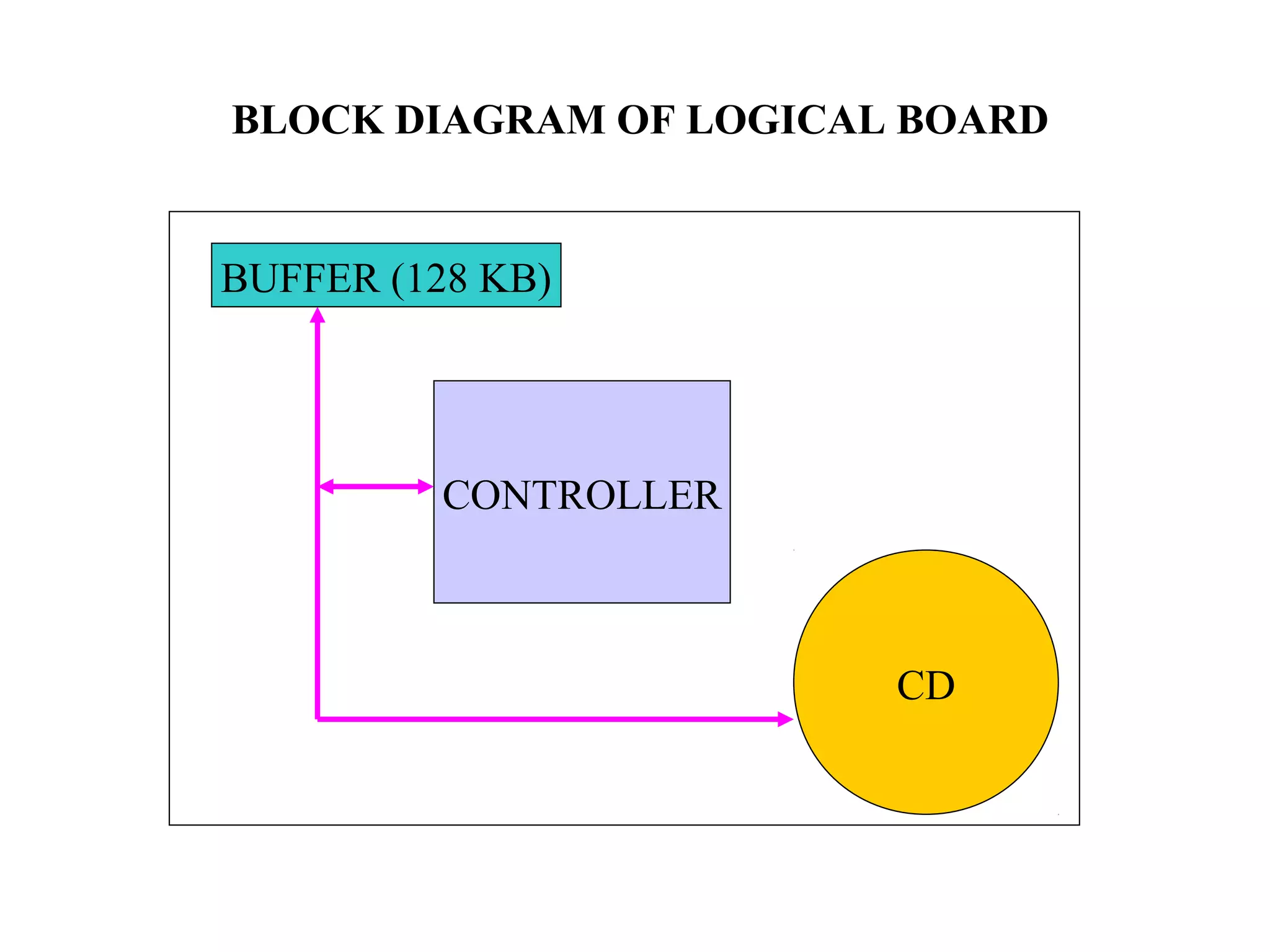
BLOCK DIAGRAM OF LOGICAL BOARD


BUFFER (128 KB)


          CONTROLLER


                        CD
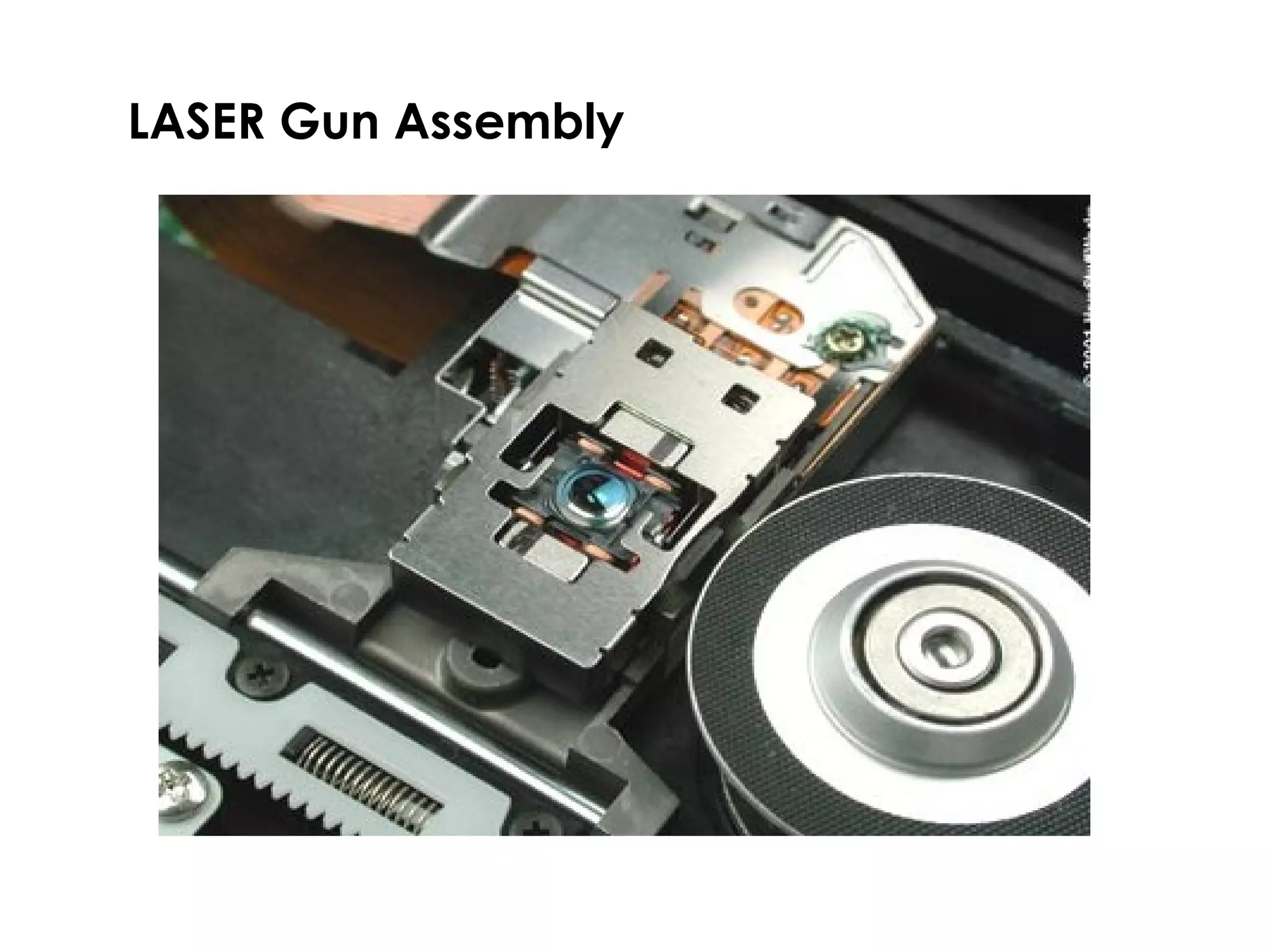
LASER Gun Assembly
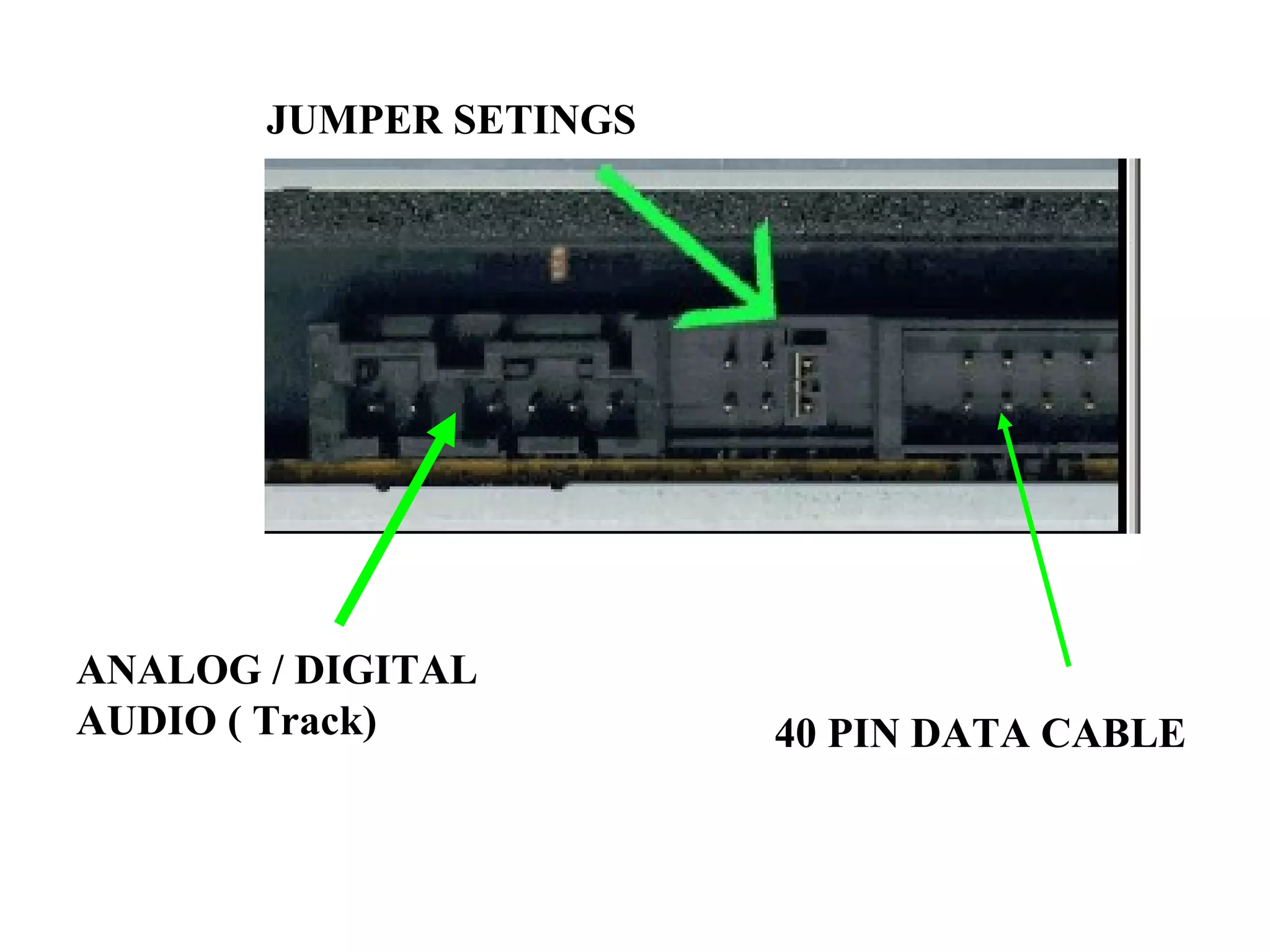
JUMPER SETINGS


ANALOG / DIGITAL
AUDIO ( Track)          40 PIN DATA CABLE
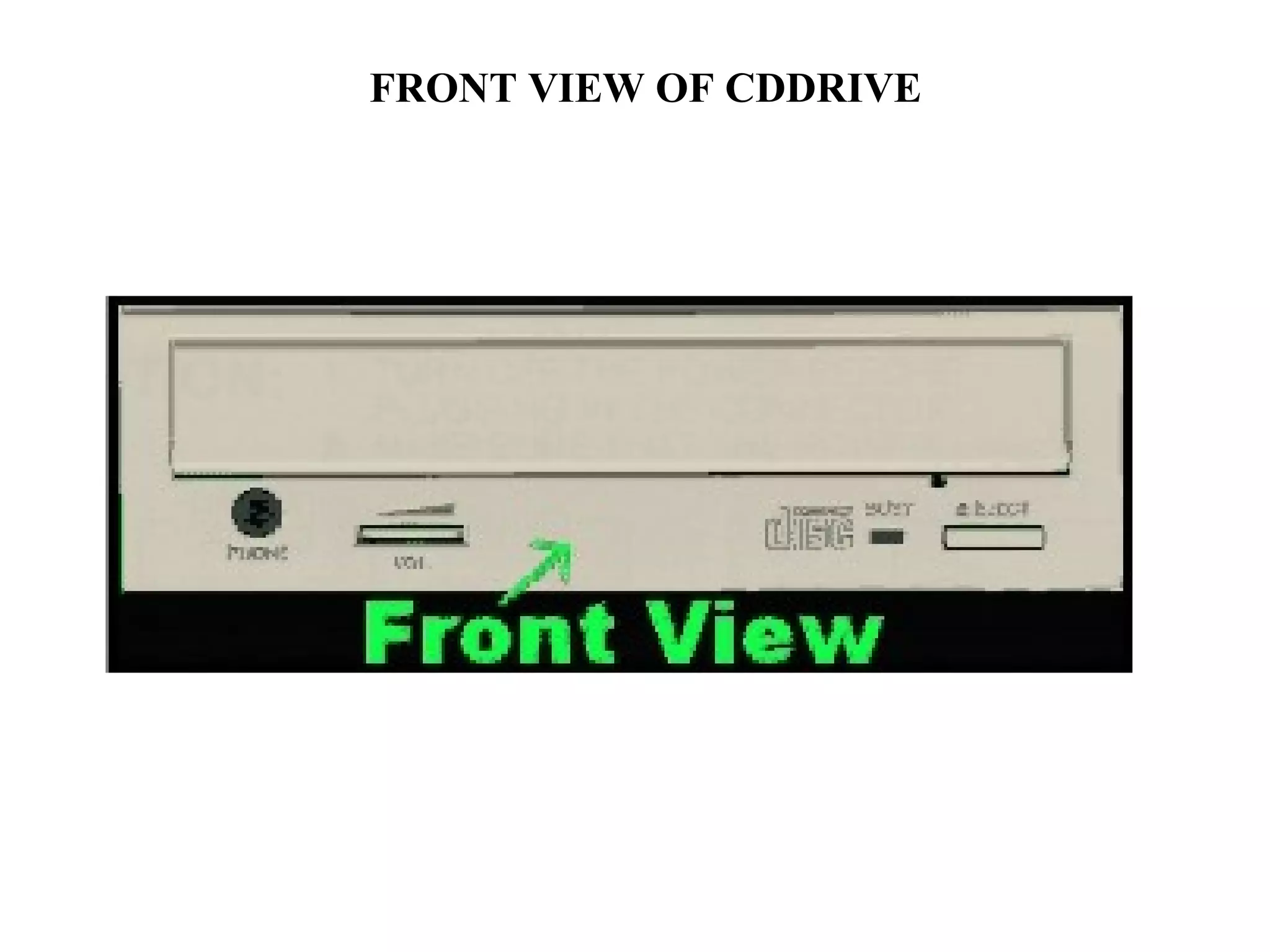
FRONT VIEW OF CDDRIVE
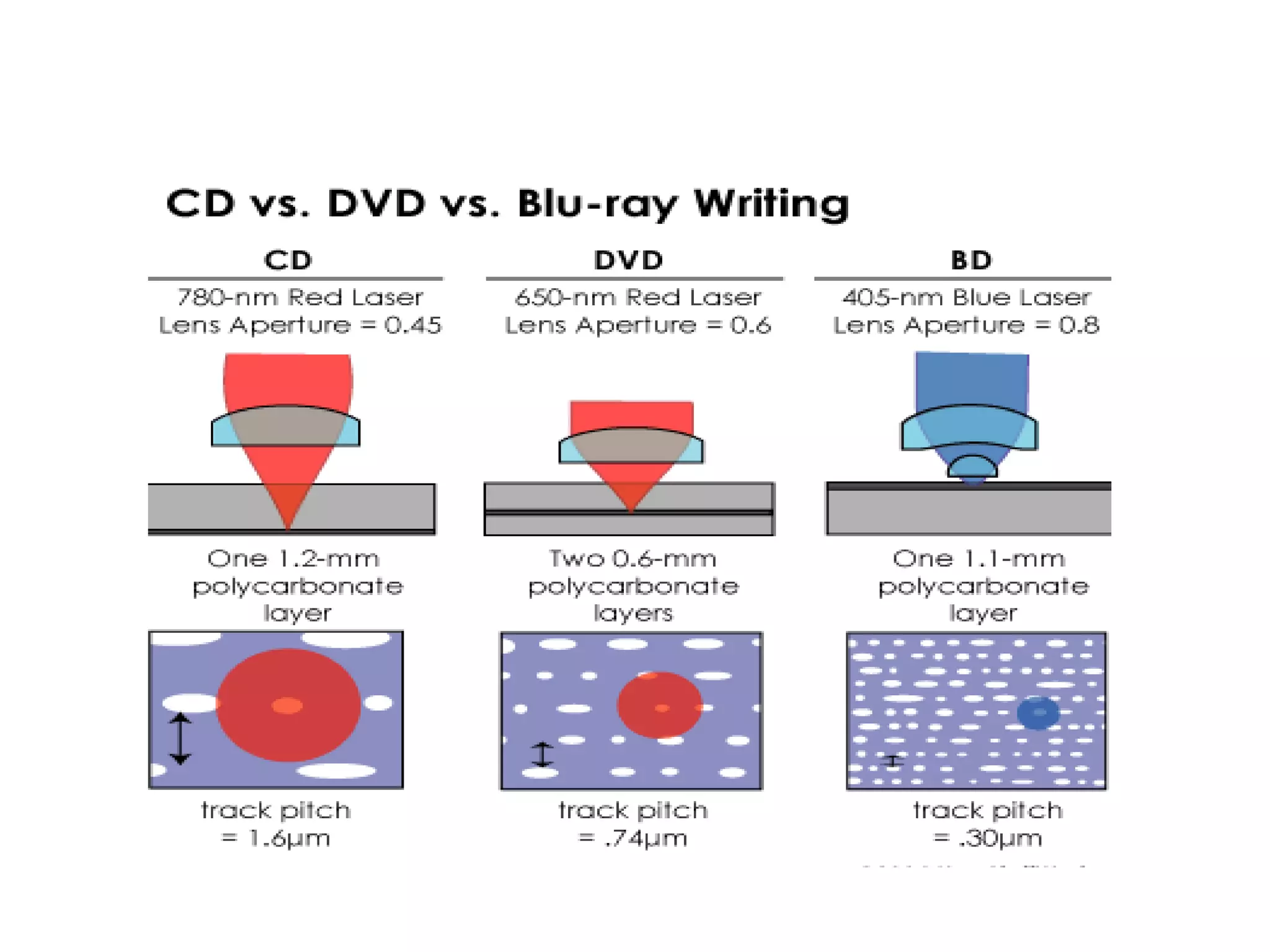
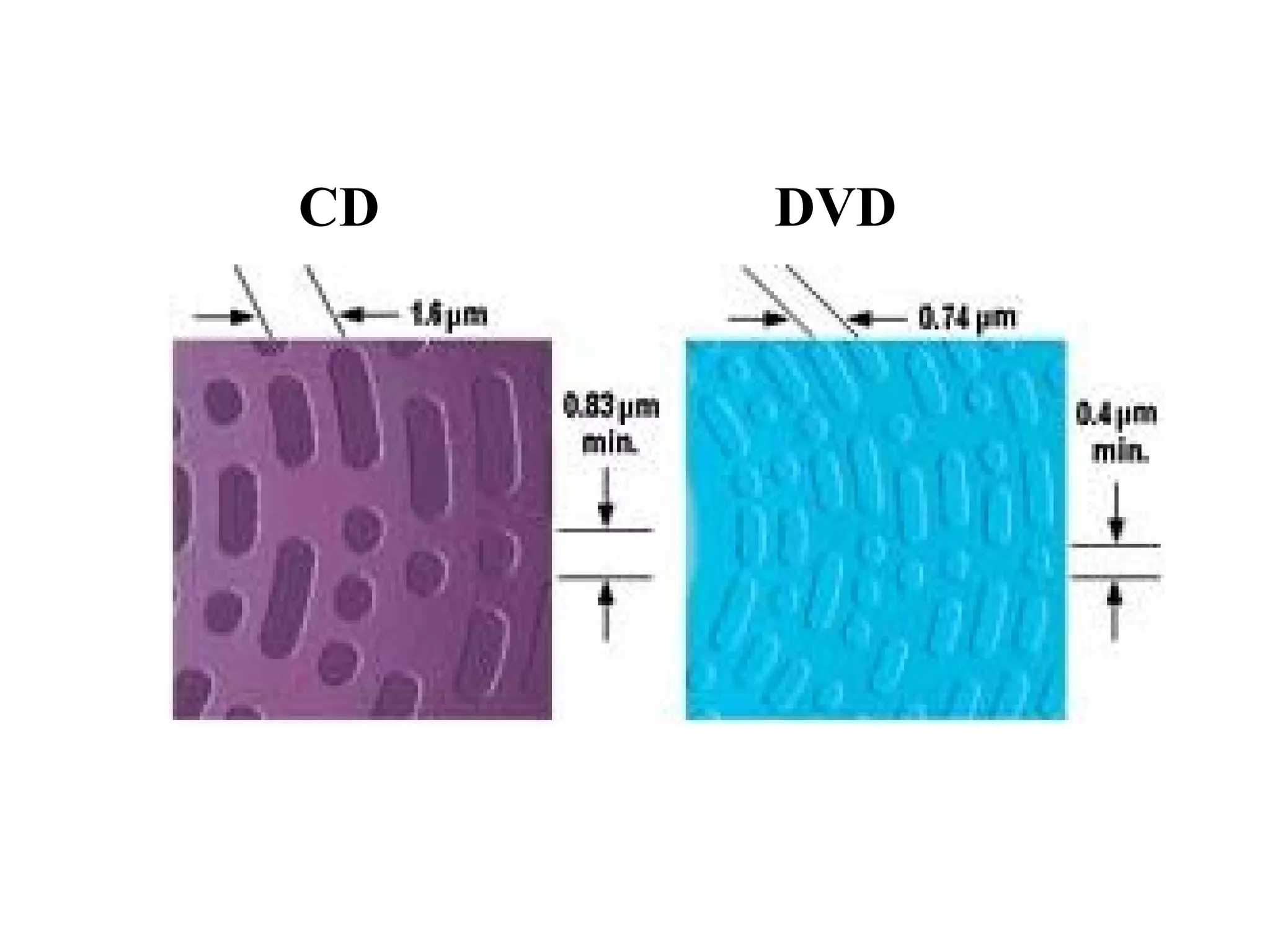
CD   DVD
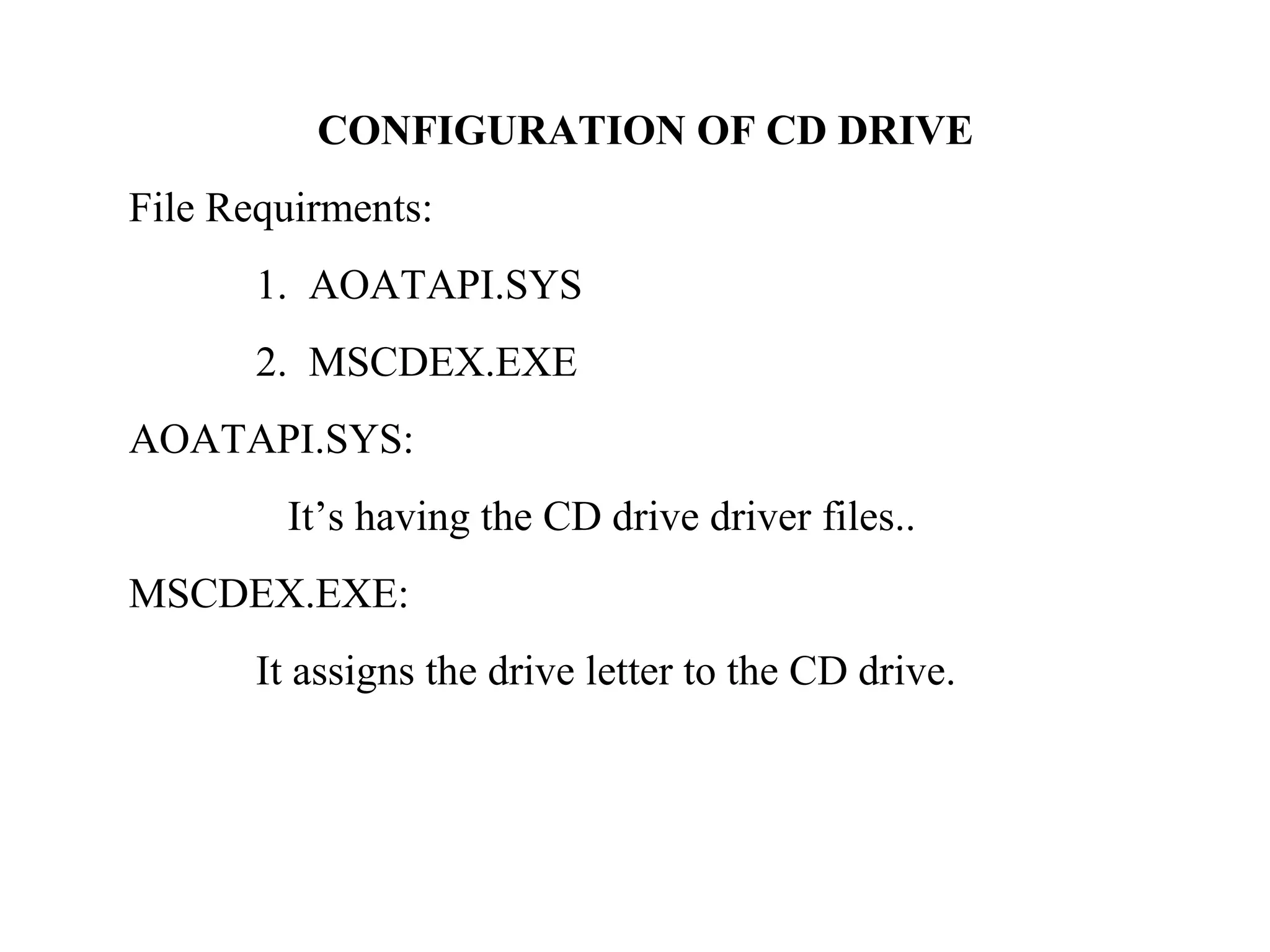
CONFIGURATION OF CD DRIVE
File Requirments:
       1. AOATAPI.SYS
       2. MSCDEX.EXE
AOATAPI.SYS:
        It’s having the CD drive driver files..
MSCDEX.EXE:
       It assigns the drive letter to the CD drive.
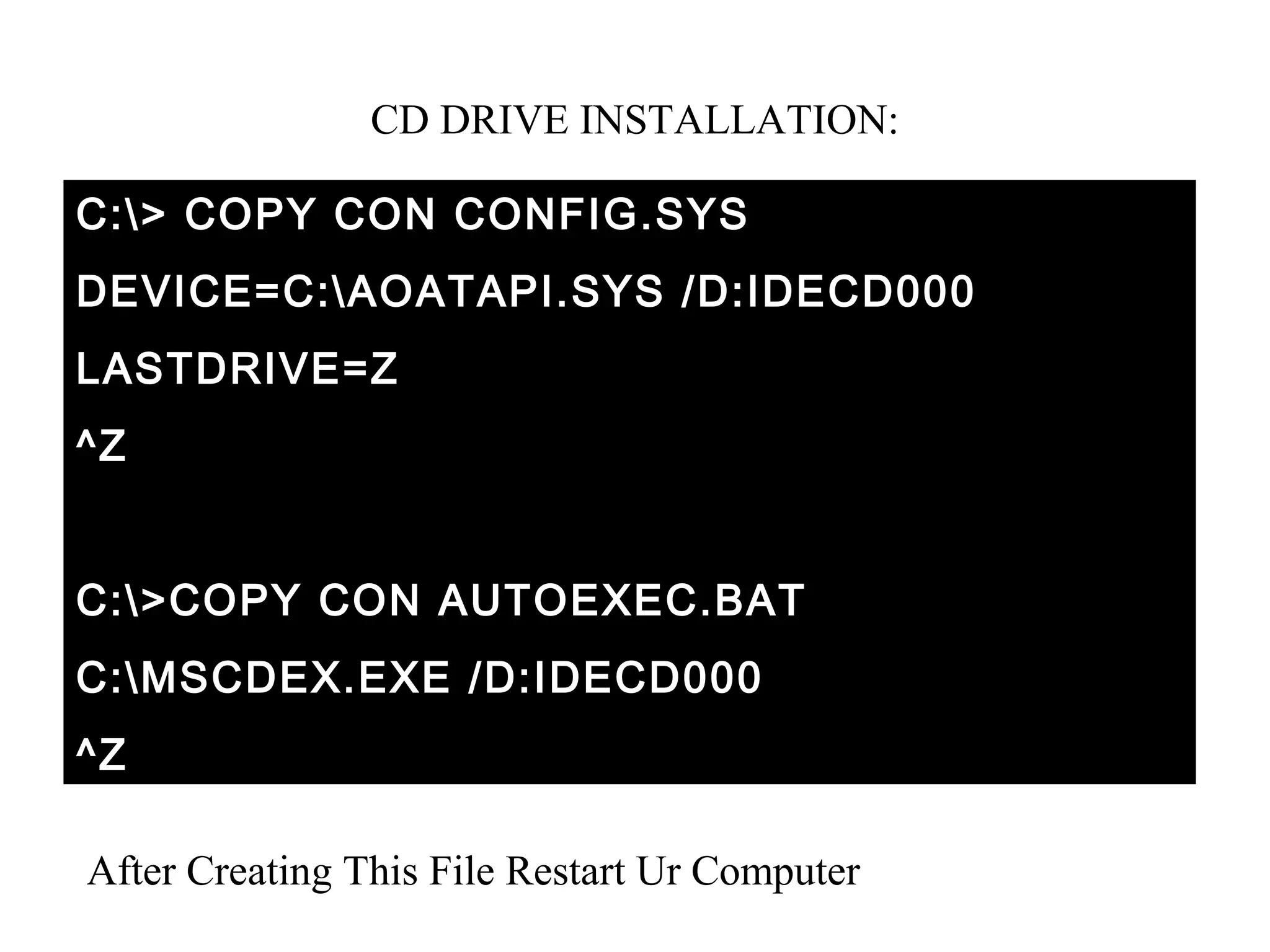
CD DRIVE INSTALLATION:

C:> COPY CON CONFIG.SYS
DEVICE=C:AOATAPI.SYS /D:IDECD000
LASTDRIVE=Z
^Z


C:>COPY CON AUTOEXEC.BAT
C:MSCDEX.EXE /D:IDECD000
^Z

After Creating This File Restart Ur Computer
CD Demo 1


CD Demo 2


CD Demo 3
Resource Person Mobile:   98948-30731

Cd drive slide

  • 1.
  • 2.
    CD DRIVE There are2 type in CD DRIVE Technology. They are CD and DVD. 1. CD Reader and CD Re-Writer drive. 2. DVD Reader and DVD Re-Writer drive. DVD – Digital Versatile Disk. 3. Blu-ray Disc CD’s are classified in to 2 types, they are Once writtable CD. Re-Writtable CD.
  • 3.
    MAIN PARTS OFCDDRIVE: 1. Power Supply. 2. Logical Board. 3. Head Assembly. 1. Power supply: It’s a 4 pin connector. +5V and +12 V. +5V for Logical Board and Head Stepper motor. +12 V Disk Rotation motor and Tray Movement Servo motor.
  • 4.
    BLOCK DIAGRAM OFLOGICAL BOARD BUFFER (128 KB) CONTROLLER CD
  • 5.
  • 6.
    JUMPER SETINGS ANALOG /DIGITAL AUDIO ( Track) 40 PIN DATA CABLE
  • 7.
  • 9.
    CD DVD
  • 10.
    CONFIGURATION OF CDDRIVE File Requirments: 1. AOATAPI.SYS 2. MSCDEX.EXE AOATAPI.SYS: It’s having the CD drive driver files.. MSCDEX.EXE: It assigns the drive letter to the CD drive.
  • 11.
    CD DRIVE INSTALLATION: C:>COPY CON CONFIG.SYS DEVICE=C:AOATAPI.SYS /D:IDECD000 LASTDRIVE=Z ^Z C:>COPY CON AUTOEXEC.BAT C:MSCDEX.EXE /D:IDECD000 ^Z After Creating This File Restart Ur Computer
  • 12.
    CD Demo 1 CDDemo 2 CD Demo 3
  • 13.