For wireless investigations 
User guide for capture analysis 
TCP & UDP Flows – deep packet inspection 
By Chris Harrington
 CapAnalysis runs in Linux OS (x32/x64) 
◦ Debian based 
 Pcap viewer 
 Analyze TCP & UDP streams 
 Supports multiple datasets 
 Performs deep packet inspection 
 Reporting and presentation capabilities 
 Using Kali Linux running in VMware 
workstation for this guide
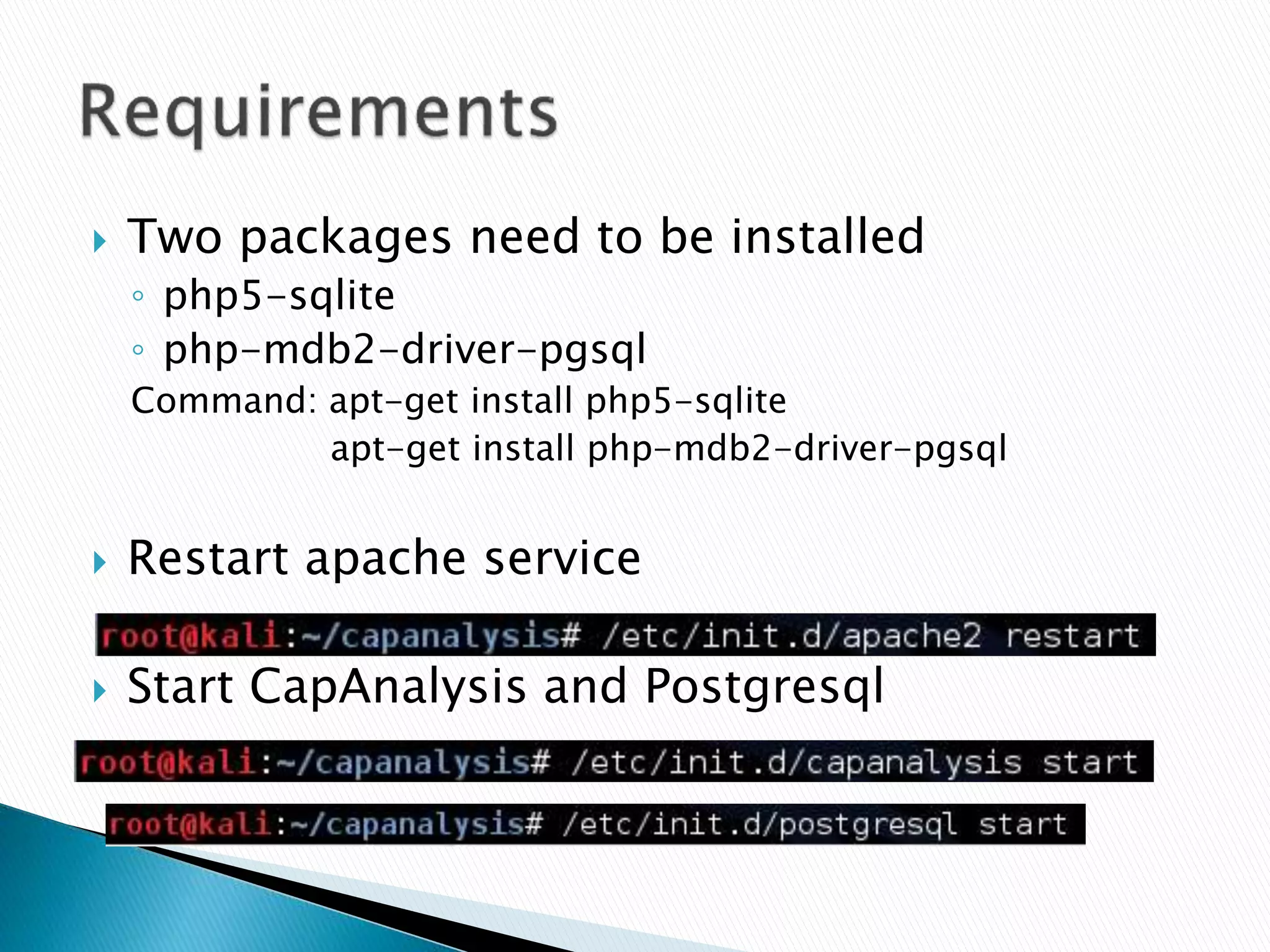
 Two packages need to be installed 
◦ php5-sqlite 
◦ php-mdb2-driver-pgsql 
Command: apt-get install php5-sqlite 
apt-get install php-mdb2-driver-pgsql 
 Restart apache service 
 Start CapAnalysis and Postgresql
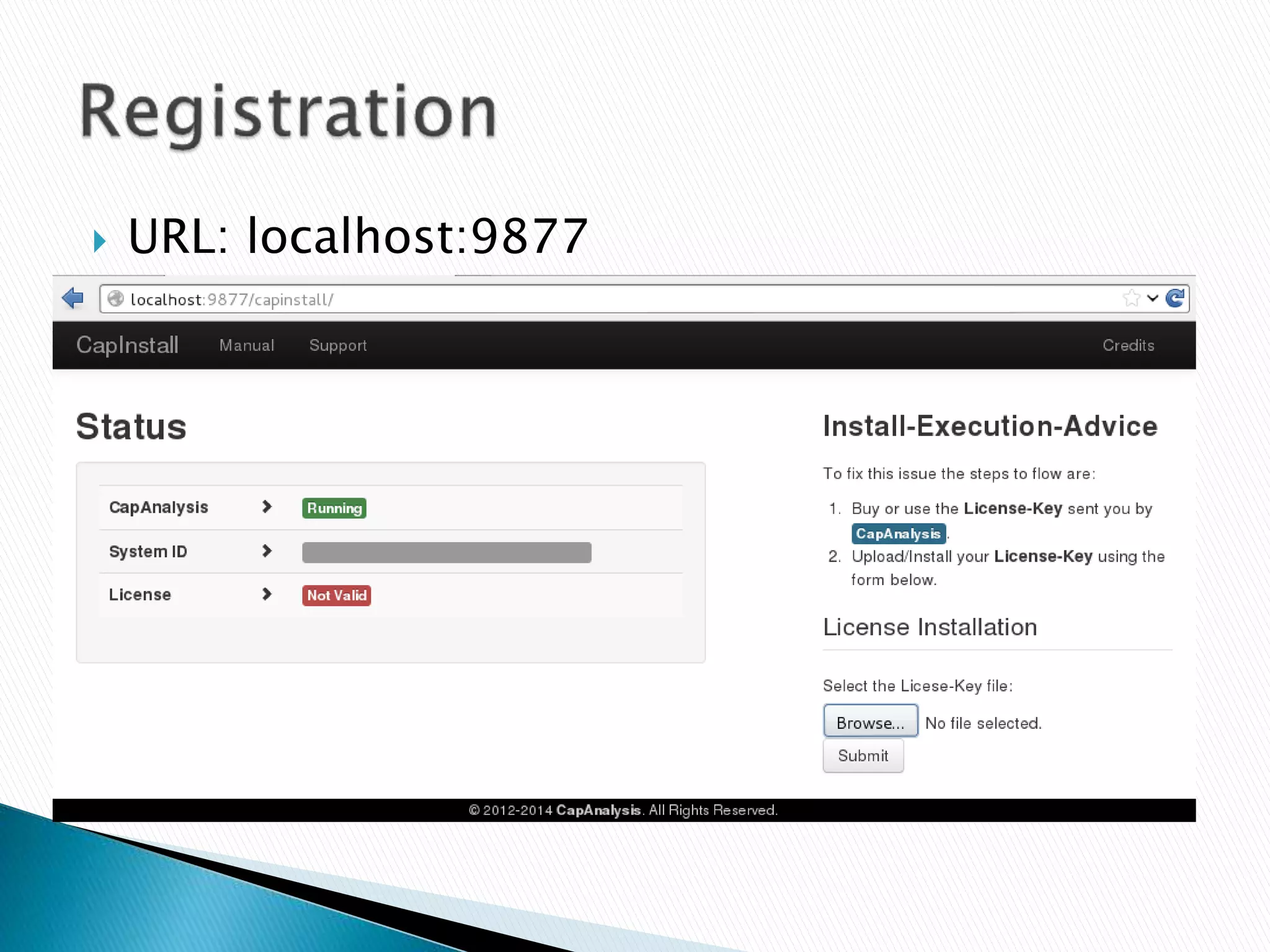
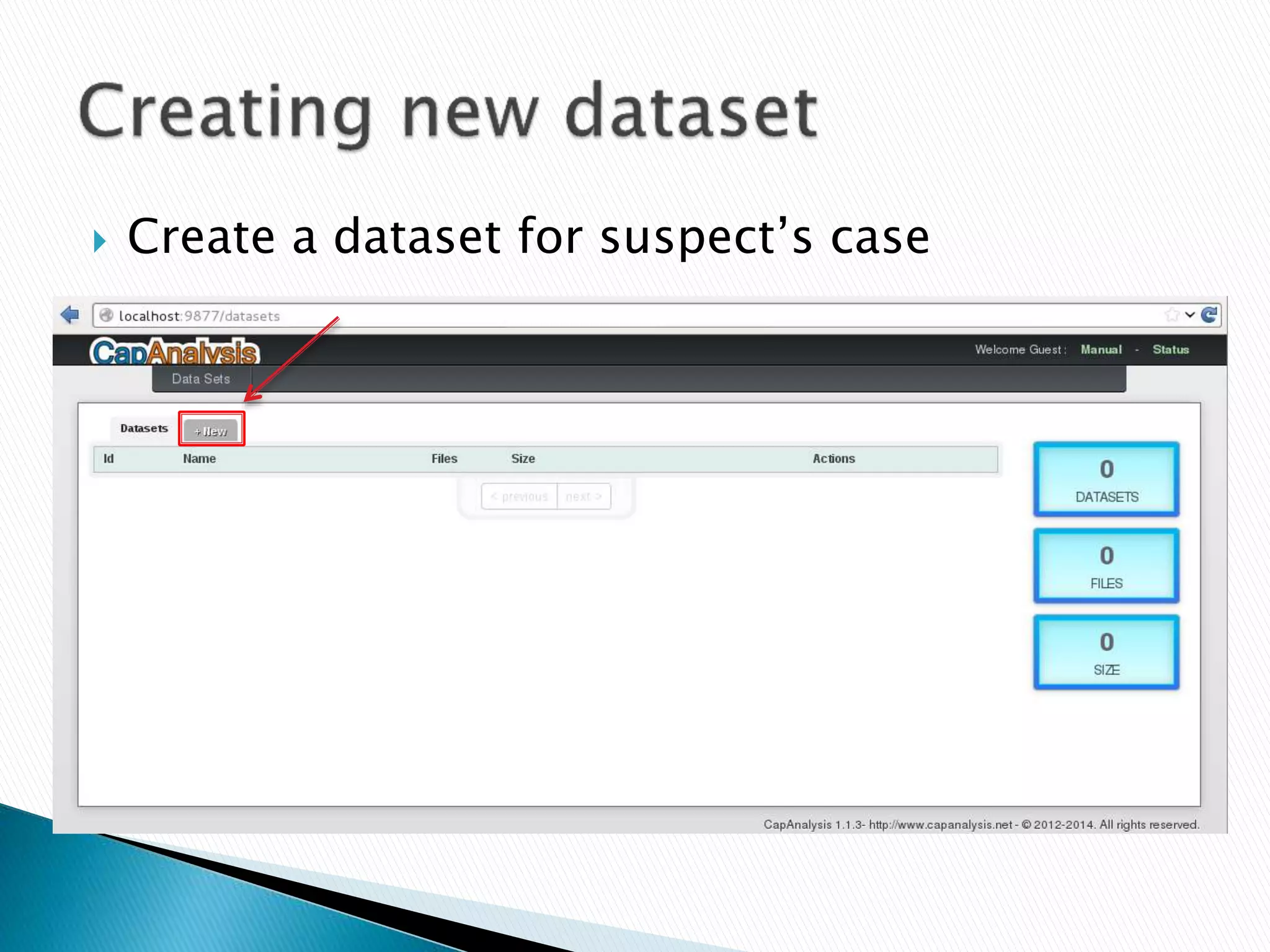
 URL: localhost:9877
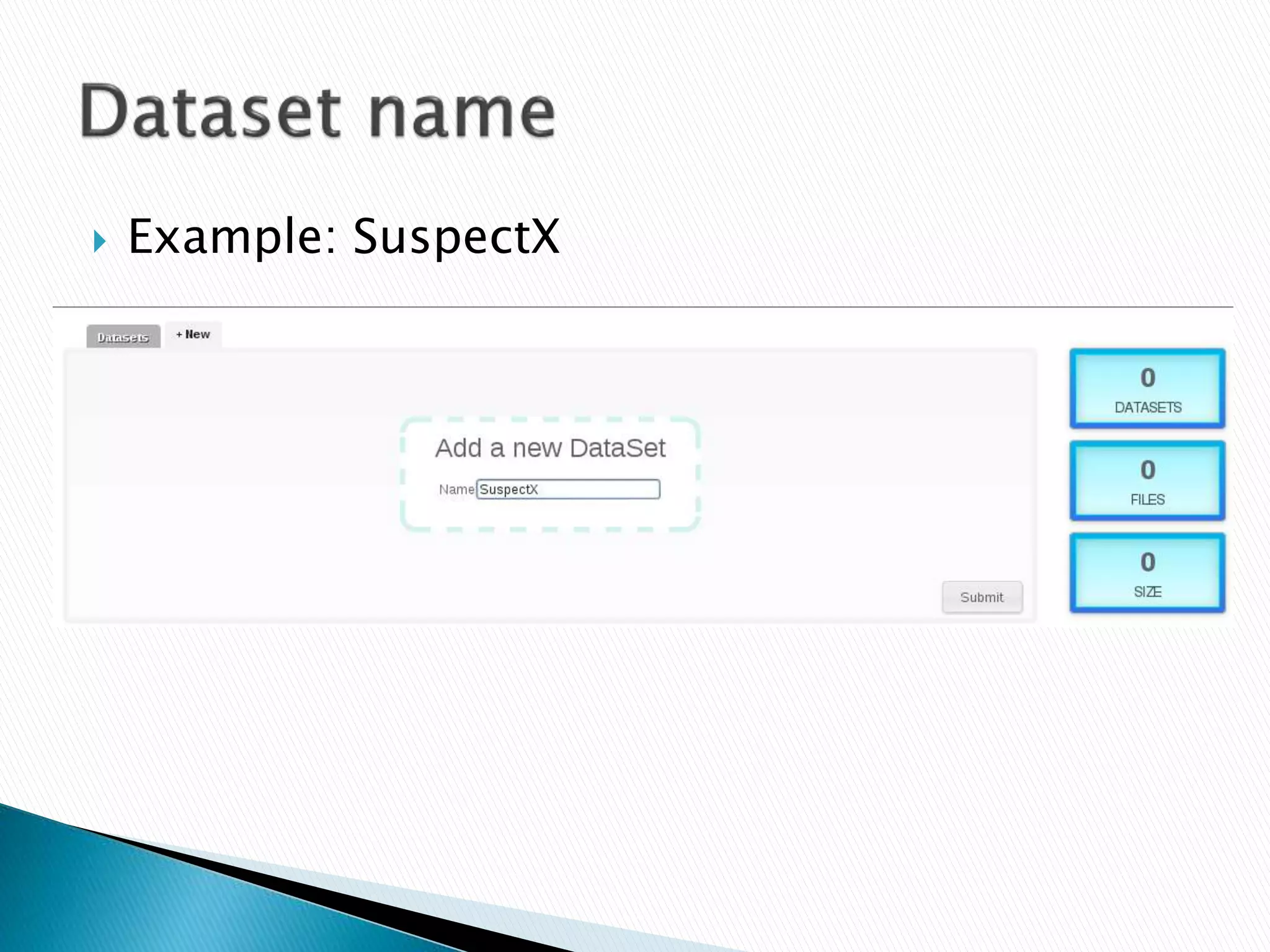
 Create a dataset for suspect’s case
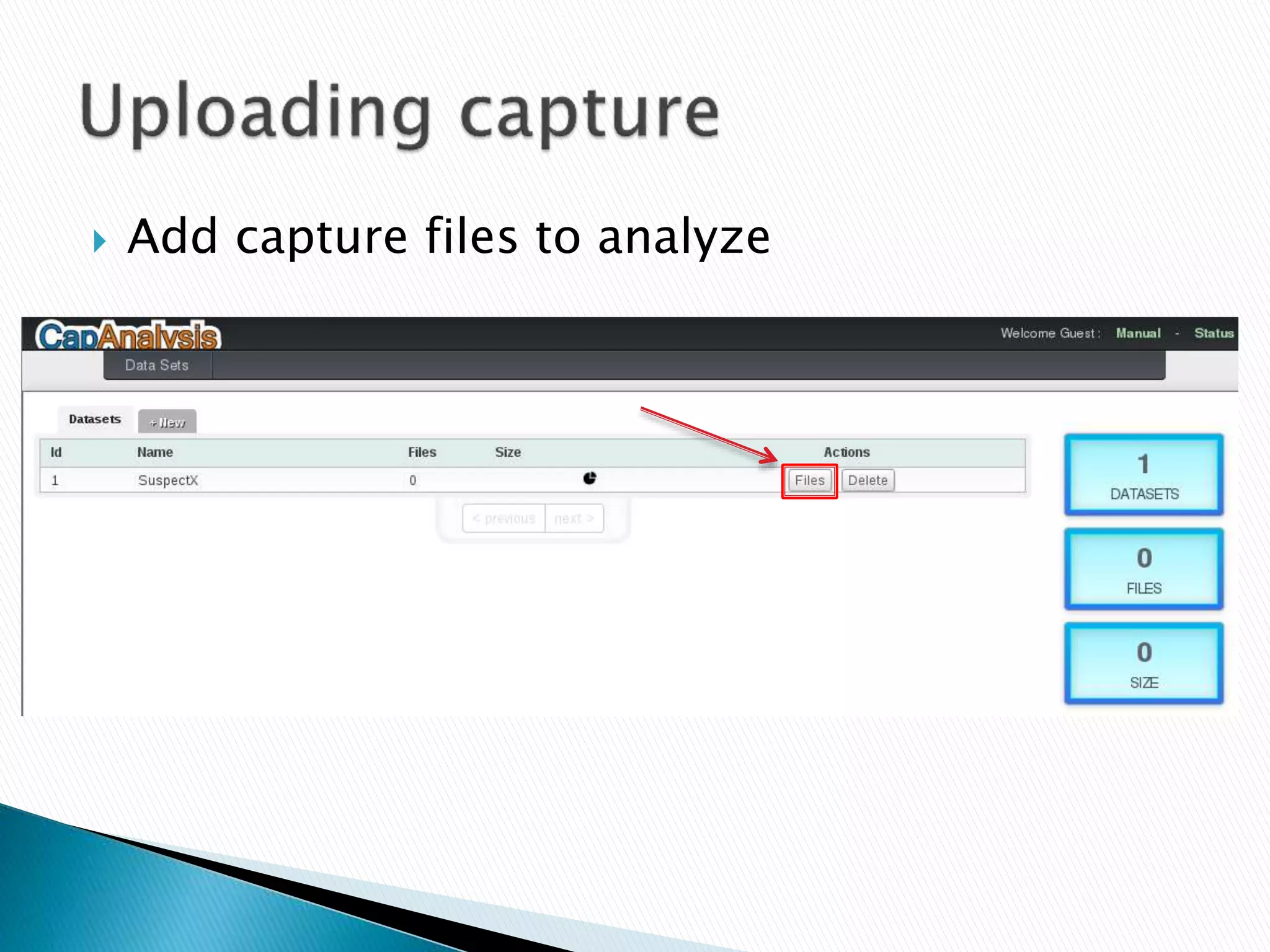
 Example: SuspectX
 Add capture files to analyze
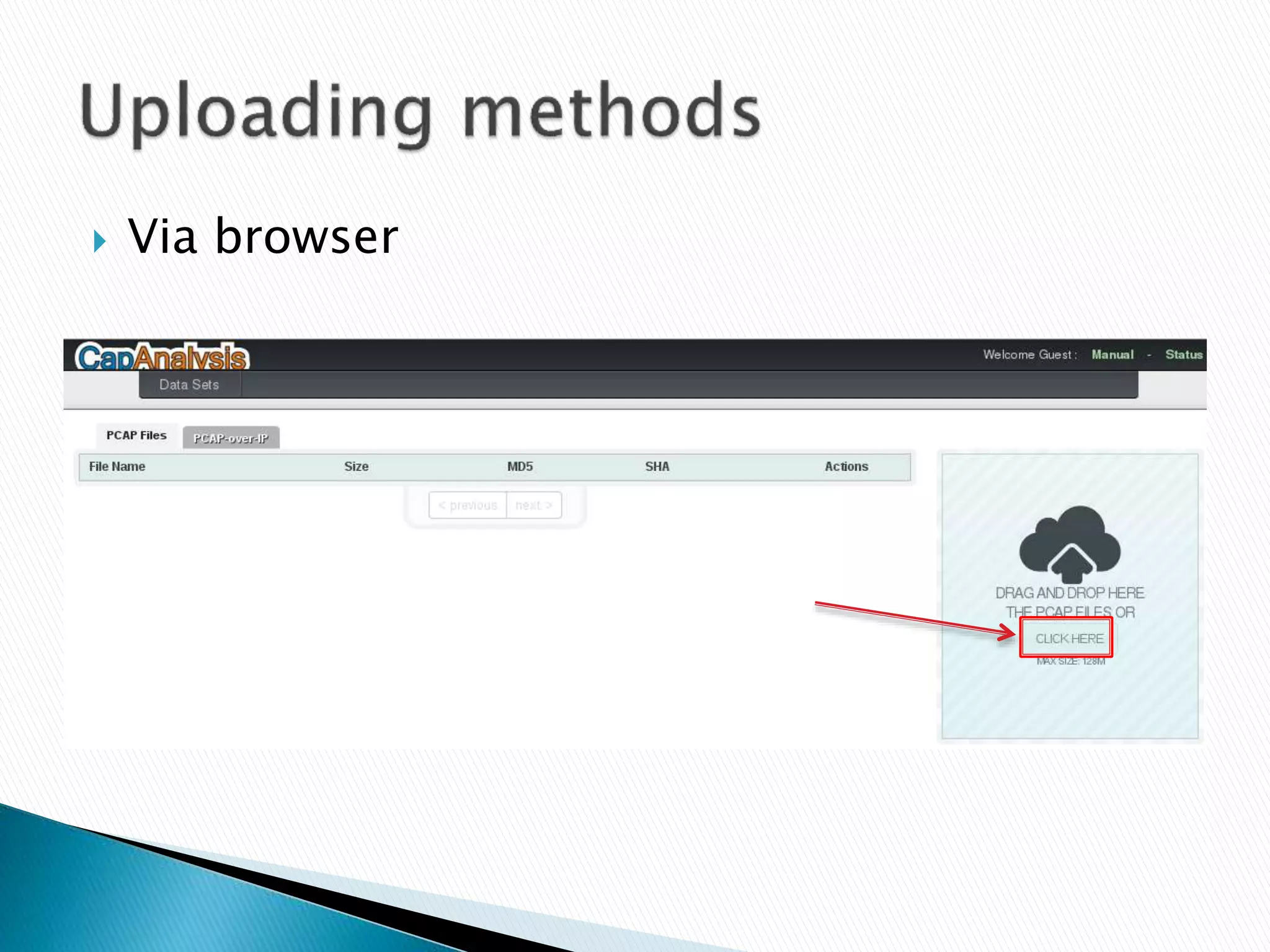
 Via browser
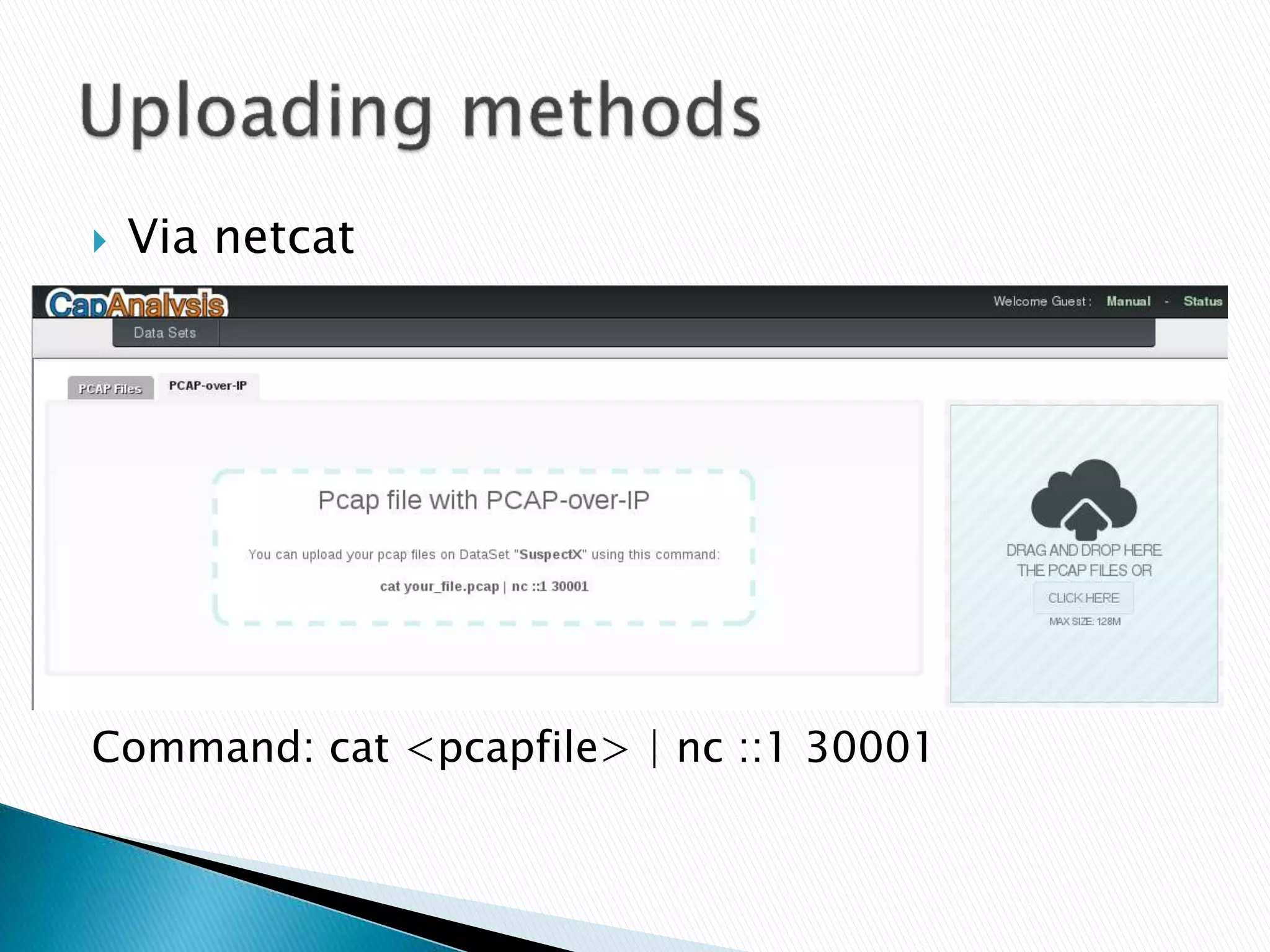
 Via netcat 
Command: cat <pcapfile> | nc ::1 30001
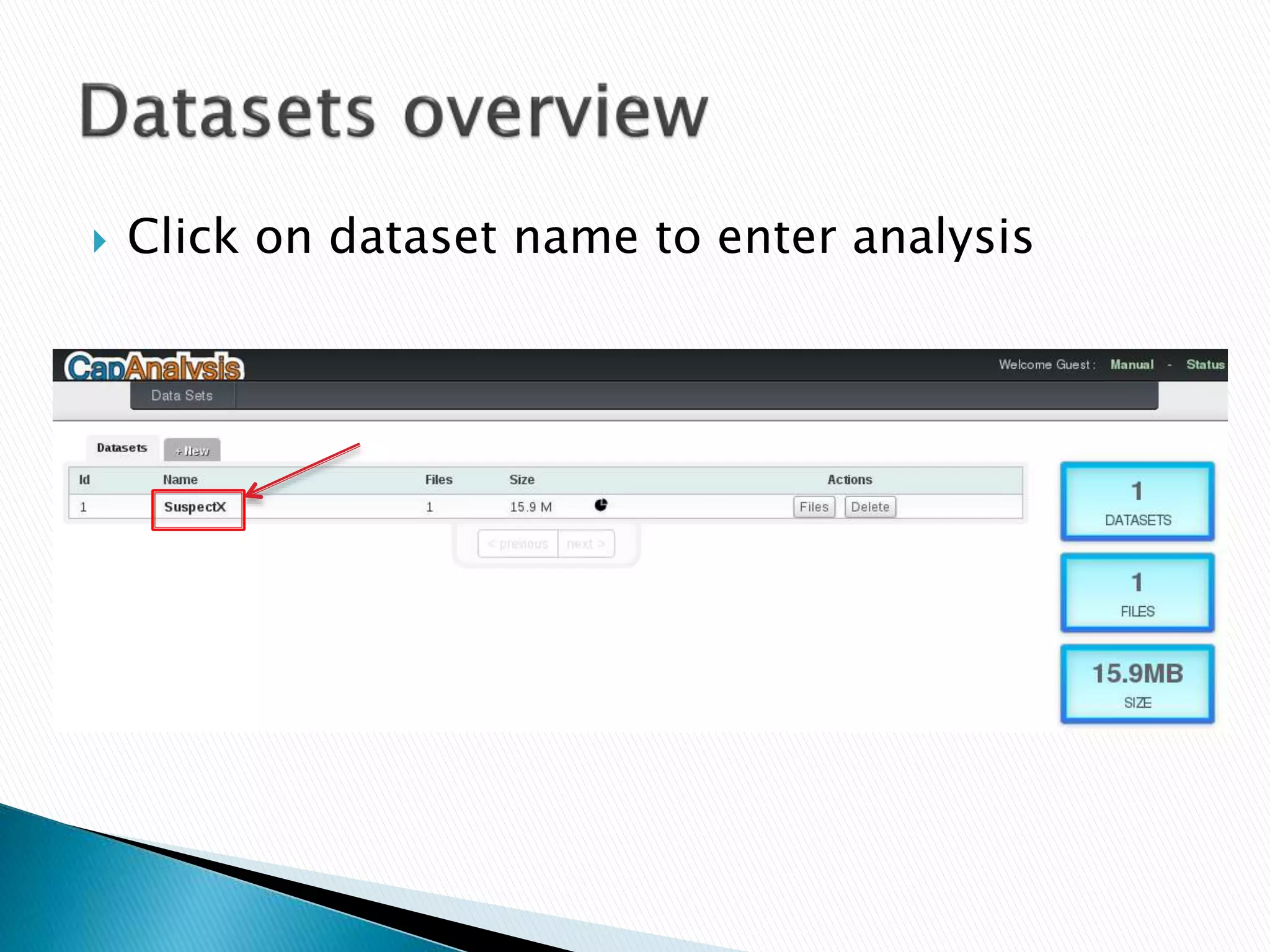
 Click on dataset name to enter analysis
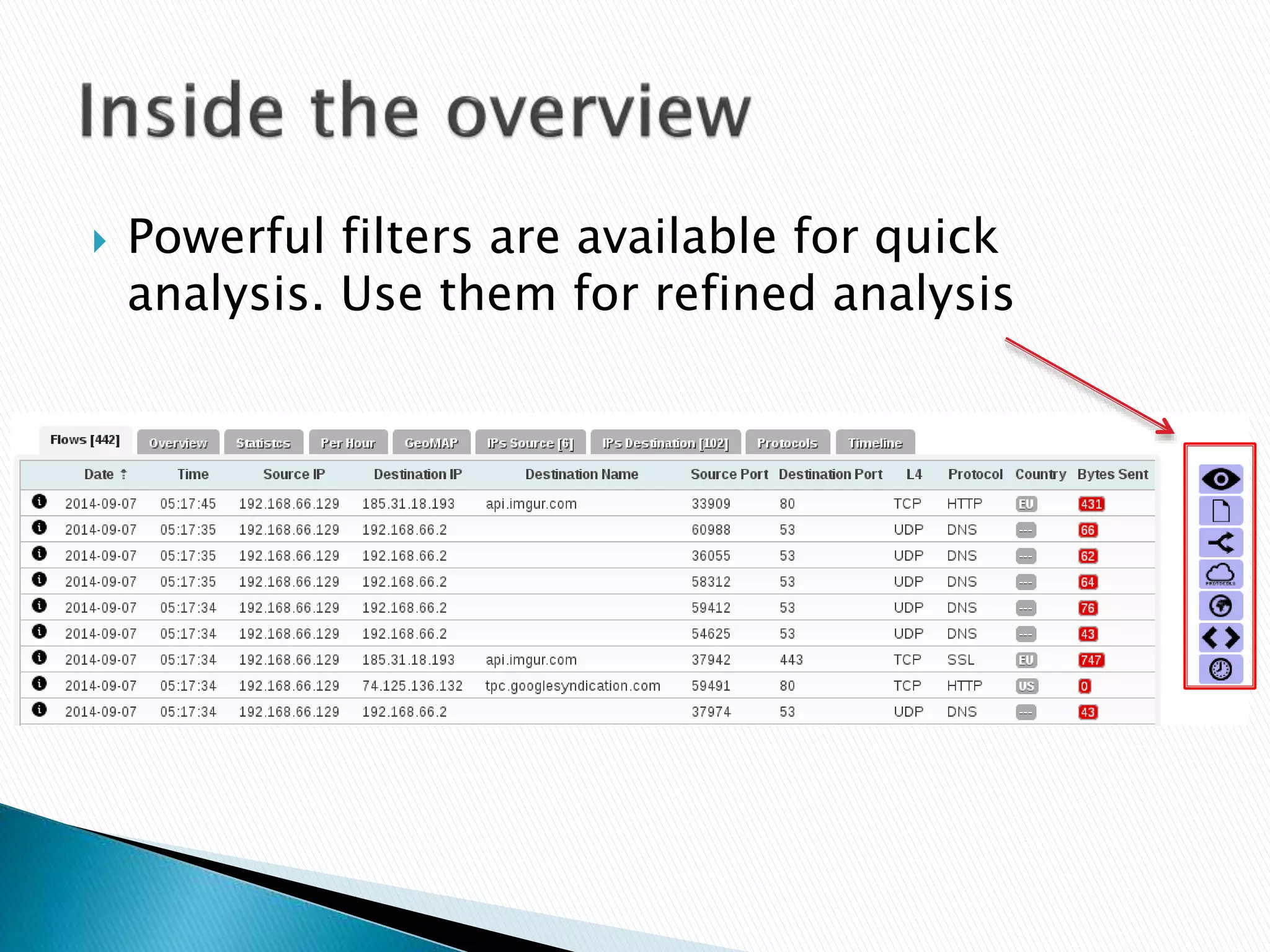
 Powerful filters are available for quick 
analysis. Use them for refined analysis
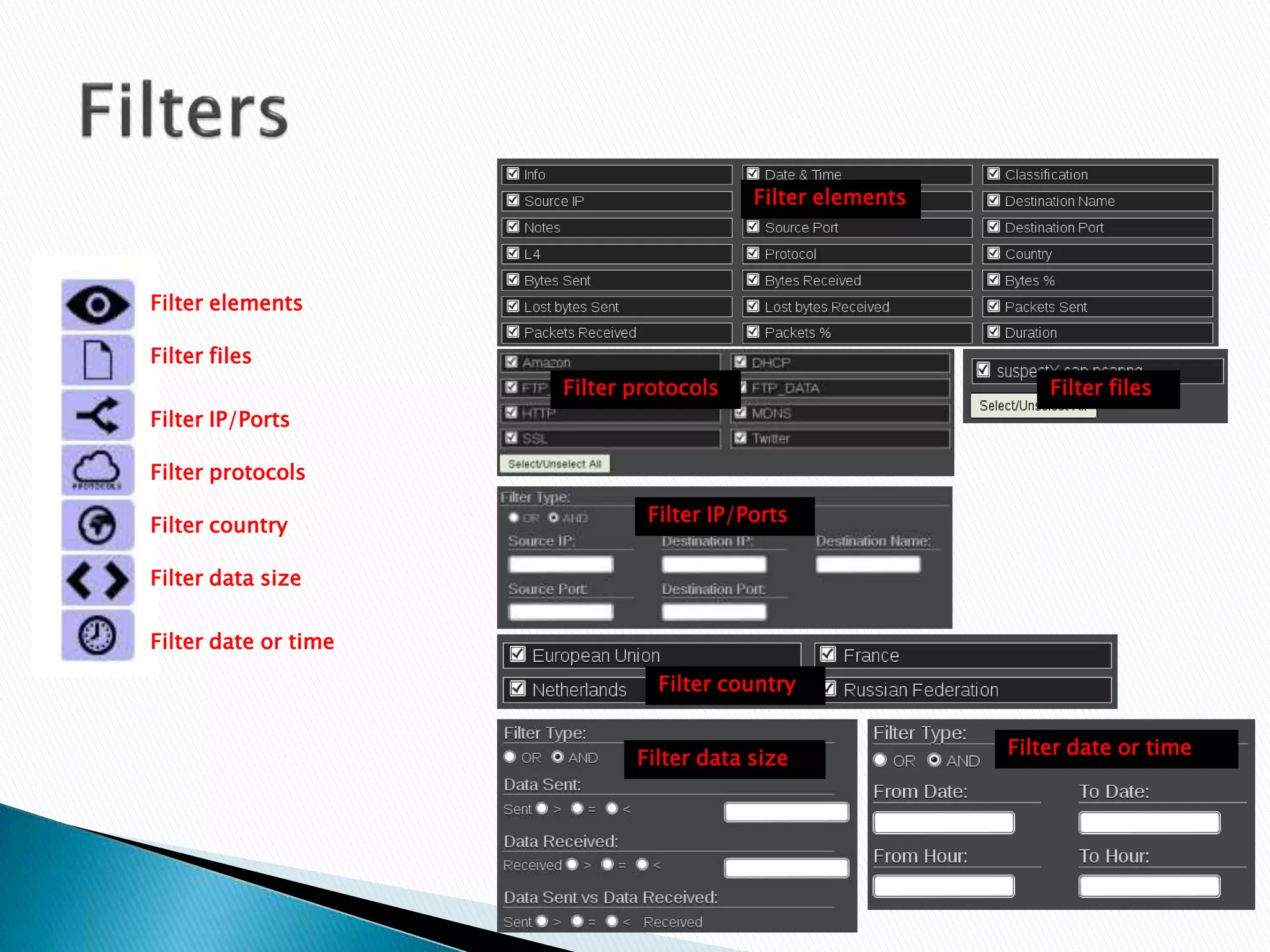
Filter elements 
Filter files 
Filter IP/Ports 
Filter protocols 
Filter country 
Filter data size 
Filter date or time 
Filter elements 
Filter files 
Filter protocols 
Filter IP/Ports 
Filter country 
Filter data size 
Filter date or time
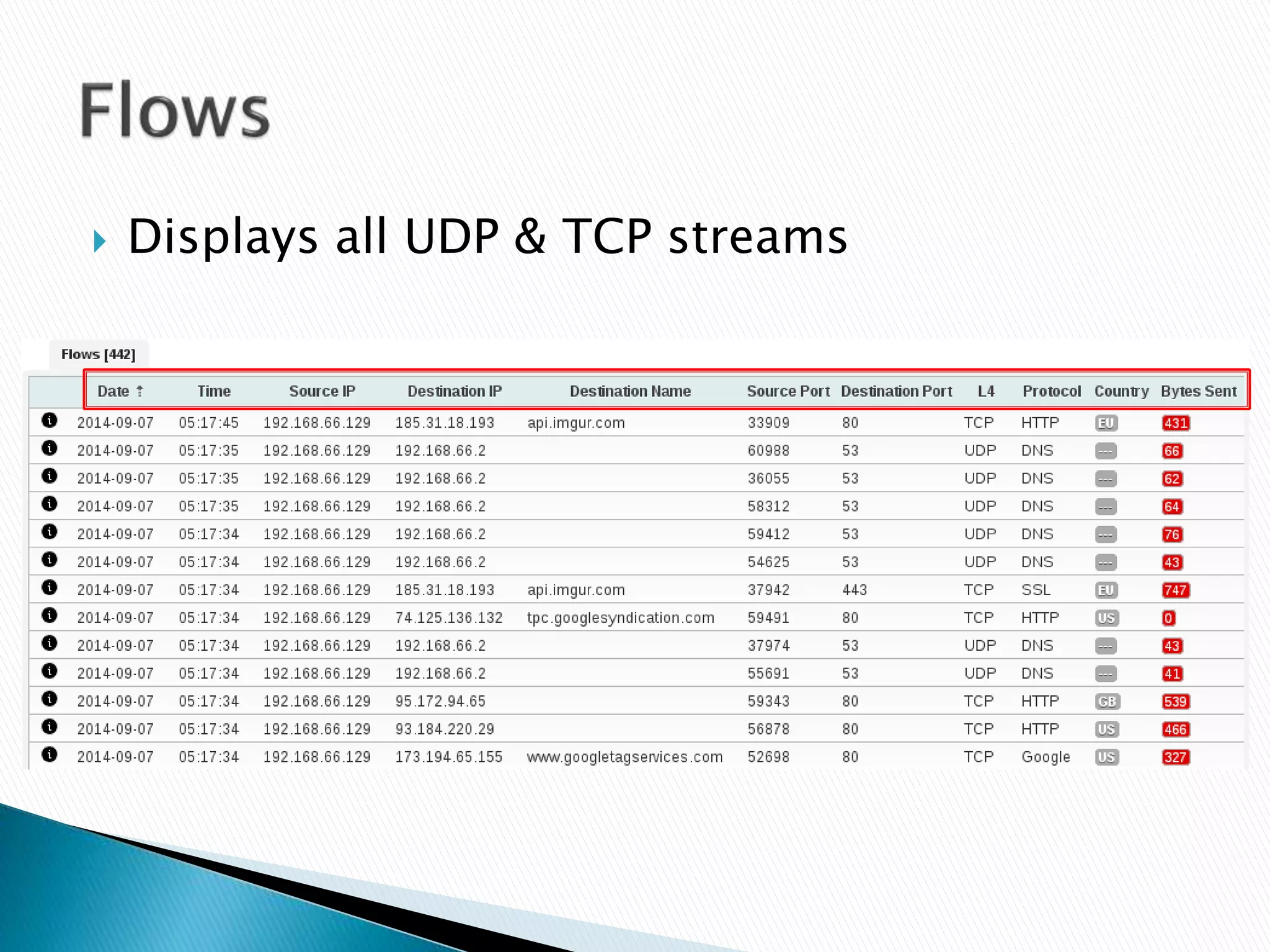
 Displays all UDP & TCP streams
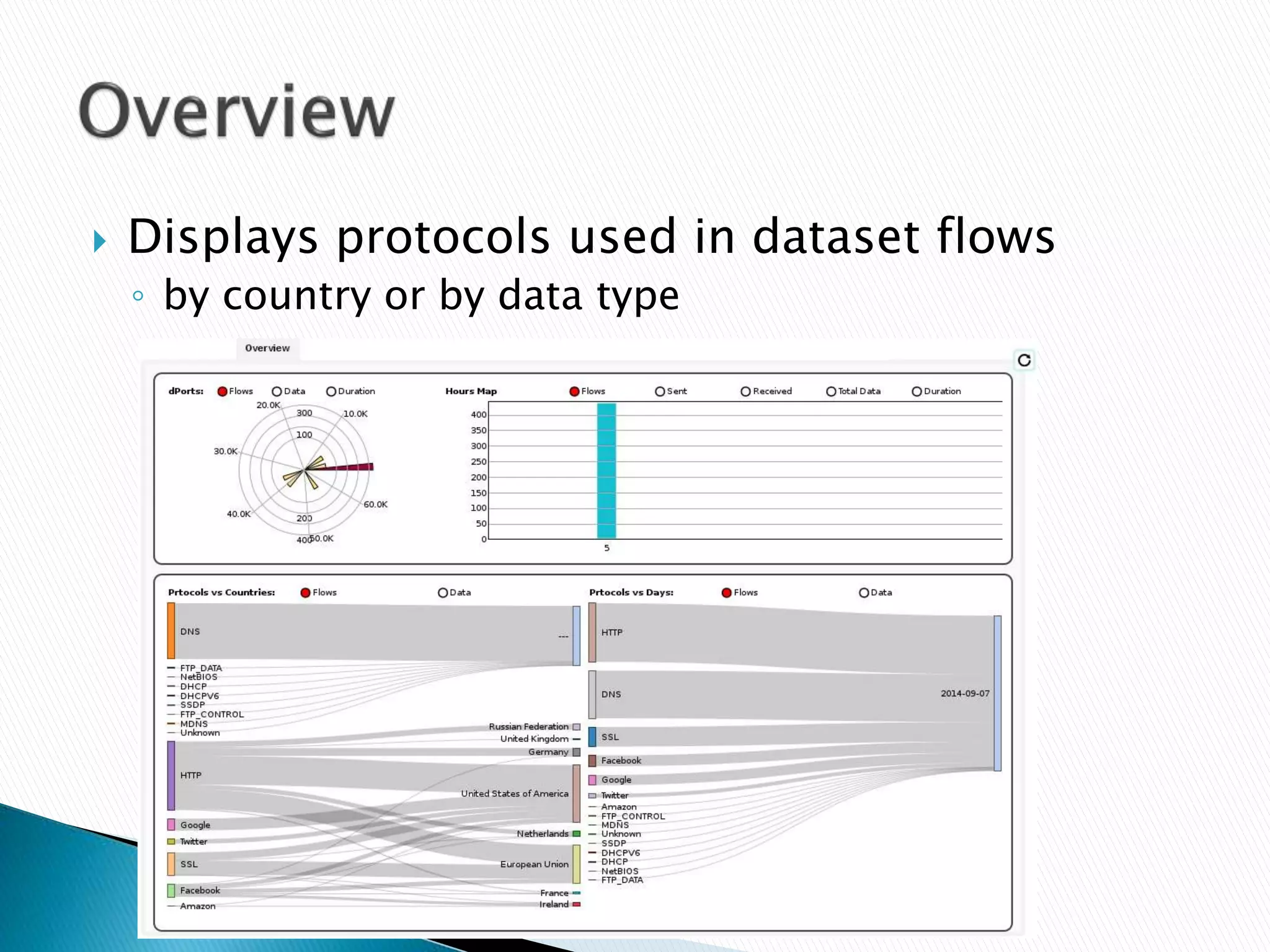
 Displays protocols used in dataset flows 
◦ by country or by data type
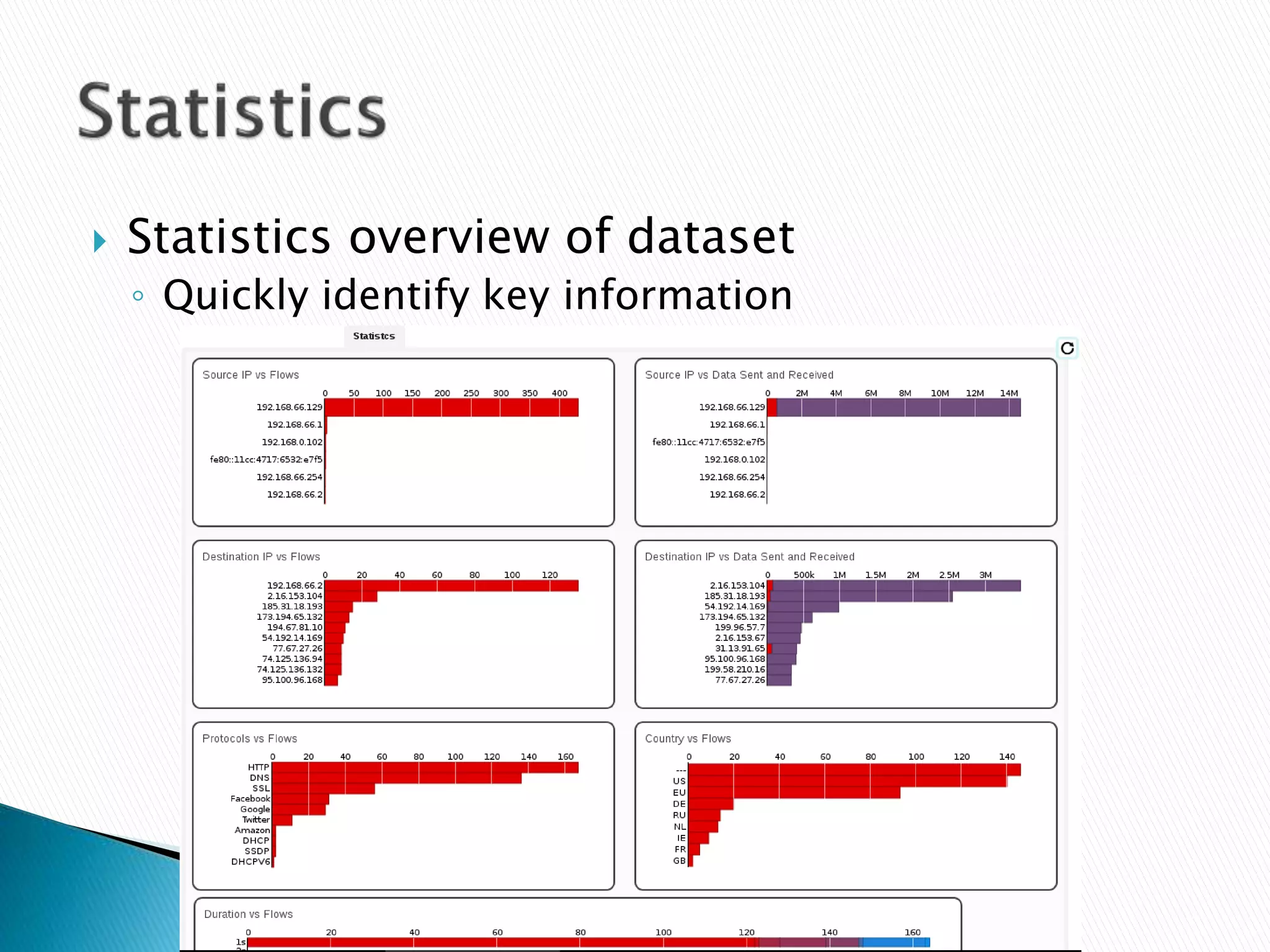
 Statistics overview of dataset 
◦ Quickly identify key information
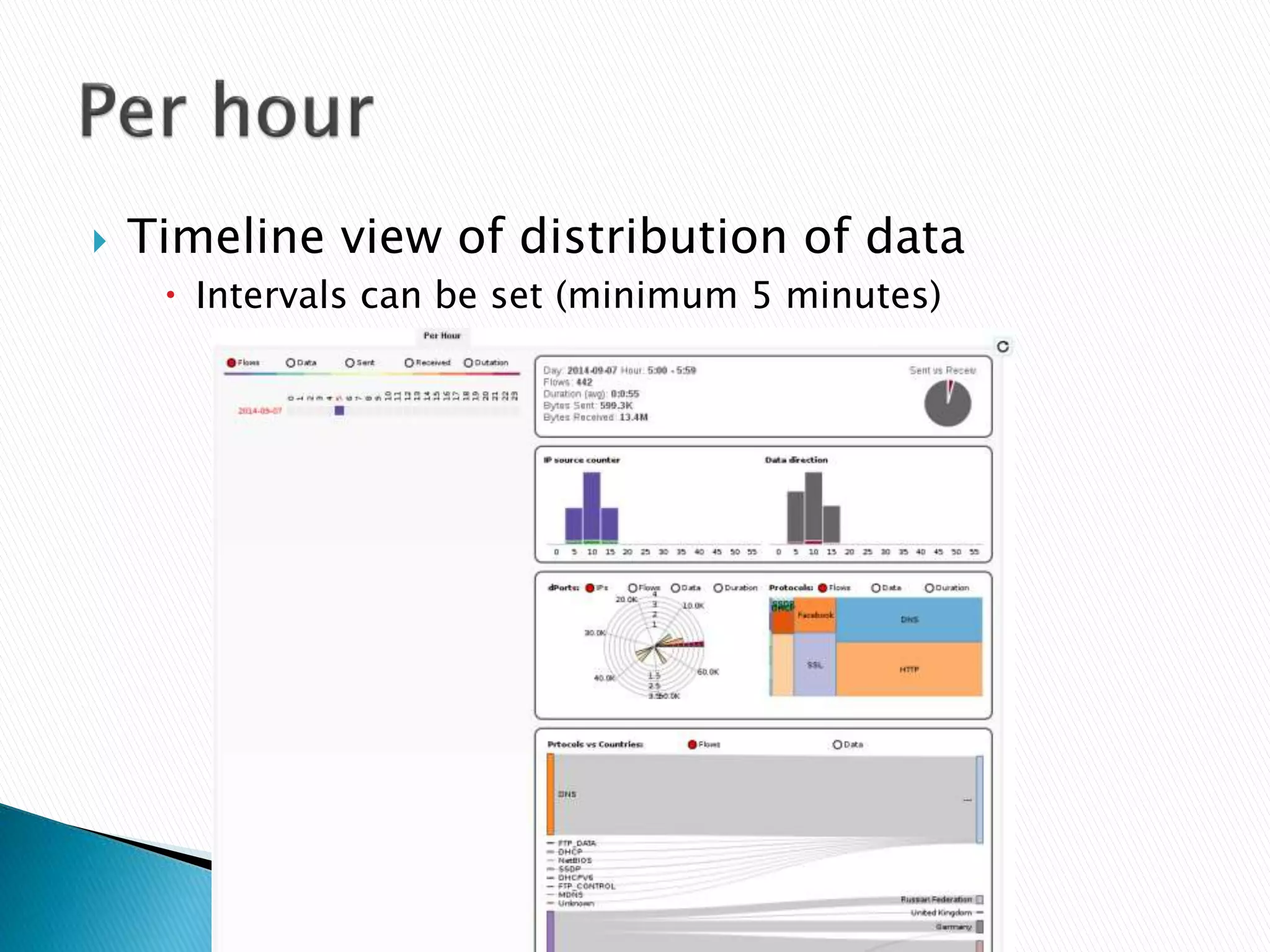
 Timeline view of distribution of data 
 Intervals can be set (minimum 5 minutes)
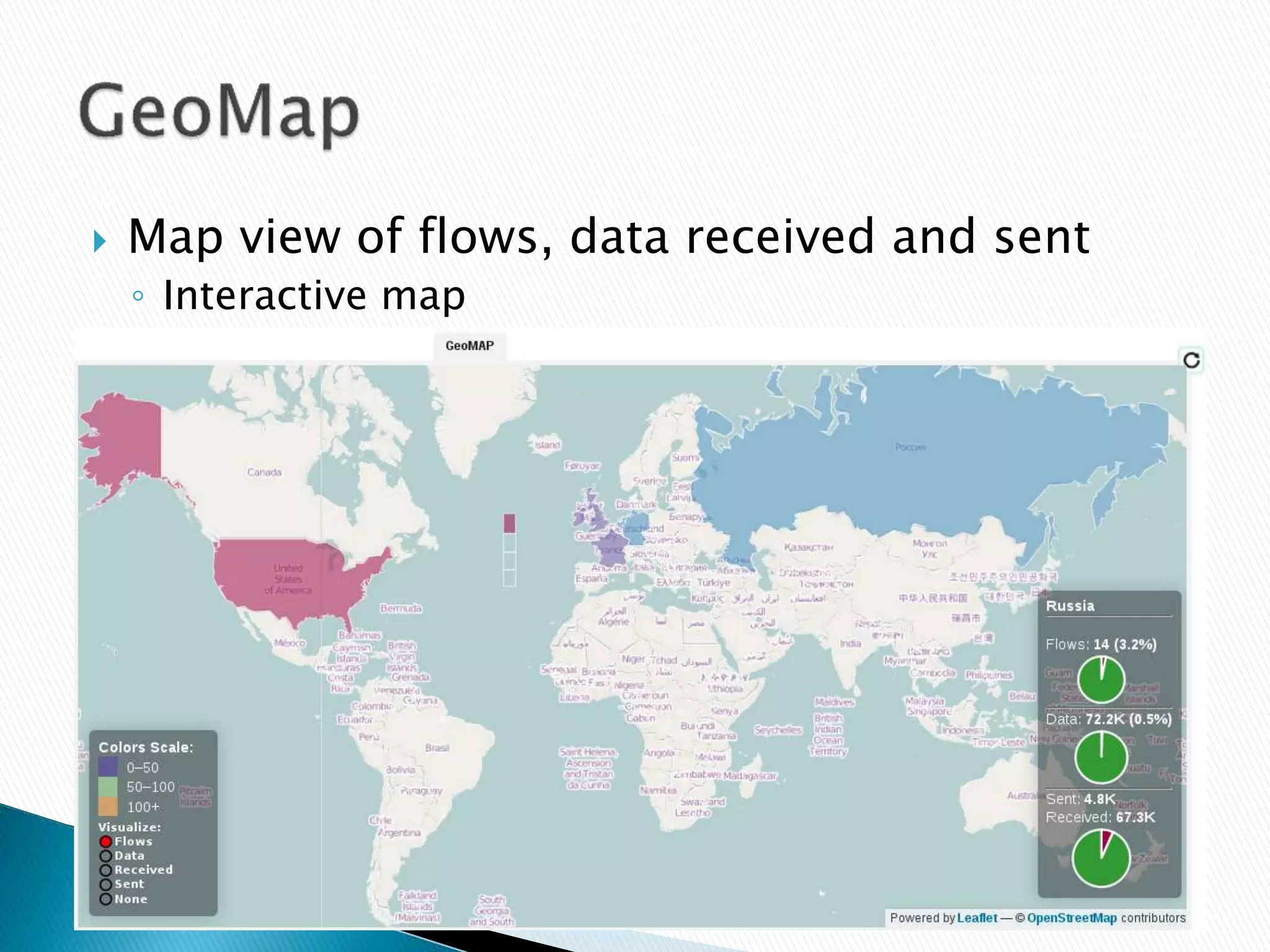
 Map view of flows, data received and sent 
◦ Interactive map
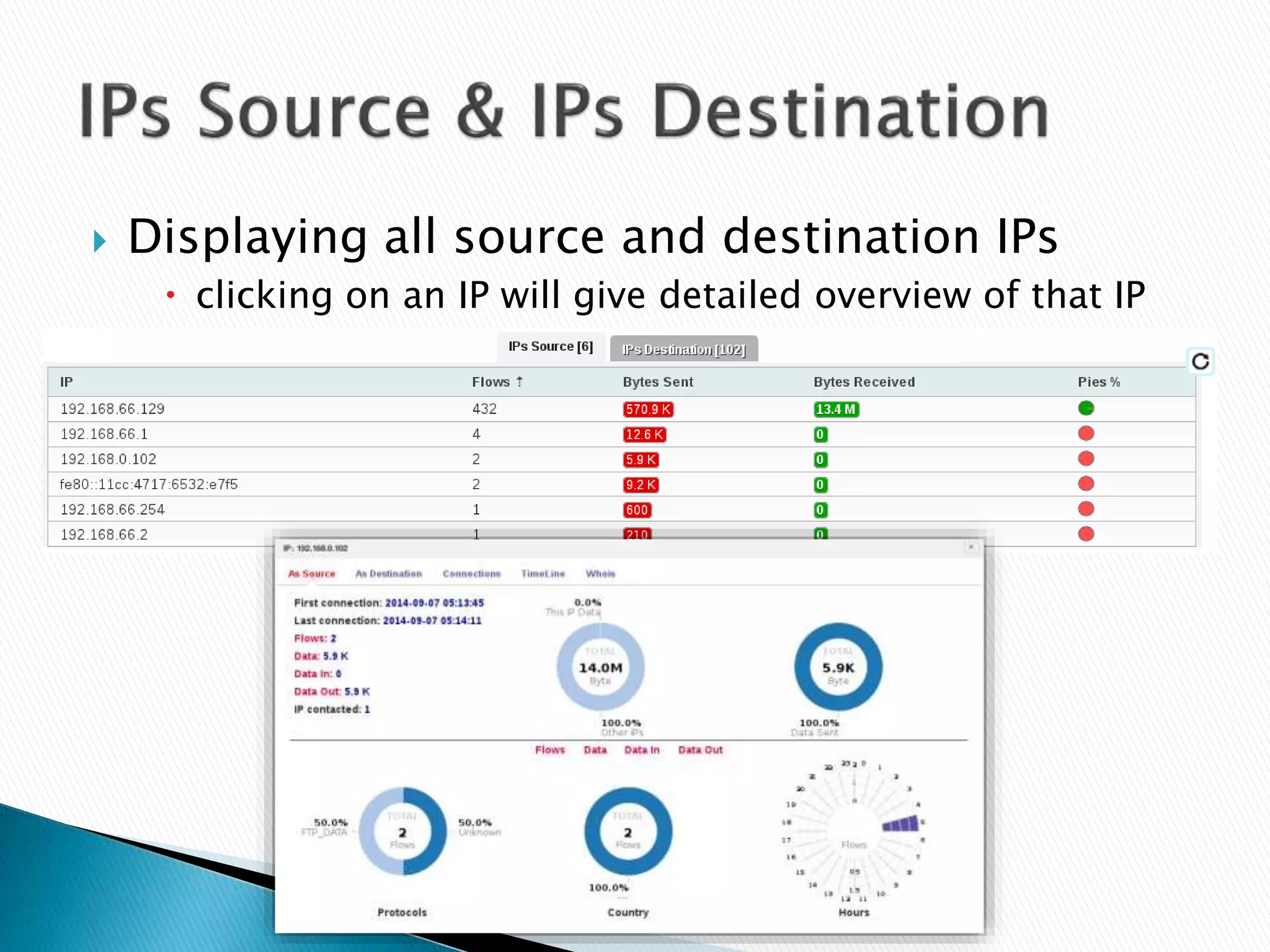
 Displaying all source and destination IPs 
 clicking on an IP will give detailed overview of that IP
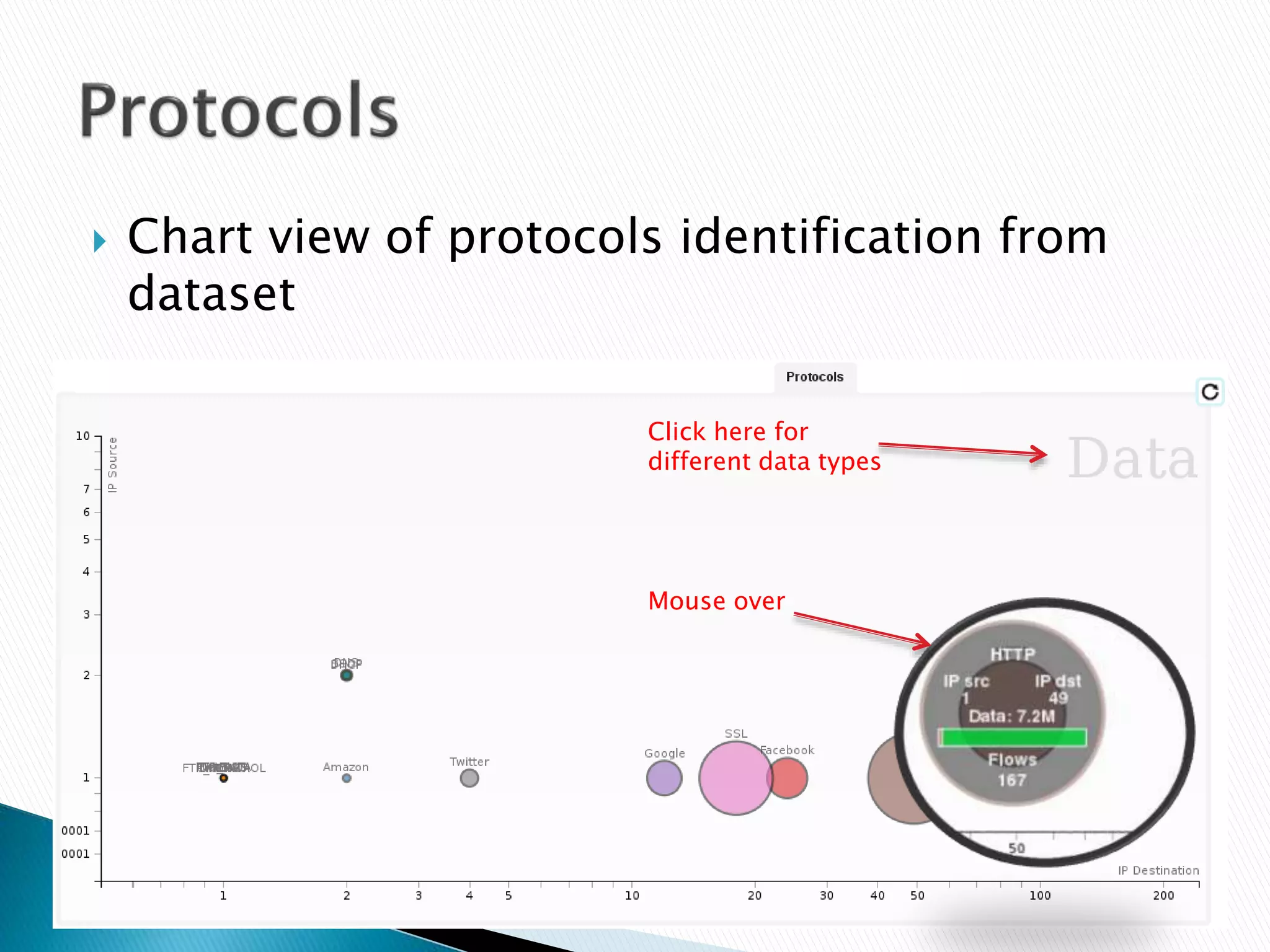
 Chart view of protocols identification from 
dataset 
Click here for 
different data types 
Mouse over
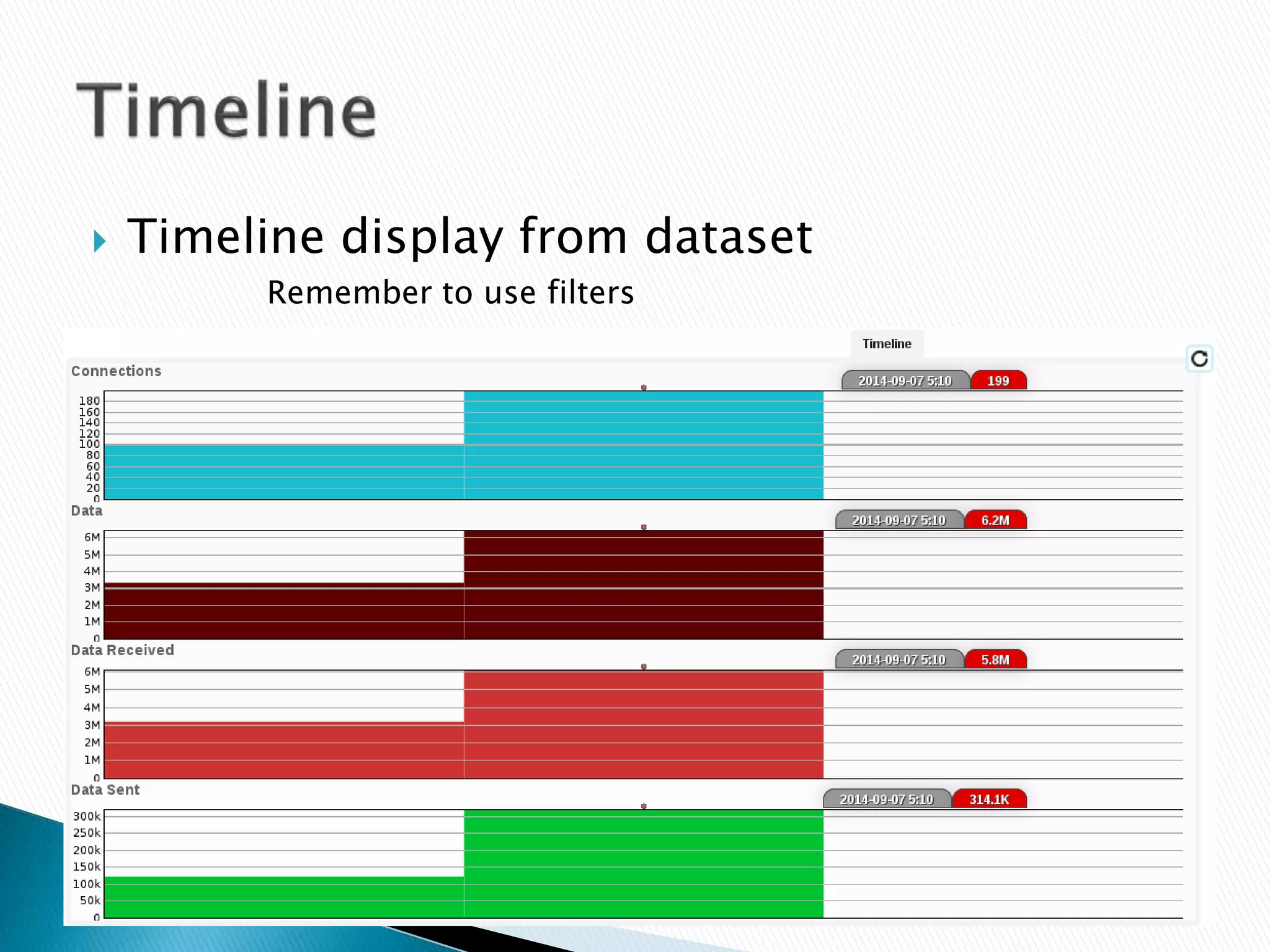
 Timeline display from dataset 
Remember to use filters
 Use advanced filters for refining analysis 
 Reporting and presentation capabilities 
◦ Easy to understand for non technical stakeholders 
 Timelines 
 Dissecting TCP and UDP streams 
 Time saving 
 Cost effective 
 Geolocation of all connections 
 Upload datasets with NetCat (scripting 
possibilities?)
 My contact details 
 C.k.harrington@gmail.com

CapAnalysis - Deep Packet Inspection

  • 1.
    For wireless investigations User guide for capture analysis TCP & UDP Flows – deep packet inspection By Chris Harrington
  • 2.
     CapAnalysis runsin Linux OS (x32/x64) ◦ Debian based  Pcap viewer  Analyze TCP & UDP streams  Supports multiple datasets  Performs deep packet inspection  Reporting and presentation capabilities  Using Kali Linux running in VMware workstation for this guide
  • 3.
     Two packagesneed to be installed ◦ php5-sqlite ◦ php-mdb2-driver-pgsql Command: apt-get install php5-sqlite apt-get install php-mdb2-driver-pgsql  Restart apache service  Start CapAnalysis and Postgresql
  • 4.
  • 5.
     Create adataset for suspect’s case
  • 6.
  • 7.
     Add capturefiles to analyze
  • 8.
  • 9.
     Via netcat Command: cat <pcapfile> | nc ::1 30001
  • 10.
     Click ondataset name to enter analysis
  • 11.
     Powerful filtersare available for quick analysis. Use them for refined analysis
  • 12.
    Filter elements Filterfiles Filter IP/Ports Filter protocols Filter country Filter data size Filter date or time Filter elements Filter files Filter protocols Filter IP/Ports Filter country Filter data size Filter date or time
  • 13.
     Displays allUDP & TCP streams
  • 14.
     Displays protocolsused in dataset flows ◦ by country or by data type
  • 15.
     Statistics overviewof dataset ◦ Quickly identify key information
  • 16.
     Timeline viewof distribution of data  Intervals can be set (minimum 5 minutes)
  • 17.
     Map viewof flows, data received and sent ◦ Interactive map
  • 18.
     Displaying allsource and destination IPs  clicking on an IP will give detailed overview of that IP
  • 19.
     Chart viewof protocols identification from dataset Click here for different data types Mouse over
  • 20.
     Timeline displayfrom dataset Remember to use filters
  • 21.
     Use advancedfilters for refining analysis  Reporting and presentation capabilities ◦ Easy to understand for non technical stakeholders  Timelines  Dissecting TCP and UDP streams  Time saving  Cost effective  Geolocation of all connections  Upload datasets with NetCat (scripting possibilities?)
  • 22.
     My contactdetails  C.k.harrington@gmail.com