Dashboard Design Best Practices
         Speaker: Dan Bulos
         Symmetry Corporation

               July 2012
Best Practices in
Dashboard Design


Dan Bulos – bulos@symcorp.com


©2012 Symmetry Corporation   http://www.symcorp.com
Agenda

    What is a Dashboard?

    Dashboard Best Practices

    Dashboard Components

    Navigation


©2012 Symmetry Corporation     http://www.symcorp.com
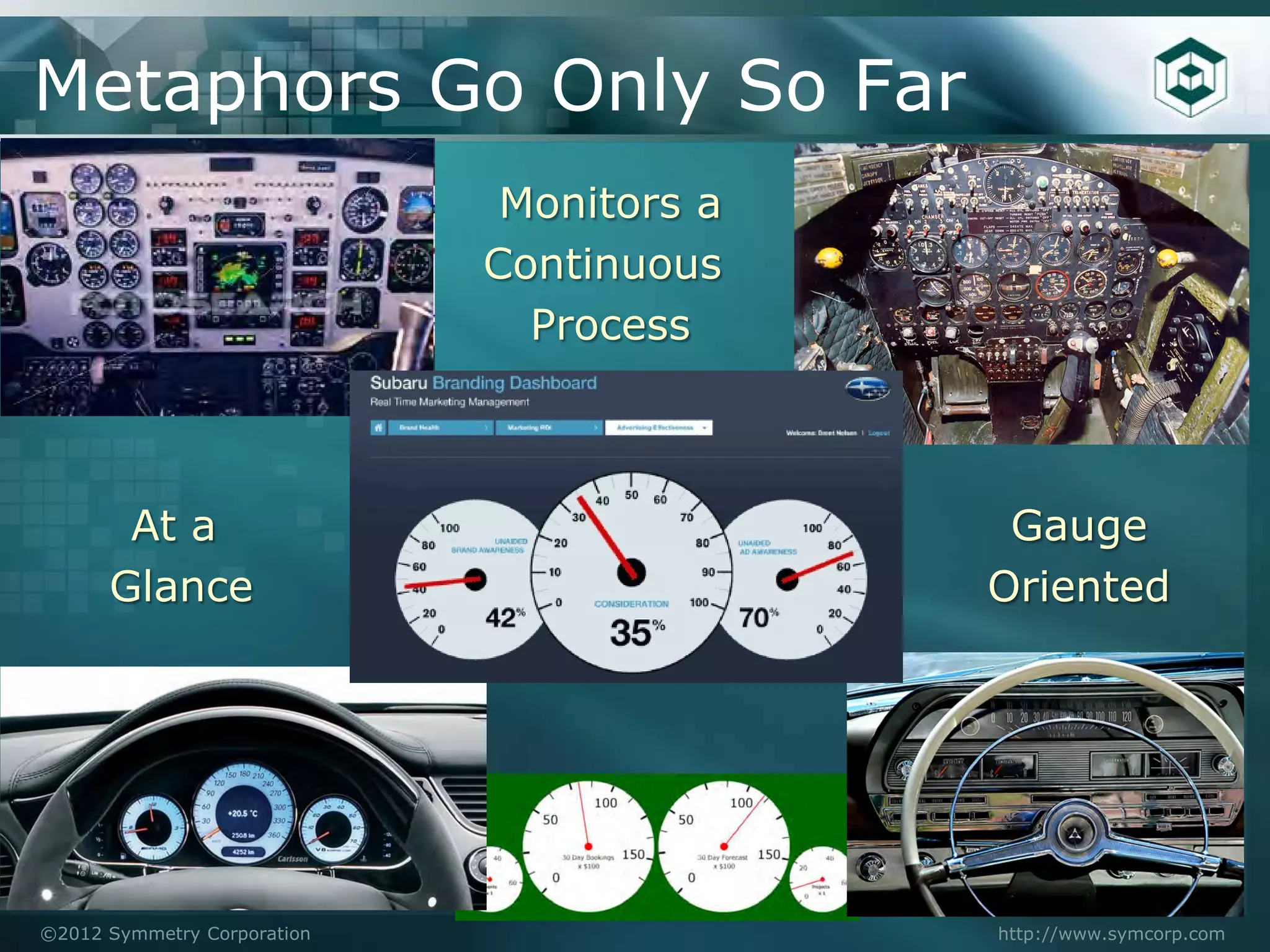
Metaphors Go Only So Far
                              Monitors a
                             Continuous
                               Process


       At a                                 Gauge
      Glance                               Oriented


©2012 Symmetry Corporation                 http://www.symcorp.com
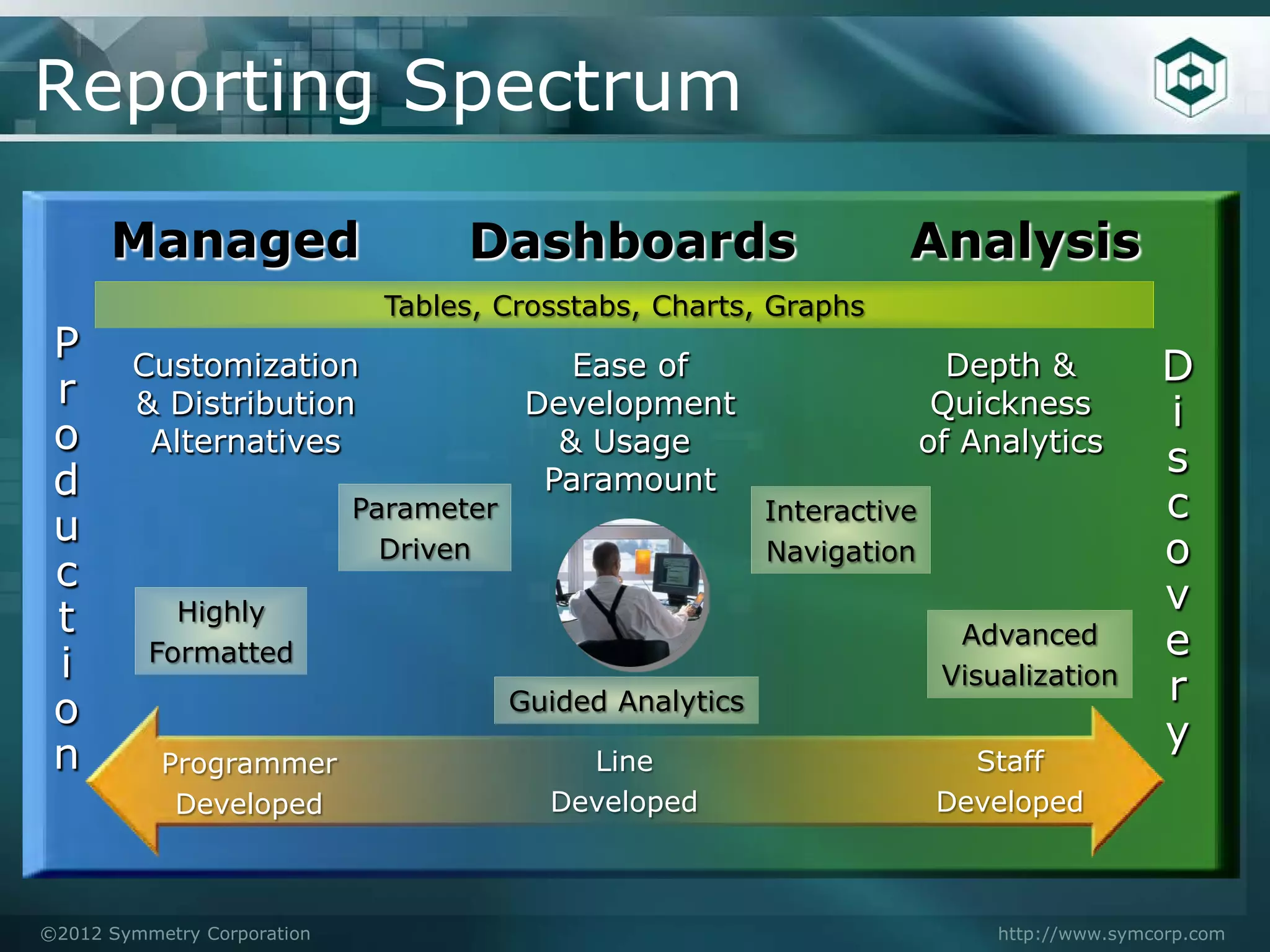
Reporting Spectrum

      Managed                       Dashboards                        Analysis
                              Tables, Crosstabs, Charts, Graphs
 P      Customization                        Ease of                        Depth &           D
 r      & Distribution                    Development                      Quickness          i
 o       Alternatives                       & Usage                       of Analytics
                                                                                              s
 d                                         Paramount
                             Parameter                      Interactive                       c
 u                             Driven                       Navigation                        o
 c
                                                                                              v
 t          Highly
          Formatted
                                                                            Advanced          e
 i                                                                         Visualization
                                                                                              r
 o                                       Guided Analytics
                                                                                              y
 n         Programmer                        Line                            Staff
            Developed                      Developed                       Developed


©2012 Symmetry Corporation                                                     http://www.symcorp.com
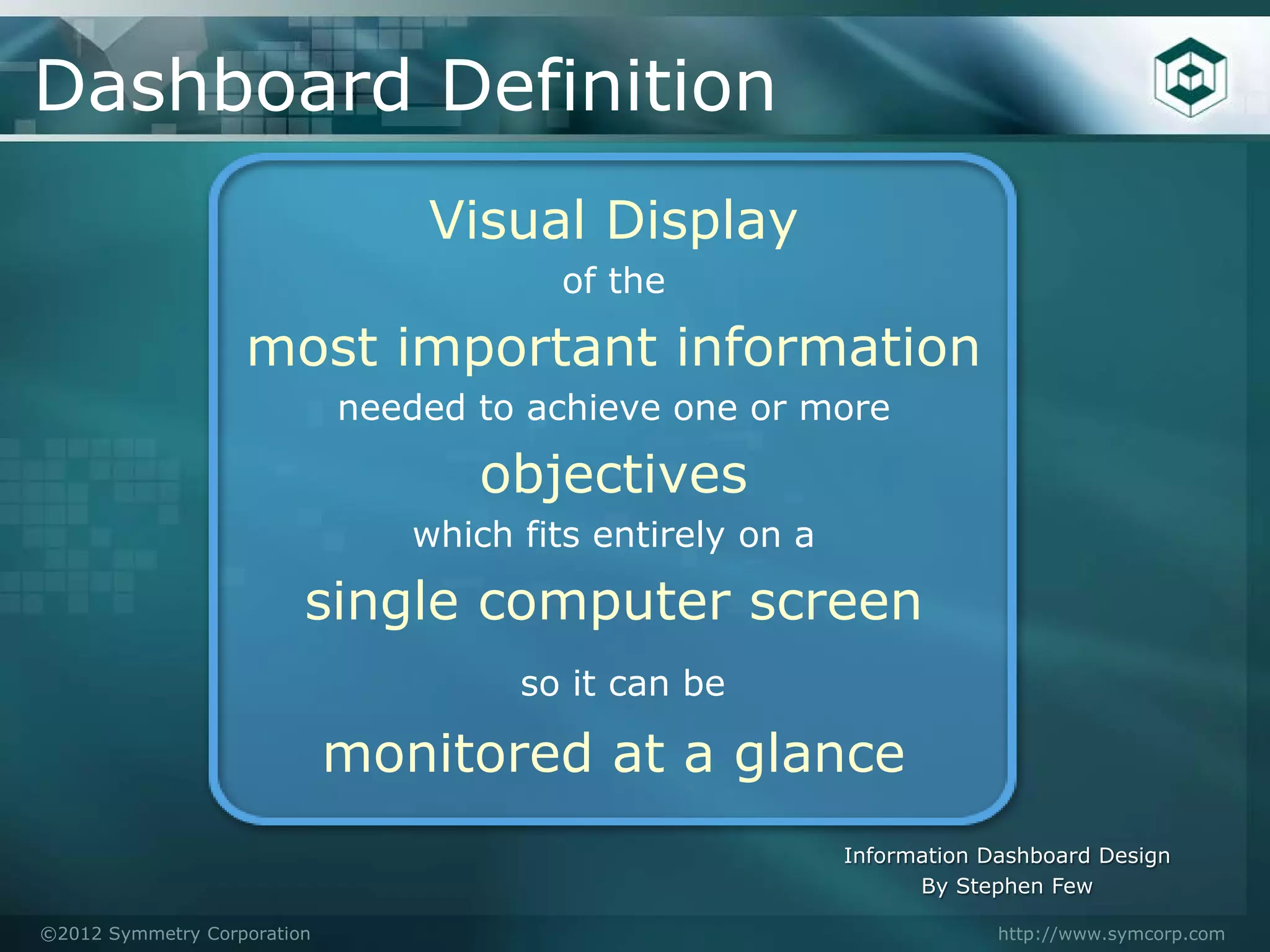
Dashboard Definition
                                 Visual Display
                                        of the

                   most important information
                             needed to achieve one or more

                                    objectives
                                which fits entirely on a

                         single computer screen
                                      so it can be

                             monitored at a glance
                                                           Information Dashboard Design
                                                                 By Stephen Few

©2012 Symmetry Corporation                                              http://www.symcorp.com
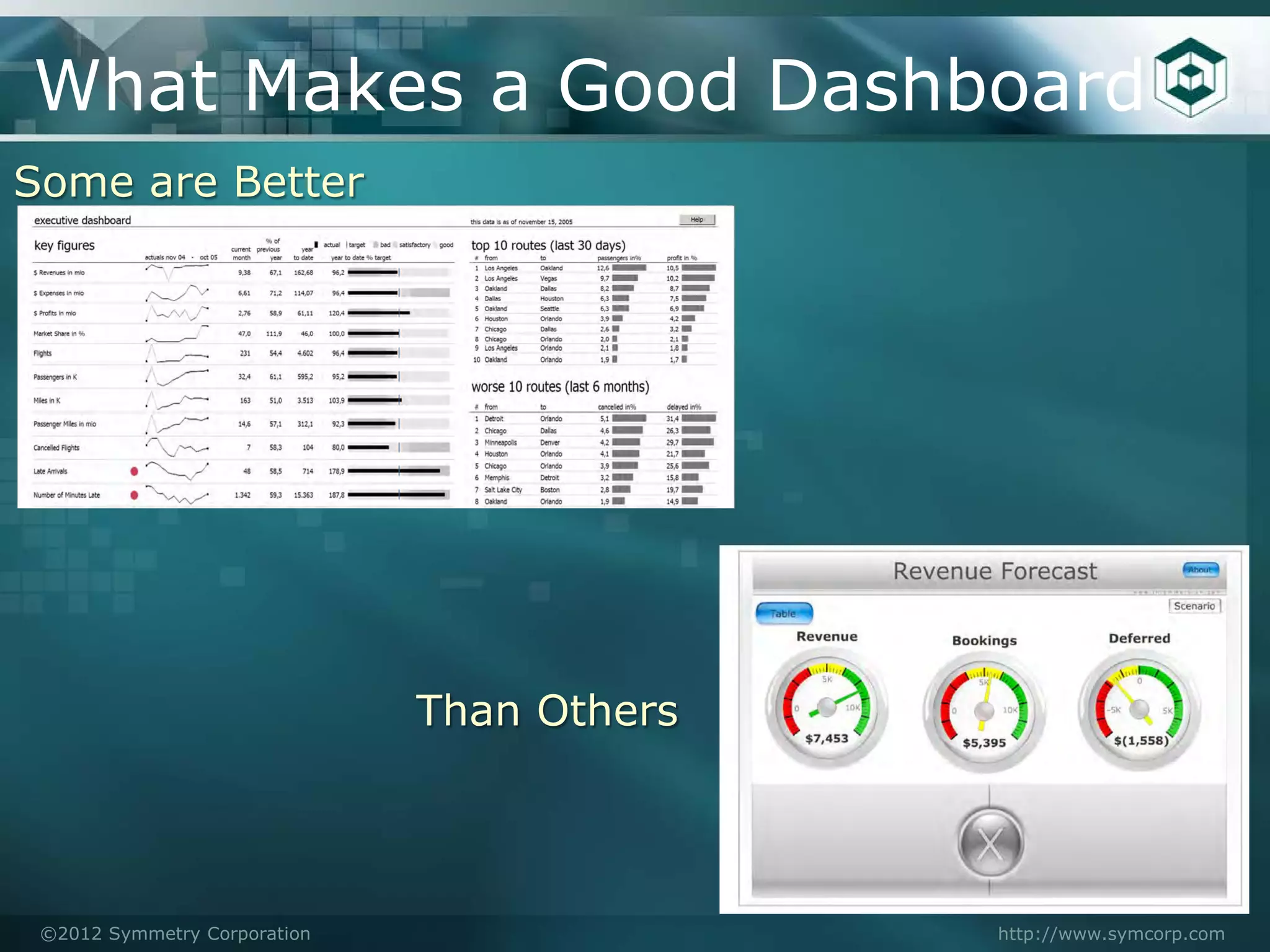
What Makes a Good Dashboard
Some are Better


                              Than Others


 ©2012 Symmetry Corporation                 http://www.symcorp.com
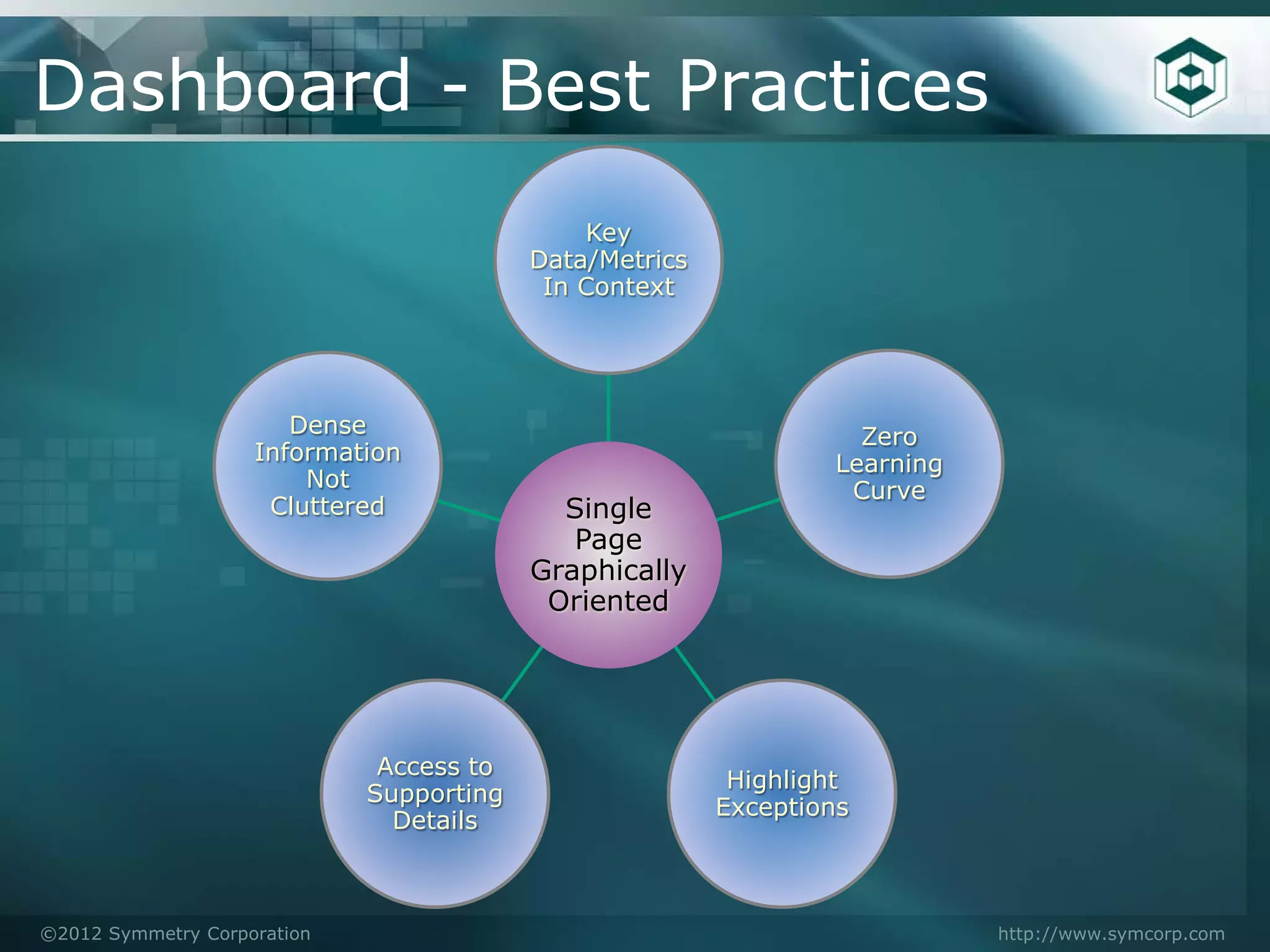
Dashboard - Best Practices
                                              Key
                                          Data/Metrics
                                           In Context


                       Dense                                       Zero
                    Information                                  Learning
                        Not                                       Curve
                     Cluttered              Single
                                             Page
                                          Graphically
                                           Oriented


                              Access to
                                                          Highlight
                             Supporting
                                                         Exceptions
                               Details


©2012 Symmetry Corporation                                                  http://www.symcorp.com
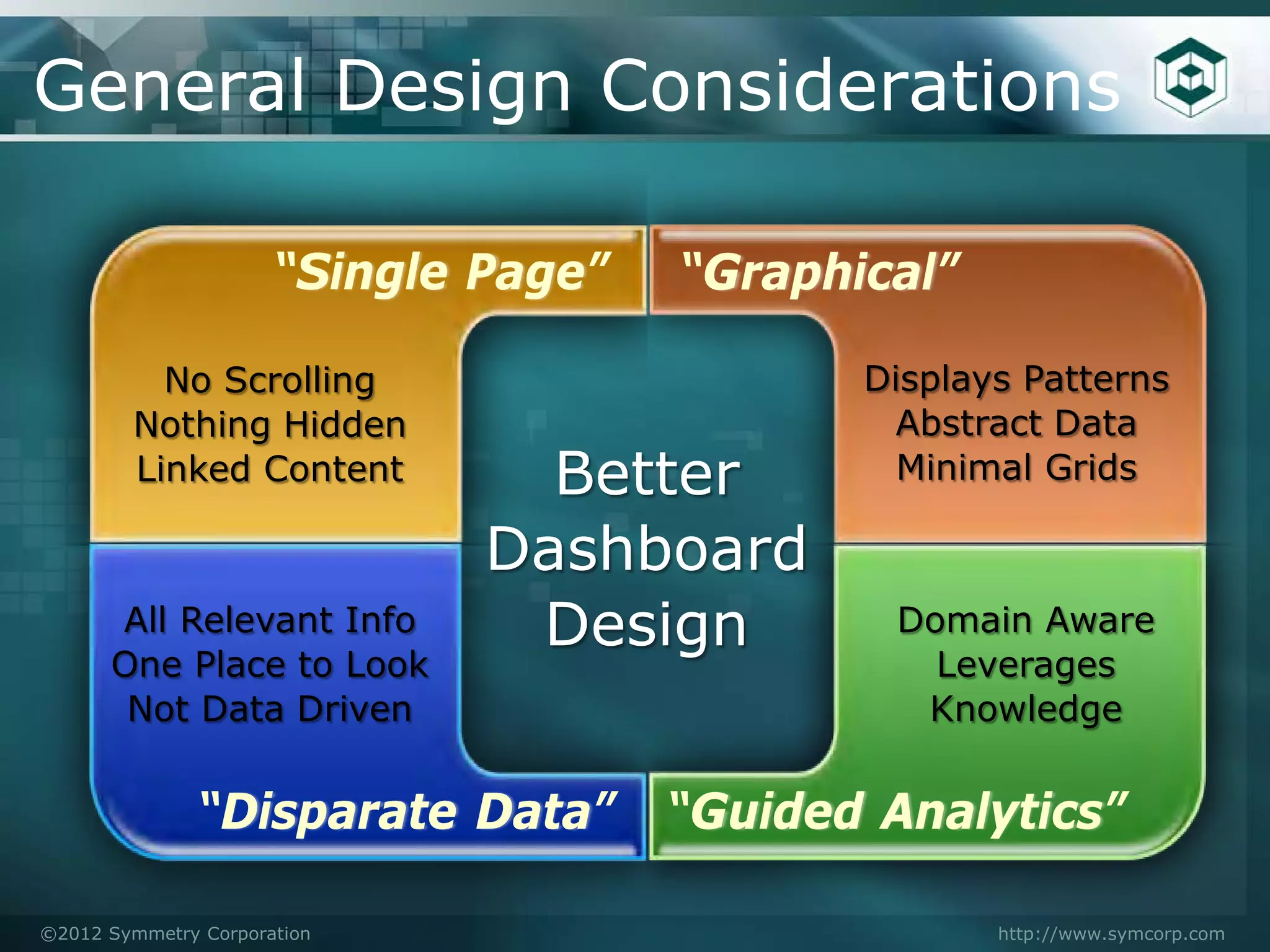
General Design Considerations

                      “Single Page”   “Graphical”

          No Scrolling                       Displays Patterns
        Nothing Hidden                        Abstract Data
        Linked Content          Better         Minimal Grids

                              Dashboard
      All Relevant Info        Design          Domain Aware
      One Place to Look                          Leverages
       Not Data Driven                          Knowledge


               “Disparate Data”       “Guided Analytics”

©2012 Symmetry Corporation                          http://www.symcorp.com
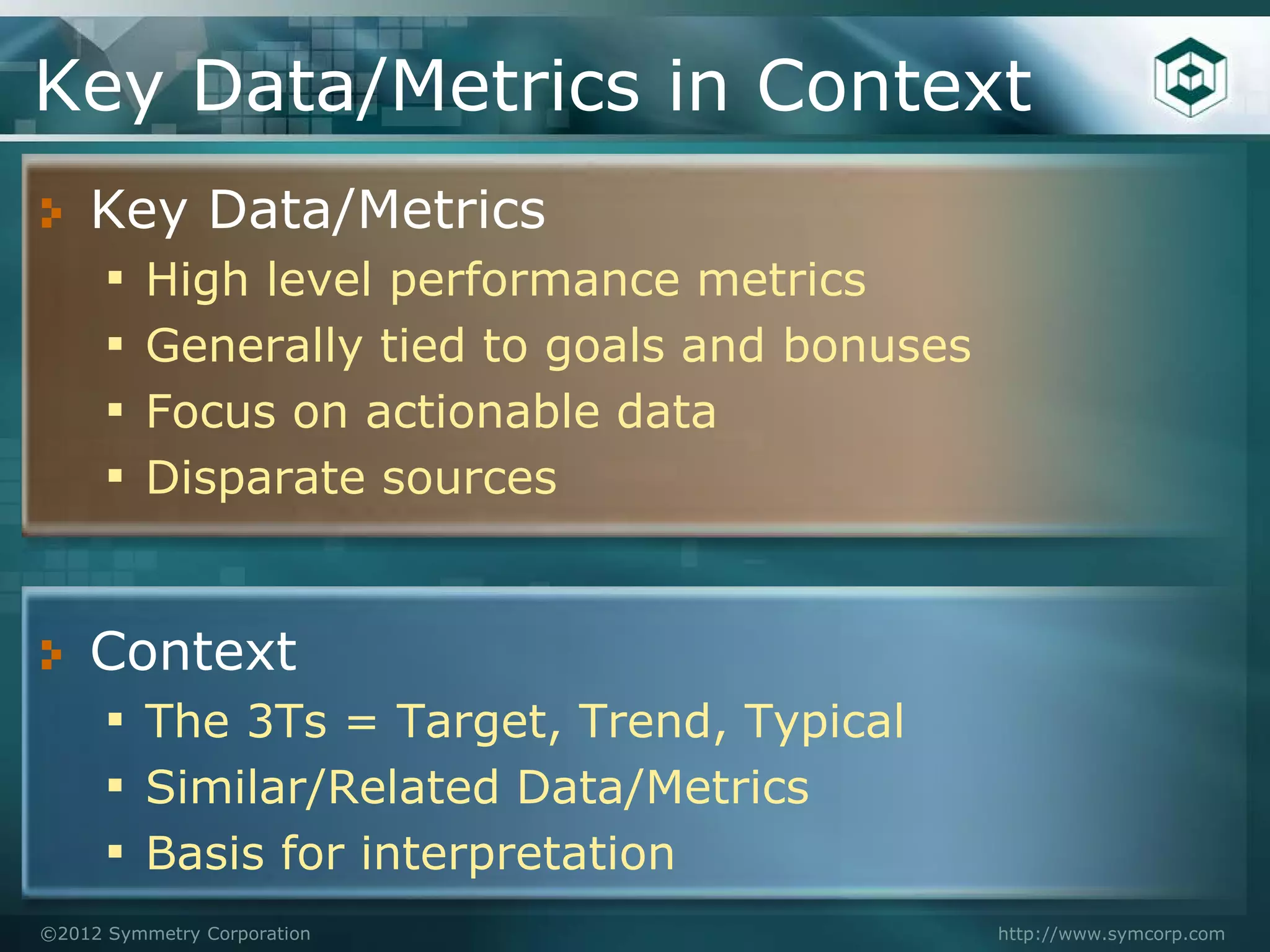
Key Data/Metrics in Context
    Key Data/Metrics
    ▪ High level performance metrics
    ▪ Generally tied to goals and bonuses
    ▪ Focus on actionable data
    ▪ Disparate sources


    Context
    ▪ The 3Ts = Target, Trend, Typical
    ▪ Similar/Related Data/Metrics
    ▪ Basis for interpretation
©2012 Symmetry Corporation                  http://www.symcorp.com
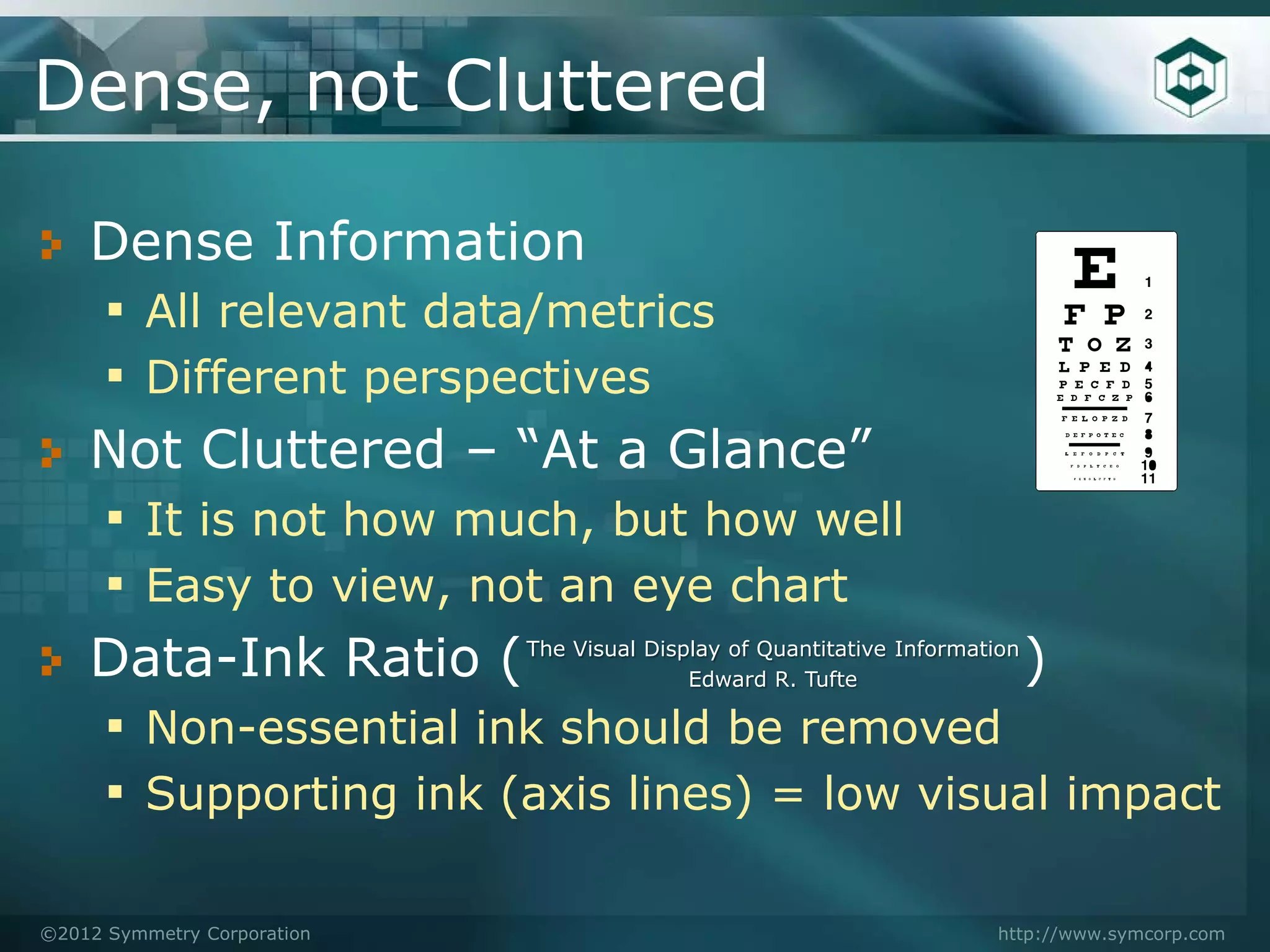
Dense, not Cluttered

    Dense Information
    ▪ All relevant data/metrics
    ▪ Different perspectives
    Not Cluttered – “At a Glance”
    ▪ It is not how much, but how well
    ▪ Easy to view, not an eye chart
    Data-Ink Ratio (                        )
                             The Visual Display of Quantitative Information
                                            Edward R. Tufte

    ▪ Non-essential ink should be removed
    ▪ Supporting ink (axis lines) = low visual impact

©2012 Symmetry Corporation                                              http://www.symcorp.com
Zero Learning Curve

    Dashboard viewing is not a person’s job
    ▪ Oriented at casual users, line mgt, & execs
    ▪ Little/No accumulated experience
            ●   Each viewing is the first time

    Dashboards are not analytical tools
    ▪ But they provide guided analytics

    Targeted to a Person/Role/Problem Set


©2012 Symmetry Corporation                       http://www.symcorp.com
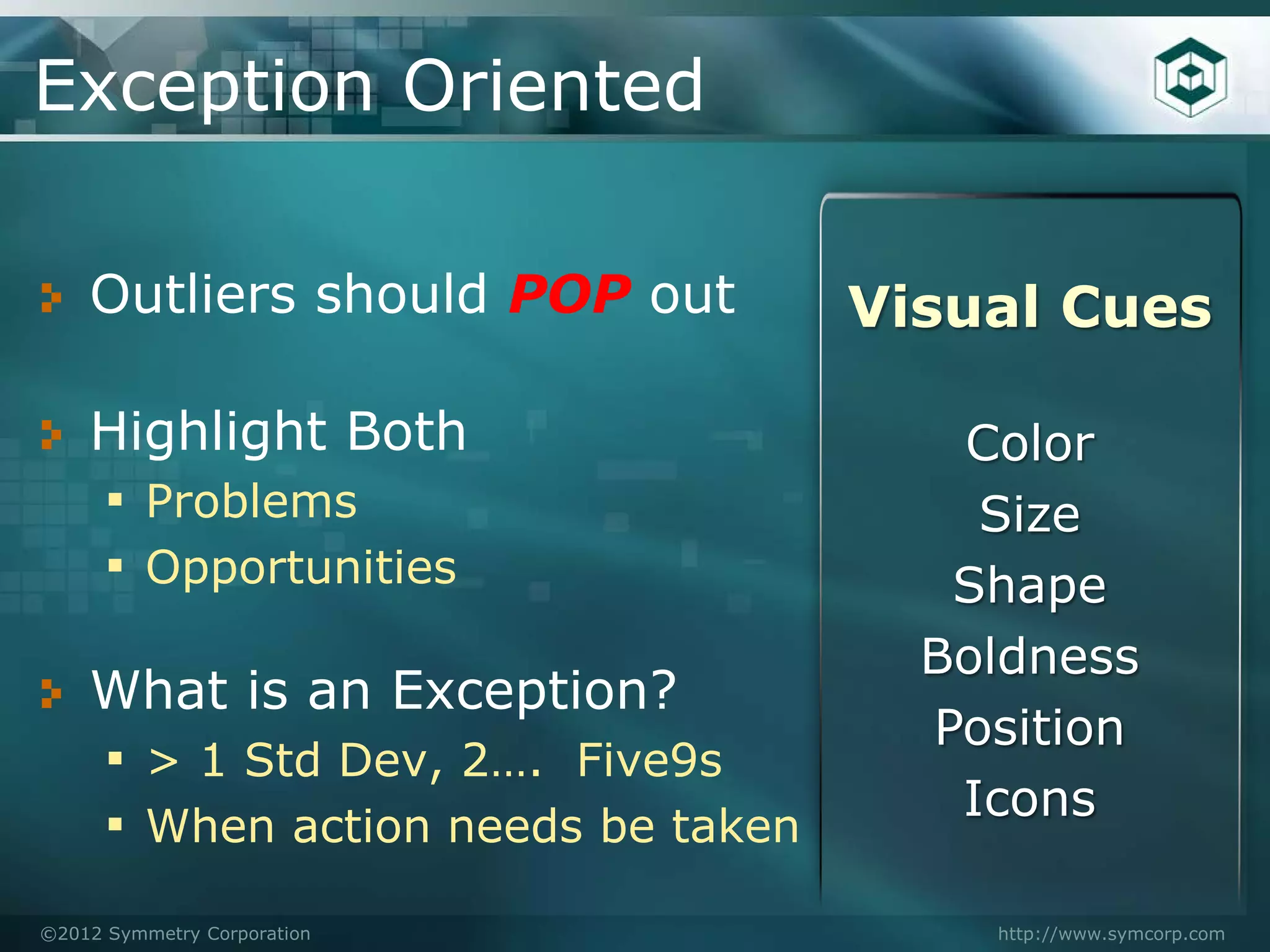
Exception Oriented

    Outliers should POP out        Visual Cues

    Highlight Both                    Color
    ▪ Problems                         Size
    ▪ Opportunities                   Shape
                                     Boldness
    What is an Exception?
                                     Position
    ▪ > 1 Std Dev, 2…. Five9s
                                      Icons
    ▪ When action needs be taken
©2012 Symmetry Corporation             http://www.symcorp.com
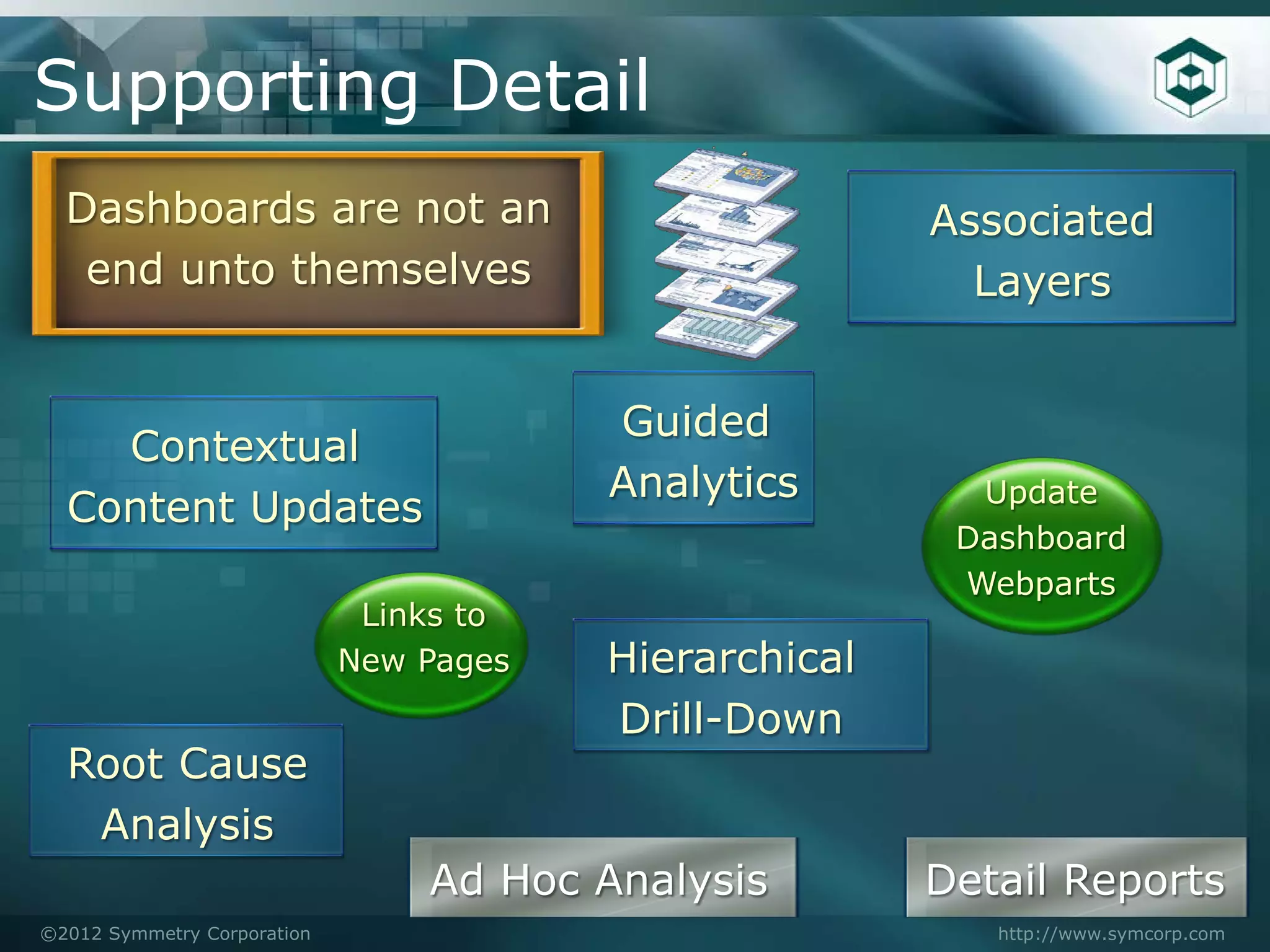
Supporting Detail
  Dashboards are not an                                 Associated
   end unto themselves                                    Layers


                                         Guided
    Contextual
                                         Analytics        Update
  Content Updates
                                                         Dashboard
                                                         Webparts
                              Links to
                             New Pages   Hierarchical
                                         Drill-Down
  Root Cause
   Analysis
                                 Ad Hoc Analysis        Detail Reports
©2012 Symmetry Corporation                                 http://www.symcorp.com
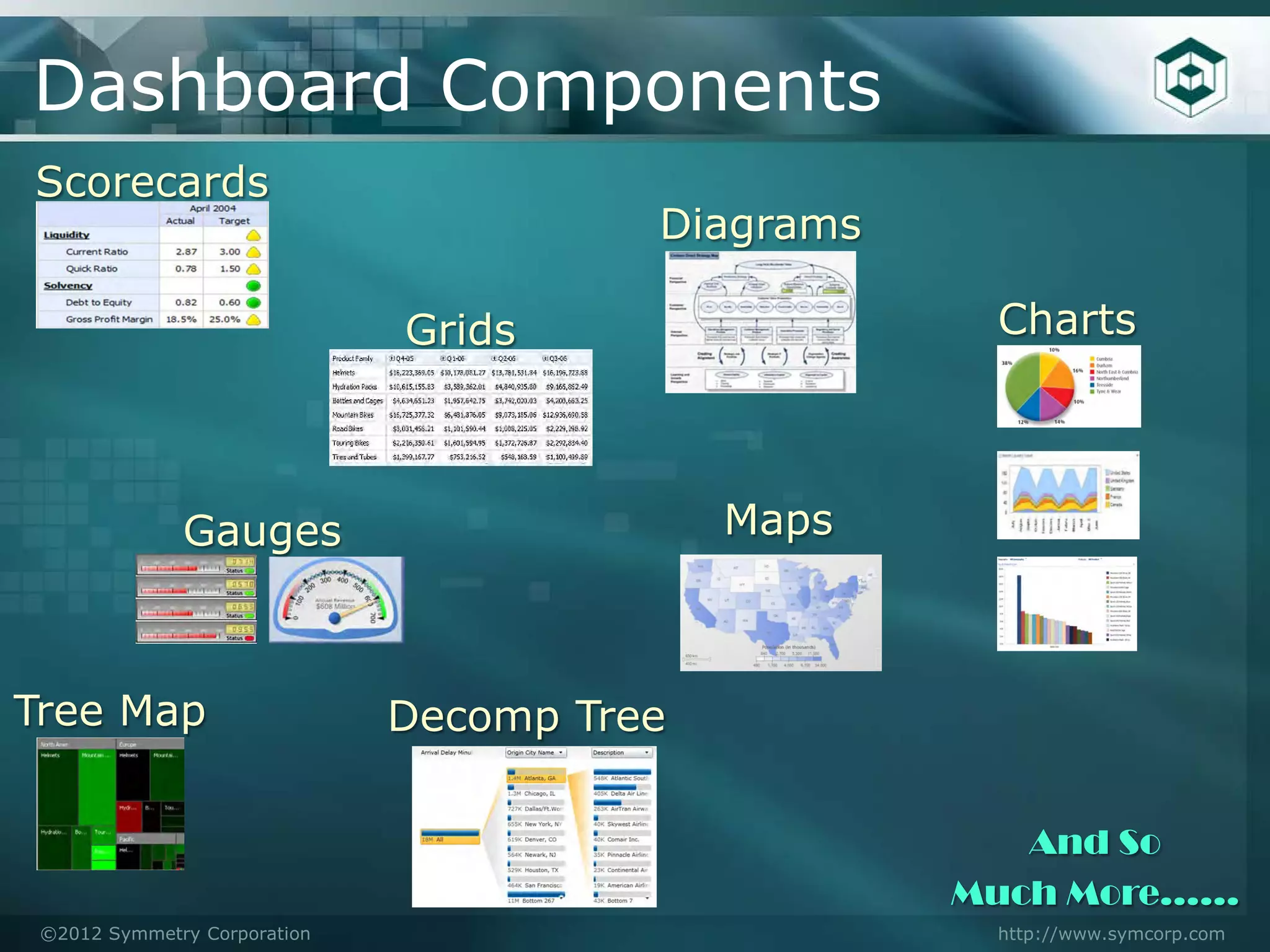
Dashboard Components
Scorecards
                                        Diagrams

                              Grids                 Charts


              Gauges                        Maps


Tree Map                      Decomp Tree

                                                      And So
                                                   Much More……
 ©2012 Symmetry Corporation                         http://www.symcorp.com
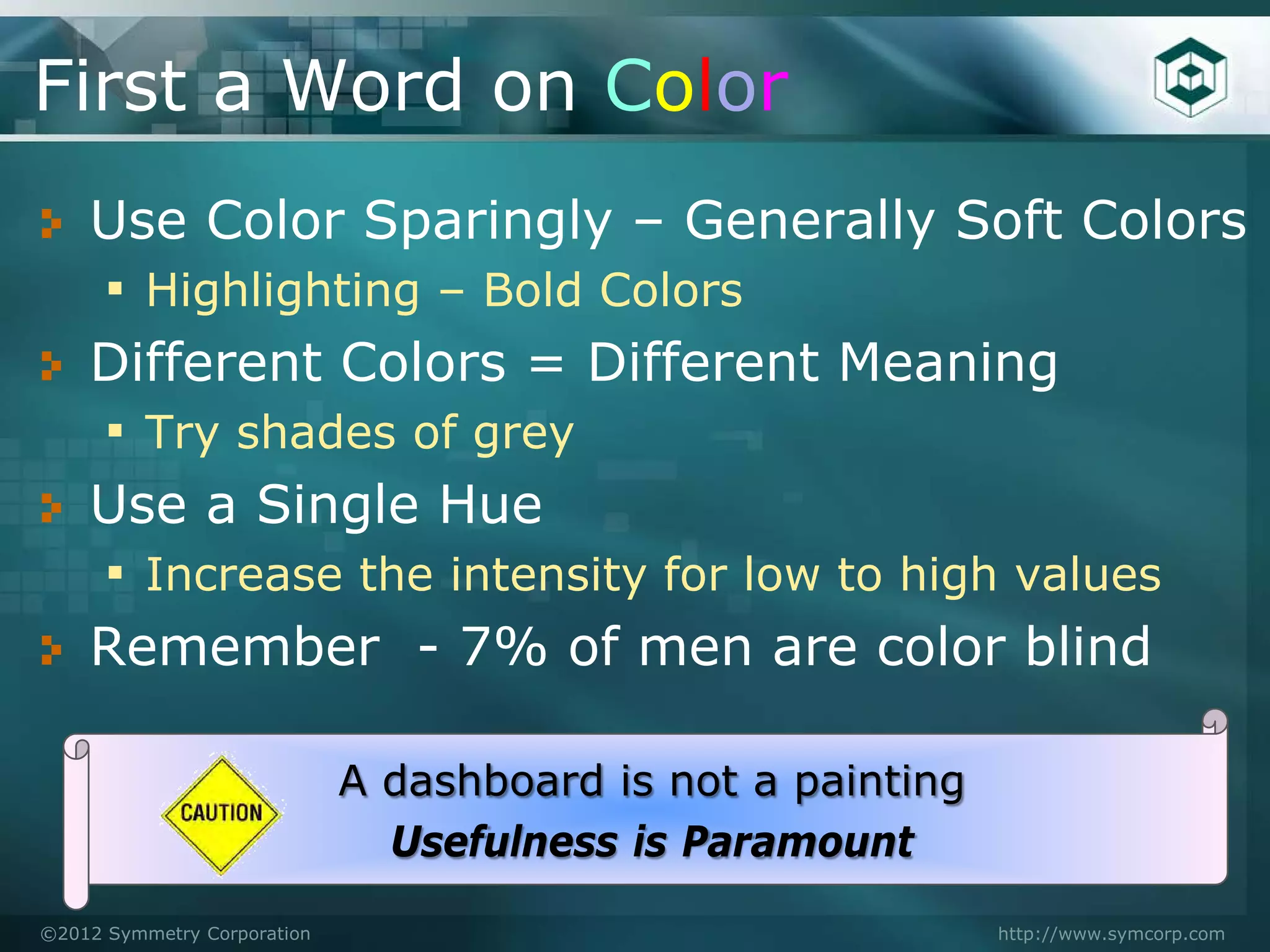
First a Word on Color
    Use Color Sparingly – Generally Soft Colors
    ▪ Highlighting – Bold Colors
    Different Colors = Different Meaning
    ▪ Try shades of grey
    Use a Single Hue
    ▪ Increase the intensity for low to high values
    Remember - 7% of men are color blind

                             A dashboard is not a painting
                               Usefulness is Paramount
©2012 Symmetry Corporation                                   http://www.symcorp.com
Grids

   When to use:
   ▪ Values are familiar
   ▪ Need to lookup a value
   ▪ Small differences are important
   ▪ Mixed units of measure

   Design Considerations
   ▪ Try to keep square-ish
   ▪ Comparisons are done by column
   ▪ Limit length with Top/Bottom
©2012 Symmetry Corporation             http://www.symcorp.com
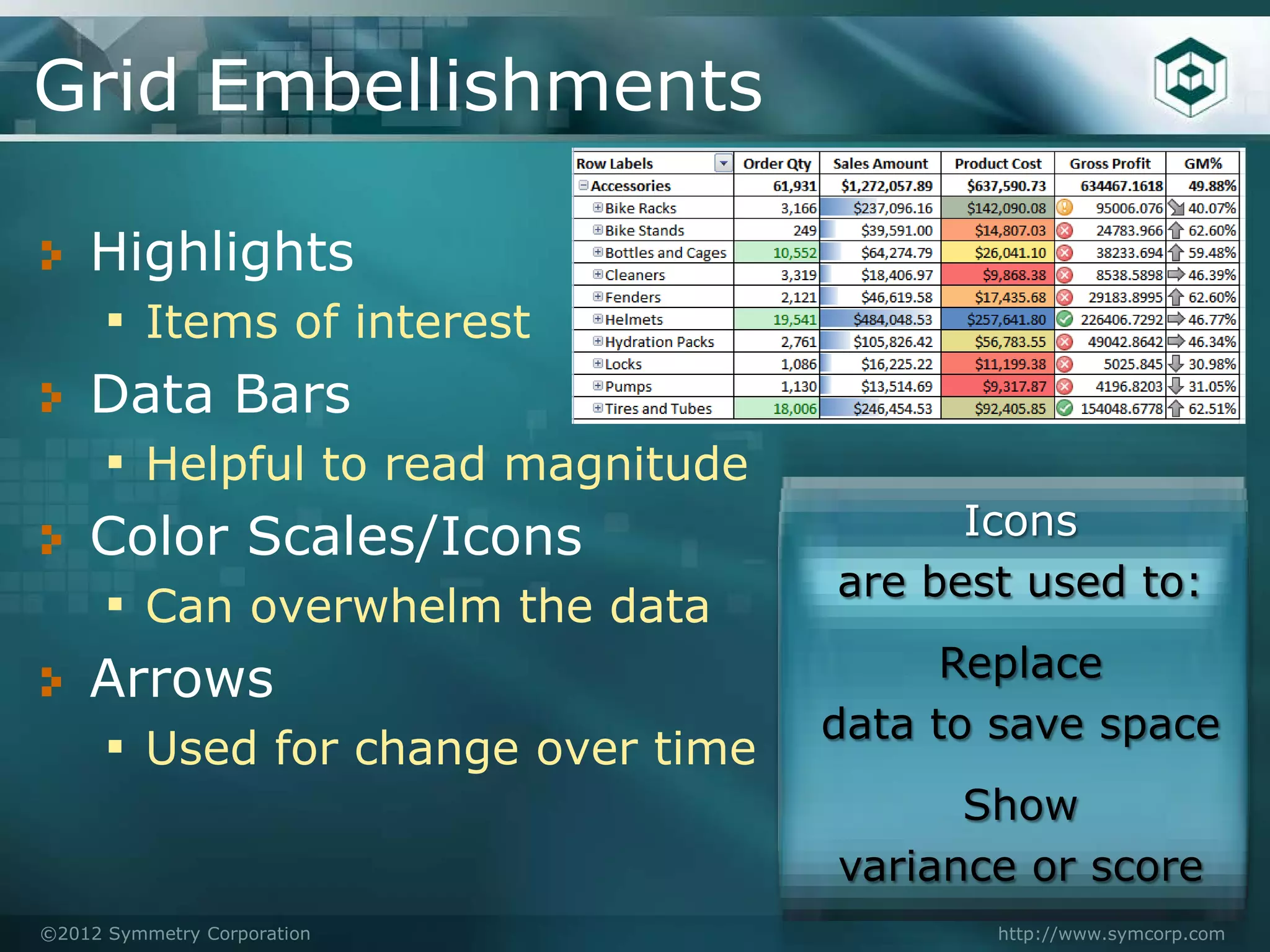
Grid Embellishments

    Highlights
    ▪ Items of interest
    Data Bars
    ▪ Helpful to read magnitude
    Color Scales/Icons                  Icons
                                  are best used to:
    ▪ Can overwhelm the data
    Arrows                              Replace
                                  data to save space
    ▪ Used for change over time
                                        Show
                                  variance or score
©2012 Symmetry Corporation               http://www.symcorp.com
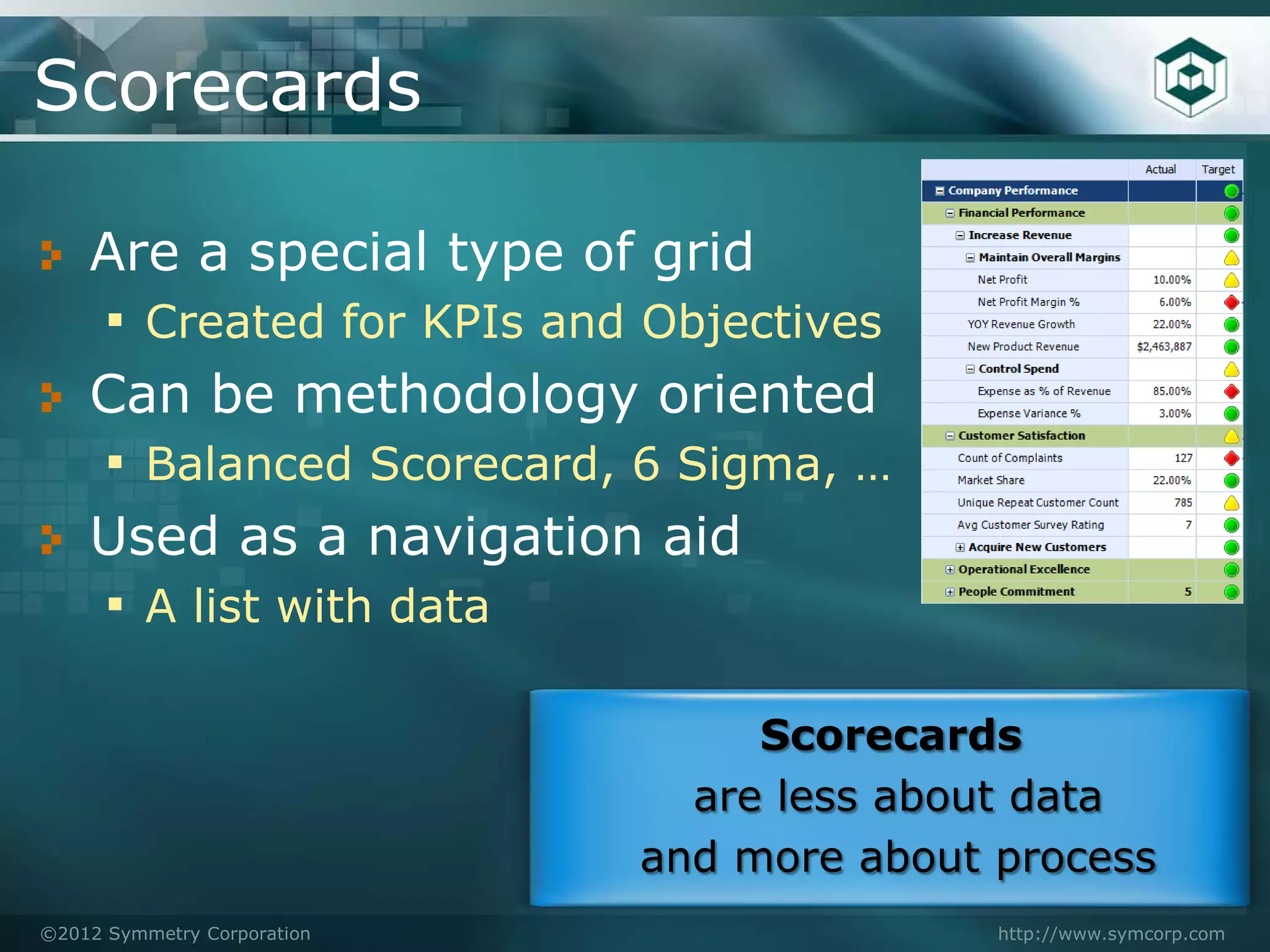
Scorecards

    Are a special type of grid
    ▪ Created for KPIs and Objectives
    Can be methodology oriented
    ▪ Balanced Scorecard, 6 Sigma, …
    Used as a navigation aid
    ▪ A list with data

                                  Scorecards
                               are less about data
                             and more about process
©2012 Symmetry Corporation                  http://www.symcorp.com
Basic Charts
    Lines Charts – Time Series oriented
     ▪ Highlights trend, patterns or variability
     ▪ Highlights relationships between series
     ▪ Trend lines & projections can be added
    Bar Chart – Comparison Oriented
     ▪ Categorical comparisons within a dimension
     ▪ Nominal comparisons across data (sales to cost)
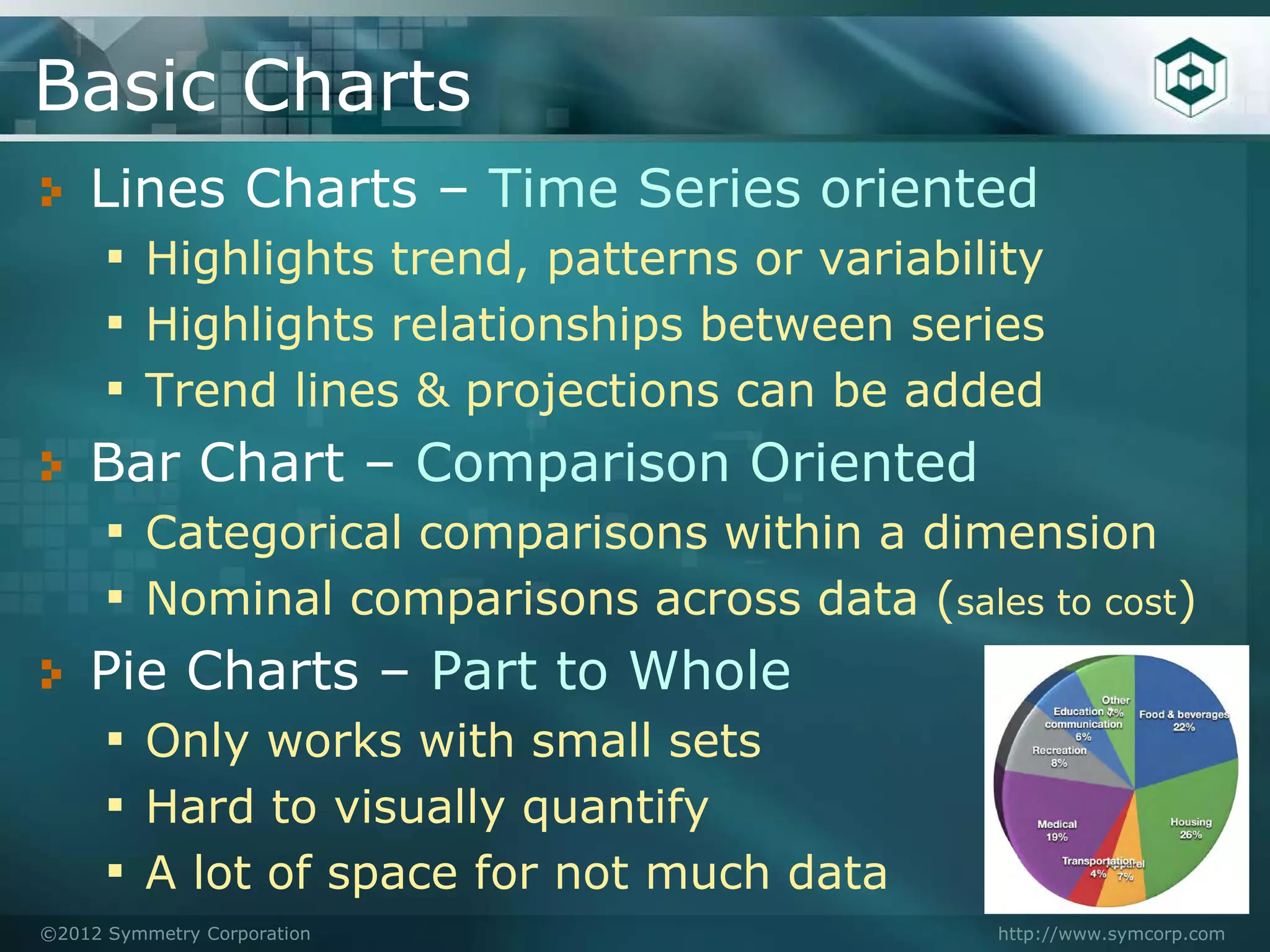
    Pie Charts – Part to Whole
     ▪ Only works with small sets
     ▪ Hard to visually quantify
     ▪ A lot of space for not much data
©2012 Symmetry Corporation                  http://www.symcorp.com
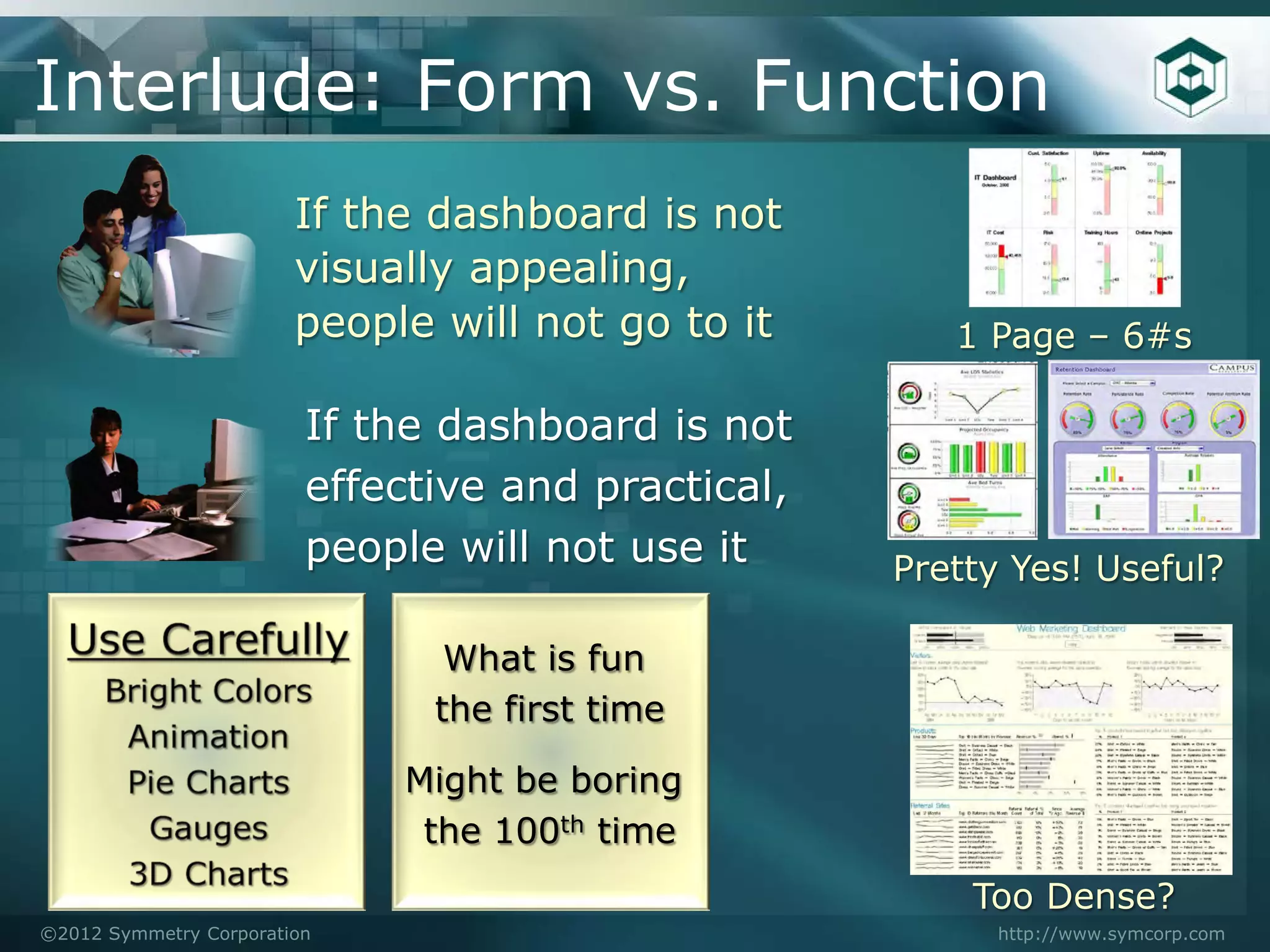
Interlude: Form vs. Function
                        If the dashboard is not
                        visually appealing,
                        people will not go to it       1 Page – 6#s

                         If the dashboard is not
                         effective and practical,
                         people will not use it     Pretty Yes! Useful?

                                What is fun
                               the first time

                             Might be boring
                              the 100th time
                                                        Too Dense?
©2012 Symmetry Corporation                                http://www.symcorp.com
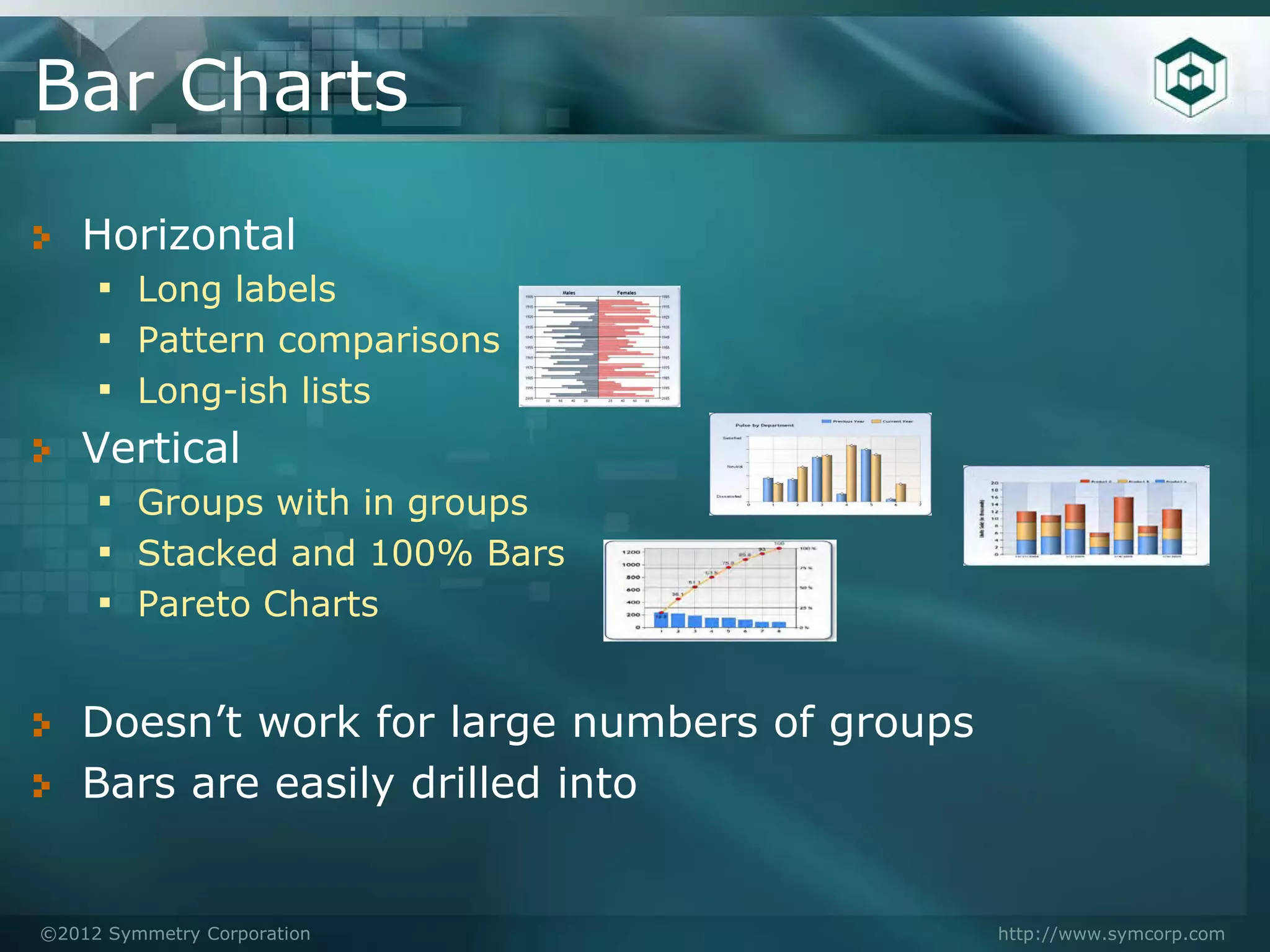
Bar Charts
   Horizontal
    ▪ Long labels
    ▪ Pattern comparisons
    ▪ Long-ish lists
   Vertical
    ▪ Groups with in groups
    ▪ Stacked and 100% Bars
    ▪ Pareto Charts

   Doesn’t work for large numbers of groups
   Bars are easily drilled into


©2012 Symmetry Corporation                    http://www.symcorp.com
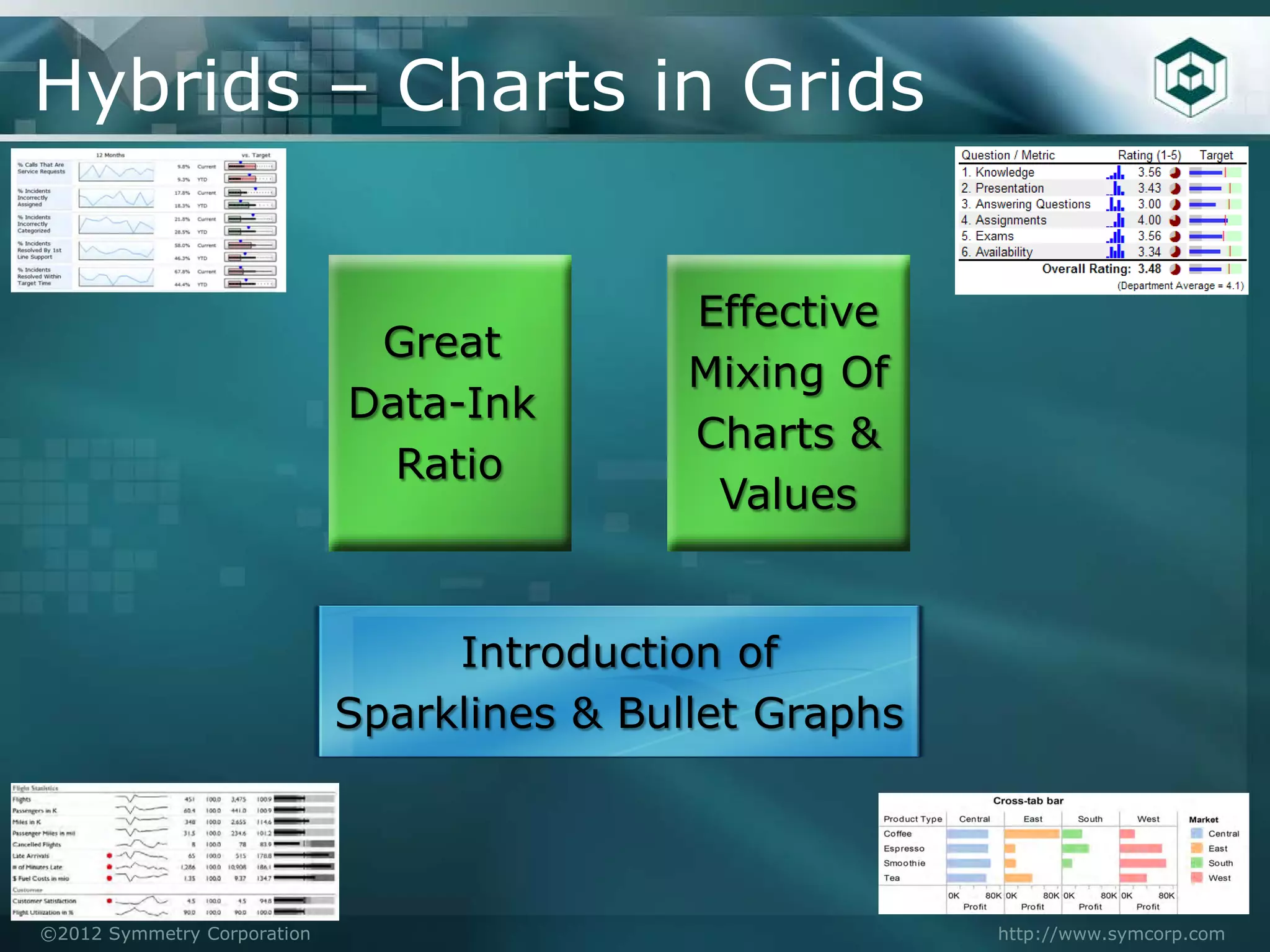
Hybrids – Charts in Grids


                                             Effective
                              Great
                                             Mixing Of
                             Data-Ink
                                             Charts &
                               Ratio
                                              Values


                                  Introduction of
                             Sparklines & Bullet Graphs


©2012 Symmetry Corporation                                http://www.symcorp.com
Bullet Graphs
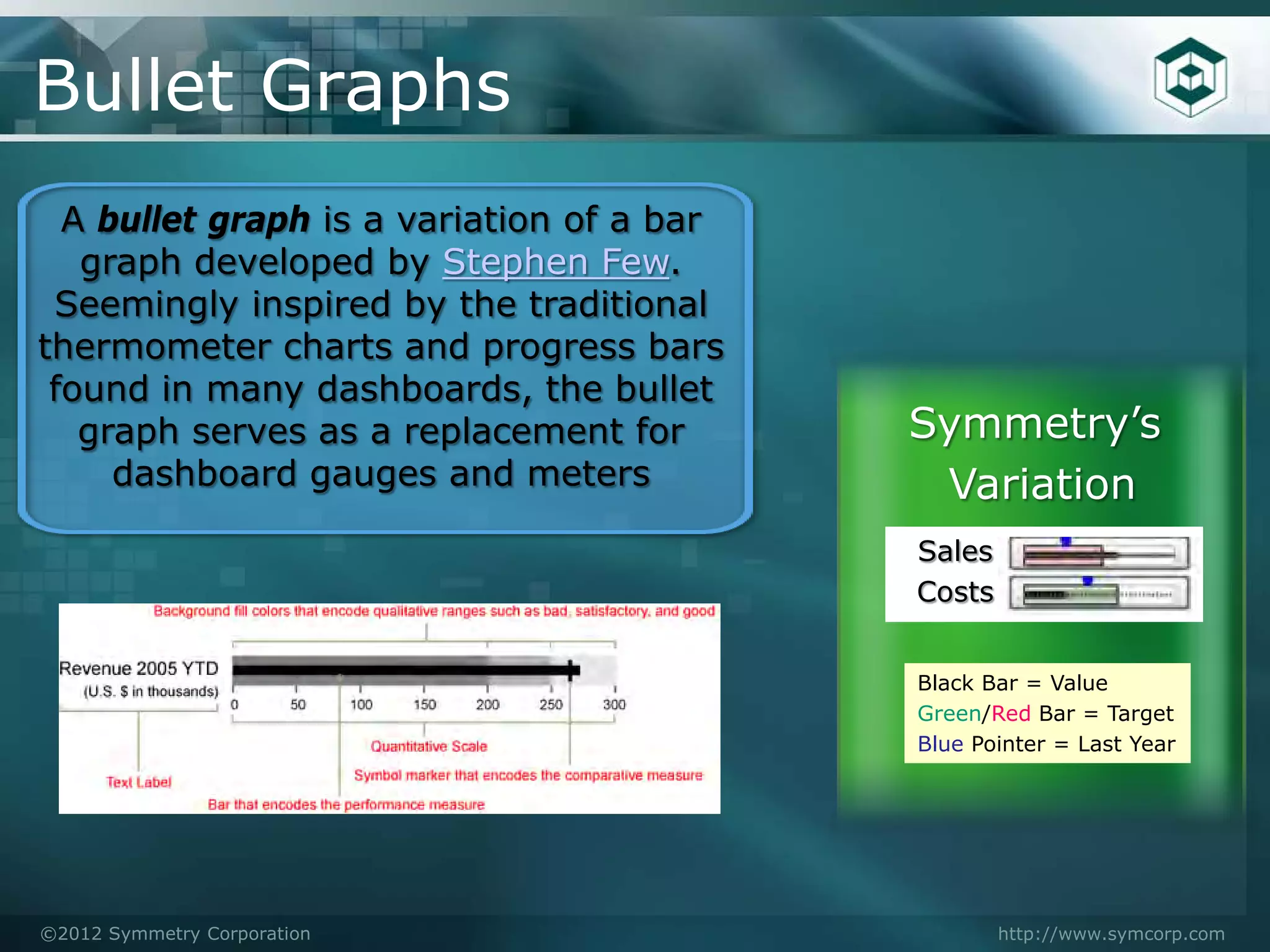
  A bullet graph is a variation of a bar
   graph developed by Stephen Few.
 Seemingly inspired by the traditional
thermometer charts and progress bars
 found in many dashboards, the bullet
   graph serves as a replacement for       Symmetry’s
     dashboard gauges and meters            Variation
                                           Sales
                                           Costs


                                           Black Bar = Value
                                           Green/Red Bar = Target
                                           Blue Pointer = Last Year


©2012 Symmetry Corporation                         http://www.symcorp.com
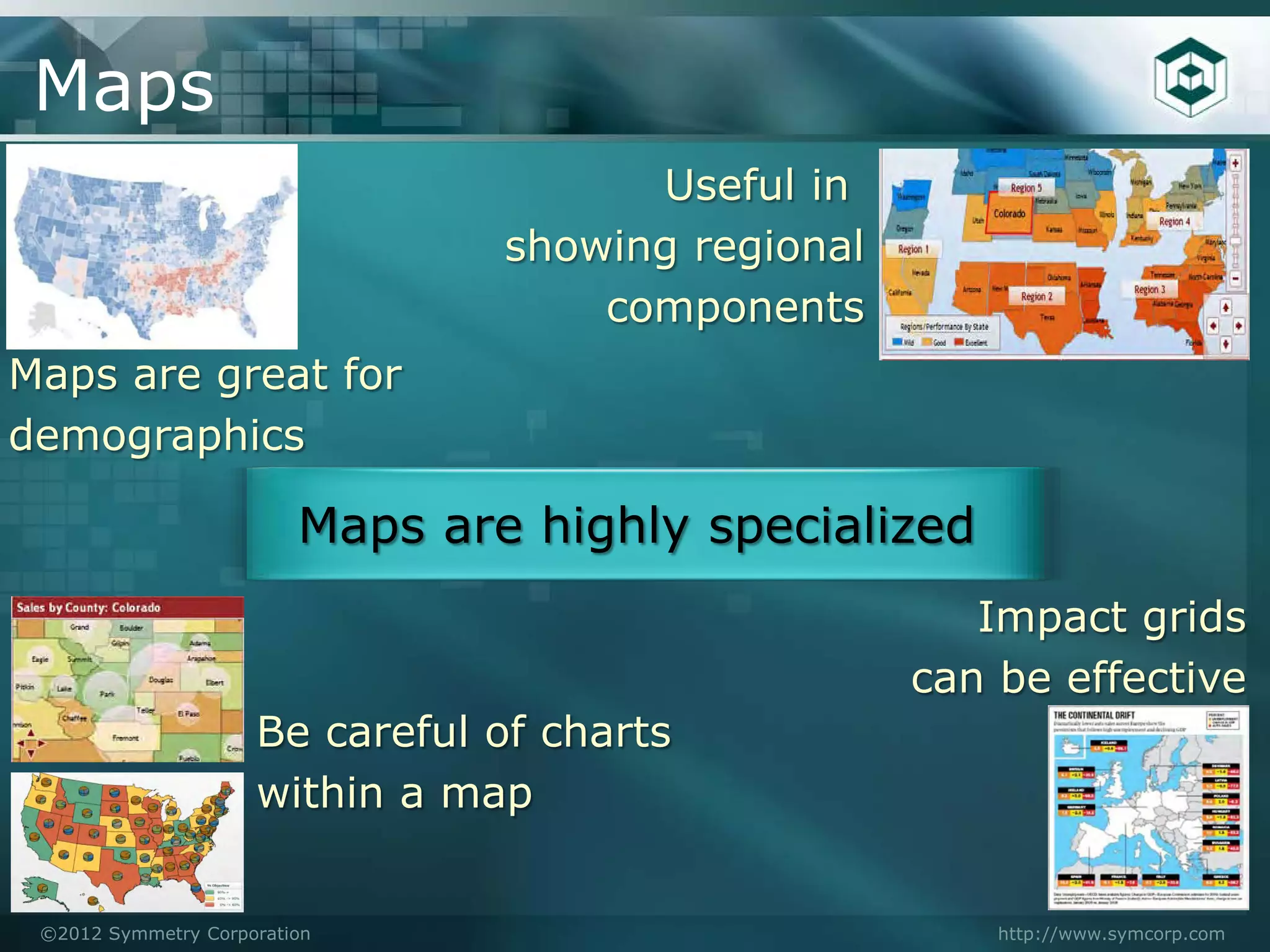
Maps
                                       Useful in
                                 showing regional
                                     components
Maps are great for
demographics

                         Maps are highly specialized
                                                       Impact grids
                                                    can be effective
                     Be careful of charts
                     within a map


 ©2012 Symmetry Corporation                             http://www.symcorp.com
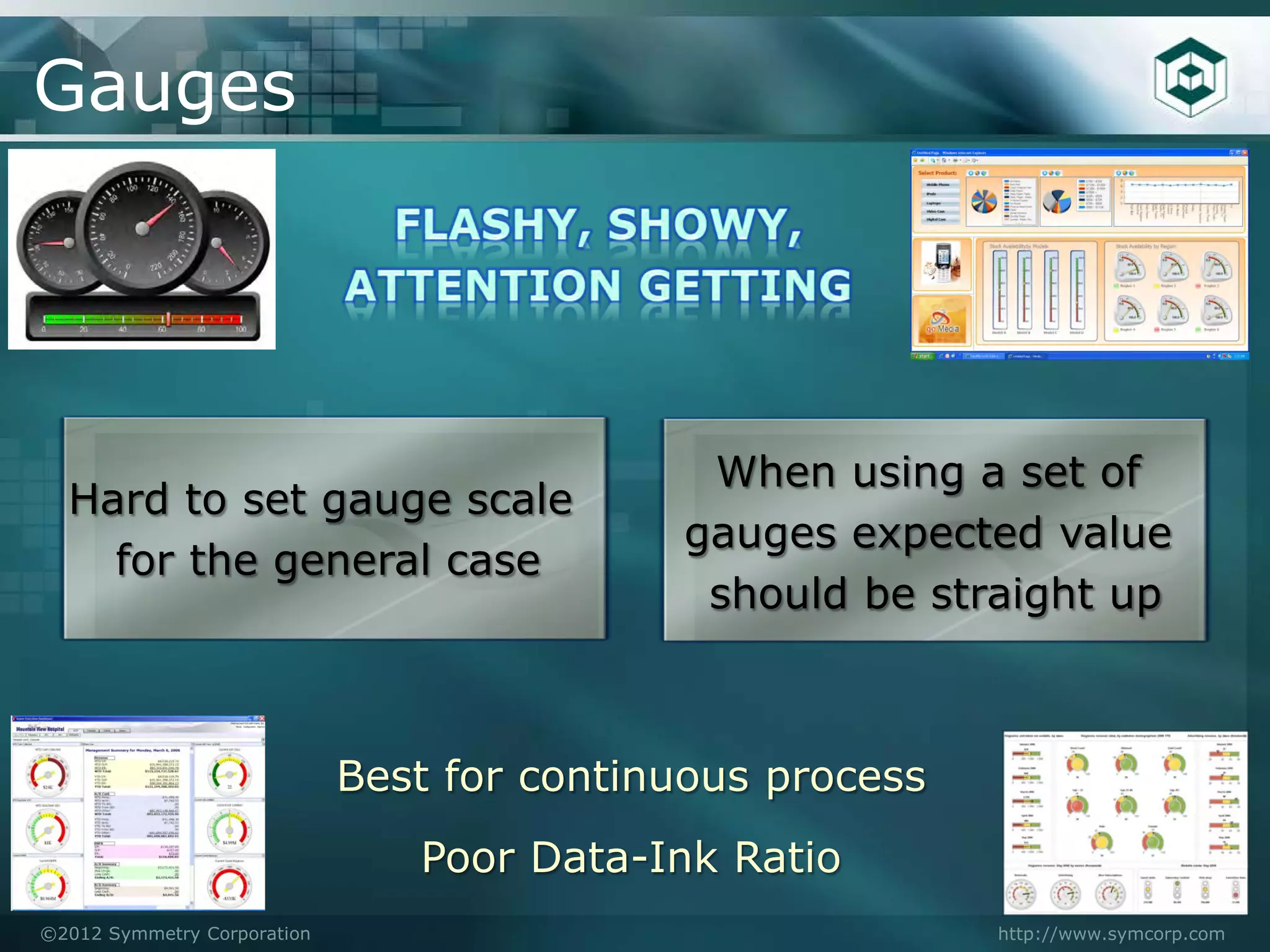
Gauges


                                             When using a set of
  Hard to set gauge scale
                                            gauges expected value
    for the general case
                                             should be straight up


                             Best for continuous process
                                Poor Data-Ink Ratio
©2012 Symmetry Corporation                                 http://www.symcorp.com
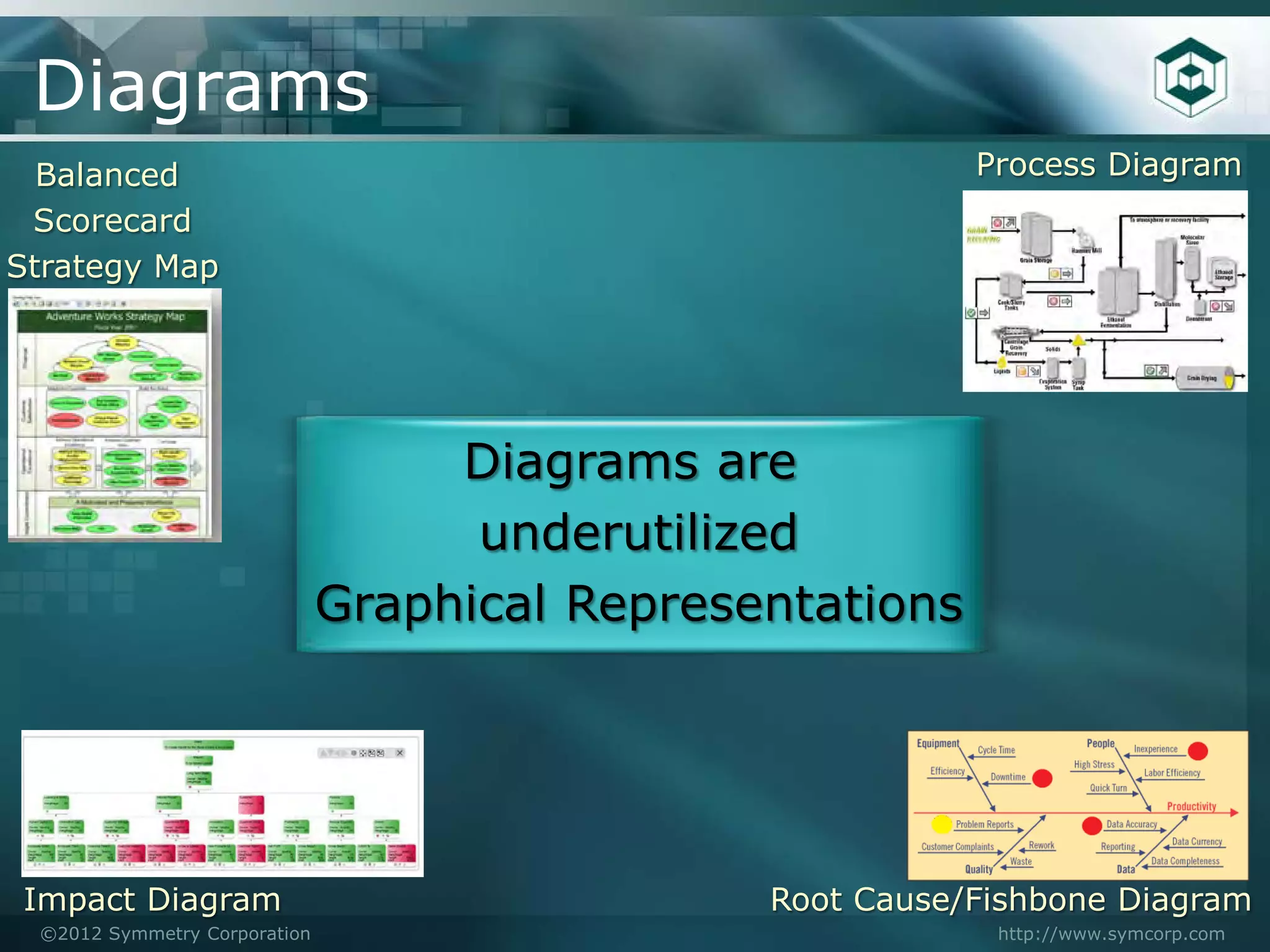
Diagrams
  Balanced                                                Process Diagram
 Scorecard
Strategy Map


                                   Diagrams are
                                    underutilized
                              Graphical Representations


Impact Diagram                                 Root Cause/Fishbone Diagram
 ©2012 Symmetry Corporation                                http://www.symcorp.com
Graphical Excellence

    Show the data
    Focus on the substance of the numbers
    Don’t distort the data
    Present many numbers in a small space
    Encourage comparisons
    Show data in several perspectives

                             The Visual Display of Quantitative Information
                                                           Edward R. Tufte

©2012 Symmetry Corporation                                  http://www.symcorp.com
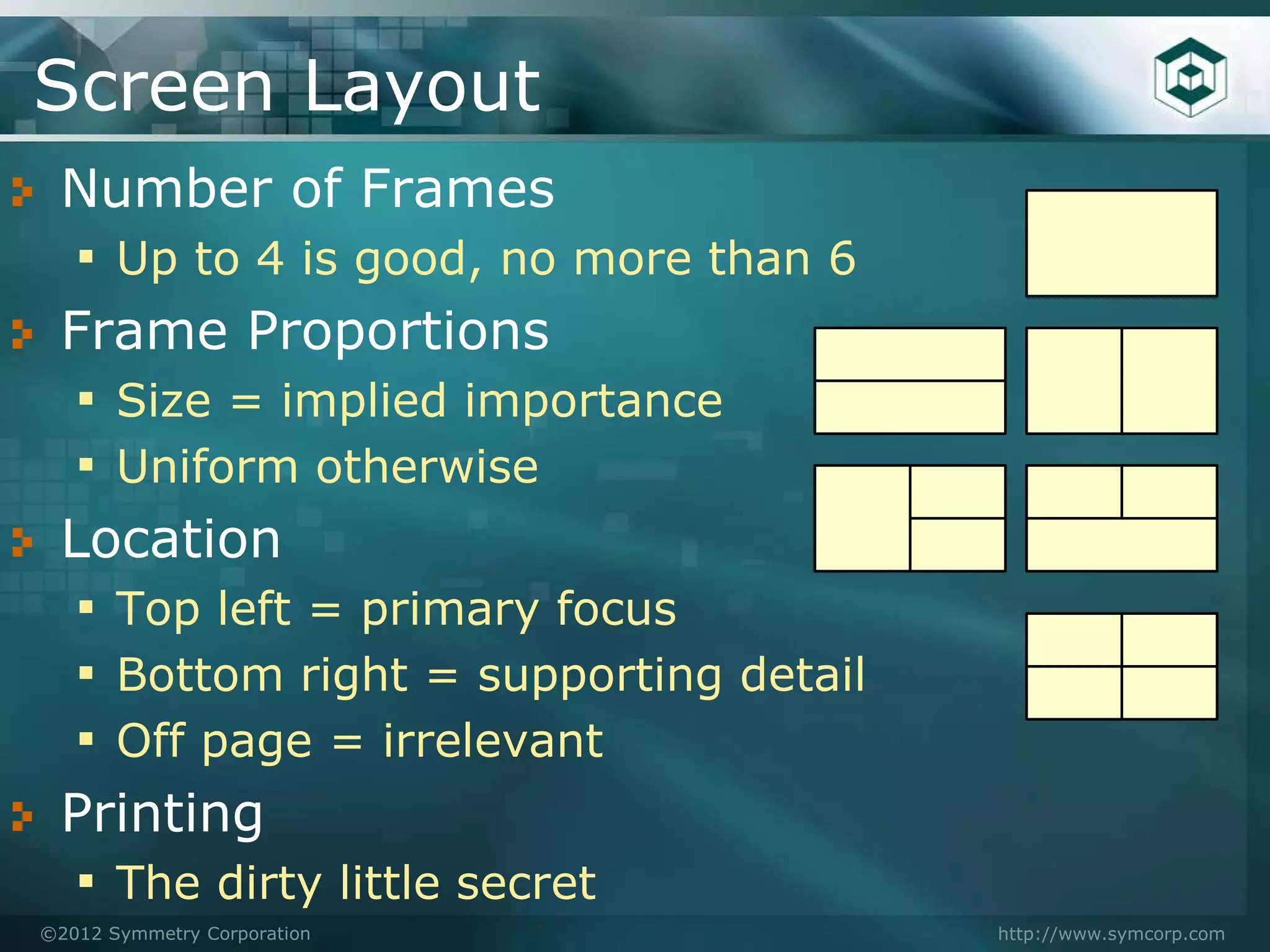
Screen Layout
 Number of Frames
  ▪ Up to 4 is good, no more than 6
 Frame Proportions
  ▪ Size = implied importance
  ▪ Uniform otherwise
 Location
  ▪ Top left = primary focus
  ▪ Bottom right = supporting detail
  ▪ Off page = irrelevant
 Printing
  ▪ The dirty little secret
©2012 Symmetry Corporation             http://www.symcorp.com
Frame Options
   Different frame on same page
   ▪ Must fit on the page
   ▪ Can drill from here to new page
   New page in same browser
   ▪ Easy to get back
   ▪ Full page available
   New browser tab/window
   ▪ Allows for comparisons
   ▪ Users must close windows/tabs

©2012 Symmetry Corporation             http://www.symcorp.com
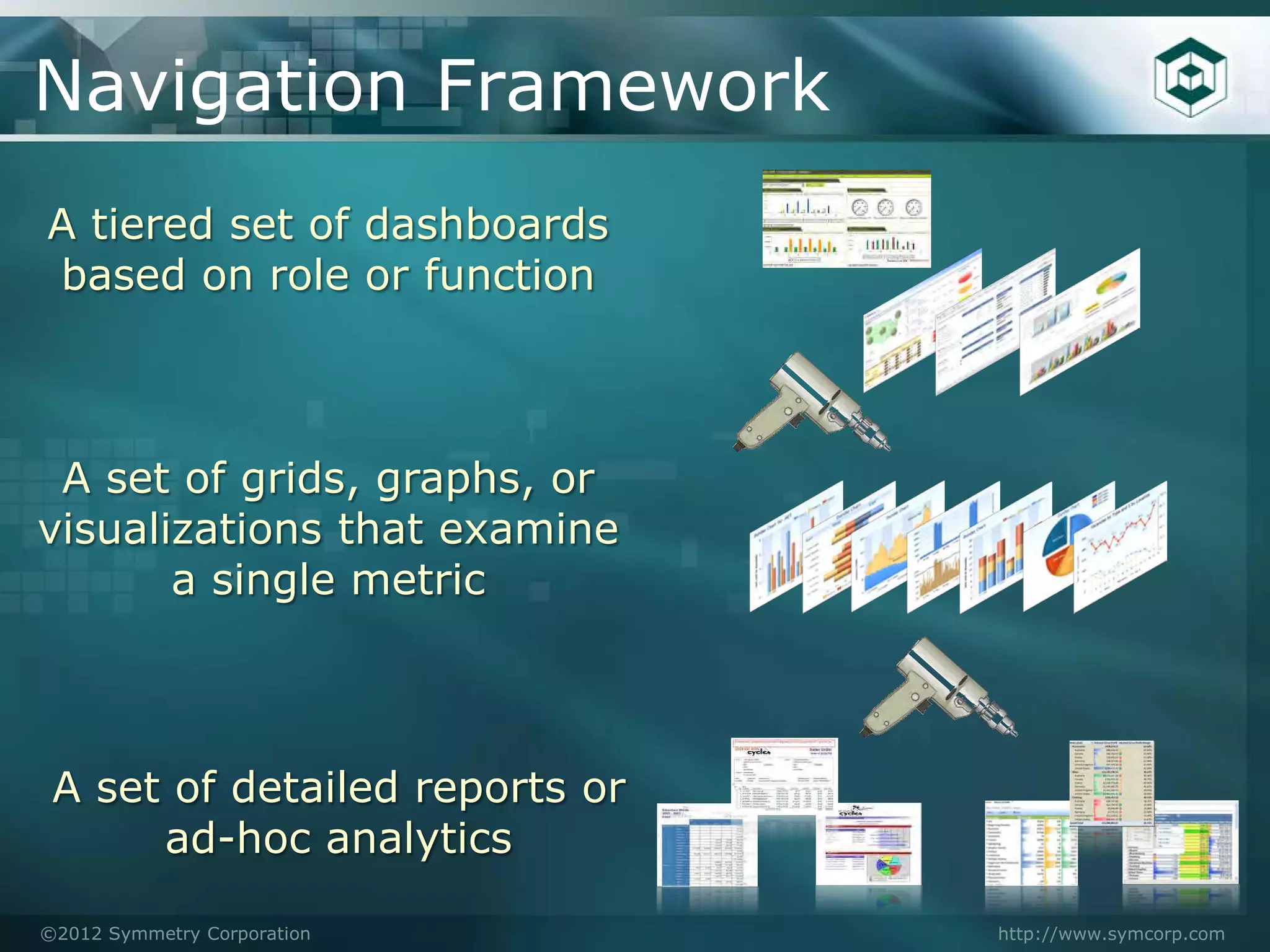
Navigation Framework
A tiered set of dashboards
based on role or function


 A set of grids, graphs, or
visualizations that examine
       a single metric


 A set of detailed reports or
      ad-hoc analytics

©2012 Symmetry Corporation      http://www.symcorp.com
Navigation

    Identify the key dimensions for the metric
     ▪ Customer, product, department
     ▪ Drill into one or more of these
     ▪ Top 10 rankings

    Identify the audience
     ▪ Marketing manager – Drill to product
     ▪ Sales Manager – Drill to customer

©2012 Symmetry Corporation                http://www.symcorp.com
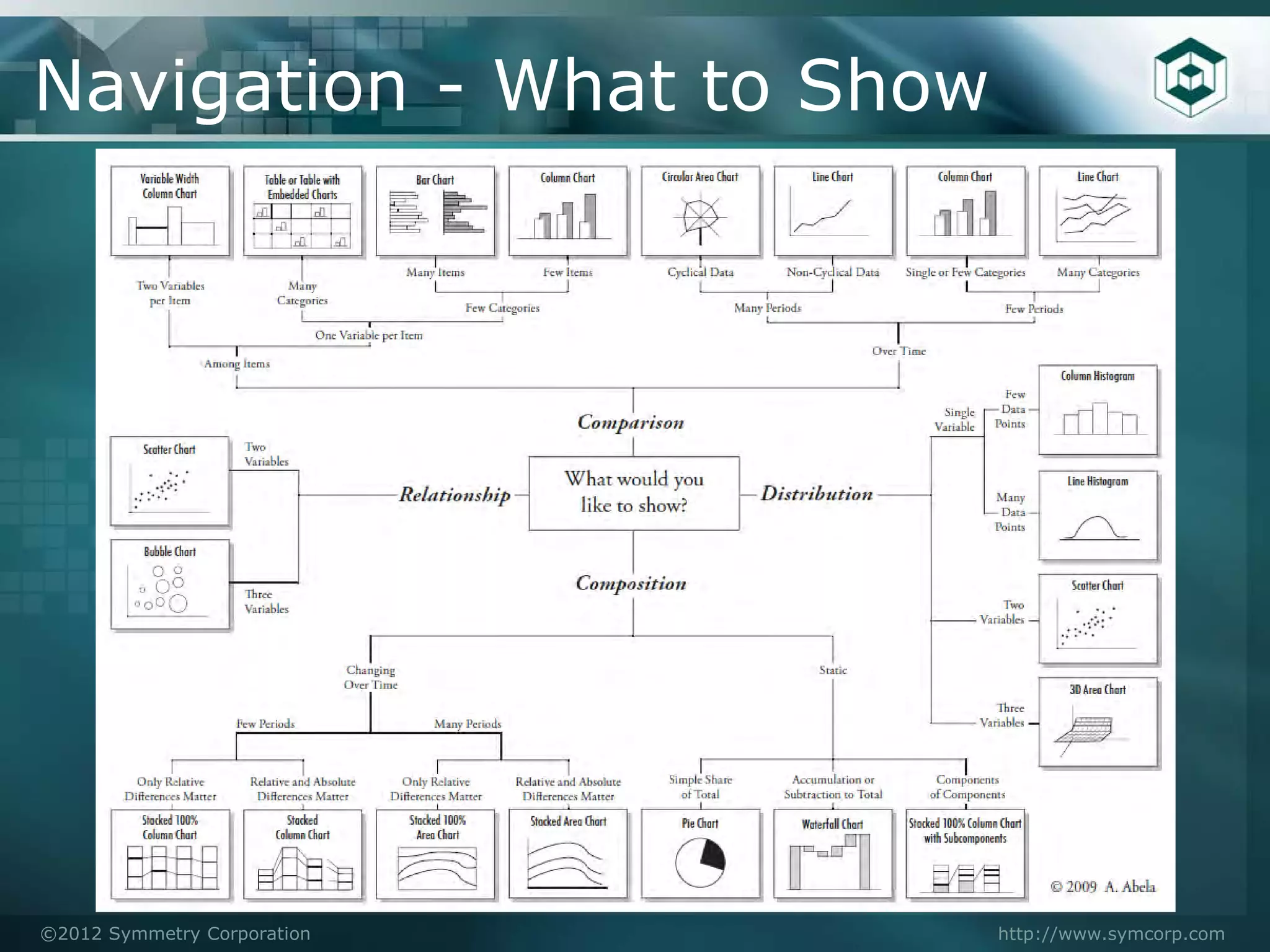
Navigation - What to Show


©2012 Symmetry Corporation   http://www.symcorp.com
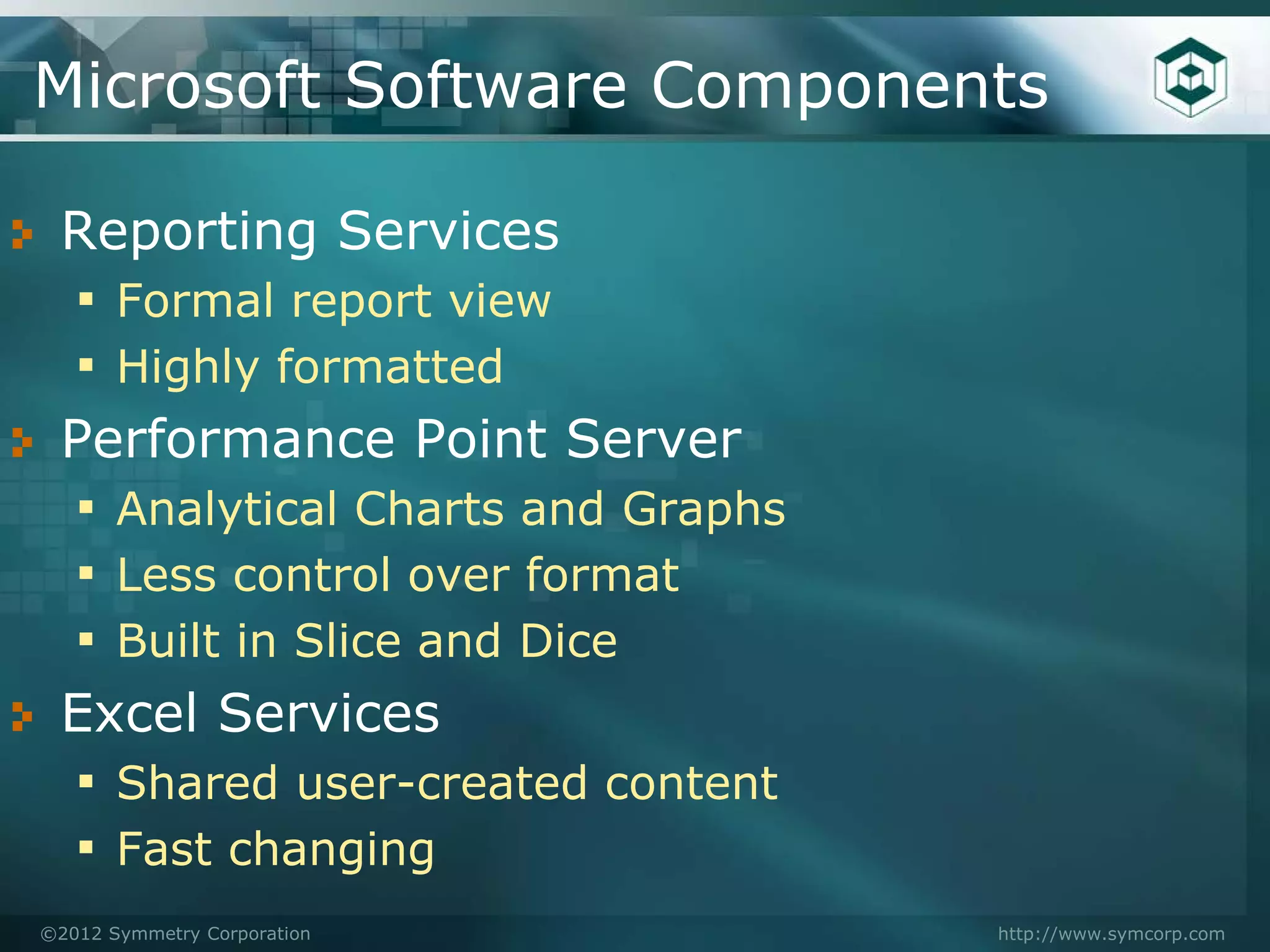
Microsoft Software Components

 Reporting Services
 ▪ Formal report view
 ▪ Highly formatted
 Performance Point Server
 ▪ Analytical Charts and Graphs
 ▪ Less control over format
 ▪ Built in Slice and Dice
 Excel Services
 ▪ Shared user-created content
 ▪ Fast changing
©2012 Symmetry Corporation        http://www.symcorp.com
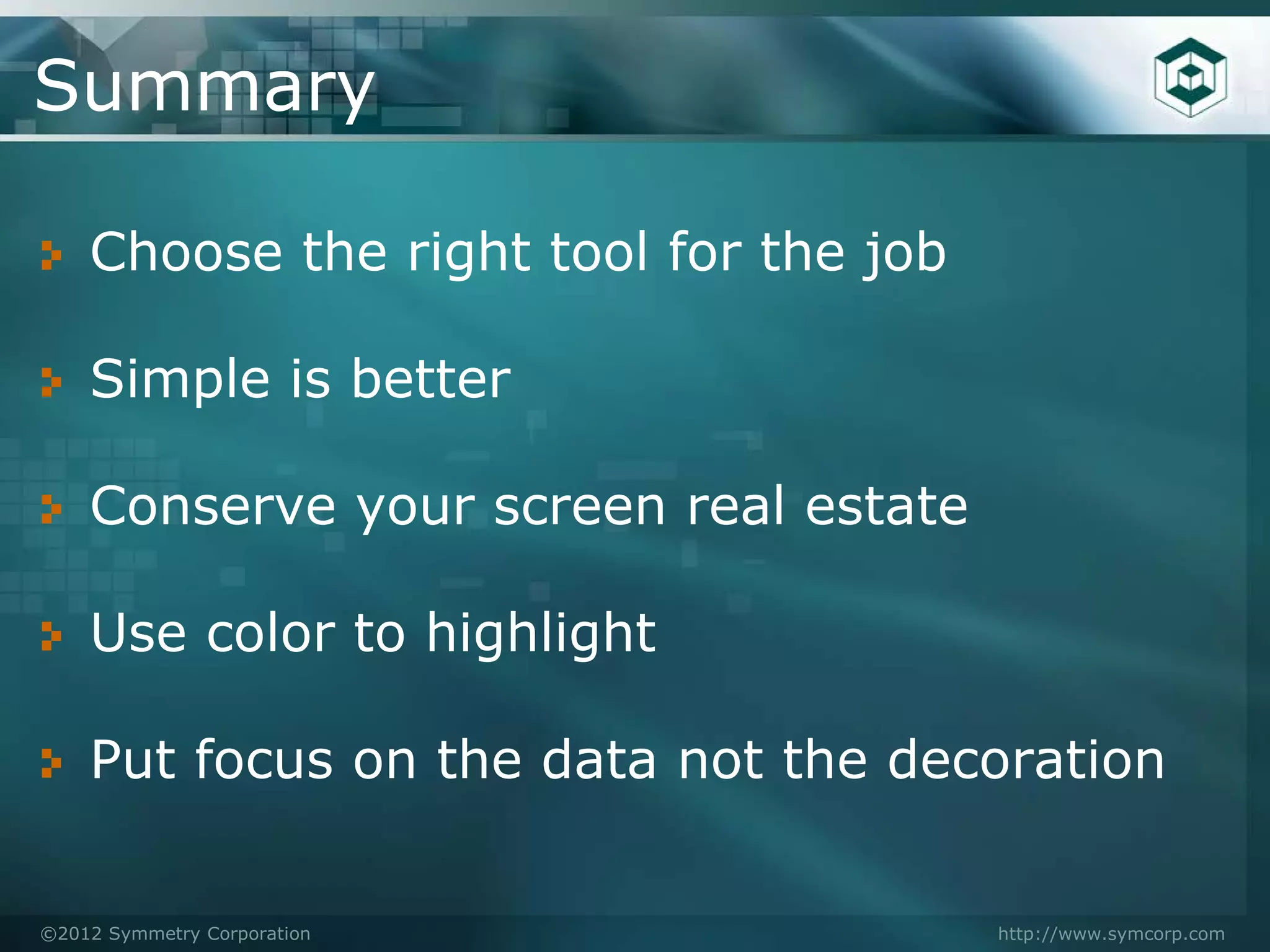
Summary

    Choose the right tool for the job

    Simple is better

    Conserve your screen real estate

    Use color to highlight

    Put focus on the data not the decoration


©2012 Symmetry Corporation              http://www.symcorp.com
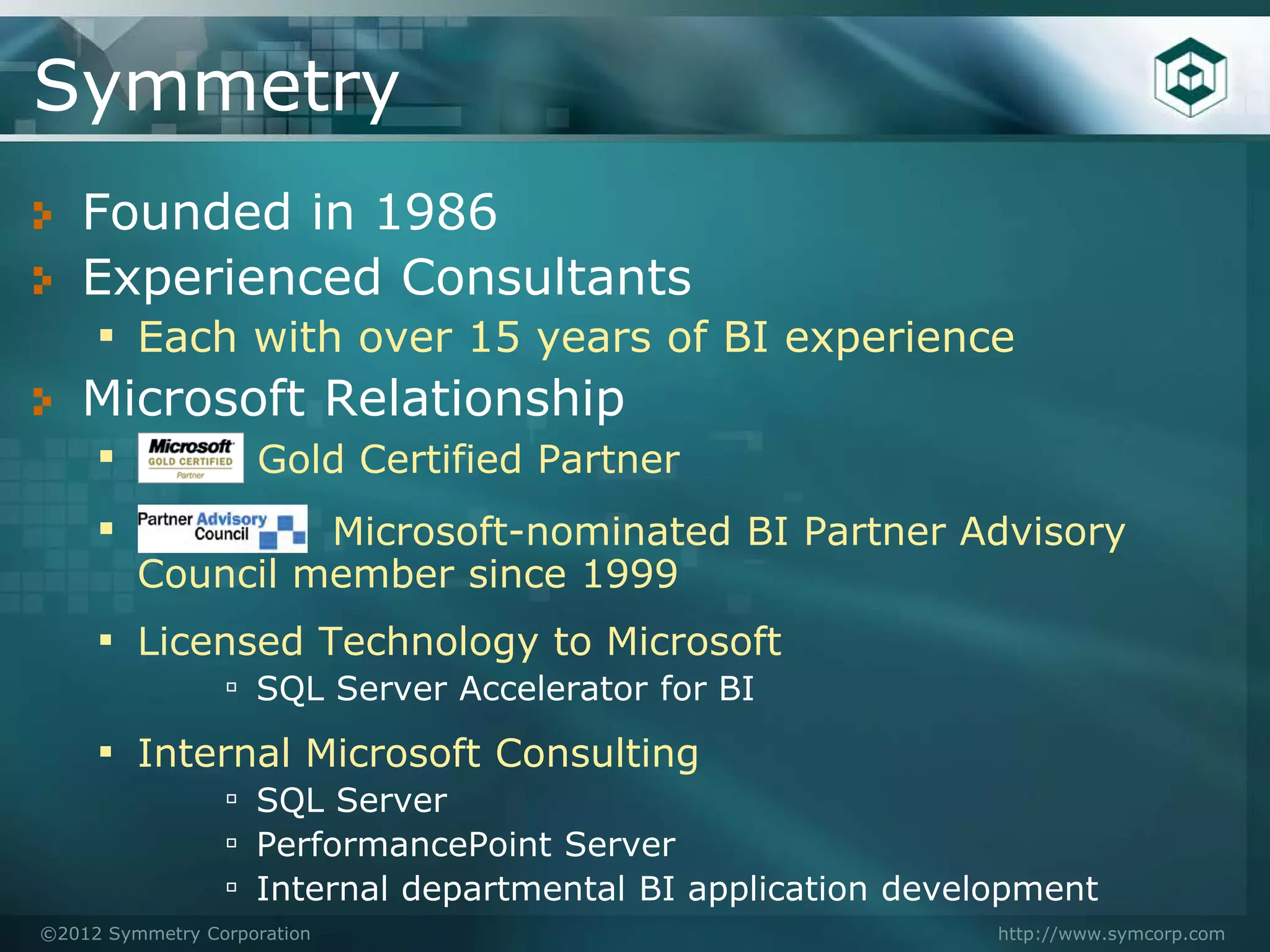
Symmetry
   Founded in 1986
   Experienced Consultants
    ▪ Each with over 15 years of BI experience
   Microsoft Relationship
    ▪      Gold Certified Partner
    ▪          Microsoft-nominated BI Partner Advisory
         Council member since 1999
     ▪ Licensed Technology to Microsoft
                 ▫ SQL Server Accelerator for BI
     ▪ Internal Microsoft Consulting
                 ▫ SQL Server
                 ▫ PerformancePoint Server
                 ▫ Internal departmental BI application development
©2012 Symmetry Corporation                                   http://www.symcorp.com
Resources
      ▪ Show Me the Numbers: Designing Tables and Graphs to Enlighten
            ● Stephen Few
      ▪   Information Dashboard Design: The Effective Visual
          Communication of Data
            ● Stephen Few

      ▪ The Visual Display of Quantitative Information, 2nd edition
            ●   Edward R. Tufte


             http://www.perceptualedge.com/

             http://dashboardspy.com/

             Symmetry Corp – www.symcorp.com

©2012 Symmetry Corporation                                     http://www.symcorp.com
To learn more or attend a meeting: www.bayareamicrosoftbi.org


    To inquire about sponsorship or speaking opportunities:
 Mark Ginnebaugh, User Group Leader mark@designmind.com

Business Intelligence Dashboard Design Best Practices

  • 1.
    Dashboard Design BestPractices Speaker: Dan Bulos Symmetry Corporation July 2012
  • 2.
    Best Practices in DashboardDesign Dan Bulos – bulos@symcorp.com ©2012 Symmetry Corporation http://www.symcorp.com
  • 3.
    Agenda What is a Dashboard? Dashboard Best Practices Dashboard Components Navigation ©2012 Symmetry Corporation http://www.symcorp.com
  • 4.
    Metaphors Go OnlySo Far Monitors a Continuous Process At a Gauge Glance Oriented ©2012 Symmetry Corporation http://www.symcorp.com
  • 5.
    Reporting Spectrum Managed Dashboards Analysis Tables, Crosstabs, Charts, Graphs P Customization Ease of Depth & D r & Distribution Development Quickness i o Alternatives & Usage of Analytics s d Paramount Parameter Interactive c u Driven Navigation o c v t Highly Formatted Advanced e i Visualization r o Guided Analytics y n Programmer Line Staff Developed Developed Developed ©2012 Symmetry Corporation http://www.symcorp.com
  • 6.
    Dashboard Definition Visual Display of the most important information needed to achieve one or more objectives which fits entirely on a single computer screen so it can be monitored at a glance Information Dashboard Design By Stephen Few ©2012 Symmetry Corporation http://www.symcorp.com
  • 7.
    What Makes aGood Dashboard Some are Better Than Others ©2012 Symmetry Corporation http://www.symcorp.com
  • 8.
    Dashboard - BestPractices Key Data/Metrics In Context Dense Zero Information Learning Not Curve Cluttered Single Page Graphically Oriented Access to Highlight Supporting Exceptions Details ©2012 Symmetry Corporation http://www.symcorp.com
  • 9.
    General Design Considerations “Single Page” “Graphical” No Scrolling Displays Patterns Nothing Hidden Abstract Data Linked Content Better Minimal Grids Dashboard All Relevant Info Design Domain Aware One Place to Look Leverages Not Data Driven Knowledge “Disparate Data” “Guided Analytics” ©2012 Symmetry Corporation http://www.symcorp.com
  • 10.
    Key Data/Metrics inContext Key Data/Metrics ▪ High level performance metrics ▪ Generally tied to goals and bonuses ▪ Focus on actionable data ▪ Disparate sources Context ▪ The 3Ts = Target, Trend, Typical ▪ Similar/Related Data/Metrics ▪ Basis for interpretation ©2012 Symmetry Corporation http://www.symcorp.com
  • 11.
    Dense, not Cluttered Dense Information ▪ All relevant data/metrics ▪ Different perspectives Not Cluttered – “At a Glance” ▪ It is not how much, but how well ▪ Easy to view, not an eye chart Data-Ink Ratio ( ) The Visual Display of Quantitative Information Edward R. Tufte ▪ Non-essential ink should be removed ▪ Supporting ink (axis lines) = low visual impact ©2012 Symmetry Corporation http://www.symcorp.com
  • 12.
    Zero Learning Curve Dashboard viewing is not a person’s job ▪ Oriented at casual users, line mgt, & execs ▪ Little/No accumulated experience ● Each viewing is the first time Dashboards are not analytical tools ▪ But they provide guided analytics Targeted to a Person/Role/Problem Set ©2012 Symmetry Corporation http://www.symcorp.com
  • 13.
    Exception Oriented Outliers should POP out Visual Cues Highlight Both Color ▪ Problems Size ▪ Opportunities Shape Boldness What is an Exception? Position ▪ > 1 Std Dev, 2…. Five9s Icons ▪ When action needs be taken ©2012 Symmetry Corporation http://www.symcorp.com
  • 14.
    Supporting Detail Dashboards are not an Associated end unto themselves Layers Guided Contextual Analytics Update Content Updates Dashboard Webparts Links to New Pages Hierarchical Drill-Down Root Cause Analysis Ad Hoc Analysis Detail Reports ©2012 Symmetry Corporation http://www.symcorp.com
  • 15.
    Dashboard Components Scorecards Diagrams Grids Charts Gauges Maps Tree Map Decomp Tree And So Much More…… ©2012 Symmetry Corporation http://www.symcorp.com
  • 16.
    First a Wordon Color Use Color Sparingly – Generally Soft Colors ▪ Highlighting – Bold Colors Different Colors = Different Meaning ▪ Try shades of grey Use a Single Hue ▪ Increase the intensity for low to high values Remember - 7% of men are color blind A dashboard is not a painting Usefulness is Paramount ©2012 Symmetry Corporation http://www.symcorp.com
  • 17.
    Grids When to use: ▪ Values are familiar ▪ Need to lookup a value ▪ Small differences are important ▪ Mixed units of measure Design Considerations ▪ Try to keep square-ish ▪ Comparisons are done by column ▪ Limit length with Top/Bottom ©2012 Symmetry Corporation http://www.symcorp.com
  • 18.
    Grid Embellishments Highlights ▪ Items of interest Data Bars ▪ Helpful to read magnitude Color Scales/Icons Icons are best used to: ▪ Can overwhelm the data Arrows Replace data to save space ▪ Used for change over time Show variance or score ©2012 Symmetry Corporation http://www.symcorp.com
  • 19.
    Scorecards Are a special type of grid ▪ Created for KPIs and Objectives Can be methodology oriented ▪ Balanced Scorecard, 6 Sigma, … Used as a navigation aid ▪ A list with data Scorecards are less about data and more about process ©2012 Symmetry Corporation http://www.symcorp.com
  • 20.
    Basic Charts Lines Charts – Time Series oriented ▪ Highlights trend, patterns or variability ▪ Highlights relationships between series ▪ Trend lines & projections can be added Bar Chart – Comparison Oriented ▪ Categorical comparisons within a dimension ▪ Nominal comparisons across data (sales to cost) Pie Charts – Part to Whole ▪ Only works with small sets ▪ Hard to visually quantify ▪ A lot of space for not much data ©2012 Symmetry Corporation http://www.symcorp.com
  • 21.
    Interlude: Form vs.Function If the dashboard is not visually appealing, people will not go to it 1 Page – 6#s If the dashboard is not effective and practical, people will not use it Pretty Yes! Useful? What is fun the first time Might be boring the 100th time Too Dense? ©2012 Symmetry Corporation http://www.symcorp.com
  • 22.
    Bar Charts Horizontal ▪ Long labels ▪ Pattern comparisons ▪ Long-ish lists Vertical ▪ Groups with in groups ▪ Stacked and 100% Bars ▪ Pareto Charts Doesn’t work for large numbers of groups Bars are easily drilled into ©2012 Symmetry Corporation http://www.symcorp.com
  • 23.
    Hybrids – Chartsin Grids Effective Great Mixing Of Data-Ink Charts & Ratio Values Introduction of Sparklines & Bullet Graphs ©2012 Symmetry Corporation http://www.symcorp.com
  • 24.
    Bullet Graphs A bullet graph is a variation of a bar graph developed by Stephen Few. Seemingly inspired by the traditional thermometer charts and progress bars found in many dashboards, the bullet graph serves as a replacement for Symmetry’s dashboard gauges and meters Variation Sales Costs Black Bar = Value Green/Red Bar = Target Blue Pointer = Last Year ©2012 Symmetry Corporation http://www.symcorp.com
  • 25.
    Maps Useful in showing regional components Maps are great for demographics Maps are highly specialized Impact grids can be effective Be careful of charts within a map ©2012 Symmetry Corporation http://www.symcorp.com
  • 26.
    Gauges When using a set of Hard to set gauge scale gauges expected value for the general case should be straight up Best for continuous process Poor Data-Ink Ratio ©2012 Symmetry Corporation http://www.symcorp.com
  • 27.
    Diagrams Balanced Process Diagram Scorecard Strategy Map Diagrams are underutilized Graphical Representations Impact Diagram Root Cause/Fishbone Diagram ©2012 Symmetry Corporation http://www.symcorp.com
  • 28.
    Graphical Excellence Show the data Focus on the substance of the numbers Don’t distort the data Present many numbers in a small space Encourage comparisons Show data in several perspectives The Visual Display of Quantitative Information Edward R. Tufte ©2012 Symmetry Corporation http://www.symcorp.com
  • 29.
    Screen Layout Numberof Frames ▪ Up to 4 is good, no more than 6 Frame Proportions ▪ Size = implied importance ▪ Uniform otherwise Location ▪ Top left = primary focus ▪ Bottom right = supporting detail ▪ Off page = irrelevant Printing ▪ The dirty little secret ©2012 Symmetry Corporation http://www.symcorp.com
  • 30.
    Frame Options Different frame on same page ▪ Must fit on the page ▪ Can drill from here to new page New page in same browser ▪ Easy to get back ▪ Full page available New browser tab/window ▪ Allows for comparisons ▪ Users must close windows/tabs ©2012 Symmetry Corporation http://www.symcorp.com
  • 31.
    Navigation Framework A tieredset of dashboards based on role or function A set of grids, graphs, or visualizations that examine a single metric A set of detailed reports or ad-hoc analytics ©2012 Symmetry Corporation http://www.symcorp.com
  • 32.
    Navigation Identify the key dimensions for the metric ▪ Customer, product, department ▪ Drill into one or more of these ▪ Top 10 rankings Identify the audience ▪ Marketing manager – Drill to product ▪ Sales Manager – Drill to customer ©2012 Symmetry Corporation http://www.symcorp.com
  • 33.
    Navigation - Whatto Show ©2012 Symmetry Corporation http://www.symcorp.com
  • 34.
    Microsoft Software Components Reporting Services ▪ Formal report view ▪ Highly formatted Performance Point Server ▪ Analytical Charts and Graphs ▪ Less control over format ▪ Built in Slice and Dice Excel Services ▪ Shared user-created content ▪ Fast changing ©2012 Symmetry Corporation http://www.symcorp.com
  • 35.
    Summary Choose the right tool for the job Simple is better Conserve your screen real estate Use color to highlight Put focus on the data not the decoration ©2012 Symmetry Corporation http://www.symcorp.com
  • 36.
    Symmetry Founded in 1986 Experienced Consultants ▪ Each with over 15 years of BI experience Microsoft Relationship ▪ Gold Certified Partner ▪ Microsoft-nominated BI Partner Advisory Council member since 1999 ▪ Licensed Technology to Microsoft ▫ SQL Server Accelerator for BI ▪ Internal Microsoft Consulting ▫ SQL Server ▫ PerformancePoint Server ▫ Internal departmental BI application development ©2012 Symmetry Corporation http://www.symcorp.com
  • 37.
    Resources ▪ Show Me the Numbers: Designing Tables and Graphs to Enlighten ● Stephen Few ▪ Information Dashboard Design: The Effective Visual Communication of Data ● Stephen Few ▪ The Visual Display of Quantitative Information, 2nd edition ● Edward R. Tufte http://www.perceptualedge.com/ http://dashboardspy.com/ Symmetry Corp – www.symcorp.com ©2012 Symmetry Corporation http://www.symcorp.com
  • 38.
    To learn moreor attend a meeting: www.bayareamicrosoftbi.org To inquire about sponsorship or speaking opportunities: Mark Ginnebaugh, User Group Leader mark@designmind.com