1


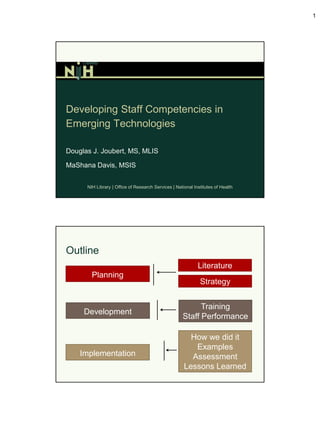
Developing Staff Competencies in
Emerging Technologies

Douglas J. Joubert, MS, MLIS

MaShana Davis, MSIS


      NIH Library | Office of Research Services | National Institutes of Health


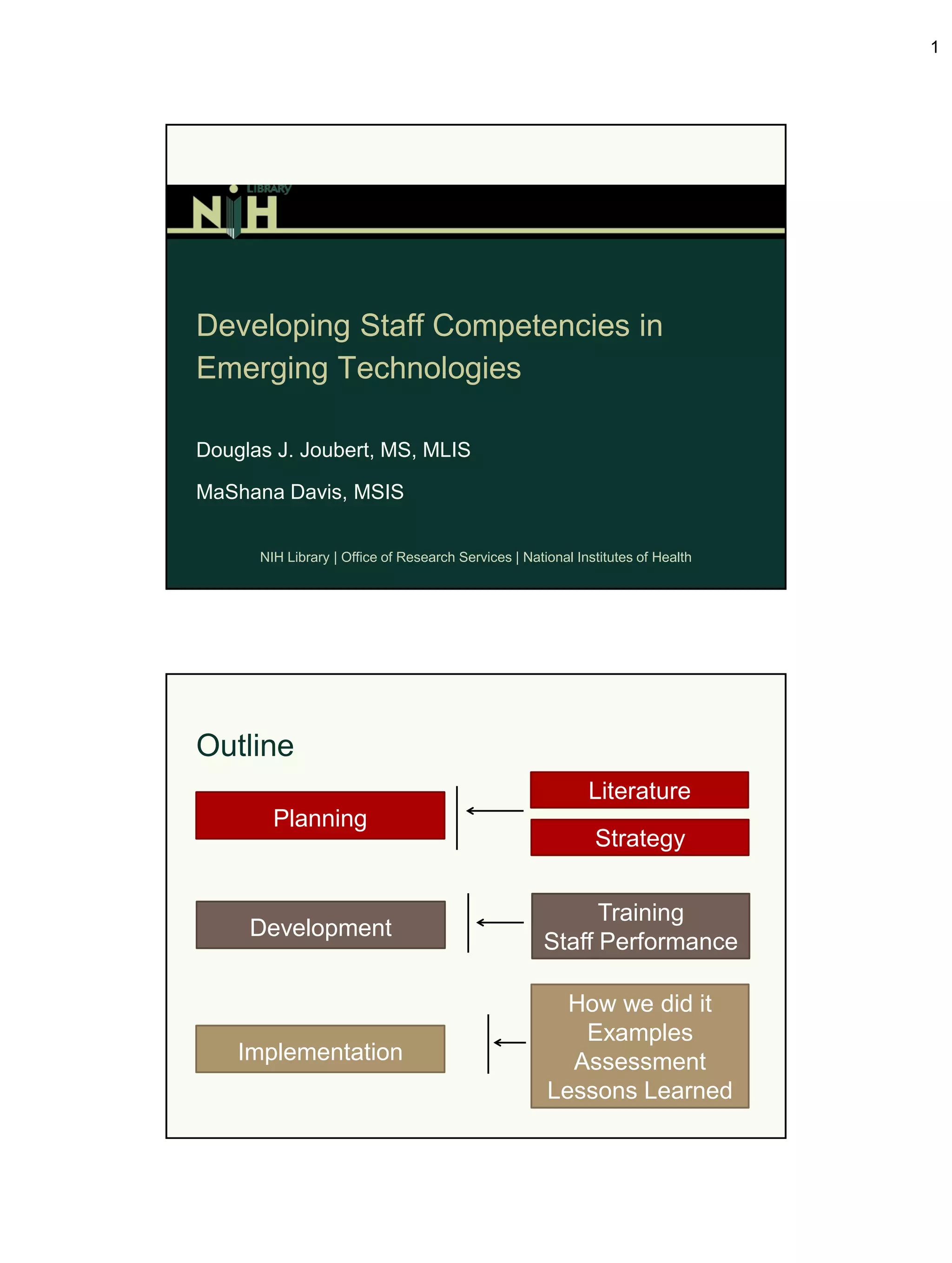
Outline
                                                             Literature
        Planning
                                                              Strategy


                                                           Training
     Development
                                                     Staff Performance

                                                        How we did it
                                                         Examples
    Implementation                                      Assessment
                                                      Lessons Learned
2


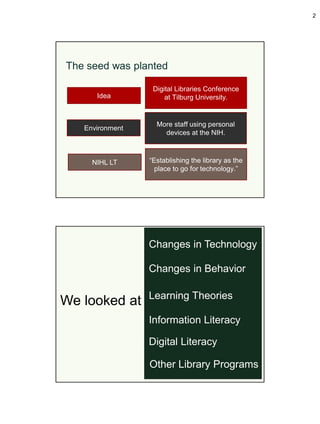
The seed was planted

                  Digital Libraries Conference
      Idea            at Tilburg University.


                   More staff using personal
   Environment
                     devices at the NIH.


     NIHL LT     “Establishing the library as the
                   place to go for technology.”


                 Changes in Technology

                 Changes in Behavior

                 Learning Theories
We looked at
                 Information Literacy

                 Digital Literacy

                 Other Library Programs
3


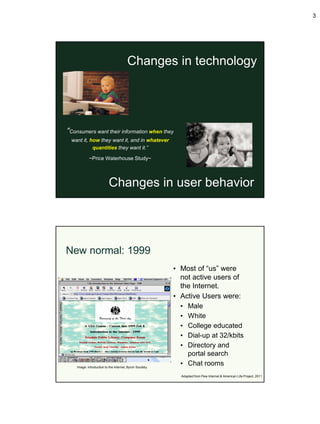
                                        Changes in technology


“Consumers want their information when they
 want it, how they want it, and in whatever
           quantities they want it.”

            ~Price Waterhouse Study~


                          Changes in user behavior


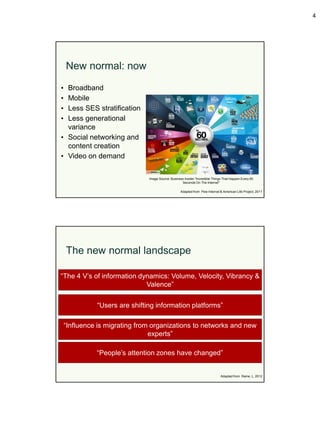
New normal: 1999
                                                          • Most of “us” were
                                                            not active users of
                                                            the Internet.
                                                          • Active Users were:
                                                            • Male
                                                            • White
                                                            • College educated
                                                            • Dial-up at 32/kbits
                                                            • Directory and
                                                              portal search
    Image: introduction to the Internet, Byron Soulsby.
                                                            • Chat rooms
                                                            Adapted from Pew Internet & American Life Project, 2011
4


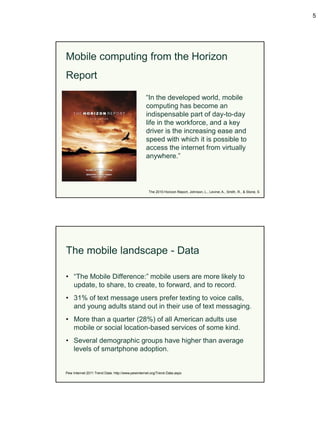
    New normal: now

• Broadband
• Mobile
• Less SES stratification
• Less generational
  variance
• Social networking and
  content creation
• Video on demand

                               Image Source: Business Insider "Incredible Things That Happen Every 60
                                                    Seconds On The Internet"

                                                    Adapted from Pew Internet & American Life Project, 2011


    The new normal landscape

“The 4 V’s of information dynamics: Volume, Velocity, Vibrancy &
                            Valence”

              “Users are shifting information platforms”

    “Influence is migrating from organizations to networks and new
                                experts”

              “People’s attention zones have changed”


                                                                               Adapted from Raine, L, 2012
5


Mobile computing from the Horizon
Report

                                                 “In the developed world, mobile
                                                 computing has become an
                                                 indispensable part of day-to-day
                                                 life in the workforce, and a key
                                                 driver is the increasing ease and
                                                 speed with which it is possible to
                                                 access the internet from virtually
                                                 anywhere.”


                                                   The 2010 Horizon Report, Johnson, L., Levine, A., Smith, R., & Stone, S


The mobile landscape - Data

• “The Mobile Difference:” mobile users are more likely to
  update, to share, to create, to forward, and to record.
• 31% of text message users prefer texting to voice calls,
  and young adults stand out in their use of text messaging.
• More than a quarter (28%) of all American adults use
  mobile or social location-based services of some kind.
• Several demographic groups have higher than average
  levels of smartphone adoption.


Pew Internet 2011 Trend Data: http://www.pewinternet.org/Trend-Data.aspx
6


Mobile is a “conversation/search starter”
on…
• Daily use of internet.
• Social networking use.
• Search.
• News consumption (including political use).
• Health and fitness information.
• Video use.
• E-commerce.

Rainie. Lee. (July 14, 2011). Educate Webinar: Pew Internet Project


The mobile landscape – Federal space

• The Mobile-Gov Community of Practice is a cross-
  government community dedicated to creating open
  systems and technical assistance tools to build a public-
  centric path to government anytime, anywhere.
• Focus on creating strategies and services around mobile
  which include text/SMS, mobile websites, mobile web
  apps, and native smartphone apps.


Source: http://www.howto.gov/tech-solutions/mobile/community
7


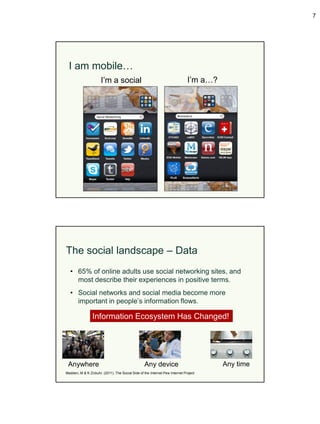
  I am mobile…
                      I’m a social                                            I’m a…?


The social landscape – Data
  • 65% of online adults use social networking sites, and
    most describe their experiences in positive terms.
  • Social networks and social media become more
    important in people’s information flows.

                 Information Ecosystem Has Changed!


 Anywhere                                         Any device                            Any time
Madden, M & K Zickuhr. (2011). The Social Side of the Internet Pew Internet Project
8


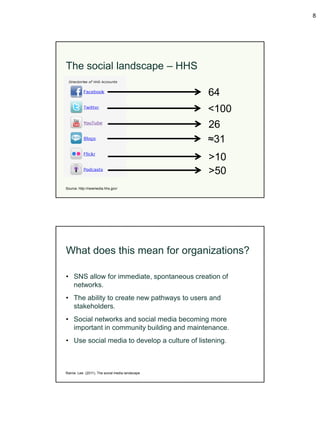
The social landscape – HHS

                                                  64
                                                  <100
                                                  26
                                                  ≈31
                                                  >10
                                                  >50
Source: http://newmedia.hhs.gov/


What does this mean for organizations?

• SNS allow for immediate, spontaneous creation of
  networks.
• The ability to create new pathways to users and
  stakeholders.
• Social networks and social media becoming more
  important in community building and maintenance.
• Use social media to develop a culture of listening.


Rainie. Lee. (2011). The social media landscape
9


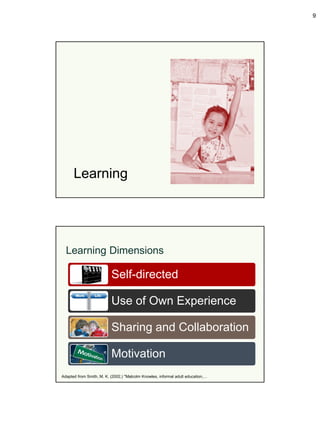
      Learning


  Learning Dimensions

                          Self-directed

                          Use of Own Experience

                          Sharing and Collaboration

                          Motivation
Adapted from Smith, M. K. (2002,) "Malcolm Knowles, informal adult education,…
10


Project Information Literacy

• Feb 2009: How college students navigate the information
  landscape.
• Dec 2009: Despite the research task, students rarely ask
  librarians for assistance. Librarians focused too heavily on
  guides and resources.


       Practical PIL Section: http://projectinfolit.org/practical/
Source: Bridging the Information Literacy Communication Gap: Putting PIL Studies to Good Use. Library Issues, November 2011


Project Information Literacy

• Jul 2010: Assignments offer opportunities to improve
  student research skills, librarians receive few
  opportunities to make it happen.
• Nov 2010: Focused on student evaluation skills.
• Oct 2011: How students manage technology during
  crunch time.


       Practical PIL Section: http://projectinfolit.org/practical/
Source: Bridging the Information Literacy Communication Gap: Putting PIL Studies to Good Use. Library Issues, November 2011
11


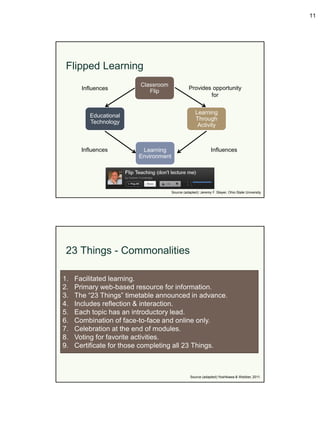
 Flipped Learning
                         Classroom
       Influences                                Provides opportunity
                            Flip
                                                         for


                                                     Learning
          Educational
                                                     Through
          Technology
                                                      Activity


       Influences        Learning                              Influences
                        Environment


                                      Source (adapted): Jeremy F. Stayer, Ohio State University


 23 Things - Commonalities

1.   Facilitated learning.
2.   Primary web-based resource for information.
3.   The “23 Things” timetable announced in advance.
4.   Includes reflection & interaction.
5.   Each topic has an introductory lead.
6.   Combination of face-to-face and online only.
7.   Celebration at the end of modules.
8.   Voting for favorite activities.
9.   Certificate for those completing all 23 Things.


                                                 Source (adapted):Yoshikawa & Webber, 2011.
12


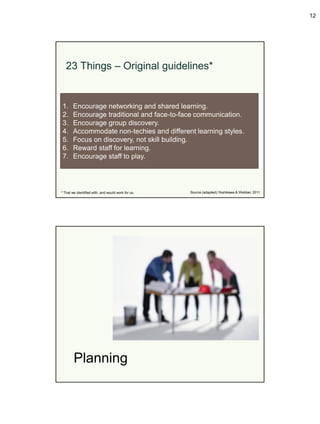
   23 Things – Original guidelines*


 1.     Encourage networking and shared learning.
 2.     Encourage traditional and face-to-face communication.
 3.     Encourage group discovery.
 4.     Accommodate non-techies and different learning styles.
 5.     Focus on discovery, not skill building.
 6.     Reward staff for learning.
 7.     Encourage staff to play.


* That we identified with, and would work for us.   Source (adapted):Yoshikawa & Webber, 2011.


        Planning
13


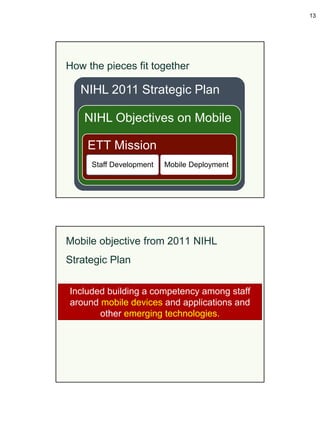
How the pieces fit together

   NIHL 2011 Strategic Plan

    NIHL Objectives on Mobile

    ETT Mission
     Staff Development   Mobile Deployment


Mobile objective from 2011 NIHL
Strategic Plan

Included building a competency among staff
around mobile devices and applications and
       other emerging technologies.
14


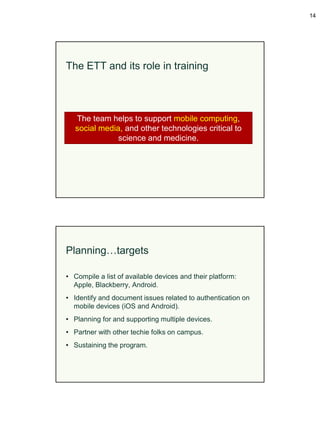
The ETT and its role in training


   The team helps to support mobile computing,
   social media, and other technologies critical to
               science and medicine.


Planning…targets

• Compile a list of available devices and their platform:
  Apple, Blackberry, Android.
• Identify and document issues related to authentication on
  mobile devices (iOS and Android).
• Planning for and supporting multiple devices.
• Partner with other techie folks on campus.
• Sustaining the program.
15


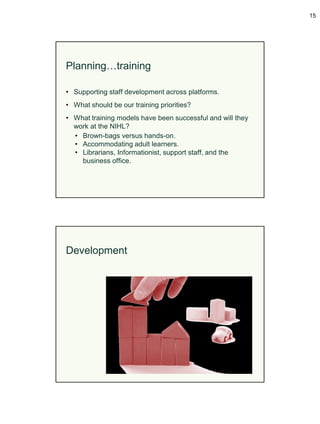
Planning…training

• Supporting staff development across platforms.
• What should be our training priorities?
• What training models have been successful and will they
  work at the NIHL?
  • Brown-bags versus hands-on.
  • Accommodating adult learners.
  • Librarians, Informationist, support staff, and the
    business office.


Development
16


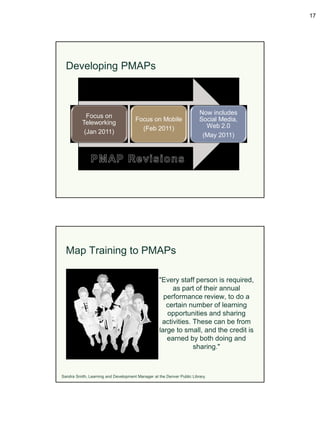
Development…mobile

IAB Branch Chief met with ETT to discuss device deployment.


ETT met with all library staff outlining team objectives, mobile
               deployment, and staff training.


     IAB Branch Chief sent out survey asking staff about
              preferences for a mobile device.


Developing training
Developed curriculum that included a variety of methods for
educating staff, developed a staff technology challenge, and
                    leading by example.


Developed methods to evaluate staff competencies with their
                        devices.


 We really wanted to build a community of learners that was
focused on mobile, social media, and emerging technologies.
17


  Developing PMAPs


                                                                        Now includes
            Focus on
                                      Focus on Mobile                   Social Media,
          Teleworking
                                        (Feb 2011)                        Web 2.0
           (Jan 2011)
                                                                         (May 2011)


  Map Training to PMAPs

                                                   "Every staff person is required,
                                                        as part of their annual
                                                     performance review, to do a
                                                      certain number of learning
                                                      opportunities and sharing
                                                    activities. These can be from
                                                   large to small, and the credit is
                                                      earned by both doing and
                                                                sharing."


Sandra Smith, Learning and Development Manager at the Denver Public Library.
18


Factors that influenced training


Focused on two factors: (1) the Level of learning,
  and (2) the resources required to implement

           Proliferation of mobile use

                      Ease and availability of cloud services

     Make it relevant to me!

                             Social media and mobile use


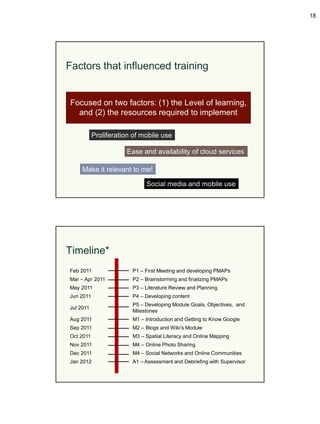
Timeline*
Feb 2011                P1 – First Meeting and developing PMAPs
Mar – Apr 2011          P2 – Brainstorming and finalizing PMAPs
May 2011                P3 – Literature Review and Planning
Jun 2011                P4 – Developing content
                        P5 – Developing Module Goals, Objectives, and
Jul 2011
                        Milestones
Aug 2011                M1 – Introduction and Getting to Know Google
Sep 2011                M2 – Blogs and Wiki’s Module
Oct 2011                M3 – Spatial Literacy and Online Mapping
Nov 2011                M4 – Online Photo Sharing
Dec 2011                M4 – Social Networks and Online Communities
Jan 2012                A1 – Assessment and Debriefing with Supervisor
19


  RATECH learning objectives

  • As much as possible, the modules should be self-
    directed.
    • Doug and MaShana available as backup.
  • Use personal experiences as a resource for learning.
      • Blog about their experiences, mapping through their
        lens, photos and networks from their life.


Adapted from Smith, M. K. (2002,) "Malcolm Knowles, informal adult education,…


  RATECH learning objectives

  • Immediately apply what they learn through exercises,
    sharing, and group discussion.
     • We had a journal club at the end of each section.
     • RA’s had the option to lead each journal club.
  • Try to motivate by internal rather than external factors.
    • “I feel that I need to be up-to-date to help our patrons.”


Adapted from Smith, M. K. (2002,) "Malcolm Knowles, informal adult education,…
20


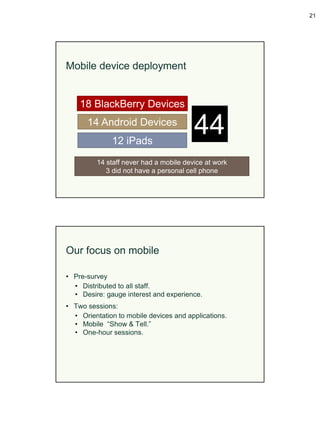
                   Implementation


How we did it

• Brown-bags for staff education.
• Meet and Greet sessions with the ETT.
• Mobile “show and tell.”
• Reference Assistant (RA) Tech Challenge.
• Informal Communities of Practice.
• ETT served as “ambassadors” for the technology.
21


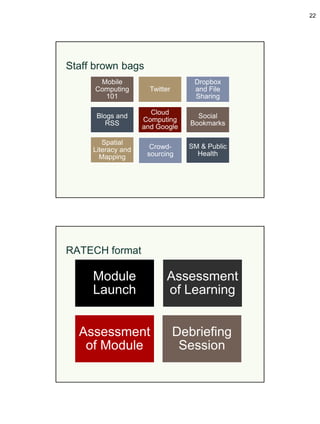
Mobile device deployment


    18 BlackBerry Devices
      14 Android Devices
              12 iPads
                                        44
         14 staff never had a mobile device at work
            3 did not have a personal cell phone


Our focus on mobile

• Pre-survey
  • Distributed to all staff.
  • Desire: gauge interest and experience.
• Two sessions:
  • Orientation to mobile devices and applications.
  • Mobile “Show & Tell.”
  • One-hour sessions.
22


Staff brown bags
       Mobile                       Dropbox
      Computing       Twitter       and File
        101                         Sharing

                      Cloud
      Blogs and                      Social
                    Computing
         RSS                       Bookmarks
                    and Google

        Spatial
     Literacy and     Crowd-      SM & Public
       Mapping       sourcing       Health


RATECH format

     Module                Assessment
     Launch                of Learning


  Assessment                    Debriefing
   of Module                     Session
23


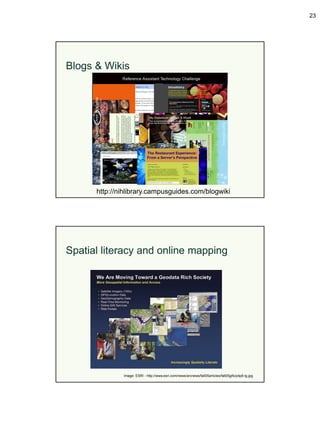
Blogs & Wikis


      http://nihlibrary.campusguides.com/blogwiki


Spatial literacy and online mapping


              Image: ESRI - http://www.esri.com/news/arcnews/fall05articles/fall05gifs/p4p8-lg.jpg
24


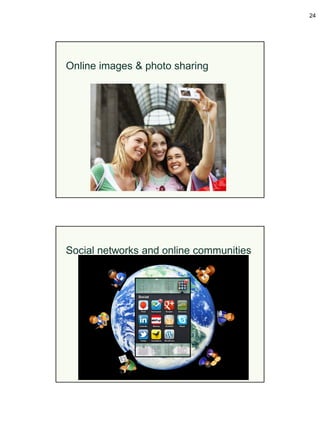
Online images & photo sharing


Social networks and online communities
25


     Assessment


Evaluation

• Surveys (used Google Forms & Survey Monkey).
  • Module Assessment.
  • Learning Assessment.
  • App evaluation form.
  • Device evaluation form.
• Survey on mobile device (perceptions about getting the
  device).
• iPad evaluation.
• Monthly debriefing sessions.
• Supervisor monitored online interactions.
26


Evaluation?
               • Was harder than it should have been.
               • Reluctance of staff to complete
                 evaluation forms & provide feedback
                 (except when something didn’t work).
               • Difficult to come up with outcome
                 measures – esp. those relevant to
                 our type of library.
               • Was not able to work on evaluation
                 plan before distributing devices.


              Lessons Learned
27


Lessons learned [1]

• How do we encourage the discovery of new services and
  applications.
• Evaluating staff competencies with their devices.
• Time to develop & conduct the trainings.
• Determine how to evaluate? What to evaluate?


Lessons learned: [1]

• Planning and establishing goals at the outset are
  essential.
• Distribution of work: be prepared for a lot of hand-holding
  to get people up to speed.
• Jumping through government-specific TOS jargon/policies
  (iTunes, 3G, repurposing the BlackBerry devices).
28


Lessons learned: [2]

• Squeezing in time here and there to focus on this entire
  initiative does not work very well.
• Make what you are doing relevant. You cannot make
  people excited about something.
• Innovation is hard. Even if you have the support of
  leadership, implementing something new is not easy.


Lessons learned: [3]

• Just because you are invested in learning new and
  innovative things you cannot expect everyone to be super
  engaged.
• We had to become innovative in figuring out ways to
  encourage staff without explicitly providing instructions.
29


What are you doing at your
library?


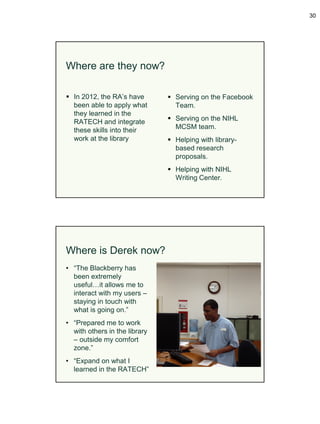
2012: Integration of Learning


                  2011: Internal Training
30


Where are they now?

 In 2012, the RA’s have        Serving on the Facebook
  been able to apply what        Team.
  they learned in the
  RATECH and integrate          Serving on the NIHL
  these skills into their        MCSM team.
  work at the library           Helping with library-
                                 based research
                                 proposals.
                                Helping with NIHL
                                 Writing Center.


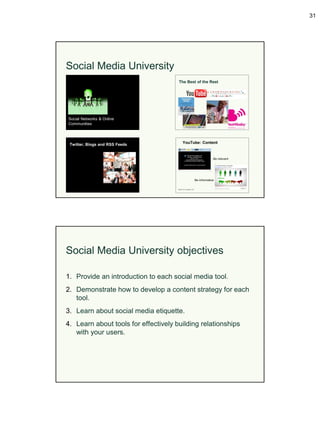
Where is Derek now?
• “The Blackberry has
  been extremely
  useful…it allows me to
  interact with my users –
  staying in touch with
  what is going on.”
• “Prepared me to work
  with others in the library
  – outside my comfort
  zone.”
• “Expand on what I
  learned in the RATECH”
31


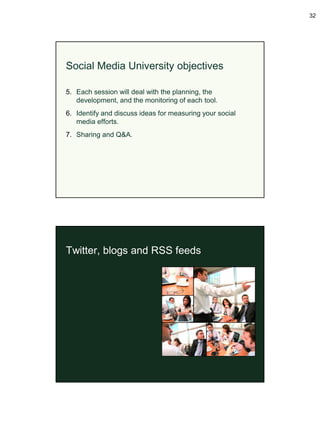
Social Media University


Social Media University objectives

1. Provide an introduction to each social media tool.
2. Demonstrate how to develop a content strategy for each
   tool.
3. Learn about social media etiquette.
4. Learn about tools for effectively building relationships
   with your users.
32


Social Media University objectives

5. Each session will deal with the planning, the
   development, and the monitoring of each tool.
6. Identify and discuss ideas for measuring your social
   media efforts.
7. Sharing and Q&A.


Twitter, blogs and RSS feeds
33


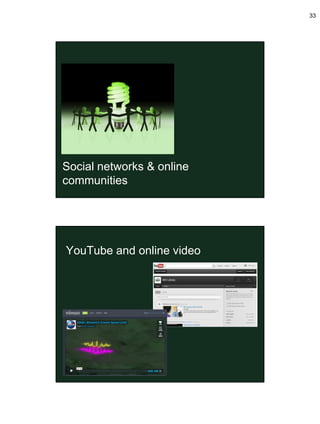
Social networks & online
communities


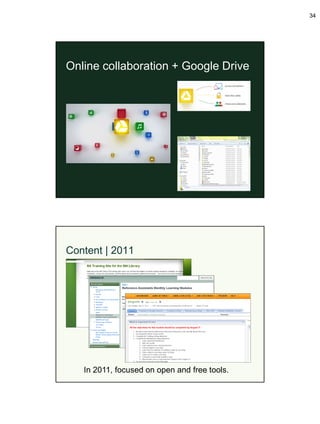
YouTube and online video
34


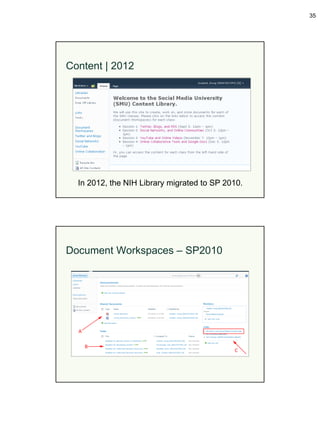
Online collaboration + Google Drive


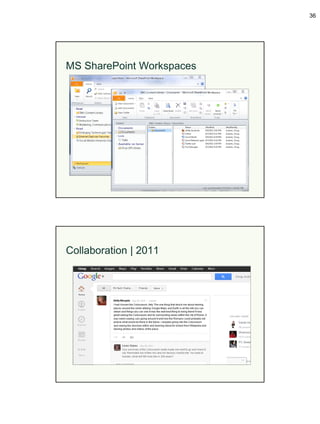
Content | 2011


   In 2011, focused on open and free tools.
35


Content | 2012


  In 2012, the NIH Library migrated to SP 2010.


Document Workspaces – SP2010
36


MS SharePoint Workspaces


Collaboration | 2011
37


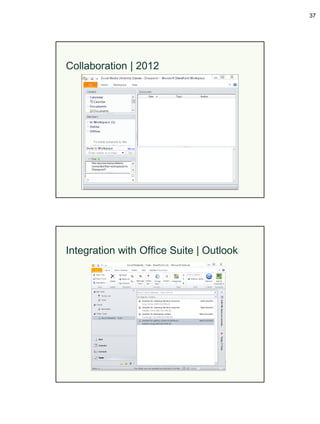
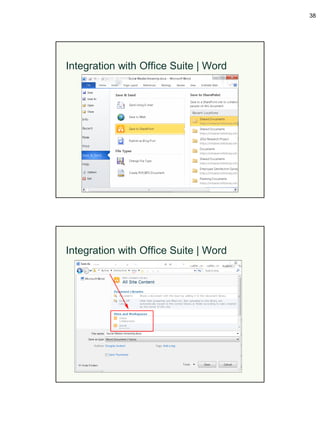
Collaboration | 2012


Integration with Office Suite | Outlook
38


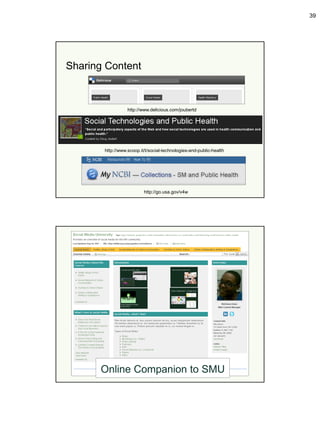
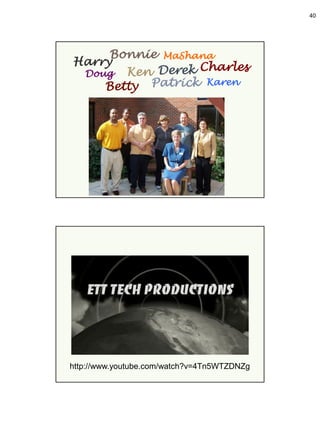
Integration with Office Suite | Word


Integration with Office Suite | Word
39


Sharing Content


                  http://www.delicious.com/joubertd


       http://www.scoop.it/t/social-technologies-and-public-health


                          http://go.usa.gov/v4w


      Online Companion to SMU
40


     Bonnie MaShana
Harry            Charles
 Doug Ken Derek
    Betty Patrick Karen


http://www.youtube.com/watch?v=4Tn5WTZDNZg
41


Thank-you

                                 Questions?
  Doug Joubert: douglas.joubert@nih.gov
  MaShana Davis: mashana.davis@nih.gov

   DIVISION OF LIBRARY SERVICES
   OFFICE OF RESEARCH SERVICES
   NATIONAL INSTITUTES OF HEALTH
   U.S. DEPARTMENT OF HEALTH AND HUMAN SERVICES

Developing Staff Competencies in Emerging Technologies

  • 1.
    1 Developing Staff Competenciesin Emerging Technologies Douglas J. Joubert, MS, MLIS MaShana Davis, MSIS NIH Library | Office of Research Services | National Institutes of Health Outline Literature Planning Strategy Training Development Staff Performance How we did it Examples Implementation Assessment Lessons Learned
  • 2.
    2 The seed wasplanted Digital Libraries Conference Idea at Tilburg University. More staff using personal Environment devices at the NIH. NIHL LT “Establishing the library as the place to go for technology.” Changes in Technology Changes in Behavior Learning Theories We looked at Information Literacy Digital Literacy Other Library Programs
  • 3.
    3 Changes in technology “Consumers want their information when they want it, how they want it, and in whatever quantities they want it.” ~Price Waterhouse Study~ Changes in user behavior New normal: 1999 • Most of “us” were not active users of the Internet. • Active Users were: • Male • White • College educated • Dial-up at 32/kbits • Directory and portal search Image: introduction to the Internet, Byron Soulsby. • Chat rooms Adapted from Pew Internet & American Life Project, 2011
  • 4.
    4 New normal: now • Broadband • Mobile • Less SES stratification • Less generational variance • Social networking and content creation • Video on demand Image Source: Business Insider "Incredible Things That Happen Every 60 Seconds On The Internet" Adapted from Pew Internet & American Life Project, 2011 The new normal landscape “The 4 V’s of information dynamics: Volume, Velocity, Vibrancy & Valence” “Users are shifting information platforms” “Influence is migrating from organizations to networks and new experts” “People’s attention zones have changed” Adapted from Raine, L, 2012
  • 5.
    5 Mobile computing fromthe Horizon Report “In the developed world, mobile computing has become an indispensable part of day-to-day life in the workforce, and a key driver is the increasing ease and speed with which it is possible to access the internet from virtually anywhere.” The 2010 Horizon Report, Johnson, L., Levine, A., Smith, R., & Stone, S The mobile landscape - Data • “The Mobile Difference:” mobile users are more likely to update, to share, to create, to forward, and to record. • 31% of text message users prefer texting to voice calls, and young adults stand out in their use of text messaging. • More than a quarter (28%) of all American adults use mobile or social location-based services of some kind. • Several demographic groups have higher than average levels of smartphone adoption. Pew Internet 2011 Trend Data: http://www.pewinternet.org/Trend-Data.aspx
  • 6.
    6 Mobile is a“conversation/search starter” on… • Daily use of internet. • Social networking use. • Search. • News consumption (including political use). • Health and fitness information. • Video use. • E-commerce. Rainie. Lee. (July 14, 2011). Educate Webinar: Pew Internet Project The mobile landscape – Federal space • The Mobile-Gov Community of Practice is a cross- government community dedicated to creating open systems and technical assistance tools to build a public- centric path to government anytime, anywhere. • Focus on creating strategies and services around mobile which include text/SMS, mobile websites, mobile web apps, and native smartphone apps. Source: http://www.howto.gov/tech-solutions/mobile/community
  • 7.
    7 Iam mobile… I’m a social I’m a…? The social landscape – Data • 65% of online adults use social networking sites, and most describe their experiences in positive terms. • Social networks and social media become more important in people’s information flows. Information Ecosystem Has Changed! Anywhere Any device Any time Madden, M & K Zickuhr. (2011). The Social Side of the Internet Pew Internet Project
  • 8.
    8 The social landscape– HHS 64 <100 26 ≈31 >10 >50 Source: http://newmedia.hhs.gov/ What does this mean for organizations? • SNS allow for immediate, spontaneous creation of networks. • The ability to create new pathways to users and stakeholders. • Social networks and social media becoming more important in community building and maintenance. • Use social media to develop a culture of listening. Rainie. Lee. (2011). The social media landscape
  • 9.
    9 Learning Learning Dimensions Self-directed Use of Own Experience Sharing and Collaboration Motivation Adapted from Smith, M. K. (2002,) "Malcolm Knowles, informal adult education,…
  • 10.
    10 Project Information Literacy •Feb 2009: How college students navigate the information landscape. • Dec 2009: Despite the research task, students rarely ask librarians for assistance. Librarians focused too heavily on guides and resources. Practical PIL Section: http://projectinfolit.org/practical/ Source: Bridging the Information Literacy Communication Gap: Putting PIL Studies to Good Use. Library Issues, November 2011 Project Information Literacy • Jul 2010: Assignments offer opportunities to improve student research skills, librarians receive few opportunities to make it happen. • Nov 2010: Focused on student evaluation skills. • Oct 2011: How students manage technology during crunch time. Practical PIL Section: http://projectinfolit.org/practical/ Source: Bridging the Information Literacy Communication Gap: Putting PIL Studies to Good Use. Library Issues, November 2011
  • 11.
    11 Flipped Learning Classroom Influences Provides opportunity Flip for Learning Educational Through Technology Activity Influences Learning Influences Environment Source (adapted): Jeremy F. Stayer, Ohio State University 23 Things - Commonalities 1. Facilitated learning. 2. Primary web-based resource for information. 3. The “23 Things” timetable announced in advance. 4. Includes reflection & interaction. 5. Each topic has an introductory lead. 6. Combination of face-to-face and online only. 7. Celebration at the end of modules. 8. Voting for favorite activities. 9. Certificate for those completing all 23 Things. Source (adapted):Yoshikawa & Webber, 2011.
  • 12.
    12 23 Things – Original guidelines* 1. Encourage networking and shared learning. 2. Encourage traditional and face-to-face communication. 3. Encourage group discovery. 4. Accommodate non-techies and different learning styles. 5. Focus on discovery, not skill building. 6. Reward staff for learning. 7. Encourage staff to play. * That we identified with, and would work for us. Source (adapted):Yoshikawa & Webber, 2011. Planning
  • 13.
    13 How the piecesfit together NIHL 2011 Strategic Plan NIHL Objectives on Mobile ETT Mission Staff Development Mobile Deployment Mobile objective from 2011 NIHL Strategic Plan Included building a competency among staff around mobile devices and applications and other emerging technologies.
  • 14.
    14 The ETT andits role in training The team helps to support mobile computing, social media, and other technologies critical to science and medicine. Planning…targets • Compile a list of available devices and their platform: Apple, Blackberry, Android. • Identify and document issues related to authentication on mobile devices (iOS and Android). • Planning for and supporting multiple devices. • Partner with other techie folks on campus. • Sustaining the program.
  • 15.
    15 Planning…training • Supporting staffdevelopment across platforms. • What should be our training priorities? • What training models have been successful and will they work at the NIHL? • Brown-bags versus hands-on. • Accommodating adult learners. • Librarians, Informationist, support staff, and the business office. Development
  • 16.
    16 Development…mobile IAB Branch Chiefmet with ETT to discuss device deployment. ETT met with all library staff outlining team objectives, mobile deployment, and staff training. IAB Branch Chief sent out survey asking staff about preferences for a mobile device. Developing training Developed curriculum that included a variety of methods for educating staff, developed a staff technology challenge, and leading by example. Developed methods to evaluate staff competencies with their devices. We really wanted to build a community of learners that was focused on mobile, social media, and emerging technologies.
  • 17.
    17 DevelopingPMAPs Now includes Focus on Focus on Mobile Social Media, Teleworking (Feb 2011) Web 2.0 (Jan 2011) (May 2011) Map Training to PMAPs "Every staff person is required, as part of their annual performance review, to do a certain number of learning opportunities and sharing activities. These can be from large to small, and the credit is earned by both doing and sharing." Sandra Smith, Learning and Development Manager at the Denver Public Library.
  • 18.
    18 Factors that influencedtraining Focused on two factors: (1) the Level of learning, and (2) the resources required to implement Proliferation of mobile use Ease and availability of cloud services Make it relevant to me! Social media and mobile use Timeline* Feb 2011 P1 – First Meeting and developing PMAPs Mar – Apr 2011 P2 – Brainstorming and finalizing PMAPs May 2011 P3 – Literature Review and Planning Jun 2011 P4 – Developing content P5 – Developing Module Goals, Objectives, and Jul 2011 Milestones Aug 2011 M1 – Introduction and Getting to Know Google Sep 2011 M2 – Blogs and Wiki’s Module Oct 2011 M3 – Spatial Literacy and Online Mapping Nov 2011 M4 – Online Photo Sharing Dec 2011 M4 – Social Networks and Online Communities Jan 2012 A1 – Assessment and Debriefing with Supervisor
  • 19.
    19 RATECHlearning objectives • As much as possible, the modules should be self- directed. • Doug and MaShana available as backup. • Use personal experiences as a resource for learning. • Blog about their experiences, mapping through their lens, photos and networks from their life. Adapted from Smith, M. K. (2002,) "Malcolm Knowles, informal adult education,… RATECH learning objectives • Immediately apply what they learn through exercises, sharing, and group discussion. • We had a journal club at the end of each section. • RA’s had the option to lead each journal club. • Try to motivate by internal rather than external factors. • “I feel that I need to be up-to-date to help our patrons.” Adapted from Smith, M. K. (2002,) "Malcolm Knowles, informal adult education,…
  • 20.
    20 Implementation How we did it • Brown-bags for staff education. • Meet and Greet sessions with the ETT. • Mobile “show and tell.” • Reference Assistant (RA) Tech Challenge. • Informal Communities of Practice. • ETT served as “ambassadors” for the technology.
  • 21.
    21 Mobile device deployment 18 BlackBerry Devices 14 Android Devices 12 iPads 44 14 staff never had a mobile device at work 3 did not have a personal cell phone Our focus on mobile • Pre-survey • Distributed to all staff. • Desire: gauge interest and experience. • Two sessions: • Orientation to mobile devices and applications. • Mobile “Show & Tell.” • One-hour sessions.
  • 22.
    22 Staff brown bags Mobile Dropbox Computing Twitter and File 101 Sharing Cloud Blogs and Social Computing RSS Bookmarks and Google Spatial Literacy and Crowd- SM & Public Mapping sourcing Health RATECH format Module Assessment Launch of Learning Assessment Debriefing of Module Session
  • 23.
    23 Blogs & Wikis http://nihlibrary.campusguides.com/blogwiki Spatial literacy and online mapping Image: ESRI - http://www.esri.com/news/arcnews/fall05articles/fall05gifs/p4p8-lg.jpg
  • 24.
    24 Online images &photo sharing Social networks and online communities
  • 25.
    25 Assessment Evaluation • Surveys (used Google Forms & Survey Monkey). • Module Assessment. • Learning Assessment. • App evaluation form. • Device evaluation form. • Survey on mobile device (perceptions about getting the device). • iPad evaluation. • Monthly debriefing sessions. • Supervisor monitored online interactions.
  • 26.
    26 Evaluation? • Was harder than it should have been. • Reluctance of staff to complete evaluation forms & provide feedback (except when something didn’t work). • Difficult to come up with outcome measures – esp. those relevant to our type of library. • Was not able to work on evaluation plan before distributing devices. Lessons Learned
  • 27.
    27 Lessons learned [1] •How do we encourage the discovery of new services and applications. • Evaluating staff competencies with their devices. • Time to develop & conduct the trainings. • Determine how to evaluate? What to evaluate? Lessons learned: [1] • Planning and establishing goals at the outset are essential. • Distribution of work: be prepared for a lot of hand-holding to get people up to speed. • Jumping through government-specific TOS jargon/policies (iTunes, 3G, repurposing the BlackBerry devices).
  • 28.
    28 Lessons learned: [2] •Squeezing in time here and there to focus on this entire initiative does not work very well. • Make what you are doing relevant. You cannot make people excited about something. • Innovation is hard. Even if you have the support of leadership, implementing something new is not easy. Lessons learned: [3] • Just because you are invested in learning new and innovative things you cannot expect everyone to be super engaged. • We had to become innovative in figuring out ways to encourage staff without explicitly providing instructions.
  • 29.
    29 What are youdoing at your library? 2012: Integration of Learning 2011: Internal Training
  • 30.
    30 Where are theynow?  In 2012, the RA’s have  Serving on the Facebook been able to apply what Team. they learned in the RATECH and integrate  Serving on the NIHL these skills into their MCSM team. work at the library  Helping with library- based research proposals.  Helping with NIHL Writing Center. Where is Derek now? • “The Blackberry has been extremely useful…it allows me to interact with my users – staying in touch with what is going on.” • “Prepared me to work with others in the library – outside my comfort zone.” • “Expand on what I learned in the RATECH”
  • 31.
    31 Social Media University SocialMedia University objectives 1. Provide an introduction to each social media tool. 2. Demonstrate how to develop a content strategy for each tool. 3. Learn about social media etiquette. 4. Learn about tools for effectively building relationships with your users.
  • 32.
    32 Social Media Universityobjectives 5. Each session will deal with the planning, the development, and the monitoring of each tool. 6. Identify and discuss ideas for measuring your social media efforts. 7. Sharing and Q&A. Twitter, blogs and RSS feeds
  • 33.
    33 Social networks &online communities YouTube and online video
  • 34.
    34 Online collaboration +Google Drive Content | 2011 In 2011, focused on open and free tools.
  • 35.
    35 Content | 2012 In 2012, the NIH Library migrated to SP 2010. Document Workspaces – SP2010
  • 36.
  • 37.
    37 Collaboration | 2012 Integrationwith Office Suite | Outlook
  • 38.
    38 Integration with OfficeSuite | Word Integration with Office Suite | Word
  • 39.
    39 Sharing Content http://www.delicious.com/joubertd http://www.scoop.it/t/social-technologies-and-public-health http://go.usa.gov/v4w Online Companion to SMU
  • 40.
    40 Bonnie MaShana Harry Charles Doug Ken Derek Betty Patrick Karen http://www.youtube.com/watch?v=4Tn5WTZDNZg
  • 41.
    41 Thank-you Questions? Doug Joubert: douglas.joubert@nih.gov MaShana Davis: mashana.davis@nih.gov DIVISION OF LIBRARY SERVICES OFFICE OF RESEARCH SERVICES NATIONAL INSTITUTES OF HEALTH U.S. DEPARTMENT OF HEALTH AND HUMAN SERVICES