Change:
Opportunity or Threat for Reference
    Services in the Digital Age

             Eileen G. Abels
           The iSchool at Drexel
             LIDA June 2012


                                      1
The only constant is change,
continuing change, inevitable
change, that is the dominant factor in
society today. No sensible decision can be
made any longer without taking into
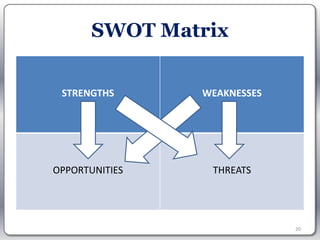
account not only the world as it is, but the
world as it will be.

                     Attributed to Isaac Asimov


                                               2
Change
•   24 X 7, anywhere, any time
•   Self-serve
•   Social Media
•   Mobile devices and apps
•   Ubiquitous computing


                                 3
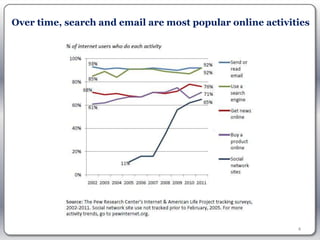
Over time, search and email are most popular online activities


                                                           4
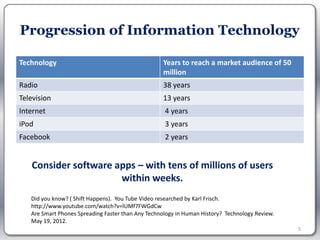
Progression of Information Technology

Technology                                         Years to reach a market audience of 50
                                                   million
Radio                                              38 years
Television                                         13 years
Internet                                            4 years
iPod                                                3 years
Facebook                                            2 years


   Consider software apps – with tens of millions of users
                      within weeks.
   Did you know? ( Shift Happens). You Tube Video researched by Karl Frisch.
   http://www.youtube.com/watch?v=lUMf7FWGdCw
   Are Smart Phones Spreading Faster than Any Technology in Human History? Technology Review.
   May 19, 2012.
                                                                                                5
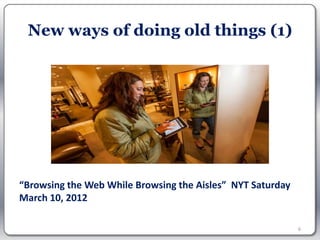
New ways of doing old things (1)


“Browsing the Web While Browsing the Aisles” NYT Saturday
March 10, 2012

                                                            6
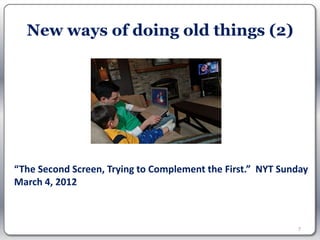
New ways of doing old things (2)


“The Second Screen, Trying to Complement the First.” NYT Sunday
March 4, 2012


                                                            7
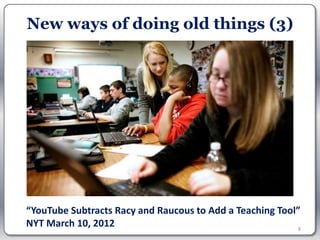
New ways of doing old things (3)


“YouTube Subtracts Racy and Raucous to Add a Teaching Tool”
NYT March 10, 2012                                         8
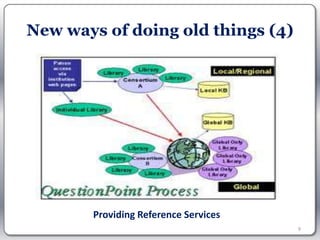
New ways of doing old things (4)


       Providing Reference Services
                                      9
Is finding new ways of doing
        old things enough?

“There are big changes and we have to position ourselves”
                  “As computing changes, Hewlett Packard Struggles to Follow.” NYT May 24, 2012


          “What we really need right now are
  breakthrough, paradigm-shifting, transformative and
                   disruptive ideas.”
 “Facing the Future. A white paper to inspire library entrepreneurialism” by Brian Mathews, Associate Dean for
                                      Learning & Outreach at Virginia Tech


                                                                                                                 10
The world as it will be….
The only constant is change, continuing
change, inevitable change, that is the
dominant factor in society today. No
sensible decision can be made any
longer without taking into account
not only the world as it is, but the
world as it will be.
                      — Attributed to Isaac Asimov


                                                     11
How can we predict
      how the world will be?
• Conduct an environmental scan
  – Assess internal strengths and weaknesses of an
    organization or unit within an organization in
    relation to external opportunities and threats it
    faces.
  – Why scan the environment?
     • Take advantage of opportunities by building on
       strengths and at the same time minimize or overcome
       internal weaknesses to avoid threats

                                                             12
How to conduct an
       environmental scan?
• Two phases of an environmental scan:

  – Phase 1: Conduct an internal audit or assessment
    to determine strengths and weaknesses

  – Phase 2: Perform an external scan to identify
    opportunities and threats.


                                                       13
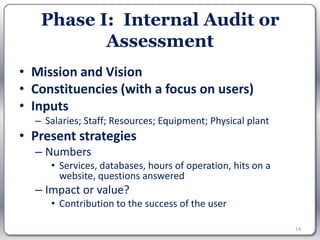
Phase I: Internal Audit or
          Assessment
• Mission and Vision
• Constituencies (with a focus on users)
• Inputs
  – Salaries; Staff; Resources; Equipment; Physical plant
• Present strategies
  – Numbers
     • Services, databases, hours of operation, hits on a
       website, questions answered
  – Impact or value?
     • Contribution to the success of the user

                                                            14
Phase II: External
          Environmental Scan
1. Identify purpose, participants, and time
   commitments.

2. Identify topics for scanning.


Adapted from: Bryson, J.M. Strategic Planning for Public and
Nonprofit Organizations. San Francisco: Jossey-Bass, 1989, 242-
244.


                                                                  15
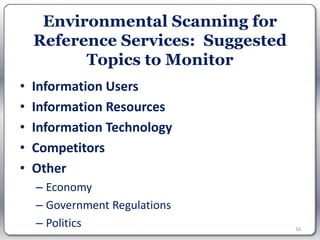
Environmental Scanning for
    Reference Services: Suggested
          Topics to Monitor
•   Information Users
•   Information Resources
•   Information Technology
•   Competitors
•   Other
    – Economy
    – Government Regulations
    – Politics                      16
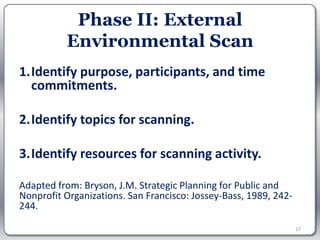
Phase II: External
          Environmental Scan
1.Identify purpose, participants, and time
  commitments.

2.Identify topics for scanning.

3.Identify resources for scanning activity.

Adapted from: Bryson, J.M. Strategic Planning for Public and
Nonprofit Organizations. San Francisco: Jossey-Bass, 1989, 242-
244.

                                                                  17
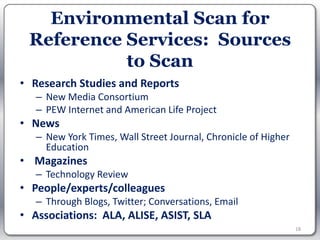
Environmental Scan for
 Reference Services: Sources
           to Scan
• Research Studies and Reports
   – New Media Consortium
   – PEW Internet and American Life Project
• News
   – New York Times, Wall Street Journal, Chronicle of Higher
     Education
• Magazines
   – Technology Review
• People/experts/colleagues
   – Through Blogs, Twitter; Conversations, Email
• Associations: ALA, ALISE, ASIST, SLA
                                                                18
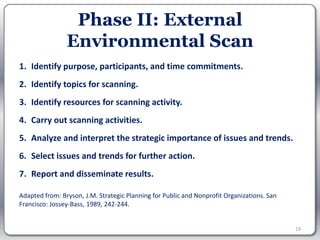
Phase II: External
                Environmental Scan
1. Identify purpose, participants, and time commitments.
2. Identify topics for scanning.
3. Identify resources for scanning activity.
4. Carry out scanning activities.
5. Analyze and interpret the strategic importance of issues and trends.
6. Select issues and trends for further action.
7. Report and disseminate results.

Adapted from: Bryson, J.M. Strategic Planning for Public and Nonprofit Organizations. San
Francisco: Jossey-Bass, 1989, 242-244.


                                                                                            19
SWOT Matrix


 STRENGTHS      WEAKNESSES


OPPORTUNITIES    THREATS


                             20
Search Engines?
          Opportunity or Threat?
  “For most people, in most situations, Google is
    fine. How do you beat free, easy, quick, and
                  good enough?”
Joe Janes. What Does It Take to Be Good at Reference in the Age of Google? PLA
Presentation, March 28, 2008 .


                                                                                 21
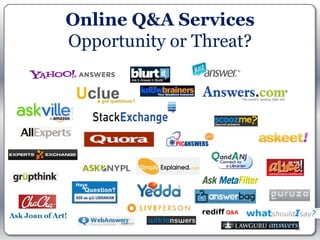
Online Q&A Services
Opportunity or Threat?


                         22
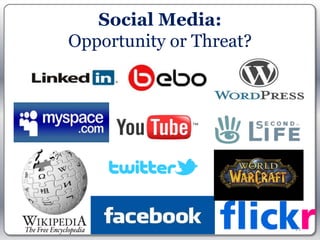
Social Media:
Opportunity or Threat?


                         23
Adopting New Technologies
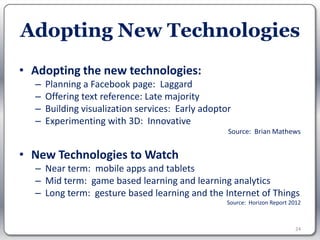
• Adopting the new technologies:
  –   Planning a Facebook page: Laggard
  –   Offering text reference: Late majority
  –   Building visualization services: Early adoptor
  –   Experimenting with 3D: Innovative
                                                   Source: Brian Mathews


• New Technologies to Watch
  – Near term: mobile apps and tablets
  – Mid term: game based learning and learning analytics
  – Long term: gesture based learning and the Internet of Things
                                                   Source: Horizon Report 2012


                                                                            24
Coming Full Circle
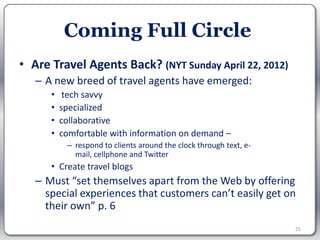
• Are Travel Agents Back? (NYT Sunday April 22, 2012)
   – A new breed of travel agents have emerged:
      •    tech savvy
      •   specialized
      •   collaborative
      •   comfortable with information on demand –
           – respond to clients around the clock through text, e-
             mail, cellphone and Twitter
      • Create travel blogs
   – Must “set themselves apart from the Web by offering
     special experiences that customers can’t easily get on
     their own” p. 6
                                                                    25
Librarians Creating New
          Positions (1)
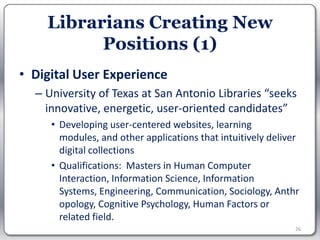
• Digital User Experience
  – University of Texas at San Antonio Libraries “seeks
    innovative, energetic, user-oriented candidates”
     • Developing user-centered websites, learning
       modules, and other applications that intuitively deliver
       digital collections
     • Qualifications: Masters in Human Computer
       Interaction, Information Science, Information
       Systems, Engineering, Communication, Sociology, Anthr
       opology, Cognitive Psychology, Human Factors or
       related field.
                                                              26
Creating New Positions (2)

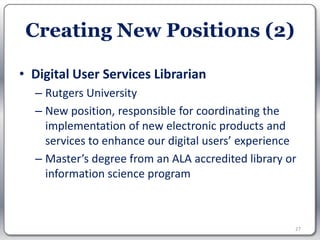
• Digital User Services Librarian
  – Rutgers University
  – New position, responsible for coordinating the
    implementation of new electronic products and
    services to enhance our digital users’ experience
  – Master’s degree from an ALA accredited library or
    information science program


                                                    27
Creating New Positions (3)
• Mathews’ review of ARL positions:
  – Ever changing environments
  – Evolving program of research services
  – Changing user preferences
  – Librarians who are:
     •   Nimble
     •   Adaptive
     •   Flexible
     •   Receptive to and fostering new ideas.

                                                 28
Tips for librarians:
        How to deal with change?
• Know your users
   – Get user feedback
• Select new technologies that make sense for you
   – Evaluate the technologies first as they relate to your needs
• When you offer a service, make sure that it is adaptable
  to change
   – Iterative approach to service development – continue to
     test and change
• Go beyond finding new ways of offering services you
  currently offer
                                                                29
What does this mean for LIS
        education?
• Educate
  – for the future not the present
  – the reflective professional
• Some topics to emphasize
  – Change management
  – Assessment
  – Design thinking
  – Collaboration
                                     30
Change is constant
           And some things are constant

    “One of the best means of making a
   library popular is to mingle freely with
   its users, and help them in every way.”

[Green, Samuel. The Desirableness of Establishing Personal Intercourse and Relationships
  between Librarians and Readers. American Library Journal. November 1876. pp. 74-81]


                                                                                           31
Questions, Discussion & Ideas


                         Contact me:
                    Eileen G. Abels, Ph.D.
                      ega26@drexel.edu
                 @profeileenabels (on Twitter)


                           Acknowledgement:
  Many thanks to Lily Rozaklis, Doctoral Candidate, The iSchool at Drexel
                                                                            32

Lida change-reference-abels

  • 1.
    Change: Opportunity or Threatfor Reference Services in the Digital Age Eileen G. Abels The iSchool at Drexel LIDA June 2012 1
  • 2.
    The only constantis change, continuing change, inevitable change, that is the dominant factor in society today. No sensible decision can be made any longer without taking into account not only the world as it is, but the world as it will be.
 Attributed to Isaac Asimov 2
  • 3.
    Change • 24 X 7, anywhere, any time • Self-serve • Social Media • Mobile devices and apps • Ubiquitous computing 3
  • 4.
    Over time, searchand email are most popular online activities 4
  • 5.
    Progression of InformationTechnology Technology Years to reach a market audience of 50 million Radio 38 years Television 13 years Internet 4 years iPod 3 years Facebook 2 years Consider software apps – with tens of millions of users within weeks. Did you know? ( Shift Happens). You Tube Video researched by Karl Frisch. http://www.youtube.com/watch?v=lUMf7FWGdCw Are Smart Phones Spreading Faster than Any Technology in Human History? Technology Review. May 19, 2012. 5
  • 6.
    New ways ofdoing old things (1) “Browsing the Web While Browsing the Aisles” NYT Saturday March 10, 2012 6
  • 7.
    New ways ofdoing old things (2) “The Second Screen, Trying to Complement the First.” NYT Sunday March 4, 2012 7
  • 8.
    New ways ofdoing old things (3) “YouTube Subtracts Racy and Raucous to Add a Teaching Tool” NYT March 10, 2012 8
  • 9.
    New ways ofdoing old things (4) Providing Reference Services 9
  • 10.
    Is finding newways of doing old things enough? “There are big changes and we have to position ourselves” “As computing changes, Hewlett Packard Struggles to Follow.” NYT May 24, 2012 “What we really need right now are breakthrough, paradigm-shifting, transformative and disruptive ideas.” “Facing the Future. A white paper to inspire library entrepreneurialism” by Brian Mathews, Associate Dean for Learning & Outreach at Virginia Tech 10
  • 11.
    The world asit will be…. The only constant is change, continuing change, inevitable change, that is the dominant factor in society today. No sensible decision can be made any longer without taking into account not only the world as it is, but the world as it will be. — Attributed to Isaac Asimov 11
  • 12.
    How can wepredict how the world will be? • Conduct an environmental scan – Assess internal strengths and weaknesses of an organization or unit within an organization in relation to external opportunities and threats it faces. – Why scan the environment? • Take advantage of opportunities by building on strengths and at the same time minimize or overcome internal weaknesses to avoid threats 12
  • 13.
    How to conductan environmental scan? • Two phases of an environmental scan: – Phase 1: Conduct an internal audit or assessment to determine strengths and weaknesses – Phase 2: Perform an external scan to identify opportunities and threats. 13
  • 14.
    Phase I: InternalAudit or Assessment • Mission and Vision • Constituencies (with a focus on users) • Inputs – Salaries; Staff; Resources; Equipment; Physical plant • Present strategies – Numbers • Services, databases, hours of operation, hits on a website, questions answered – Impact or value? • Contribution to the success of the user 14
  • 15.
    Phase II: External Environmental Scan 1. Identify purpose, participants, and time commitments. 2. Identify topics for scanning. Adapted from: Bryson, J.M. Strategic Planning for Public and Nonprofit Organizations. San Francisco: Jossey-Bass, 1989, 242- 244. 15
  • 16.
    Environmental Scanning for Reference Services: Suggested Topics to Monitor • Information Users • Information Resources • Information Technology • Competitors • Other – Economy – Government Regulations – Politics 16
  • 17.
    Phase II: External Environmental Scan 1.Identify purpose, participants, and time commitments. 2.Identify topics for scanning. 3.Identify resources for scanning activity. Adapted from: Bryson, J.M. Strategic Planning for Public and Nonprofit Organizations. San Francisco: Jossey-Bass, 1989, 242- 244. 17
  • 18.
    Environmental Scan for Reference Services: Sources to Scan • Research Studies and Reports – New Media Consortium – PEW Internet and American Life Project • News – New York Times, Wall Street Journal, Chronicle of Higher Education • Magazines – Technology Review • People/experts/colleagues – Through Blogs, Twitter; Conversations, Email • Associations: ALA, ALISE, ASIST, SLA 18
  • 19.
    Phase II: External Environmental Scan 1. Identify purpose, participants, and time commitments. 2. Identify topics for scanning. 3. Identify resources for scanning activity. 4. Carry out scanning activities. 5. Analyze and interpret the strategic importance of issues and trends. 6. Select issues and trends for further action. 7. Report and disseminate results. Adapted from: Bryson, J.M. Strategic Planning for Public and Nonprofit Organizations. San Francisco: Jossey-Bass, 1989, 242-244. 19
  • 20.
    SWOT Matrix STRENGTHS WEAKNESSES OPPORTUNITIES THREATS 20
  • 21.
    Search Engines? Opportunity or Threat? “For most people, in most situations, Google is fine. How do you beat free, easy, quick, and good enough?” Joe Janes. What Does It Take to Be Good at Reference in the Age of Google? PLA Presentation, March 28, 2008 . 21
  • 22.
  • 23.
  • 24.
    Adopting New Technologies •Adopting the new technologies: – Planning a Facebook page: Laggard – Offering text reference: Late majority – Building visualization services: Early adoptor – Experimenting with 3D: Innovative Source: Brian Mathews • New Technologies to Watch – Near term: mobile apps and tablets – Mid term: game based learning and learning analytics – Long term: gesture based learning and the Internet of Things Source: Horizon Report 2012 24
  • 25.
    Coming Full Circle •Are Travel Agents Back? (NYT Sunday April 22, 2012) – A new breed of travel agents have emerged: • tech savvy • specialized • collaborative • comfortable with information on demand – – respond to clients around the clock through text, e- mail, cellphone and Twitter • Create travel blogs – Must “set themselves apart from the Web by offering special experiences that customers can’t easily get on their own” p. 6 25
  • 26.
    Librarians Creating New Positions (1) • Digital User Experience – University of Texas at San Antonio Libraries “seeks innovative, energetic, user-oriented candidates” • Developing user-centered websites, learning modules, and other applications that intuitively deliver digital collections • Qualifications: Masters in Human Computer Interaction, Information Science, Information Systems, Engineering, Communication, Sociology, Anthr opology, Cognitive Psychology, Human Factors or related field. 26
  • 27.
    Creating New Positions(2) • Digital User Services Librarian – Rutgers University – New position, responsible for coordinating the implementation of new electronic products and services to enhance our digital users’ experience – Master’s degree from an ALA accredited library or information science program 27
  • 28.
    Creating New Positions(3) • Mathews’ review of ARL positions: – Ever changing environments – Evolving program of research services – Changing user preferences – Librarians who are: • Nimble • Adaptive • Flexible • Receptive to and fostering new ideas. 28
  • 29.
    Tips for librarians: How to deal with change? • Know your users – Get user feedback • Select new technologies that make sense for you – Evaluate the technologies first as they relate to your needs • When you offer a service, make sure that it is adaptable to change – Iterative approach to service development – continue to test and change • Go beyond finding new ways of offering services you currently offer 29
  • 30.
    What does thismean for LIS education? • Educate – for the future not the present – the reflective professional • Some topics to emphasize – Change management – Assessment – Design thinking – Collaboration 30
  • 31.
    Change is constant And some things are constant “One of the best means of making a library popular is to mingle freely with its users, and help them in every way.” [Green, Samuel. The Desirableness of Establishing Personal Intercourse and Relationships between Librarians and Readers. American Library Journal. November 1876. pp. 74-81] 31
  • 32.
    Questions, Discussion &Ideas Contact me: Eileen G. Abels, Ph.D. ega26@drexel.edu @profeileenabels (on Twitter) Acknowledgement: Many thanks to Lily Rozaklis, Doctoral Candidate, The iSchool at Drexel 32

Editor's Notes

  • #19 The information found through scanning helps chart the future course of an organization. Scanning efforts includegathering data deliberately through market research studies; NMC Horizon Report and NMC Technology Outlookshaving informal conversations with other executives;reading newspapers, magazines and journal literature; Chronicle of Higher Educationmonitoring demographic data; andbenchmarking initiatives that compare one company or industry's performance, finances, etc., to another company or industry.The NMC Horizon Project identifies and describes emerging technologies likely to have a large impact over the coming five years in education around the globe. The New Media Consortium (NMC) is a community of hundreds of leading universities, colleges, museums, and research centers.
  • #20 STEPS 4, 5, 6 and 7