Information Architecture blueprints for the web Christina Wodtke & Tom Wailes, Yahoo! Inc.
 
What we’ll cover Why IA matters A foundation of techniques Persona creation 101 Content organization Navigation design Search
Information Architecture   Many definitions (BAH!) Our working definition:  Architecture in information spaces.
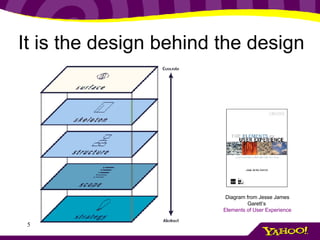
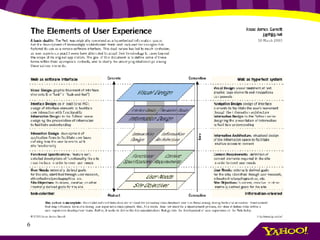
It is the design behind the design Diagram from Jesse James Garett’s  Elements of User Experience
Where it fits in design
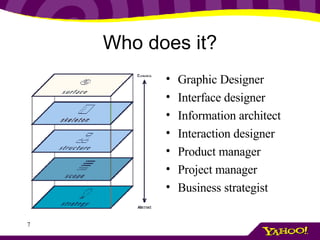
Who does it? Graphic Designer Interface designer Information architect Interaction designer Product manager Project manager Business strategist
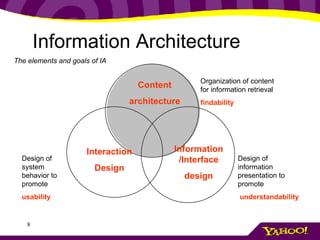
The elements and goals of IA Information Architecture Content architecture Organization of content for information retrieval findability Interaction Design Design of system behavior to promote usability Information /Interface design Design of information presentation to promote understandability
Why do we care so much Once there were people with cows And people without cows The people with no cows were hungry
Why do we care so much They took the road And met at the market And the people with no cows bought cows The people with cows had fewer cows, but money for other things
Why do we care so much Now there are people with information And people with no information The road is the computer And the market is the web
Why do we care so much But the market is really big And the people can’t find each other So we have ignorant people And people with no money The cows are okay with this Business is not.
The Goal  The players Users, seeking information (cowless) Businesses with information (with cows) Intermediaries such as search engines and directories, profiting on the exchange (marketplaces) The goal is to get the users seeking the data to the businesses offering the data
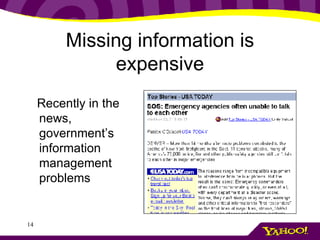
Missing information is expensive Recently in the news, government’s information management problems
Missing information is expensive “ The Fortune 1000 stands to  waste at least $2.5  billion per year  due to an inability to locate and retrieve information .” “ While the  costs of not finding information are enormous , they are hidden within the enterprise, and…are rarely perceived as having an impact on the bottom line.” The High Cost of Not Finding Information An IDC White Paper, July 2001.
Missing information “ Like all primary care physicians, Dr. Bob Goldszer must stay on top of approximately 10,000 different diseases and syndromes, 3,000 medications, 1,100 laboratory tests, and many of the 400,000 articles added each year to the biomedical literature. That's no easy task. And it is, quite literally, a matter of life and death. The Institute of Medicine's 1999 report, To Err Is Human, suggests that  more than a million injuries and 90,000 deaths are attributable to medical errors annually . Something like 5% of hospital patients have adverse reactions to drugs, another study reports, and of those, 43% are serious, life threatening, or fatal. Many knowledge workers have problems similar to Dr. Goldszer's (though they're usually less life threatening). No matter what the field, many  people simply can't keep up with all they need to know .”  --Harvard Business Review, Jul 1, 2002
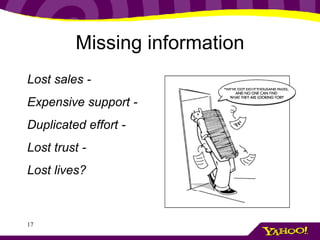
Missing information Lost sales - Expensive support - Duplicated effort - Lost trust - Lost lives?
Classification and Consequences A physician who doesn’t see a new cure A poor student who can’t find financial aid A store where a product isn’t found
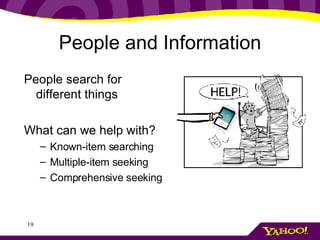
People and Information People search for different things What can we help with? Known-item searching Multiple-item seeking Comprehensive seeking
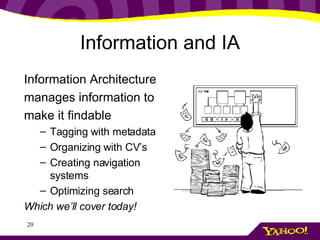
Information and IA Information Architecture manages information to make it findable Tagging with metadata Organizing with CV’s Creating navigation systems  Optimizing search Which we’ll cover today!
Next Understanding your problem through requirements
Understanding your problem Requirements for success
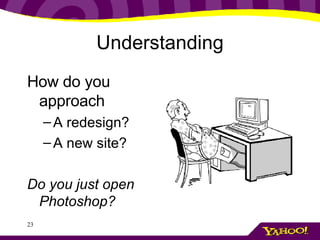
Understanding How do you approach A redesign? A new site? Do you just open Photoshop?
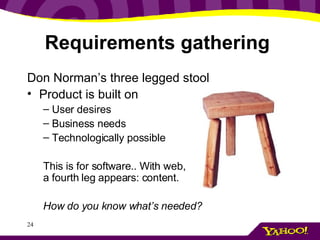
Requirements gathering  Don Norman’s three legged stool Product is built on User desires Business needs Technologically possible This is for software.. With web, a fourth leg appears: content. How do you know what’s needed?
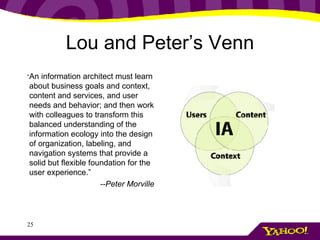
Lou and Peter’s Venn “ An information architect must learn about business goals and context, content and services, and user needs and behavior; and then work with colleagues to transform this balanced understanding of the information ecology into the design of organization, labeling, and navigation systems that provide a solid but flexible foundation for the user experience.” --Peter Morville
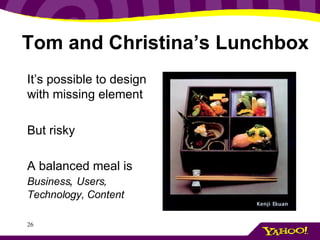
Tom and Christina’s Lunchbox It’s possible to design with missing element But risky A balanced meal is  Business ,  Users, Technology, Content
Requirements gathering What do you need to know? Business ,  Users, Technology, Content Who has the information? What does it mean for your design choices?
User requirements Who is the user?  Research should uncover Demographics Psychographics Behavioral information
User requirements Who knows the answers? Marketing knows about demographics and often psychographics User Research/usability specialists understand behavior Data analysts can get quantitative information You can do the research On Wednesday see: Discovering User Needs: Field Techniques You Can Use
Business requirements What is the business model? What user behavior is profitable? What is the brand position? What are resource and time constraints? But avoid the (b)org…
Business requirements Who knows the answers? Business development Marketing (again!) Product Management
Technology requirements What technology capabilities does your company have? Database type CMS Backend(s) What is the user’s typical platform?
Technology requirements Who knows these requirements? Engineering Data mining group Web Developers
Content requirements What content is currently in site?  What content will be in site? What format is content in? Who will maintain it?
Content requirements Who knows these requirements? Content often forgotten, leftover chore. Merchandiser, if ecommerce site. Sometimes a librarian. Sometimes a database engineer, or data entry drone.
Exercise:  requirements gathering
Exercise Divide into groups Each person take a paper, you will be that person. One (or more) with no paper, you are the IA.  Interview others to discover the requirements for your project
Exercise You are an Information Architect hired to create a new feature for BIGGmusic.com: a mix-CD creator. This section of the site will allow users to make mixed-music CD’s, then have them burned and shipped to users. You’ve been hired to design the organization of the site.
Exercise You’ll start by interviewing the business strategist, marketing head, user researcher and lead engineer. Write down the user, business and technological requirements that you uncover. GO! You have 15 minutes, then a couple groups will present.
Next Personas
Personas Never leave your user
Personas
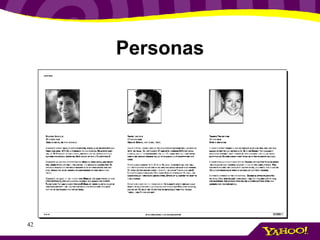
Persona development Personas are: A key to user-centered design Not “The User” but “one particular user” Inform the entire design process Who are we designing for? What are we designing? How will we design it? Does this design work?
Persona development/user profiling Personas are: Archetypal users Conglomerates based on user data Built collaboratively by team Useful for keeping users front-of-mind
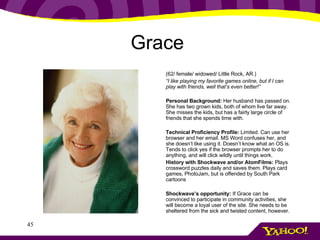
Grace   (62/ female/ widowed/ Little Rock, AR.) “ I like playing my favorite games online, but if I can play with friends, well that’s even better!” Personal Background:  Her husband has passed on. She has two grown kids, both of whom live far away. She misses the kids, but has a fairly large circle of friends that she spends time with. Technical Proficiency Profile:  Limited. Can use her browser and her email. MS Word confuses her, and she doesn’t like using it. Doesn’t know what an OS is. Tends to click yes if the browser prompts her to do anything, and will click wildly until things work. History with Shockwave and/or AtomFilms:  Plays crossword puzzles daily and saves them. Plays card games, PhotoJam, but is offended by South Park cartoons Shockwave’s opportunity:  If Grace can be convinced to participate in community activities, she will become a loyal user of the site. She needs to be sheltered from the sick and twisted content, however.
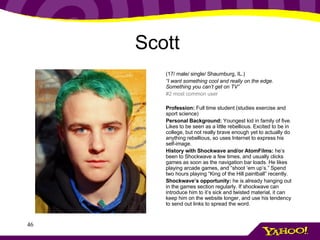
Scott   (17/ male/ single/ Shaumburg, IL.) “ I want something cool and really on the edge. Something you can’t get on TV” #2 most common user   Profession:  Full time student (studies exercise and sport science) Personal Background:  Youngest kid in family of five. Likes to be seen as a little rebellious. Excited to be in college, but not really brave enough yet to actually do anything rebellious, so uses Internet to express his self-image. History with Shockwave and/or AtomFilms:  he’s been to Shockwave a few times, and usually clicks games as soon as the navigation bar loads. He likes playing arcade games, and “shoot ‘em up’s.” Spend two hours playing “King of the Hill paintball” recently. Shockwave’s opportunity:  he is already hanging out in the games section regularly. If shockwave can introduce him to it’s sick and twisted material, it can keep him on the website longer, and use his tendency to send out links to spread the word.  
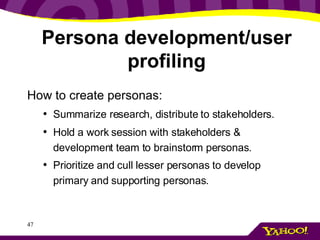
Persona development/user profiling How to create personas:   Summarize research, distribute to stakeholders. Hold a work session with stakeholders & development team to brainstorm personas. Prioritize and cull lesser personas to develop primary and supporting personas.
Exercise:  rapid persona creation
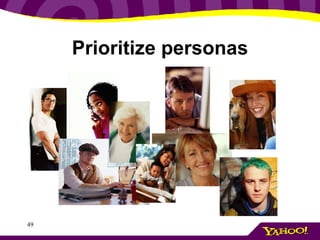
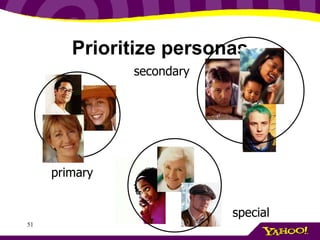
Prioritize personas
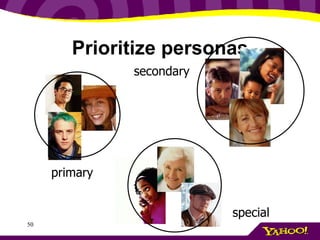
Prioritize personas primary secondary special
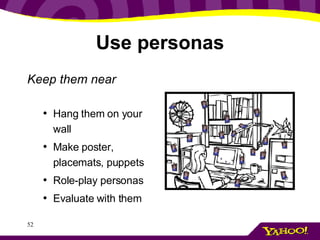
Use personas Keep them near Hang them on your wall Make poster, placemats, puppets Role-play personas Evaluate with them
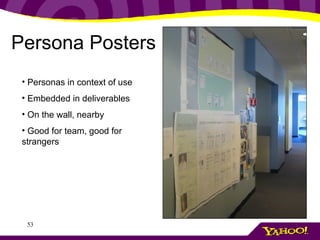
Persona Posters Personas in context of use Embedded in deliverables On the wall, nearby Good for team, good for strangers
Designing with what you’ve learned Persona Scenarios –  the power of story telling Storytelling is one of the most effective tools humans have for understanding. Makes interaction of human and machine real
Personas in action We typically use scenarios in three ways: As a design tool As an evaluation tool As a communication tool
Scenarios for Design To design with personas Get your personas out Tell ideal user experience for one persona Adjust for business constraints Build for this scenario
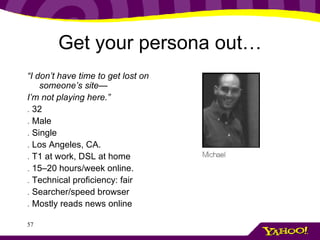
Get your persona out… “ I don’t have time to get lost on someone’s site— I’m not playing here.” .  32 .  Male .  Single .  Los Angeles, CA. .  T1 at work, DSL at home .  15–20 hours/week online. .  Technical proficiency: fair .  Searcher/speed browser .  Mostly reads news online
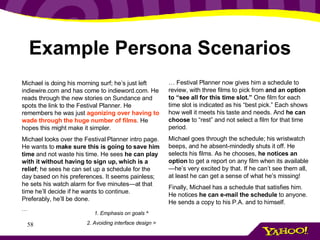
Example Persona Scenarios Michael is doing his morning surf; he’s just left indiewire.com and has come to indieword.com. He reads through the new stories on Sundance and spots the link to the Festival Planner. He remembers he was just  agonizing over having to wade through the huge number of films . He hopes this might make it simpler. Michael looks over the Festival Planner intro page. He wants to  make sure this is going to save him time  and not waste his time. He sees  he can play with it without having to sign up, which is a relief ; he sees he can set up a schedule for the day based on his preferences. It seems painless; he sets his watch alarm for five minutes—at that time he’ll decide if he wants to continue. Preferably, he’ll be done. … …  Festival Planner now gives him a schedule to review, with three films to pick from  and an option to “see all for this time slot.”  One film for each time slot is indicated as his “best pick.” Each shows how well it meets his taste and needs. And  he can choose  to “rest” and not select a film for that time period. Michael goes through the schedule; his wristwatch beeps, and he absent-mindedly shuts it off. He selects his films. As he chooses,  he notices an option  to get a report on any film when its available—he’s very excited by that. If he can’t see them all, at least he can get a sense of what he’s missing! Finally, Michael has a schedule that satisfies him. He notices  he can e-mail the schedule  to anyone. He sends a copy to his P.A. and to himself. 1. Emphasis on goals ^ 2. Avoiding interface design >
Next step Task analysis Step by step breakdown of scenarios Helps define interface/interaction needs Flushes out potential opportunities for errors
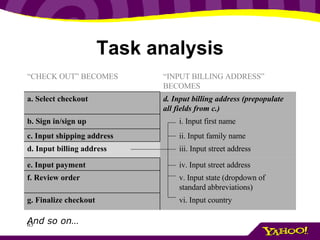
Task analysis Start with scenario Break it up into discreet tasks Subdivide into smaller steps
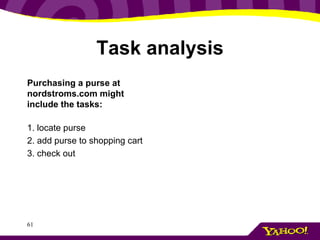
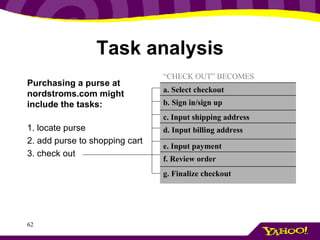
Task analysis Purchasing a purse at nordstroms.com might include the tasks:   1. locate purse  2. add purse to shopping cart 3. check out
Task analysis Purchasing a purse at nordstroms.com might include the tasks:   1. locate purse  2. add purse to shopping cart 3. check out   f. Review order “ CHECK OUT” BECOMES g. Finalize checkout e. Input payment d. Input billing address c. Input shipping address b. Sign in/sign up a. Select checkout
Task analysis And so on… v. Input state (dropdown of standard abbreviations) f. Review order “ INPUT BILLING ADDRESS” BECOMES “ CHECK OUT” BECOMES vi. Input country g. Finalize checkout iv. Input street address e. Input payment iii. Input street address d. Input billing address ii. Input family name c. Input shipping address i. Input first name  b. Sign in/sign up d. Input billing address (prepopulate all fields from c.) a. Select checkout
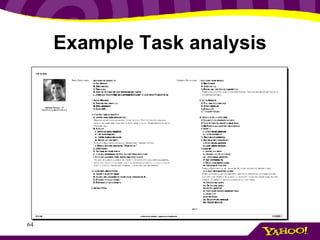
Example Task analysis
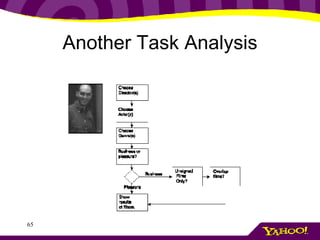
Another Task Analysis
digramming
Next Content Architecture Part I
Content Architecture Make it make sense
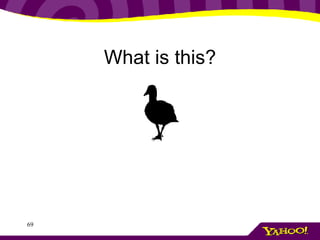
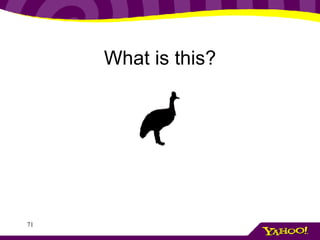
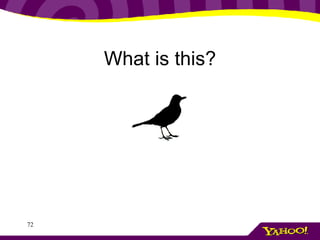
What is this?
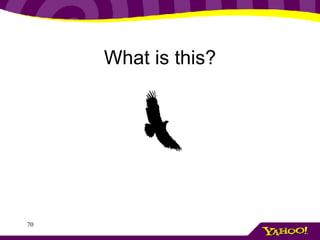
What is this?
What is this?
What is this?
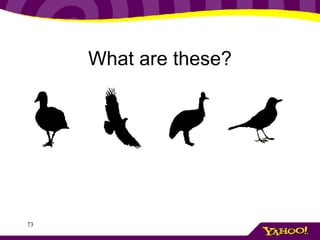
What are these?
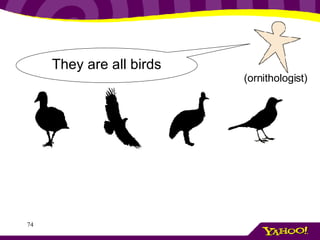
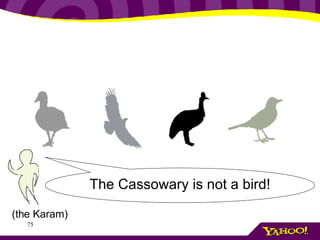
They are all birds (ornithologist)
The Cassowary is not a bird! (the Karam)
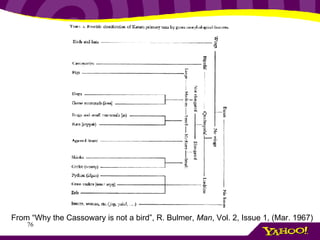
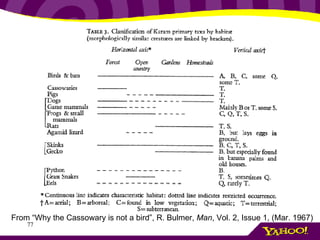
From “Why the Cassowary is not a bird”, R. Bulmer,  Man , Vol. 2, Issue 1, (Mar. 1967)
Who Cares? Ornithologists The Karam  Information Architects
Dewey Decimal System 200-299 – Religion Categories 40+ categories related to Christianity 1 for Judaism 1 for Islam (& related)
Who Cares? Religious Scholars Librarians Information Architects Jews and Muslims
Classification reflects social and cultural organization Information Architect must understand this context
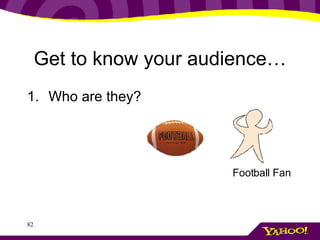
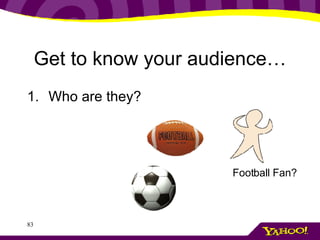
Get to know your audience… Who are they? Football Fan
Get to know your audience… Who are they? Football Fan?
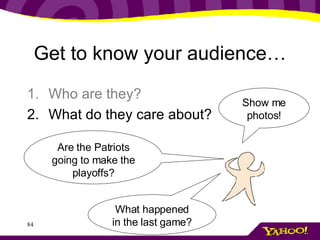
Get to know your audience… Who are they? What do they care about? Are the Patriots going to make the playoffs? Show me photos! What happened in the last game?
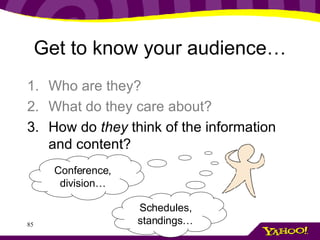
Get to know your audience… Who are they? What do they care about? How do  they  think of the information and content? Conference, division… Schedules, standings…
Get to know your audience… Observe others Study Competitors and similar sites Review your search logs Do a card sort
Now what? Organize your information so it makes sense to your audience Structure your information to help users find it … using metadata
Metadata: what is it? “ metadata is data about data"
Metadata: what is it? “ Metadata tags are used to describe documents, pages, images, software, video and audio files, and other content objects for the purposes of improved navigation and retrieval” ‘ Information Architecture for the World Wide Web’, 2 nd  ed., (2002) Rosenfeld, L. & Morville, P.
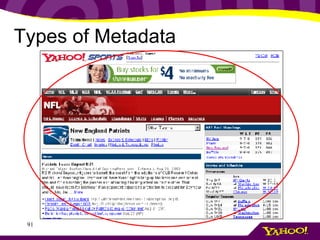
Types of Metadata Descriptive : the nature of the thing, what is it related to?… Intrinsic : composition of the thing, size, shape… Administrative : how can the thing be handled? Workflow…
Types of Metadata
Yahoo! Travel < meta name =' description '  content =&quot;Yahoo! Travel is a comprehensive online travel destination, where you can reserve flights, rental cars, hotel rooms, cruises and vacation packages, all in one place.  Research trips from a wealth of planning resources including destination and city guides, user and expert reviews, local weather and currency information, and much more.  Yahoo! Travel has competitive prices on everything from airfare to lodging, it's easy to find great deals and special offers&quot;> < meta name =' keywords '  content ='online airfare airfares hotel car reservations travelocity airlines tickets airplane air line air fares arifares airline low fairs fares cheap tickets flights book information flight itinerary itineraries online reservations online tickets online travel agents vacations cruise cruises cruiselines business travel busines corporate hotels discounts car cars rental lasvegas tickets travel reservations online travel travel bookings online bookings book airfare fare wars discount fares sales lowest vacation planning information travel agencies travel sites disney world florida orlando miami atlanta ATL Dallas DFW DCA LAS LAX NYC ORD SFO atl dfw dca las lax nyc ord sfo Washington D.C. washington dc los angeles Los Angeles new york New York new york city New York City San Francisco sanfrancisco family trips family vacation family vacations'>
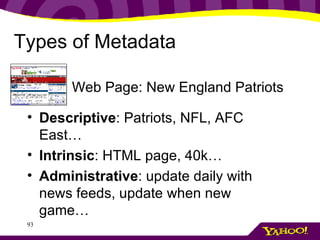
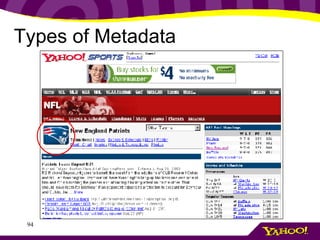
Types of Metadata Descriptive : Patriots, NFL, AFC East…  Intrinsic : HTML page, 40k… Administrative : update daily with news feeds, update when new game…  Web Page: New England Patriots
Types of Metadata
Types of Metadata Descriptive : Patriots, NFL, AFC East…  Intrinsic : jpg file, 4k… Administrative : rights owner-NFL, replace when logo changes…  Logo: New England Patriots
Not all Metadata is equal What are users interested in? What do you want users to be able to find? What metadata makes management easy? Tag content for findability Tag content for management
Exercise Listen Write five descriptive words (or short phrases) on your post-it One word (or phrase) per post-it Don’t share– yet! Hold on!
Next Content Architecture Part II
Controlled vocabularies Master of your domains
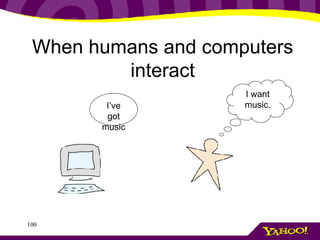
When humans and computers interact I’ve got music I want music.
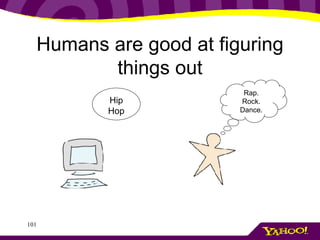
Humans are good at figuring things out Hip Hop Rap. Rock. Dance.
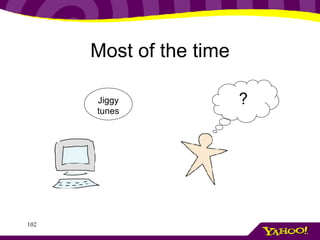
Most of the time Jiggy tunes ?
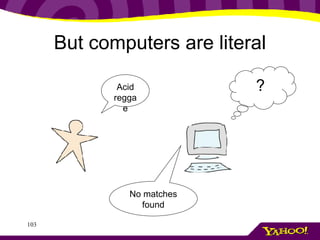
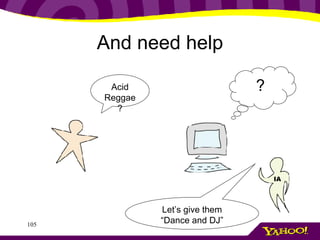
But computers are literal Acid reggae ? No matches found
Add more on how they are literal
And need help Acid Reggae? ? Let’s give them “Dance and DJ” IA
Of course, the IA can’t always be there… Thus Controlled vocabularies (CV) Amy Warner defines a controlled vocabulary (CV) as “organized lists of words and phrases, or notation systems, that are used to initially tag content, and then to find it through navigation or search.”
Controlled Vocabularies I define them as Documented relationships of words and concepts to assist people finding stuff. Same dif.
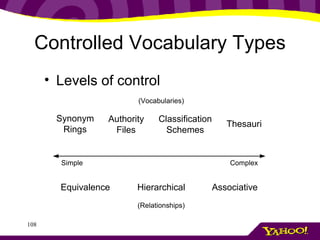
Controlled Vocabulary Types Levels of control
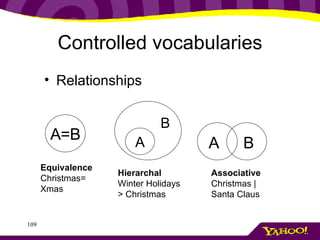
Controlled vocabularies Relationships A=B Equivalence Christmas= Xmas Hierarchal Winter Holidays > Christmas Associative  Christmas | Santa Claus A B A B
Synonym rings Simplest type Helps with search, indexing Simplifies maintenance
Synonym rings include Acronyms: BBC, British Broadcasting Company; MPG, miles per gallon  Variant spellings: cancelled, canceled; honor, honour  Scientific terms versus popular use terms: acetylsalicylic acid, aspirin; lilioceris, lily beetle From  Synonym Rings and Authority Files by Karl Fast, Fred Leise and Mike Steckel
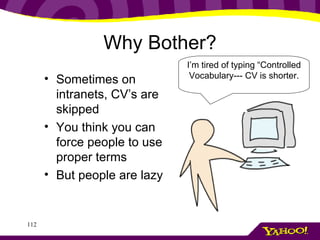
Why Bother? Sometimes on intranets, CV’s are skipped You think you can force people to use proper terms But people are lazy I’m tired of typing “Controlled Vocabulary--- CV is shorter.
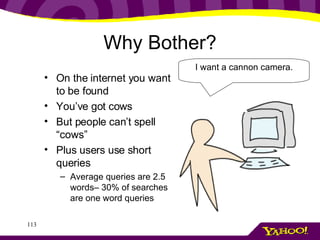
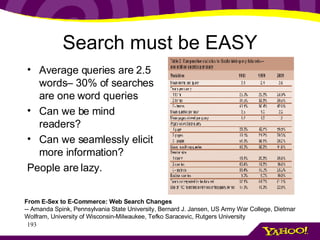
Why Bother? On the internet you want to be found You’ve got cows But people can’t spell “cows” Plus users use short queries Average queries are 2.5 words– 30% of searches are one word queries I want a cannon camera.
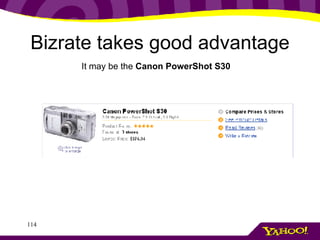
Bizrate takes good advantage It may be the  Canon PowerShot S30
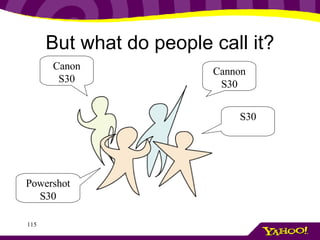
But what do people call it? Cannon S30 Powershot S30 S30 Canon S30
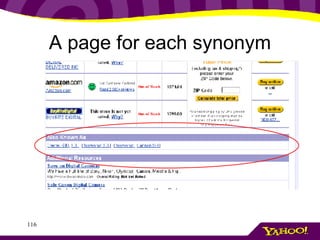
A page for each synonym
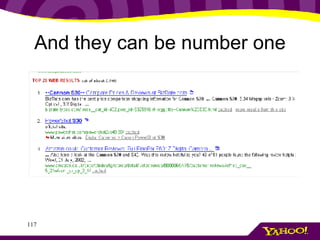
And they can be number one
Authority File Addition of preferred terms and variants Preferred terms Protects brand Sensitivities Educates  Christmas  | Xmas, X-mas,  Nöel ,
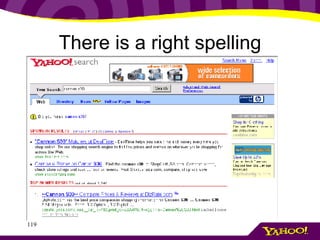
There is a right spelling
Classification schemes Includes non-equivalent relationships Includes hierarchal informal Useful for navigation Useful for helping people broaden their search
Classification schemes Types of relationships Sibling: Gap.com directories Men Women Maternity Body Boys Girls Baby boy Baby girl
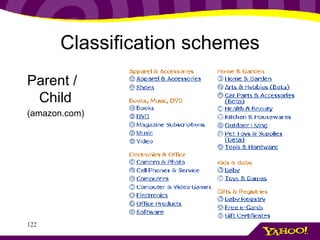
Classification schemes Parent / Child (amazon.com)
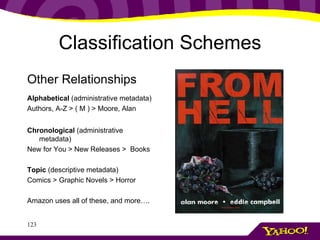
Classification Schemes Other Relationships Alphabetical  (administrative metadata) Authors, A-Z > ( M ) > Moore, Alan  Chronological  (administrative metadata) New for You > New Releases >  Books Topic  (descriptive metadata) Comics > Graphic Novels > Horror  Amazon uses all of these, and more….
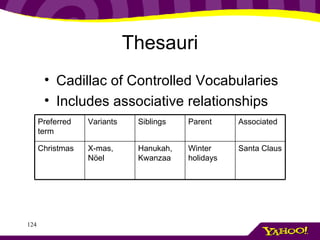
Thesauri Cadillac of Controlled Vocabularies Includes associative relationships Santa Claus Winter holidays Hanukah, Kwanzaa X-mas,  Nöel   Christmas Associated Parent Siblings Variants Preferred term
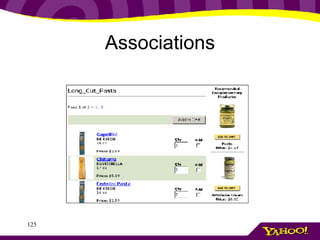
Associations
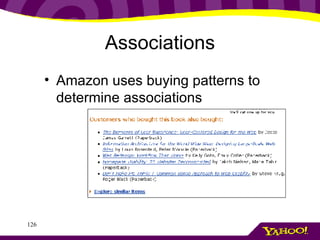
Associations Amazon uses buying patterns to determine associations
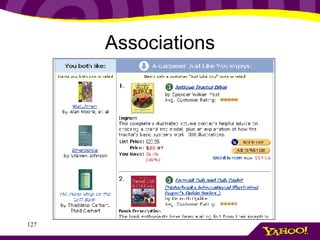
Associations
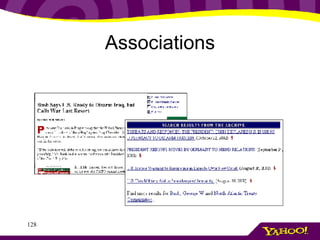
Associations
Exercise Card sort Take your keywords Open your packets Sort the items into similar piles.  Label the piles with post-its Discuss
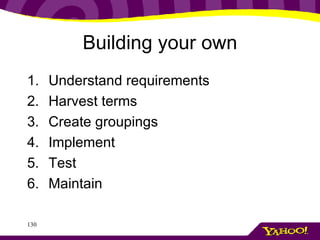
Building your own Understand requirements Harvest terms Create groupings Implement Test Maintain
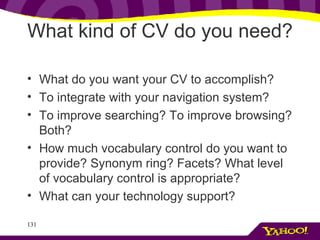
What kind of CV do you need?  What do you want your CV to accomplish?  To integrate with your navigation system?  To improve searching? To improve browsing? Both?  How much vocabulary control do you want to provide? Synonym ring? Facets? What level of vocabulary control is appropriate? What can your technology support?
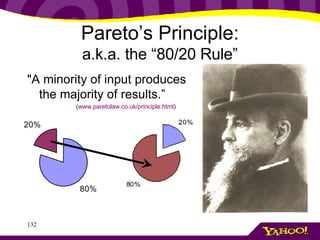
Pareto’s Principle: a.k.a. the “80/20 Rule” &quot;A minority of input produces the majority of results.” ( www.paretolaw.co.uk/principle.html )
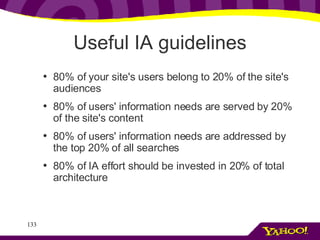
Useful IA guidelines 80% of your site's users belong to 20% of the site's audiences 80% of users' information needs are served by 20% of the site's content 80% of users' information needs are addressed by the top 20% of all searches 80% of IA effort should be invested in 20% of total architecture
Getting answers Content  - specificity and stability Technology  - tools and integration.  Users  – who are they Maintenance-  who will do it?
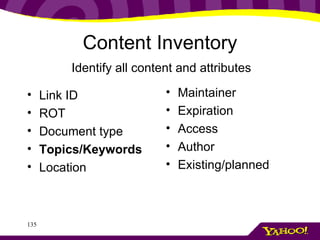
Content Inventory Link ID ROT Document type Topics/Keywords Location Maintainer Expiration Access Author Existing/planned Identify all content and attributes
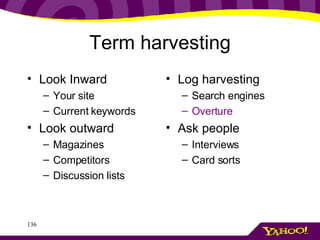
Term harvesting Look Inward Your site Current keywords Look outward Magazines Competitors Discussion lists Log harvesting Search engines Overture Ask people Interviews Card sorts
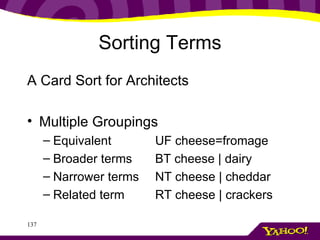
Sorting Terms A Card Sort for Architects Multiple Groupings Equivalent UF cheese=fromage Broader terms BT cheese | dairy Narrower terms NT cheese | cheddar Related term RT cheese | crackers
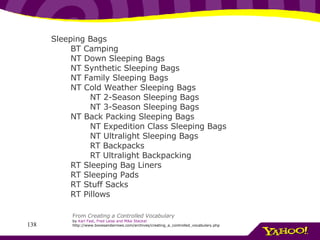
Sleeping Bags        BT Camping         NT Down Sleeping Bags        NT Synthetic Sleeping Bags        NT Family Sleeping Bags        NT Cold Weather Sleeping Bags                NT 2-Season Sleeping Bags               NT 3-Season Sleeping Bags        NT Back Packing Sleeping Bags                NT Expedition Class Sleeping Bags               NT Ultralight Sleeping Bags               RT Backpacks                RT Ultralight Backpacking        RT Sleeping Bag Liners        RT Sleeping Pads        RT Stuff Sacks        RT Pillows From  Creating a Controlled Vocabulary by  Karl Fast, Fred  Leise  and Mike  Steckel http://www.boxesandarrows.com/archives/creating_a_controlled_vocabulary.php
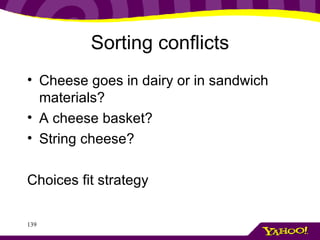
Sorting conflicts Cheese goes in dairy or in sandwich materials? A cheese basket? String cheese? Choices fit strategy
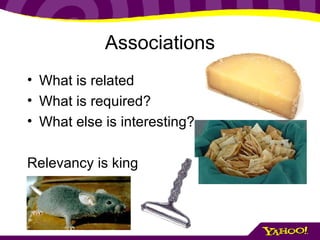
Associations What is related What is required? What else is interesting? Relevancy is king
Possible Relationships  Process/agent  (camp fires/matches)  Action/product of action (baking/cakes)  Agent/counteragent (allergies/antihistamine)  Raw material/product (wool/sweater).
examples
Implement Implementation dependant on situation and tools. May be slow painful data entry– know this and prepare.
Test Test with users – did you get it right? Browse Testing Search Testing Monitor quantitative Refine, refine, refine
Maintain Who maintains it? What the rules for new terms? Document your decisions.
Next Interface and Navigation
Interface & Navigation IA made visible “ Like putting an Armani suit on Attila the Hun, interface design only tells how to dress up an existing behavior.” – Alan Cooper
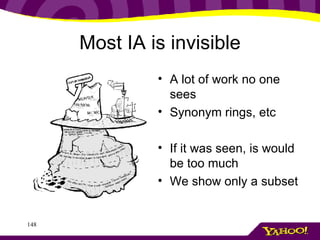
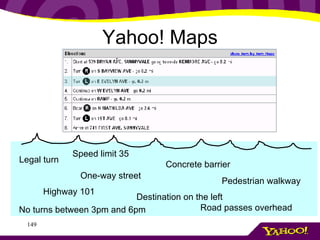
Most IA is invisible A lot of work no one sees Synonym rings, etc If it was seen, is would be too much We show only a subset
Yahoo! Maps Legal turn One-way street No turns between 3pm and 6pm Concrete barrier Pedestrian walkway Speed limit 35 Road passes overhead Destination on the left Highway 101
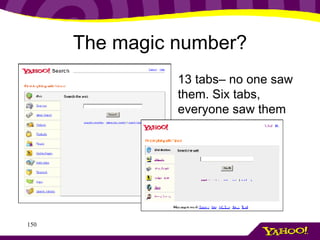
The magic number? 13 tabs– no one saw them. Six tabs, everyone saw them
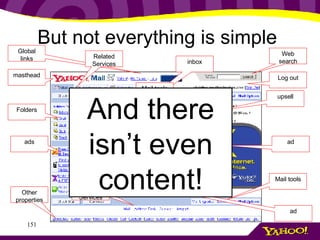
But not everything is simple  masthead Global links Folders Mail tools ad Other properties upsell Web search Related Services tip inbox ads ad Related Services upsell Mail tools Log out inbox Write mail And there isn’t even content!
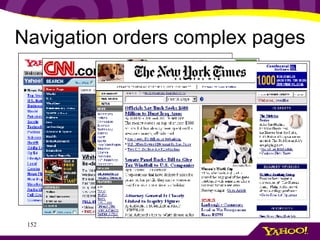
Navigation orders complex pages
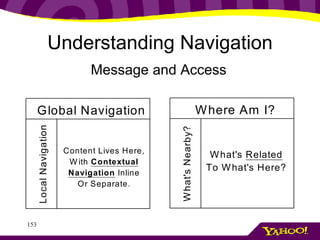
Understanding Navigation Message and Access
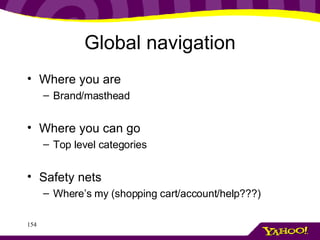
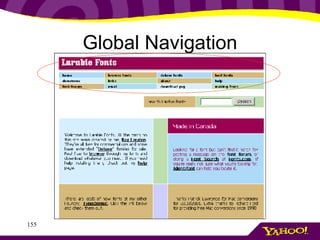
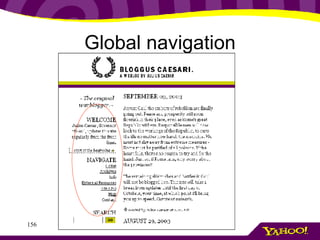
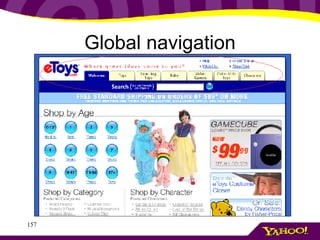
Global navigation Where you are Brand/masthead Where you can go Top level categories Safety nets Where’s my (shopping cart/account/help???)
Global Navigation
Global navigation
Global navigation
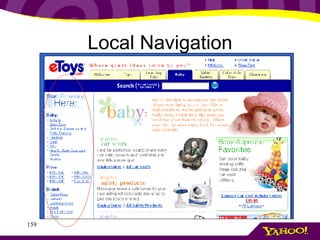
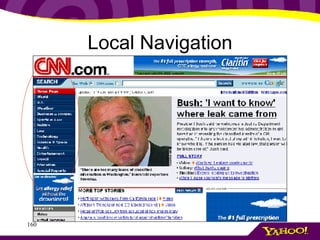
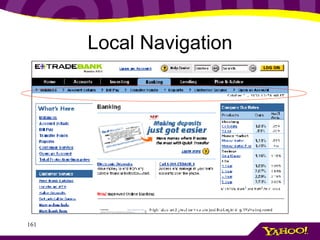
Local Navigation I’ve started down the path Now what? What are the categories of items? What are the siblings of what I see? What are the subcategories?
Local Navigation
Local Navigation
Local Navigation
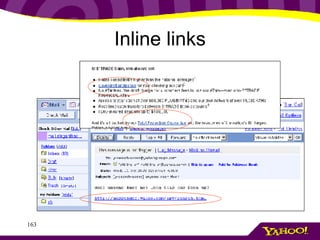
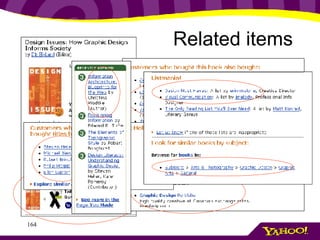
Contextual navigation Inline links Related items Document management
Inline links
Related items
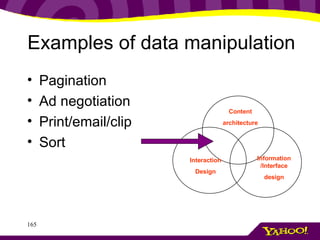
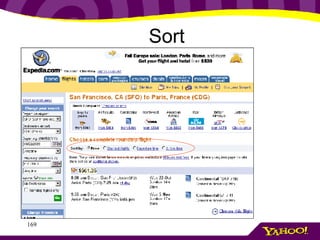
Examples of data manipulation Pagination Ad negotiation Print/email/clip Sort Content architecture Interaction Design Information /Interface design
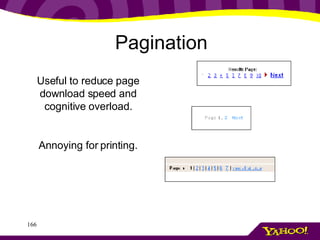
Pagination Useful to reduce page download speed and cognitive overload. Annoying for printing.
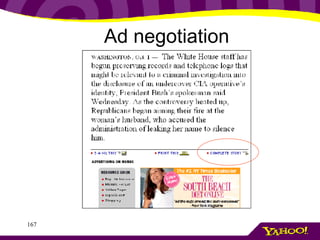
Ad negotiation
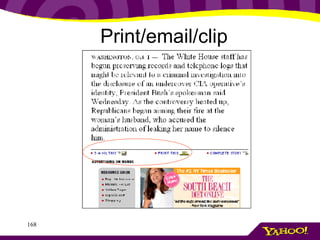
Print/email/clip
Sort
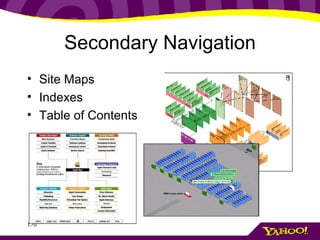
Secondary Navigation Site Maps Indexes Table of Contents
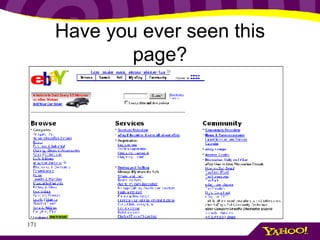
Have you ever seen this page?
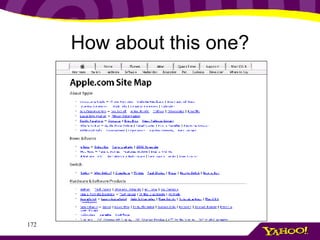
How about this one?
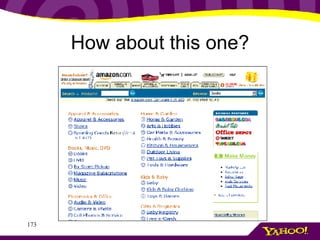
How about this one?
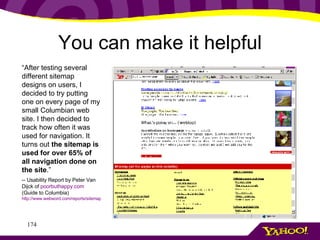
You can make it helpful “ After testing several different sitemap designs on users, I decided to try putting one on every page of my small Columbian web site. I then decided to track how often it was used for navigation. It turns out  the sitemap is used for over 65% of all navigation done on the site .”  -- Usability Report by Peter Van Dijck of  poorbuthappy .com  (Guide to Columbia) http://www.webword.com/reports/sitemap.html
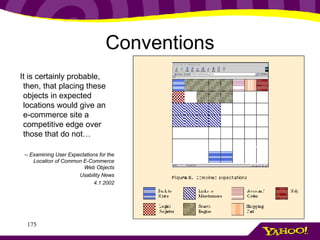
Conventions It is certainly probable, then, that placing these objects in expected locations would give an e-commerce site a competitive edge over those that do not… -- Examining User Expectations for the Location of Common E-Commerce Web Objects Usability News 4.1 2002
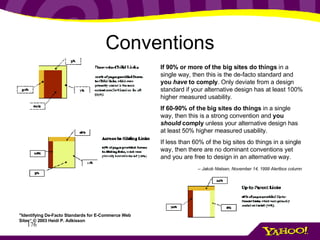
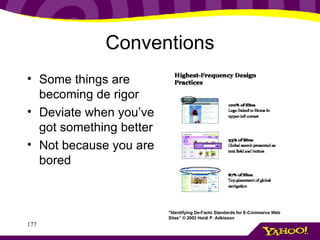
Conventions If 90% or more of the big sites do things  in a single way, then this is the de-facto standard and  you  have  to comply . Only deviate from a design standard if your alternative design has at least 100% higher measured usability. If 60-90% of the big sites do things  in a single way, then this is a strong convention and  you  should  comply  unless your alternative design has at least 50% higher measured usability. If less than 60% of the big sites do things in a single way, then there are no dominant conventions yet and you are free to design in an alternative way. -- Jakob Nielsen, November 14, 1999 Alertbox column   &quot;Identifying De-Facto Standards for E-Commerce Web Sites“ © 2003 Heidi P. Adkisson
Conventions Some things are becoming de rigor Deviate when you’ve got something better Not because you are bored &quot;Identifying De-Facto Standards for E-Commerce Web Sites“ © 2003 Heidi P. Adkisson
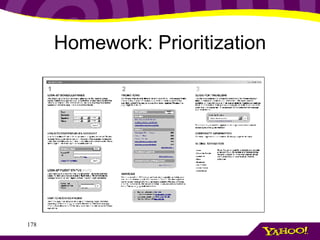
Homework: Prioritization
Now combine Follow expectations based on conventions Design a hierarchy based on task importance Err on the side of simplicity
Next Understanding Search
Understanding Search The Web, your web
Does search stink? “… studies show that search is still the primary usability problem in web site design.” Vividence Research: Common Usability Problems Poorly organized search results Poor information architecture Source: Flexible Search and Navigation using Faceted Metadata (UC Berkeley SIMS, Submitted 2001-2)
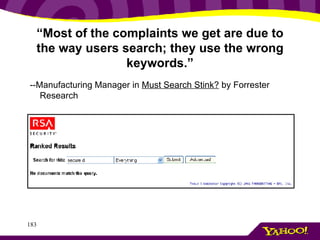
“ Most of the complaints we get are due to the way users search; they use the wrong keywords.” --Manufacturing Manager in  Must Search Stink?  by Forrester Research
Vision Search is a tool, important in every aspect of users’ lives Yet users don’t like to invest effort “ Type words in little white box. Click &quot;Search.&quot; Wait. See results pop up. Click on first link. Skim webpage. Log off.  &quot;That's how searching the World Wide Web seems to work for most people,&quot; explains Purvi Shah.  -- Desperately Seeking Alison Balmat, Penn State Research
Understanding search Search is a question whose answer is not always a web page Query: 2003 Camry prices Does this user want a website? Does he want a page on pricing cars? Does he want to know what cars are going for? But what we’ve got: web pages
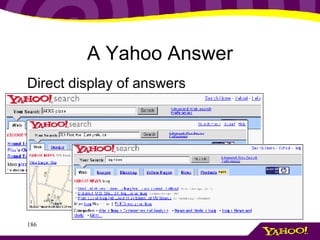
A Yahoo Answer Direct display of answers
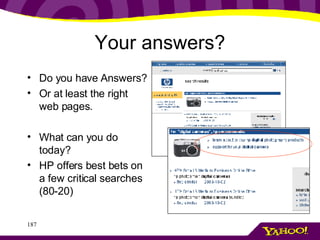
Your answers? Do you have Answers? Or at least the right web pages. What can you do today? HP offers best bets on a few critical searches (80-20)
What is a perfect user experience? Fast Easy
Search is a FAST experience Users spend only seconds on a results page User WANT to spend only seconds on a results page
Actual load time must be fast Perceived load time must be faster Cognitive scan time must be faster Search must be fast
Design for speed of scan What is the critical information for users? What is secondary? What are power-user features?
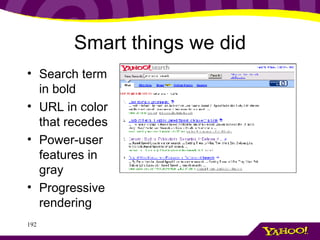
Smart things we did Search term in bold URL in color that recedes Power-user features in gray Progressive rendering
Search must be EASY Average queries are 2.5 words– 30% of searches are one word queries Can we be mind readers? Can we seamlessly elicit more information? People are lazy. From E-Sex to E-Commerce: Web Search Changes -- Amanda Spink, Pennsylvania State University, Bernard J. Jansen, US Army War College, Dietmar Wolfram, University of Wisconsin-Milwaukee, Tefko Saracevic, Rutgers University
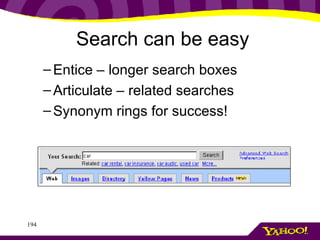
Entice – longer search boxes Articulate – related searches Synonym rings for success! Search can be easy
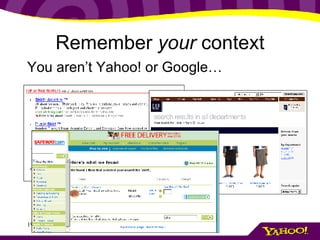
Remember  your  context You aren’t Yahoo! or Google…
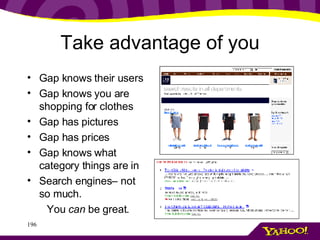
Take advantage of you Gap knows their users Gap knows you are shopping for clothes Gap has pictures Gap has prices Gap knows what category things are in Search engines– not so much. You  can  be great.
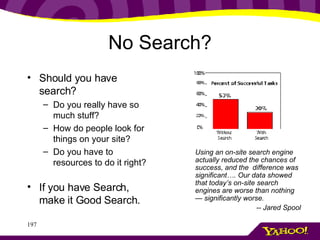
No Search? Should you have search? Do you really have so much stuff? How do people look for things on your site? Do you have to resources to do it right? If you have Search, make it Good Search. Using an on-site search engine actually reduced the chances of success, and the  difference was significant…. Our data showed that today’s on-site search engines are worse than nothing — significantly worse.  -- Jared Spool
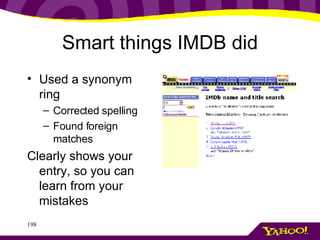
Smart things IMDB did Used a synonym ring Corrected spelling Found foreign matches Clearly shows your entry, so you can learn from your mistakes
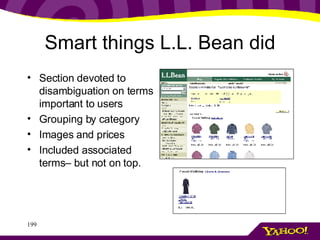
Smart things L.L. Bean did Section devoted to disambiguation on terms important to users Grouping by category Images and prices Included associated terms– but not on top.
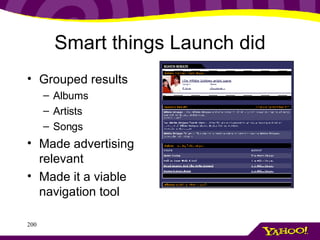
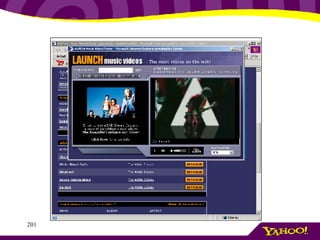
Smart things Launch did Grouped results  Albums Artists Songs Made advertising relevant Made it a viable navigation tool
 
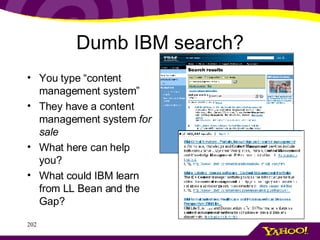
Dumb IBM search? You type “content management system” They have a content management system  for sale What here can help you? What could IBM learn from LL Bean and the Gap?
How will you be smart? What do your users need and want? What do you know about your content How can you make sure your users never fail?
Conclusion Look, listen, learn Understand the context Know your user Design with purpose You can be great!
Q&A Christina Wodtke www.yahoo.com [email_address] Tom Wailes [email_address] LEARN MORE! book : :  www.blueprintsfortheweb.com zine : :  www.boxesandarrows.com blog : :  www.eleganthack.com peeps : :  www.aifia.org
Reading List The Age of Findability  by Peter Morville  http://www.boxesandarrows.com/archives/the_age_of_findability.php Unraveling the Mysteries of metadata and taxonomies  by Christina Wodtke  http://www.boxesandarrows.com/archives/unraveling_the_mysteries_of_metadata_and_taxonomies.php All About Facets & Controlled Vocabularies by  Karl Fast, Fred Leise and Mike Steckel http://www.boxesandarrows.com/archives/all_about_facets_controlled_vocabularies.php Synonym Rings and Authority Files  by Karl Fast, Fred Leise and Mike Steckel  http://www.boxesandarrows.com/archives/synonym_rings_and_authority_files.php Building a Metadata-Based Website  by Brett Lider and Anca Mosoiu  http://www.boxesandarrows.com/archives/building_a_metadatabased_website.php A Taxonomy Primer . Amy Warner. http://www.lexonomy.com/publications/aTaxonomyPrimer.html Indexing from A to Z. Wellisch, Hans. (1995).. New York: H.W. Wilson, 1995. Book Metadata creation—down and dirty.   James L. Weinheimer. http://www.princeton.edu/~jamesw/mdata/MetadataCreation.ht Faceted classifications and thesauri.   Barbara Perles. http://is.gseis.ucla.edu/impact/f95/Papers-projects/Papers/perles.html Facet analysis: Using faceted classification techniques to organize site content & Structure.   Luise Gruenberg. http://www.asis.org/Conferences/Summit2002/Gruenberg.ppt  (PowerPoint presentation) The design of browsing and berrypicking techniques for the online search interface.   Marcia J. Bates. http://www.gseis.ucla.edu/faculty/bates/berrypicking.html From E- Sex  to E-Commerce: Web Search Changes  (PDF) http://ist.psu.edu/pdfs/Spink040302.pdf Analyzing Card Sort Results with a Spreadsheet Template  by Joe Lamantia  http://www.boxesandarrows.com/archives/analyzing_card_sort_results_with_a_spreadsheet_template.php Sitemaps and Site Indexes: What They Are and Why You Should Have Them  by Chiara Fox http://www.boxesandarrows.com/archives/sitemaps_and_site_indexes_what_they_are_and_why_you_should_have_them.php Metadata: cataloging by any other name …. Jessica Milstead and Susan Feldman. Online, January 1999. http://www.onlinemag.net/OL1999/milstead1.html
Reading List Boxes and Arrows: Defining Information Architecture Deliverables       http://www.sitepoint.com/article.php/326 Blueprints for the Web: Organization for the Masses   By Christina Wodtke http://www.informit.com/content/index.asp?product_id=%7B8548A2A9-3B1C-4AC8-B231-8367F921769C%7D  IntranetJournal  -- Information Design Using Card Sorting  http://intranetjournal.com/articles/200202/pkm_02_05_02a.html   Metadata Harvesting  –by Karl Fast  PowerPoint Presentation http://www.asis.org/IA03/fast.ppt Controlled vocabulary and thesauri creation for describing images in a database   Controlled Vocabulary.com http://www.controlledvocabulary.com/imagedatabases/index.html Software for Information Architects   by Peter Morville http://argus-acia.com/strange_connections/current_article.html Extracting Value from Automated Classification Tools By Kat Hagedorn, March 2001  http://argus-acia.com/white_papers/classification.html Tools for information Architects http://aifia.org/tools/ Perfecting Your Personas   by  Kim Goodwin http://www.cooper.com/newsletters/2001_07/perfecting_your_personas.htm Reconciling market segments and personas   By Elaine Brechin http://www.cooper.com/newsletters/2002_02/reconciling_market_segments_and_personas.htm Taking the &quot;You&quot; Out of User: My Experience Using Personas  by Meg Hourihan  http://www.boxesandarrows.com/archives/taking_the_you_out_of_user_my_experience_using_personas.php Bringing Your Personas to Life in Real Life  by Elan Freydenson  http://www.boxesandarrows.com/archives/bringing_your_personas_to_life_in_real_life.php Information Architecture for the World Wide Web: Designing Large-Scale Web Sites  by  Louis Rosenfeld ,  Peter Morville  BOOK Information Architecture: Blueprints for the Web by  Christina Wodtke  BOOK

Information Architecture 101

  • 1.
    Information Architecture blueprintsfor the web Christina Wodtke & Tom Wailes, Yahoo! Inc.
  • 2.
  • 3.
    What we’ll coverWhy IA matters A foundation of techniques Persona creation 101 Content organization Navigation design Search
  • 4.
    Information Architecture Many definitions (BAH!) Our working definition: Architecture in information spaces.
  • 5.
    It is thedesign behind the design Diagram from Jesse James Garett’s Elements of User Experience
  • 6.
    Where it fitsin design
  • 7.
    Who does it?Graphic Designer Interface designer Information architect Interaction designer Product manager Project manager Business strategist
  • 8.
    The elements andgoals of IA Information Architecture Content architecture Organization of content for information retrieval findability Interaction Design Design of system behavior to promote usability Information /Interface design Design of information presentation to promote understandability
  • 9.
    Why do wecare so much Once there were people with cows And people without cows The people with no cows were hungry
  • 10.
    Why do wecare so much They took the road And met at the market And the people with no cows bought cows The people with cows had fewer cows, but money for other things
  • 11.
    Why do wecare so much Now there are people with information And people with no information The road is the computer And the market is the web
  • 12.
    Why do wecare so much But the market is really big And the people can’t find each other So we have ignorant people And people with no money The cows are okay with this Business is not.
  • 13.
    The Goal The players Users, seeking information (cowless) Businesses with information (with cows) Intermediaries such as search engines and directories, profiting on the exchange (marketplaces) The goal is to get the users seeking the data to the businesses offering the data
  • 14.
    Missing information isexpensive Recently in the news, government’s information management problems
  • 15.
    Missing information isexpensive “ The Fortune 1000 stands to waste at least $2.5 billion per year due to an inability to locate and retrieve information .” “ While the costs of not finding information are enormous , they are hidden within the enterprise, and…are rarely perceived as having an impact on the bottom line.” The High Cost of Not Finding Information An IDC White Paper, July 2001.
  • 16.
    Missing information “Like all primary care physicians, Dr. Bob Goldszer must stay on top of approximately 10,000 different diseases and syndromes, 3,000 medications, 1,100 laboratory tests, and many of the 400,000 articles added each year to the biomedical literature. That's no easy task. And it is, quite literally, a matter of life and death. The Institute of Medicine's 1999 report, To Err Is Human, suggests that more than a million injuries and 90,000 deaths are attributable to medical errors annually . Something like 5% of hospital patients have adverse reactions to drugs, another study reports, and of those, 43% are serious, life threatening, or fatal. Many knowledge workers have problems similar to Dr. Goldszer's (though they're usually less life threatening). No matter what the field, many people simply can't keep up with all they need to know .” --Harvard Business Review, Jul 1, 2002
  • 17.
    Missing information Lostsales - Expensive support - Duplicated effort - Lost trust - Lost lives?
  • 18.
    Classification and ConsequencesA physician who doesn’t see a new cure A poor student who can’t find financial aid A store where a product isn’t found
  • 19.
    People and InformationPeople search for different things What can we help with? Known-item searching Multiple-item seeking Comprehensive seeking
  • 20.
    Information and IAInformation Architecture manages information to make it findable Tagging with metadata Organizing with CV’s Creating navigation systems Optimizing search Which we’ll cover today!
  • 21.
    Next Understanding yourproblem through requirements
  • 22.
    Understanding your problemRequirements for success
  • 23.
    Understanding How doyou approach A redesign? A new site? Do you just open Photoshop?
  • 24.
    Requirements gathering Don Norman’s three legged stool Product is built on User desires Business needs Technologically possible This is for software.. With web, a fourth leg appears: content. How do you know what’s needed?
  • 25.
    Lou and Peter’sVenn “ An information architect must learn about business goals and context, content and services, and user needs and behavior; and then work with colleagues to transform this balanced understanding of the information ecology into the design of organization, labeling, and navigation systems that provide a solid but flexible foundation for the user experience.” --Peter Morville
  • 26.
    Tom and Christina’sLunchbox It’s possible to design with missing element But risky A balanced meal is Business , Users, Technology, Content
  • 27.
    Requirements gathering Whatdo you need to know? Business , Users, Technology, Content Who has the information? What does it mean for your design choices?
  • 28.
    User requirements Whois the user? Research should uncover Demographics Psychographics Behavioral information
  • 29.
    User requirements Whoknows the answers? Marketing knows about demographics and often psychographics User Research/usability specialists understand behavior Data analysts can get quantitative information You can do the research On Wednesday see: Discovering User Needs: Field Techniques You Can Use
  • 30.
    Business requirements Whatis the business model? What user behavior is profitable? What is the brand position? What are resource and time constraints? But avoid the (b)org…
  • 31.
    Business requirements Whoknows the answers? Business development Marketing (again!) Product Management
  • 32.
    Technology requirements Whattechnology capabilities does your company have? Database type CMS Backend(s) What is the user’s typical platform?
  • 33.
    Technology requirements Whoknows these requirements? Engineering Data mining group Web Developers
  • 34.
    Content requirements Whatcontent is currently in site? What content will be in site? What format is content in? Who will maintain it?
  • 35.
    Content requirements Whoknows these requirements? Content often forgotten, leftover chore. Merchandiser, if ecommerce site. Sometimes a librarian. Sometimes a database engineer, or data entry drone.
  • 36.
  • 37.
    Exercise Divide intogroups Each person take a paper, you will be that person. One (or more) with no paper, you are the IA. Interview others to discover the requirements for your project
  • 38.
    Exercise You arean Information Architect hired to create a new feature for BIGGmusic.com: a mix-CD creator. This section of the site will allow users to make mixed-music CD’s, then have them burned and shipped to users. You’ve been hired to design the organization of the site.
  • 39.
    Exercise You’ll startby interviewing the business strategist, marketing head, user researcher and lead engineer. Write down the user, business and technological requirements that you uncover. GO! You have 15 minutes, then a couple groups will present.
  • 40.
  • 41.
  • 42.
  • 43.
    Persona development Personasare: A key to user-centered design Not “The User” but “one particular user” Inform the entire design process Who are we designing for? What are we designing? How will we design it? Does this design work?
  • 44.
    Persona development/user profilingPersonas are: Archetypal users Conglomerates based on user data Built collaboratively by team Useful for keeping users front-of-mind
  • 45.
    Grace (62/ female/ widowed/ Little Rock, AR.) “ I like playing my favorite games online, but if I can play with friends, well that’s even better!” Personal Background: Her husband has passed on. She has two grown kids, both of whom live far away. She misses the kids, but has a fairly large circle of friends that she spends time with. Technical Proficiency Profile: Limited. Can use her browser and her email. MS Word confuses her, and she doesn’t like using it. Doesn’t know what an OS is. Tends to click yes if the browser prompts her to do anything, and will click wildly until things work. History with Shockwave and/or AtomFilms: Plays crossword puzzles daily and saves them. Plays card games, PhotoJam, but is offended by South Park cartoons Shockwave’s opportunity: If Grace can be convinced to participate in community activities, she will become a loyal user of the site. She needs to be sheltered from the sick and twisted content, however.
  • 46.
    Scott (17/ male/ single/ Shaumburg, IL.) “ I want something cool and really on the edge. Something you can’t get on TV” #2 most common user   Profession: Full time student (studies exercise and sport science) Personal Background: Youngest kid in family of five. Likes to be seen as a little rebellious. Excited to be in college, but not really brave enough yet to actually do anything rebellious, so uses Internet to express his self-image. History with Shockwave and/or AtomFilms: he’s been to Shockwave a few times, and usually clicks games as soon as the navigation bar loads. He likes playing arcade games, and “shoot ‘em up’s.” Spend two hours playing “King of the Hill paintball” recently. Shockwave’s opportunity: he is already hanging out in the games section regularly. If shockwave can introduce him to it’s sick and twisted material, it can keep him on the website longer, and use his tendency to send out links to spread the word.  
  • 47.
    Persona development/user profilingHow to create personas: Summarize research, distribute to stakeholders. Hold a work session with stakeholders & development team to brainstorm personas. Prioritize and cull lesser personas to develop primary and supporting personas.
  • 48.
    Exercise: rapidpersona creation
  • 49.
  • 50.
    Prioritize personas primarysecondary special
  • 51.
    Prioritize personas primarysecondary special
  • 52.
    Use personas Keepthem near Hang them on your wall Make poster, placemats, puppets Role-play personas Evaluate with them
  • 53.
    Persona Posters Personasin context of use Embedded in deliverables On the wall, nearby Good for team, good for strangers
  • 54.
    Designing with whatyou’ve learned Persona Scenarios – the power of story telling Storytelling is one of the most effective tools humans have for understanding. Makes interaction of human and machine real
  • 55.
    Personas in actionWe typically use scenarios in three ways: As a design tool As an evaluation tool As a communication tool
  • 56.
    Scenarios for DesignTo design with personas Get your personas out Tell ideal user experience for one persona Adjust for business constraints Build for this scenario
  • 57.
    Get your personaout… “ I don’t have time to get lost on someone’s site— I’m not playing here.” . 32 . Male . Single . Los Angeles, CA. . T1 at work, DSL at home . 15–20 hours/week online. . Technical proficiency: fair . Searcher/speed browser . Mostly reads news online
  • 58.
    Example Persona ScenariosMichael is doing his morning surf; he’s just left indiewire.com and has come to indieword.com. He reads through the new stories on Sundance and spots the link to the Festival Planner. He remembers he was just agonizing over having to wade through the huge number of films . He hopes this might make it simpler. Michael looks over the Festival Planner intro page. He wants to make sure this is going to save him time and not waste his time. He sees he can play with it without having to sign up, which is a relief ; he sees he can set up a schedule for the day based on his preferences. It seems painless; he sets his watch alarm for five minutes—at that time he’ll decide if he wants to continue. Preferably, he’ll be done. … … Festival Planner now gives him a schedule to review, with three films to pick from and an option to “see all for this time slot.” One film for each time slot is indicated as his “best pick.” Each shows how well it meets his taste and needs. And he can choose to “rest” and not select a film for that time period. Michael goes through the schedule; his wristwatch beeps, and he absent-mindedly shuts it off. He selects his films. As he chooses, he notices an option to get a report on any film when its available—he’s very excited by that. If he can’t see them all, at least he can get a sense of what he’s missing! Finally, Michael has a schedule that satisfies him. He notices he can e-mail the schedule to anyone. He sends a copy to his P.A. and to himself. 1. Emphasis on goals ^ 2. Avoiding interface design >
  • 59.
    Next step Taskanalysis Step by step breakdown of scenarios Helps define interface/interaction needs Flushes out potential opportunities for errors
  • 60.
    Task analysis Startwith scenario Break it up into discreet tasks Subdivide into smaller steps
  • 61.
    Task analysis Purchasinga purse at nordstroms.com might include the tasks: 1. locate purse 2. add purse to shopping cart 3. check out
  • 62.
    Task analysis Purchasinga purse at nordstroms.com might include the tasks: 1. locate purse 2. add purse to shopping cart 3. check out f. Review order “ CHECK OUT” BECOMES g. Finalize checkout e. Input payment d. Input billing address c. Input shipping address b. Sign in/sign up a. Select checkout
  • 63.
    Task analysis Andso on… v. Input state (dropdown of standard abbreviations) f. Review order “ INPUT BILLING ADDRESS” BECOMES “ CHECK OUT” BECOMES vi. Input country g. Finalize checkout iv. Input street address e. Input payment iii. Input street address d. Input billing address ii. Input family name c. Input shipping address i. Input first name b. Sign in/sign up d. Input billing address (prepopulate all fields from c.) a. Select checkout
  • 64.
  • 65.
  • 66.
  • 67.
  • 68.
  • 69.
  • 70.
  • 71.
  • 72.
  • 73.
  • 74.
    They are allbirds (ornithologist)
  • 75.
    The Cassowary isnot a bird! (the Karam)
  • 76.
    From “Why theCassowary is not a bird”, R. Bulmer, Man , Vol. 2, Issue 1, (Mar. 1967)
  • 77.
    From “Why theCassowary is not a bird”, R. Bulmer, Man , Vol. 2, Issue 1, (Mar. 1967)
  • 78.
    Who Cares? OrnithologistsThe Karam Information Architects
  • 79.
    Dewey Decimal System200-299 – Religion Categories 40+ categories related to Christianity 1 for Judaism 1 for Islam (& related)
  • 80.
    Who Cares? ReligiousScholars Librarians Information Architects Jews and Muslims
  • 81.
    Classification reflects socialand cultural organization Information Architect must understand this context
  • 82.
    Get to knowyour audience… Who are they? Football Fan
  • 83.
    Get to knowyour audience… Who are they? Football Fan?
  • 84.
    Get to knowyour audience… Who are they? What do they care about? Are the Patriots going to make the playoffs? Show me photos! What happened in the last game?
  • 85.
    Get to knowyour audience… Who are they? What do they care about? How do they think of the information and content? Conference, division… Schedules, standings…
  • 86.
    Get to knowyour audience… Observe others Study Competitors and similar sites Review your search logs Do a card sort
  • 87.
    Now what? Organizeyour information so it makes sense to your audience Structure your information to help users find it … using metadata
  • 88.
    Metadata: what isit? “ metadata is data about data&quot;
  • 89.
    Metadata: what isit? “ Metadata tags are used to describe documents, pages, images, software, video and audio files, and other content objects for the purposes of improved navigation and retrieval” ‘ Information Architecture for the World Wide Web’, 2 nd ed., (2002) Rosenfeld, L. & Morville, P.
  • 90.
    Types of MetadataDescriptive : the nature of the thing, what is it related to?… Intrinsic : composition of the thing, size, shape… Administrative : how can the thing be handled? Workflow…
  • 91.
  • 92.
    Yahoo! Travel <meta name =' description ' content =&quot;Yahoo! Travel is a comprehensive online travel destination, where you can reserve flights, rental cars, hotel rooms, cruises and vacation packages, all in one place. Research trips from a wealth of planning resources including destination and city guides, user and expert reviews, local weather and currency information, and much more. Yahoo! Travel has competitive prices on everything from airfare to lodging, it's easy to find great deals and special offers&quot;> < meta name =' keywords ' content ='online airfare airfares hotel car reservations travelocity airlines tickets airplane air line air fares arifares airline low fairs fares cheap tickets flights book information flight itinerary itineraries online reservations online tickets online travel agents vacations cruise cruises cruiselines business travel busines corporate hotels discounts car cars rental lasvegas tickets travel reservations online travel travel bookings online bookings book airfare fare wars discount fares sales lowest vacation planning information travel agencies travel sites disney world florida orlando miami atlanta ATL Dallas DFW DCA LAS LAX NYC ORD SFO atl dfw dca las lax nyc ord sfo Washington D.C. washington dc los angeles Los Angeles new york New York new york city New York City San Francisco sanfrancisco family trips family vacation family vacations'>
  • 93.
    Types of MetadataDescriptive : Patriots, NFL, AFC East… Intrinsic : HTML page, 40k… Administrative : update daily with news feeds, update when new game… Web Page: New England Patriots
  • 94.
  • 95.
    Types of MetadataDescriptive : Patriots, NFL, AFC East… Intrinsic : jpg file, 4k… Administrative : rights owner-NFL, replace when logo changes… Logo: New England Patriots
  • 96.
    Not all Metadatais equal What are users interested in? What do you want users to be able to find? What metadata makes management easy? Tag content for findability Tag content for management
  • 97.
    Exercise Listen Writefive descriptive words (or short phrases) on your post-it One word (or phrase) per post-it Don’t share– yet! Hold on!
  • 98.
  • 99.
  • 100.
    When humans andcomputers interact I’ve got music I want music.
  • 101.
    Humans are goodat figuring things out Hip Hop Rap. Rock. Dance.
  • 102.
    Most of thetime Jiggy tunes ?
  • 103.
    But computers areliteral Acid reggae ? No matches found
  • 104.
    Add more onhow they are literal
  • 105.
    And need helpAcid Reggae? ? Let’s give them “Dance and DJ” IA
  • 106.
    Of course, theIA can’t always be there… Thus Controlled vocabularies (CV) Amy Warner defines a controlled vocabulary (CV) as “organized lists of words and phrases, or notation systems, that are used to initially tag content, and then to find it through navigation or search.”
  • 107.
    Controlled Vocabularies Idefine them as Documented relationships of words and concepts to assist people finding stuff. Same dif.
  • 108.
    Controlled Vocabulary TypesLevels of control
  • 109.
    Controlled vocabularies RelationshipsA=B Equivalence Christmas= Xmas Hierarchal Winter Holidays > Christmas Associative Christmas | Santa Claus A B A B
  • 110.
    Synonym rings Simplesttype Helps with search, indexing Simplifies maintenance
  • 111.
    Synonym rings includeAcronyms: BBC, British Broadcasting Company; MPG, miles per gallon Variant spellings: cancelled, canceled; honor, honour Scientific terms versus popular use terms: acetylsalicylic acid, aspirin; lilioceris, lily beetle From Synonym Rings and Authority Files by Karl Fast, Fred Leise and Mike Steckel
  • 112.
    Why Bother? Sometimeson intranets, CV’s are skipped You think you can force people to use proper terms But people are lazy I’m tired of typing “Controlled Vocabulary--- CV is shorter.
  • 113.
    Why Bother? Onthe internet you want to be found You’ve got cows But people can’t spell “cows” Plus users use short queries Average queries are 2.5 words– 30% of searches are one word queries I want a cannon camera.
  • 114.
    Bizrate takes goodadvantage It may be the Canon PowerShot S30
  • 115.
    But what dopeople call it? Cannon S30 Powershot S30 S30 Canon S30
  • 116.
    A page foreach synonym
  • 117.
    And they canbe number one
  • 118.
    Authority File Additionof preferred terms and variants Preferred terms Protects brand Sensitivities Educates Christmas | Xmas, X-mas, Nöel ,
  • 119.
    There is aright spelling
  • 120.
    Classification schemes Includesnon-equivalent relationships Includes hierarchal informal Useful for navigation Useful for helping people broaden their search
  • 121.
    Classification schemes Typesof relationships Sibling: Gap.com directories Men Women Maternity Body Boys Girls Baby boy Baby girl
  • 122.
    Classification schemes Parent/ Child (amazon.com)
  • 123.
    Classification Schemes OtherRelationships Alphabetical (administrative metadata) Authors, A-Z > ( M ) > Moore, Alan Chronological (administrative metadata) New for You > New Releases > Books Topic (descriptive metadata) Comics > Graphic Novels > Horror Amazon uses all of these, and more….
  • 124.
    Thesauri Cadillac ofControlled Vocabularies Includes associative relationships Santa Claus Winter holidays Hanukah, Kwanzaa X-mas, Nöel Christmas Associated Parent Siblings Variants Preferred term
  • 125.
  • 126.
    Associations Amazon usesbuying patterns to determine associations
  • 127.
  • 128.
  • 129.
    Exercise Card sortTake your keywords Open your packets Sort the items into similar piles. Label the piles with post-its Discuss
  • 130.
    Building your ownUnderstand requirements Harvest terms Create groupings Implement Test Maintain
  • 131.
    What kind ofCV do you need? What do you want your CV to accomplish? To integrate with your navigation system? To improve searching? To improve browsing? Both? How much vocabulary control do you want to provide? Synonym ring? Facets? What level of vocabulary control is appropriate? What can your technology support?
  • 132.
    Pareto’s Principle: a.k.a.the “80/20 Rule” &quot;A minority of input produces the majority of results.” ( www.paretolaw.co.uk/principle.html )
  • 133.
    Useful IA guidelines80% of your site's users belong to 20% of the site's audiences 80% of users' information needs are served by 20% of the site's content 80% of users' information needs are addressed by the top 20% of all searches 80% of IA effort should be invested in 20% of total architecture
  • 134.
    Getting answers Content - specificity and stability Technology - tools and integration. Users – who are they Maintenance- who will do it?
  • 135.
    Content Inventory LinkID ROT Document type Topics/Keywords Location Maintainer Expiration Access Author Existing/planned Identify all content and attributes
  • 136.
    Term harvesting LookInward Your site Current keywords Look outward Magazines Competitors Discussion lists Log harvesting Search engines Overture Ask people Interviews Card sorts
  • 137.
    Sorting Terms ACard Sort for Architects Multiple Groupings Equivalent UF cheese=fromage Broader terms BT cheese | dairy Narrower terms NT cheese | cheddar Related term RT cheese | crackers
  • 138.
    Sleeping Bags       BT Camping        NT Down Sleeping Bags        NT Synthetic Sleeping Bags        NT Family Sleeping Bags        NT Cold Weather Sleeping Bags               NT 2-Season Sleeping Bags               NT 3-Season Sleeping Bags        NT Back Packing Sleeping Bags               NT Expedition Class Sleeping Bags               NT Ultralight Sleeping Bags               RT Backpacks               RT Ultralight Backpacking        RT Sleeping Bag Liners        RT Sleeping Pads        RT Stuff Sacks        RT Pillows From Creating a Controlled Vocabulary by Karl Fast, Fred Leise and Mike Steckel http://www.boxesandarrows.com/archives/creating_a_controlled_vocabulary.php
  • 139.
    Sorting conflicts Cheesegoes in dairy or in sandwich materials? A cheese basket? String cheese? Choices fit strategy
  • 140.
    Associations What isrelated What is required? What else is interesting? Relevancy is king
  • 141.
    Possible Relationships Process/agent (camp fires/matches) Action/product of action (baking/cakes) Agent/counteragent (allergies/antihistamine) Raw material/product (wool/sweater).
  • 142.
  • 143.
    Implement Implementation dependanton situation and tools. May be slow painful data entry– know this and prepare.
  • 144.
    Test Test withusers – did you get it right? Browse Testing Search Testing Monitor quantitative Refine, refine, refine
  • 145.
    Maintain Who maintainsit? What the rules for new terms? Document your decisions.
  • 146.
  • 147.
    Interface & NavigationIA made visible “ Like putting an Armani suit on Attila the Hun, interface design only tells how to dress up an existing behavior.” – Alan Cooper
  • 148.
    Most IA isinvisible A lot of work no one sees Synonym rings, etc If it was seen, is would be too much We show only a subset
  • 149.
    Yahoo! Maps Legalturn One-way street No turns between 3pm and 6pm Concrete barrier Pedestrian walkway Speed limit 35 Road passes overhead Destination on the left Highway 101
  • 150.
    The magic number?13 tabs– no one saw them. Six tabs, everyone saw them
  • 151.
    But not everythingis simple masthead Global links Folders Mail tools ad Other properties upsell Web search Related Services tip inbox ads ad Related Services upsell Mail tools Log out inbox Write mail And there isn’t even content!
  • 152.
  • 153.
  • 154.
    Global navigation Whereyou are Brand/masthead Where you can go Top level categories Safety nets Where’s my (shopping cart/account/help???)
  • 155.
  • 156.
  • 157.
  • 158.
    Local Navigation I’vestarted down the path Now what? What are the categories of items? What are the siblings of what I see? What are the subcategories?
  • 159.
  • 160.
  • 161.
  • 162.
    Contextual navigation Inlinelinks Related items Document management
  • 163.
  • 164.
  • 165.
    Examples of datamanipulation Pagination Ad negotiation Print/email/clip Sort Content architecture Interaction Design Information /Interface design
  • 166.
    Pagination Useful toreduce page download speed and cognitive overload. Annoying for printing.
  • 167.
  • 168.
  • 169.
  • 170.
    Secondary Navigation SiteMaps Indexes Table of Contents
  • 171.
    Have you everseen this page?
  • 172.
  • 173.
  • 174.
    You can makeit helpful “ After testing several different sitemap designs on users, I decided to try putting one on every page of my small Columbian web site. I then decided to track how often it was used for navigation. It turns out the sitemap is used for over 65% of all navigation done on the site .”  -- Usability Report by Peter Van Dijck of poorbuthappy .com (Guide to Columbia) http://www.webword.com/reports/sitemap.html
  • 175.
    Conventions It iscertainly probable, then, that placing these objects in expected locations would give an e-commerce site a competitive edge over those that do not… -- Examining User Expectations for the Location of Common E-Commerce Web Objects Usability News 4.1 2002
  • 176.
    Conventions If 90%or more of the big sites do things in a single way, then this is the de-facto standard and you have to comply . Only deviate from a design standard if your alternative design has at least 100% higher measured usability. If 60-90% of the big sites do things in a single way, then this is a strong convention and you should comply unless your alternative design has at least 50% higher measured usability. If less than 60% of the big sites do things in a single way, then there are no dominant conventions yet and you are free to design in an alternative way. -- Jakob Nielsen, November 14, 1999 Alertbox column &quot;Identifying De-Facto Standards for E-Commerce Web Sites“ © 2003 Heidi P. Adkisson
  • 177.
    Conventions Some thingsare becoming de rigor Deviate when you’ve got something better Not because you are bored &quot;Identifying De-Facto Standards for E-Commerce Web Sites“ © 2003 Heidi P. Adkisson
  • 178.
  • 179.
    Now combine Followexpectations based on conventions Design a hierarchy based on task importance Err on the side of simplicity
  • 180.
  • 181.
  • 182.
    Does search stink?“… studies show that search is still the primary usability problem in web site design.” Vividence Research: Common Usability Problems Poorly organized search results Poor information architecture Source: Flexible Search and Navigation using Faceted Metadata (UC Berkeley SIMS, Submitted 2001-2)
  • 183.
    “ Most ofthe complaints we get are due to the way users search; they use the wrong keywords.” --Manufacturing Manager in Must Search Stink? by Forrester Research
  • 184.
    Vision Search isa tool, important in every aspect of users’ lives Yet users don’t like to invest effort “ Type words in little white box. Click &quot;Search.&quot; Wait. See results pop up. Click on first link. Skim webpage. Log off. &quot;That's how searching the World Wide Web seems to work for most people,&quot; explains Purvi Shah. -- Desperately Seeking Alison Balmat, Penn State Research
  • 185.
    Understanding search Searchis a question whose answer is not always a web page Query: 2003 Camry prices Does this user want a website? Does he want a page on pricing cars? Does he want to know what cars are going for? But what we’ve got: web pages
  • 186.
    A Yahoo AnswerDirect display of answers
  • 187.
    Your answers? Doyou have Answers? Or at least the right web pages. What can you do today? HP offers best bets on a few critical searches (80-20)
  • 188.
    What is aperfect user experience? Fast Easy
  • 189.
    Search is aFAST experience Users spend only seconds on a results page User WANT to spend only seconds on a results page
  • 190.
    Actual load timemust be fast Perceived load time must be faster Cognitive scan time must be faster Search must be fast
  • 191.
    Design for speedof scan What is the critical information for users? What is secondary? What are power-user features?
  • 192.
    Smart things wedid Search term in bold URL in color that recedes Power-user features in gray Progressive rendering
  • 193.
    Search must beEASY Average queries are 2.5 words– 30% of searches are one word queries Can we be mind readers? Can we seamlessly elicit more information? People are lazy. From E-Sex to E-Commerce: Web Search Changes -- Amanda Spink, Pennsylvania State University, Bernard J. Jansen, US Army War College, Dietmar Wolfram, University of Wisconsin-Milwaukee, Tefko Saracevic, Rutgers University
  • 194.
    Entice – longersearch boxes Articulate – related searches Synonym rings for success! Search can be easy
  • 195.
    Remember your context You aren’t Yahoo! or Google…
  • 196.
    Take advantage ofyou Gap knows their users Gap knows you are shopping for clothes Gap has pictures Gap has prices Gap knows what category things are in Search engines– not so much. You can be great.
  • 197.
    No Search? Shouldyou have search? Do you really have so much stuff? How do people look for things on your site? Do you have to resources to do it right? If you have Search, make it Good Search. Using an on-site search engine actually reduced the chances of success, and the difference was significant…. Our data showed that today’s on-site search engines are worse than nothing — significantly worse. -- Jared Spool
  • 198.
    Smart things IMDBdid Used a synonym ring Corrected spelling Found foreign matches Clearly shows your entry, so you can learn from your mistakes
  • 199.
    Smart things L.L.Bean did Section devoted to disambiguation on terms important to users Grouping by category Images and prices Included associated terms– but not on top.
  • 200.
    Smart things Launchdid Grouped results Albums Artists Songs Made advertising relevant Made it a viable navigation tool
  • 201.
  • 202.
    Dumb IBM search?You type “content management system” They have a content management system for sale What here can help you? What could IBM learn from LL Bean and the Gap?
  • 203.
    How will yoube smart? What do your users need and want? What do you know about your content How can you make sure your users never fail?
  • 204.
    Conclusion Look, listen,learn Understand the context Know your user Design with purpose You can be great!
  • 205.
    Q&A Christina Wodtkewww.yahoo.com [email_address] Tom Wailes [email_address] LEARN MORE! book : : www.blueprintsfortheweb.com zine : : www.boxesandarrows.com blog : : www.eleganthack.com peeps : : www.aifia.org
  • 206.
    Reading List TheAge of Findability by Peter Morville http://www.boxesandarrows.com/archives/the_age_of_findability.php Unraveling the Mysteries of metadata and taxonomies by Christina Wodtke http://www.boxesandarrows.com/archives/unraveling_the_mysteries_of_metadata_and_taxonomies.php All About Facets & Controlled Vocabularies by Karl Fast, Fred Leise and Mike Steckel http://www.boxesandarrows.com/archives/all_about_facets_controlled_vocabularies.php Synonym Rings and Authority Files by Karl Fast, Fred Leise and Mike Steckel http://www.boxesandarrows.com/archives/synonym_rings_and_authority_files.php Building a Metadata-Based Website by Brett Lider and Anca Mosoiu http://www.boxesandarrows.com/archives/building_a_metadatabased_website.php A Taxonomy Primer . Amy Warner. http://www.lexonomy.com/publications/aTaxonomyPrimer.html Indexing from A to Z. Wellisch, Hans. (1995).. New York: H.W. Wilson, 1995. Book Metadata creation—down and dirty. James L. Weinheimer. http://www.princeton.edu/~jamesw/mdata/MetadataCreation.ht Faceted classifications and thesauri. Barbara Perles. http://is.gseis.ucla.edu/impact/f95/Papers-projects/Papers/perles.html Facet analysis: Using faceted classification techniques to organize site content & Structure. Luise Gruenberg. http://www.asis.org/Conferences/Summit2002/Gruenberg.ppt (PowerPoint presentation) The design of browsing and berrypicking techniques for the online search interface. Marcia J. Bates. http://www.gseis.ucla.edu/faculty/bates/berrypicking.html From E- Sex to E-Commerce: Web Search Changes (PDF) http://ist.psu.edu/pdfs/Spink040302.pdf Analyzing Card Sort Results with a Spreadsheet Template by Joe Lamantia http://www.boxesandarrows.com/archives/analyzing_card_sort_results_with_a_spreadsheet_template.php Sitemaps and Site Indexes: What They Are and Why You Should Have Them by Chiara Fox http://www.boxesandarrows.com/archives/sitemaps_and_site_indexes_what_they_are_and_why_you_should_have_them.php Metadata: cataloging by any other name …. Jessica Milstead and Susan Feldman. Online, January 1999. http://www.onlinemag.net/OL1999/milstead1.html
  • 207.
    Reading List Boxesand Arrows: Defining Information Architecture Deliverables http://www.sitepoint.com/article.php/326 Blueprints for the Web: Organization for the Masses By Christina Wodtke http://www.informit.com/content/index.asp?product_id=%7B8548A2A9-3B1C-4AC8-B231-8367F921769C%7D IntranetJournal -- Information Design Using Card Sorting http://intranetjournal.com/articles/200202/pkm_02_05_02a.html Metadata Harvesting –by Karl Fast PowerPoint Presentation http://www.asis.org/IA03/fast.ppt Controlled vocabulary and thesauri creation for describing images in a database Controlled Vocabulary.com http://www.controlledvocabulary.com/imagedatabases/index.html Software for Information Architects by Peter Morville http://argus-acia.com/strange_connections/current_article.html Extracting Value from Automated Classification Tools By Kat Hagedorn, March 2001 http://argus-acia.com/white_papers/classification.html Tools for information Architects http://aifia.org/tools/ Perfecting Your Personas by Kim Goodwin http://www.cooper.com/newsletters/2001_07/perfecting_your_personas.htm Reconciling market segments and personas By Elaine Brechin http://www.cooper.com/newsletters/2002_02/reconciling_market_segments_and_personas.htm Taking the &quot;You&quot; Out of User: My Experience Using Personas by Meg Hourihan http://www.boxesandarrows.com/archives/taking_the_you_out_of_user_my_experience_using_personas.php Bringing Your Personas to Life in Real Life by Elan Freydenson http://www.boxesandarrows.com/archives/bringing_your_personas_to_life_in_real_life.php Information Architecture for the World Wide Web: Designing Large-Scale Web Sites by Louis Rosenfeld , Peter Morville BOOK Information Architecture: Blueprints for the Web by Christina Wodtke BOOK