
Blogs and Wikis Your school goes online! Gladys Baya Ma. Claudia Bellusci August 2007 ‘ How has the world of the child changed in the last 150 years?' … the answer is. 'It's hard to imagine any way in which it hasn't changed….they're immersed in all kinds of stuff that was unheard of 150 years ago, and yet if you look at schools today versus 100 years ago, they are more similar than dissimilar.’  Peter Senge
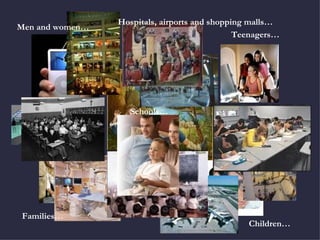
Hospitals, airports and shopping malls… Schools… Men and women… Families… Children… Teenagers…
What knowledge and skills should our students have when they graduate from school? Creativity and innovation skills Critical thinking and problem solving Communication and collaboration skills Information, Media and Technology Skills  Global awareness Source:  Partnership for 21st Century Skills  www.21stcenturyskills.org
Blogs and wikis: tools for the 21st century classroom Look for, analyse, evaluate and integrate information  Think critically Develop new ideas Create  digital content Connect, collaborate & respect others’ opinions Build your own  knowledge Make decissions and choices Continue learning outside school
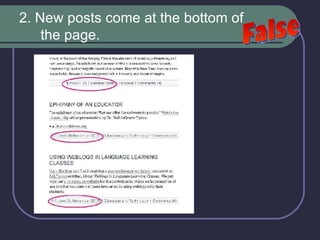
TASK ONE: What do you know about blogs?  Answer True or False : A blog post is a hypertextual piece of writing composed by an individual.  New posts come at the bottom of the page.  You can edit a post even after it has been published.   Any contributor can edit somebody else’s post.  You can set up a blog for free.  You must have a server to set up a blog.  You must have a basic knowledge of HTML to run a blog. Only the owner of the blog can post entries. Unfortunately, there is no way to block hurtful, offensive comments.
All the examples in this presentation are taken from  www.blogger.com
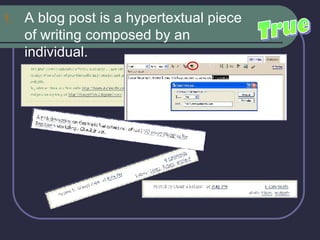
A blog post is a hypertextual piece of writing composed by an individual.  True
2. New posts come at the bottom of the page.  False
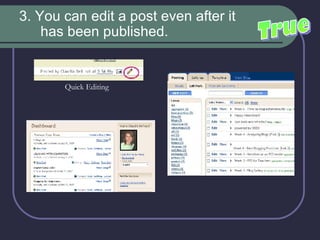
3. You can edit a post even after it has been published.   True Quick Editing
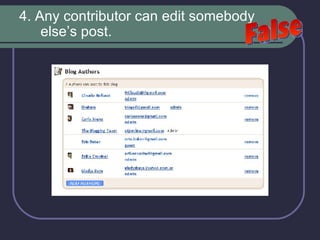
4. Any contributor can edit somebody else’s post.  False
5. You can set up a blog for free.  True
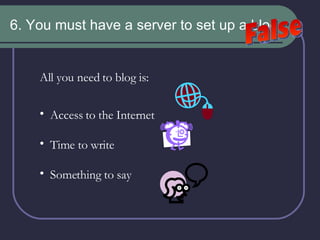
6. You must have a server to set up a blog. False All you need to blog is: Access to the Internet Time to write Something to say
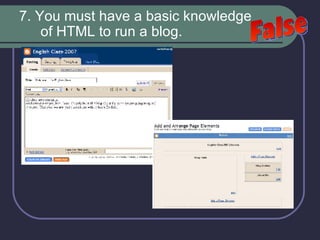
7. You must have a basic knowledge of HTML to run a blog. False
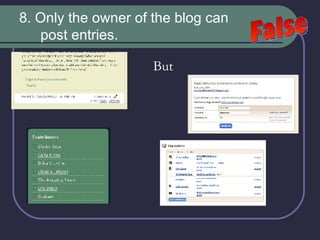
8. Only the owner of the blog can post entries. But False
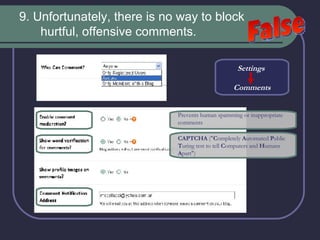
9. Unfortunately, there is no way to block hurtful, offensive comments.  False Settings  Comments Prevents human spamming or inappropriate comments   CAPTCHA  (" C ompletely  A utomated  P ublic  T uring test to tell  C omputers and  H umans  A part")
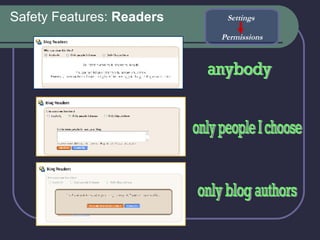
Safety Features:  Readers anybody only people I choose only blog authors Settings  Permissions
Web-based Updated regularly Reverse chronological order Mainly textual and individual posts  Comments What is a blog then?
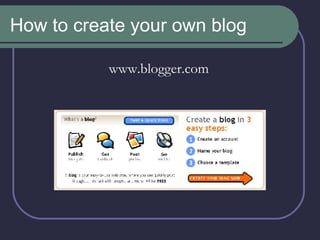
How to create your own blog www.blogger.com
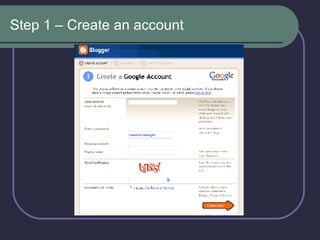
Step 1 – Create an account
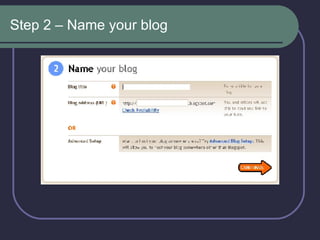
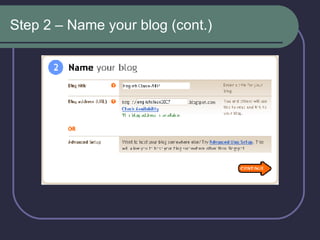
Step 2 – Name your blog
Step 2 – Name your blog (cont.)
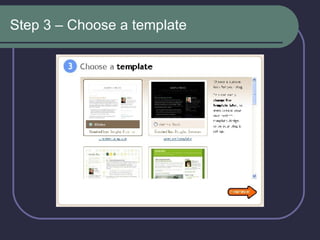
Step 3 – Choose a template
 
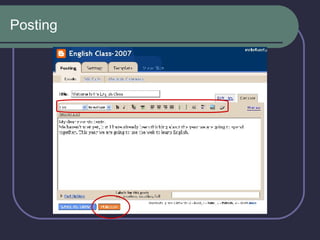
Posting
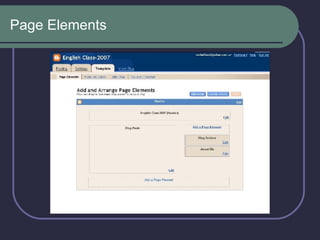
Page Elements
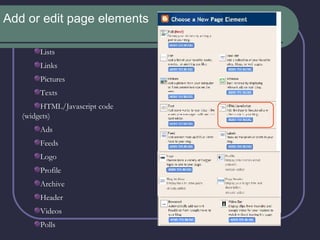
Add or edit page elements Lists Links Pictures Texts HTML/Javascript code (widgets) Ads Feeds Logo Profile Archive Header Videos Polls
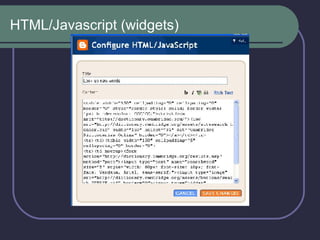
HTML/Javascript (widgets)
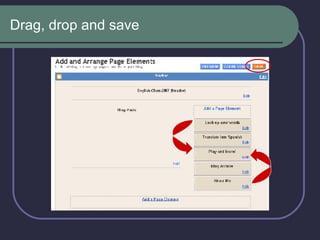
Drag, drop and save
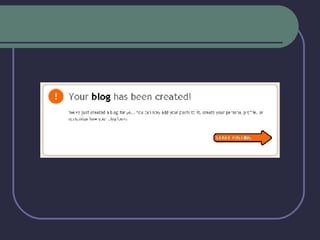
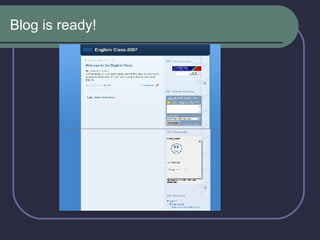
Blog is ready!
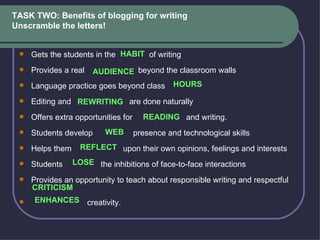
TASK TWO: Benefits of blogging for writing Unscramble the letters !    Gets the students in the  of writing   Provides a real  beyond the classroom walls   Language practice goes beyond class    Editing and  are done naturally   Offers extra opportunities for  and writing.   Students develop  presence and technological skills   Helps them  upon their own opinions, feelings and interests   Students  the inhibitions of face-to-face interactions   Provides an opportunity to teach about responsible writing and respectful    creativity.  HABIT AUDIENCE HOURS REWRITING READING WEB REFLECT LOSE CRITICISM ENHANCES
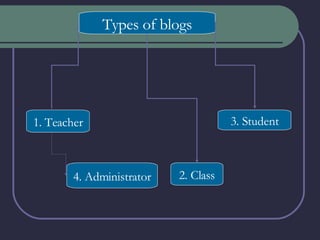
Types of blogs Types of blogs 1. Teacher 4. Administrator 2. Class 3. Student
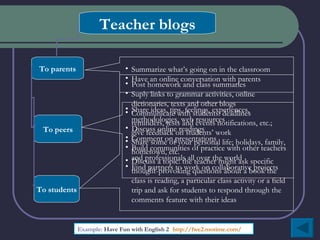
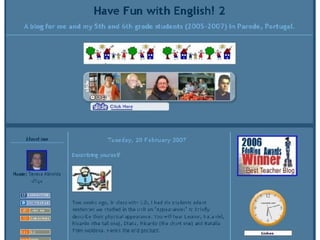
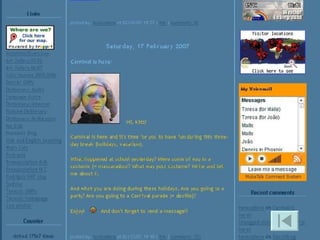
Teacher blogs To parents To peers To students Example:  Have Fun with English 2  ( http://fwe2.motime.com/ )   Share ideas, tips, feelings, experiences, methodologies, web resources Discuss online readings  Comment on presentations  Build communities of practice with other teachers and professionals all over the world  Find partners to work on collaborative projects  Summarize what’s going on in the classroom  Have an online conversation with parents Post homework and class summaries Suply links to grammar activities, online dictionaries, texts and other blogs Communicate with students: deadlines reminders, tests and events notifications, etc.; give feedback on students’ work Share some of your personal life; holidays, family, hometown, etc. Discuss a topic: the  teacher might ask specific thought-provoking questions about a book the class is reading, a particular class activity or a field trip and ask for students to respond through the comments feature with their ideas
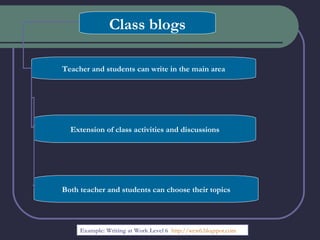
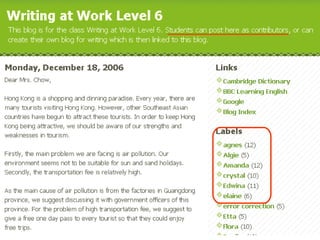
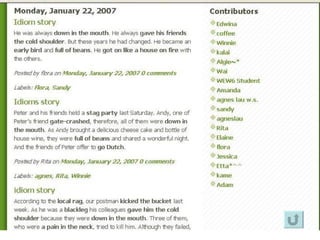
Class blogs Teacher and students can write in the main area Extension of class activities and discussions Both teacher and students can choose their topics Example: Writing at Work Level 6  ( http ://wew6. blogspot.com /)
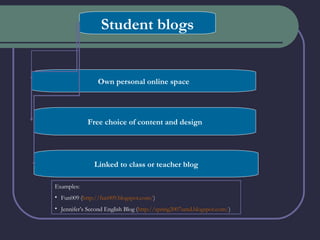
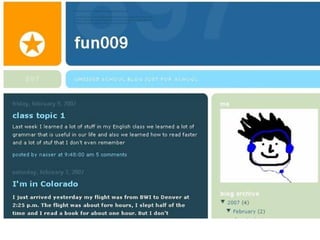
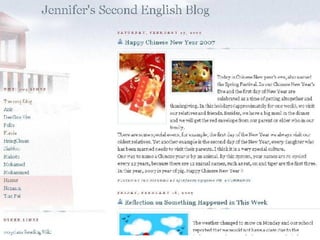
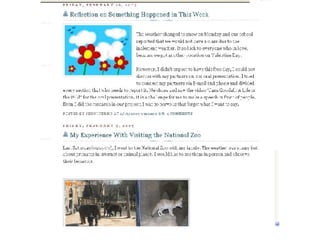
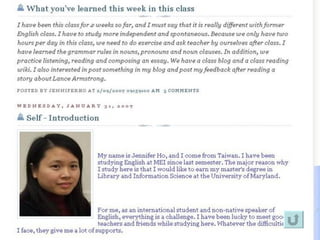
Student blogs Own personal online space Free choice of content and design Linked to class or teacher blog Examples:  Fun009 ( http://fun009.blogspot.com/ ) Jennifer’s Second English Blog ( http://spring2007umd.blogspot.com/ )
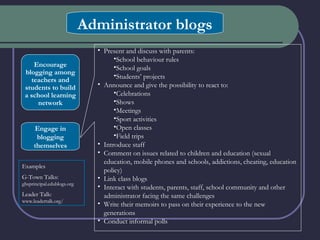
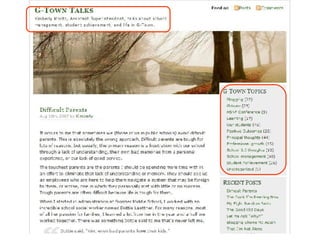
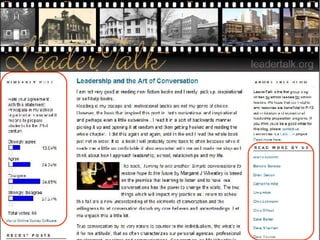
Administrator blogs Encourage blogging among teachers and students to build a school learning network Engage in blogging themselves Present and discuss with parents: School behaviour rules School goals Students’ projects Announce and give the possibility to react to: Celebrations Shows Meetings Sport activities Open classes Field trips Introduce staff Comment on issues related to children and education (sexual education, mobile phones and schools, addictions, cheating, education policy) Link class blogs Interact with students, parents, staff, school community and other administrator facing the same challenges Write their memoirs to pass on their experience to the new generations Conduct informal polls Examples G-Town Talks:  ghsprincipal.edublogs.org Leader Talk:  www.leadertalk.org/


A word of advice Start your own blog and experiment first. As far as possible, let your students choose their own topics   Don’t be too strict with grammar. Simply remind students to read their posts before submitting them and to avoid improper language.  Exploit common errors in class. Respond to student posts and comments quickly, writing a short comment related to the content.  Ask questions about what the learner writes to create stimulus for writing. Encourage and even require your students to comment on their classmates’ blogs.  Ask your students to add you as an administrator to their blogs, in case they forget their password or post something improper that needs be deleted or edited. Use the mail notification feature in the Settings to keep track of your students’ posts and comments. Blog safely Make your blogging expectations and objectives clear from the very beginning to encourage self-evaluation. Get in touch with other classes with whom your students might interact.
I Started A Blog Nobody Read    by Sprites   ( http:// www.myspace.com /sprites ) I started a blog, which nobody read When I went to work I blogged there instead I started a blog, which nobody viewed It might be in cache, the topics include: George Bush is an evil moron What’s the story with revolving doors? I’m in love with a girl who doesn’t know I exist Nobody hates preppies anymore
I started a blog, but nobody came No issues were raised, no comments were made I started a blog, which nobody read I’ll admit that it wasn’t that great But if you must know, here’s what it said: One hundred of my favorite albums Two hundred people I can’t take Four hundred movies I would like to recommend Ten celebrities, four of whom I might assassinate I started a blog, I sent you the link I wanted the world (you) to know what I think I started a blog, but when I read yours It made me forget what I had started mine for
Build a community of readers Share the link Offer e-mail subscription:  Feedblitz ( http:// www.feedblitz.com / ) Participate in a community of practice Promote your blog:  Dekita ( http:// www.dekita.org /exchange ); MyBlogLog ( http://www.mybloglog.com )
Blogs are excellent tools for self-expression. If you want your students to convey their feelings and opinions, use a blog!
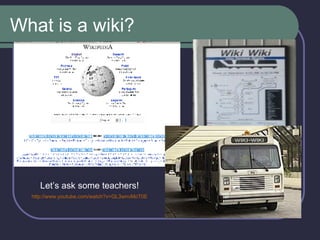
What is a wiki? Let’s ask some teachers!   http://www.youtube.com/watch?v=GL3wnvMoT0E
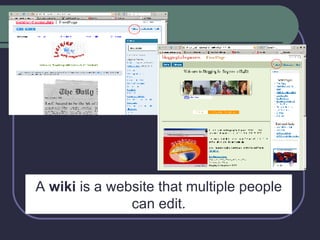
A  wiki  is a website that multiple people can edit.
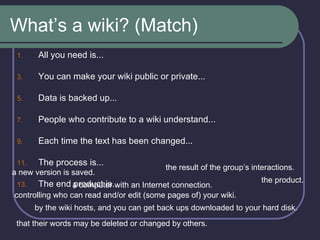
What’s a wiki? (Match) All you need is... You can make your wiki public or private... Data is backed up... People who contribute to a wiki understand... Each time the text has been changed... The process is... The end product is... a new version is saved. the result of the group’s interactions. a computer with an Internet connection. controlling who can read and/or edit (some pages of) your wiki. the product. by the wiki hosts, and you can get back ups downloaded to your hard disk.  that their words may be deleted or changed by others.
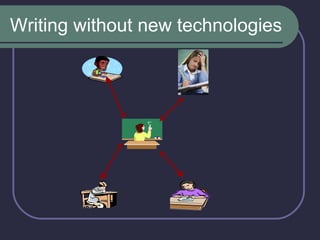
Writing without new technologies
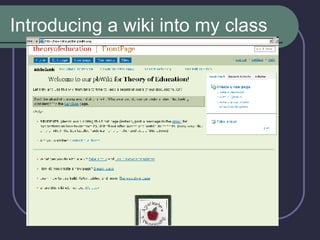
Introducing a wiki into my class
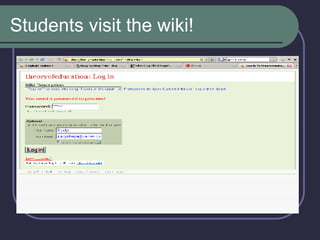
Students visit the wiki!
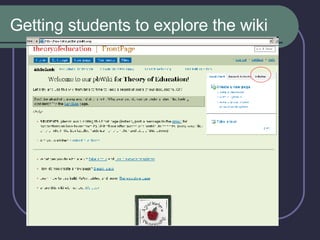
Getting students to explore the wiki
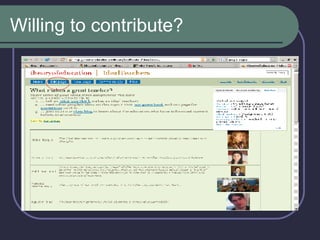
Willing to contribute?
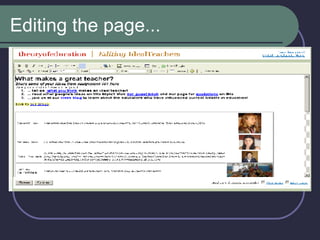
Editing the page...
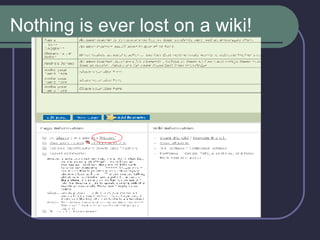
Nothing is ever lost on a wiki!
 
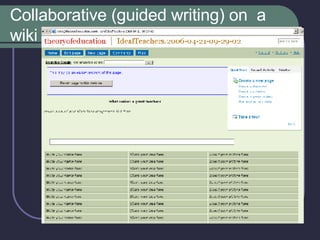
Collaborative (guided writing) on  a wiki
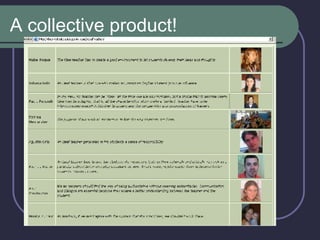
A collective product!
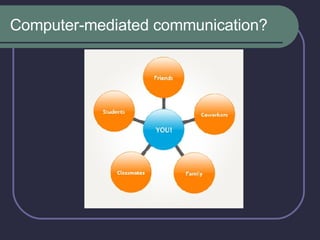
Computer-mediated communication?
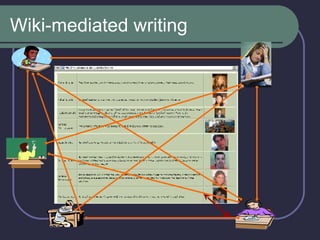
Wiki-mediated writing
Wikis are excellent tools for collaboration . If you want a group to work together,  use a wiki! Why use wikis?
Benefits of writing for wikis Improve the most challenging phase of the writing process : Increase  to consider other ways of saying things. Build an awareness of a wider, more authentic  Stimulate discussion and reflection abot the writing Help students articulate different conceptualizations of the same  RVSN, RVSN, RVSN! REVISION, REVISION, REVISION! FLXBLTY FLEXIBILITY DNC AUDIENCE PRCSS. PROCESS CNTNT CONTENT.
 
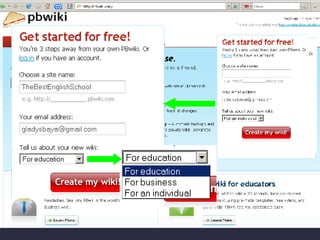
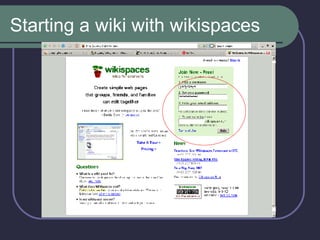
Starting a wiki with wikispaces
Developing writing with wikis A continuing story in which the class adds sentence using new vocabulary words and writes and adventure story in collaboration with the entire class.  A writer’s workshop with suggested revisions from classmates. Get them to start with drafts and collaborate!  Summary and discussion chapter by chapter of a novel, with groups taking responsibility for different portions.  Publication of students' final work - e.g. letters of complaint (written as training for exams).   Intensive reading of actual text on the wiki- with links to a glossary to explain vocabulary, exercises on different aspects of the texts, etc. Each student or group could be responsible for a portion, then ALL can edit and revise to improve the collaborative project.   Creative writing projects, such as a travel brochure wiki, a cookery book or a virtual art gallery (with ongoing criticism and responses).  A collaborative project (e.g. interviews) with speakers in another location:  A day in the life of an American/Japanese/French/German/Mexican family .
Obstacles you might face Some teachers and students are uncomfortable about the advantages and disadvantages of public writing.  Students are sometimes reluctant to contribute to wikis because they lack confidence in their writing, they worry about not receiving credit for contributions, or they do not like their ideas, words, contributions being revised or deleted without consent.  Some technology averse students find the steps for editing or posting work daunting. They may also lack access to computers.  Use of visuals and design options at wikis is quite limited. This might put off some students, especially young ones.
BLOG or WIKI? A collection of book / film reviews  A commented collection of useful links for your course, to which the students and the teacher contribute.  A follow-up discussion after the conversation class  A "Welcome-to-our-course!" table in which each student posts their picture, and a short introduction for others to get to know them  A collection of all materials required for a course (syllabus, assignments, calendar, etc.)  Metacognitive reflection after a course or module  BLOG BLOG BLOG WIKI WIKI WIKI
BLOG or WIKI? http://www.youtube.com/watch?v=AsFU3sAlPx4
Thanks for having joined us today!

Blogs And Wikis Your School Goes Online

  • 1.
    Blogs and WikisYour school goes online! Gladys Baya Ma. Claudia Bellusci August 2007 ‘ How has the world of the child changed in the last 150 years?' … the answer is. 'It's hard to imagine any way in which it hasn't changed….they're immersed in all kinds of stuff that was unheard of 150 years ago, and yet if you look at schools today versus 100 years ago, they are more similar than dissimilar.’ Peter Senge
  • 2.
    Hospitals, airports andshopping malls… Schools… Men and women… Families… Children… Teenagers…
  • 3.
    What knowledge andskills should our students have when they graduate from school? Creativity and innovation skills Critical thinking and problem solving Communication and collaboration skills Information, Media and Technology Skills Global awareness Source: Partnership for 21st Century Skills www.21stcenturyskills.org
  • 4.
    Blogs and wikis:tools for the 21st century classroom Look for, analyse, evaluate and integrate information Think critically Develop new ideas Create digital content Connect, collaborate & respect others’ opinions Build your own knowledge Make decissions and choices Continue learning outside school
  • 5.
    TASK ONE: Whatdo you know about blogs? Answer True or False : A blog post is a hypertextual piece of writing composed by an individual. New posts come at the bottom of the page. You can edit a post even after it has been published.  Any contributor can edit somebody else’s post. You can set up a blog for free. You must have a server to set up a blog. You must have a basic knowledge of HTML to run a blog. Only the owner of the blog can post entries. Unfortunately, there is no way to block hurtful, offensive comments.
  • 6.
    All the examplesin this presentation are taken from www.blogger.com
  • 7.
    A blog postis a hypertextual piece of writing composed by an individual. True
  • 8.
    2. New postscome at the bottom of the page. False
  • 9.
    3. You canedit a post even after it has been published.  True Quick Editing
  • 10.
    4. Any contributorcan edit somebody else’s post. False
  • 11.
    5. You canset up a blog for free. True
  • 12.
    6. You musthave a server to set up a blog. False All you need to blog is: Access to the Internet Time to write Something to say
  • 13.
    7. You musthave a basic knowledge of HTML to run a blog. False
  • 14.
    8. Only theowner of the blog can post entries. But False
  • 15.
    9. Unfortunately, thereis no way to block hurtful, offensive comments. False Settings Comments Prevents human spamming or inappropriate comments CAPTCHA (" C ompletely A utomated P ublic T uring test to tell C omputers and H umans A part")
  • 16.
    Safety Features: Readers anybody only people I choose only blog authors Settings Permissions
  • 17.
    Web-based Updated regularlyReverse chronological order Mainly textual and individual posts Comments What is a blog then?
  • 18.
    How to createyour own blog www.blogger.com
  • 19.
    Step 1 –Create an account
  • 20.
    Step 2 –Name your blog
  • 21.
    Step 2 –Name your blog (cont.)
  • 22.
    Step 3 –Choose a template
  • 23.
  • 24.
  • 25.
  • 26.
    Add or editpage elements Lists Links Pictures Texts HTML/Javascript code (widgets) Ads Feeds Logo Profile Archive Header Videos Polls
  • 27.
  • 28.
  • 29.
  • 30.
    TASK TWO: Benefitsof blogging for writing Unscramble the letters !   Gets the students in the of writing  Provides a real beyond the classroom walls  Language practice goes beyond class   Editing and are done naturally  Offers extra opportunities for and writing.  Students develop presence and technological skills  Helps them upon their own opinions, feelings and interests  Students the inhibitions of face-to-face interactions  Provides an opportunity to teach about responsible writing and respectful   creativity.  HABIT AUDIENCE HOURS REWRITING READING WEB REFLECT LOSE CRITICISM ENHANCES
  • 31.
    Types of blogsTypes of blogs 1. Teacher 4. Administrator 2. Class 3. Student
  • 32.
    Teacher blogs Toparents To peers To students Example: Have Fun with English 2 ( http://fwe2.motime.com/ ) Share ideas, tips, feelings, experiences, methodologies, web resources Discuss online readings Comment on presentations Build communities of practice with other teachers and professionals all over the world Find partners to work on collaborative projects Summarize what’s going on in the classroom Have an online conversation with parents Post homework and class summaries Suply links to grammar activities, online dictionaries, texts and other blogs Communicate with students: deadlines reminders, tests and events notifications, etc.; give feedback on students’ work Share some of your personal life; holidays, family, hometown, etc. Discuss a topic: the teacher might ask specific thought-provoking questions about a book the class is reading, a particular class activity or a field trip and ask for students to respond through the comments feature with their ideas
  • 33.
    Class blogs Teacherand students can write in the main area Extension of class activities and discussions Both teacher and students can choose their topics Example: Writing at Work Level 6 ( http ://wew6. blogspot.com /)
  • 34.
    Student blogs Ownpersonal online space Free choice of content and design Linked to class or teacher blog Examples: Fun009 ( http://fun009.blogspot.com/ ) Jennifer’s Second English Blog ( http://spring2007umd.blogspot.com/ )
  • 35.
    Administrator blogs Encourageblogging among teachers and students to build a school learning network Engage in blogging themselves Present and discuss with parents: School behaviour rules School goals Students’ projects Announce and give the possibility to react to: Celebrations Shows Meetings Sport activities Open classes Field trips Introduce staff Comment on issues related to children and education (sexual education, mobile phones and schools, addictions, cheating, education policy) Link class blogs Interact with students, parents, staff, school community and other administrator facing the same challenges Write their memoirs to pass on their experience to the new generations Conduct informal polls Examples G-Town Talks: ghsprincipal.edublogs.org Leader Talk: www.leadertalk.org/
  • 36.
  • 37.
  • 38.
  • 39.
  • 40.
  • 41.
  • 42.
  • 43.
  • 44.
  • 45.
  • 46.
    A word ofadvice Start your own blog and experiment first. As far as possible, let your students choose their own topics   Don’t be too strict with grammar. Simply remind students to read their posts before submitting them and to avoid improper language.  Exploit common errors in class. Respond to student posts and comments quickly, writing a short comment related to the content. Ask questions about what the learner writes to create stimulus for writing. Encourage and even require your students to comment on their classmates’ blogs. Ask your students to add you as an administrator to their blogs, in case they forget their password or post something improper that needs be deleted or edited. Use the mail notification feature in the Settings to keep track of your students’ posts and comments. Blog safely Make your blogging expectations and objectives clear from the very beginning to encourage self-evaluation. Get in touch with other classes with whom your students might interact.
  • 47.
    I Started ABlog Nobody Read by Sprites ( http:// www.myspace.com /sprites ) I started a blog, which nobody read When I went to work I blogged there instead I started a blog, which nobody viewed It might be in cache, the topics include: George Bush is an evil moron What’s the story with revolving doors? I’m in love with a girl who doesn’t know I exist Nobody hates preppies anymore
  • 48.
    I started ablog, but nobody came No issues were raised, no comments were made I started a blog, which nobody read I’ll admit that it wasn’t that great But if you must know, here’s what it said: One hundred of my favorite albums Two hundred people I can’t take Four hundred movies I would like to recommend Ten celebrities, four of whom I might assassinate I started a blog, I sent you the link I wanted the world (you) to know what I think I started a blog, but when I read yours It made me forget what I had started mine for
  • 49.
    Build a communityof readers Share the link Offer e-mail subscription: Feedblitz ( http:// www.feedblitz.com / ) Participate in a community of practice Promote your blog: Dekita ( http:// www.dekita.org /exchange ); MyBlogLog ( http://www.mybloglog.com )
  • 50.
    Blogs are excellenttools for self-expression. If you want your students to convey their feelings and opinions, use a blog!
  • 51.
    What is awiki? Let’s ask some teachers! http://www.youtube.com/watch?v=GL3wnvMoT0E
  • 52.
    A wiki is a website that multiple people can edit.
  • 53.
    What’s a wiki?(Match) All you need is... You can make your wiki public or private... Data is backed up... People who contribute to a wiki understand... Each time the text has been changed... The process is... The end product is... a new version is saved. the result of the group’s interactions. a computer with an Internet connection. controlling who can read and/or edit (some pages of) your wiki. the product. by the wiki hosts, and you can get back ups downloaded to your hard disk. that their words may be deleted or changed by others.
  • 54.
    Writing without newtechnologies
  • 55.
    Introducing a wikiinto my class
  • 56.
  • 57.
    Getting students toexplore the wiki
  • 58.
  • 59.
  • 60.
    Nothing is everlost on a wiki!
  • 61.
  • 62.
  • 63.
  • 64.
  • 65.
  • 66.
    Wikis are excellenttools for collaboration . If you want a group to work together, use a wiki! Why use wikis?
  • 67.
    Benefits of writingfor wikis Improve the most challenging phase of the writing process : Increase to consider other ways of saying things. Build an awareness of a wider, more authentic Stimulate discussion and reflection abot the writing Help students articulate different conceptualizations of the same RVSN, RVSN, RVSN! REVISION, REVISION, REVISION! FLXBLTY FLEXIBILITY DNC AUDIENCE PRCSS. PROCESS CNTNT CONTENT.
  • 68.
  • 69.
    Starting a wikiwith wikispaces
  • 70.
    Developing writing withwikis A continuing story in which the class adds sentence using new vocabulary words and writes and adventure story in collaboration with the entire class. A writer’s workshop with suggested revisions from classmates. Get them to start with drafts and collaborate! Summary and discussion chapter by chapter of a novel, with groups taking responsibility for different portions. Publication of students' final work - e.g. letters of complaint (written as training for exams).  Intensive reading of actual text on the wiki- with links to a glossary to explain vocabulary, exercises on different aspects of the texts, etc. Each student or group could be responsible for a portion, then ALL can edit and revise to improve the collaborative project.  Creative writing projects, such as a travel brochure wiki, a cookery book or a virtual art gallery (with ongoing criticism and responses). A collaborative project (e.g. interviews) with speakers in another location: A day in the life of an American/Japanese/French/German/Mexican family .
  • 71.
    Obstacles you mightface Some teachers and students are uncomfortable about the advantages and disadvantages of public writing. Students are sometimes reluctant to contribute to wikis because they lack confidence in their writing, they worry about not receiving credit for contributions, or they do not like their ideas, words, contributions being revised or deleted without consent. Some technology averse students find the steps for editing or posting work daunting. They may also lack access to computers. Use of visuals and design options at wikis is quite limited. This might put off some students, especially young ones.
  • 72.
    BLOG or WIKI?A collection of book / film reviews A commented collection of useful links for your course, to which the students and the teacher contribute. A follow-up discussion after the conversation class A "Welcome-to-our-course!" table in which each student posts their picture, and a short introduction for others to get to know them A collection of all materials required for a course (syllabus, assignments, calendar, etc.) Metacognitive reflection after a course or module BLOG BLOG BLOG WIKI WIKI WIKI
  • 73.
    BLOG or WIKI?http://www.youtube.com/watch?v=AsFU3sAlPx4
  • 74.
    Thanks for havingjoined us today!