34 ideas for a
classroom blog

         Fiona Beal

            @fibeal
 http://fionabeal.edublogs.org
 http://schoolnetsa.blogspot.com
What is a classroom blog?
This is a two way connection between a school-
        based environment and the world.

   It allows the world to peek into the school
  environment and see what is happening –
  and the class to venture into the world and
           learn from other classrooms.

There is sharing of thoughts, ideas, events and
                  resources.
#1.Blogging platforms

Edublogs: http://www.edublogs.org
Blogger: http://www.blogger.com
Wordpress blogs: http://www.wordpress.com
Posterous blogs: https://posterous.com/

and many more…..
#2. Make a nice header for
       your blog.
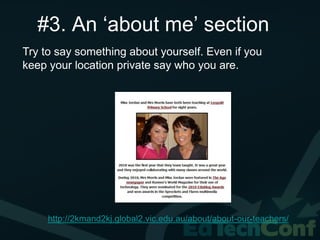
#3. An ‘about me’ section
Try to say something about yourself. Even if you
keep your location private say who you are.


     http://2kmand2kj.global2.vic.edu.au/about/about-our-teachers/
#4. A photo of your class

It is great to include a photo of your class in your
‘About me’ section.

‘Zoom.it’ (a free programme) gives a great close-
up view.
http://zoom.it/dhlX
View this in a post:
http://schoolnetsa.blogspot.com/2011/08/will-you-
be-next-to-attend-partners-in.html
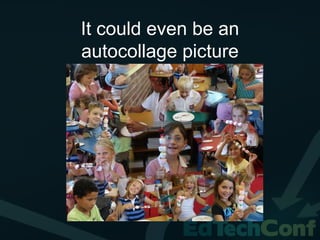
It could even be an
autocollage picture
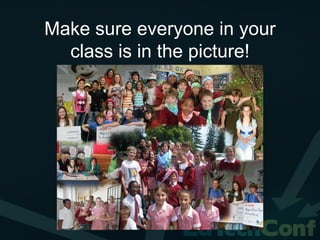
Make sure everyone in your
  class is in the picture!
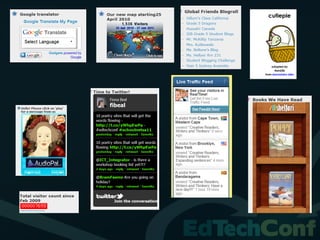
#5. Add widgets to your
            blog
Widgets are the little side items one puts on a blog
to make it more interesting.

Take a look at widgets on my classroom blog
http://fionabeal.edublogs.org
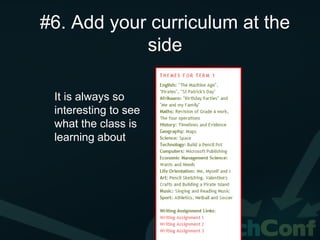
#6. Add your curriculum at the
            side

 It is always so
 interesting to see
 what the class is
 learning about
#7. Use Live-writer to
          write posts
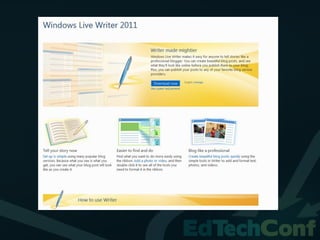
 Download and use Windows Live Writer.
 You can appoint children in your class to
 write the posts and just save them of-line for
 you to check what they have written
http://schoolnetsa.blogspot.com/2011/09/why-not-
try-using-live-writer-for-blog.html
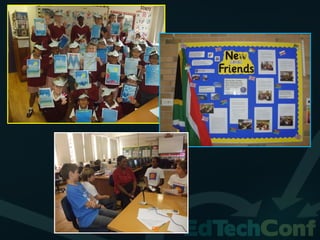
#8. Invest in a digital
camera and use it a lot!
Photos just make a blog. The parents will
love seeing what the class does
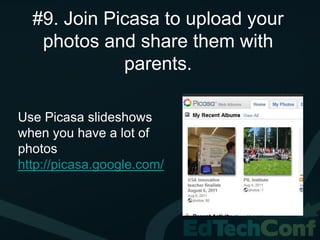
#9. Join Picasa to upload your
   photos and share them with
             parents.

Use Picasa slideshows
when you have a lot of
photos
http://picasa.google.com/
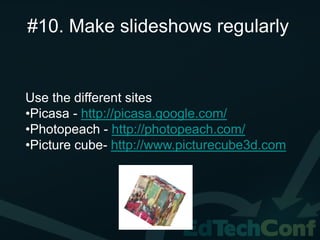
#10. Make slideshows regularly


Use the different sites
•Picasa - http://picasa.google.com/
•Photopeach - http://photopeach.com/
•Picture cube- http://www.picturecube3d.com
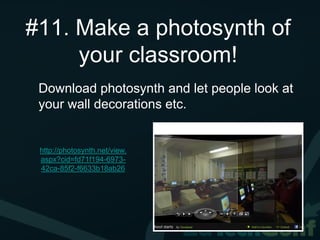
#11. Make a photosynth of
     your classroom!
 Download photosynth and let people look at
 your wall decorations etc.


 http://photosynth.net/view.
 aspx?cid=fd71f194-6973-
 42ca-85f2-f6633b18ab26
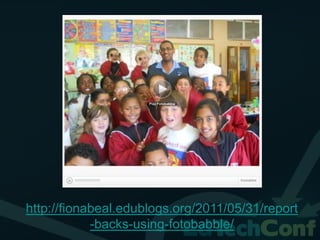
#12. Use talking photos.

These are great to record an outing or
something you have just done in class.

http://www.fotobabble.com/
http://fionabeal.edublogs.org/2011/05/31/report
            -backs-using-fotobabble/
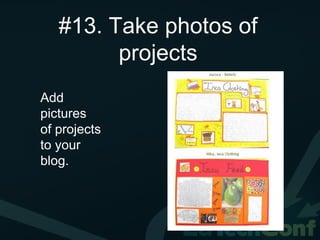
#13. Take photos of
         projects
Add
pictures
of projects
to your
blog.
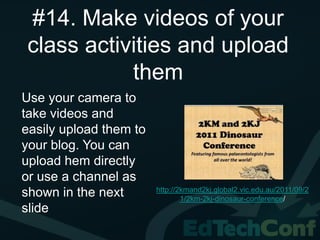
#14. Make videos of your
class activities and upload
           them
Use your camera to
take videos and
easily upload them to
your blog. You can
upload hem directly
or use a channel as
                        http://2kmand2kj.global2.vic.edu.au/2011/09/2
shown in the next               1/2km-2kj-dinosaur-conference/
slide
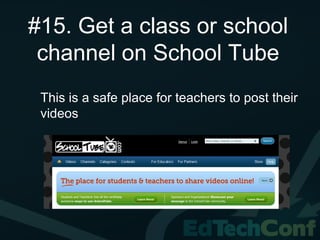
#15. Get a class or school
 channel on School Tube
 This is a safe place for teachers to post their
 videos
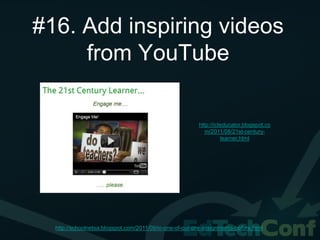
#16. Add inspiring videos
     from YouTube

                                                          http://icteducator.blogspot.co
                                                             m/2011/08/21st-century-
                                                                    learner.html


  http://schoolnetsa.blogspot.com/2011/09/in-one-of-our-pre-assignments-before.html
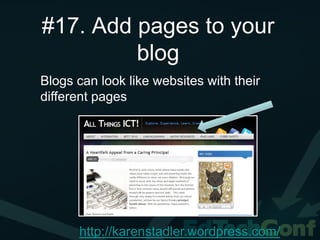
#17. Add pages to your
         blog
Blogs can look like websites with their
different pages


      http://karenstadler.wordpress.com/
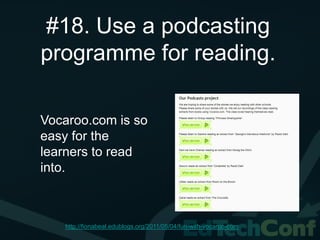
#18. Use a podcasting
programme for reading.

Vocaroo.com is so
easy for the
learners to read
into.


   http://fionabeal.edublogs.org/2011/05/04/fun-with-vocaroo-com
#19. Display your class’s
           art
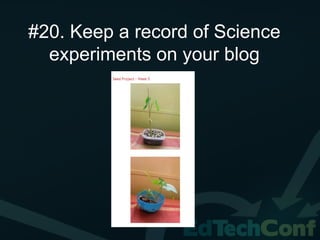
#20. Keep a record of Science
  experiments on your blog
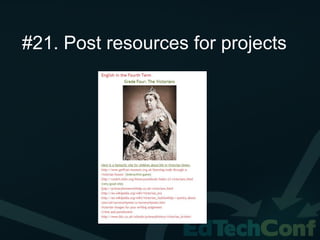
#21. Post resources for projects
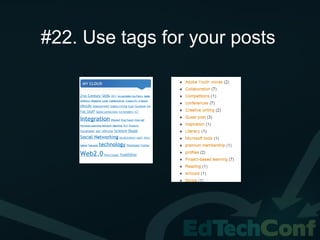
#22. Use tags for your posts
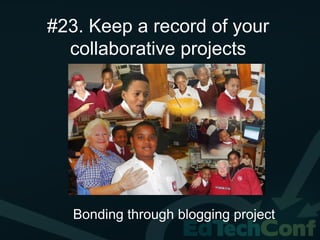
#23. Keep a record of your
  collaborative projects


   Bonding through blogging project
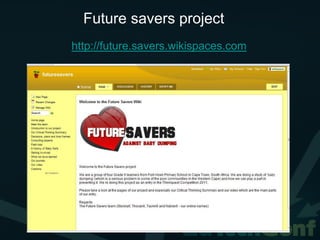
Future savers project
http://future.savers.wikispaces.com
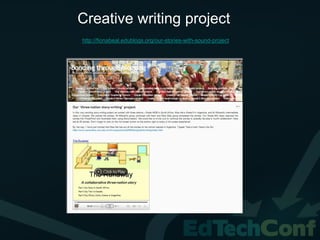
Creative writing project
http://fionabeal.edublogs.org/our-stories-with-sound-project
The Flat Stanley Literacy project
     http://grade3fishhoekprimary.blogspot.com/2010/05/british-
                    flat-stanley-friends-yippee.html
#24. Use a blog to write a
       class book

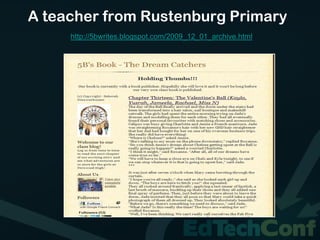
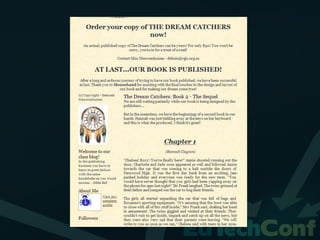
  Many people use blogs for writing.
  What about starting a class novel with
  different people writing each week?
A teacher from Rustenburg Primary
     http://5bwrites.blogspot.com/2009_12_01_archive.html
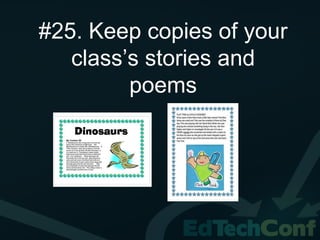
#25. Keep copies of your
   class’s stories and
         poems
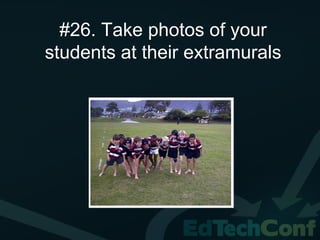
#26. Take photos of your
students at their extramurals
#27. Set up your blog so that
   you have to moderate
         comments
 Set up your blog so that you always
 get notified by email when a new
 comment is posted
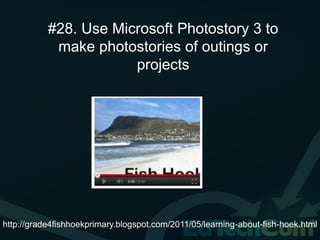
#28. Use Microsoft Photostory 3 to
            make photostories of outings or
                       projects


http://grade4fishhoekprimary.blogspot.com/2011/05/learning-about-fish-hoek.html
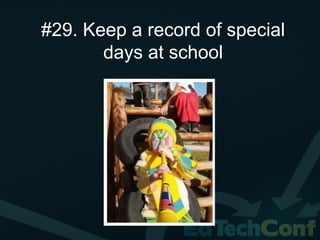
#29. Keep a record of special
       days at school
#30. Add fancy writing
   http://www.glitterfy.com/
#31. Make blogging friends

It is wonderful to peek into a teacher’s classroom via their
classroom blogs.
Examples:
Grade 1: http://mrspatterson.edublogs.org/
Grade 2: http://2kmand2kj.global2.vic.edu.au/
Grade 3: http://yollisclassblog.blogspot.com/
Grade 4: http://www.classblogmeister.com/blog.php?blogger_id=152060
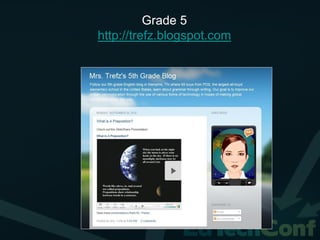
Grade 5: http://trefz.blogspot.com/
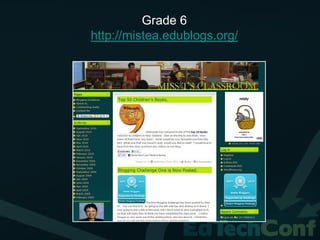
Grade 6: http://partlowpowerhouse.edublogs.org/
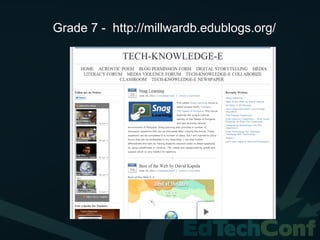
Grade 7: http://millwardb.edublogs.org/
Middle School: http://tefltecher.wordpress.com/
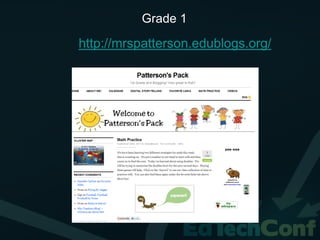
Grade 1

http://mrspatterson.edublogs.org/
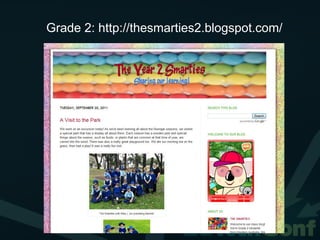
Grade 2: http://thesmarties2.blogspot.com/
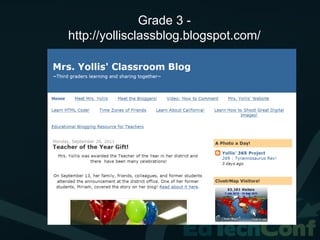
Grade 3 -
http://yollisclassblog.blogspot.com/
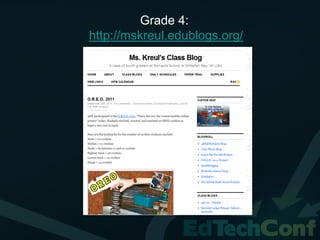
Grade 4:
http://mskreul.edublogs.org/
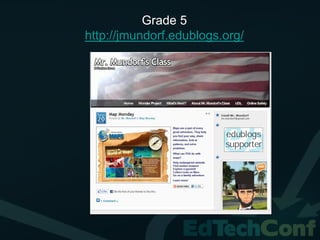
Grade 5
http://jmundorf.edublogs.org/
Grade 5
http://trefz.blogspot.com
Grade 6
http://mistea.edublogs.org/
Grade 7 - http://millwardb.edublogs.org/
#32. Keep track of technology
            blogs

     http://larryferlazzo.edublogs.org/
      http://askatechteacher.wordpress.com
      http://www.freetech4teachers.com/
         http://theedublogger.com/
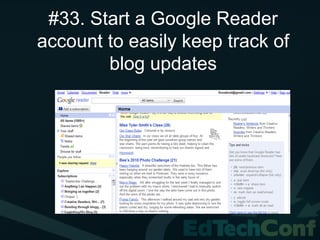
#33. Start a Google Reader
account to easily keep track of
        blog updates
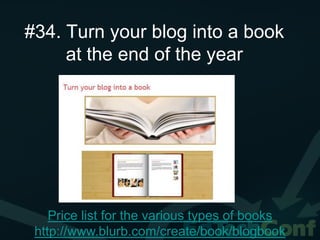
#34. Turn your blog into a book
     at the end of the year


    Price list for the various types of books
 http://www.blurb.com/create/book/blogbook

34 ideas for a classroom blog

  • 1.
    34 ideas fora classroom blog Fiona Beal @fibeal http://fionabeal.edublogs.org http://schoolnetsa.blogspot.com
  • 2.
    What is aclassroom blog? This is a two way connection between a school- based environment and the world. It allows the world to peek into the school environment and see what is happening – and the class to venture into the world and learn from other classrooms. There is sharing of thoughts, ideas, events and resources.
  • 3.
    #1.Blogging platforms Edublogs: http://www.edublogs.org Blogger:http://www.blogger.com Wordpress blogs: http://www.wordpress.com Posterous blogs: https://posterous.com/ and many more…..
  • 4.
    #2. Make anice header for your blog.
  • 5.
    #3. An ‘aboutme’ section Try to say something about yourself. Even if you keep your location private say who you are. http://2kmand2kj.global2.vic.edu.au/about/about-our-teachers/
  • 6.
    #4. A photoof your class It is great to include a photo of your class in your ‘About me’ section. ‘Zoom.it’ (a free programme) gives a great close- up view. http://zoom.it/dhlX View this in a post: http://schoolnetsa.blogspot.com/2011/08/will-you- be-next-to-attend-partners-in.html
  • 7.
    It could evenbe an autocollage picture
  • 8.
    Make sure everyonein your class is in the picture!
  • 9.
    #5. Add widgetsto your blog Widgets are the little side items one puts on a blog to make it more interesting. Take a look at widgets on my classroom blog http://fionabeal.edublogs.org
  • 11.
    #6. Add yourcurriculum at the side It is always so interesting to see what the class is learning about
  • 12.
    #7. Use Live-writerto write posts Download and use Windows Live Writer. You can appoint children in your class to write the posts and just save them of-line for you to check what they have written http://schoolnetsa.blogspot.com/2011/09/why-not- try-using-live-writer-for-blog.html
  • 14.
    #8. Invest ina digital camera and use it a lot! Photos just make a blog. The parents will love seeing what the class does
  • 16.
    #9. Join Picasato upload your photos and share them with parents. Use Picasa slideshows when you have a lot of photos http://picasa.google.com/
  • 17.
    #10. Make slideshowsregularly Use the different sites •Picasa - http://picasa.google.com/ •Photopeach - http://photopeach.com/ •Picture cube- http://www.picturecube3d.com
  • 18.
    #11. Make aphotosynth of your classroom! Download photosynth and let people look at your wall decorations etc. http://photosynth.net/view. aspx?cid=fd71f194-6973- 42ca-85f2-f6633b18ab26
  • 19.
    #12. Use talkingphotos. These are great to record an outing or something you have just done in class. http://www.fotobabble.com/
  • 20.
  • 21.
    #13. Take photosof projects Add pictures of projects to your blog.
  • 22.
    #14. Make videosof your class activities and upload them Use your camera to take videos and easily upload them to your blog. You can upload hem directly or use a channel as http://2kmand2kj.global2.vic.edu.au/2011/09/2 shown in the next 1/2km-2kj-dinosaur-conference/ slide
  • 23.
    #15. Get aclass or school channel on School Tube This is a safe place for teachers to post their videos
  • 24.
    #16. Add inspiringvideos from YouTube http://icteducator.blogspot.co m/2011/08/21st-century- learner.html http://schoolnetsa.blogspot.com/2011/09/in-one-of-our-pre-assignments-before.html
  • 25.
    #17. Add pagesto your blog Blogs can look like websites with their different pages http://karenstadler.wordpress.com/
  • 26.
    #18. Use apodcasting programme for reading. Vocaroo.com is so easy for the learners to read into. http://fionabeal.edublogs.org/2011/05/04/fun-with-vocaroo-com
  • 27.
    #19. Display yourclass’s art
  • 28.
    #20. Keep arecord of Science experiments on your blog
  • 29.
    #21. Post resourcesfor projects
  • 30.
    #22. Use tagsfor your posts
  • 31.
    #23. Keep arecord of your collaborative projects Bonding through blogging project
  • 32.
  • 33.
  • 34.
    The Flat StanleyLiteracy project http://grade3fishhoekprimary.blogspot.com/2010/05/british- flat-stanley-friends-yippee.html
  • 35.
    #24. Use ablog to write a class book Many people use blogs for writing. What about starting a class novel with different people writing each week?
  • 36.
    A teacher fromRustenburg Primary http://5bwrites.blogspot.com/2009_12_01_archive.html
  • 38.
    #25. Keep copiesof your class’s stories and poems
  • 39.
    #26. Take photosof your students at their extramurals
  • 40.
    #27. Set upyour blog so that you have to moderate comments Set up your blog so that you always get notified by email when a new comment is posted
  • 41.
    #28. Use MicrosoftPhotostory 3 to make photostories of outings or projects http://grade4fishhoekprimary.blogspot.com/2011/05/learning-about-fish-hoek.html
  • 42.
    #29. Keep arecord of special days at school
  • 43.
    #30. Add fancywriting http://www.glitterfy.com/
  • 44.
    #31. Make bloggingfriends It is wonderful to peek into a teacher’s classroom via their classroom blogs. Examples: Grade 1: http://mrspatterson.edublogs.org/ Grade 2: http://2kmand2kj.global2.vic.edu.au/ Grade 3: http://yollisclassblog.blogspot.com/ Grade 4: http://www.classblogmeister.com/blog.php?blogger_id=152060 Grade 5: http://trefz.blogspot.com/ Grade 6: http://partlowpowerhouse.edublogs.org/ Grade 7: http://millwardb.edublogs.org/ Middle School: http://tefltecher.wordpress.com/
  • 45.
  • 46.
  • 47.
  • 48.
  • 49.
  • 50.
  • 51.
  • 52.
    Grade 7 -http://millwardb.edublogs.org/
  • 53.
    #32. Keep trackof technology blogs http://larryferlazzo.edublogs.org/ http://askatechteacher.wordpress.com http://www.freetech4teachers.com/ http://theedublogger.com/
  • 54.
    #33. Start aGoogle Reader account to easily keep track of blog updates
  • 55.
    #34. Turn yourblog into a book at the end of the year Price list for the various types of books http://www.blurb.com/create/book/blogbook