Title of my workshop Speaker’s Name Blogs Lyndsay Buckingham
What do you know? I have my own blog, either for personal or professional use.  I have RSS feeds of my favorite blogs, or visit some blogs faithfully. I’ve visited some blogs occasionally, for personal or professional use.  I know nothing about blogs!
What is a blog? Blogs  in  Plain   English Why would we use blogs with our students? What are the possibilities? What can we do with blogs in our classes?
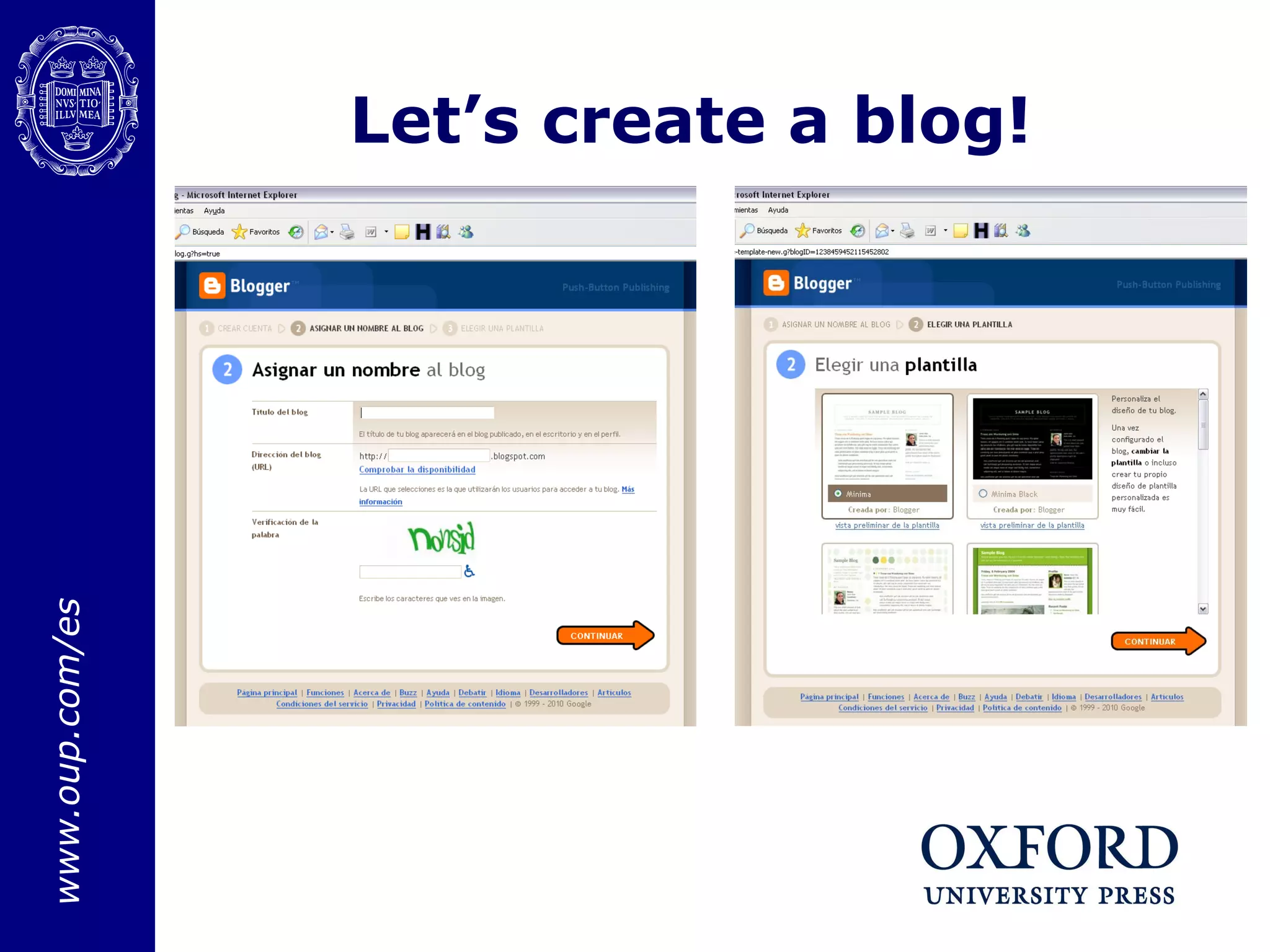
Let’s create a blog!
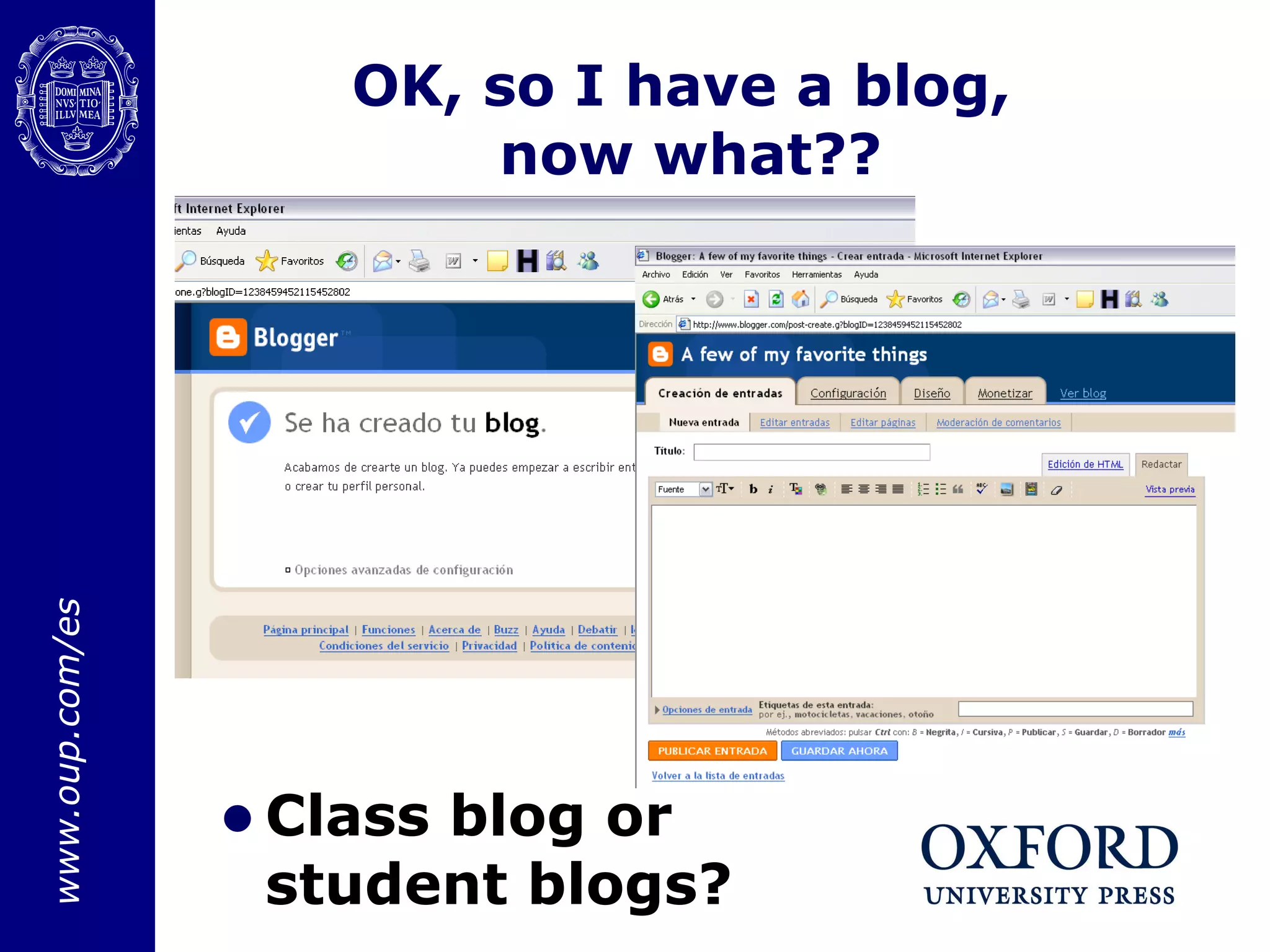
OK, so I have a blog,  now what?? Class blog or student blogs?
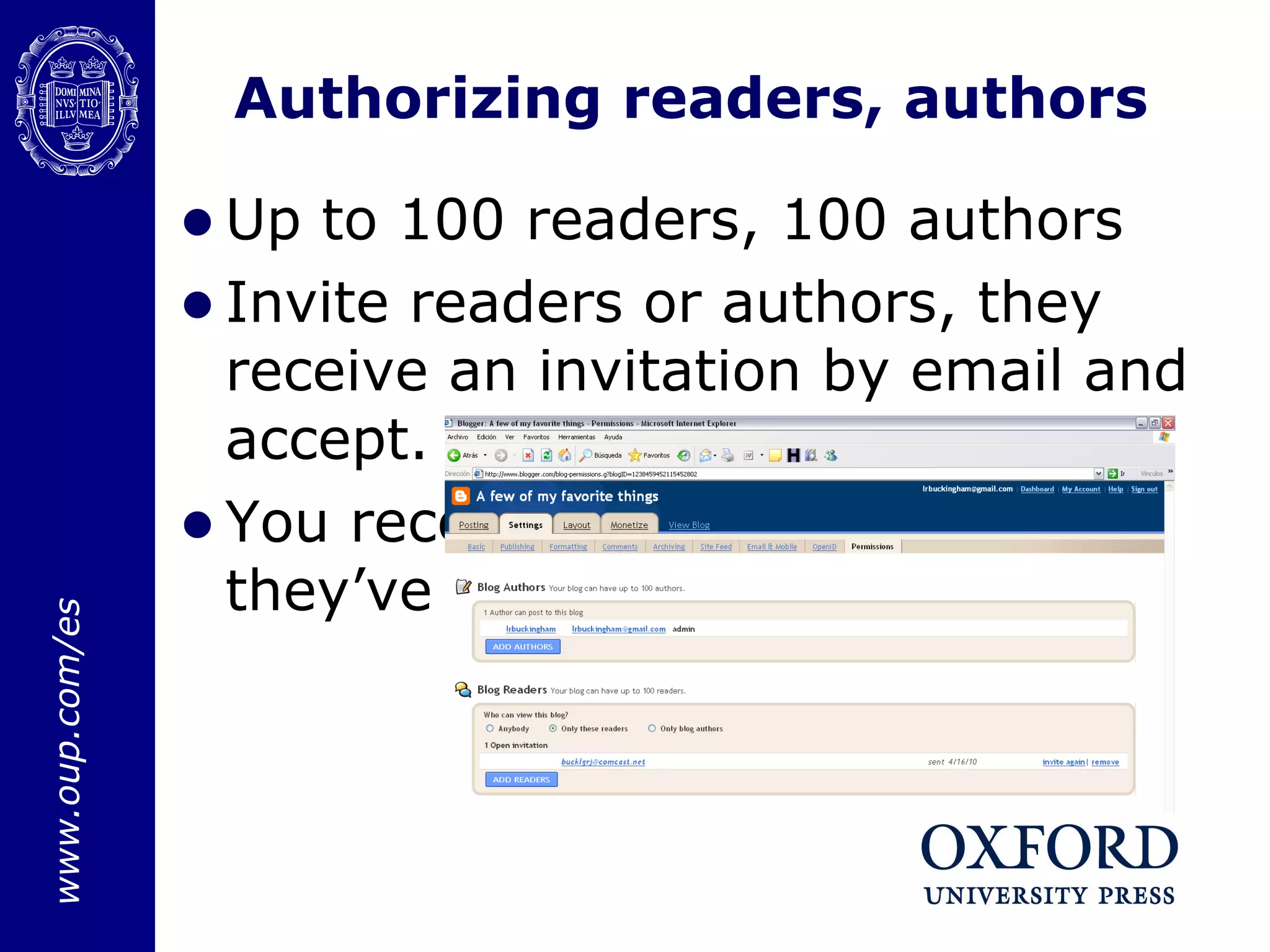
Authorizing readers, authors Up to 100 readers, 100 authors Invite readers or authors, they receive an invitation by email and accept.  You receive a notification that they’ve accepted.
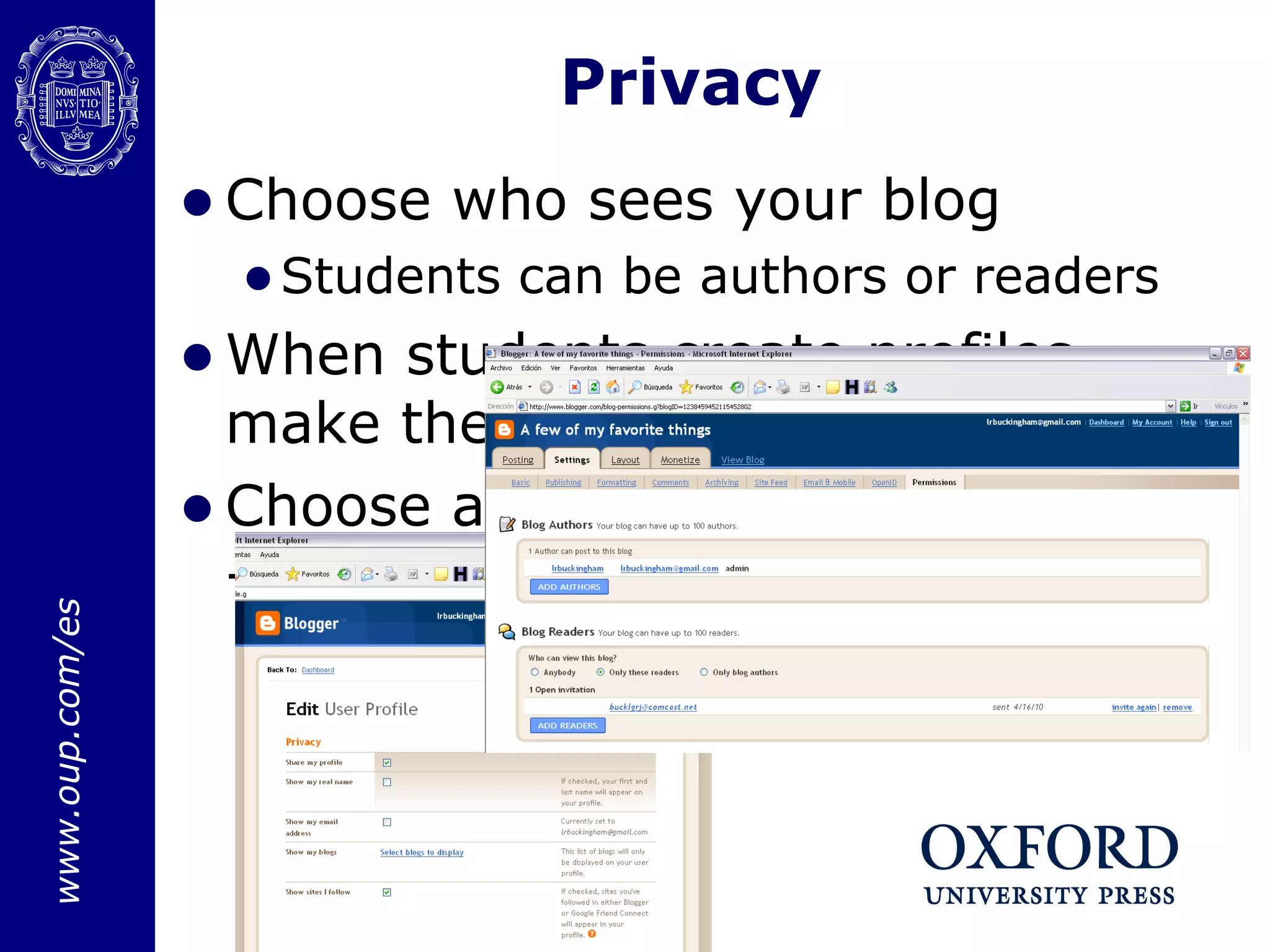
Choose who sees your blog Students can be authors or readers When students create profiles, make them private Choose appropriate user names – only first names or aliases Privacy
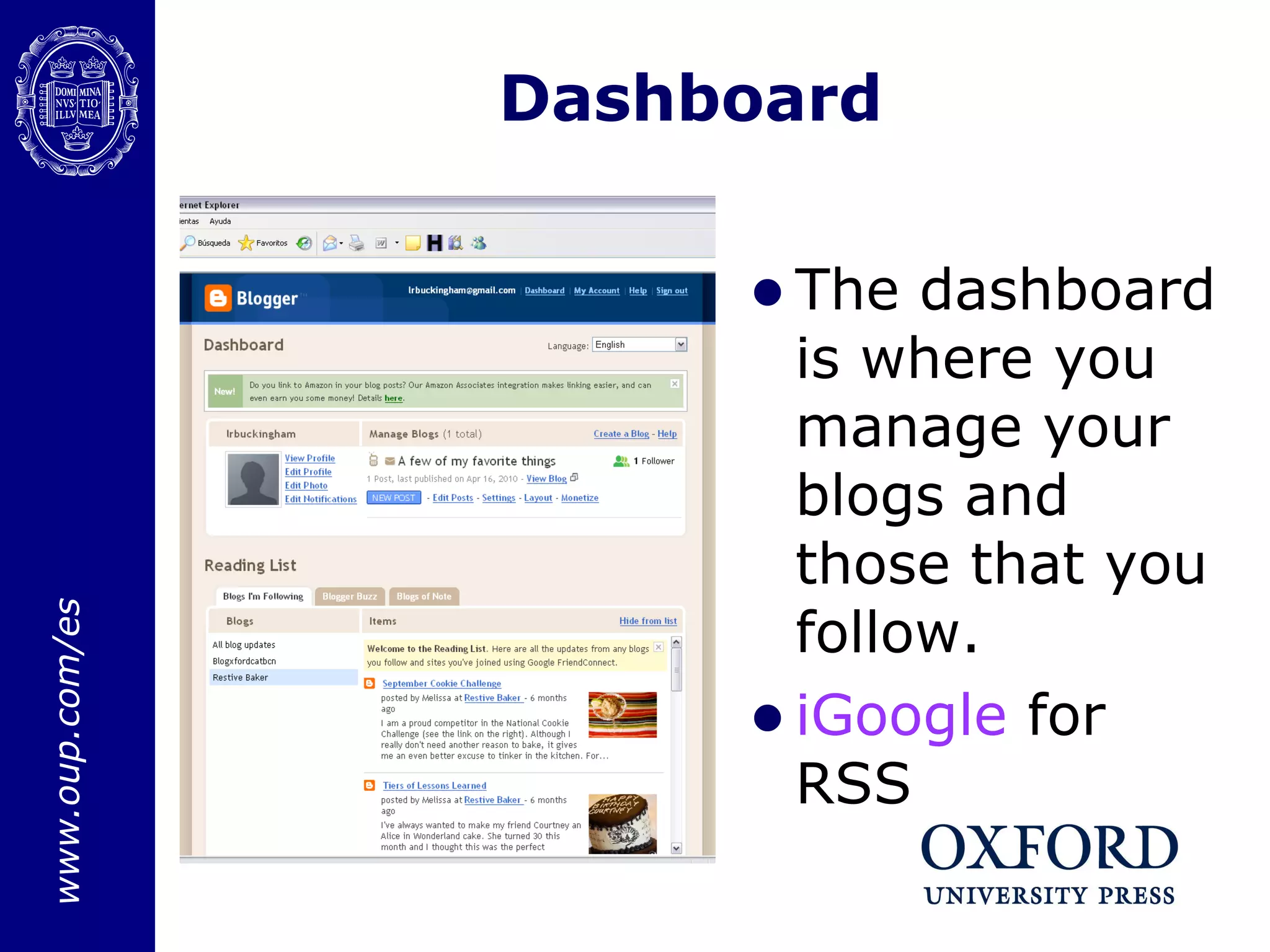
Dashboard The dashboard is where you manage your blogs and those that you follow.  iGoogle  for RSS
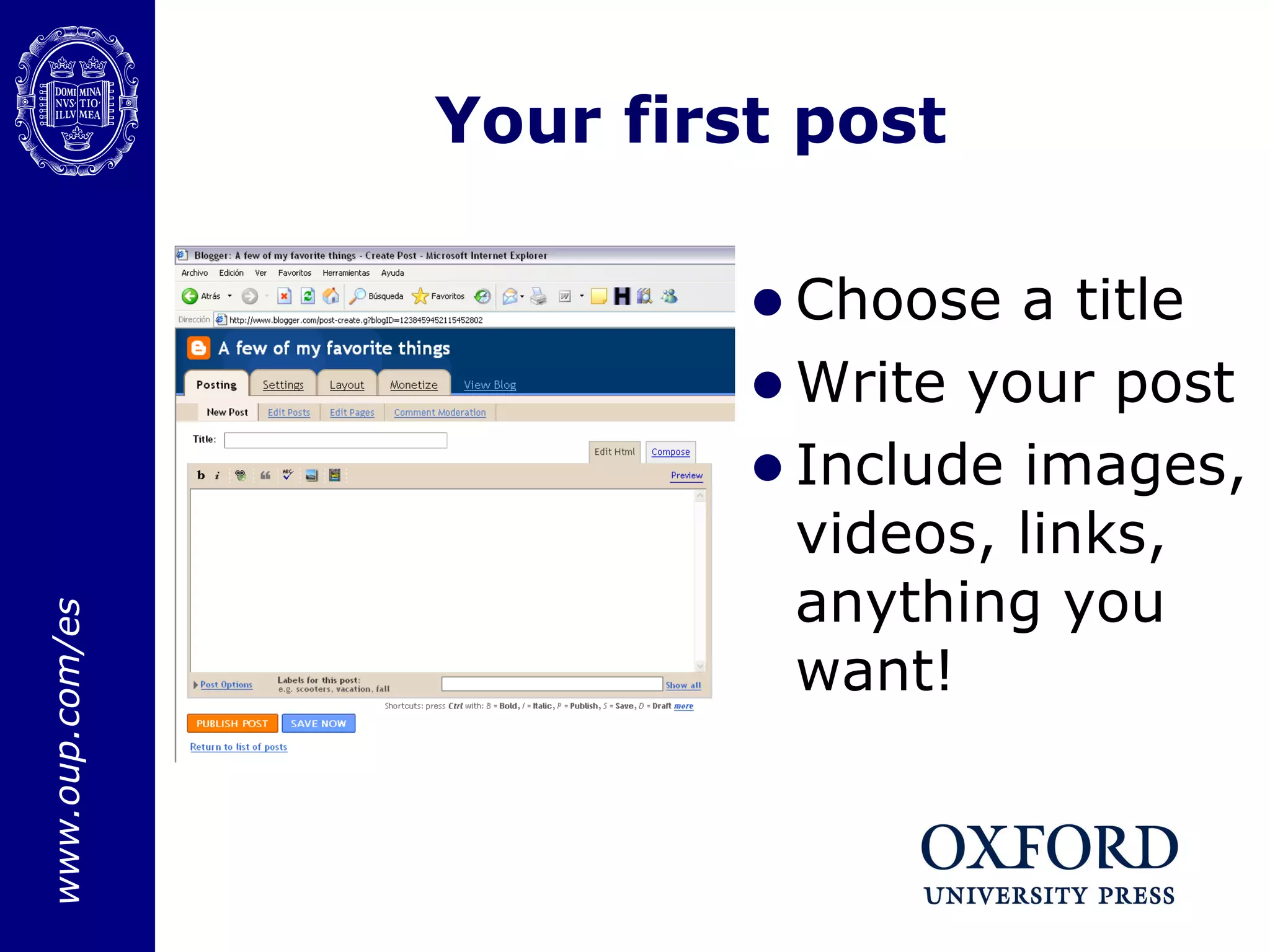
Your first post Choose a title Write your post Include images, videos, links, anything you want!
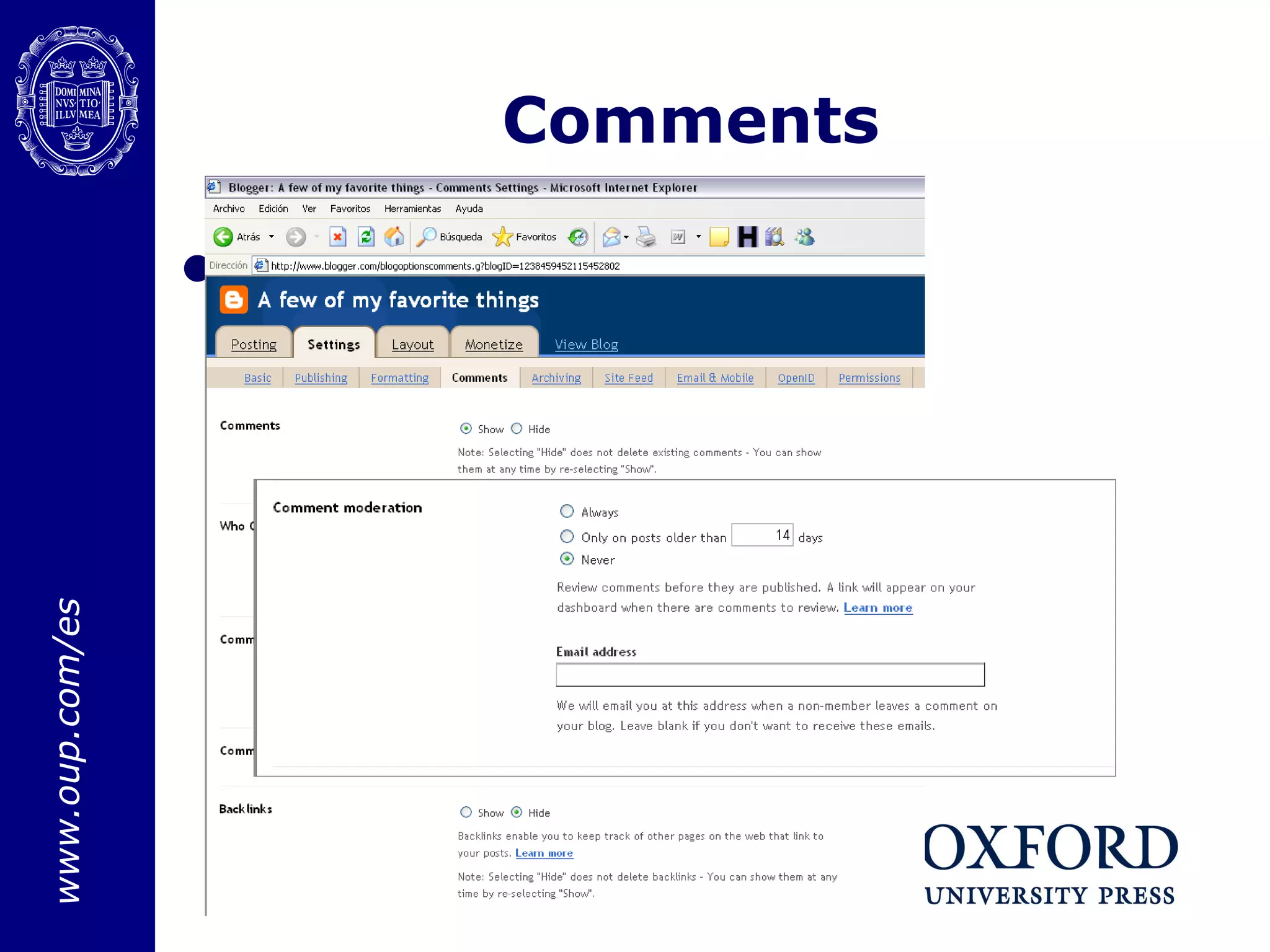
Comments You can choose who can comment: only readers,  only authors,  the public
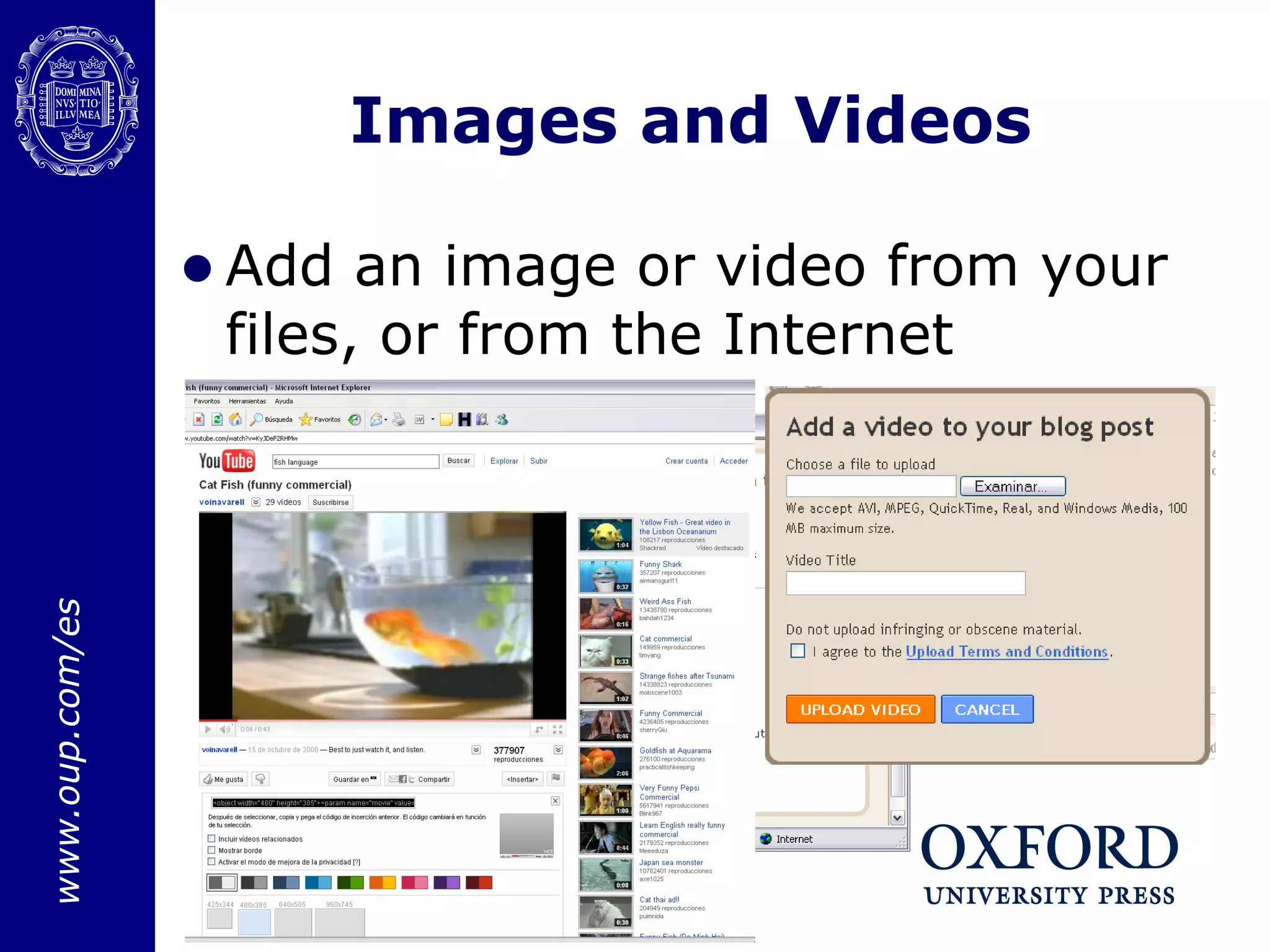
Images and Videos Add an image or video from your files, or from the Internet
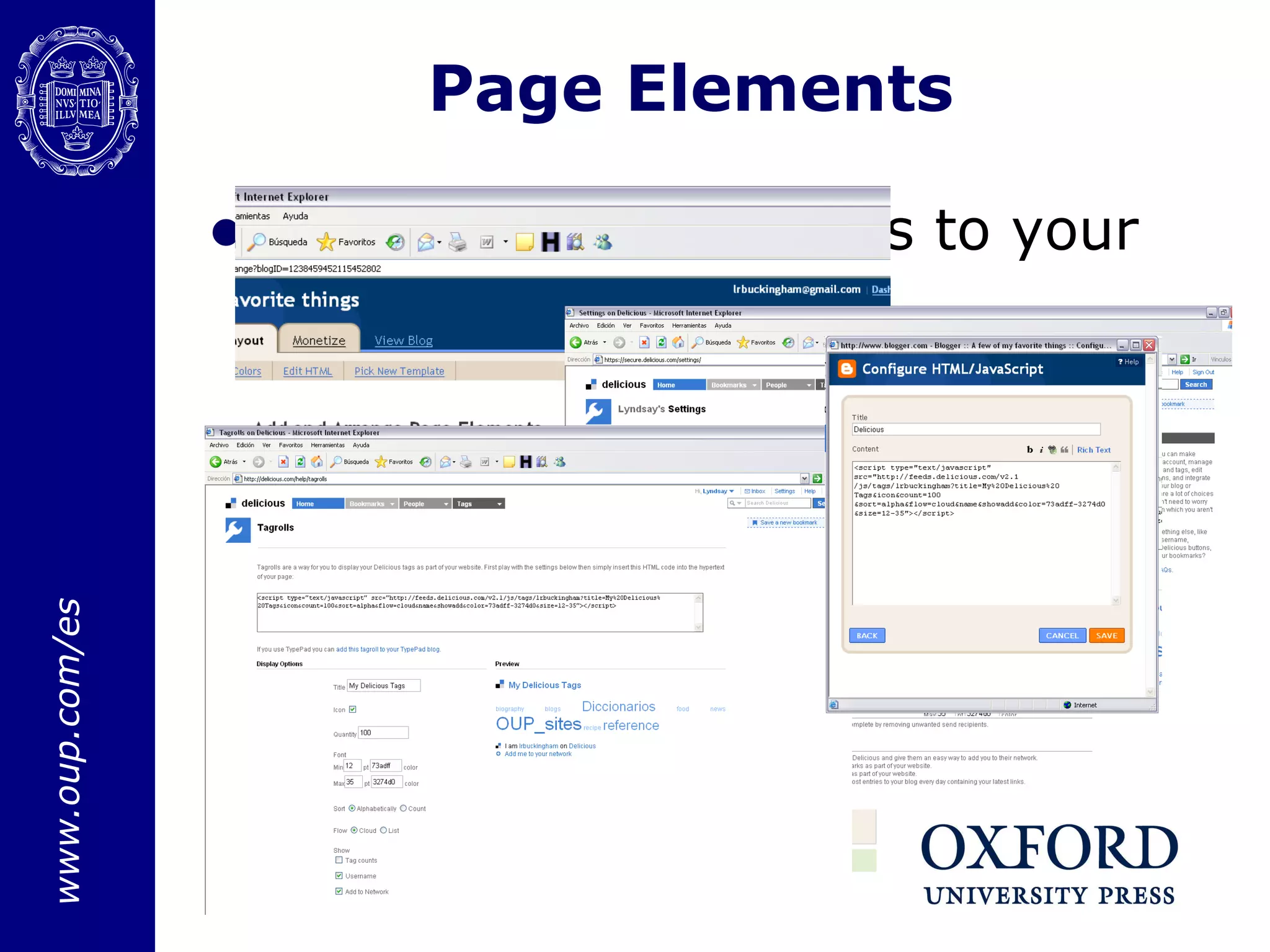
Page Elements Add your delicious tags to your blog
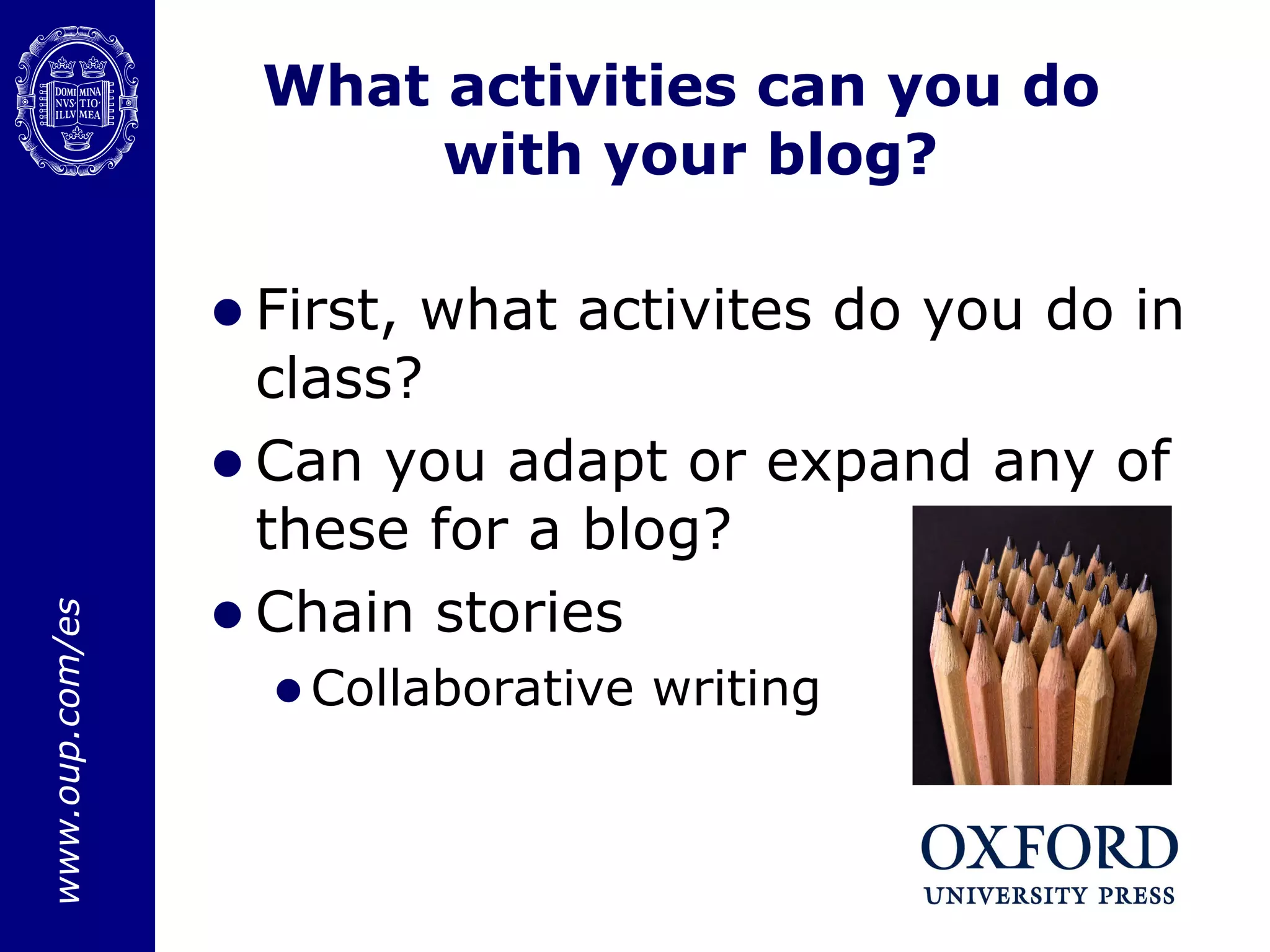
What activities can you do  with your blog? First, what activites do you do in class? Can you adapt or expand any of these for a blog? Chain stories Collaborative writing
How can you use  your class blog? Expand upon classroom activities. Give assignments that include videos, links,  online  exercises , etc. Share interesting websites.  Involve parents in their childrens’ learning. Give students a space to interact.
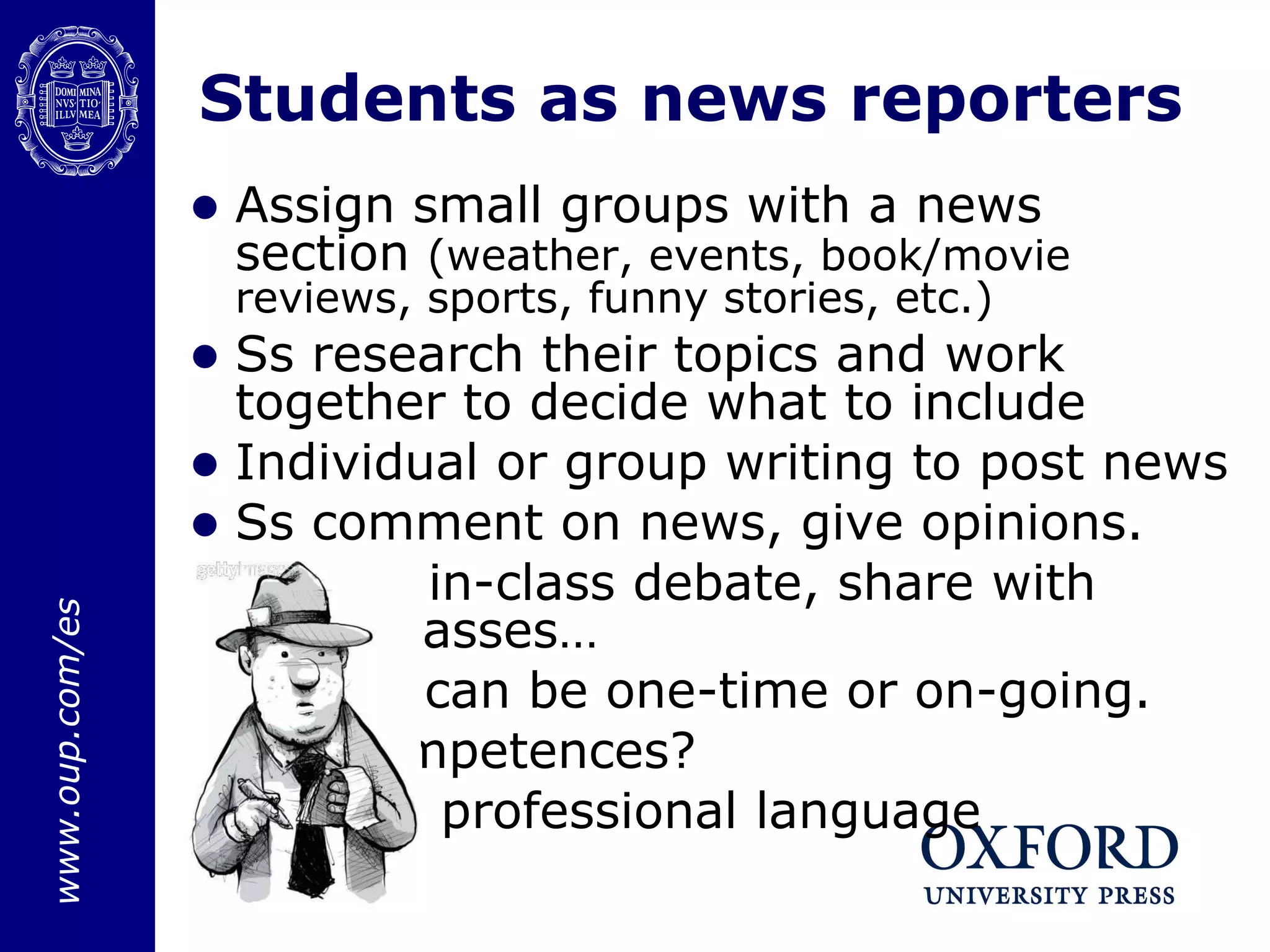
Students as news reporters Assign small groups with a news section  (weather, events, book/movie reviews, sports, funny stories, etc.) Ss research their topics and work together to decide what to include Individual or group writing to post news Ss comment on news, give opinions. Result: in-class debate, share with other classes… Project can be one-time or on-going.  Key competences? Formal, professional language
Your favorite website Start a post with a specific question, like “What is your favorite website and why?” Students have to reply, link to the site, and write about why they like it, what it’s about, etc. What other questions could you ask to generate debate and motivate students? Key competences? Informal language, opinion
Other activities Post a video or podcast and ask for a response or comment Webtasks, Webquests Dvolver.com  – create a movie with dialogue and post it! Glogster.com students create posters with video, images, text About “me”, a book they read, a movie they saw, a science concept, a country… Can embed or link
Benefits of blogging Motivating  Fun Sense of community Cooperative learning Students: English at home Personalized Practice all 4 skills Authentic materials Teachers: Always accessible Share with students, different classes, teachers RSS feed – all in one place
Example blogs Killina School:  http ://killinaschool.scoilnet.ie/blog/ I.E.S. RAFAEL DE CAMPALANS - 3rd. ESO students http ://campalans3eso.lacoctelera.net/ Individual student blogs
Useful links http://www.reuters.com/news/oddlyEnough  - Strange/funny/interesting news stories WordSift.com  – word clouds with visual thesaurus, usage Slideshare.net  – link to or embed your PPT
Thank you!

Blogs

  • 1.
  • 2.
    Title of myworkshop Speaker’s Name Blogs Lyndsay Buckingham
  • 3.
    What do youknow? I have my own blog, either for personal or professional use. I have RSS feeds of my favorite blogs, or visit some blogs faithfully. I’ve visited some blogs occasionally, for personal or professional use. I know nothing about blogs!
  • 4.
    What is ablog? Blogs in Plain English Why would we use blogs with our students? What are the possibilities? What can we do with blogs in our classes?
  • 5.
  • 6.
    OK, so Ihave a blog, now what?? Class blog or student blogs?
  • 7.
    Authorizing readers, authorsUp to 100 readers, 100 authors Invite readers or authors, they receive an invitation by email and accept. You receive a notification that they’ve accepted.
  • 8.
    Choose who seesyour blog Students can be authors or readers When students create profiles, make them private Choose appropriate user names – only first names or aliases Privacy
  • 9.
    Dashboard The dashboardis where you manage your blogs and those that you follow. iGoogle for RSS
  • 10.
    Your first postChoose a title Write your post Include images, videos, links, anything you want!
  • 11.
    Comments You canchoose who can comment: only readers, only authors, the public
  • 12.
    Images and VideosAdd an image or video from your files, or from the Internet
  • 13.
    Page Elements Addyour delicious tags to your blog
  • 14.
    What activities canyou do with your blog? First, what activites do you do in class? Can you adapt or expand any of these for a blog? Chain stories Collaborative writing
  • 15.
    How can youuse your class blog? Expand upon classroom activities. Give assignments that include videos, links, online exercises , etc. Share interesting websites. Involve parents in their childrens’ learning. Give students a space to interact.
  • 16.
    Students as newsreporters Assign small groups with a news section (weather, events, book/movie reviews, sports, funny stories, etc.) Ss research their topics and work together to decide what to include Individual or group writing to post news Ss comment on news, give opinions. Result: in-class debate, share with other classes… Project can be one-time or on-going. Key competences? Formal, professional language
  • 17.
    Your favorite websiteStart a post with a specific question, like “What is your favorite website and why?” Students have to reply, link to the site, and write about why they like it, what it’s about, etc. What other questions could you ask to generate debate and motivate students? Key competences? Informal language, opinion
  • 18.
    Other activities Posta video or podcast and ask for a response or comment Webtasks, Webquests Dvolver.com – create a movie with dialogue and post it! Glogster.com students create posters with video, images, text About “me”, a book they read, a movie they saw, a science concept, a country… Can embed or link
  • 19.
    Benefits of bloggingMotivating Fun Sense of community Cooperative learning Students: English at home Personalized Practice all 4 skills Authentic materials Teachers: Always accessible Share with students, different classes, teachers RSS feed – all in one place
  • 20.
    Example blogs KillinaSchool: http ://killinaschool.scoilnet.ie/blog/ I.E.S. RAFAEL DE CAMPALANS - 3rd. ESO students http ://campalans3eso.lacoctelera.net/ Individual student blogs
  • 21.
    Useful links http://www.reuters.com/news/oddlyEnough - Strange/funny/interesting news stories WordSift.com – word clouds with visual thesaurus, usage Slideshare.net – link to or embed your PPT
  • 22.

Editor's Notes

  • #4 First. What level do they teach? Do their students enjoy using technology? Next, do they enjoy using technology? What do they know about blogs? 4 corners
  • #5 Discussion on possible uses of blogs, why they could be motivating, what key competences do they work? Processing info/use of ICT, linguistic competence, social skills/citizenship, cultural/aritistic competence, learning to learn, autonomy/personal initiative
  • #6 Link in 1st image to blogger. Blogger is the easiest to use, comes in many languages, free.
  • #7 Should you create a class blog or individual student blogs? It depends on your objectives. Is your project/activity more independent or cooperative?
  • #9 If privacy is important for your students, be careful with the settings of your blog. You can choose to add your students as readers or authors. Authors can post, readers can read and comment. Think about also adding parents as readers, maybe by request. For user profiles, encourage them to make up user names (you can keep a list of who’s who) and/or keep their profile private.
  • #10 Maintenance of your blog, following other blogs (helpful if your students have blogs). Also on iGoogle you can have RSS feed to your favorite blogs (professional development, personal interest, etc.)
  • #11 Tabs for editing html, or for simple composing. Compose – fonts, colors, etc. Publish! Edit posts – edit past posts Edit pages – in free version you can have up to 10 pages Comment moderation – depends on your settings. You can set to only publish the comments you approve, or automatically publish comments. You can also be alerted by new comments – by email. You can even send updates to more than one email address.
  • #13 You can add images from your files, or from the internet Same with videos. To add a video from youtube, use the embedding code from the website, and add it to your post (be sure to choose “edit html”)
  • #14 Add page elements to appear to the side of your blog, above or below. Select “add gadget” and choose from options, or HTML/Java Script to add a piece of code, such as for delicious. Add a calendar, RSS – news (CNN, Yahoo!, etc.) – search RSS news in Google. Add your delicious tags to share bookmarks.
  • #15 Brainstorm with participants – what can you do? What types of activities? Anything you do now that could be expanded? Do a chain writing with participants, then demonstrate how that could be done online
  • #16 What can the teacher do with the blog? Interact with students, share ideas, give HW, etc Parents – they see what their children study, can encourage them, involves them Allow students to interact bt themselves, with other classes, etc.
  • #17 KC – linguistic comp, interaction w phys world?, ICT, social skills/citizenship, cultural/artistic?, learn to learn, autonomy
  • #18 KC – autonomy, learn to learn, etc.