




Blogs & Wikis for blended learningBy Pamela ArrarásAPIBB – 29th May 2010
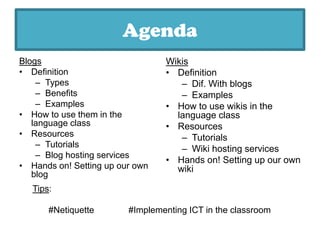
AgendaBlogsDefinitionTypesBenefitsExamplesHowto use them in thelanguageclass
ResourcesTutorialsBlog hostingservicesHandson! Setting up ourown blogWikisDefinitionDif. WithblogsExamplesHow to use wikis in the language classResourcesTutorialsWiki hosting servicesHands on! Setting up our own wikiTips:#Netiquette		#Implementing ICT in the classroom
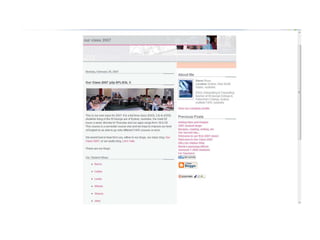
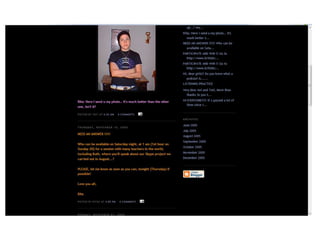
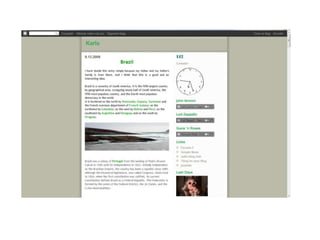
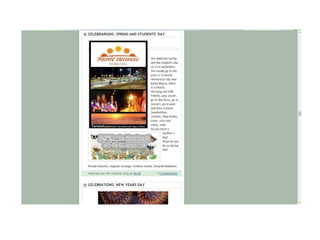
What’s a blog?"A weblog(usually shortened to blog, but occasionally spelled web log or weblog) is a web-based publication consisting primarily of periodic articles, most often in reverse chronological order.“(from Wikipedia)
What’s a blog?
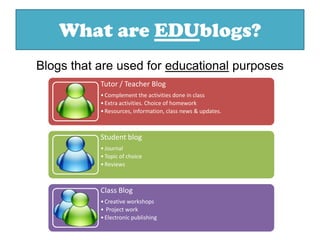
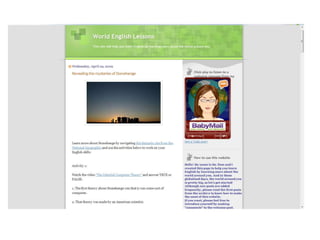
What are EDUblogs?Blogs that are used for educational purposes
Benefits of “edublogging”Highly motivating to students, especially for shy or introverted students.Excellent opportunities for students to read and write for authentic purposes. Effective forums for collaboration and discussion. Students can be engaged in ongoing conversations about their ideas and thoughts.Powerful tools to enable scaffoldedlearning or mentoring to occur.
Teacher BlogsClassroom Management benefits: Easy to create and update efficiently. Can be used to inform students of class requirements, post handouts, notices, homework assignments, or act as a question and answer board.Institutional websites: 	Easy website to set up and maintain for a language academy.Can serve as a source of extra activities and supplement the activities done in the classroom (blended learning).
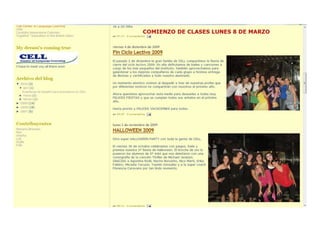
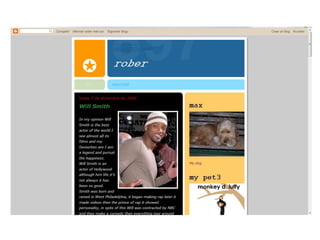
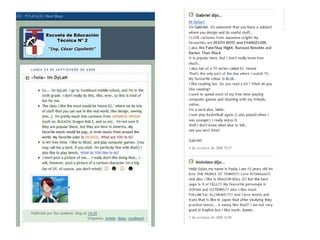
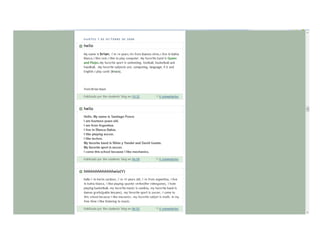
Student BlogsStudent Blogs: An opportunity to discover the work and joy of communicating their ideas in written form to an authentic audience, and then getting feedback from others. Publicstudent blogs are generally done under a nickname and without any personal details. Student blogging has to be overseen with coaching and training to make sure that both that personal data is not communicated and that blog posts are appropriate.Student Portfolios: Blogs present, organize, and protect student work as digital portfolios. As older entries are archived, developing skills and progress may be analyzed more conveniently. Additionally, as students realize their efforts will be published, they are typically more motivated to produce better writing. Teachers and peers may conference with a student individually on a developing work, and expert or peer mentoring advice can be easily kept for future reference.
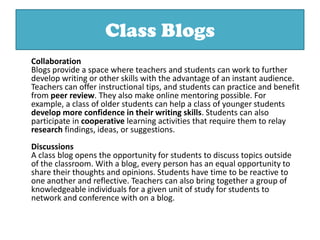
Class Blogs	CollaborationBlogs provide a space where teachers and students can work to further develop writing or other skills with the advantage of an instant audience. Teachers can offer instructional tips, and students can practice and benefit from peer review. They also make online mentoring possible. For example, a class of older students can help a class of younger students develop more confidence in their writing skills. Students can also participate in cooperative learning activities that require them to relay research findings, ideas, or suggestions.DiscussionsA class blog opens the opportunity for students to discuss topics outside of the classroom. With a blog, every person has an equal opportunity to share their thoughts and opinions. Students have time to be reactive to one another and reflective. Teachers can also bring together a group of knowledgeable individuals for a given unit of study for students to network and conference with on a blog.
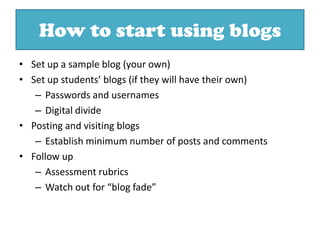
How to start using blogsSet up a sample blog (your own)Set up students’ blogs (if they will have their own)Passwords and usernamesDigital dividePosting and visiting blogsEstablish minimum number of posts and commentsFollow upAssessment rubrics	Watch out for “blog fade”
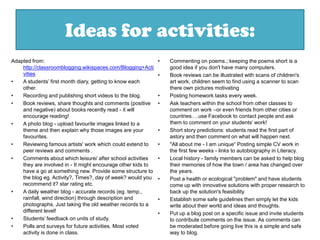
Ideas for activities:Adapted from: http://classroomblogging.wikispaces.com/Blogging+ActivitiesA students’ first month diary, getting to know each other. Recording and publishing short videos to the blog.Book reviews, share thoughts and comments (positive and negative) about books recently read - it will encourage reading! A photo blog - upload favourite images linked to a theme and then explain why those images are your favourites.Reviewing famous artists' work which could extend to peer reviews and comments .Comments about which leisure/ after school activities they are involved in - It might encourage other kids to have a go at something new. Provide some structure to the blog eg. Activity?, Times?, day of week? would you recommend it? star rating etc.A daily weather blog - accurate records (eg. temp., rainfall, wind direction) through description and photographs. Just taking the old weather records to a different level!Students’ feedback on units of study. Polls and surveys for future activities. Most voted activity is done in class.Commenting on poems.; keeping the poems short is a good idea if you don't have many computers.Book reviews can be illustrated with scans of children's art work, children seem to find using a scanner to scan there own pictures motivating Posting homework tasks every week. Ask teachers within the school from other classes to comment on work –or even friends from other cities or countries….use Facebook to contact people and ask them to comment on your students’ work!Short story predictions: students read the first part of astory and then comment on what will happen next. "All about me - I am unique“ Posting simple CV work in the first few weeks - links to autobiography in Literacy.Local history - family members can be asked to help blog their memories of how the town / area has changed over the years. Post a health or ecological "problem" and have students come up with innovative solutions with proper research to back up the solution's feasibility.Establish some safe guidelines then simply let the kids write about their world and ideas and thoughts.Put up a blog post on a specific issue and invite students to contribute comments on the issue. As comments can be moderated before going live this is a simple and safe way to blog.
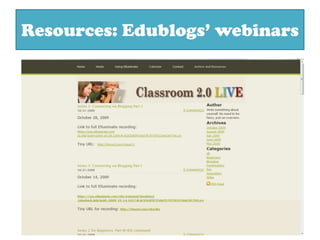
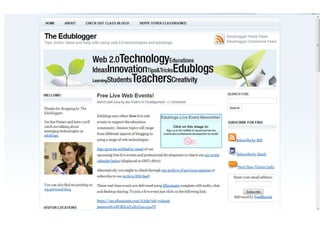
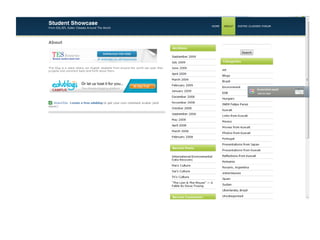
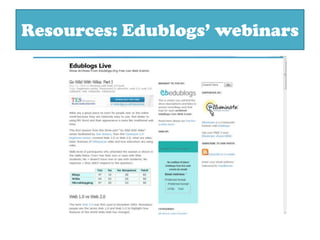
Resources: Edublogs’ webinars
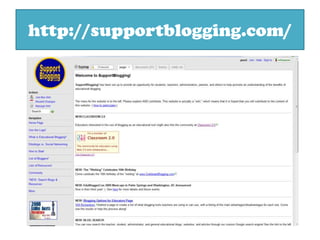
http://supportblogging.com/
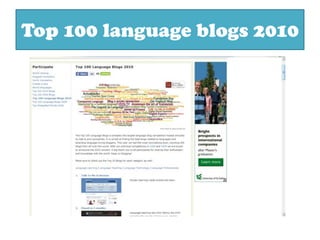
Top 100 language blogs 2010
Blog hosting servicesBlogger.com
Edublogs.org
Wordpress.comTime to give it a try!Or take a break…
Wikis“A wiki is a simple-to-use software which allows users to create, editand link pages together.It is an easy way for people to collaborate on documents online and for this reason is often used for community websites.”
Wikis in Plain English
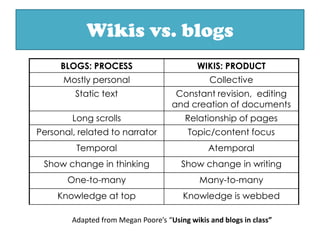
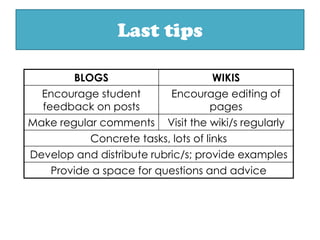
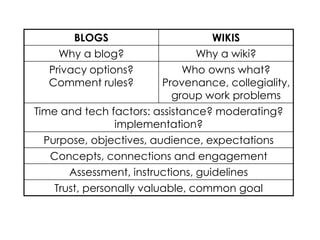
Wikis vs. blogsAdapted from Megan Poore’s “Using wikis and blogs in class”
Uses of wikis:Info: assignments, course guide, announcements
Communication with parents
Assignment submission/review
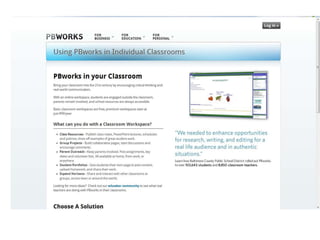
Advice on assignments/course
Online behaviour rules
Sign-up sheets (wikis)Uses of wikis:Sharing info, resources, linksResource collectionsFAQPages on course topicsGlossariesAdvice pages (grammar, study skills)
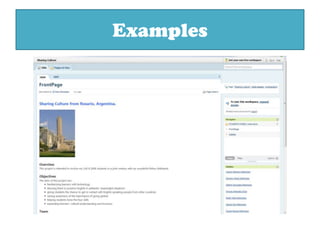
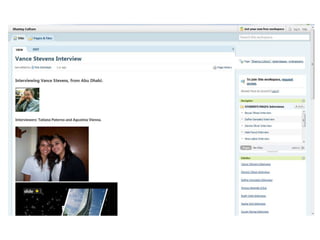
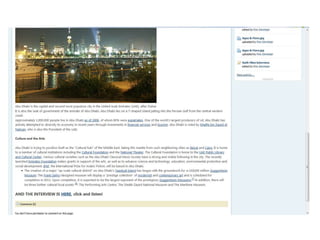
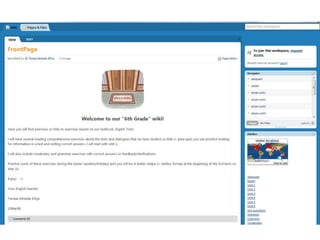
Examples
Resources: Edublogs’ webinars

Blogs & wikis

  • 1.
    Blogs & Wikisfor blended learningBy Pamela ArrarásAPIBB – 29th May 2010
  • 2.
  • 3.
    ResourcesTutorialsBlog hostingservicesHandson! Settingup ourown blogWikisDefinitionDif. WithblogsExamplesHow to use wikis in the language classResourcesTutorialsWiki hosting servicesHands on! Setting up our own wikiTips:#Netiquette #Implementing ICT in the classroom
  • 4.
    What’s a blog?"Aweblog(usually shortened to blog, but occasionally spelled web log or weblog) is a web-based publication consisting primarily of periodic articles, most often in reverse chronological order.“(from Wikipedia)
  • 5.
  • 6.
    What are EDUblogs?Blogsthat are used for educational purposes
  • 7.
    Benefits of “edublogging”Highlymotivating to students, especially for shy or introverted students.Excellent opportunities for students to read and write for authentic purposes. Effective forums for collaboration and discussion. Students can be engaged in ongoing conversations about their ideas and thoughts.Powerful tools to enable scaffoldedlearning or mentoring to occur.
  • 8.
    Teacher BlogsClassroom Managementbenefits: Easy to create and update efficiently. Can be used to inform students of class requirements, post handouts, notices, homework assignments, or act as a question and answer board.Institutional websites: Easy website to set up and maintain for a language academy.Can serve as a source of extra activities and supplement the activities done in the classroom (blended learning).
  • 13.
    Student BlogsStudent Blogs:An opportunity to discover the work and joy of communicating their ideas in written form to an authentic audience, and then getting feedback from others. Publicstudent blogs are generally done under a nickname and without any personal details. Student blogging has to be overseen with coaching and training to make sure that both that personal data is not communicated and that blog posts are appropriate.Student Portfolios: Blogs present, organize, and protect student work as digital portfolios. As older entries are archived, developing skills and progress may be analyzed more conveniently. Additionally, as students realize their efforts will be published, they are typically more motivated to produce better writing. Teachers and peers may conference with a student individually on a developing work, and expert or peer mentoring advice can be easily kept for future reference.
  • 16.
    Class Blogs CollaborationBlogs providea space where teachers and students can work to further develop writing or other skills with the advantage of an instant audience. Teachers can offer instructional tips, and students can practice and benefit from peer review. They also make online mentoring possible. For example, a class of older students can help a class of younger students develop more confidence in their writing skills. Students can also participate in cooperative learning activities that require them to relay research findings, ideas, or suggestions.DiscussionsA class blog opens the opportunity for students to discuss topics outside of the classroom. With a blog, every person has an equal opportunity to share their thoughts and opinions. Students have time to be reactive to one another and reflective. Teachers can also bring together a group of knowledgeable individuals for a given unit of study for students to network and conference with on a blog.
  • 21.
    How to startusing blogsSet up a sample blog (your own)Set up students’ blogs (if they will have their own)Passwords and usernamesDigital dividePosting and visiting blogsEstablish minimum number of posts and commentsFollow upAssessment rubrics Watch out for “blog fade”
  • 22.
    Ideas for activities:Adaptedfrom: http://classroomblogging.wikispaces.com/Blogging+ActivitiesA students’ first month diary, getting to know each other. Recording and publishing short videos to the blog.Book reviews, share thoughts and comments (positive and negative) about books recently read - it will encourage reading! A photo blog - upload favourite images linked to a theme and then explain why those images are your favourites.Reviewing famous artists' work which could extend to peer reviews and comments .Comments about which leisure/ after school activities they are involved in - It might encourage other kids to have a go at something new. Provide some structure to the blog eg. Activity?, Times?, day of week? would you recommend it? star rating etc.A daily weather blog - accurate records (eg. temp., rainfall, wind direction) through description and photographs. Just taking the old weather records to a different level!Students’ feedback on units of study. Polls and surveys for future activities. Most voted activity is done in class.Commenting on poems.; keeping the poems short is a good idea if you don't have many computers.Book reviews can be illustrated with scans of children's art work, children seem to find using a scanner to scan there own pictures motivating Posting homework tasks every week. Ask teachers within the school from other classes to comment on work –or even friends from other cities or countries….use Facebook to contact people and ask them to comment on your students’ work!Short story predictions: students read the first part of astory and then comment on what will happen next. "All about me - I am unique“ Posting simple CV work in the first few weeks - links to autobiography in Literacy.Local history - family members can be asked to help blog their memories of how the town / area has changed over the years. Post a health or ecological "problem" and have students come up with innovative solutions with proper research to back up the solution's feasibility.Establish some safe guidelines then simply let the kids write about their world and ideas and thoughts.Put up a blog post on a specific issue and invite students to contribute comments on the issue. As comments can be moderated before going live this is a simple and safe way to blog.
  • 23.
  • 26.
  • 27.
  • 28.
  • 29.
  • 30.
    Wordpress.comTime to giveit a try!Or take a break…
  • 31.
    Wikis“A wiki isa simple-to-use software which allows users to create, editand link pages together.It is an easy way for people to collaborate on documents online and for this reason is often used for community websites.”
  • 32.
  • 33.
    Wikis vs. blogsAdaptedfrom Megan Poore’s “Using wikis and blogs in class”
  • 34.
    Uses of wikis:Info:assignments, course guide, announcements
  • 35.
  • 36.
  • 37.
  • 38.
  • 39.
    Sign-up sheets (wikis)Usesof wikis:Sharing info, resources, linksResource collectionsFAQPages on course topicsGlossariesAdvice pages (grammar, study skills)
  • 40.
  • 44.