A bad PowePoint
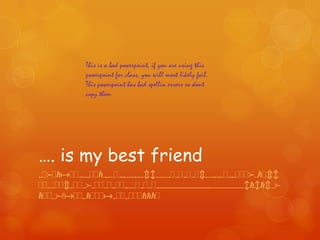
This is a bad powerpoint, if you are using this
powerpoint for class, you will most likely fail.
This powerpoint has bad spellin errors so dont
copy them

…. is my best friend
sjdjeajjrwujjeruwjrtwutrwcbuwwrjrjrjrjcuwtrwjusjjjdwejcb
jjuwjjcujjudwjjujtjjtrwjrjujtttttttttttttttuuuuuuuuubebecvd
ejjsdfajjsejjjasjjsjjjeeej
wordswordswordsWordswords
wordswordswordswordswords
wordswordswordsWordswords
wordswordswordswordswords
wordswordswordsWordswords
wordswordswordswordswords
wordswordswordsWordswords
wordswordswordswordswords
wordswordswordsWordswords
wordswordswordswordswords
wordswordswordsWordswords
wordswordswordswordswords
wordswordswordsWordswords
wordswordswordswordswords
wordswordswordsWordswords
wordswordswordswordswords
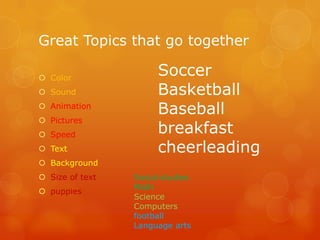
Great Topics that go together
 Color
 Sound
 Animation
 Pictures
 Speed
 Text

Soccer
Basketball
Baseball
breakfast
cheerleading

 Background
 Size of text
 puppies

Social studies
Math
Science
Computers
football
Language arts
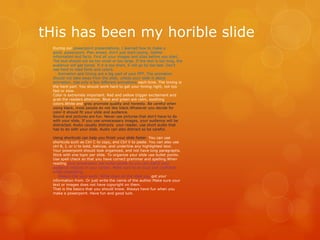
tHis has been my horible slide
During our powerpoint presentations, I learned how to make a
good powerpoint. Plan ahead, don't just start typing. Gather
information and facts. Find all your images and sites before you start.
The text should not be too small or too large. If the text is too long, the
audience will get bored. If it is too short, it will go by too fast. Don't
use hard to read fonts and colors.
Animation and timing are a big part of your PPT. The animation
should not take away from the slide, unless your slide is about
animation. Use only a few different animations each time. The timing is
the hard part. You should work hard to get your timing right, not too
fast or slow.
Color is extremely important. Red and yellow trigger excitement and
grab the readers attention. Blue and green are calm, soothing
colors.White and gray promote quality and honesty. Be careful when
using black, most people do not like black.Whatever you decide for
color it should fit your slide and audience.
Sound and pictures are fun. Never use pictures that don't have to do
with your slide. If you use unnecessary images, your audience will be
distracted. Audio usually distracts your reader, use short audio that
has to do with your slide. Audio can also distract so be careful.
Using shortcuts can help you finish your slide faster. You can use
shortcuts such as Ctrl C to copy, and Ctrl V to paste. You can also use
ctrl B, I, or U to bold, italicize, and underline any highlighted text.
Your powerpoint should look organized, and not have long paragraphs.
Stick with one topic per slide. To organize your slide use bullet points.
Use spell check so that you have correct grammar and spelling.When
reading your powerpoint use bullet points so you can watch your
audience instead of your screen. Make sure to be loud and confident
while presenting.
Always cite your work. Write down all the sites you got your
information from. Or just write the name of the author.Make sure your
text or images does not have copyright on them.
That is the basics that you should know. Always have fun when you
make a powerpoint. Have fun and good luck.

Bad powerpint

  • 1.
  • 2.
    This is abad powerpoint, if you are using this powerpoint for class, you will most likely fail. This powerpoint has bad spellin errors so dont copy them …. is my best friend sjdjeajjrwujjeruwjrtwutrwcbuwwrjrjrjrjcuwtrwjusjjjdwejcb jjuwjjcujjudwjjujtjjtrwjrjujtttttttttttttttuuuuuuuuubebecvd ejjsdfajjsejjjasjjsjjjeeej
  • 3.
  • 5.
    Great Topics thatgo together  Color  Sound  Animation  Pictures  Speed  Text Soccer Basketball Baseball breakfast cheerleading  Background  Size of text  puppies Social studies Math Science Computers football Language arts
  • 6.
    tHis has beenmy horible slide During our powerpoint presentations, I learned how to make a good powerpoint. Plan ahead, don't just start typing. Gather information and facts. Find all your images and sites before you start. The text should not be too small or too large. If the text is too long, the audience will get bored. If it is too short, it will go by too fast. Don't use hard to read fonts and colors. Animation and timing are a big part of your PPT. The animation should not take away from the slide, unless your slide is about animation. Use only a few different animations each time. The timing is the hard part. You should work hard to get your timing right, not too fast or slow. Color is extremely important. Red and yellow trigger excitement and grab the readers attention. Blue and green are calm, soothing colors.White and gray promote quality and honesty. Be careful when using black, most people do not like black.Whatever you decide for color it should fit your slide and audience. Sound and pictures are fun. Never use pictures that don't have to do with your slide. If you use unnecessary images, your audience will be distracted. Audio usually distracts your reader, use short audio that has to do with your slide. Audio can also distract so be careful. Using shortcuts can help you finish your slide faster. You can use shortcuts such as Ctrl C to copy, and Ctrl V to paste. You can also use ctrl B, I, or U to bold, italicize, and underline any highlighted text. Your powerpoint should look organized, and not have long paragraphs. Stick with one topic per slide. To organize your slide use bullet points. Use spell check so that you have correct grammar and spelling.When reading your powerpoint use bullet points so you can watch your audience instead of your screen. Make sure to be loud and confident while presenting. Always cite your work. Write down all the sites you got your information from. Or just write the name of the author.Make sure your text or images does not have copyright on them. That is the basics that you should know. Always have fun when you make a powerpoint. Have fun and good luck.