B. VOC
SEMESTER I
COMPUTING SKILLS - I
Mukesh N. Tekwani
MUKESHNT@YAHOO.COM
SYLLABUS FOR SEM 1
1.Introduction to Computers
2.Operating System
3.Internet and purposive surfing
4.Microsoft Word
5.Microsoft Excel
Mukesh N Tekwani (2019)
2
INTRODUCTION TO COMPUTERS
Session 1
1.Need of Computers
2.Evolution of Computers
3.Various Types of Computers
4.How Does a Computer Function
Mukesh N Tekwani (2019)
3
INTRODUCTION TO COMPUTERS
Need Of Computers
Where are computers used?
Commercial applications – data processing
Scientific applications – large calculations, simulations
Medical applications – operating medical equipment
Storing data
Communications – Internet, email, instant messaging,
social media
Power generation
Teaching and Learning …. (add your points)
Mukesh N Tekwani (2019)
4
INTRODUCTION TO COMPUTERS
Need Of Computers
Computer is a number crunching machine
Video, audio, movie production – all computerised
Weather prediction – relies heavily on computers
Military applications
Space travel and space exploration – not possible without
computers
Sports – look at how much technology is used in cricket
Drug manufacturing and research – development of new
molecules
Mukesh N Tekwani (2019)
5
INTRODUCTION TO COMPUTERS
Characteristics Of Computers
Computer is very fast in doing calculations.
Millions and millions of calculations per second
Very fast at retrieving or accessing data
Does not get “bored” like a human being
Will carry out all instructions given by programmer
Does not have a “mood“ and so its output is consistent
Cannot think on its own – we give the instructions and it will
obey those instructions
Doesnot have a “heart”, “feelings”, “emotions”, and “common-
sense” Mukesh N Tekwani (2019)
6
INTRODUCTION TO COMPUTERS
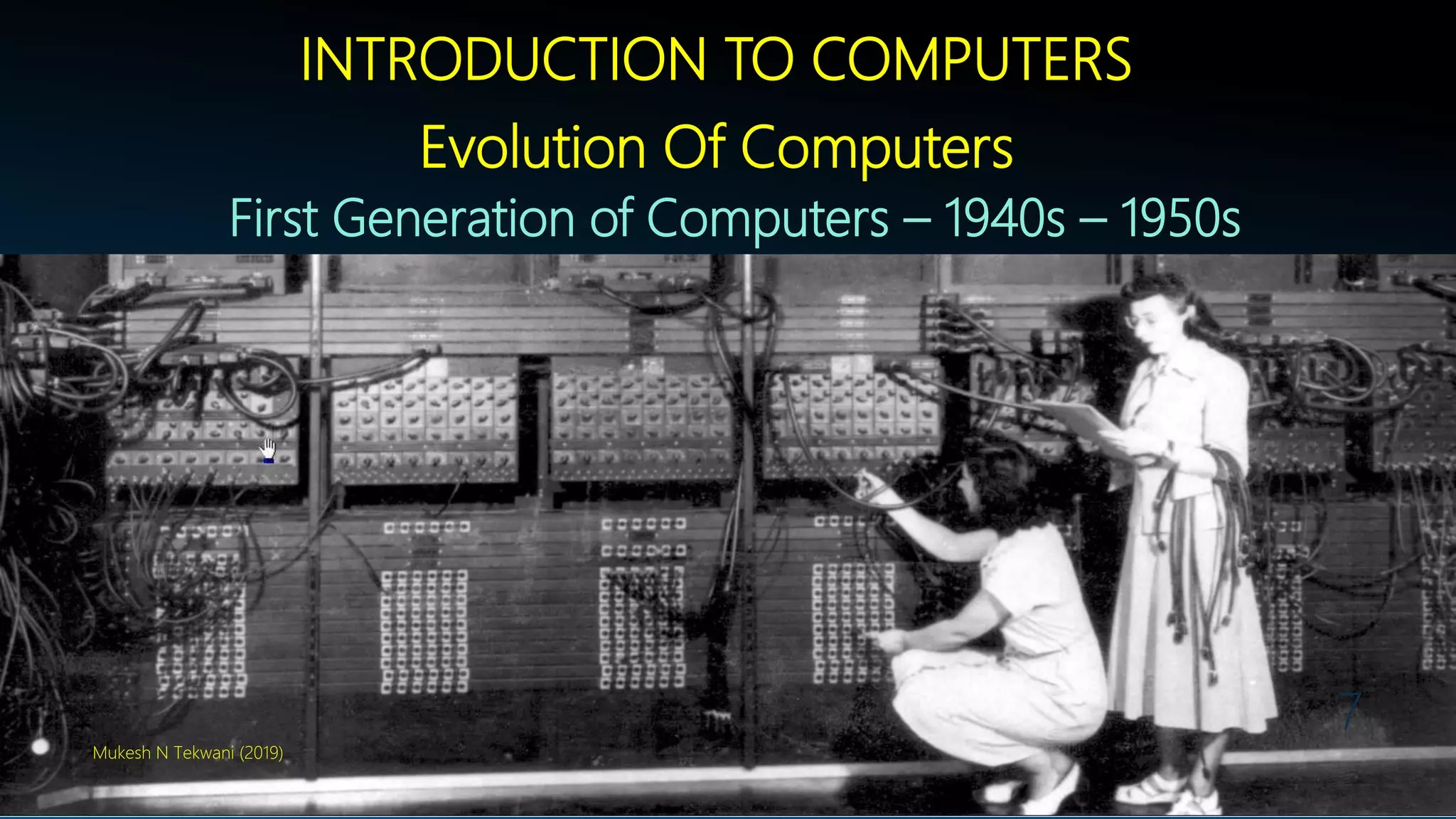
Evolution Of Computers
First Generation of Computers – 1940s – 1950s
Mukesh N Tekwani (2019)
7
Mukesh N Tekwani (2019)
8
INTRODUCTION TO COMPUTERS
Evolution Of Computers
First Generation of Computers – 1940s – 1950s
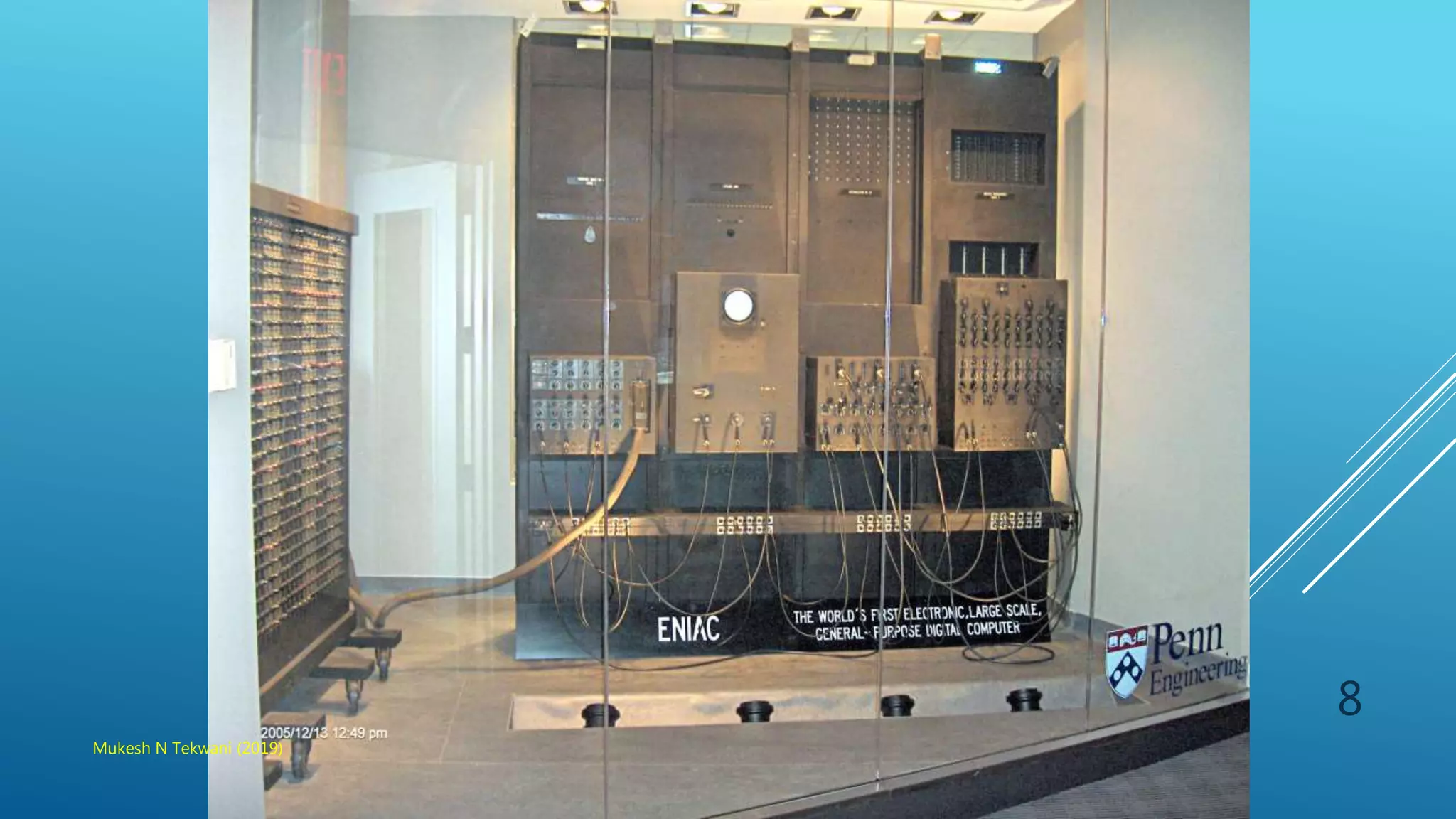
1. ENIAC – Electronic Numerical Integrator and Computer
2. First electronic computers
3. Used Vacuum Tubes
4. These computers were huge and difficult to use
5. Designed and built for US army
6. It did not use binary code
Mukesh N Tekwani (2019)
9
INTRODUCTION TO COMPUTERS
Evolution Of Computers
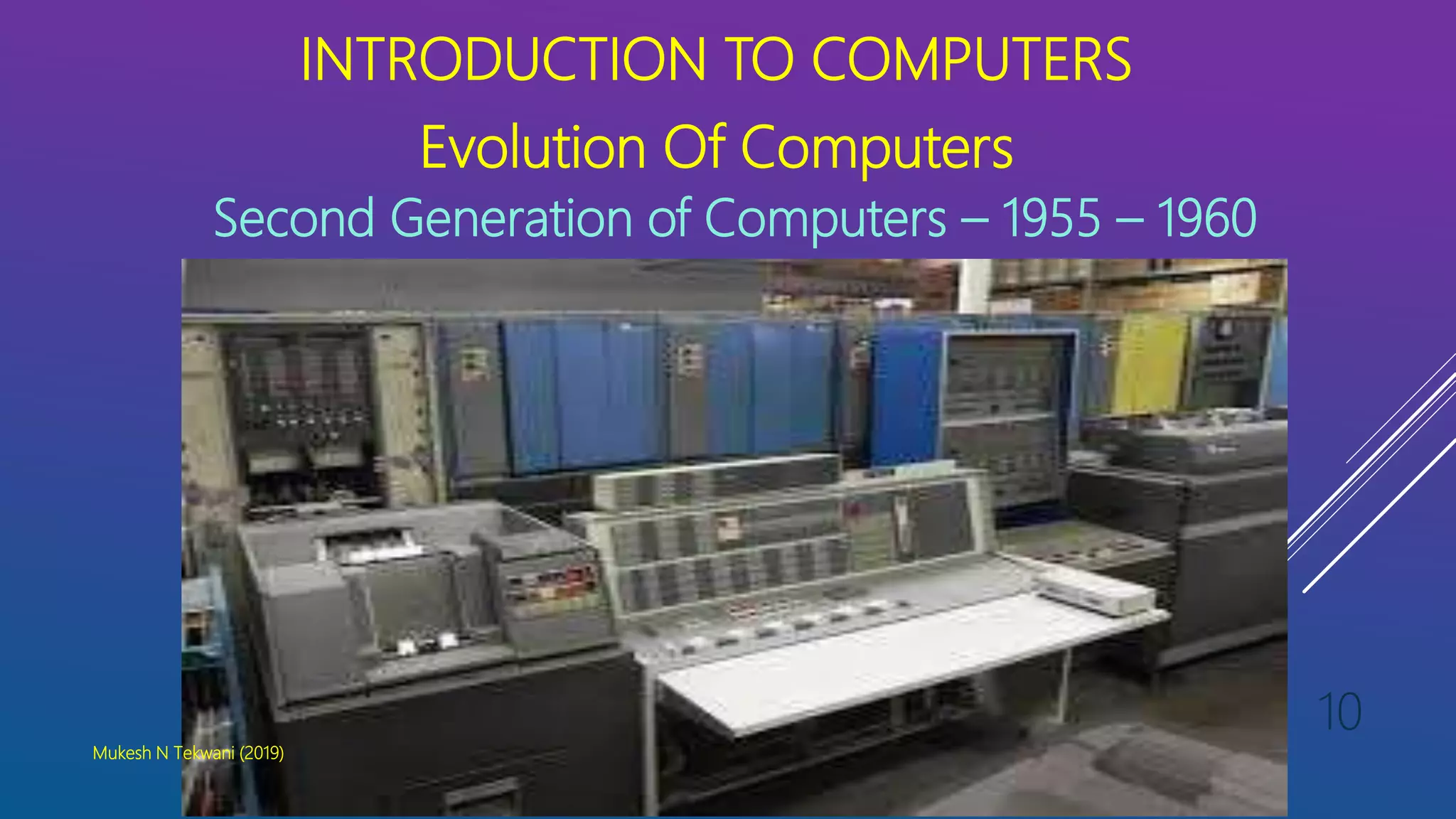
Second Generation of Computers – 1955 – 1960
Mukesh N Tekwani (2019)
10
INTRODUCTION TO COMPUTERS
Evolution Of Computers
Second Generation of Computers – 1955 – 1960
1. These computers used transistors
2. These transistors were reliable and easy to handle
3. They required much less power to operate
4. Magnetic disk storage was used in this period
5. Programming languages lke COBOL, FORTRAN, ALGOL SNOBOL
were developed during this period
6. Concept of multiprogramming and batch processing operating
systems were introduced
7. IBM 1401 was the most popular compute of this period
Mukesh N Tekwani (2019)
11
INTRODUCTION TO COMPUTERS
Evolution Of Computers
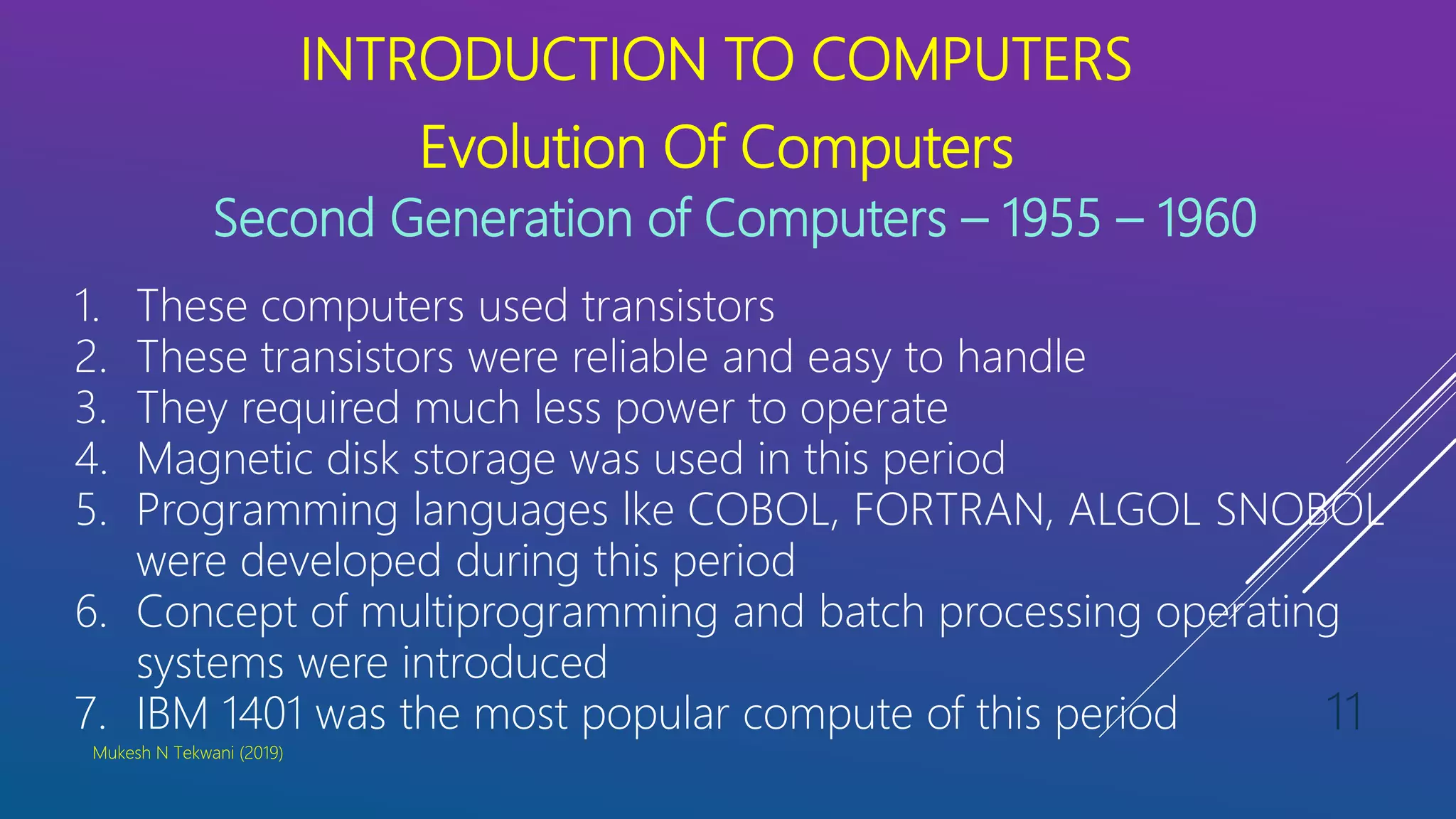
Third Generation of Computers – 1960s to 1970s
Mukesh N Tekwani (2019)
12
INTRODUCTION TO COMPUTERS
Evolution Of Computers
Third Generation of Computers – 1960s – 1970s
1. These computers used Integrated Circuits (ICs)
2. ICs are very small in size and so computer size reduced
3. Power consumption was very less compared to the previous two
generations
4. IBM System/360 was most popular computer of this period
5. Minicomputers were introduced in this generation
6. Large capacity magnetic disks and tapes were used for storing
large amounts of data
7. FORTRAN and COBOL became very popular for scientific and
business applications
Mukesh N Tekwani (2019)
13
INTRODUCTION TO COMPUTERS
Evolution Of Computers
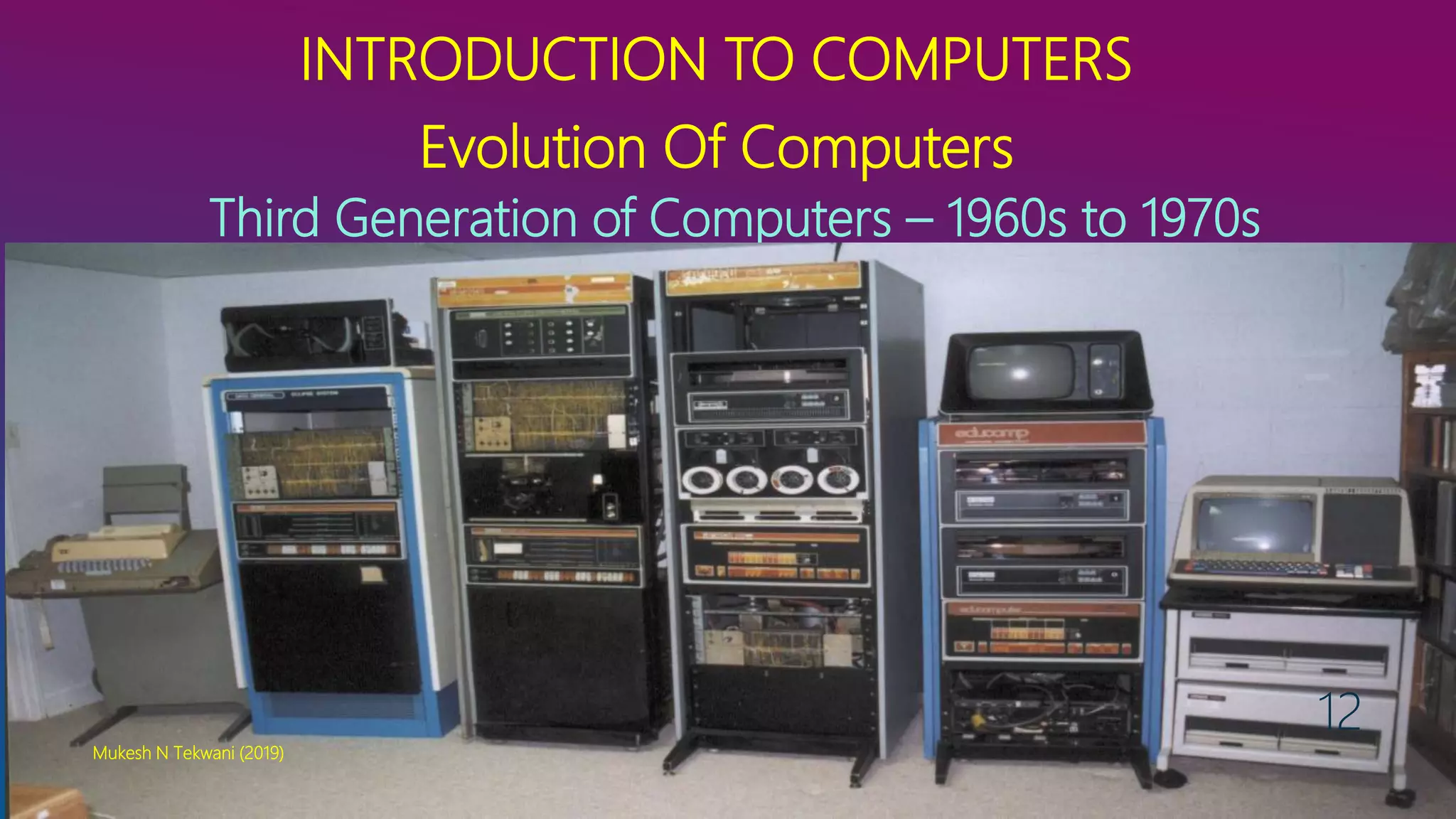
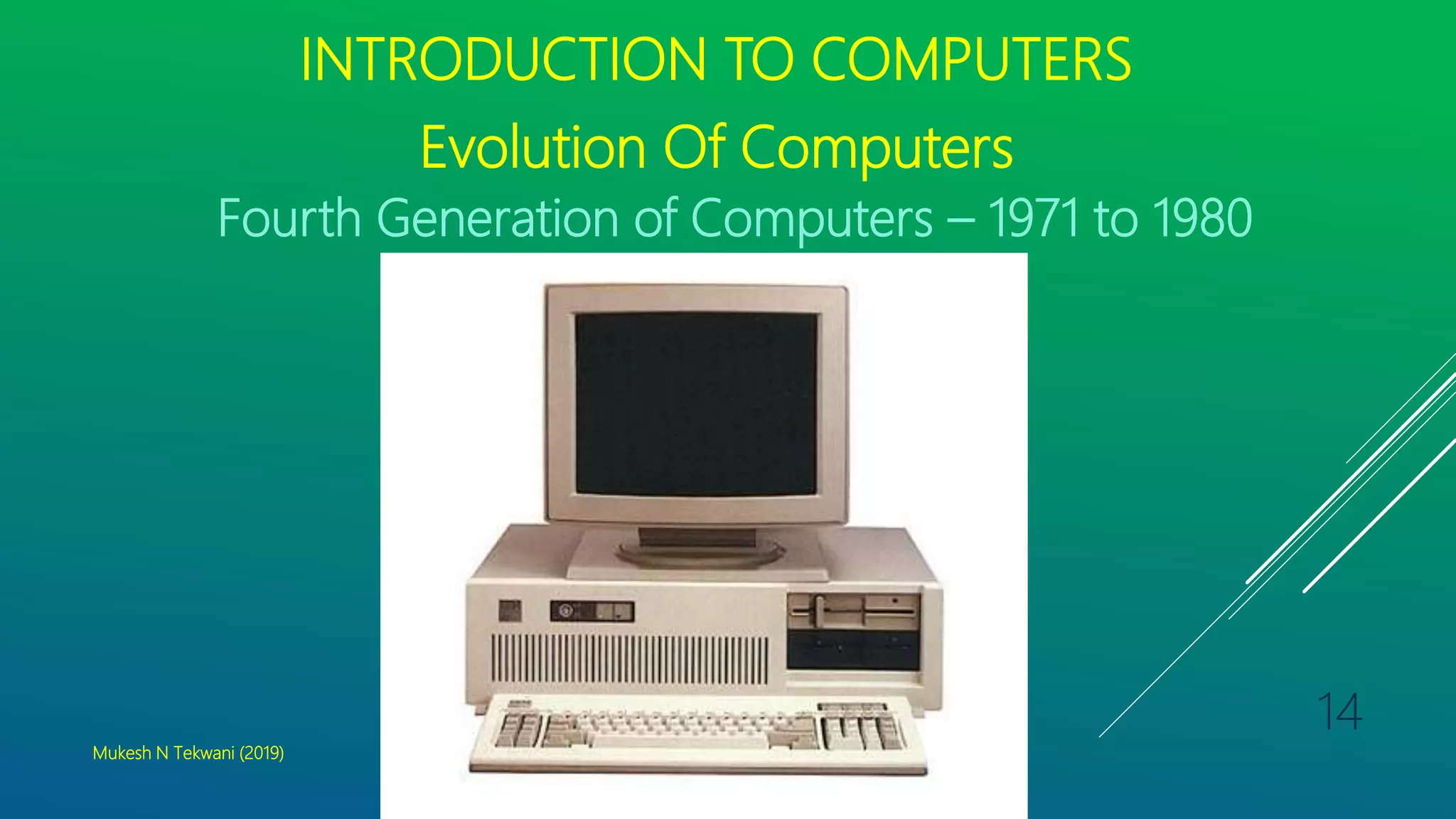
Fourth Generation of Computers – 1971 to 1980
Mukesh N Tekwani (2019)
14
INTRODUCTION TO COMPUTERS
Evolution Of Computers
Fourth Generation of Computers – 1971 – 1980s
1. These computers used Very Large Scale Integrated (VLSI) circuits
2. Microcomputers of this generation used very small circuits which
reduced size of computer
3. Power consumption was less
4. These computers were more durable, affordable, powerful, compact
and reliable.
5. Personal Computers (PC) were developed during this period
6. Time sharing, real-time networks, and distributed OS were used
7. High-level languages like C, C++ were developed and used
Mukesh N Tekwani (2019)
15
INTRODUCTION TO COMPUTERS
Evolution Of Computers
Fifth Generation of Computers – 1980s to present
1. This topic is for you to research
2. What do you think are the most important
features a computer has today, without which you
think it would be very difficult to use a computer?
3. What do you think are the features of a computer
that make it not very easy to use?
4. What are the features you would like to see in
future computers? Why do you want those
features?
Mukesh N Tekwani (2019)
16
VARIOUS TYPES OF COMPUTERS
Analog Computers
Digital Computers
Hybrid Computers
Mukesh N Tekwani (2019)
17
VARIOUS TYPES OF COMPUTERS
ANALOG COMPUTERS
1. These computers work by measuring analog quantities
2. Analog quantities are those quantities that change continuously
3. Examples of analog quantities are temperature, pressure, motion,
volume, voltage
4. Such a computer works on continuous supply of electrical signals
and displays output continuously
5. Such computers are used for simulations of aircraft, nuclear-power
plants, an chemical processes.
6. Accuracy is low
7. Simple examples: digital thermometer, light meter, sound meter,
medical equipmentMukesh N Tekwani (2019)
18
VARIOUS TYPES OF COMPUTERS
DIGITAL COMPUTERS
1. These computers work with digits.
2. Uses binary digits 0 & 1 for representing EVERYTHING in the
computer
3. Processing takes place very fast on these bits of 0s and 1s
4. Digital circuits are manufactured with very high precision and these
computers have a long life and high accuracy.
5. Most modern computers are digital
6. Mobile phones, tablets, wrist watches, smart TVs… so many devices
we use now are all digital devices.
7. A computer program operates on data supplied to the computer.
Operating System is essential for thes ecomputers.
8. This data is processed to give an output
Mukesh N Tekwani (2019)
19
VARIOUS TYPES OF COMPUTERS
HYBRID COMPUTERS
1. These computers work with digital and analog data.
2. They combine the best features of analog and digital computers
3. These are used for scientific and industrial applications
4. Medical equipment which captures analog data and gives digital
output is an example of hybrid computer
Mukesh N Tekwani (2019)
20
TYPES OF COMPUTERS BY SIZE
1. Supercomputer
2.Mainframe Computer
3.Mini Computer
4.Personal Computer
Mukesh N Tekwani (2019)
21
SUPERCOMPUTER
1. These are the most powerful computers used
2.Used to process very large amount of data
3.Typical applications:
1. military,
2.weather forecasting,
3.large financial transaction processing,
4.simulations of physical processes,
5.climate research,
6.oil and natural gas exploration...
4.Their performance is measured in number of FLOating Point
operations per Second (FLOPS).
5.Typical speeds are a quadrillion FLOPS -1 quadrillion = 1015
Mukesh N Tekwani (2019)
22
MAINFRAME COMPUTER
1. These are designed to handle large amounts of data for
financial, scientific and research purpose
2.Typical applications: railway and airlines reservation system.
3.Many terminals are connected to the mainframe computer
4.Terminals are used only for input and output
5.Terminals donot process data. Used only for i/p and o/p
Mukesh N Tekwani (2019)
23
MAINFRAME COMPUTER
6. Terminals send and received commands from the mainframe
computer. Terminals use data stored in databases on
mainframe computers
7. Mainframe computers have large disk storage and memory
8. They also use magnetic tapes for storing data for longer
time
9. Many printers can be connected to a mainframe
Mukesh N Tekwani (2019)
24
MINI COMPUTERS
1. A mini computer has properties and capabilities between a
mainframe and a personal computer
2. These computers can handle large amount of data
3. More than one printer and many terminals can be
connected to a mini computer
4. These are useful for small business houses as they are
cheaper compared to mainframe computers
Mukesh N Tekwani (2019)
25
PERSONAL COMPUTERS
1. Almost all computers that we use today in our homes,
colleges, small offices, are personal computers
2. Examples of PCs are desktop and laptop computers
3. Personal computers have a large amount of hard disk space
(about 1 TB) and can be connected with a modem/router to
the Internet
4. They can be connected to a printer, scanner, digital camera,
audio/video system such as a projector
5. They are used for word processing, spreadsheet, database,
communication, art, Internet, and entertainment
6. PCs can be interconnected to form a networkMukesh N Tekwani (2019)
26
HOW DOES A COMPUTER FUNCTION?
Every computer performs 5 basic functions:
1. It accepts data and instructions as input
2. It stores data
3. It can process data as required by the user
4. It gives results in the form of output
5. The IPO cycle – Input – Process - Output
Mukesh N Tekwani (2019)
27
01010100 01101000 01100001 01101110 01101011
00100000
01011001 01101111 01110101
Mukesh N Tekwani (2019)
28

B Voc Sem1-Session 1-Introduction to Computers

  • 1.
    B. VOC SEMESTER I COMPUTINGSKILLS - I Mukesh N. Tekwani MUKESHNT@YAHOO.COM
  • 2.
    SYLLABUS FOR SEM1 1.Introduction to Computers 2.Operating System 3.Internet and purposive surfing 4.Microsoft Word 5.Microsoft Excel Mukesh N Tekwani (2019) 2
  • 3.
    INTRODUCTION TO COMPUTERS Session1 1.Need of Computers 2.Evolution of Computers 3.Various Types of Computers 4.How Does a Computer Function Mukesh N Tekwani (2019) 3
  • 4.
    INTRODUCTION TO COMPUTERS NeedOf Computers Where are computers used? Commercial applications – data processing Scientific applications – large calculations, simulations Medical applications – operating medical equipment Storing data Communications – Internet, email, instant messaging, social media Power generation Teaching and Learning …. (add your points) Mukesh N Tekwani (2019) 4
  • 5.
    INTRODUCTION TO COMPUTERS NeedOf Computers Computer is a number crunching machine Video, audio, movie production – all computerised Weather prediction – relies heavily on computers Military applications Space travel and space exploration – not possible without computers Sports – look at how much technology is used in cricket Drug manufacturing and research – development of new molecules Mukesh N Tekwani (2019) 5
  • 6.
    INTRODUCTION TO COMPUTERS CharacteristicsOf Computers Computer is very fast in doing calculations. Millions and millions of calculations per second Very fast at retrieving or accessing data Does not get “bored” like a human being Will carry out all instructions given by programmer Does not have a “mood“ and so its output is consistent Cannot think on its own – we give the instructions and it will obey those instructions Doesnot have a “heart”, “feelings”, “emotions”, and “common- sense” Mukesh N Tekwani (2019) 6
  • 7.
    INTRODUCTION TO COMPUTERS EvolutionOf Computers First Generation of Computers – 1940s – 1950s Mukesh N Tekwani (2019) 7
  • 8.
  • 9.
    INTRODUCTION TO COMPUTERS EvolutionOf Computers First Generation of Computers – 1940s – 1950s 1. ENIAC – Electronic Numerical Integrator and Computer 2. First electronic computers 3. Used Vacuum Tubes 4. These computers were huge and difficult to use 5. Designed and built for US army 6. It did not use binary code Mukesh N Tekwani (2019) 9
  • 10.
    INTRODUCTION TO COMPUTERS EvolutionOf Computers Second Generation of Computers – 1955 – 1960 Mukesh N Tekwani (2019) 10
  • 11.
    INTRODUCTION TO COMPUTERS EvolutionOf Computers Second Generation of Computers – 1955 – 1960 1. These computers used transistors 2. These transistors were reliable and easy to handle 3. They required much less power to operate 4. Magnetic disk storage was used in this period 5. Programming languages lke COBOL, FORTRAN, ALGOL SNOBOL were developed during this period 6. Concept of multiprogramming and batch processing operating systems were introduced 7. IBM 1401 was the most popular compute of this period Mukesh N Tekwani (2019) 11
  • 12.
    INTRODUCTION TO COMPUTERS EvolutionOf Computers Third Generation of Computers – 1960s to 1970s Mukesh N Tekwani (2019) 12
  • 13.
    INTRODUCTION TO COMPUTERS EvolutionOf Computers Third Generation of Computers – 1960s – 1970s 1. These computers used Integrated Circuits (ICs) 2. ICs are very small in size and so computer size reduced 3. Power consumption was very less compared to the previous two generations 4. IBM System/360 was most popular computer of this period 5. Minicomputers were introduced in this generation 6. Large capacity magnetic disks and tapes were used for storing large amounts of data 7. FORTRAN and COBOL became very popular for scientific and business applications Mukesh N Tekwani (2019) 13
  • 14.
    INTRODUCTION TO COMPUTERS EvolutionOf Computers Fourth Generation of Computers – 1971 to 1980 Mukesh N Tekwani (2019) 14
  • 15.
    INTRODUCTION TO COMPUTERS EvolutionOf Computers Fourth Generation of Computers – 1971 – 1980s 1. These computers used Very Large Scale Integrated (VLSI) circuits 2. Microcomputers of this generation used very small circuits which reduced size of computer 3. Power consumption was less 4. These computers were more durable, affordable, powerful, compact and reliable. 5. Personal Computers (PC) were developed during this period 6. Time sharing, real-time networks, and distributed OS were used 7. High-level languages like C, C++ were developed and used Mukesh N Tekwani (2019) 15
  • 16.
    INTRODUCTION TO COMPUTERS EvolutionOf Computers Fifth Generation of Computers – 1980s to present 1. This topic is for you to research 2. What do you think are the most important features a computer has today, without which you think it would be very difficult to use a computer? 3. What do you think are the features of a computer that make it not very easy to use? 4. What are the features you would like to see in future computers? Why do you want those features? Mukesh N Tekwani (2019) 16
  • 17.
    VARIOUS TYPES OFCOMPUTERS Analog Computers Digital Computers Hybrid Computers Mukesh N Tekwani (2019) 17
  • 18.
    VARIOUS TYPES OFCOMPUTERS ANALOG COMPUTERS 1. These computers work by measuring analog quantities 2. Analog quantities are those quantities that change continuously 3. Examples of analog quantities are temperature, pressure, motion, volume, voltage 4. Such a computer works on continuous supply of electrical signals and displays output continuously 5. Such computers are used for simulations of aircraft, nuclear-power plants, an chemical processes. 6. Accuracy is low 7. Simple examples: digital thermometer, light meter, sound meter, medical equipmentMukesh N Tekwani (2019) 18
  • 19.
    VARIOUS TYPES OFCOMPUTERS DIGITAL COMPUTERS 1. These computers work with digits. 2. Uses binary digits 0 & 1 for representing EVERYTHING in the computer 3. Processing takes place very fast on these bits of 0s and 1s 4. Digital circuits are manufactured with very high precision and these computers have a long life and high accuracy. 5. Most modern computers are digital 6. Mobile phones, tablets, wrist watches, smart TVs… so many devices we use now are all digital devices. 7. A computer program operates on data supplied to the computer. Operating System is essential for thes ecomputers. 8. This data is processed to give an output Mukesh N Tekwani (2019) 19
  • 20.
    VARIOUS TYPES OFCOMPUTERS HYBRID COMPUTERS 1. These computers work with digital and analog data. 2. They combine the best features of analog and digital computers 3. These are used for scientific and industrial applications 4. Medical equipment which captures analog data and gives digital output is an example of hybrid computer Mukesh N Tekwani (2019) 20
  • 21.
    TYPES OF COMPUTERSBY SIZE 1. Supercomputer 2.Mainframe Computer 3.Mini Computer 4.Personal Computer Mukesh N Tekwani (2019) 21
  • 22.
    SUPERCOMPUTER 1. These arethe most powerful computers used 2.Used to process very large amount of data 3.Typical applications: 1. military, 2.weather forecasting, 3.large financial transaction processing, 4.simulations of physical processes, 5.climate research, 6.oil and natural gas exploration... 4.Their performance is measured in number of FLOating Point operations per Second (FLOPS). 5.Typical speeds are a quadrillion FLOPS -1 quadrillion = 1015 Mukesh N Tekwani (2019) 22
  • 23.
    MAINFRAME COMPUTER 1. Theseare designed to handle large amounts of data for financial, scientific and research purpose 2.Typical applications: railway and airlines reservation system. 3.Many terminals are connected to the mainframe computer 4.Terminals are used only for input and output 5.Terminals donot process data. Used only for i/p and o/p Mukesh N Tekwani (2019) 23
  • 24.
    MAINFRAME COMPUTER 6. Terminalssend and received commands from the mainframe computer. Terminals use data stored in databases on mainframe computers 7. Mainframe computers have large disk storage and memory 8. They also use magnetic tapes for storing data for longer time 9. Many printers can be connected to a mainframe Mukesh N Tekwani (2019) 24
  • 25.
    MINI COMPUTERS 1. Amini computer has properties and capabilities between a mainframe and a personal computer 2. These computers can handle large amount of data 3. More than one printer and many terminals can be connected to a mini computer 4. These are useful for small business houses as they are cheaper compared to mainframe computers Mukesh N Tekwani (2019) 25
  • 26.
    PERSONAL COMPUTERS 1. Almostall computers that we use today in our homes, colleges, small offices, are personal computers 2. Examples of PCs are desktop and laptop computers 3. Personal computers have a large amount of hard disk space (about 1 TB) and can be connected with a modem/router to the Internet 4. They can be connected to a printer, scanner, digital camera, audio/video system such as a projector 5. They are used for word processing, spreadsheet, database, communication, art, Internet, and entertainment 6. PCs can be interconnected to form a networkMukesh N Tekwani (2019) 26
  • 27.
    HOW DOES ACOMPUTER FUNCTION? Every computer performs 5 basic functions: 1. It accepts data and instructions as input 2. It stores data 3. It can process data as required by the user 4. It gives results in the form of output 5. The IPO cycle – Input – Process - Output Mukesh N Tekwani (2019) 27
  • 28.
    01010100 01101000 0110000101101110 01101011 00100000 01011001 01101111 01110101 Mukesh N Tekwani (2019) 28