(ATS4-PLAT05) Accelrys Catalog:
    A Search Index for AEP
                                       Ton van Daelen
          Sr. Director, Platform Product Management
                          ton.vandaelen@accelrys.com
The information on the roadmap and future software development efforts are
intended to outline general product direction and should not be relied on in making
a purchasing decision.
Outline

•   Search use cases
•   Deployment architecture
•   Solr search index
•   Search syntax
•   Administration
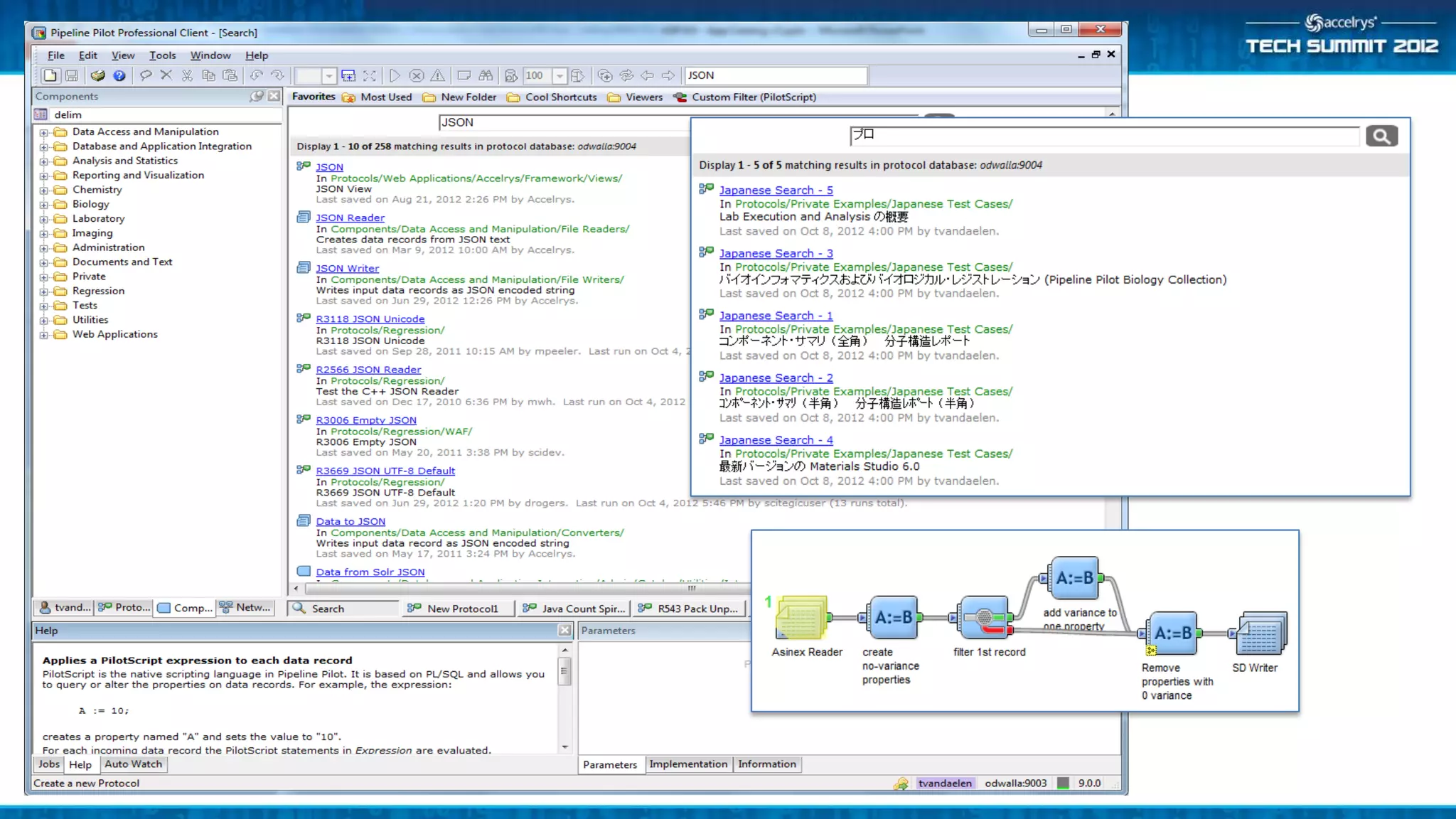
•   Demo
    – Pro client UI
    – Web UI
    – Admin UI
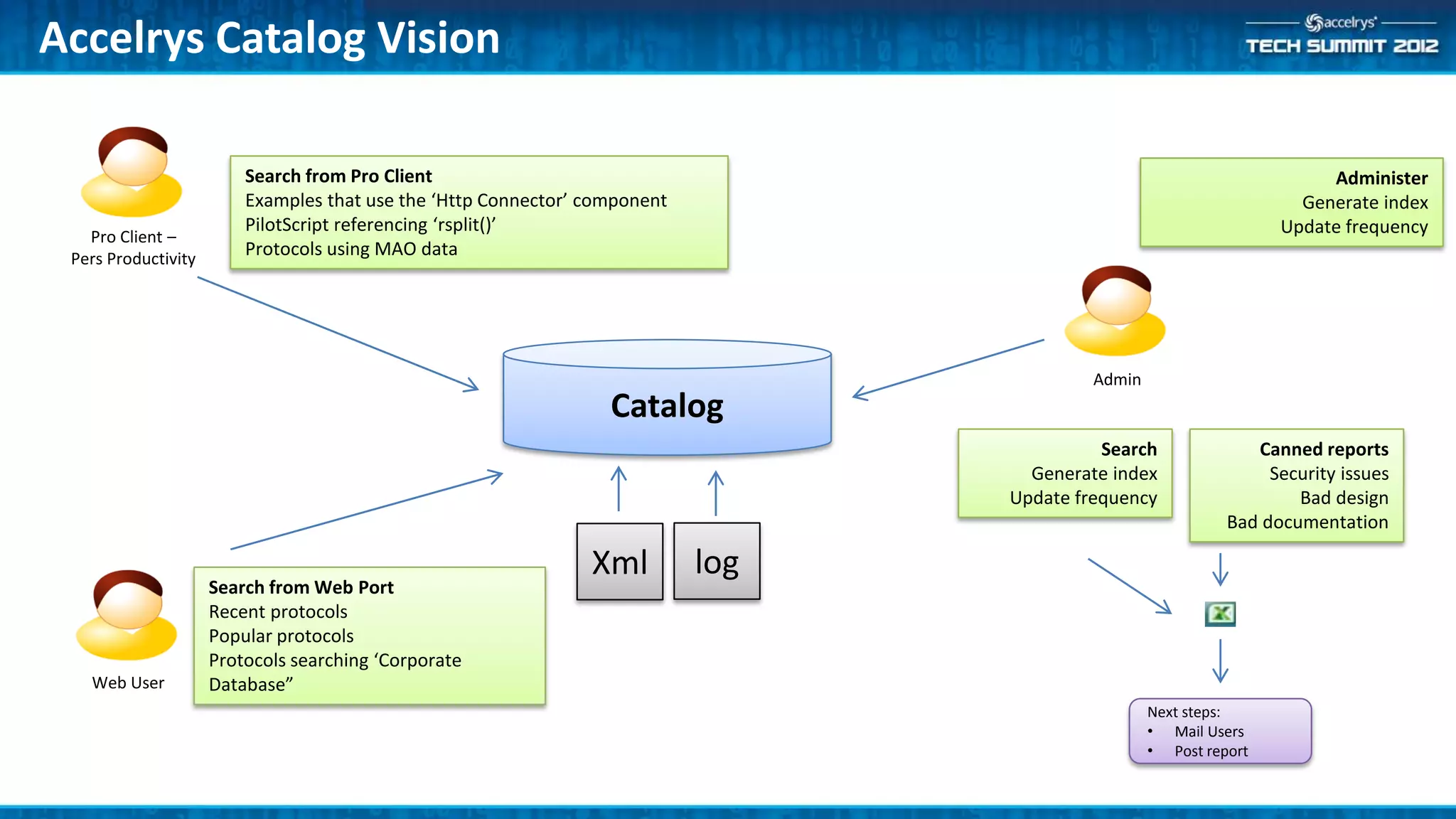
Accelrys Catalog Vision

                         Search from Pro Client                                                                         Administer
                         Examples that use the ‘Http Connector’ component                                            Generate index
                         PilotScript referencing ‘rsplit()’                                                        Update frequency
   Pro Client –
 Pers Productivity
                         Protocols using MAO data


                                                                                           Admin
                                                                  Catalog
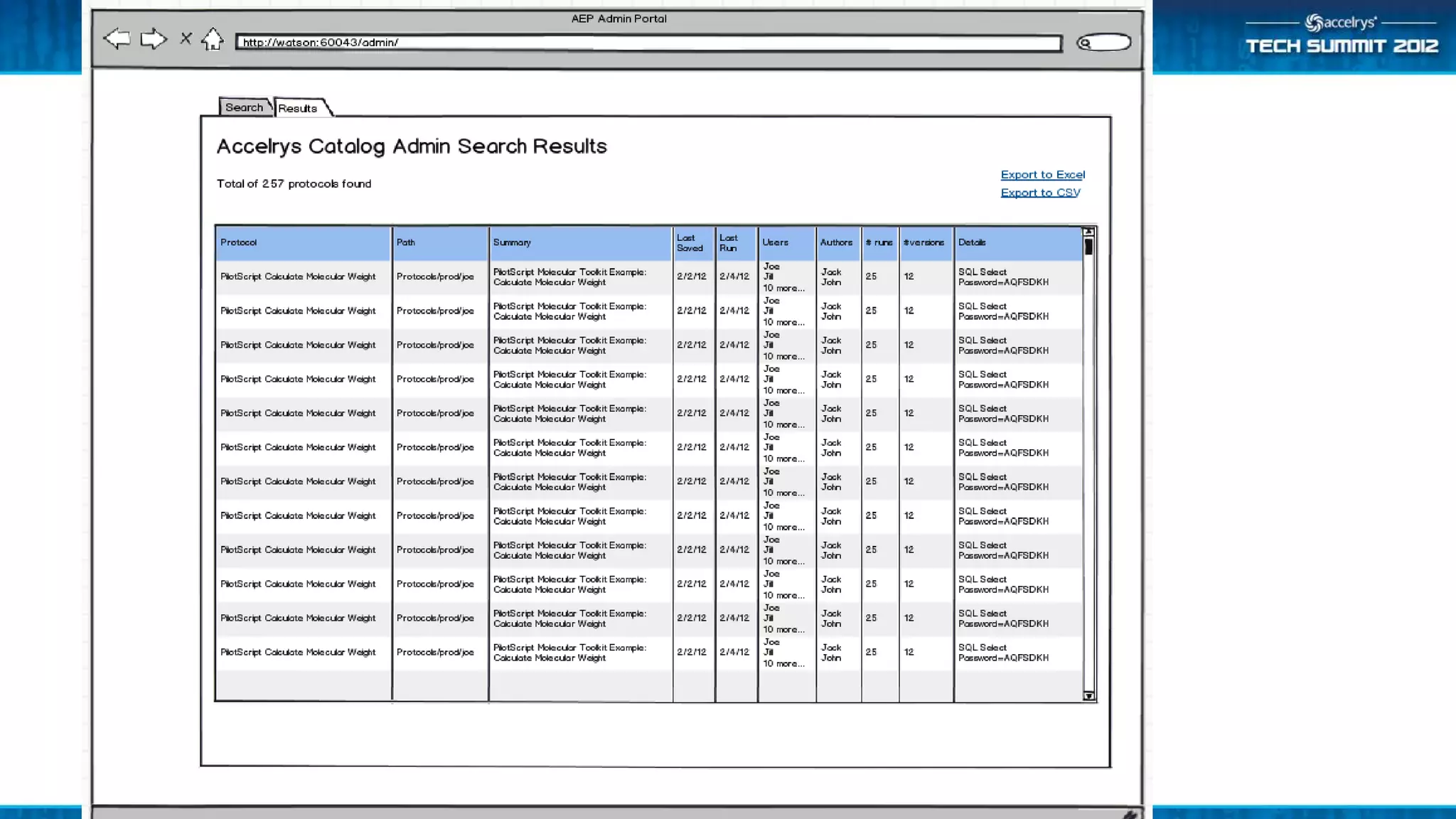
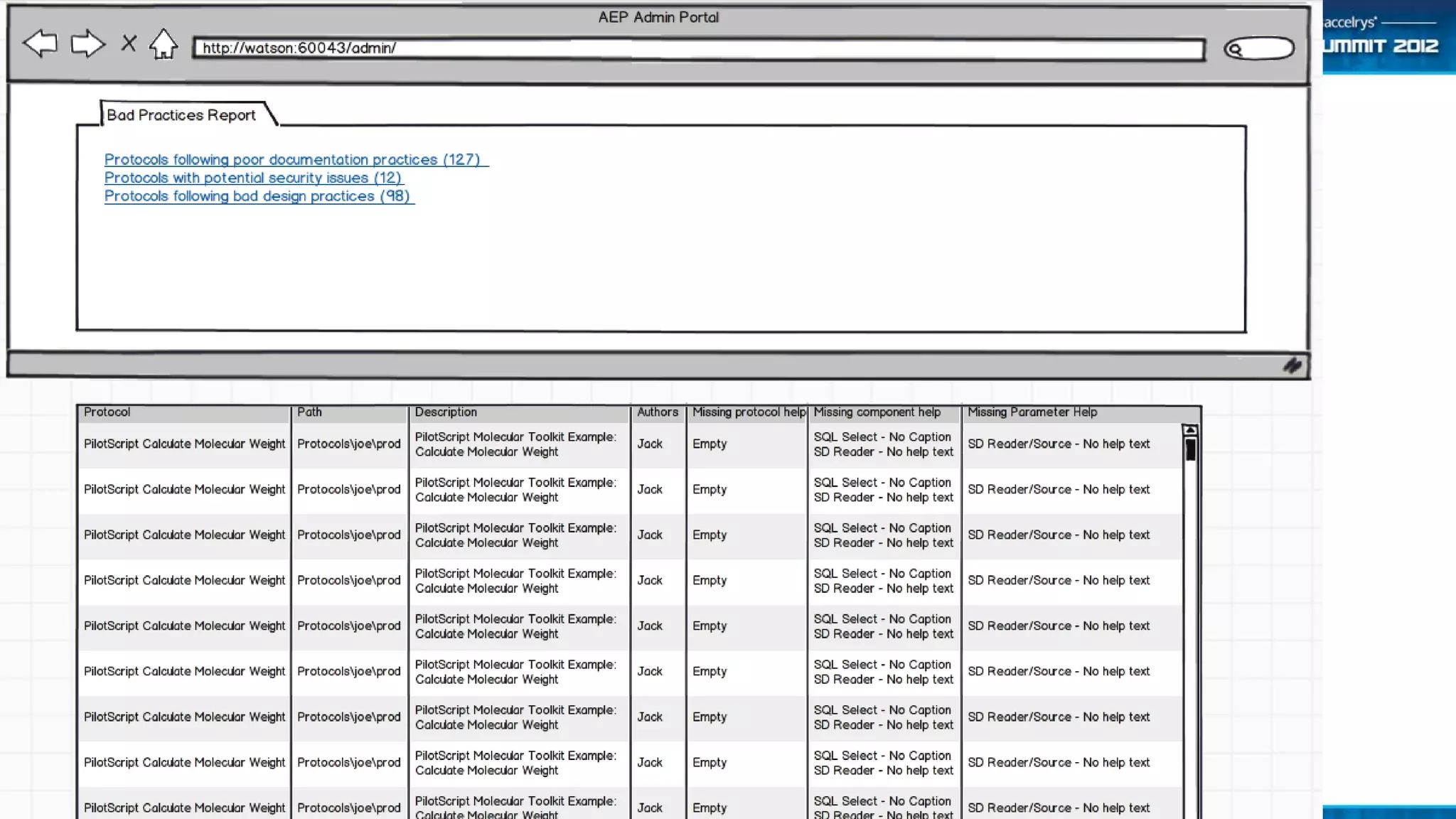
                                                                                            Search              Canned reports
                                                                                    Generate index                Security issues
                                                                                  Update frequency                   Bad design
                                                                                                             Bad documentation

                                                                Xml         log
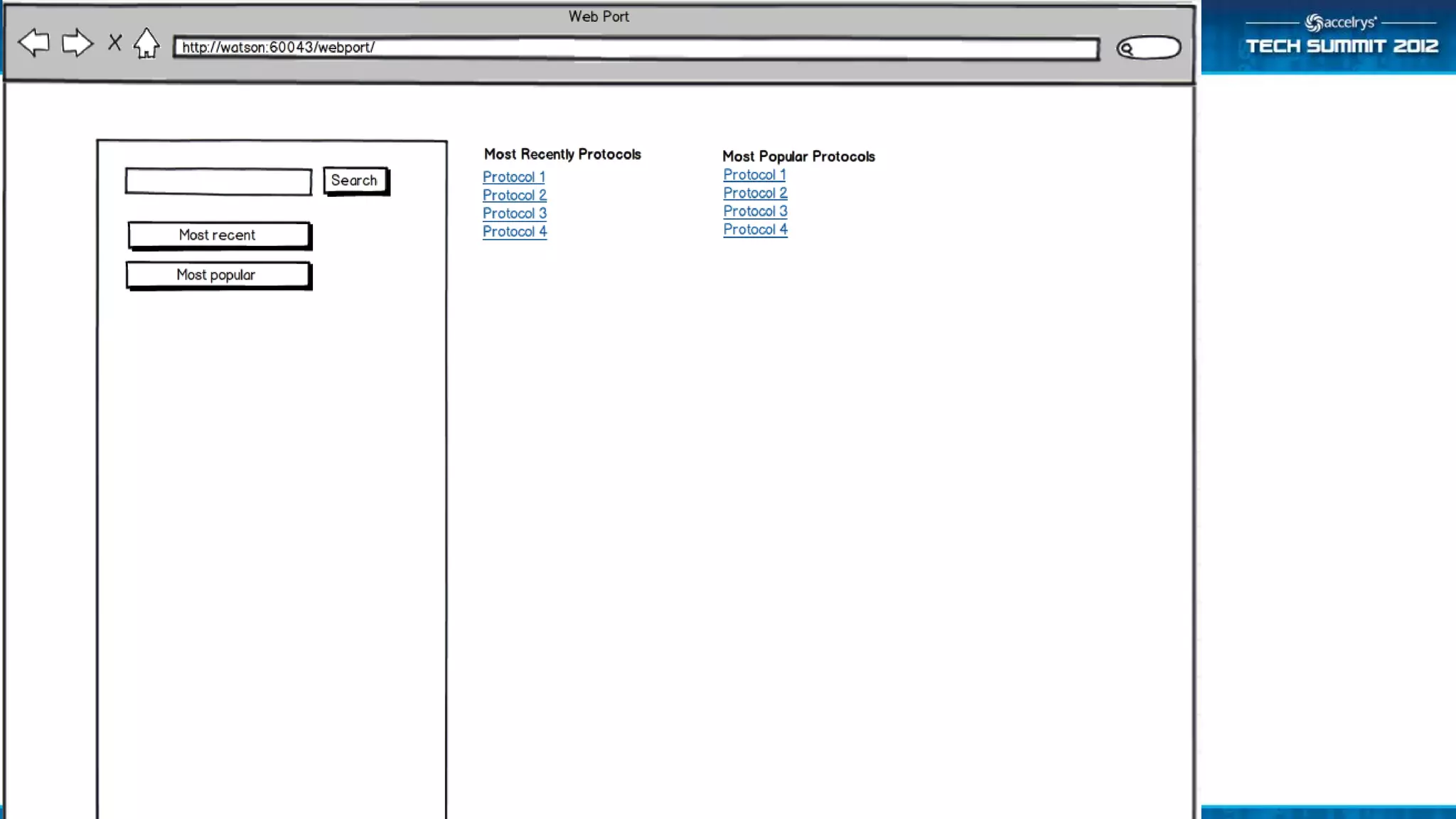
                     Search from Web Port
                     Recent protocols
                     Popular protocols
                     Protocols searching ‘Corporate
   Web User          Database”
                                                                                                   Next steps:
                                                                                                   • Mail Users
                                                                                                   • Post report
The Size of the Challenge

• 10-100 Pro client users
• 50-1000 Web users
• 1-10 servers

• -> 5000+ protocols to be managed
Admin Use Cases …

• Bad design practices. Find protocols that:
   –   have shortcuts as copies
   –   have saved checkpoints
   –   store passwords
   –   have components that are owner access only
   –   don’t have top level parameters (Web Port)
   –   have component with absolute file paths


• Bad documentation practices. Find protocols that:
   – don’t have help text (or default help)
   – have components with missing captions
More Admin Use Cases

• General queries. Find protocols:
   – with components that are deprecated (ad hoc / report)
   – not run in n days
   – not changed in n days
   – by client type (pro client, web port, web service, Notebook,
     Isentris, …)
   – with components with GUID x
   – with SQL components with specific DSN
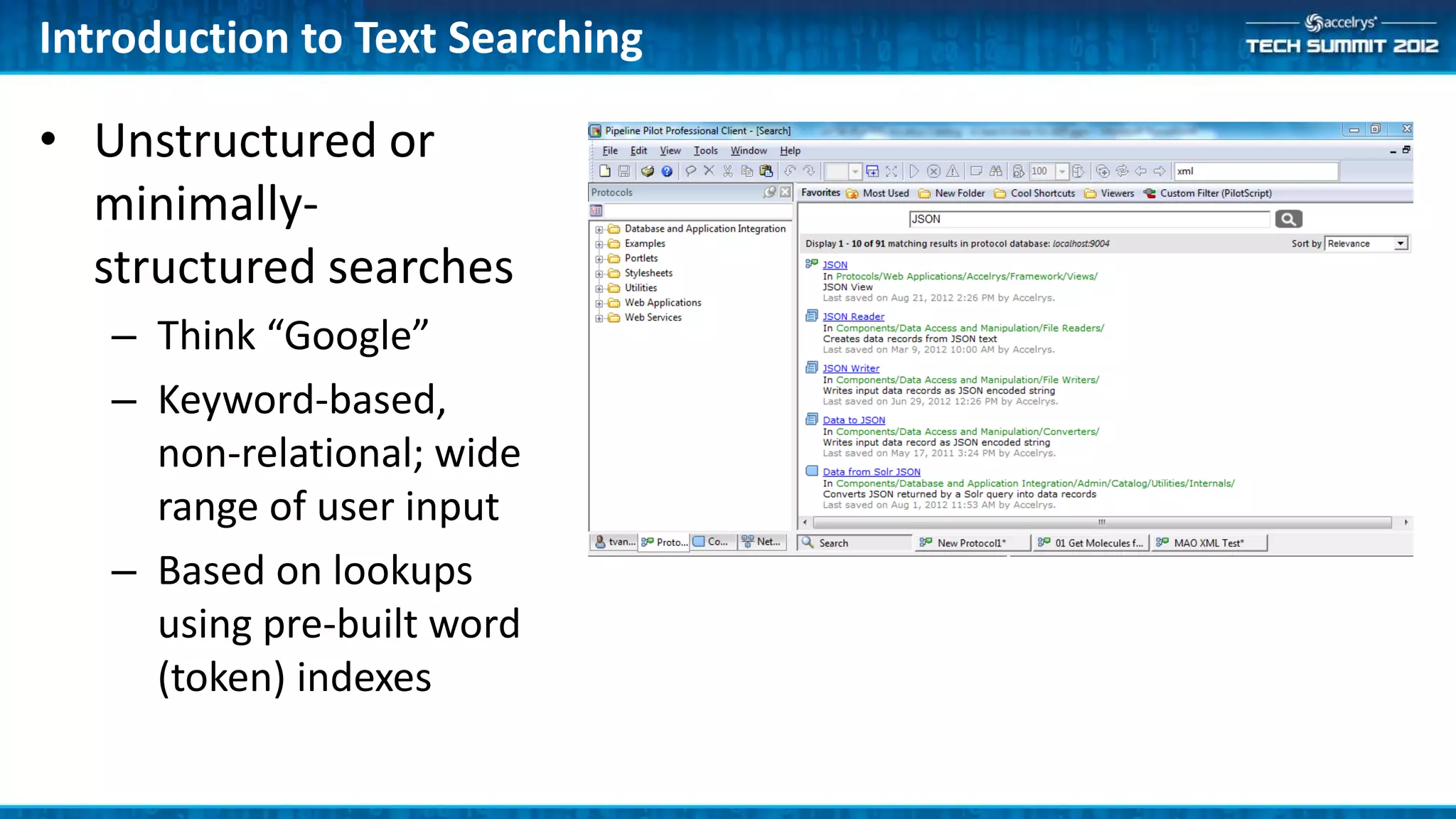
Introduction to Text Searching

• Unstructured or
  minimally-
  structured searches
   – Think “Google”
   – Keyword-based,
     non-relational; wide
     range of user input
   – Based on lookups
     using pre-built word
     (token) indexes
Introduction to Text Searching (cont’d)

• Strategies to make searches more effective
   – Stop word removal: and, the, by, for, of, …
   – Stemming: startedstart, clusterscluster, etc.
   – Synonym aliasing: oncology=cancer, MB=megabyte, etc.
     (supported but only minimally implemented; extensible)
   – Language-specific document and query processing (support for
     Asian languages)
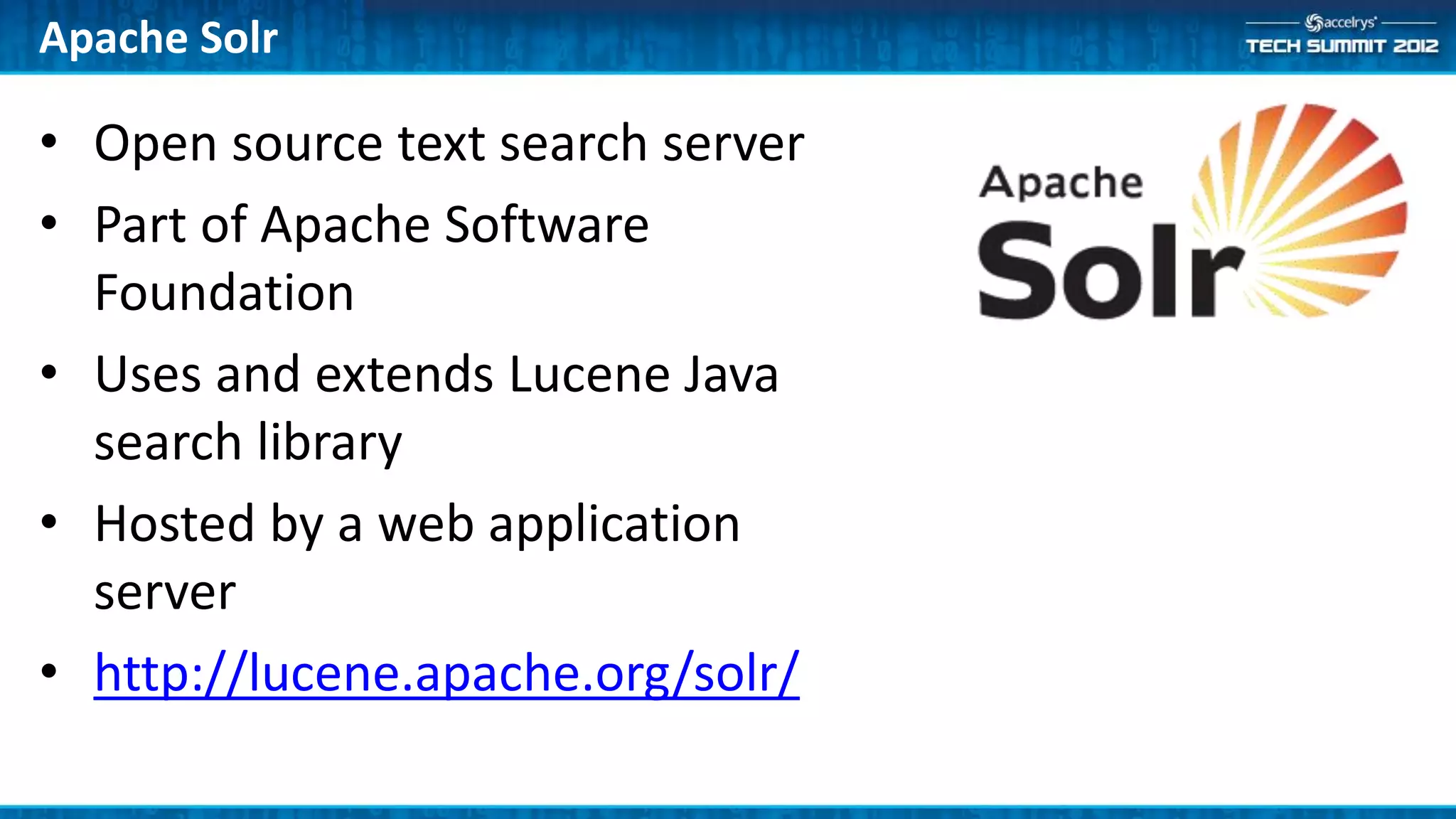
Apache Solr

• Open source text search server
• Part of Apache Software
  Foundation
• Uses and extends Lucene Java
  search library
• Hosted by a web application
  server
• http://lucene.apache.org/solr/
Solr: Under the Hood…
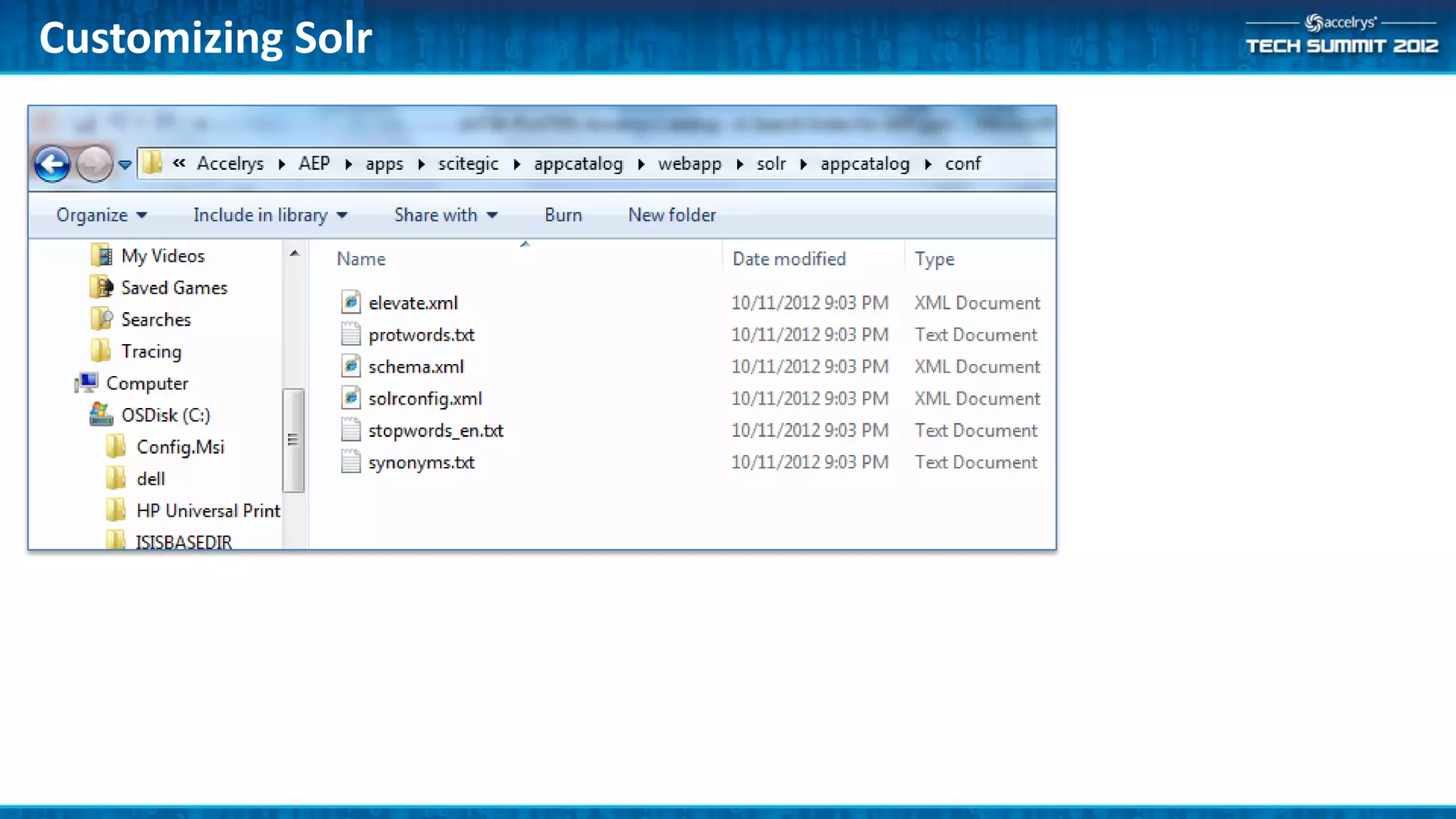
• Schema
   – XML specification of document fields and their types
   – Specifies how fields are tokenized and processed for indexing
• Solr config file
   – XML specification of query and result set processing rules
   – E.g. field weights
• Optional auxiliary files
   – Stop words, synonyms, protected words (unstemmed)
• Host application container
   – For AEP this is Tomcat
Tokenization and Filtering
• Tokenization options in Solr
    –   Break on whitespace
    –   Break on all non-letter characters
    –   Break on case changes (for CamelCaseTokenization)
    –   Break on character set changes (alphanum/ideographic/katakana)
• Additional filters
    – Lowercase filter: converts all characters to lowercase
    – CJK bigram filter: outputs adjacent character pairs for Asian languages
    – Stem filter: applies stemming rules (many language-specific variants)
• Field indexing and query processing use same tokenization
    – Better search results may be obtained by using slightly different analysis for indexing
      versus querying
• See http://wiki.apache.org/solr/AnalyzersTokenizersTokenFilters
Customizing Solr
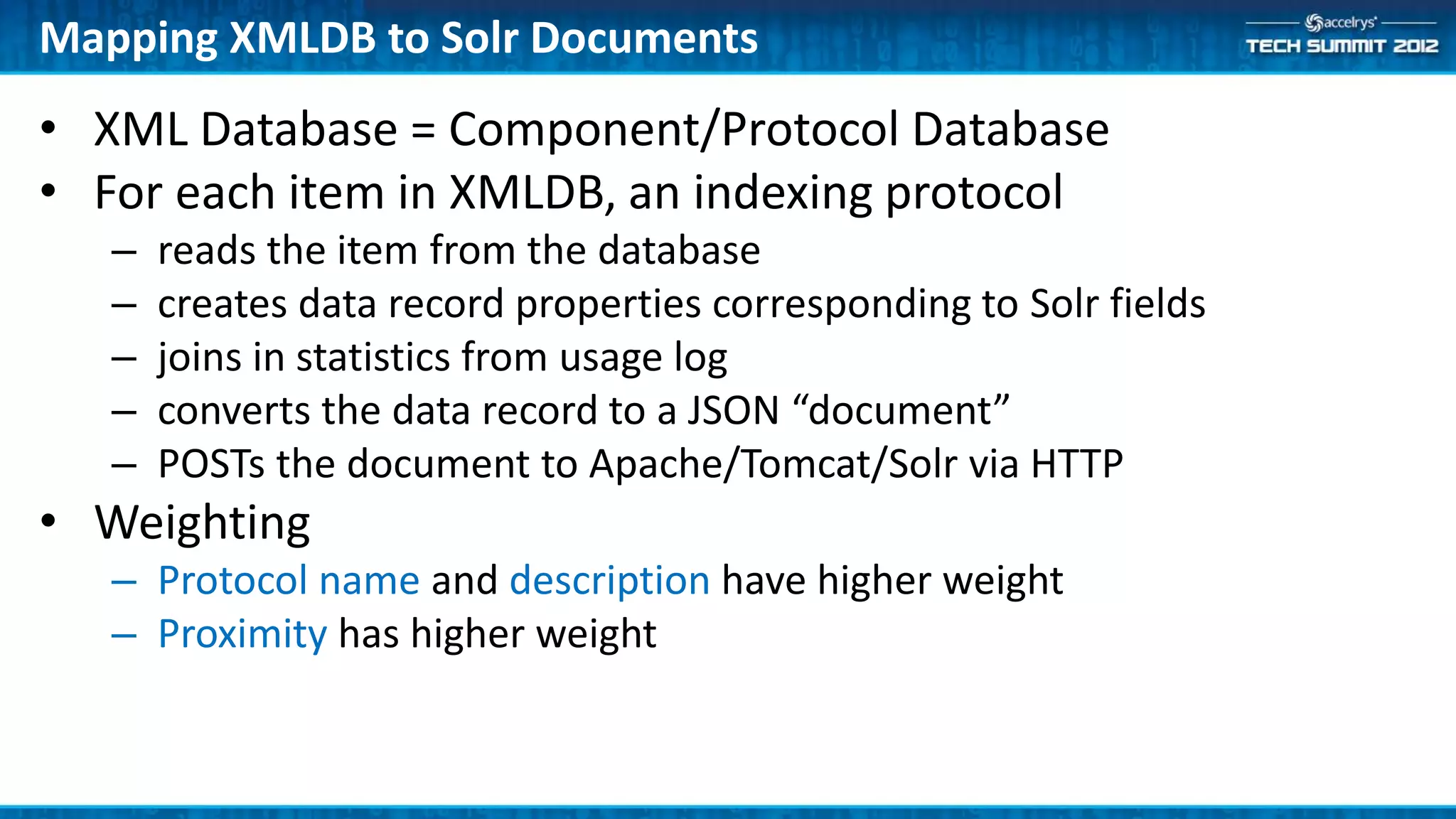
Mapping XMLDB to Solr Documents
• XML Database = Component/Protocol Database
• For each item in XMLDB, an indexing protocol
   –   reads the item from the database
   –   creates data record properties corresponding to Solr fields
   –   joins in statistics from usage log
   –   converts the data record to a JSON “document”
   –   POSTs the document to Apache/Tomcat/Solr via HTTP
• Weighting
   – Protocol name and description have higher weight
   – Proximity has higher weight
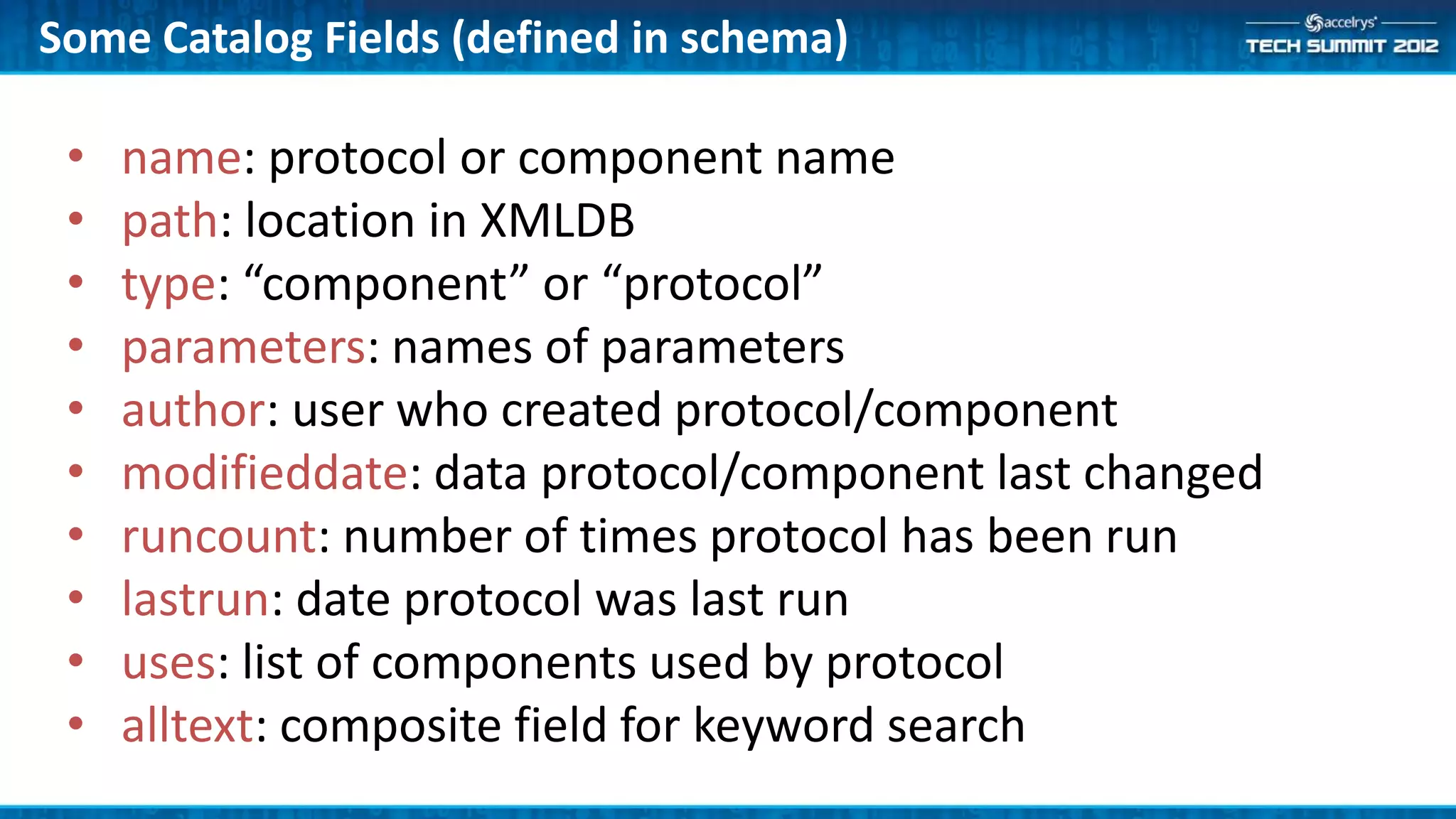
Some Catalog Fields (defined in schema)

 •   name: protocol or component name
 •   path: location in XMLDB
 •   type: “component” or “protocol”
 •   parameters: names of parameters
 •   author: user who created protocol/component
 •   modifieddate: data protocol/component last changed
 •   runcount: number of times protocol has been run
 •   lastrun: date protocol was last run
 •   uses: list of components used by protocol
 •   alltext: composite field for keyword search
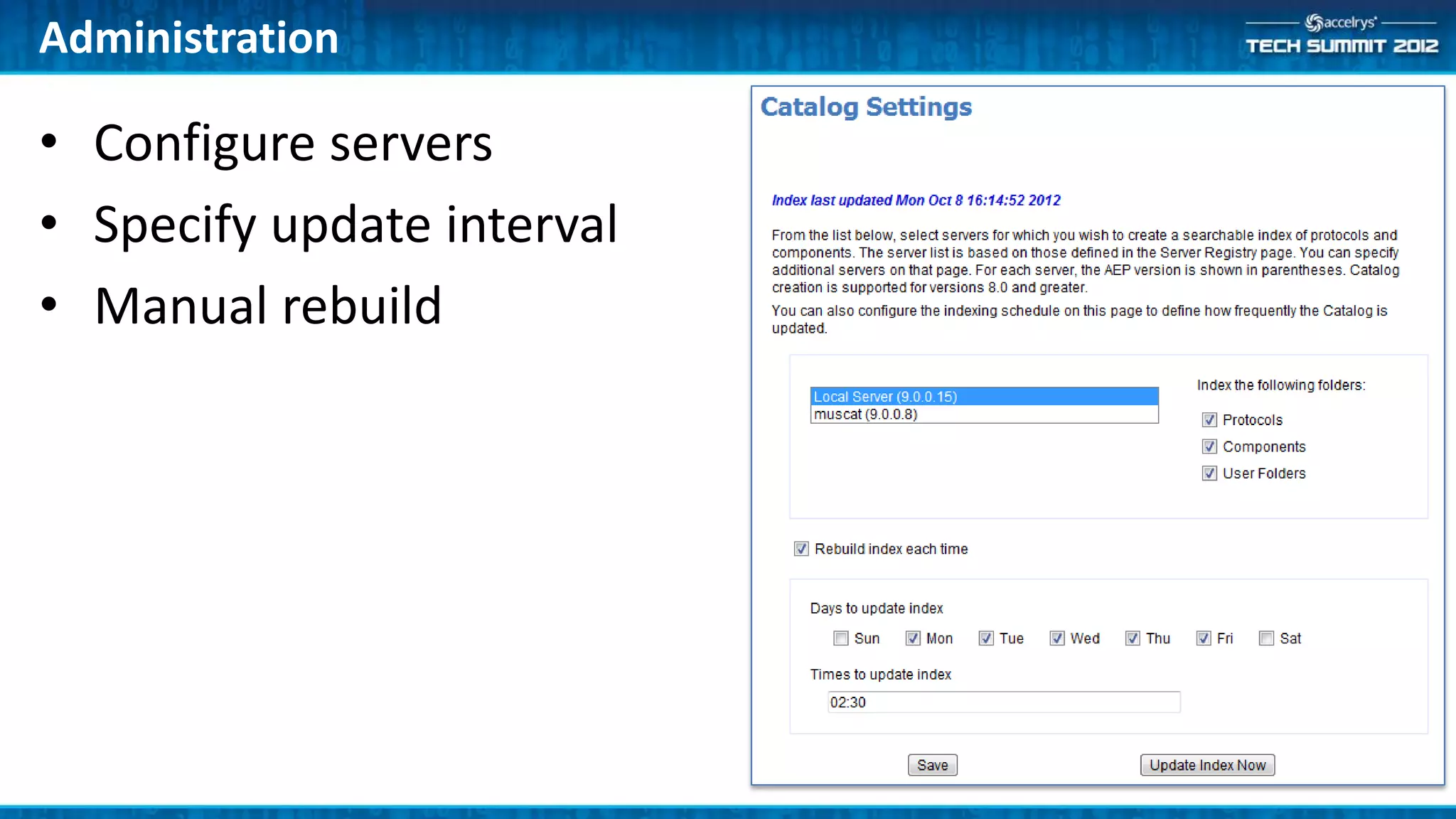
Administration

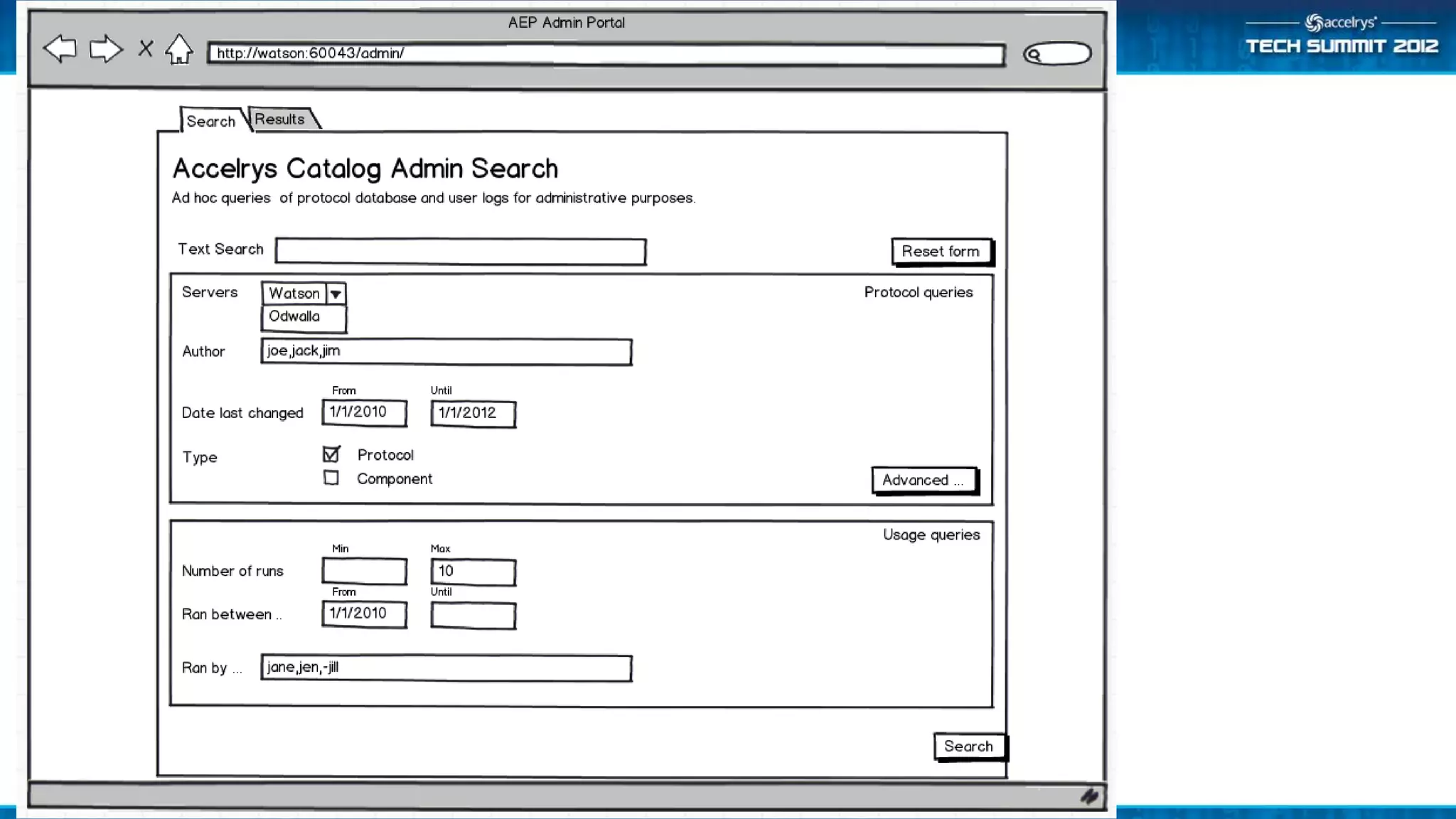
• Configure servers
• Specify update interval
• Manual rebuild
Configuring Accelrys Catalog

• Configuration (admin portal)
   – AEP servers to index
   – Indexing schedule
• Note
   –   Indexer runs as scheduled service
   –   Indexing takes ~1 to 3 minutes per 1000 XMLDB items
   –   Two index copies; users can continue search while index is rebuilt
   –   Tomcat and Solr automatically installed and launched with Apache
Limitations

• Usage info can be incorrect because log file doesn’t store
  full protocol path (“Protocol 1” !)
• No indexing at runtime – it can take a day before index is
  updated
Demo
Example Queries

• MAO type:"Component“
   – Any components referencing ‘MAO’
• uses:"Xml Reader" -author:Accelrys
   – Components/protocols that have an xml reader and are not
     authored by Accelrys
• lastrun:[*TO NOW-6MONTH]
   – Last run at least six months prior
• runcount:0
   – Never been run
Summary

• Accelrys Catalog is powerful search technology built into
  AEP
• Become a beta tester (beta-2)
• Plan for 9.0 upgrade now

• (ATS4-PLAT10) Planning your deployment for a 64 bit
  world

(ATS4-PLAT05) Accelrys Catalog: A Search Index for AEP

  • 1.
    (ATS4-PLAT05) Accelrys Catalog: A Search Index for AEP Ton van Daelen Sr. Director, Platform Product Management ton.vandaelen@accelrys.com
  • 2.
    The information onthe roadmap and future software development efforts are intended to outline general product direction and should not be relied on in making a purchasing decision.
  • 3.
    Outline • Search use cases • Deployment architecture • Solr search index • Search syntax • Administration • Demo – Pro client UI – Web UI – Admin UI
  • 4.
    Accelrys Catalog Vision Search from Pro Client Administer Examples that use the ‘Http Connector’ component Generate index PilotScript referencing ‘rsplit()’ Update frequency Pro Client – Pers Productivity Protocols using MAO data Admin Catalog Search Canned reports Generate index Security issues Update frequency Bad design Bad documentation Xml log Search from Web Port Recent protocols Popular protocols Protocols searching ‘Corporate Web User Database” Next steps: • Mail Users • Post report
  • 5.
    The Size ofthe Challenge • 10-100 Pro client users • 50-1000 Web users • 1-10 servers • -> 5000+ protocols to be managed
  • 6.
    Admin Use Cases… • Bad design practices. Find protocols that: – have shortcuts as copies – have saved checkpoints – store passwords – have components that are owner access only – don’t have top level parameters (Web Port) – have component with absolute file paths • Bad documentation practices. Find protocols that: – don’t have help text (or default help) – have components with missing captions
  • 7.
    More Admin UseCases • General queries. Find protocols: – with components that are deprecated (ad hoc / report) – not run in n days – not changed in n days – by client type (pro client, web port, web service, Notebook, Isentris, …) – with components with GUID x – with SQL components with specific DSN
  • 8.
    Introduction to TextSearching • Unstructured or minimally- structured searches – Think “Google” – Keyword-based, non-relational; wide range of user input – Based on lookups using pre-built word (token) indexes
  • 9.
    Introduction to TextSearching (cont’d) • Strategies to make searches more effective – Stop word removal: and, the, by, for, of, … – Stemming: startedstart, clusterscluster, etc. – Synonym aliasing: oncology=cancer, MB=megabyte, etc. (supported but only minimally implemented; extensible) – Language-specific document and query processing (support for Asian languages)
  • 10.
    Apache Solr • Opensource text search server • Part of Apache Software Foundation • Uses and extends Lucene Java search library • Hosted by a web application server • http://lucene.apache.org/solr/
  • 11.
    Solr: Under theHood… • Schema – XML specification of document fields and their types – Specifies how fields are tokenized and processed for indexing • Solr config file – XML specification of query and result set processing rules – E.g. field weights • Optional auxiliary files – Stop words, synonyms, protected words (unstemmed) • Host application container – For AEP this is Tomcat
  • 12.
    Tokenization and Filtering •Tokenization options in Solr – Break on whitespace – Break on all non-letter characters – Break on case changes (for CamelCaseTokenization) – Break on character set changes (alphanum/ideographic/katakana) • Additional filters – Lowercase filter: converts all characters to lowercase – CJK bigram filter: outputs adjacent character pairs for Asian languages – Stem filter: applies stemming rules (many language-specific variants) • Field indexing and query processing use same tokenization – Better search results may be obtained by using slightly different analysis for indexing versus querying • See http://wiki.apache.org/solr/AnalyzersTokenizersTokenFilters
  • 13.
  • 14.
    Mapping XMLDB toSolr Documents • XML Database = Component/Protocol Database • For each item in XMLDB, an indexing protocol – reads the item from the database – creates data record properties corresponding to Solr fields – joins in statistics from usage log – converts the data record to a JSON “document” – POSTs the document to Apache/Tomcat/Solr via HTTP • Weighting – Protocol name and description have higher weight – Proximity has higher weight
  • 15.
    Some Catalog Fields(defined in schema) • name: protocol or component name • path: location in XMLDB • type: “component” or “protocol” • parameters: names of parameters • author: user who created protocol/component • modifieddate: data protocol/component last changed • runcount: number of times protocol has been run • lastrun: date protocol was last run • uses: list of components used by protocol • alltext: composite field for keyword search
  • 16.
    Administration • Configure servers •Specify update interval • Manual rebuild
  • 17.
    Configuring Accelrys Catalog •Configuration (admin portal) – AEP servers to index – Indexing schedule • Note – Indexer runs as scheduled service – Indexing takes ~1 to 3 minutes per 1000 XMLDB items – Two index copies; users can continue search while index is rebuilt – Tomcat and Solr automatically installed and launched with Apache
  • 18.
    Limitations • Usage infocan be incorrect because log file doesn’t store full protocol path (“Protocol 1” !) • No indexing at runtime – it can take a day before index is updated
  • 19.
  • 21.
    Example Queries • MAOtype:"Component“ – Any components referencing ‘MAO’ • uses:"Xml Reader" -author:Accelrys – Components/protocols that have an xml reader and are not authored by Accelrys • lastrun:[*TO NOW-6MONTH] – Last run at least six months prior • runcount:0 – Never been run
  • 26.
    Summary • Accelrys Catalogis powerful search technology built into AEP • Become a beta tester (beta-2) • Plan for 9.0 upgrade now • (ATS4-PLAT10) Planning your deployment for a 64 bit world