Revised 05/05/09
Google App Engine For Java
Revised 05/05/09
Google App Engine For Scala
Revised 05/05/09
Google App Engine For Groovy
Revised 05/05/09
Google App Engine For JRuby
Revised 05/05/09
Google App Engine For Clojure
6
Overview
• Google App Engine was first introduced in April 2008
– Initial release was based on Python
• Design Goals:
– Easy to use
– Easy to scale
– Free to get started
• Differences from traditional hosting include:
– No upfront costs
– No access given to specific server, virtual or otherwise
– Don’t have to worry about fault-tolerance, scalability, setting up data stores,
access control .
• Still considered a “Preview Release”
– A least it’s not “Beta” ;)
7
Google App Engine Stack
• Components:
– Web serving infrastructure
• Provides URL (<application name>.appspot.com)
• Execute your code
• Serve static content
• Handles logging
– Language runtime
• First Python, now Java too.
– SDK
• Provides development environment
– Web base admin interface
• Tools to manage and monitor your application
– Scalable persistence layer
8
Google App Engine for Java
In April 2009, Google App Engine for Java is released
• Characteristics:
– Runs Java application using a Java 6 JVM
– Uses the Java Servlet standard
• More or less compatible with 2.4 spec
– Run in a secured sandbox
– Provides standard interfaces to scalable persistence layer using
• JDO (2.3)
• JPA (1.0)
– Other Services include:
• Access to Google Users service
• URL Fetch service
• Mail service
• Images service
• Memcache service
• XMPP service
9
Limitations
Because GAE/J applications run in a secured sandbox there
are limitations:
• To ensure applications do not interfere with other apps,
Applications can not:
– Spawn threads
– Write to a local file system including using temp files
– Make arbitrary network connections
– Invoke native code
– Stream data to clients in response to single request
• SDK uses a class “white list” for core JRE classes.
Notable omissions:
– RMI and CORBA
– AWT and Swing classes including Graphics and Image
– ImageIO
• What about generating images ? (We’ll cover this later)
10
Limitations
• Application are optimized for short requests.
– Google imposes a 30 second limit after which an Exception is
thrown
– Requests are limited to 1MB
– Responses are limited to 10MB
• Increased from 1 MB in version 1.2.1 (May13th, 2009)
11
Limitations
• Your application and data is on Google’s infrastructure
• Once you create an application, you can not delete it !
12
Quotas
• There are two types of quotas for GAE applications:
– Billable quota
• Resource maximums set by application administrator
• Prevent usage from exceeding budget
• Every application gets some billable quota for free
• If billing is enabled, billable quotes can be raised above the free levels
– Only billed for amount of resource above free thresholds
– Fixed quota
• Resource maximum set be the App Engine
• Ensure integrity of the system
• Fixed quotas are raised when billing is enabled, but are not billable
– There are both Daily and Per-Minute Quotas
• Per-Minute Quotas prevent Daily Quotas from being consumed too
quickly
13
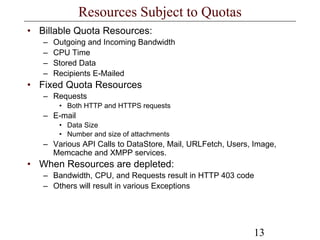
Resources Subject to Quotas
• Billable Quota Resources:
– Outgoing and Incoming Bandwidth
– CPU Time
– Stored Data
– Recipients E-Mailed
• Fixed Quota Resources
– Requests
• Both HTTP and HTTPS requests
– E-mail
• Data Size
• Number and size of attachments
– Various API Calls to DataStore, Mail, URLFetch, Users, Image,
Memcache and XMPP services.
• When Resources are depleted:
– Bandwidth, CPU, and Requests result in HTTP 403 code
– Others will result in various Exceptions
14
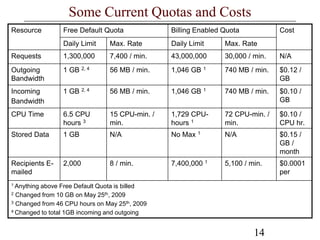
Some Current Quotas and Costs
1 Anything above Free Default Quota is billed
2 Changed from 10 GB on May 25th, 2009
3 Changed from 46 CPU hours on May 25th, 2009
4 Changed to total 1GB incoming and outgoing
Recipients E-
mailed
Stored Data
CPU Time
Incoming
Bandwidth
Outgoing
Bandwidth
Requests
Resource
2,000
1 GB
6.5 CPU
hours 3
1 GB 2, 4
1 GB 2, 4
1,300,000
Daily Limit
Free Default Quota
8 / min.
N/A
15 CPU-min. /
min.
56 MB / min.
56 MB / min.
7,400 / min.
Max. Rate
7,400,000 1
No Max 1
1,729 CPU-
hours 1
1,046 GB 1
1,046 GB 1
43,000,000
Daily Limit
Billing Enabled Quota
5,100 / min.
N/A
72 CPU-min. /
min.
740 MB / min.
740 MB / min.
30,000 / min.
Max. Rate
$0.0001
per
$0.15 /
GB /
month
$0.10 /
CPU hr.
$0.10 /
GB
$0.12 /
GB
N/A
Cost
15
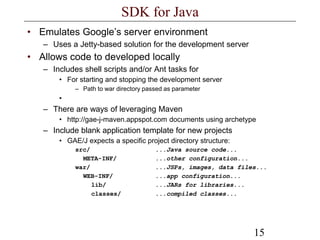
SDK for Java
• Emulates Google’s server environment
– Uses a Jetty-based solution for the development server
• Allows code to developed locally
– Includes shell scripts and/or Ant tasks for
• For starting and stopping the development server
– Path to war directory passed as parameter
•
– There are ways of leveraging Maven
• http://gae-j-maven.appspot.com documents using archetype
– Include blank application template for new projects
• GAE/J expects a specific project directory structure:
src/ ...Java source code...
META-INF/ ...other configuration...
war/ ...JSPs, images, data files...
WEB-INF/ ...app configuration...
lib/ ...JARs for libraries...
classes/ ...compiled classes...
16
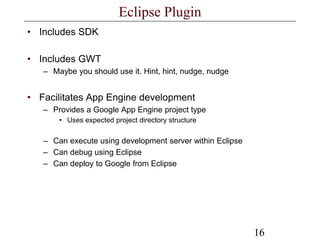
Eclipse Plugin
• Includes SDK
• Includes GWT
– Maybe you should use it. Hint, hint, nudge, nudge
• Facilitates App Engine development
– Provides a Google App Engine project type
• Uses expected project directory structure
– Can execute using development server within Eclipse
– Can debug using Eclipse
– Can deploy to Google from Eclipse
17
Configuring
• GAE/J follows the J2EE standards for web applications
– web.xml minus features:
• App Engine supports the <load-on-startup> element for servlet
declarations. However, the load actually occurs during the first request
handled by the web server instance, not prior to it.
• App Engine supports <mime-mapping> elements for specifying the
MIME type to use for resources whose filenames end with certain
extensions. MIME mappings only apply to servlets, not to static files.
Static files use a fixed list of mappings of filename extensions to MIME
types.
• Some deployment descriptor elements can take a human readable
display name, description and icon for use in IDEs. App Engine doesn't
use these, and ignores them.
• App Engine doesn't support JNDI environment variables (<env-entry>).
• App Engine doesn't support EJB resources (<resource-ref>).
• The <distributable> element is ignored.
• Servlet scheduling with <run-at> is not supported
– Google App Engine does have service for CRON tasks
18
Configuring
• Has extra configuration file appengine-web.xml which
specifies:
– Name of application:
• <application name>.appspot.com
– Version of application
– Logging
– Enabling HTTP Sessions
– Enabling SSL
– System properties and environment variables
– Differentiating between static and resource files
• By default all files under /war directory are both resource and static files
except .JSP and those under /WEB-INF
19
Running in Development
• Eclipse provides a Run Configuration type “Web
Application”
• SDK provides scripts and ant tasks to execute
development server
• The development web server includes a console web
application
– New in SDK version 1.2.5
– Use to browse and manage the local datastore
– Append “/_ah/admin” to the URL
• http://localhost:8080/_ah/admin
20
Admin Console
Google provides online monitoring on application deployed to
its infrastructure
• Access via appengine.google.com
– Sign in using your Google account
• You can use the Administration Console to:
– Create a new application, and set up a free appspot.com sub-
domain, or a top-level domain name of your choosing
– Invite other people to be developers for your application, so they
can access the Console and upload new versions of the code
– View access data and error logs, and analyze traffic
– Browse your application's datastore and manage indexes
– View the status of your application's scheduled tasks
– Test new versions of your application, and switch the version that
your users see
21
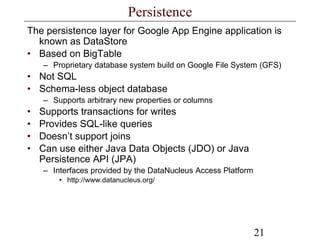
Persistence
The persistence layer for Google App Engine application is
known as DataStore
• Based on BigTable
– Proprietary database system build on Google File System (GFS)
• Not SQL
• Schema-less object database
– Supports arbitrary new properties or columns
• Supports transactions for writes
• Provides SQL-like queries
• Doesn’t support joins
• Can use either Java Data Objects (JDO) or Java
Persistence API (JPA)
– Interfaces provided by the DataNucleus Access Platform
• http://www.datanucleus.org/
22
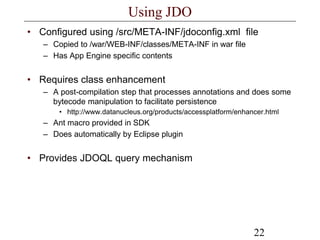
Using JDO
• Configured using /src/META-INF/jdoconfig.xml file
– Copied to /war/WEB-INF/classes/META-INF in war file
– Has App Engine specific contents
• Requires class enhancement
– A post-compilation step that processes annotations and does some
bytecode manipulation to facilitate persistence
• http://www.datanucleus.org/products/accessplatform/enhancer.html
– Ant macro provided in SDK
– Does automatically by Eclipse plugin
• Provides JDOQL query mechanism
23
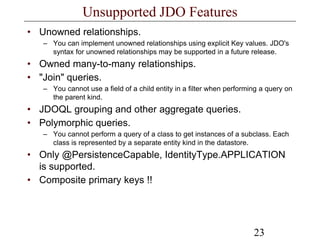
Unsupported JDO Features
• Unowned relationships.
– You can implement unowned relationships using explicit Key values. JDO's
syntax for unowned relationships may be supported in a future release.
• Owned many-to-many relationships.
• "Join" queries.
– You cannot use a field of a child entity in a filter when performing a query on
the parent kind.
• JDOQL grouping and other aggregate queries.
• Polymorphic queries.
– You cannot perform a query of a class to get instances of a subclass. Each
class is represented by a separate entity kind in the datastore.
• Only @PersistenceCapable, IdentityType.APPLICATION
is supported.
• Composite primary keys !!
24
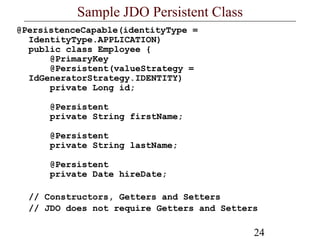
Sample JDO Persistent Class
@PersistenceCapable(identityType =
IdentityType.APPLICATION)
public class Employee {
@PrimaryKey
@Persistent(valueStrategy =
IdGeneratorStrategy.IDENTITY)
private Long id;
@Persistent
private String firstName;
@Persistent
private String lastName;
@Persistent
private Date hireDate;
// Constructors, Getters and Setters
// JDO does not require Getters and Setters
25
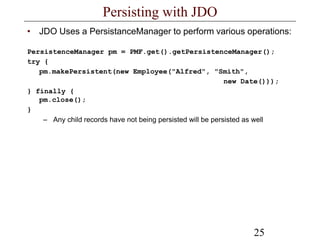
Persisting with JDO
• JDO Uses a PersistanceManager to perform various operations:
PersistenceManager pm = PMF.get().getPersistenceManager();
try {
pm.makePersistent(new Employee("Alfred", "Smith",
new Date()));
} finally {
pm.close();
}
– Any child records have not being persisted will be persisted as well
26
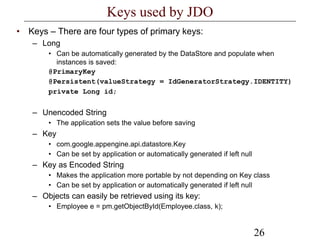
Keys used by JDO
• Keys – There are four types of primary keys:
– Long
• Can be automatically generated by the DataStore and populate when
instances is saved:
@PrimaryKey
@Persistent(valueStrategy = IdGeneratorStrategy.IDENTITY)
private Long id;
– Unencoded String
• The application sets the value before saving
– Key
• com.google.appengine.api.datastore.Key
• Can be set by application or automatically generated if left null
– Key as Encoded String
• Makes the application more portable by not depending on Key class
• Can be set by application or automatically generated if left null
– Objects can easily be retrieved using its key:
• Employee e = pm.getObjectById(Employee.class, k);
27
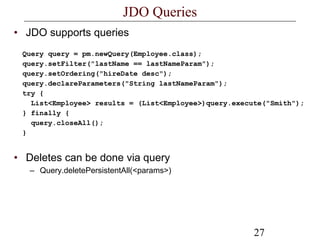
JDO Queries
• JDO supports queries
Query query = pm.newQuery(Employee.class);
query.setFilter("lastName == lastNameParam");
query.setOrdering("hireDate desc");
query.declareParameters("String lastNameParam");
try {
List<Employee> results = (List<Employee>)query.execute("Smith");
} finally {
query.closeAll();
}
• Deletes can be done via query
– Query.deletePersistentAll(<params>)
28
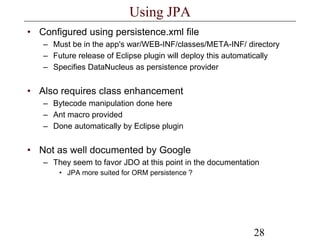
Using JPA
• Configured using persistence.xml file
– Must be in the app's war/WEB-INF/classes/META-INF/ directory
– Future release of Eclipse plugin will deploy this automatically
– Specifies DataNucleus as persistence provider
• Also requires class enhancement
– Bytecode manipulation done here
– Ant macro provided
– Done automatically by Eclipse plugin
• Not as well documented by Google
– They seem to favor JDO at this point in the documentation
• JPA more suited for ORM persistence ?
29
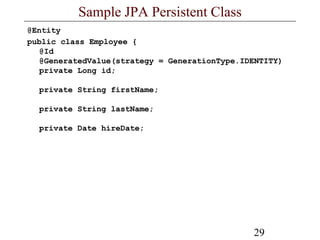
Sample JPA Persistent Class
@Entity
public class Employee {
@Id
@GeneratedValue(strategy = GenerationType.IDENTITY)
private Long id;
private String firstName;
private String lastName;
private Date hireDate;
30
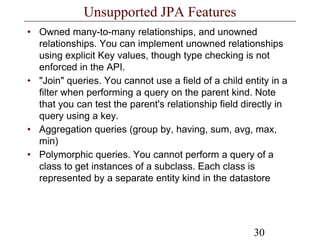
Unsupported JPA Features
• Owned many-to-many relationships, and unowned
relationships. You can implement unowned relationships
using explicit Key values, though type checking is not
enforced in the API.
• "Join" queries. You cannot use a field of a child entity in a
filter when performing a query on the parent kind. Note
that you can test the parent's relationship field directly in
query using a key.
• Aggregation queries (group by, having, sum, avg, max,
min)
• Polymorphic queries. You cannot perform a query of a
class to get instances of a subclass. Each class is
represented by a separate entity kind in the datastore
31
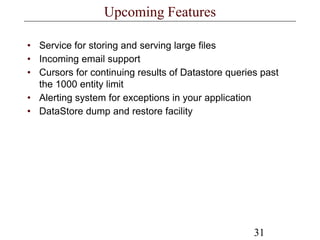
Upcoming Features
• Service for storing and serving large files
• Incoming email support
• Cursors for continuing results of Datastore queries past
the 1000 entity limit
• Alerting system for exceptions in your application
• DataStore dump and restore facility
32
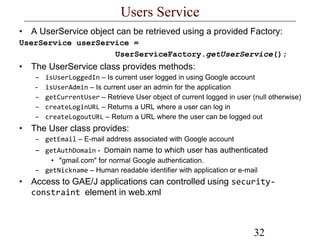
Users Service
• A UserService object can be retrieved using a provided Factory:
UserService userService =
UserServiceFactory.getUserService();
• The UserService class provides methods:
– isUserLoggedIn – Is current user logged in using Google account
- isUserAdmin – Is current user an admin for the application
– getCurrentUser – Retrieve User object of current logged in user (null otherwise)
– createLoginURL – Returns a URL where a user can log in
– createLogoutURL – Return a URL where the user can be logged out
• The User class provides:
– getEmail – E-mail address associated with Google account
– getAuthDomain - Domain name to which user has authenticated
• "gmail.com" for normal Google authentication.
– getNickname – Human readable identifier with application or e-mail
• Access to GAE/J applications can controlled using security-
constraint element in web.xml
33
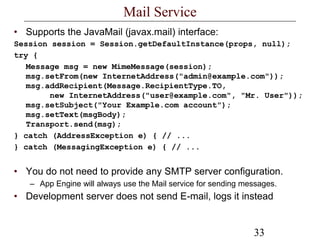
Mail Service
• Supports the JavaMail (javax.mail) interface:
Session session = Session.getDefaultInstance(props, null);
try {
Message msg = new MimeMessage(session);
msg.setFrom(new InternetAddress("admin@example.com"));
msg.addRecipient(Message.RecipientType.TO,
new InternetAddress("user@example.com", "Mr. User"));
msg.setSubject("Your Example.com account");
msg.setText(msgBody);
Transport.send(msg);
} catch (AddressException e) { // ...
} catch (MessagingException e) { // ...
• You do not need to provide any SMTP server configuration.
– App Engine will always use the Mail service for sending messages.
• Development server does not send E-mail, logs it instead
34
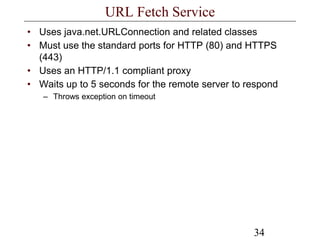
URL Fetch Service
• Uses java.net.URLConnection and related classes
• Must use the standard ports for HTTP (80) and HTTPS
(443)
• Uses an HTTP/1.1 compliant proxy
• Waits up to 5 seconds for the remote server to respond
– Throws exception on timeout
35
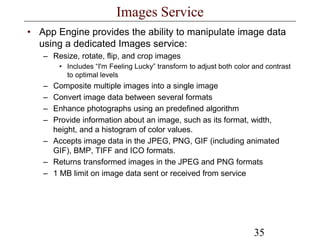
Images Service
• App Engine provides the ability to manipulate image data
using a dedicated Images service:
– Resize, rotate, flip, and crop images
• Includes “I'm Feeling Lucky” transform to adjust both color and contrast
to optimal levels
– Composite multiple images into a single image
– Convert image data between several formats
– Enhance photographs using an predefined algorithm
– Provide information about an image, such as its format, width,
height, and a histogram of color values.
– Accepts image data in the JPEG, PNG, GIF (including animated
GIF), BMP, TIFF and ICO formats.
– Returns transformed images in the JPEG and PNG formats
– 1 MB limit on image data sent or received from service
36
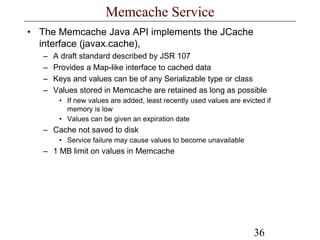
Memcache Service
• The Memcache Java API implements the JCache
interface (javax.cache),
– A draft standard described by JSR 107
– Provides a Map-like interface to cached data
– Keys and values can be of any Serializable type or class
– Values stored in Memcache are retained as long as possible
• If new values are added, least recently used values are evicted if
memory is low
• Values can be given an expiration date
– Cache not saved to disk
• Service failure may cause values to become unavailable
– 1 MB limit on values in Memcache
37
XMPP Service
• An App Engine application can send and receive instant
messages to and from any XMPP-compatible instant
messaging service
– Google Talk and Google Wave
– An app can send messages of any type defined in RFC 3921
• Send and receive chat messages,
• Send chat invites
• Request status information.
– Incoming XMPP messages are handled by request handlers,
similar to web requests.
• Limitations
– Currently, an app cannot participate in group chats
– Only receive messages of the "chat" and "normal" types
38
Cron Service
• The App Engine Cron Service allows you to configure
regularly scheduled tasks that operate at defined times or
regular intervals
– A cron job will invoke a URL at a given time of day
• Subject to the same limits and quotas as a normal HTTP request,
including the request time limit.
– A cron.xml file resides in the /WEB-INF directory of the application
– Typically URLs accessed by cron jobs have access restricted to
application administrators
– Admin Console allows monitoring of state of jobs
– No cron support in development.
• Of course one can use their local server’s cron and task scheduler to
accomplish the same
– Supports English-like time specifications
• every 5 minutes
• every monday 09:00
39
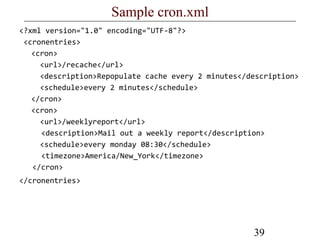
Sample cron.xml
<?xml version="1.0" encoding="UTF-8"?>
<cronentries>
<cron>
<url>/recache</url>
<description>Repopulate cache every 2 minutes</description>
<schedule>every 2 minutes</schedule>
</cron>
<cron>
<url>/weeklyreport</url>
<description>Mail out a weekly report</description>
<schedule>every monday 08:30</schedule>
<timezone>America/New_York</timezone>
</cron>
</cronentries>
40
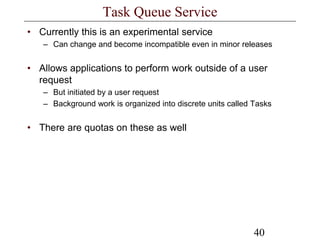
Task Queue Service
• Currently this is an experimental service
– Can change and become incompatible even in minor releases
• Allows applications to perform work outside of a user
request
– But initiated by a user request
– Background work is organized into discrete units called Tasks
• There are quotas on these as well
41
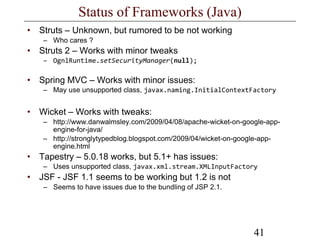
Status of Frameworks (Java)
• Struts – Unknown, but rumored to be not working
– Who cares ?
• Struts 2 – Works with minor tweaks
– OgnlRuntime.setSecurityManager(null);
• Spring MVC – Works with minor issues:
– May use unsupported class, javax.naming.InitialContextFactory
• Wicket – Works with tweaks:
– http://www.danwalmsley.com/2009/04/08/apache-wicket-on-google-app-
engine-for-java/
– http://stronglytypedblog.blogspot.com/2009/04/wicket-on-google-app-
engine.html
• Tapestry – 5.0.18 works, but 5.1+ has issues:
– Uses unsupported class, javax.xml.stream.XMLInputFactory
• JSF - JSF 1.1 seems to be working but 1.2 is not
– Seems to have issues due to the bundling of JSP 2.1.
42
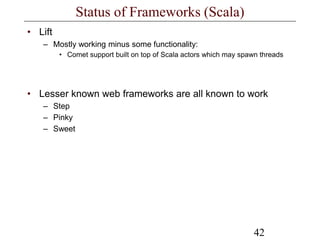
Status of Frameworks (Scala)
• Lift
– Mostly working minus some functionality:
• Comet support built on top of Scala actors which may spawn threads
• Lesser known web frameworks are all known to work
– Step
– Pinky
– Sweet
43
Status of Frameworks (Groovy)
• Grails
– Officially supported in Grails 1.1.1
– Plugin provided
• http://grails.org/plugin/app-engine
• Gaelyk
– New lightweight toolkit especially for the GAE/J
• Uses “Groovelets” as controllers
• Support templates with embedded Groovy as views
44
Statius of Frameworks (JRuby)
• Rails
– Working
– http://olabini.com/blog/2009/04/jruby-on-rails-on-google-app-
engine/
• Sinatra
– Working
– http://blog.bigcurl.de/2009/04/running-sinatra-apps-on-google.html
45
Status of Frameworks (Clojure)
• Compojure – Works with minor problem areas:
– http://elhumidor.blogspot.com/2009/04/clojure-on-google-
appengine.html
– Issues
• Agents, clojure.parallel library, and future will not work (Threads)
• Shared references (Vars, Refs, and Atoms) may have problems due to
distributed nature of the Google infrastructure

Google appenginejava.ppt

  • 1.
  • 2.
  • 3.
    Revised 05/05/09 Google AppEngine For Groovy
  • 4.
  • 5.
    Revised 05/05/09 Google AppEngine For Clojure
  • 6.
    6 Overview • Google AppEngine was first introduced in April 2008 – Initial release was based on Python • Design Goals: – Easy to use – Easy to scale – Free to get started • Differences from traditional hosting include: – No upfront costs – No access given to specific server, virtual or otherwise – Don’t have to worry about fault-tolerance, scalability, setting up data stores, access control . • Still considered a “Preview Release” – A least it’s not “Beta” ;)
  • 7.
    7 Google App EngineStack • Components: – Web serving infrastructure • Provides URL (<application name>.appspot.com) • Execute your code • Serve static content • Handles logging – Language runtime • First Python, now Java too. – SDK • Provides development environment – Web base admin interface • Tools to manage and monitor your application – Scalable persistence layer
  • 8.
    8 Google App Enginefor Java In April 2009, Google App Engine for Java is released • Characteristics: – Runs Java application using a Java 6 JVM – Uses the Java Servlet standard • More or less compatible with 2.4 spec – Run in a secured sandbox – Provides standard interfaces to scalable persistence layer using • JDO (2.3) • JPA (1.0) – Other Services include: • Access to Google Users service • URL Fetch service • Mail service • Images service • Memcache service • XMPP service
  • 9.
    9 Limitations Because GAE/J applicationsrun in a secured sandbox there are limitations: • To ensure applications do not interfere with other apps, Applications can not: – Spawn threads – Write to a local file system including using temp files – Make arbitrary network connections – Invoke native code – Stream data to clients in response to single request • SDK uses a class “white list” for core JRE classes. Notable omissions: – RMI and CORBA – AWT and Swing classes including Graphics and Image – ImageIO • What about generating images ? (We’ll cover this later)
  • 10.
    10 Limitations • Application areoptimized for short requests. – Google imposes a 30 second limit after which an Exception is thrown – Requests are limited to 1MB – Responses are limited to 10MB • Increased from 1 MB in version 1.2.1 (May13th, 2009)
  • 11.
    11 Limitations • Your applicationand data is on Google’s infrastructure • Once you create an application, you can not delete it !
  • 12.
    12 Quotas • There aretwo types of quotas for GAE applications: – Billable quota • Resource maximums set by application administrator • Prevent usage from exceeding budget • Every application gets some billable quota for free • If billing is enabled, billable quotes can be raised above the free levels – Only billed for amount of resource above free thresholds – Fixed quota • Resource maximum set be the App Engine • Ensure integrity of the system • Fixed quotas are raised when billing is enabled, but are not billable – There are both Daily and Per-Minute Quotas • Per-Minute Quotas prevent Daily Quotas from being consumed too quickly
  • 13.
    13 Resources Subject toQuotas • Billable Quota Resources: – Outgoing and Incoming Bandwidth – CPU Time – Stored Data – Recipients E-Mailed • Fixed Quota Resources – Requests • Both HTTP and HTTPS requests – E-mail • Data Size • Number and size of attachments – Various API Calls to DataStore, Mail, URLFetch, Users, Image, Memcache and XMPP services. • When Resources are depleted: – Bandwidth, CPU, and Requests result in HTTP 403 code – Others will result in various Exceptions
  • 14.
    14 Some Current Quotasand Costs 1 Anything above Free Default Quota is billed 2 Changed from 10 GB on May 25th, 2009 3 Changed from 46 CPU hours on May 25th, 2009 4 Changed to total 1GB incoming and outgoing Recipients E- mailed Stored Data CPU Time Incoming Bandwidth Outgoing Bandwidth Requests Resource 2,000 1 GB 6.5 CPU hours 3 1 GB 2, 4 1 GB 2, 4 1,300,000 Daily Limit Free Default Quota 8 / min. N/A 15 CPU-min. / min. 56 MB / min. 56 MB / min. 7,400 / min. Max. Rate 7,400,000 1 No Max 1 1,729 CPU- hours 1 1,046 GB 1 1,046 GB 1 43,000,000 Daily Limit Billing Enabled Quota 5,100 / min. N/A 72 CPU-min. / min. 740 MB / min. 740 MB / min. 30,000 / min. Max. Rate $0.0001 per $0.15 / GB / month $0.10 / CPU hr. $0.10 / GB $0.12 / GB N/A Cost
  • 15.
    15 SDK for Java •Emulates Google’s server environment – Uses a Jetty-based solution for the development server • Allows code to developed locally – Includes shell scripts and/or Ant tasks for • For starting and stopping the development server – Path to war directory passed as parameter • – There are ways of leveraging Maven • http://gae-j-maven.appspot.com documents using archetype – Include blank application template for new projects • GAE/J expects a specific project directory structure: src/ ...Java source code... META-INF/ ...other configuration... war/ ...JSPs, images, data files... WEB-INF/ ...app configuration... lib/ ...JARs for libraries... classes/ ...compiled classes...
  • 16.
    16 Eclipse Plugin • IncludesSDK • Includes GWT – Maybe you should use it. Hint, hint, nudge, nudge • Facilitates App Engine development – Provides a Google App Engine project type • Uses expected project directory structure – Can execute using development server within Eclipse – Can debug using Eclipse – Can deploy to Google from Eclipse
  • 17.
    17 Configuring • GAE/J followsthe J2EE standards for web applications – web.xml minus features: • App Engine supports the <load-on-startup> element for servlet declarations. However, the load actually occurs during the first request handled by the web server instance, not prior to it. • App Engine supports <mime-mapping> elements for specifying the MIME type to use for resources whose filenames end with certain extensions. MIME mappings only apply to servlets, not to static files. Static files use a fixed list of mappings of filename extensions to MIME types. • Some deployment descriptor elements can take a human readable display name, description and icon for use in IDEs. App Engine doesn't use these, and ignores them. • App Engine doesn't support JNDI environment variables (<env-entry>). • App Engine doesn't support EJB resources (<resource-ref>). • The <distributable> element is ignored. • Servlet scheduling with <run-at> is not supported – Google App Engine does have service for CRON tasks
  • 18.
    18 Configuring • Has extraconfiguration file appengine-web.xml which specifies: – Name of application: • <application name>.appspot.com – Version of application – Logging – Enabling HTTP Sessions – Enabling SSL – System properties and environment variables – Differentiating between static and resource files • By default all files under /war directory are both resource and static files except .JSP and those under /WEB-INF
  • 19.
    19 Running in Development •Eclipse provides a Run Configuration type “Web Application” • SDK provides scripts and ant tasks to execute development server • The development web server includes a console web application – New in SDK version 1.2.5 – Use to browse and manage the local datastore – Append “/_ah/admin” to the URL • http://localhost:8080/_ah/admin
  • 20.
    20 Admin Console Google providesonline monitoring on application deployed to its infrastructure • Access via appengine.google.com – Sign in using your Google account • You can use the Administration Console to: – Create a new application, and set up a free appspot.com sub- domain, or a top-level domain name of your choosing – Invite other people to be developers for your application, so they can access the Console and upload new versions of the code – View access data and error logs, and analyze traffic – Browse your application's datastore and manage indexes – View the status of your application's scheduled tasks – Test new versions of your application, and switch the version that your users see
  • 21.
    21 Persistence The persistence layerfor Google App Engine application is known as DataStore • Based on BigTable – Proprietary database system build on Google File System (GFS) • Not SQL • Schema-less object database – Supports arbitrary new properties or columns • Supports transactions for writes • Provides SQL-like queries • Doesn’t support joins • Can use either Java Data Objects (JDO) or Java Persistence API (JPA) – Interfaces provided by the DataNucleus Access Platform • http://www.datanucleus.org/
  • 22.
    22 Using JDO • Configuredusing /src/META-INF/jdoconfig.xml file – Copied to /war/WEB-INF/classes/META-INF in war file – Has App Engine specific contents • Requires class enhancement – A post-compilation step that processes annotations and does some bytecode manipulation to facilitate persistence • http://www.datanucleus.org/products/accessplatform/enhancer.html – Ant macro provided in SDK – Does automatically by Eclipse plugin • Provides JDOQL query mechanism
  • 23.
    23 Unsupported JDO Features •Unowned relationships. – You can implement unowned relationships using explicit Key values. JDO's syntax for unowned relationships may be supported in a future release. • Owned many-to-many relationships. • "Join" queries. – You cannot use a field of a child entity in a filter when performing a query on the parent kind. • JDOQL grouping and other aggregate queries. • Polymorphic queries. – You cannot perform a query of a class to get instances of a subclass. Each class is represented by a separate entity kind in the datastore. • Only @PersistenceCapable, IdentityType.APPLICATION is supported. • Composite primary keys !!
  • 24.
    24 Sample JDO PersistentClass @PersistenceCapable(identityType = IdentityType.APPLICATION) public class Employee { @PrimaryKey @Persistent(valueStrategy = IdGeneratorStrategy.IDENTITY) private Long id; @Persistent private String firstName; @Persistent private String lastName; @Persistent private Date hireDate; // Constructors, Getters and Setters // JDO does not require Getters and Setters
  • 25.
    25 Persisting with JDO •JDO Uses a PersistanceManager to perform various operations: PersistenceManager pm = PMF.get().getPersistenceManager(); try { pm.makePersistent(new Employee("Alfred", "Smith", new Date())); } finally { pm.close(); } – Any child records have not being persisted will be persisted as well
  • 26.
    26 Keys used byJDO • Keys – There are four types of primary keys: – Long • Can be automatically generated by the DataStore and populate when instances is saved: @PrimaryKey @Persistent(valueStrategy = IdGeneratorStrategy.IDENTITY) private Long id; – Unencoded String • The application sets the value before saving – Key • com.google.appengine.api.datastore.Key • Can be set by application or automatically generated if left null – Key as Encoded String • Makes the application more portable by not depending on Key class • Can be set by application or automatically generated if left null – Objects can easily be retrieved using its key: • Employee e = pm.getObjectById(Employee.class, k);
  • 27.
    27 JDO Queries • JDOsupports queries Query query = pm.newQuery(Employee.class); query.setFilter("lastName == lastNameParam"); query.setOrdering("hireDate desc"); query.declareParameters("String lastNameParam"); try { List<Employee> results = (List<Employee>)query.execute("Smith"); } finally { query.closeAll(); } • Deletes can be done via query – Query.deletePersistentAll(<params>)
  • 28.
    28 Using JPA • Configuredusing persistence.xml file – Must be in the app's war/WEB-INF/classes/META-INF/ directory – Future release of Eclipse plugin will deploy this automatically – Specifies DataNucleus as persistence provider • Also requires class enhancement – Bytecode manipulation done here – Ant macro provided – Done automatically by Eclipse plugin • Not as well documented by Google – They seem to favor JDO at this point in the documentation • JPA more suited for ORM persistence ?
  • 29.
    29 Sample JPA PersistentClass @Entity public class Employee { @Id @GeneratedValue(strategy = GenerationType.IDENTITY) private Long id; private String firstName; private String lastName; private Date hireDate;
  • 30.
    30 Unsupported JPA Features •Owned many-to-many relationships, and unowned relationships. You can implement unowned relationships using explicit Key values, though type checking is not enforced in the API. • "Join" queries. You cannot use a field of a child entity in a filter when performing a query on the parent kind. Note that you can test the parent's relationship field directly in query using a key. • Aggregation queries (group by, having, sum, avg, max, min) • Polymorphic queries. You cannot perform a query of a class to get instances of a subclass. Each class is represented by a separate entity kind in the datastore
  • 31.
    31 Upcoming Features • Servicefor storing and serving large files • Incoming email support • Cursors for continuing results of Datastore queries past the 1000 entity limit • Alerting system for exceptions in your application • DataStore dump and restore facility
  • 32.
    32 Users Service • AUserService object can be retrieved using a provided Factory: UserService userService = UserServiceFactory.getUserService(); • The UserService class provides methods: – isUserLoggedIn – Is current user logged in using Google account - isUserAdmin – Is current user an admin for the application – getCurrentUser – Retrieve User object of current logged in user (null otherwise) – createLoginURL – Returns a URL where a user can log in – createLogoutURL – Return a URL where the user can be logged out • The User class provides: – getEmail – E-mail address associated with Google account – getAuthDomain - Domain name to which user has authenticated • "gmail.com" for normal Google authentication. – getNickname – Human readable identifier with application or e-mail • Access to GAE/J applications can controlled using security- constraint element in web.xml
  • 33.
    33 Mail Service • Supportsthe JavaMail (javax.mail) interface: Session session = Session.getDefaultInstance(props, null); try { Message msg = new MimeMessage(session); msg.setFrom(new InternetAddress("admin@example.com")); msg.addRecipient(Message.RecipientType.TO, new InternetAddress("user@example.com", "Mr. User")); msg.setSubject("Your Example.com account"); msg.setText(msgBody); Transport.send(msg); } catch (AddressException e) { // ... } catch (MessagingException e) { // ... • You do not need to provide any SMTP server configuration. – App Engine will always use the Mail service for sending messages. • Development server does not send E-mail, logs it instead
  • 34.
    34 URL Fetch Service •Uses java.net.URLConnection and related classes • Must use the standard ports for HTTP (80) and HTTPS (443) • Uses an HTTP/1.1 compliant proxy • Waits up to 5 seconds for the remote server to respond – Throws exception on timeout
  • 35.
    35 Images Service • AppEngine provides the ability to manipulate image data using a dedicated Images service: – Resize, rotate, flip, and crop images • Includes “I'm Feeling Lucky” transform to adjust both color and contrast to optimal levels – Composite multiple images into a single image – Convert image data between several formats – Enhance photographs using an predefined algorithm – Provide information about an image, such as its format, width, height, and a histogram of color values. – Accepts image data in the JPEG, PNG, GIF (including animated GIF), BMP, TIFF and ICO formats. – Returns transformed images in the JPEG and PNG formats – 1 MB limit on image data sent or received from service
  • 36.
    36 Memcache Service • TheMemcache Java API implements the JCache interface (javax.cache), – A draft standard described by JSR 107 – Provides a Map-like interface to cached data – Keys and values can be of any Serializable type or class – Values stored in Memcache are retained as long as possible • If new values are added, least recently used values are evicted if memory is low • Values can be given an expiration date – Cache not saved to disk • Service failure may cause values to become unavailable – 1 MB limit on values in Memcache
  • 37.
    37 XMPP Service • AnApp Engine application can send and receive instant messages to and from any XMPP-compatible instant messaging service – Google Talk and Google Wave – An app can send messages of any type defined in RFC 3921 • Send and receive chat messages, • Send chat invites • Request status information. – Incoming XMPP messages are handled by request handlers, similar to web requests. • Limitations – Currently, an app cannot participate in group chats – Only receive messages of the "chat" and "normal" types
  • 38.
    38 Cron Service • TheApp Engine Cron Service allows you to configure regularly scheduled tasks that operate at defined times or regular intervals – A cron job will invoke a URL at a given time of day • Subject to the same limits and quotas as a normal HTTP request, including the request time limit. – A cron.xml file resides in the /WEB-INF directory of the application – Typically URLs accessed by cron jobs have access restricted to application administrators – Admin Console allows monitoring of state of jobs – No cron support in development. • Of course one can use their local server’s cron and task scheduler to accomplish the same – Supports English-like time specifications • every 5 minutes • every monday 09:00
  • 39.
    39 Sample cron.xml <?xml version="1.0"encoding="UTF-8"?> <cronentries> <cron> <url>/recache</url> <description>Repopulate cache every 2 minutes</description> <schedule>every 2 minutes</schedule> </cron> <cron> <url>/weeklyreport</url> <description>Mail out a weekly report</description> <schedule>every monday 08:30</schedule> <timezone>America/New_York</timezone> </cron> </cronentries>
  • 40.
    40 Task Queue Service •Currently this is an experimental service – Can change and become incompatible even in minor releases • Allows applications to perform work outside of a user request – But initiated by a user request – Background work is organized into discrete units called Tasks • There are quotas on these as well
  • 41.
    41 Status of Frameworks(Java) • Struts – Unknown, but rumored to be not working – Who cares ? • Struts 2 – Works with minor tweaks – OgnlRuntime.setSecurityManager(null); • Spring MVC – Works with minor issues: – May use unsupported class, javax.naming.InitialContextFactory • Wicket – Works with tweaks: – http://www.danwalmsley.com/2009/04/08/apache-wicket-on-google-app- engine-for-java/ – http://stronglytypedblog.blogspot.com/2009/04/wicket-on-google-app- engine.html • Tapestry – 5.0.18 works, but 5.1+ has issues: – Uses unsupported class, javax.xml.stream.XMLInputFactory • JSF - JSF 1.1 seems to be working but 1.2 is not – Seems to have issues due to the bundling of JSP 2.1.
  • 42.
    42 Status of Frameworks(Scala) • Lift – Mostly working minus some functionality: • Comet support built on top of Scala actors which may spawn threads • Lesser known web frameworks are all known to work – Step – Pinky – Sweet
  • 43.
    43 Status of Frameworks(Groovy) • Grails – Officially supported in Grails 1.1.1 – Plugin provided • http://grails.org/plugin/app-engine • Gaelyk – New lightweight toolkit especially for the GAE/J • Uses “Groovelets” as controllers • Support templates with embedded Groovy as views
  • 44.
    44 Statius of Frameworks(JRuby) • Rails – Working – http://olabini.com/blog/2009/04/jruby-on-rails-on-google-app- engine/ • Sinatra – Working – http://blog.bigcurl.de/2009/04/running-sinatra-apps-on-google.html
  • 45.
    45 Status of Frameworks(Clojure) • Compojure – Works with minor problem areas: – http://elhumidor.blogspot.com/2009/04/clojure-on-google- appengine.html – Issues • Agents, clojure.parallel library, and future will not work (Threads) • Shared references (Vars, Refs, and Atoms) may have problems due to distributed nature of the Google infrastructure