
(ATS6-DEV06) Using Packages for
Enterprise Application Delivery
Steven Bush
R&D, AEP Core Infrastructure
steven.bush@accelrys.com
The information on the roadmap and future software development efforts are
intended to outline general product direction and should not be relied on in making
a purchasing decision.
Content
• What are packages?
• Using pkgutil
• Creating a new package
• Adding items to packages
– Components and Protocols
– Java, Perl, .Net Modules
– 3rdparty applications
• Editing
• Testing
• Deploying
• Combining with version control (cvs, svn, git, etc.)
Documentation
• See Application Packaging Guide in the AEP Server
Developer Help Center
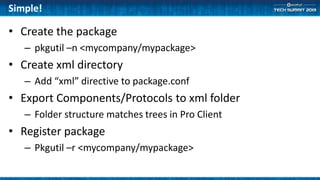
Simple!
• Create the package
– pkgutil –n <mycompany/mypackage>
• Create xml directory
– Add “xml” directive to package.conf
• Export Components/Protocols to xml folder
– Folder structure matches trees in Pro Client
• Register package
– Pkgutil –r <mycompany/mypackage>
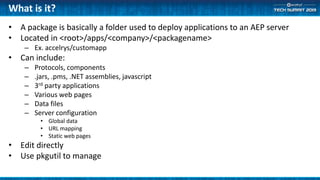
What is it?
• A package is basically a folder used to deploy applications to an AEP server
• Located in <root>/apps/<company>/<packagename>
– Ex. accelrys/customapp
• Can include:
– Protocols, components
– .jars, .pms, .NET assemblies, javascript
– 3rd party applications
– Various web pages
– Data files
– Server configuration
• Global data
• URL mapping
• Static web pages
• Edit directly
• Use pkgutil to manage
pkgutil
• Command Line application
• Used to register, unregister, list, create, and test packages
– Windows: <root>/bin/pkgutil.exe
– Linux: <root>/linux_bin/pkgutil
• Note: run “. <root>/linux_bin/ppvars.sh” first
• Install/Register
– pkgutil -i <package> or pkgutil -r <package>
• Commands are equivalent, -r will first unregister if necessary
• Unregister
– pkgutil -u <package>
• List
– pkgutil -l [company]
• Create
– pkgutil -n <package>
• Creates the basic framework of a package
• Validate
– pkgutil -v <package>
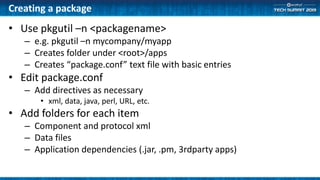
Creating a package
• Use pkgutil –n <packagename>
– e.g. pkgutil –n mycompany/myapp
– Creates folder under <root>/apps
– Creates “package.conf” text file with basic entries
• Edit package.conf
– Add directives as necessary
• xml, data, java, perl, URL, etc.
• Add folders for each item
– Component and protocol xml
– Data files
– Application dependencies (.jar, .pm, 3rdparty apps)
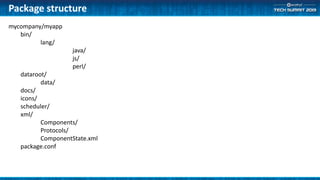
Package structure
mycompany/myapp
bin/
lang/
java/
js/
perl/
dataroot/
data/
docs/
icons/
scheduler/
xml/
Components/
Protocols/
ComponentState.xml
package.conf
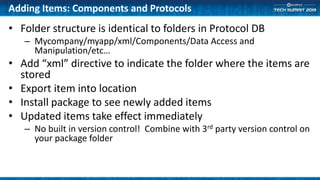
Adding Items: Components and Protocols
• Folder structure is identical to folders in Protocol DB
– Mycompany/myapp/xml/Components/Data Access and
Manipulation/etc…
• Add “xml” directive to indicate the folder where the items are
stored
• Export item into location
• Install package to see newly added items
• Updated items take effect immediately
– No built in version control! Combine with 3rd party version control on
your package folder
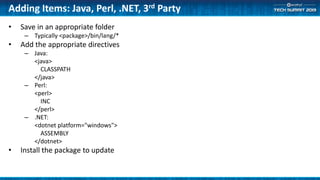
Adding Items: Java, Perl, .NET, 3rd Party
• Save in an appropriate folder
– Typically <package>/bin/lang/*
• Add the appropriate directives
– Java:
<java>
CLASSPATH
</java>
– Perl:
<perl>
INC
</perl>
– .NET:
<dotnet platform="windows">
ASSEMBLY
</dotnet>
• Install the package to update
Adding Items: other
• “dataroot”
– Adds set of data files for the package
– Adds shortcuts to client file browsers
• <icons>
– Adds custom icons for components
• Icon format is very specific!!! Need multiple files for each icon for different sizes and states
• MyIcon.ico (16x16), MyIcon.png (60x52), MyIcon16x16.png (16x16), MyIconRed.png (60x52)
• <web>
– Static web pages (e.g. index.html)
• <URL>
– Custom URL routing for launching protocols
• <helpdoc>
– Documentation to show in help center
– Typically a pdf
• <require>
– Specifies dependencies on other packages
• “scheduler”
– Folder that contains scheduled tasks such as protocol executions
Interface vs. Implementation
• For component SDK items, the implementation might not
be included in the component.
• So, if you have .jar, .pm, or .Net implementation files that
are used by components, OLD components might still
make use of the same file.
• Code your implementation to accept OLD parameter sets.
Editing
• Changes to existing components and protocols take effect
immediately
• Added or deleted components and protocols require
reregistering the package
• Other changes require reregistering as well
– .jar, .pm, docs, icons, etc.
• Some changes might require restarting the AEP server
– URL or scheduler changes which change the server’s core
configuration
Testing Functionality
• regress.exe
– Create regression protocols to test components
– Use regress to make sure
• protocol runs
• results have not changed
– Suggestion: Create a “MyApp_test” package to store
regressions.
• This way you can uninstall the test package on the production server
– Regression protocols should be self contained.
• Same inputs = same outputs
• Remote calls are tested that they work, but remote data might change
Testing Component State
• Validation
– Prevent unintentional changes to component parameters
– Run “pkgutil –q” to create a baseline file called
“ComponentState.txt”
• Stored in <package>/xml folder
– Run “pkgutil –v” to report any differences from the baseline
– Rerun “pkgutil –q” to update the state.
Deploying
• (optional) Pkgutil -repackxml <package>
– Changes the registrant of each component and package to
<company/package>
– Cleans up several parameter values
• Check the package with pkgutil –v <package>
• Copy folder to new server
– Use zip file
• Run pkgutil –r <package>
• Run regression tests on the new server
Version Control
• No built in versioning of items in packages
– Editing an item is permanent
• Connect 3rd party version control to the package folders
– A package is just a folder structure with a set of files
– Be aware of types of files (binary, text, unicode, etc.)
• Creating a package is simple!
• Useful for
– Deploying sets of components and protocols
– Web Applications
– Required for Load-Balanced Deployments
– 3rd party tools
• Take a look at the packages that we ship for examples
Summary

(ATS6-DEV06) Using Packages for Protocol, Component, and Application Delivery

  • 1.
    (ATS6-DEV06) Using Packagesfor Enterprise Application Delivery Steven Bush R&D, AEP Core Infrastructure steven.bush@accelrys.com
  • 2.
    The information onthe roadmap and future software development efforts are intended to outline general product direction and should not be relied on in making a purchasing decision.
  • 3.
    Content • What arepackages? • Using pkgutil • Creating a new package • Adding items to packages – Components and Protocols – Java, Perl, .Net Modules – 3rdparty applications • Editing • Testing • Deploying • Combining with version control (cvs, svn, git, etc.)
  • 4.
    Documentation • See ApplicationPackaging Guide in the AEP Server Developer Help Center
  • 5.
    Simple! • Create thepackage – pkgutil –n <mycompany/mypackage> • Create xml directory – Add “xml” directive to package.conf • Export Components/Protocols to xml folder – Folder structure matches trees in Pro Client • Register package – Pkgutil –r <mycompany/mypackage>
  • 6.
    What is it? •A package is basically a folder used to deploy applications to an AEP server • Located in <root>/apps/<company>/<packagename> – Ex. accelrys/customapp • Can include: – Protocols, components – .jars, .pms, .NET assemblies, javascript – 3rd party applications – Various web pages – Data files – Server configuration • Global data • URL mapping • Static web pages • Edit directly • Use pkgutil to manage
  • 7.
    pkgutil • Command Lineapplication • Used to register, unregister, list, create, and test packages – Windows: <root>/bin/pkgutil.exe – Linux: <root>/linux_bin/pkgutil • Note: run “. <root>/linux_bin/ppvars.sh” first • Install/Register – pkgutil -i <package> or pkgutil -r <package> • Commands are equivalent, -r will first unregister if necessary • Unregister – pkgutil -u <package> • List – pkgutil -l [company] • Create – pkgutil -n <package> • Creates the basic framework of a package • Validate – pkgutil -v <package>
  • 8.
    Creating a package •Use pkgutil –n <packagename> – e.g. pkgutil –n mycompany/myapp – Creates folder under <root>/apps – Creates “package.conf” text file with basic entries • Edit package.conf – Add directives as necessary • xml, data, java, perl, URL, etc. • Add folders for each item – Component and protocol xml – Data files – Application dependencies (.jar, .pm, 3rdparty apps)
  • 9.
  • 10.
    Adding Items: Componentsand Protocols • Folder structure is identical to folders in Protocol DB – Mycompany/myapp/xml/Components/Data Access and Manipulation/etc… • Add “xml” directive to indicate the folder where the items are stored • Export item into location • Install package to see newly added items • Updated items take effect immediately – No built in version control! Combine with 3rd party version control on your package folder
  • 11.
    Adding Items: Java,Perl, .NET, 3rd Party • Save in an appropriate folder – Typically <package>/bin/lang/* • Add the appropriate directives – Java: <java> CLASSPATH </java> – Perl: <perl> INC </perl> – .NET: <dotnet platform="windows"> ASSEMBLY </dotnet> • Install the package to update
  • 12.
    Adding Items: other •“dataroot” – Adds set of data files for the package – Adds shortcuts to client file browsers • <icons> – Adds custom icons for components • Icon format is very specific!!! Need multiple files for each icon for different sizes and states • MyIcon.ico (16x16), MyIcon.png (60x52), MyIcon16x16.png (16x16), MyIconRed.png (60x52) • <web> – Static web pages (e.g. index.html) • <URL> – Custom URL routing for launching protocols • <helpdoc> – Documentation to show in help center – Typically a pdf • <require> – Specifies dependencies on other packages • “scheduler” – Folder that contains scheduled tasks such as protocol executions
  • 13.
    Interface vs. Implementation •For component SDK items, the implementation might not be included in the component. • So, if you have .jar, .pm, or .Net implementation files that are used by components, OLD components might still make use of the same file. • Code your implementation to accept OLD parameter sets.
  • 14.
    Editing • Changes toexisting components and protocols take effect immediately • Added or deleted components and protocols require reregistering the package • Other changes require reregistering as well – .jar, .pm, docs, icons, etc. • Some changes might require restarting the AEP server – URL or scheduler changes which change the server’s core configuration
  • 15.
    Testing Functionality • regress.exe –Create regression protocols to test components – Use regress to make sure • protocol runs • results have not changed – Suggestion: Create a “MyApp_test” package to store regressions. • This way you can uninstall the test package on the production server – Regression protocols should be self contained. • Same inputs = same outputs • Remote calls are tested that they work, but remote data might change
  • 16.
    Testing Component State •Validation – Prevent unintentional changes to component parameters – Run “pkgutil –q” to create a baseline file called “ComponentState.txt” • Stored in <package>/xml folder – Run “pkgutil –v” to report any differences from the baseline – Rerun “pkgutil –q” to update the state.
  • 17.
    Deploying • (optional) Pkgutil-repackxml <package> – Changes the registrant of each component and package to <company/package> – Cleans up several parameter values • Check the package with pkgutil –v <package> • Copy folder to new server – Use zip file • Run pkgutil –r <package> • Run regression tests on the new server
  • 18.
    Version Control • Nobuilt in versioning of items in packages – Editing an item is permanent • Connect 3rd party version control to the package folders – A package is just a folder structure with a set of files – Be aware of types of files (binary, text, unicode, etc.)
  • 19.
    • Creating apackage is simple! • Useful for – Deploying sets of components and protocols – Web Applications – Required for Load-Balanced Deployments – 3rd party tools • Take a look at the packages that we ship for examples Summary