
(ATS6-PLAT04) Query Service
Jon Hurley
Senior Manager
Platform R&D
Jon.Hurley@accelrys.com
The information on the roadmap and future software development efforts are
intended to outline general product direction and should not be relied on in making
a purchasing decision.
• Introduction
• Administrator
– Installation
– Configuring data sources
• Application Developer
– RESTful API
• Protocol Author
– Pipeline Pilot Component Collection
• Conclusion
Content
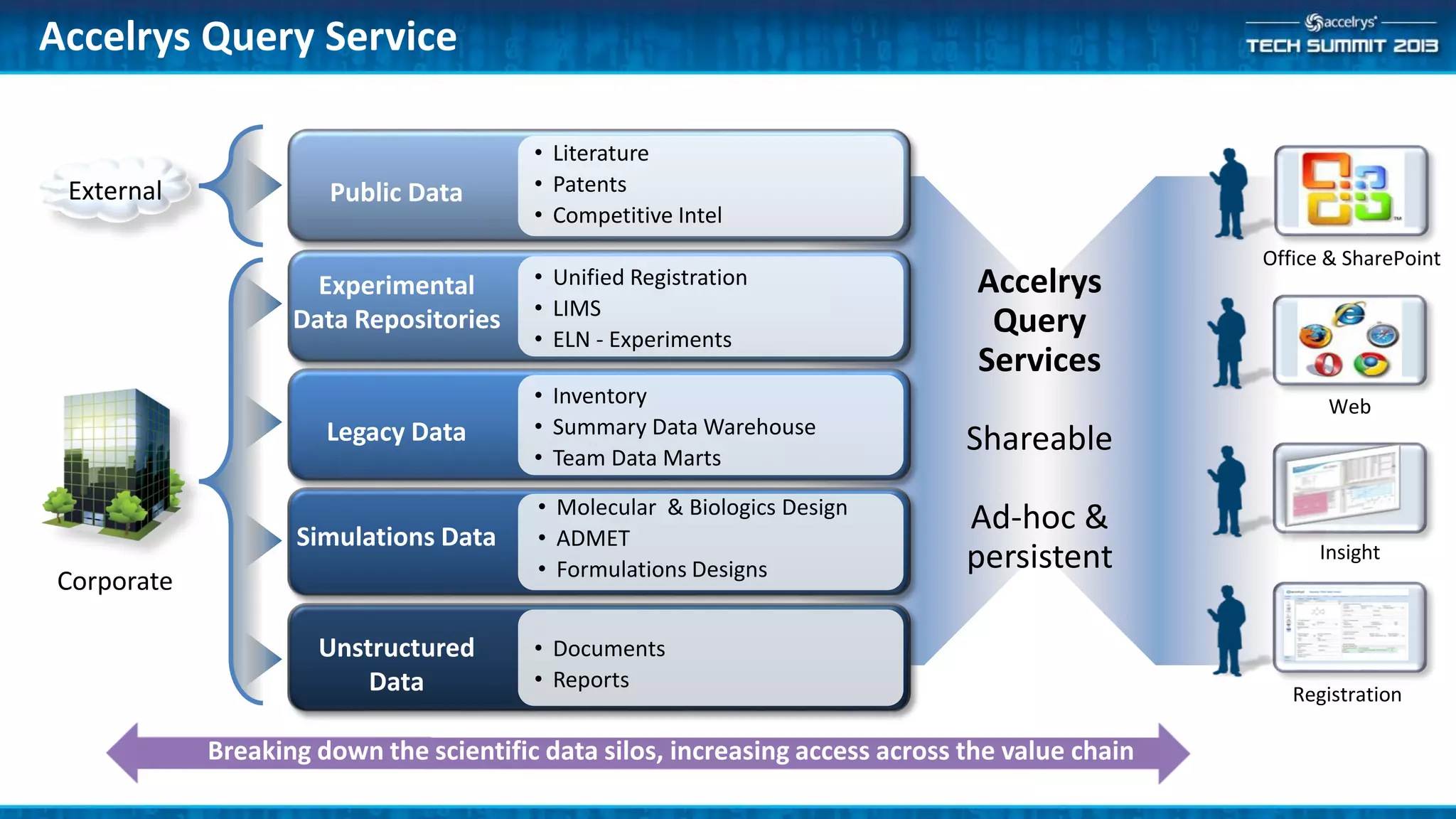
Accelrys Query Service
Accelrys
Query
Services
Shareable
Ad-hoc &
persistent
Public Data
• Literature
• Patents
• Competitive Intel
Experimental
Data Repositories
• Unified Registration
• LIMS
• ELN - Experiments
Legacy Data
• Inventory
• Summary Data Warehouse
• Team Data Marts
Simulations Data
• Molecular & Biologics Design
• ADMET
• Formulations Designs
Unstructured
Data
• Documents
• Reports
Office & SharePoint
Web
Insight
Registration
Breaking down the scientific data silos, increasing access across the value chain
Corporate
External
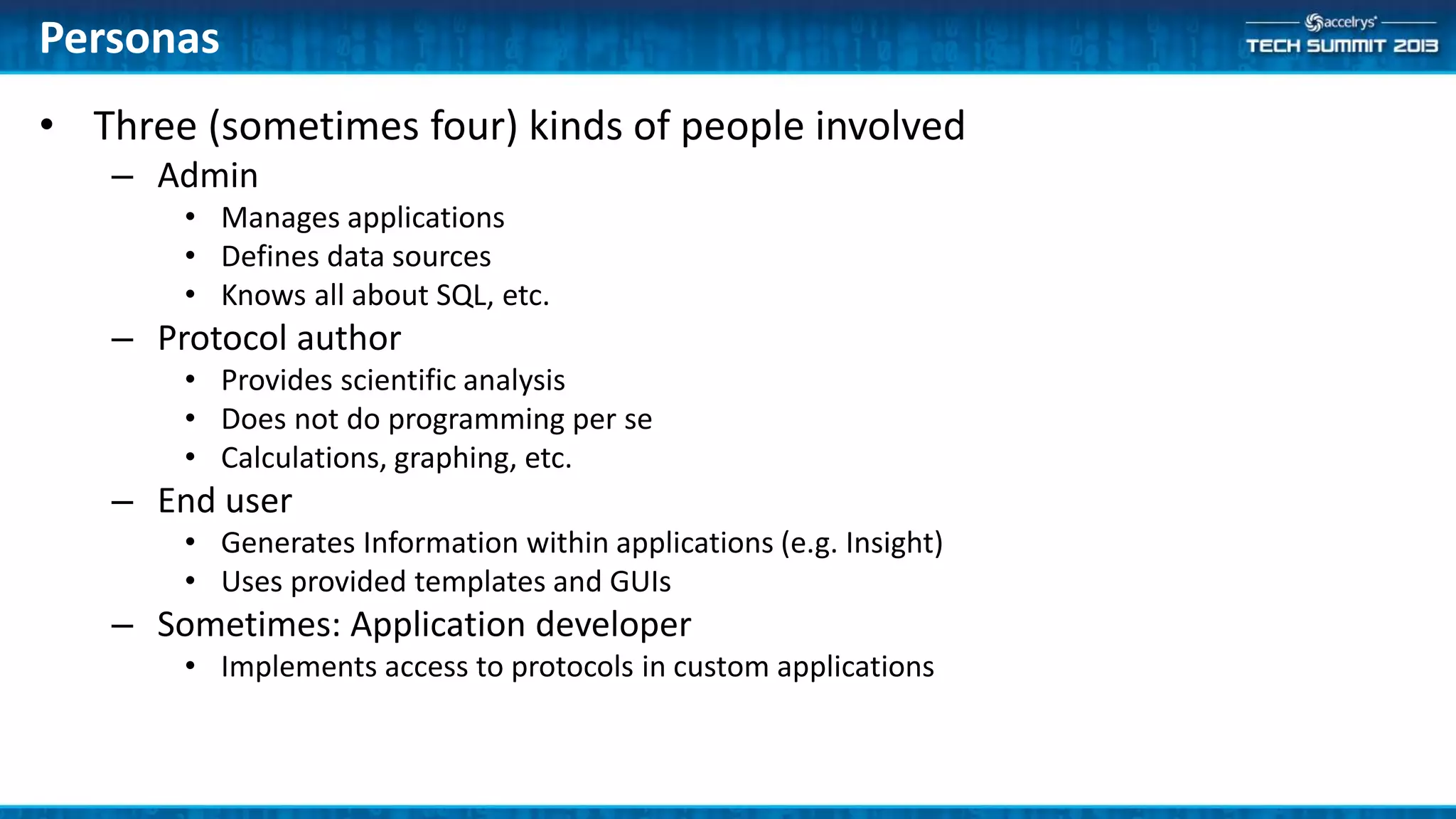
• Three (sometimes four) kinds of people involved
– Admin
• Manages applications
• Defines data sources
• Knows all about SQL, etc.
– Protocol author
• Provides scientific analysis
• Does not do programming per se
• Calculations, graphing, etc.
– End user
• Generates Information within applications (e.g. Insight)
• Uses provided templates and GUIs
– Sometimes: Application developer
• Implements access to protocols in custom applications
Personas
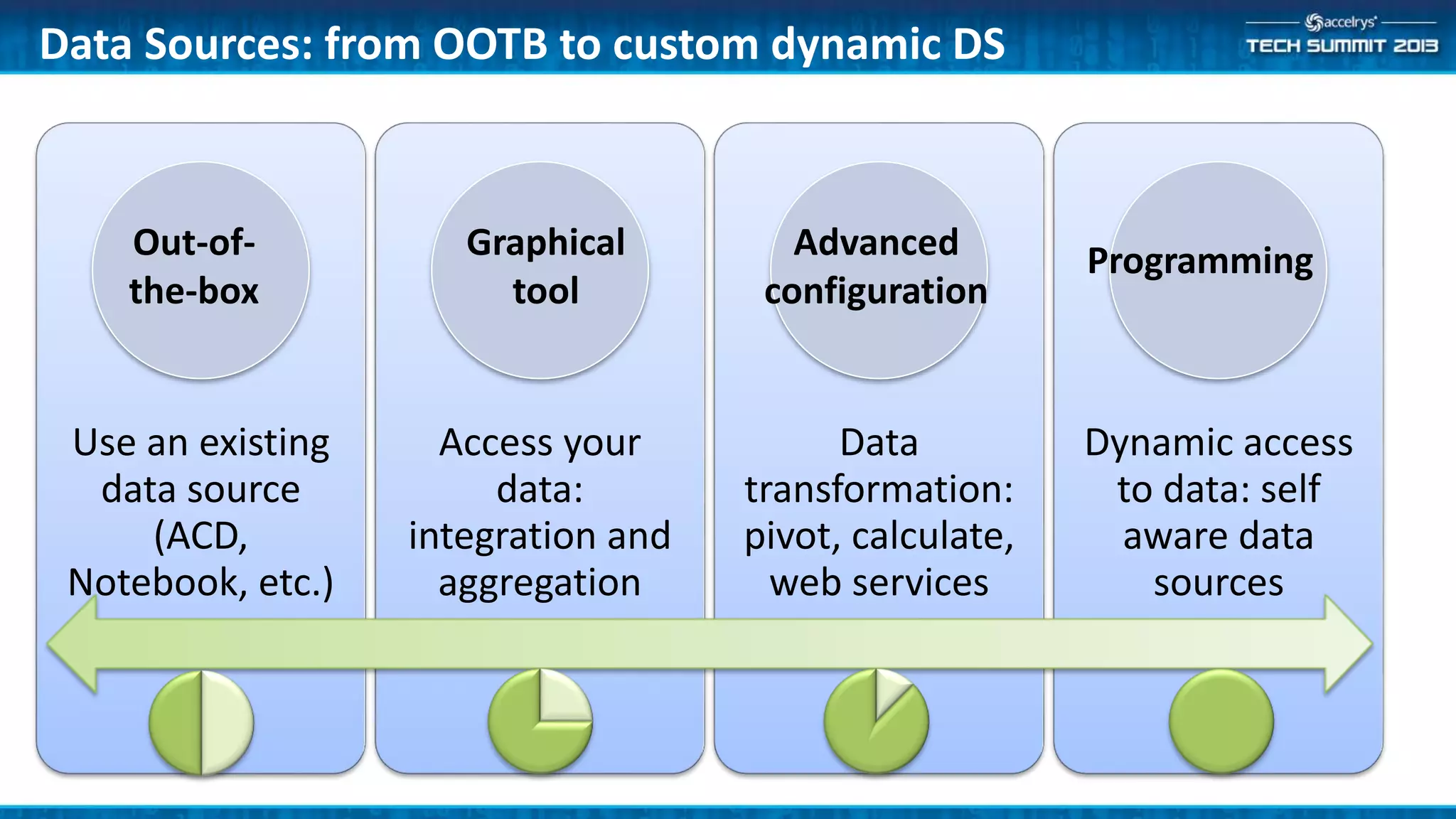
Use an existing
data source
(ACD,
Notebook, etc.)
Access your
data:
integration and
aggregation
Data
transformation:
pivot, calculate,
web services
Dynamic access
to data: self
aware data
sources
Data Sources: from OOTB to custom dynamic DS
Out-of-
the-box
Graphical
tool
Advanced
configuration
Programming
Administrator
• Installation
• Configuring Data Sources
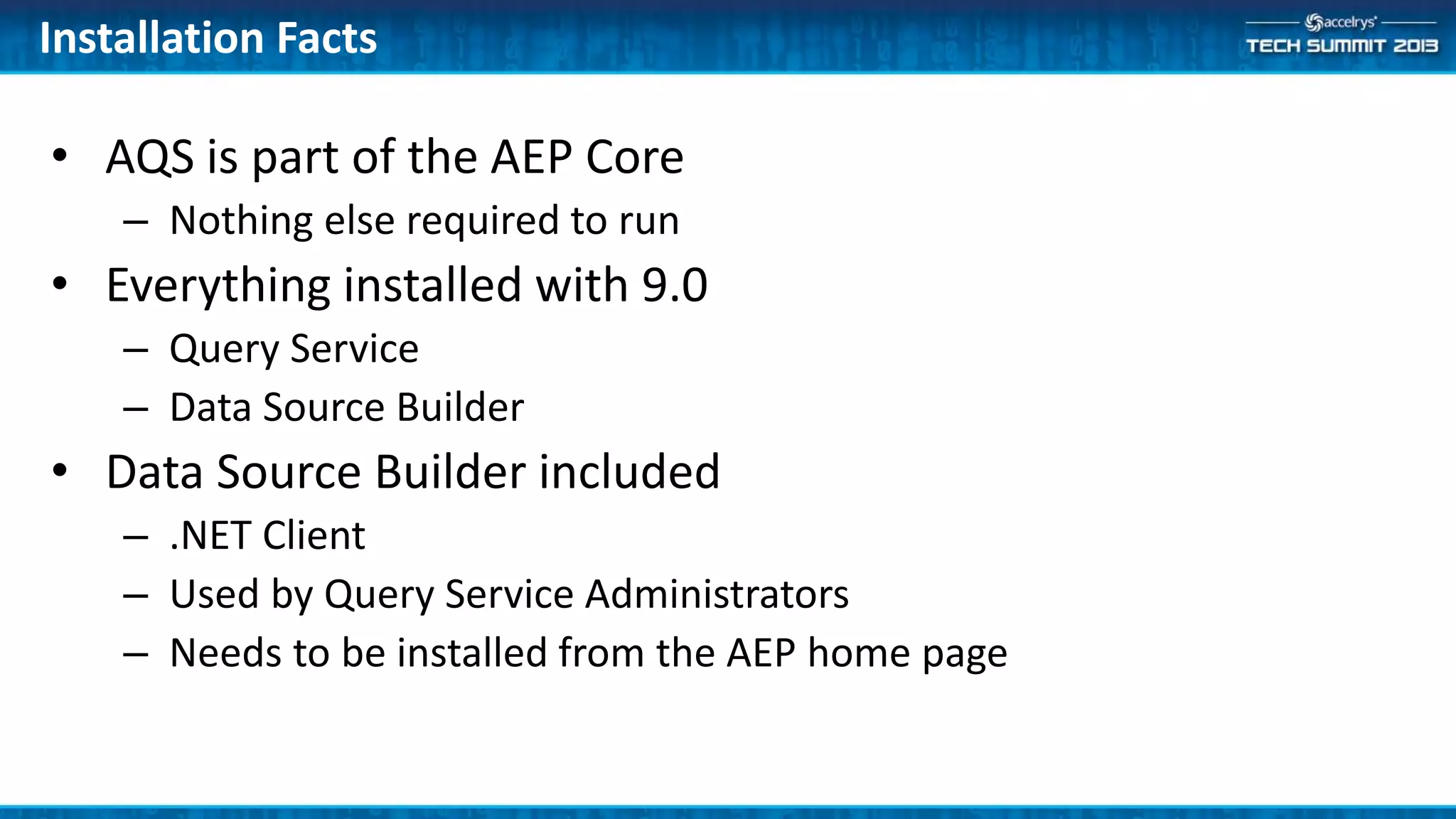
• AQS is part of the AEP Core
– Nothing else required to run
• Everything installed with 9.0
– Query Service
– Data Source Builder
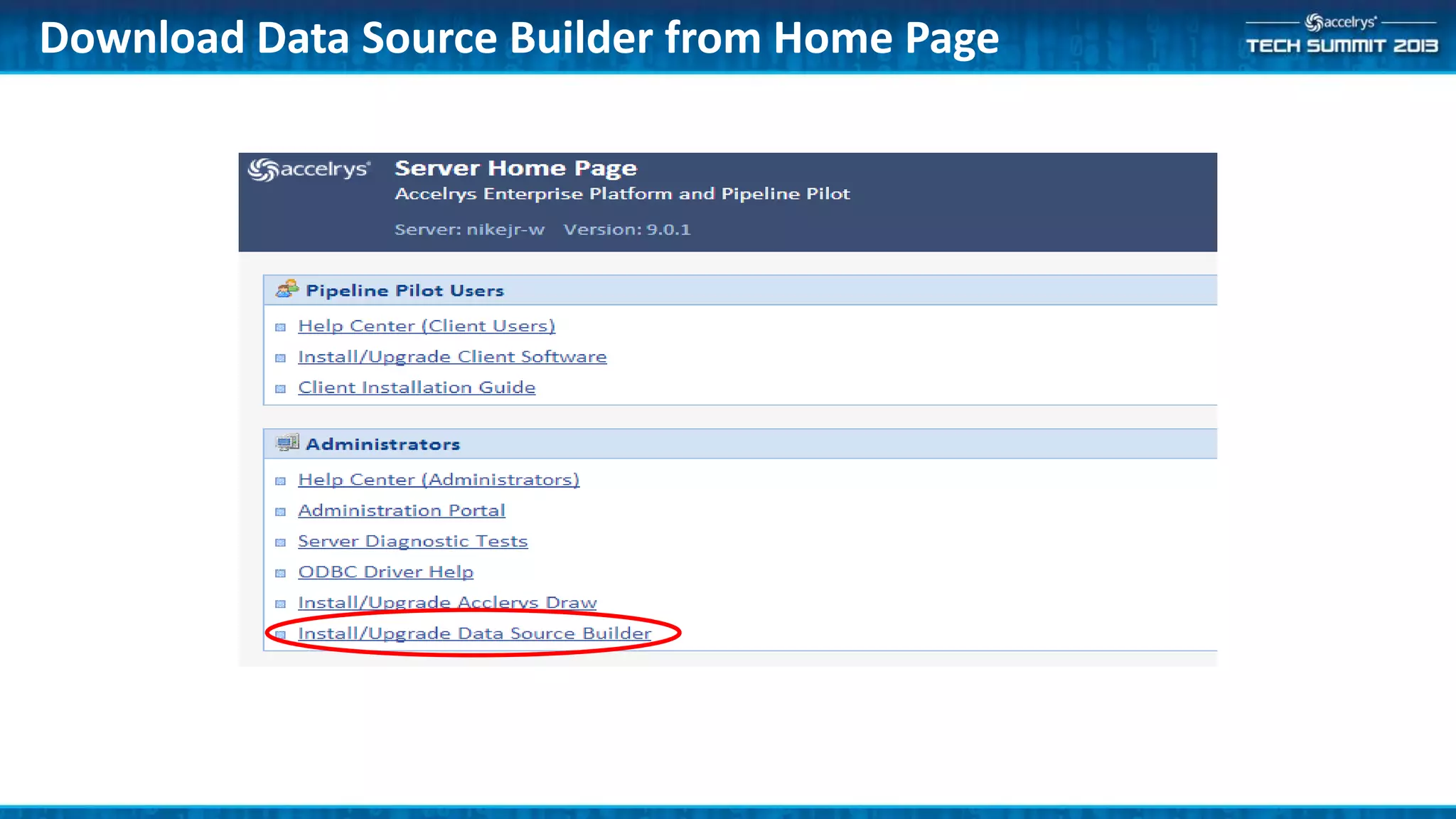
• Data Source Builder included
– .NET Client
– Used by Query Service Administrators
– Needs to be installed from the AEP home page
Installation Facts
Download Data Source Builder from Home Page
• QueryService/Administer Permission
– Required to
• Start Data Source Builder
• Execute any administrative task from the interface
– Given by Default to QueryService/Administrators group
– Defined by default as Platform/Administrators
• QueryService/Logon Permission
– Required to
• Execute any Query Service call
– Given by Default to QueryService/Users group
– Defined by default as Platform/Everyone
Administration: Permissions
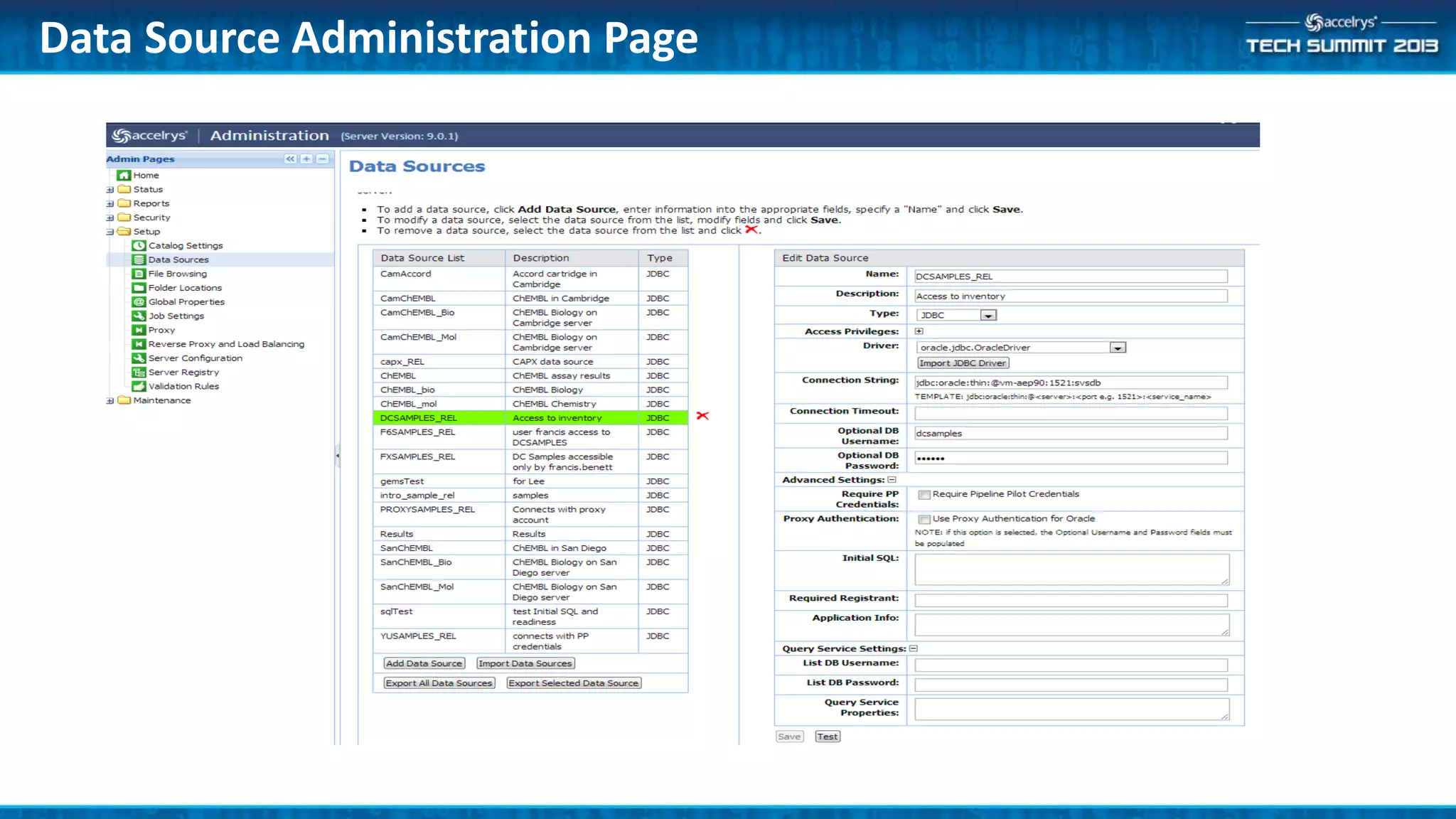
• In the AEP Administration Portal
– Configure relational data source (RDS)
– Assign access rights
• In Data Source Builder
– Configure Integrating Data Source (IDS)
– Configure Aggregating Data Source (ADS)
– Test, debug & optimize them
Data Source Configuration
Data Source Administration Page
13
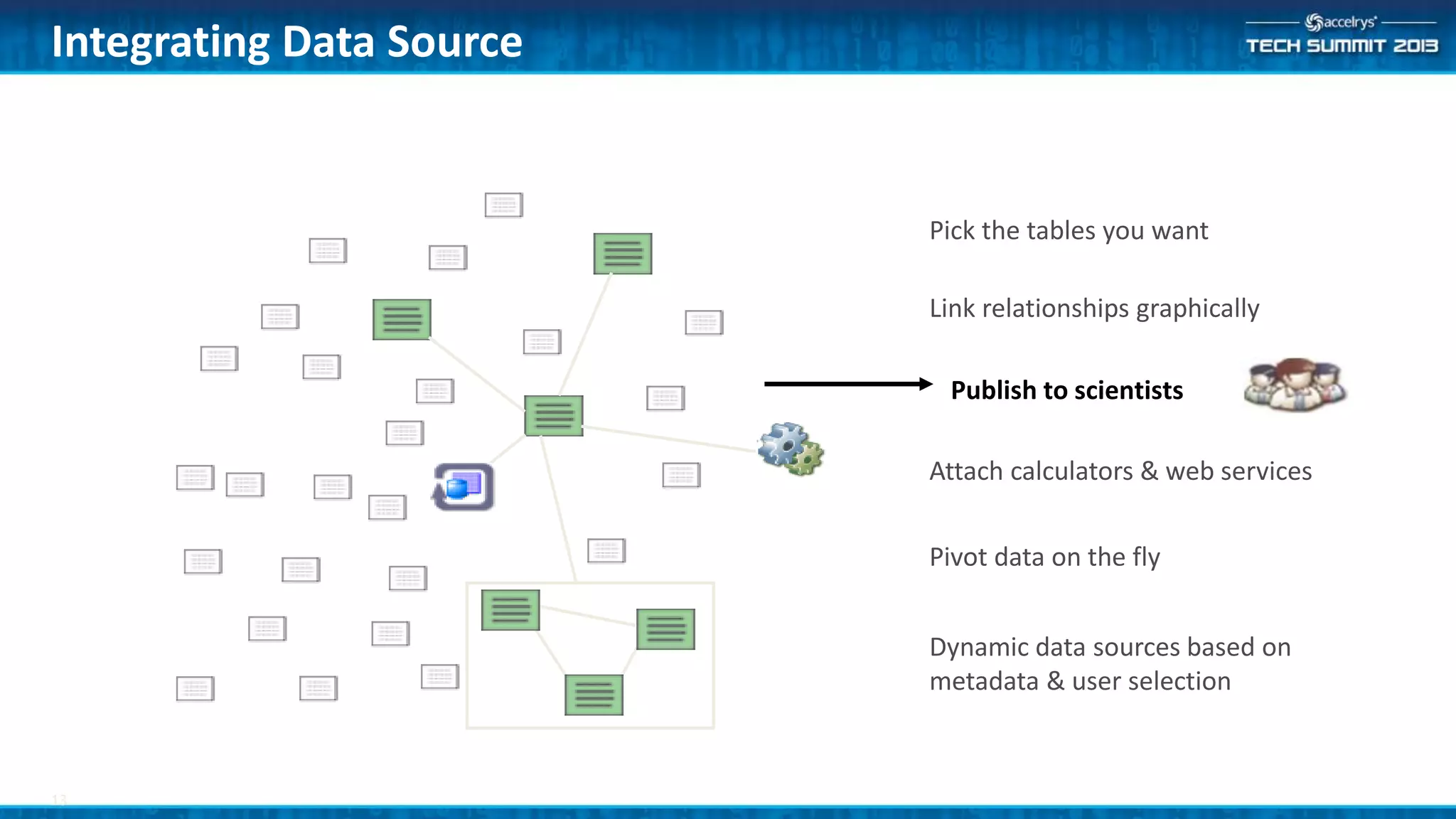
Integrating Data Source
Link relationships graphically
Attach calculators & web services
Dynamic data sources based on
metadata & user selection
Publish to scientists
Pivot data on the fly
Pick the tables you want
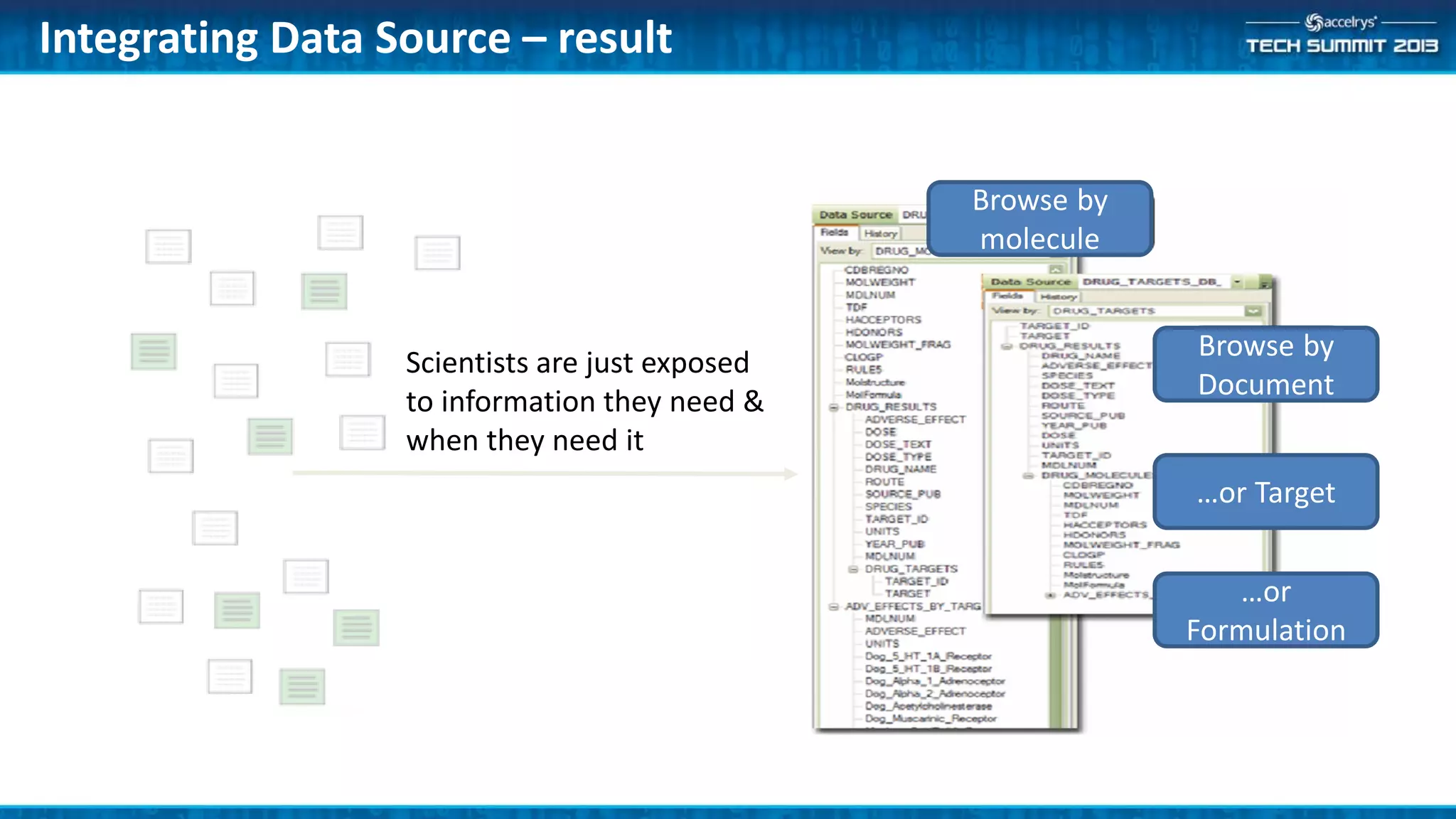
Integrating Data Source – result
Scientists are just exposed
to information they need &
when they need it
Browse by
molecule
Browse by
Document
…or Target
…or
Formulation
• An Integrating Data Source (IDS) is created using Data Source
Builder
• Same interface as for Isentris
• Start by dragging a RDS
• Drag table or views
– Same or different schema
• Define linking fields
• Fine tune properties
• Test it
Data Source configuration IDS
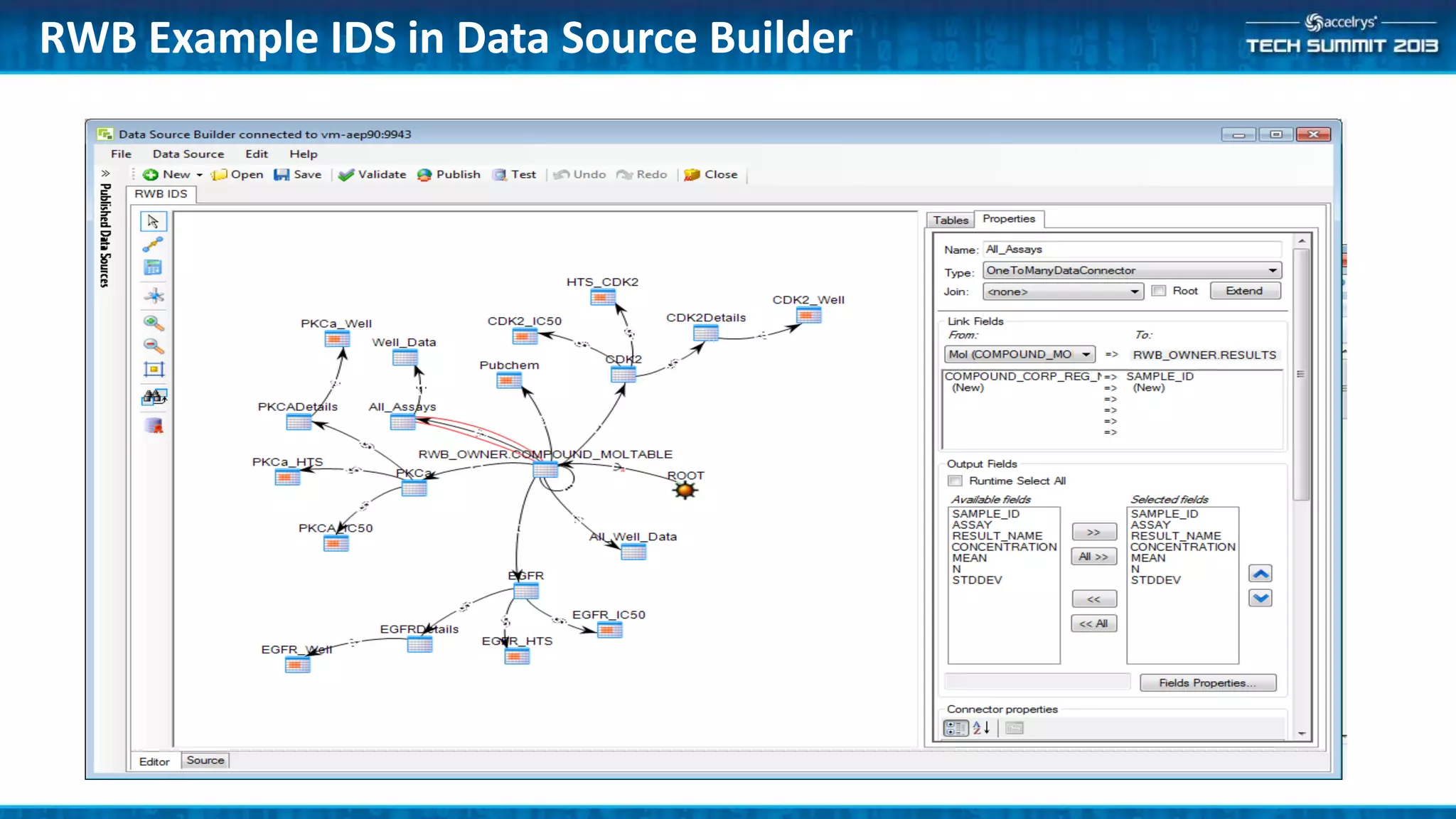
RWB Example IDS in Data Source Builder
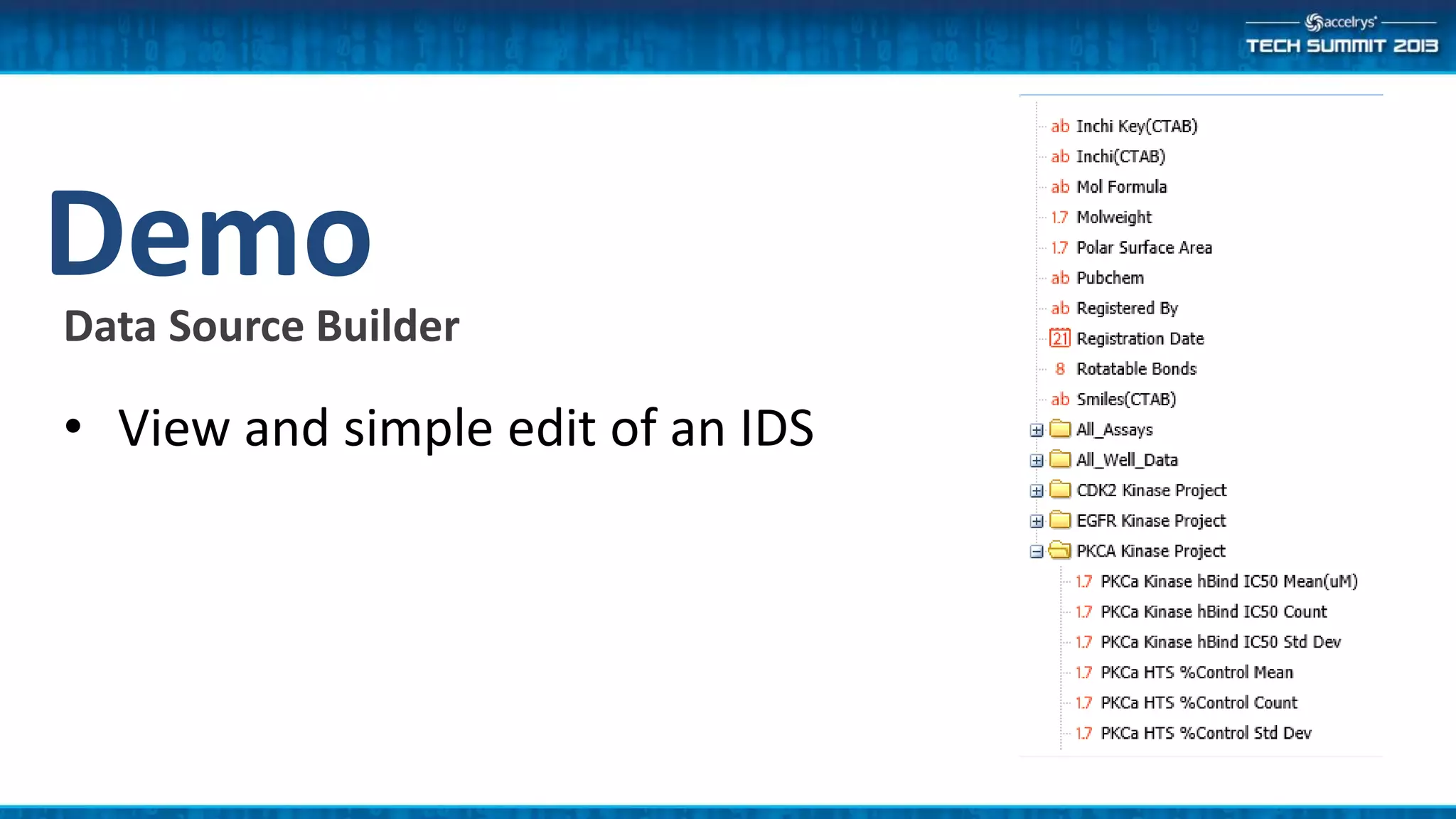
DemoData Source Builder
• View and simple edit of an IDS
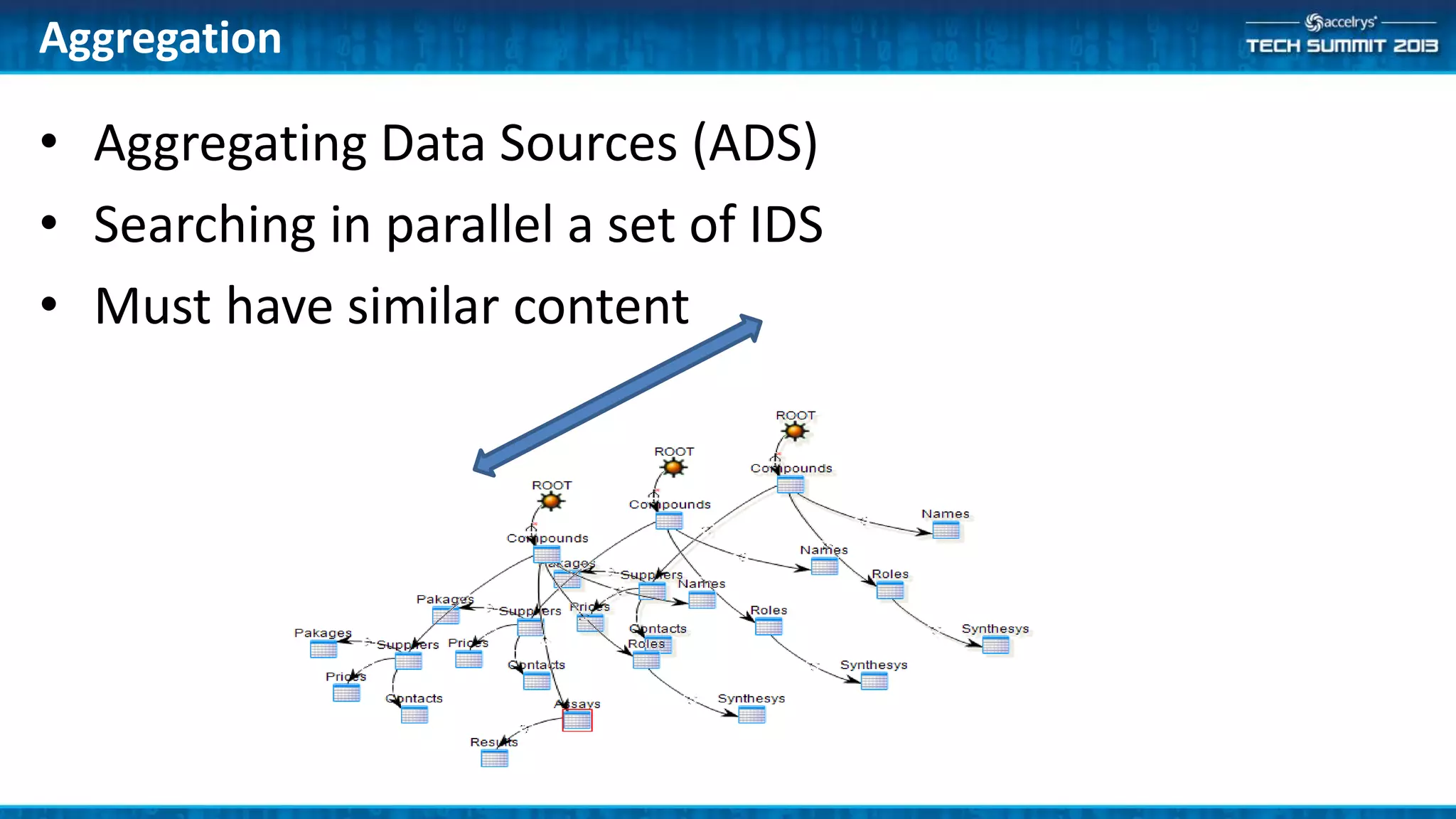
• Aggregating Data Sources (ADS)
• Searching in parallel a set of IDS
• Must have similar content
Aggregation
• An Aggregating Data Source (ADS) is created using Data
Source Builder
• Same interface as for Isentris
• Start by dragging similar IDS
• Select common parts
• Rename parents & fields as necessary
Data Source configuration ADS
Application Developer
• RESTful API
Any Application accessing Restful web service API
• Released by Accelrys
– Data Source Builder
– Query Service Component collection
• Customer/Services extensions
– Web Browser (+ add-on for POST)
– C#/Java/JavaScript REST Client apps
Query Service Clients
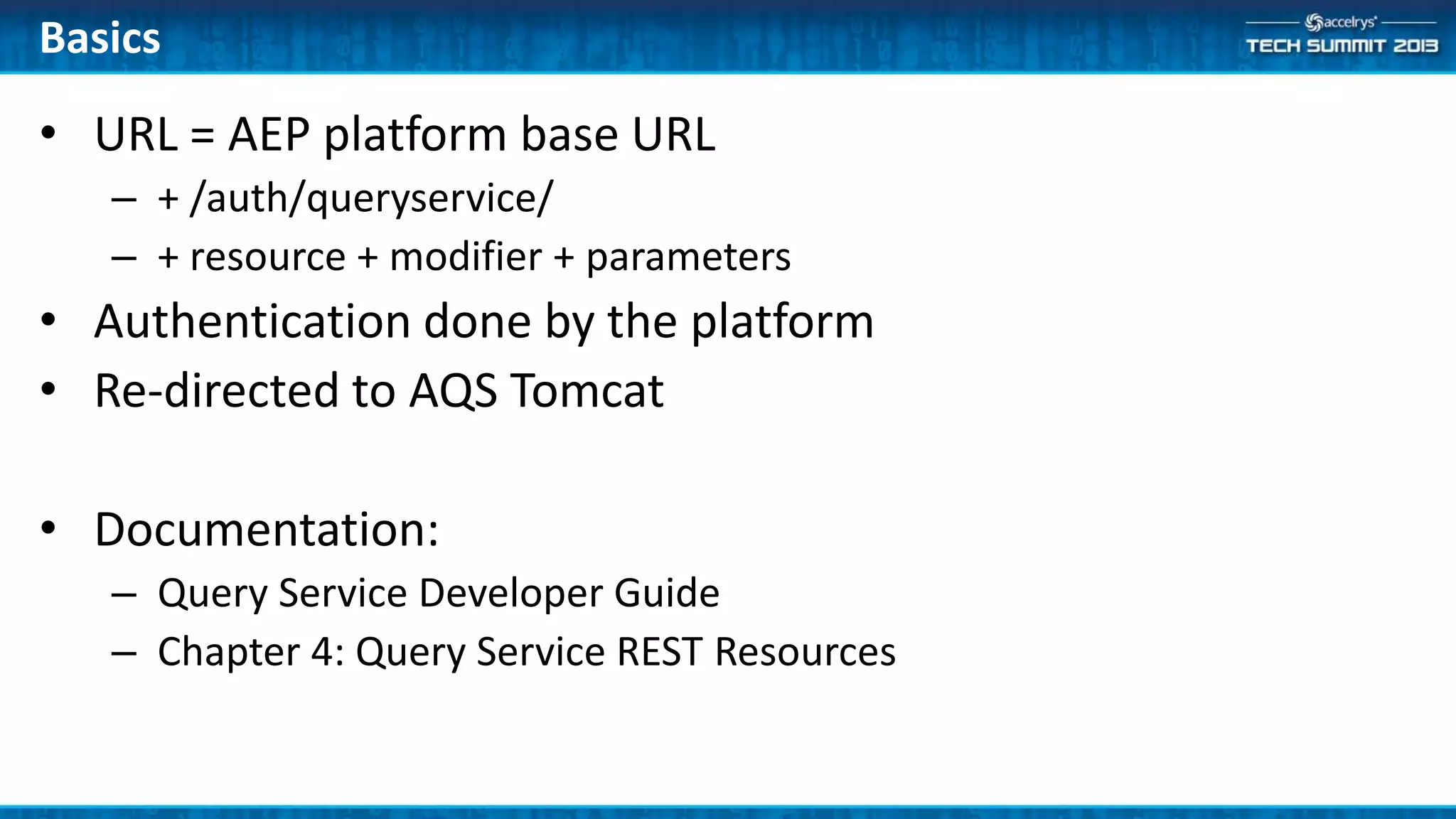
• URL = AEP platform base URL
– + /auth/queryservice/
– + resource + modifier + parameters
• Authentication done by the platform
• Re-directed to AQS Tomcat
• Documentation:
– Query Service Developer Guide
– Chapter 4: Query Service REST Resources
Basics
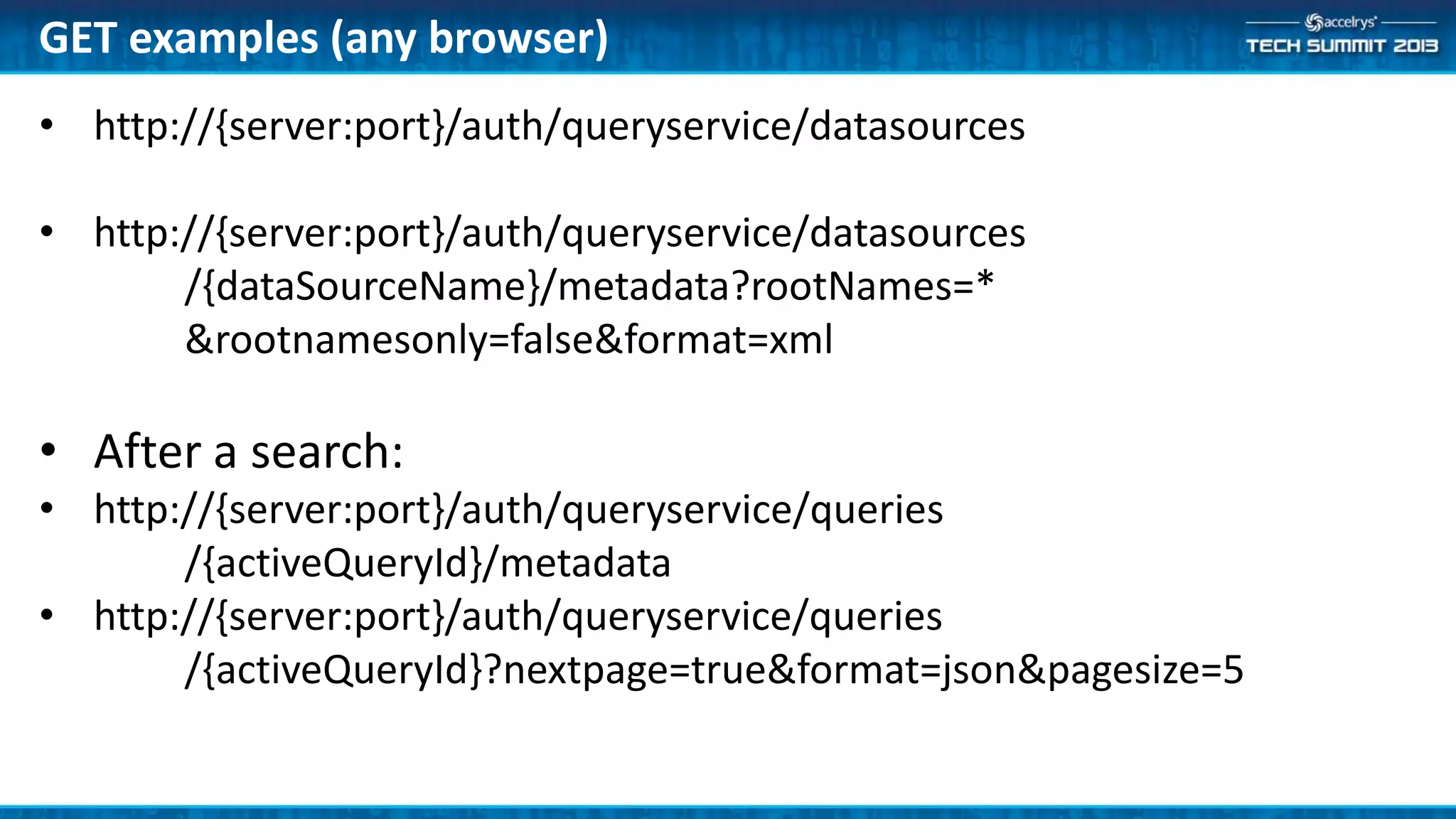
• http://{server:port}/auth/queryservice/datasources
/{dataSourceName}/metadata?rootNames=*
&rootnamesonly=false&format=xml
• After a search:
• http://{server:port}/auth/queryservice/queries
/{activeQueryId}/metadata
• http://{server:port}/auth/queryservice/queries
/{activeQueryId}?nextpage=true&format=json&pagesize=5
GET examples (any browser)
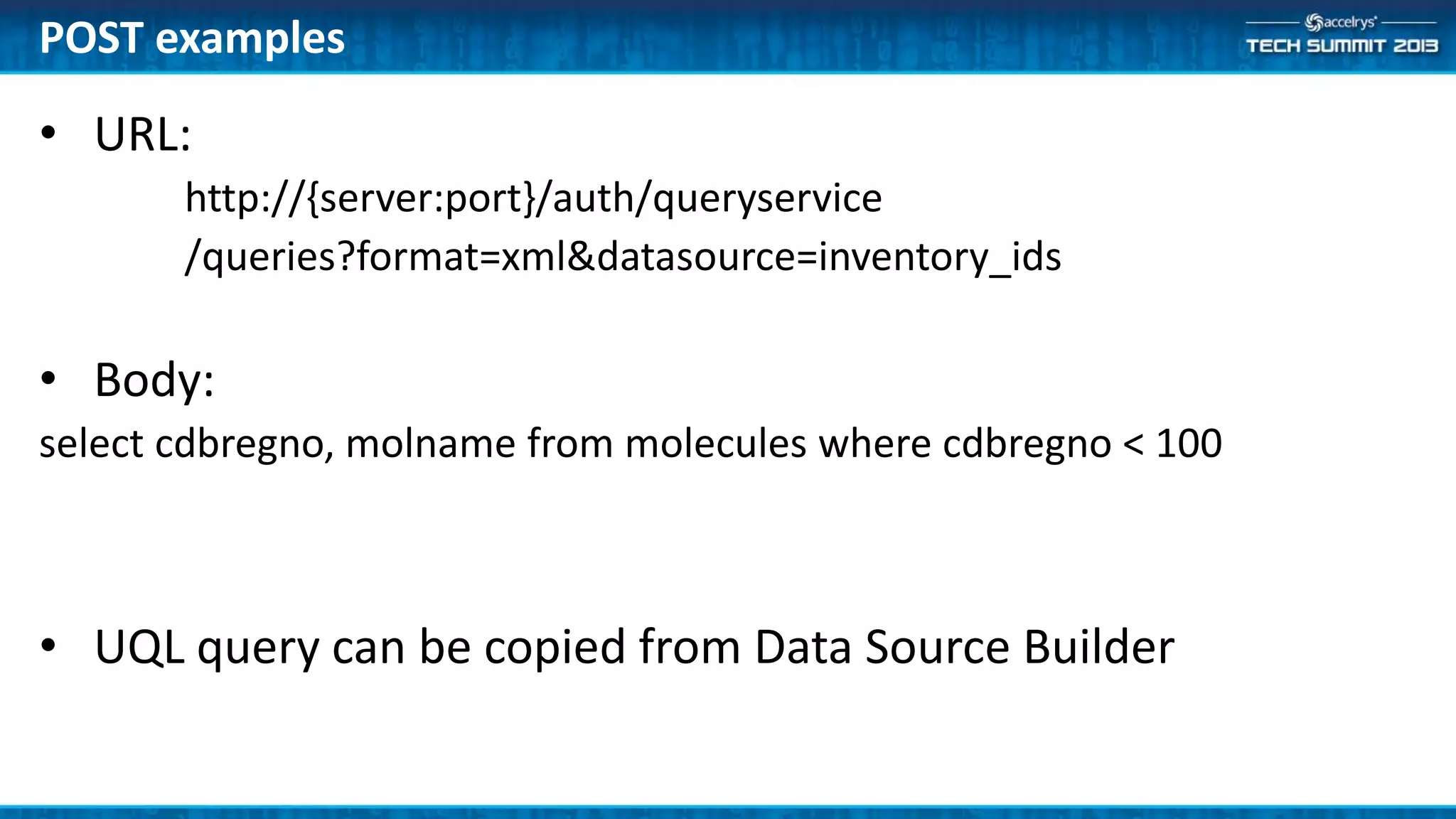
• URL:
http://{server:port}/auth/queryservice
/queries?format=xml&datasource=inventory_ids
• Body:
select cdbregno, molname from molecules where cdbregno < 100
• UQL query can be copied from Data Source Builder
POST examples
Protocol Author
• Pipeline Pilot Component Collection
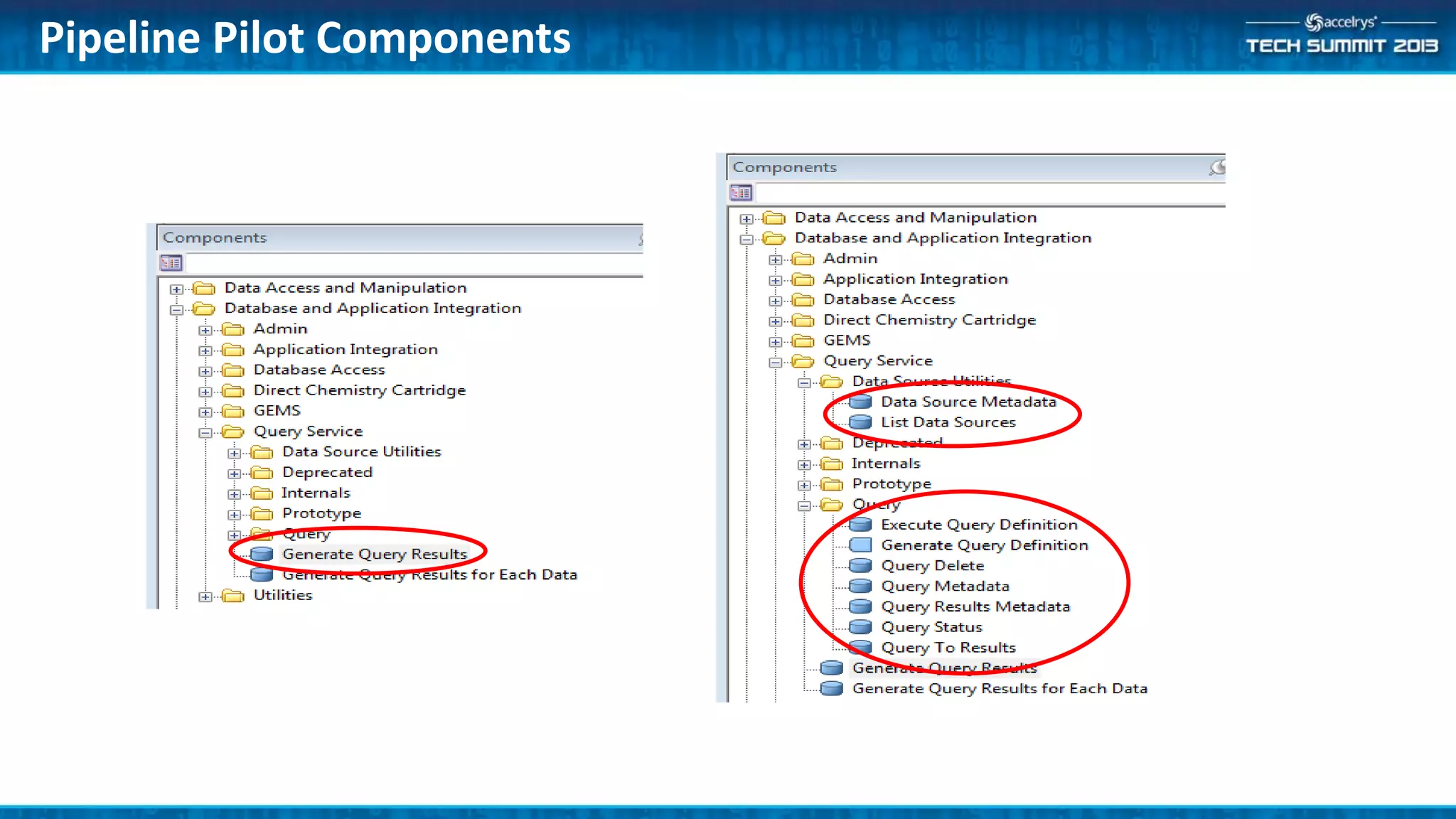
Pipeline Pilot Components
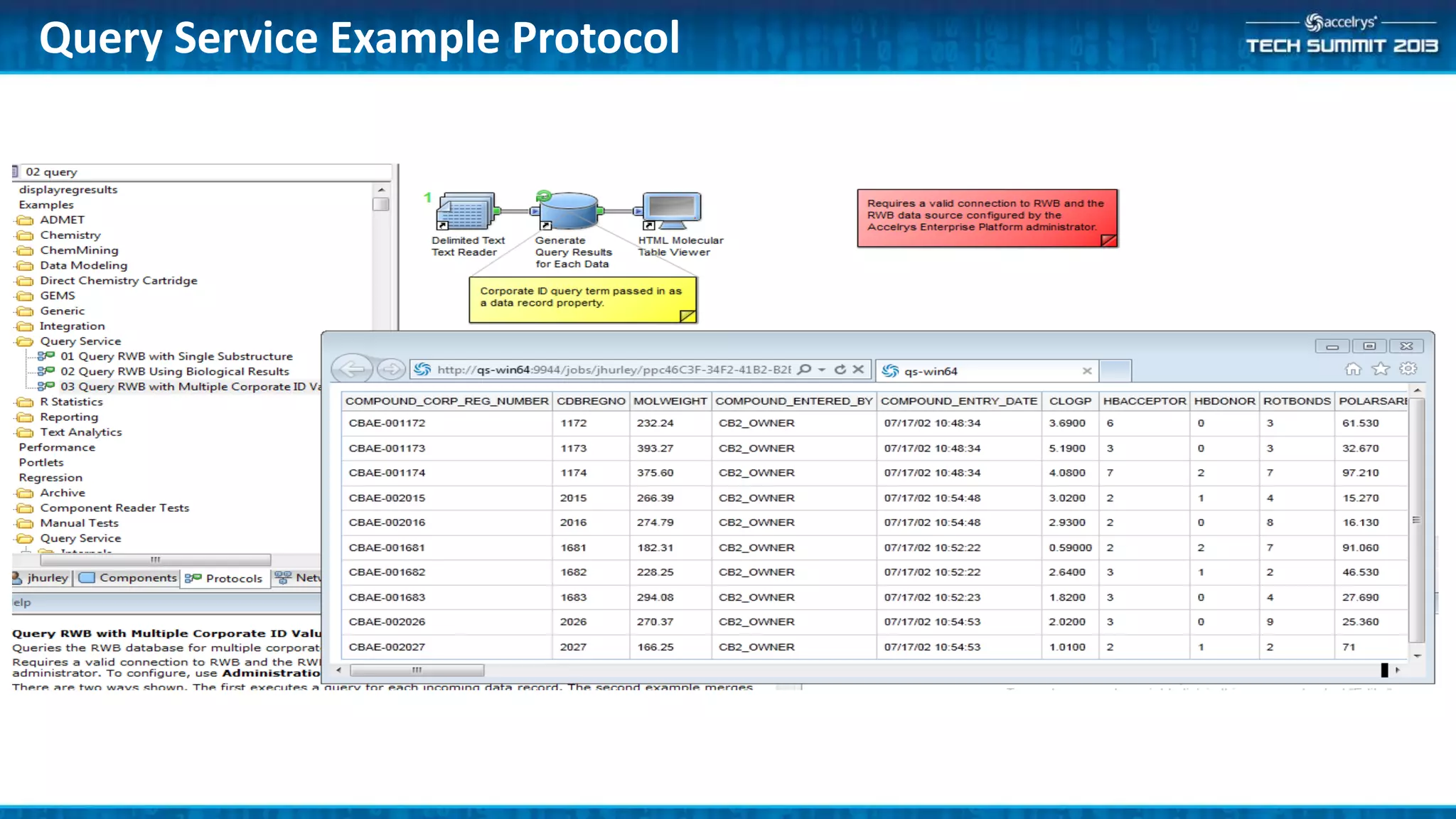
Query Service Example Protocol
• Main Components
– Generate Query Results
– Generate Query Results for Each Data
• Composite components that
– Define the query
– Execute the query
– Return the results
• If you create protocols that process all data to completion
– These are the only components you need
Component Collection
• Generate Query Results
– Define a single query with the Query Builder UI
• Either provide all query values in the UI or through component
parameter values
– Executes the query and returns all the results from the query
• Generate Query Results for Each Data
– Same as above but runs the same query once for each input
data record
Composite Components
DemoExample ‘03 Query RWB with Multiple Corporate ID Values’
• Simple example using Generate Query Results
• Utility Components
– Data Source utilities
• Information about data sources
– Query Components
• Define and execute queries
• Asynchronous support for running query and retrieving subset of results
– HitList Components
• * Prototypes *
• Manage hit lists as cache files
• These are more advanced components
– Used by Insight and other ‘interactive’ clients
Component Collection
DemoExample ‘02 Query RWB Using Biological Results’
• More sophisticated example using many AQS
components
• Streamlined RESTful API
– Consistent with Component Collection
• Initial Component Collection
– Will extend with next release of Insight
Summary
• Some sample use cases for Query Service
Appendix
Appendix
• Additional information, use cases for Query Service
• A RESTful web service API
– Authorization through the AEP platform
– Runs in the platform Tomcat server
– All end points accessible as GET/POST/DELETE
– Functionality taken from Isentris Data Source Service
• A collection of PP Components
– Replaces the LMQS collection
– Calls the Query Service Restful API
What is AQS?
• Are supported as well
• Cannot create RDS file in Data Source Builder any more
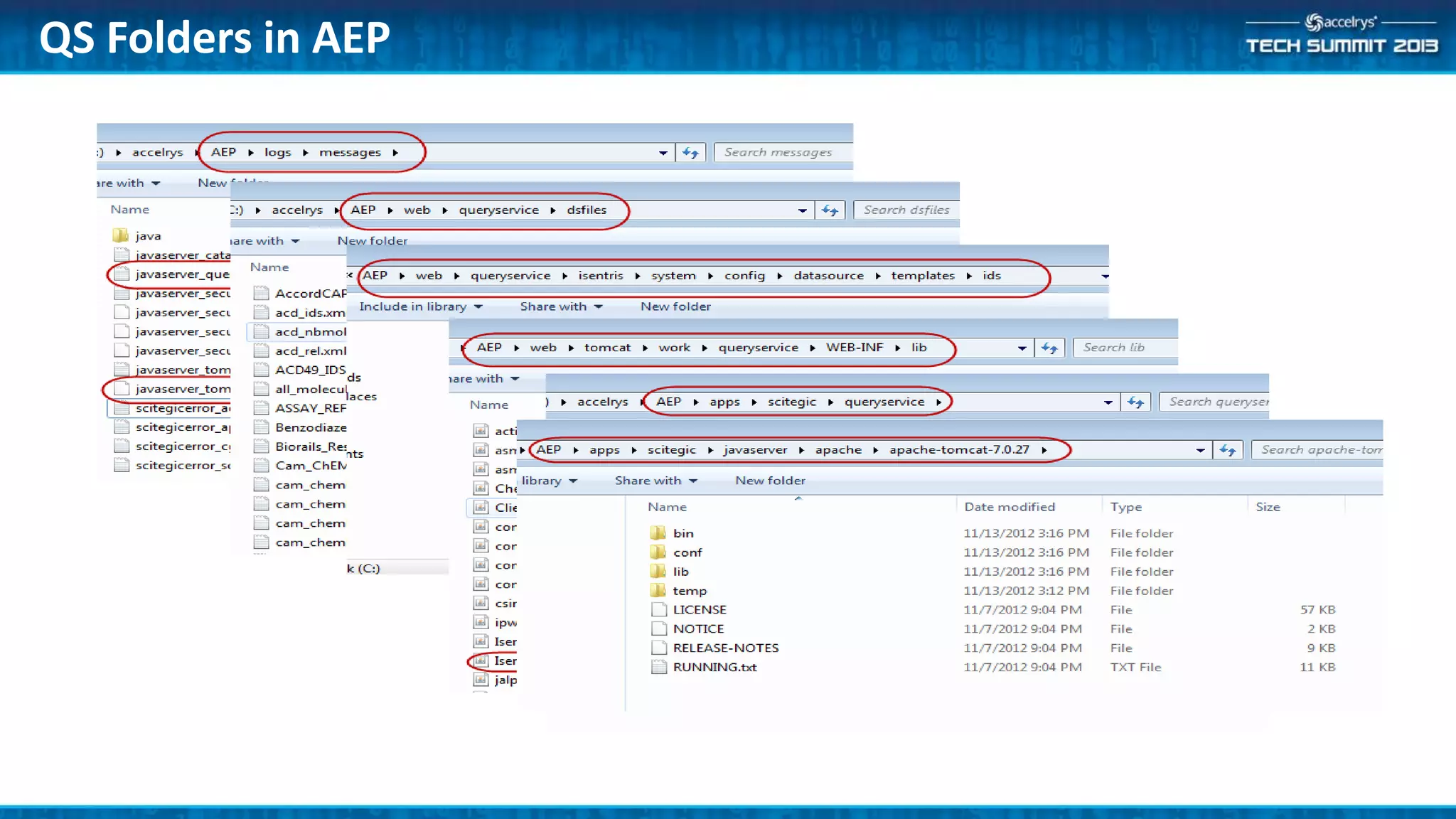
• Must be copied from Isentris into AEP folder {AEP
install}webqueryservicedsfiles
• Only for public IDS (no access rights)
– Not associated to an AEP data source
Legacy Isentris RDS
QS Folders in AEP
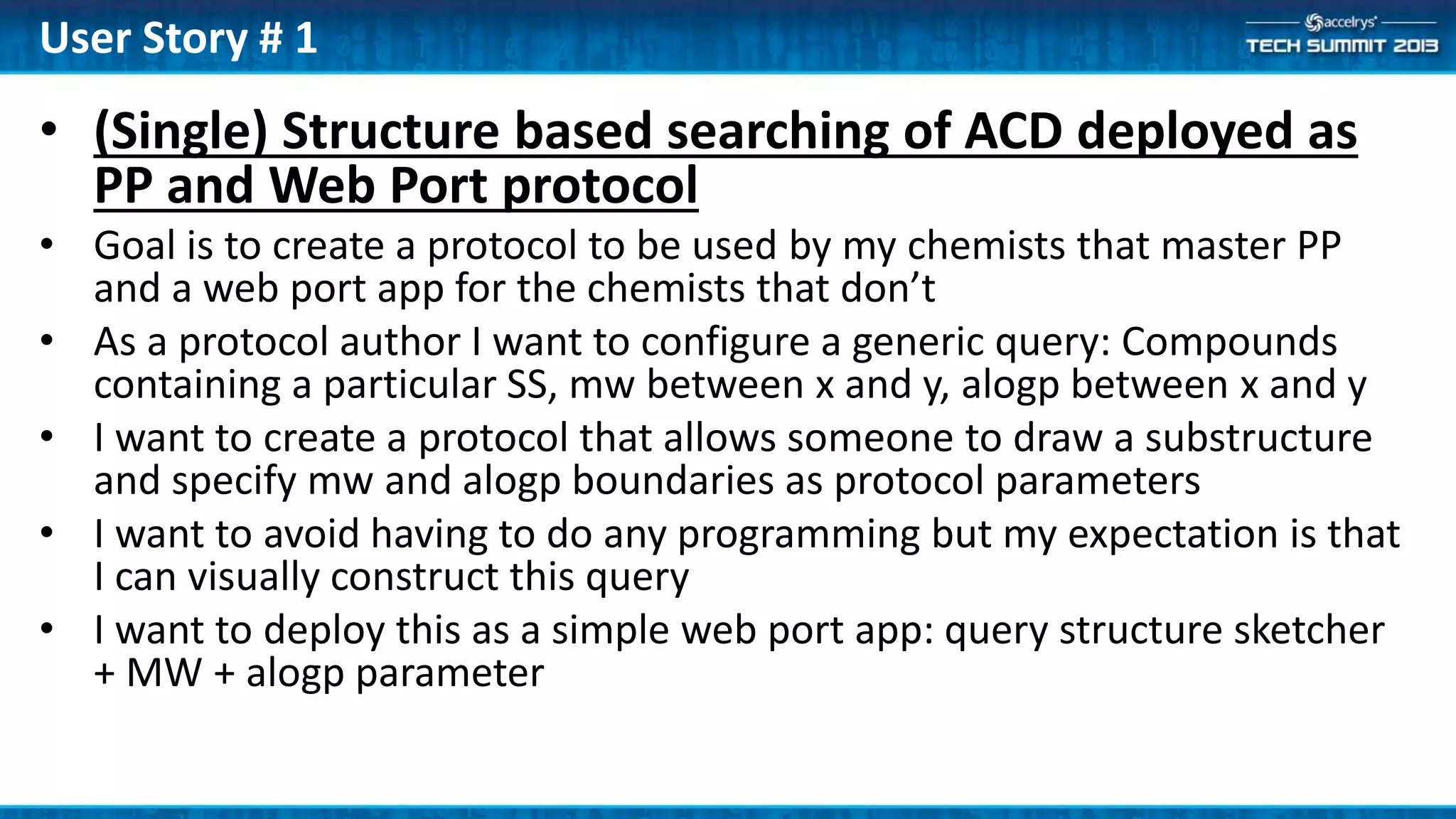
• (Single) Structure based searching of ACD deployed as
PP and Web Port protocol
• Goal is to create a protocol to be used by my chemists that master PP
and a web port app for the chemists that don’t
• As a protocol author I want to configure a generic query: Compounds
containing a particular SS, mw between x and y, alogp between x and y
• I want to create a protocol that allows someone to draw a substructure
and specify mw and alogp boundaries as protocol parameters
• I want to avoid having to do any programming but my expectation is that
I can visually construct this query
• I want to deploy this as a simple web port app: query structure sketcher
+ MW + alogp parameter
User Story # 1
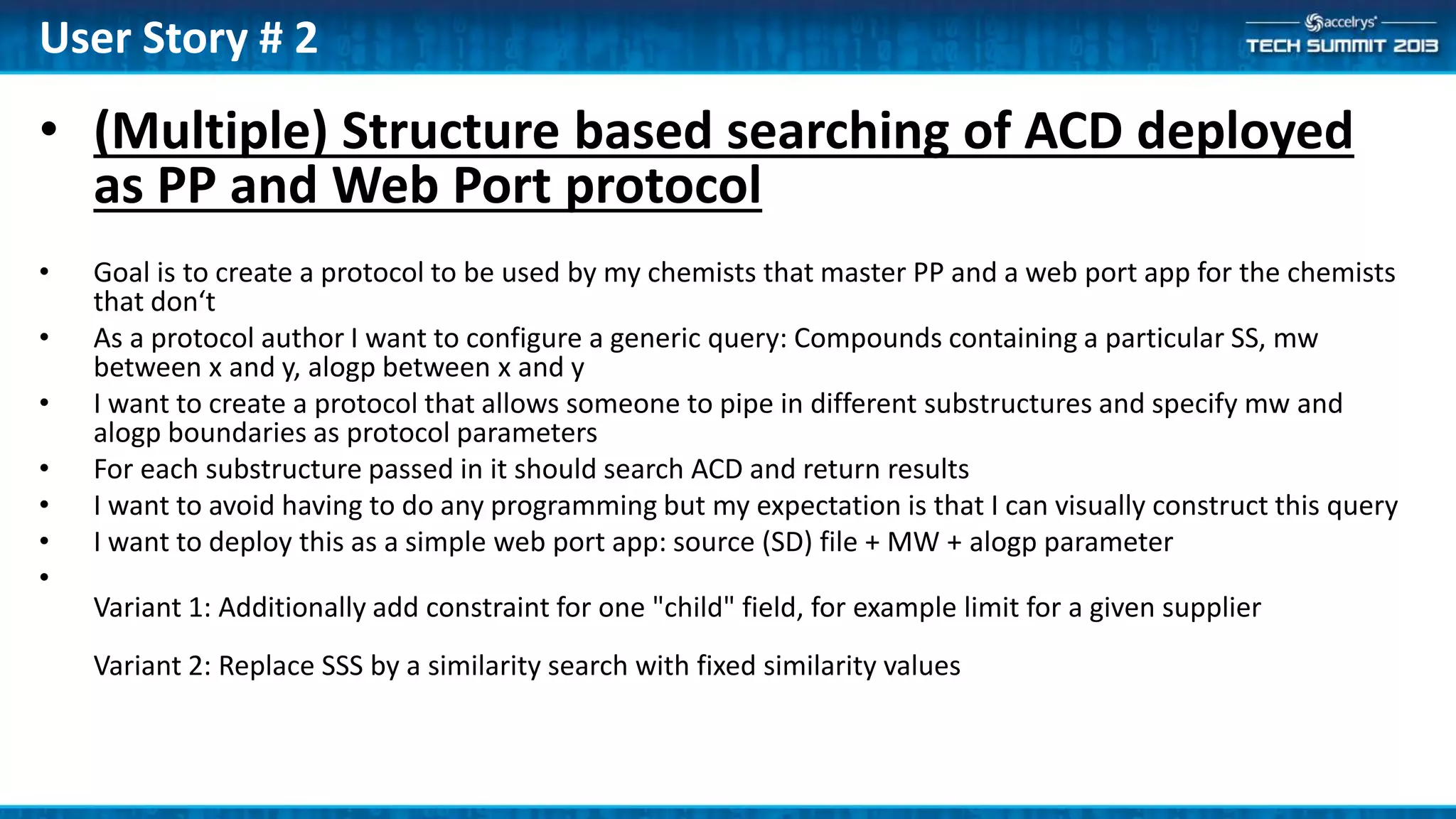
• (Multiple) Structure based searching of ACD deployed
as PP and Web Port protocol
• Goal is to create a protocol to be used by my chemists that master PP and a web port app for the chemists
that don‘t
• As a protocol author I want to configure a generic query: Compounds containing a particular SS, mw
between x and y, alogp between x and y
• I want to create a protocol that allows someone to pipe in different substructures and specify mw and
alogp boundaries as protocol parameters
• For each substructure passed in it should search ACD and return results
• I want to avoid having to do any programming but my expectation is that I can visually construct this query
• I want to deploy this as a simple web port app: source (SD) file + MW + alogp parameter
•
Variant 1: Additionally add constraint for one "child" field, for example limit for a given supplier
Variant 2: Replace SSS by a similarity search with fixed similarity values
User Story # 2
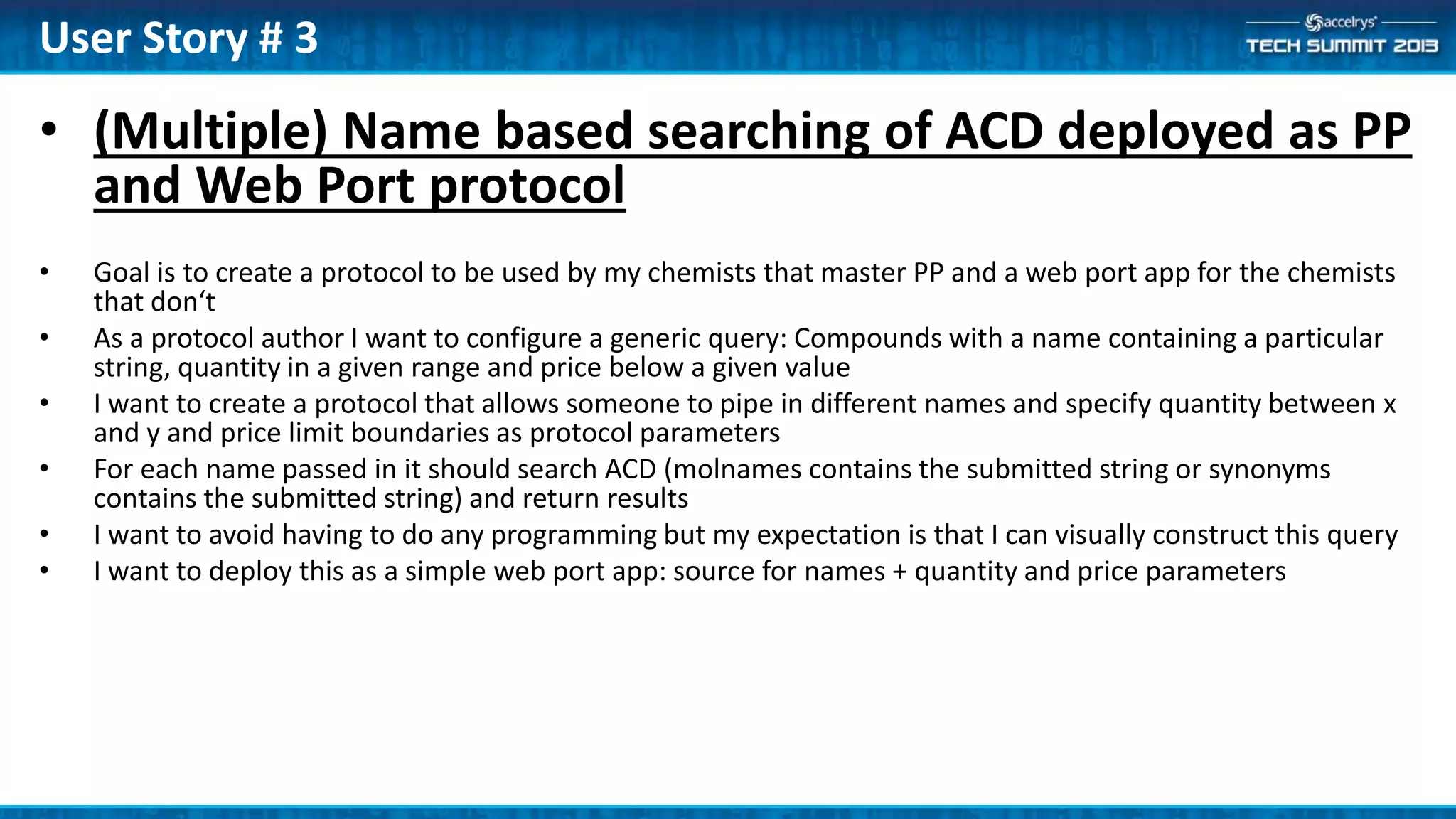
• (Multiple) Name based searching of ACD deployed as PP
and Web Port protocol
• Goal is to create a protocol to be used by my chemists that master PP and a web port app for the chemists
that don‘t
• As a protocol author I want to configure a generic query: Compounds with a name containing a particular
string, quantity in a given range and price below a given value
• I want to create a protocol that allows someone to pipe in different names and specify quantity between x
and y and price limit boundaries as protocol parameters
• For each name passed in it should search ACD (molnames contains the submitted string or synonyms
contains the submitted string) and return results
• I want to avoid having to do any programming but my expectation is that I can visually construct this query
• I want to deploy this as a simple web port app: source for names + quantity and price parameters
User Story # 3
• Reaction searching over Notebook deployed as PP and Web Port
protocol
• Goal is to create a protocol to be used by my chemists that master PP and a web port app
for the chemists that don’t
• As a protocol author I want to configure a generic query: Reactions implementing a
particular transform, with yield more than a given threshold. I want to the display to
include the reference to the Notebook experiment done.
• I want to create a protocol that allows someone to draw a reaction transform and specify
minimum yield value as protocol parameters
• I want to avoid having to do any programming but my expectation is that I can visually
construct this query
• I want to deploy this as a simple web port app: query structure sketcher + minimum yield
parameter
User Story #4
• Activity searching over RWB deployed as PP and Web Port
protocol
• Goal is to create a protocol to be used by my scientists that master PP and a web port
app for the chemists that don’t
• As a protocol author I want to configure a generic query: Compounds with a particular
SS, activity larger than a given value for the CDK2 assay and smaller than a given value for
the PKCa assay.
• I want to create a protocol that allows someone to draw a substructure and specify
minimum result value for CDK2 and maximum value for PKCa as protocol parameters
• I want to avoid having to do any programming but my expectation is that I can visually
construct this query
• I want to deploy this as a simple web port app: query structure sketcher + minimum
CDK2 and maximum PKCA parameters
User Story #5

(ATS6-PLAT04) Query service

  • 1.
    (ATS6-PLAT04) Query Service JonHurley Senior Manager Platform R&D Jon.Hurley@accelrys.com
  • 2.
    The information onthe roadmap and future software development efforts are intended to outline general product direction and should not be relied on in making a purchasing decision.
  • 3.
    • Introduction • Administrator –Installation – Configuring data sources • Application Developer – RESTful API • Protocol Author – Pipeline Pilot Component Collection • Conclusion Content
  • 4.
    Accelrys Query Service Accelrys Query Services Shareable Ad-hoc& persistent Public Data • Literature • Patents • Competitive Intel Experimental Data Repositories • Unified Registration • LIMS • ELN - Experiments Legacy Data • Inventory • Summary Data Warehouse • Team Data Marts Simulations Data • Molecular & Biologics Design • ADMET • Formulations Designs Unstructured Data • Documents • Reports Office & SharePoint Web Insight Registration Breaking down the scientific data silos, increasing access across the value chain Corporate External
  • 5.
    • Three (sometimesfour) kinds of people involved – Admin • Manages applications • Defines data sources • Knows all about SQL, etc. – Protocol author • Provides scientific analysis • Does not do programming per se • Calculations, graphing, etc. – End user • Generates Information within applications (e.g. Insight) • Uses provided templates and GUIs – Sometimes: Application developer • Implements access to protocols in custom applications Personas
  • 6.
    Use an existing datasource (ACD, Notebook, etc.) Access your data: integration and aggregation Data transformation: pivot, calculate, web services Dynamic access to data: self aware data sources Data Sources: from OOTB to custom dynamic DS Out-of- the-box Graphical tool Advanced configuration Programming
  • 7.
  • 8.
    • AQS ispart of the AEP Core – Nothing else required to run • Everything installed with 9.0 – Query Service – Data Source Builder • Data Source Builder included – .NET Client – Used by Query Service Administrators – Needs to be installed from the AEP home page Installation Facts
  • 9.
    Download Data SourceBuilder from Home Page
  • 10.
    • QueryService/Administer Permission –Required to • Start Data Source Builder • Execute any administrative task from the interface – Given by Default to QueryService/Administrators group – Defined by default as Platform/Administrators • QueryService/Logon Permission – Required to • Execute any Query Service call – Given by Default to QueryService/Users group – Defined by default as Platform/Everyone Administration: Permissions
  • 11.
    • In theAEP Administration Portal – Configure relational data source (RDS) – Assign access rights • In Data Source Builder – Configure Integrating Data Source (IDS) – Configure Aggregating Data Source (ADS) – Test, debug & optimize them Data Source Configuration
  • 12.
  • 13.
    13 Integrating Data Source Linkrelationships graphically Attach calculators & web services Dynamic data sources based on metadata & user selection Publish to scientists Pivot data on the fly Pick the tables you want
  • 14.
    Integrating Data Source– result Scientists are just exposed to information they need & when they need it Browse by molecule Browse by Document …or Target …or Formulation
  • 15.
    • An IntegratingData Source (IDS) is created using Data Source Builder • Same interface as for Isentris • Start by dragging a RDS • Drag table or views – Same or different schema • Define linking fields • Fine tune properties • Test it Data Source configuration IDS
  • 16.
    RWB Example IDSin Data Source Builder
  • 17.
    DemoData Source Builder •View and simple edit of an IDS
  • 18.
    • Aggregating DataSources (ADS) • Searching in parallel a set of IDS • Must have similar content Aggregation
  • 19.
    • An AggregatingData Source (ADS) is created using Data Source Builder • Same interface as for Isentris • Start by dragging similar IDS • Select common parts • Rename parents & fields as necessary Data Source configuration ADS
  • 20.
  • 21.
    Any Application accessingRestful web service API • Released by Accelrys – Data Source Builder – Query Service Component collection • Customer/Services extensions – Web Browser (+ add-on for POST) – C#/Java/JavaScript REST Client apps Query Service Clients
  • 22.
    • URL =AEP platform base URL – + /auth/queryservice/ – + resource + modifier + parameters • Authentication done by the platform • Re-directed to AQS Tomcat • Documentation: – Query Service Developer Guide – Chapter 4: Query Service REST Resources Basics
  • 23.
    • http://{server:port}/auth/queryservice/datasources • http://{server:port}/auth/queryservice/datasources /{dataSourceName}/metadata?rootNames=* &rootnamesonly=false&format=xml •After a search: • http://{server:port}/auth/queryservice/queries /{activeQueryId}/metadata • http://{server:port}/auth/queryservice/queries /{activeQueryId}?nextpage=true&format=json&pagesize=5 GET examples (any browser)
  • 24.
    • URL: http://{server:port}/auth/queryservice /queries?format=xml&datasource=inventory_ids • Body: selectcdbregno, molname from molecules where cdbregno < 100 • UQL query can be copied from Data Source Builder POST examples
  • 25.
    Protocol Author • PipelinePilot Component Collection
  • 26.
  • 27.
  • 28.
    • Main Components –Generate Query Results – Generate Query Results for Each Data • Composite components that – Define the query – Execute the query – Return the results • If you create protocols that process all data to completion – These are the only components you need Component Collection
  • 29.
    • Generate QueryResults – Define a single query with the Query Builder UI • Either provide all query values in the UI or through component parameter values – Executes the query and returns all the results from the query • Generate Query Results for Each Data – Same as above but runs the same query once for each input data record Composite Components
  • 30.
    DemoExample ‘03 QueryRWB with Multiple Corporate ID Values’ • Simple example using Generate Query Results
  • 31.
    • Utility Components –Data Source utilities • Information about data sources – Query Components • Define and execute queries • Asynchronous support for running query and retrieving subset of results – HitList Components • * Prototypes * • Manage hit lists as cache files • These are more advanced components – Used by Insight and other ‘interactive’ clients Component Collection
  • 32.
    DemoExample ‘02 QueryRWB Using Biological Results’ • More sophisticated example using many AQS components
  • 33.
    • Streamlined RESTfulAPI – Consistent with Component Collection • Initial Component Collection – Will extend with next release of Insight Summary
  • 35.
    • Some sampleuse cases for Query Service Appendix
  • 36.
    Appendix • Additional information,use cases for Query Service
  • 37.
    • A RESTfulweb service API – Authorization through the AEP platform – Runs in the platform Tomcat server – All end points accessible as GET/POST/DELETE – Functionality taken from Isentris Data Source Service • A collection of PP Components – Replaces the LMQS collection – Calls the Query Service Restful API What is AQS?
  • 38.
    • Are supportedas well • Cannot create RDS file in Data Source Builder any more • Must be copied from Isentris into AEP folder {AEP install}webqueryservicedsfiles • Only for public IDS (no access rights) – Not associated to an AEP data source Legacy Isentris RDS
  • 39.
  • 40.
    • (Single) Structurebased searching of ACD deployed as PP and Web Port protocol • Goal is to create a protocol to be used by my chemists that master PP and a web port app for the chemists that don’t • As a protocol author I want to configure a generic query: Compounds containing a particular SS, mw between x and y, alogp between x and y • I want to create a protocol that allows someone to draw a substructure and specify mw and alogp boundaries as protocol parameters • I want to avoid having to do any programming but my expectation is that I can visually construct this query • I want to deploy this as a simple web port app: query structure sketcher + MW + alogp parameter User Story # 1
  • 41.
    • (Multiple) Structurebased searching of ACD deployed as PP and Web Port protocol • Goal is to create a protocol to be used by my chemists that master PP and a web port app for the chemists that don‘t • As a protocol author I want to configure a generic query: Compounds containing a particular SS, mw between x and y, alogp between x and y • I want to create a protocol that allows someone to pipe in different substructures and specify mw and alogp boundaries as protocol parameters • For each substructure passed in it should search ACD and return results • I want to avoid having to do any programming but my expectation is that I can visually construct this query • I want to deploy this as a simple web port app: source (SD) file + MW + alogp parameter • Variant 1: Additionally add constraint for one "child" field, for example limit for a given supplier Variant 2: Replace SSS by a similarity search with fixed similarity values User Story # 2
  • 42.
    • (Multiple) Namebased searching of ACD deployed as PP and Web Port protocol • Goal is to create a protocol to be used by my chemists that master PP and a web port app for the chemists that don‘t • As a protocol author I want to configure a generic query: Compounds with a name containing a particular string, quantity in a given range and price below a given value • I want to create a protocol that allows someone to pipe in different names and specify quantity between x and y and price limit boundaries as protocol parameters • For each name passed in it should search ACD (molnames contains the submitted string or synonyms contains the submitted string) and return results • I want to avoid having to do any programming but my expectation is that I can visually construct this query • I want to deploy this as a simple web port app: source for names + quantity and price parameters User Story # 3
  • 43.
    • Reaction searchingover Notebook deployed as PP and Web Port protocol • Goal is to create a protocol to be used by my chemists that master PP and a web port app for the chemists that don’t • As a protocol author I want to configure a generic query: Reactions implementing a particular transform, with yield more than a given threshold. I want to the display to include the reference to the Notebook experiment done. • I want to create a protocol that allows someone to draw a reaction transform and specify minimum yield value as protocol parameters • I want to avoid having to do any programming but my expectation is that I can visually construct this query • I want to deploy this as a simple web port app: query structure sketcher + minimum yield parameter User Story #4
  • 44.
    • Activity searchingover RWB deployed as PP and Web Port protocol • Goal is to create a protocol to be used by my scientists that master PP and a web port app for the chemists that don’t • As a protocol author I want to configure a generic query: Compounds with a particular SS, activity larger than a given value for the CDK2 assay and smaller than a given value for the PKCa assay. • I want to create a protocol that allows someone to draw a substructure and specify minimum result value for CDK2 and maximum value for PKCa as protocol parameters • I want to avoid having to do any programming but my expectation is that I can visually construct this query • I want to deploy this as a simple web port app: query structure sketcher + minimum CDK2 and maximum PKCA parameters User Story #5