Introduction to Data Structures
Arrays
An array is an indexed set of variables, such as
dancer[1], dancer[2], dancer[3],… It is like a set of
boxes that hold things.
A list is a set of items.
An array is a set of
variables that each
store an item.
Arrays and Lists
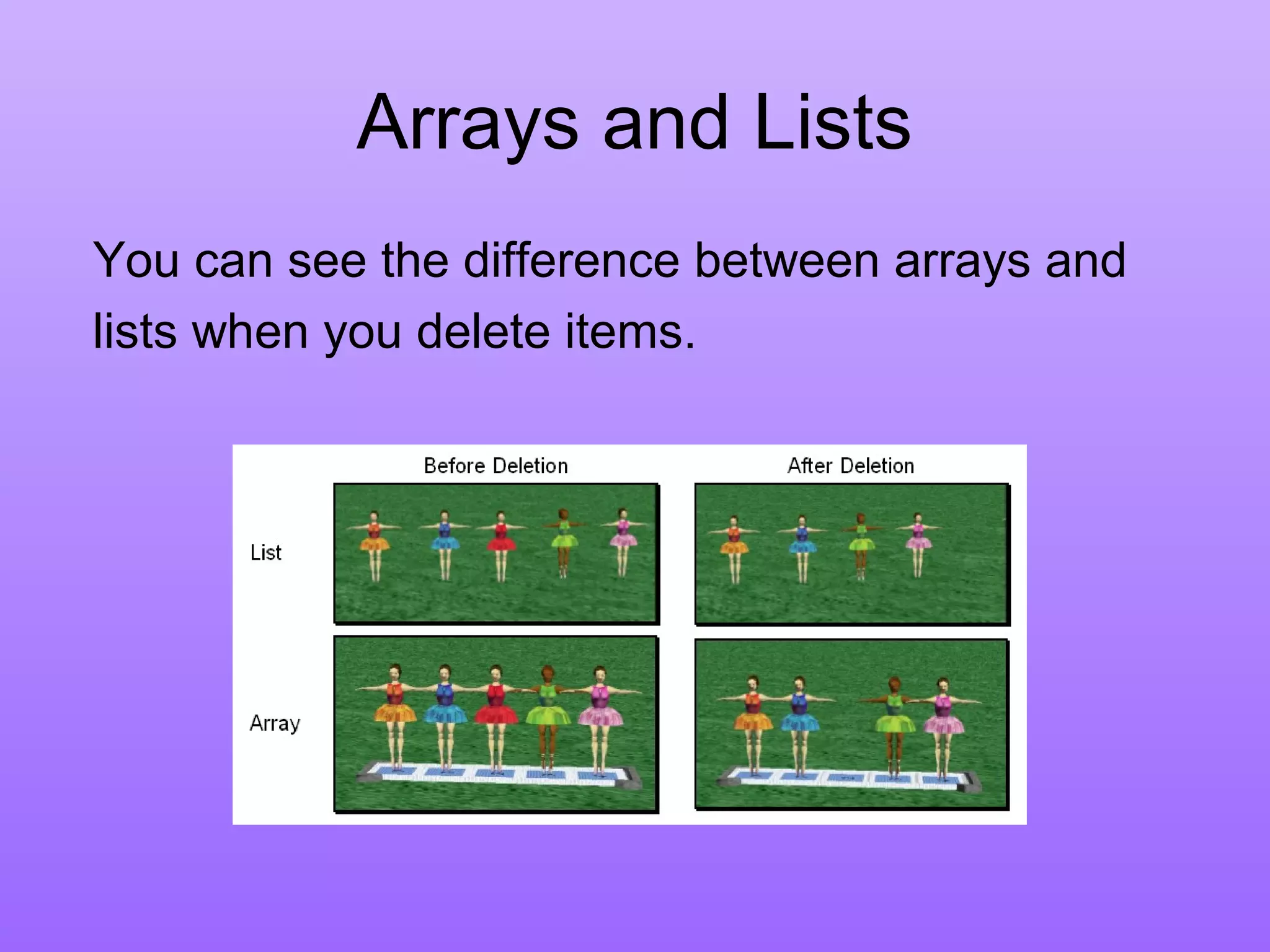
You can see the difference between arrays and
lists when you delete items.
Arrays and Lists
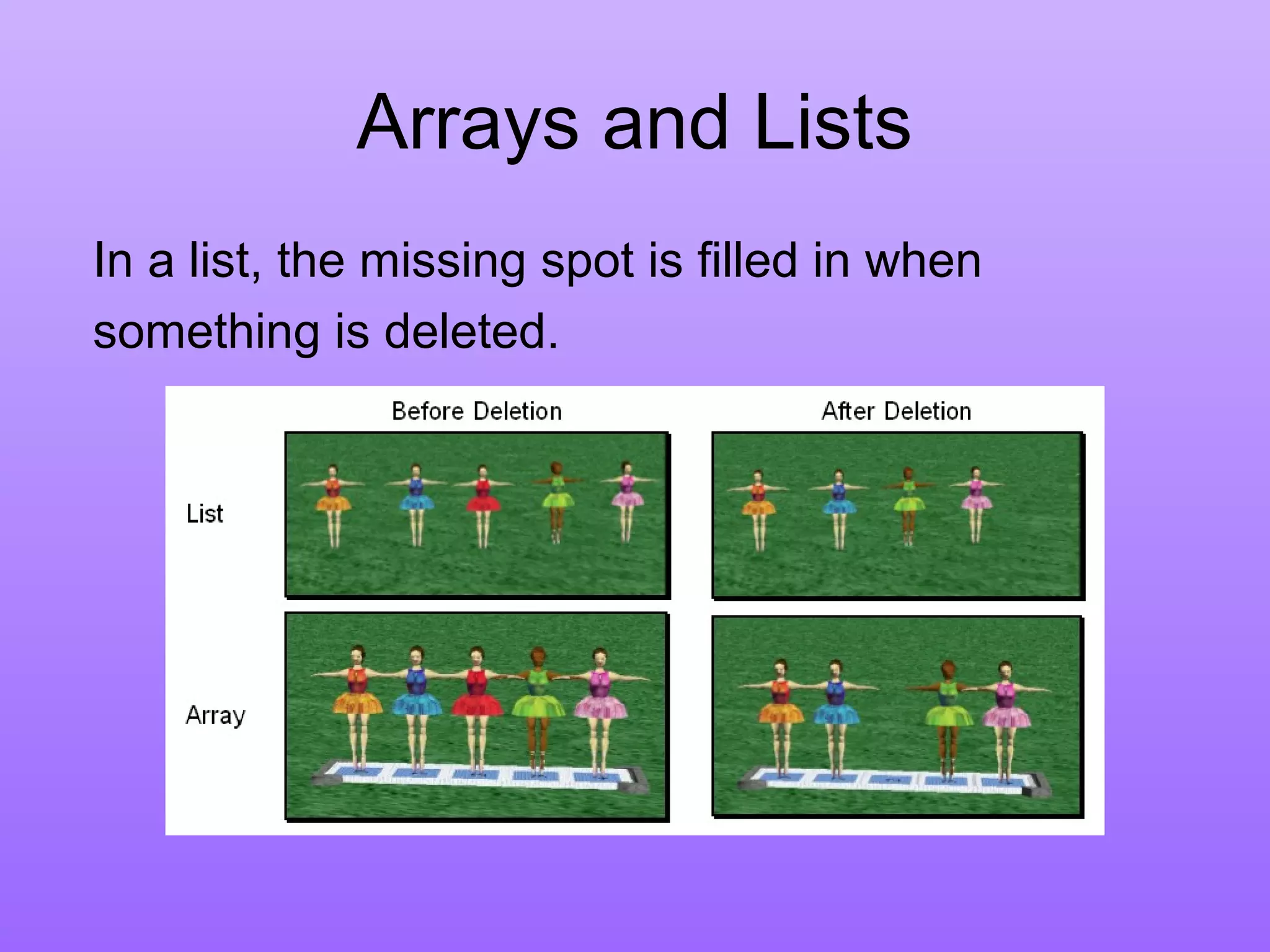
In a list, the missing spot is filled in when
something is deleted.
Arrays and Lists
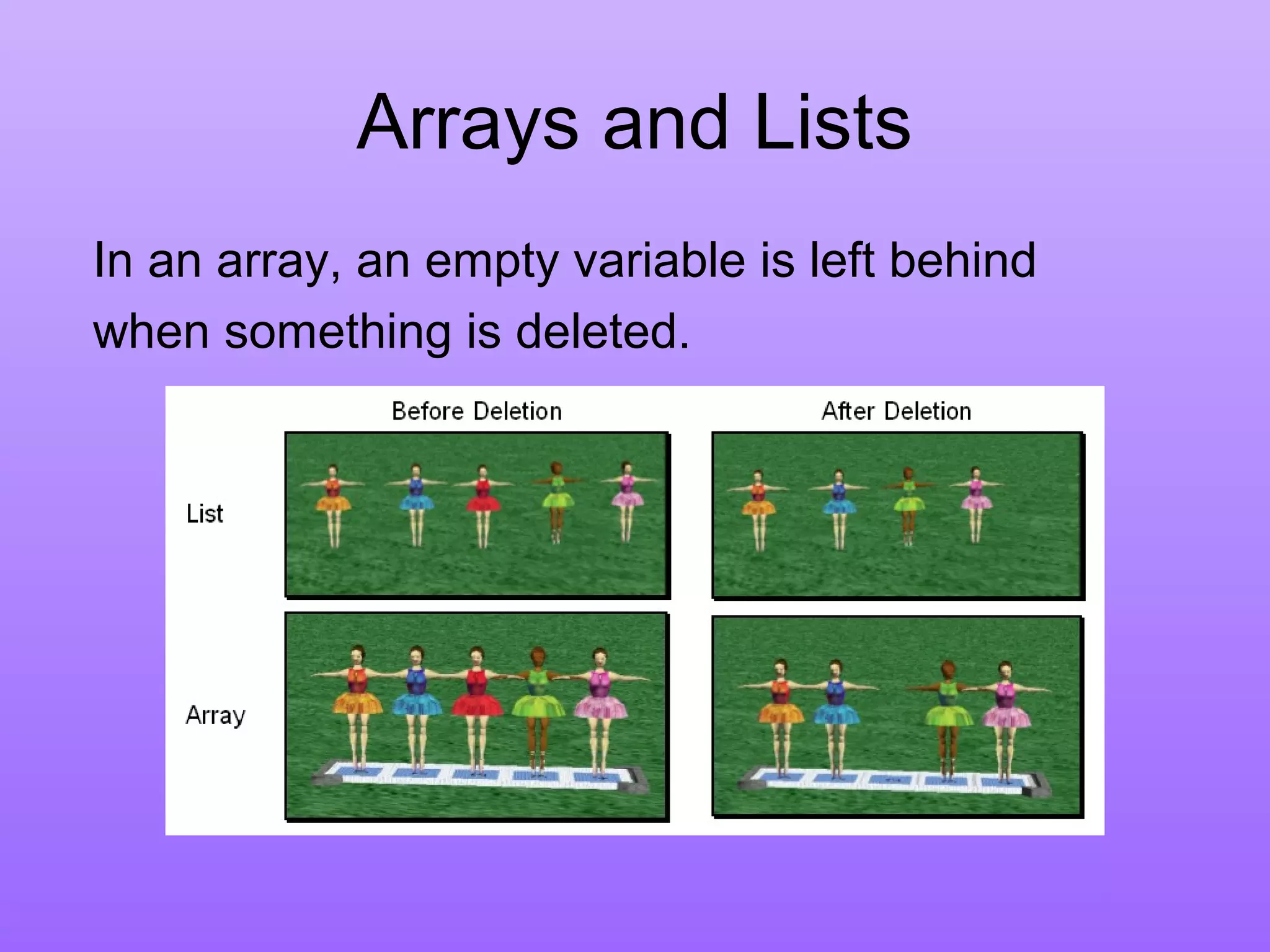
In an array, an empty variable is left behind
when something is deleted.
Arrays
Arrays can be created in a similar manner, but
more often they are created using the array
visualization object from the Alice local gallery.
The Array Visualization object
has special properties and
methods for manipulating
the elements in an array.
Arrays
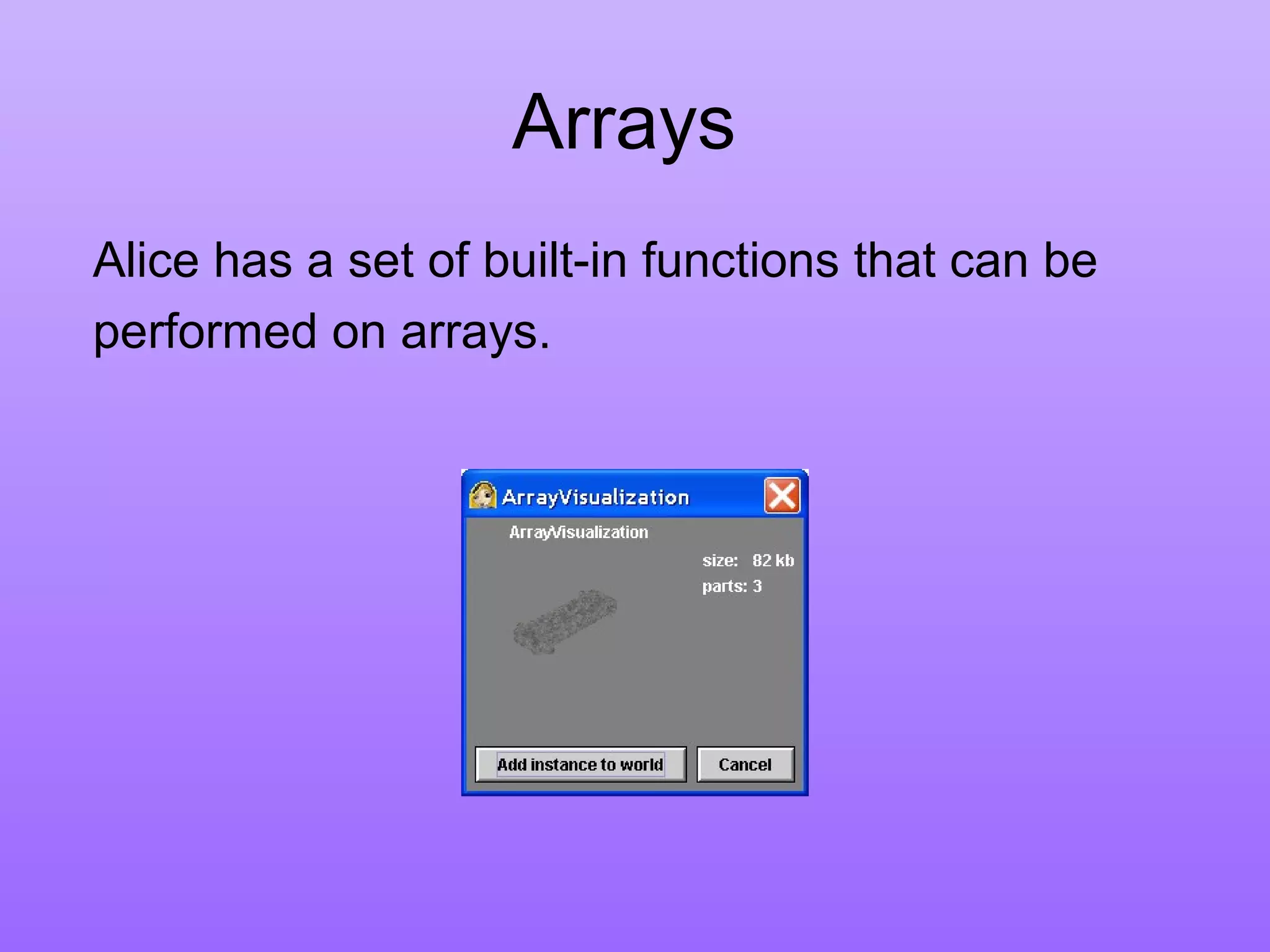
Alice has a set of built-in functions that can be
performed on arrays.
Introducing Arrays
Array is a data structure that represents a collection
of the same types of data.
myList[0]
myList[1]
myList[2]
myList[3]
myList[4]
myList[5]
myList[6]
myList[7]
myList[8]
myList[9]
double[] myList = new double[10];
myList reference
An Array of 10
Elements
of type double
Declaring Array Variables
• datatype[] arrayname;
Example:
double[] myList;
• datatype arrayname[];
Example:
double myList[];
Creating Arrays
arrayName = new datatype[arraySize];
Example:
myList = new double[10];
myList[0] references the first element in the
array.
myList[9] references the last element in the
array.
Declaring and Creating
in One Step
• datatype[] arrayname = new
datatype[arraySize];
double[] myList = new double[10];
• datatype arrayname[] = new
datatype[arraySize];
double myList[] = new double[10];
The Length of Arrays
• Once an array is created, its size is fixed. It
cannot be changed. You can find its size
using
arrayVariable.length
For example,
myList.length returns 10
Initializing Arrays
• Using a loop:
for (int i = 0; i < myList.length; i++)
myList[i] = i;
• Declaring, creating, initializing in one step:
double[] myList = {1.9, 2.9, 3.4, 3.5};
This shorthand syntax must be in one
statement.
Declaring, creating, initializing
Using the Shorthand Notation
double[] myList = {1.9, 2.9, 3.4, 3.5};
This shorthand notation is equivalent to the
following statements:
double[] myList = new double[4];
myList[0] = 1.9;
myList[1] = 2.9;
myList[2] = 3.4;
myList[3] = 3.5;

Array1

  • 1.
  • 2.
    Arrays An array isan indexed set of variables, such as dancer[1], dancer[2], dancer[3],… It is like a set of boxes that hold things. A list is a set of items. An array is a set of variables that each store an item.
  • 3.
    Arrays and Lists Youcan see the difference between arrays and lists when you delete items.
  • 4.
    Arrays and Lists Ina list, the missing spot is filled in when something is deleted.
  • 5.
    Arrays and Lists Inan array, an empty variable is left behind when something is deleted.
  • 6.
    Arrays Arrays can becreated in a similar manner, but more often they are created using the array visualization object from the Alice local gallery. The Array Visualization object has special properties and methods for manipulating the elements in an array.
  • 7.
    Arrays Alice has aset of built-in functions that can be performed on arrays.
  • 8.
    Introducing Arrays Array isa data structure that represents a collection of the same types of data. myList[0] myList[1] myList[2] myList[3] myList[4] myList[5] myList[6] myList[7] myList[8] myList[9] double[] myList = new double[10]; myList reference An Array of 10 Elements of type double
  • 9.
    Declaring Array Variables •datatype[] arrayname; Example: double[] myList; • datatype arrayname[]; Example: double myList[];
  • 10.
    Creating Arrays arrayName =new datatype[arraySize]; Example: myList = new double[10]; myList[0] references the first element in the array. myList[9] references the last element in the array.
  • 11.
    Declaring and Creating inOne Step • datatype[] arrayname = new datatype[arraySize]; double[] myList = new double[10]; • datatype arrayname[] = new datatype[arraySize]; double myList[] = new double[10];
  • 12.
    The Length ofArrays • Once an array is created, its size is fixed. It cannot be changed. You can find its size using arrayVariable.length For example, myList.length returns 10
  • 13.
    Initializing Arrays • Usinga loop: for (int i = 0; i < myList.length; i++) myList[i] = i; • Declaring, creating, initializing in one step: double[] myList = {1.9, 2.9, 3.4, 3.5}; This shorthand syntax must be in one statement.
  • 14.
    Declaring, creating, initializing Usingthe Shorthand Notation double[] myList = {1.9, 2.9, 3.4, 3.5}; This shorthand notation is equivalent to the following statements: double[] myList = new double[4]; myList[0] = 1.9; myList[1] = 2.9; myList[2] = 3.4; myList[3] = 3.5;

Editor's Notes

  • #3 The Redo button will reverse the last use of the Undo button, restoring the previous action. The Ctrl-Y keyboard shortcut also can be used in place of the Redo button.
  • #4 The Redo button will reverse the last use of the Undo button, restoring the previous action. The Ctrl-Y keyboard shortcut also can be used in place of the Redo button.
  • #5 The Redo button will reverse the last use of the Undo button, restoring the previous action. The Ctrl-Y keyboard shortcut also can be used in place of the Redo button.
  • #6 The Redo button will reverse the last use of the Undo button, restoring the previous action. The Ctrl-Y keyboard shortcut also can be used in place of the Redo button.
  • #7 The Redo button will reverse the last use of the Undo button, restoring the previous action. The Ctrl-Y keyboard shortcut also can be used in place of the Redo button.
  • #8 The Redo button will reverse the last use of the Undo button, restoring the previous action. The Ctrl-Y keyboard shortcut also can be used in place of the Redo button.