Get Connected!

PERSONALIZING THE
     ONLINE
  ENVIRONMENT
MACUL PERSONALIZED LEARNING
        CONFERENCE
        SEPT 25, 2012
Carol Glanville   glanvillec@grps.org
                  westmiedtech.com
Objectives
 Understand why teachers need an online
  presence.
 Learn how to build a effective online
  presence.
 Recognize the academic and professional
  value of various social Web tools.
Warm -Up

 Turn & Talk:
   What do you do to build rapport in F2F
    settings?
   What does that look like online?

 Logos Quiz
Being There / Presence
  Cognitive Presence:
    Validation of activities – personal goal setting

    Connection of ideas – synchronous & asynchronous
     communication
  Social Presence:
    Create a community

    Be a ‘real person’

  Teaching Presence:
    Course materials

    Mentoring, formative feedback, questioning etc.


Boettcher, 2010; Reis, 2010
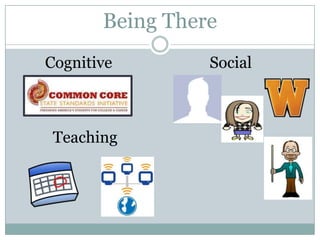
Being There
Cognitive        Social


 Teaching
Presence
Doppelme
What:
 Avatargenerator
 Customize yourself & update

Etc:
 Use to teach social v. professional
  image
NetVibes

What:
  Aggregator   –news, twitter, calendar
Etc:
  Veryeasy to start
  Maintains itself

Example site
Diigo & Symbaloo

 What: Social Bookmarking
  units
       of study, research topics, differentiation, parent
  resources
  Diigo:annotated list
  Symbaloo: visual icon link

 Etc:
  Diigo:
        customize resources –student accounts
  Symbaloo: visual, variety of resources

 Example Symbaloo
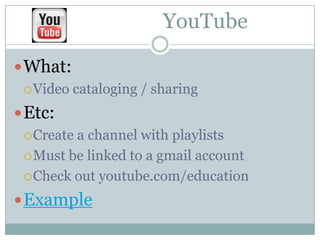
YouTube

 What:
  Video   cataloging / sharing
 Etc:
  Createa channel with playlists
  Must be linked to a gmail account

  Check out youtube.com/education

 Example
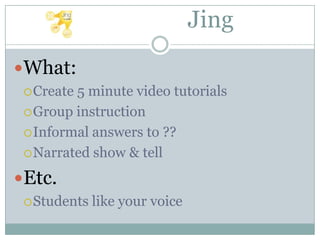
Jing
What:
  Create5 minute video tutorials
  Group instruction

  Informal answers to ??

  Narrated show & tell

Etc.
  Students   like your voice
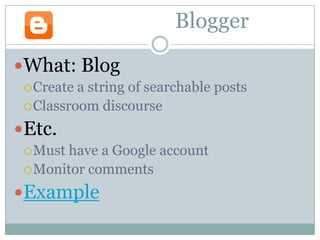
Blogger

What: Blog
  Create a string of searchable posts
  Classroom discourse

Etc.
  Musthave a Google account
  Monitor comments

Example
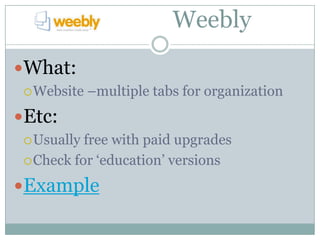
Weebly
What:
  Website   –multiple tabs for organization
Etc:
  Usually free with paid upgrades
  Check for ‘education’ versions

Example
Classroom Platforms
 Moodle
 Edmodo
 blog (Blogger)
 Wiki
 PB Works
 Website (Weebly)
Next Steps
 Pick a space
   What are you comfortable with?

   What can you & your users access?

 Brand yourself
   Photo / avatar

   Name of your site

   Office hours

 Meet your students
   Tech access survey

   Online personality test
Resources & Contact
 Sloan-C workshop on Teaching Presence
 Carol Glanville
     Twitter: @cachiras
     Skype: caglanville
     Email: caglanville@gmail.com | glanvillec@grps.org
     Web: westmiedtech.com
 Feedback
 Student Tech Survey
References
 Boettcher, Judith V. "E-Coaching Tip #80."
 Designing for Learning. N.p., 24 Aug. 2010. Web. 6
 Sept. 2012.
 http://www.designingforlearning.info/services/writi
 ng/ecoach/tips/tip80.html

 Reis, Rick. "The Role of Presence in the Online
 Environment." Tomorrow's Professor Mailing List.
 Stanford Center for Teaching and Learning, n.d.
 Web. 6 Sept. 2012. http://cgi.stanford.edu/~dept-
 ctl/tomprof/posting.php?ID=1081

Get Connected!

  • 1.
    Get Connected! PERSONALIZING THE ONLINE ENVIRONMENT MACUL PERSONALIZED LEARNING CONFERENCE SEPT 25, 2012
  • 2.
    Carol Glanville glanvillec@grps.org westmiedtech.com
  • 3.
    Objectives  Understand whyteachers need an online presence.  Learn how to build a effective online presence.  Recognize the academic and professional value of various social Web tools.
  • 4.
    Warm -Up  Turn& Talk:  What do you do to build rapport in F2F settings?  What does that look like online?  Logos Quiz
  • 5.
    Being There /Presence  Cognitive Presence:  Validation of activities – personal goal setting  Connection of ideas – synchronous & asynchronous communication  Social Presence:  Create a community  Be a ‘real person’  Teaching Presence:  Course materials  Mentoring, formative feedback, questioning etc. Boettcher, 2010; Reis, 2010
  • 6.
    Being There Cognitive Social Teaching
  • 7.
  • 8.
    Doppelme What: Avatargenerator Customizeyourself & update Etc: Use to teach social v. professional image
  • 9.
    NetVibes What:  Aggregator –news, twitter, calendar Etc:  Veryeasy to start  Maintains itself Example site
  • 10.
    Diigo & Symbaloo What: Social Bookmarking  units of study, research topics, differentiation, parent resources  Diigo:annotated list  Symbaloo: visual icon link  Etc:  Diigo: customize resources –student accounts  Symbaloo: visual, variety of resources  Example Symbaloo
  • 11.
    YouTube  What: Video cataloging / sharing  Etc:  Createa channel with playlists  Must be linked to a gmail account  Check out youtube.com/education  Example
  • 12.
    Jing What:  Create5minute video tutorials  Group instruction  Informal answers to ??  Narrated show & tell Etc.  Students like your voice
  • 13.
    Blogger What: Blog Create a string of searchable posts  Classroom discourse Etc.  Musthave a Google account  Monitor comments Example
  • 14.
    Weebly What:  Website –multiple tabs for organization Etc:  Usually free with paid upgrades  Check for ‘education’ versions Example
  • 15.
    Classroom Platforms  Moodle Edmodo  blog (Blogger)  Wiki  PB Works  Website (Weebly)
  • 16.
    Next Steps  Picka space  What are you comfortable with?  What can you & your users access?  Brand yourself  Photo / avatar  Name of your site  Office hours  Meet your students  Tech access survey  Online personality test
  • 17.
    Resources & Contact Sloan-C workshop on Teaching Presence  Carol Glanville  Twitter: @cachiras  Skype: caglanville  Email: caglanville@gmail.com | glanvillec@grps.org  Web: westmiedtech.com  Feedback  Student Tech Survey
  • 18.
    References  Boettcher, JudithV. "E-Coaching Tip #80." Designing for Learning. N.p., 24 Aug. 2010. Web. 6 Sept. 2012. http://www.designingforlearning.info/services/writi ng/ecoach/tips/tip80.html  Reis, Rick. "The Role of Presence in the Online Environment." Tomorrow's Professor Mailing List. Stanford Center for Teaching and Learning, n.d. Web. 6 Sept. 2012. http://cgi.stanford.edu/~dept- ctl/tomprof/posting.php?ID=1081