Chapter 12: URL Rewrite

              URL Rewriting with
               mod_rewrite


Copyright © 2004-2008 Marakana Inc. All rights reserved.
What is mod_rewrite?
         • Rule-based engine used to rewrite requested
           URLs on the fly
         • Flexible and powerful
             – Based on regular-expressions
             – Unlimited rules and conditions per rule
             – Conditions based on server and ENV variables, HTTP
               headers, time stamps, even DB lookups
             – Per-server context or per directory
             – Sub-processing, redirection, or internal proxy
         • Complex - not the easiest module to learn

                                   Chapter
12:
URL
Rewrite


Module mod_rewrite is by default available in every distribution of Apache
(since v1.3), although it must be explicitly selected when Apache is compiled
from source (like many other modules).

This module defines the following directives:
RewriteBase, RewriteCond, RewriteEngine, RewriteLock,
RewriteLog, RewriteLogLevel, RewriteMap, RewriteOptions, and
RewriteRule

Many of these directives can appear in all of these contexts: server config,
<VirtualHost>, <Directory>, <Location>, and .htaccess files.

Module mod_rewrite is often referred to as "The Swiss Army Knife of URL
manipulation".


             Copyright © 2004-2008 Marakana Inc. All rights reserved.
Why mod_rewrite?
         • Web applications should be:
             – Search-engine friendly
                • Search engines do not like sites with long query strings
                • Search engines like the URLs to remain consistent
             – User-friendly
                • Users are more likely to bookmark/follow nice URLs
             – Flexible to change
                • Change of technology should preserve external URLs
             – Safe from hacks
                • Check URL request parameters against hacks
                • Protect site resources (e.g. images)


                                     Chapter
12:
URL
Rewrite


If you had a URL that looked like this:
http://mysite.com/show.php?category=123&item=567XYZ

Chances are that search engines would only attempt to download
http://mysite.com/show.php which would very likely cause an error.

Similarly, users would much rather bookmark/follow a nice link that looked like
http://mysite.com/show/books/ApacheCookbook

If you wanted to switch the underlying technology from PHP to JSP, the
original link would no longer make sense. The nice link would.

While query parameters should be validated by the application code, too many
prototype applications end up being using in production without proper
protection from an attack that looked like:
http://mysite.com/show.php?category=malicious-sql-code
How can we add a protection wrapper around these applications?


             Copyright © 2004-2008 Marakana Inc. All rights reserved.
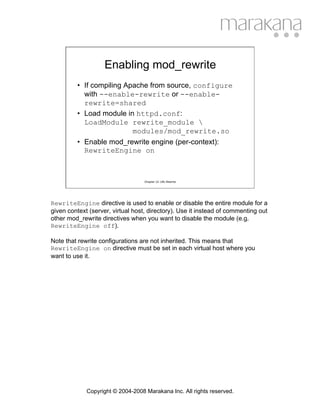
Enabling mod_rewrite
         • If compiling Apache from source, configure
           with --enable-rewrite or --enable-
           rewrite=shared
         • Load module in httpd.conf:
           LoadModule rewrite_module 
                          modules/mod_rewrite.so
         • Enable mod_rewrite engine (per-context):
           RewriteEngine on


                                   Chapter
12:
URL
Rewrite


RewriteEngine directive is used to enable or disable the entire module for a
given context (server, virtual host, directory). Use it instead of commenting out
other mod_rewrite directives when you want to disable the module (e.g.
RewriteEngine off).

Note that rewrite configurations are not inherited. This means that
RewriteEngine on directive must be set in each virtual host where you
want to use it.


             Copyright © 2004-2008 Marakana Inc. All rights reserved.
Enabling Logging
          • To help diagnose what the mod_rewrite
            engine is doing, it helps to enable logging
            of its actions
          • Set the log file:
            RewriteLog logs/rewrite.log
          • Enable logging:
            RewriteLogLevel 2
          • Disable logging in production!


                                   Chapter
12:
URL
Rewrite


Logging the actions of the rewrite module can be a big help during the rules
definition phase! Those that are new to this module will benefit from being able
to see how the URLs are being rewritten, but even experts often use logging
to test their new configurations.

Directive RewriteLog takes a single file path as its argument. If the file path
does not start with a slash ('/'), it is assumed to be relative to the
ServerRoot directive. Note that you can set this directive either globally or
per virtual host.

Do not set this directive to /dev/null to disable logging. Rather, use
RewriteLogLevel 0 do accomplish this.

Directive RewriteLogLevel sets the verbosity of the rewriting logging. The
default of 0, means that nothing is logged, whereas 9 logs all actions.

As with any type of logging, using a high value for this directive will have
negative effect on the performance of Apache HTTPD server. Use value
greater than 2 only for debugging.


             Copyright © 2004-2008 Marakana Inc. All rights reserved.
API Phases
        • Directives for mod_rewrite are processed
          in two phases:
            – URL-to-filename hook
               • Before authentication and authorization
               • Directives defined globally or per virtual server
            – Fixup hook
               • After authentication and authorization
               • After data directories are found
               • Directives defined per directory


                                  Chapter
12:
URL
Rewrite


Rewrite directives found in httpd.conf outside <Directory> contexts, are
processed during the URL-to-filename hook.

Rewrite directives found in httpd.conf inside <Directory> contexts or in
.htaccess files, are processed during the Fixup hook.


            Copyright © 2004-2008 Marakana Inc. All rights reserved.
Ruleset Processing
          • A ruleset is made up rules defined by
            RewriteRule with optional RewriteConds
          • A ruleset is processed rule-by-rule, so the order
            of rules is important
          • When a rule is matched, the engine checks for
            corresponding conditions, and if those are all
            satisfied, the rule action is preformed (e.g.
            substitution)
          • Rule conditions are also processed in the order
            that they are listed.

                                   Chapter
12:
URL
Rewrite


Note that for historical reasons, conditions are listed before the rules they
apply to.

Because conditions are based on regular expressions, back references ($N or
%N) can be used in subsequent conditions/substitutions. The first condition
comes from the rule itself, whereas the last condition can be used in the rule's
substitution string.


             Copyright © 2004-2008 Marakana Inc. All rights reserved.
RewriteRule Directive
          • Defines a rewriting rule
          • Depends on preceding RewriteConds
          • Syntax:
             RewriteRule Pattern Substitution [Flags]

          • Pattern is a Perl-compatible regular
            expression applied to the current URL
              – The URL might have been altered by the
                previous rule


                                     Chapter
12:
URL
Rewrite


Basic regular expression syntax (from mod_rewrite docs):
Text:
.               Any single character
[chars]         Character class: Any character of the class "chars''
[^chars]        Character class: Not a character of the class "chars''
text1|text2 Alternative: text1 or text2
Quantifiers:
?               0 or 1 occurrences of the preceding text
*               0 or N occurrences of the preceding text (N > 0)
+               1 or N occurrences of the preceding text (N > 1)
Grouping:
(text)          Grouping of text
                (used either to set the borders of an alternative as above, or
                to make back references, where the Nth group can
                be referred to on the RHS of a RewriteRule as $N)
Anchors:
^               Start-of-line anchor
$               End-of-line anchor
Escaping:
char           escape the given char
                (for instance, to specify the chars ".[]()?*+" etc.)
Note that you can also use NOT character (!) to negate a pattern.


              Copyright © 2004-2008 Marakana Inc. All rights reserved.
RewriteRule Directive (cont.)
         • Substitution is the string that gets substituted for
           the current URL matched by the Pattern
         • In addition to plan-text, it can include:
             – Back-reference $N to the RewriteRule pattern
             – Back-reference %N to the last matched RewriteCond
               pattern
             – Server variables as %{VARNAME}
             – Mapping calls as ${mapname:key|default}
             – Set to '-' to mean no substitution (used with flags)


                                   Chapter
12:
URL
Rewrite


Back-references are identifies of the form $N or %N where N is from 0 to 9, and
corresponds to the Nth group of the matched pattern.
Note that the substitution string completely replaces the current URL.
The substitution process then continues until all rules in the rule set have been
processed (unless explicitly terminated with a [L] flag).

For example, to rewrite:
http://myhost/show/book/ApacheCookbook.html
as
http://myhost/app/show.php?category=book&name=ApacheCookbook
you would write a RewriteRule as follows:
RewriteRule ^/show/([^/]+)/([^/]+).html$ 
                /app/show.php?category=$1&name=$2 [L]


             Copyright © 2004-2008 Marakana Inc. All rights reserved.
RewriteRule Directive (cont.)
         • RewriteRule can specify optional flags:
            – chain|C - chains rules. If any rule in the chain does
              not match, the entire chain is skipped
            – cookie|co=name:val:domain:[lifetime[:pa
              th]] - Set a cookie in the client's browser
            – env|E=VAR:VAL - set ENV variable VAR=VAL
            – forbidden|F - immediately return HTTP 403
            – gone|G - immediately return HTTP 410
            – last|L - stop processing other rules


                                  Chapter
12:
URL
Rewrite


Note that flags can only be specified in square brackets [flags], and
multiple flags must be comma-separated [flag1,flag2,flag3].

The env flag's value can also contain regexp back-references (%N or $N)
which will get expanded. This flag can be specified more than once to set
multiple variables. These variables can be then referenced in web applications
(e.g. in CGI $ENV{'VAR'}), as well as in other RewriteCond patterns as
%{ENV:VAR}.


            Copyright © 2004-2008 Marakana Inc. All rights reserved.
RewriteRule Directive (cont.)
         • RewriteRule flags (cont.):
             – next|N - loop back to the original rule (with the
               current, modified, URL)
             – nocase|NC - pattern is case-insensitive
             – noescape|NE - do not escape the substitution URL
               (e.g. '$'='%24')
             – nosubreq|NS - skip rule on internal sub-requests
             – proxy|P - proxy request through mod_proxy
             – passthrough|PT - pass through to other URL
               mapping handlers (e.g. Alias, Redirect, etc.)


                                   Chapter
12:
URL
Rewrite


Be extra careful not to create infinite loops using the next|N flag.

Note that the proxy|P flag depends on mod_proxy being enabled. It offers a
more powerful implementation than mod_proxy's own ProxyPass directive.

Use passthrough|PT flag whenever you depend on Apache's other URL-
mapping directives to get the request fully processed. For example, if the
RewriteRule's substitution URL starts with /cgi-bin but /cgi-bin is
ScriptAlias'ed, then you will need to use this flag:

RewriteRule ^/([^/]+)/([^/]+)/([^/]+).html$ 
             /cgi-bin/$1?action=$2&element=$3 [PT]
ScriptAlias /cgi-bin/ "/usr/local/apache2/cgi-bin/"


             Copyright © 2004-2008 Marakana Inc. All rights reserved.
RewriteRule Directive (cont.)
         • RewriteRule flags (cont.):
            – qsaappend|QSA - append the original query string to
              the existing string instead of replacing it
            – redirect|R[=code] - force external redirection
              using current host/port (use with L)
            – skip|S=num - skip the num rules in sequence as a
              pseudo if-then-else construct
            – type|T=MIME-type - Force the target MIME-Type


                                  Chapter
12:
URL
Rewrite


Because the URL rewriting works only on the URL's path part, the original
query string is lost unless qsaappend|QSA flag is used.

The redirect|R flag defaults to HTTP 302 (Moved Temporarily) if the code
is not specified. The substitution string will be prefixed with
http://thishost:thisport/ and the rewriting will continue. Use the
last|L flag to terminate it.

The type|T flag can come in handy in situations where you need to assign
MIME-Types to virtual URLs. For example, to allow others to view the source
of your .php files (by requesting them as .phps), you could use:
RewriteRule ^(.+.php)s$ $1 [T=application/x-httpd-php-source]


            Copyright © 2004-2008 Marakana Inc. All rights reserved.
RewriteCond Directive
• Used to decorate a RewriteRule with
  additional conditions
  – Specified before the corresponding RewriteRule
  – Can be specified multiple times
  – All conditions must be met for the RewriteRule to
    proceed with its substitution
• Syntax:
  RewriteCond TestString 
                CondPattern [Flags]


                        Chapter
12:
URL
Rewrite


  Copyright © 2004-2008 Marakana Inc. All rights reserved.
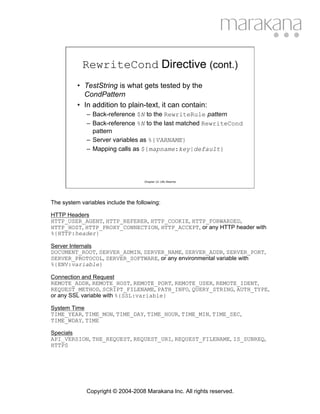
RewriteCond Directive (cont.)
          • TestString is what gets tested by the
            CondPattern
          • In addition to plain-text, it can contain:
              – Back-reference $N to the RewriteRule pattern
              – Back-reference %N to the last matched RewriteCond
                pattern
              – Server variables as %{VARNAME}
              – Mapping calls as ${mapname:key|default}


                                    Chapter
12:
URL
Rewrite


The system variables include the following:

HTTP Headers
HTTP_USER_AGENT, HTTP_REFERER, HTTP_COOKIE, HTTP_FORWARDED,
HTTP_HOST, HTTP_PROXY_CONNECTION, HTTP_ACCEPT, or any HTTP header with
%{HTTP:header}

Server Internals
DOCUMENT_ROOT, SERVER_ADMIN, SERVER_NAME, SERVER_ADDR, SERVER_PORT,
SERVER_PROTOCOL, SERVER_SOFTWARE, or any environmental variable with
%{ENV:variable}

Connection and Request
REMOTE_ADDR, REMOTE_HOST, REMOTE_PORT, REMOTE_USER, REMOTE_IDENT,
REQUEST_METHOD, SCRIPT_FILENAME, PATH_INFO, QUERY_STRING, AUTH_TYPE,
or any SSL variable with %{SSL:variable}

System Time
TIME_YEAR, TIME_MON, TIME_DAY, TIME_HOUR, TIME_MIN, TIME_SEC,
TIME_WDAY, TIME

Specials
API_VERSION, THE_REQUEST, REQUEST_URI, REQUEST_FILENAME, IS_SUBREQ,
HTTPS


              Copyright © 2004-2008 Marakana Inc. All rights reserved.
RewriteCond Directive (cont.)
         • CondPattern is a Perl-compatible regular
           expression applied against the TestString, with
           the following additions:
            – Not-pattern using NOT ('!') operator
            – Lexicographical comparison: <, >, =
            – File/Directory test: -d (directory), -f (file), -s (non-
              empty file), -l (symbolic link)
            – Valid file via sub-request: -F
            – Valid URL via sub-request: -U


                                  Chapter
12:
URL
Rewrite


For example, you can use comparison operator to implement time-dependent
URL rewriting:
RewriteCond %{TIME_HOUR}%{TIME_MIN} >0900
RewriteCond %{TIME_HOUR}%{TIME_MIN} <1700
RewriteRule ^office.html$ office-open.html

RewriteRule ^office.html$ office-closed.html

As another example, you can use the -f operator to handle missing content
(try another server):
RewriteCond /document/root/%{REQUEST_FILENAME} !-f
RewriteRule ^(.+) http://otherserver.com/$1 [P,L]
(although not as flexible since it is hard-coded to /document/root)

A safer way to achieve the same result using a more advanced (and
computationally more expensive) URL look-ahead operator:
RewriteCond        %{REQUEST_URI} !-U
RewriteRule        ^(.+) http://otherserver.com/$1 [P,L]


            Copyright © 2004-2008 Marakana Inc. All rights reserved.
RewriteCond Directive (cont.)
         • RewriteCond can specify optional flags:
            – nocase|NC - case-insensitive comparison between
              TestString and CondPattern
               • No effect on file system checks
            – ornext|OR - combine rules using OR Boolean logic
              as opposed to the implicit AND.
               • Typically specified on all conditions
               • RewriteRule's condition is implicitly AND'ed
               • For example:
                 RewriteCond %{REMOTE_HOST} ^host1.*" [OR]
                 RewriteCond %{REMOTE_HOST} ^host2.*"
                 RewriteRule …


                                   Chapter
12:
URL
Rewrite


Note that flags can only be specified in square brackets [flags], and
multiple flags must be comma-separated [flag1,flag2].


            Copyright © 2004-2008 Marakana Inc. All rights reserved.
RewriteOptions Directive
         • Sets special options on the rewrite engine
         • Syntax: RewriteOptions Options
         • Options can be:
             – inherit - forces the current configuration to inherit
               from the parent context. Configuration that is inherited
               includes: maps, conditions, and rules.
             – MaxRedirects=num - the maximum number of
               redirects issued by per-directory RewriteRules.
               Defaults to 10.


                                   Chapter
12:
URL
Rewrite


This directive is available as of Apache 2.0.45.


             Copyright © 2004-2008 Marakana Inc. All rights reserved.
RewriteBase Directive
         • Explicitly sets the base URL for per-
           directory rewrites
         • By default, rewrite engine strips the
           current base directory before applying
           rules, and appends it after (prefix)
         • This directive allows the prefix to be
           changed as URLs may not directly be
           related to physical pathnames


                                  Chapter
12:
URL
Rewrite


Example from mod_rewrite documentation (per-directory config file):

#
#   /abc/def/.htaccess -- per-dir config file for
#                         directory /abc/def
#   Remember: /abc/def is the physical path of /xyz, i.e.,
#             the server has the following directive:
#            'Alias /xyz /abc/def'
#

RewriteEngine On

# let the server know that we were reached via /xyz and
# not via the physical path prefix /abc/def
RewriteBase  /xyz

# now the rewriting rules
RewriteRule  ^oldstuff.html$                 newstuff.html


            Copyright © 2004-2008 Marakana Inc. All rights reserved.
RewriteMap Directive
          • Defines a mapping function for key-value lookup
            in both rules and conditions:
             – ${MapName : Key }
             – ${MapName : Key | DefaultValue }
          • Syntax to define a mapping function:
            RewriteMap Name Type:Source
          • Mapping function types include: txt (plain-
            text), rnd (plain-text with random value), dbm
            (hashed dbm), int (internal Apache function),
            prg (external program)

                                   Chapter
12:
URL
Rewrite


For example:
Assume a mapping file /usr/local/apache2/conf/alias.txt:
john John.Smith
anna Anna.Maria

RewriteMap aliasmap txt:/usr/local/apache2/conf/alias.txt
RewriteCond %{REQUEST_URI} ^/user/([^.]+)/.*
RewriteRule ^/user/([^/]+)/(.*) /user/${aliasmap:$1}/$2 [R,L]


Redirects requests from http://myhost/user/john/somefile.html
to http://myhost/user/John.Smith/somefile.html

Load-balancing example (from mod_rewrite docs):
Assume a mapping file /usr/local/apache2/conf/servers.txt:
static    www1|www2|www3|www4
dynamic   www5|www6

RewriteMap servers rnd: /usr/local/apache2/conf/servers.txt
RewriteRule ^/(.*.(png|gif|jpg)) http://${servers:static}/$1 [NC,P,L]
RewriteRule ^/(.*) http://${servers:dynamic}/$1 [P,L]


             Copyright © 2004-2008 Marakana Inc. All rights reserved.
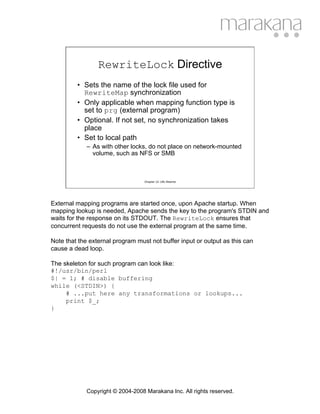
RewriteLock Directive
         • Sets the name of the lock file used for
           RewriteMap synchronization
         • Only applicable when mapping function type is
           set to prg (external program)
         • Optional. If not set, no synchronization takes
           place
         • Set to local path
             – As with other locks, do not place on network-mounted
               volume, such as NFS or SMB


                                   Chapter
12:
URL
Rewrite


External mapping programs are started once, upon Apache startup. When
mapping lookup is needed, Apache sends the key to the program's STDIN and
waits for the response on its STDOUT. The RewriteLock ensures that
concurrent requests do not use the external program at the same time.

Note that the external program must not buffer input or output as this can
cause a dead loop.

The skeleton for such program can look like:
#!/usr/bin/perl
$| = 1; # disable buffering
while (<STDIN>) {
     # ...put here any transformations or lookups...
     print $_;
}


             Copyright © 2004-2008 Marakana Inc. All rights reserved.
mod_rewrite In Practice
          • Many examples of how mod_rewrite is used are
            readily available:
              –   manual/rewrite/rewrite_guide.html
              –   manual/rewrite/rewrite_guide_advanced.html
              –   manual/mod/mod_rewrite.html
              –   Apache Cookbook by Ken Coar & Rich Bowen
          • Many concepts are best learned by example
          • Even experts take a while to get their rule
            definitions right
              – Use logging when in doubt

                                    Chapter
12:
URL
Rewrite


Force canonical hostnames:
RewriteCond %{HTTP_HOST} !^fully.qualified.domain.name [NC]
RewriteCond %{HTTP_HOST} !^$
RewriteRule ^/(.*) http://fully.qualified.domain.name/$1 [L,R]

Fix the trailing slash problem:
RewriteCond %{REQUEST_FILENAME} -d
RewriteRule ^(.+[^/])$ $1/ [R,L]

Enable virtual user hosts:
RewriteCond %{HTTP_HOST} ^(www.)([^.]+).host.com$
RewriteRule ^(.*)$ /home/%2$1

Handling moved content:
RewriteBase /~somedir/
RewriteRule ^foo.html$       bar.html             # internal
RewriteRule ^foo.html$       bar.html         [R] # redirect

Protect images from external access:
RewriteCond   %{HTTP_REFERER} !=""
RewriteCond   %{HTTP_REFERER} "!^http://mysite.com/.*$" [NC]
RewriteCond   %{REQUEST_URI} ".(jpg|gif|png)$"
RewriteRule   .* - [F]


              Copyright © 2004-2008 Marakana Inc. All rights reserved.

Apache - Mod-Rewrite

  • 1.
    Chapter 12: URLRewrite URL Rewriting with mod_rewrite Copyright © 2004-2008 Marakana Inc. All rights reserved.
  • 2.
    What is mod_rewrite? • Rule-based engine used to rewrite requested URLs on the fly • Flexible and powerful – Based on regular-expressions – Unlimited rules and conditions per rule – Conditions based on server and ENV variables, HTTP headers, time stamps, even DB lookups – Per-server context or per directory – Sub-processing, redirection, or internal proxy • Complex - not the easiest module to learn Chapter
12:
URL
Rewrite Module mod_rewrite is by default available in every distribution of Apache (since v1.3), although it must be explicitly selected when Apache is compiled from source (like many other modules). This module defines the following directives: RewriteBase, RewriteCond, RewriteEngine, RewriteLock, RewriteLog, RewriteLogLevel, RewriteMap, RewriteOptions, and RewriteRule Many of these directives can appear in all of these contexts: server config, <VirtualHost>, <Directory>, <Location>, and .htaccess files. Module mod_rewrite is often referred to as "The Swiss Army Knife of URL manipulation". Copyright © 2004-2008 Marakana Inc. All rights reserved.
  • 3.
    Why mod_rewrite? • Web applications should be: – Search-engine friendly • Search engines do not like sites with long query strings • Search engines like the URLs to remain consistent – User-friendly • Users are more likely to bookmark/follow nice URLs – Flexible to change • Change of technology should preserve external URLs – Safe from hacks • Check URL request parameters against hacks • Protect site resources (e.g. images) Chapter
12:
URL
Rewrite If you had a URL that looked like this: http://mysite.com/show.php?category=123&item=567XYZ Chances are that search engines would only attempt to download http://mysite.com/show.php which would very likely cause an error. Similarly, users would much rather bookmark/follow a nice link that looked like http://mysite.com/show/books/ApacheCookbook If you wanted to switch the underlying technology from PHP to JSP, the original link would no longer make sense. The nice link would. While query parameters should be validated by the application code, too many prototype applications end up being using in production without proper protection from an attack that looked like: http://mysite.com/show.php?category=malicious-sql-code How can we add a protection wrapper around these applications? Copyright © 2004-2008 Marakana Inc. All rights reserved.
  • 4.
    Enabling mod_rewrite • If compiling Apache from source, configure with --enable-rewrite or --enable- rewrite=shared • Load module in httpd.conf: LoadModule rewrite_module modules/mod_rewrite.so • Enable mod_rewrite engine (per-context): RewriteEngine on Chapter
12:
URL
Rewrite RewriteEngine directive is used to enable or disable the entire module for a given context (server, virtual host, directory). Use it instead of commenting out other mod_rewrite directives when you want to disable the module (e.g. RewriteEngine off). Note that rewrite configurations are not inherited. This means that RewriteEngine on directive must be set in each virtual host where you want to use it. Copyright © 2004-2008 Marakana Inc. All rights reserved.
  • 5.
    Enabling Logging • To help diagnose what the mod_rewrite engine is doing, it helps to enable logging of its actions • Set the log file: RewriteLog logs/rewrite.log • Enable logging: RewriteLogLevel 2 • Disable logging in production! Chapter
12:
URL
Rewrite Logging the actions of the rewrite module can be a big help during the rules definition phase! Those that are new to this module will benefit from being able to see how the URLs are being rewritten, but even experts often use logging to test their new configurations. Directive RewriteLog takes a single file path as its argument. If the file path does not start with a slash ('/'), it is assumed to be relative to the ServerRoot directive. Note that you can set this directive either globally or per virtual host. Do not set this directive to /dev/null to disable logging. Rather, use RewriteLogLevel 0 do accomplish this. Directive RewriteLogLevel sets the verbosity of the rewriting logging. The default of 0, means that nothing is logged, whereas 9 logs all actions. As with any type of logging, using a high value for this directive will have negative effect on the performance of Apache HTTPD server. Use value greater than 2 only for debugging. Copyright © 2004-2008 Marakana Inc. All rights reserved.
  • 6.
    API Phases • Directives for mod_rewrite are processed in two phases: – URL-to-filename hook • Before authentication and authorization • Directives defined globally or per virtual server – Fixup hook • After authentication and authorization • After data directories are found • Directives defined per directory Chapter
12:
URL
Rewrite Rewrite directives found in httpd.conf outside <Directory> contexts, are processed during the URL-to-filename hook. Rewrite directives found in httpd.conf inside <Directory> contexts or in .htaccess files, are processed during the Fixup hook. Copyright © 2004-2008 Marakana Inc. All rights reserved.
  • 7.
    Ruleset Processing • A ruleset is made up rules defined by RewriteRule with optional RewriteConds • A ruleset is processed rule-by-rule, so the order of rules is important • When a rule is matched, the engine checks for corresponding conditions, and if those are all satisfied, the rule action is preformed (e.g. substitution) • Rule conditions are also processed in the order that they are listed. Chapter
12:
URL
Rewrite Note that for historical reasons, conditions are listed before the rules they apply to. Because conditions are based on regular expressions, back references ($N or %N) can be used in subsequent conditions/substitutions. The first condition comes from the rule itself, whereas the last condition can be used in the rule's substitution string. Copyright © 2004-2008 Marakana Inc. All rights reserved.
  • 8.
    RewriteRule Directive • Defines a rewriting rule • Depends on preceding RewriteConds • Syntax: RewriteRule Pattern Substitution [Flags] • Pattern is a Perl-compatible regular expression applied to the current URL – The URL might have been altered by the previous rule Chapter
12:
URL
Rewrite Basic regular expression syntax (from mod_rewrite docs): Text: . Any single character [chars] Character class: Any character of the class "chars'' [^chars] Character class: Not a character of the class "chars'' text1|text2 Alternative: text1 or text2 Quantifiers: ? 0 or 1 occurrences of the preceding text * 0 or N occurrences of the preceding text (N > 0) + 1 or N occurrences of the preceding text (N > 1) Grouping: (text) Grouping of text (used either to set the borders of an alternative as above, or to make back references, where the Nth group can be referred to on the RHS of a RewriteRule as $N) Anchors: ^ Start-of-line anchor $ End-of-line anchor Escaping: char escape the given char (for instance, to specify the chars ".[]()?*+" etc.) Note that you can also use NOT character (!) to negate a pattern. Copyright © 2004-2008 Marakana Inc. All rights reserved.
  • 9.
    RewriteRule Directive (cont.) • Substitution is the string that gets substituted for the current URL matched by the Pattern • In addition to plan-text, it can include: – Back-reference $N to the RewriteRule pattern – Back-reference %N to the last matched RewriteCond pattern – Server variables as %{VARNAME} – Mapping calls as ${mapname:key|default} – Set to '-' to mean no substitution (used with flags) Chapter
12:
URL
Rewrite Back-references are identifies of the form $N or %N where N is from 0 to 9, and corresponds to the Nth group of the matched pattern. Note that the substitution string completely replaces the current URL. The substitution process then continues until all rules in the rule set have been processed (unless explicitly terminated with a [L] flag). For example, to rewrite: http://myhost/show/book/ApacheCookbook.html as http://myhost/app/show.php?category=book&name=ApacheCookbook you would write a RewriteRule as follows: RewriteRule ^/show/([^/]+)/([^/]+).html$ /app/show.php?category=$1&name=$2 [L] Copyright © 2004-2008 Marakana Inc. All rights reserved.
  • 10.
    RewriteRule Directive (cont.) • RewriteRule can specify optional flags: – chain|C - chains rules. If any rule in the chain does not match, the entire chain is skipped – cookie|co=name:val:domain:[lifetime[:pa th]] - Set a cookie in the client's browser – env|E=VAR:VAL - set ENV variable VAR=VAL – forbidden|F - immediately return HTTP 403 – gone|G - immediately return HTTP 410 – last|L - stop processing other rules Chapter
12:
URL
Rewrite Note that flags can only be specified in square brackets [flags], and multiple flags must be comma-separated [flag1,flag2,flag3]. The env flag's value can also contain regexp back-references (%N or $N) which will get expanded. This flag can be specified more than once to set multiple variables. These variables can be then referenced in web applications (e.g. in CGI $ENV{'VAR'}), as well as in other RewriteCond patterns as %{ENV:VAR}. Copyright © 2004-2008 Marakana Inc. All rights reserved.
  • 11.
    RewriteRule Directive (cont.) • RewriteRule flags (cont.): – next|N - loop back to the original rule (with the current, modified, URL) – nocase|NC - pattern is case-insensitive – noescape|NE - do not escape the substitution URL (e.g. '$'='%24') – nosubreq|NS - skip rule on internal sub-requests – proxy|P - proxy request through mod_proxy – passthrough|PT - pass through to other URL mapping handlers (e.g. Alias, Redirect, etc.) Chapter
12:
URL
Rewrite Be extra careful not to create infinite loops using the next|N flag. Note that the proxy|P flag depends on mod_proxy being enabled. It offers a more powerful implementation than mod_proxy's own ProxyPass directive. Use passthrough|PT flag whenever you depend on Apache's other URL- mapping directives to get the request fully processed. For example, if the RewriteRule's substitution URL starts with /cgi-bin but /cgi-bin is ScriptAlias'ed, then you will need to use this flag: RewriteRule ^/([^/]+)/([^/]+)/([^/]+).html$ /cgi-bin/$1?action=$2&element=$3 [PT] ScriptAlias /cgi-bin/ "/usr/local/apache2/cgi-bin/" Copyright © 2004-2008 Marakana Inc. All rights reserved.
  • 12.
    RewriteRule Directive (cont.) • RewriteRule flags (cont.): – qsaappend|QSA - append the original query string to the existing string instead of replacing it – redirect|R[=code] - force external redirection using current host/port (use with L) – skip|S=num - skip the num rules in sequence as a pseudo if-then-else construct – type|T=MIME-type - Force the target MIME-Type Chapter
12:
URL
Rewrite Because the URL rewriting works only on the URL's path part, the original query string is lost unless qsaappend|QSA flag is used. The redirect|R flag defaults to HTTP 302 (Moved Temporarily) if the code is not specified. The substitution string will be prefixed with http://thishost:thisport/ and the rewriting will continue. Use the last|L flag to terminate it. The type|T flag can come in handy in situations where you need to assign MIME-Types to virtual URLs. For example, to allow others to view the source of your .php files (by requesting them as .phps), you could use: RewriteRule ^(.+.php)s$ $1 [T=application/x-httpd-php-source] Copyright © 2004-2008 Marakana Inc. All rights reserved.
  • 13.
    RewriteCond Directive • Usedto decorate a RewriteRule with additional conditions – Specified before the corresponding RewriteRule – Can be specified multiple times – All conditions must be met for the RewriteRule to proceed with its substitution • Syntax: RewriteCond TestString CondPattern [Flags] Chapter
12:
URL
Rewrite Copyright © 2004-2008 Marakana Inc. All rights reserved.
  • 14.
    RewriteCond Directive (cont.) • TestString is what gets tested by the CondPattern • In addition to plain-text, it can contain: – Back-reference $N to the RewriteRule pattern – Back-reference %N to the last matched RewriteCond pattern – Server variables as %{VARNAME} – Mapping calls as ${mapname:key|default} Chapter
12:
URL
Rewrite The system variables include the following: HTTP Headers HTTP_USER_AGENT, HTTP_REFERER, HTTP_COOKIE, HTTP_FORWARDED, HTTP_HOST, HTTP_PROXY_CONNECTION, HTTP_ACCEPT, or any HTTP header with %{HTTP:header} Server Internals DOCUMENT_ROOT, SERVER_ADMIN, SERVER_NAME, SERVER_ADDR, SERVER_PORT, SERVER_PROTOCOL, SERVER_SOFTWARE, or any environmental variable with %{ENV:variable} Connection and Request REMOTE_ADDR, REMOTE_HOST, REMOTE_PORT, REMOTE_USER, REMOTE_IDENT, REQUEST_METHOD, SCRIPT_FILENAME, PATH_INFO, QUERY_STRING, AUTH_TYPE, or any SSL variable with %{SSL:variable} System Time TIME_YEAR, TIME_MON, TIME_DAY, TIME_HOUR, TIME_MIN, TIME_SEC, TIME_WDAY, TIME Specials API_VERSION, THE_REQUEST, REQUEST_URI, REQUEST_FILENAME, IS_SUBREQ, HTTPS Copyright © 2004-2008 Marakana Inc. All rights reserved.
  • 15.
    RewriteCond Directive (cont.) • CondPattern is a Perl-compatible regular expression applied against the TestString, with the following additions: – Not-pattern using NOT ('!') operator – Lexicographical comparison: <, >, = – File/Directory test: -d (directory), -f (file), -s (non- empty file), -l (symbolic link) – Valid file via sub-request: -F – Valid URL via sub-request: -U Chapter
12:
URL
Rewrite For example, you can use comparison operator to implement time-dependent URL rewriting: RewriteCond %{TIME_HOUR}%{TIME_MIN} >0900 RewriteCond %{TIME_HOUR}%{TIME_MIN} <1700 RewriteRule ^office.html$ office-open.html RewriteRule ^office.html$ office-closed.html As another example, you can use the -f operator to handle missing content (try another server): RewriteCond /document/root/%{REQUEST_FILENAME} !-f RewriteRule ^(.+) http://otherserver.com/$1 [P,L] (although not as flexible since it is hard-coded to /document/root) A safer way to achieve the same result using a more advanced (and computationally more expensive) URL look-ahead operator: RewriteCond %{REQUEST_URI} !-U RewriteRule ^(.+) http://otherserver.com/$1 [P,L] Copyright © 2004-2008 Marakana Inc. All rights reserved.
  • 16.
    RewriteCond Directive (cont.) • RewriteCond can specify optional flags: – nocase|NC - case-insensitive comparison between TestString and CondPattern • No effect on file system checks – ornext|OR - combine rules using OR Boolean logic as opposed to the implicit AND. • Typically specified on all conditions • RewriteRule's condition is implicitly AND'ed • For example: RewriteCond %{REMOTE_HOST} ^host1.*" [OR] RewriteCond %{REMOTE_HOST} ^host2.*" RewriteRule … Chapter
12:
URL
Rewrite Note that flags can only be specified in square brackets [flags], and multiple flags must be comma-separated [flag1,flag2]. Copyright © 2004-2008 Marakana Inc. All rights reserved.
  • 17.
    RewriteOptions Directive • Sets special options on the rewrite engine • Syntax: RewriteOptions Options • Options can be: – inherit - forces the current configuration to inherit from the parent context. Configuration that is inherited includes: maps, conditions, and rules. – MaxRedirects=num - the maximum number of redirects issued by per-directory RewriteRules. Defaults to 10. Chapter
12:
URL
Rewrite This directive is available as of Apache 2.0.45. Copyright © 2004-2008 Marakana Inc. All rights reserved.
  • 18.
    RewriteBase Directive • Explicitly sets the base URL for per- directory rewrites • By default, rewrite engine strips the current base directory before applying rules, and appends it after (prefix) • This directive allows the prefix to be changed as URLs may not directly be related to physical pathnames Chapter
12:
URL
Rewrite Example from mod_rewrite documentation (per-directory config file): # # /abc/def/.htaccess -- per-dir config file for # directory /abc/def # Remember: /abc/def is the physical path of /xyz, i.e., # the server has the following directive: # 'Alias /xyz /abc/def' # RewriteEngine On # let the server know that we were reached via /xyz and # not via the physical path prefix /abc/def RewriteBase /xyz # now the rewriting rules RewriteRule ^oldstuff.html$ newstuff.html Copyright © 2004-2008 Marakana Inc. All rights reserved.
  • 19.
    RewriteMap Directive • Defines a mapping function for key-value lookup in both rules and conditions: – ${MapName : Key } – ${MapName : Key | DefaultValue } • Syntax to define a mapping function: RewriteMap Name Type:Source • Mapping function types include: txt (plain- text), rnd (plain-text with random value), dbm (hashed dbm), int (internal Apache function), prg (external program) Chapter
12:
URL
Rewrite For example: Assume a mapping file /usr/local/apache2/conf/alias.txt: john John.Smith anna Anna.Maria RewriteMap aliasmap txt:/usr/local/apache2/conf/alias.txt RewriteCond %{REQUEST_URI} ^/user/([^.]+)/.* RewriteRule ^/user/([^/]+)/(.*) /user/${aliasmap:$1}/$2 [R,L] Redirects requests from http://myhost/user/john/somefile.html to http://myhost/user/John.Smith/somefile.html Load-balancing example (from mod_rewrite docs): Assume a mapping file /usr/local/apache2/conf/servers.txt: static www1|www2|www3|www4 dynamic www5|www6 RewriteMap servers rnd: /usr/local/apache2/conf/servers.txt RewriteRule ^/(.*.(png|gif|jpg)) http://${servers:static}/$1 [NC,P,L] RewriteRule ^/(.*) http://${servers:dynamic}/$1 [P,L] Copyright © 2004-2008 Marakana Inc. All rights reserved.
  • 20.
    RewriteLock Directive • Sets the name of the lock file used for RewriteMap synchronization • Only applicable when mapping function type is set to prg (external program) • Optional. If not set, no synchronization takes place • Set to local path – As with other locks, do not place on network-mounted volume, such as NFS or SMB Chapter
12:
URL
Rewrite External mapping programs are started once, upon Apache startup. When mapping lookup is needed, Apache sends the key to the program's STDIN and waits for the response on its STDOUT. The RewriteLock ensures that concurrent requests do not use the external program at the same time. Note that the external program must not buffer input or output as this can cause a dead loop. The skeleton for such program can look like: #!/usr/bin/perl $| = 1; # disable buffering while (<STDIN>) { # ...put here any transformations or lookups... print $_; } Copyright © 2004-2008 Marakana Inc. All rights reserved.
  • 21.
    mod_rewrite In Practice • Many examples of how mod_rewrite is used are readily available: – manual/rewrite/rewrite_guide.html – manual/rewrite/rewrite_guide_advanced.html – manual/mod/mod_rewrite.html – Apache Cookbook by Ken Coar & Rich Bowen • Many concepts are best learned by example • Even experts take a while to get their rule definitions right – Use logging when in doubt Chapter
12:
URL
Rewrite Force canonical hostnames: RewriteCond %{HTTP_HOST} !^fully.qualified.domain.name [NC] RewriteCond %{HTTP_HOST} !^$ RewriteRule ^/(.*) http://fully.qualified.domain.name/$1 [L,R] Fix the trailing slash problem: RewriteCond %{REQUEST_FILENAME} -d RewriteRule ^(.+[^/])$ $1/ [R,L] Enable virtual user hosts: RewriteCond %{HTTP_HOST} ^(www.)([^.]+).host.com$ RewriteRule ^(.*)$ /home/%2$1 Handling moved content: RewriteBase /~somedir/ RewriteRule ^foo.html$ bar.html # internal RewriteRule ^foo.html$ bar.html [R] # redirect Protect images from external access: RewriteCond %{HTTP_REFERER} !="" RewriteCond %{HTTP_REFERER} "!^http://mysite.com/.*$" [NC] RewriteCond %{REQUEST_URI} ".(jpg|gif|png)$" RewriteRule .* - [F] Copyright © 2004-2008 Marakana Inc. All rights reserved.