Ansible Hands-on Introduction
By: Rahul Bajaj
@rahulrb0509 Associate Software Engineer, Red Hat
What is Ansible?
It's a simple automation language that can perfectly describe
an IT application infrastructurein Ansible Playbooks.
It's an automation engine that runsAnsible Playbooks.
Ansible Tower is an enterprise framework for controlling,
securing and managing yourAnsible automationwith a UI and
RESTful API.
AnsibleIs...
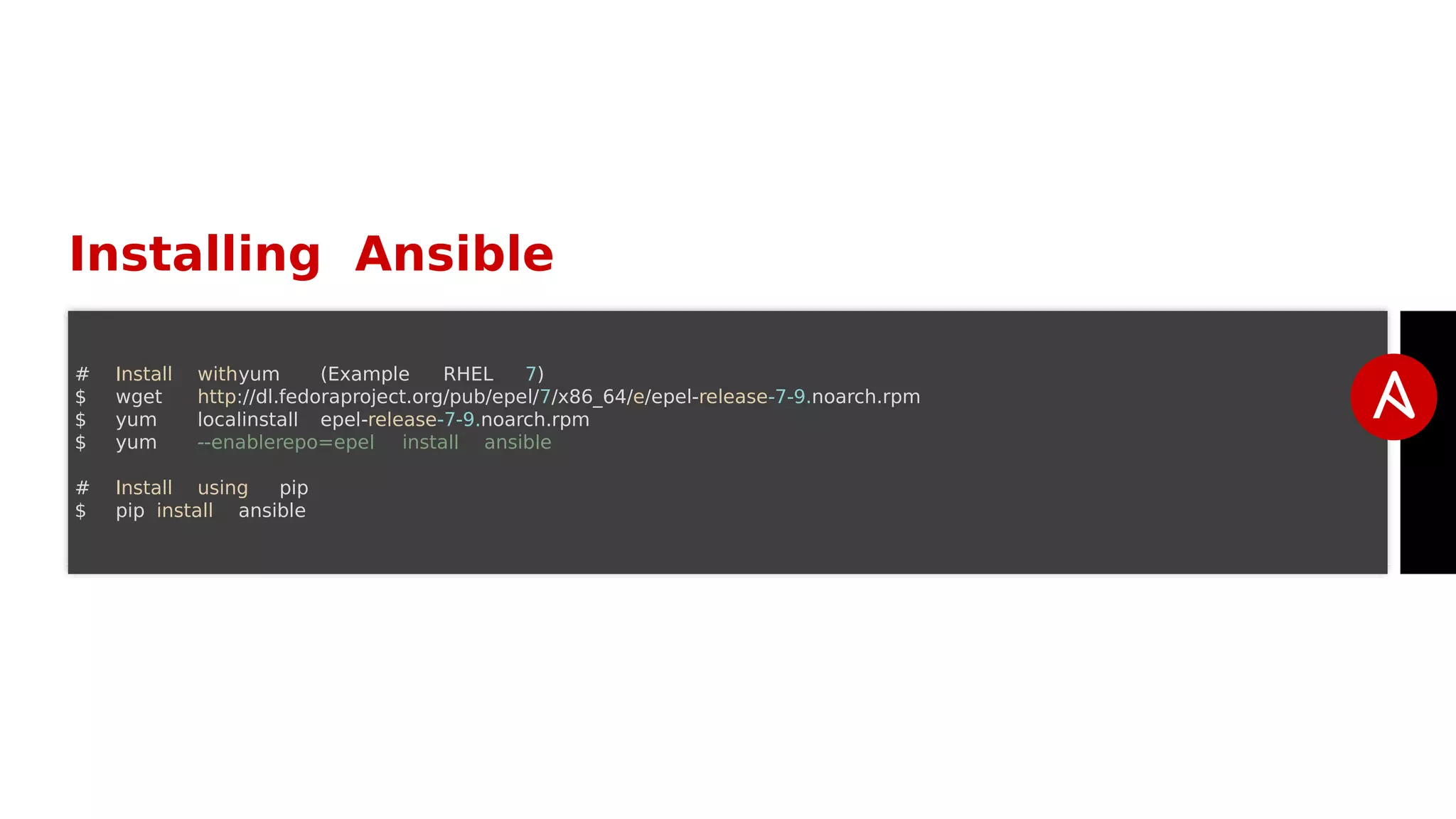
Installing Ansible
# Install withyum (Example RHEL 7)
$ wget http://dl.fedoraproject.org/pub/epel/7/x86_64/e/epel-release-7-9.noarch.rpm
$ yum localinstall epel-release-7-9.noarch.rpm
$ yum --enablerepo=epel install ansible
# Install using pip
$ pip install ansible
HowAnsibleWorks
Modules
Modules are bits of code transferred to the target system and
executedto satisfy the task declaration. Ansible ships with
several hundred today!
apt/yum
copy
file
get_url
git
ping
debug
service
synchronize
template
Modules Documentation
http://docs.ansible.com/
Modules Documentation
# List out all modulesinstalled
$ ansible-doc -l
...
copy
cron
...
# Read documentation for installedmodule
$ ansible-doc copy
> COPY
The [copy] module copies a file on the local box to remote locations. Use the [fetch] module to copy filesfrom
box.If you need variable interpolationin copied files, use the [template] module.
* note: Thismodule has a corresponding action plugin.
Options (= is mandatory):
...
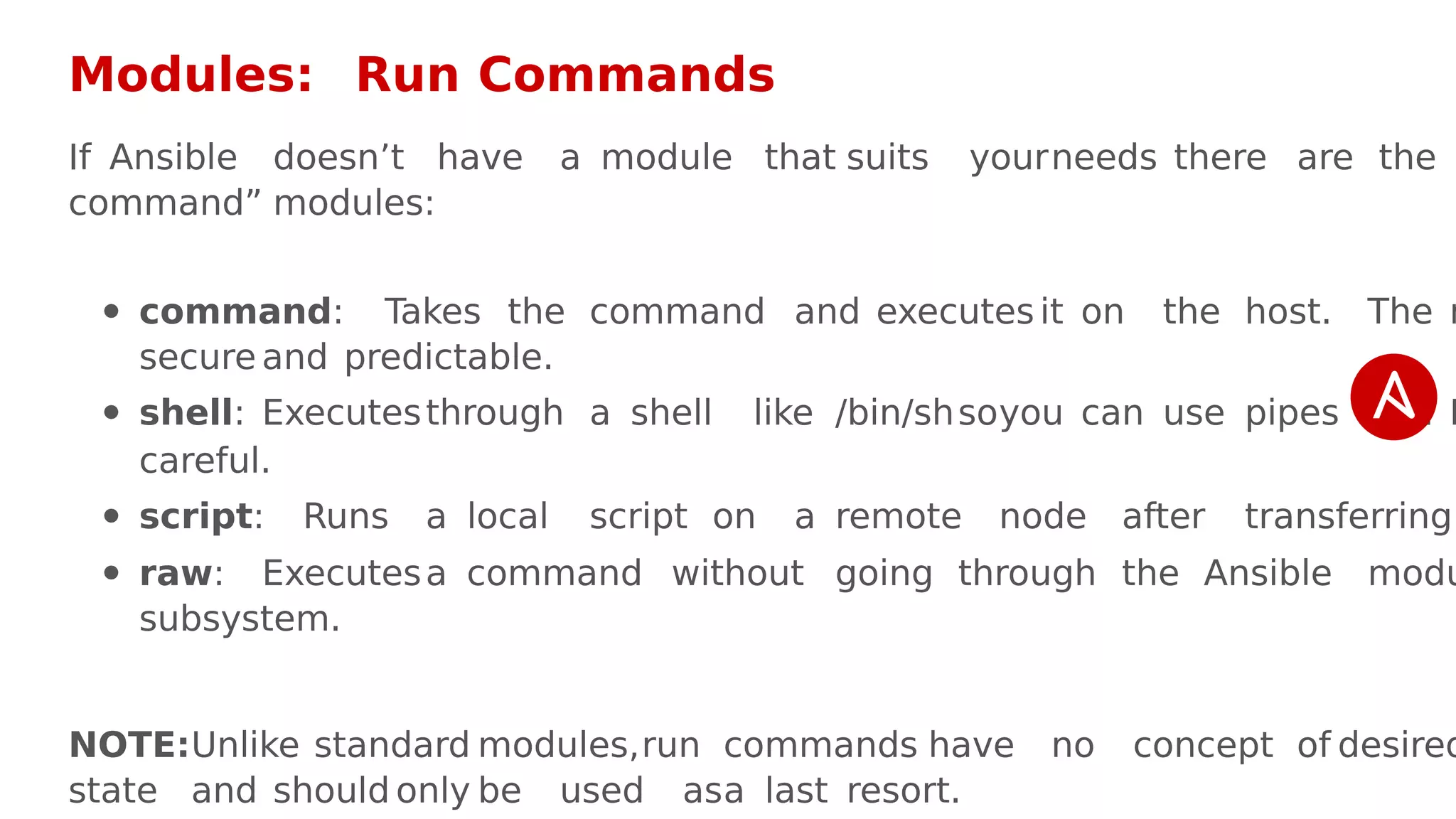
Modules: Run Commands
If Ansible doesn’t have a module that suits yourneeds there are the
command” modules:
command: Takes the command and executes it on the host. The m
secure and predictable.
shell: Executesthrough a shell like /bin/shsoyou can use pipes etc. B
careful.
script: Runs a local script on a remote node after transferring
raw: Executesa command without going through the Ansible modu
subsystem.
NOTE:Unlike standard modules,run commands have no concept of desired
state and should only be used asa last resort.
Inventory
Inventory is a collection of hosts (nodes) with associated dataand groupin
that Ansible can connect and manage.
Hosts (nodes)
Groups
Inventory-specific data(variables)
Static ordynamic sources
StaticInventory Example
10.42.0.2
10.42.0.6
10.42.0.7
10.42.0.8
10.42.0.100
host.example.com
StaticInventory Example
[control]
control ansible_host=10.42.0.2
[web]
node-[1:3] ansible_host=10.42.0.[6:8]
[haproxy]
haproxy ansible_host=10.42.0.100
[all:vars]
ansible_user=vagrant
ansible_ssh_private_key_file=~/.vagrant.d/insecure_private_key
Ad-Hoc Commands
An ad-hoccommand is a single Ansible task to perform quickly, but don’
to save for later.
# check all my inventory hosts are ready to be
# managed by Ansible
$ ansible all -m ping
# collect and display the discovered facts
# for the localhost
$ ansible localhost -m setup
# run the uptime command on all hosts in the
# webgroup
$ ansible web-m command -a "uptime"
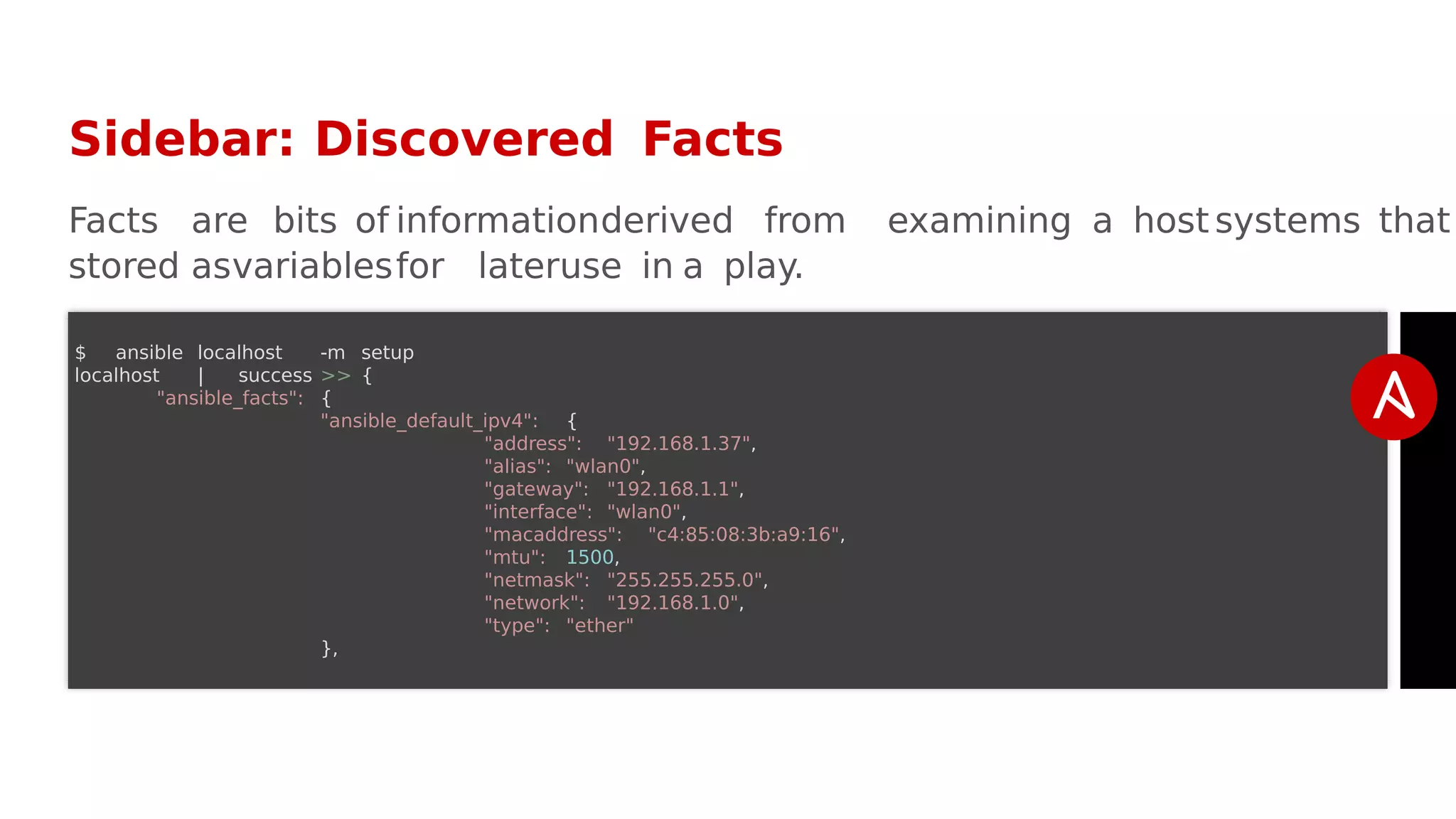
Sidebar: Discovered Facts
Facts are bits of informationderived from examining a host systems that
stored asvariablesfor lateruse in a play.
$ ansible localhost -m setup
localhost | success >> {
"ansible_facts": {
"ansible_default_ipv4": {
"address": "192.168.1.37",
"alias": "wlan0",
"gateway": "192.168.1.1",
"interface": "wlan0",
"macaddress": "c4:85:08:3b:a9:16",
"mtu": 1500,
"netmask": "255.255.255.0",
"network": "192.168.1.0",
"type": "ether"
},
Lab # 1:
Ad-HocCommands
Variables
Ansible can work with metadata from various sources and manage the
in the form of variables.
Command line parameters
Plays and tasks
Files
Inventory
Discovered facts
Roles
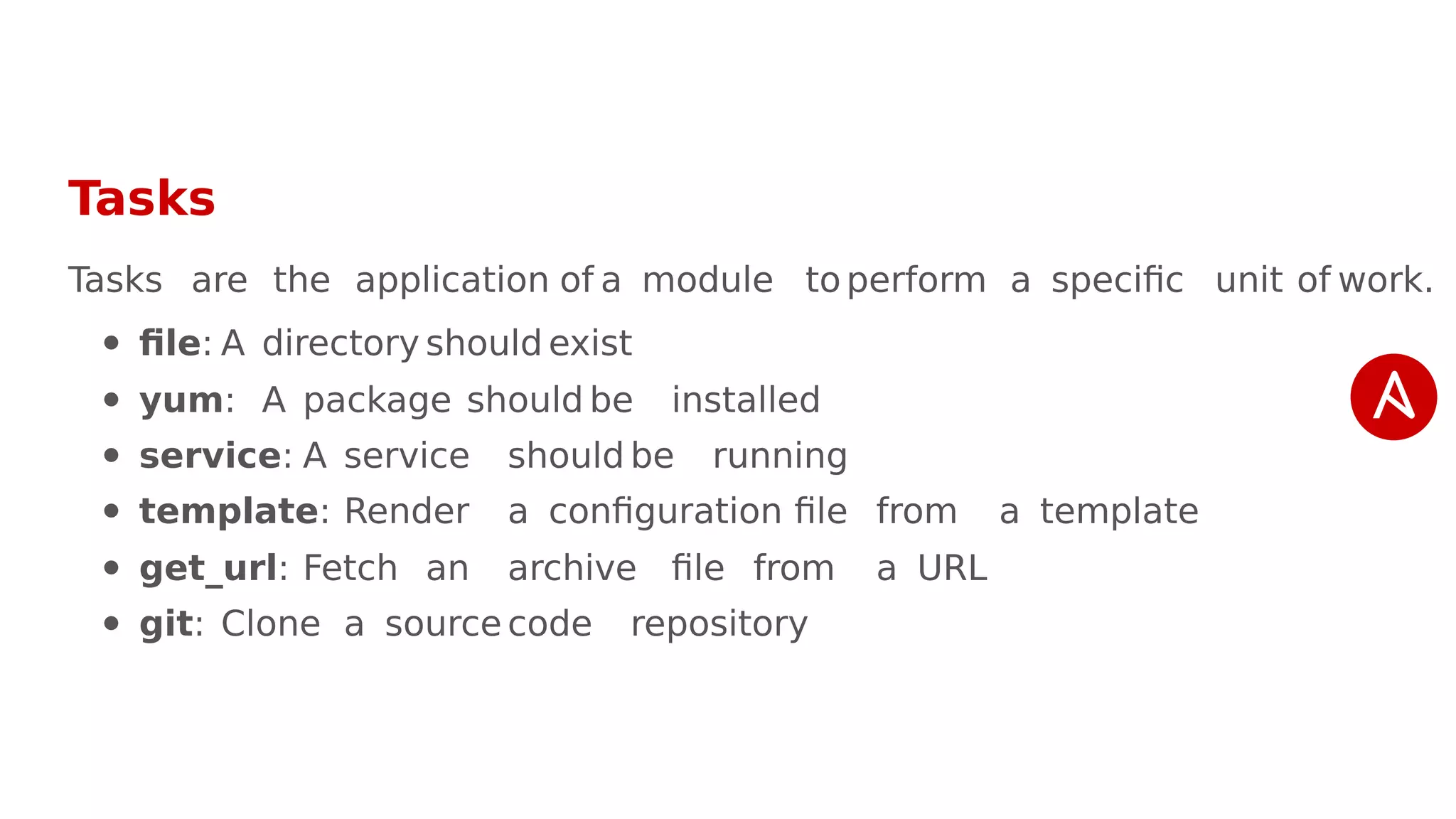
Tasks
Tasks are the application of a module to perform a specific unit of work.
file: A directory should exist
yum: A package should be installed
service: A service should be running
template: Render a configuration file from a template
get_url: Fetch an archive file from a URL
git: Clone a source code repository
Example Tasks in a Play
tasks:
- name: httpd packageis present
yum:
name: httpd
state: latest
- name: latest index.html file is present
copy:
src: files/index.html
dest: /var/www/html/
- name: restart httpd
service:
name: httpd
state: restarted
Plays & Playbooks
Plays are ordered sets of tasks to execute against host selections from
inventory. A playbookis a file containing one ormore plays.
Lab # 2:
A Simple Playbook
DoingMore withPlaybooks
Here are some more essential playbookfeatures that you can apply:
Templates
Loops
Conditionals
Tags
Blocks
Templates
Ansible embeds that can be used to dynamically:
Set and modifyplay variables
Conditionallogic
Generate files such asconfigurations from variables
Jinja2 templating engine
Loops
Loops can do one task on multiple things,such ascreate a lot of users,
lot of packages, orrepeat a pollingstep untila certain result is reached.
Conditionals
Ansible supports the conditional execution of a task based on the run-tim
evaluation of variable, fact,orprevious task result.
Tags
Tagsare useful to be able to run a subset of a playbookon-demand.
Roles
Roles are a packages of closelyrelated Ansible content that can be sh
easily thanplays alone.
Improvesreadability and maintainability of complex plays
Eases sharing, reuse and standardization of automationprocesses
Enables Ansible content to exist independently of playbooks, projects
even organizations
Provides functional conveniencessuch asfile pathresolution and defau
values
Project withEmbeddedRoles Example
site.yml
roles/
common/
files/
templates/
tasks/
handlers/
vars/
defaults/
meta/
apache/
files/
templates/
tasks/
handlers/
vars/
defaults/
meta/
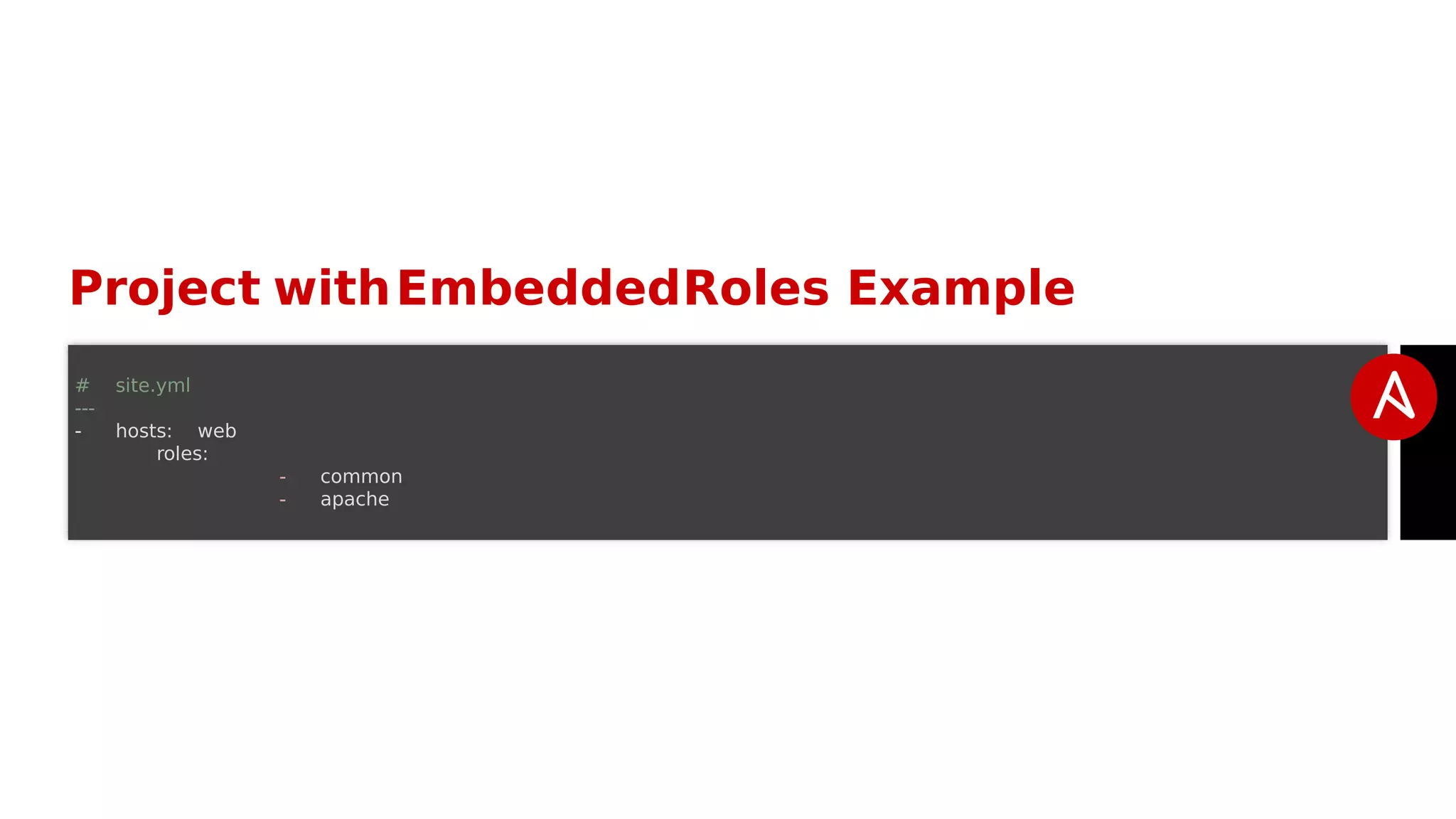
Project withEmbeddedRoles Example
# site.yml
---
- hosts: web
roles:
- common
- apache
AnsibleGalaxy
http://galaxy.ansible.com
Ansible Galaxyis a hub for finding, reusing and sharing Ansible conten
Jump-start yourautomationprojectwith content contributedand reviewedby
the Ansible community.
Lab #3:
A PlaybookUsing Roles
Lab #4:
Using an Ansible Galaxy Role
Next Steps
It's easy to get started
ansible.com/get-started
Join the Ansible community
ansible.com/community
Would you like to learn a lot more?
redhat.com/en/services/training/do407-automation-ansible

Ansible

  • 1.
    Ansible Hands-on Introduction By:Rahul Bajaj @rahulrb0509 Associate Software Engineer, Red Hat
  • 2.
    What is Ansible? It'sa simple automation language that can perfectly describe an IT application infrastructurein Ansible Playbooks. It's an automation engine that runsAnsible Playbooks. Ansible Tower is an enterprise framework for controlling, securing and managing yourAnsible automationwith a UI and RESTful API.
  • 3.
  • 4.
    Installing Ansible # Installwithyum (Example RHEL 7) $ wget http://dl.fedoraproject.org/pub/epel/7/x86_64/e/epel-release-7-9.noarch.rpm $ yum localinstall epel-release-7-9.noarch.rpm $ yum --enablerepo=epel install ansible # Install using pip $ pip install ansible
  • 5.
  • 6.
    Modules Modules are bitsof code transferred to the target system and executedto satisfy the task declaration. Ansible ships with several hundred today! apt/yum copy file get_url git ping debug service synchronize template
  • 7.
  • 8.
    Modules Documentation # Listout all modulesinstalled $ ansible-doc -l ... copy cron ... # Read documentation for installedmodule $ ansible-doc copy > COPY The [copy] module copies a file on the local box to remote locations. Use the [fetch] module to copy filesfrom box.If you need variable interpolationin copied files, use the [template] module. * note: Thismodule has a corresponding action plugin. Options (= is mandatory): ...
  • 9.
    Modules: Run Commands IfAnsible doesn’t have a module that suits yourneeds there are the command” modules: command: Takes the command and executes it on the host. The m secure and predictable. shell: Executesthrough a shell like /bin/shsoyou can use pipes etc. B careful. script: Runs a local script on a remote node after transferring raw: Executesa command without going through the Ansible modu subsystem. NOTE:Unlike standard modules,run commands have no concept of desired state and should only be used asa last resort.
  • 10.
    Inventory Inventory is acollection of hosts (nodes) with associated dataand groupin that Ansible can connect and manage. Hosts (nodes) Groups Inventory-specific data(variables) Static ordynamic sources
  • 11.
  • 12.
    StaticInventory Example [control] control ansible_host=10.42.0.2 [web] node-[1:3]ansible_host=10.42.0.[6:8] [haproxy] haproxy ansible_host=10.42.0.100 [all:vars] ansible_user=vagrant ansible_ssh_private_key_file=~/.vagrant.d/insecure_private_key
  • 13.
    Ad-Hoc Commands An ad-hoccommandis a single Ansible task to perform quickly, but don’ to save for later. # check all my inventory hosts are ready to be # managed by Ansible $ ansible all -m ping # collect and display the discovered facts # for the localhost $ ansible localhost -m setup # run the uptime command on all hosts in the # webgroup $ ansible web-m command -a "uptime"
  • 14.
    Sidebar: Discovered Facts Factsare bits of informationderived from examining a host systems that stored asvariablesfor lateruse in a play. $ ansible localhost -m setup localhost | success >> { "ansible_facts": { "ansible_default_ipv4": { "address": "192.168.1.37", "alias": "wlan0", "gateway": "192.168.1.1", "interface": "wlan0", "macaddress": "c4:85:08:3b:a9:16", "mtu": 1500, "netmask": "255.255.255.0", "network": "192.168.1.0", "type": "ether" },
  • 15.
  • 16.
    Variables Ansible can workwith metadata from various sources and manage the in the form of variables. Command line parameters Plays and tasks Files Inventory Discovered facts Roles
  • 17.
    Tasks Tasks are theapplication of a module to perform a specific unit of work. file: A directory should exist yum: A package should be installed service: A service should be running template: Render a configuration file from a template get_url: Fetch an archive file from a URL git: Clone a source code repository
  • 18.
    Example Tasks ina Play tasks: - name: httpd packageis present yum: name: httpd state: latest - name: latest index.html file is present copy: src: files/index.html dest: /var/www/html/ - name: restart httpd service: name: httpd state: restarted
  • 19.
    Plays & Playbooks Playsare ordered sets of tasks to execute against host selections from inventory. A playbookis a file containing one ormore plays.
  • 20.
    Lab # 2: ASimple Playbook
  • 21.
    DoingMore withPlaybooks Here aresome more essential playbookfeatures that you can apply: Templates Loops Conditionals Tags Blocks
  • 22.
    Templates Ansible embeds thatcan be used to dynamically: Set and modifyplay variables Conditionallogic Generate files such asconfigurations from variables Jinja2 templating engine
  • 23.
    Loops Loops can doone task on multiple things,such ascreate a lot of users, lot of packages, orrepeat a pollingstep untila certain result is reached.
  • 24.
    Conditionals Ansible supports theconditional execution of a task based on the run-tim evaluation of variable, fact,orprevious task result.
  • 25.
    Tags Tagsare useful tobe able to run a subset of a playbookon-demand.
  • 26.
    Roles Roles are apackages of closelyrelated Ansible content that can be sh easily thanplays alone. Improvesreadability and maintainability of complex plays Eases sharing, reuse and standardization of automationprocesses Enables Ansible content to exist independently of playbooks, projects even organizations Provides functional conveniencessuch asfile pathresolution and defau values
  • 27.
  • 28.
    Project withEmbeddedRoles Example #site.yml --- - hosts: web roles: - common - apache
  • 29.
    AnsibleGalaxy http://galaxy.ansible.com Ansible Galaxyis ahub for finding, reusing and sharing Ansible conten Jump-start yourautomationprojectwith content contributedand reviewedby the Ansible community.
  • 30.
    Lab #3: A PlaybookUsingRoles Lab #4: Using an Ansible Galaxy Role
  • 31.
    Next Steps It's easyto get started ansible.com/get-started Join the Ansible community ansible.com/community Would you like to learn a lot more? redhat.com/en/services/training/do407-automation-ansible